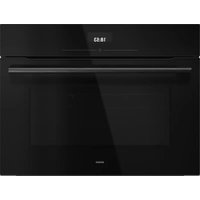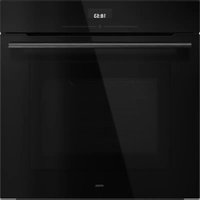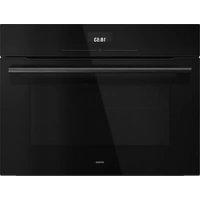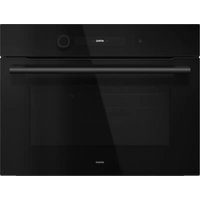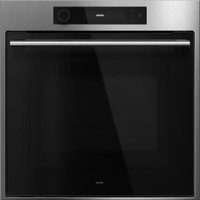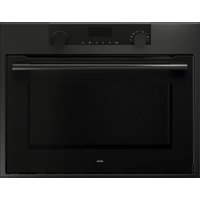
CX4695C - Microwave Oven Atag - Free user manual and instructions
Find the device manual for free CX4695C Atag in PDF.


User questions about CX4695C Atag
0 question about this device. Answer the ones you know or ask your own.
Ask a new question about this device
Download the instructions for your Microwave Oven in PDF format for free! Find your manual CX4695C - Atag and take your electronic device back in hand. On this page are published all the documents necessary for the use of your device. CX4695C by Atag.
USER MANUAL CX4695C Atag
natural_image
Exterior view of a modern kitchen oven with dual rotary gauges (no visible text or symbols)CX46__C
bar_stacked
| Year | Total (U) | | :--- | :--- | | 2017 | 12:00U | | 2018 | 12:00U | | 2017 | 01 | | 2018 | 01 |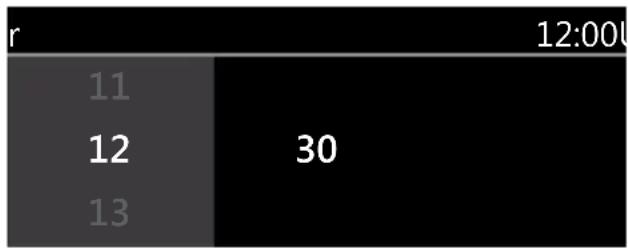
bar
| r | Value | |---|---| | 11 | | | 12 | 30 | | 13 | |Naar links navigeren
natural_image
Technical line drawing showing a door opening with a tool inserted, and three views of the door frame (no text or symbols present)natural_image
Technical diagram showing three views of an oven interior: front view, internal component assembly, and close-up of a mechanical switch (no text or symbols)Algemeen
natural_image
Symbol of a trash bin with crossed x-marks, no text or numbers presentnatural_image
Warning symbol with exclamation mark inside a triangle (no text or numbers)natural_image
Exterior view of a modern kitchen oven with digital display and control knobs (no visible text or symbols)CX46__C
bar_stacked
| Category | Value | |---|---| | 11 | 11 | | 12 | 12 | | 13 | 13 | | Total | 12:00 | | Top Label | née | | Bottom Label | 12:00 | | Bottom Label | 30 | The values for '12:00' are explicitly labeled on the bars.natural_image
Technical diagram showing three views of a kitchen appliance with a screwdriver inserted into a housing (no text or labels present)natural_image
Technical diagram showing three views of an oven interior: front view, internal component assembly, and close-up of a mechanical switch (no text or symbols present)Généralités
natural_image
Symbol of a trash bin with crossed lines indicating no waste or discharge (no text or numbers present)natural_image
Warning symbol with exclamation mark inside a triangle (no text or numbers)natural_image
Exterior view of a modern kitchen oven with dual rotary knobs and a blank oven (no text or symbols visible)CX46__C
natural_image
Technical line drawing showing a door opening with a screwdriver inserted, alongside three views of the door frame (no text or symbols present)natural_image
Technical diagram showing three views of an oven interior: front view, internal component assembly, and close-up of a mechanical switch (no text or symbols present)Allgemeines
natural_image
Warning symbol with exclamation mark inside a triangle (no text or numbers)Instructions for use
Oven
ATAG
natural_image
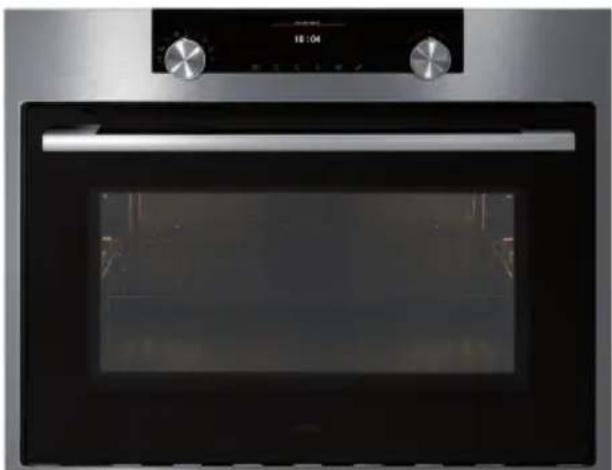
Exterior view of a modern kitchen oven with dual rotary knobs and a digital display (no visible text or symbols)CX46__C
EN Instructions for use EN 3 - EN 29
Pictograms used

Important information

Tip
Your oven
| Introduction | 4 | |
| Description of the appliance 5 | ||
| Guide rails/Telescopic guide rails 5 | ||
| Accessories | 6 | |
| Door | 6 | |
| Cooling fan 6 | ||
| Control panel 7 | ||
| Control panel general use 8 |
First use
| Before first use 10 | |
| Use | |
| MicrowavesGuidelines for cookware 13Please note! 14Explanation of the knobs and the keys 14Description of the main functions 16Description of the sub functions 17Plus menu 21 |
Operation
| Using the appliance cooking functions 22 | |
| Settings | Settings menu 24 |
Maintenance
| Cleaning the appliance 25 | |
| Cleaning function (Steam clean) | 25 |
| Removing and cleaning the guide rails | 26 |
| Replacing the oven lamp | 26 |
Malfunctions
| General | 27 |
Environmental aspects
| Disposal of the appliance and packaging | 29 |
Introduction
Congratulations on choosing this oven. This product is designed with simple operation and optimum comfort in mind.
This manual shows how you can best use this oven. In addition to information about operating the appliance, you will also find background information that may be useful when using the appliance.

Please read the separate safety instructions carefully before using the appliance!
Read this manual before using the appliance and keep it in a safe place for future use.
The installation instructions are included separate.
Description of the appliance
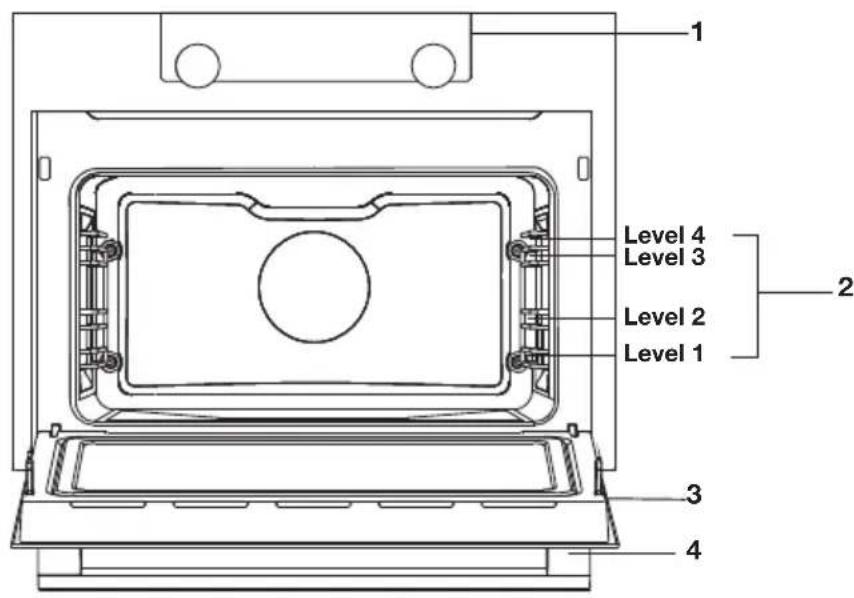
- Control panel
- Oven levels
- Oven door
- Door handle
text_image
Level 1 Level 2 Level 3 Level 4 Level 1 Level 2 Level 3 Level 4Guide rails/Telescopic guide rails
- The oven has four or five guide rails (Level 1 to 4/5), depending on the model. Level 1 is mainly used in combination with bottom heat. The two upper levels are mainly used for the grill function.
- Place the oven rack, baking tray or steam dish in the gap between the guide rail sliders.
- A number of shelf levels can have fully-retractable telescopic guide rails, depending on the model.
Pull the telescopic guide rails out of the oven cavity completely and place the oven rack / baking tray / steam dish on them. Then slide the oven rack / baking tray / steam dish on the telescopic guide rails, back into the oven cavity.
▶ Only close the oven door when the telescopic guide rails have been returned completely back into the oven cavity.
Accessories
Your appliance is accompanied by a range of accessories, depending on the model. Only use original accessories; they are specially suited to your appliance. Be sure that all the accessories that are being used are able to withstand the temperature settings of the chosen oven function.
Note: not all accessories are suitable/available for every appliance (it may also differ by country). When purchasing, always provide the exact identification number of your appliance. Please see the sales brochures or check online for more details about optional accessories.
Note: never place an accessory on the bottom of the oven!
| Accessories that can be supplied with your appliance (depending on the model) | |
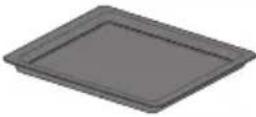 | Enamelled baking tray; to be used for pastries and cakes.Do not use the enamelled baking tray for microwave functions!Suitable for pyrolysis cleaning. |
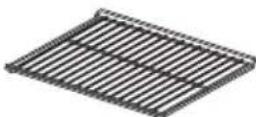 | Oven rack; mainly used for grilling. A steam dish or pan with food can also be placed on the oven rack.The oven rack is equipped with a safety peg. Lift the rack slightly at the front to slide it out of the oven.Do not use the oven rack for microwave functions! |
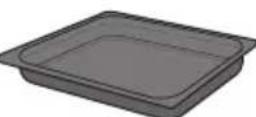 | Deep enamelled baking tray; to be used for roasting meat and baking moist pastry.Do not place the deep baking tray on the lowest level during a cooking process, except when using it as a drip tray during grilling, roasting or roasting with a spit roast (when available).Do not use the deep enamelled baking tray for microwave functions!Suitable for pyrolysis cleaning. |
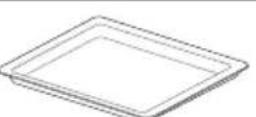 | Glass baking tray; for microwave and oven use.NOT suitable for pyrolysis cleaning. |
Door
- The door switches interrupt the operation of the oven when the door is opened during use. The oven continues operating when the door is closed.
Cooling fan
- The appliance is equipped with a cooling fan that cools the casing and control panel.
Control panel
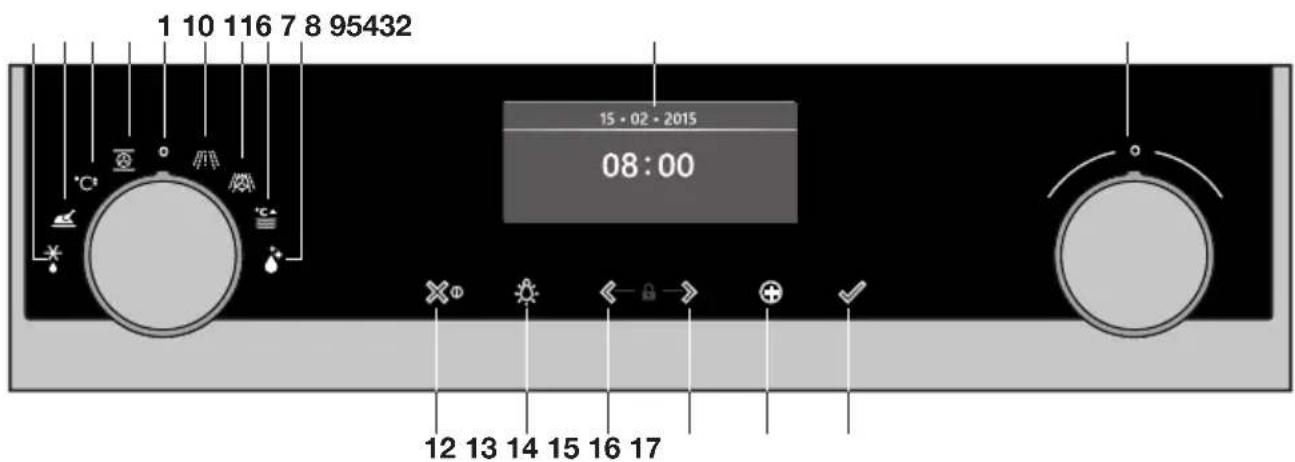
text_image
1 10 116 7 8 95432 15 - 02 - 2015 08:00 12 13 14 15 16 17- Function knob (in 'Off' position)
- Defrost
- Automatic programs
- Fast preheat
- Oven functions
- Microwave functions
- Combi microwave functions
- Warming
- Cleaning
- Display
- Selection knob
- On/off key and stop key (cancel)
- Light key
- Navigation key left
- Navigation key right
-
Plus key
-
Confirm key (add 30 seconds microwave time / available when using the 'Microwave' function)

The keys respond best if you touch them shortly with a large area of your fingertip. Every time you touch a key during use, a short acoustic signal will sound.
Control panel general use

text_image
Activated area (grey background)Set a function and settings
-
Touch and hold the on/off key to switch on the appliance.
-
Turn the function knob to set a main oven function.
The main oven functions are visible around the oven function knob and in the display. The function icon is displayed larger. The 'active area' (recognizable by a grey background) moves to the right.
- Turn the selection knob to select a sub oven function.
The ‘active area’ shows the several different sub oven functions. Scroll up or down to view the different functions. If a chosen main function does not have a sub function then the next available setting appears in the active area.
- Touch the selection knob (or the right navigation key) to confirm the chosen sub oven function or setting.
The ‘active area’ (grey background) moves to the right.
- Turn the selection knob to change the next available settings (left = decrease, right = increase) and confirm by touching the selection knob or touching the right navigation key.
- When all elements in the screen are set, then confirm these settings by touching the confirm key.
- When the confirm key is blinking it is possible to start the oven with the default settings.
- Touch the left navigation key to move the active area to the left to change an already made setting. Change the setting by turning and touching the selection knob.
- Touch the stop key to go one-step back in the menu.
Follow the instructions on the display.
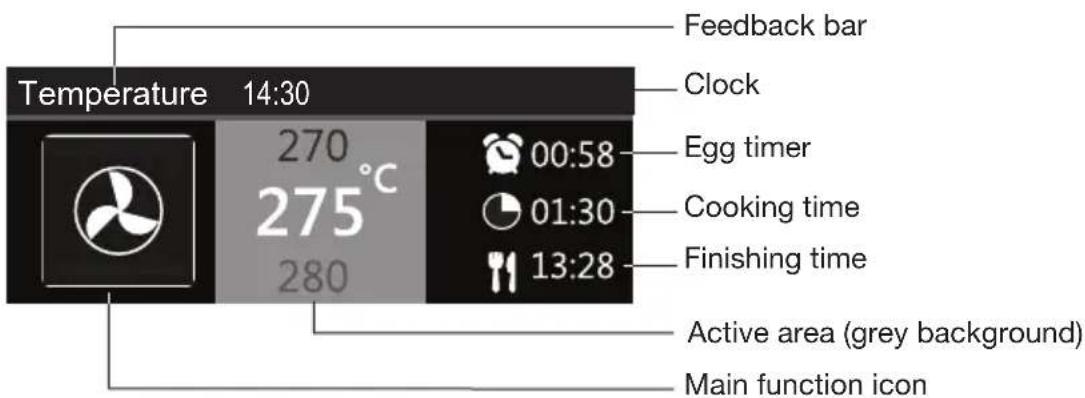
text_image
Feedback bar Temperature 14:30 Clock Egg timer Cooking time Finishing time Active area (grey background) Main function icon- The display will show the icon and name of the activated function for about 1.5 seconds.
- The feedback bar shows what setting you are changing.
Delayed start
- Set an desired cooking time and finishing time to start cooking at a later time.
Display
When the appliance is in progress you see the following information in the display:
• Temperature and/or microwave power
• Active oven (sub) function
- Egg time (when set /see 'Plus menu')
- Cooking time (cooking time counting up or counting down when cooking time has been set)
• Finishing time (when cooking time has been set)
Stand-by mode
The stand-by display will show the time, date and the timer (if set). The appliance goes to standby mode after turning the function knob to 0 ('off' position).
Switching on the appliance
- Touch and hold the on/off key to switch on the appliance.
- The appliance can also be switched on by turning the function knob to a function.
Shutting down the appliance
- Touch and hold the stop key to shut down the appliance manually.
- Default the appliance will shut down when there has been no action during 30 minutes.
Before first use
- Clean the appliance interior and accessories with hot water and washing-up liquid. Do not use aggressive cleaning agents, abrasive sponges and similar.
- The appliance will emit a particular odor when it is used for the first time; this is normal. Make sure that there is good ventilation during initial use.

When the appliance is first plugged in or after connection when the appliance was disconnected from the power mains for a long period of time, you have to set ‘Language’, ‘Date’ and ‘Time’.
Setting the language
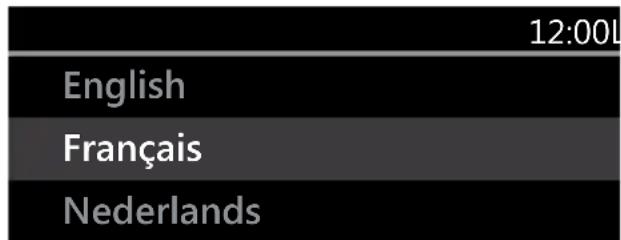
text_image
12:00L English Français NederlandsIn case you are not comfortable with the language on the display, you can select another language. The default setting is 'English'.
- Turn the selection knob and select your preferred language from the displayed list.
- Confirm the setting by touching the confirm key.
The next screen will be displayed.
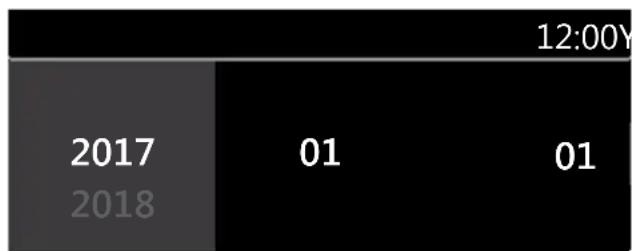
Setting the date and time
bar_stacked
| Year | Value 1 | Value 2 | |---|---|---| | 2017 | 01 | 01 | | 2018 | 01 | 01 | 12:00Y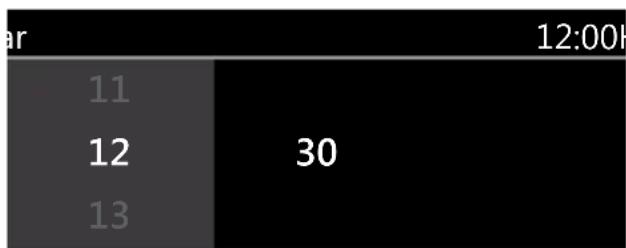
bar
| Value | Timeframe | |---|---| | 11 | 12:00h | | 12 | 30 | | 13 | |- Turn the selection knob and change the first setting (Year).
- Confirm this setting by touching the right navigation key or by touching the selection knob.
- Turn the selection knob and change the next setting (Month).
- Confirm this setting by touching the right navigation key or by touching the selection knob.
-
Turn the selection knob and change the last setting (Day).
-
Confirm this setting by touching the confirm key. The next screen will be displayed. Now set the hours and minutes with the selection knob and navigation key. Confirm your setting by touching the confirm key.
All the start-up settings are now set and the display will show the stand-by screen. The appliance is now ready for use.

The language, time and date can be adjusted in the settings menu (see 'Settings menu' chapter). The settings menu can be opened from the start display via the 'Plus' menu.
Microwaves
Microwaves are high-frequency electromagnetic waves. The energy makes it possible to cook or warm up a dish without affecting the form or colour.
Cooking principle
- The microwaves the microwave generates are spread evenly by a distribution system. This cooks the dish evenly.
- The food absorbs the microwaves to a depth of approximately 2.5 cm. Cooking then continues, because the heat is spread in the dish.
- The cooking times vary and depend on the dish you use and the properties of the food:
▶Quantity and density
▶Moisture content
▶Starting temperature (whether or not it is chilled)

Please note!
The dish is cooked from the inside out by means of heat distribution. The cooking continues even when you take the dish from the oven. Standing times in recipes should therefore be adhered to, in order to ensure:
• Even heating into the middle of the dish.
• Equal temperatures in all parts of the dish.
Microwave power setting
| Power Use | |
| 1000 W • | For quick heating of drinks, water and dishes containing a lot of moisture.For cooking fresh or frozen vegetables. |
| 750 W • | For preparing and heating of drinks and dishes. |
| 600 W • | For melting chocolate.For cooking fish and seafood.For heating on two levels.For cooking dried beans at low temperatures.For heating or cooking delicate dishes with eggs. |
| 360 W • | For cooking dairy products or jam at low temperatures. |
| 180 W • | For fast defrosting of dishes.For softening butter or ice cream. |
| 90 W • | For defrosting cakes containing cream. |
Guidelines for cookware
Cookware that you use for the microwave function should not block the microwaves. Metals such as stainless steel, aluminium and copper reflect microwaves. For that reason, do not use metal cookware. Cookware which is designated as microwave-safe can be used safely. For more information about suitable cookware, consult the following guidelines and always use the glass baking tray on level one if you use the microwave function.
| Cookware | Microwave safe | Remarks |
| Aluminium foil | X | Can be used in small quantities to prevent certain parts of the dish from overcooking. Arcing can occur if the foil is too close to the oven wall or if too much foil is used. |
| Porcelain and earthenware | Porcelain, earthenware, glazed earthenware and ivory porcelain are usually suitable, unless they have a metal edge. | |
| Disposable crockery made from polyester or cardboard | Frozen meals are sometimes packaged in disposable tableware. | |
| Fast food packaging | ||
| Polystyrene cups | Can be used to warm up dishes. Polystyrene can melt if it overheats. | |
| Paper bags or newspaper | X | Can catch fi re. |
| Recycled paper or metal edges | X | Can cause arcing. |
| Glassware | Can be used, unless it has a metal edge. Can be used to warm up dishes or liquids. Thin glass can break or shatter with sudden heating. The lid must be removed. Only suitable for warming. | |
| Oven dishes | ||
| Fine glassware | ||
| Glass jars | ||
| Metal | X | Can cause arcing or fi re. |
| Paper | For short cooking times and warming. For absorbing excess moisture. | |
| Plates, cups, kitchen paper | ||
| Recycled paper | X | Can cause arcing. |
| Plastic | Only use heat-resistant thermoplastic material. Other types of plastic can warp or discolour at high temperatures. Do not use melamine plastic. Only if boil-proof or ovenproof. Must not be airtight. If necessary, prick it with a fork. |
√ : Recommended
√X : Careful
X : Unsafe
Please note!

Warning!
- Heating liquids in the microwave can result in delayed boiling. This means that the liquid may start to boil furiously after it is removed from the microwave, with the risk of scalding. You can offset the delayed boiling effect by placing a plastic or glass spoon in the liquid prior to heating it in the microwave.
- Take care with baby food: - Shake or stir the content of babies' bottles or pots of baby food after heating. - Check the temperature of the food carefully prior to consumption to prevent scalding injuries.
- Cutlery and tableware may become hot after using the microwave.
Explanation of the knobs and the keys
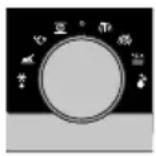
Function knob
Select a function
Turn this knob to select the desired function.
• See ‘Description of the functions’ for more information.
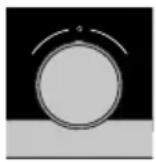
Selection knob
To choose an sub oven function
Turn this knob to choose a sub oven function.
- See ‘Control panel general use’ for more information.
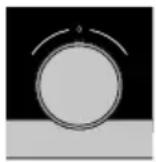
Change the settings
Turn this knob to change the settings that are in the active area.
- See ‘Control panel general use’ for more information.

Go to the next setting
Touch this knob to go to the next setting.
- The next to change setting will be in the grey active area.
On/off key and stop key
To switch the appliance on or off
Touch and hold the key for several seconds to switch the appliance on or off.
To cancel or go back in the menu
Touch this key to cancel an operation or to go back one-step in the menu.
Lighting key
Switch the lighting on/off
Touch this key to switch the cavity lighting on or off.
Navigation keys
 | Navigate to the rightTouch the right navigation key to confirm the setting and to move the active area to the right. |
 | Navigate to the leftTouch the left navigation key to move the active area to the left. |
 | Turn on/off the child lock functionTouch and hold the navigation keys simultaneously to activate/deactivate the child lock function.The oven's control panel can be locked by means of the Child Safety Lock, to protect the oven against unintended use. |
Plus key
 | To open the settings menu (see ‘Settings’)Touch this key in stand-by mode to open or exit the settings menu:• Egg timer• General• Display• Cooking• System |
 | To open extra options (see ‘Plus menu’)Touch this key in operation mode to open or exit the extra options possible at that moment:• Egg timer• Fast preheat |
Confirm key
 | Confi rm keyTo confirm all the white settings/elements in the screen. |
 | Add microwave timeAdd 30 seconds microwave time (microwave function). |
Description of the mains functions
Consult the tables to select the preferred function. Also consult the instructions for preparation on the dish packaging. Some main functions have sub functions.

In ‘Microwave function’: do not use metal cookware or utensils and do not preheat the oven. Be sure that all the accessories that are being used are able to withstand the temperature settings of the chosen oven function.
Main functions (to select with the function knob)
| Function Description | ||
 | OvenUse one of the functions available for grilling, baking or roastig.Sub functions are available (consult Oven functions table). | 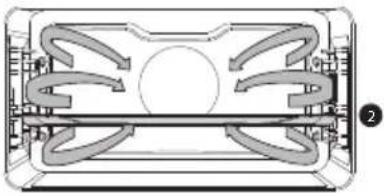 |
 | Fast preheatWith this function, the oven space quickly reaches the desired temperature. Do not use this setting when you have a dish in the oven space. | |
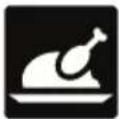 | ProgramsUse ‘Programs’ for baking and roasting by selecting a dish from a list of pre-programmed dishes. | |
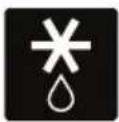 | DefrostThis function uses microwaves. Dishes are defrosted quickly and efficiently. | |
  | MicrowaveMicrowave energy is used to cook and defrost foods. It provides fast efficient cooking without changing the colour or form of food.Default settings can be changed in the settings menu.Place the glass dish on level 1.Suggested power: 750 WCombi microwaveUse one of the functions for (fast) cooking of meals.Sub functions are available (consult Combi microwave functions table). | 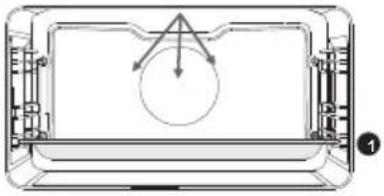 |
 | WarmingUse one of the functions to warm dishes.Sub functions are available (consult warming functions table). | |
 | CleaningGrease and grime can easily be removed from the oven walls with a damp cloth. | |
Description of the sub functions
Oven functions (to select with the selection knob)
| Function Description | ||
 | Hot airHeating by means of hot air from the back of the oven.This mode provides uniform heating and is ideal for baking.Place the baking tray or oven rack in the middle of the oven.Suggested temperature: 180 °CPreheating is recommended. | 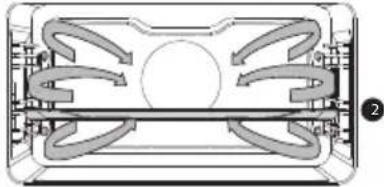 |
 | Hot Air + Bottom heatHeating by means of hot air from the back of the oven and the bottom heating element.This mode can be used to bake pizza, moist pastry, fruitcakes, leavened dough and short crust.Place the baking tray or oven rack in the middle of the oven.Suggested temperature: 200 °CPreheating is recommended. | 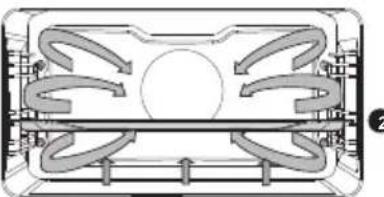 |
 | Top + Bottom heat• Heating by means of the upper and lower heating elements.• This mode can be used for traditional baking and roasting.• Place the baking tray or oven rack in the middle of the oven.• Suggested temperature: 200 °C• Preheating is recommended. | 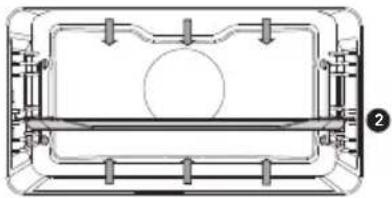 |
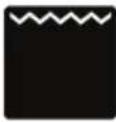 | Large Grill• Heating by means of the upper element and grill element.• This mode can be used with dishes and baked goods that require a distinctive bottom crust or browning. Use just before the end of the baking or roasting time.• Place the oven rack in the upper part of the oven and the baking tray in the middle of the oven.• Monitor the cooking process at all times.The dish may burn quickly due to the high temperature.• Maximum allowed temperature: 240 °C | 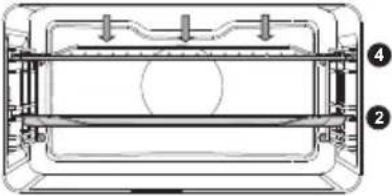 |
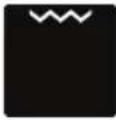 | Grill• Heating by means of the grill element.• This mode can be used for grilling a smaller amount of open sandwiches, beer sausages, and for toasting bread.• Place the oven rack in the upper part of the oven and the baking tray in the middle of the oven.• Monitor the cooking process at all times.The dish may burn quickly due to the high temperature.• Maximum allowed temperature: 240 °C |  |
 | Large grill + Fan• Heating by means of the top heating elements. The heat is distributed by the fan.• This mode can be used for grilling meat, fish and vegetables.• Place the oven rack in the upper part of the oven and the baking tray in the middle of the oven.• Suggested temperature: 170 °C• Monitor the cooking process at all times. The dish may burn quickly due to the high temperature.• Preheating is recommended. | 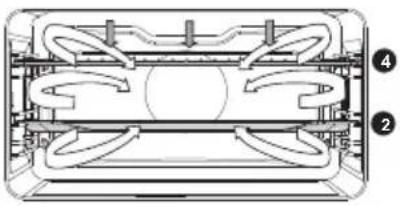 |
 | Top heat• Heating only by means of the upper heating element.• This mode can be used when you wish to bake/ roast the top part of your dish.• Place the baking tray or oven rack in the middle of the oven.• Suggested temperature: 150 °C | 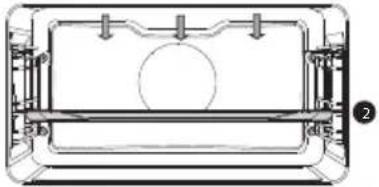 |
 | Bottom heat• Heating only by means of the lower heating element.• This mode can be used with dishes and baked goods that require a distinctive bottom crust or browning.• Place the baking tray or oven rack in the lower part of the oven.• Use just before the end of the baking or roasting time.• Suggested temperature: 160 °C | 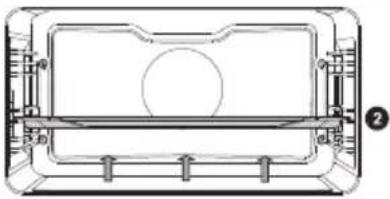 |
  | Bottom heat + Fan• Heating by means of the lower heating element. The heat is distributed by the fan.• This mode can be used for baking low leavened cakes, as well as for preservation of fruit and vegetables.• Place a not too high baking tray in the lower part of the oven, so that hot air can also circulate over the upper surface of the food.• Suggested temperature: 180 °CPro roasting• Heating by means of the upper heating element in combination with the grill heating element and hot air.• This mode can be used for roasting all types of meat.• Suggested temperature: 180 °C | 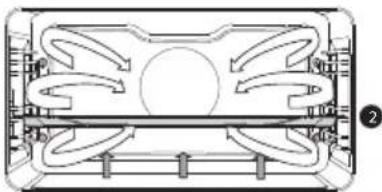 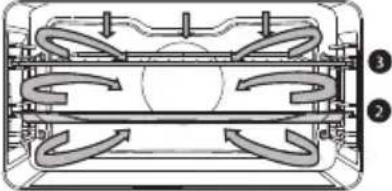 |
 | ECO Hot air• Heating by means of hot air. ECO hot air uses less energy but gives the same result as the hot air setting. Cooking takes a few minutes longer.• This mode can be used for roasting meat and baking pastry. Place the baking tray in the middle of the oven.• Suggested temperature: 180 °C• This setting makes use of the residual heat (heating is not on the whole time) to achieve low energy consumption (in accordance with energy class EN 60350-1). In this mode the actual temperature in the oven is not displayed. | 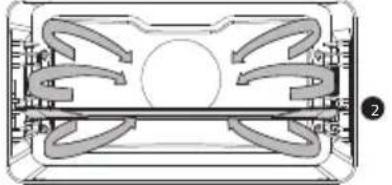 |
Combi microwave functions (to select with the selection knob)
| Function Description | ||
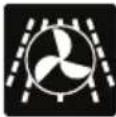 | Hot air + MicrowaveThis system employs a combination of microwaves and hot air; therefore, the cooking time is shorter.Use this for all types of meat, stews, vegetables, pies, cakes, bread and dishes au gratin (i.e. food that require longer cooking time).Place the glass dish on level 1.Suggested temperature: 160 °CSuggested power: 600 W | 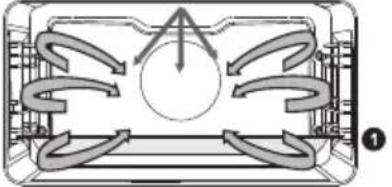 |
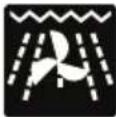 | Grill + Fan + MicrowaveThe food is cooked with a combination of microwaves and grill with fan.Use this combination for smaller chunks of meat, fish and vegetables.It allows fast cooking and the food will have a nicely browned crispy crust.Place the glass dish on level 1.Suggested temperature: 200 °CSuggested power: 600 W | 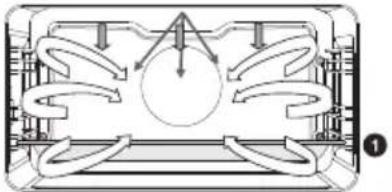 |
Warming functions (to select with the selection knob)
| Function Description | ||
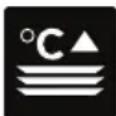 | Plate warmingThis function is used for warming tableware, so that the served food stays hotter for longer. | |
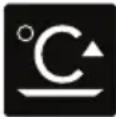 | Keep warmThis function is used to keep already cooked dishes warm. | |
Plus menu
Touch the Plus key to choose extra functionality (after you have chosen a main function and settings).
- Select a function in the plus menu by turning the selection knob and confirm with the confirm key.
- To exit the plus menu, touch the ‘stop key’ or ‘plus key’; the display will show the previous screen again.
| Plus menu Description | |
| Egg timerThe egg timer can be used independently of the oven function.When the egg timer goes off, a message pop-up will appear and an acoustic signal will sound.Touch the stop key to switch off the signal and close the pop-up menu.The sound will stop automatically after approximately two minutes.To cancel the timer, set the time to 0:00. | |
| Fast preheatSwitch default fast preheat on/off (only available in oven functions). | |
Starting with fast preheat
- When a program is started and fast preheat is set default 'on' in the settings menu, a pop-up will appear. After 15 seconds the pop-up will automatically disappear. The progress screen will show the fast preheat icon, the time will be greyed out.
- If the set temperature is reached a message will pop-up. Insert the dish and the program will start automatically when the door is closed.
Using the appliance cooking functions
Consult ‘Control panel general use’ to get information about the general operation of the appliance.
- Touch the 'On/off key to switch on the appliance.
- Turn the function knob to select a main function.
Consult ‘Description of the functions’ to select the appropriate (available) function.
- Turn the selection knob to select a sub function (when available) or to adjust a setting.
The first sub-function setting is active (when available).
- Start directly the selected function (with pre-set values) by touching the confirm key (this key is blinking if it is possible to start the program).
Available functions or settings to adjust:
- the function (sub oven function or combi microwave function);
• the oven temperature; - the microwave power (when the (combi) microwave function is used);
- the cooking time.
The next sub-function or setting becomes active (if available). Go back to an previous selection or setting by touching the left navigation key.

If preferred, select any additional setting (for example 'Fast preheat') using the plus menu. See 'Plus menu' for more information.
- Touch the confirm key to start preparing your meal with the chosen settings.
At the end of the cooking you can:
- Stop cooking
▶Touch the confirm key.
The finish display will be closed and the stand-by screen will be shown. If there is no action within 10 minutes, the display will switch to stand-by mode.
- Add extra time
▶Touch the right navigation key to select 'Add extra time'.
The time setting becomes active and can be changed directly by rotating the selection knob.
▶Touch the confirm key.
The previous process is activated again.
Changing settings during the progress
- During progress, touching the navigation keys will show the active area. The selected setting can now be changed. After confirmation with the confirm key the progress screen will be shown with the changed settings.
- After 5 seconds without actions the progress settings are cancelled and the display will return to the progress screen.
Settings menu
The settings menu is only available by touching the plus key when the appliance is in stand-by mode.
| Egg timer (setting an alarm time) |
| GeneralLanguage of the displayTimeSet timeHour formatClock sizeDateDate yy-mm-ddDate formatSoundVolume (low-mid-high)Key sound (on / off)Welcome sound (on / off) |
| DisplayBrightness low, mid, highOven lightAuto. switch off after 1 min.Switch off manuallyNight modeStart and end time for lower display brightness:First display set start timer, second display set end timeAppliance to stand-byAuto. switch off after 1 hourAlways on* |
| CookingProgram intensityLow / medium / highPreheat settingsDefault on / offQuick start microwaveMicrowave power and time |
| SystemAppliance informationAppliance name and SW versionFactory settingsReturn to factory settings |

*Changing to manually switch off will increase energy consumption. If the oven is switched off manually (or when an interruption of the power supply occurs) this function will be reset (the display will automatically switch off).
Cleaning the appliance
Clean the oven regularly to prevent fat and food particles from accumulating, especially on the surfaces of the interior and the exterior, the door and the seal.
- Activate the child lock (to prevent that the appliance is switched on accidentally).
- Clean the exterior surfaces with a soft cloth and warm soapy water.
- Next wipe with a clean, damp cloth and dry the surfaces.
- Remove splashes and stains on the interior surfaces with a cloth and soapy water.
- Next wipe with a clean, damp cloth and dry the surfaces.

Make sure that no water enters the vents. Never use abrasive cleaning materials or chemical solvents. Always make sure that the seal of the door is clean. This prevents accumulation of dirt and allows you to close the door properly.
Cleaning function (Steam clean)
With Steam clean and a damp cloth, you can easily remove grease and dirt from the oven walls.
Using Steam clean
- Only use Steam clean when the oven has cooled down fully. It is more difficult to remove dirt and grease if the oven is hot.
-
The program takes 30 minutes. Food remains on the enamel walls will be sufficiently soaked after 30 minutes so that they can be removed with a damp cloth.
-
Remove all accessories from the oven.
- Pour 0.15 litres of water into the bottom of the oven.
- Select 'Cleaning' with the function knob.
- Touch the confirm key to start Steam clean.

Do not open the door during the cleaning program.
Removing and cleaning the guide rails
Use conventional cleaning products to clean the guide rails.
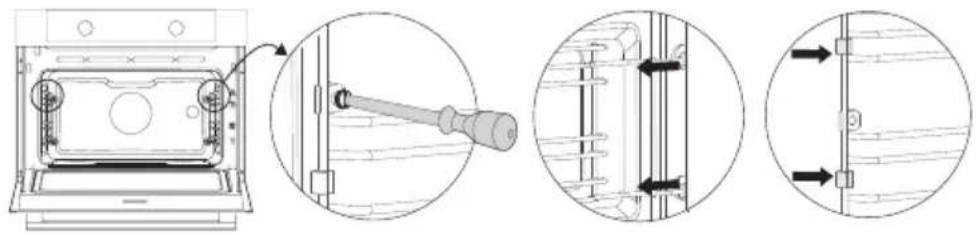
- Remove the screw using a screwdriver.
- Remove the guide rails from the holes in the back wall.

Save the guide rail spacers carefully. Return the spacers after cleaning. This prevents sparks being created during use.
natural_image
Technical line drawing showing a door opening with a screwdriver inserted, and three views of the door assembly (no text or symbols present)Replacing the oven lamp

The lamp in this household appliance is only suitable for illumination of this appliance. The lamp is not suitable for household room illumination.

The light bulbs (2x) (halogen G9, 230 V, 25 W) are a consumer items and therefore not covered by warranty. To replace it, first remove the baking tray, oven rack and guide rails.

Disconnect the appliance from the power supply by removing the plug from the socket or by switching off the circuit breaker in the fuse box.
Please note: the light bulb can be very hot! To prevent burns, use protection to remove the light bulb.
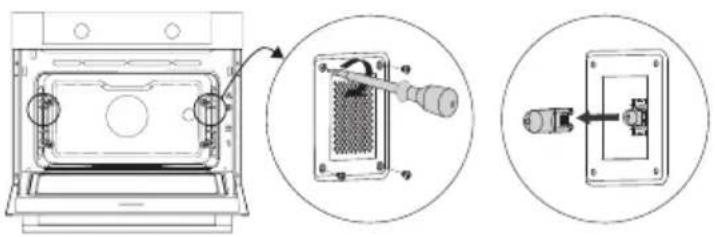
- Remove the four screws from the cover panel. Remove the cover panel and glass.
- Remove the light bulb and install a new one.
- Do not remove the seal from the cover panel. The seal should not become lose from the cover panel. The seal must fit perfectly in the oven wall recess.
natural_image
Technical diagram showing three views of an oven interior: front view, internal component assembly, and close-up of a mechanical switch (no text or symbols)General
If you have problems with your oven, consult the error overview below. Should the problems persist, please contact the Customer Services Department.
The food stays raw
- Check whether the timer has been set and you have touched the confirm key.
• Is the door closed properly? - Check whether a fuse has blown and whether a circuit breaker has been activated.
The food is overcooked or undercooked
- Check whether the correct cooking time has been set.
- Check whether the correct power has been set.
The keys do not respond; the display does not respond to the keys.
- Disconnect the appliance from the power supply for a few minutes (remove the mains plug from the socket or switch the circuit breaker to off); then reconnect the appliance and switch it on.
Sparking in the oven space.
- Ensure that all cover panels from the lamps are secure and that all spacers are placed on the guide rails.
Power failure can cause the display to reset.
- Remove the plug from the socket and put it back in again.
- Set the time again.
There is condensation in the oven.
- This is normal. Wipe the oven clean after use.
The fan keeps working after the oven is switched off.
- This is normal. The fan will keep working for a while after the oven is switched off.
Air flow can be felt at the door and the exterior of the appliance.
- This is normal.
Light reflects on the door and the exterior of the appliance.
- This is normal.
Steam escapes from the door or the vents.
- This is normal.
Clicking sounds can be heard when the oven is working, particularly in the defrost setting.
- This is normal.
The circuit breaker switches off regularly.
- Consult a service technician.
The display gives an error code, ERROR XX ...(XX indicates the number of the error).
- There is a fault in the electronic module. Disconnect the appliance from the power supply for a few minutes. Then reconnect it and set the current time.
- Consult a service technician if the error persists.
Storing and repairing the oven
- Repairs should only be performed by a qualified service technician. If maintenance is required, take the plug from the socket and contact the ATAG customer service.
Have the following information to hand when you call:
- The model number and serial number (stated on the inside of the oven door)
• Guarantee details
• A clear description of the problem

Choose a clean, dry place if you have to store the oven temporarily, as dust and moisture can damage the appliance.
Disposal of the appliance and packaging
This product is made from sustainable materials. However, the appliance must be disposed of responsibly at the end of its useful life. The government can provide you with information about this.
The appliance packaging can be recycled. The following materials have been used:
- cardboard;
• polyethylene film (PE);
• CFC-free polystyrene (hard PS foam).
Dispose of these materials responsibly in accordance with legal provisions.
natural_image
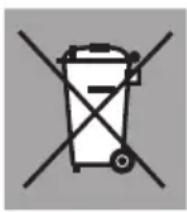
Symbol of a trash bin with crossed-out lines indicating no waste or discharge (no text or numbers present)The product has a pictogram of a crossed-out waste container. This indicates that household appliances must be disposed of separately. This means that the appliance may not be processed via the regular waste flow at the end of its useful life. You should take it to a special municipal waste depot or a sales outlet that offers to do this for you.
Collecting household equipment separately prevents harm to the environment and public health. The materials used in manufacturing this appliance can be recycled, which provides considerable savings in energy and raw materials.
Declaration of Conformity
CE We hereby declare that our products satisfy the applicable European Directives, Orders and Regulations, as well as the requirements stated in the referenced standards.

natural_image
Warning symbol with exclamation mark inside a triangle (no text or numbers)The appliance rating label is located on the inside of the appliance.
When contacting the service department, have the complete type number to hand.
You will find the addresses and phone numbers of the service organisation on the guarantee card.