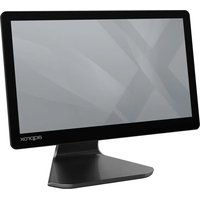
appTPV05ANDROID - Monitor Aqprox - Free user manual and instructions
Find the device manual for free appTPV05ANDROID Aqprox in PDF.


| Product type | Professional touch monitor |
| Brand | Aqprox |
| Model | appTPV05ANDROID |
| Screen size | 15.6 inches |
| Resolution | 1920 x 1080 pixels (Full HD) |
| Touch technology | Capacitive |
| Operating system | Android 11 |
| Processor | Quad Core Cortex-A55 2.0 GHz |
| RAM | 4 GB LPDDR4 / 4X |
| Storage | 64 GB eMMC 2.0 |
| Connectivity | 2x RJ11 (cash drawer / RS232), 2x USB 3.0, 1x RJ45 (10/100/1000M), WiFi 802.11 b/g/n/ac (2.4 & 5 GHz), Bluetooth 4.2 |
| Audio ports | 1x line out, 1x line in |
| Speakers | 1.5 W |
| Power supply | 12V / 5A power adapter |
| Operating temperature | 0°C to 60°C |
| Relative humidity | 0% to 95% |
| Certifications | CE, RoHS |
| Optional customer display | 10.1 inches, 1024x600 pixels |
| Maintenance | Clean with a soft, dry cloth; use a damp cloth and mild cleaner for stubborn stains. Avoid acrylic and polycarbonate solvents. |
| Safety | Do not open the device, do not expose to water or humidity, do not insert objects, respect the power supply voltage. |
| Recycling | Product subject to WEEE directive (2002/96/EC). Dispose of in a recycling bin at end of life. |
| General information | Professional use. Warranty and support according to manufacturer's conditions. |
Frequently Asked Questions - appTPV05ANDROID Aqprox
User questions about appTPV05ANDROID Aqprox
0 question about this device. Answer the ones you know or ask your own.
Ask a new question about this device
Download the instructions for your Monitor in PDF format for free! Find your manual appTPV05ANDROID - Aqprox and take your electronic device back in hand. On this page are published all the documents necessary for the use of your device. appTPV05ANDROID by Aqprox.
USER MANUAL appTPV05ANDROID Aqprox
Thank you for choosing appTPV05 Approx POS terminal. Please always read thoroughly all the instructions and documents delivered with the product before you do anything about it. The company reminds you that the proper use will improve the use affect and authentication speed. Operation of this equipment in a residential area is likely to cause interference in which case the user at his own expense will be required to take whatever measures to correct the interference.
Approx will assume no liability for any technical inaccuracies or editorial or other errors or omissions contained herein, nor for direct, indirect, incidental, consequential or otherwise damages, including without limitation loss of data or profits, resulting from the furnishing, performance, or use of this material. This information is provided "as is" and Approx expressly disclaims any warranties, expressed, implied or statutory, including without limitation implied warranties of merchantability or fitness for particular purpose, good title and against infringement.
The information in this manual contains only essential hardware concerns for general user and is subject to change without notice. Approx reserves the right to alter product designs, layouts or drivers without notification. The system integrator shall provide applicative notices and arrangement for special options utilizing this product.
All data should be backed-up prior to the installation of any drive unit or storage peripheral, Approx will not be responsible for any loss of data resulting from the use, disuse or misuse of this or any other Approx's post terminal product.
Daily maintenance guide
For regular cleaning of POS touch screen, please use only soft-haired brush or dry soft cloth. You may use moist soft cloth to remove stains when necessary. Apply only proper amount of mild neutral detergent for obstinate stains. Please note that never use Acryl dissolving solvent or Polycarbonate dissolving solvent. You may apply ammonia-based glass cleaner only on the screen surface.
Caution
- Risk of explosion if battery is replaced by an incorrect type.
- Dispose of used batteries according to local regulations.
- Do not remove the cover, and ensure no user serviceable components are inside. Take the unit to the service center for service and repair.
- Lay this equipment on a reliable surface when install. A drop or fall could cause injury.
Specifications
| Display size 15.6" LCD (LED back lit) | ||
| Touch Display Max. resolution 1920x1080 | ||
| Touch type Capacitive | ||
| System | Android 11 | |
| Main Board Processor | Quad Core Cortex-A55 2.0GHz | |
| System memory 4 GB LPDDR4 / 4X | ||
| Storage | HDD | 64 GB eMMC |
| I/O RJ11 x Audio Port | USB | x 2 (USB 2.0) |
| x 2 (USB 3.0) | ||
| 2 (cash drawer / RS232) | ||
| RJ45 | x 1 (10/100/1000M) | |
| 1 line out x 1 line in | ||
| DC Power | x 1 | |
| Speakers | 1.5W | |
| WiFi 802.11 b/g/n/ac 2.4 GHz & 5GHz | ||
| Bluetooth | BT 4.2 | |
| Auxiliary Screen (optional) | 10.1" LCD / HD 1024x600 | |
| Environmental Operation | temperature 0° to 60°C | |
| Relative humidity | 0% to | |
| Power Supply 12V 5A power adapter | ||
| Certifications | CE/RoHS | |
Operating system installation
This product is highly professionalized equipment. The installation of an OS into a machine without any preloaded OS could be a major difficulty for average user or obstacle by possibly unintentional negligence even for PC veterans to accomplish such a task. Therefore, OS installation into a system without preloaded OS is highly discouraged.
Safety, maintenance and recycling instructions
- Caution: Never open the device, the internal parts are danger, electrical shock.
- Do not install this unit near water, for example, in a wet basement, in an unprotected outdoor installation or in any area classified as a wet.
- Do not insert objects of any kind into this unit through openings as they may touch voltage points and short out parts that could result in fire or electric shock.
- Do not spill any liquid on the unit. Danger of explosion!
- Do not crush power cables, danger of short circuit!
- Always connect to the manufacturer's recommended tension.
- Clean the product with a soft and dry cloth.
- Follow local regulations for disposing of the product.
Recycled
AEE REI-RAEE 5548 In this manual, the container (bin) symbol indicates that the product is subject to the European directive 2002/96 / EC, electrical and electronic products, batteries, and batteries and other accessories must necessarily be subject to a selective collection.
At the end of the life of the device, make use of the recycling bins. This gesture will help reduce the health risks and preserve the environment.
Municipalities and distributors, Will provide essential details on recycling your old device. If this device carries an internal battery, it must be removed and deposited separately for proper management.

CE Warning
This is a class B product. In a domestic environment, this product may cause radio interference, in which case the user may be required to take adequate measures.
Information about RF exposure
This device complies with the requirements of the EU (2014/53 / EU) on the limitation of public exposure to electromagnetic fields by means of health protection.
This device has been tested and found to comply with the Exposure Guidelines.
While using the device, keep it at least 0.5cm away from your body.
English
National Restrictions
This device is designed for home and office use in all EU countries.
Without any limitation except for the countries listed below:
| Country | Restrictions | Reason |
| Bulgaria | Requires authorization for outdoor use and public service | |
| France | Outdoor use limited to 10 mW Within the band 2454-2483.5 MHz | Use of Military Radiolocation. |
| Italy | Implemented | Public use is subject to general authorization |
| Luxemburg | General authorization required for network and service (not for spectrum) | |
| Norway | Implemented | This subsection does not apply to the geographical area within a radius of 20 km from the center of Ny-Alesund |
| Russia | Can only be used indoors | |
| Ukraine | E.i.r.p. ≤100 mW with internal antenna with amplification factor |
| Network Features | ||
| Wi-Fi | Support | 802.11 b/g/n/ac |
| Wi-Fi Frequency | 2,412 - 2,472 GHz | 5,180 - 5,825 GHz |
| Bluetooth | Bluetooth | V4.2 |
| Bluetooth Frequency | BT 2,402 - 2,480 GHz | |
| Power | < 50 mW | |
EU Declaration of Conformity Simplified
Hereby, APPROX IBERIA S.L. declares that the radio equipment type APPTPV05 and its variants are in compliance with Directives 2014/30/EU, 2014/35/EU, 2014/53/EU y 2011/65/EU+2015/863/EU.
The full text of the EU declaration of conformity is available at the following internet address:
https://www.approxtpv.es/certificados/APPTPV05_DEclaration.pdf
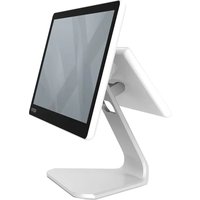
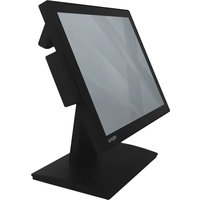
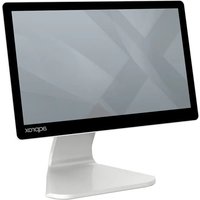
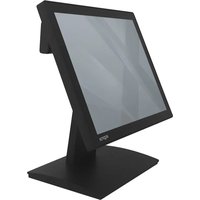
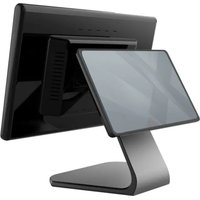
Brand : Aqprox
Model : appTPV05ANDROID
Category : Monitor