
SS-700SM - Safe Vevor - Free user manual and instructions
Find the device manual for free SS-700SM Vevor in PDF.
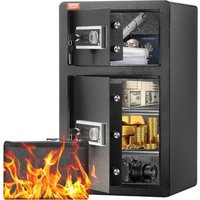


| Product type | Safe |
| Brand | Vevor |
| Model | SS-700SM |
| Dimensions (L x W x H) | 420 x 380 x 700 mm |
| Power supply | 4 AA 1.5V alkaline batteries |
| Operating voltage | 4.2 - 6.8 VDC |
| Opening | Numeric code (3-12 characters) or emergency key |
| Number of codes | One user code and one admin code |
| Alarm function | Vibrating alarm after 3 wrong codes, lockout for 4 minutes |
| Low battery indication | Beep sound when opening if batteries low |
| Silence function | Enable/disable sounds via code 11# |
| Reset | Press and hold green button for 5 seconds to clear all codes |
| Material | Steel |
| Emergency keys included | 4 keys |
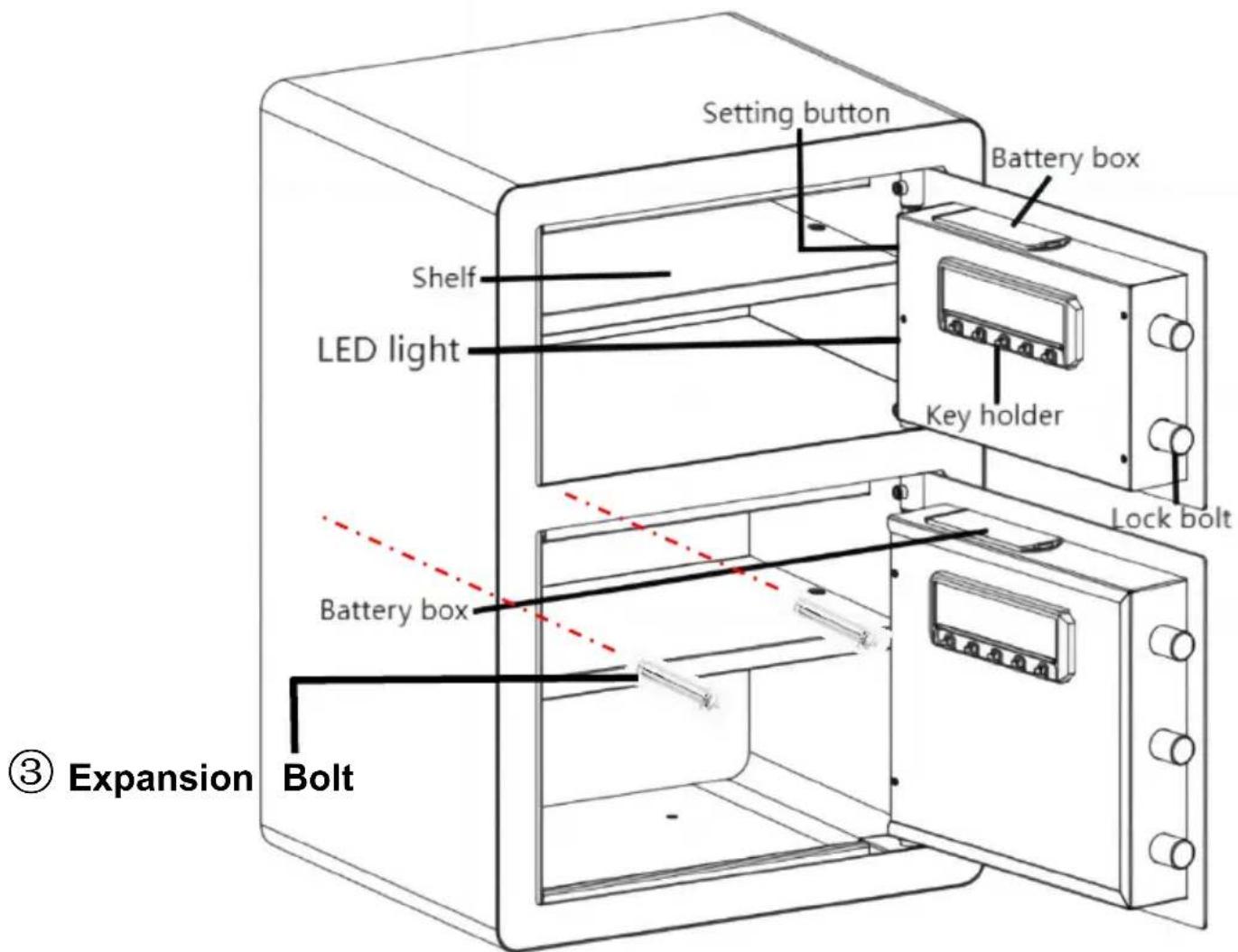
| Floor/wall mounting | Expansion bolts included |
| Included accessories | Lock cover, external power supply box, fireproof bag, manual |
| Maintenance | Clean with a dry cloth, avoid liquids on the panel |
| Safety instructions | Secure the safe to prevent theft; keep keys in a safe place |
| Manufacturer | Shanghaimuxinmuyeyouxiangongsi |
| Importer (Australia) | SIHAO PTY LTD |
| Importer (United States) | Sanven Technology Ltd. |
Frequently Asked Questions - SS-700SM Vevor
User questions about SS-700SM Vevor
0 question about this device. Answer the ones you know or ask your own.
Ask a new question about this device
Download the instructions for your Safe in PDF format for free! Find your manual SS-700SM - Vevor and take your electronic device back in hand. On this page are published all the documents necessary for the use of your device. SS-700SM by Vevor.
USER MANUAL SS-700SM Vevor
SAFE BOX
USER MANUAL
MODEL: SS-700SM
MODEL: SS-700SM
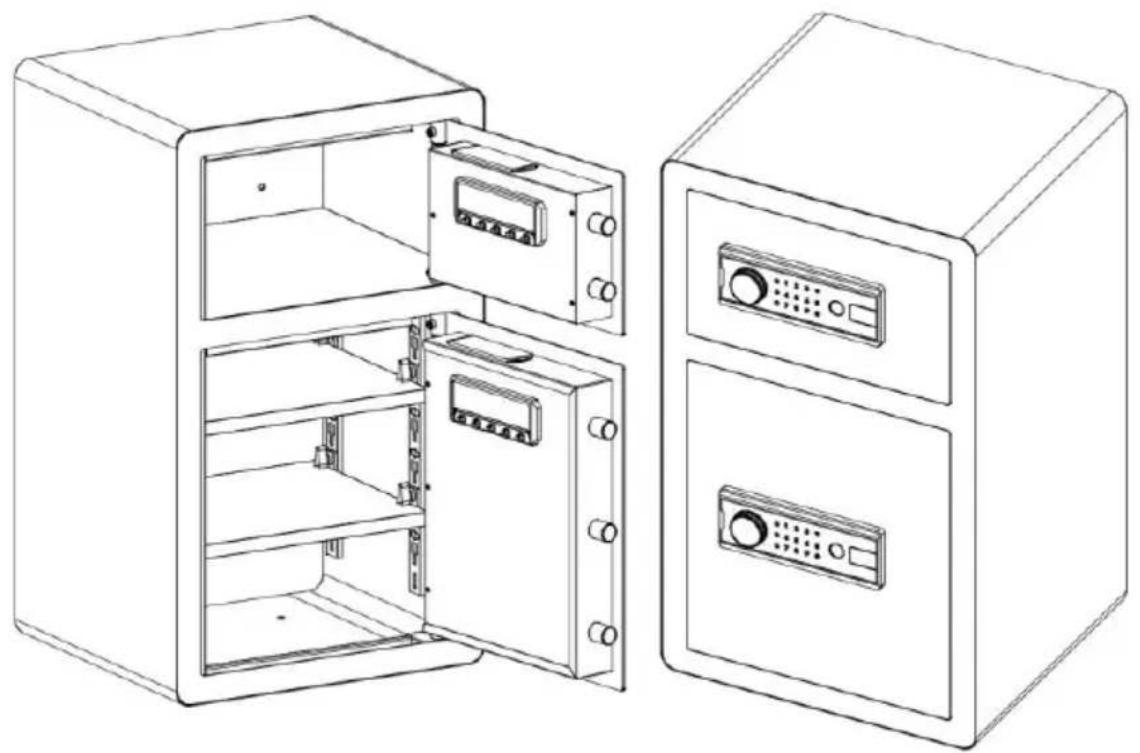
This is the original instruction. Please read all manual instructions carefully before operating. VEVOR reserves a clear interpretation of the user manual. The appearance of the product shall be subject to the product you received. Please forgive us that we won't inform you again if there are any technology or software updates on our product.
 | Warning-To reduce the risk of injury, user must read instructions manual carefully. |
 | This device complies with Part 15 of the FCC Rules. Operat subject to the following two conditions:(1)This device may not harmful interference, and (2)this device must accept any inter received, including interference that may cause undesired oper |
 | This product is subject to the provision of European Directive 2012/19/EC. The symbol showing a wheelie bin crossed through indicates that the product requires separate refuse collection in European Union. This applies to the product and all accesso marked with this symbol. Products marked as such may not discarded with normal domestic waste, but must be taken to collection point for recycling electrical and electronic devices |
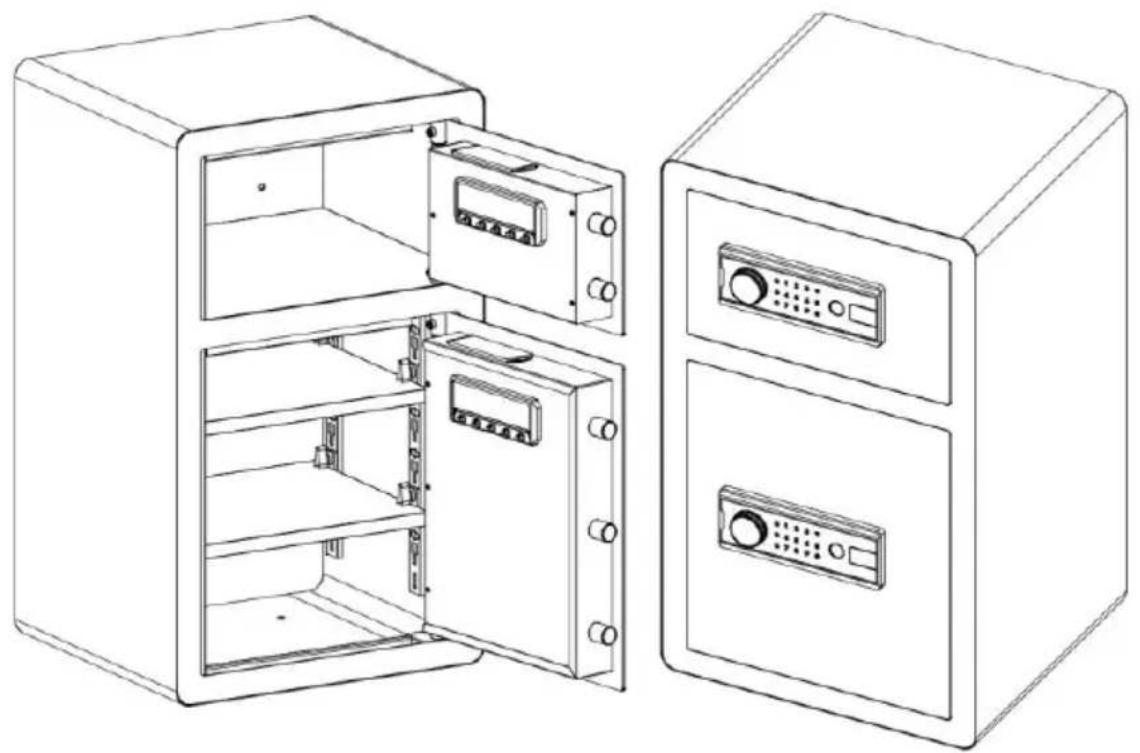
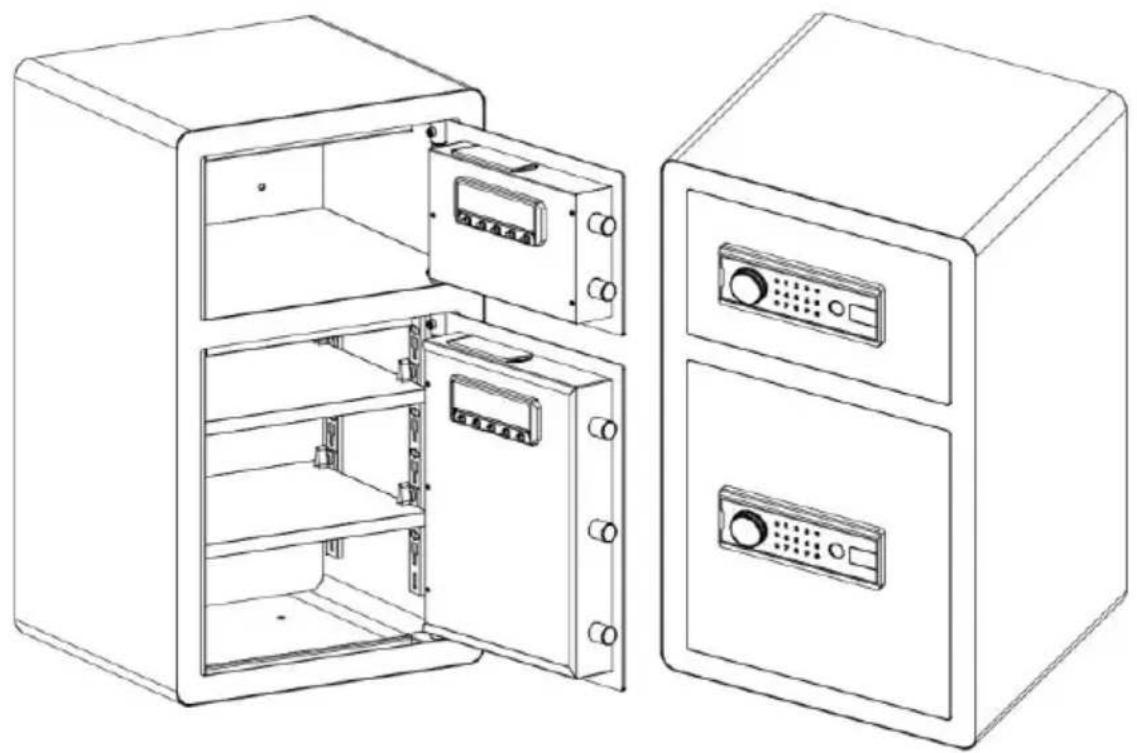
PARTS LIST
Thank you very much for choosing this safe box. Please read all instructions before using it. The information will help you achieve the best possible results.
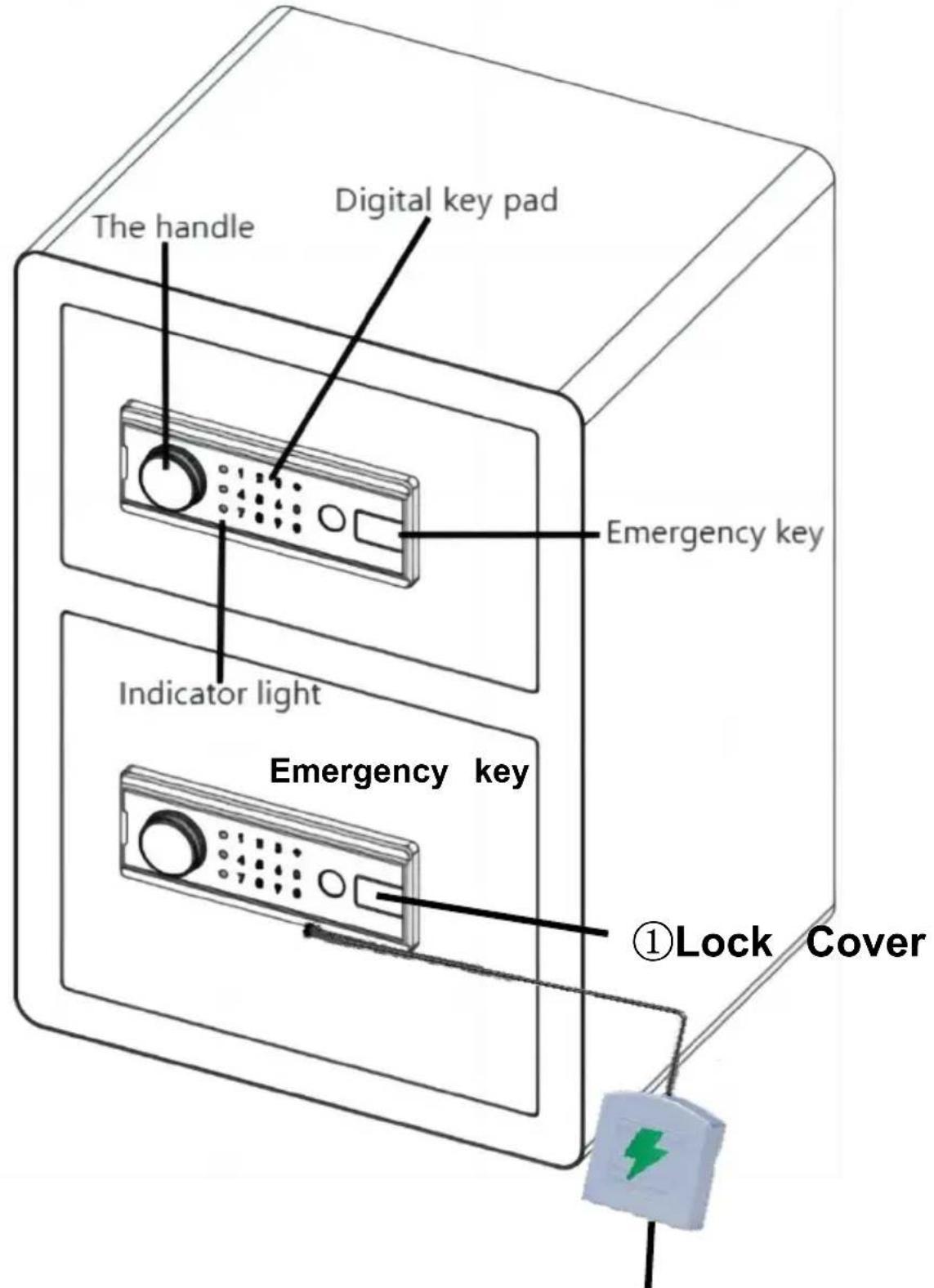
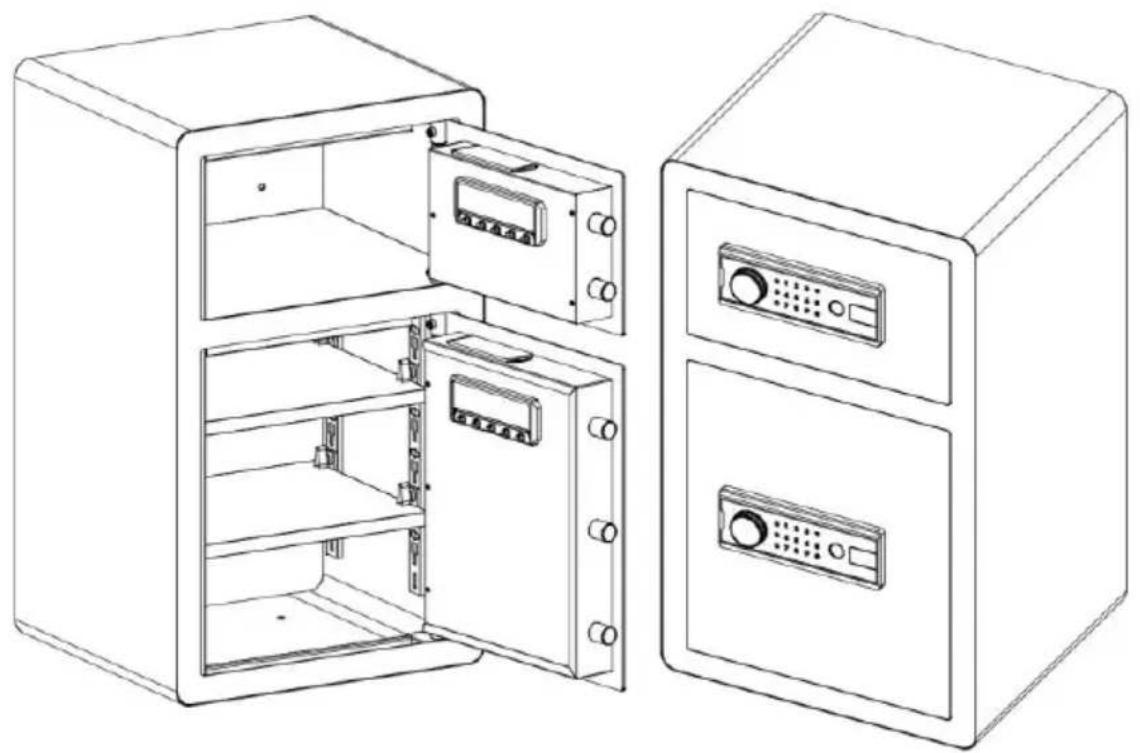
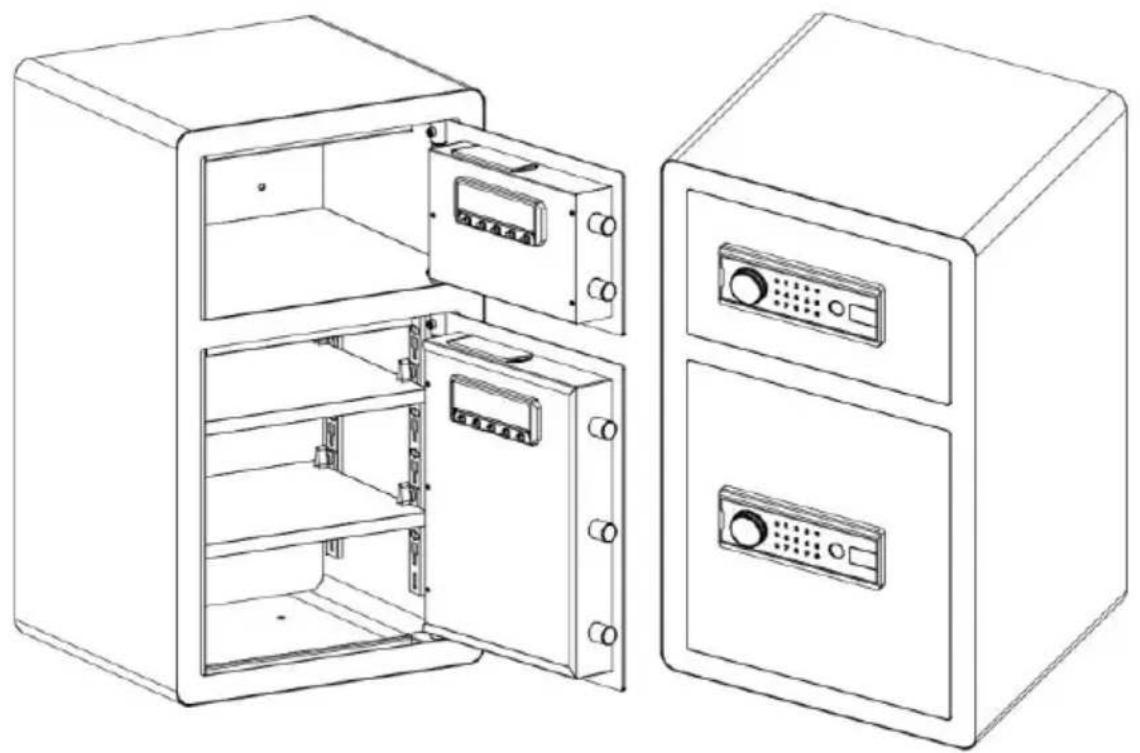
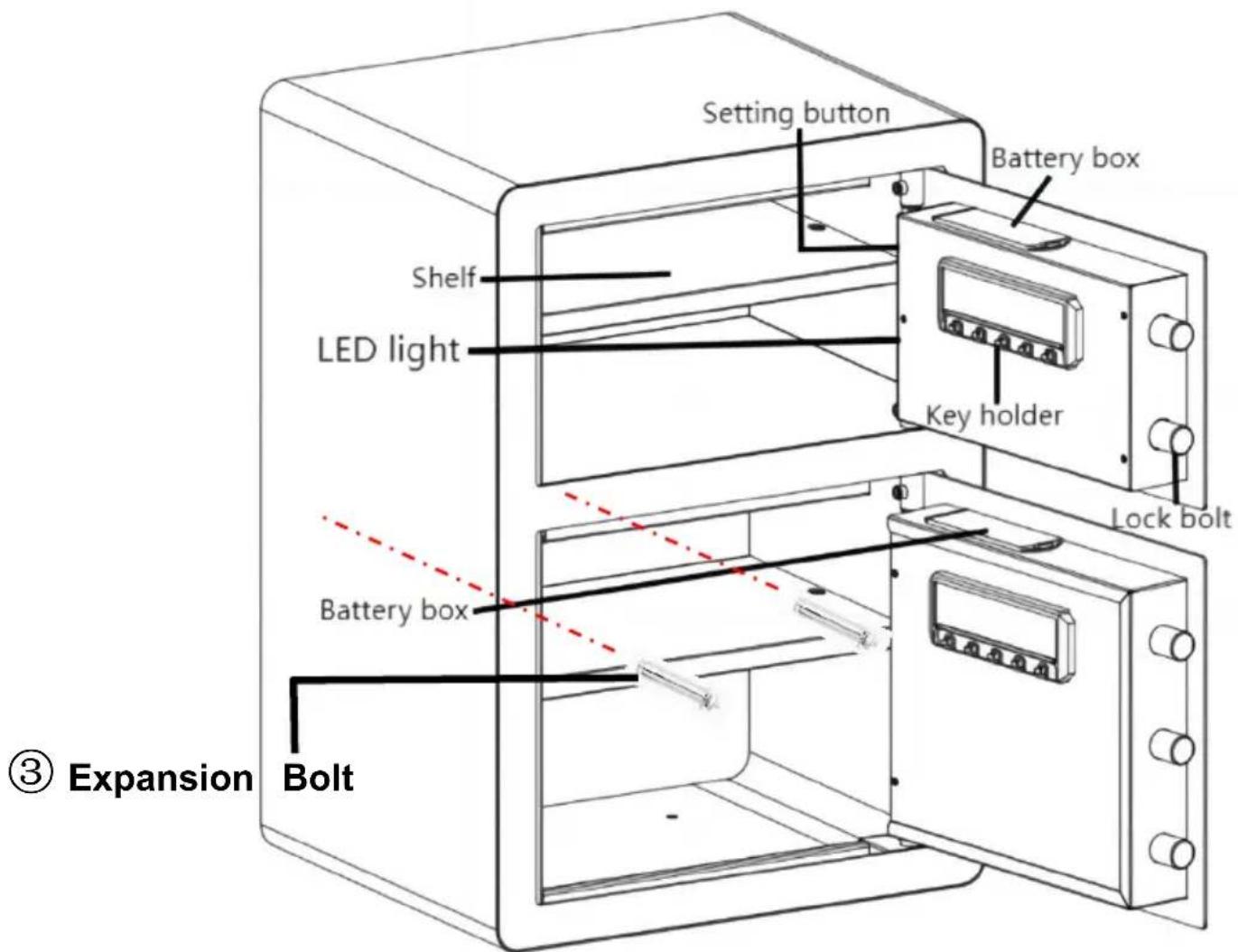
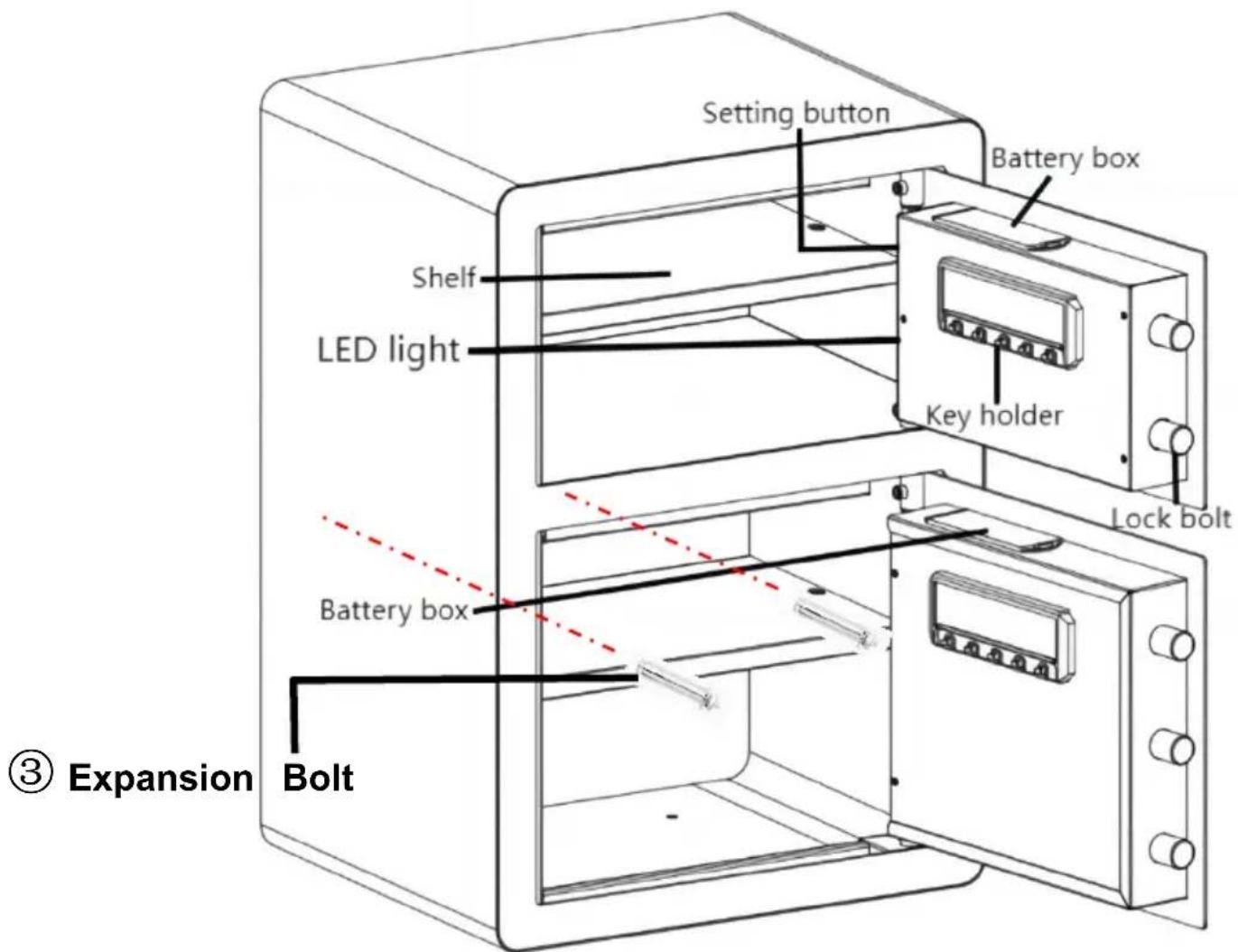
②External Power Box
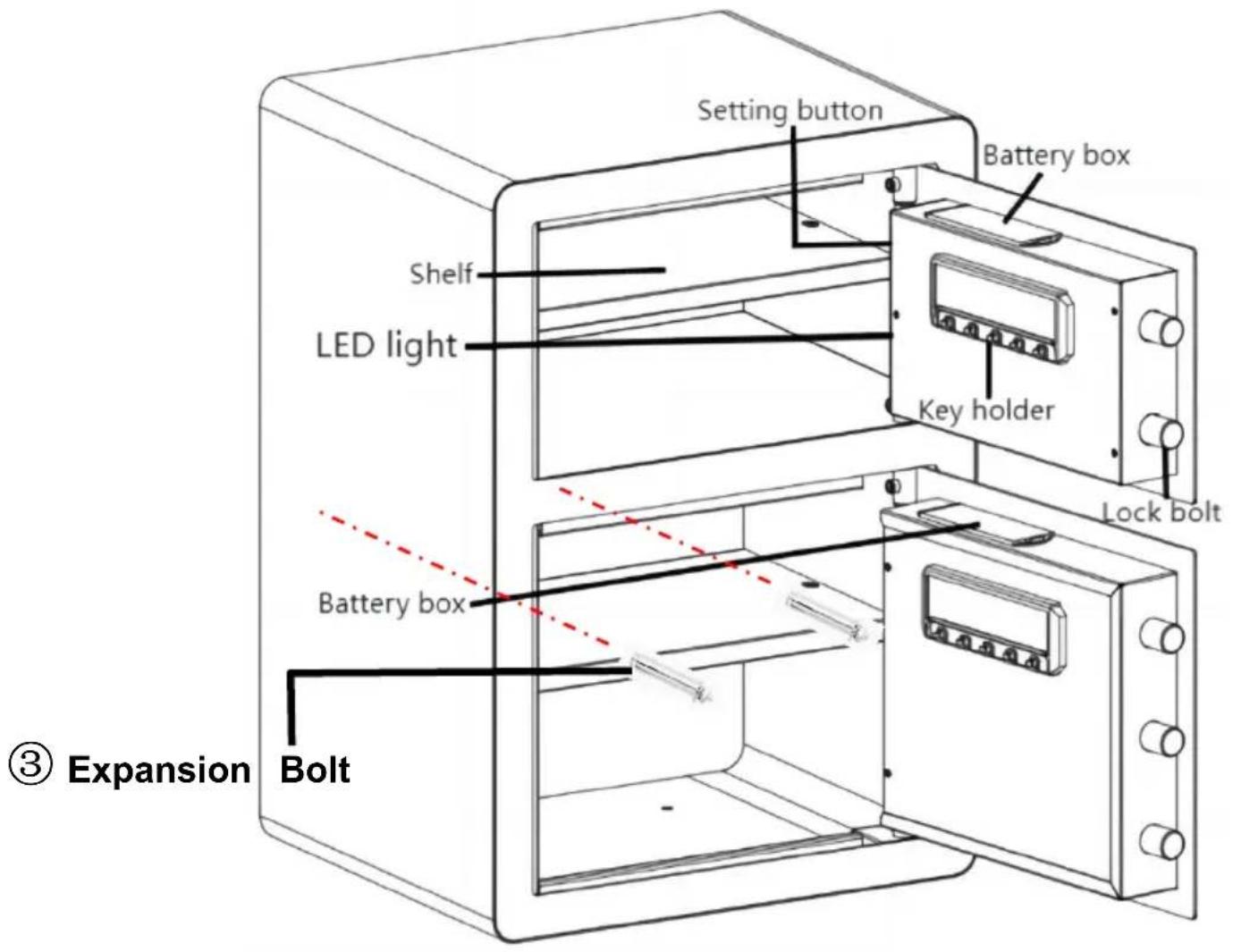
| 1 | Lock Cover*1 | 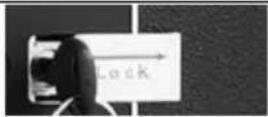 |
| 2 | External Power Box*1 | 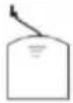 |
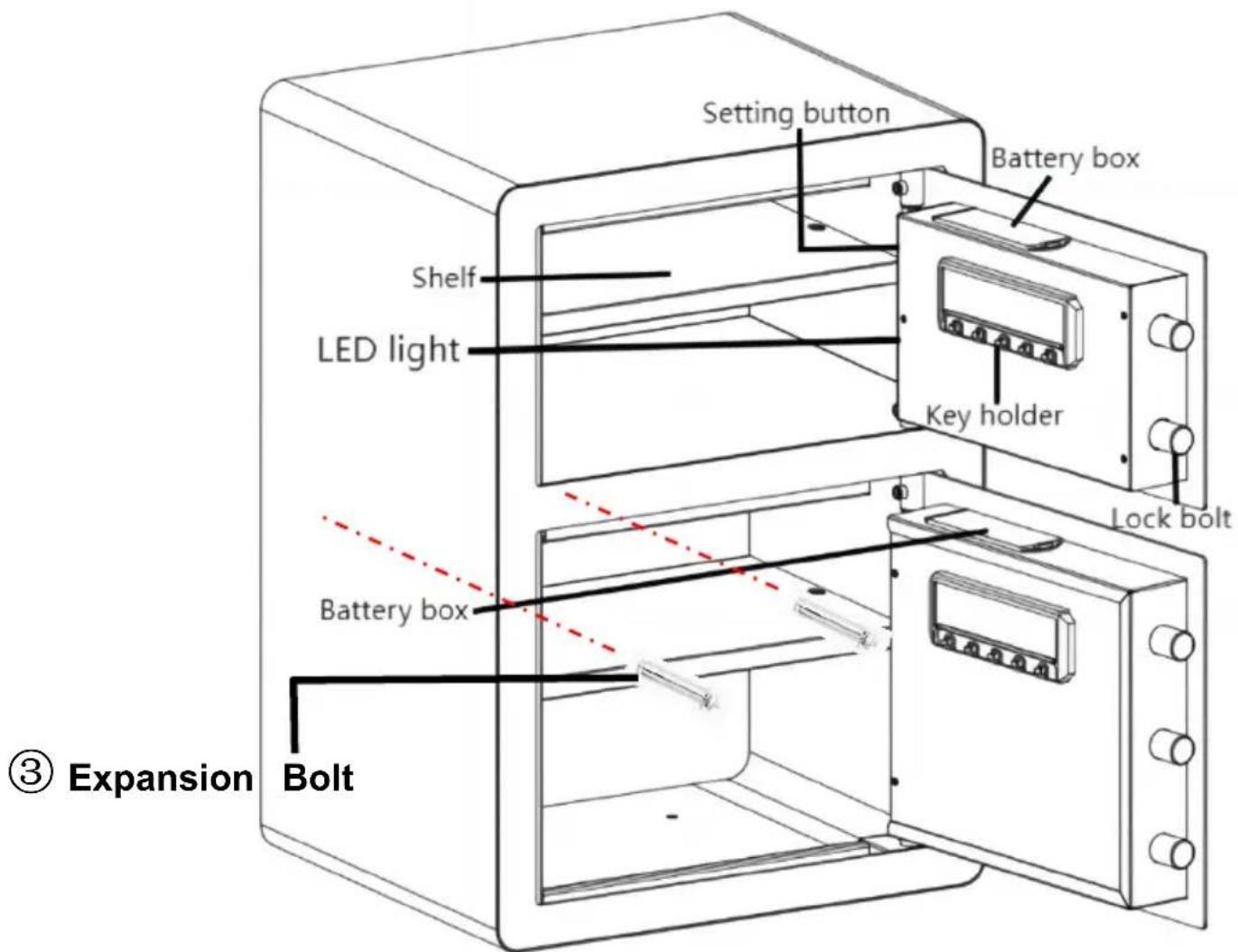
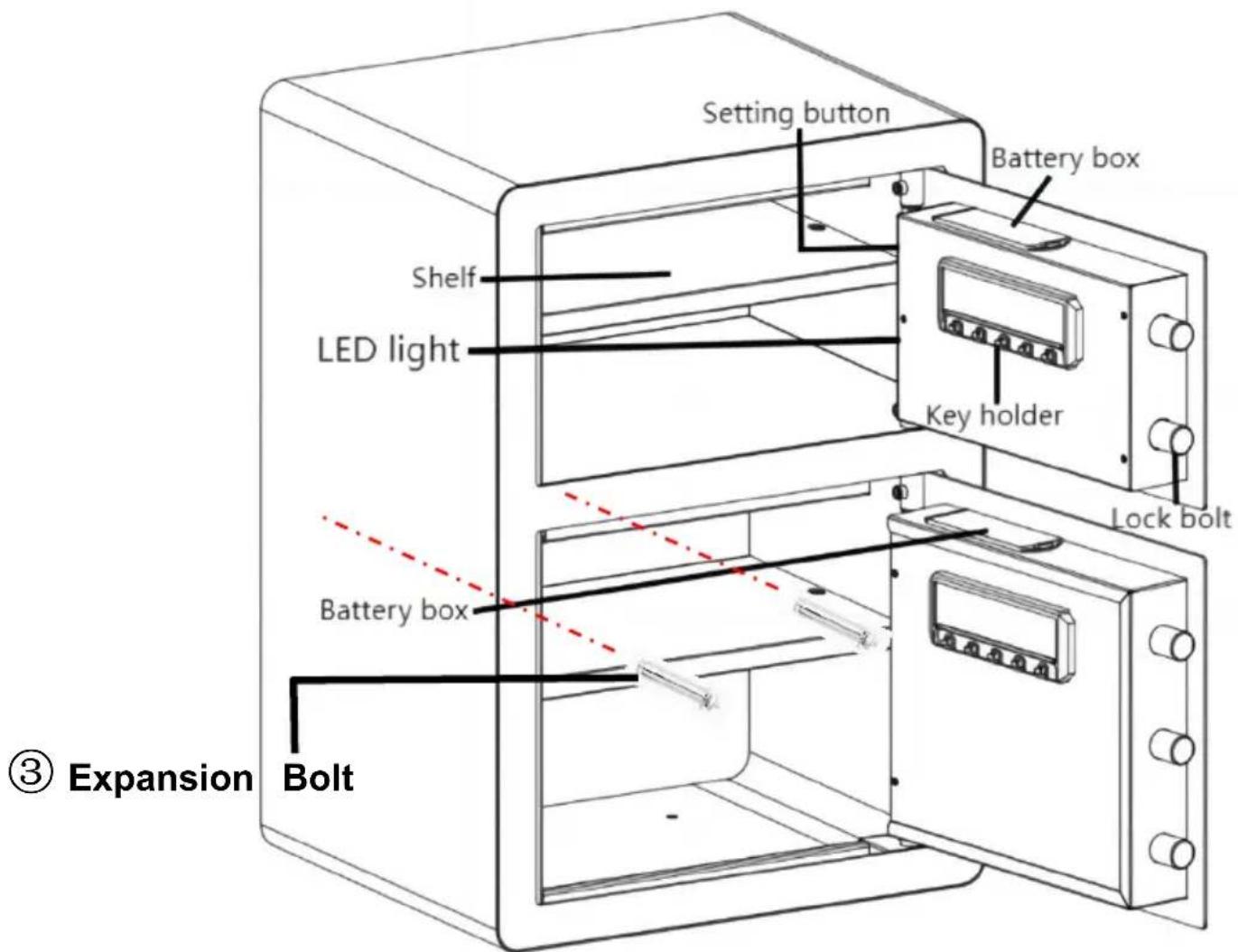
| 3 | Expansion Bolt*4 | 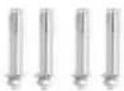 |
| 4 | Emergency Key*4 | 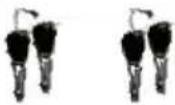 |
| 5 | Fireproof Bag*1 |  |
| 6 | English Manual*1 |  |
OPENING YOUR SAFE FOR THE FIRST TIME
Open the door for the first time, use the configured emergency key to open the door. The operation steps are as follows:
| 1. Slide right to open the emerg lock cover. | 4. Install batteries into battery box. |
| 2. Insert the emergency key in the keyhole and rotate it counterclockwise. | 5. Make sure the battery matches ‘+’ and (not including 4 alkaline 1.5V batteries) |
| 3. Turn the handle clockwise to open the door. | 6. Weak power, emergency method: Emergency key |
DESCRIPTION:
Electronic lock factory default password is "123456"
PERSONAL PASSWORD SETTING
- Press the green button in the box (code change switch), the buzzer sounds and the touch light is on.
- Enter the password you need. The password length is 3-12 characters. Press the "#" key to confirm. The buzzer will emit a long sound, and the light will indicate that the password has been set and changed successfully.
Notice: After your password is set, please test the new password to make sure it is valid.
MANAGE PASSWORD SETTINGS
- In the state of opening the door, press number key "0" twice, then press the internal setting button.
- Enter the password you need. The password length is 3-12 characters. Press the "#" key to confirm. The buzzer will emit a long sound, and the light will indicate that the password has been set and changed successfully.
Notice: Do not set personal password same as management code.
OPEN THE SAFE
- Touch the wake-up touch screen and enter the password you set.
- Press the "#" key to confirm. The door opening indicator will light up, and the buzzer will sound twice, indicating that the password is entered correctly.
UNDERVOLTAGE INDICATION
1. The system uses four 1.5V alkaline batteries. If the voltage is insufficient, after opening the door it will continuously remind "drip, drip, beep". "Drip, drip, beep" twice, reminding the user to replace the battery in time. 2. If the battery voltage is insufficient, you can use the emergency power supply or mechanical emergency key operation. 3. The electronic lock has power-down protection; the password never disappears.
VIBRATION ALARM SETTING
- The vibration alarm electronic lock has the function of setting the alarm and eliminating the alarm.
- Setting alert method: First touch the touch screen to wake up, press the key, and the computer board will automatically enter the alert state. The alarm will sound when the safe vibrates.
- Disalarm method: After the safe alarm, enter the password set, press the key to open the door, and you can eliminate the alarm.
NOTE: After entering the correct password to eliminate the alarm sound, you need to restart the alarm to enter the alert state.
ALARM OPERATION
This electronic lock has 3 (5) password errors, automatic alarm 30 seconds to 1 minute. After the alarm is eliminated, the panel is locked, wait 4 minutes, enter the correct password can be opened.
SOUND ON AND OFF
Touch the touch screen to wake up. Enter "11#" and the buzzer "drip~" a long sound, indicating that all sounds are successfully enabled or disabled.
Press and hold the green button on the organization for 5 seconds, and system will restore the initial settings and clear all passwords.
HOW TO WALL OR FLOOR MOUNTING
* Drill the appropriate size holes for the anchors you are using. * Mount the safe by running screws from inside of the safe and secure anchors. * Use proper drill tools depending on the type of floor you are mounting the safe on (wood, tile, or concrete).
SAFETY AND COMPLIANCE
- To reduce the risk of theft, the safe must be fixed on the wall or floor to ensure safety.
- Please take good care of the emergency key and store it in a safe place away from the safe. Do not put the emergency key into the safe, in case the emergency key will not be used to open the safe when the battery runs out.
- Do not place the product on an unsafe overhead, so as to avoid damaging the product or injuring people.
- Do not spill liquid on the control panel, or it may cause electric components in the internal electronic components and prevent them from working properly.
WARMLY REMINDER
- Because it is purely handmade, inside solder joint or rust stains are a normal phenomenon.
- Please keep emergency keys, secret cabinet keys, and the external power supply box in a safe place.
- The emergency key cannot open safes of other brands, nor can it open other safes of this brand; it is unique.
(Please do not attempt to use it on other safes, as this may damage the safe and the key may become stuck and cannot be removed.)
- The protective film on the knob cover can be torn off.
- Before closing the door, do not remove the emergency key or adjust its
direction, which can prevent the lock bolt from jamming, and the knob operation will be smoother.
- The door won't shut: Make sure there are no obstructions. If the bolts are extended, re-enter the user code and turn the knob clockwise to retract them.
TECHNICAL PARAMETERS
| Model | SS-700SM |
| Working Voltage Range | 4.2-6.8Vdc |
| Product Size | 420*380*700mm |
| Working Power | 4 xAA (1.5V) Alkaline Batteries |
Manufacturer: Shanghai Muxin Muye Youxiangongsi
Address: Shuangcheng Road 803, Nong 11, Hao 1602A-1609 Shi, Baoshan District, Shanghai 200000, CN.
Imported to AUS: SIHAO PTY LTD. 1 ROKEVA STREET, EASTWOOD NSW 2122, Australia
Imported to USA: Sanven Technology Ltd. Suite 250, 9166 Anaheim Place, Rancho Cucamonga, CA 91730
| UK | REP |
YH CONSULTING LIMITED. C/O YH Consulting
Limited Office 147, Centurion House, London
Road, Staines-upon-Thames, Surrey, TW18 4AX
| EC | REP |
E-CrossStu GmbH
Mainzer Landstr.69,
60329 Frankfurt am Main.

VEVOR
Affordable. Reliable. Home Improvement.
SAFE
USER MANUAL
MODEL: SS-700SM
MODEL: SS-700SM
②External Power Box
OPENING YOUR SAFE FOR THE FIRST TIME
Electronic lock factory default password is "123456"
PERSONAL PASSWORD SETTING
VIBRATION ALARM SETTING
HOW TO WALL OR FLOOR MOUNTING
SAFETY AND COMPLIANCE
Place, Rancho Cucamonga, CA 91730
| UK | REP |
YH CONSULTING LIMITED. C/O YH Consulting
Limited Office 147, Centurion House, London
Road, Staines-upon-Thames, Surrey, TW18 4AX
| EC | REP |
E-CrossStu GmbH
Mainzer Landstr.69,
60329 Frankfurt am Main.

VEVOR
Affordable. Reliable. Home Improvement.
SAFE
USER MANUAL
MODEL: SS-700SM
MODEL: SS-700SM
②External Power Box
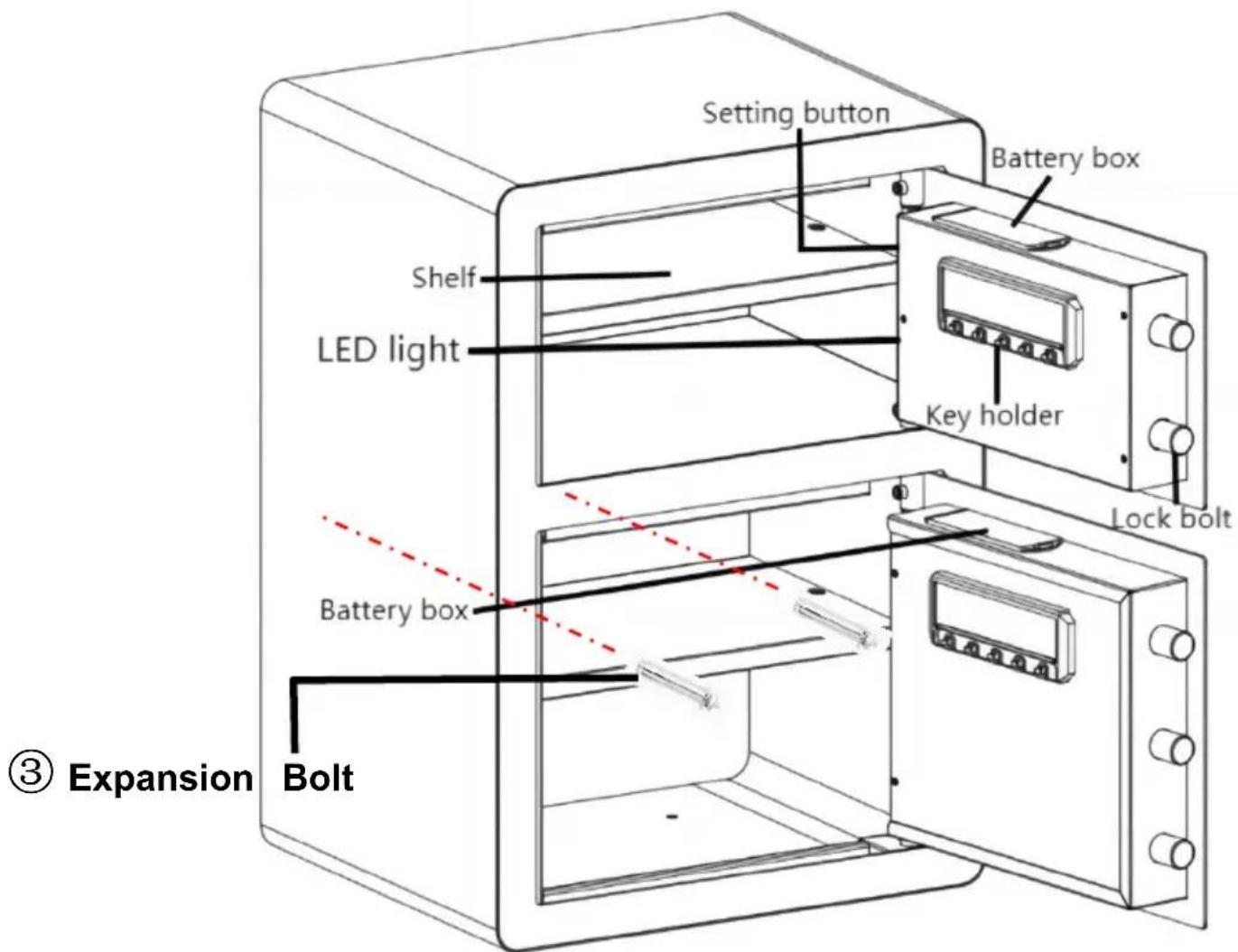
OPENING YOUR SAFE FOR THE FIRST TIME
Electronic lock factory default password is "123456"
PERSONAL PASSWORD SETTING
VIBRATION ALARM SETTING
HOW TO WALL OR FLOOR MOUNTING
SAFETY AND COMPLIANCE
YH CONSULTING LIMITED. C/O YH Consulting
Limited Office 147, Centurion House, London
Road, Staines-upon-Thames, Surrey, TW18 4AX
| EC | REP |
E-CrossStu GmbH
Mainzer Landstr.69,
60329 Frankfurt am Main.

VEVOR
Affordable. Reliable. Home Improvement.
CASSETTA DI SICUREZZA
USER MANUAL
MODEL: SS-700SM
MODEL: SS-700SM
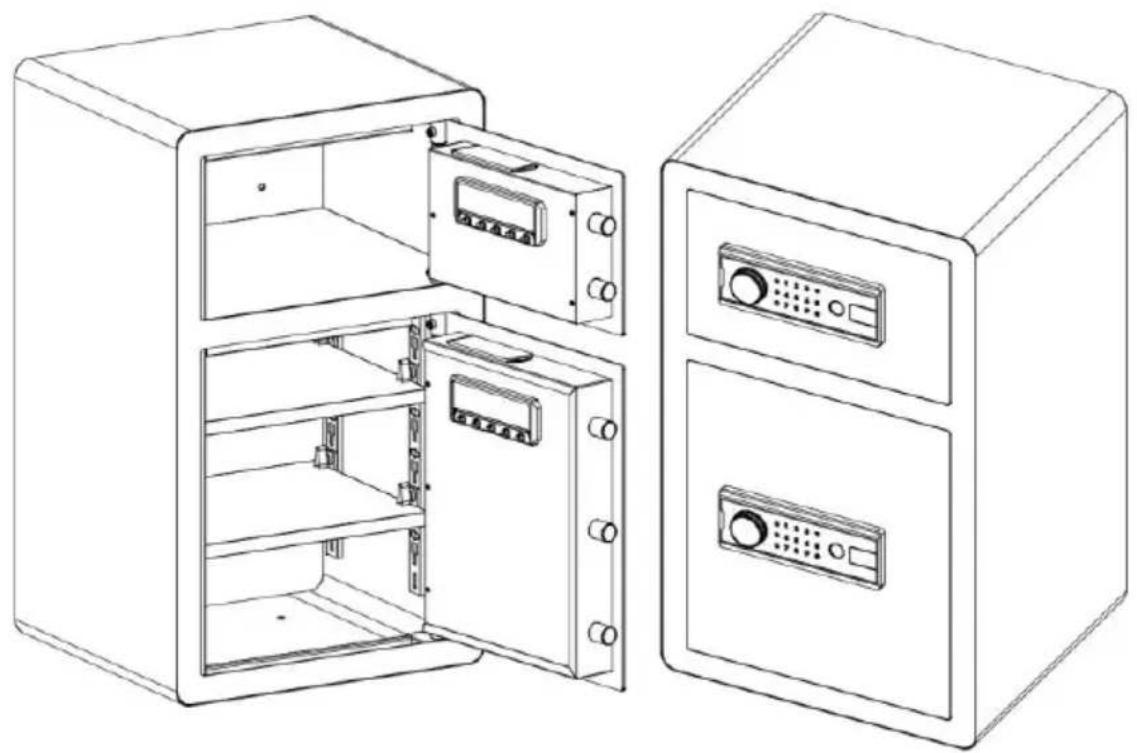
②External Power Box
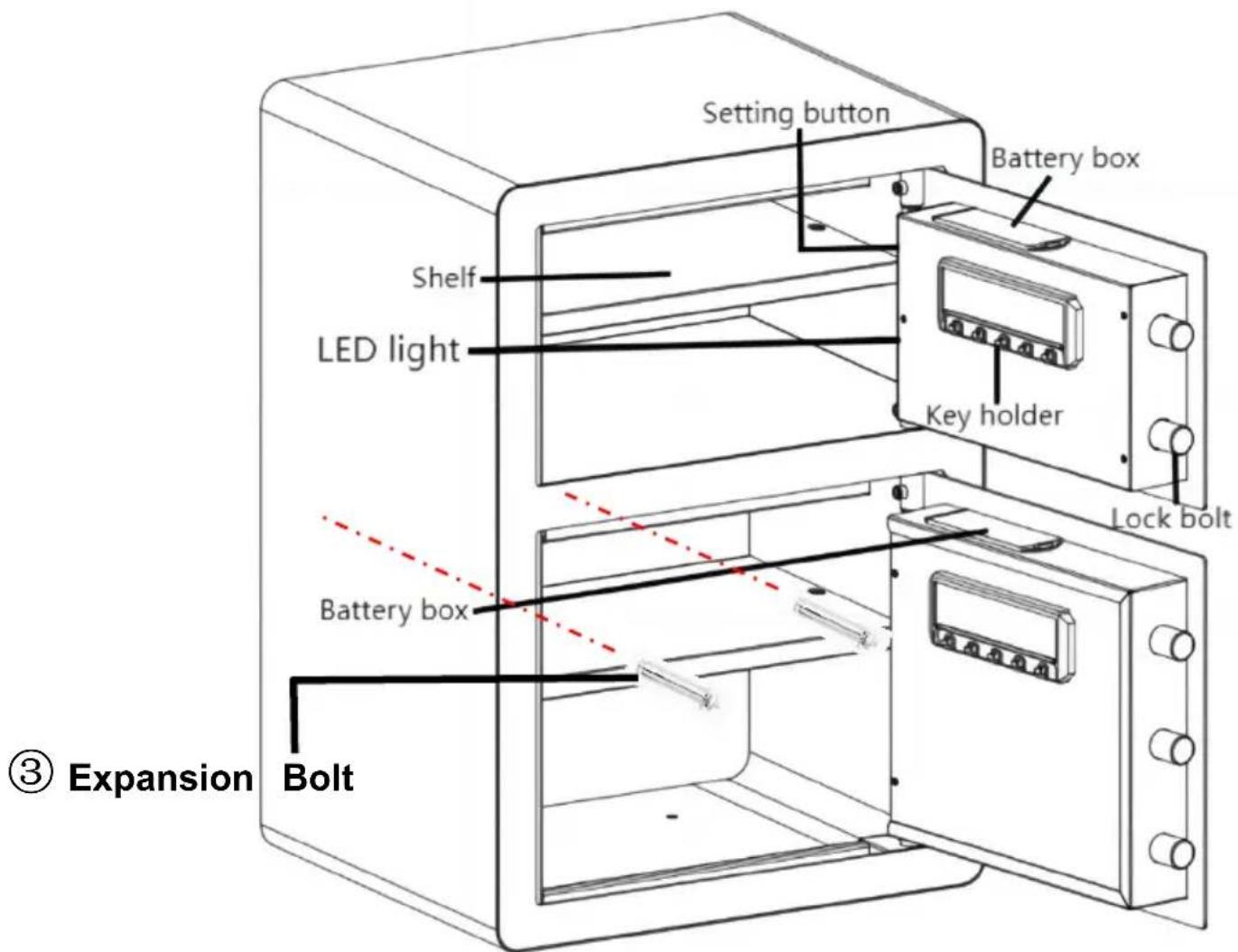
OPENING YOUR SAFE FOR THE FIRST TIME
Electronic lock factory default password is "123456"
PERSONAL PASSWORD SETTING
VIBRATION ALARM SETTING
HOW TO WALL OR FLOOR MOUNTING
SAFETY AND COMPLIANCE
YH CONSULTING LIMITED. C/O YH Consulting
Limited Office 147, Centurion House, London
Road, Staines-upon-Thames, Surrey, TW18 4AX
| EC | REP |
E-CrossStu GmbH
Mainzer Landstr.69,
60329 Frankfurt am Main.

VEVOR
Affordable. Reliable. Home Improvement.
SAFE BOX
USER MANUAL
MODEL: SS-700SM
VEVOR
Affordable. Reliable. Home Improvement.
SAFE BOX
MODEL: SS-700SM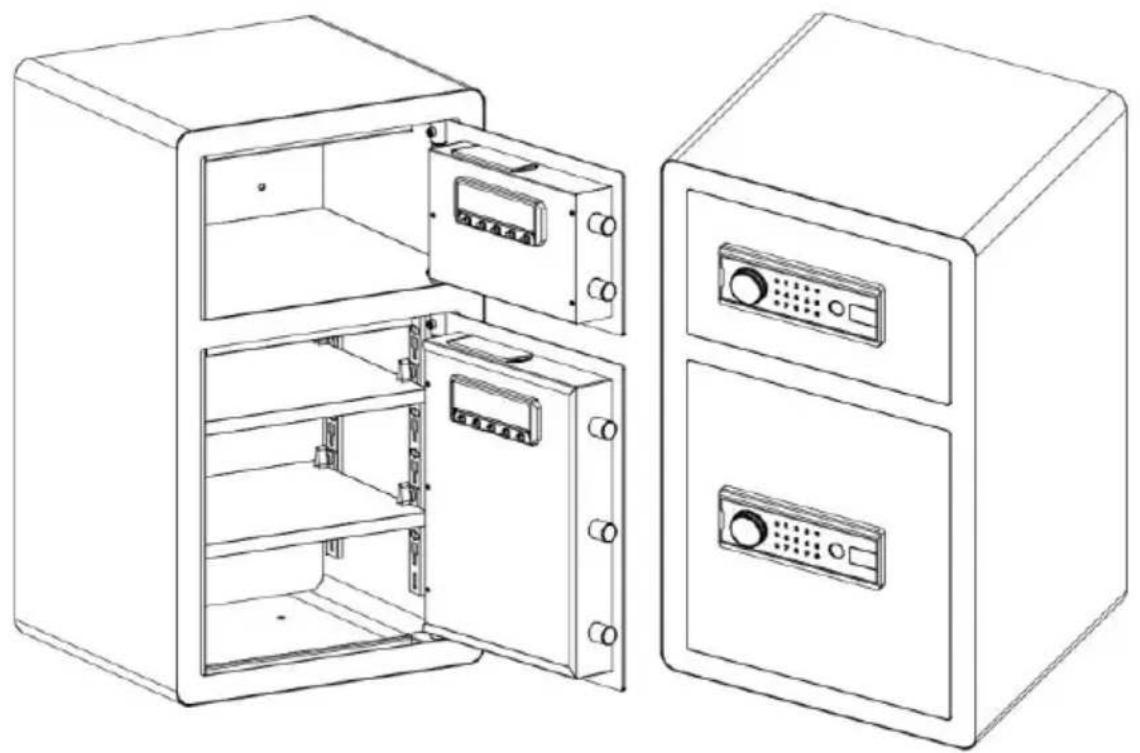
This is the original instruction, please read all manual instructions carefully before operating. VEVOR reserves a clear interpretation of the user manual. The appearance of the product shall be subject to the product you received. Please forgive us that we won't inform you again if there are any technology or software updates on our product.
| Warning-To reduce the risk of injury, user must read instructions manual carefully. |
| This device complies with Part 15 of the FCC Rules. Operat subject to the following two conditions:(1)This device may not harmful interference, and (2)this device must accept any inter received, including interference that may cause undesired oper |
| This product is subject to the provision of European Directive 2012/19/EC. The symbol showing a wheelie bin crossed through indicates that the product requires separate refuse collection in European Union. This applies to the product and all accesso marked with this symbol. Products marked as such may not discarded with normal domestic waste, but must be taken to collection point for recycling electrical and electronic devices |
PARTS LIST
Thank you very much for choosing this safe box. Please read all of the instructions before using it. The information will help you achieve the best possible results.
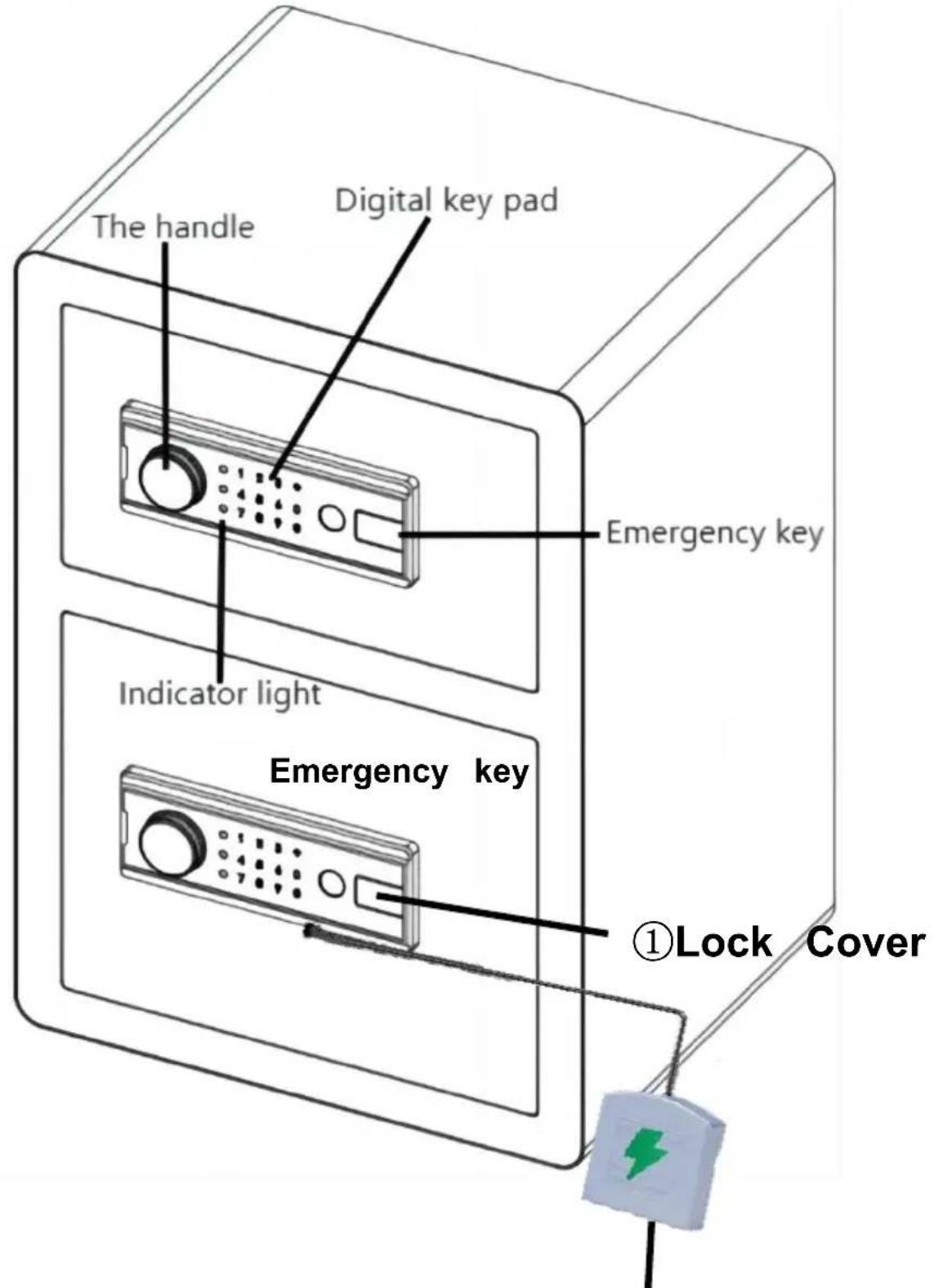
②External Power Box
| 1 | Lock Cover*1 |  |
| 2 | External Power Box*1 |  |
| 3 | Expansion Bolt*4 | 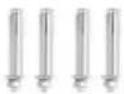 |
| 4 | Emergency Key*4 | 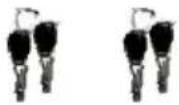 |
| 5 | Fireproof Bag*1 |  |
| 6 | English Manual*1 |  |
OPENING YOUR SAFE FOR THE FIRST TIME
Open the door for the first time, use the configured emergency key to the door. The operation steps are as follows:
| 1. Slide right to open the emerg lock cover. | 4. Install batteries into battery box. |
| 2. Insert the emergency key in the keyhole and rotate it counterclockwise. | 5. Make sure the battery matches ‘+’ and (not including 4 alkaline 1.5V batteries) |
| 3. Turn the handle clockwise to open the door. | 6. Weak power, emergency method: Emergency key |
DESCRIPTION:
Electronic lock factory default password is "123456"
PERSONAL PASSWORD SETTING
- Press the green button in the box (code change switch), the buzzer sounds and the touch light is on.
- Enter the password you need, the password length is 3-12 characters. 3, press the "#" key to confirm, the buzzer has a long sound, the light indicating that the password is set and changed successfully.
Notice: After your password is set, please test the new password to make sure it is valid.
MANAGE PASSWORD SETTINGS
- In the state of opening the door, press number key "0" twice, then press the internal setting button.
- Enter the password you need, the password length is 3-12 characters. 3, Press the "#" key to confirm, the buzzer has a long sound, the light indicating that the password is set and changed successfully.
Notice: Do not set personal password same with management code.
OPEN THE SAFE
- Touch the wake up touch screen and enter the password you set.
- Press the "#" key to confirm. The door opening indicator will light up and the buzzer will sound twice, indicating that the password is entered correctly.
UNDERVOLTAGE INDICATION
- The system uses four 1.5V alkaline batteries. If the voltage is insufficient after opening the door, it will continuously remind with "drip, drip, beep" twice, prompting the user to replace the batteries in time. 2. If the battery voltage is insufficient, you can use the emergency power supply or the mechanical emergency key operation.
- The electronic lock has power-down protection, and the password never disappears.
VIBRATION ALARM SETTING
- The vibration alarm electronic lock has the function of setting and eliminating the alarm.
- Setting alert method: First touch the touch screen to wake it up, then press the key. The computer board automatically enters the alert state. The alarm will sound when the safe vibrates.
- Disarming method: After the safe alarm, enter the password set, press the key to open the door, and the alarm will be eliminated.
NOTE: After entering the correct password to eliminate the alarm sound, you need to restart the alarm to enter the alert state.
ALARM OPERATION
This electronic lock has 3 (5) password errors, automatic alarm for 30 seconds to 1 minute. After the alarm is eliminated, the panel is locked. Wait 4 minutes, then enter the correct password to open.
SOUND ON AND OFF
Touch the touch screen to wake it up. Enter "11#" and the buzzer will emit a long "drip" sound, indicating that all sounds are successfully enabled or disabled.
Press and hold the green button on the organization for 5 seconds, and the system will restore the initial settings and clear all passwords.
HOW TO WALL OR FLOOR MOUNTING
* Drill the appropriate size holes for the anchors you are using. * Mount the safe by running screws from inside of the safe and securing the anchors. * Use proper drill tools depending on the type of floor you are mounting the safe on (wood, tile, or concrete).
SAFETY AND COMPLIANCE
- To reduce the risk of theft, the safe must be fixed to the wall or otherwise secured.
- Please take good care of the emergency key and store it in a place away from the safe. Do not put the emergency key inside the safe, as it will not be usable to open the safe when the battery runs out.
- Do not place the product on an unsafe overhead surface, to avoid damaging the product or injuring people.
- Do not spill liquid on the control panel, as it may cause electric shock or damage the internal electronic components, preventing them from working properly.
WARMLY REMINDER
- Because it is purely handmade, internal solder joints or rust stains are a normal phenomenon.
- Please keep the emergency keys, secret cabinet keys, and external power supply box in a safe place.
- The emergency key cannot open safes of other brands or even this brand, as it is unique.
(Please do not try, to avoid damaging the safe and the unmatched key cannot be removed.)
- The protective film on the knob cover can be torn off.
- Before closing the door, do not remove the emergency key or adjust its direction, which can avoid the lock bolt from jamming, and the knob operation will be smoother.
direction, which can prevent the lock bolt from jamming, and the knob operation will be smoother.
- The door won't shut: Make sure there are no obstructions. If the bolts are extended, re-enter the user code and turn the knob clockwise to retract them.
Manufacturer: Shanghaimuxinmuyeyouxiangongsi
| Model | SS-700SM |
| Working Voltage Range | 4.2-6.8Vdc |
| Product Size | 420*380*700mm |
| Working Power | 4 xAA (1.5V) Alkaline Batteries |
Address: Shuangchenglu 803nong11hao1602A-1609shi, Baoshan District, Shanghai 200000 CN.
Imported to AUS: SIHAO PTY LTD. 1 ROKEVA STREET, EASTWOOD NSW 2122 Australia
Imported to USA: Sanven Technology Ltd. Suite 250, 9166 Anaheim Place, Rancho Cucamonga, CA 91730
| UK | REP |
YH CONSULTING LIMITED. C/O YH Consulting
Limited Office 147, Centurion House, London
Road, Staines-upon-Thames, Surrey, TW18 4AX
| EC | REP |
E-CrossStu GmbH
Mainzer Landstr.69,
60329 Frankfurt am Main.

VEVOR
Affordable. Reliable. Home Improvement.
SEJF
INSTRUKCJA OBSŁUGI
MODEL: SS-700SM
MODEL: SS-700SM
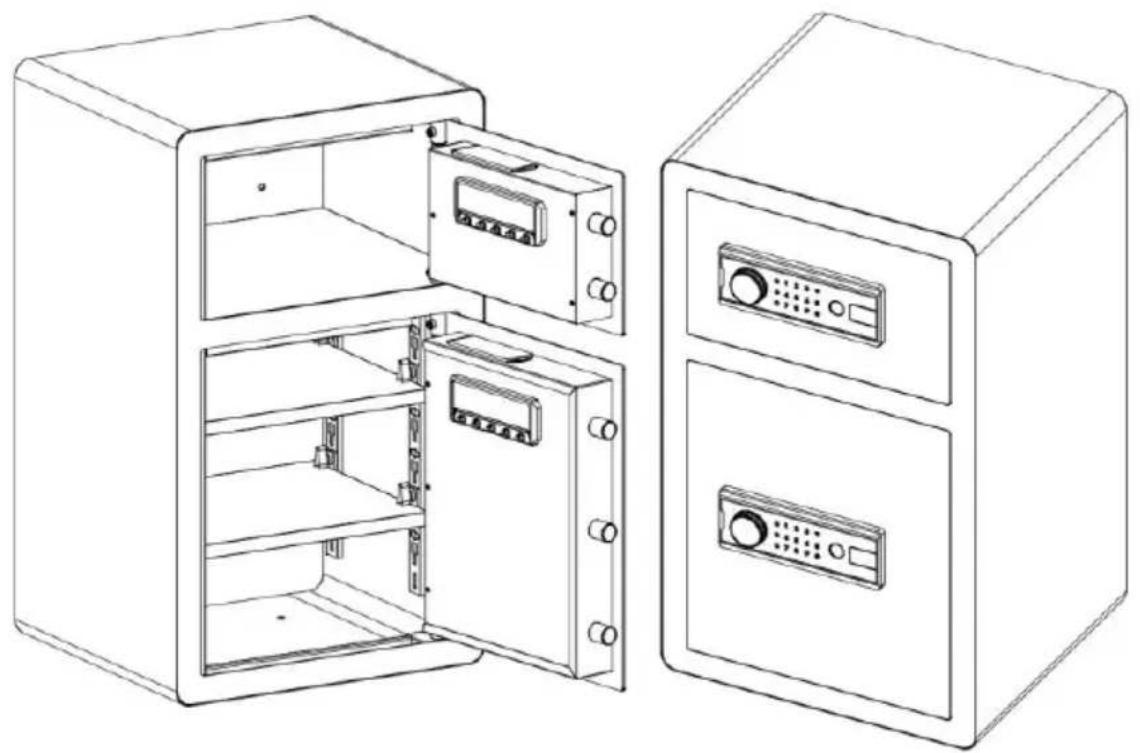
②External Power Box
OPENING YOUR SAFE FOR THE FIRST TIME
Electronic lock factory default password is "123456"
PERSONAL PASSWORD SETTING
VIBRATION ALARM SETTING
HOW TO WALL OR FLOOR MOUNTING
SAFETY AND COMPLIANCE
YH CONSULTING LIMITED. C/O YH Consulting
Limited Office 147, Centurion House, London
Road, Staines-upon-Thames, Surrey, TW18 4AX
| EC | REP |
E-CrossStu GmbH
Mainzer Landstr.69,
60329 Frankfurt am Main.

VEVOR
Affordable. Reliable. Home Improvement.
KLUIS
USER MANUAL
MODEL: SS-700SM
MODEL: SS-700SM
②External Power Box
OPENING YOUR SAFE FOR THE FIRST TIME
Electronic lock factory default password is "123456"
PERSONAL PASSWORD SETTING
VIBRATION ALARM SETTING
HOW TO WALL OR FLOOR MOUNTING
SAFETY AND COMPLIANCE
YH CONSULTING LIMITED. C/O YH Consulting
Limited Office 147, Centurion House, London
Road, Staines-upon-Thames, Surrey, TW18 4AX
| EC | REP |
E-CrossStu GmbH
Mainzer Landstr.69,
60329 Frankfurt am Main.

VEVOR
Affordable. Reliable. Home Improvement.
KASSASKÅP
ANVÄNDARMANUAL
MODELL: SS-700SM
MODELL: SS-700SM
②External Power Box
OPENING YOUR SAFE FOR THE FIRST TIME
Electronic lock factory default password is "123456"
PERSONAL PASSWORD SETTING
VIBRATION ALARM SETTING
HOW TO WALL OR FLOOR MOUNTING
SAFETY AND COMPLIANCE
YH CONSULTING LIMITED. C/O YH Consulting
Limited Office 147, Centurion House, London
Road, Staines-upon-Thames, Surrey, TW18 4AX
| EC | REP |
E-CrossStu GmbH
Mainzer Landstr.69,
60329 Frankfurt am Main.

- MODEL: SS-700SM
- PARTS LIST
- OPENING YOUR SAFE FOR THE FIRST TIME
- DESCRIPTION
- PERSONAL PASSWORD SETTING
- MANAGE PASSWORD SETTINGS
- OPEN THE SAFE
- UNDERVOLTAGE INDICATION
- VIBRATION ALARM SETTING
- ALARM OPERATION
- SOUND ON AND OFF
- HOW TO WALL OR FLOOR MOUNTING
- SAFETY AND COMPLIANCE
- WARMLY REMINDER
- VEVOR
- MODELL: SS-700SM
Brand : Vevor
Model : SS-700SM
Category : Safe