
DS50Pro - Safe Vevor - Free user manual and instructions
Find the device manual for free DS50Pro Vevor in PDF.
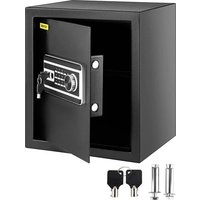


| Product Type | Electronic Safe |
| Brand | Vevor |
| Model | DS50Pro (also compatible with 22L, 48L, 60L) |
| Dimensions (W x D x H) | 350 x 300 x 470 mm (60L model) |
| Power Supply | 4 AA 1.5V batteries (not included) |
| Operating Voltage | 4.2 to 6.0 V DC |
| Working Current | ≤ 380 mA |
| Opening Modes | Emergency key, numeric code (3-8 digits), fingerprint |
| Fingerprint Capacity | Up to 30 fingerprints |
| Number of Codes | 2 codes: user code and management code |
| Default Code | 1234 (user) and 123456 (management) |
| Error Tolerance (code) | 3 attempts, then lockout for 5 minutes |
| Error Tolerance (fingerprint) | 10 attempts, then lockout for 5 minutes |
| Silent Mode | Available (enable/disable via #0#) |
| Factory Reset | Long press on the setup key (>5 sec) |
| Low Battery Indicator | Yellow light |
| Material | Steel (not specified precisely) |
| Emergency Keys Included | 2 keys |
| Anchoring Bolts | 4 M6x80 expansion bolts |
| Maintenance | Clean with a soft, dry cloth. Avoid chemical products. |
| Warranty | 90 days refund or exchange for no reason |
Frequently Asked Questions - DS50Pro Vevor
User questions about DS50Pro Vevor
0 question about this device. Answer the ones you know or ask your own.
Ask a new question about this device
Download the instructions for your Safe in PDF format for free! Find your manual DS50Pro - Vevor and take your electronic device back in hand. On this page are published all the documents necessary for the use of your device. DS50Pro by Vevor.
USER MANUAL DS50Pro Vevor
Technical Support and E-Warranty Certificate www.vevor.com/support
SAFE BOX
USER MANUAL
We continue to be committed to providing you with tools at competitive prices. "Save Half", "Half Price", or any other similar expressions used by us only represent savings you might benefit from buying certain tools with us compared to top brands and do not necessarily mean to cover all categories of tools offered. We kindly remind you to verify carefully when placing an order with us that you are actually saving half in comparison with the top major brands.
VEVOR®
TOUGH TOOLS, HALF PRICE
SAFE BOX
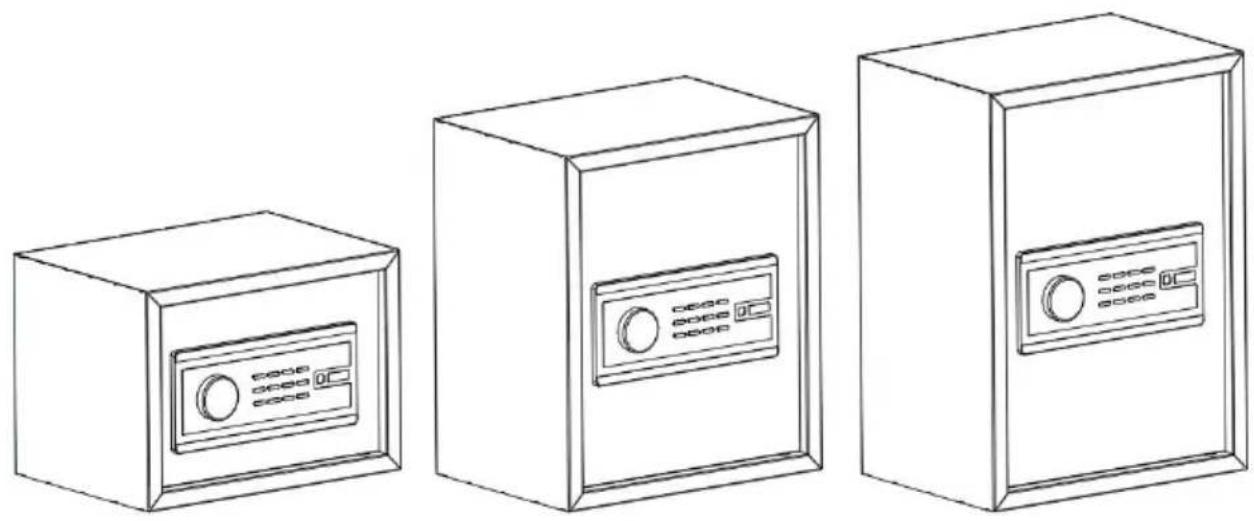
MODEL: 22L, 48L, 60L
NEED HELP? CONTACT US!
Have product questions? Need technical support? Please feel free to contact us:

CustomerService@vevor.com
This is the original instruction. Please read all manual instructions carefully before operating. VEVOR reserves a clear interpretation of the user manual. The appearance of the product shall be subject to the product you received. Please forgive us that we won't inform you of any technology or software updates on our product.
INSTRUCTIONS

Thank you very much for choosing this product. Please read all instructions before using it. The information will help you achieve the best possible results.
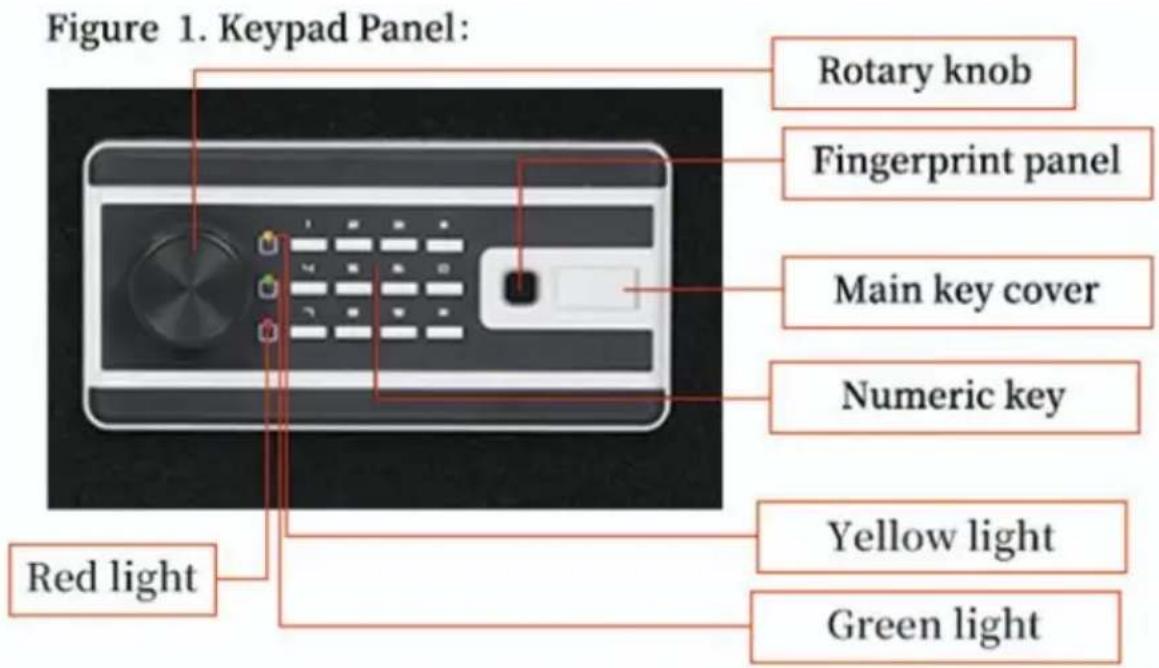
Figure 2. Back of Panel: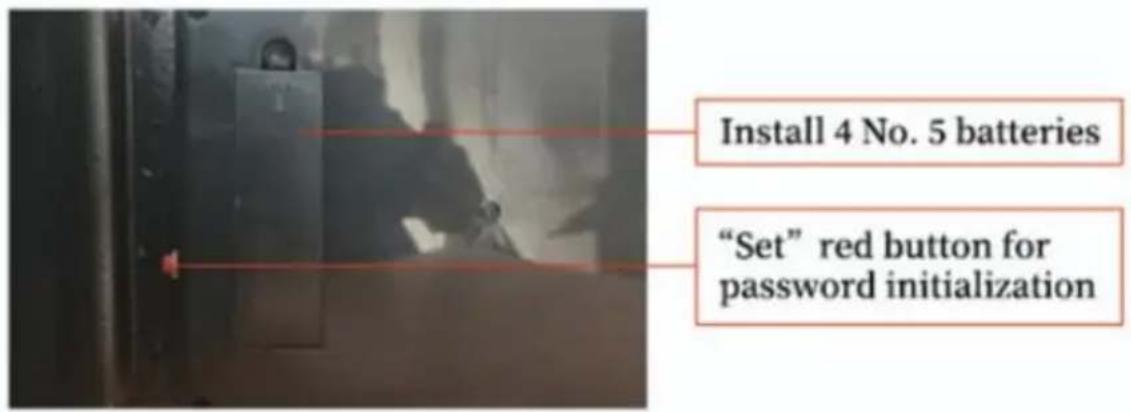
TECHNICAL PARAMETERS
| Model | 20L,48L,60L |
| Working Voltage Range | 4.2~6.0V dc |
| Working Under voltage Poi | 4.8 V ± 0.2 V |
| Working Current | ≤ 380 mA |
| Product Size(mm) | 350*250*250-20L350*300*400-48L350*300*470-60L |
| Working Power | 4 x AA(1.5V) batteries |
| FCC STATEMENT:This device complies with Part 15 of the FCC Rules. Operation to the following two conditions:(1)This device may not cause ha interference, and (2)this device must accept any interference rec including interference that may cause undesired operation. | |
PARTS LIST
| English Manual*1 |  |
| Emergency Key*2 |  |
| Expansion Bolt*4 (M6*80) | 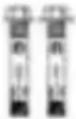 |
After receiving the safe, please use the key to open the door for the first time (remember not to put the key into the safe, take good care of it and do not lose it).
This product can have two sets of passwords:
factory password # 1234 # and management password # 123456 # (Figure 1)
(1) The first password to open the door: Enter # 1234 # or # 1234 then turn the knob (see Figure 1). (2) Change the password: short press the setting key (see Figure 2 inside side of the door), hear Didi twice, the green light is on, enter digit password, press #, Buzzer Didi twice to indicate that the change is successful. If the red light is on, the buzzer “Di di Di di di Di di Di” five times, indicating the failure to change the secret. Need to be changed again.
(3) Manage password changes: Press #, then short-press the settings, the green light will turn on, enter 3-8 password, press #, Buzzer D sound, indicating that the password has been successfully set. Buzzer di di di di di di di" five-tone and red light, setting failure, need changed again.
(4) The number of password fault-tolerant times is 3, the system lock is 5 minutes. Lock then input, three lights flash at the same time.
(5) Use the password to open the notice and Skills: the password en after the key is valid, enter the password after the end of the confir of the password press # verification password; use the password to c the password input interval of 10 seconds do not operate, the panel automatically enter hibernation, the need to re-operate.
(6) If the input is incorrect for many times, the battery can be removed power will be cut off for five minutes and then reinstalled, and the c can be redone according to the instruction.
(1) When the fingerprint is empty at the time of production, it needs entered before it can be used to open the lock with the fingerprint (2) To enter the fingerprint:
press the setting button and hear the sound of Didi twice, repeat 4 green light on the buzzer a long honk, indicating that the finger input success. The same method can enter 30 fingerprints.
(3) Fingerprint opening method:
Put your finger in the fingerprint window, identify the successful green at the same time the buzzer “Beep Beep” two, turn the knob to oq door. Wrong operation, red light at the same time buzzer ring “Di di di” five.
(4) The number of fingerprint fault tolerant times is 10, and the syst lock time is 5 minutes. Lock then input, three lights flash at the sar the prompt sound gives out “Di di di di di di” sound.
Use fingerprint opening skills:
When entering fingerprints, the fingertips touch the fingerprint window, and at the same time touch the window's metal frame. You may hear a slight "tick" sound, and the green light will open the door. Sometimes you need to try a few more times with your fingertips. If necessary, you can use the same finger several times when typing fingerprints. When entering a finger, the finger changes the angle of entry, which can be divided into around, before, and after the entry.
Reasons for influencing fingerprint opening:
If there is dirt on your fingers, please wipe them dry after washing hands and try again; if there are calluses on your fingers, please change your fingers and try again; if your fingers are wet, try again after wiping them dry; if some fingers are too dry, you can use your mouth to breathe on them and try again; if some fingers are not clear, please change your fingers
and try again; if the input is incorrect for many times, you can remove the battery and install the battery after a power cut for five minutes, then re-operate according to the instructions.
(1) When the fingerprint is empty at the time of production, it needs to be entered before it can be used to open the lock with the fingerprint. (2) To enter the fingerprint: press the setting button and hear the sound. Didi twice, repeat 4 times, green light on, the buzzer gives a long honk, indicating that the finger input is successful. The same method can enter 30 fingerprints. (3) Fingerprint opening method: put your finger in the fingerprint window, identify the successful green light, at the same time the buzzer "Beep Beep" twice, turn the knob to open the door. Wrong operation, red light at the same time buzzer rings "Di di di di di di" five times. (7) The number of fingerprint fault tolerant times is 10, and the system time is 5 minutes. Lock then input, three lights flash at the same time, prompt sound gives out "Di di di di di di" sound. Use fingerprint opening skills: when entering fingerprints, the fingertips touch the fingerprint window, fingertips at the same time touch the window's metal frame, a little hear the "Tick" sound, green light to open the door. Sometimes you need to try a few more times with your fingertips. If necessary, you can use the same finger several times when typing fingerprints. When entering a fingerprint, the finger changes the angle of entry, which can be divided into around, before, and after the entry. Reasons for influencing fingerprint opening: if there is dirt on your fingers, please wipe them dry after washing your hands and try again; if there are calluses on your fingers, please change your fingers and try again; if your fingers are wet, try again after wiping them dry; if some fingers are too dry, you can use your mouth to breathe on them and try again; if some fingers are not clear, please change your fingers and try again; if input is incorrect for many times, you can remove the battery and install the battery after a power cut for five minutes, then re-operate according to the instructions.
About dry batteries:
This product is suitable for 4 No. 5 dry batteries. (This product does not deliver batteries.)
(1) Please use batteries produced by regular manufacturers. Dry batteries are suitable for intermittent discharge. If you discharge continuously for a long time in a short period, the newly bought battery will not last long. It is recommended to replace the new battery. When you find that the light is on, please replace the new battery as soon as possible. AA/alkaline batteries are recommended to prevent battery leakage. (2) When the power is insufficient, the yellow light will turn on, indicating the need to replace the new battery as soon as possible. (4) Please install the battery correctly: pay attention to the positive and negative electrodes, do not put them wrong (on the battery + align the battery compartment + direction); Let the two poles of the battery fully contact the electrodes in the battery compartment. When the last battery is installed, two drops are heard, indicating that the installation is correct.
About the settings key:
The settings key is hidden behind the door on the inside side (see 2), red or green, etc. Short press, Didi twice, enter mode. Long press the change code key for more than 5 seconds, hear a long sound, the system resumes the factory settings.
Turn on or off mute:
Type # 0 # to turn on mute, then Type # 0 # to turn off mute.
The tone and red, green and yellow lights:
Enter the correct green light at the same time “Tick” two sounds. Operation Error, red light at the same time ring “Di di di di di di Di” five sounds. When the power is insufficient, the yellow light will come on.
Resume factory settings:
Long press the setting key, heard a long sound, and the system resumes the factory settings.
WARMLY REMINDER
- Because it is handmade, inside solder joints or rust stains are normal.
- Please keep emergency keys, secret cabinet keys.
- The emergency key cannot open the safe of other brands or the brand, which is unique.
(Please do not try, to avoid damage to the safe and the unmatched cannot be taken out)
AFTER-SALES SERVICE
- If the product you received has other problems such as usage problems, please feel free to contact us and reply to online customer service within hours to serve you.
- Our products support 90 days for no reason to return or exchange.
- I wish you a happy online shopping.
CORRECT DISPOSAL

This product is subject to the provision of European Directive 2012/19/EC. The symbol showing a wheelie bin crossed through indicates that the product requires separate refuse collection in the European Union. This applies to the product and all accessories marked with this symbol. Products marked as such may not be discarded with normal domestic waste, but must be taken to a collection point for recycling electrical and electronic devices.
Made in China
VEVOR®
TOUGH TOOLS, HALF PRICE
Technical Support and E-Warranty Certificate www.vevor.com/support
VEVOR®
TOUGH TOOLS, HALF PRICE
NEED HELP? CONTACT US!
Figure 2. Back of Panel: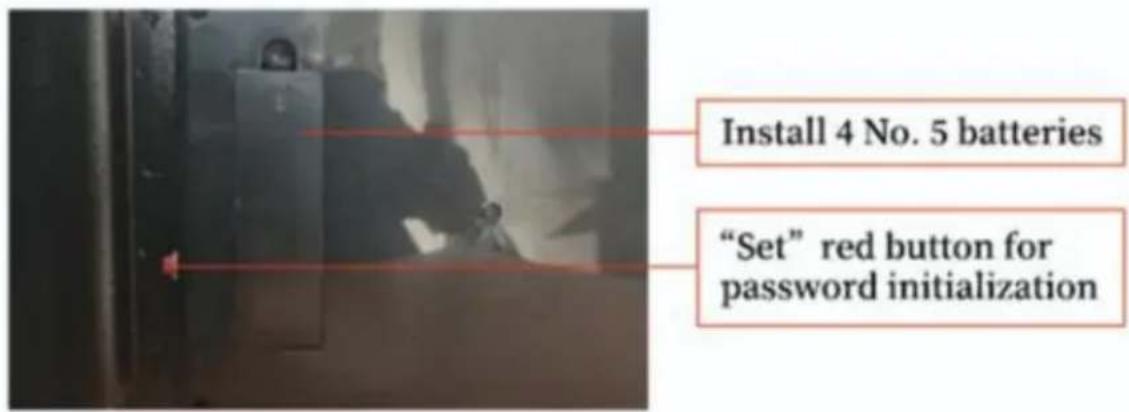
Kundenservice@vevor.com
Figure 2. Back of Panel: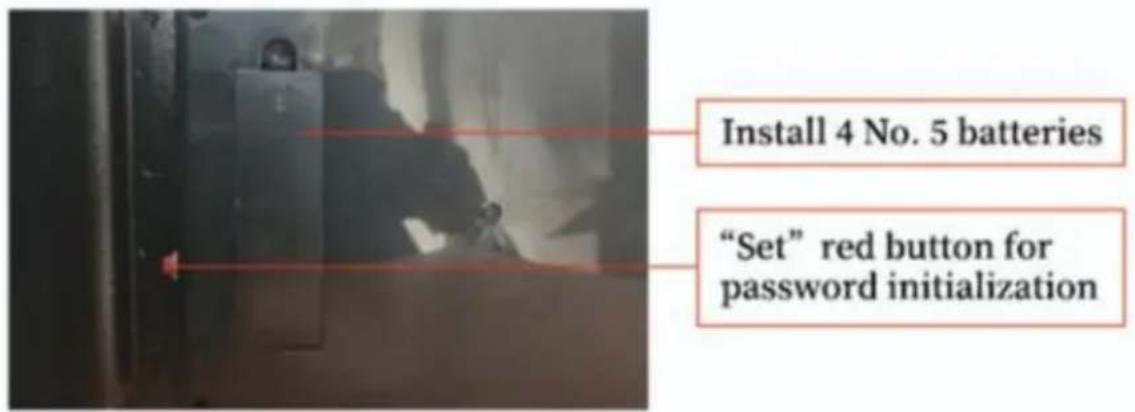
Figure 2. Back of Panel: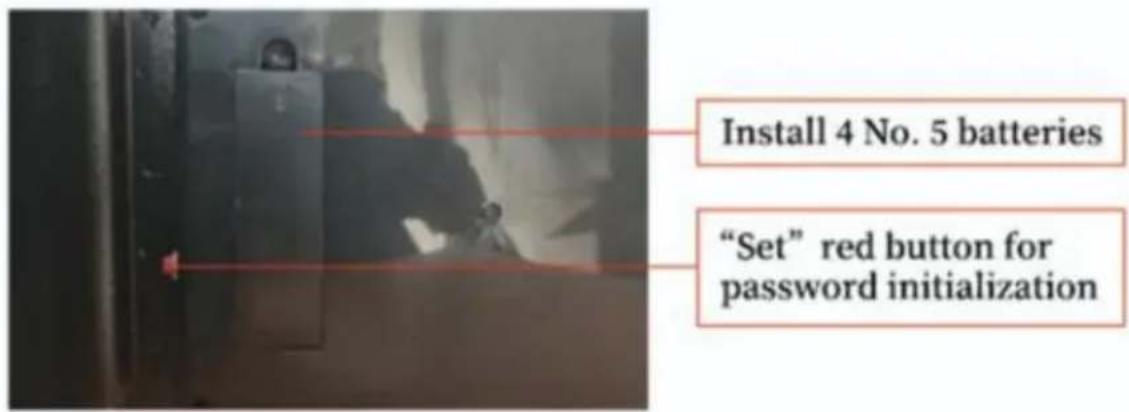
TECHNICAL PARAMETERS
Figure 2. Back of Panel: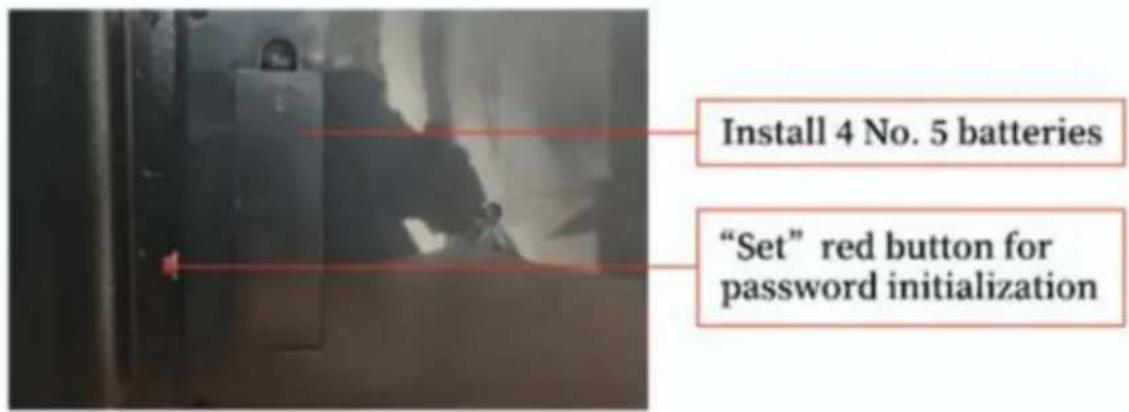
TECHNICAL PARAMETERS
NEED HELP? CONTACT US!
Figure 2. Back of Panel: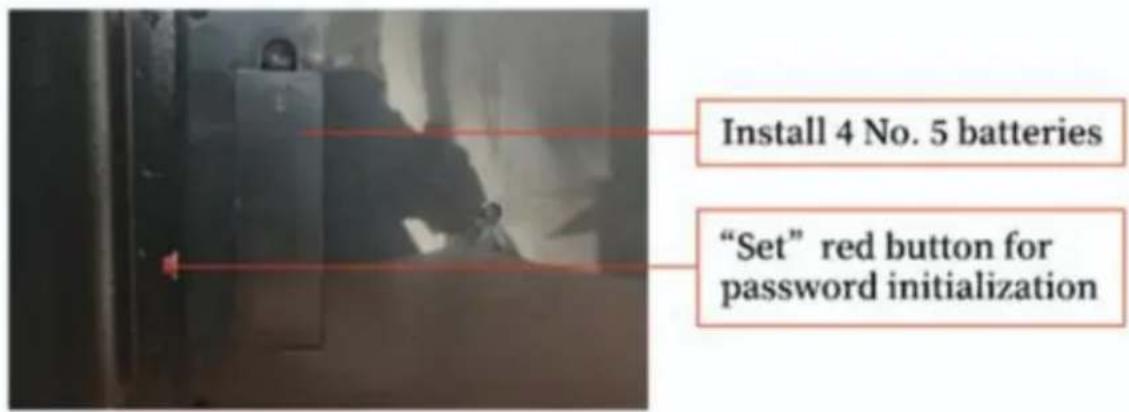
TECHNICAL PARAMETERS
NEED HELP? CONTACT US!
CustomerService@vevor.com
Figure 2. Back of Panel: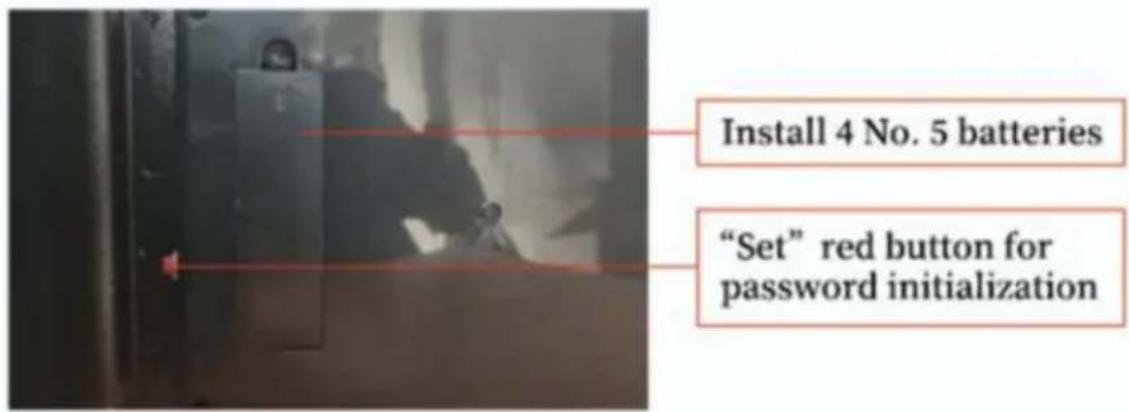
NEED HELP? CONTACT US!
Figure 2. Back of Panel: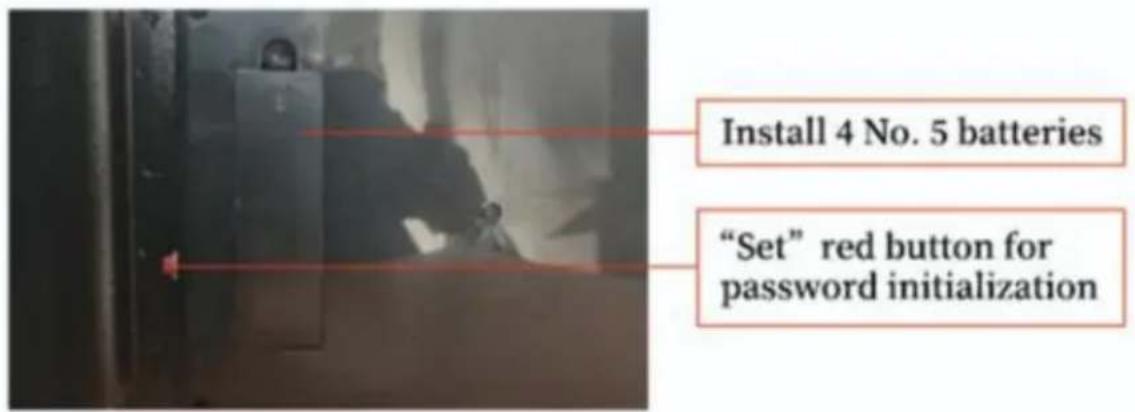
TECHNICAL PARAMETERS
- SAFE BOX
- USER MANUAL
- VEVOR®
- NEED HELP? CONTACT US
- INSTRUCTIONS
- TECHNICAL PARAMETERS
- PARTS LIST
- USE FINGERPRINT OPENING SKILLS
- REASONS FOR INFLUENCING FINGERPRINT OPENING
- ABOUT DRY BATTERIES
- THIS PRODUCT IS SUITABLE FOR 4 NO. 5 DRY BATTERIES. (THIS PRODUCT DOES NOT DELIVER BATTERIES.)
- ABOUT THE SETTINGS KEY
- TURN ON OR OFF MUTE
- THE TONE AND RED, GREEN AND YELLOW LIGHTS
- RESUME FACTORY SETTINGS
- WARMLY REMINDER
- AFTER-SALES SERVICE
- CORRECT DISPOSAL
- MADE IN CHINA
- TOUGH TOOLS, HALF PRICE
- KUNDENSERVICE@VEVOR.COM
- CUSTOMERSERVICE@VEVOR.COM
Brand : Vevor
Model : DS50Pro
Category : Safe