
YH-F01 - Air conditioner Vevor - Free user manual and instructions
Find the device manual for free YH-F01 Vevor in PDF.
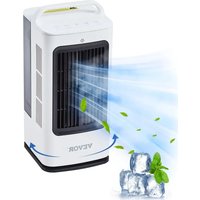


| Product Type | Portable Evaporative Cooler |
| Model | YH-F01 |
| Brand | Vevor |
| Power | 35 W |
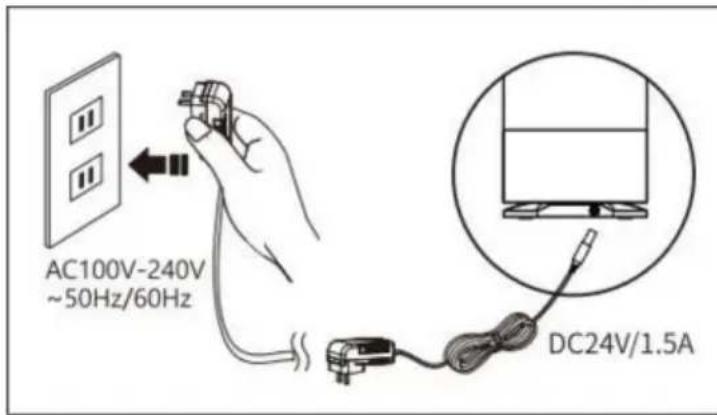
| Power Supply | 100-240 V AC, 50/60 Hz |
| Water Tank Capacity | 1.7 L |
| Number of Fan Speeds | 3 |
| Humidification Function | Yes, with adjustable atomization (low, high, off) |
| Timer Off | 1 to 7 hours |
| Oscillation | 45°, 90°, 120° or off |
| Remote Control | Yes (CR2025 battery included) |
| Ice Compartment | Yes, for enhanced cooling |
| Automatic Safety Shut-off | In case of water shortage (indicator blinks then standby after 5 seconds) |
| Power Adapter Included | Yes |
| Cleaning Brush Included | Yes |
| Cleaning | Water tank and ice compartment washable with water; atomization plate brushed; do not use solvents |
| Recommended Use | Purified water or clean tap water; do not add essential oils |
| Warranty and Support | Technical support and electronic warranty certificate at www.vevor.com/support |
| Manufacturer | Shanghai muxinmuyeyouxiangongsi, Shuangchenglu 803 nong 11 hao 1602A-1609 shi, Baoshanqu, Shanghai 200000, China |
Frequently Asked Questions - YH-F01 Vevor
User questions about YH-F01 Vevor
0 question about this device. Answer the ones you know or ask your own.
Ask a new question about this device
Download the instructions for your Air conditioner in PDF format for free! Find your manual YH-F01 - Vevor and take your electronic device back in hand. On this page are published all the documents necessary for the use of your device. YH-F01 by Vevor.
USER MANUAL YH-F01 Vevor
Technical Support and E-Warranty Certificate www.vevor.com/support
PORTABLE EVAPORATIVE COOLER
MODEL: YH-F01
We continue to be committed to provide you tools with competitive price. "Save Half", "Half Price" or any other similar expressions used by us only represents an estimate of savings you might benefit from buying certain tools with us compared to the major top brands and does not necessarily mean to cover all categories of tools offered by us. You are kindly reminded to verify carefully when you are placing an order with us if you are actually saving half in comparison with the top major brands.
MODEL: YH-F01
NEED HELP? CONTACT US!
Have product questions? Need technical support? Please feel free to contact us:
Technical Support and E-Warranty Certificate www.vevor.com/support
This is the original instruction. Please read all manual instructions carefully before operating. VEVOR reserves a clear interpretation of the user manual. The appearance of the product shall be subject to the product you received. Please forgive us that we won't inform you if there are any technology or software updates on our product.
IMPORTANT SAFEGUARDS

WARNING: Read and understand this entire manual before operating or servicing this product. Failure to follow these warnings and instructions can cause personal injury or damage to valuable property. Avoid children using the product. This product is not a toy. Do not let children play with it.
CORRECT DISPOSAL
This product is subject to the provisions of European Directive 2012/19. The symbol showing a wheelie bin crossed through indicates that the product requires separate refuse collection in the European Union. This applies to the product and all accessories marked with this symbol. Products marked as such may not be discarded with normal domestic waste, but must be taken to a collection point for recycling electrical and electronic devices.

SETUP PRECAUTIONS
To ensure safe use and avoid injury and property damage to you or others, please make sure to follow the following safety precautions.
This product does not consider the following situations:
The use of equipment by unattended children and individuals with disabilities;
The situation of children playing with equipment;
This product is not suitable for individuals with physical or mental deficiencies and a lack of necessary experience and knowledge (unless used under the supervision of someone responsible for their safety).
SAVE THESE INSTRUCTIONS
SPECIFICATION
| Model | YH-F01 |
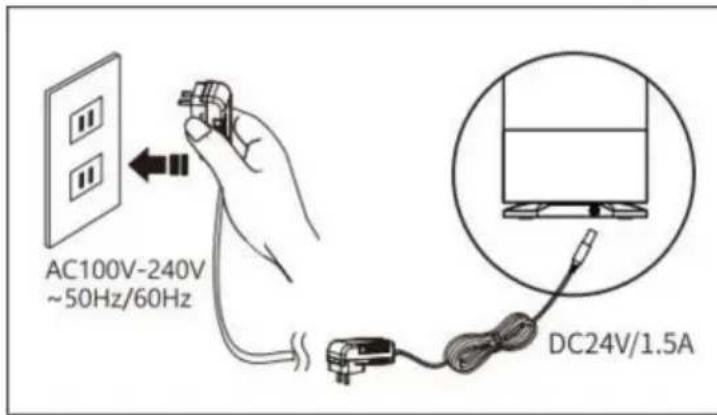
| Voltage | AC100-240V 50/60Hz |
| Power | 35W |
| Tank capacity | 1.7L |
PACKAGE LIST
| No. | Name | Picture | QTY | Note |
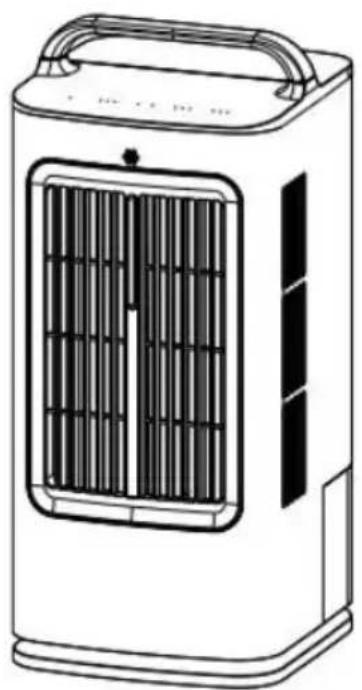
| 1 | Product |  | 1 | |
| 2 | Manual |  | 1 | |
| 3 | Remote control | 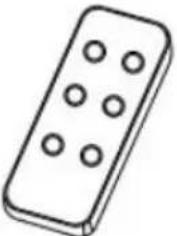 | 1 | With Battery(CR 2025) |
| 4 | AC Adapter | 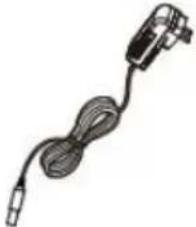 | 1 | |
| 5 | Brush | 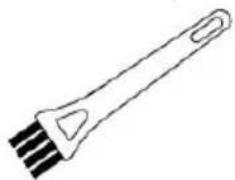 | 1 |
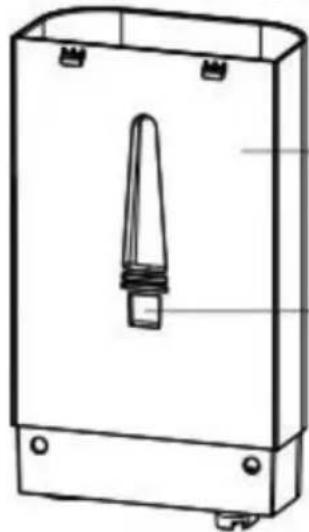
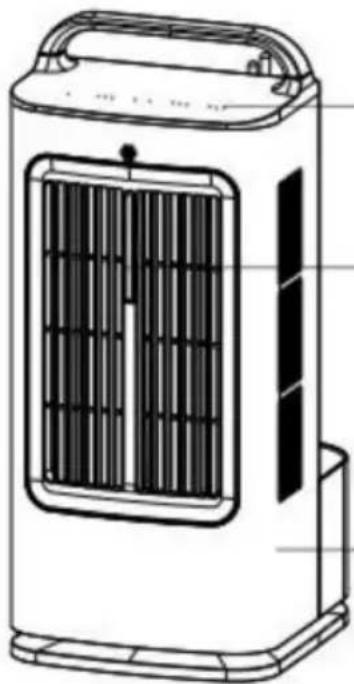
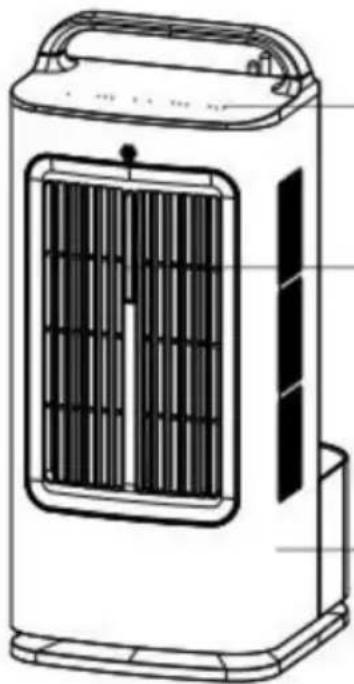
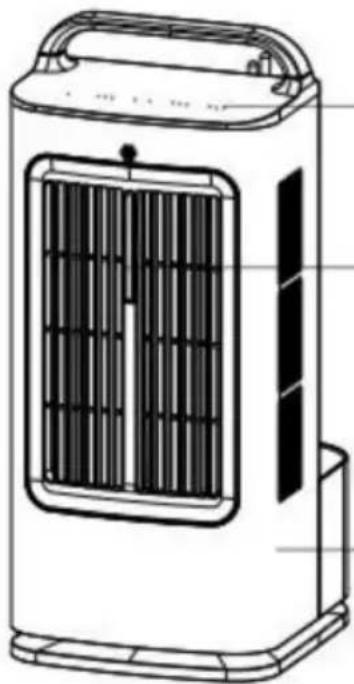
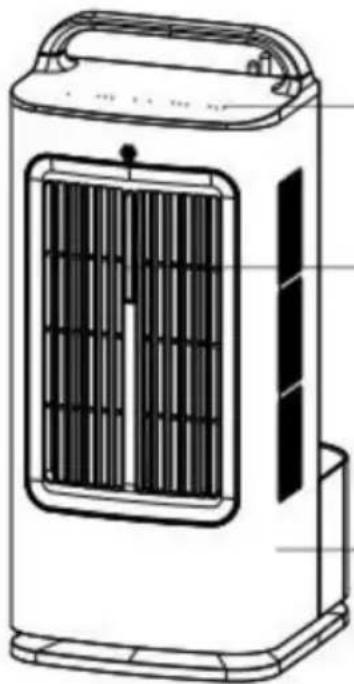
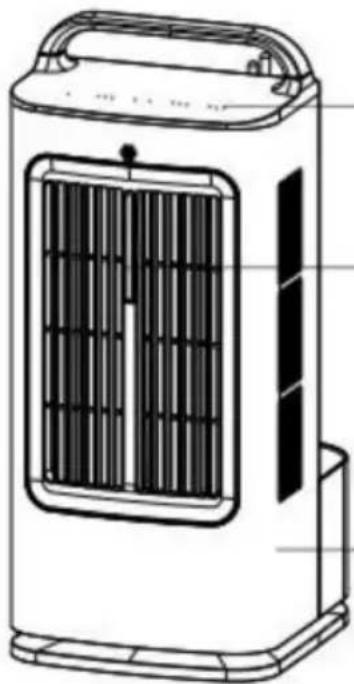
PRODUCT DIAGRAM

water tank cover
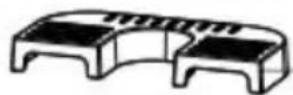
ice-tray
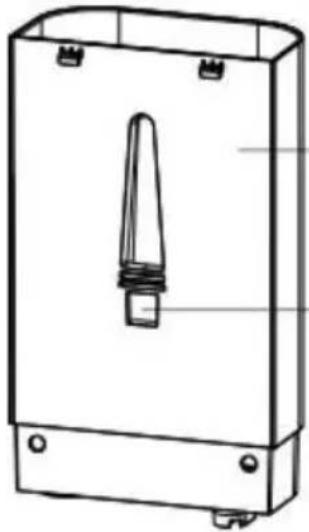
water tank
Outlet
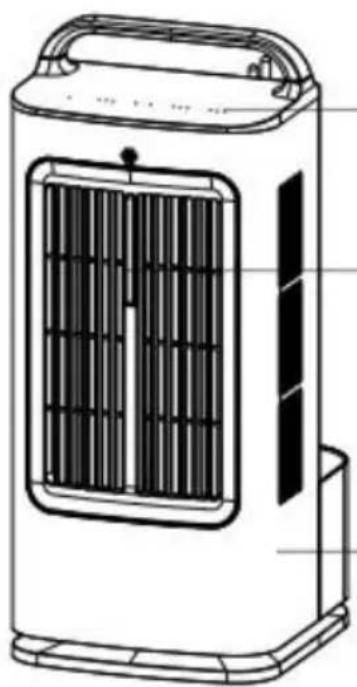
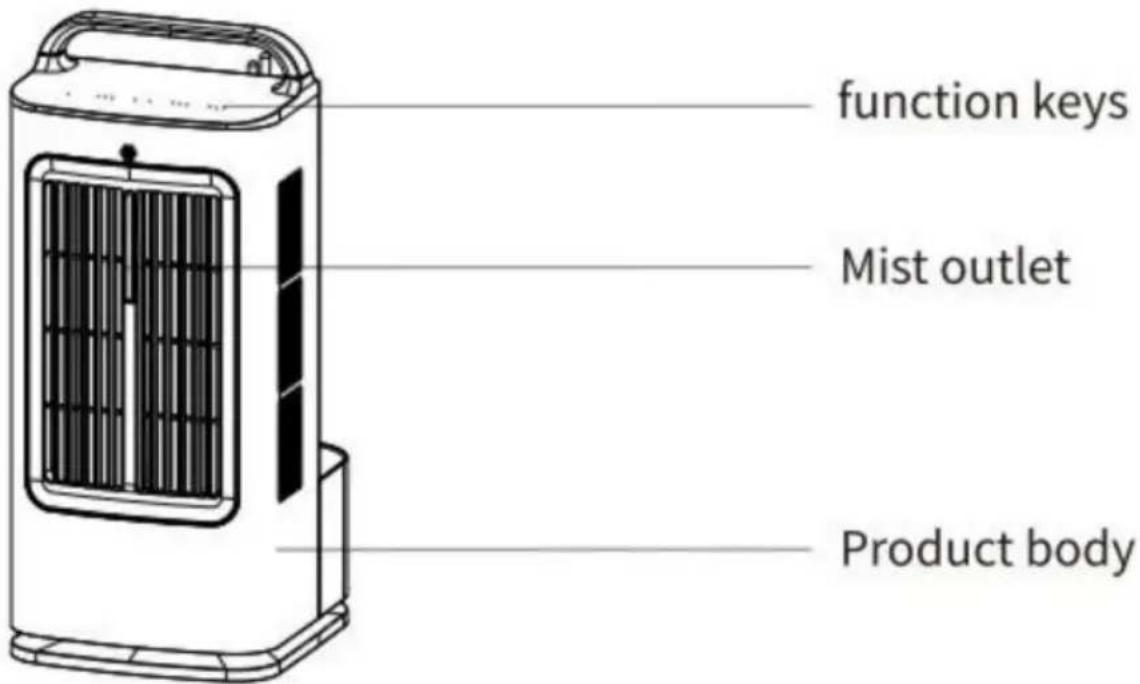
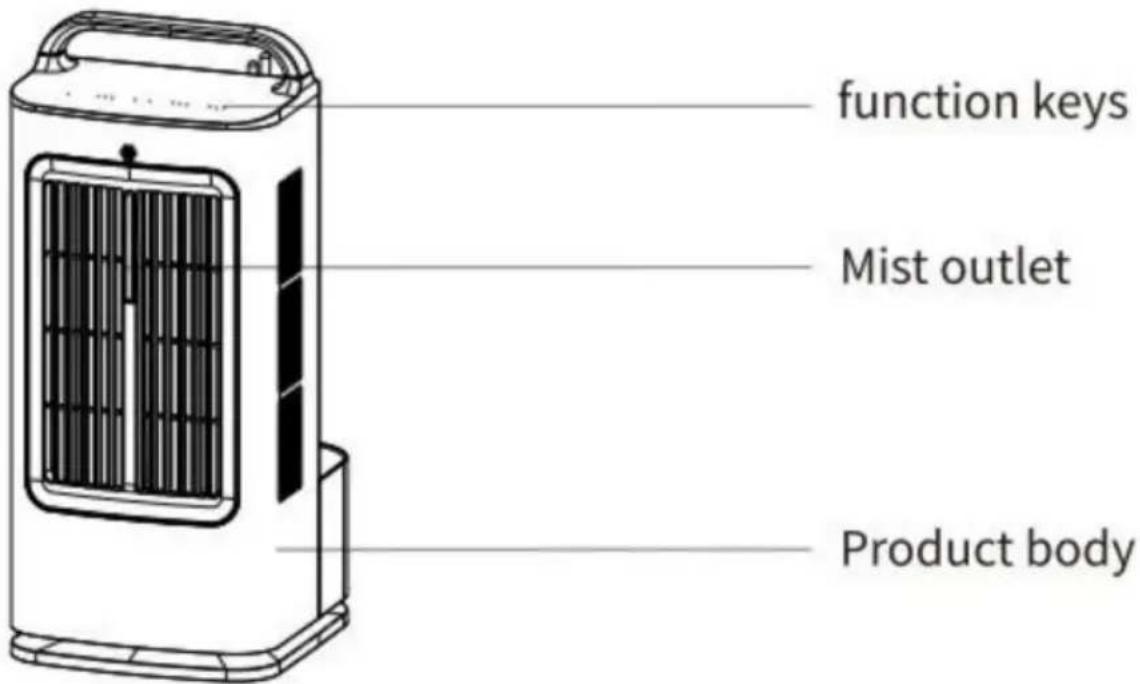
function keys
Mist outlet
Product body
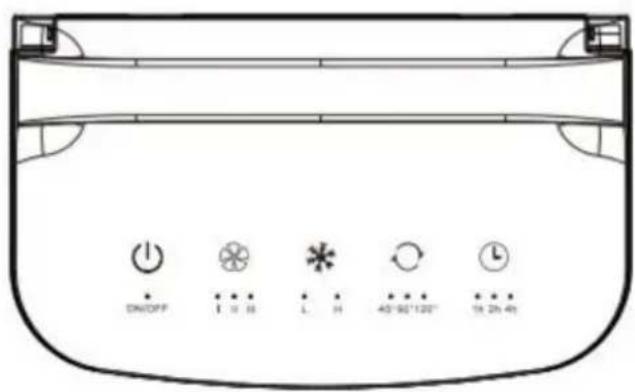
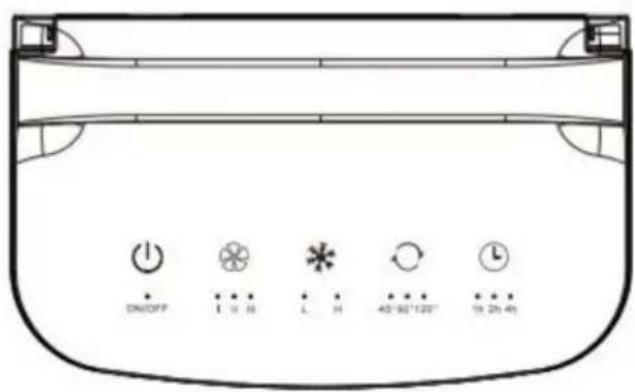
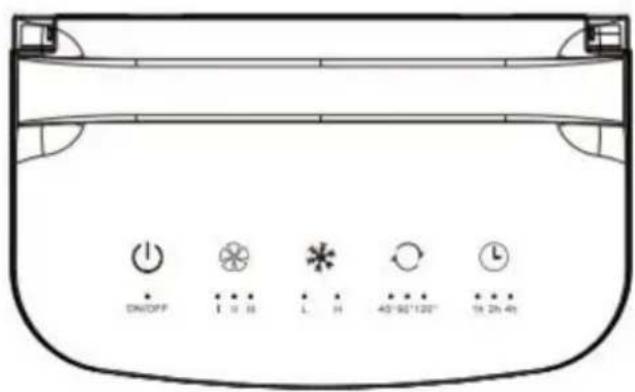
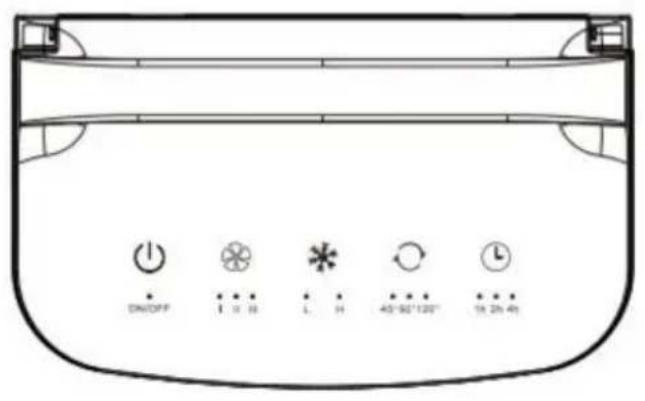
Panel Function Diagram
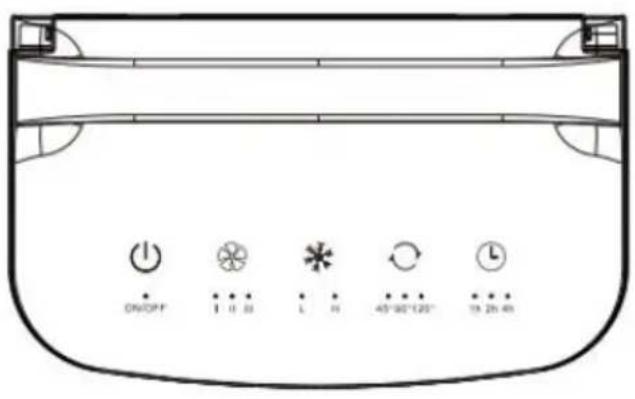
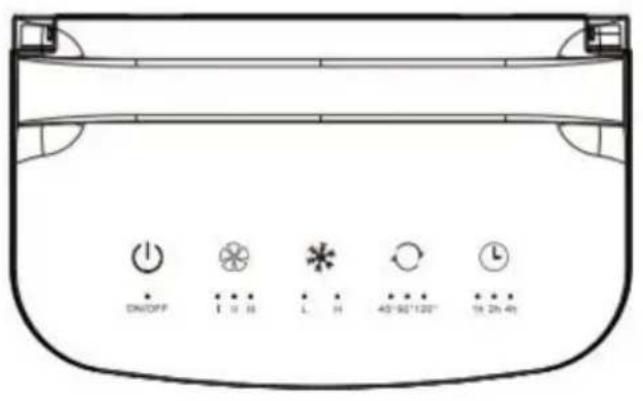
| Power button | |
| Wind speed key | |
| Mist key | |
| Angle key | |
| Timing key | |
| ON/OFF | Power indicator light |
| I II III | Wind speed indicator light |
| L H | Mist indicator light |
| 45°90°120° | Angle light |
| 1h 2h 4h | Timer indicator light |
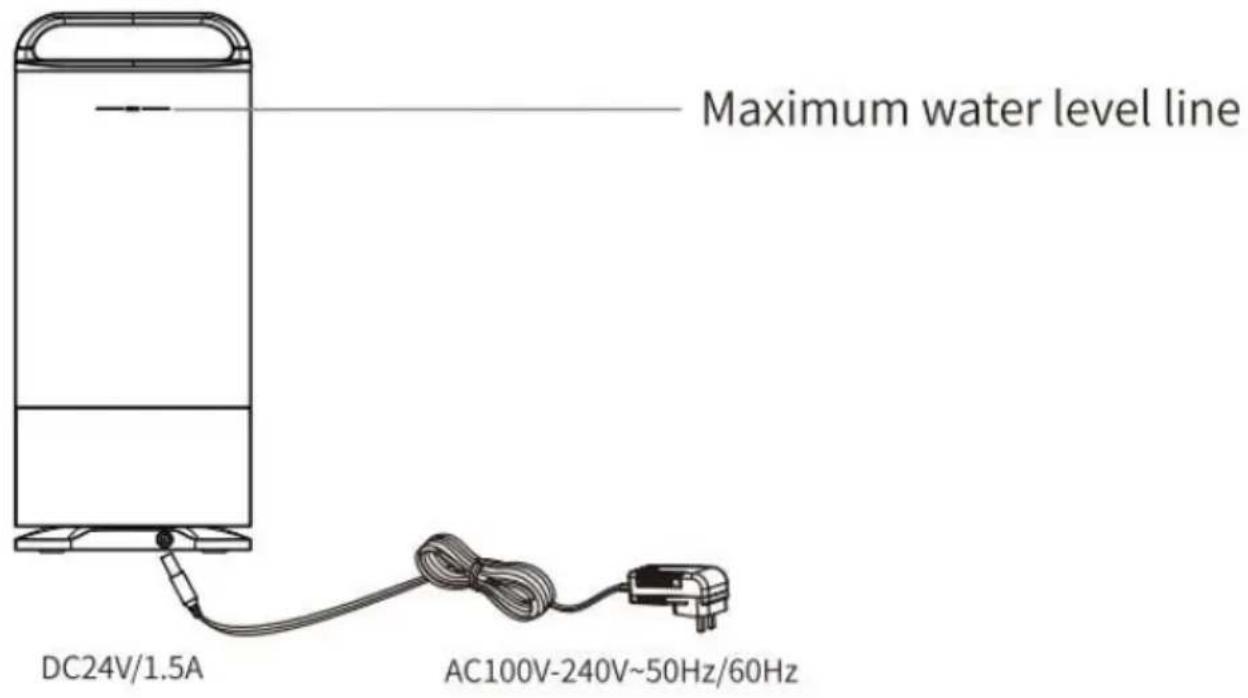
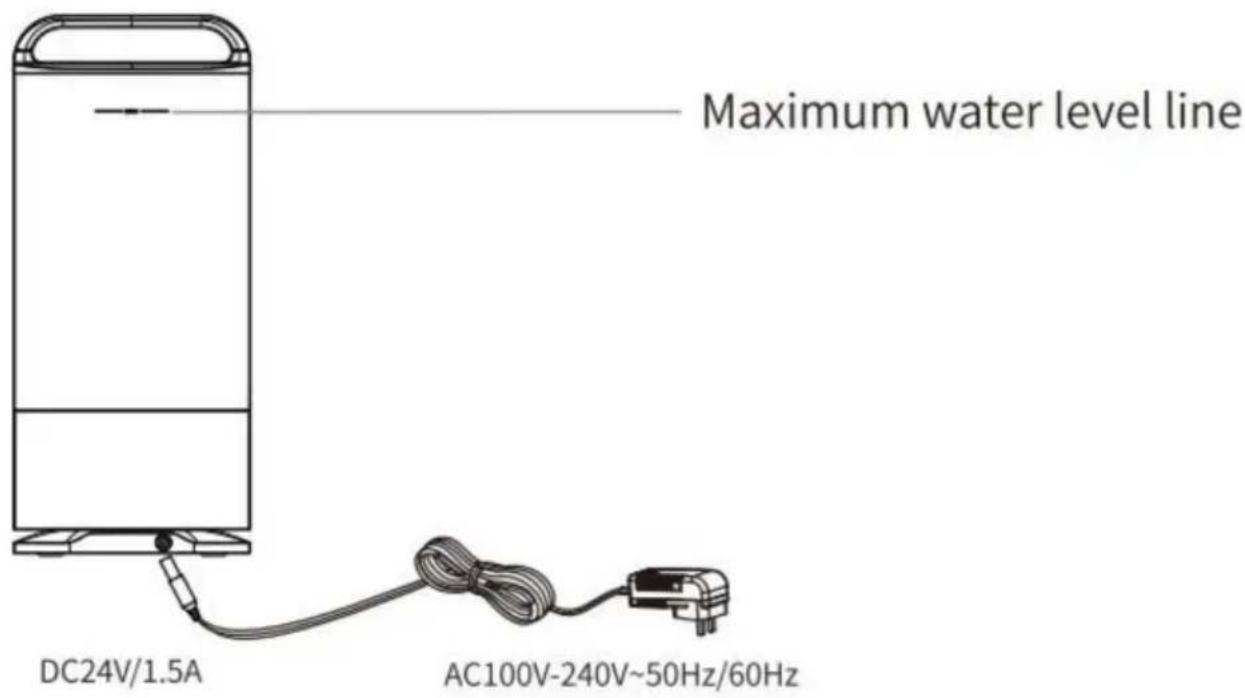
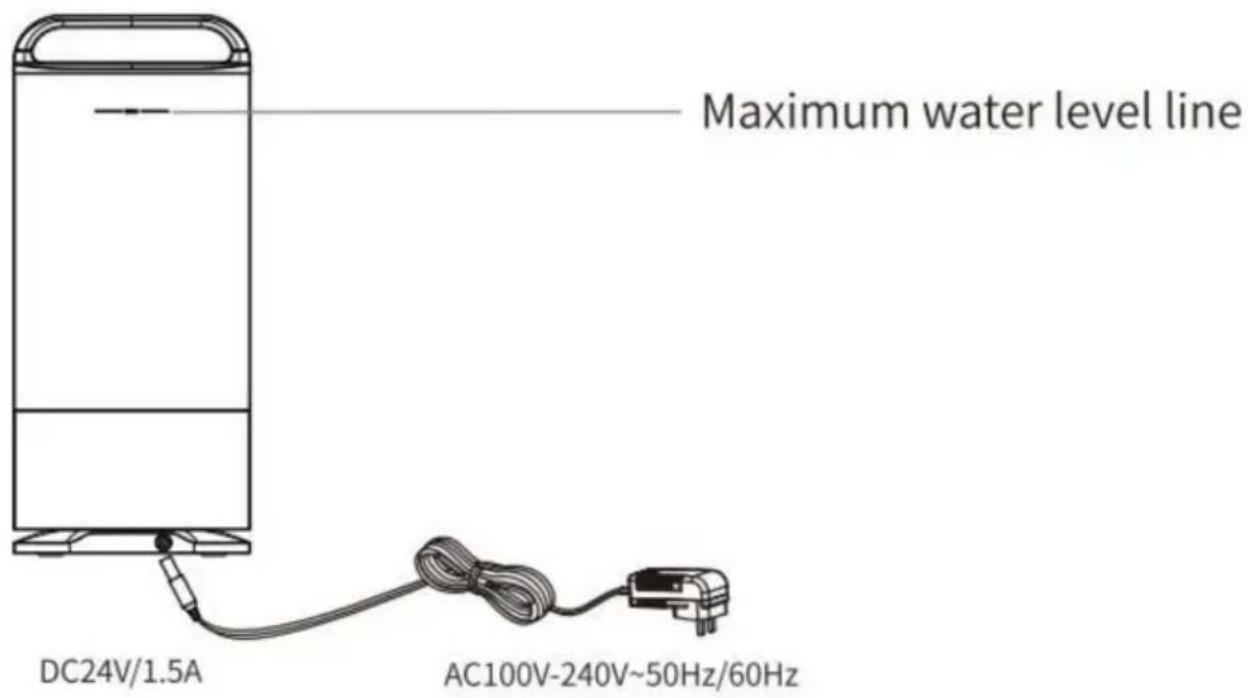
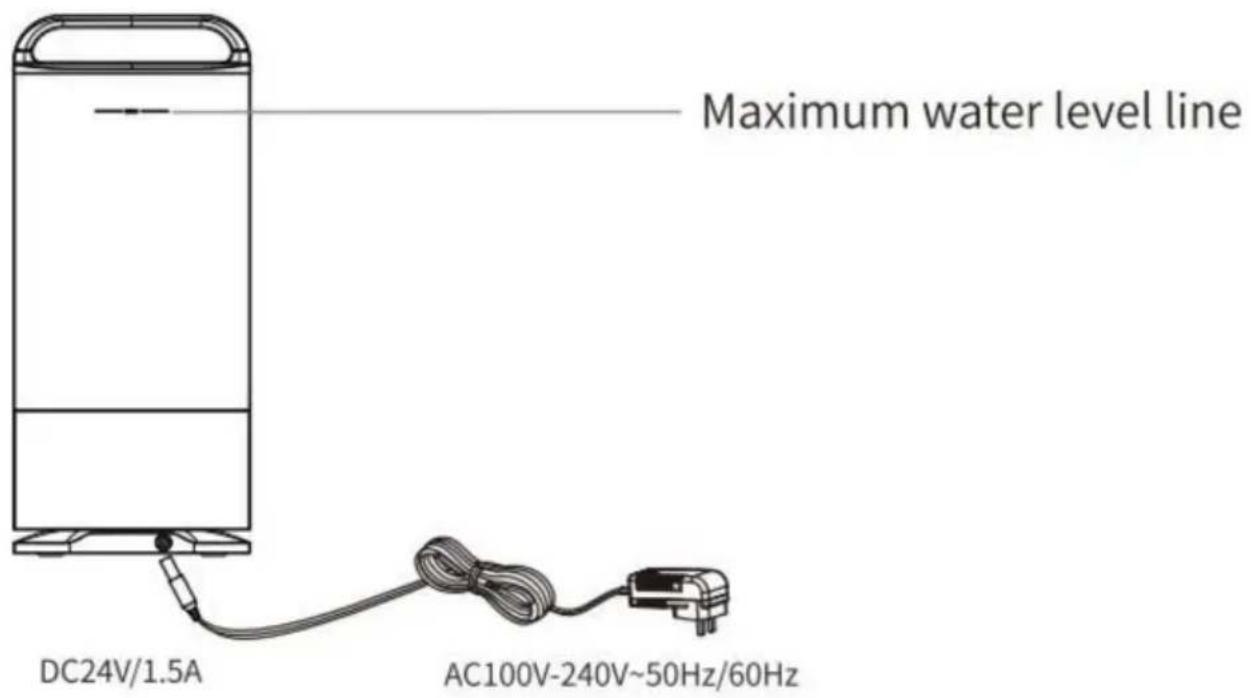
Back Diagram
Remote Control Diagram
![graph LR A["Humidification key"] --> B["Standby key"] C["Foggy key"] --> D["Air volume key"] E["Shake head key"] --> F["Timing key"] B --> G["Standby key"] D --> H["Air volume key"] F --> I["Timing key"]](/content/2026/04/734409/images/c1d87d4432268d22800523154568dff3bed905f4358b7ad47d5b1d71edb163c2.jpg)
Standby key: Press this key once to enter the working mode of the machine, and press it again to enter standby mode.
Humidification button: Press this button to turn on and off the humidification function, and the fan function will be turned off.
Fogging key: Press this key repeatedly to set the atomization amount. Air volume key: Press this key repeatedly to adjust the three level volume.
Timer key: Press this key repeatedly to set a 7-hour timed shutdown in sequence.
Shake the head button: Press this button repeatedly to sequentially set the multi angle air supply (45°, 90°, 120°).
NOTE
Battery specification: CR2025+3V
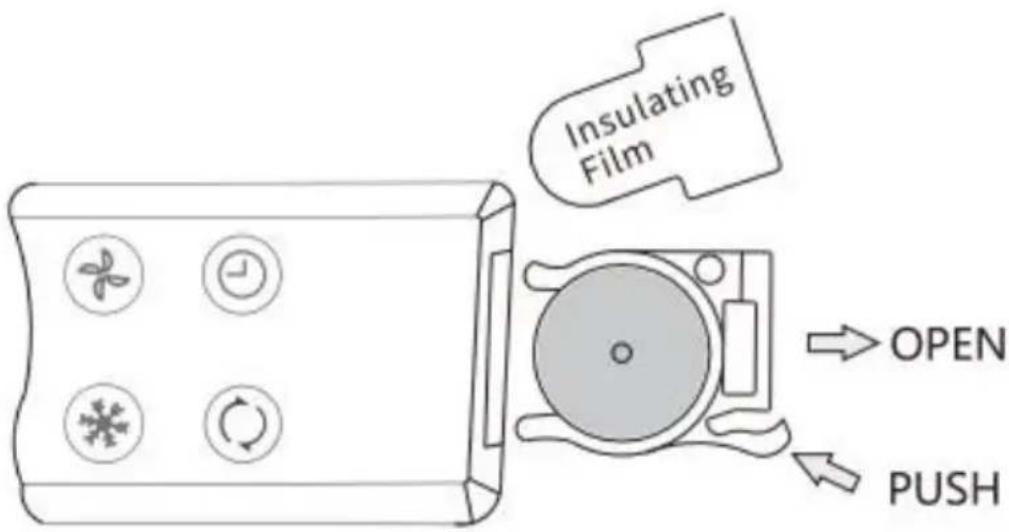
- When using it for the first time, the battery insulation film needs to be removed.
- When not using the remote control for a long time, replace the insulation film or remove the battery.
- When the remote control fails or the remote control distance is short, please replace the battery in a timely manner.
USAGE STEPS
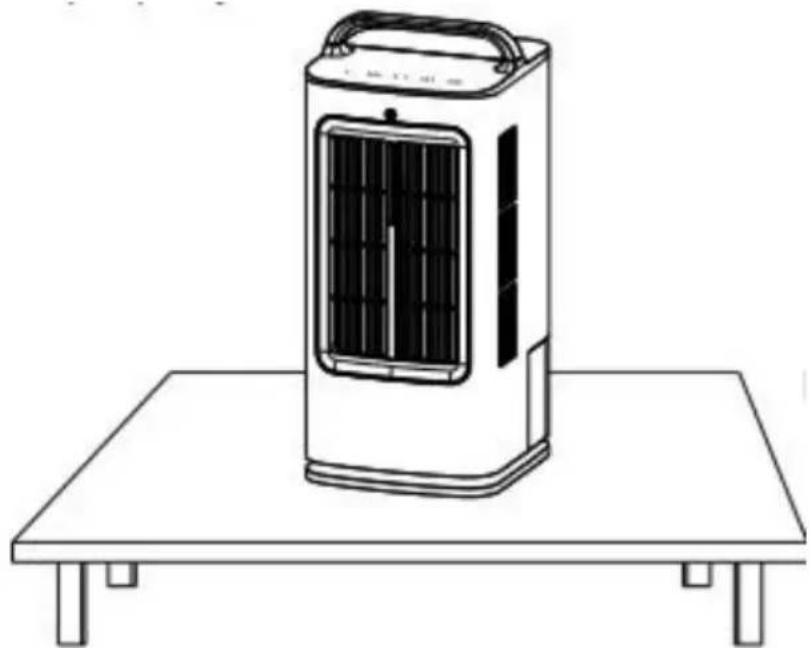
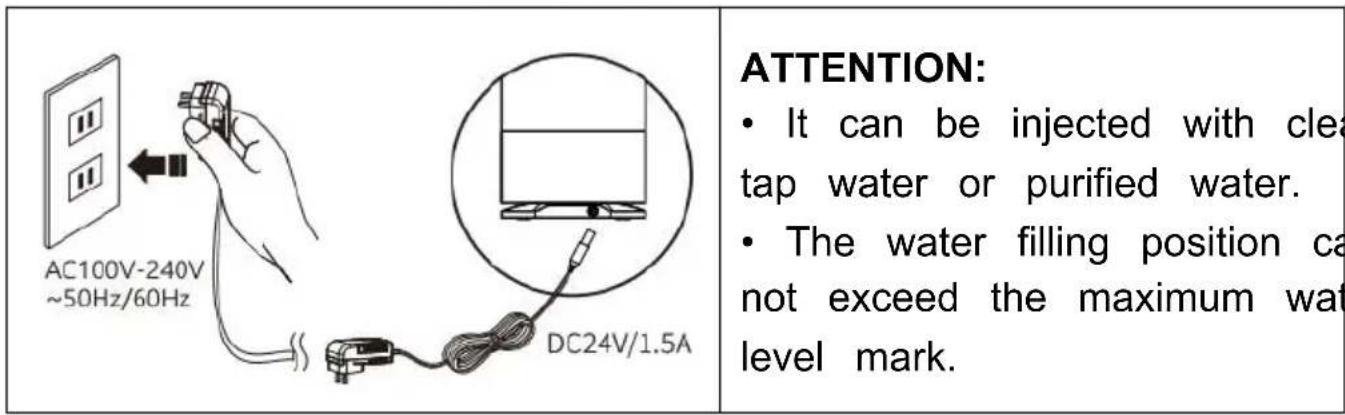
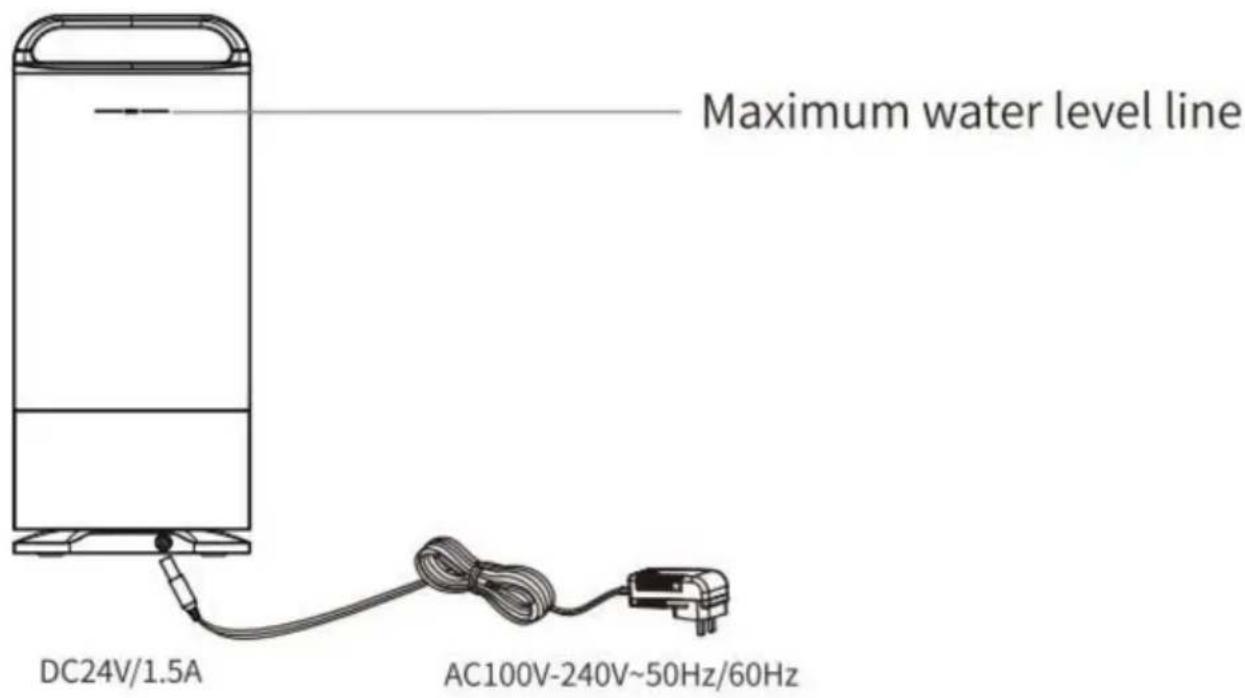
① Place the humidifier fan on a flat desktop. Install the water tank and ensure that it is properly installed.
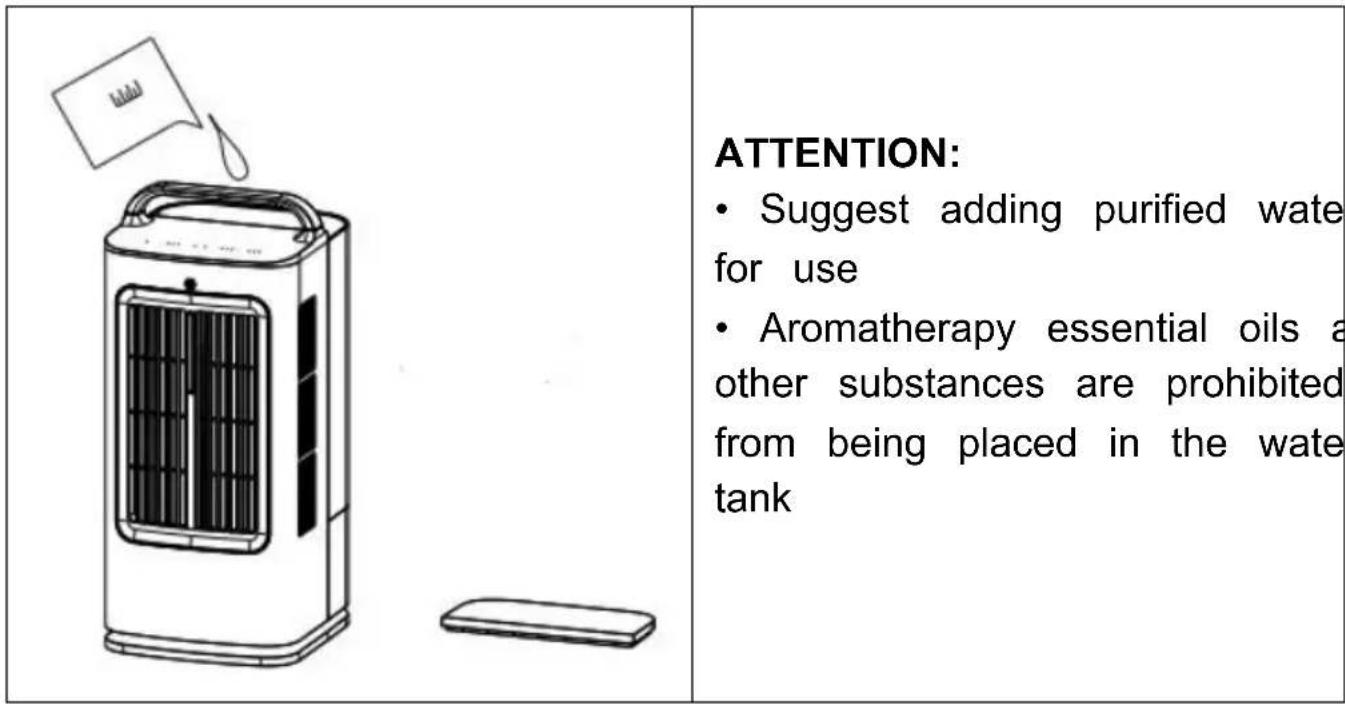
Take the water tank cover off and add 1.7L of water inside.
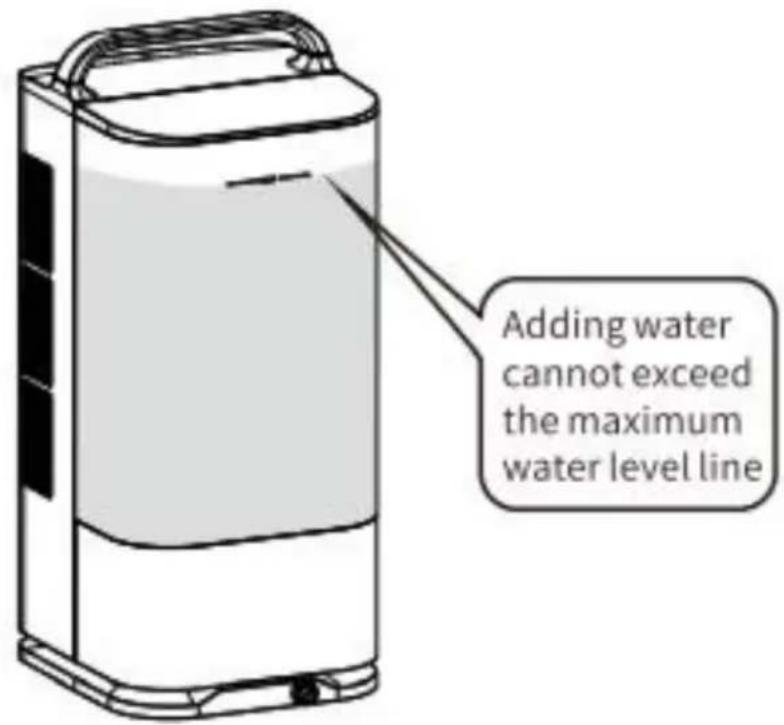
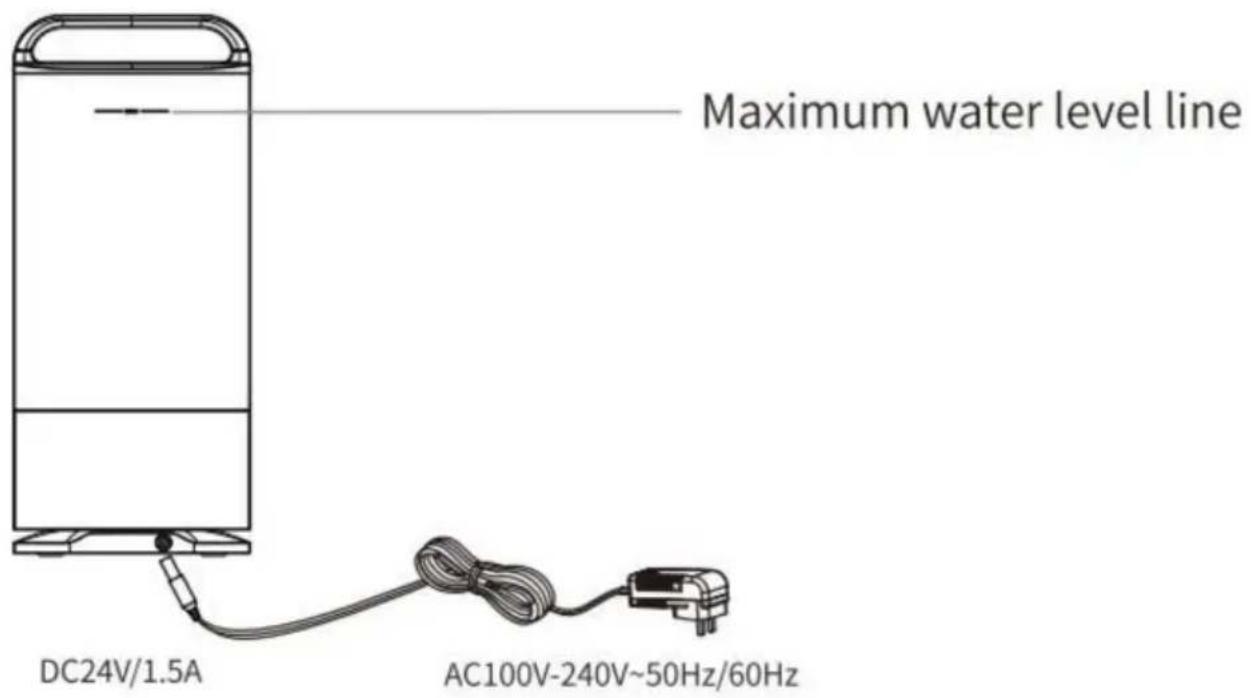
Pay attention to the maximum water level that cannot be exceeded when adding water.
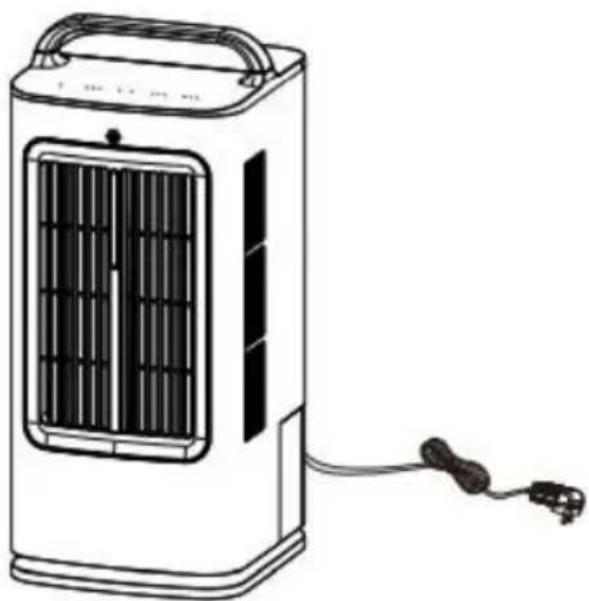
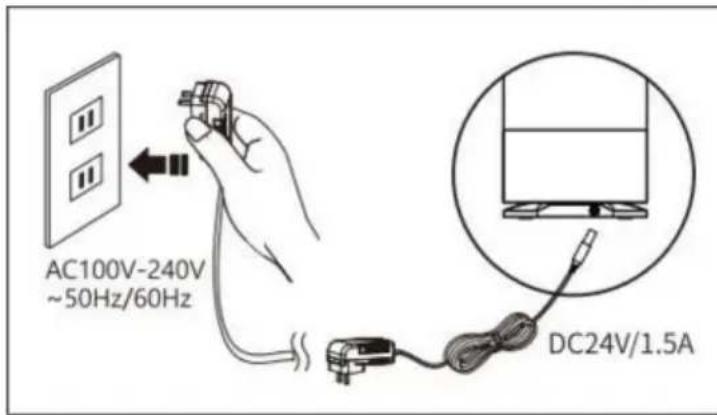
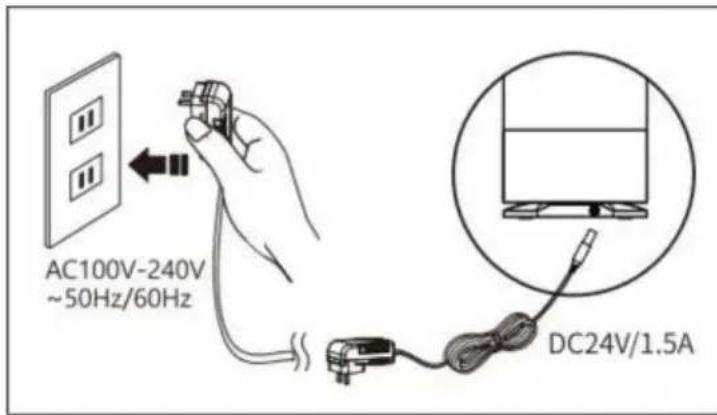
Plug in the power cord and press the power button to start working.
OPERATION STEPS
- Press the power button once to turn on, and then press it again to turn off. The default wind speed is set to work when starting up.
![graph LR A["ON/OFF"] -->|Press once| B["Power on ON/OFF"] B -->|Press twice| C["Shutdown ON/OFF"]](/content/2026/04/734409/images/751cdb9f58f087080ba2f878cf08ab05e0383669089e72b5468b138cc6fcf81f.jpg)
- When the atomization function is turned off, press the wind speed button repeatedly to switch between 1st gear, 2nd gear, and 3rd gear wind, cycling in sequence. When turned on, it defaults to 1st gear.
![graph LR A["Default First Gear Upon Startup"] -->|Press once| B["Second Gear"] B -->|Press twice| C["Third Gear"] C --> D["Sequential loop"]](/content/2026/04/734409/images/6a4defb63b42ade9e7590e3b3c6bf24517d660b8b35595dcac01c941642acfd3.jpg)
- When the atomization function is turned on, press the wind speed button repeatedly to switch between four modes: 1st gear, 2nd gear, 3rd gear, and off, cycling in sequence. When turned on, the default mode is 1st gear.
![graph LR A["Default First Gear Upon Startup"] -->|Press once| B["Second Gear"] B -->|Press twice| C["Third Gear"] C --> D["Pure humidification range"] D --> E["Sequential loop"]](/content/2026/04/734409/images/f57fd1f7d0607b19f2f55c15255eeda212792f1f2a0b93d3d02d6dc203239c43.jpg)
When in the pure humidification mode, the fan function is turned off.
- Cycle the fog amount button to switch the three modes of low level atomization, high level atomization, and stop spray in turn, cycling in sequence. The machine starts with spray off by default.
5.
![graph LR A["Spray off by default"] --> B["Press once"] B --> C["Low level atomization"] C --> D["Press twice"] D --> E["High grade atomization"] E --> F["Sequential loop"]](/content/2026/04/734409/images/bb000a470405b14e059cfaca0c38f97631cb6b627513a3acd683d52a818f6888.jpg)
When there is a shortage of water in the atomization chamber, the "H" indicator lights flash simultaneously, and the machine enters standby mode after a few seconds.
- Press the angle button repeatedly to switch between four angle shake head air supply modes: 45°, 90°, 120°, and shake head off, cycling in sequence. The default shake head air supply mode is off when turned on. 7.
![graph LR A["Turn on and turn off by shaking the head by default"] --> B["Press once"] B --> C["45° shaking head air supply"] C --> D["Press twice"] D --> E["90° shaking head air supply"] E --> F["Press three times"] F --> G["120° shaking head air supply"] G --> H["Sequential loop"]](/content/2026/04/734409/images/ef1318d936ee672e4a62a689ce99ad0f5ab48783bf5912b9398fb018ecb63fd1.jpg)
OPERATION STEPS
- Press the timer button repeatedly to switch between eight modes: 1H, 2H, 3H, 4H, 5H, 6H, 7H, and timed off. Cycle in sequence, and the default timed off mode is turned on.
![graph TD A["Default scheduled shutdown upon startup"] --> B["1H timing"] B --> C["2H timing"] C --> D["3H timing"] D --> E["4H timing"] subgraph Start F["1h 2h 4h"] --> G["Press once"] G --> H["1h 2h 4h"] H --> I["Press twice"] I --> J["1h 2h 4h"] J --> K["Press three times"] K --> L["1h 2h 4h"] L -…](/content/2026/04/734409/images/e578ec96e3cb5fd4b33591f85cb22e4bd0a7dec1796b46fbadadbfa6257a44a4.jpg)
- When the temperature is high, use a humidified cooling fan to add water to the tank, which can lower the atomization temperature and blow cold air.
Place the ice grid into the water tank in the direction of the arrow.
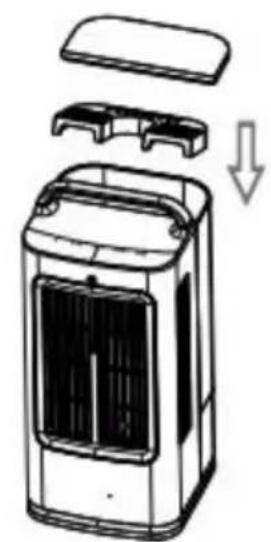
ATTENTION:
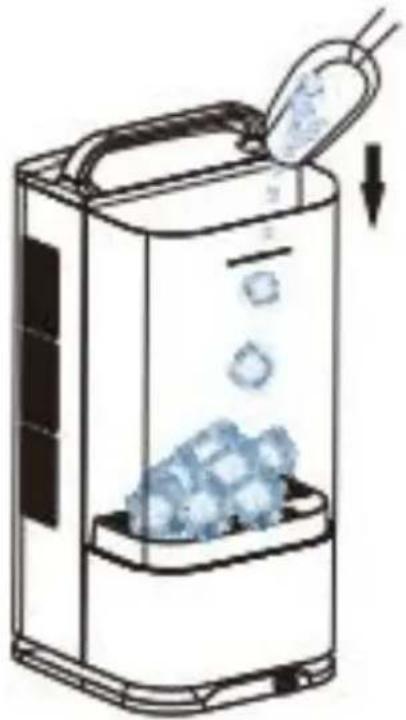
- After placing the ice grid flat into the water tank, add ice cubes. It is prohibited to directly put ice cubes into the water tank without placing them in the ice compartment, as it may cause water leakage.
Pour the ice cubes into the water tank again.
CLEANING/MAINTENANCE
- During the use of components, regular cleaning and maintenance are required to maintain the machine in its optimal working condition.
Use both hands to support the top of the water tank and lift it up.
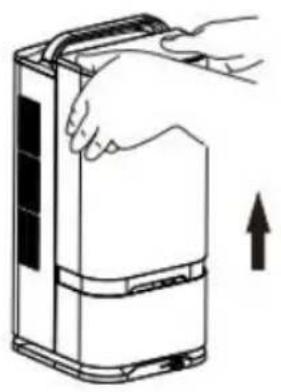
Support the raised water tank with both hands and move it backward to remove it.
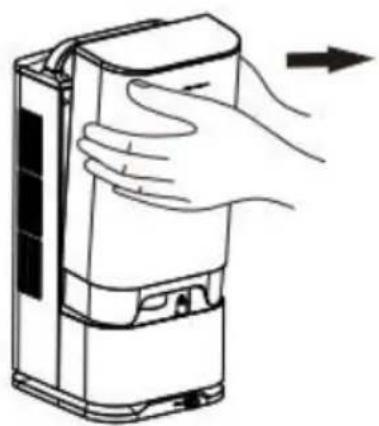
The water tank, top cover, and ice compartment can be cleaned. After brushing the inside of the water tank with a brush, rinse it with water.
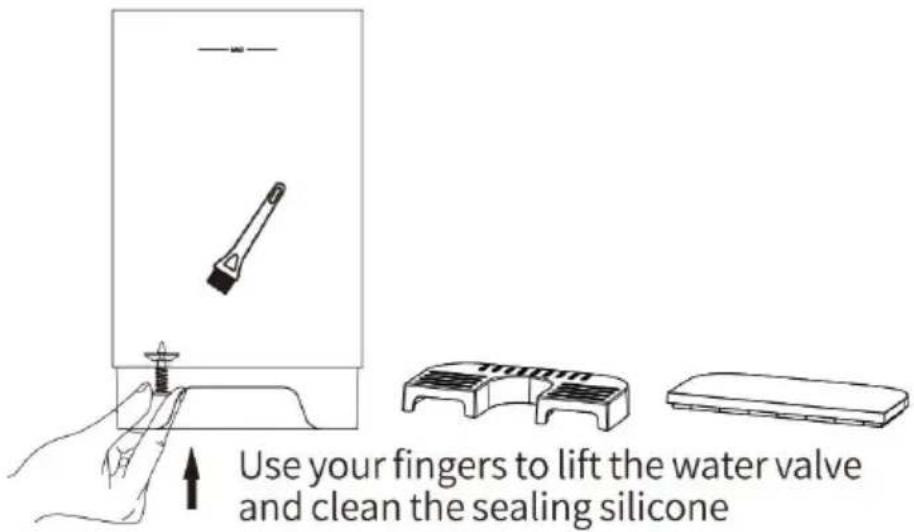
ATTENTION
Do not use sharp or hard tools to touch the surface of the machine.
Do not use detergent casually for cleaning; it is best to use clean water.
After cleaning, wipe clean with a soft cloth.
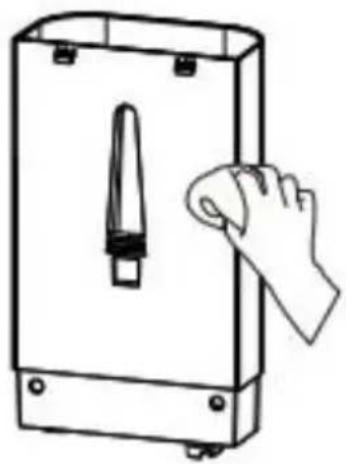
After brushing the atomization plate and sink with a brush, rinse with clean water. Stubborn dirt should be soaked in citric acid solution before cleaning.
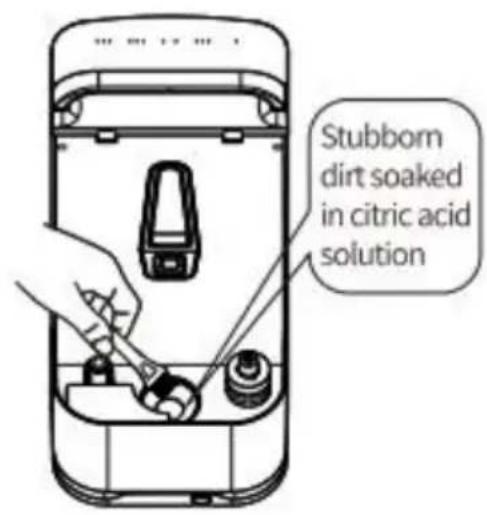
ATTENTION:
- Do not use a cloth with chemical solvents, gasoline, kerosene, or polishing powder to wipe the surface.
- When cleaning, it is important to prevent water from entering the body to avoid internal electrical components becoming damp and causing malfunctions.
- It is recommended to clean the water tank and atomization tank when using.
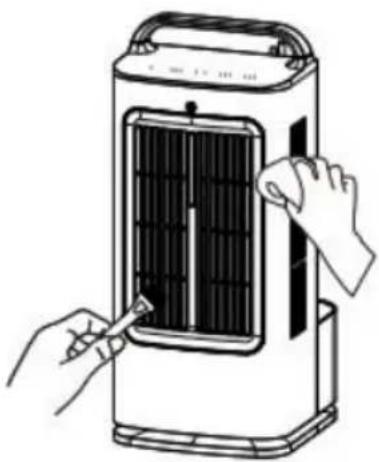
⑥ Wipe the outer surface of the entire machine with a damp cloth, then with a dry soft cloth; clean the inside of the front grille with a bit.
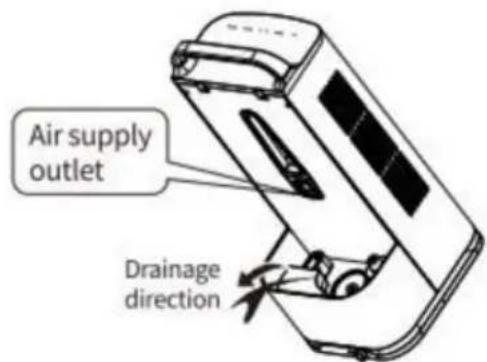
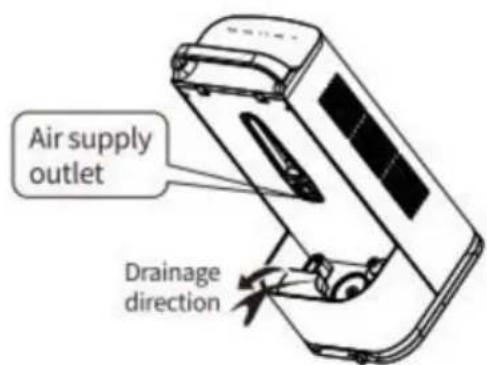
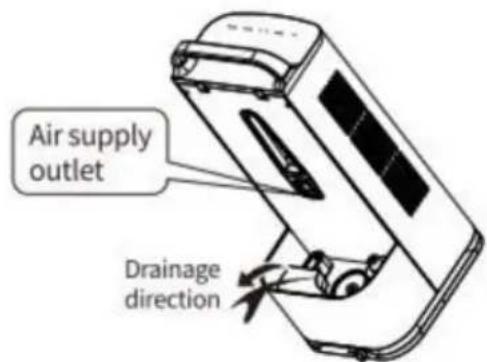
DRAINAGE INSTRUCTION
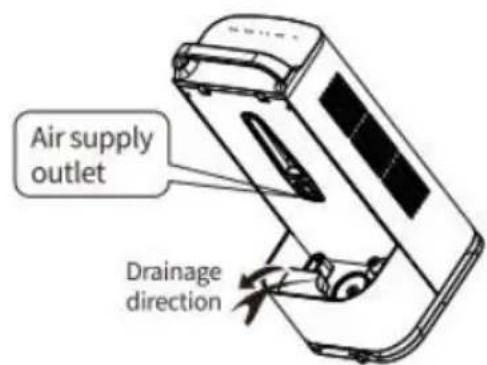
ATTENTION:
- Do not pour water from the direction of the air outlet.
TROUBLESHOOTING
If your humidifier is not working properly, please perform the following checks before requesting after-sales service.
| Fault phenomenon | Cause analysis | Troubleshooting |
| The power on indicator light does not light | The power plug is n properly plugged in | Plug in the power co and connect the powe |
| Water shortage light flashing alarm | The water tank is n installed properly | Plug in the power co and connect the powe |
| Cannot shake the head to supply air | The shake head switch is not turned | Turn on the shake he function |
| The sprayed mist ha An unpleasant odor | The water in the sir is not clean and ha been left for too lon | Clean the sink, dryit, and replace it with clean water. |
Manufacturer: Shanghai Muxin Muye Youxian Gongsi
Address: Shuangchenglu 803nong11hao1602A-1609shi, Baoshanqu, Shanghai 200000 CN.
Imported to AUS: SIHAO PTY LTD. 1 ROKEVA STREET EASTWOOD NSW 2122 Australia
Imported to USA: Sanven Technology Ltd. Suite 250, 9166 Anaheim Place, Rancho Cucamonga, CA 91730
| UK | REP |
YH CONSULTING LIMITED.
C/O YH Consulting Limited Office 147,
Centurion House, London Road,
Staines-upon-Thames, Surrey, TW18 4AX
| EC | REP |
E-CrossStu GmbH
Mainzer Landstr.69,
60329 Frankfurt am Main.
VEVOR®
TOUGH TOOLS, HALF PRICE
Technical Support and E-Warranty Certificate www.vevor.com/support
VEVOR®
TOUGH TOOLS, HALF PRICE
PRODUCT DIAGRAM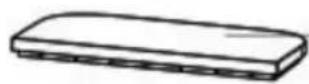
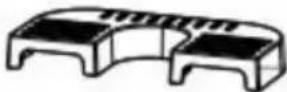
water tank cover
ice-tray
water tank
Outlet
Function keys
Mist outlet
Product body
OPERATION DIAGRAM OF THE PANEL
| Power button | |
| Wind speed key | |
| Mist key | |
| Angle key | |
| Timing key | |
| ON/OFF | Power indicator light |
| I II III | Wind speed indicator light |
| L H | Mist indicator light |
| 45°90°120° | Angle light |
| 1h 2h 4h | Timer indicator light |
BACK DIAGRAM
REMOTE CONTROL DIAGRAM
![graph LR A["Humidification key"] --> B["Standby key"] C["Foggy key"] --> D["Air volume key"] E["Shake head key"] --> F["Timing key"] B --> G["Standby key"] D --> H["Air volume key"] F --> I["Timing key"]](/content/2026/04/734409/images/1563d170ca128d5f06ebbc3b67490db7e0c80a50496fe001301f25e881705db2.jpg)
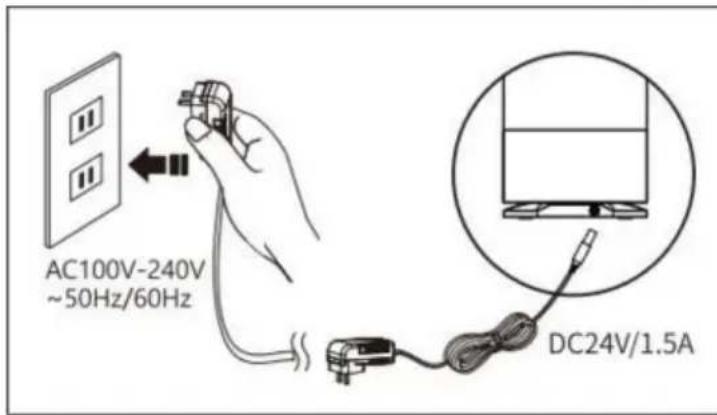
WARNING:
OPERATION STEPS
WARNING:
CLEANING/MAINTENANCE
WARNING
WARNING:
DRAINAGE INSTRUCTION
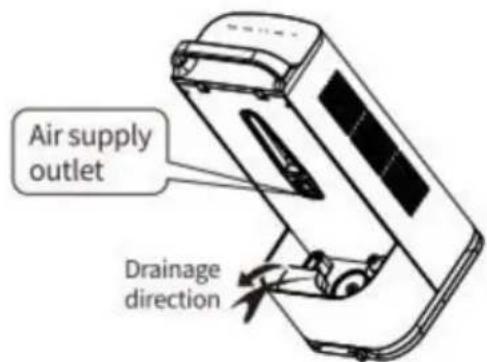
WARNING:
Place, Rancho Cucamonga, CA 91730
| REPRÉSENTANT DU ROYAUME-UNI |
YH CONSULTING LIMITED.
A/S YH Consulting Limited, Office 147, Centurion
House, London Road, Staines-upon-
Thames, Surrey, TW18 4AX
| REPRÉSENTANT | DE LA CE |
E-CrossStu GmbH
Mainzer Landstr. 69,
Function keys
Mist outlet
Product body
PANEL FUNCTION DIAGRAM
| Power button | |
| Wind speed key | |
| Mist key | |
| Angle key | |
| Timing key | |
| ON/OFF | Power indicator light |
| I II III | Wind speed indicator light |
| L H | Mist indicator light |
| 45°90°120° | Angle light |
| 1h 2h 4h | Timer indicator light |
BACK PANEL DIAGRAM
REMOTE CONTROL DIAGRAM
![graph LR A["Humidification key"] --> B["Standby key"] C["Foggy key"] --> D["Air volume key"] E["Shake head key"] --> F["Timing key"] B --> G["Standby key"] D --> H["Air volume key"] F --> I["Timing key"]](/content/2026/04/734409/images/1144aa648469f62e605cfa0ae16f25eaf36f8f5286e84c229bce668d7a6ae9c0.jpg)
ATTENTION:
OPERATING STEPS
ATTENTION:
CLEANING/MAINTENANCE
ATTENTION
ATTENTION:
ATTENTION:
C/O YH Consulting Limited Office 147, Centurion
House, London Road, Staines-upon-Thames,
Surrey, TW18 4AX
water tank cover
ice-tray
water tank
Outlet
function keys
Mist outlet
Product body
| Power button | |
| Wind speed key | |
| Mist key | |
| Angle key | |
| Timing key | |
| ON/OFF | Power indicator light |
| I II III | Wind speed indicator light |
| L H | Mist indicator light |
| 45°90°120° | Angle light |
| 1h 2h 4h | Timer indicator light |
REAR DIAGRAM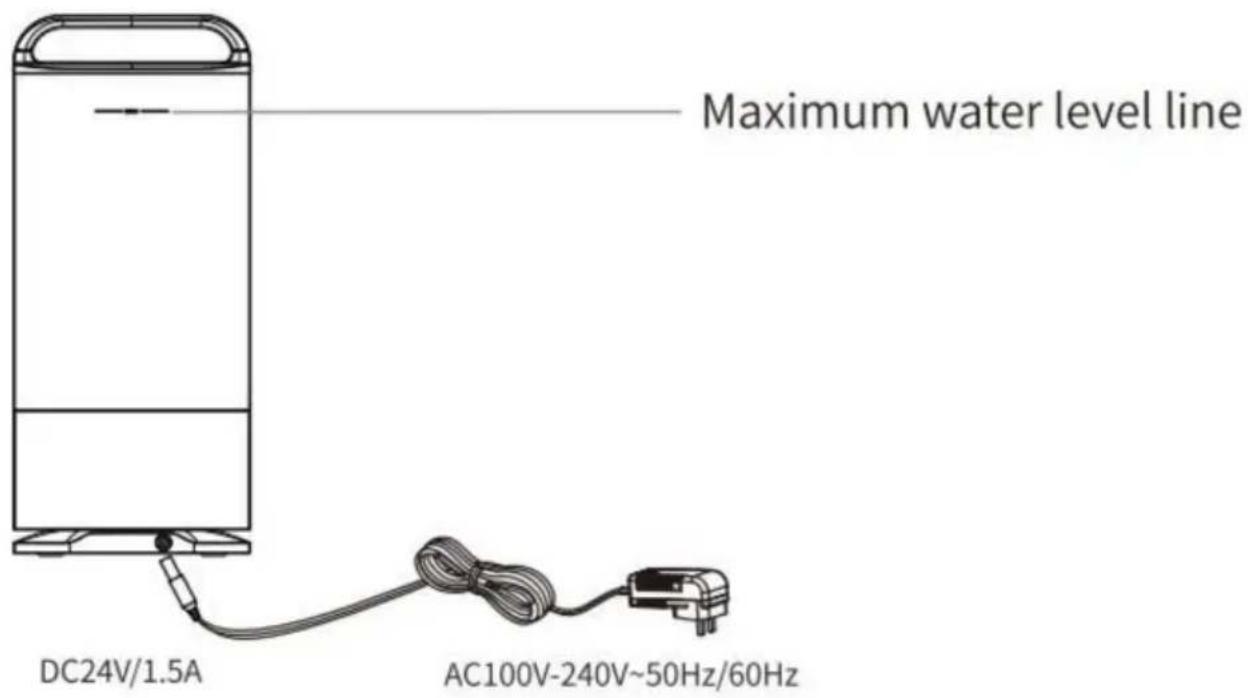
REMOTE CONTROL DIAGRAM
![graph LR A["Humidification key"] --> B["Standby key"] C["Foggy key"] --> D["Air volume key"] E["Shake head key"] --> F["Timing key"] B --> G["Standby key"] D --> H["Air volume key"] F --> I["Timing key"]](/content/2026/04/734409/images/9794eb1432e71978c2b1852fe6972815caf9c85f326dfd0e47f25d2e91d2cbbd.jpg)
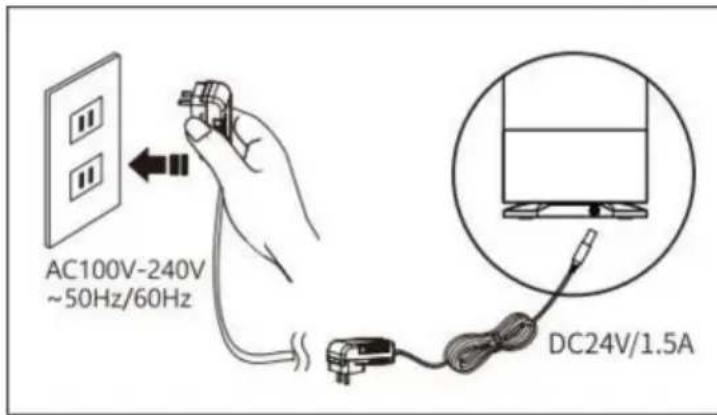
WARNING:
OPERATING STEPS
WARNING:
WARNING
WARNING:
DRAINAGE INSTRUCTIONS
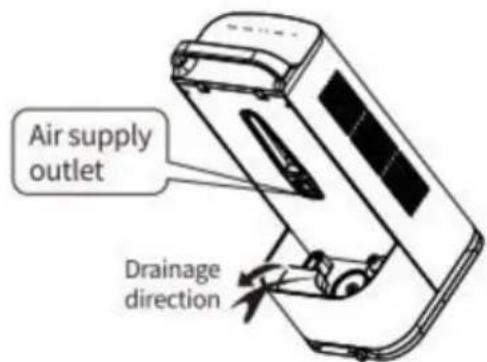
WARNING:
Imported in AUS: SIHAO PTY LTD. 1 ROKEVA STREETEASTWOOD
New South Wales 2122 Australia
C/O YH Consulting Limited Office 147, Centurion House, London Road, Staines-upon-Thames, Surrey, TW18 4AX
www.vevor.com/support
PRODUCT DIAGRAM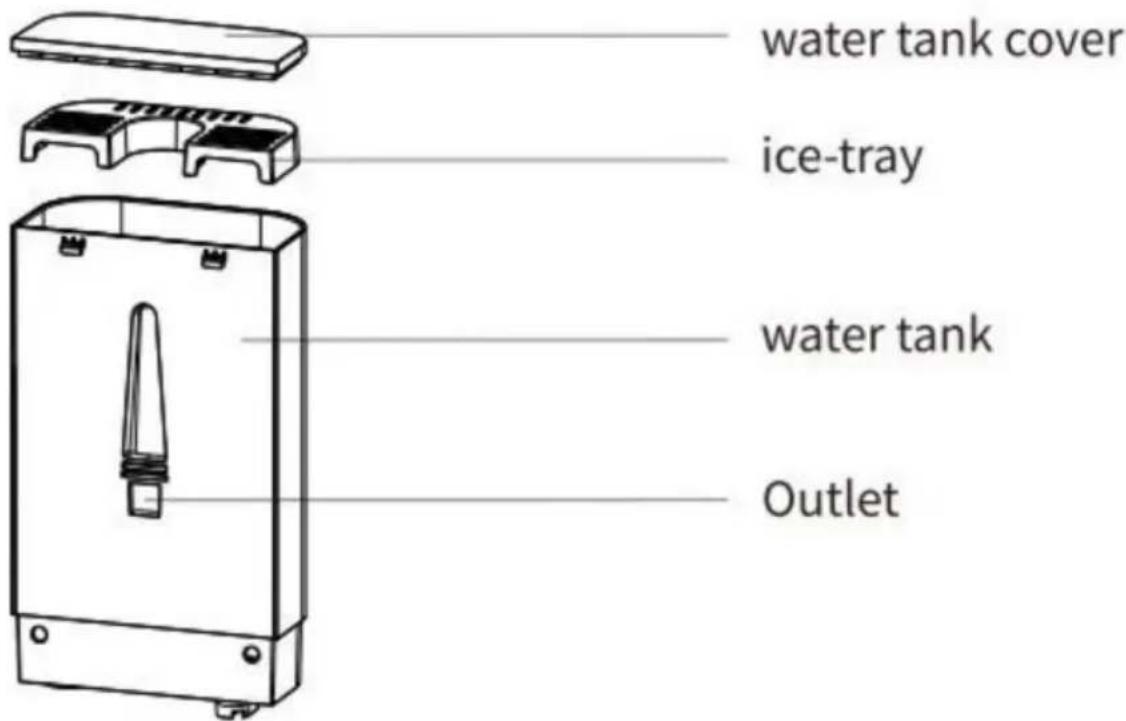
PANEL FUNCTION DIAGRAM
| Power button | |
| Wind speed key | |
| Mist key | |
| Angle key | |
| Timing key | |
| ON/OFF | Power indicator light |
| I II III | Wind speed indicator light |
| L H | Mist indicator light |
| 45°90°120° | Angle light |
| 1h 2h 4h | Timer indicator light |
REAR DIAGRAM
REMOTE CONTROL DIAGRAM
![graph LR A["Humidification key"] --> B["Standby key"] C["Foggy key"] --> D["Air volume key"] E["Shake head key"] --> F["Timing key"] B --> G["Standby key"] D --> H["Air volume key"] F --> I["Timing key"]](/content/2026/04/734409/images/eecf9f9364f3d017625ab29e7403217012a3ada0c1cf4fb345b0eca2e0b608d3.jpg)
WARNING:
WARNING:
CLEANING/MAINTENANCE
WARNING
WARNING:
DRAINAGE INSTRUCTIONS
WARNING:
House, London Road, Staines-upon-Thames,
Surrey, TW18 4AX
E-CrossStu GmbH
Mainzer Landstr.69, 60329
Frankfurt am Main.
VEVOR®
TOUGH TOOLS, HALF PRICE
NEED HELP? CONTACT US!
water tank cover
ice-tray
water tank
Outlet
function keys
Mist outlet
Product body
PANEL FUNCTION DIAGRAM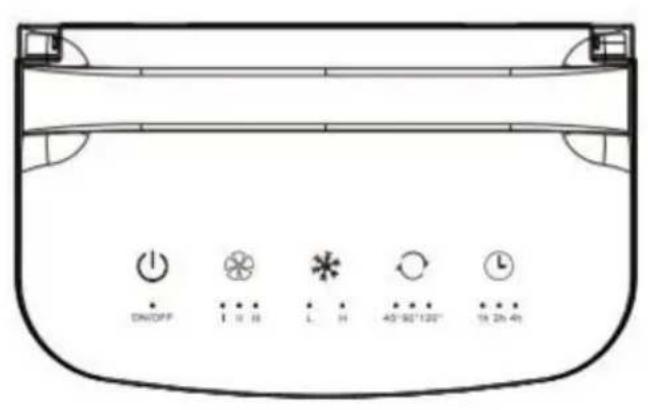
| Power button | |
| Wind speed key | |
| Mist key | |
| Angle key | |
| Timing key | |
| ON/OFF | Power indicator light |
| I II III | Wind speed indicator light |
| L H | Mist indicator light |
| 45°90°120° | Angle light |
| 1h 2h 4h | Timer indicator light |
BACK DIAGRAM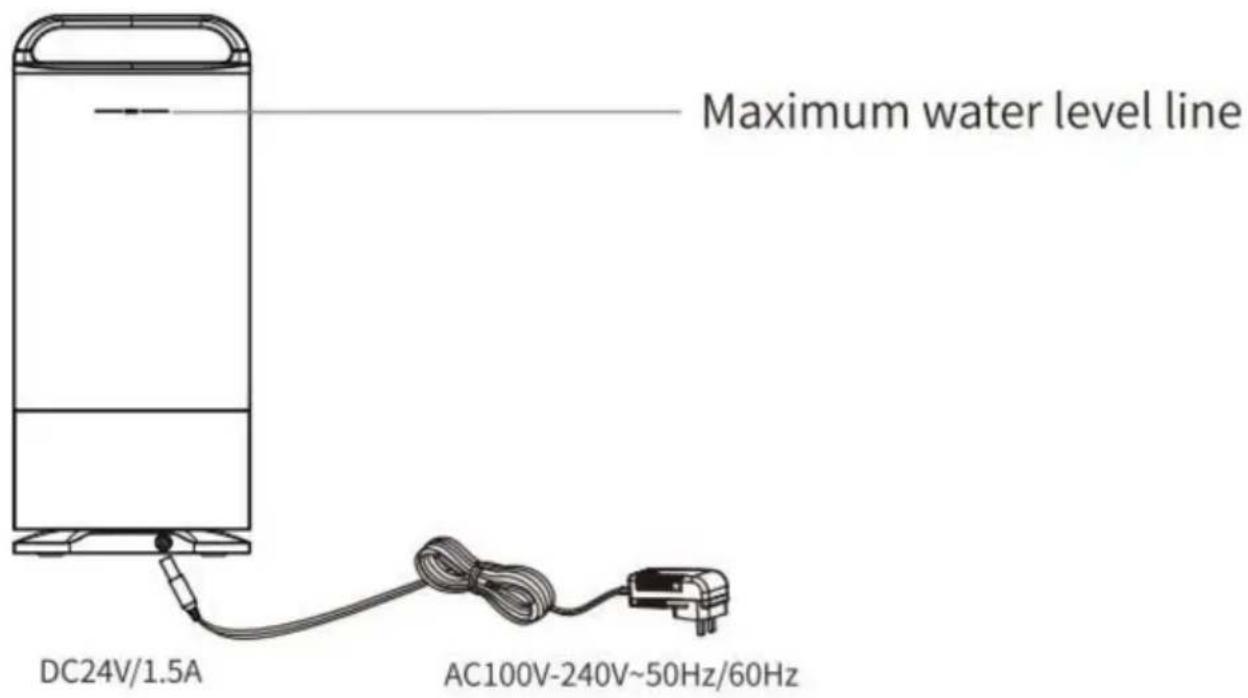
REMOTE CONTROL DIAGRAM
![graph LR A["Humidification key"] --> B["Standby key"] C["Foggy key"] --> D["Air volume key"] E["Shake head key"] --> F["Timing key"] B --> G["Standby key"] D --> H["Air volume key"] F --> I["Timing key"]](/content/2026/04/734409/images/da32d35da0d5034f99e56edb0a3d0487f818497ca86ced40b5ab44d9dedc8d06.jpg)
NOTE:
OPERATING STEPS
NOTE:
NOTE
NOTE:
DRAINAGE INSTRUCTIONS
NOTE:
C/O YH Consulting Limited Office 147, Centurion
House, London Road, Staines-upon-
Thames, Surrey, TW18 4AX
| Przedstawiciel UE |
E-CrossStu GmbH
Mainzer Landstr.69,
60329 Frankfurt am Main.
VEVOR®
TOUGH TOOLS, HALF PRICE
NEED HELP? CONTACT US!
PANEL FUNCTION DIAGRAM
| Power button | |
| Wind speed key | |
| Mist key | |
| Angle key | |
| Timing key | |
| ON/OFF | Power indicator light |
| I II III | Wind speed indicator light |
| L H | Mist indicator light |
| 45°90°120° | Angle light |
| 1h 2h 4h | Timer indicator light |
BACK VIEW DIAGRAM
REMOTE CONTROL SCHEME
![graph LR A["Humidification key"] --> B["Standby key"] C["Foggy key"] --> D["Air volume key"] E["Shake head key"] --> F["Timing key"] B --> G["Standby key"] D --> H["Air volume key"] F --> I["Timing key"]](/content/2026/04/734409/images/bfc0fbec6c870a9459c2857b2e19319cb1f6dc808c6d984712d607d106c0e342.jpg)
ATTENTION:
OPERATING STEPS
ATTENTION:
CLEANING/MAINTENANCE
ATTENTION
ATTENTION:
DISPOSAL INSTRUCTIONS
ATTENTION:
C/O YH Consulting Limited Office 147, Centurion House, London Road, Staines-upon-Thames, Surrey, TW18 4AX
| EC-REP |
E-CrossStu GmbH
Mainzer Landstr.69,
60329 Frankfurt am Main.
VEVOR®
TOUGH TOOLS, HALF PRICE
warranty certificate www.vevor.com/support
VEVOR®
TOUGH TOOLS, HALF PRICE
NEED HELP? CONTACT US!
water tank cover
ice-tray
water tank
Outlet
function keys
Mist outlet
Product body
PANEL FUNCTION DIAGRAM
| Power button | |
| Wind speed key | |
| Mist key | |
| Angle key | |
| Timing key | |
| ON/OFF | Power indicator light |
| I II III | Wind speed indicator light |
| L H | Mist indicator light |
| 45°90°120° | Angle light |
| 1h 2h 4h | Timer indicator light |
BACK SIDE DIAGRAM
REMOTE CONTROL DIAGRAM
![graph LR A["Humidification key"] --> B["Standby key"] C["Foggy key"] --> D["Air volume key"] E["Shake head key"] --> F["Timing key"] B --> G["Standby key"] D --> H["Air volume key"] F --> I["Timing key"]](/content/2026/04/734409/images/171bc750268eeb4addc6ce308ca374bee2c6985e22414ceba8571b85ad0fa122.jpg)
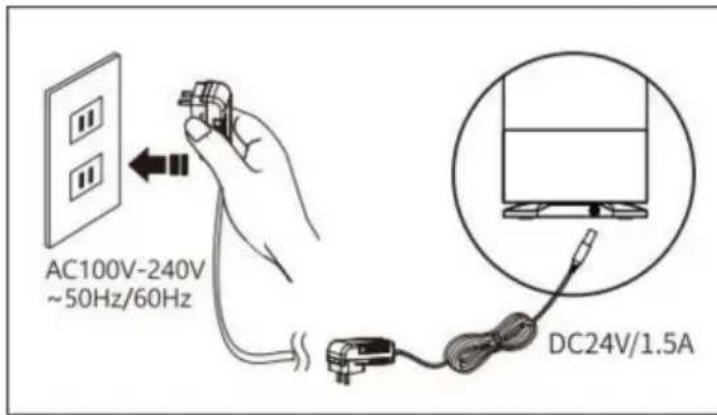
ATTENTION:
OPERATING STEPS
CAUTION:
CLEANING/MAINTENANCE
CAUTION
CAUTION:
DRAINAGE INSTRUCTIONS
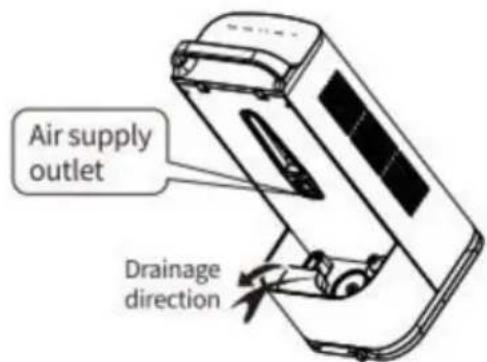
CAUTION:
Place, Rancho Cucamonga, CA 91730
| UK | REP |
YH CONSULTING LIMITED.
C/O YH Consulting Limited Office 147, Centurion
House, London Road, Staines-upon-
Thames, Surrey, TW18 4AX
| EC | REP |
E-CrossStu GmbH
Mainzer Landstr.69,
60329 Frankfurt am Main.
VEVOR®
TOUGH TOOLS, HALF PRICE
- PORTABLE EVAPORATIVE COOLER
- NEED HELP? CONTACT US
- TECHNICAL SUPPORT AND E-WARRANTY CERTIFICATE WWW.VEVOR.COM/SUPPORT
- IMPORTANT SAFEGUARDS
- CORRECT DISPOSAL
- SETUP PRECAUTIONS
- SAVE THESE INSTRUCTIONS
- PRODUCT DIAGRAM
- PANEL FUNCTION DIAGRAM
- BACK DIAGRAM
- REMOTE CONTROL DIAGRAM
- NOTE
- USAGE STEPS
- OPERATION STEPS
- ATTENTION
- CLEANING/MAINTENANCE
- DRAINAGE INSTRUCTION
- TROUBLESHOOTING
- VEVOR®
- TOUGH TOOLS, HALF PRICE
- OPERATION DIAGRAM OF THE PANEL
- WARNING
- BACK PANEL DIAGRAM
- OPERATING STEPS
- DRAINAGE INSTRUCTIONS
- REAR DIAGRAM
- BACK VIEW DIAGRAM
- REMOTE CONTROL SCHEME
- DISPOSAL INSTRUCTIONS
- BACK SIDE DIAGRAM
- CAUTION
Brand : Vevor
Model : YH-F01
Category : Air conditioner