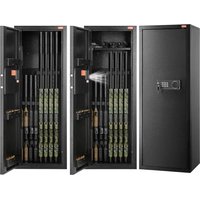
USER MANUAL SS-1320CZ Vevor
Upgrade · The Home Creator Way
SAFE BOX
USER MANUAL
MODEL: SS-1320CZ
MODEL: SS-1320CZ
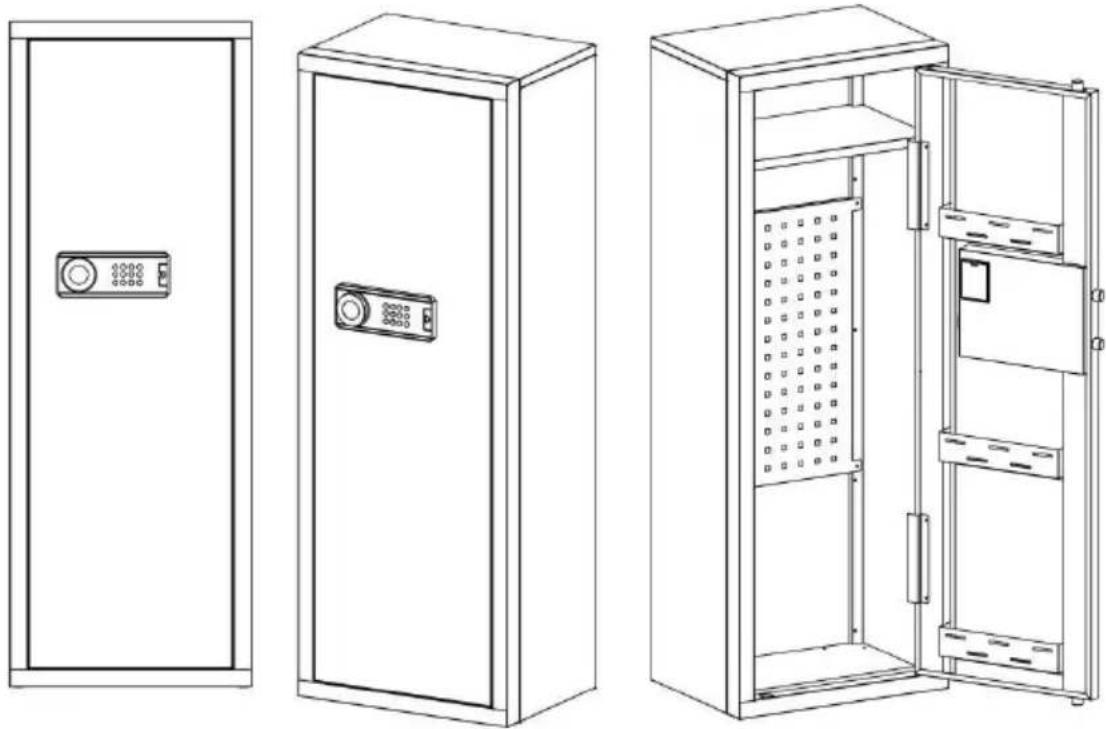
This is the original instruction. Please read all manual instructions carefully before operating. VEVOR reserves a clear interpretation of the user manual. The appearance of the product shall be subject to the product you received. Please forgive us that we won't inform you again if there are any technology or software updates on our product.
 | Warning-To reduce the risk of injury, user must read instructions manual carefully. |
 | This device complies with Part 15 of the FCC Rules. Operat subject to the following two conditions:(1)This device may not harmful interference, and (2)this device must accept any inter received, including interference that may cause undesired oper |
 | This product is subject to the provision of European Directive 2012/19/EC. The symbol showing a wheelie bin crossed through indicates that the product requires separate refuse collection in European Union. This applies to the product and all accessor marked with this symbol. Products marked as such may not discarded with normal domestic waste, but must be taken to collection point for recycling electrical and electronic devices |
WARNING
1. Danger of Tipping Over
• A child or adult can tip the safe and be killed or seriously injured. Serious injury may occur to children and adults if the safe is not secured before installation. Children should not play with or around the safe at any time.
2. Please Do Not Put the Emergency Key, the External Power Box, or the Safe BOX
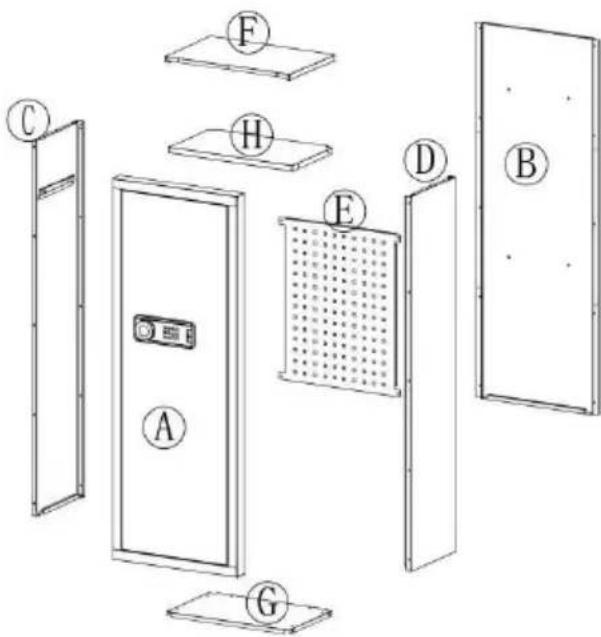
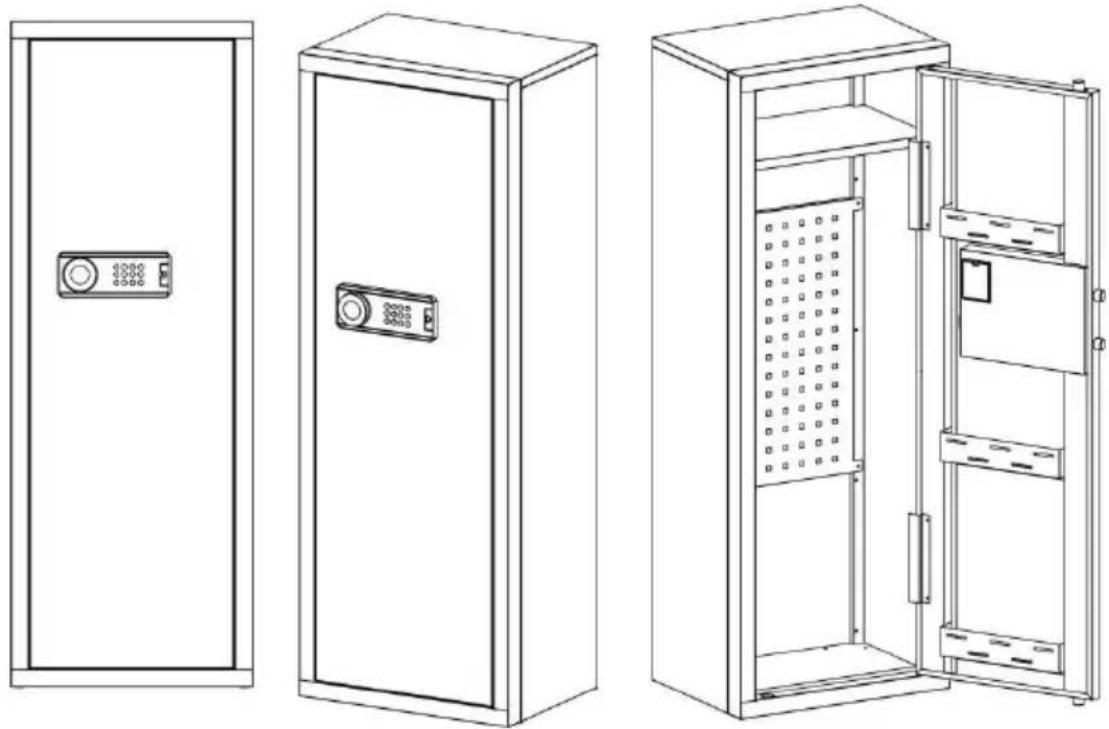
A X1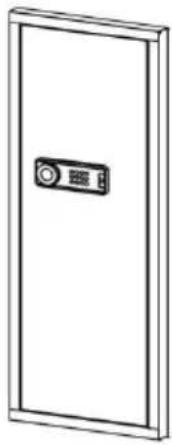 | B X1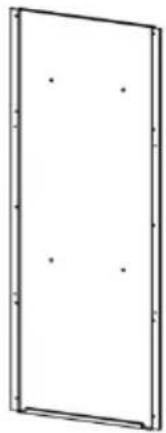 | C X1 | D X1 |
| E X1 | F X1 | G X1 | H X1 |
Gun bracket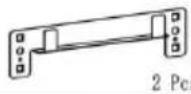 | Buttstock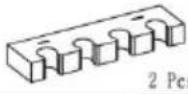 | Self tapping thread 42 Pcs 42 Pcs | Plastic Snap-fit 10Pes 10Pes | Peg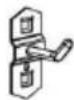 5 Pcs 5 Pcs |
Scrowdriver 1 PCS 1 PCS | Gloves 1 PCS 1 PCS | Expansion bolt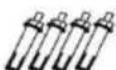 4 PCS 4 PCS | Key[265K]2 PCS | Instructions 1 PCS 1 PCS | Battery box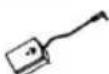 1 PCS 1 PCS |
INSTRUCTIONS
STEP 1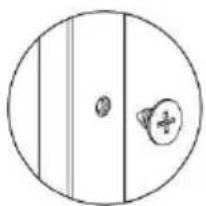

HEAVY! You may need assistance with this step.
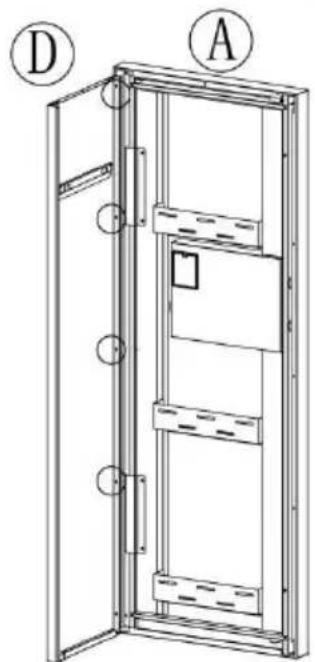
X8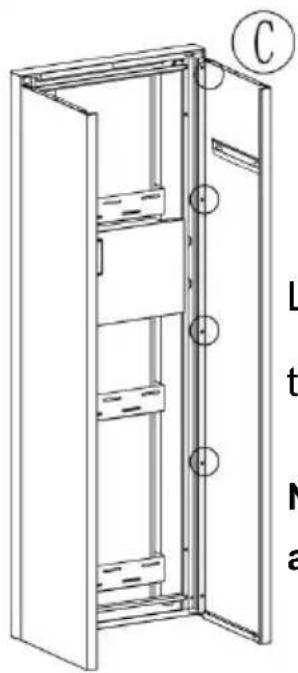
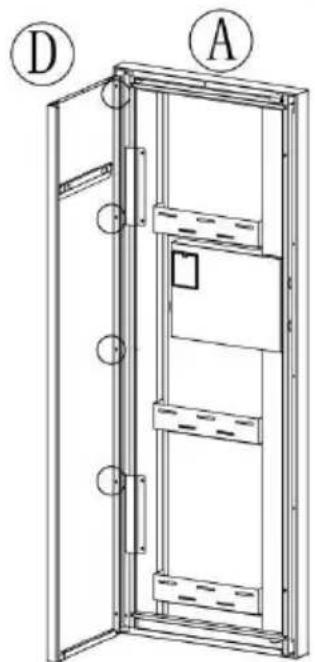
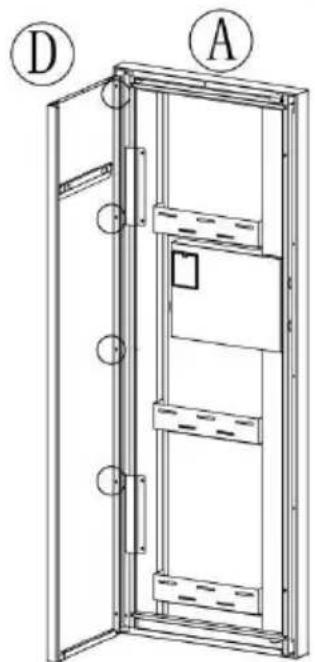
Link Ⓐ, Ⓒ, Ⓓ with self-tapping threads.
Note: The bottom screws are not installed.
STEP 2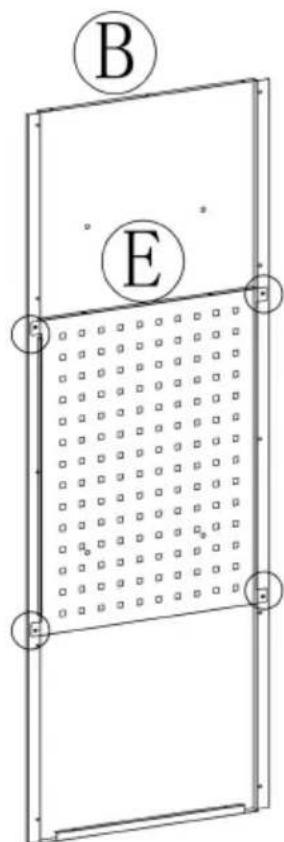
Link Ⓑ, Ⓔ with self-tapping threads.

X4
STEP 3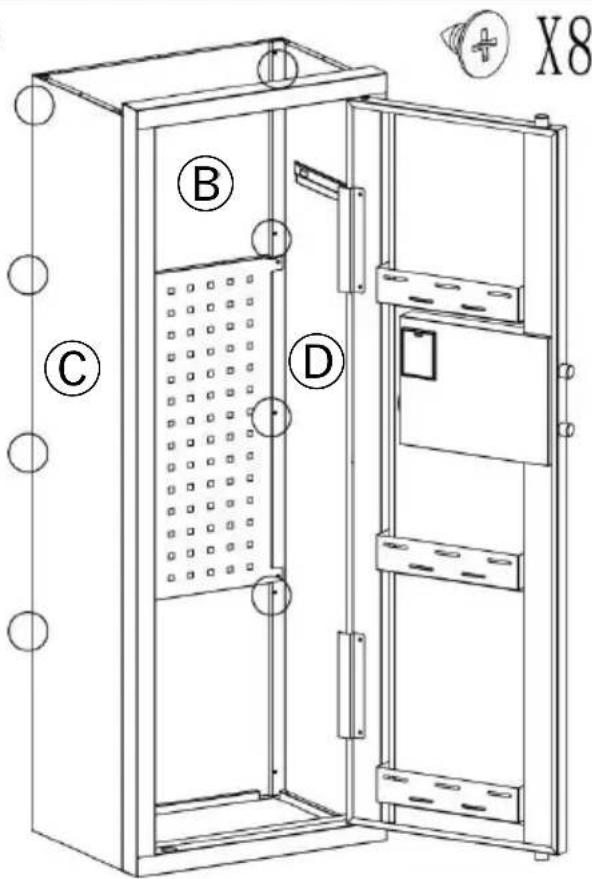
HEAVY! You may need assistance with this step.
Link Ⓑ, Ⓒ, Ⓓ with self-tapping threads.
Note: The bottom screws are not installed.
STEP 4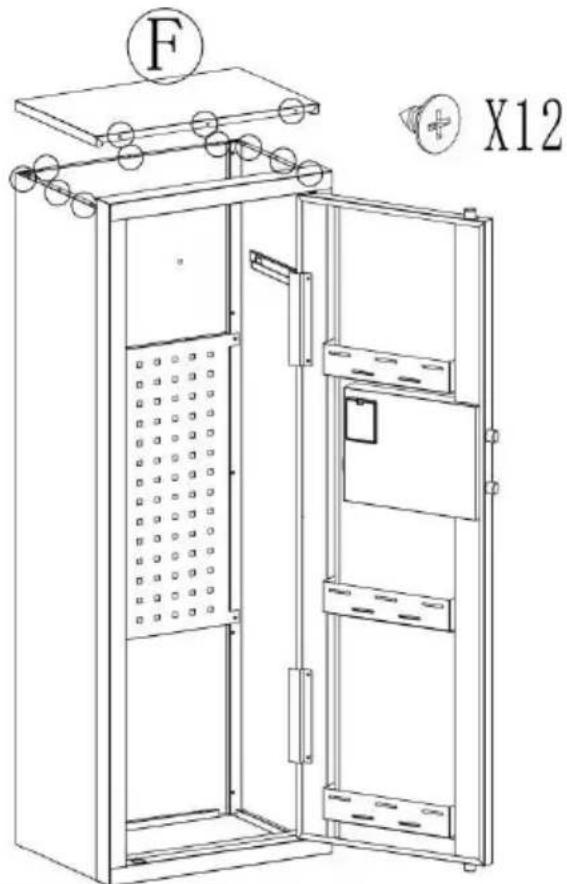
Install Ⓕ and secure with self-tapping thread.
STEP 5
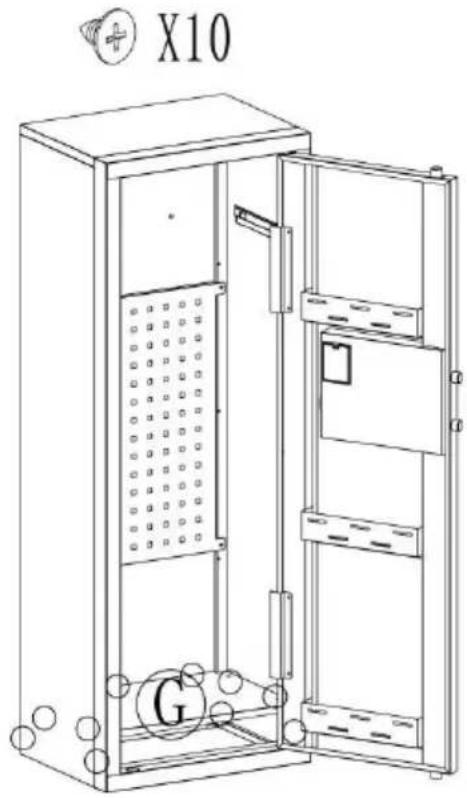
Install Ⓖ and secure
with self-tapping thread.
STEP 6
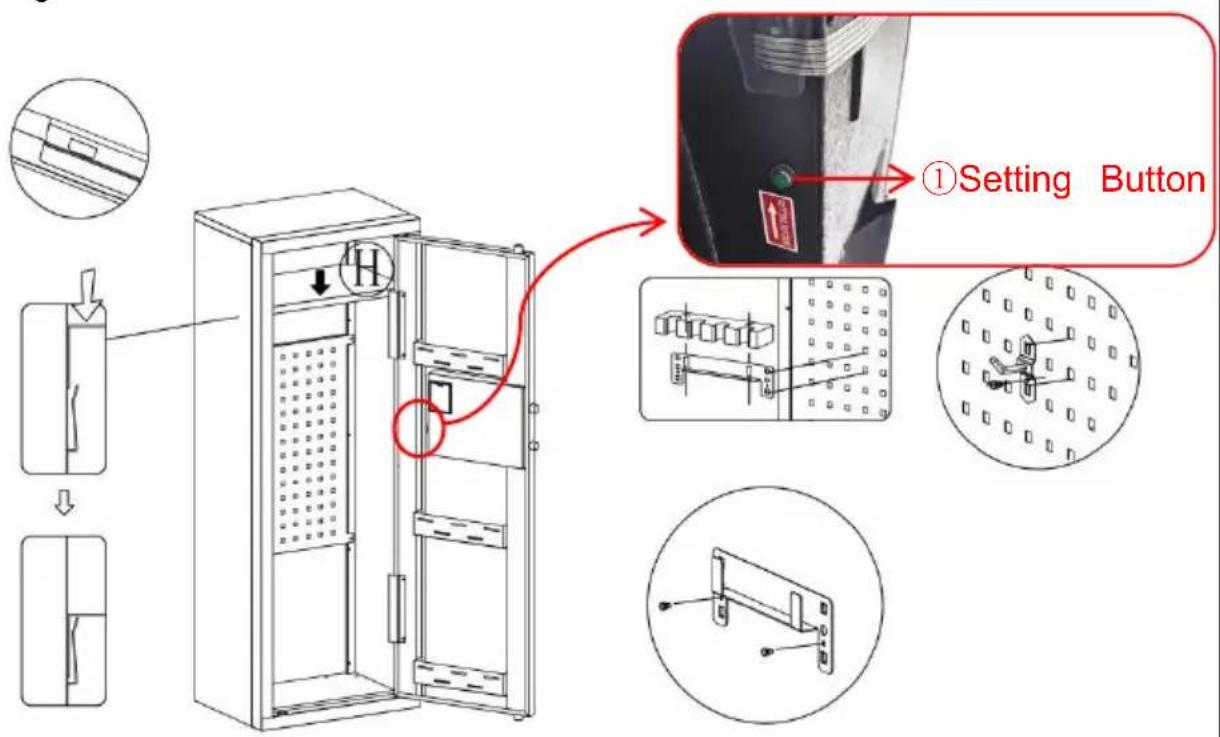
OPENING YOUR SAFE FOR THE FIRST TIME
Open the door for the first time, use the configured emergency key to the door. The operation steps are as follows:
| 1. Press down to open the emergency lock cover. | 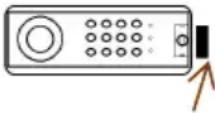 | 4. Install the battery and open the battery case |
| 2. Insert the emergency key into the keyhole ar push it to rotate 65° counterclockwise. | 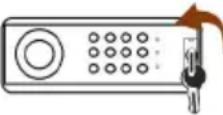 | 5. Make sure the battery matches ‘+ and ‘-’ in the box.(not including 4 alkaline 1.5V batteries) |
| 3. Turn the handle clockwise and the safe door opens. | 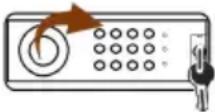 | 6. Weak power, emergency method start:Emergency key |
DESCRIPTION:
- This product has 2 sets of passwords. Factory original password "1234", factory management password: "12456".
- Yellow: normal reminder, or wrong password reminder.
- Green: unlock and light up for 6-7 seconds.
- Red: low battery indicator.
PERSONAL PASSWORD SETTING
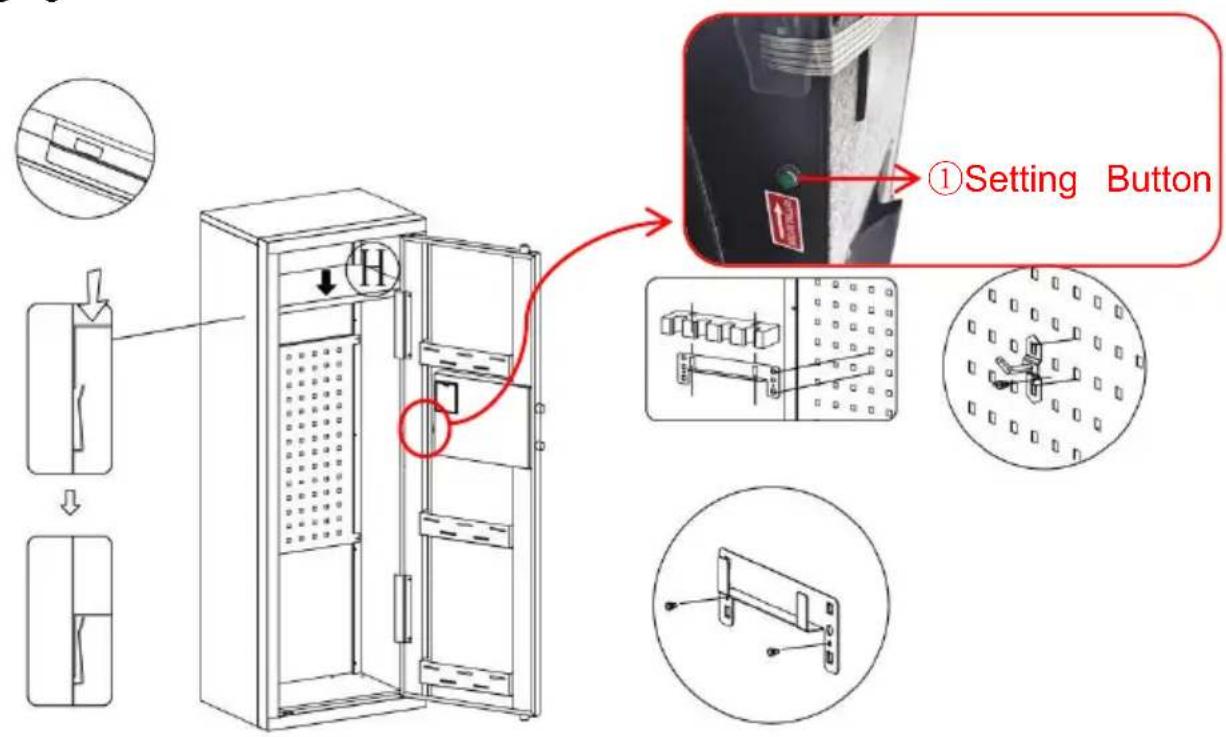
- In the state of opening the door, press the internal setting button. The buzzer will sound twice, and the yellow indicator light will be on.
- Enter any new 1-8 digit password within 3 seconds. Press "#" or "*" to confirm. If the buzzer sounds twice and the yellow light goes off, the password has been set successfully.
- Notice: After your password is set, please test the new password to make
sure it is valid. If you enter the wrong password, the yellow light will light up and three beeps will sound, just re-enter the correct password.
MANAGE PASSWORD SETTINGS
- In the state of opening the door, press the number key "0" twice "00" then press the internal setting button of the door. The buzzer sounds twice and the yellow indicator light is on.
- Enter any new 1-8 digit password within 3 seconds. Press "#" or "*" to confirm, the buzzer will sound twice and the yellow indicator light will go off, showing the management password has been set successfully.
Notice: Do not set personal password same with management code.
THREE WAYS TO OPEN THE SAFE
- Emergency Key + Knob: For the first time, if you forget the password and the battery is out of power, insert the emergency key vertically, turn it, and at the same time turn the knob to the right to open.
- Password + Knob: Daily unlock. Enter the personal password or management password, press "#" or "*", and then turn the knob to the right to open.
- Password + Knob + External Power Box: If the internal battery is dead or the key is damaged or lost, insert the external power box, enter the personal password or management password, press "#" or "*", and then turn the knob to the right to open.
LOW BATTERY ALERT
- If the battery voltage is below 4.8V, the red light will come on and a warning will flash.
- If the battery voltage is below 3.8V, user operation is prohibited. 6 beeps will indicate that the battery is low and needs to be replaced.
VIGILANCE SETTING AND DEACTIVATION
- Alarm on setting: In the standby state, press the "*" key, the buzzer will sound once, and the yellow indicator light will turn on. Then it starts the vibrating alarm state.
- Conditions for the automatic alarm to sound: ①The safe will alarm when hit by a certain external force or vibration; ②Enter the wrong password three consecutive times.
- The duration of the alarm sound: automatically stops after 1 minute.
- Alarm cancellation setting: ①Enter the correct password, the green indicator light turns on. It immediately cancels the alarm sound and turns off the vibration alarm; ②Open the door with the key and take out a battery.
TECHNICAL PARAMETERS
| Model | SS-1320CZ |
| Working Voltage Range | 4.2-7 V |
| Working Power | Four 5th "AA" alkaline batteries |
| Product Size | 480*350*1320mm |
Manufacturer: Shanghai Muxin Muye Youxian Gongsi
Address: Shuangchenglu 803nong11hao1602A-1609shi, Baoshanqu, Shanghai 200000 CN.
Imported to AUS: SIHAO PTY LTD. 1 ROKEVA STREET EASTWOOD NSW 2122 Australia
Imported to USA: Sanven Technology Ltd. Suite 250, 9166 Anaheim Place, Rancho Cucamonga, CA 91730
YH CONSULTING LIMITED. C/O YH Consulting
Limited Office 147, Centurion House, London
Road, Staines-upon-Thames, Surrey, TW18 4AX
E-CrossStu GmbH
Mainzer Landstr.69,
60329 Frankfurt am Main.

VEVOR
Upgrade · The Home Creator Way
COFFRE-FORT
MANUEL D'UTILISATION
MODEL: SS-1320CZ
MODEL: SS-1320CZ
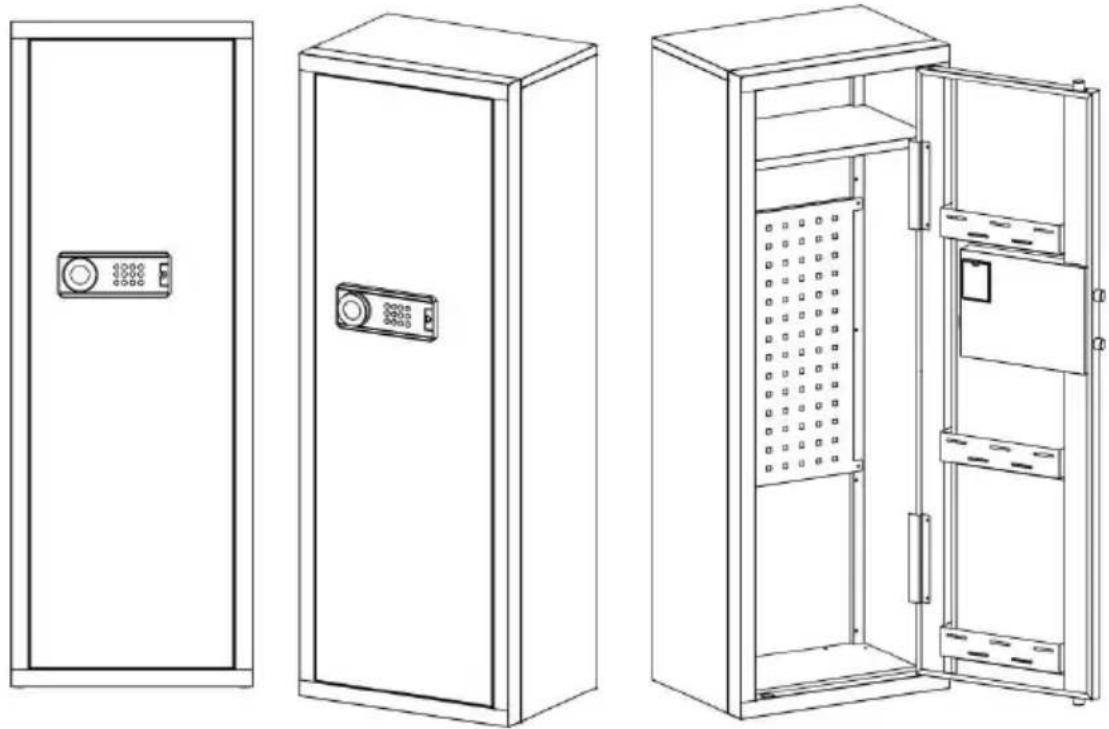
A X1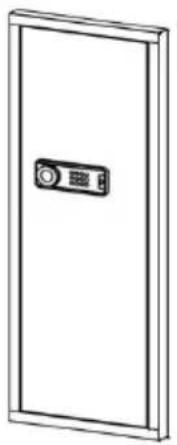 | B X1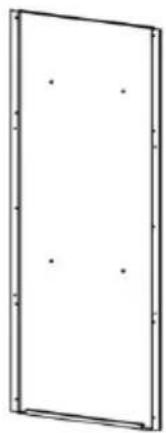 | C X1 | D X1 |
| E X1 | F X1 | G X1 | H X1 |
Gun bracket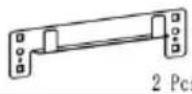 | Buttstock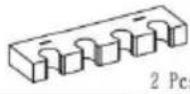 | Self tapping thread 42 Pcs 42 Pcs | Plastic Snap-fit 10Pcs 10Pcs | Peg 5 Pcs 5 Pcs |
Scrowdriver 1 PCS 1 PCS | Gloves 1 PCS 1 PCS | Expansion bolt 4 PCS 4 PCS | Key 2 PCS 2 PCS | Instructions 1 PCS 1 PCS | Battery box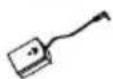 1 PCS 1 PCS |
INSTRUCTIONS
STEP 1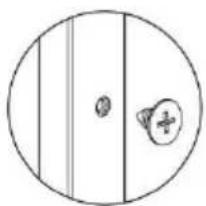

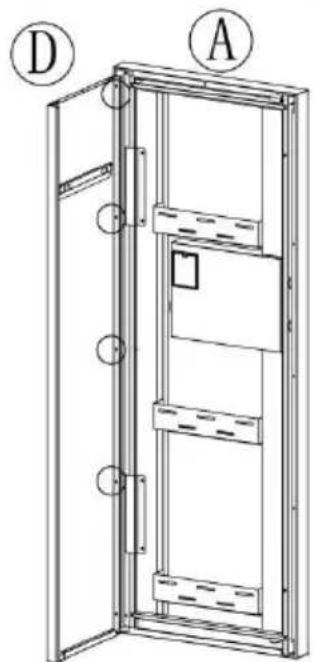
HEAVY! You may need assistance with this step.
X8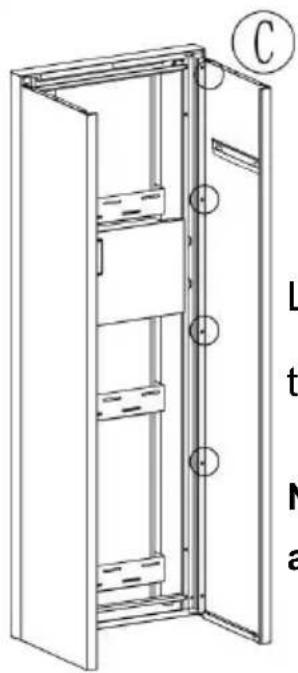
Link Ⓐ, Ⓒ, Ⓓ with self-tapping threads.
Note: The bottom screws are not installed.
STEP 2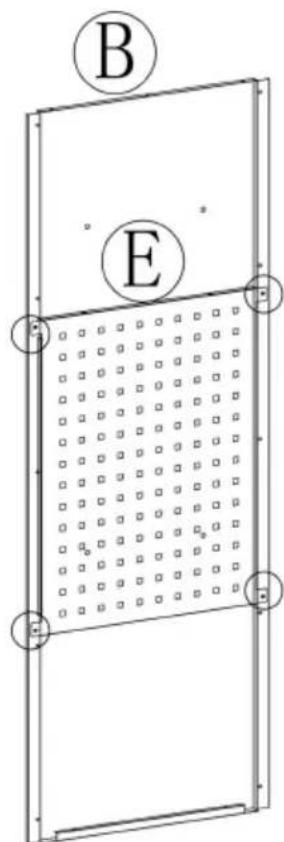
Link Ⓑ, Ⓔ with self-tapping threads.

X4
STEP 3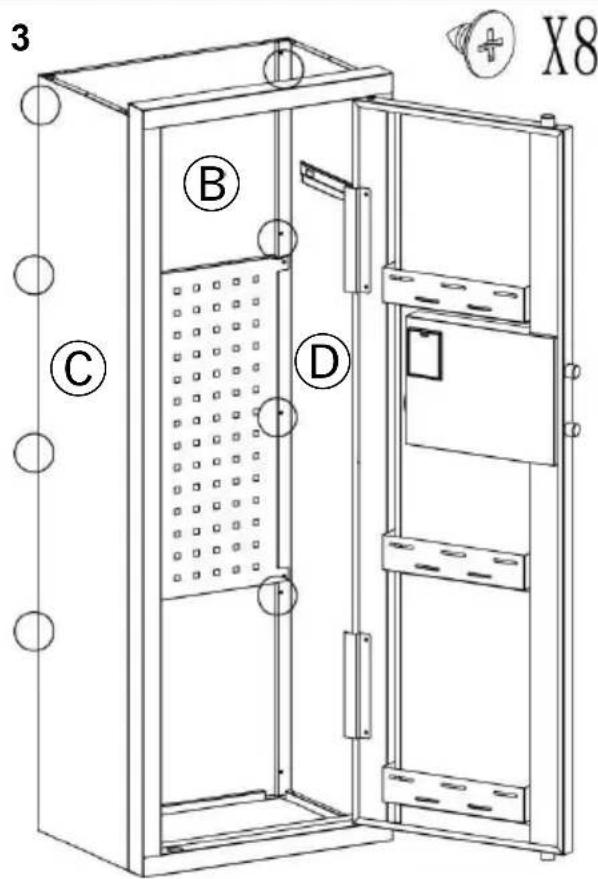

HEAVY! You may need assistance with this step.
Link Ⓑ, Ⓒ, Ⓓ with self-tapping threads.
Note: The bottom screws are not installed.
STEP 4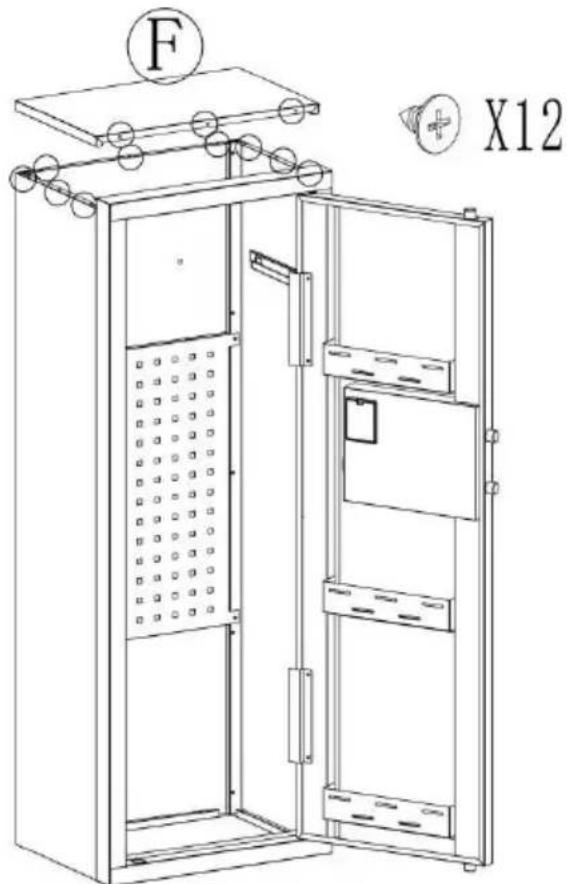
Install Ⓕ and secure with self-tapping thread.
STEP 5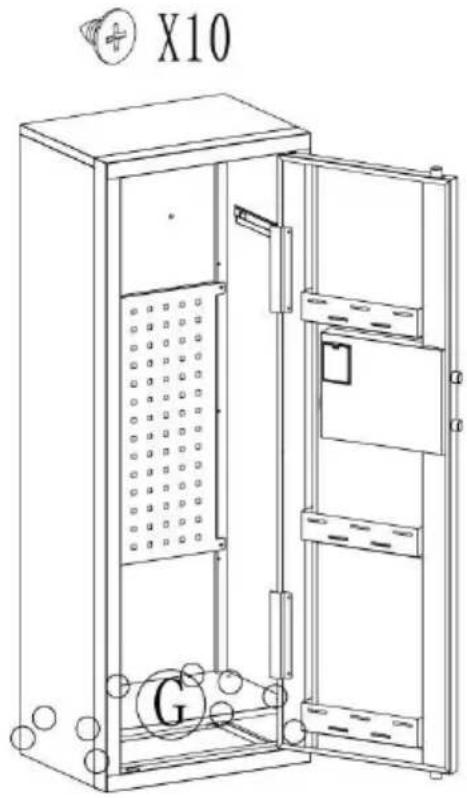
Install Ⓖ and secure with self-tapping thread.
STEP 6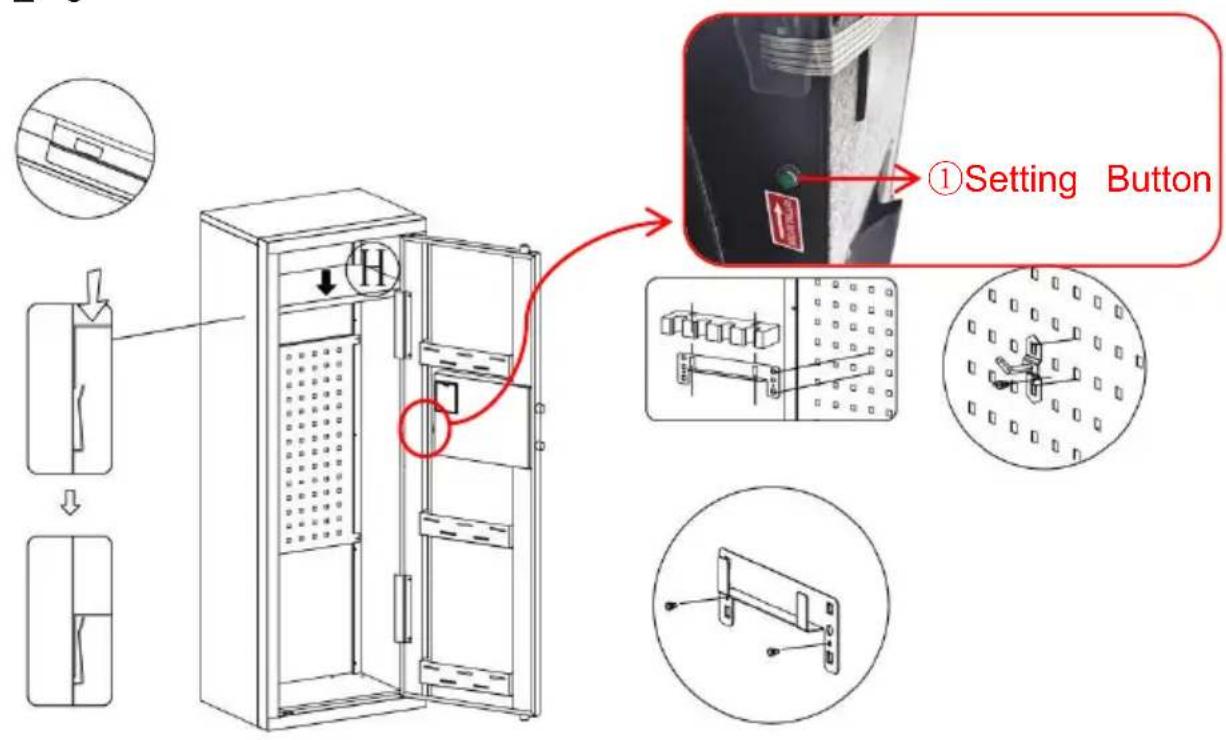
OPENING YOUR SAFE FOR THE FIRST TIME
THREE WAYS TO OPEN THE SAFE
Place, Rancho Cucamonga, CA 91730
YH CONSULTING LIMITED. C/O YH Consulting
Limited Office 147, Centurion House, London
Road, Staines-upon-Thames, Surrey, TW18 4AX
E-CrossStu GmbH
Mainzer Landstr.69,
60329 Frankfurt am Main.

VEVOR
Upgrade · The Home Creator Way
SAFE
USER MANUAL
MODEL: SS-1320CZ
MODEL: SS-1320CZ
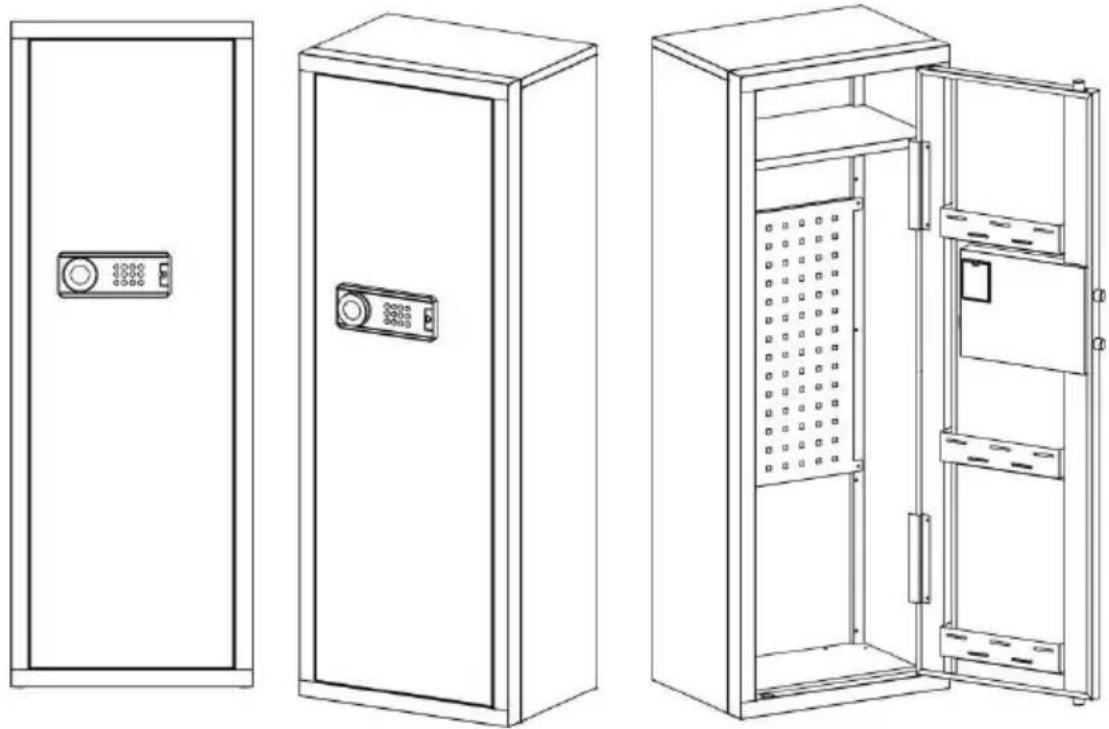
| A X1 | B X1 | C X1 | D X1 |
| E X1 | F X1 | G X1 | H X1 |
| Gun bracket | Buttstock | Self tapping thread | Plastic Snap-fit | Peg5 Pcs |
| Scrowdriver1 PCS | Gloves1 PCS | Expansion bolt4 PCS | Key2 PCS | Instructions1 PCS | Battery box1 PCS |
INSTRUCTIONS
STEP 1

HEAVY! You may need assistance with this step.
X8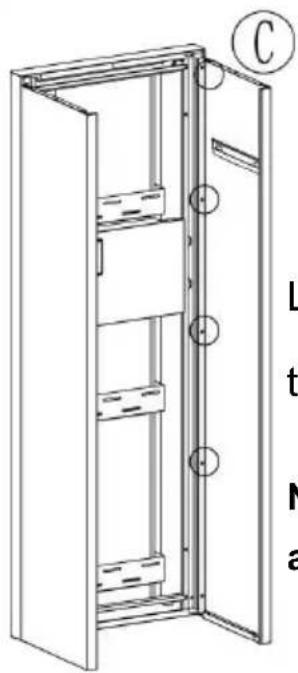
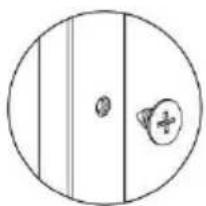
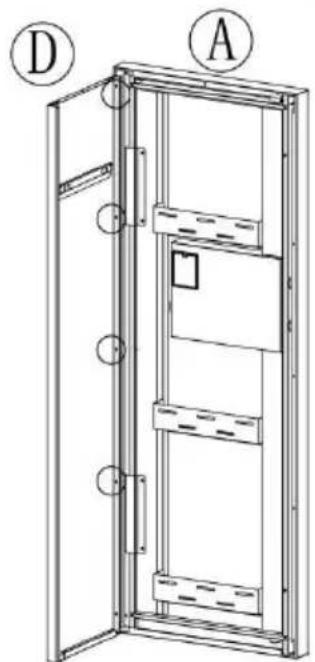
Link Ⓐ, Ⓒ, Ⓓ with self-tapping screws.
Note: The bottom screws are not installed.
STEP 2

Link Ⓑ, Ⓔ with self-tapping screws.

X4
STEP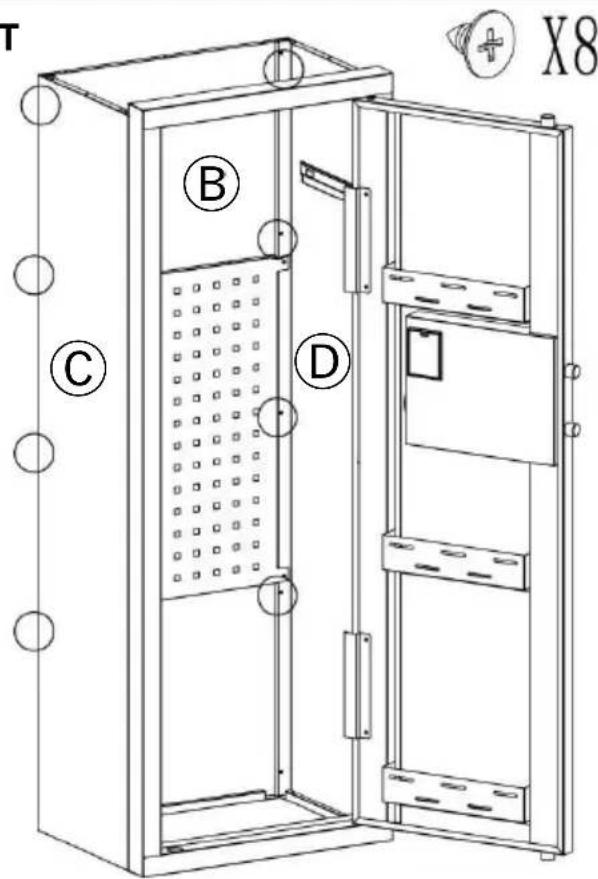

HEAVY! You may need assistance with this step.
Link Ⓑ, Ⓒ, Ⓓ with self-tapping screws.
Note: The bottom screws are not installed.
STEP 4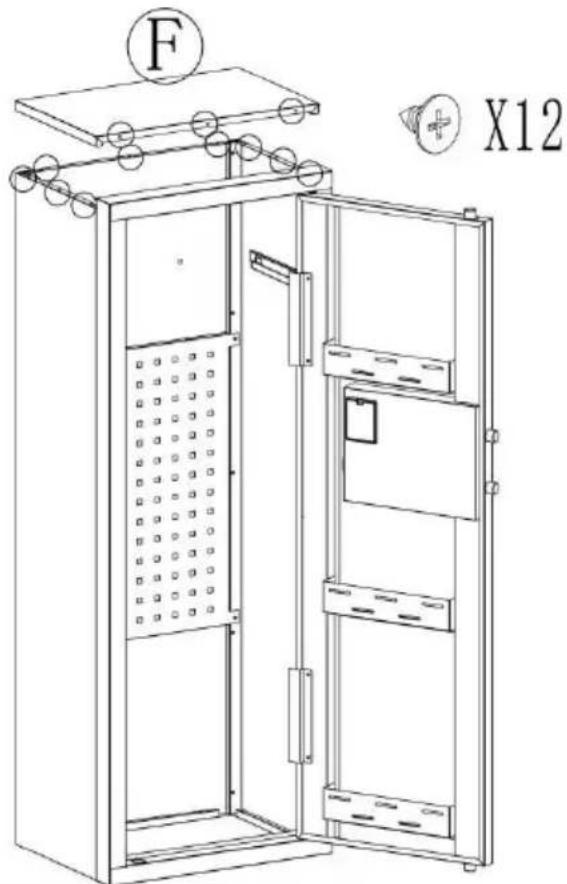
Install Ⓕ and secure with self-tapping screws.
STEP 5

X10
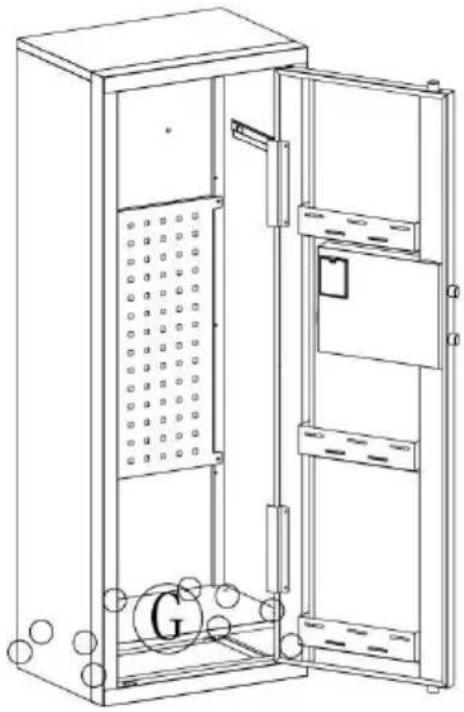
Install Ⓖ and secure
with self-tapping screws.
STEP 6
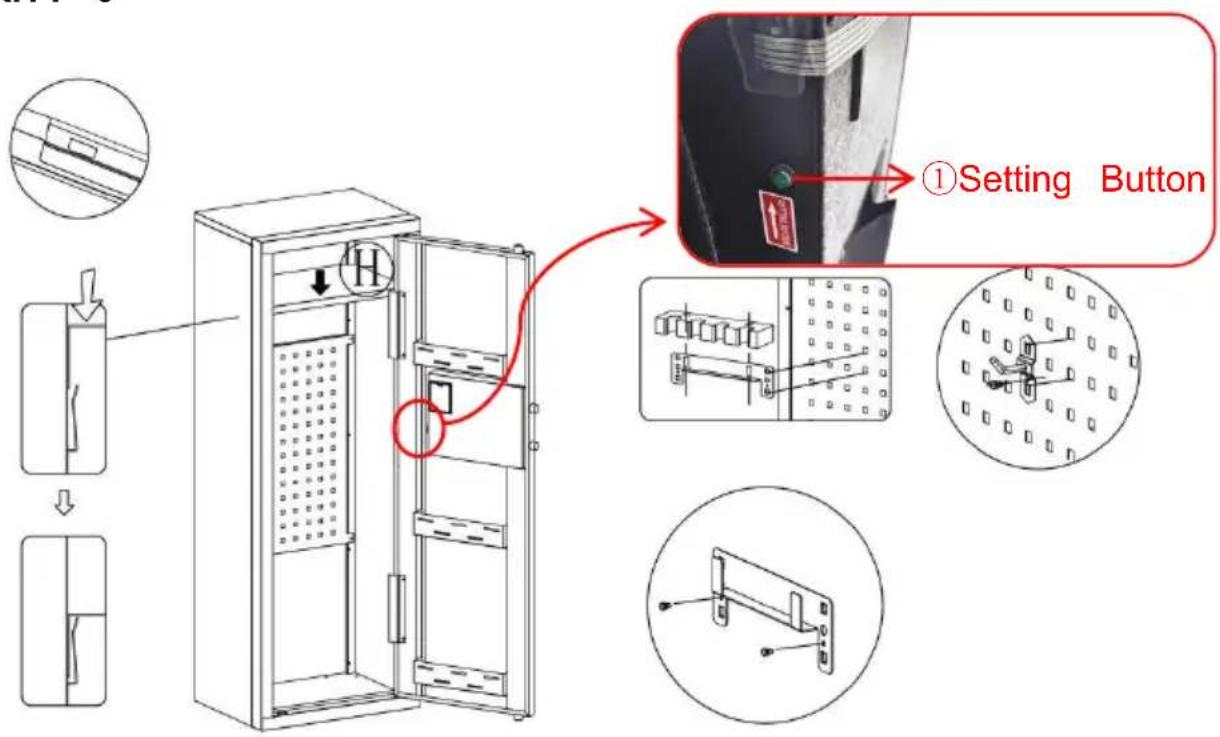
OPENING YOUR SAFE FOR THE FIRST TIME
- This product has 2 sets of passwords. Factory original password "1234", factory management password: "12456".
- Yellow: normal reminder, or wrong password reminder.
- Green: unlock and light up for 6-7 seconds.
- Red: low battery indicator.
PERSONAL PASSWORD SETTING
THREE WAYS TO OPEN THE SAFE
YH CONSULTING LIMITED. C/O YH Consulting
Limited Office 147, Centurion House, London
Road, Staines-upon-Thames, Surrey, TW18 4AX
E-CrossStu GmbH
Mainzer Landstr.69,
60329 Frankfurt am Main.

VEVOR
Upgrade · The Home Creator Way
CASSETTA DI SICUREZZA
MANUALE D'USO
MODELLO:SS - 1320 C Z
MODELLO:SS - 1320 C Z
A X1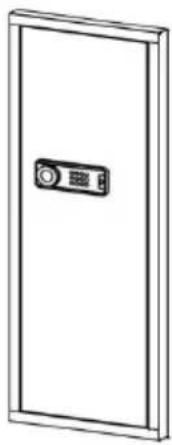 | B X1 | C X1 | D X1 |
| E X1 | F X1 | G X1 | H X1 |
| Gun bracket | Buttstock | Self tapping thread42 Pcs | Plastic Snap-fit[5KBX]10Pcs | Peg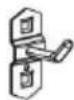 5 Pcs 5 Pcs |
| Scrowdriver1 PCS | Gloves1 PCS | Expansion bolt[5xc6]4 PCS | Key[2c3D]2 PCS | Instructions 1 PCS 1 PCS | Battery box[5cch]1 PCS |
INSTRUCTIONS
STEP 1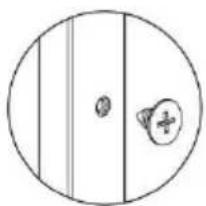

HEAVY! You may need assistance with this step.
X8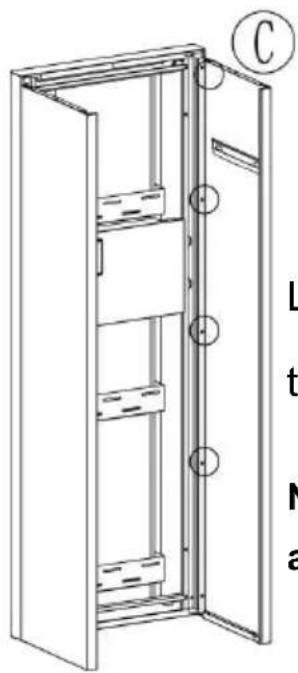
Link Ⓐ, Ⓒ, Ⓓ with self-tapping threads.
Note: The bottom screws are not installed.
STEP 2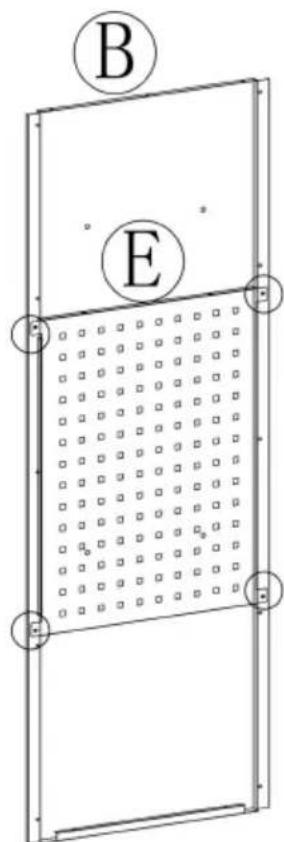
Link Ⓑ, Ⓔ with self-tapping threads.

X4
STEP 3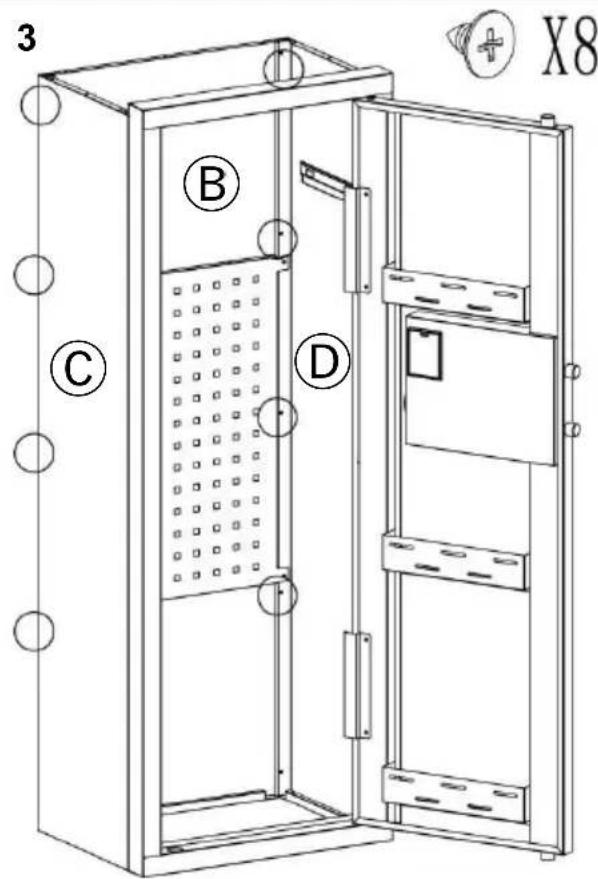

HEAVY! You may need assistance with this step.
Link Ⓑ, Ⓒ, Ⓓ with self-tapping threads.
Note: The bottom screws are not installed.
STEP 4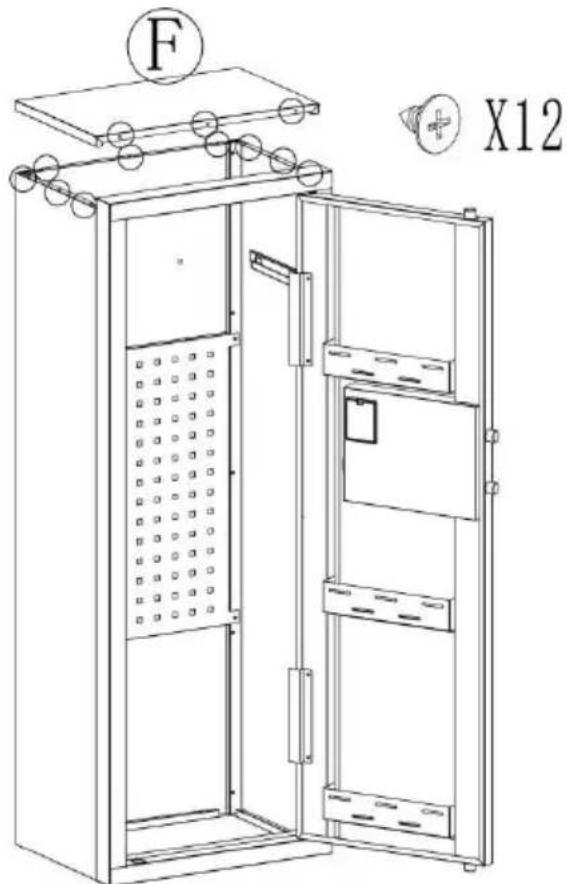
Install Ⓕ and secure with self-tapping thread.
STEP 5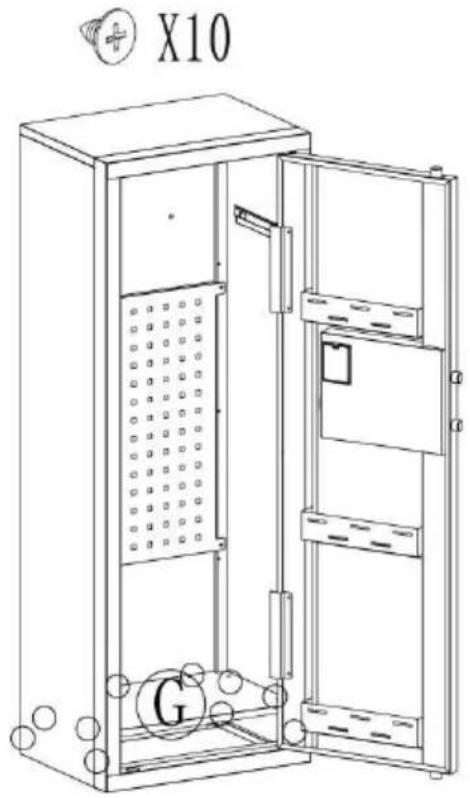
Install Ⓖ and secure with self-tapping screw.
STEP 6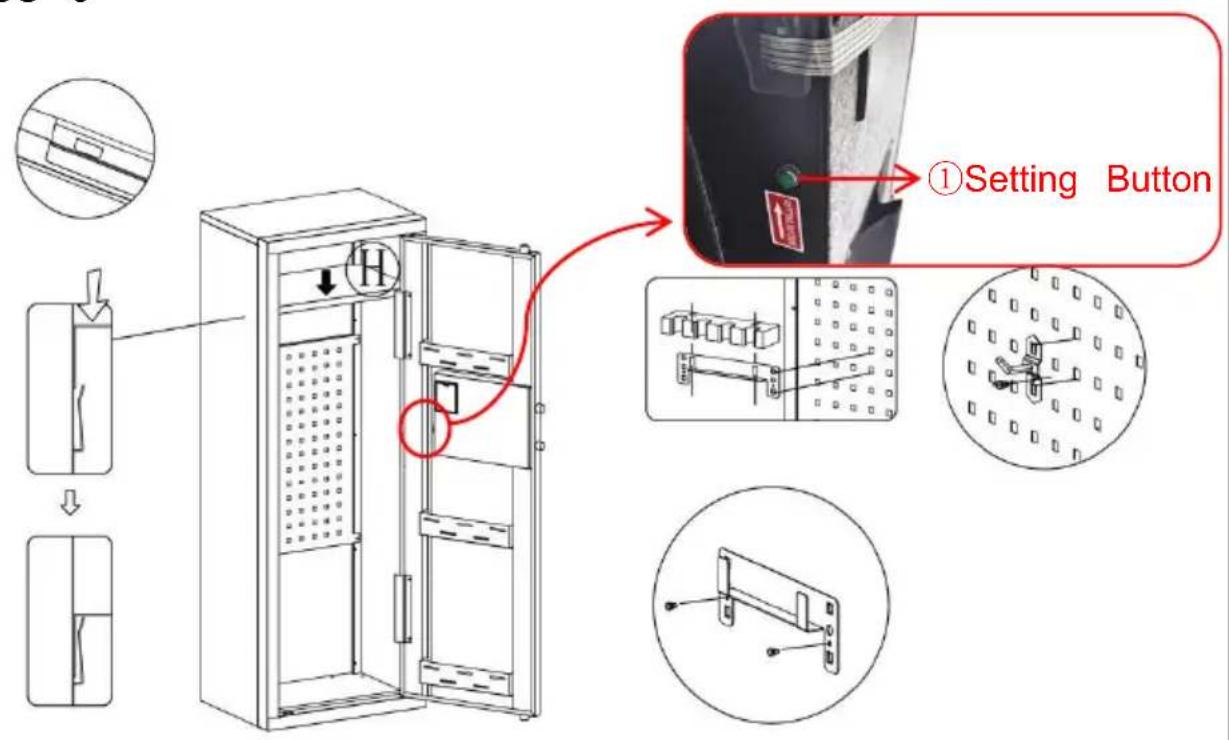
OPENING YOUR SAFE FOR THE FIRST TIME
- This product has 2 sets of passwords. Factory original password "1234", factory management password: "12456".
- Yellow: normal reminder, or wrong password reminder.
- Green: unlock and light up for 6-7 seconds.
- Red: low battery indicator.
PERSONAL PASSWORD SETTING
THREE WAYS TO OPEN THE SAFE
YH CONSULTING LIMITED. C/O YH Consulting
Limited Office 147, Centurion House, London
Road, Staines-upon-Thames, Surrey, TW18 4AX
E-CrossStu GmbH
Mainzer Landstr.69,
60329 Frankfurt am Main.

VEVOR
Upgrade · The Home Creator Way
SAFETY BOX
USER MANUAL
MODEL: SS - 1320 C Z
MODEL: SS - 1320 C Z
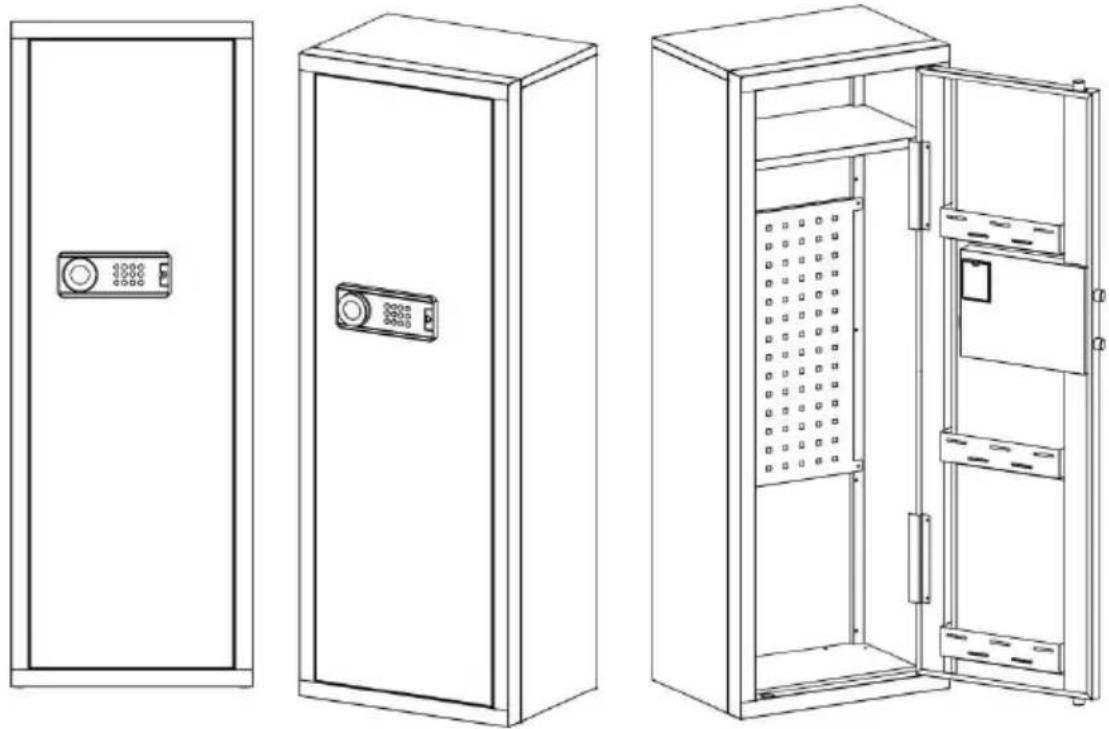
| A X1 | B X1 | C X1 | D X1 |
| E X1 | F X1 | G X1 | H X1 |
| Gun bracket | Buttstock | Self tapping thread | Plastic Snap-fit[3c63] | Peg5 Pcs |
| Scrowdriver1 PCS | Gloves1 PCS | Expansion bolt[cgwk]4 PCS | Key2 PCS | Instructions1 PCS | Battery box1 PCS |
INSTRUCTIONS
STEP 1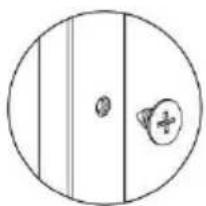

HEAVY! You may need assistance with this step.
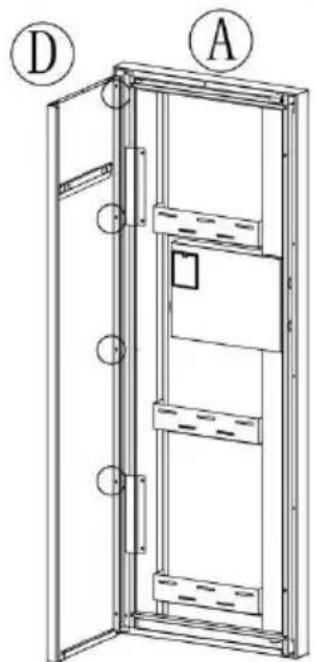
X8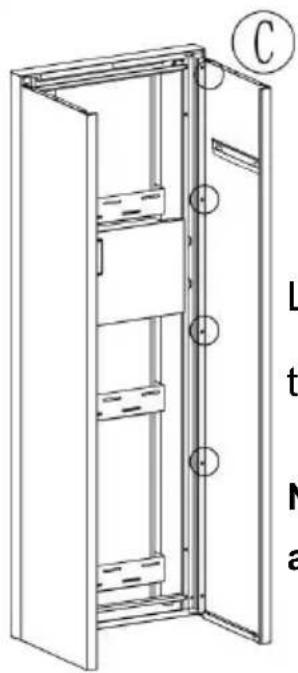
Connect Ⓐ, Ⓒ, Ⓓ with self-tapping screws.
Note: The bottom screws are not installed.
STEP 2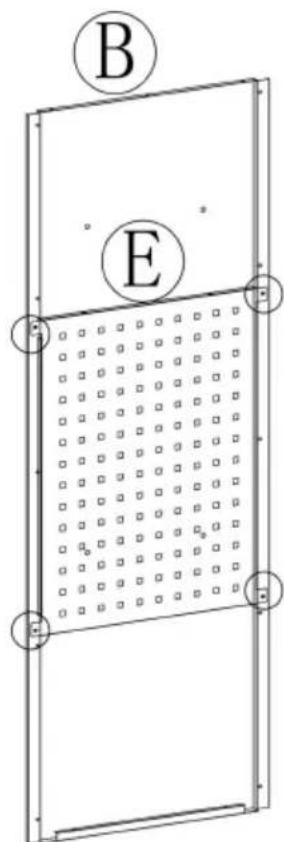
Connect Ⓑ, Ⓔ with self-tapping screws.

X4
STEP 3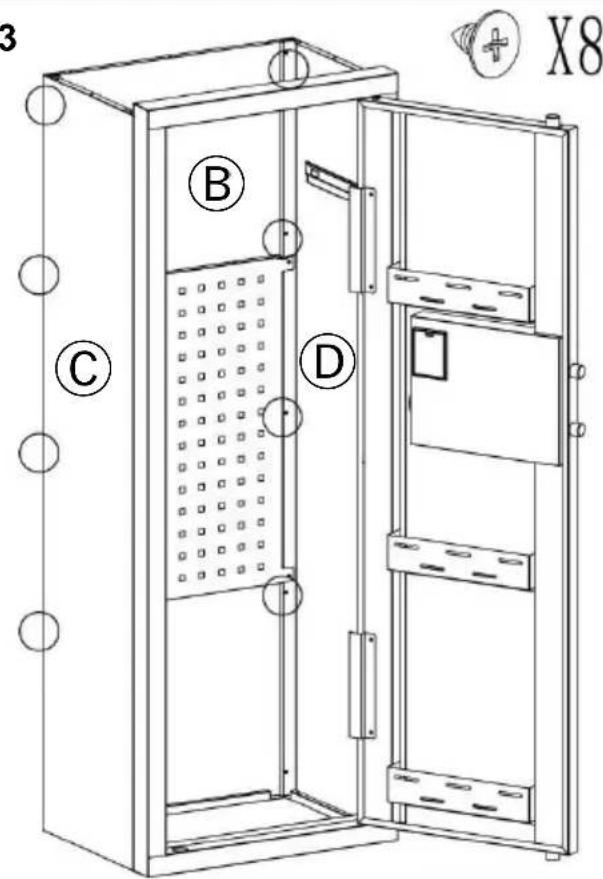
HEAVY! You may need assistance with this step.
Link Ⓑ, Ⓒ, Ⓓ with self-tapping screws.
Note: The bottom screws are not installed.
STEP 4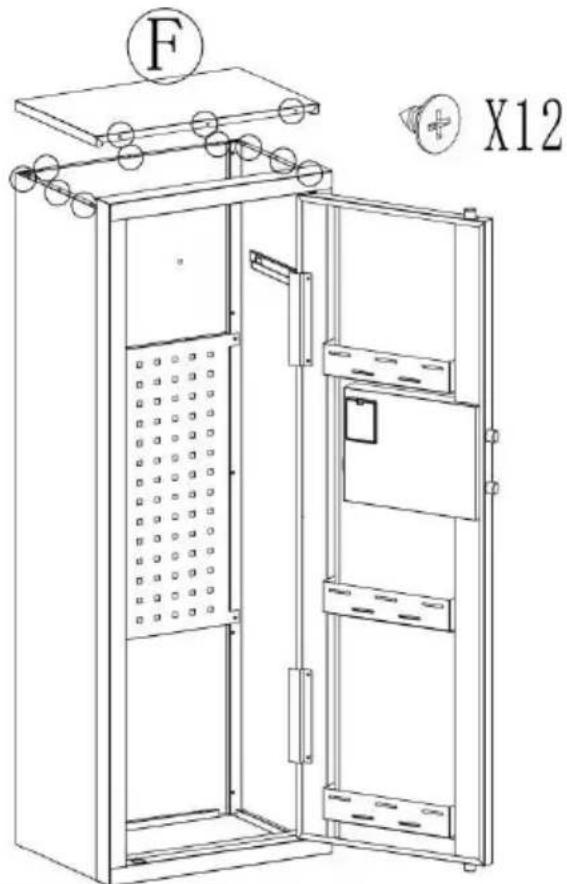
Install Ⓕ and secure with self-tapping screws.
STEP 5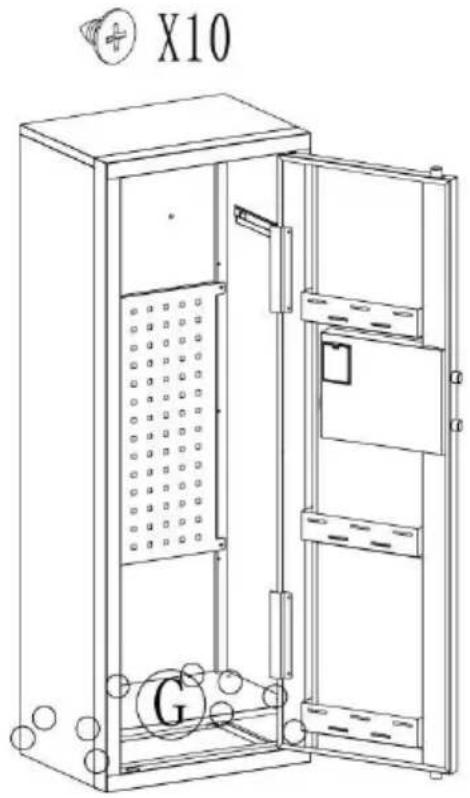
Install Ⓖ and secure with self-tapping screws.
STEP 6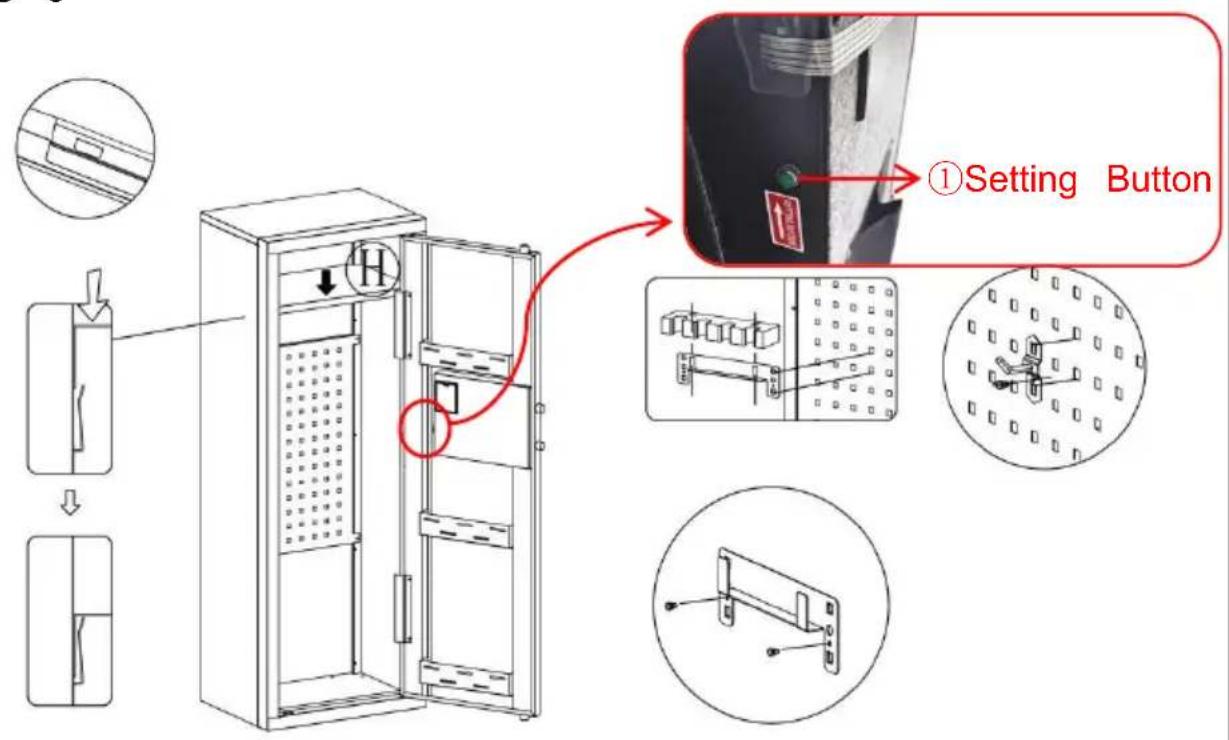
OPENING YOUR SAFE FOR THE FIRST TIME
- This product has 2 sets of passwords. Factory original password: "1234", factory management password: "12456".
- Yellow: normal reminder, or wrong password reminder.
- Green: unlock and light up for 6-7 seconds.
- Red: low battery indicator.
PERSONAL PASSWORD SETTING
THREE WAYS TO OPEN THE SAFE
YH CONSULTING LIMITED. C/O YH Consulting
Limited Office 147, Centurion House, London
Road, Staines-upon-Thames, Surrey, TW18 4AX
E-CrossStu GmbH
Mainzer Landstr.69,
60329 Frankfurt am Main.

VEVOR
Upgrade · The Home Creator Way
SEJF
INSTRUKCJA OBSŁUGI
MODEL:SS - 1320 C Z
MODEL:SS - 1320 C Z
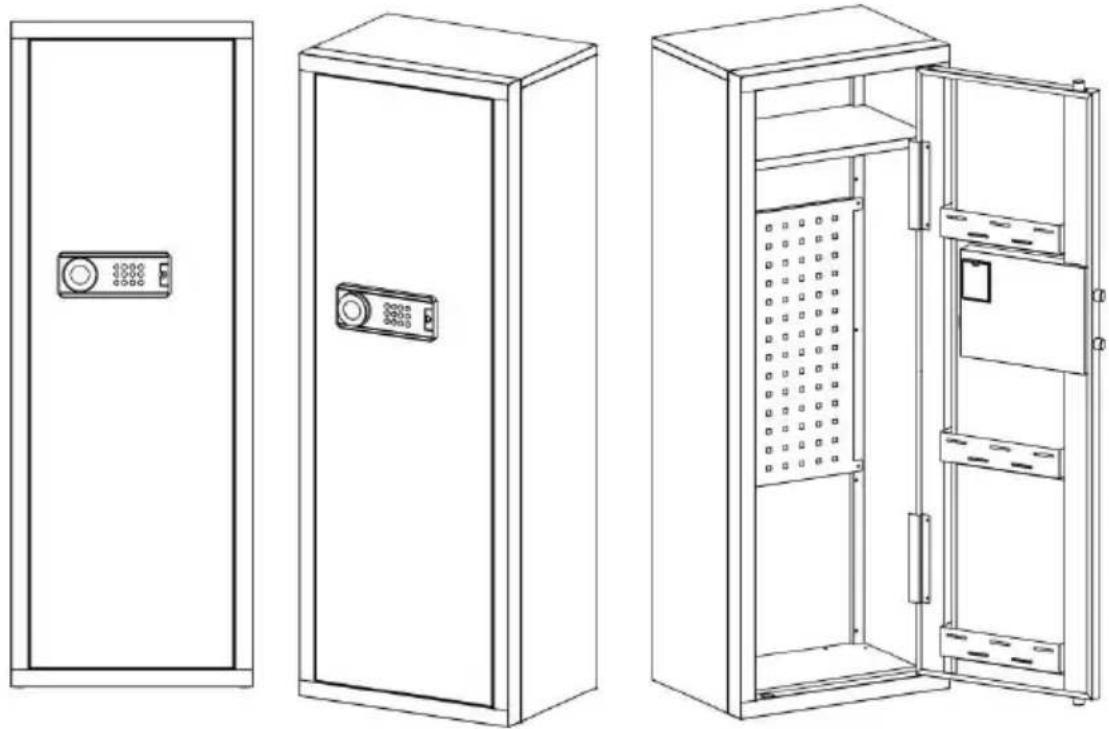
| A X1 | B X1 | C X1 | D X1 |
| E X1 | F X1 | G X1 | H X1 |
| Gun bracket | Buttstock | Self tapping thread | Plastic Snap-fit | Peg5 Pcs |
| Scrowdriver1 PCS | Gloves1 PCS | Expansion bolt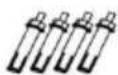 4 PCS 4 PCS | Key2 PCS | Instructions1 PCS | Battery box1 PCS |
INSTRUCTIONS
KROK 1
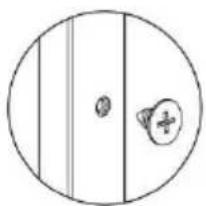

HEAVY! You may need assistance with this step.
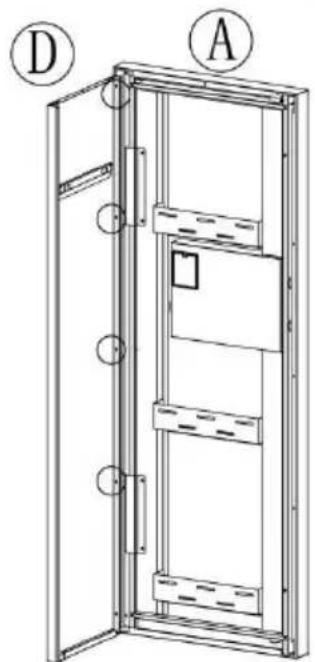
X8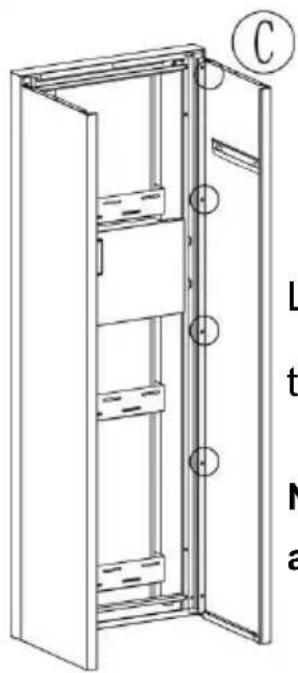
Link Ⓐ, Ⓒ, Ⓓ with self-tapping threads.
Note: The bottom screws are not installed.
STEP 2
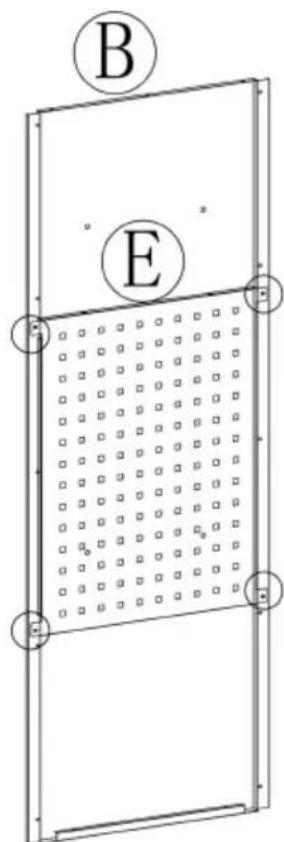
Link Ⓑ, Ⓔ with self-tapping threads.

X4
STEP 3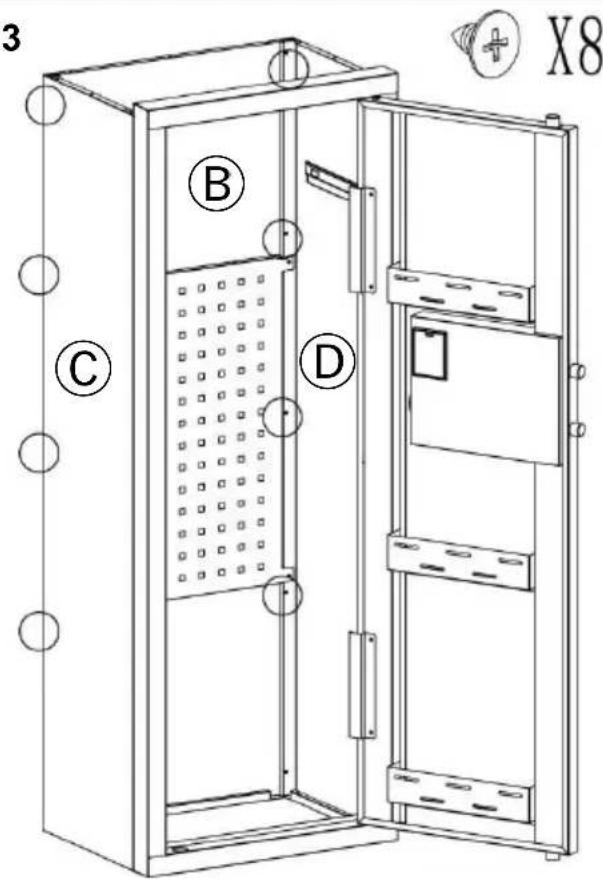
HEAVY! You may need assistance with this step.
Link Ⓑ, Ⓒ, Ⓓ with self-tapping threads.
Note: The bottom screws are not installed.
STEP 4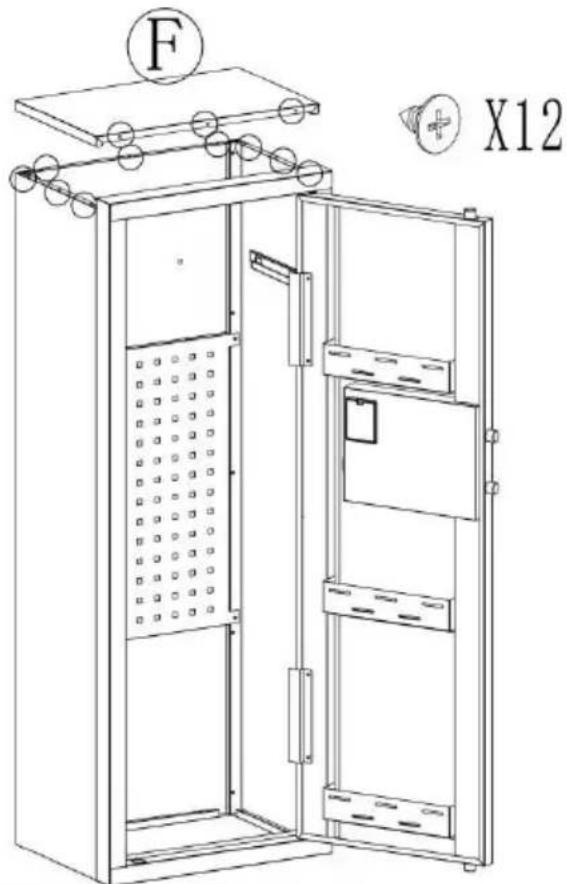
Install Ⓕ and secure with self-tapping thread.
STEP 5
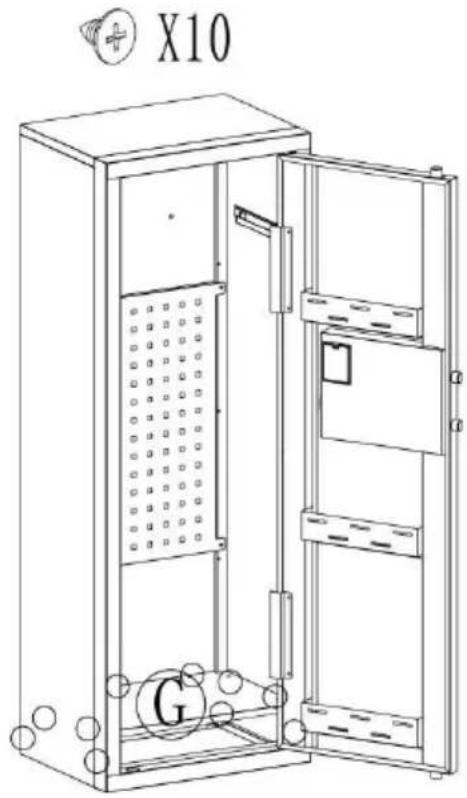
Install Ⓖ and secure.
with self-tapping thread
STEP 6
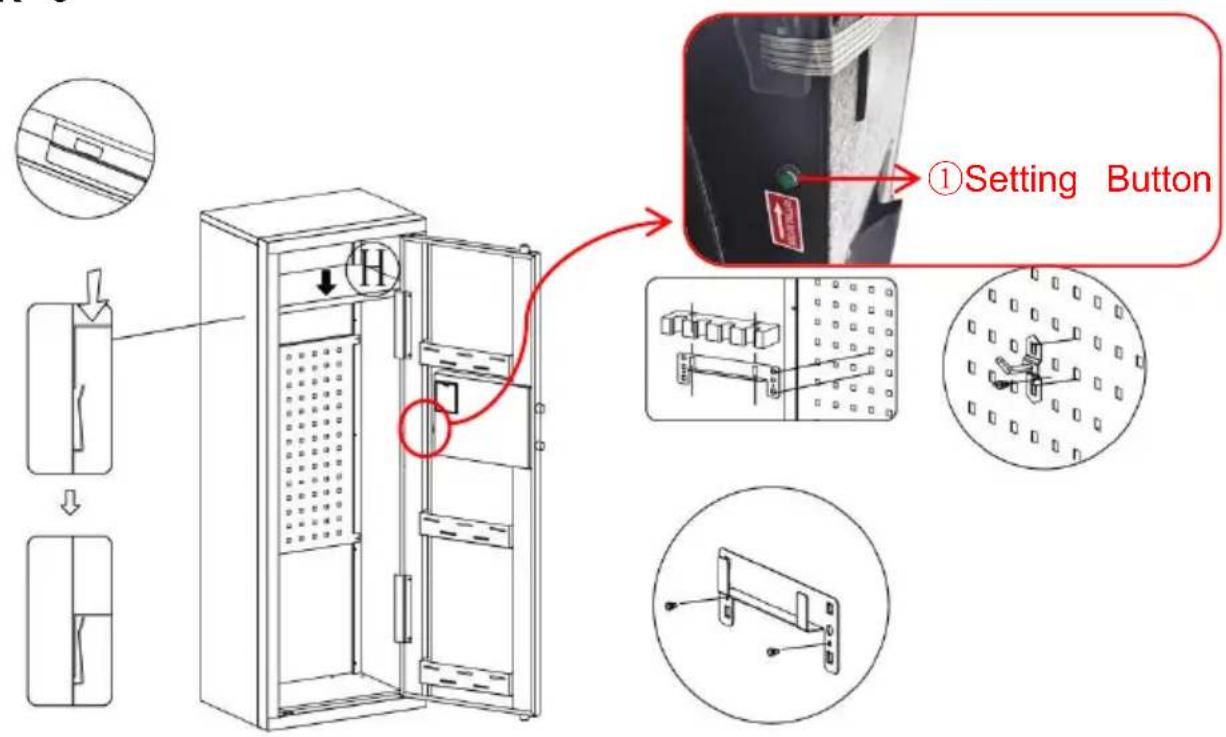
OPENING YOUR SAFE FOR THE FIRST TIME
- This product has 2 sets of passwords. Factory original password: "1234", factory management password: "12456".
- Yellow: normal reminder, or wrong password reminder.
- Green: unlock and light up for 6-7 seconds.
- Red: low battery indicator.
PERSONAL PASSWORD SETTING
THREE WAYS TO OPEN THE SAFE
YH CONSULTING LIMITED. C/O YH Consulting
Limited Office 147, Centurion House, London
Road, Staines-upon-Thames, Surrey, TW18 4AX
E-CrossStu GmbH
Mainzer Landstr.69,
60329 Frankfurt am Main.

VEVOR
Upgrade · The Home Creator Way
KLUIS
USER MANUAL
MODEL: SS-1320CZ
MODEL: SS-1320CZ
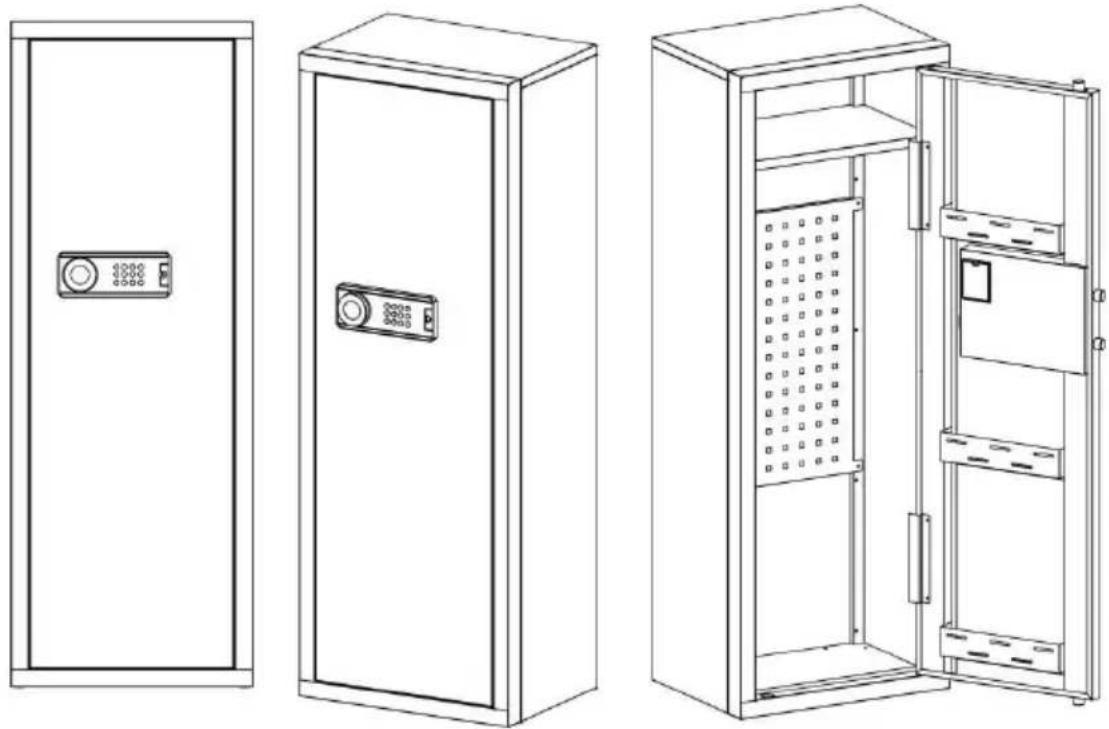
| A X1 | B X1 | C X1 | D X1 |
| E X1 | F X1 | G X1 | H X1 |
| Gun bracket | Buttstock | Self tapping thread 42 Pcs 42 Pcs | Plastic Snap-fit 10Pcs 10Pcs | Peg5 Pcs |
Scrowdriver 1 PCS 1 PCS | Gloves 1 PCS 1 PCS | Expansion bolt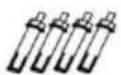 4 PCS 4 PCS | Key2 PCS | Instructions1 PCS | Battery box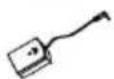 1 PCS 1 PCS |
INSTRUCTIONS
STEP 1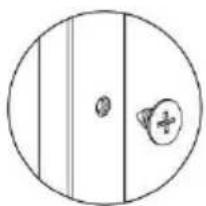

HEAVY! You may need assistance with this step.
X8
Link Ⓐ, Ⓒ, Ⓓ with self-tapping screws.
Note: The bottom screws are not installed.
STEP 2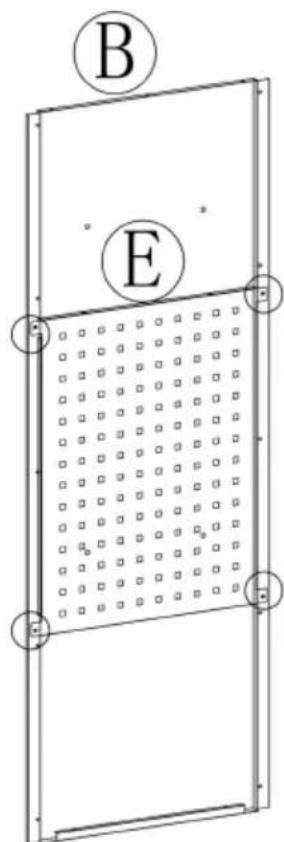
Link Ⓑ, Ⓔ with self-tapping screws.

X4
STEP 3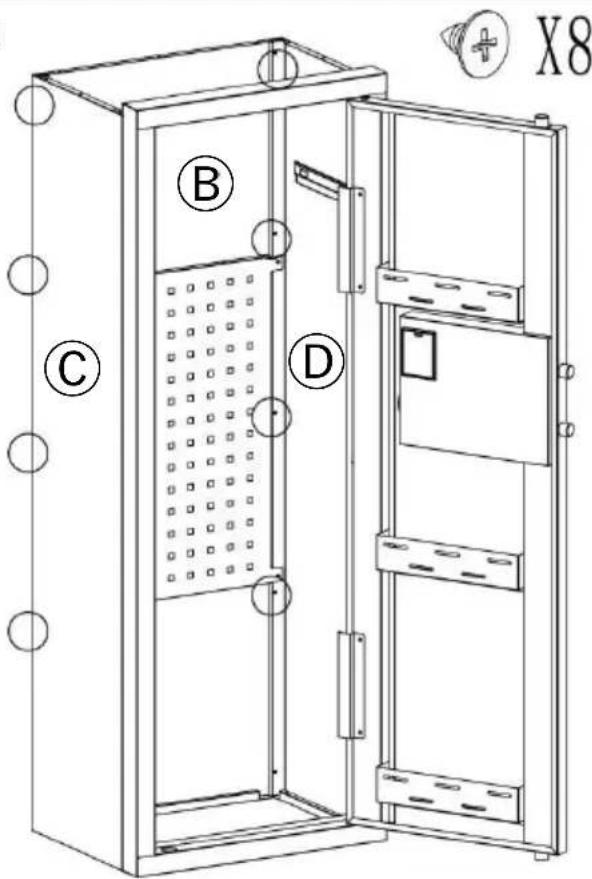
HEAVY! You may need assistance with this step.
Link Ⓑ, Ⓒ, Ⓓ with self-tapping screws.
Note: The bottom screws are not installed.
STEP 4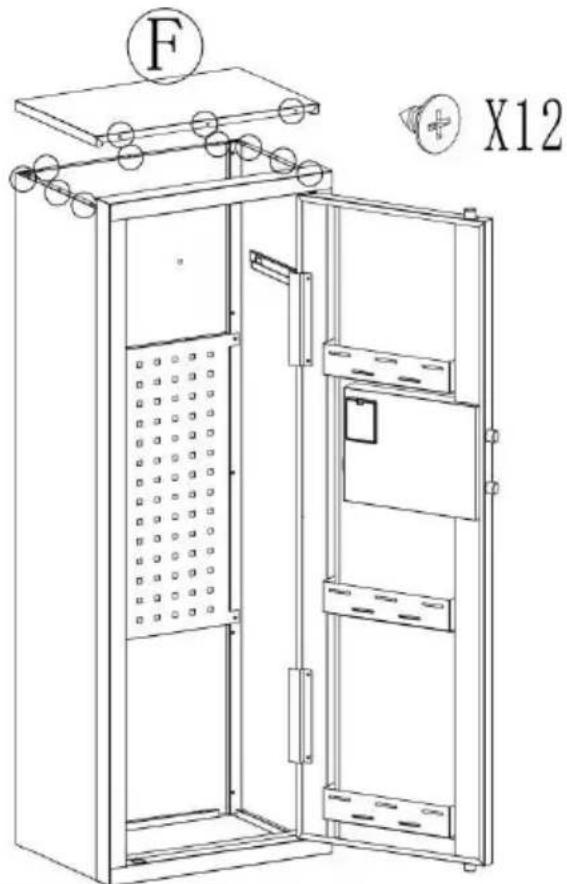
Install Ⓕ and secure with self-tapping screws.
STEP 5
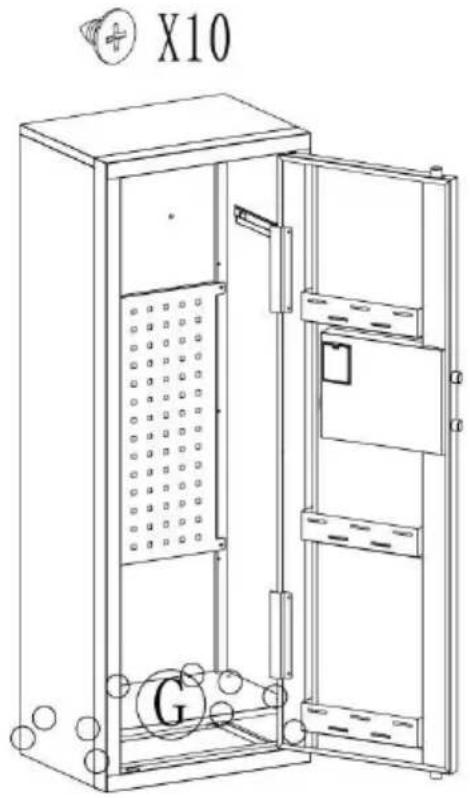
Install Ⓖ and secure
with self-tapping screws.
STEP 6
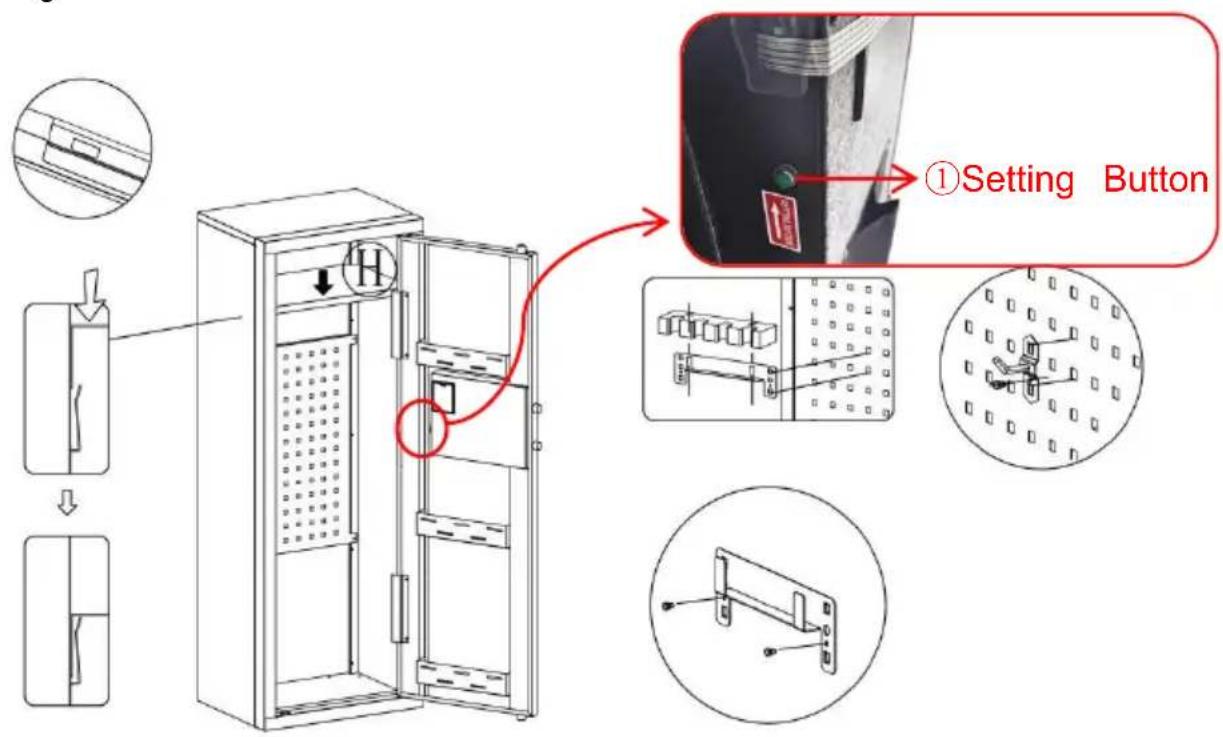
OPENING YOUR SAFE FOR THE FIRST TIME
- This product has 2 sets of passwords. Factory original password: "1234", factory management password: "12456".
- Yellow: normal reminder, or wrong password reminder.
- Green: unlock and light up for 6-7 seconds.
- Red: low battery indicator.
PERSONAL PASSWORD SETTING
THREE WAYS TO OPEN THE SAFE
YH CONSULTING LIMITED. C/O YH Consulting
Limited Office 147, Centurion House, London
Road, Staines-upon-Thames, Surrey, TW18 4AX
E-CrossStu GmbH
Mainzer Landstr.69,
60329 Frankfurt am Main.

VEVOR
Upgrade · The Home Creator Way
KASSASKÅP
ANVÄNDARMANUAL
MODELL: SS - 1320 C Z
MODELL: SS - 1320 C Z
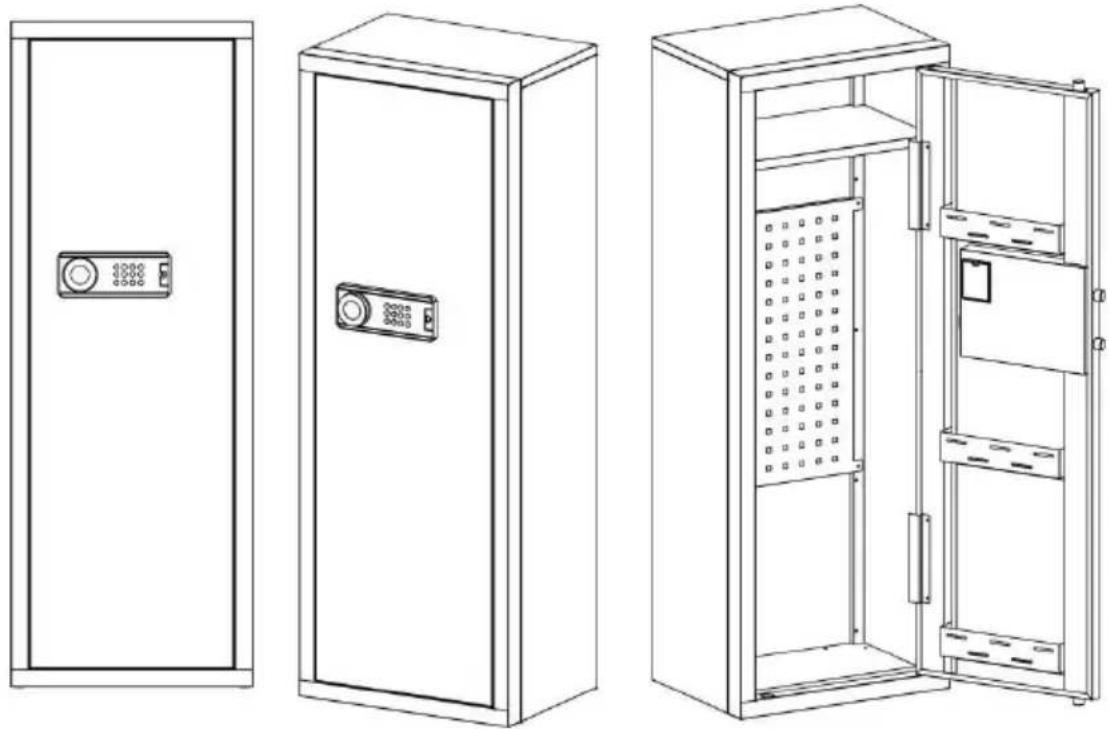
| A X1 | B X1 | C X1 | D X1 |
| E X1 | F X1 | G X1 | H X1 |
| Gun bracket | Buttstock | Self tapping thread42 Pcs | Plastic Snap-fit10Pcs | Peg5 Pcs |
| Scrowdriver1 PCS | Gloves1 PCS | Expansion bolt4 PCS | Key2 PCS | Instructions1 PCS | Battery box1 PCS |
INSTRUCTIONS
STEP 1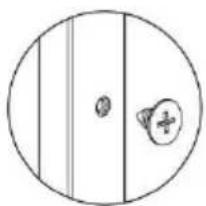

HEAVY! You may need assistance with this step.

X8
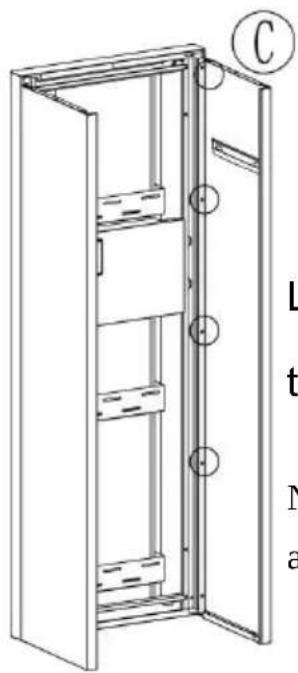
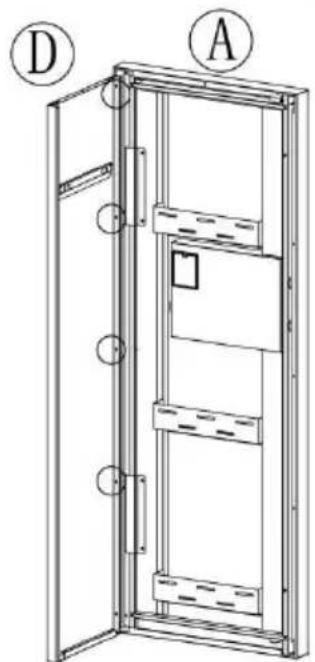
Link Ⓐ, Ⓒ, Ⓓ with self-tapping threads.
Note: The bottom screws are not installed.
STEP 2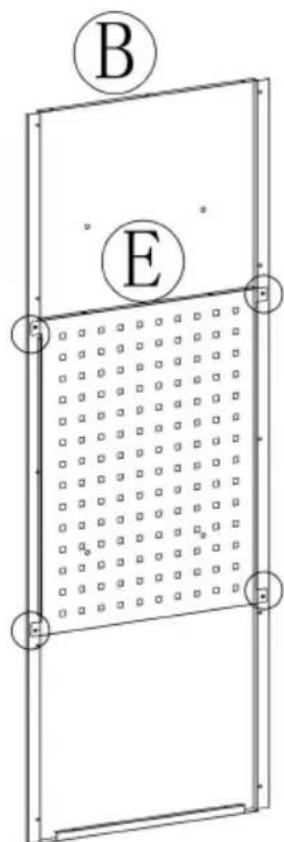
Link Ⓑ, Ⓔ with self-tapping threads.

X4
STEP 3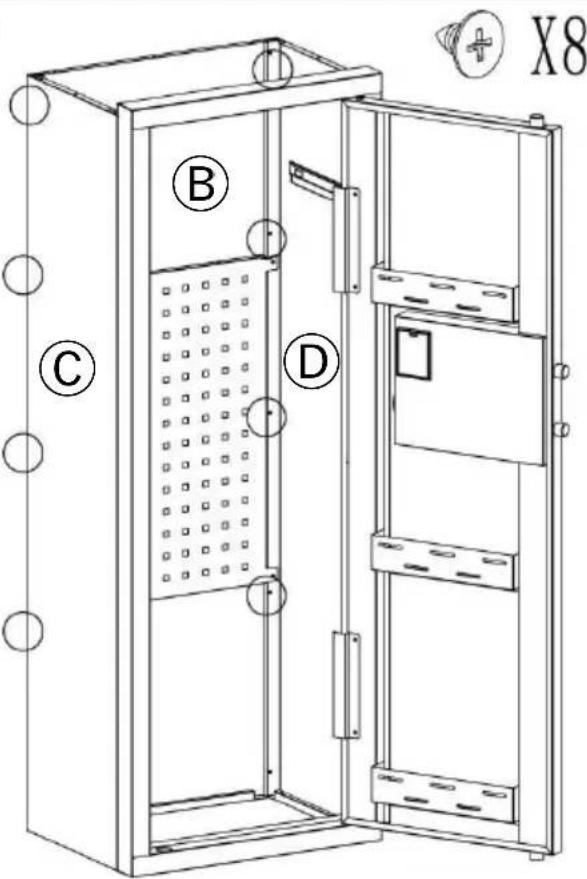
HEAVY! You may need assistance with this step.
Link Ⓑ, Ⓒ, Ⓓ with self-tapping threads.
Note: The bottom screws are not installed.
STEP 4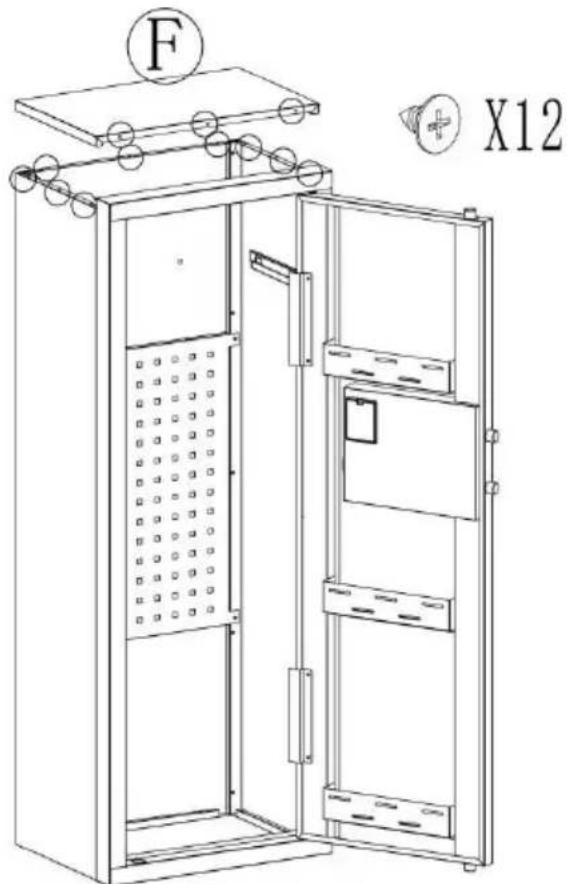
Install Ⓕ and secure with self-tapping thread.
STEP 5
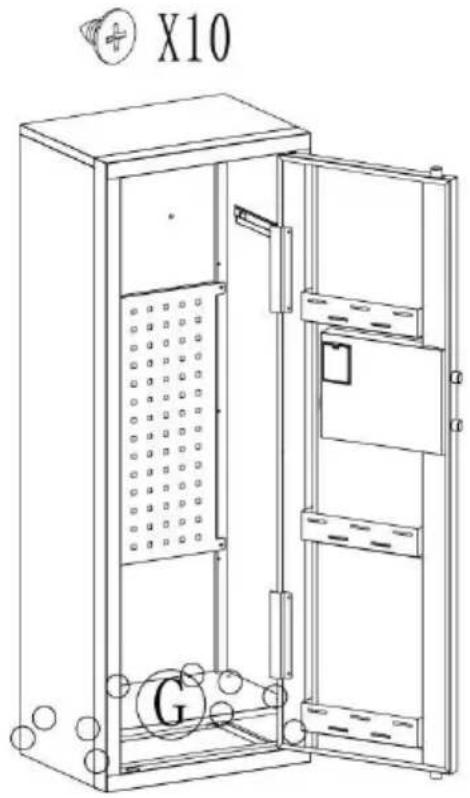
Install Ⓖ and secure with self-tapping screw.
STEP 6
OPENING YOUR SAFE FOR THE FIRST TIME
- This product has 2 sets of passwords. Factory original password: "1234", factory management password: "12456".
- Yellow: normal reminder, or wrong password reminder.
- Green: unlock and light up for 6-7 seconds.
- Red: low battery indicator.
PERSONAL PASSWORD SETTING
THREE WAYS TO OPEN THE SAFE
YH CONSULTING LIMITED. C/O YH Consulting
Limited Office 147, Centurion House, London
Road, Staines-upon-Thames, Surrey, TW18 4AX
E-CrossStu GmbH
Mainzer Landstr.69,
60329 Frankfurt am Main.