
FWHB-1/1GN-5-KS - Food warmer Vevor - Free user manual and instructions
Find the device manual for free FWHB-1/1GN-5-KS Vevor in PDF.
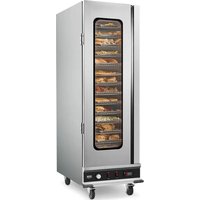


| Product type | Professional food warmer |
| Brand | Vevor |
| Model | FWHB-1/1GN-5-KS |
| Capacity | Compatible with GN 1/1 format |
| Power supply | 120 V, 850 W |
| Temperature range | Up to 80 °C (177 °F) |
| Heating system | Dual (top and bottom) with independent control |
| Temperature control | Digital thermostat with rotary knob |
| Rapid heating function | Yes, heats to maximum temperature |
| Keep warm function | Yes, with adjustable timer (0 to 999 minutes) |
| Temperature correction setting | Yes, from -20 to 20 °C/°F |
| Display | Digital screen |
| Material | Stainless steel |
| Dimensions (L x W x H) | Approximately 530 x 325 x 200 mm |
| Weight | Approximately 15 kg |
| Safety | Dual heating system with automatic shutdown |
| Care and cleaning | Clean with a damp cloth, do not immerse in water |
| Spare parts | Available on request |
| Warranty | 1 year |
| Use | Indoor, for restaurants and cafeterias |
Frequently Asked Questions - FWHB-1/1GN-5-KS Vevor
User questions about FWHB-1/1GN-5-KS Vevor
0 question about this device. Answer the ones you know or ask your own.
Ask a new question about this device
Download the instructions for your Food warmer in PDF format for free! Find your manual FWHB-1/1GN-5-KS - Vevor and take your electronic device back in hand. On this page are published all the documents necessary for the use of your device. FWHB-1/1GN-5-KS by Vevor.
USER MANUAL FWHB-1/1GN-5-KS Vevor
Technical Support and E-Warranty Certificate www.vevor.com/support
FOOD STORAGE CABINETS
MODEL: FWHB-1/1GN-5-KS, FWHB-1/1GN-5
We continue to be committed to providing you with tools at competitive prices. "Save Half", "Half Price", or any other similar expressions used by us represent an estimate of savings you might benefit from buying certain tools from us compared to the major top brands, and do not necessarily mean that all categories of tools offered by us are at half price. You are kindly reminded to verify when placing an order with us if you are actually saving half in comparison with the top major brands.
MODEL: FWHB-1/1GN-5-KS, FWHB-1/1GN-5

NEED HELP? CONTACT US!
Have product questions? Need technical support? Please feel free to contact us:
Technical Support and E-Warranty Certificate www.vevor.com/support
This is the original instruction. Please read all manual instructions carefully before operating. VEVOR reserves the right to interpret the user manual. The appearance of the product shall be subject to the product you received. Please forgive us that we won't inform you if there are any ontology or software updates on our product.
IMPORTANT SAFEGUARDS
When using electrical appliances, basic safety precautions should always be followed, including the following:

Please read this manual carefully before using this product.
Make sure you are familiar with all safety and usage instructions.
Keep this manual in a safe place for future reference.
FOR YOUR SAFETY!
Follow these precautions at all times to avoid personal injury to others.
Do not spray with water or cleaning products.
Do not use the unit with a damaged or modified electric cord.
To reduce the risk of equipment damage and personal injury:
- Only use grounded power outlets that match the rated voltage on the nameplate.
- Only use in a horizontal position.
- Do not use a power strip or surge protection cord with the equipment.
- Unplug the equipment before cleaning or moving.
- Do not use cleaning agents or liquids on the outside of the equipment. Keep it away from open flames and other heat sources.
- Do not operate damaged or malfunctioning equipment.
- Do not leave equipment ON unattended.
- Do not let children or minors touch or use this product. Please supervise during use.
- Do not put non-food items into the product for heating.
- Please use purified water.
- This appliance is not intended for use by persons (including children) with reduced physical, sensory or mental capabilities, or lack of experience and knowledge, unless they have been given supervision or instruction concerning use of the appliance by a person responsible for their safety. Children should be supervised to ensure that they do not play with the appliance.
- If the supply cord is damaged, it must be replaced by the manufacturer, its service agent or similarly qualified persons in order to avoid a hazard.
SAVE THESE INSTRUCTIONS
OPERATING INSTRUCTIONS
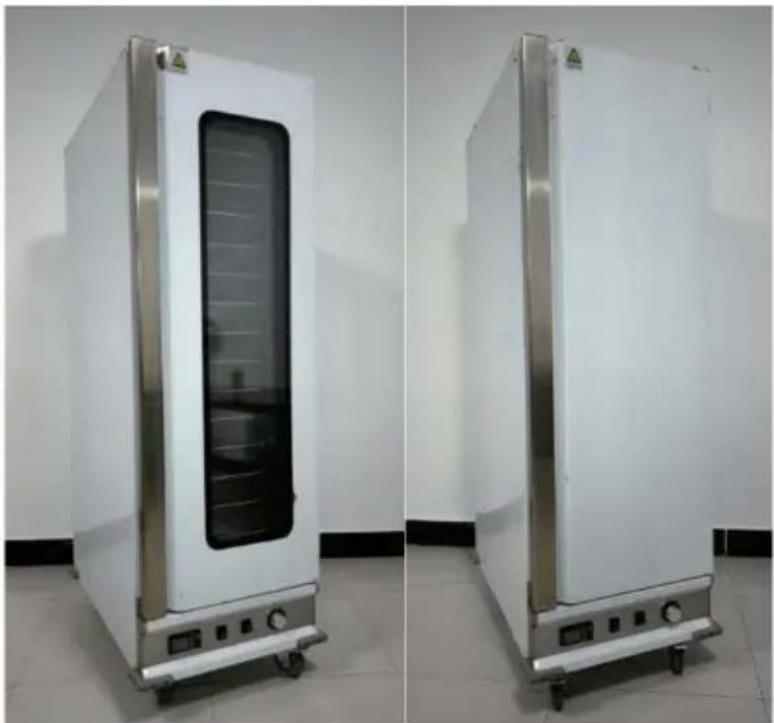
Includes the following accessories: Power cord, anti-scald gloves with box, bumper strip x4, thermostat knob, instruction manual.
Step 1: Attention: Tear off the white protective film on the surface. Operation: Use a hair dryer to heat the protective film for a period of time, and then tear it off by hand.
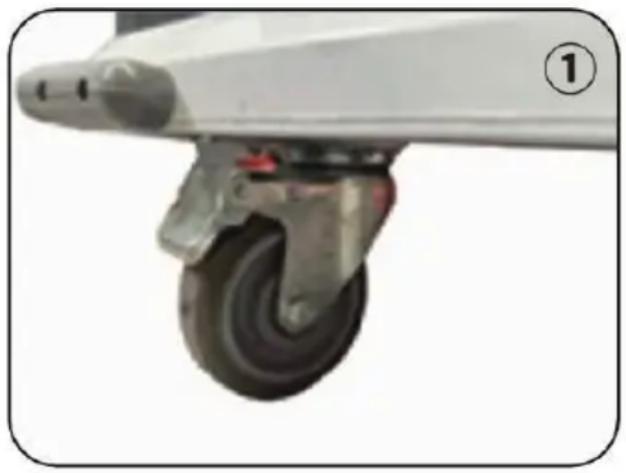
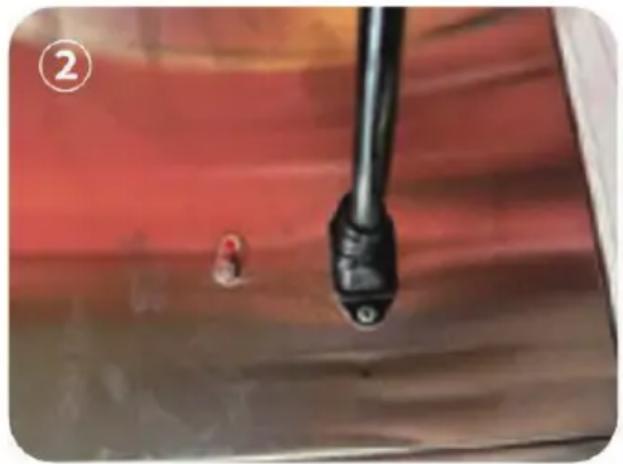
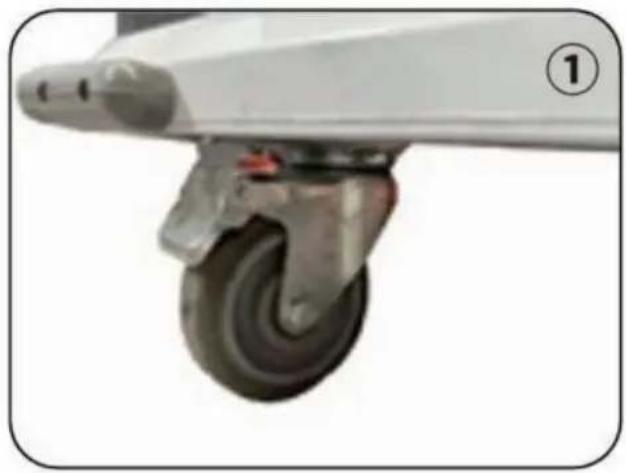
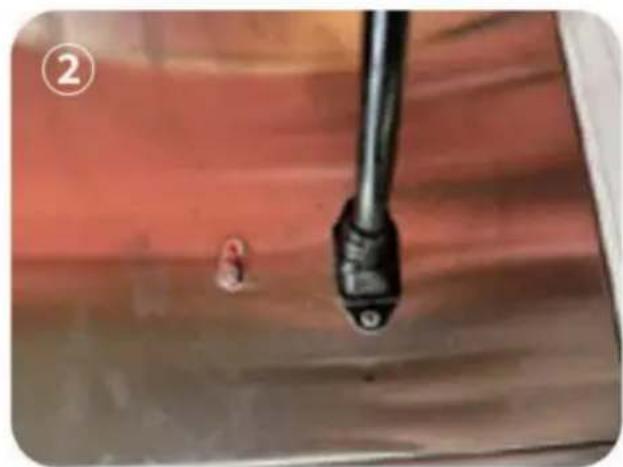
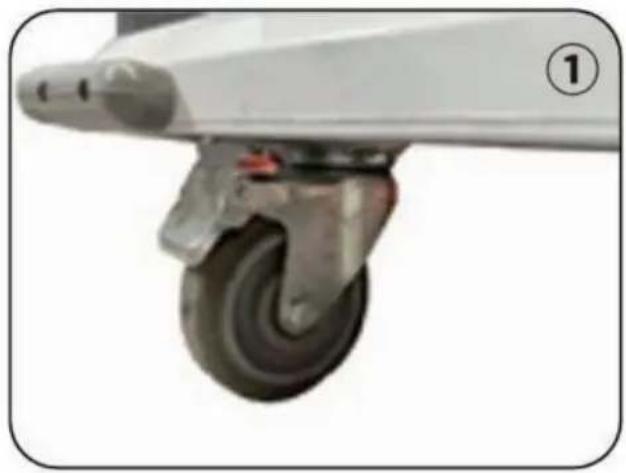
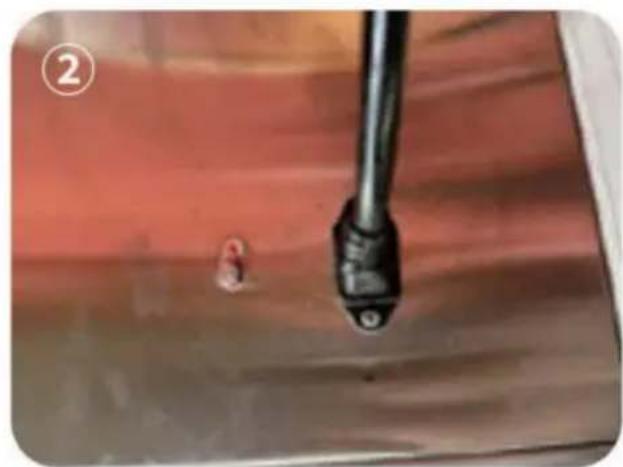
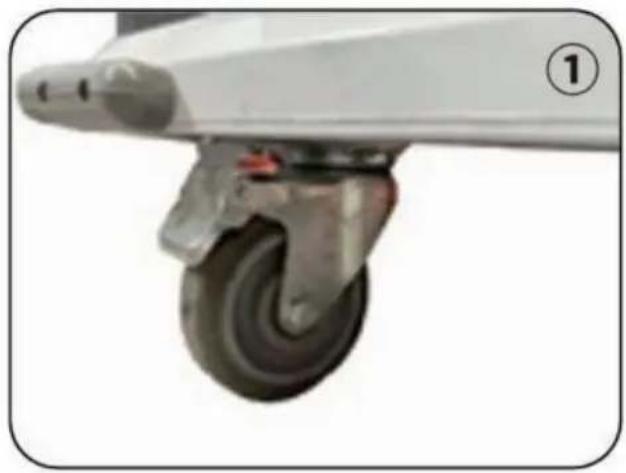
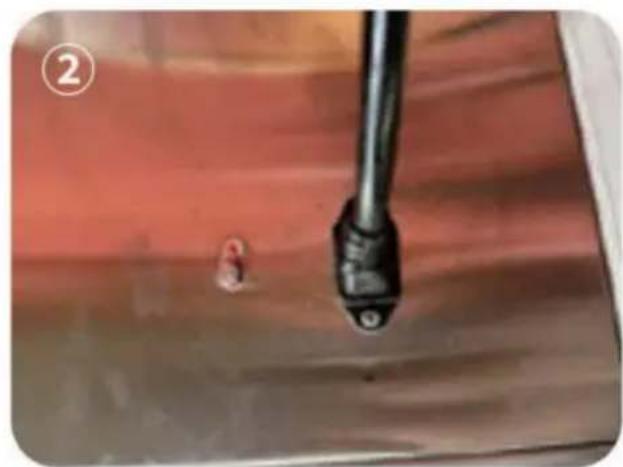
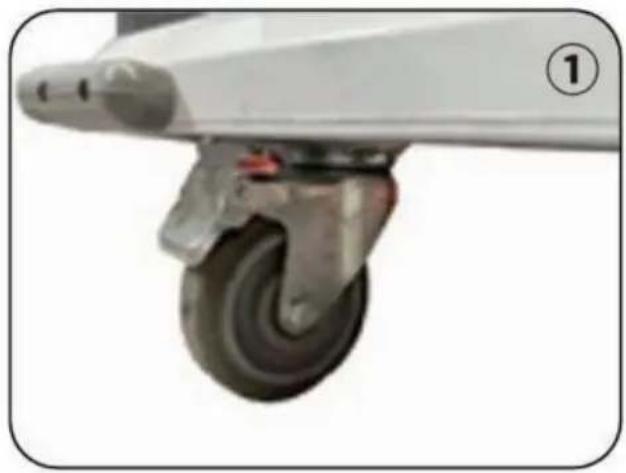
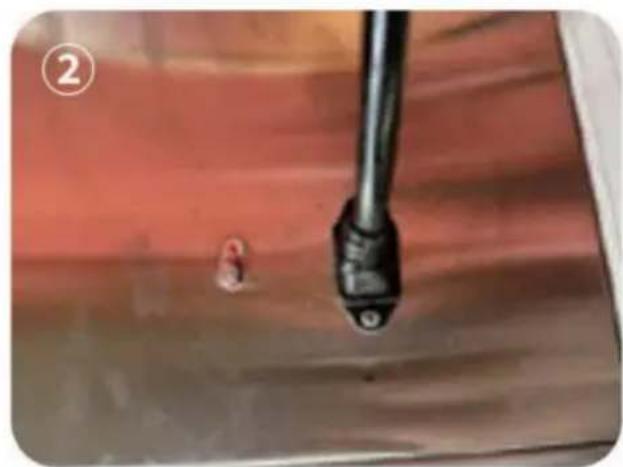
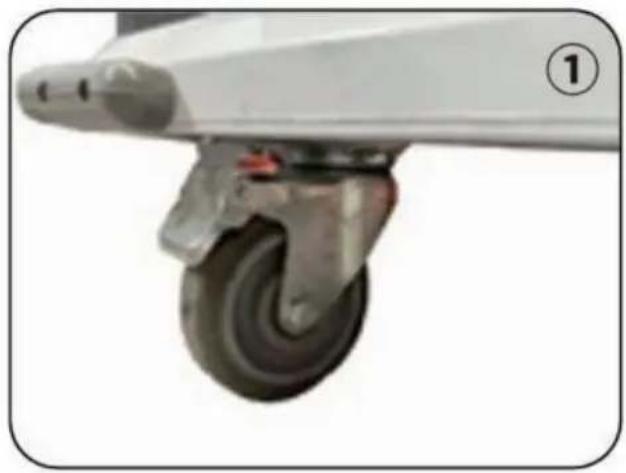
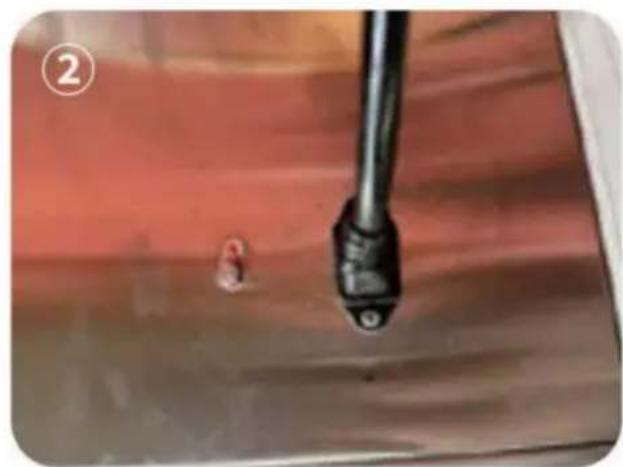
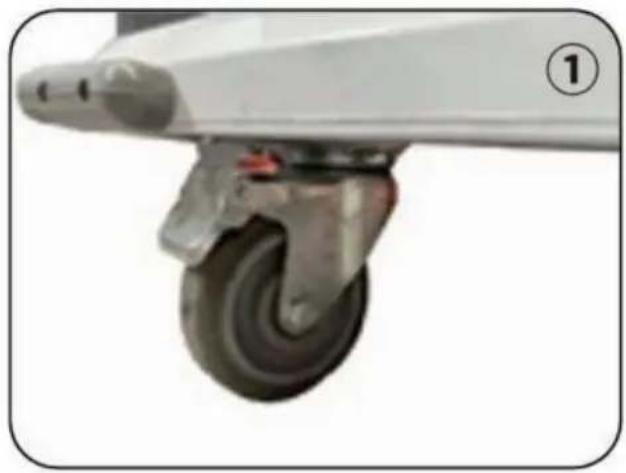
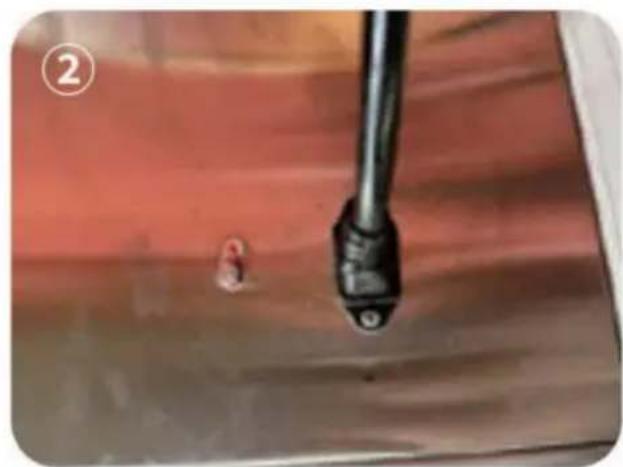
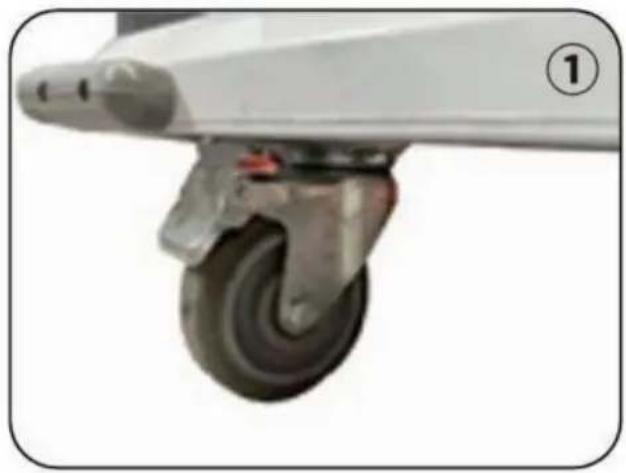
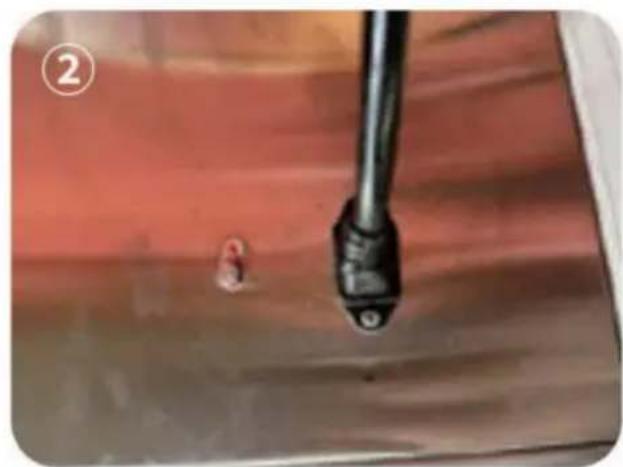
Step 2: Pull the brake buckle of the cabinet caster up, move the cabinet to a suitable position, take out the power cord and plug it into the socket behind the cabinet, turn on the power supply, and press the brake buckle on the caster to fix. As shown in Figure ①②.
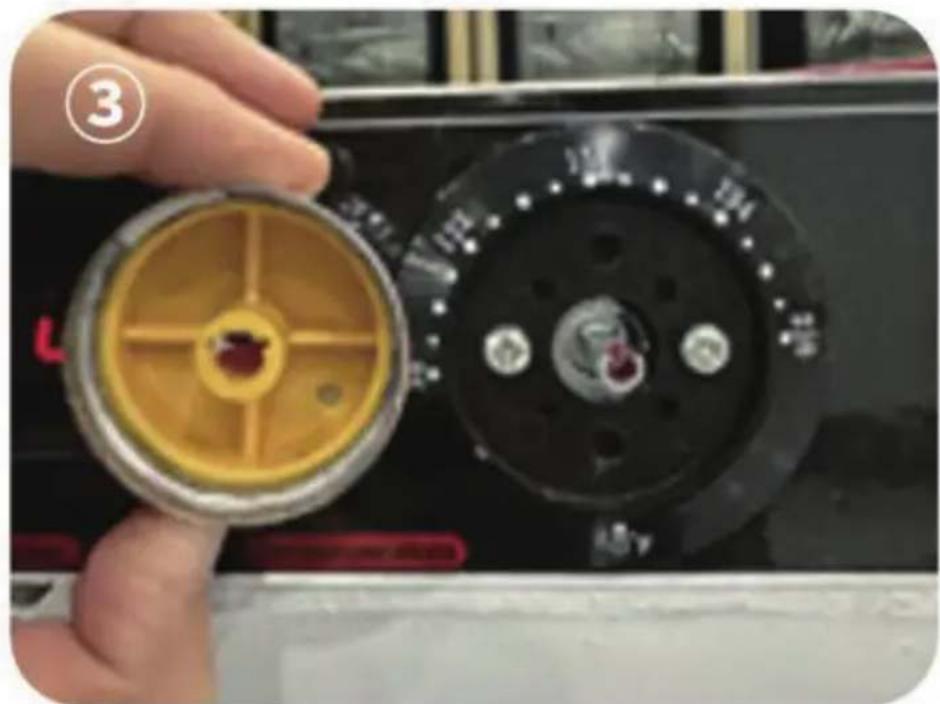
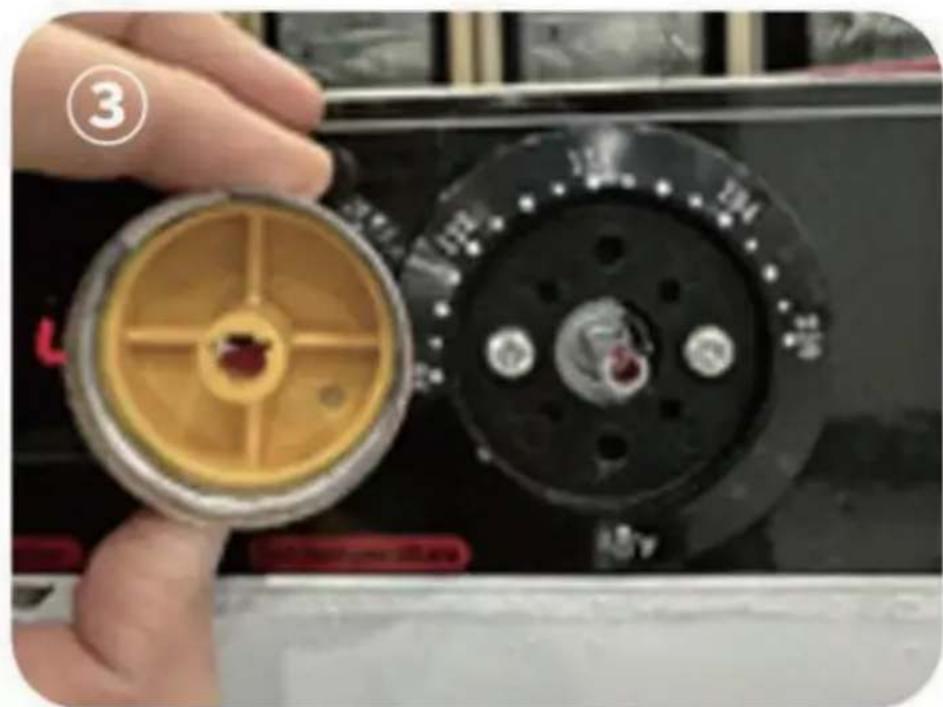
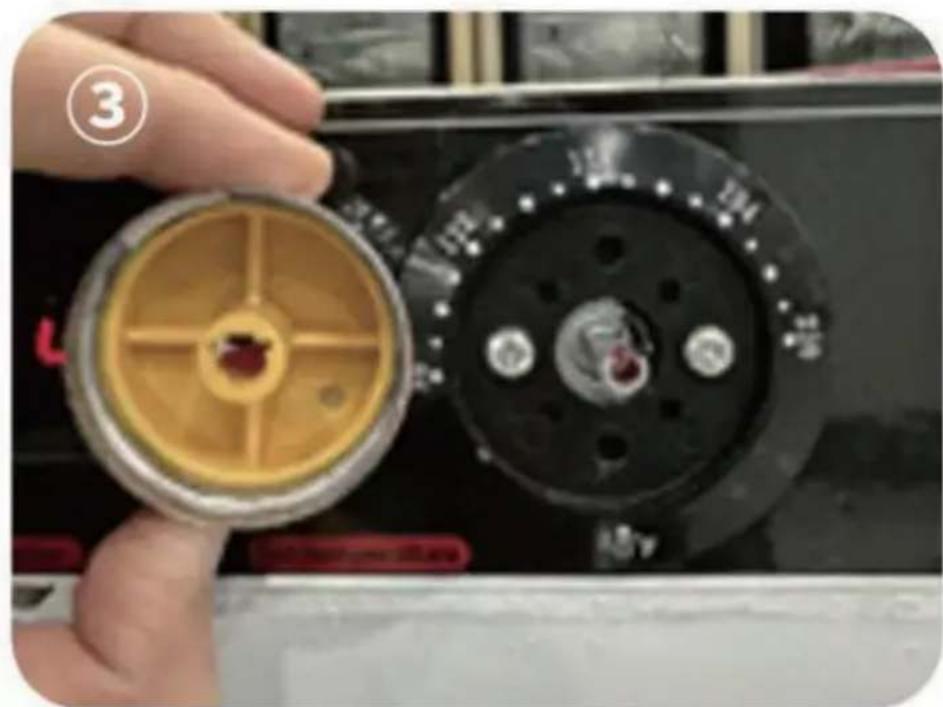
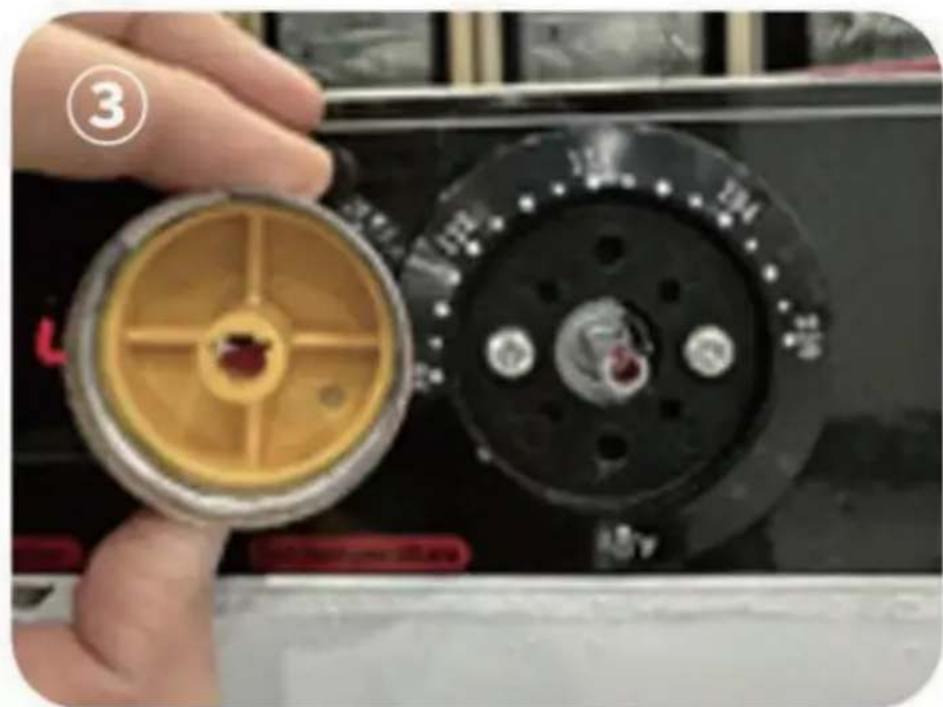
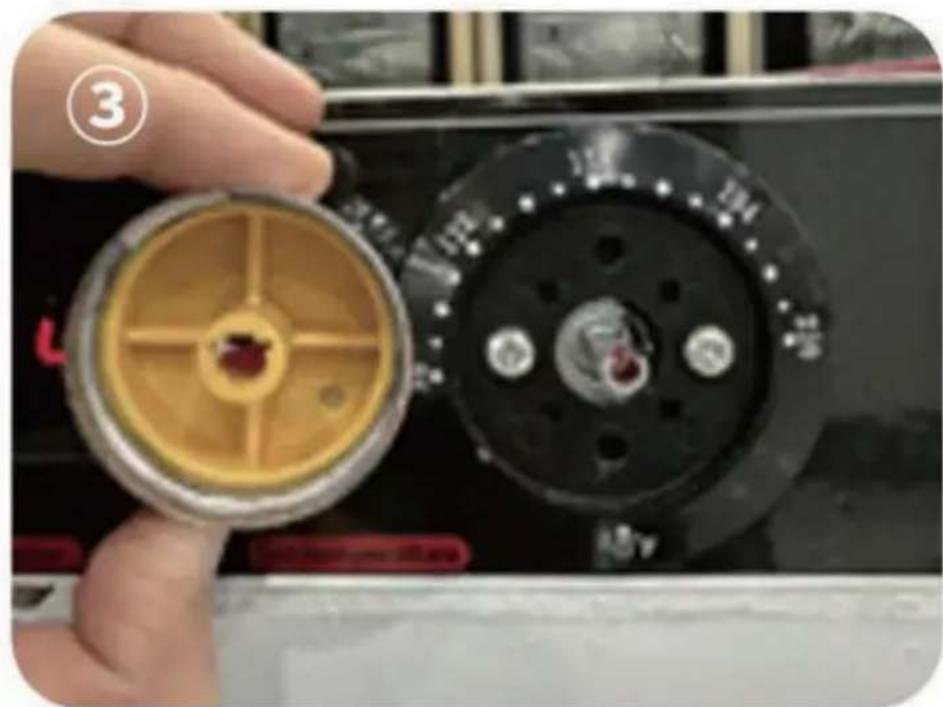
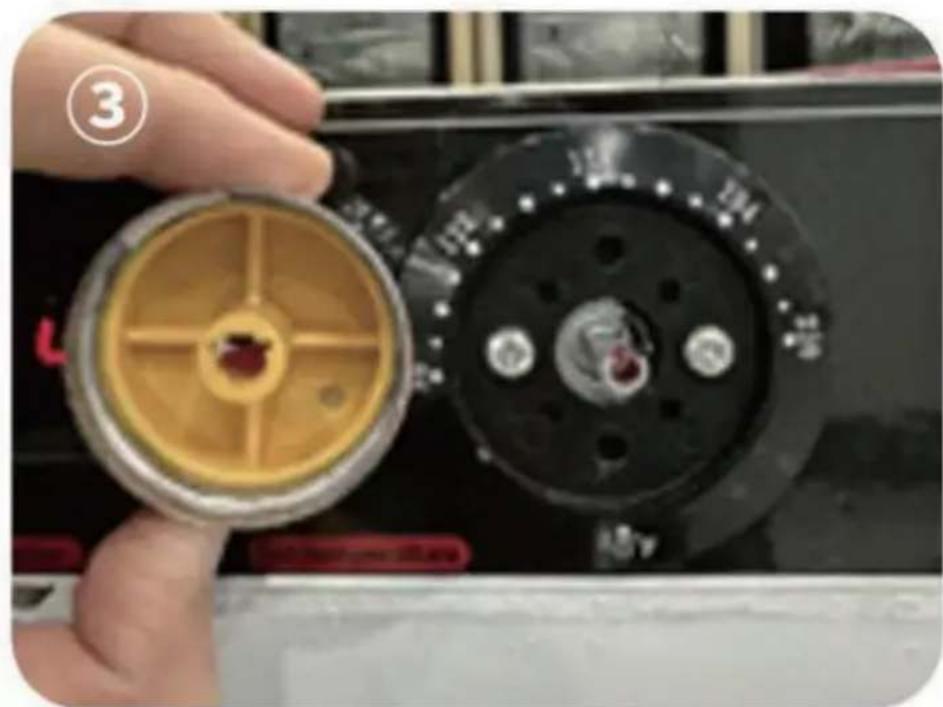
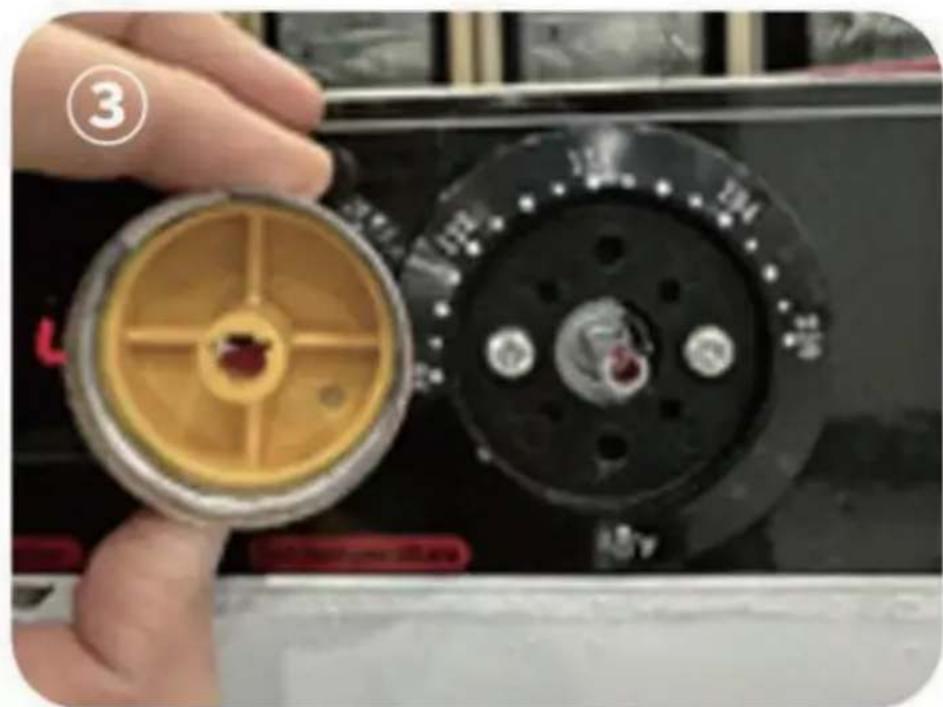
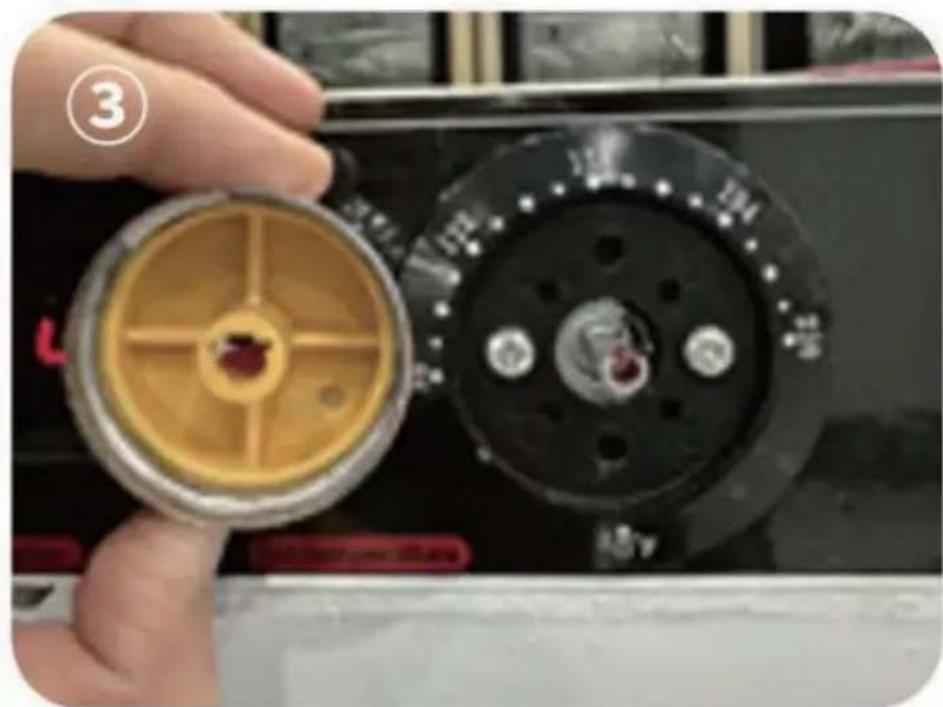
Step 3: Install the temperature control knob of the cabinet in place. Align the notch of the temperature control knob with the notch of the temperature control screw on the cabinet and press it firmly to install the end. As shown in Figure ③.
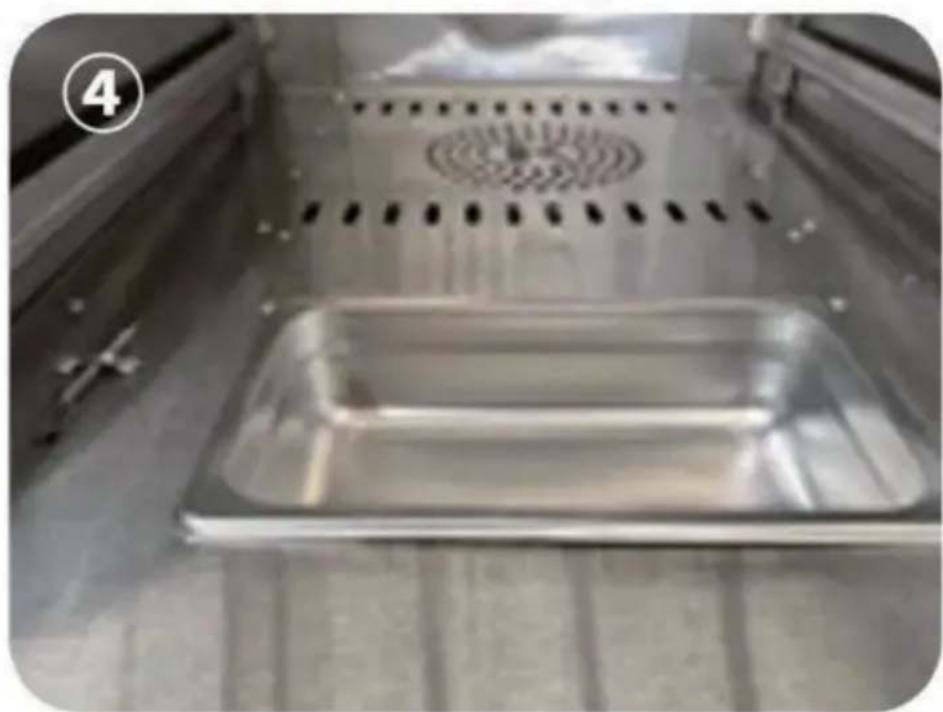
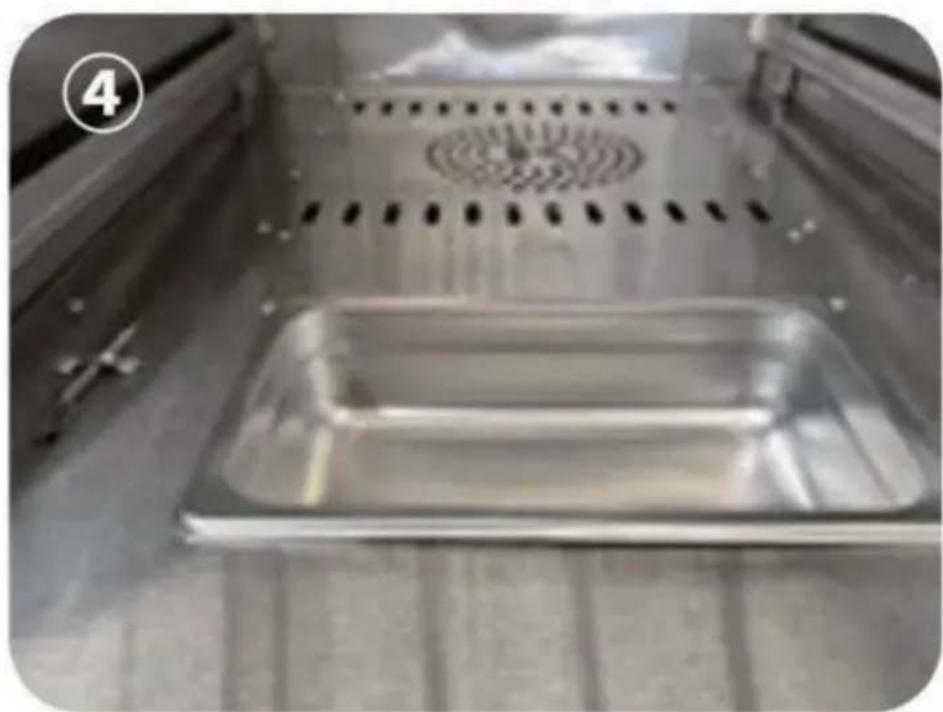
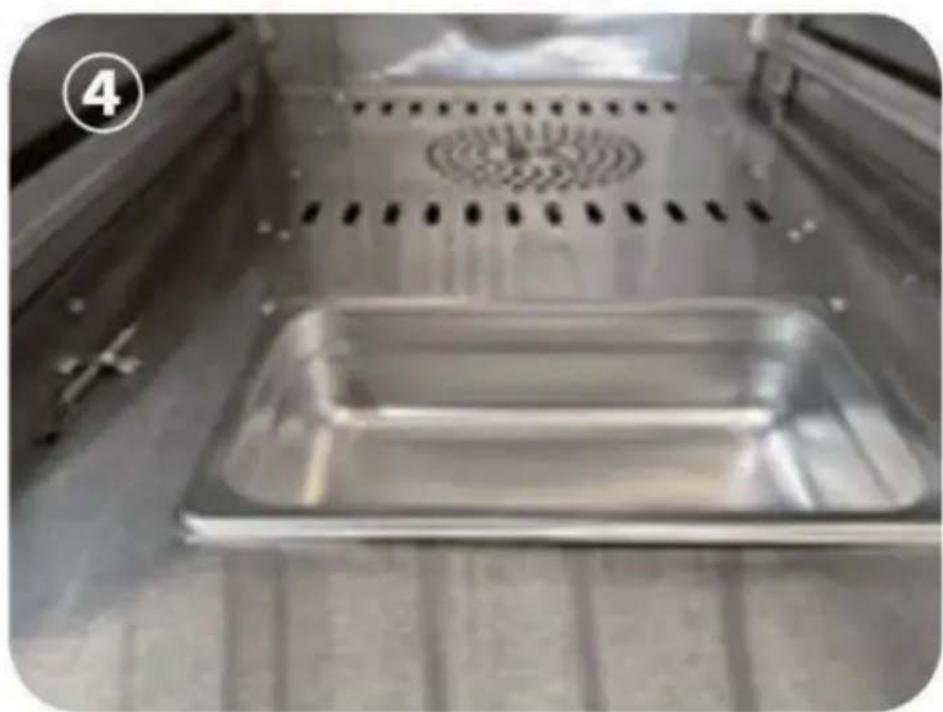
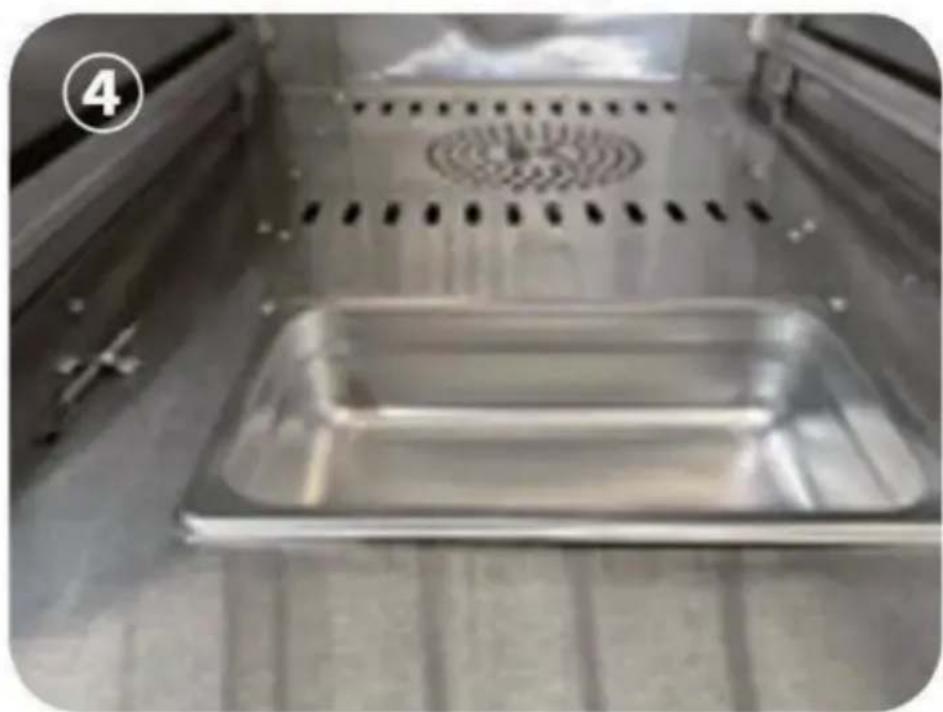
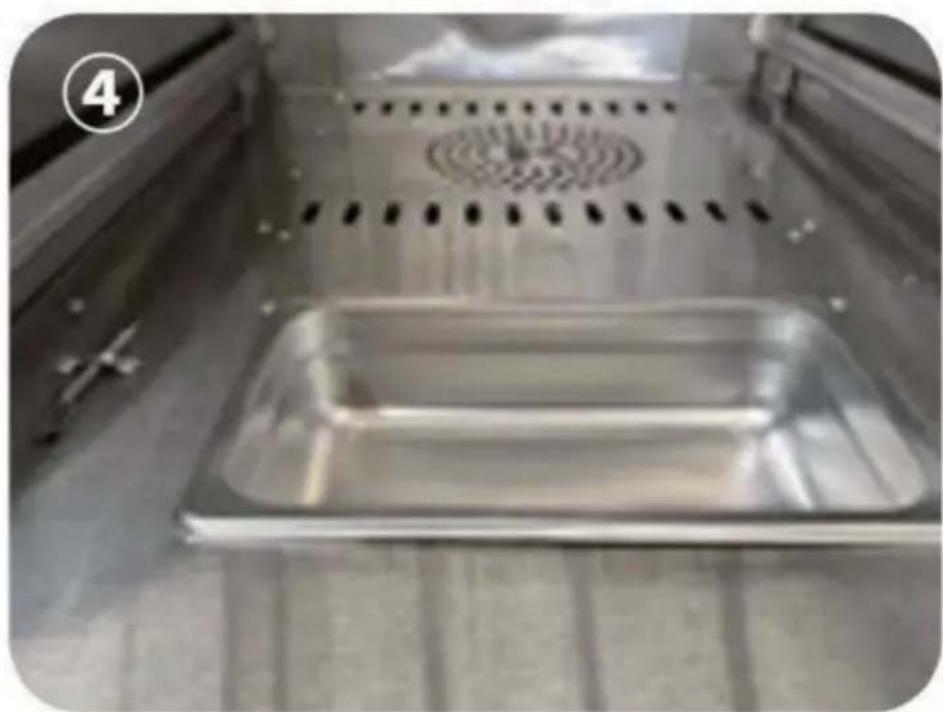
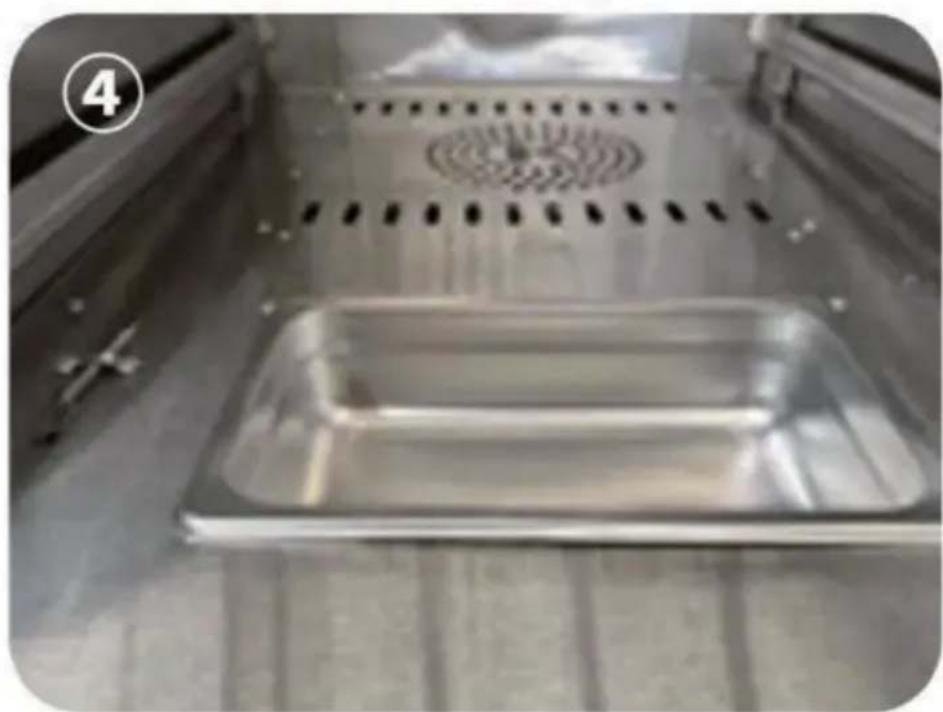
Step 4: Place the water box in the bottom layer of the cabinet pre-reserved hole. As shown in Figure 4.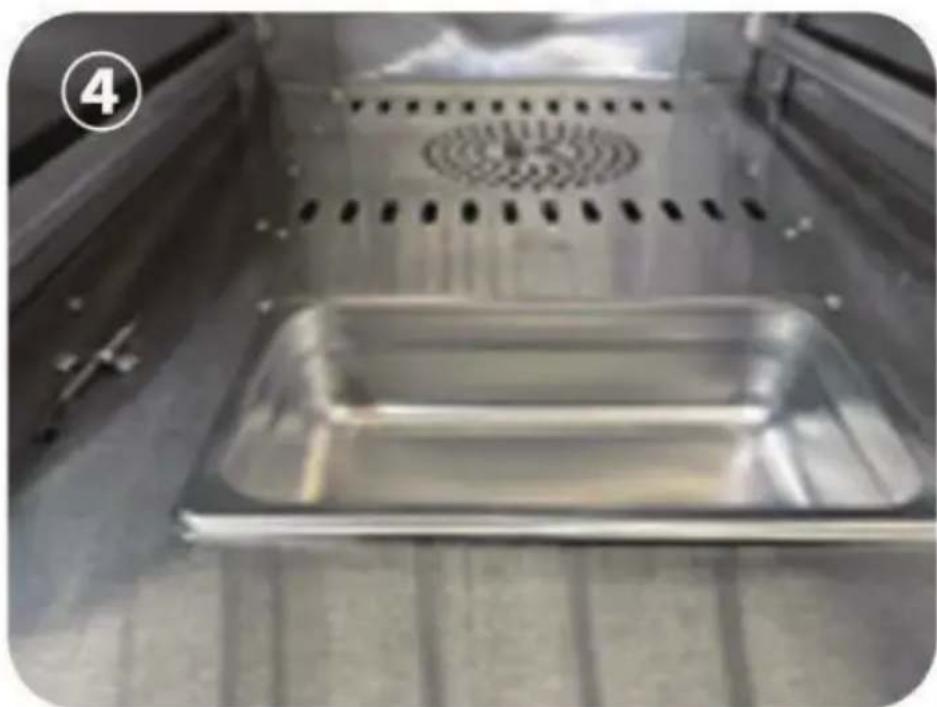
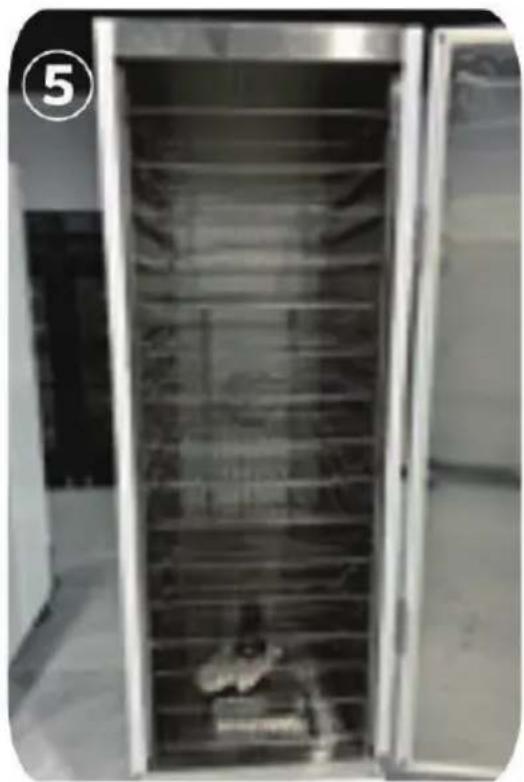
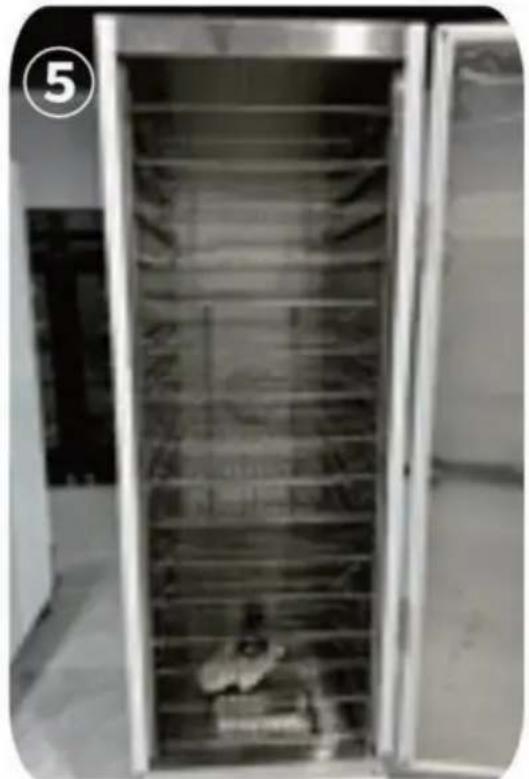
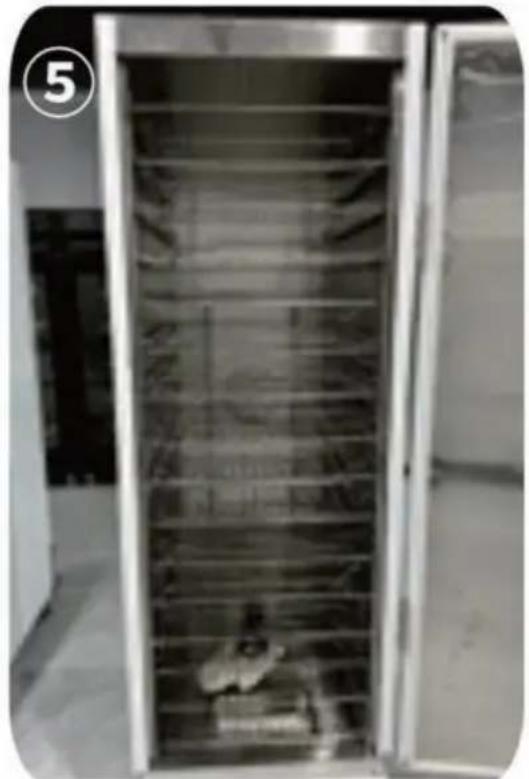
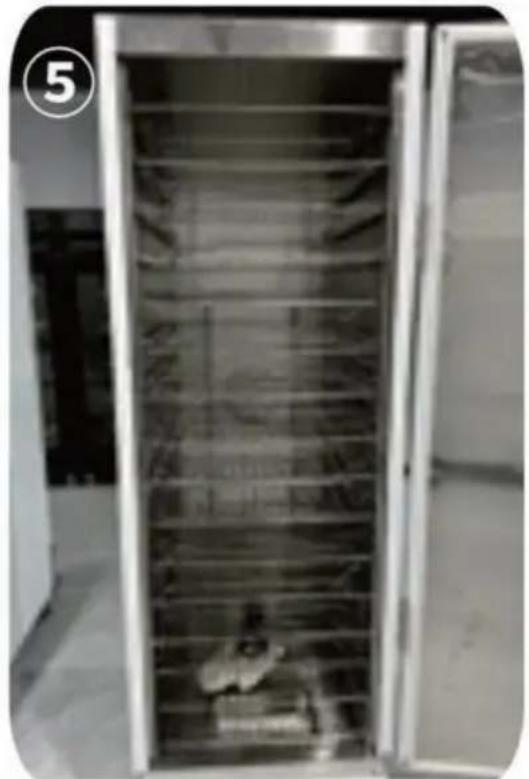
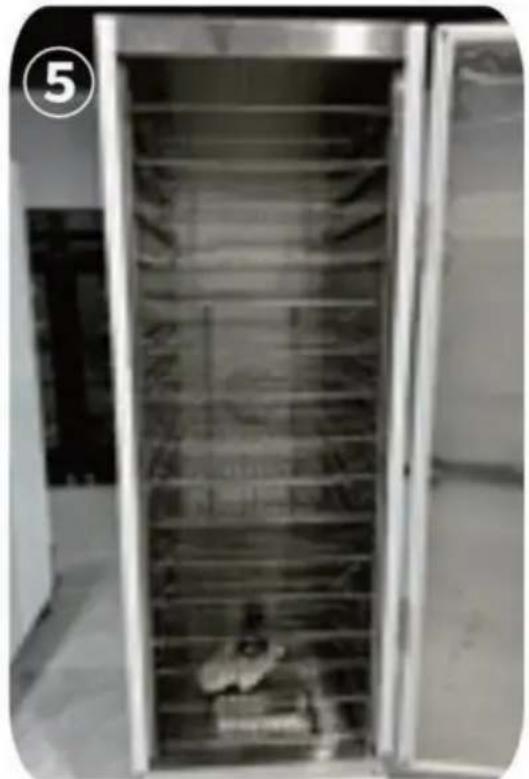
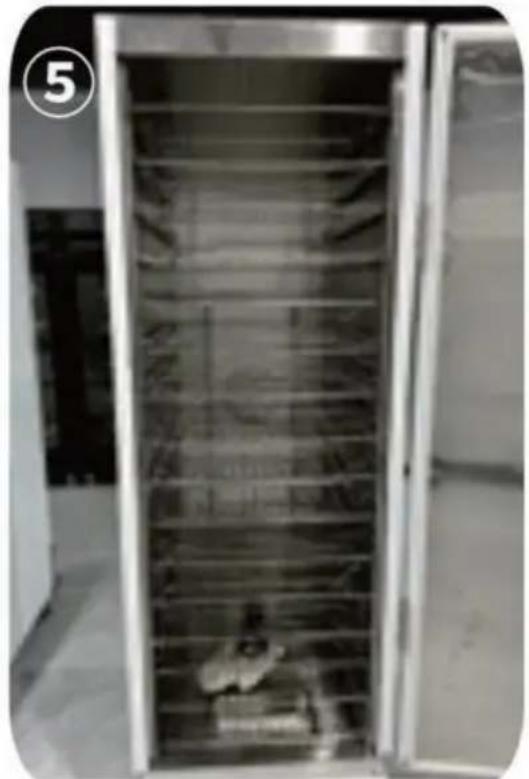
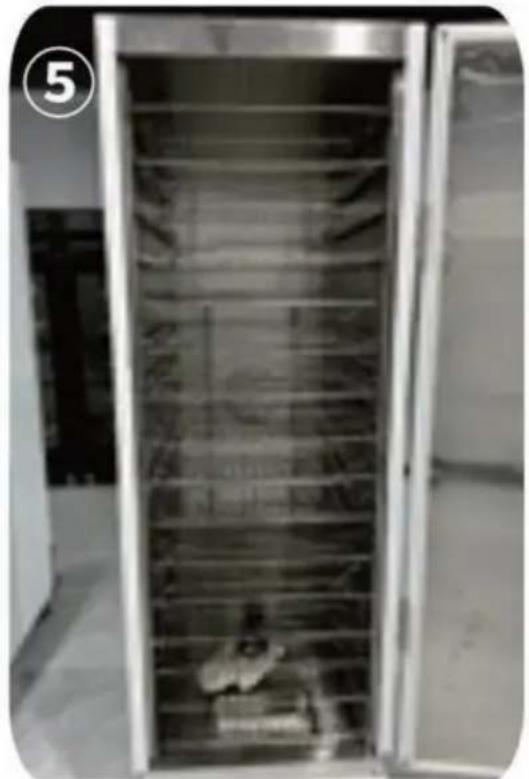
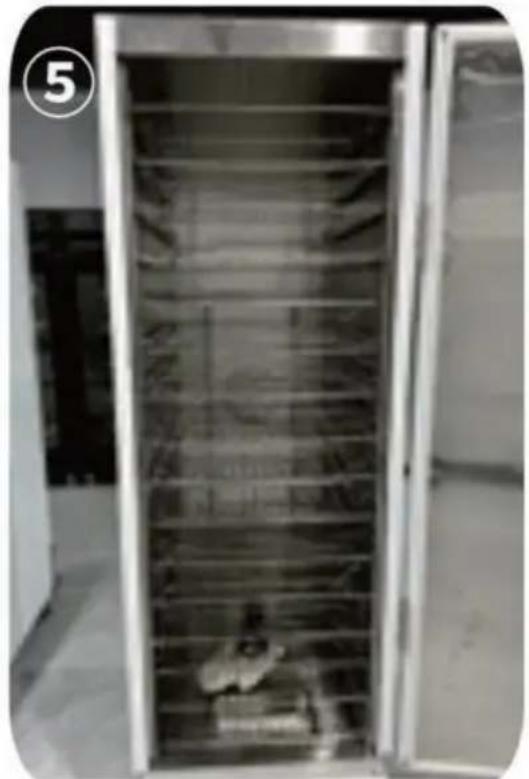
Step 5: Take out the shelves and place them on top of the cabinet. As shown in Figure ⑤.
Step 6:
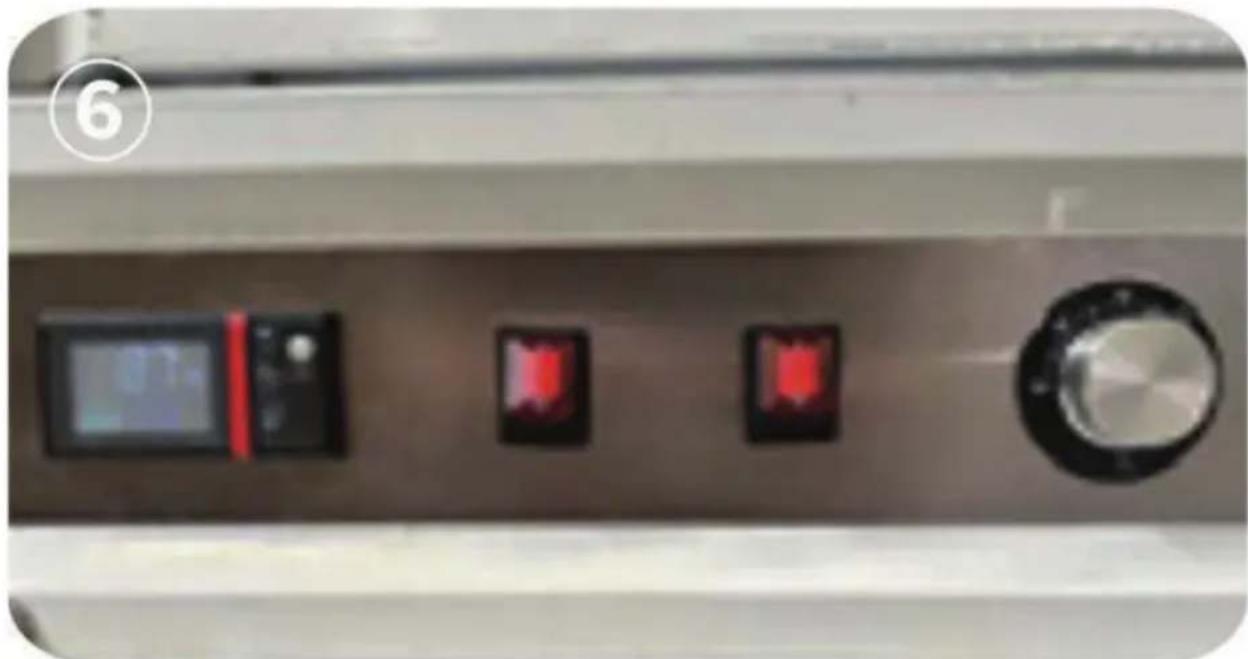
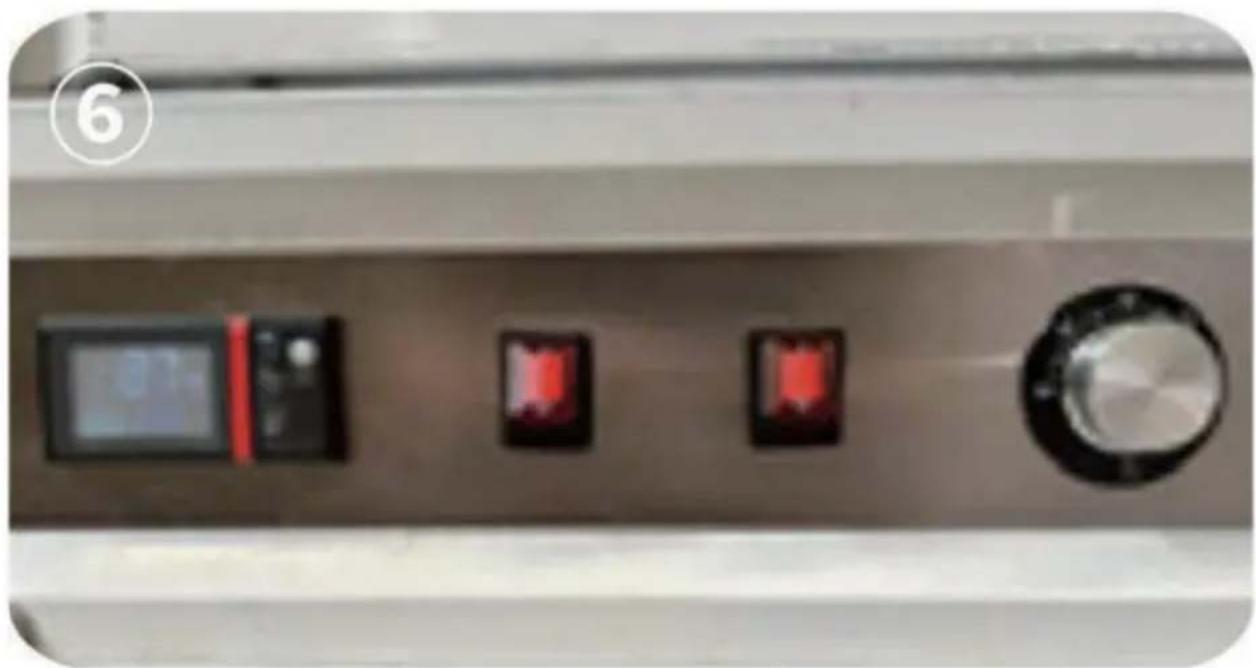
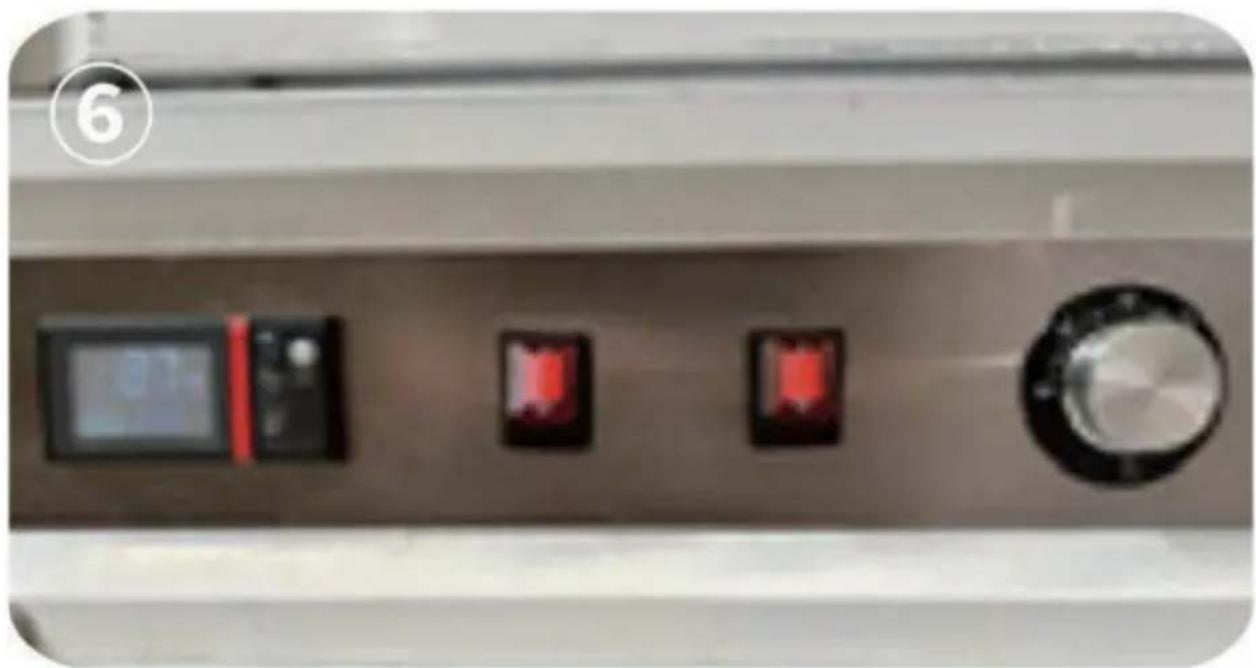
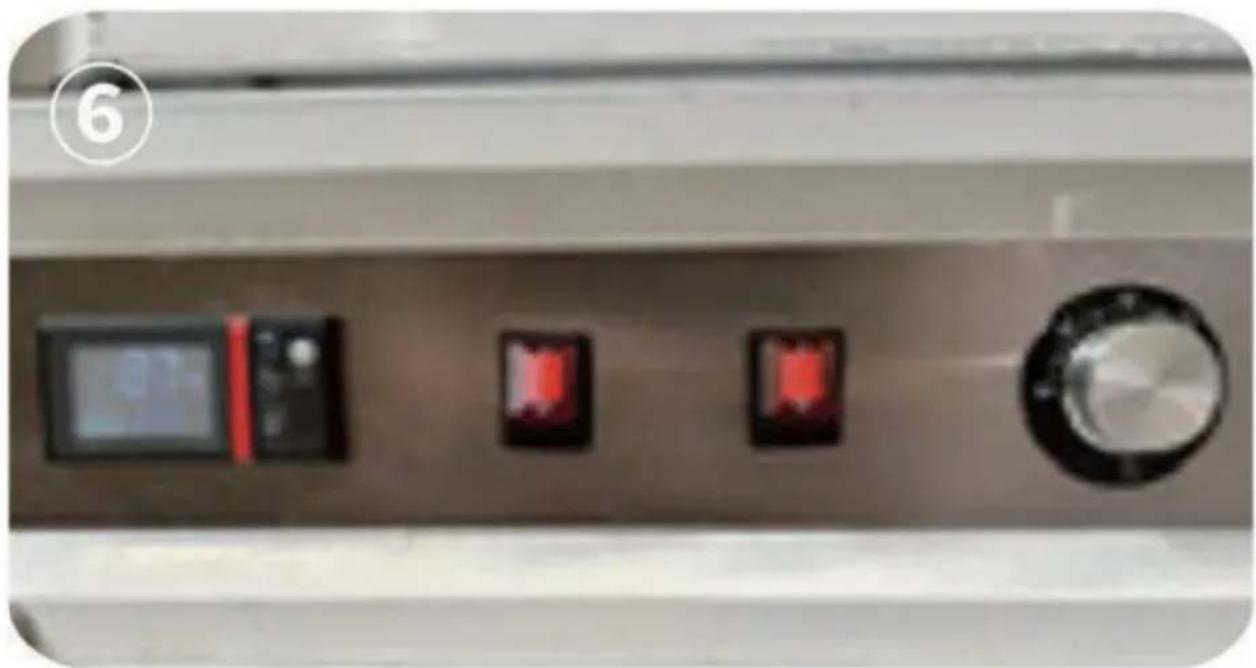
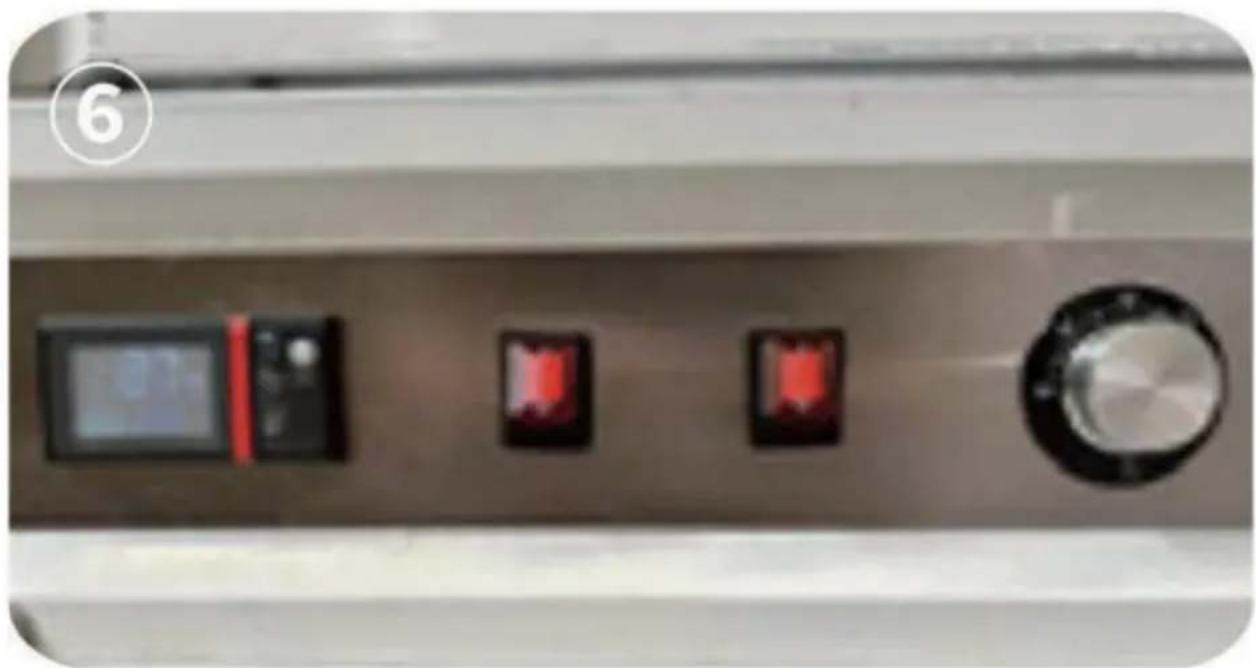
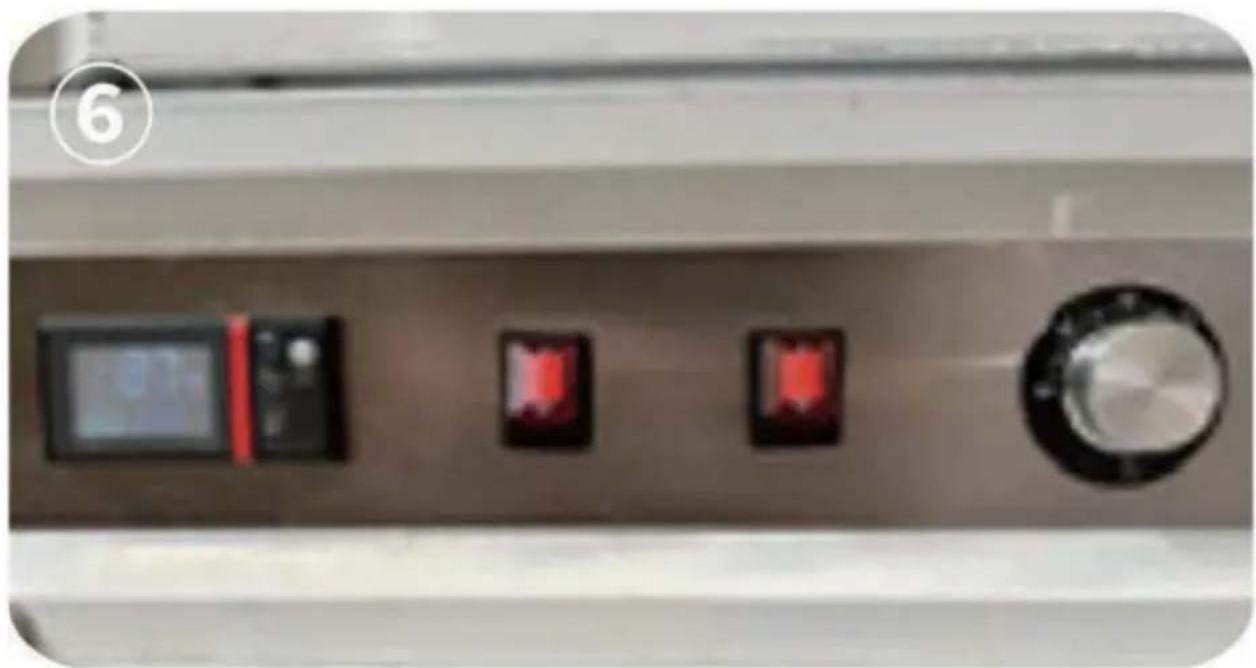
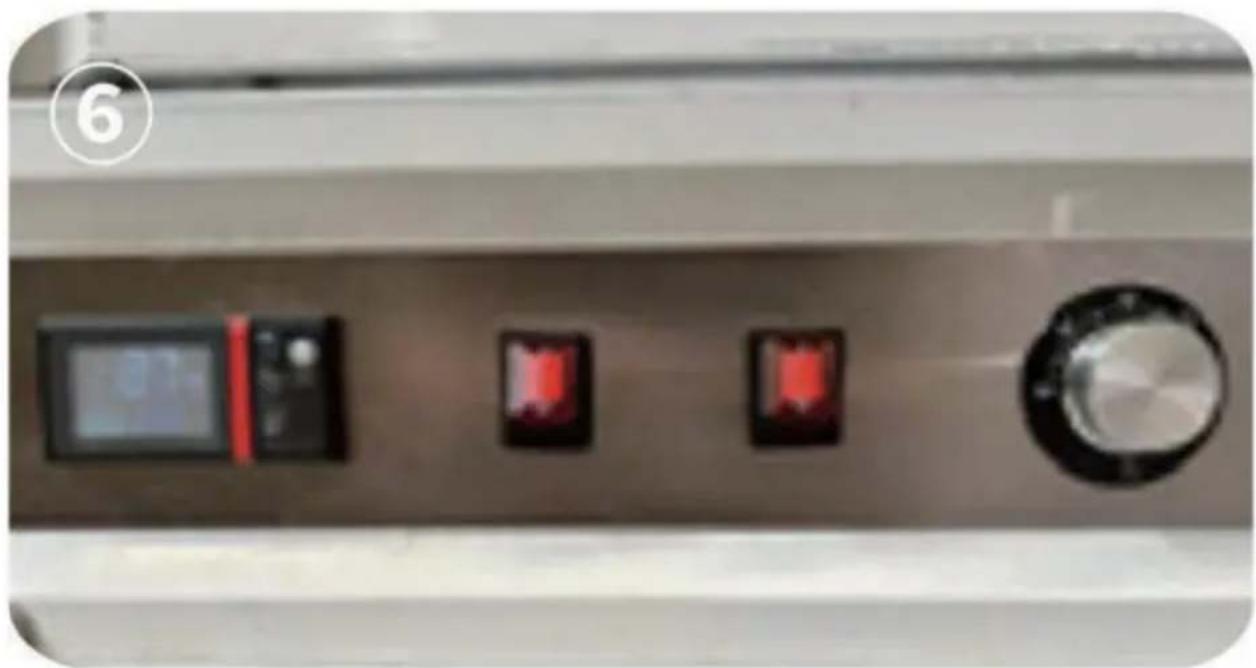
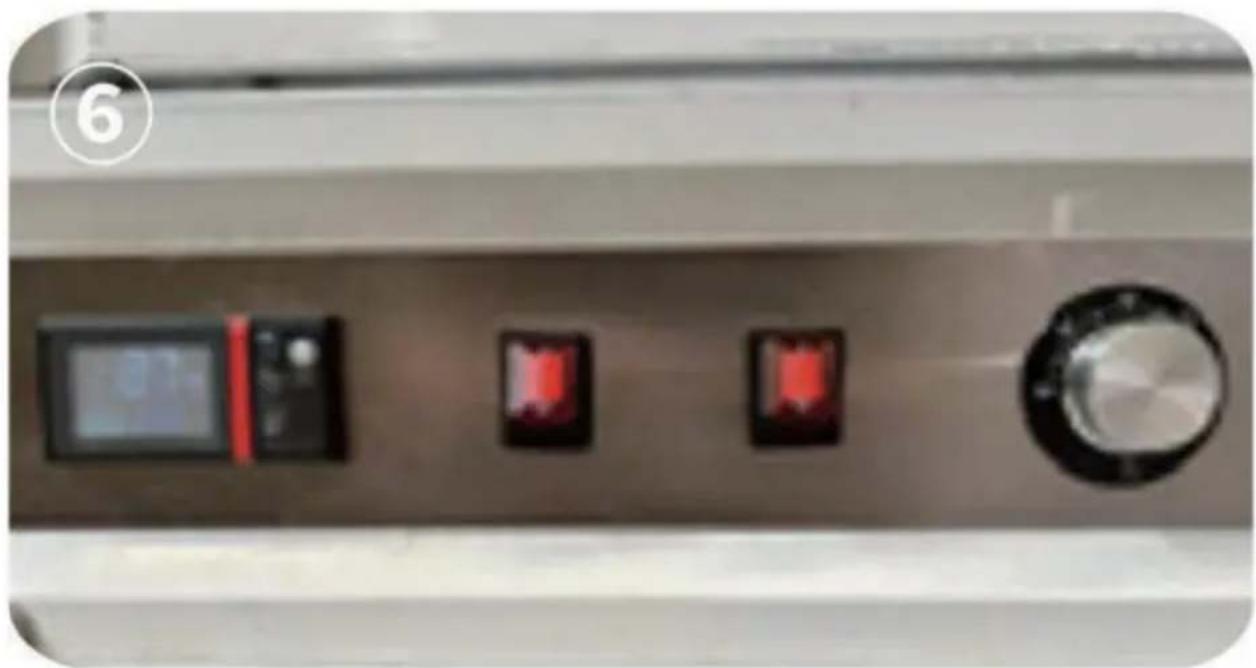
After the power is turned on, the cabinet is powered on, the control is lit. Press the SET button to adjust to the desired temperature. The temperature value flashes, press the up and down buttons to adjust the desired temperature, and press SET again to confirm. Press the two switches on the front of the cabinet and turn the temperature control below to the highest temperature, and the cabinet will start heating. As shown in Figure ⑥.
Step 7: Main temperature control temperature setting. Description of the function of the thermostat operation panel.
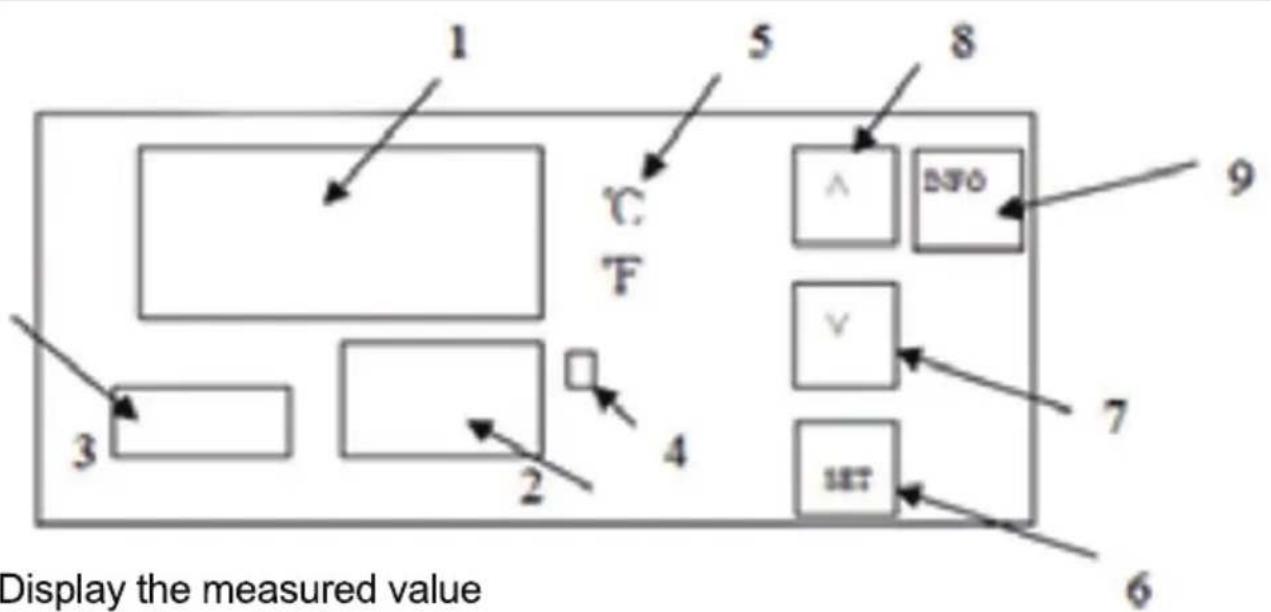
- Display the measured value.
- Display the set value.
3. Timekeeping time: When the power is on, press the SET key for 3 seconds to display P00, and the SET value is changed to 8. Then press the SET key to enter the internal parameter settings. Press the SET key continuously to find the P07 countdown setting, then press the up and down keys to SET the countdown time. Finally, press the SET key to save, and press the SET key for 3 seconds to save and exit the internal settings.
- Heating indicator light, heating when it is on.
- Celsius / Degree Fahrenheit indication: Press and hold the up increase key for 3 seconds to switch the display degrees Celsius/Fahrenheit
6.SET key:
Function I: click this key, the upper row will display SV, the lower row will flash, press the upper or lower key to set the temperature.and then click the lower key to set it to completion.
Function II: Press and hold this button for 3 seconds to enter the internal parameters.
- Subtract key: Press this key to decrease the value.
- Add button:
I. Press this button to increase the value when setting.
II. Press and hold the up increase key for 3 seconds to switch the display degrees Celsius/Fahrenheit.
9.INFO button:
Function I : Press and hold this button for 3 seconds to power off or on.
Function II: When you are in an internalparameter, click this key to rewind the previous parameter
PARAMETER TYPE
Note: When measuring the control page, press and hold the SET key for 3 seconds, and the parameter code P00 (parameter lock) will appear. After changing it to "8", click the SET key to appear other parameter codes. After adjusting the required value, press and hold the SET key to exit the measurement and control page in 3 seconds, and the parameters will be automatically saved (if you need to return to the previous code, click the "INFO" key once, No matter which code you stop at, you can press and hold the SET key for 3 seconds to exit). See the table below for the details of the meaning of the parameter code.
| ParameterNameSetDescription | Initial Value | |||
| P00 | Parameter locks | 8、110 | 8:Whenthe permissionis unlockedthe followingparameter codes(P01,P04,P06, andP07)appearand ifthisvalueisa differentvalueno otherparametercode appears.110:Factory reset | 0 |
| P01 | Return | 0-10 | Modifyasneeded | 2 |
| P04 | Temperature correction | -20~20 | Itisusedfor temperature correctionwhenthere isaproblemwiththe positionofthesensor orotherfactorsthat affectthe temperature. | 0 |
| P06 | °C °F switching | °C °F | 0:celsius1:degree Fahrenheit | 1 |
| P07 | Keep warmat areqular time | 0~999unit minutes | Set the holding temperature at 0 for an unlimited time, Set 10 o'clock to start timing after reaching temperature, and turn off heating after 10 minutes. Set 60 to start timing after reaching temperature, and turn off heating after 60 minutes. And so on | 0 |
Note: This product has the function of food heat preservation and constant temperature drying, with a maximum setting temperature of 177°F and 80°C. The access voltage is required to be 120V ±10% and the device power is 850W.
Step 8: Explanation of the function of knob temperature control
- Heat up quickly, open to the maximum temperature, the back and bottom work at the same time, quickly heat up to the top probe set temperature.
- Independent control of the bottom heating system, the incubator can be turned off after the temperature is reached, and the back heating works independently, which has the effect of saving energy by maintaining the set temperature. Set the temperature through the setting knob to control the appropriate amount of water supplementation.
- Effectively control the bottom temperature to prevent temperature stratification.
OPERATING PRECAUTIONS
This product is equipped with two heating systems, which can be controlled separately by means of the display and the twist temperature control to avoid temperature differences caused by the rise of hot air in the cabinet.
In the process of use, we can adjust the two temperature controls according to our specific usage scenarios. The knob temperature control at the bottom of the heating unit, and the temperature of the display screen control above the heating unit can be adjusted according to the needs when used, which can reduce the temperature difference in the cabinet and save energy.

CORRECT DISPOSAL
This product is subject to the provision of European Directive 2012/19/EC. The symbol showing a wheelie bin cross through indicates that the product requires separate refuse collection in the European Union. This applies to the product and all accessories marked with this symbol. Products marked as such may not be discarded with normal domestic waste but must be taken to a collection point for recycling electric and electronic devices.
VEVOR®
TOUGH TOOLS, HALF PRICE
Technical Support and E-Warranty Certificate
VEVOR®
TOUGH TOOLS, HALF PRICE
VEVOR®
TOUGH TOOLS, HALF PRICE
9

- Display the measured value
- Display the set value.
3. Timekeeping time: When the power is on, press the SET key for 3 seconds to display P00, and the SET value is changed to 8. Then press the SET key to enter the internal parameter settings. Press the SET key continuously to find the P07 countdown setting, then press the up and down keys to SET the countdown time. Finally, press the SET key to save, and press the SET key for 3 seconds to save and exit the internal settings.
- Heating indicator light, heating when it is on.
- Celsius / Degree Fahrenheit indication: Press and hold the up increase key for 3 seconds to switch the display degrees Celsius/Fahrenheit
6. SET key:
Function I: Click this key, the upper row will display SV, the lower row will flash. Press the upper or lower key to set the temperature, then click the lower key to complete the setting.
Function II: Press and hold this button for 3 seconds to enter the internal parameters.
- Subtract key: Press this key to decrease the value.
- Add button:
I. Press this button to increase the value when setting.
II. Press and hold the up increase key for 3 seconds to switch the display between degrees Celsius and Fahrenheit.
9. INFO button:
Function I: Press and hold this button for 3 seconds to power off or on.
Function II: When you are in an internal parameter, click this key to rewind to the previous parameter.
PARAMETER TYPE
Note: When measuring the control page, press and hold the SET key for 3 seconds, and the parameter code P00 (parameter lock) will appear. After changing it to "8", click the SET key to appear other parameter codes. After adjusting the required value, press and hold the SET key to exit the measurement and control page in 3 seconds, and the parameters will be automatically saved (if you need to return to the previous code, click the "INFO" key once. No matter which code you stop at, you can press and hold the SET key for 3 seconds to exit). See the table below for the details of the meaning of the parameter code.

- Display the measured value
- Display the set value.
3. Timekeeping time: When the power is on, press the SET key for 3 seconds to display P00, and the SET value is changed to 8. Then press the SET key to enter the internal parameter settings. Press the SET key continuously to find the P07 countdown setting, then press the up and down keys to SET the countdown time. Finally, press the SET key to save, and press the SET key for 3 seconds to save and exit the internal settings.
- Heating indicator light, heating when it is on.
- Celsius / Degree Fahrenheit indication: Press and hold the up increase key for 3 seconds to switch the display degrees Celsius/Fahrenheit
6. SET key:
Function I: Click this key, the upper row will display SV, the lower row will flash, press the upper or lower key to set the temperature, and then click the lower key to set it to completion.
Function II: Press and hold this button for 3 seconds to enter the internal parameters.
- Subtract key: Press this key to decrease the value.
- Add button:
I. Press this button to increase the value when setting.
II. Press and hold the up increase key for 3 seconds to switch the display between degrees Celsius and Fahrenheit.
9. INFO button:
Function I: Press and hold this button for 3 seconds to power off or on.
Function II: When you are in an internal parameter, click this key to rewind to the previous parameter.
PARAMETER TYPE
Note: When measuring the control page, press and hold the SET key for 3 seconds, and the parameter code P00 (parameter lock) will appear. After changing it to "8", click the SET key to appear other parameter codes. After adjusting the required value, press and hold the SET key to exit the measurement and control page in 3 seconds, and the parameters will be automatically saved (if you need to return to the previous code, click the "INFO" key once. No matter which code you stop at, you can press and hold the SET key for 3 seconds to exit). See the table below for the details of the meaning of the parameter code.
| P07 0 | Halten warm bei sind quallar Zeit | 0~999 Einheiten Minuten | Set the holding temperature at 0 for an unlimited time, Set 10 o'clock to start timing after reaching temperature, and turn off heating after 10 minutes. Set 60 to start timing after reaching temperature, and turn off heating after 60 minutes. And so on |

- Display the measured value.
- Display the set value. 3. Timekeeping time: When the power is on, press the SET key for 3 seconds to display P00, and the SET value is changed to 8. Then press the SET key to enter the internal parameter settings. Press the SET key continuously to find the P07 countdown setting, then press the up and down keys to SET the countdown time. Finally, press the SET key to save, and press the SET key for 3 seconds to save and exit the internal settings. 4. Heating indicator light: heating when it is on.
- Celsius / Degree Fahrenheit indication: Press and hold the up increase key for 3 seconds to switch the display between degrees Celsius and Fahrenheit. 6. SET key:
Function I: Click this key, the upper row will display SV, the lower row will flash, press the upper or lower key to set the temperature, and then click the lower key to set it to completion.
Function II: Press and hold this button for 3 seconds to enter the internal parameters.
- Subtract key: Press this key to decrease the value.
- Add button:
- Subtract key: Press this key to decrease the value.
- Add button:
I. Press this button to increase the value when setting.
II. Press and hold the up increase key for 3 seconds to switch the display degrees Celsius/Fahrenheit.
9.INFO button:
Function I : Press and hold this button for 3 seconds to power off or on.
Function II: When you are in an internal parameter, click this key to rewind the previous parameter
PARAMETER TYPE
Note: When measuring the control page, press and hold the SET key for 3 seconds, and the parameter code P00 (parameter lock) will appear. After changing it to "8", click the SET key to appear other parameter codes. After adjusting the required value, press and hold the SET key to exit the measurement and control page in 3 seconds, and the parameters will be automatically saved (if you need to return to the previous code, click the "INFO" key once, No matter which code you stop at, you can press and hold the SET key for 3 seconds to exit). See the table below for the details of the meaning of the parameter code.

- Display the measured value
- Display the set value.
3. Timekeeping time: When the power is on, press the SET key for 3 seconds to display P00, and the SET value is changed to 8. Then press the SET key to enter the internal parameter settings. Press the SET key continuously to find the P07 countdown setting, then press the up and down keys to SET the countdown time. Finally, press the SET key to save, and press the SET key for 3 seconds to save and exit the internal settings.
- Heating indicator light, heating when it is on.
- Celsius / Degree Fahrenheit indication: Press and hold the up increase key for 3 seconds to switch the display degrees Celsius/Fahrenheit
6. SET key:
Function I: Click this key, the upper row will display SV, the lower row will flash, press the upper or lower key to set the temperature, and then click the lower key to set it to completion.
Function II: Press and hold this button for 3 seconds to enter the internal parameters.
- Subtract key: Press this key to decrease the value.
- Add button:
I. Press this button to increase the value when setting.
II. Press and hold the up increase key for 3 seconds to switch the display degrees Celsius/Fahrenheit.
9. INFO button:
Function I: Press and hold this button for 3 seconds to power off or on.
Function II: When you are in an internal parameter, click this key to rewind to the previous parameter.
PARAMETER TYPE
Note: When measuring the control page, press and hold the SET key for 3 seconds, and the parameter code P00 (parameter lock) will appear. After changing it to "8", click the SET key to see other parameter codes. After adjusting the required value, press and hold the SET key to exit the measurement and control page in 3 seconds, and the parameters will be automatically saved (if you need to return to the previous code, click the "INFO" key once. No matter which code you stop at, you can press and hold the SET key for 3 seconds to exit). See the table below for the details of the meaning of the parameter code.

- Display the measured value.
- Display the set value.
3. Timekeeping time: When the power is on, press the SET key for 3 seconds to display P00, and change the SET value to 8. Then press the SET key to enter the internal parameter settings. Press the SET key continuously to find the P07 countdown setting, then press the up and down keys to set the countdown time. Finally, press the SET key to save, and press the SET key for 3 seconds to save and exit the internal settings.
- Heating indicator light, heating when it is on.
- Celsius / Degree Fahrenheit indication: Press and hold the up increase key for 3 seconds to switch the display between degrees Celsius and Fahrenheit.
6. SET key:
Function I: Click this key, the upper row will display SV, the lower row will flash, press the upper or lower key to set the temperature, and then click the lower key to complete the setting.
Function II: Press and hold this button for 3 seconds to enter the internal parameters.
- Subtract key: Press this key to decrease the value.
- Add button:
I. Press this button to increase the value when setting.
II. Press and hold the up increase key for 3 seconds to switch the display degrees Celsius/Fahrenheit.
9. INFO button:
Function I: Press and hold this button for 3 seconds to power off or on.
Function II: When you are in an internal parameter, click this key to rewind the previous parameter.
PARAMETER TYPE
Note: When measuring the control page, press and hold the SET key for 3 seconds, and the parameter code P00 (parameter lock) will appear. After changing it to "8", click the SET key to appear other parameter codes. After adjusting the required value, press and hold the SET key to exit the measurement and control page in 3 seconds, and the parameters will be automatically saved (if you need to return to the previous code, click the "INFO" key once. No matter which code you stop at, you can press and hold the SET key for 3 seconds to exit). See the table below for the details of the meaning of the parameter code.

- Display the measured value
- Display the set value.
3. Timekeeping time: When the power is on, press the SET key for 3 seconds to display P00, and the SET value is changed to 8. Then press the SET key to enter the internal parameter settings. Press the SET key continuously to find the P07 countdown setting, then press the up and down keys to SET the countdown time. Finally, press the SET key to save, and press the SET key for 3 seconds to save and exit the internal settings.
- Heating indicator light, heating when it is on.
- Celsius / Degree Fahrenheit indication: Press and hold the up increase key for 3 seconds to switch the display degrees Celsius/Fahrenheit
6. SET key:
Function I: click this key, the upper row will display SV, the lower row will flash, press the upper or lower key to set the temperature, and then click the lower key to set it to completion.
Function II: Press and hold this button for 3 seconds to enter the internal parameters.
- Subtract key: Press this key to decrease the value.
- Add button:
I. Press this button to increase the value when setting.
II. Press and hold the up increase key for 3 seconds to switch the display degrees Celsius/Fahrenheit.
9. INFO button:
Function I: Press and hold this button for 3 seconds to power off or on.
Function II: When you are in an internal parameter, click this key to rewind to the previous parameter.
PARAMETER TYPE
Note: When measuring the control page, press and hold the SET key for 3 seconds, and the parameter code P00 (parameter lock) will appear. After changing it to "8", click the SET key to appear other parameter codes. After adjusting the required value, press and hold the SET key to exit the measurement and control page in 3 seconds, and the parameters will be automatically saved (if you need to return to the previous code, click the "INFO" key once. No matter which code you stop at, you can press and hold the SET key for 3 seconds to exit). See the table below for the details of the meaning of the parameter code.


- Display the measured value
- Display the set value.
3. Timekeeping time: When the power is on, press the SET key for 3 seconds to display P00, and the SET value is changed to 8. Then press the SET key to enter the internal parameter settings. Press the SET key continuously to find the P07 countdown setting, then press the up and down keys to SET the countdown time. Finally, press the SET key to save, and press the SET key for 3 seconds to save and exit the internal settings.
- Heating indicator light, heating when it is on.
- Celsius / Degree Fahrenheit indication: Press and hold the up increase key for 3 seconds to switch the display degrees Celsius/Fahrenheit
6. SET key:
Function I: Click this key, the upper row will display SV, the lower row will flash. Press the upper or lower key to set the temperature, then click the lower key to complete the setting.
Function II: Press and hold this button for 3 seconds to enter the internal parameters.
- Subtract key: Press this key to decrease the value.
- Add button:
I. Press this button to increase the value when setting.
II. Press and hold the up increase key for 3 seconds to switch the display between degrees Celsius and Fahrenheit.
9. INFO button:
Function I: Press and hold this button for 3 seconds to power off or on.
Function II: When you are in an internal parameter, click this key to rewind to the previous parameter.
PARAMETER TYPE
Note: When measuring the control page, press and hold the SET key for 3 seconds, and the parameter code P00 (parameter lock) will appear. After changing it to "8", click the SET key to appear other parameter codes. After adjusting the required value, press and hold the SET key to exit the measurement and control page in 3 seconds, and the parameters will be automatically saved (if you need to return to the previous code, click the "INFO" key once. No matter which code you stop at, you can press and hold the SET key for 3 seconds to exit). See the table below for the details of the meaning of the parameter code.
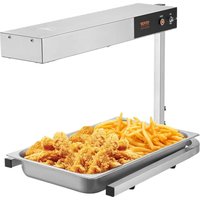
Brand : Vevor
Model : FWHB-1/1GN-5-KS
Category : Food warmer