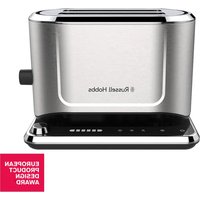
Attentiv 26210-56 - Toaster RUSSELL HOBBS - Free user manual and instructions
Find the device manual for free Attentiv 26210-56 RUSSELL HOBBS in PDF.


| Product type | Toaster |
| Brand | Russell Hobbs |
| Model | Attentiv 26210-56 |
| Toasting technology | Colour Sense (automatic colour detection) |
| Number of slots | 2 |
| Controls | Touch controls with LED display |
| Browning levels | 6 levels (LED indicators) |
| Special functions | Defrost, Reheat, Cancel, Standby, Traditional timer |
| Warming rack | Yes, for warming food on top |
| Crumb tray | Removable for easy cleaning |
| Overheat protection | Yes, automatic shut-off in case of overheating |
| Child safety | Use possible from age 8 under supervision |
| Maintenance | Wipe with a damp cloth, clean the crumb tray regularly |
| Power supply | 220-240 V~, 50/60 Hz |
| Use | Household use only |
Frequently Asked Questions - Attentiv 26210-56 RUSSELL HOBBS
User questions about Attentiv 26210-56 RUSSELL HOBBS
0 question about this device. Answer the ones you know or ask your own.
Ask a new question about this device
Download the instructions for your Toaster in PDF format for free! Find your manual Attentiv 26210-56 - RUSSELL HOBBS and take your electronic device back in hand. On this page are published all the documents necessary for the use of your device. Attentiv 26210-56 by RUSSELL HOBBS.
USER MANUAL Attentiv 26210-56 RUSSELL HOBBS
natural_image
Exterior view of a Russell Hobbs 19 CRT toaster with a mesh rack and warning symbol (no text-heavy elements)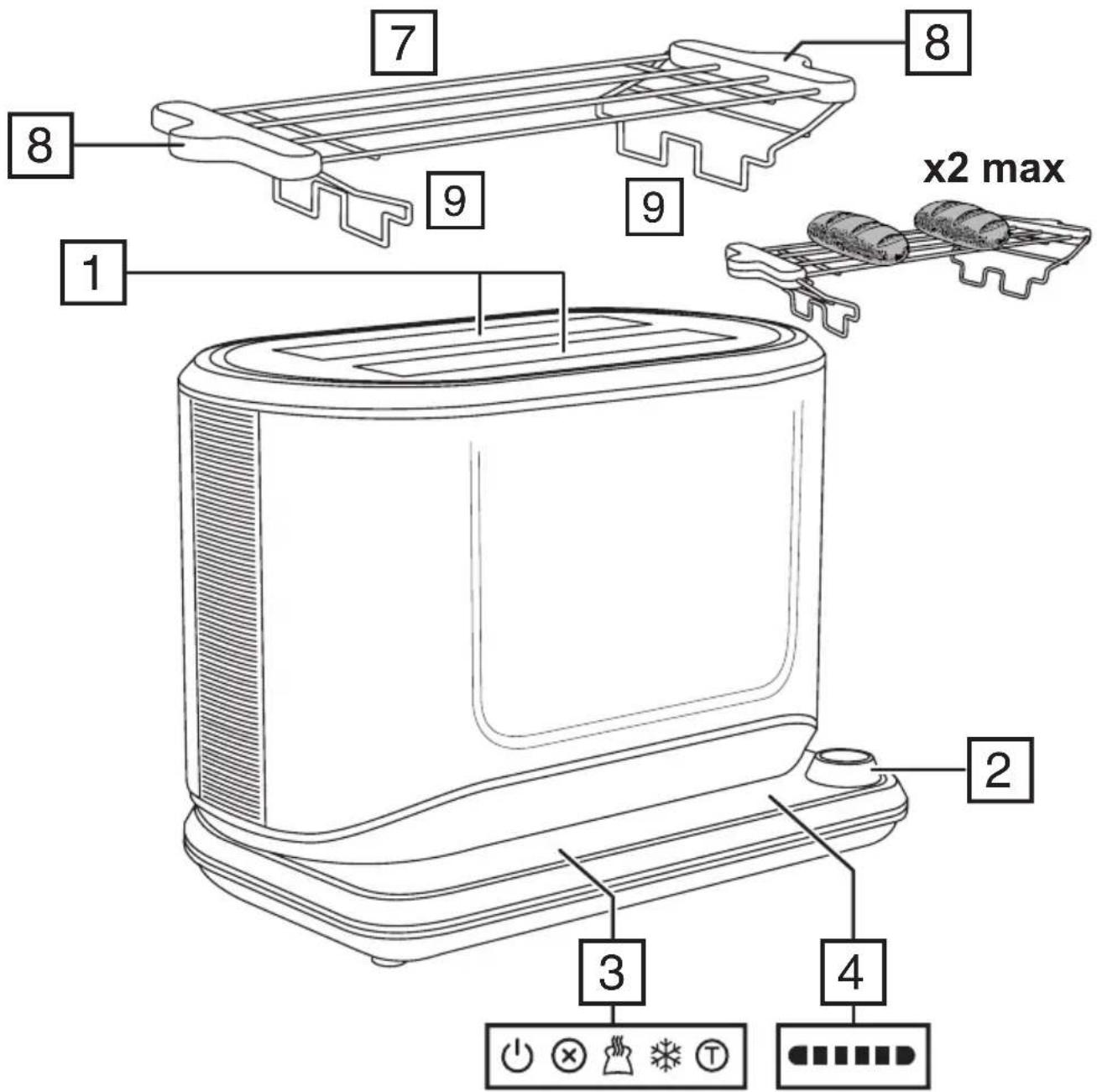
IMPORTANT SAFEGUARDS
Follow basic safety precautions, including:
This appliance can be used by children aged from 8 years and above and persons with reduced physical, sensory or mental capabilities or lack of experience and knowledge if they have been supervised/instructed and understand the hazards involved.
Children shall not play with the appliance.
Cleaning and user maintenance shall not be done by children unless they are older than 8 and supervised.
Keep the appliance and cable out of reach of children under 8.
Don't connect the appliance via a timer or remote control system.
Bread can burn therefore do not use the appliance near or below combustible materials such as curtains. Never use the appliance below wall cupboards or shelves.
Do not leave the appliance unattended while it is in use.
The surfaces of the appliance will get hot.
Remove and empty the crumb tray regularly. Wipe with a damp cloth, dry, then replace in the toaster.
If the cable is damaged, return the appliance, to avoid hazard.
Do not immerse in any liquid.
- Don't toast or reheat bread that is too thick, buttered, torn, or misshapen.
• Take extra care when toasting items that contain sugar, jam, seeds, currants, etc. These can melt or drop into the toaster and cause overheating or fire. - If bread gets jammed, unplug the toaster, let it cool, and carefully remove the bread.
- Don't use the appliance for any purpose other than those described in these instructions.
- Route the cable so it doesn't overhang, and can't be tripped over or caught.
- Don't cover the appliance or put anything on top of it.
- Don't operate the appliance if it's damaged or malfunctions.
HOUSEHOLD USE ONLY
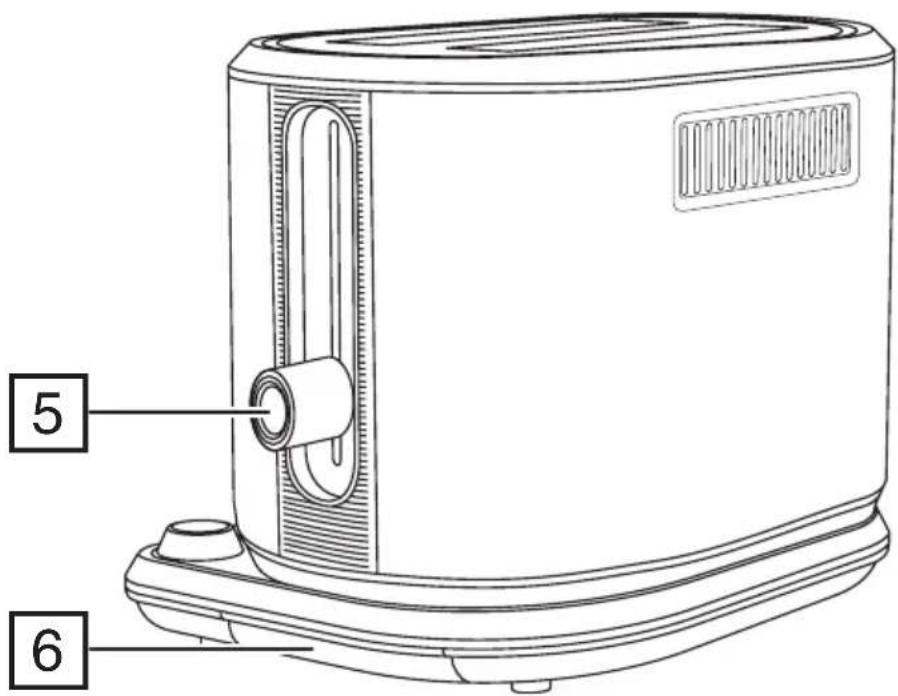
PARTS
- Toasting slots
- Browning control
- Touch controls
- LED display
-
Lever
-
Crumb tray
- Warming rack
- Handles
- Feet
BEFORE USING FOR THE FIRST TIME
- Set the browning level to maximum until all of the LEDs are lit.
- Press the lever down then touch the Ⓣ icon. Allow your toaster to complete the toasting cycle without any bread in it.
- This will burn off any manufacturing residues on the elements and may smell or produce a little smoke but it's nothing to worry about. Ensure the room is well ventilated.
CONTROLS AND LED DISPLAY
To activate a function, touch its icon. The icon will light up brightly and the remaining icons will be dimly lit to show that they are available for use.
The LED display shows the browning selection you have made using the browning control. The more lights that are lit, the darker the toast will be. The lights will fade from dim to bright during the toasting cycle.
Your toaster will revert to the standby mode if no controls are touched or settings changed within 5 minutes. You can also select standby mode at any time by touching the ⏻ icon.
COLOUR SENSE TECHNOLOGY
Toasting causes a chemical change called the ‘Maillard Reaction’ which not only browns the bread but changes its flavour and texture. Traditional toasters heat the bread for a fixed length of time then eject it. Increasing the time results in browner or darker toast. However, there are many variables that cause toast to come out differently even if the same settings are used each time. These include things like the bread’s moisture content or its age or the thickness or surface texture or if your toaster is hot from a previous toasting cycle. Any of these can cause the toast to be over or under done when relying on traditional timer-based toasting.
Colour Sense technology continuously reads the surface temperature of the bread during toasting. Bread surface temperature is linked to toast shade so when the bread reaches your desired shade, the toaster will end the toasting cycle.
Note
Colour Sense technology is the default toasting mode. The toaster includes a traditional (timer based) function for toasting non-bread items or breads with unique compositions.
TOASTING BREAD
- Sit the toaster upright on a firm, level, heat-resistant surface.
- Put the plug into the power socket. Your toaster will be in standby mode with only the ⏻ icon lit. Touch the ⏻ icon to activate the controls.
- Turn the browning control to the required setting. The LEDs will light to show the selection you have made. The more lights that are lit, the darker the shade of your toast.
- Put bread into the toasting slots.
- Press the lever down fully.
- The cancel icon ⊗ will light up, and the LED lights will fade up and down as the bread is toasted.
- When it's done, the toast will pop up.
- To stop toasting at any time touch the cancel ⊗ icon.
Notes
- You can adjust the browning control at any time during toasting if you want to change the toast shade.
- If you lower the shade setting to a point which has already passed in the toasting cycle, the toast will pop up.
- Your toaster will remember the last browning setting you selected.
FROZEN BREAD
- Place the bread into the slots then touch the frozen icon ✦.
- Press the lever down to begin toasting. There is no need to change the browning control from your favourite setting.
- The ✧ icon will light up brightly, and the toasting time will be altered automatically to give the same degree of browning you would get with unfrozen bread.
REHEATING TOAST
- Place the cold toast into the slots then touch the reheat icon 🌐.
- Press the lever down to begin reheating. There is no need to change the browning control from your favourite setting.
- The 📋 icon will light up brightly, and the toast will be given a short burst of heat.
- Don't reheat toast that has been buttered, or torn, or misshapen bread.
TRADITIONAL (TIMED) TOASTING
You can use your toaster in the same way as a traditional (timer based) toaster. This is useful when you want to cook items like pop tarts or use toasting bags to make toasties.
- Turn the browning control to the required setting. The LEDs will light to show the selection you have made. The more lights that are lit, the longer the toasting cycle.
- Put the item to be toasted into the toasting slots.
- Press the lever down fully. Touch the Ⓣ (timer) icon.
- The cancel icon ⊗ will light up, and the LED lights will fade up and down as the toasting cycle runs.
- When the cycle finishes, the item will pop up.
- The Colour Sense technology does not operate in this mode so there may be variations between successive cycles.
- The next time you use your toaster it will default back to using Colour Sense technology.
WARMING RACK
Don't use the warming rack to warm frozen, buttered, or items with fillings or coatings.
- Fit the warming rack on top of the toaster with the feet inside the slots.
- Place the items to be warmed on top of the warming rack.
- Turn the browning control until the first LED is lit.
- Touch the Ⓣ (timer) icon.
- When the lever pops up, remove the warmed items.
- Don't touch the metal parts of the warming rack as they will be hot.
- Remove the warming rack before using the toaster normally.
OVERHEAT PROTECTION
It is possible for your toaster to overheat if it is used several times in quick succession. If this happens, the lever will not latch in the down position. To show that your toaster is cooling down, all six LEDs will come on then slowly turn off one by one. This pattern will repeat until your toaster has cooled down sufficiently for it to be operated again normally.
CARE AND MAINTENANCE
- Unplug the appliance and let it cool down.
- Wipe outer surfaces with a damp cloth.
- It is important to regularly remove and clean the crumb tray to prevent the build up of crumbs which can become a fire hazard.
- Press the crumb tray inwards to release it.
- Slide out the crumb tray and wipe it with a damp cloth.
- Dry the crumb tray then slide it back in until it clicks. Never operate your toaster without the crumb tray fitted.
RECYCLING
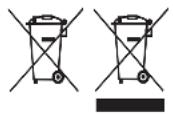
To avoid environmental and health problems due to hazardous substances, appliances and rechargeable and non-rechargeable batteries marked with one of these symbols must not be disposed of with unsorted municipal waste. Always dispose of electrical and electronic products and, where applicable, rechargeable and non-rechargeable batteries, at an appropriate official recycling/collection point.
APENAS PARA USO DOMÉSTICO
PEÇAS
TRADISJONELL (TIDSINNSTILT) BR∅DRISTING
Du kan bruke brødristeren på samme måte som en tradisjonell (tidsinnstilt) brødrister. Dette er praktisk när du vil steke produkter som pop tarts (brødristerkaker) eller bruke brødristerposer for å lage smørbrød.
PLEIE OG VEDLIKEHOLD
OVLÁDACÍ PRVKY A LED DISPLEJ

- IMPORTANT SAFEGUARDS
- HOUSEHOLD USE ONLY
- PARTS
- BEFORE USING FOR THE FIRST TIME
- CONTROLS AND LED DISPLAY
- COLOUR SENSE TECHNOLOGY
- Note
- TOASTING BREAD
- Notes
- FROZEN BREAD
- REHEATING TOAST
- TRADITIONAL (TIMED) TOASTING
- WARMING RACK
- OVERHEAT PROTECTION
- CARE AND MAINTENANCE
- RECYCLING
- APENAS PARA USO DOMÉSTICO
- PEÇAS
- TRADISJONELL (TIDSINNSTILT) BR∅DRISTING
- PLEIE OG VEDLIKEHOLD
- OVLÁDACÍ PRVKY A LED DISPLEJ
Brand : RUSSELL HOBBS
Model : Attentiv 26210-56
Category : Toaster