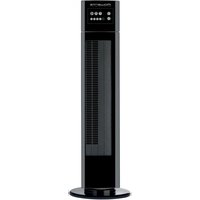
Eole Crystal VU6520 - Electric fan ROWENTA - Free user manual and instructions
Find the device manual for free Eole Crystal VU6520 ROWENTA in PDF.


User questions about Eole Crystal VU6520 ROWENTA
0 question about this device. Answer the ones you know or ask your own.
Ask a new question about this device
Download the instructions for your Electric fan in PDF format for free! Find your manual Eole Crystal VU6520 - ROWENTA and take your electronic device back in hand. On this page are published all the documents necessary for the use of your device. Eole Crystal VU6520 by ROWENTA.
USER MANUAL Eole Crystal VU6520 ROWENTA
natural_image
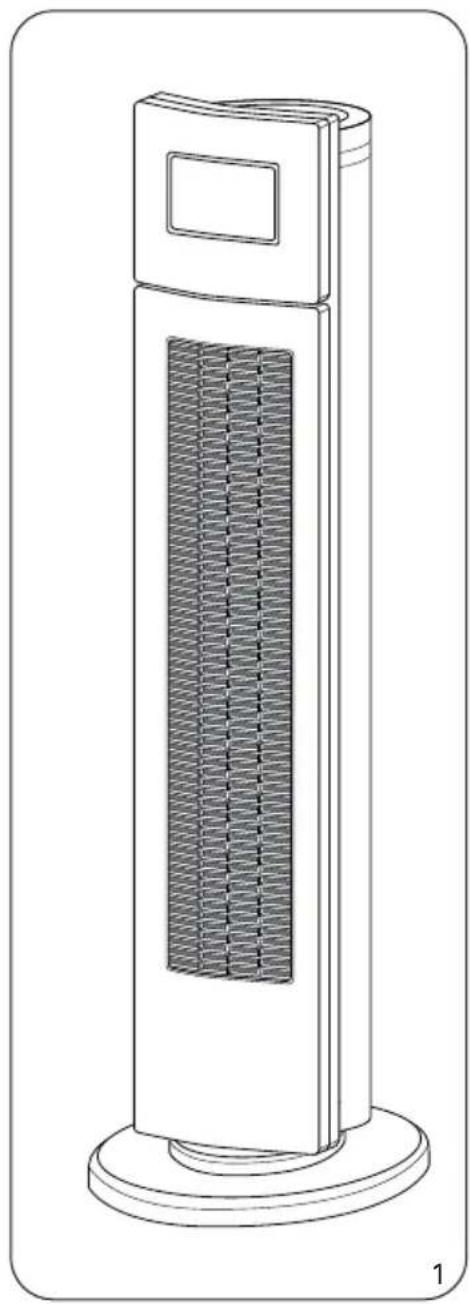
Line drawing of a tall industrial tower with a grid-patterned ventilation grille and base (no text or symbols)NC00009748 - 49/08
natural_image
Line drawing of a tall industrial tower with a grid-patterned side panel (no text or symbols)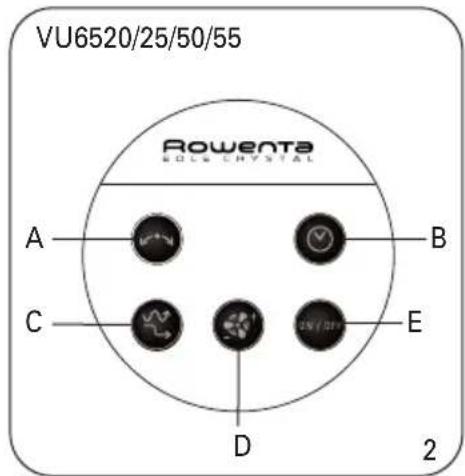
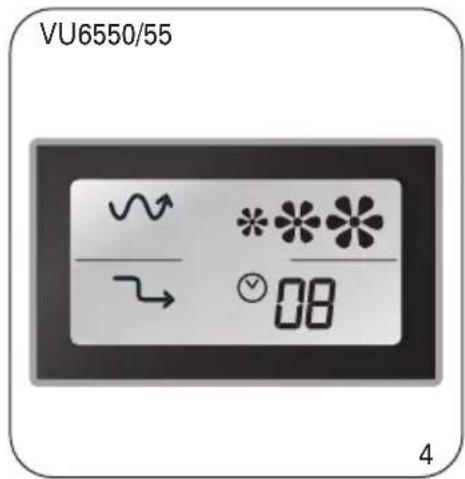
natural_image
Technical diagram showing mechanical assembly with arrows indicating motion or force directions (no text or symbols present)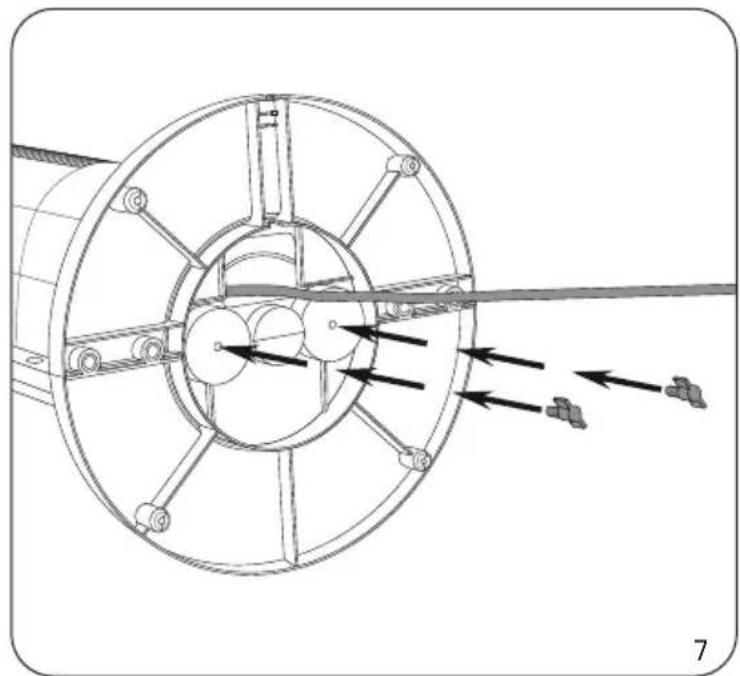
natural_image
Technical line drawing of a mechanical assembly with directional arrows indicating motion or force (no text or symbols)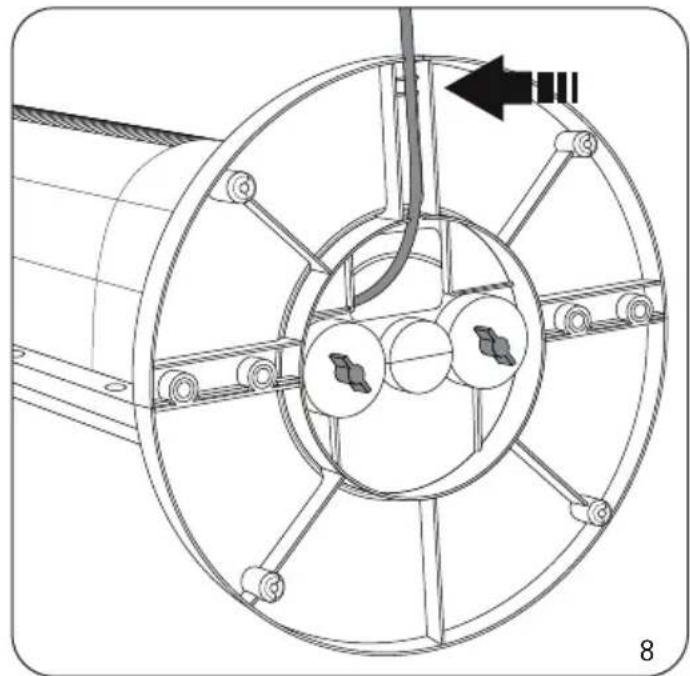
natural_image
Technical diagram of a mechanical assembly with circular components and a directional arrow (no text or symbols)
natural_image
Illustration of a hand inserting a cable into a tower-mounted device, showing the process (no text or symbols present)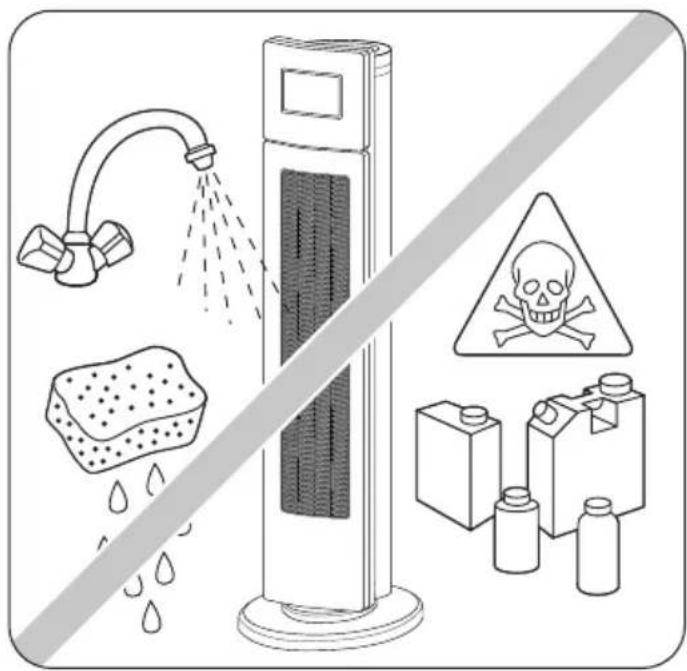
HINWEISE
Please read carefully and keep in a safe place.
WARNINGS
It is essential that you read these instructions carefully and comply with the following recommenda
- For your safety, this appliance complies with the applicable standards and regulations (Low Voltage Directive, Electromagnetic Compatibility, Environmental...).
- Before using, always check the condition of the appliance, the power socket and the power lead.
- Do not pull on the power cable or the appliance, even to unplug it from the wall socket.
- Never insert objects into the appliance (e.g. needles...).
- This appliance is not intended for use by persons (including children) with reduced physical, sense or mental capabilities, or lack of experience and knowledge, unless they have been given supervision or instruction concerning use of the appliance by a person responsible for their safety. Children should be supervised to ensure that they do not play with the appliance.
- This product has been designed for domestic use only. Any commercial use, inappropriate use or failure to comply with the instructions, the manufacturer accepts no responsibility and the guaranteed will not apply.
- Do not use your appliance in a dusty room or a room where there is a risk of fire.
- This appliance is intended for domestic use only. It must therefore not be used in industrial applications.
- If the power cable is damaged, it must be replaced by the manufacturer, its after-sales service or person with similar qualifications to avoid any danger.
- Elimination of the product at the end of its life span : To care for the environment, dispose of y appliance at your local waste disposal centre.
VERY IMPORTANT
- Keep the appliance 50 cm away from any objects (curtains, walls, aerosols, etc.)
- NEVER ALLOW WATER TO PENETRATE THE APPLIANCE.
- Do not touch the appliance with wet hands.
- Before operating, please ensure that :
- The appliance is assembled according to the manufacturers instructions.
- The appliance is placed on a stable and firm surface
- The appliance is in a normal operating position (in an upright position on its feet).
VOLTAGE
- Before using the appliance for the first time, ensure that your mains voltage corresponds to voltage indicated on the appliance.
- Your appliance can be used with a power plug without an earth connection. It is a class II appliance (double insulation).
ASSEMBLING
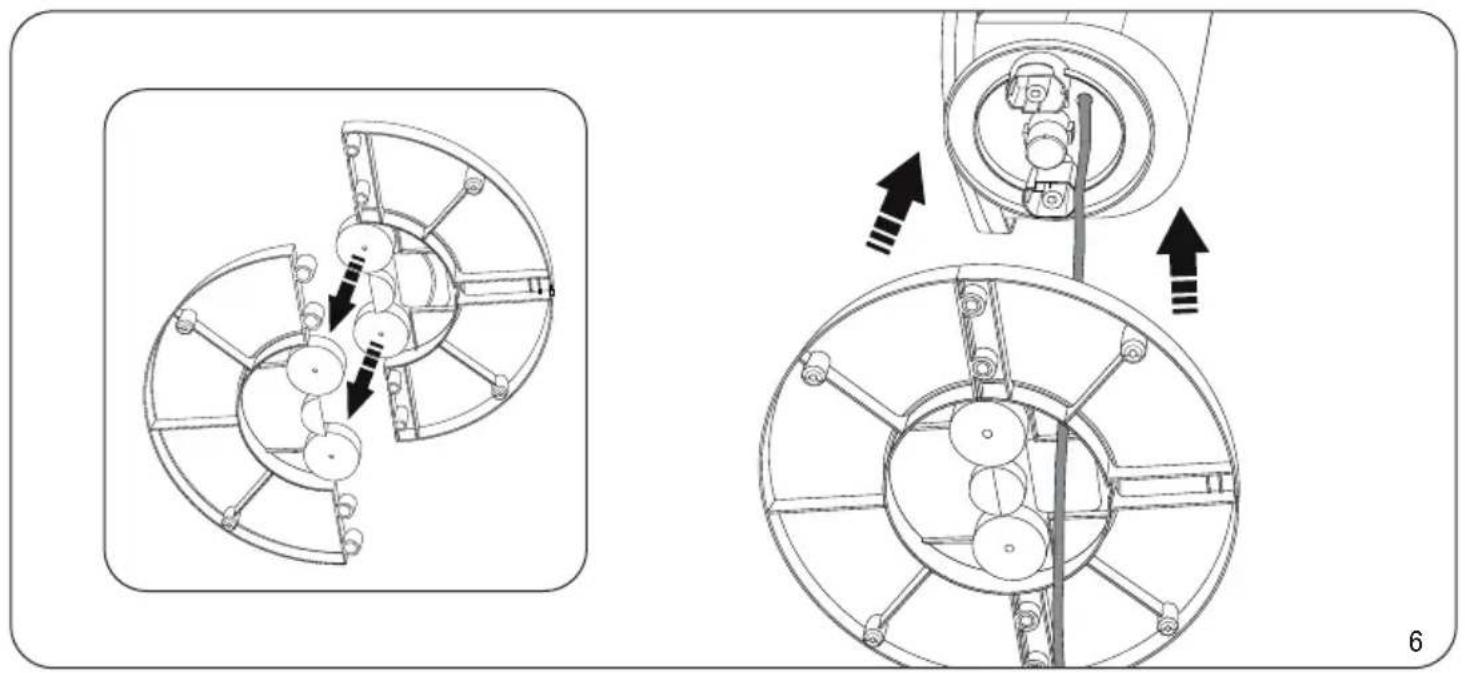
- Your appliance is supplied unassembled. For your safety, it is essential to assemble it correct. Fig. 6, 7, 8.
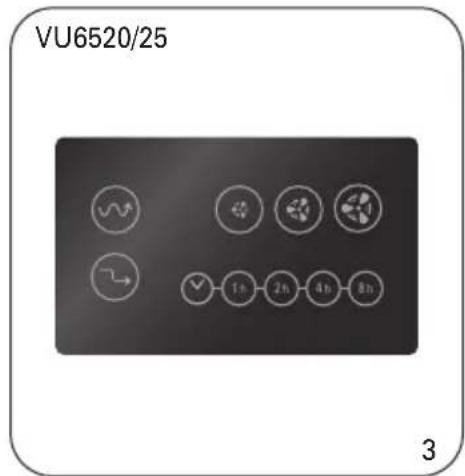
OPERATION MOD. VU6520/25/50/55
Press the buttons as follows :
- Position ON/OFF : start and stop the unit
- Position: low-level ventilation
- Position medium ventilation
- Position high-level ventilation.
- Oscillation : press the button if you want the fan to swivel.
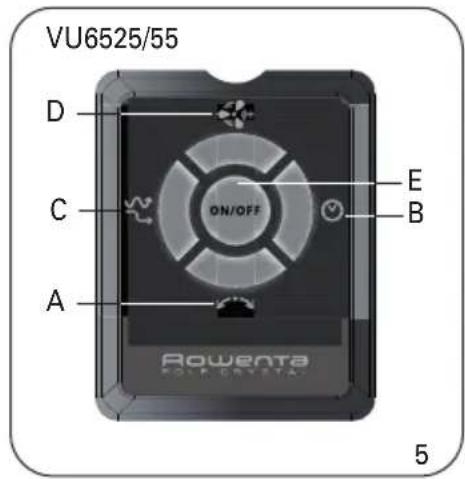
The "A" "B" and "C" buttons described below are only operational once the appliance has been turned on and can be used simultaneously (see page 2).
- "A" button, oscillation control:
- Press the "A" button once, the fan oscillates horizontally.
- To stop the oscillation function, press the "A" button again.
- "B" button, set automatic appliance shutdown:
You have 4 choices, 1-, 2-, 4- or 8-hour operating time.
- Press the "B" button once; the 1-hour timer is activated and the 1h indicator comes on.
- Press the "B" button a second time; the 2-hour timer is activated and the 2h indicator comes
- Press the "B" button a third time; the 4-hour timer is activated and the 4h indicator comes (
- Press the "B" button a fourth time; the 8-hour timer is activated and the 8h indicator comes
- To stop the "TIMER" function, press the "B" button again.

flowchart
graph LR
    A["1 hour"] --> B["2 hours"]
    B --> C["4 hours"]
    C --> D["8 hours"]
    D --> E["STOP"]
- "C" button, set VARIATION or REDUCTION mode
| VARIATIONREDUCTIONRandomspeedcycles(90-secondcycles)+Randomspeedcycles(90-secondcycles)+Speedstepsdownevery30minutes |  | |
Pre-selectspeed ◀/*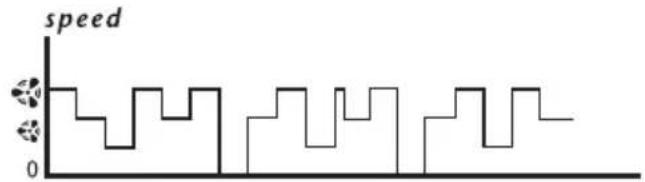 Pre-selectspeed ◀/* Pre-selectspeed ◀/*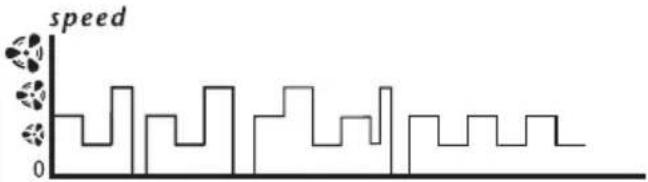 Pre-selectspeed ◀/* Pre-selectspeed ◀/*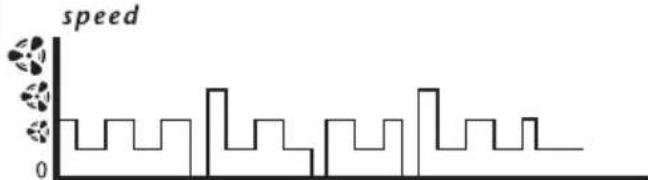 | Pre-selectspeed ◀/* Pre-selectspeed ◀/* Pre-selectspeed ◀/*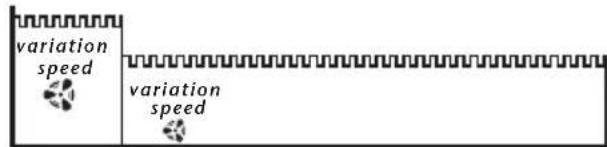 P P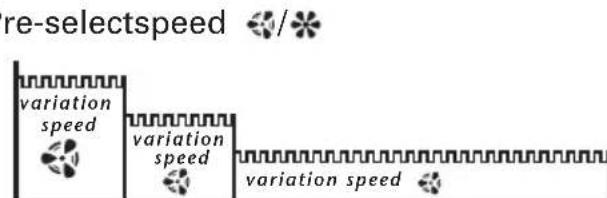 0 3 0 min.60min. 0 3 0 min.60min. | |
Pre-select the start-up speed according to your needs (see table above), then select REDUCTION mode or VARIATION mode (using method described below):

- Press the "C" button once; "VARIATION" mode is activated and the "VARIATION" indicator comes on.
- Press the "C" button again; "REDUCTION" mode is activated and the "REDUCTION" indicator comes on.
- Press the "C" button again to stop this function.

flowchart
graph LR
    A["Variation"] --> B["STOP"]
    B --> C["Reduction"]
- "D" button:
- Press the "D" button once; the appliance starts up at speed 1 and indicator comes on.
- Press the "D" button a second time; the appliance changes to speed 2 and/indicator comes
- Press the "D" button a third time, the appliance changes to speed 3 and/or indicator comes on
- If you press the "D" button again, the appliance changes back to speed 1 and indicator com
- "E" button, immediate appliance shutdown:
- Press the "E" button to completely shut down the appliance.
REMOTE CONTROL MOD. VU6525/55
The remote control buttons are the same as those on the appliance control panel.
The information is sent to the appliance by means of an infrared transmission LED located on the front of the remote control. The infrared receiver is located on the fan control panel.
Do not scratch or cover the transmission LED, or the infrared receiver on the fan.
To use the remote control, point the transmission LED towards the infrared receiver on the fa and press the required button.
Ensure that there are no obstacles between the transmission LED and the receiver.
The maximum range is approximately 6 metres opposite the fan.
Remote control power:
The remote control is powered by two AAA or LR03 type alkaline batteries, which are not sup. Insert the batteries into the battery housing, respecting the battery polarity as indicated in the housing.
Whenever a command is issued to the control panel, the fan beeps.
CLEANING
- Your appliance must be unplugged before proceeding with any cleaning work.
- You can clean it with a slightly damp cloth.
- IMPORTANT: Never use abrasive products which might damage the appearance of your appl
STORAGE
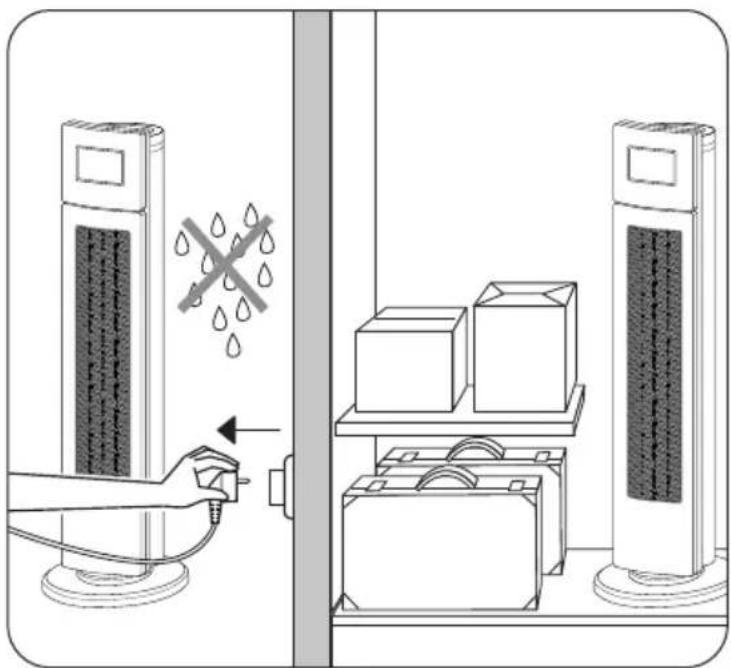
- When you are not using your appliance, store it in a dry place.
- When storing the appliance over a period of time, remove the batteries from the remote cor (mod. VU6525/VU6555).
IMPORTANT:
It is recommended that you unplug your appliance whenever it is not in use.
IN THE EVENT OF PROBLEMS
- Never dismantle your appliance yourself, this will negate any guarantee. A poorly repaired a may be dangerous for the user.
- If the appliance ceases to operate or is damaged in any way, contact one of our authorised service centres.
ENVIRONMENT PROTECTION FIRST !
①Your appliance contains valuable materials which can be recovered or recycled.
Leave it a local civic waste collection point.
To protect the environment, do not throw away dead batteries, instead, take them to a battery point. Do not dispose of with household waste.
SERVICE/SPARE PARTS.
Rowenta (UK)Limited has a network of Service Agents throughout the country; to telephone your next Rowenta Service Centre see enclosed Service Information leaflet; these Service Agents carry out in-guarantee repairs (free of charge) and out-of-guarantee repairs (chargeable) on behalf of Rowenta. Should service be required, or the appliance appear faulty, consult your local Rowenta Service Agent the first instance. If a product develops a fault during the guarantee period, it is the responsibility of consumer to supply to the Service Agent proof of the date of purchase of the appliance (eg. compli guarantee card and/or receipt showing the date of purchase).
GUARANTEE (UK ONLY)
Details of the Rowenta guarantee are shown on the Guarantee Card enclosed with the appliance. The guarantee does not affect your statutory rights.
Should further information be required please see the enclosed Service Information leaflet.
HELPLINE:
If you have any product problems or queries, please contact our Customer Relations Team for expert help and advice:
0845 602 1454 - UK
(01) 4751947 - Ireland
www.rowenta.co.uk
flowchart
graph LR
    A["Start"] --> B{STOP}
    B --> C["ReductionVariation"]
    C --> D["End"]
WERKING MOD. VU6520/25/50/55
flowchart
graph LR
    A --> B
    B --> C["ReductionVariation"]
    C --> D["STOP"]
flowchart
graph LR
    A["Start"] --> B["Stop"]
    B --> C["ReductionVariation"]
    C --> D["End"]
• Knapp D, start/hastighetsvalg:
CHOD PŘÍSTROJE MOD. VU6520/25/50/55
flowchart
graph LR
    A["Variation"] --> B["Reduction"]
    B --> C["STOP"]