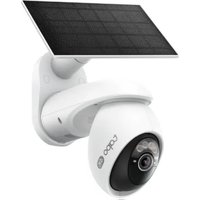
USER MANUAL Tapo C660 TP-LINK
Visit www.tapo.com/support
for technical support, user guides, warranty, and more information
© 2025 TP-Link
Quick Start Guide
Solar-Powered Security Camera
7100001757 REV1.1.0
CONTENTS
1 / English
Get the Tapo app from the App Store or Google Play, and log in.
2 SET UP CAMERA
Press and hold the power button on your camera for about 3 seconds to turn it on.
Tap the⊕ button in the app and select your camera model. Follow app instructions to complete setup.
Português Brasil
1 BAIXAR APLICATIVO
Baixe o aplicativo Tapo na App Store ou no Google Play, e faça login.
2 CONFIGURAÇÃO
2 POSTAVITI
Pritisnite i držite tipku za napajanje na kameri oko 3 sekunde da biste je uključili.
Dodirnite gumb ⭕ u aplikaciji i odaberite model kamere. Pratite upute aplikacije da biste dovršili postavljanje.
Български
1 ИЗТЕГЛЕТЕ ПРИЛОЖЕНИЕто
2 NASTAVENÍ
2 PENGATURAN
2 БАПТАУ
2 カメラの設定
2 IESTATIT KAMERU
2 KONFIGURACJA KAMERY
2 Podešavanje
2 НАСТРОЙТЕ КАМЕРУ
2 NASTAVITEV KAMERE
Za vklop kamere pritisnite in držite gumb za vklop približno 3 sekunde.
Pritisnite ⊕ tipko v aplikaciji in izberite model svoje kamere. Sledite navodilom aplikacije in zaključite nastavitve.
Slovenčina
1 STIAHNITE SI APLIKÁCIU
2 NASTAVTE KAMERU
2 設定攝影機
2 ติดตั้งกล้อง
2 НАЛАШТУЙТЕ КАМЕРУ
2 CÀI ĐẶT CAMERA
TP-Link hereby declares that the battery camera is in compliance with the essential requirements and other relevant provisions of directives 2014/53/EU, 2009/125/EC, 2011/65/EU and (EU)2015/863.
The original EU Declaration of Conformity may be found at https://www.tapo.com/support/ce/.
TP-Link hereby declares that the battery camera is in compliance with the essential requirements and other relevant provisions of the Radio Equipment Regulations 2017.
The original UK Declaration of Conformity may be found at https://www.tapo.com/support/ukca/.
For Solar Panel:
TP-Link hereby declares that the solar panel is in compliance with the essential requirements and other relevant provisions of directives 2014/30/EU, 2014/35/EU, 2011/65/EU and (EU)2015/863.
The original EU declaration of conformity may be found at https://www.tapo.com/support/ce/.
TP-Link hereby declares that the solar panel is in compliance with the essential requirements and other relevant provisions of the Electromagnetic Compatibility Regulations 2016 and Electrical Equipment (Safety) Regulations 2016.
The original UK declaration of conformity may be found at https://www.tapo.com/support/ukca/.
Български:
За камера:
For Camera:
- Do not attempt to disassemble, repair, or modify the device. If you need service, please contact us.
- Do not use damaged charger or USB cable to charge the device.
- Do not use any other chargers than those recommended.
- Do not use the device where wireless devices are not allowed.
- Keep the device away from fire or hot environments. DO NOT immerse in water or any other liquid.
- Adapter shall be easily accessible.
- This equipment can be powered only by equipment that complies with Power Source Class 2 (PS2) or Limited Power Source(LPS) defined in the standard of IEC 62368-1.
- Operating Temperature: -20°C 45°C
- The light source of this luminaire is not replaceable; when the light source reaches its end of life, the whole luminaire shall be replaced. (Only for floodlight cameras)
• Weight of the floodlight camera (solar panel excluded): 680 g (23.99 oz). (Only for floodlight cameras)
• Maximum projected area of the floodlight: 14739.6 mm² (22.85 sq in). (Only for floodlight cameras)
• This product contains a light source of energy efficiency class E. (Only for floodlight cameras)
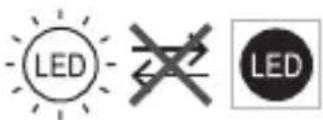
Non-replaceable light source
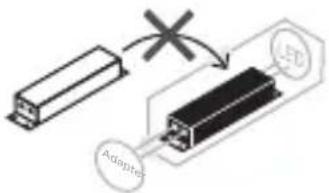
Non-replaceable control gear
CAUTION!
Avoid replacement of a battery with an incorrect type that can defeat a safeguard. Avoid disposal of a battery into fire or a hot oven, or mechanically crushing or cutting of a battery, that can result in an explosion. Do not leave a battery in an extremely high temperature surrounding environment that can result in an explosion or the leakage of flammable liquid or gas; Do not leave a battery subjected to extremely low air pressure that may result in an explosion or the leakage of flammable liquid or gas.
For Solar Panel
- Keep the device away from fire or hot environments. DO NOT immerse in water or any other liquid.
- Do not attempt to disassemble, repair, or modify the device. If you need service, please contact us.
- Avoid scratching and hitting the surface of the solar panel during use.
- Avoid contact with highly corrosive substances during use.
- The suitable temperature for Tapo Solar Panel and accessories is -20°C 45°C . The working temperature range for battery charging should be maintained at 0°C 45°C .
- Make sure the USB connector is fully plugged into your Tapo device.
- Make sure you follow the user manual to install the solar panel correctly.
• Make sure the waterproof gasket and other accessories can protect the connectors on your Tapo device.
The mounting height should not be higher than 2 meters.
Please read and follow the above safety information when operating the device. We cannot guarantee that no accidents or damage will occur due to improper use of the device. Please use this product with care and operate at your own risk.
Nezamjenjiva upravljačka oprema
OPREZ!
LEDの交換不可
制御装置の交換不可
注意
교체 불가 제어 장치
주의!
Nezamenljiv regulator
OPREZ!
Nezamenljiv upravljalni pogon
POZOR!
不可更換光源
不可更換控制裝置
警告!