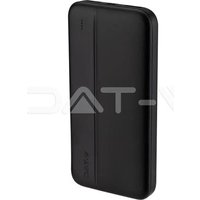
VT-10000 - Power bank V-TAC - Free user manual and instructions
Find the device manual for free VT-10000 V-TAC in PDF.


| Brand | V-TAC |
| Model | VT-10000 |
| Product Type | External Battery |
| Battery Capacity | 10000 mAh (37 Wh) |
| Battery Type | Li-Polymer |
| Micro USB Input | 5V/3A, 9V/2A, 12V/1.5A |
| Type-C Input | 5V/3A, 9V/2A, 12V/1.5A |
| Type-C Output | 5V/3A, 9V/2.22A, 12V/1.67A |
| USB-A Output | 5V/4.5A, 9V/2A, 12V/1.5A |
| Capacity Indicator | 4 LEDs (75-100%, 50-75%, 25-50%, <25%) |
| Built-in Protections | Short circuit, overcharge, overdischarge, leakage |
| Operating Temperature | -10°C to +45°C |
| Initial Charge (first use) | 8 to 10 hours |
| Periodic Recharge (storage) | Every 3 months |
| Maintenance | Clean with a dry cloth |
| Included Accessories | USB Type-C Cable |
| Compatibility | iPhone, iPod, tablets, phones, consoles, GPS, etc. |
Frequently Asked Questions - VT-10000 V-TAC
User questions about VT-10000 V-TAC
0 question about this device. Answer the ones you know or ask your own.
Ask a new question about this device
Download the instructions for your Power bank in PDF format for free! Find your manual VT-10000 - V-TAC and take your electronic device back in hand. On this page are published all the documents necessary for the use of your device. VT-10000 by V-TAC.
USER MANUAL VT-10000 V-TAC
WEEE Number: 80133970
INSTRUCTION MANUAL
POWER BANK
TECHNICAL DATA
| MODEL VT-10000 | |
| CAPACITY 10000mAh (37Wh) | |
| BATTERY TYPE Li-Pol | |
| INPUT MICRO DC | 5V/3A, 9V/2A, 12V/1.5A |
| INPUT TYPE-C DC | 5V/3A, 9V/2A, 12V/1.5A |
| OUTPUT TYPE-C DC | 5V/3A, 9V/2.22A, 12V/1.67A |
| OUTPUT USB-A DC | 5V/4.5A, 9V/2A, 12V/1.5A |
natural_image
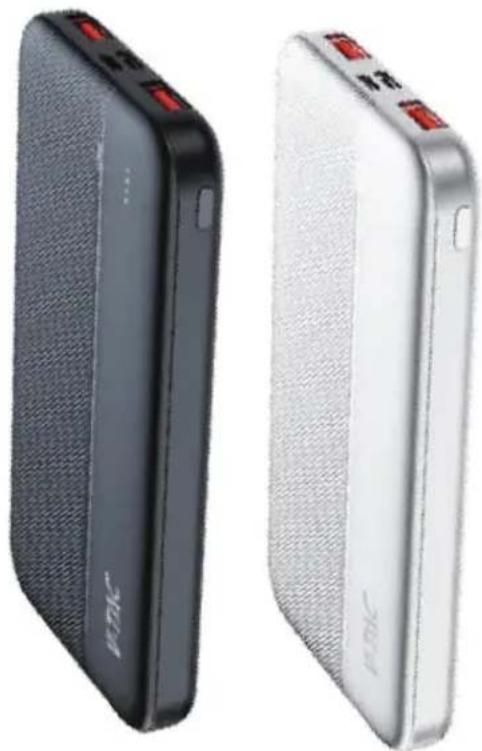
Two black and white power bank cards with red buttons, one showing front panel and the other showing back panel (no visible text or symbols)INTRODUCTION
Thank you for selecting and buying V-TAC Product. V-TAC will serve you the best. Please read these instructions carefully & keep this user manual handy for future reference. If you have any another query, please contact our dealer or local vendor from whom you have purchased the product. They are trained and ready to serve you at the best.

Multi-Language Manual QR CODE
Please scan the QR code to access the manual in multiple languages.
POWER BANK FUNCTION
INTRODUCTION
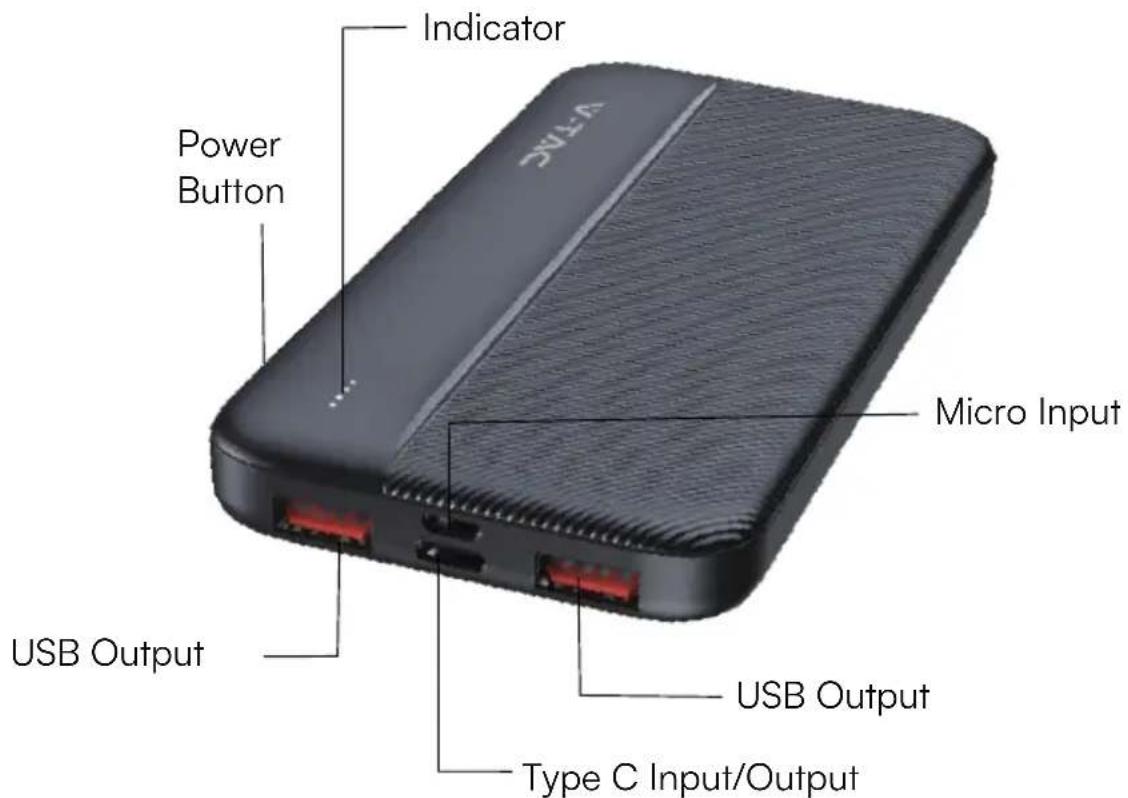
This product is lightweight, environmentally friendly, high-capacity stylish mobile power for portable devices anywhere, anytime. This product contains a high-performance li-polymer battery. Using the USB-TYPE C cable, not only can you power portable devices directly, but also can charge the built-in battery. It provides adequate back-up energy for the wild expedition, traveling, Adventure, and travel home.
APPLICABLE FOR
- Suitable for iPhone, iPod, Tablet, most mobile phone and digital products.
- Suitable for handheld video games PSP, NDSI, NDSL.
- Suitable for MP3, MP4, MP5, e-books, GPS, walkie-talkie.
- Standard USB interface output, compatible with all USB charging devices.
PERFORMANCE
- Easy to use simply select the appropriate connector to charge.
- Plug & play, auto-sleep mode function, when no current output the device goes into sleep mode automatically.
- Short-circuit protection, over Charge protection, over discharge protection, intelligent protection of lithium, high conversion efficiency, leakage protection.
HOW TO USE IT
- Display capacity (Note: Applicable for models with LED indicator): Press control button, capacity LED will be on, 10 seconds later they will be off automatically.
4 LEDs on: 75%\~100% remained.
3 LEDs on: 50%\~75%remained.
2 LEDs on: 25%—50% remained.
1 LEDs on: less than 25%
- Charge portable power bank
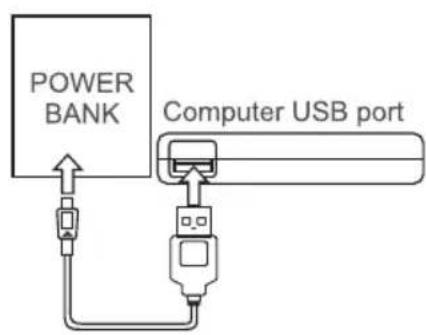
The applicable standard cable plug in the computer USB or USB charger, connect to the USB-TYPE C of mobile power, automatic wake-up charge. During charging, the battery indicator light cycling starts; full power indicator light indicates charging completed. - Use portable power bank to provide power to any digital device. Using the cable and adapter for the digital products, the electronic switch will be open automatically, output 5V voltage for use. (See Figure 3)
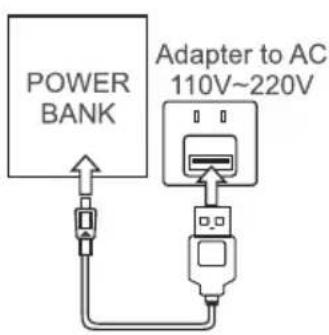
Figure 1 Adapter Charging
Connection diagram
flowchart
graph TD
    A["POWER BANK"] --> B["Computer USB port"]
    B --> C["USB Port"]
    C --> D["Switch"]
    D --> E["Switch"]
    E --> F["Switch"]
Figure 2 USB Charging
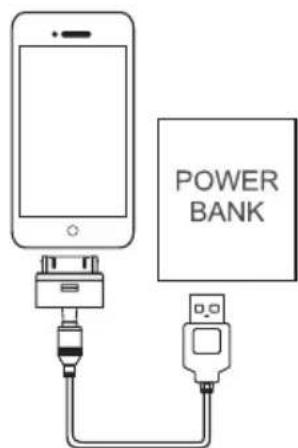
Figure 3 Charging Mobile phone
NOTICE:
Ensure the product's safe operation please read the manual carefully before using that:
A. Attention:
- Mobile power bas built-in lithium-ion battery, do not use metal objects to short-circuit products, in order to avoid equipment failure and security risks.
- Shall not be placed in hot and humid environment.
- Shall not be demolish or mobile power transformation.
- The equipment shall meet the specifications required to use DC power, the use of other power supply may cause fire or malfunction.
- Heavy impact on the product may cause fire or explosion.
B. Terms of Use
- If using the product for the first time or if it has not been used for a long time, the power bank needs 8-10 hours to charge fully.
- Temperature range from -10^ to +45^ , for best charging results, please use the device in suitable temperature conditions.
- When charging and using, this product may get slightly heated, which is normal and not malfunction.
- If the products not in use for a long time, you need to charge at least once every three months to maintain its charge properties.
- Mobile power bank left unused for a long time will suffer loss of power, which's normal self-discharge phenomenon, if ready to use, please charge again.
- Keep the mobile power bank clean, please clean it with dry cloth before using if the port is dirty.
WEEE Number: 80133970
natural_image
Two black and white power bank batteries side by side, one with red buttons and the other with a logo (no visible text or symbols on the devices themselves)Въведение
natural_image
Two black and white power bank batteries side by side, one with red buttons and the other with 'C200' branding (no visible text or symbols on the devices themselves)Uvod
Zahvaljujemo što ste odabrali i kupili V-TAC proizvod. V-TAC će vam dobro poslužiti. Pažljivo pročitajte ove upute i sačuvajte korisnički priručnik za buduću upotrebu. Ako imate bilo kakvih drugih pitanja, obratite se našem trgovcu ili lokalnom predstavniku od kojeg ste kupili proizvod. Oni su obučeni i spremni pružiti Vam vrhunsku uslugu
FUNKCIJA POWER BANK
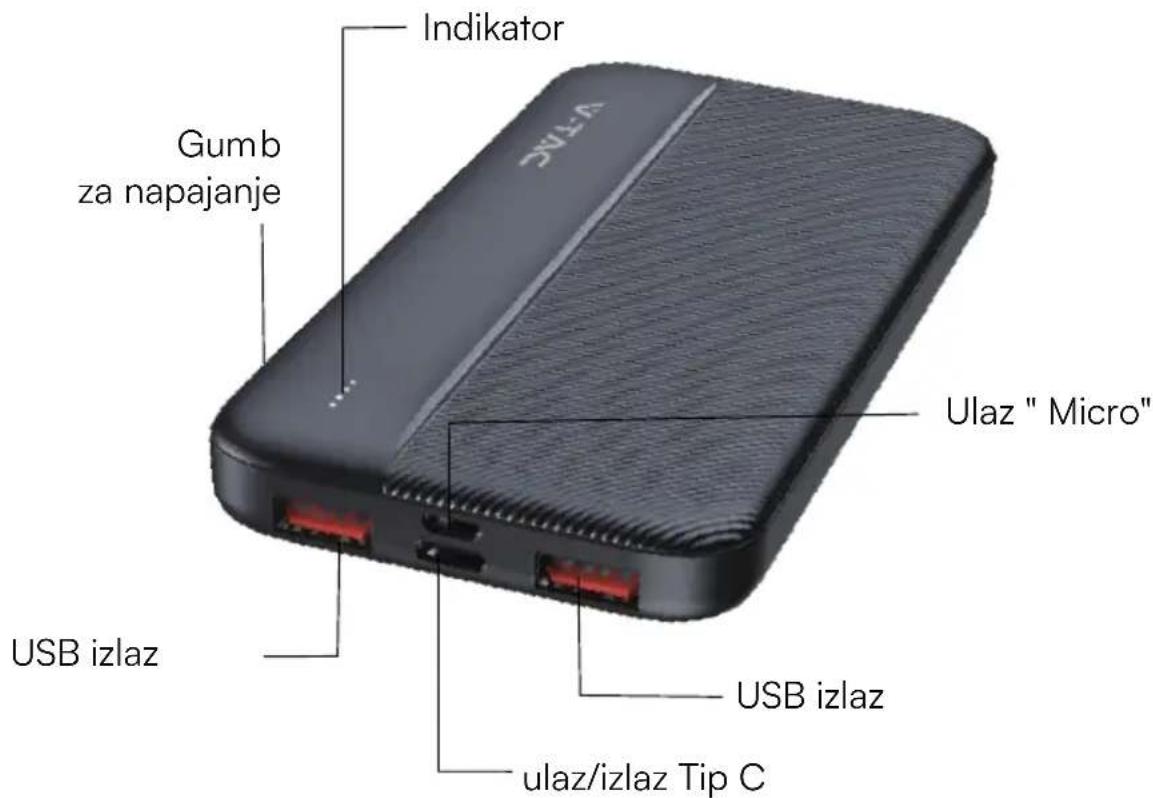
UVOD
Ovaj proizvod je lagana, ekološki prihvatljiva, mobilna i elegantna jedinica za napajanje velikog kapaciteta za prijenosne uređaje bilo gdje i bilo kada. Ovaj proizvod sadrži litij-polimersku bateriju visoke učinkovitosti. Pomoću "USB-TYPE C" kabela možete ne samo izravno napajati prijenosne uređaje, već i puniti ugrađenu bateriju. Pruža dovoljno rezervne snage za ekspedicije u prirodi, putovanja, avanture i putovanje doma.
Primjenjivo je za
- Prikladno za iPhone, iPod, tablet, većinu mobilnih telefona i digitalnih proizvoda.
- Prikladno za PSP, NDSI, NDSL prijenosne video igre.
- Prikladno za MP3, MP4, MP5, e-knjige, GPS, walkie-talkie.
- Standardni izlaz za USB sučelje, kompatibilan sa svim USB uređajima za punjenje.
Indikator performansi
Slika 3 Punjenje mobitela
Obavijest
natural_image
Two black and white power bank backpacks with red buttons, shown from different angles (no visible text or symbols)Úvod
natural_image
Two black and white power bank batteries side by side, one with red buttons and the other with a logo (no visible text or symbols on the devices themselves)Introductie
natural_image
Two black and white power bank backpacks with red buttons, shown from different angles (no visible text or symbols)Introduction
natural_image
Two black and white power bank backpacks with red buttons, shown from different angles (no visible text or symbols)Einführung
natural_image
Two black and white power bank batteries side by side, one with red buttons and the other with 'JiYin' branding (no visible text beyond branding)Εισαγωγή
natural_image
Two black and white power bank batteries side by side, one with red buttons and the other with 'C200' branding (no visible text or symbols on the devices themselves)Bevezetés
natural_image
Two black and white power bank batteries side by side, one with red buttons and the other with 'C200' branding (no visible text or symbols on the devices themselves)Introduzione
natural_image
Two black and white power bank backpacks with red buttons, shown from different angles (no visible text or symbols)levads
natural_image
Two black and white power bank backpacks with red buttons, shown from different angles (no visible text or symbols)Wstęp
natural_image
Two black and white power bank cards side by side, one with red buttons and the other with 'C200' branding (no visible text or symbols on the devices themselves)Introdução
natural_image
Two black and white power bank backpacks with red buttons, shown from different angles (no visible text or symbols)Introducere
natural_image
Two black and white power bank backpacks with red buttons, shown from different angles (no visible text or symbols)Introducción
natural_image
Two black and white power bank backpacks with red buttons, shown from different angles (no visible text or symbols)introduktion

- INSTRUCTION MANUAL
- POWER BANK
- INTRODUCTION
- Multi-Language Manual QR CODE
- POWER BANK FUNCTION
- APPLICABLE FOR
- PERFORMANCE
- HOW TO USE IT
- NOTICE:
- Въведение
- Uvod
- FUNKCIJA POWER BANK
- Primjenjivo je za
- Indikator performansi
- Obavijest
- Úvod
- Introductie
- Einführung
- Εισαγωγή
- Bevezetés
- Introduzione
- levads
- Wstęp
- Introdução
- Introducere
- Introducción
- introduktion
Brand : V-TAC
Model : VT-10000
Category : Power bank