
VT-606N - Power bank V-TAC - Free user manual and instructions
Find the device manual for free VT-606N V-TAC in PDF.


| Product Type | Portable Power Bank |
| Model | VT-606N |
| Brand | V-TAC |
| Battery Type | Lithium-ion |
| Battery Capacity | 10000 mAh / 37 Wh |
| Input Port | Micro USB (5V/2A) |
| Output Ports | 2x USB-A (5V/2.1A each) |
| Total Output Current | Up to 2.1A |
| Charging Time | Approximately 5-6 hours (with 2A charger) |
| LED Indicators | 4 LED lights for battery level |
| Dimensions (L x W x H) | Approx. 140 x 70 x 15 mm |
| Weight | Approx. 220 g |
| Material | ABS plastic |
| Operating Temperature | 0°C to 45°C |
| Safety Features | Overcharge, overdischarge, short circuit, overcurrent protection |
| Compatibility | Smartphones, tablets, and other USB devices |
| Includes | Power bank, Micro USB cable, user manual |
| Maintenance | Clean with dry cloth; avoid water and extreme temperatures |
| Repairability | Non-user-serviceable; contact V-TAC support for issues |
Frequently Asked Questions - VT-606N V-TAC
User questions about VT-606N V-TAC
0 question about this device. Answer the ones you know or ask your own.
Ask a new question about this device
Download the instructions for your Power bank in PDF format for free! Find your manual VT-606N - V-TAC and take your electronic device back in hand. On this page are published all the documents necessary for the use of your device. VT-606N by V-TAC.
USER MANUAL VT-606N V-TAC
Thank you for selecting and buying V-TAC Product. V-TAC will serve you the best. Please read these instructions carefully & keep this user manual handy for future reference. If you have any another query, please contact our dealer or local vendor from whom you have purchased the product. They are trained and ready to serve you at the best.

MULTI-LANGUAGE MANUAL QR CODE
Please scan the QR code to access the manual in multiple languages.
What's in the Box
natural_image
Front view of a V-TAC radio receiver with control panel and display (no visible text or symbols)(4)

(2)


(3)
| Parts | Q'ty(PCS) |
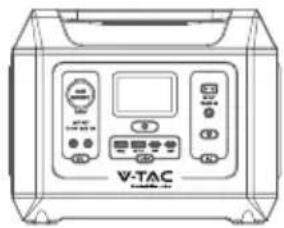
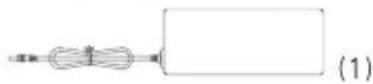
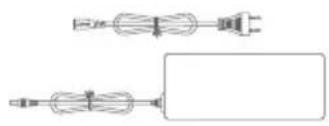
| (1) AC adaptor(230V) with DC output 20V/5A, cable length=1.0 meters | X1PCS |
| (2) Car cigarette lighter with male DC 7909 plug, cable length=1.5 meters | X1PCS |
| (3) User manual | X1PCS |
| (4) VT-606N portable power station | X1PCS |
Overview
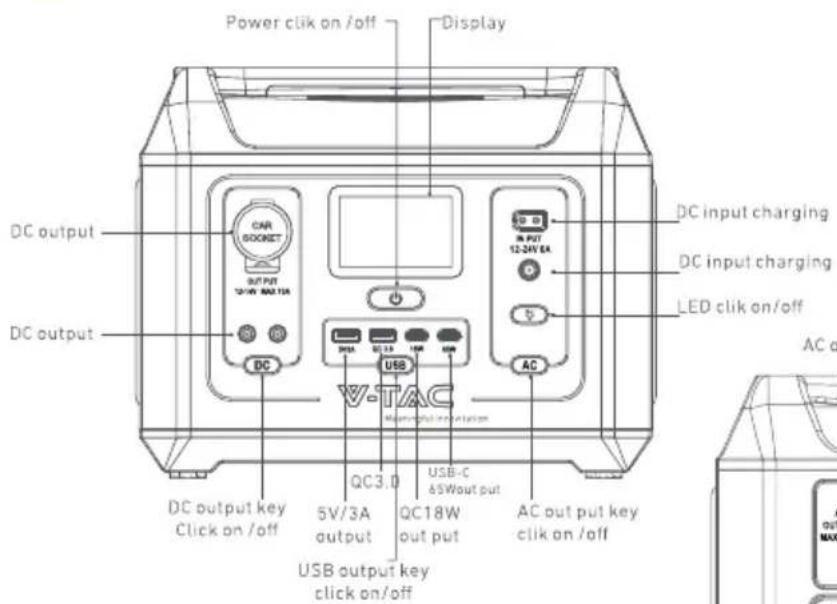
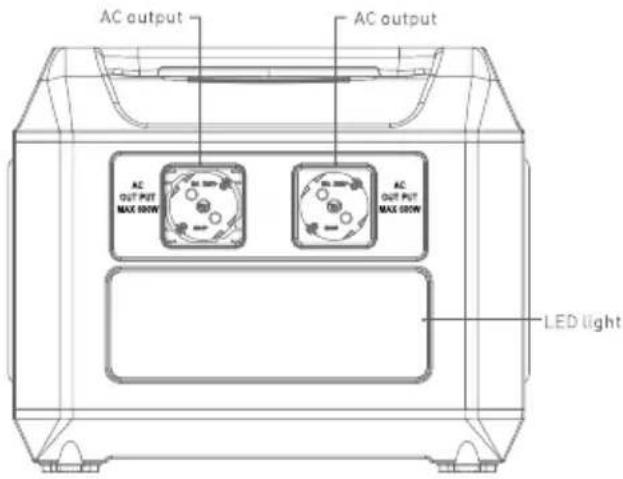
 | Power button, long-press 3 seconds to turn on /off whole system |
 | DC power button, long-press 3 seconds to turn on / off DC output, cigarette lighter and wireless charger ,it is also controlled by above system power button. |
 | AC power button,long-press 3 seconds to turn on / off AC output , it is also controlled by above system power button. |
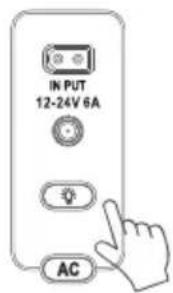
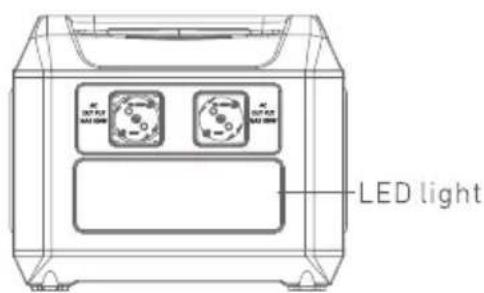
 | LED light button, press the button to turn on the ambient light, and press again to switch between low and medium brightness levels. Long-press for 3 seconds to turn on the highest brightness . During the light on mode , double click for SOS mode ,then double click to quit SOS mode.During any mode , long-press the button to turn off the LED light. |
 | USB button ,long-press 3 seconds to turn on /off USB output ,it is also controlled by above system power button. |
LCD display

natural_image
Simple black-and-white icon of a battery with four vertical bars (no text or symbols)188%
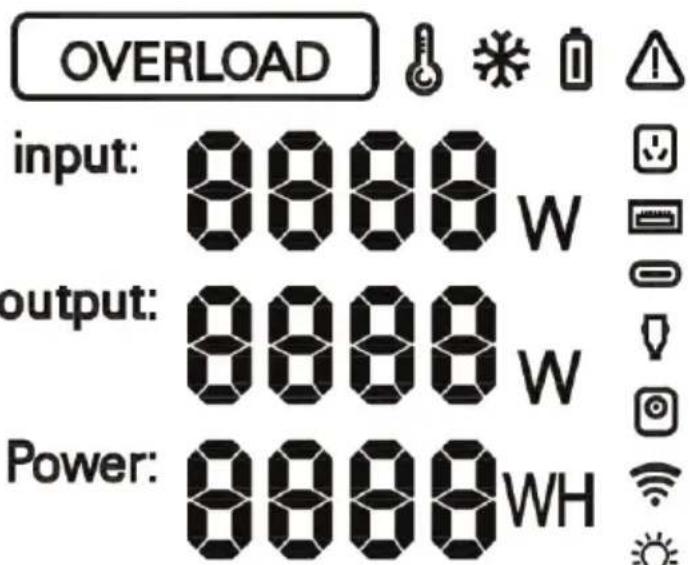
Remaining endurance:
France: About 888.8 hours
Recharging Your Power Station
AC recharging
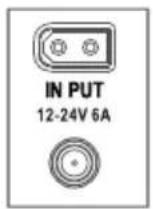
Recharge your power station by connecting to a wall outlet with the AC charging adaptor (included).
natural_image
Pure electrical circuit lines without any symbols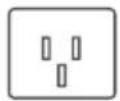
230Vac Adaptor output20V/5A
Solar panel recharging
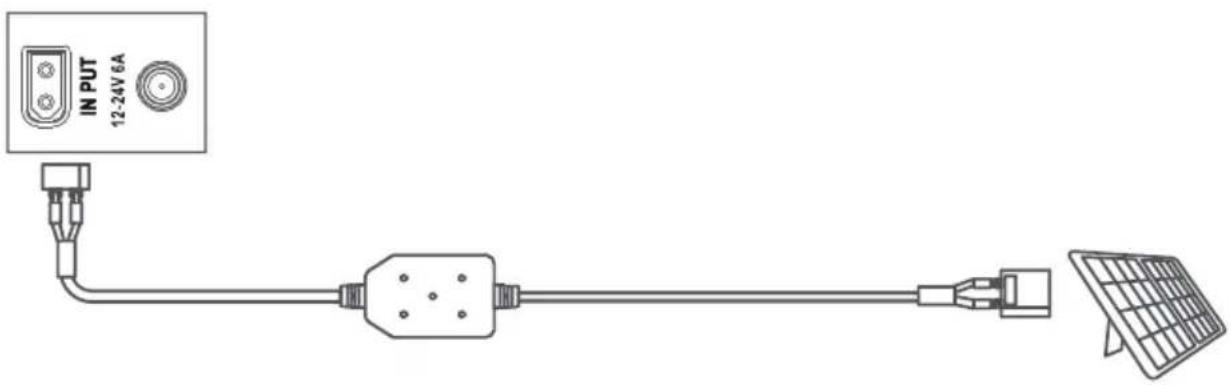
Recharge your power station by connecting up to 120W solar panels in parallel with a solar charging cable DCXT60 (not included).
Car recharging
Recharge your power station by connecting to a car cigarette lighter output port with the car charging cable(included).

natural_image
Line drawing of an electric vehicle connected to a car, showing the charging cable and front view (no text or symbols)
When your portable power station only has 5% battery remaining, the Remaining Battery indicators will flicker to remind you to recharge the product.
Charge Your Device
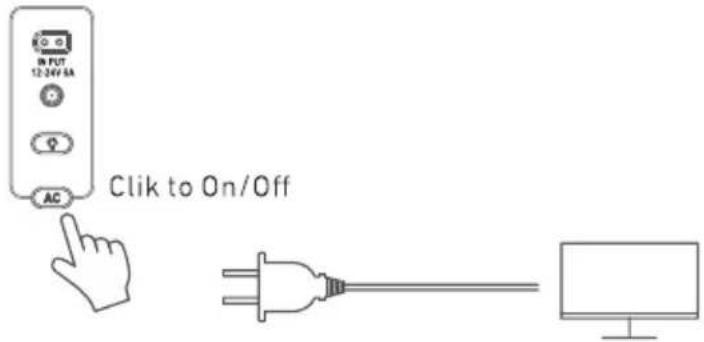
AC recharging
Press the AC button and connect your devices to the AC output ports.
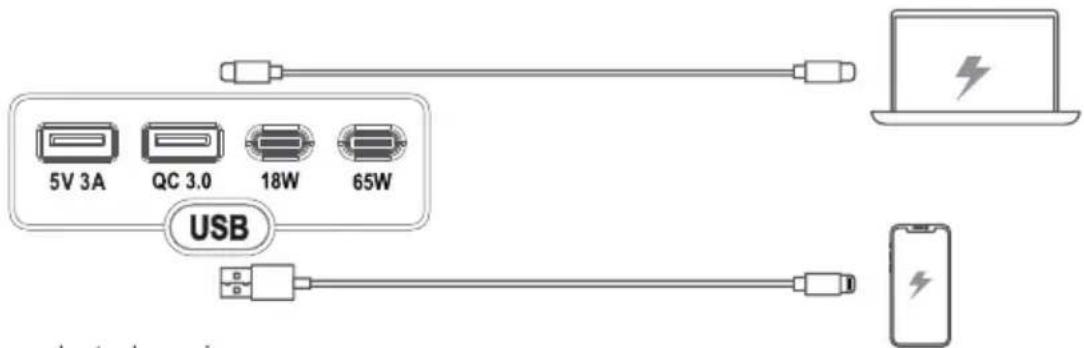
USB charging
Connect your devices to the USB ports
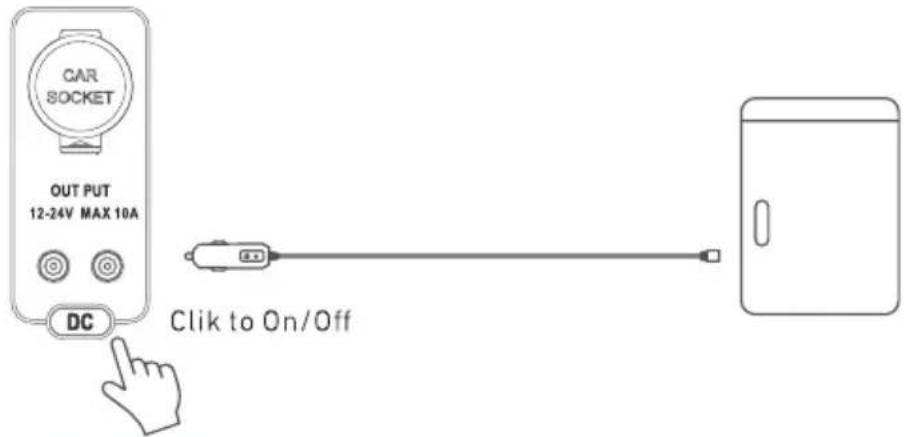
Car socket charging
Turn on the car socket and connect your devices to start charging.
Light
Ambient light
Press the button to turn on the ambient light, and press again to switch between low and medium brightness levels.
Long-press for 3 seconds to turn on the highest brightness.
During the light on mode, double click for SOS mode, then double click to quit SOS mode
Trouble Shooting and FAQ
AC recharging failure
When AC recharging is unavailable, check to see if the overload protection icon is on in the LCD display. If so, need take down some application, and then recharging can resume.
AC charging failure
If AC charging is unavailable, it's possible that the connected devices exceed 700W. Try unplugging one or more of the connected devices to see if this resolves the issue.
FAQ
Q1: Why does the power station's battery drain even when no devices are connected? When the AC and car socket control button is turned on, even if no devices are being charged, there will still be a certain amount of no-load power consumption. To avoid this, make sure the AC and car socket charging button is off or turn off the power station when you're not using it.
Q2: What's the max power output of the AC output ports? The AC output ports can deliver a maximum of 700W to connected devices.
Q3: Can I recharge the product while charging connected devices? Yes.
Q4: What kind of solar charger can charge this product? Any 11-30V solar charger with an XT-60 connector.
LiFePO4,12.8V15Ah/576Wh
Specification
| Battery | Battery capacity | LiFePO4, 12.8V, 45Ah/576Wh |
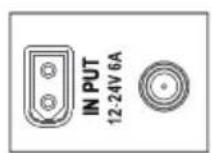
| DC/INPUT | DC7909 | 12-24V 6A |
| XT60 solar charge | 12-24V 6A | |
| USB/Output | USB1 Output | 5V 3A |
| USB2 Output | QC 3.0 18W 5V3A/9V2A/12V1.5A | |
| TYPE-C 1 Output | PD18W ,5V3A/9V2A/12V1.5A | |
| TYPE-C 2 Output | PD65W ,5V3A / 9V3A / 12V3A / 15V3A / 20V3.25A | |
| DC Output | DC 1 Output | 12-14V 10A MAX |
| DC 2 Output | 12-14V 10A MAX | |
| Cigarette lighter Output | 12-14V 10A MAX | |
| AC Output | AC Output 1 | AC power output 230V Sine WAVE 600W PEAK 700W |
| AC Output 2 | AC power output 230V Sine WAVE 600W PEAK 700W | |
| Output Frequency Max | Sine WAVE 600W PEAK 700W | |
| Frequency | 50Hz | |
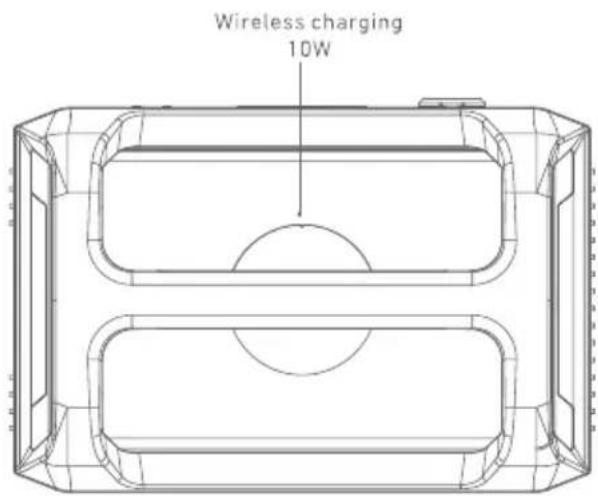
| Wireless Charger | DC | 10W |
| LED lighting | Power | 2~4W |
| Mode | High-Light/Lowlight/SOS/Flash | |
| Temperature | Working temperature | -10°C-45°C |
| Storage temperature | -20°C-60°C | |
| Unit information | Dimension (LXWXH) | 295 x 206 x 228.5mm |
| Net weight | 7.8kg |
Attention

Not permitted on aircraft.
WARNING - When using this product, basic precautions should always be followed, including the following: Read all the instructions before using the product.
• To reduce the risk of injury.
close supervision is necessary when the product is used near children.
- Do not put fingers or hands into the product.
- Do not expose the product to rain or snow.
- Use of a power supply or charger not recommended or sold by the product manufacturer may result in a risk of fire or injury to persons. To reduce risk of damage to the electric plug and cord, pull the plug rather than the cord when disconnecting the product.
- Do not use the product in excess of its output rating. Overload outputs above rating may result in a risk of fire or injury to persons.
- Do not use the product that is damaged or modified. Damaged or modified batteries may exhibit unpredictable behavior resulting in fire, explosion or risk of injury. Do not operate the product with a damaged cord or plug, or a damaged output cable.
- Do not disassemble the product. Take it to a qualified service person when service or repair is required. Incorrect reassembly may result in a risk of fire or electric shock.
- Do not expose to fire or high temperatures. Exposure to fire or temperatures above 130^ may cause explosion. To reduce the risk of electric shock, unplug the power pack form the outlet before attempting any instructed servicing.
- Have servicing performed by a qualified repair person using only identical replacement parts. This will ensure that the safety of the product is maintained.
- When charging a device, the product may feel warm, this is a normal operating condition and should not be cause for concern. When charging the internal battery, work in a well ventilated area and do not restrict ventilation in any way.
- Do not clean the product with harmful chemicals or detergents.
- Misuse, dropping or excessive force may cause product damage.
- When disposing of secondary cells or batteries, keep cells or batteries of different electrochemical systems separate from each other. CAUTION: Risk of explosion if the battery is replaced by an incorrect one.
- Disposal of a battery into fire or a hot oven, or mechanically crushing or cutting of a battery, can result in an explosion.
- Leaving a battery in an extremely high temperature environment can result in an explosion or leakage of flammable liquid or gas.
- A battery subjected to extremely low air pressure may cause an explosion or leakage of flammable liquid or gas.
- Unplug the AC power cable to disconnect from line voltage.
WARNING: GROUNDING INSTRUCTIONS
This product must be grounded. In the event of malfunction or breakdown, grounding provides a path of least resistance for electrical current to reduce the risk of electric shock. This product is equipped with a cord having an equipment grounding conductor and a grounding plug. The plug must be plugged into an outlet that is properly installed and grounded in accordance with all local codes and ordinances. WARNING – Improper connection of the equipment grounding conductor may result in an electric shock. Check with a qualified electrician if you are in doubt as to whether the product is properly grounded. Do not modify the plug provided with the product – if it does not fit the outlet, have a proper outlet installed by a qualified electrician.
Storage and Maintenance instructions
- Please store the product between -20^-+60^ . Avoid exposing the product to rain or using the product in a humid environment.
- To preserve battery lifespan, please discharge the battery to 30% and recharge it to 60% every three months. 3. Please keep the product laid flat during use, when charging, and during storage.
- MULTI-LANGUAGE MANUAL QR CODE
- What's in the Box
- Overview
- LCD display
- Recharging Your Power Station
- AC recharging
- Solar panel recharging
- Car recharging
- Charge Your Device
- USB charging
- Car socket charging
- Light
- Ambient light
- Trouble Shooting and FAQ
- AC recharging failure
- AC charging failure
- FAQ
- Attention
- WARNING: GROUNDING INSTRUCTIONS
- Storage and Maintenance instructions
Brand : V-TAC
Model : VT-606N
Category : Power bank