G33BT - Earphones Hecate - Free user manual and instructions
Find the device manual for free G33BT Hecate in PDF.


| Product type | Bluetooth wireless headset |
| Brand | Hecate |
| Model | G33BT |
| Bluetooth version | Not specified |
| Charging port | USB Type-C |
| Battery life | Not specified |
| Operating temperature | Ambient temperature |
| Main functions | Bluetooth pairing, volume control, play/pause, call management (answer, hang up, reject), music/game mode, microphone, RGB lighting, factory reset |
| Included accessories | User manual, 3.5mm audio cable, charging cable, microphone |
| Maintenance and cleaning | Clean with a soft, dry cloth. Do not use chemical or corrosive products. Avoid moisture, extreme temperatures, and shocks. |
| Safety | Do not disassemble the product. Do not expose to water or sweat. Keep away from heat sources. |
| Spare parts and repairability | Spare parts are not provided by the manufacturer. In case of failure, contact customer service. |
| General information | Model: EDF700011. Manufacturer: Edifier International Limited. Made in China. |
Frequently Asked Questions - G33BT Hecate
User questions about G33BT Hecate
0 question about this device. Answer the ones you know or ask your own.
Ask a new question about this device
Download the instructions for your Earphones in PDF format for free! Find your manual G33BT - Hecate and take your electronic device back in hand. On this page are published all the documents necessary for the use of your device. G33BT by Hecate.
USER MANUAL G33BT Hecate
WIRELESS LOW LATENCY GAMING HEADSET
EN
Product description
G
Turn on/off Press and hold
Pairing Press and hold
Answer a call Click
End a call Click
Reject a call Press and hold
Play/pause Click
Music/ game mode Double click


Volume control
Charging port
Type-C
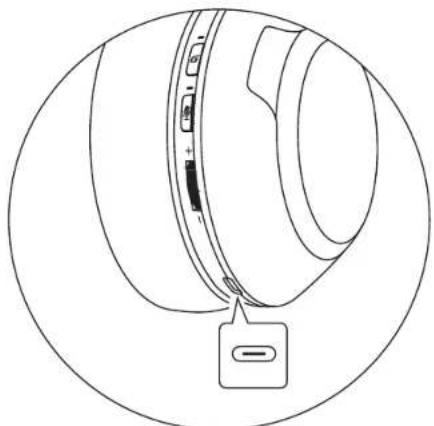
#
Microphone on/off Click It is enabled by default when the headset is turned on, and effective in the conversations
RGB light switch Double click
RGB light on/off Press and hold
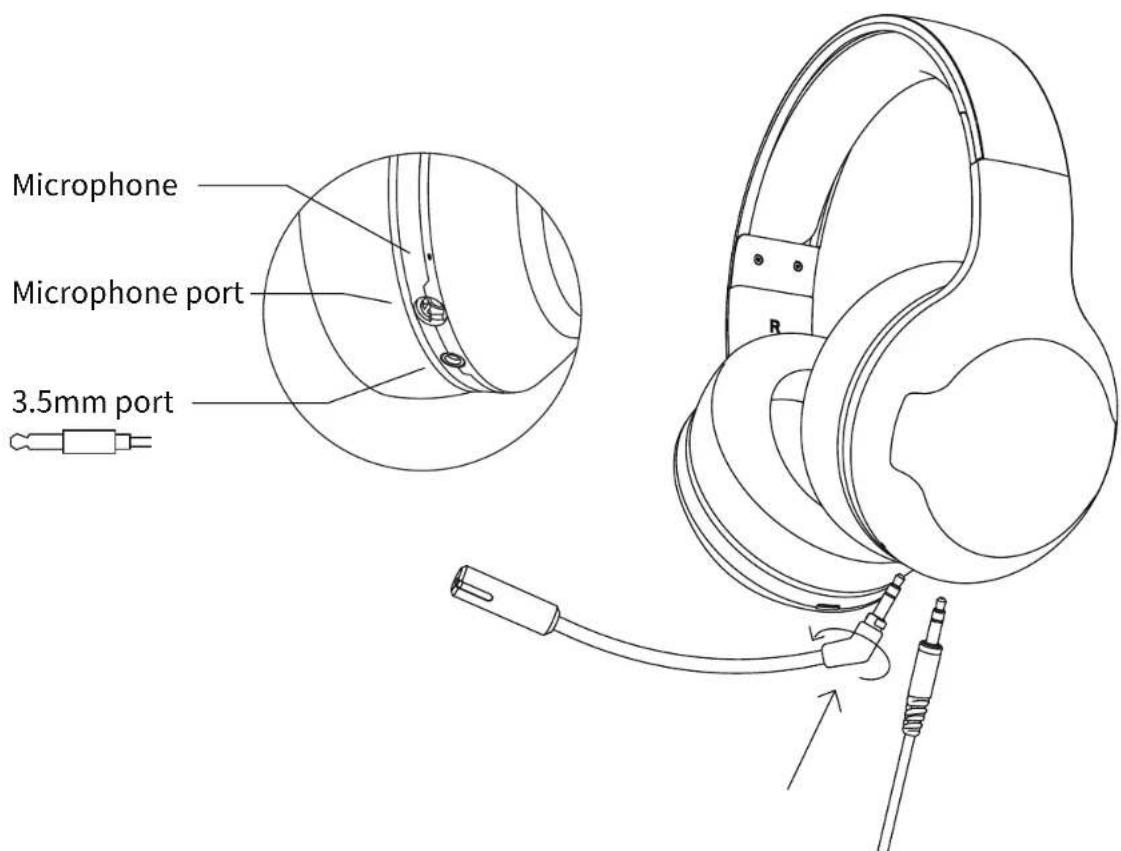
Note: Images are for illustrative purposes only and may differ from the actual product.
■ User guide
Power on/off
- When the headset is powered off, press and hold the "header" headset will power on.
"bu n for 3 seconds, then the
- When the headset is powered on, press and hold the "header" headset will power off.
"but for 6 seconds, then the
Bluetooth connection
- When the headset is powered off, press and hold the " " but n for 5 seconds to let it enter Bluetooth pairing state (the red and blue lights flashing alternately); set Bluetooth device to search for and connect to "HECATE G33BT", after pairing is successful, the blue light will flash slowly.
- When the headset is powered on and not connected with any devices, press and hold the " " button for 2 seconds to let it enter Bluetooth pairing state.
- It is Bluetooth pairing state by default when the headset is powered on for the first time, and it will auto-connect to the Bluetooth device connected last time when powered on again.

Charge
- You may hear a warning tone with the red light flashing when the headset is at low battery level, please connect it to power source with the included charging cable for charging.
Red light steady lit = charging
Red light off = fully charged
Restore to factory settings
- When the headset is powered off, press and hold the " ·s " but for 10 seconds until the blue light flashes six times rapidly, then the factory settings have been restored.
Product accessories
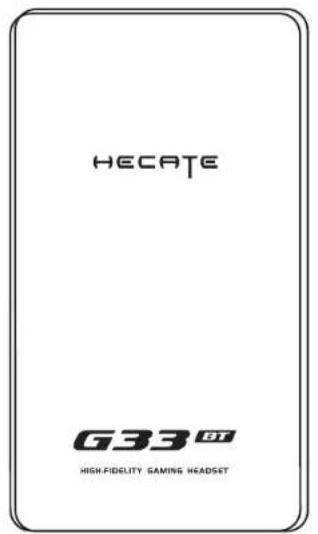
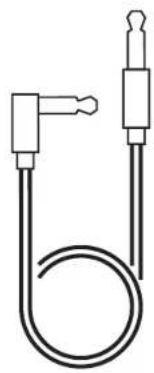
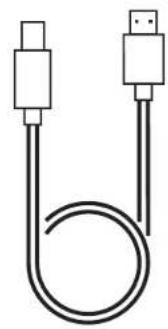

User manual 3.5mm audio cable Charging cable Microphone
■ Maintenance
- Keep the product away from humid places to avoid affecting internal circuit. Do not use the product during intense exercise or with much sweat to prevent sweat from dropping into the product to make damage.
- Do not put the product in places exposed to sun or with high temperature. High temperature will shorten service life of electronic components, damage battery and make plastic components deformed.
- Do not put the product in cold places to avoid damaging internal circuit board.
- Do not dismantle the product. Non-professional personnel may damage the product.
- Do not drop, strongly vibrate, strike the product with hard object to avoid damaging internal circuit.
- Do not use drastic chemicals or cleaner to clean the product.
- Do not use sharp objects to scratch product surface to avoid damaging shell and affecting facade.
Model: EDF700011
Edifier International Limited
P.O.Box 6264
General Post Office
Hong Kong
www.hecategaming.com
Designed by DONGGUAN EDIFIER ESPORTS TECHNOLOGY CO., LTD.
www.edifier.com
©2021 Edifier International Limited. All rights reserved.
Printed in China
NOTICE:
For the need of technical improvement and system upgrade, information contained herein may be subject to change from time to time without prior notice.
Products of EDIFIER will be customized for different applications. Pictures and illustrations shown on this manual may be slightly different from actual product. If any difference is found, the actual product prevails.
FR
Designed by DONGGUAN EDIFIER ESPORTS TECHNOLOGY CO., LTD.
www.edifier.com
Designed by DONGGUAN EDIFIER ESPORTS TECHNOLOGY CO., LTD.
www.edifier.com
Designed by DONGGUAN EDIFIER ESPORTS TECHNOLOGY CO., LTD.
www.edifier.com
Designed by DONGGUAN EDIFIER ESPORTS TECHNOLOGY CO., LTD.
www.edifier.com
Designed by DONGGUAN EDIFIER ESPORTS TECHNOLOGY CO., LTD.
www.edifier.com
Designed by DONGGUAN EDIFIER ESPORTS TECHNOLOGY CO., LTD.
www.edifier.com
©2021 Edifier International Limited. 禁無斷軌載
印刷:中国
二注意: