SP7V - Speaker Acoustic Research - Free user manual and instructions
Find the device manual for free SP7V Acoustic Research in PDF.


User questions about SP7V Acoustic Research
0 question about this device. Answer the ones you know or ask your own.
Ask a new question about this device
Download the instructions for your Speaker in PDF format for free! Find your manual SP7V - Acoustic Research and take your electronic device back in hand. On this page are published all the documents necessary for the use of your device. SP7V by Acoustic Research.
USER MANUAL SP7V Acoustic Research
Make sure the following items came in this package:
(1) rechargeable wireless speaker
(1) micro-USB charging cable
2. Charge the speaker
Before you start using the speaker for the first time, it's a good idea to charge it completely.
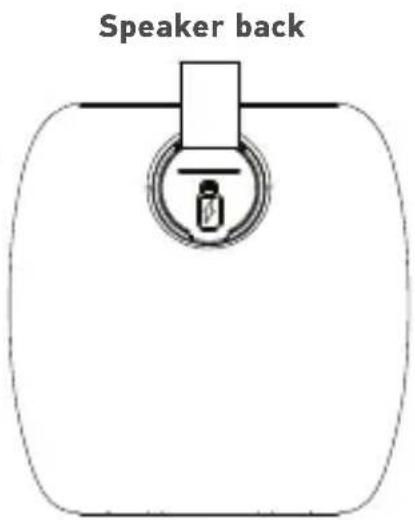
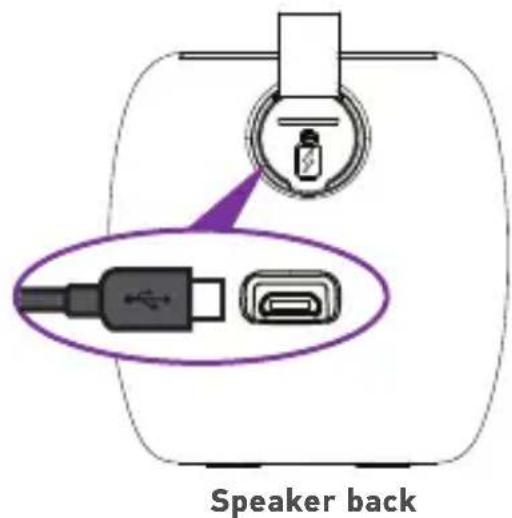
To charge the speaker: Open the rubber door on the back of the speaker. Plug the included micro-USB charging cable into the charging jack behind this door.
Plug the other end of the charging cable into a USB power source.
The top of the speaker flashes orange while the speaker is charging. It turns green when the speaker is fully charged.
Note: You can use the speaker while it's charging.
3. Turn the speaker on
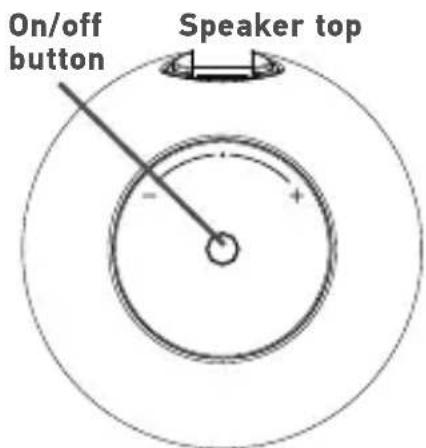
Press and hold the on/off button on the top of the speaker to turn it on. The speaker says "Power on," and its top flashes multicolored lights.
NOTE: If you want to use two SP7 speakers together at the same time, skip to the Adding speakers section on page 6.
4. Pair and connect to your phone
Enable Bluetooth on your smartphone or other device (if it isn't already on).
Make sure the speaker is on (the top should be flashing multicolor light). If it isn't, press and hold the on/off button on the top of the speaker.
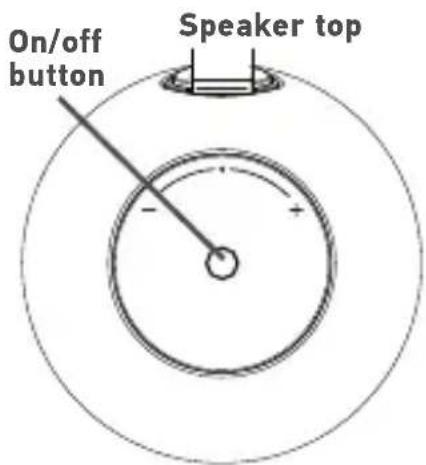
Choose AR SP7 from the pairing options on your smartphone. (If it's not in the list, choose "Scan" from your phone's Bluetooth menu.) The speaker says "Device connected" when it's finished pairing and connecting to your smartphone.
NOTE: The process of enabling Bluetooth and connecting varies from device to device. See your device's owners manual for more information and specific instructions.
NOTE: If you've previously paired a different Bluetooth device with this speaker, the speaker will automatically attempt to reconnect to that device when you switch the speaker on. If you want to pair to a new device, turn off Bluetooth on the previously paired device. Then turn the speaker on and pair it with the new device.
Bluetooth wireless connection tips
- Make sure the Bluetooth capability of your device is turned on.
- For newer smartphone models, the Bluetooth wireless connection works up to a range of roughly 100 feet (30 meters). For older phones, it works up to 33 feet (10 meters). This range may vary, however, based on other factors, such as room layout, wall material, obstacles, your device's Bluetooth performance, etc. If you're having problems connecting to the speaker, move closer to it.
If your device asks you for a password to connect, use "0000".
If you're having trouble reconnecting, try the following solution:
- Find the device named AR SP7 in the Bluetooth menu on your phone, and remove (or forget) this device. Then start the pairing process described in this section again to re-pair and connect.
5. Start playing music on your device
Set your device's volume for music to 75% . Start playing music or other audio on your device. Within seconds, the speaker starts streaming the audio wirelessly via Bluetooth. The lights on the top of the speaker pulse in time to the music.
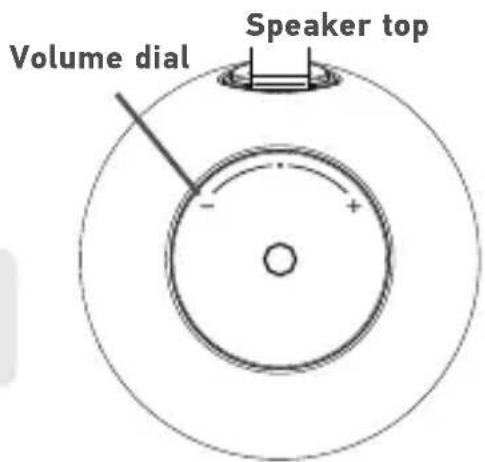
To adjust the volume of your audio: Turn the volume dial on the top of the speaker or use the volume controls on your phone.
TIP: If you're playing music via Bluetooth, a quick single-press on the speaker's on/off button will pause/play.
Adding speakers (stereo mode)
If you have a second SP7 wireless speaker, you can use it together with this one in stereo mode. To use 2 SP7 speakers together in stereo mode:
- Turn on both speakers. (Press and hold the on/off button on the top of each.)
- Make sure both speakers are in pairing mode (not connected to your phone via Bluetooth). The top of each speaker should be flashing multi-color light.
- Give a quick double press to the on/off button on the top of each speaker to put them in stereo mode.
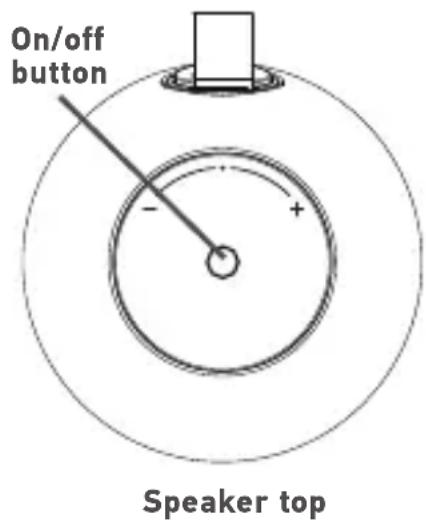
- The speakers beep to signal that stereo mode is ready. The left speaker (master) flashes red, and the right speaker flashes multicolor.
Once the speakers are connected with each other, one of the speakers will try to pair to your phone. Find the AR SP7 in your phone's Bluetooth menu and connect to it. Once the speaker says "Connected," start playing music on your Bluetooth device and enjoy!
Tour of the wireless speaker
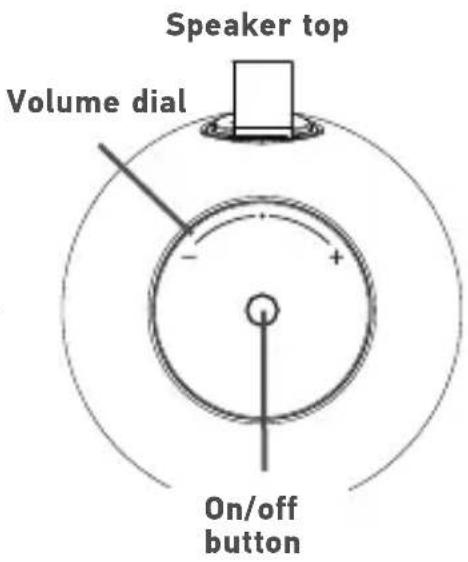
Top
Top light pulses to the beat of the music and indicates speaker status:
Flashing multicolor—the speaker is ready to pair via Bluetooth. Flashing orange—the speaker is charging. Solid green—the speaker is fully charged.
On/off button turns the speaker on and off (press and hold). It also functions as a play/pause button when Bluetooth audio is playing. If you have 2 SP7 speakers, this button pairs them to work in multi-speaker mode (double press).
Volume dial adjusts the volume of the speaker.
Back
Charging jack (behind the door) connects to the USB cable provided to power or charge the speaker.