
SS-8422 - FM Transmitter Sogo - Free user manual and instructions
Find the device manual for free SS-8422 Sogo in PDF.
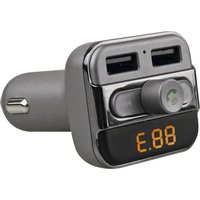


| Brand | Sogo |
| Model | SS-8422 |
| Product Type | Bluetooth FM Transmitter for Car |
| Power Supply | 12-24 V (cigarette lighter socket) |
| USB Charging Outputs | Dual USB 5V / 3.4A (total) |
| Bluetooth Version | AC4601 V2.1 |
| Bluetooth Profiles | AVRCP, HFP, A2DP |
| FM Frequency Range | 87.6 - 107.9 MHz |
| Supported Audio Formats | MP3, WMA |
| Max Micro SD Card Capacity | 32 GB |
| Max USB Drive Capacity | 32 GB |
| Main Functions | FM transmission, hands-free calling, music playback via USB/Micro SD, dual USB charging, infrared remote control, voice prompts |
| Playback Modes | Normal, Single Repeat, All Repeat, Random |
| Equalizer (EQ) | Classic, Jazz, Pop, Rock, Vocal |
| Built-in Microphone | Yes (for hands-free calls) |
| Display | 3-digit LED (frequency) |
| Safety Instructions | Do not use in humid environments, near heat sources, in direct sunlight, or disassemble without authorization |
| Care and Cleaning | Clean with a soft, dry cloth |
| Repairability | Do not disassemble or warranty will be voided |
| Compatibility | Any Bluetooth 2.1 or higher device |
| Package Contents | Device, infrared remote control, user guide |
| Standards | CE, RoHS (2011/65/EU) |
| After-Sales Service | www.sogosat.com / sogosat@sogosat.com / 0034 902 222 161 |
Frequently Asked Questions - SS-8422 Sogo
User questions about SS-8422 Sogo
0 question about this device. Answer the ones you know or ask your own.
Ask a new question about this device
Download the instructions for your FM Transmitter in PDF format for free! Find your manual SS-8422 - Sogo and take your electronic device back in hand. On this page are published all the documents necessary for the use of your device. SS-8422 by Sogo.
USER MANUAL SS-8422 Sogo
3 in 1 Digital FM Transmitter
INTRODUCTION
Frequency Modulation
CH+ CH-
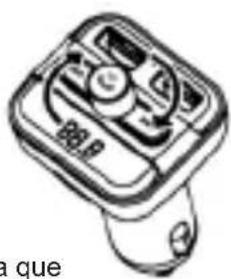
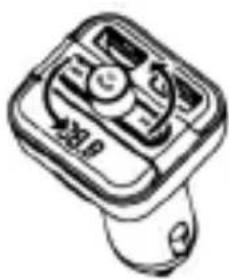
Thanks for choosing our Bluetooth FM Transmitter. This device releases stream music and calls directly from your Bluetooth device to your car FM stereo system. The built-in microphone provides you with an amazing hands free function, it is also with a Micro SD card/USB Disk slot that lets you enjoy favorite MP3 and WMA tunes by your car's stereo system, And Most of functions achieved by the Rotation. But there is no Mark on Product, So Please read the User Manual carefully before using. Hope this device make your driving more interesting and safe.
Packing contents:
- Bluetooth device
- IR Remote
- User Guide
Specification:
- Bluetooth version: AC4601 V2.1
- Bluetooth Protocol: AVRCP, HFP, A2DP
- Frequency range: 87.6 - 107.9MHZ
- Frequency stability: ±10ppm
- Product Input:12-24V
- Music Format: mp3, wma
- Micro SD Card (Max capacity): 32GB
- USB Disk (Max capacity): 32GB
- Product Total Output: 5V/3.4A
- Loop mode: Normal, Single cycle, Repeat all, Random
- EQ: Classical, JAZZ, POP, ROCK, Vocal etc.
Features:
- Wirelessly transmit phone call from Bluetooth mobile phone to the car FM stereo system;
- Switch to Hands-free mode automatically from music playing status when receiving calls;
3. Built-in Microphone
- Dual USB outputs 5V/3.4A totally, charges iPod, iPhone, iPad and other devices
- Support USB Disk/Micro SD Card
- Strong and elegant design with LED frequency display.
- With remote control
- With voice prompts
Compatibility:
This device can be paired as a hands-free kit with any compatible Bluetooth 2.1 or higher enabled devices.
Precautions:
Please read all safety instructions and warnings carefully before using this product. Improper use of this product may result in damage to this or attached products. To ensure the products work well, please never use this in the following conditions:
- Moist or underwater conditions.
- Conditions near heater or high-temperature service.
- Conditions with direct and strong sunshine.
- Conditions with apt falling
- Never dismantle the product without due permission, otherwise it may nullify the warranty clause.
OPERATION INSTRUCTIONS
Using FM Transmitter function:
- Plug the FM transmitter into your vehicle's cigarette lighter or power port.
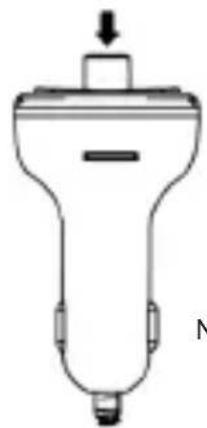
- Tune your radio to an unused FM frequency (as pics advised), then match the same frequency of this unit.
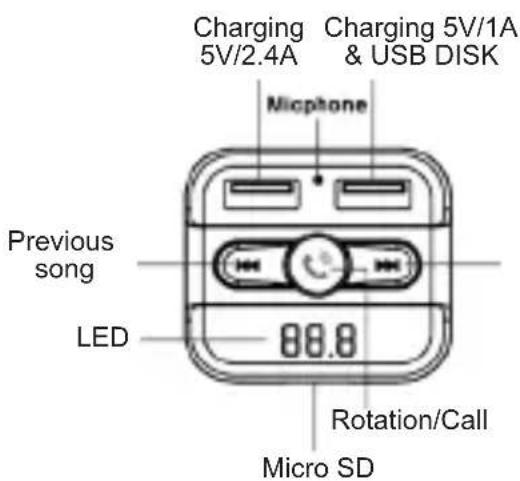
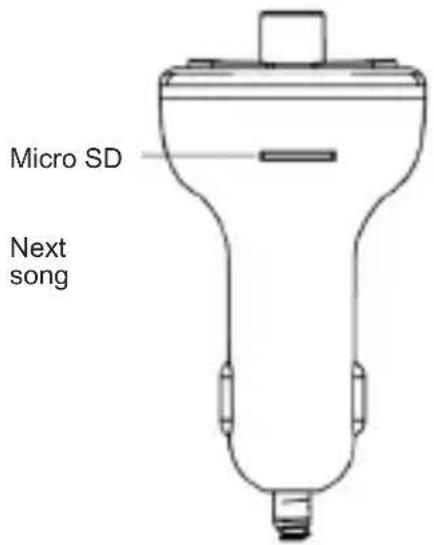
- Insert Micro SD card or USB disk which containing MP3 files into the card/USB 2 slot (please follow the pic USB2). It will play and transmit the file automatically. Follow the pics as attached to control your music easily.
Insert Micro SD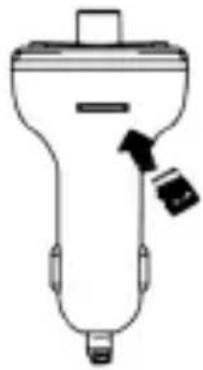
Play/Pause Next song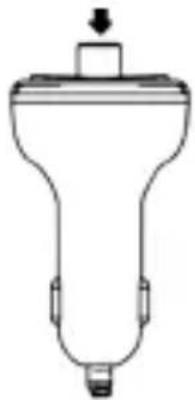
/Volumen+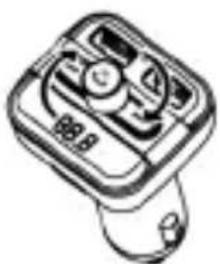
Previous song /Volumen-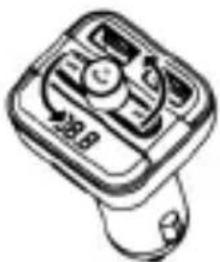
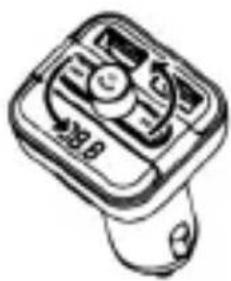
Note: Press to choose the song; Rotate the knob to adjust the Volume
Frecuency Modulation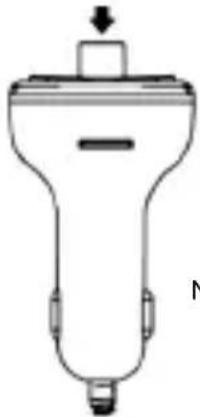
CH+ CH- Note: Click and hold till frequency flashing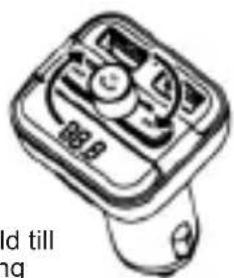
10 español english français
Using Bluetooth function:
- Using Bluetooth for the first time, you need to pair your mobile phone with this unit. Activate your mobile phone's Bluetooth function, then search new device. When the mobile phone detects this unit (named as "SOGO SS-8422"), please pair and connect by using the original password "0000"
- In music playing mode, when there is an incoming call, this unit will automatically switch to telephone mode.
Bluetooth calling
- Press to answer the incoming call.
- Press to hang up a call.
- Press twice to automatically dial the last number.
- When making a call, you can only dial the phone number using your mobile phone, but once the call is connected, you can use the hands-free function to enjoy it.
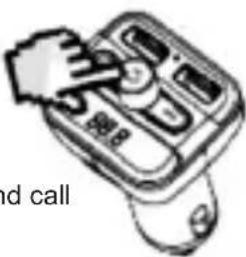
Answer / End call
Remote controller:
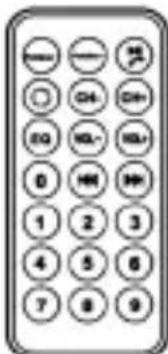
Most of the function can be fulfilled by the remote controller provided.
QUICK GUIDE
| Operation Guide | On FM transmitter | On Remote Controller |
| 1. Answer / hang up the call: | Press answer the callPress hang off the call | Press button |
| 2. Play and Pause the music: | Press Button: Play the musicPress again: Pause playing | Press button |
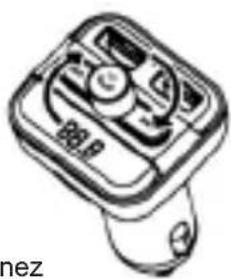
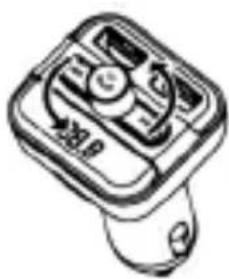
| 3. Adjust the Volume | Rotate in clockwise and hold a while to increase the Volume Rotate anticlockwise and hold a while to decrease Volume | Press “Vol+” to increase the VolumePress “VOL-” to decrease the Volume |
| 4. Set frequency | Press and hold till Frequency keep flashing, then Rotate clockwise to increase the frequency Rotate anticlockwise to decrease the frequency | Press “CH+” button: Increase 0.1MHzPress “CH-” button: decrease 0.1MHzOr press the numbers of the frequency what you desired, press “CH+” to confirm |
QUICK GUIDE
| Operation Guide | On FM transmitter | On Remote Controller |
| 5. Choose music: | Rotate clockwise to Play the next song Rotate anticlockwise to Play the previous song | Press ➤ button: Play the next song; Press ◀ button: Play the previous song; Or press the number of the song then press ➤ to confirm |
| 6. Choose EQ: | Support by remote controller only | Press “EQ” button to choose your favorite EQ |
| 7. Switch folder: | Support by remote controller only | Press “folder” button to switch folder |
INTRODUCTION
16 español english français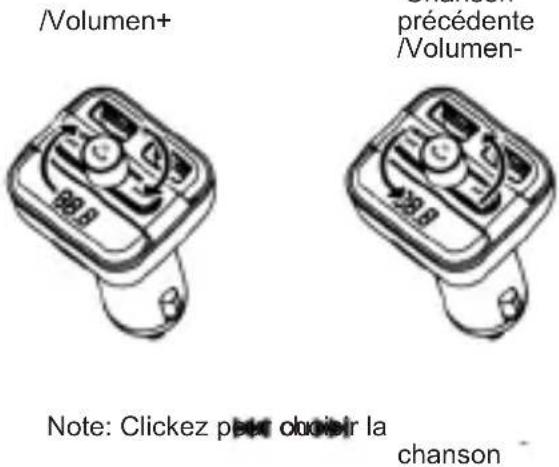
CH+ CH-
DECLARATION OF CONFORMITY
This device complies with Low Voltage Directive 2014/35/EC, Electromagnetic Compatibility Directive 2014/30/EU, Directive 2011/65/EU on the restriction of the use of certain hazardous substances in electrical and electronic equipment and Directive 2009/125/EC on the eco-design requirements applicable to energy-related products.
DECLARATION OF CONFORMITY
This symbol means that in case you wish to dispose of the product once its working life has ended, take it to an authorized waste agent for the selective collection of waste electrical and electronic equipment (WEEE)
Imported by:
Product made in P.R.C. – Designed by SOGO
based on the European Quality Standards
Customer Service: www.sogosat.com
sogosat@sogosat.com / 0034 902 222 161
SOGO®
Human Technology
Brand : Sogo
Model : SS-8422
Category : FM Transmitter