
AquaTrio Series 9000 XW9463 - Vacuum Cleaner PHILIPS - Free user manual and instructions
Find the device manual for free AquaTrio Series 9000 XW9463 PHILIPS in PDF.


| Product type | Vacuum mop (simultaneous vacuuming and mopping) |
| Brand | PHILIPS |
| Model | AquaTrio Series 9000 XW9463 |
| Power supply | Li-Ion battery 25 V, 4-hour charge, adapter 34 V S036-1A340100HE |
| Runtime | Varies depending on mode and power used |
| Clean water tank capacity | 400 ml |
| Dust bin capacity | MAX indicator, regular emptying recommended |
| Cleaning modes | Normal moisture, intense moisture, water absorption |
| Special functions | AUTOCLEAN, active protection system, PowerCyclone 12, LED lighting |
| Included accessories | LED brush, mini Turbo brush, crevice tool, microfibre brushes, cleaning brush, post-cleaning storage station |
| Maintenance | Regular cleaning of dust bin, filter (every 6 months), microfibre brushes, dirty water tank |
| Replacement parts | Filter XV1791, microfibre brushes XV1793, battery XV1797, floor cleaner XV1792 |
| Operating temperature | 5 °C to 35 °C |
| Compatible floor types (washing) | Hard floors (except raw wood), fixed linoleum |
| Compatible floor types (vacuuming only) | Hard and soft floors (carpet, rug) |
| Weight | Not specified in the manual |
| Dimensions | Not specified in the manual |
Frequently Asked Questions - AquaTrio Series 9000 XW9463 PHILIPS
User questions about AquaTrio Series 9000 XW9463 PHILIPS
0 question about this device. Answer the ones you know or ask your own.
Ask a new question about this device
Download the instructions for your Vacuum Cleaner in PDF format for free! Find your manual AquaTrio Series 9000 XW9463 - PHILIPS and take your electronic device back in hand. On this page are published all the documents necessary for the use of your device. AquaTrio Series 9000 XW9463 by PHILIPS.
USER MANUAL AquaTrio Series 9000 XW9463 PHILIPS
natural_image
Exterior view of a black and blue RV vacuum cleaner with extended handle (no text or symbols visible)
flowchart
graph TD
    A["Welcome, Get started!"] --> B["Registration and Benefits"]
    A --> C["Quick start"]
    A --> D["Digital manual"]
    B --> E["Home.id/welcome"]
    C --> E
    D --> E
English 4
Bahasa Indonesia 50
Bahasa Melayu 96
Čeština 143
Dansk 188
Deutsch 234
Eesti 282
Español 328
Français 375
Hrvatski 422
Italiano 468
Latviešu 515
Lietuviškai 561
Magyar 607
Nederlands 653
Norsk 700
Polski 746
Português 793
Română 840
Shqip 887
Slovenščina 933
Slovensky 978
Srpski 1024
Suomi 1070
Svenska 1115
Tiếng Việt 1161
Türkçe 1206
Ελληνικά 1252
Български 1302
Македонски 1350
Русский 1398
Українська 1447
Қазақша 1495
ภาษาไทย 1542
简体中文 1594
繁體中文 1641
한국어 1683
العربية 1727
1771 فارسی
Contents
Introduction 4
General description 4
Before first use 5
Charging 7
Vacuuming and mopping hard floors 8
Vacuuming soft and hard floors 13
Cleaning the Vacuum & Mop set-up ____
Cleaning the Vacuum only set-up 27
Display icons and their meaning 36
Replacement 39
Troubleshooting 40
Using the Vacuum only set-up 46
18
Introduction
Thanks for buying this Philips product! To fully benefit from the support that Philips offers, register your product at www.philips.com/myvacuum9000s.
General description
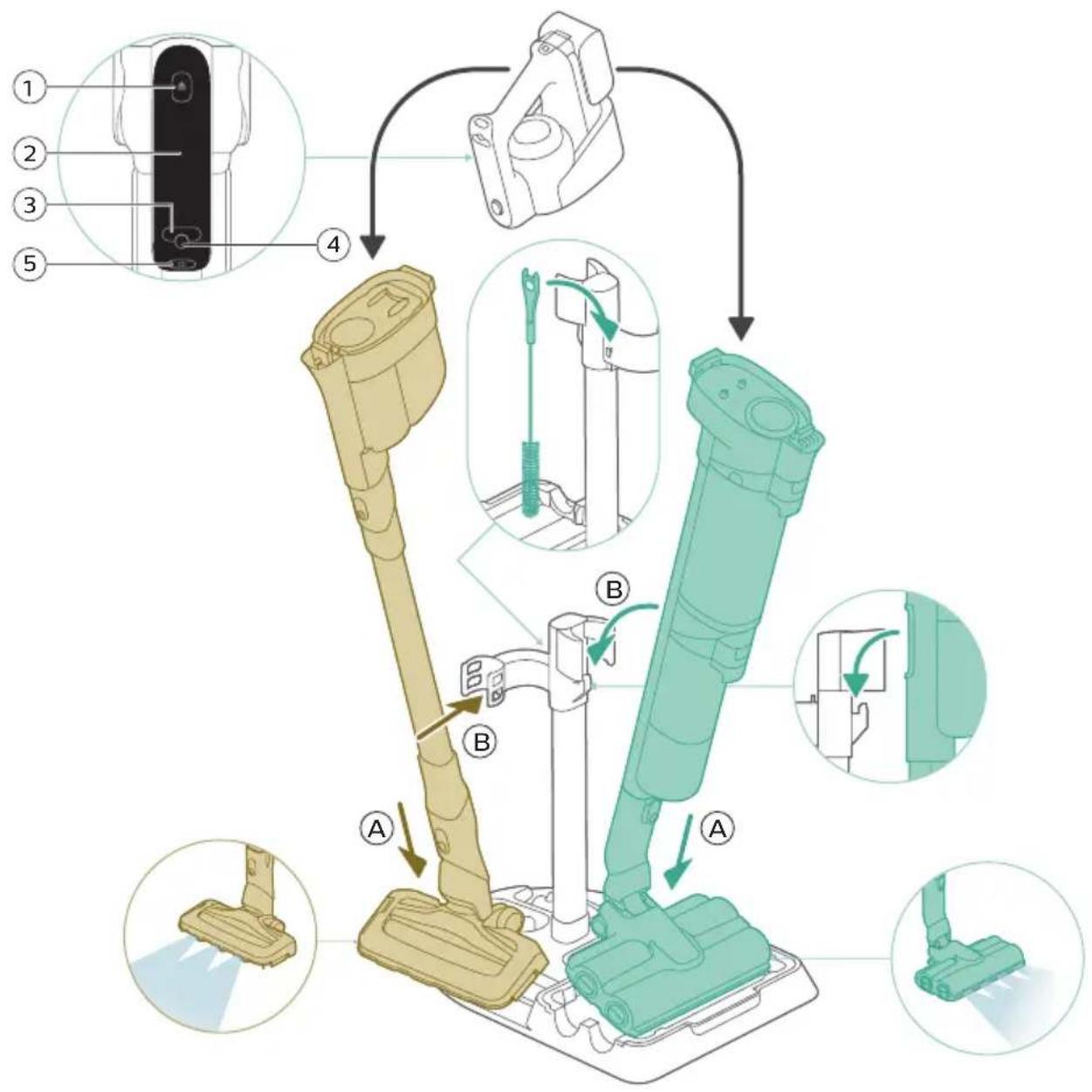
1 Dust bucket release button
2 Display
3 Cleaning mode button
4 Middle button (AUTOCLEAN)
5 On/off button
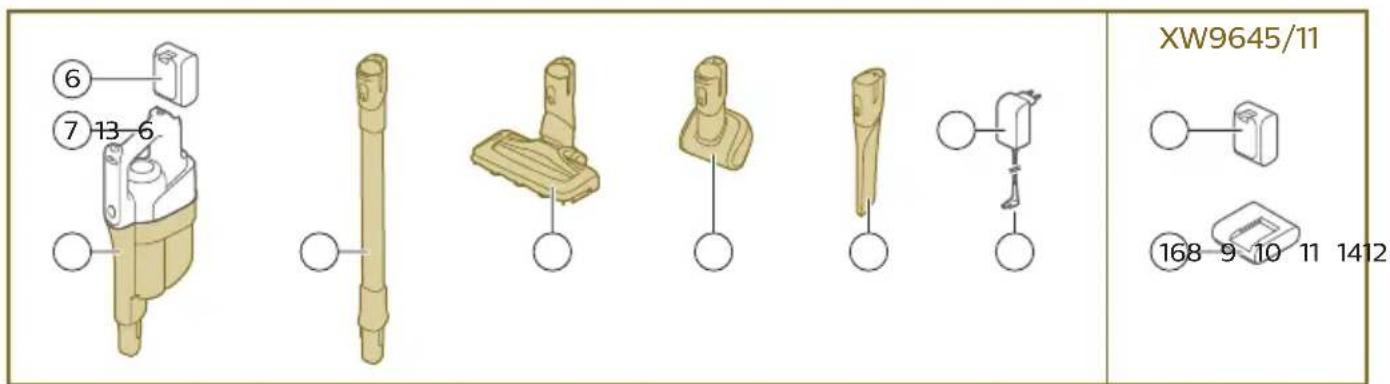
6 Battery
7 3-in-1 handheld
8 Dust bucket
9 Tube
10 LED nozzle
11 Mini Turbo brush
12 Long crevice tool
13 Adapter
14 Power plug
15 Extra charger (XW9465/11 only)
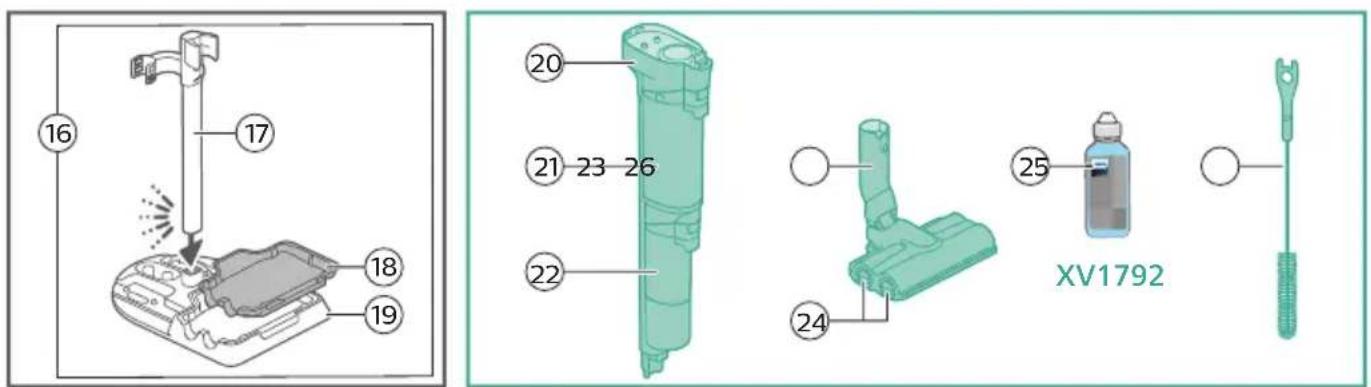
16 After-Clean & Storage station
17 Appliance holder
18 After-Clean tray
19 Baseplate
20 Wet module
21 Dirty water tank
22 Clean water tank
23 AquaSpin nozzle
24 Microfiber brushes
25 Philips Floor Cleaner XV1792 (XW9463/11 and XW9465/11 only)
26 Cleaning brush
Before first use
Assembling the After-Clean & Storage station
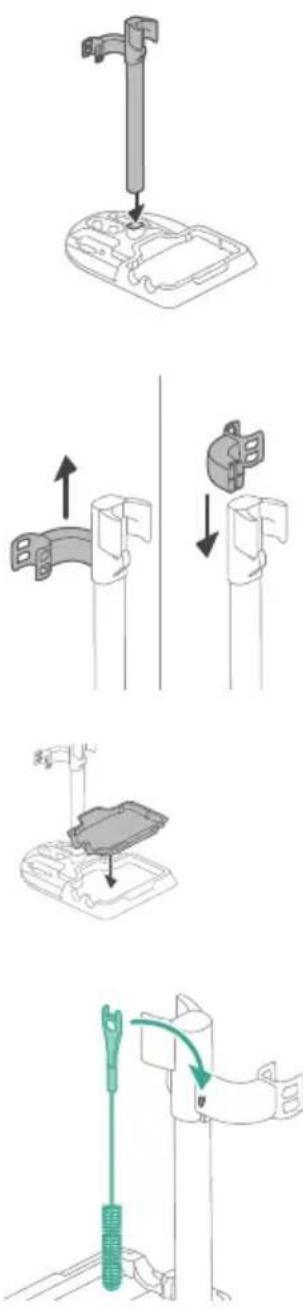
In order to use the AUTOCLEAN function or store and charge the appliance on the After-Clean & Storage station, you need to first assemble the station by clicking the appliance holder into the baseplate.
Tip: It is possible to slide the holder for Vacuum only set-up and put it back upside down if you want to place the Vacuum only set-up on the other side of the After-Clean & Storage station.
i Note: Make sure that the After-Clean tray is placed in the baseplate and that the temperature in the room where the appliance is stored, charged and cleaned is between 5 °C and 35 °C.
Tip: You can hang the cleaning brush on the hook of the appliance holder.
Assembling the Vacuum & Mop set-up
natural_image
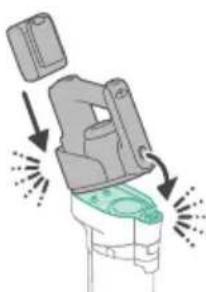
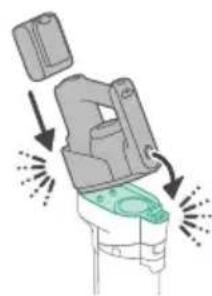
Illustration of a hand holding a spray gun with arrows indicating motion (no text or symbols)1 To assemble the Vacuum & Mop set-up, insert the battery and attach the 3-in-1 handheld to the wet module ('click').
English
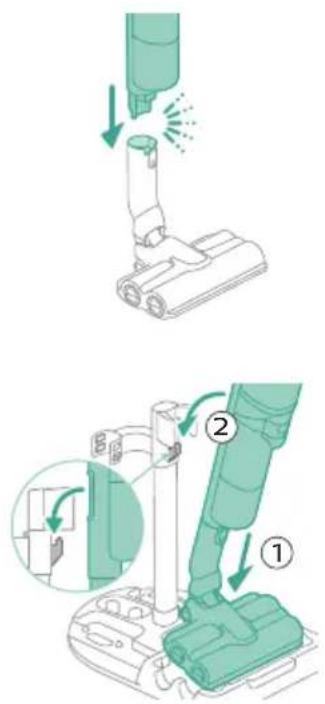
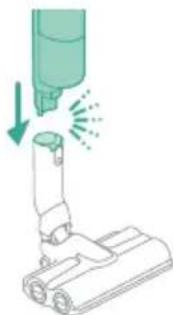
2 Attach the wet module to the AquaSpin nozzle ('click').
3 To store the Vacuum & Mop set-up, you can place it in the After-Clean & Storage station.
Assembling the Vacuum only set-up
natural_image
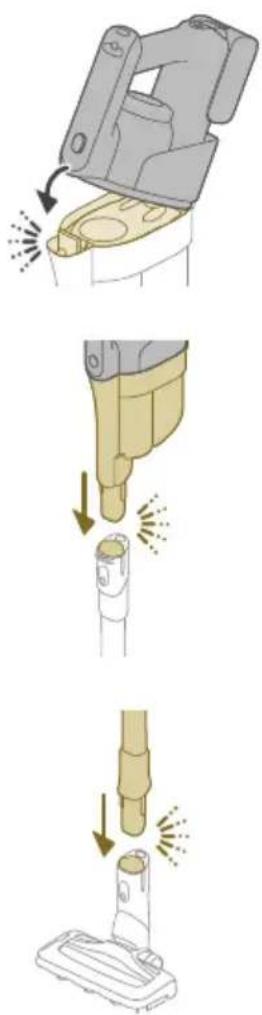
Three-step illustration showing a hairdryer being inserted into a device, with arrows indicating motion (no text or symbols)1 To assemble the Vacuum only set-up, attach the 3-in-1 handheld to the dust bucket ('click').
2 Attach the dust bucket to the tube ('click').
3 Insert the tube into the LED nozzle.
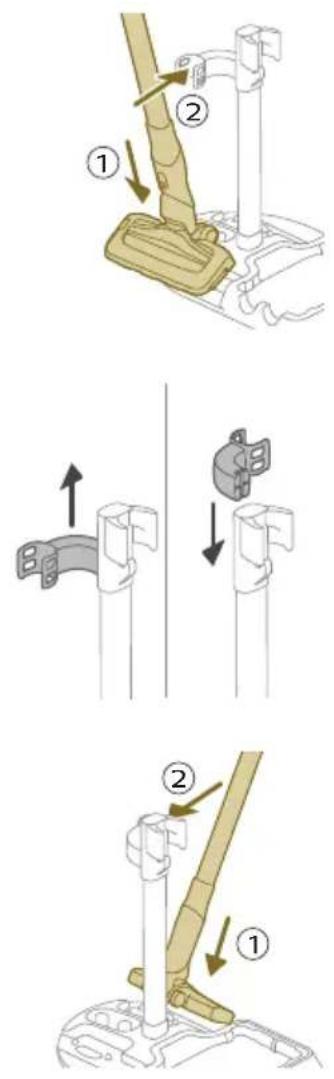
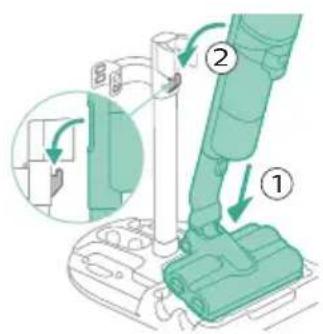
4 To store the Vacuum only set-up, place it in the After-Clean & Storage station by first placing the LED nozzle onto the long side of the baseplate and then pressing the tube into the holder.
Tip: It is possible to slide the holder for the Vacuum only set-up and put it back upside down if you want to place the Vacuum only set-up on the other side of the After-Clean & Storage station.
Charging
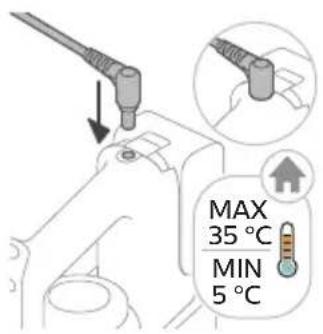
The appliance is equipped with a 25 V Li-Ion battery. Charging takes 4 hours.
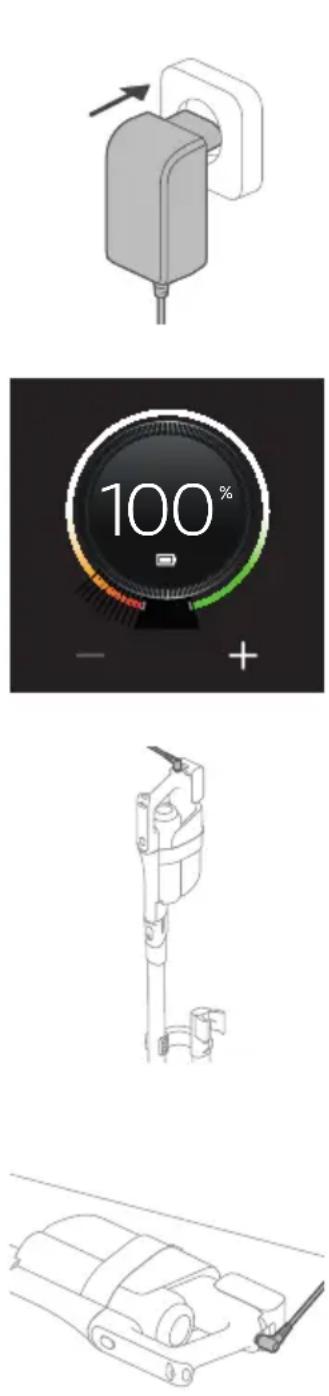
1 To charge the appliance, insert the power plug into the socket on the back of the appliance. Then insert the adapter into the wall socket.
2 A value between 0% and 90% flashes on the screen to indicate that the appliance is charging.
3 When the appliance is fully charged, the value 100% lights up on the screen. After a few minutes, the display will switch off.
Warning: Store and charge the appliance at a temperature above 5 °C and below 35 °C.
Tip: You can charge the appliance in the After-Clean & Storage station.
Tip: You can charge the appliance separately in a place that suits you best.
Vacuuming and mopping hard floors
Using the Vacuum & Mop set-up
The clean water tank and the dirty water tank are already attached to the appliance upon delivery. With the wet module attached to the AquaSpin nozzle, you can clean hard floors.
i Note: This Vacuum & Mop set-up is suitable for vacuuming and mopping at the same time. It is not necessary to vacuum the floor before mopping. The Vacuum & Mop set-up is suitable for vacuuming and mopping all types of
hard floors, except uncoated wooden floors (see 'Usage restrictions').
natural_image
Diagram of a mechanical device with arrows indicating motion or force direction (no text or symbols)1 To assemble the Vacuum & Mop set-up, insert the battery and attach the 3-in-1 handheld to the wet module ('click').
natural_image
Illustration of a medical or laboratory procedure showing a needle inserted into a device with a green arrow indicating direction (no text or symbols present)2 Attach the wet module to the AquaSpin nozzle ('click').
natural_image
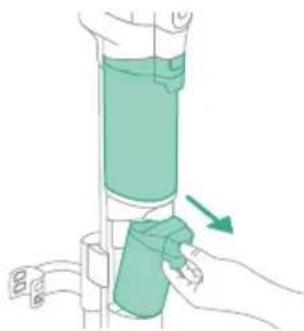
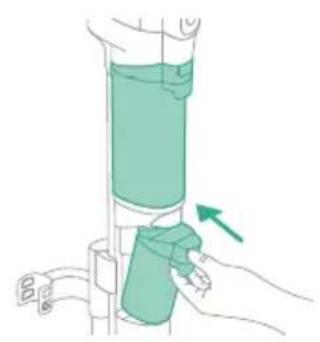
Illustration of a hand holding a cylindrical device with a green arrow indicating motion (no text or symbols)3 Push the button to unlock the clean water tank and remove the clean water tank.
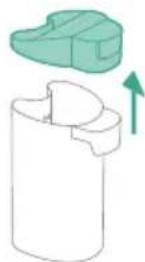
4 Remove the cap from the clean water tank.
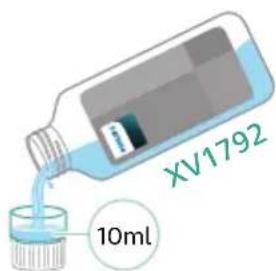
5 Add 10 ml of the XV1792 Philips Floor Cleaner to the clean water tank.

Caution: Philips has only tested this appliance with XV1792 Philips Floor Cleaner. Other detergents may lead to excessive foaming, which reduces performance and may cause the appliance to malfunction. XV1792 Philips Floor Cleaner is available in selected markets. When using any other suitable liquid floor cleaner, add a maximum of 10 ml to the clean water tank.
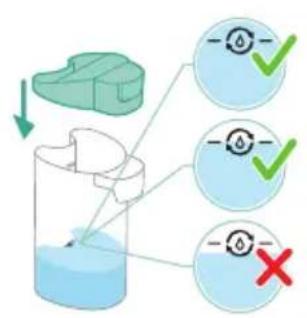
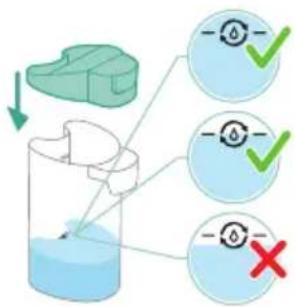
6 Fill the clean water tank with cold or lukewarm tap water up to the MAX indication.
Caution: The tap water that is poured into the clean water tank must not be warmer than 50°C.
7 Place the cap back on the clean water tank.
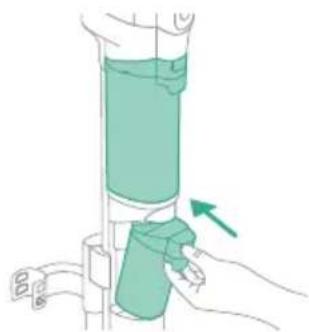
8 Place the clean water tank back into the appliance.
9 To switch on the appliance, press the on/off button and wait until the appliance is ready for use.
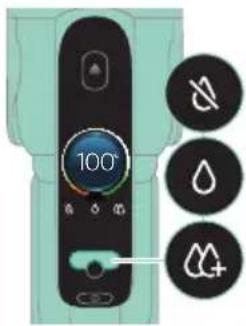
10 Use the cleaning mode button to choose between three different settings:
- Normal wet mode
- Intense wet mode
- Water absorption mode
By selecting the normal water mode, you can use the appliance for regular wet cleaning. The intense wet mode is for cleaning extra stubborn stains.
If there are wet spots on the floor after cleaning, you can select absorption mode to clean them up. We also recommend using it when lifting the appliance over a threshold, carpet or stairs (see 'Tips and other important information').
If you select water absorption mode, the appliance will stop supplying water and increase suction power for 45 seconds to absorb any water on the floor.
i Note: older models feature normal wet mode and intense wet mode, but not water absorption mode.
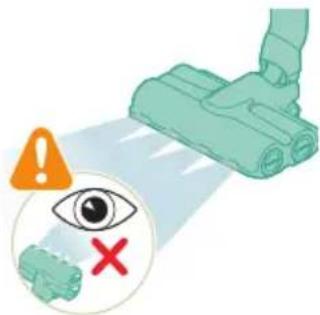
Caution: Do not look directly into the LEDs of the nozzle or point the LEDs at someone's eyes. The LED light is very bright.
Active protection system
- This appliance is equipped with an active protection system. This active protection system has been designed to recognize when a foreign object other than dirt or liquid is picked up from the floor.
- When the system is activated, the appliance switches off and the i3 message appears on the display (see 'Display icons and their meaning'). The active protection system can also be activated when the microfiber brushes are too wet, when you move the appliance over a carpet or a rug, or when you move it over flooring that is not properly affixed.
Tips and other important information
- It is not necessary to vacuum the floor before mopping, as the Vacuum & Mop set-up actively wet-cleans your hard floor to capture all kinds of dirt, including liquids and stains. On carpets and rugs, use the Vacuum only set-up.
- If your hard floors do not need mopping, simply use the vacuum only set-up which features LED lights and PowerCyclone 12 technology for precise and powerful dirt pick-up.
- You can move the appliance just as quickly as a vacuum cleaner. To remove difficult stains, click the cleaning mode button to activate the intense wet mode and move the appliance slowly over the stains.
-
The appliance can leave a small puddle of water on the floor if you do not move the appliance while switching it off. You can reduce the size of the puddle by moving the appliance while switching it off. If needed, you can remove the last drops with a cloth.
-
It is recommended to activate the water absorption mode when lifting the appliance over a threshold, carpet or stairs during cleaning. This will prevent dirty water from dripping out of the AquaSpin nozzle.
- When moving the appliance, it is recommended to stretch your arm to reduce unnecessary tension on the muscles. In this position, you have the best control over the appliance when cleaning, and it will be the most comfortable.
i Note: When you use the water absorption mode, no more water comes out of the appliance and the suction power increases. After 45 seconds, if you do not take any action, the appliance automatically switches back to normal wet mode
i Note: older models feature normal wet mode and intense wet mode, but not water absorption mode. For these models, move the appliance while switching it off to reduce the amount of water left on the floor. It is also recommended to leave the appliance on when lifting it over a threshold, carpet or stairs during cleaning. This will prevent dirty water from dripping out of the AquaSpin nozzle.
Usage restrictions
- The Vacuum & Mop set-up is suitable for vacuuming and mopping all types of hard floors, except uncoated wooden floors.
- The Vacuum & Mop set-up is intended for regular cleaning of hard floors. Always follow the cleaning instructions for your hard floor when you use this appliance.
- If you want to add a liquid floor cleaner other than XV1792 Philips Floor Cleaner to the water in the clean water tank, make sure that you use a low-foaming or non-foaming liquid floor cleaner that can be diluted in water like XV1792 Philips Floor Cleaner.
- As the clean water tank has a capacity of 400ml, you only have to add a few drops (max 10ml) of liquid floor cleaner to the water.
- If you use the Vacuum & Mop set-up on linoleum floors, only do so on linoleum floors that are properly affixed to prevent linoleum from being drawn into the AquaSpin nozzle.
- Do not use the Vacuum & Mop set-up to clean carpets.
- If you move/lift the appliance over a carpet or rug when it is switched off, wastewater droplets may end up on your carpet or rug.
- Do not push the appliance over the floor grilles of convector heaters. As the appliance cannot pick up water that comes out of the nozzle when you move it over the grille, water ends up at the bottom of the convector pit.
- While cleaning, do not lift the AquaSpin nozzle from the floor or move the AquaSpin nozzle sideways, and do not make strong turns, as this leaves water traces. Only move forwards and backwards.
i Note: The operating time depends on the power level used during cleaning.
i Note: older models only feature normal wet mode and intense wet mode
⑥, but not water absorption mode.
Vacuuming soft and hard floors
Using the Vacuum only set-up
natural_image
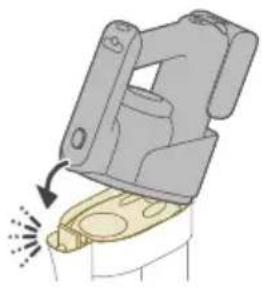
Illustration of a mechanical device with a highlighted component and motion arrow (no text or symbols)1 To vacuum soft or hard floors, attach the 3-in-1 handheld to the dust bucket ('click').

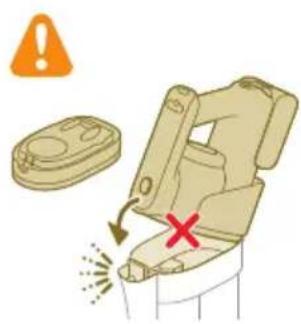
Caution: Do not attach the 3-in-1 handheld to the dust bucket without the filter case being inserted in the dust bucket.
natural_image
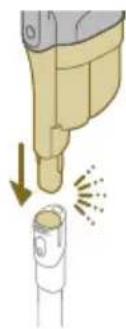
Illustration of a mechanical device with a downward arrow and emitting sparks, next to a cylindrical component (no text or symbols)2 Attach the dust bucket to the tube ('click').

natural_image
Illustration of a vacuum cleaner emitting exhaust smoke from a cylindrical component (no text or symbols)3 Insert the tube into the LED nozzle.
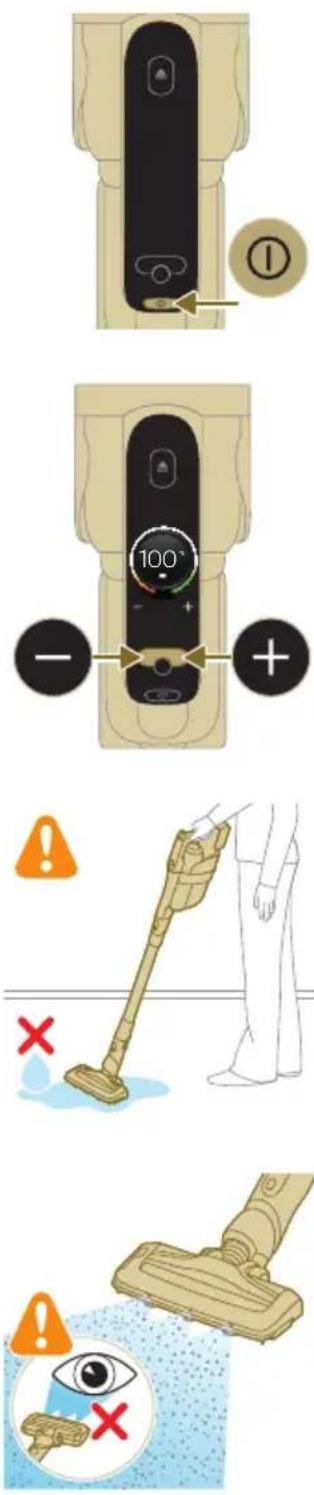
4 To switch on the appliance, press the on/off button and wait until the appliance is ready for use.
5 Use the buttons on the left and right to choose between the two different power settings.
Tip: The LEDs in the LED nozzle make it easier to see dirt on the floor. The tube and LED nozzle allow you to reach under low furniture without the need to twist the appliance.
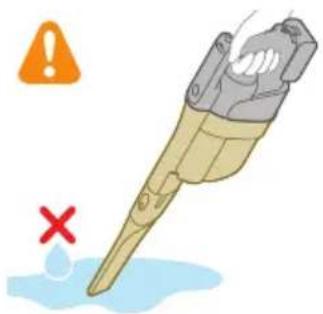
Warning: Do not vacuum up water or other liquids.
Caution: Do not look directly into the LEDs of the LED nozzle or point the LEDs at someone's eyes. The LED light is very bright.
Using the tube
You can attach the tube to the handheld and use it without a nozzle to vacuum tight spaces between or behind pieces of furniture with the end of the tube.
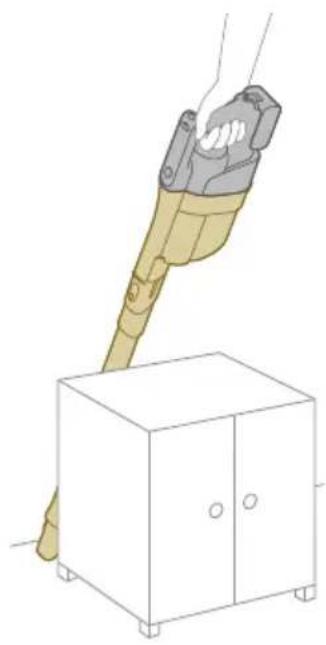
natural_image
Illustration of a hand holding a handheld device above a white cabinet (no text or symbols)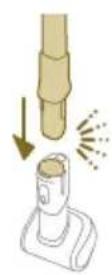
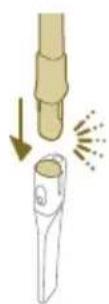
Tip: It is also possible to attach the Mini Turbo brush to the tube.
Tip: It is also possible to attach the long crevice tool to the tube.
Using the handheld
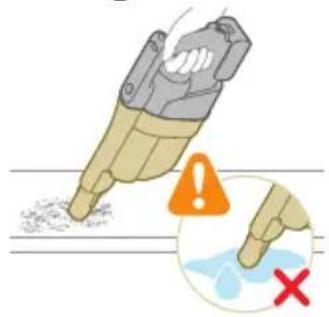
Without the nozzle and tube, you can use the handheld to clean small patches of dust and dirt, such as spilled breadcrumbs, or to vacuum staircases and shelves.
Warning: Do not vacuum up water or other liquids.
Using the LED nozzle
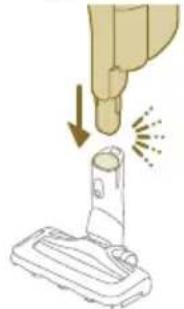
natural_image
Illustration of a hand holding a tool above a device with a flame symbol (no text or symbols present)You can use the LED nozzle to clean areas, such as the steps of a staircase, to vacuum up dirt in corners or on narrow ledges, or to clean small patches of dirt, such as spilled breadcrumbs.
1 To attach the LED nozzle, insert the tube or the handheld into the nozzle.
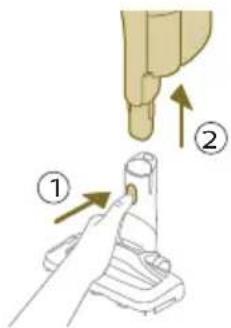
2 To detach the LED nozzle, press the release button (1) and pull the tube or handheld out of the nozzle (2).
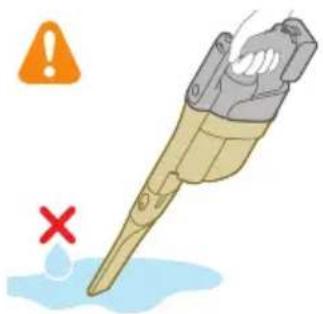
Warning: Do not vacuum up water or other liquids.
Using the Mini Turbo brush
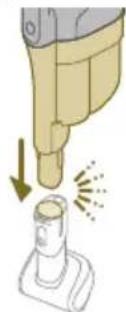
1 To attach the Mini Turbo brush, insert the tube of the handheld into the Mini Turbo brush.
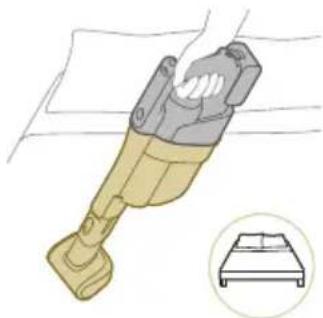
natural_image
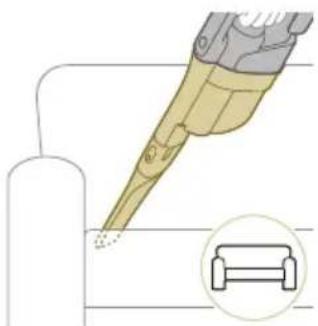
Illustration of a mechanical device with a circular inset showing a bed (no text or symbols)2 You can use the Mini Turbo brush for standard cleaning, for instance of soft areas such as beds and couches. You can adjust the power setting to suit your cleaning needs.
natural_image
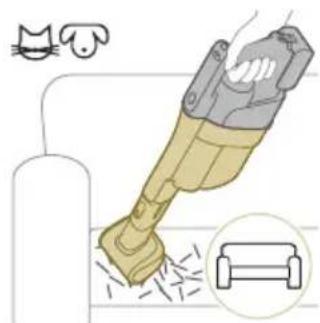
Illustration of a hairdryer with a cat and dog nearby, showing powder and spray (no text or symbols)3 You can use the Mini Turbo brush for extra thorough cleaning, for instance to vacuum up pet hair, or to clean small patches of dirt, such as spilled breadcrumbs. You can adjust the power setting to suit your cleaning needs.
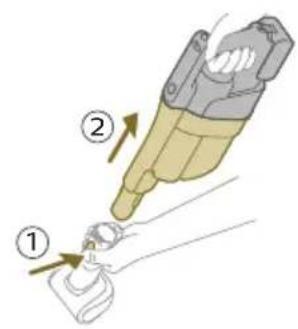
4 To detach the Mini Turbo brush, press the release button (1) and pull the handheld out of the Mini Turbo brush (2).
natural_image
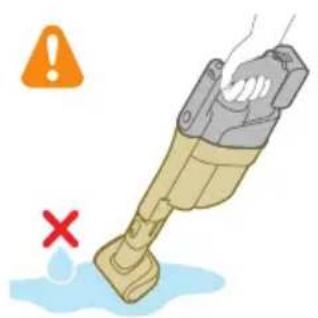
Illustration of a hand holding a device with a warning symbol and a red 'X' indicating failure or absence (no text or symbols present)Warning: Do not vacuum up water or other liquids.
Using the long crevice tool
natural_image
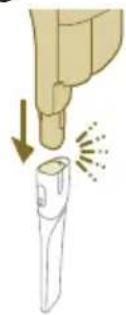
Illustration of a hand holding a flashlight with a downward arrow and radiating lines indicating light (no text or symbols)1 To attach the long crevice tool, insert the tube or handheld into the long crevice tool.
natural_image
Illustration of a dental implant tool interacting with a cylindrical device (no text or symbols present)2 You can use the long crevice tool to clean narrow corners or hard-to-reach places. You can adjust the power setting to suit your cleaning needs.
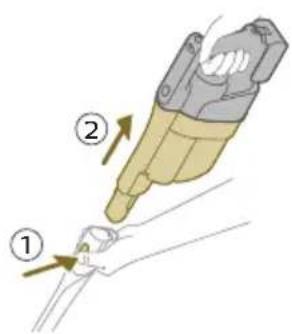
3 To detach the long crevice tool, press the release button (1) and pull the tube or handheld out of the long crevice tool (2).
natural_image
Illustration of a mechanical tool with a red X mark and warning symbols (no text or labels)Warning: Do not vacuum up water or other liquids.
Cleaning the Vacuum & Mop set-up
AUTOCLEAN after every use
To prevent odors and scale deposits, use the AUTOCLEAN function after every use. The AUTOCLEAN mode helps you to clean your full appliance in approximately 4 minutes.
1 Place the Vacuum & Mop set-up in the After-Clean & Storage station.
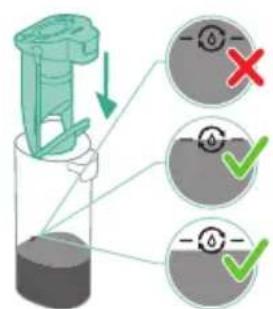
i Note: If the dirty water level is below the AUTOCLEAN level, it is not necessary to empty the tank before starting the AUTOCLEAN program. You can skip the following steps and move forward to step 6.
natural_image
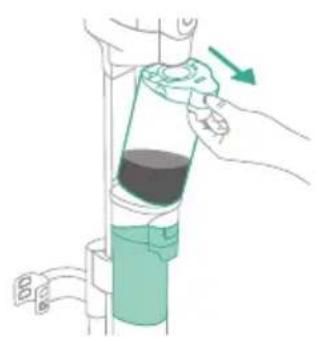
Illustration of a hand pouring liquid into a vertical pipe with a green arrow indicating direction (no text or symbols)2 Push the button to unlock the dirty water tank and remove it.

flowchart
graph TD
    A["Step 1: Insert liquid"] --> B["Step 2: Insert liquid"]
    B --> C["Step 3: Insert liquid"]
    C --> D["Step 4: Insert liquid"]
    D --> E["Step 5: Insert liquid"]
    E --> F["Step 6: Insert liquid"]
3 Remove the wet filter from the dirty water tank.
4 Pour the water out of the dirty water tank into the sink.
5 Place the wet filter back on the dirty water tank.
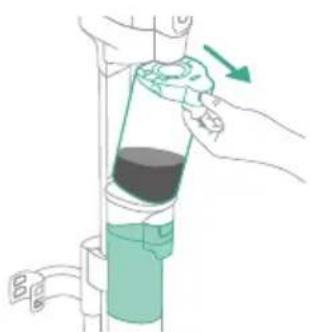
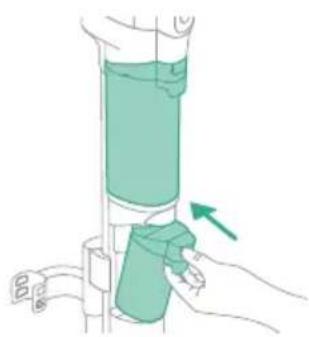
6 Place the empty dirty water tank back into the appliance and take out the clean water tank.
7 Remove the cap from the clean water tank.

natural_image
Simple line drawing of a bucket pouring liquid into a container (no text or symbols)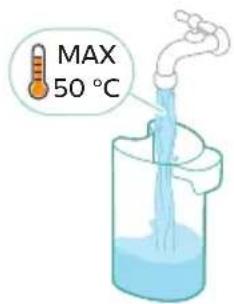
natural_image
Illustration of a hand holding a green cylindrical device with an arrow indicating motion (no text or symbols)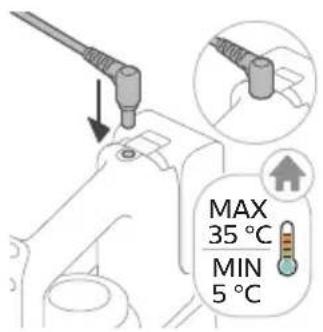
8 Pour any remaining detergent liquid from the clean water tank into the sink.
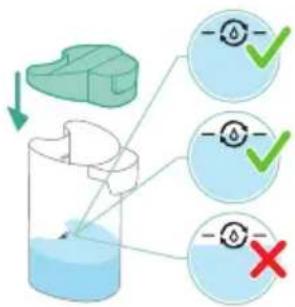
9 Fill the clean water tank with cold or lukewarm tap water at least up to the AUTOCLEAN indication.
Caution: The tap water that is poured into the clean water tank must not be warmer than 50°C.
Caution: Do not use detergent for the AUTOCLEAN as this might lead to excessive foaming.
10 Place the clean water tank back into the appliance.
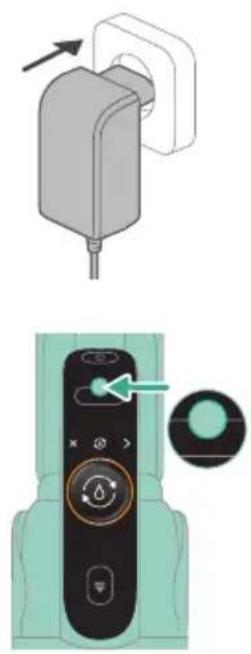
11 Charge the appliance. Insert the power plug into the socket on the back of the appliance. Then insert the adapter into the wall socket.
natural_image
Illustration of a remote control device with a switch and navigation knob (no text or symbols)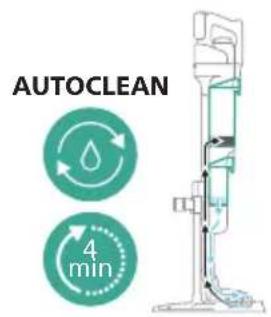
natural_image
Illustration of a hand pouring liquid into a vertical pipe with a green arrow indicating direction (no text or symbols)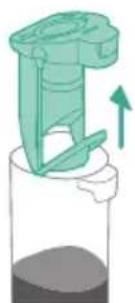
natural_image
Illustration of a green mechanical device with an upward arrow, partially submerged in liquid (no text or symbols)12 To start the AUTOCLEAN cycle, press the middle button. If you see a black screen, press the on/off button first to activate the screen.
13 The appliance performs the AUTOCLEAN cycle.
i Note: The Autoclean cycle lasts approx. 4 minutes. For best results, let the appliance run through the AUTOCLEAN cycle completely. You can pause or cancel the AUTOCLEAN cycle at any time.
i Note: If you cancel the AUTOCLEAN program, the appliance will suck up the remaining water in the After-clean tray for about 10 seconds.
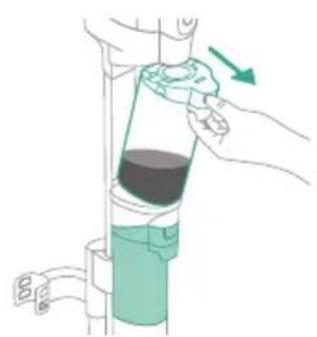
14 Push the button to unlock the dirty water tank and remove it.
15 Remove the wet filter from the dirty water tank.
natural_image
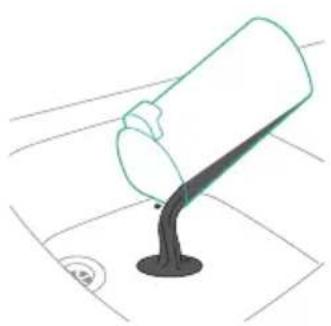
Simple line drawing of a pouring container into a stand (no text or symbols)16 Pour the water out of the dirty water tank into the sink.
natural_image
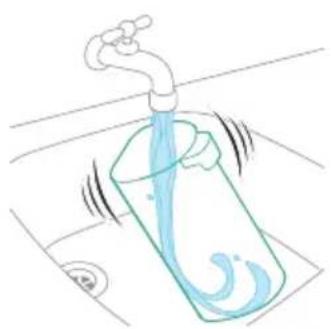
Illustration of a faucet pouring liquid into a container with motion lines indicating flow (no text or symbols)17 Clean the dirty water tank under the tap.
natural_image
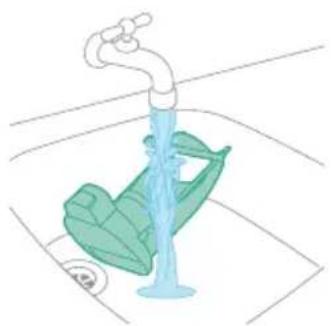
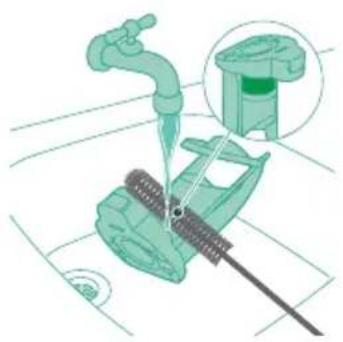
Illustration of a faucet with a green leaf-shaped object inserted into a basin (no text or symbols)18 Clean the wet filter under the tap.
natural_image
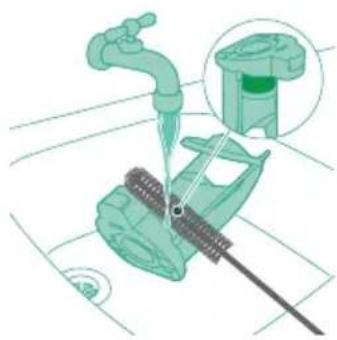
Illustration of a mechanical device with a faucet and a green component, no text or symbols present19 Clean the mesh part of the wet filter with the supplied cleaning brush.

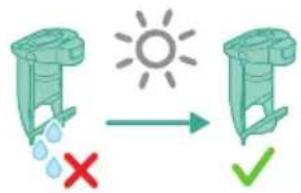
20 Let the wet filter of the dirty water tank and its water flow element dry completely before putting it back on the dirty water tank.

21 Place the wet filter back on the dirty water tank.
22 Place the dirty water tank back into the appliance.
23 Turn the microfiber brushes counterclockwise (1) and remove them from the AquaSpin nozzle (2).
Tip: In case a microfiber brush is difficult to remove, you can use the cleaning brush handle to unlock the microfiber brush.
24 To allow the microfiber brushes to dry, place the open ends of the brushes on the designated holders of the After-Clean & Storage station.
i Note: Drying can take approximately 24 hours.
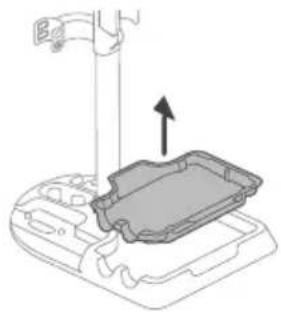
Cleaning the After-Clean tray
If the After-Clean tray gets dirty, you can clean it by following the steps below.
natural_image
Technical line drawing of a mechanical component with an arrow indicating assembly or force (no text or symbols)1 Remove the After-Clean tray from the storage station.
natural_image
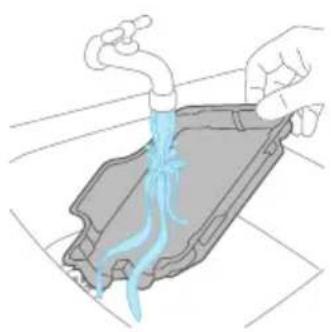
Illustration of a hand pouring liquid into a container with a blue flame (no text or symbols)2 Rinse the After-Clean tray under the tap and let it dry before placing it back in the Storage station.
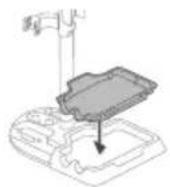
3 Make sure to always put the After-Clean tray back in the Storage station. The After-Clean tray is essential to perform the AUTOCLEAN correctly.
Cleaning the AquaSpin nozzle
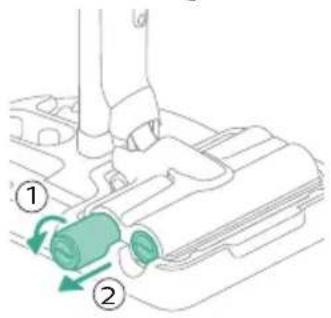
1 Turn the microfiber brushes counterclockwise (1) and remove them from the AquaSpin nozzle (2).
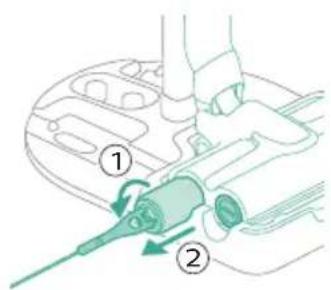
Tip: In case a microfiber brush is difficult to remove, you can use the cleaning brush handle to unlock the microfiber brush.

natural_image
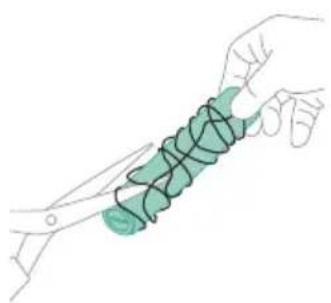
Illustration of two hands holding a green object with a downward arrow indicating motion (no text or symbols)2 You can remove entangled hair or threads from the microfiber brushes by sliding down the microfiber brushes with one hand.
natural_image
Illustration of a hand holding a coiled green object, no text or symbols presentTip: You can also use a pair of scissors to cut hairs and threads that have become entangled around the microfiber brushes.
Removing blockages from the Vacuum & Mop set-up
The Vacuum & Mop set-up may become clogged. You may notice this when more water gets on the floor than usual or when bigger dirt particles are no longer sucked up and fall back on the floor. Below you can find the instructions to remove blockages from different parts of the Vacuum & Mop set-up.
Clearing blockages from the wet module
natural_image
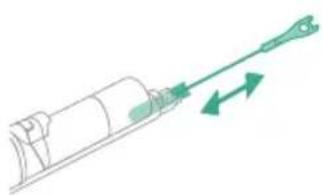
Diagram of a mechanical device with directional arrows indicating motion or force (no text or symbols)If there is a blockage in the wet module, first switch off the appliance and remove the AquaSpin nozzle and the 3-in-1 handheld. Then remove the blockage by moving the cleaning brush in the suction channel of the wet module up and down.
Clearing blockages from the AquaSpin nozzle

natural_image
Illustration of a vacuum cleaner with green arrows indicating motion direction (no text or symbols)If there is a blockage in the AquaSpin nozzle, it can be removed by moving the cleaning brush up and down in the suction channel of the AquaSpin nozzle.
Clearing blockages from the wetting strips of the AquaSpin nozzle
natural_image
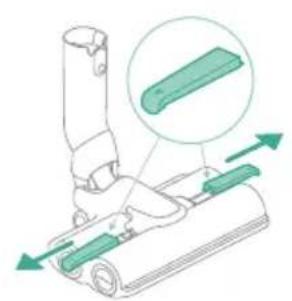
Diagram of a mechanical device with green components and directional arrows indicating movement (no text or symbols)After long and frequent use of the appliance, the wetting strips of the AquaSpin nozzle may become clogged at some point. Follow the steps below to clear the blockage of the wetting strips of the AquaSpin nozzle.
1 Remove the wetting strip covers from the AquaSpin nozzle by moving them sideways.
natural_image
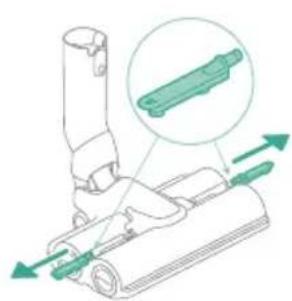
Technical diagram of a mechanical assembly with green arrows indicating direction (no text or symbols)2 Remove the wetting strips from the AquaSpin nozzle by pulling them out sideways.
natural_image
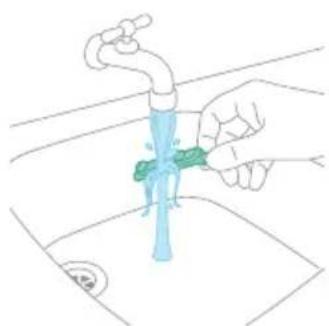
Illustration of a hand cleaning a faucet with a green tool on the water surface (no text or symbols)3 Rinse the wetting strips under the tap.
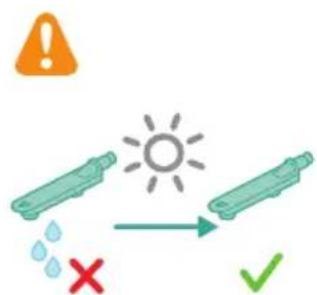
4 Let the wetting strips dry before placing them back in the AquaSpin nozzle.
Cleaning the Vacuum only set-up
Emptying the dust bucket
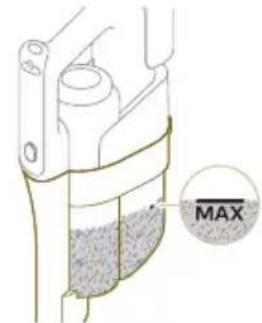
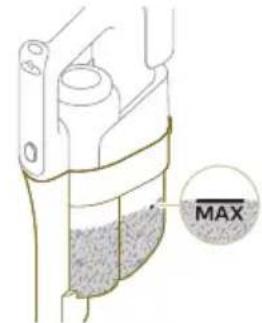
Regularly empty the dust bucket and make sure that the dirt never exceeds the 'Max' indication. This prevents accelerated filter clogging.
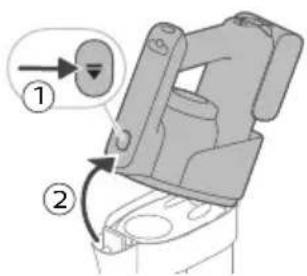
1 Press the release button (1) to release the 3-in-1 handheld of the dust bucket and then lift the 3-in-1 handheld off the appliance (2).
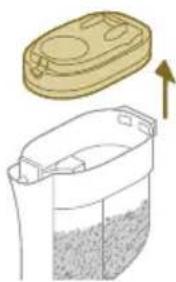
natural_image
Illustration of a container with liquid and an upward arrow, no text or symbols present2 Pull the filter case off the dust bucket.
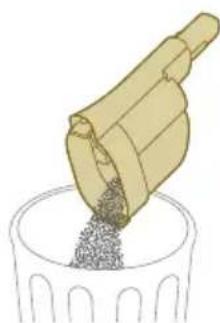
natural_image
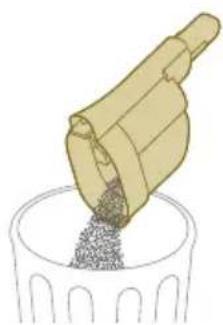
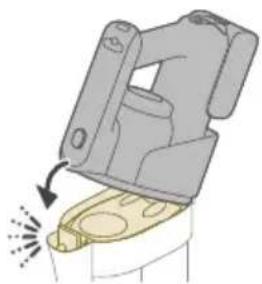
Illustration of a wooden tool pouring granular material into a cylindrical container (no text or symbols)3 Empty the dust bucket into a waste bin.
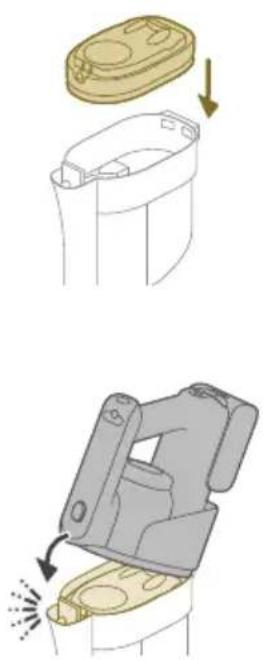
4 Put the filter case back onto the dust bucket.
5 Reconnect the 3-in-1 handheld to the dust bucket. Make sure that you connect the rear part first, then connect the front part so it locks into place with a click.
Cleaning the dust bucket
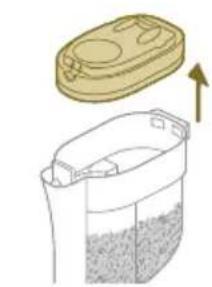
natural_image
Illustration of a container with liquid and an open lid, showing a 3D view (no text or symbols)1 To clean the dust bucket and the cyclone, remove the filter case.
natural_image
Illustration of a wooden tool pouring granular material into a cylindrical container (no text or symbols)2 Empty the dust bucket into a waste bin.
3 Remove and clean the cyclone if necessary (see 'Cleaning the cyclone').
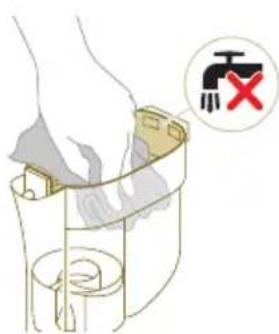
4 If you want, you can use a wet or dry cloth to clean the inside of the dust bucket.
i Note: do not let the electronic connectors get wet. If the electronic connectors do get wet, please allow them to dry before using the device again. Always use the appliance with dry electronic connectors. This prevents the appliance from malfunctioning over time.
Warning: Do not clean the dust bucket in the dishwasher.
Warning: Do not rinse the dust bucket under the tap.
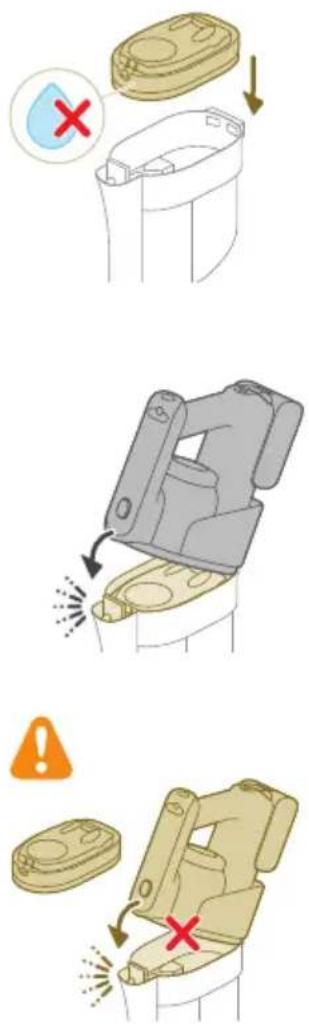
5 Reattach the filter case back in when the dust bucket is dry.
6 Reconnect the 3-in-1 handheld to the dust bucket.
Caution: Do not reconnect the 3-in-1 handheld to the dust bucket without the filter case being inserted in the dust bucket.
Cleaning the cyclone
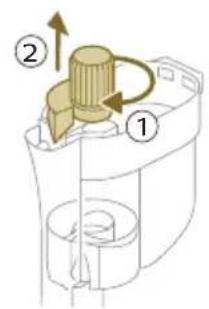
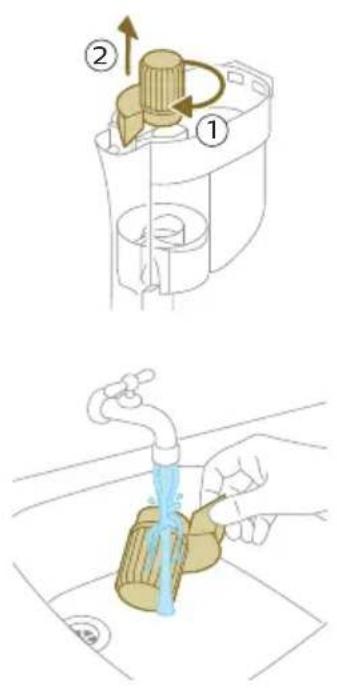
1 Turn the cyclone clockwise (1) and remove it from the dust bucket (2).
2 Remove hair and dirt that is stuck in and under the cyclone.
natural_image
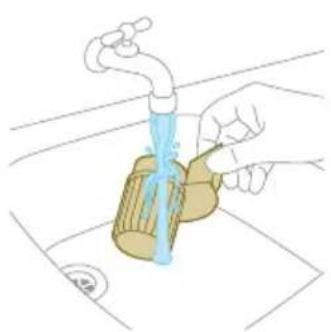
Illustration of a hand pouring liquid from a water bottle into a container (no text or symbols)3 If desired, you can rinse the cyclone under the tap.

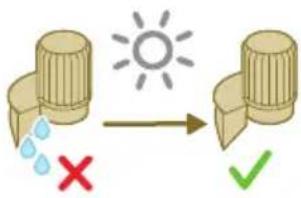
i Note: Always let the cyclone dry completely before placing it back into the dust bucket.
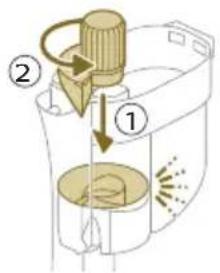
4 Replace the cyclone (1) and turn it counterclockwise (2) to secure it back into the dust bucket.
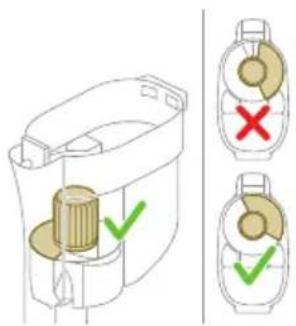
Caution: Make sure to fully tighten the cyclone when placing it back. Rotate the cyclone until the cyclone cannot rotate any further and is fully secured.
Cleaning the filter
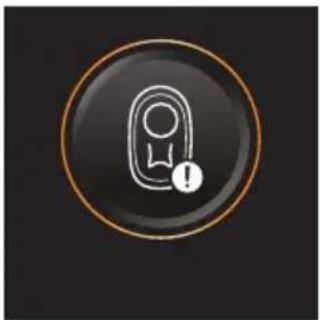
natural_image
Circular icon with a stylized white hand and exclamation mark inside a black circle (no text or symbols)When the filter needs to be cleaned, the filter cleaning icon appears on the screen.
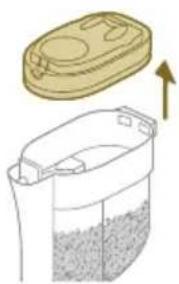
natural_image
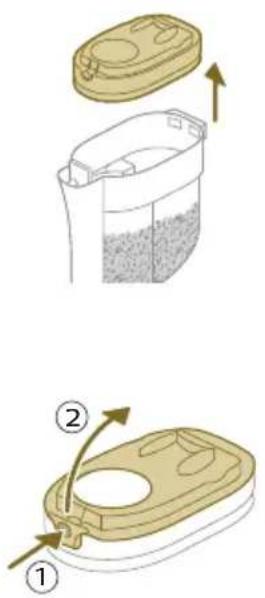
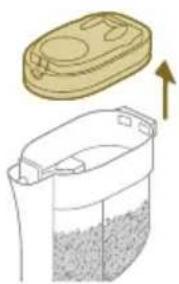
Illustration of a container with liquid and an upward arrow, no text or symbols present1 Pull the filter case off the dust bucket.
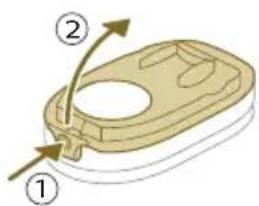
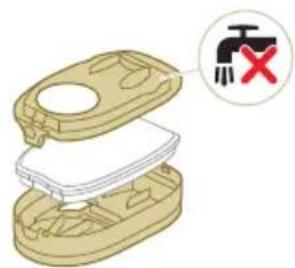
natural_image
3D diagram of a mechanical device with a switch symbol and red X mark (no text or labels)2 Press the release button to release the lid of the filter case and remove the foam filter.
Caution: Make sure that the filter case lid does not get wet during cleaning.
natural_image
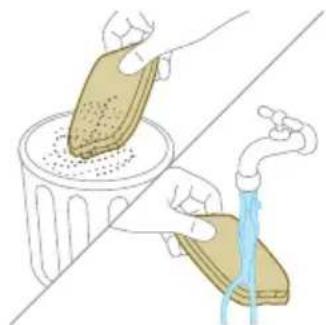
Illustration of a hand pouring liquid into a trash bin while another hand swashes it, separated by a diagonal line (no text or symbols)3 Shake the foam filter over a waste bin to remove the layer of dirt on top of the foam filter. Then rinse the foam filter under a tap.
natural_image
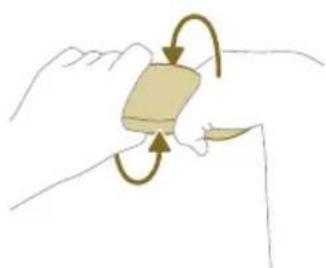
Illustration of a hand holding a rectangular object with curved arrows indicating rotation or motion (no text or symbols)4 Squeeze the foam filter to remove the water.

natural_image
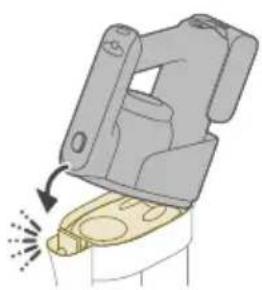
Illustration of hands pouring liquid into a trash bin (no text or symbols)5 Shake the filter case and lid over a waste bin to remove dust.
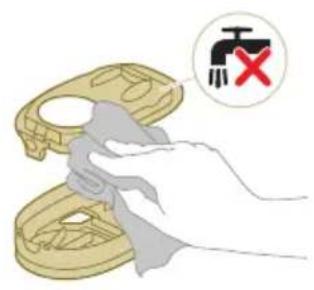
6 Clean the filter holder with a damp cloth.
Caution: Do not clean the white material of the filter case lid with a normal vacuum cleaner or a brush. Do not clean the white material of the filter case lid with water or any cleaning agent. It will damage the material. The white material can be tapped over a bin.
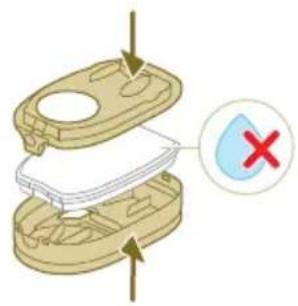
7 Let the foam filter dry and make sure that it is completely dry before you put it back into the filter case.
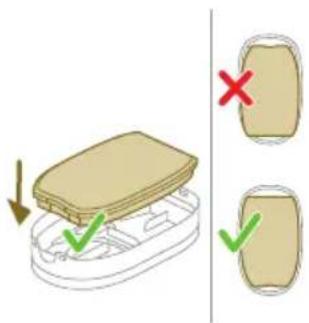
Caution: Make sure that the foam filter is correctly placed in the filter case.
natural_image
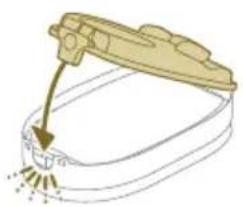
Illustration of a hand pouring liquid into a container with a spray bottle (no text or symbols)8 Close the filter case.
natural_image
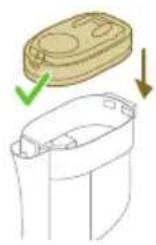
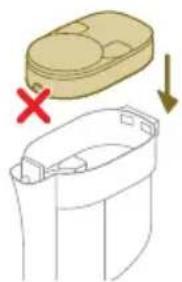
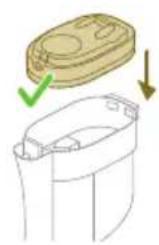
Diagram showing a container with a lid and a cross mark, alongside a separate outline of its interior (no text or symbols)9 Put the filter case including the foam filter back into the dust bucket.
Caution: Make sure the white material of the filter case lid is facing up.
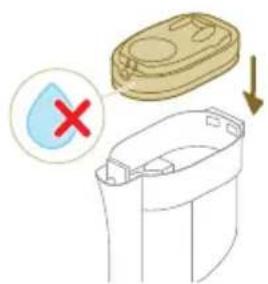
Caution: Make sure that the filter case including the foam filter are completely dry before you put them back into the dust bucket.
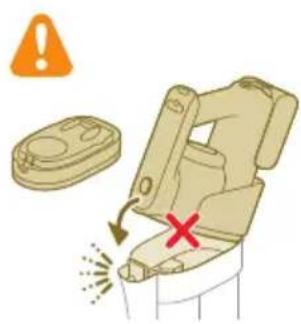
10 Reconnect the 3-in-1 handheld to the dust bucket.
Caution: Do not reconnect the 3-in-1 handheld to the dust bucket without the filter case being inserted in the dust bucket.
i Note: Replace the filter every 6 months to ensure maximum performance. Replacement filters are available under part number XV1791 (see 'Replacement').
Cleaning the motor inlet filter
The 3-in-1 handheld has a filter that may become blocked with dust. This can reduce the suction power over time. To clean the motor inlet filter, follow these steps:
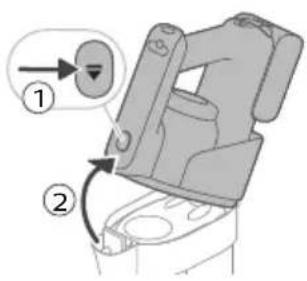
1 Press the release button (1) to release the 3-in-1 handheld of the dust bucket and then lift the 3-in-1 handheld off the appliance (2).
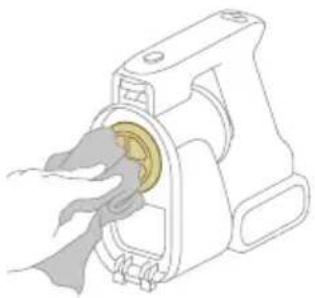
2 Clean the inlet filter with a cloth or with the cleaning brush.
natural_image
Diagram of a mechanical assembly with a central component and surrounding parts (no text or symbols)3 Reconnect the 3-in-1 handheld to the dust bucket. Make sure that you connect the rear part first, then connect the front part so it locks into place with a click.
Cleaning the roller brush
1
1 Pull down the locking lever on the side of the LED nozzle (1) and slide the roller brush out of the LED nozzle (2). You can remove entangled hair or threads from the roller brush by sliding down the roller brush with one hand.
2
Tip: You can also move one blade of a pair of scissors through the groove on the roller brush to cut hairs and threads that have become entangled around the roller brush.
2
2 Slide the roller brush back into the LED nozzle (1) and push up the locking lever to lock the roller brush in the LED nozzle ('click').
1
Cleaning the Mini Turbo brush
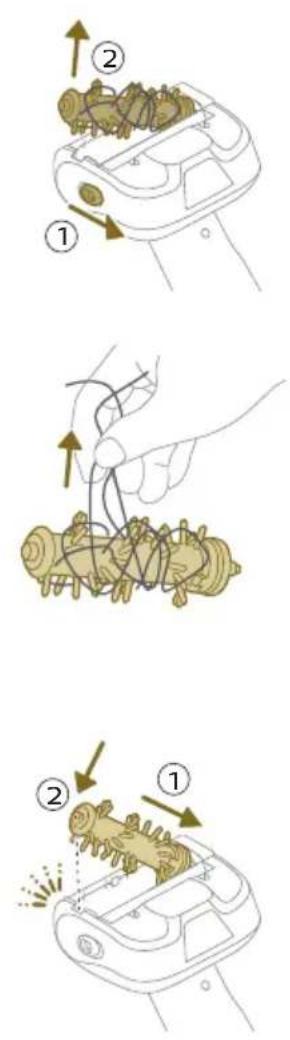
1 Unlock the release button on the side of the Mini Turbo brush (1) and lift the roller brush out of the Mini Turbo brush (2).
2 Remove the hairs and dirt entangled around the roller brush.
Tip: You can also move one blade of a pair of scissors through the groove on the roller brush to cut hairs and threads that have become entangled around the roller brush.
3 Press one side of the roller brush back into the Mini Turbo brush (1) and push down the other side of the roller brush to lock the roller brush in the Mini Turbo brush ('click').
Display icons and their meaning
Error code Cause Solution
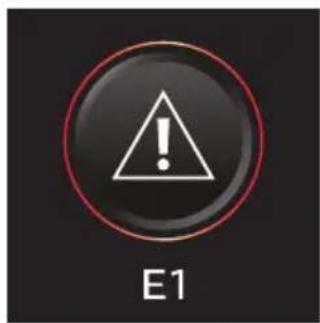
There is a system error. An E1 error code means that your Philips
AquaTrio 9000 series Vacuum Cleaner has a system error.
To solve this, please try one or both of the following options:
- Remove the battery from the appliance and then reinsert the battery. Then try to restart the appliance.
- Disconnect the 3-in-1 handheld from the appliance and press the on/off button Ⓤ on the handheld. If you still see the E1 error on your display, please contact the Consumer Care Center. If you do not see the E1 error and the appliance does still not work, there might be a communication problem with the tube or nozzle. Please contact the Consumer Care Center.
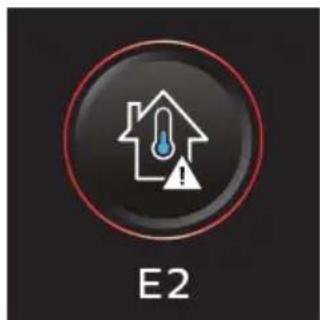
The temperature is too low. Make sure the temperature in the room where the appliance is used, stored, or charged is above 5 °C.
natural_image
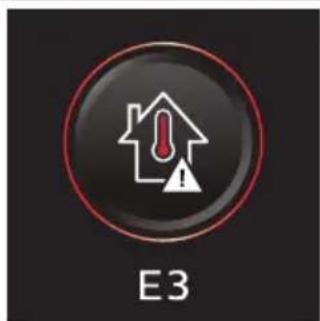
Circular icon with a house silhouette and exclamation mark, labeled 'E3' below (no text or symbols on the icon itself)The temperature is too high. Make sure the temperature in the room where the appliance is used, stored, or charged is below 35 °C. Do not expose the device to direct sunlight or high temperatures (near hot stoves, in microwave ovens, or on induction cookers). Batteries may explode if overheated.
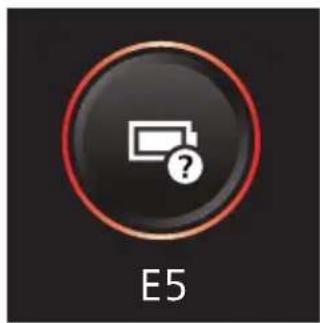
natural_image
Circular icon with battery symbol and question mark, labeled E5 (no text or symbols beyond label)The battery is half inserted. Make sure that the battery is inserted correctly (see 'Assembling the Vacuum & Mop set-up').
Information code Cause Solution
 | The dirty water tank is full. Empty the dirty water tank. | |
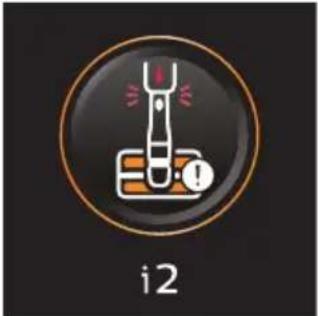 | The AquaSpin nozzle is not connected (properly). | Connect the AquaSpin nozzle. |
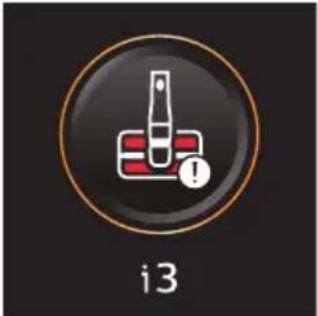 | The AquaSpin nozzle is stuck. This is a safety cut-off if something is stuck in the nozzle (for instance, a power cable or a toy). | Check the brushes, bearings, motor parts, and caps for hair or other obstacles and remove them. If there are no obstacles, switching the appliance off and on might solve the problem. |
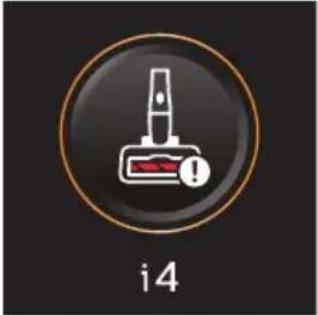 | The LED nozzle is stuck. This is a safety cut-off if something is stuck in the nozzle (for instance, a power cable or a toy). | Check the roller brush and the rest of the nozzle for hair or other obstacles and remove them (see 'Cleaning the roller brush'). If there are no obstacles, switching the appliance off and on might solve the problem. |
Information code Cause Solution
 | The air inlet openings are blocked. | Check the air inlet openings for blockages and remove them. If this does not solve the problem, check the whole air passage for blockages and remove them. For the Vacuum only set-up, this refers to the nozzle, tube, filter, vortex finder, long crevice tool, and Mini turbo brush. For the Vacuum & Mop set-up, this refers to the nozzle, tube, and the wet filter. |
| The wet filter in the dirty water tank is blocked. | Clean the mesh part of the wet filter with the supplied cleaning brush. | |
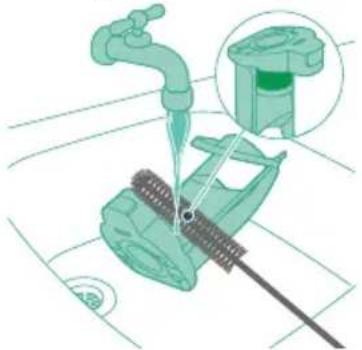 | ||
 | Unplug for use. Unplug the appliance for use. Otherwise, it will not switch on. Only during AUTOCLEAN is it possible to have the appliance plugged in. | |
 | The wrong charger is connected. | Only charge the appliance with the adapter supplied. Only use 34V adapter S036-1A340100HE. The corresponding adapter number can be found on the adapter. |
 | The battery is not inserted. Make sure that the battery is inserted (see 'Assembling the Vacuum & Mop set-up'). | |
Icons Meaning
 | AUTOCLEAN |
 | Reminder to clean the filter (see 'Cleaning the filter') |
 | Microfiber brush replacement needed |
 | Filter replacement needed |
Replacement
To buy accessories or spare parts, visit www.philips.com/parts-and-accessories or go to your Philips dealer. You can also contact the Philips Consumer Care Center in your country (see the international warranty leaflet for contact details).
Replacement parts and type numbers:
- Replacement filter XV1791
- Philips Floor Cleaner XV1792
- Replacement microfiber brushes XV1793
- Lithium-Ion Battery pack 25.2V XV1797
Replace the filter and the microfiber brushes every 6 months to ensure maximum performance.
i Note: You can dispose of the old filter and the microfiber brushes with the normal household waste.
Troubleshooting
This chapter summarizes the most common problems you could encounter with the appliance. If you are unable to solve the problem with the information below, visit www.philips.com/support for a list of frequently asked questions or contact the Consumer Care Center in your country.
Using the Vacuum & Mop set-up
Problem Possible cause Solution
| The appliance does not work when I push the on/off button. | The battery is not connected. Connect the battery to the 3-in-1 Handheld. | |
| The battery is empty. To charge the battery, connect the 3-in-1 Handheld with the charger (see 'Charging'). | ||
| You did not take the appliance out of the After-Clean & Storage station. | Take the Vacuum & Mop set-up out of the After-Clean & Storage station before switching on the appliance. | |
| You pushed the on/off button more than one time. | Wait a few seconds and push the on/off button again one more time. | |
| You did not connect the 3-in-1 Handheld to the appliance correctly. | Place the lower body of the appliance on the After-Clean & Storage station. Then connect the 3-in-1 Handheld to it. | |
| The appliance is clogged. Switch the appliance off and remove the battery or 3-in-1 handheld. Then locate and remove the cause of the blockage (see 'Removing blockages from the Vacuum & Mop set-up'). After that, restart the appliance. If you cannot identify the cause of the blockage, restart the appliance. This might already solve the problem. | ||
| The microfiber brushes are stuck. | Take the microfiber brushes out and place them back (see 'Cleaning the AquaSpin nozzle').Tip: In case a microfiber brush is difficult to remove, you can use the cleaning brush handle to unlock the microfiber brush (see 'Cleaning the AquaSpin nozzle'). | |
Problem Possible cause Solution
| The appliance stopped working. | You accidentally touched the on/off button with your hand. | Switch on the appliance by pushing the on/off button. |
| The dirty water tank may be full. In this case, there is an information icon shown on the screen (see 'Display icons and their meaning'). | Empty the dirty water tank (see 'AUTOCLEAN after every use'). | |
| The appliance is clogged. Switch the appliance off and remove the battery or 3-in-1 handheld. Then locate and remove the cause for the blockage (see 'Removing blockages from the Vacuum & Mop set-up'). After that, restart the appliance. If you do not identify the cause for the blockage, just restart the appliance. This might already solve the problem. | ||
| The floor is less wet than usual. | The wetting strips are blocked. | Remove the two microfiber brushes, fill some water into the clean water tank and switch the appliance on. Make small forward and backward movements on the same position for around 15 seconds. You should be able to see four water stripes on the floor. If this is not the case, or if one or more water stripes only consist out of a few droplets, the wetting strips are partially or fully blocked and you can rinse them under the tap (see 'Clearing blockages from the wetting strips of the AquaSpin nozzle'). If that does not help, you can try to carefully open the holes with a needle. |
| One side of the floor under the nozzle is less wet than the other one. | One of the two wetting strips is blocked. | Remove the two microfiber brushes, fill the clean water tank with some water, and switch the appliance on. Make small forward and backward movements on the same position for around 15 seconds. You should be able to see four water stripes on the floor. If this is not the case, or if one or more water stripes only consist out of a few droplets, the wetting strips are partially or fully blocked and you can rinse them under the tap (see 'Clearing blockages from the wetting strips of the AquaSpin nozzle'). If that does not help. you can try to carefully open the holes with a needle. |
| There is no water on the floor. | The clean water tank is empty. | Refill the clean water tank. |
| The wetting strips are blocked. | Remove the two microfiber brushes, fill the clean water tank with some water, and switch the appliance on. Make small | |
Problem Possible cause Solution
| forward and backward movements on the same position for around 15 seconds. You should be able to see four water stripes on the floor. If this is not the case, or if one or more water stripes only consist out of a few droplets, the wetting strips are partially or fully blocked and you can rinse them under the tap (see 'Clearing blockages from the wetting strips of the AquaSpin nozzle'). If that does not help, you can try to carefully open the holes with a needle. | ||
| If you have checked the above and there is still no water on the floor, take the appliance to a Philips service center or contact the Consumer Care Center. | ||
| There is more water on the floor or in the After-Clean tray than usual. | The water channel of the wet module and/or AquaSpin nozzle is polluted or blocked. | Use the cleaning brush and clean the water channel of the wet module and/or AquaSpin nozzle (see 'Removing blockages from the Vacuum & Mop set-up'). |
| The dirty water tank is not placed correctly. | Place the dirty water tank into the appliance properly (see 'AUTOCLEAN after every use'). It is closed correctly when you can hear a 'click' sound. | |
| The appliance leaves water traces on the floor. | You have moved the appliance sideways. | To prevent water traces on the floor, try to make less strong turns with your AquaTrio 9000 Series and avoid moving the appliance sideways. You can activate the water absorption mode by pressing the cleaning mode button. All the remaining water on your floor will be absorbed. |
| You made strong turns with the appliance. | To prevent water traces on the floor, try to make less strong turns with your AquaTrio 9000 Series and avoid moving the appliance sideways. You can activate the water absorption mode by pressing the cleaning mode button. All the remaining water on your floor will be absorbed. | |
| You have lifted the appliance over a threshold, carpet or stairs. | Make sure the microfiber brushes stay in contact with the floor. Make sure water absorption mode is switched on before you lift the appliance over a threshold, carpet or stairs to prevent water traces on the floor or to prevent water from splashing from the AquaSpin nozzle (see 'Usage restrictions'). | |
| You lifted the appliance up from the floor immediately after you switched it off. | Switch on water absorption mode to absorb any remaining water. Move the appliance forwards and backwards a few | |
Problem Possible cause Solution
| times with water absorption mode engaged before switching it off. If you switch off the appliance and lift it up immediately afterwards, the water that was present between the brushes leaves a trace of water on the floor (see 'Usage restrictions'). | ||
| The wheels are blocked. Check the condition of the wheels. Remove the dirt that blocks the wheels. | ||
| The appliance does not clean as well as it used to. | The clean water tank is empty. Refill the clean water tank. | |
| The water strips are blocked. Remove the two microfiber brushes, fill the clean water tank with some water, and switch the appliance on. Make small forward and backward movements on the same position for around 15 seconds. You should be able to see four water stripes on the floor. If this is not the case, or if one or more water stripes only consist out of a few droplets, the water strips are partially or fully blocked and you can rinse them under the tap (see 'Clearing blockages from the wetting strips of the AquaSpin nozzle'). If that does not help, you can try to carefully open the holes with a needle. | ||
| The inside of the AquaSpin nozzle is too dirty. | Run the AUTOCLEAN program before returning to cleaning. If there is dirt accumulation in the edges of the nozzle, remove it. Make sure to use the AUTOCLEAN function after each use (see 'AUTOCLEAN after every use'). | |
| The microfiber Brushes are not present. | Place the microfiber brushes in the AquaSpin nozzle (see 'AUTOCLEAN after every use'). | |
| If you have checked the above and the appliance still does not clean well, take it to a Philips service center or contact the Consumer Care Center. | ||
| Bigger dirt particles are not sucked up anymore and fall back on the floor. | The water channel of the wet module and/or AquaSpin nozzle is polluted or blocked. | Use the cleaning brush and clean the water channel of the wet module and/or AquaSpin nozzle (see 'Removing blockages from the Vacuum & Mop set-up'). |
| The floor dries with stripes. You may have used too much detergent. | Make sure to use the right amount of detergent. | |
| The wheels are dirty. Remove the dirt from the wheels. | ||
Problem Possible cause Solution
| There is too much foam while cleaning, but also during AUTOCLEAN. | You may have used too much detergent. | Make sure to use the right amount of detergent. |
| There are still detergent residues on the floor. | Clean the floor without detergent several times. Wait a moment before going over the same stain again. | |
| It is difficult to clean stains. You may have used too little water or taken too little time to clean the stain. | Apply water and wait a moment. For example you can go with the appliance over the stain to apply water and come back to the same stain in the end of the cleaning session. | |
| The sound of the appliance changed while cleaning. | There might be hairs or other obstacles entangled around the microfiber brushes | Remove the microfiber brushes and check for obstacles and remove them (see 'Cleaning the AquaSpin nozzle'). |
| The display indicates that the dirty water tank is full (code: i1) and shuts down, although the dirty water tank is not full yet. | There may be foam or contamination of the dirty water tank. | Restart the appliance. If that does not solve the problem, clean the dirty water tank. If foaming is the issue, make sure you do not use more than the recommended amount of detergent. |
| Water drips out of the appliance after it is switched off. | The appliance leaves a puddle on the floor because you did not move it while switching it off. This is normal. | The appliance can leave a small puddle of water on the floor if you do not move the appliance while switching it off. You can reduce the size of the puddle by moving the appliance while switching it off. When you switch off the appliance, it will switch to water absorption mode for 4 seconds to clean up any water remaining in the nozzle. If needed, you can remove the last drops with a cloth. |
| The appliance is dripping when carrying it over the floor (holding it in the air). | While cleaning, do not lift the AquaSpin nozzle from the floor, as this leaves water traces. Only move forwards and backwards. | |
| Water leaks from the clean water tank because you overfilled the clean water tank. | Do not fill the clean water tank beyond the MAX indication. If you do, water may spill from the clean water tank when you fasten the cap. | |
| There is a crack in one of the tanks. | If one of the tanks is damaged, take it to a Philips service center or contact the Consumer Care Center. | |
| I cannot remove the microfiber brushes. | Hair and/or dirt is entangled in the microfiber brushes. | Use the cleaning brush handle to remove the microfiber brushes from the AquaSpin nozzle. Remove entangled hair or dirt (see 'Cleaning the AquaSpin nozzle'). If it is difficult to pull the brushes out, you can give them a push from below the AquaSpin nozzle. |
Problem Possible cause Solution
| I cannot move the appliance forward or backward. | One or more wheels may be blocked by a small object. | Switch off the appliance and remove the nozzle. Then check the small and the big wheels for blockage. Remove any object that could block the wheel(s). Put the appliance upright again and resume cleaning. |
| The appliance has a lower suction power than usual. | The water channel of the wet module and/or AquaSpin nozzle is polluted or blocked. | Use the cleaning brush and clean the water channel of the wet module and/or AquaSpin nozzle (see 'Removing blockages from the Vacuum & Mop set-up'). |
| The mesh in the dirty water tank was not dry enough before being used again. | Clean and dry the dirty water tank. | |
| Hair entanglement on the microfiber brushes. | Switch the appliance off and remove the hair from the microfiber brushes (see 'Cleaning the AquaSpin nozzle'). | |
| The dirty water tank is not placed correctly. | Place the dirty water tank into the appliance properly (see 'AUTOCLEAN after every use'). It is closed correctly when you can hear a 'click' sound. | |
| The microfiber brushes do not turn anymore | The microfiber brushes are clogged with hair or dirt. | Clean the microfiber brushes with a pair of scissors or by hand (see 'Cleaning the AquaSpin nozzle'). |
| The microfiber brushes pop out. | The microfiber brushes are not locked correctly. | Place the microfiber brushes back in the right position and lock them. |
| The appliance is not charging. | The power plug is not connected properly to the socket or the adapter is not inserted into the wall socket properly. | Make sure that the power plug is connected properly to the socket and that the adapter is inserted into the wall socket properly. |
| The battery is not in. Please insert the battery. | ||
| The battery is not completely inserted. | Please insert the battery until you hear a click sound. | |
| Wrong adapter connected. Please use the original adapter. | ||
| If you have checked the above and the appliance still does not charge, take it to a Philips service center or contact the Consumer Care Center. | ||
Problem Possible cause Solution
| When I use my vacuum cleaner I sometimes feel static electricity shocks. | Your vacuum cleaner builds up static electricity. The lower the air humidity, the more static electricity the appliance builds up. | Make sure to touch the metal pin with your hand while holding the appliance. |
| You vacuumed up dust and dirt. This also causes static electricity. | Make sure to touch the metal pin with your hand while holding the appliance. |
Using the Vacuum only set-up
Problem Possible cause Solution
| The appliance does not work when I push the on/off button. | You did not connect the battery. | Connect the battery to the 3-in-1 Handheld. |
| The battery is empty. To charge the battery, connect the 3-in-1 Handheld with the charger (see 'Charging'). | ||
| You pushed the on/off button more than one time. | Wait a few seconds and push the on/off button again one more time. | |
| You did not connect the 3-in-1 Handheld to the appliance correctly. | Connect the 3-in-1 handheld correctly to the dust bucket. | |
| The appliance is clogged. Switch the appliance off and remove the battery or powerhouse. Then locate and remove the cause for the blockage. After that, restart the appliance. If you cannot identify the cause of the blockage, restart the appliance. This might already solve the problem. | ||
| The roller brush is stuck. Take the roller brush out and remove any hair around the brush and the motor and place it back (see 'Cleaning the roller brush'). | ||
| It is not possible, to connect the 3-in-1 Handheld to the dust bucket. | The filter case is assembled upside down. | Invert the filter case. The round opening should be visible (see 'Cleaning the dust bucket'). |
| The filter case is not closed properly. | Make sure you hear a click when closing the filter case. If it is difficult to close, the foam filter is probably placed upside down. | |
| The appliance stopped working. | You accidentally touched the on/off button with your hand. | Switch on the appliance by pushing the on/off button. |
Problem Possible cause Solution
| The appliance is clogged. Switch the appliance off and remove the battery or powerhouse. Then locate and remove the cause for the blockage. After that, restart the appliance. If you cannot identify the cause of the blockage, restart the appliance. This might already solve the problem. | ||
| The sound of the appliance changed while cleaning. | There might be hairs or other obstacles entangled around the roller brush. | Please check for obstacles and remove them (see 'Cleaning the roller brush'). |
| Obstacles are blocking the cyclone. | Check the cyclone for obstacles and remove them (see 'Cleaning the cyclone'). | |
| The appliance has a lower suction power than usual. | The filter and/or the cyclone are dirty. | Empty the dust bucket. Clean the filter and the cyclone. Make sure that you remove any hair and dirt that is stuck in the cyclone. You can remove the cyclone for easy maintenance (see 'Cleaning the cyclone'). Make sure that you wash the filter at least once a month if you use the appliance regularly (see 'Cleaning the filter'). |
| Something is blocking the cyclone. | Check the cyclone for objects stuck in it and remove any object that is blocking the cyclone. Make sure that you remove any hair and dirt that is stuck in the cyclone (see 'Cleaning the cyclone'). | |
| The suction channel behind the roller brush is clogged. | Remove the roller brush and check the suction channel for obstacles and remove them. | |
| You have not attached the filter case properly to the dust bucket or you have not attached the dust bucket properly to the appliance. In both cases, there will be a loss of suction power. | Make sure that you attach the filter case to the dust bucket and the dust bucket to the appliance properly (see 'Cleaning the dust bucket'). | |
| The brush is clogged with hair or dirt. | Switch the appliance off and clean the roller brush with a pair of scissors or by hand (see 'Cleaning the roller brush'). | |
| Dust escapes from the appliance. | The foam filter is not present in the filter case, or the top cover is missing. | Make sure that the filter is in the appliance and assembled correctly (see 'Cleaning the filter'). |
| Dust escapes when opening the dust bucket. | This is normal behavior due to underpressure. | If possible, open the appliance outside. |
| The filter cleaning icon is shown on the display and the device shuts down. | The filter may be dirty. We advise you to clean the filter. If you cleaned the filter recently, you can | |
Problem Possible cause Solution
| disregard this icon. To continue vacuuming, click the arrow icon. | ||
| The appliance does not move smoothly across the floor when I am cleaning a carpet. | You selected a too high suction power. | Reduce the suction power by choosing setting 1 or move more slowly over the carpet. |
| The roller brush does not turn anymore. | The roller brush is clogged with hair or dirt. | Clean the roller brush with a pair of scissors or by hand (see 'Cleaning the roller brush'). |
| The roller brush may stop turning when it encounters too much resistance from high-pile carpet. | Switch off the appliance and then switch it back on again. | |
| You have not assembled the roller brush into the nozzle properly after cleaning. | Follow the instructions in this user manual to slide the roller brush into the nozzle properly (see 'Cleaning the roller brush'). Secure the roller brush inside the nozzle by snapping the locking lever in place. | |
| The LEDs in the nozzle do not turn on. | You have not attached the nozzle to the tube or appliance properly. | Attach the nozzle to the tube or appliance properly. If this does not help, please take it to a Philips service center or contact the Consumer Care Center. |
| The appliance is not charging. | The plug is not connected properly to the socket-outlet or the adapter is not inserted into the wall socket properly. | Make sure that the plug is connected properly to the socket-outlet and that the adapter is inserted into the wall socket properly. |
| The battery is not in. Please insert the battery. | ||
| The battery is not completely inserted. | Please insert the battery until you hear a click sound. | |
| Wrong adapter connected. Please use the original adapter. | ||
| If you have checked the above and the appliance still does not charge, take it to a Philips service center or contact the Consumer Care Center. | ||
| The Mini Turbo brush does not function properly. | The roller brush is blocked. Remove hairs from the brush with a pair of scissors (see 'Cleaning the Mini Turbo brush'). | |
| The roller brush is blocked by fabric or surfaces during cleaning. | Keep the mini Turbo brush aligned with the surface and do not push the Turbo brush into soft surfaces. | |
| The roller brush is not properly inserted into the nozzle. | Make sure the roller brush is properly inserted into the nozzle and that there is no gap between the parts (see 'Cleaning the Mini Turbo brush'). | |
Problem Possible cause Solution
| When I use my vacuum cleaner I sometimes feel static electricity shocks. | Your vacuum cleaner builds up static electricity. The lower the air humidity, the more static electricity the appliance builds up. | Make sure to touch the metal pin with your hand while holding the appliance. |
| You vacuumed up dust and dirt. This also causes static electricity. | Make sure to touch the metal pin with your hand, while holding the appliance. | |
| Error code 'E2' appears on the display. | The temperature is too low. Make sure the temperature in the room where the appliance is used, stored, or charged is above 5 °C. | |
| Error code 'E3' appears on the display. | The temperature is too high. Make sure the temperature in the room where the appliance is used, stored, or charged is below 35 °C. Do not expose the device to direct sunlight or high temperatures (near hot stoves, in microwave ovens, or on induction cookers). Batteries may explode if overheated. | |
| If you have checked the above and the appliance still does not charge, take it to a Philips service center or contact the Consumer Care Center. | ||
lsi
Pendahuluan 50
Keterangan umum 50
natural_image
Illustration of a hand holding a spray gun with arrows indicating motion (no text or symbols)natural_image
Three-step illustration showing a hairdryer being inserted into a device, with arrows indicating motion (no text or symbols)natural_image
Illustration of a mechanical device with arrows indicating motion or force direction (no text or symbols)natural_image
Illustration of a hand holding a cylindrical object with a downward arrow, next to a rolled-up sheet (no text or symbols)natural_image
Illustration of a hand holding a cylindrical device with a green liquid level, showing a force or pressure applied (no text or symbols)natural_image
Illustration of a green plastic container with a downward arrow indicating flow or change (no text or symbols)natural_image
Illustration of a hand holding a cylindrical device with a green arrow indicating motion (no text or symbols)natural_image
Close-up of a black door handle with a circular button labeled ①, no text or symbols present.natural_image
Illustration of a mechanical device with a highlighted component and motion arrow (no text or symbols)natural_image
Illustration of a hand holding a handheld device above a cabinet (no text or symbols visible)natural_image
Diagram showing a hand holding a tool above a device with a flame symbol, no text or labels presentnatural_image
Illustration of a mechanical device with a downward arrow and sparkles, no text or symbols presentnatural_image
Illustration of a handheld device with a circular inset showing a bedroom (no text or symbols)natural_image
Illustration of a handheld electric shock absorber with a cat and dog nearby (no text or symbols)natural_image
Illustration of a mechanical device with water droplets and warning symbols (no text or labels)natural_image
Illustration of a medical or laboratory procedure showing a pipette inserted into a cylindrical container with a magnified inset showing a bench (no text or symbols present)natural_image
Illustration of a mechanical tool with a red 'X' mark and an orange warning symbol (no text or labels)natural_image
Diagram showing a green mechanical component above a white cylindrical container with an upward arrow indicating motion (no text or symbols)natural_image
Simple line drawing of a cup pouring liquid into a container (no text or symbols)natural_image
Illustration of a hand holding a green cylindrical device with a green arrow indicating motion (no text or symbols)natural_image
Illustration of a plug with an arrow indicating direction (no text or symbols)natural_image
Illustration of a remote control device with a circular dial and scroll, showing no text or symbols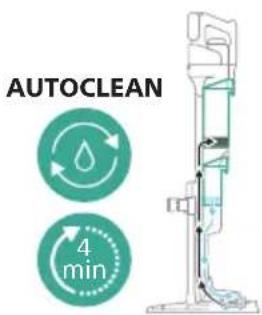
natural_image
Illustration of a hand pouring liquid into a vertical pipe with a green arrow indicating direction (no text or symbols)natural_image
Illustration of a mechanical device with a green handle and upward arrow, no text or symbols presentnatural_image
Simple line drawing of a cup pouring liquid into a stand (no text or symbols)natural_image
Illustration of a faucet pouring liquid into a container with swirling lines indicating flow (no text or symbols)natural_image
Illustration of a faucet pouring liquid into a leafy green leaf on a tiled floor (no text or symbols)18 Bersihkan filter basah di bawah keran.
natural_image
Illustration of a mechanical device with a faucet and lever, showing a close-up inset of a green cylindrical component (no text or symbols)natural_image
Illustration of a mechanical device being adjusted for a cylindrical component, showing the top panel and side view with arrows indicating motion (no text or symbols present)natural_image
Diagram showing three cylindrical components mounted on a base with a downward arrow indicating rotation (no text or symbols)natural_image
Technical line drawing of a mechanical component with an arrow indicating direction (no text or symbols)natural_image
Illustration of a hand pouring liquid into a container with blue liquid flowing out (no text or symbols)natural_image
Illustration of hands holding a green object with a green arrow indicating direction (no text or symbols)natural_image
Illustration of a hand holding a coiled green object, no text or symbols presentnatural_image
Diagram of a mechanical device with directional arrows indicating movement or force (no text or symbols)natural_image
Illustration of a vacuum cleaner with green arrows indicating motion direction (no text or symbols)natural_image
Diagram of a robotic arm with green tool handle and green guide rails, showing motion direction (no text or symbols)natural_image
Diagram of a mechanical device with green arrows indicating motion or force direction (no text or symbols)natural_image
Illustration of a hand washing a blue faucet with a green handle, no text or symbols present3 Bilas strip pembasahan di bawah keran.

natural_image
Illustration of a container with liquid and an upward arrow, no text or symbols presentnatural_image
Illustration of a wooden tool pouring granular material into a glass cup (no text or symbols)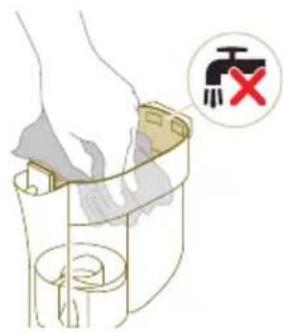
natural_image
Illustration of a mechanical device with a highlighted component and motion arrow (no text or symbols)Perhatian: Jangan menyambungkan kembali alat genggam 3-in-1 ke keranjang debu tanpa memasukkan wadah filter ke dalam keranjang debu.
Membersihkan siklon
natural_image
Circular icon with a stylized white object resembling a keyhole or plug, enclosed in a gold ring (no text or symbols)Saat filter perlu dibersihkan, ikon pembersihan filter akan muncul di layar.
natural_image
3D diagram of a mechanical device with a switch symbol (no text or labels)natural_image
Illustration of a hand pouring liquid into a trash bin while another hand swashes down a pipe (no text or symbols)natural_image
Illustration of a hand holding a small object with curved arrows indicating rotation or motion (no text or symbols)natural_image
Illustration of hands pouring liquid into a trash bin (no text or symbols)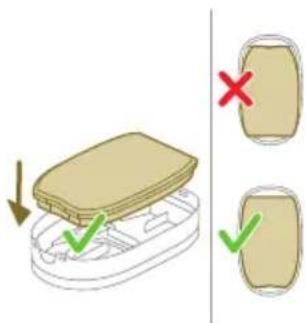
natural_image
Illustration of a hand tool interacting with a device, showing motion lines (no text or symbols)8 Tutup wadah filter.
natural_image
Diagram showing a container with a lid and a side view of its internal structure (no text or symbols)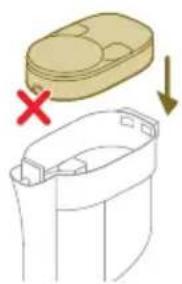
natural_image
Diagram showing a container with a lid and a cross mark, alongside a separate outline of a container with a handle (no text or symbols)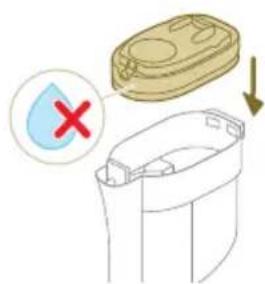
9 Masukkan kembali wadah filter termasuk filter busa ke dalam keranjang debu.
natural_image
Illustration of a hand inserting a yellow coin into a mechanical device (no text or symbols)natural_image
Illustration of a mechanical device with a highlighted component and motion arrow (no text or symbols)natural_image
Illustration of hands tying a rope knot with scissors, showing a checkmark (no text or symbols present)natural_image
Illustration of hands manipulating a mechanical component with a directional arrow (no text or symbols)natural_image
Circular icon with a house silhouette and exclamation mark, labeled 'E3' below (no text or symbols on the icon itself)natural_image
Circular icon with a battery symbol and a question mark, labeled 'E5' below (no text or symbols on the icon itself)natural_image
Illustration of a hand holding a spray gun with arrows indicating motion (no text or symbols)natural_image
Three-step illustration of a vacuum cleaner's tip, showing step-by-step assembly from opening to mounting (no text or symbols)natural_image
Technical line drawing of a mechanical component with no visible text or symbolsnatural_image
Diagram of a mechanical device with arrows indicating motion or force direction (no text or symbols)natural_image
Illustration of a medical or laboratory procedure showing a needle inserted into a device with a green arrow indicating direction (no text or symbols present)natural_image
Illustration of a hand holding a cylindrical device with a green arrow indicating motion (no text or symbols)natural_image
Illustration of a mechanical device with a highlighted component and motion arrow (no text or symbols)natural_image
Illustration of a mechanical device with a downward arrow and emitting sparks, next to a cylindrical component (no text or symbols)natural_image
Illustration of a handheld device mounted on a cabinet, with no visible text or symbols.natural_image
Illustration of a vacuum cleaner emitting exhaust smoke from a cylindrical component (no text or symbols)natural_image
Illustration of a handheld device with a circular inset showing a bed (no text or symbols)natural_image
Illustration of a hairdryer with a cat and dog nearby, showing no text or symbolsnatural_image
Illustration of a hand holding a device with water droplets and a warning symbol (no text or labels)Amaran: Jangan vakum air atau cecair lain.
natural_image
Illustration of a dental implant tool interacting with a small object, showing no text or symbols.3 Untuk menanggalkan alat ceruk panjang, tekan butang pelepas (1) dan tarik tiub atau alat tangan daripada alat ceruk panjang (2).
natural_image
Illustration of a mechanical tool with a red X mark and warning symbols (no text or labels)Amaran: Jangan vakum air atau cecair lain.
Pembersihan set Vakum & Mop
natural_image
Illustration of a hand pouring liquid into a vertical pipe with a green arrow indicating direction (no text or symbols)natural_image
Simple line drawing of a pitcher pouring liquid into a basin (no text or symbols)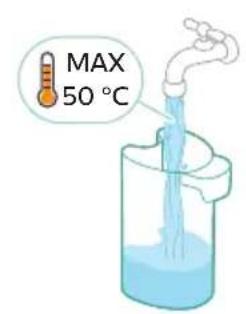
natural_image
Illustration of a hand holding a green cylindrical device with an arrow indicating motion (no text or symbols)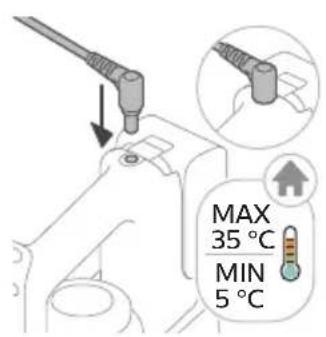
natural_image
Illustration of a remote control device with a switch and control panel (no text or symbols)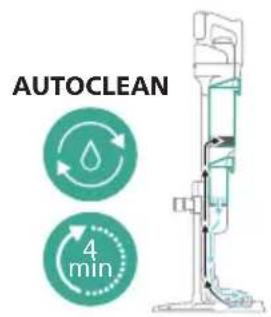
natural_image
Illustration of a hand pouring liquid into a vertical pipe with a green arrow indicating direction (no text or symbols)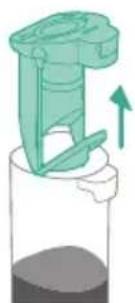
natural_image
Illustration of a mechanical device with a green handle and upward arrow, no text or symbols presentnatural_image
Simple line drawing of a pouring container into a stand (no text or symbols)natural_image
Illustration of a faucet pouring liquid into a container with motion lines indicating flow (no text or symbols)17 Bersihkan tangki air kotor di bawah paip.

natural_image
Illustration of a faucet with a green leafy seat and water level indicator (no text or symbols)natural_image
Illustration of a mechanical device with a faucet and a green component, no text or symbols presentnatural_image
Technical line drawing of a mechanical component with an arrow indicating direction (no text or symbols)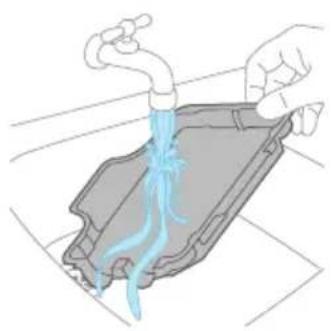
natural_image
Illustration of hands pouring liquid into a container with a blue flame (no text or symbols)natural_image
Illustration of two hands holding a green object with a green arrow indicating direction (no text or symbols)natural_image
Illustration of a hand holding a coiled green object, no text or symbols presentnatural_image
Diagram of a syringe with directional arrows indicating motion (no text or labels)natural_image
Illustration of a vacuum cleaner with green arrows indicating motion direction (no text or symbols)natural_image
Diagram of a mechanical assembly with green components and directional arrows, no text or symbols presentnatural_image
Technical diagram of a mechanical device with green arrows indicating motion or force direction (no text or symbols)natural_image
Illustration of a hand washing a blue faucet with a green handle, no text or symbols present3 Bilas jalur pembersih di bawah paip.

Pembersihan set Vakum sahaja
Pengosongan timba habuk
natural_image
Illustration of a container with liquid and an upward arrow, no text or symbols presentnatural_image
Illustration of a wooden tool pouring granular material into a container (no text or symbols)natural_image
Illustration showing two steps of a container being inserted into a trash bin, with no text or symbols present.Amaran: Jangan bilas timba habuk di bawah paip.
5 Pasang semula bekas penapis apabila timba habuk kering.
natural_image
Diagram of a mechanical component with a highlighted section and directional arrow (no text or symbols)natural_image
Illustration of a hand pouring liquid into a container with a faucet (no text or symbols)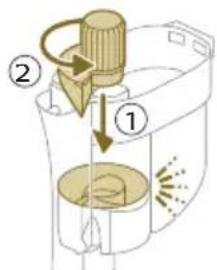
natural_image
Circular icon with a stylized white object and exclamation mark inside, set against a dark background (no text or symbols)Apabila penapis perlu dibersihkan, ikon membersihkan penapis muncul di skrin.
natural_image
Illustration of a container with liquid and an upward arrow, no text or symbols presentnatural_image
Diagram of a mechanical component with numbered parts (1, 2), no text or symbols present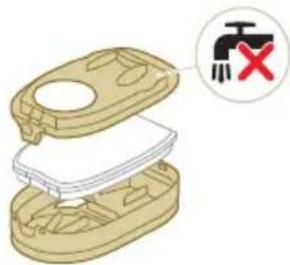
natural_image
Illustration of a hand pouring liquid into a trash bin with a water tap, no text or symbols presentnatural_image
Illustration of a hand holding a rectangular object with curved arrows indicating rotation or motion (no text or symbols)natural_image
Illustration of hands pouring liquid into a trash bin (no text or symbols)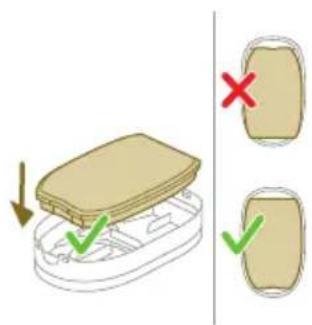
natural_image
Illustration of a hand tool interacting with a device (no text or symbols visible)natural_image
Illustration of a container with a lid and a green checkmark indicating a drop, alongside a smaller outline (no text or symbols)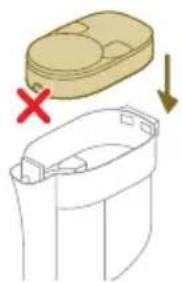
natural_image
Diagram showing a container with a lid and a cross mark, alongside a smaller container with arrows indicating movement (no text or symbols)Awas: Pastikan bekas penapis termasuk penapis buih kering sepenuhnya sebelum anda meletakkan semula ke dalam timba habuk.
natural_image
Illustration of a mechanical component with a golden circular component inserted into a housing (no text or symbols)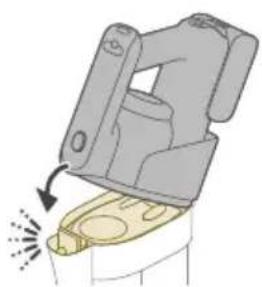
natural_image
Illustration of a mechanical device with a highlighted lever and sparklers (no text or symbols)natural_image
Illustration of hands holding a coiled string with a magnified inset showing a green checkmark (no text or symbols)natural_image
Circular icon with a house silhouette and thermometer symbol, labeled 'E2' below (no text or symbols on the icon itself)natural_image
Circular icon with a house silhouette and exclamation mark, labeled 'E3' below (no text or symbols on the icon itself)natural_image
Circular icon with battery symbol and question mark, labeled E5 (no text or symbols beyond label)www.philips.com/myvacuum9000s.
Všeobecný popis
natural_image
Diagram of a mechanical assembly with a vertical rod inserted into a housing (no text or symbols)natural_image
Diagram showing two mechanical joint configurations with arrows indicating movement (no text or symbols)natural_image
Illustration of a hand holding a tool with a green arrow indicating motion (no text or symbols)natural_image
Illustration of a hand holding a spray gun with arrows indicating motion (no text or symbols)natural_image
Three-step illustration showing a hairdryer being inserted into a device, with arrows indicating motion (no text or symbols)natural_image
Technical line drawing of a mechanical component with no visible text or symbols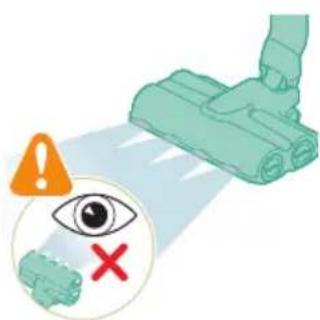
natural_image
Illustration of a mechanical device with a highlighted component and motion arrow (no text or symbols)natural_image
Illustration of a mechanical device emitting exhaust smoke from a cylindrical component (no text or symbols)natural_image
Illustration of a vacuum cleaner emitting exhaust smoke from a cylindrical component (no text or symbols)natural_image
Diagram of a door handle with a black panel and circular button labeled ① (no text or symbols on the main diagram)natural_image
Illustration of a hand holding a handheld device above a white cabinet (no text or symbols)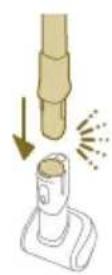

natural_image
Illustration of a hand using a tool to press or install a device, with no visible text or symbols.natural_image
Illustration of a mechanical device with a downward arrow and sparkles, no text or symbols presentnatural_image
Illustration of a handheld device with a circular inset showing a bed (no text or symbols)natural_image
Illustration of a hairdryer with a cat and dog nearby, showing mechanical components and a close-up of the bed (no text or symbols)natural_image
Illustration of a hand holding a device with a water droplet and a red X mark, no text or symbols present.natural_image
Illustration of a hand holding a flashlight with a downward arrow and light effect (no text or symbols)natural_image
Illustration of a dental implant tool interacting with a cylindrical device (no text or symbols present)natural_image
Illustration of a hand pouring liquid into a vertical pipe with a green arrow indicating direction (no text or symbols)flowchart
graph TD
    A["Step 1: Insert a component into a container"] --> B["Step 2: Insert a container with liquid, then to press down"]
    B --> C["Step 3: Insert a container with liquid, then to press down"]
    C --> D["Step 4: Insert a container with liquid, then to press down"]
    D --> E["Step 5: Insert a container with liquid, then to press down"]
natural_image
Simple line drawing of a bucket pouring liquid into a basin (no text or symbols)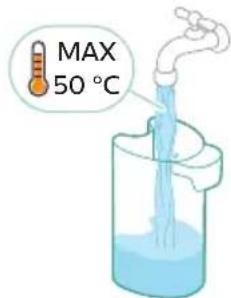
natural_image
Illustration of a hand holding a cylindrical device with a green arrow pointing to it, no text or symbols present.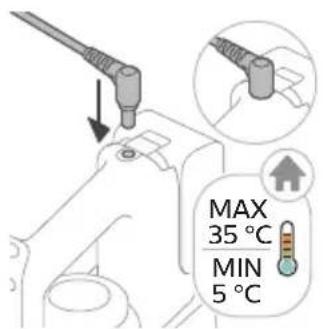
natural_image
Illustration of a remote control device with a switch and circular dial (no text or symbols)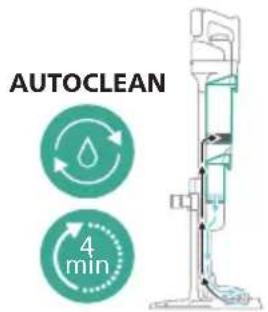
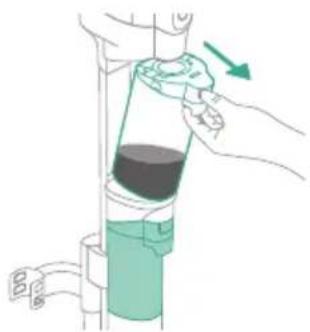
natural_image
Illustration of a hand using a tool to lift a cylindrical device with a green handle (no text or symbols)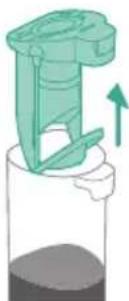
natural_image
Illustration of a mechanical component with an upward arrow, no text or symbols presentnatural_image
Simple line drawing of a cup pouring liquid into a stand (no text or symbols)natural_image
Illustration of a faucet pouring liquid into a water-filled container with swirling lines (no text or symbols)natural_image
Illustration of a faucet releasing water into a green leafy container on a sink (no text or symbols)natural_image
Illustration of a mechanical device with a faucet and component, showing assembly or cleaning process (no text or symbols)natural_image
Technical line drawing of a mechanical component with an arrow indicating direction (no text or symbols)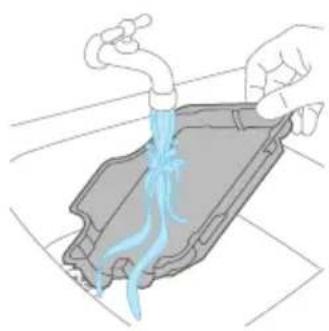
natural_image
Illustration of hands pouring liquid into a container with blue flow lines (no text or symbols)natural_image
Illustration of two hands holding a green object with a green arrow indicating direction (no text or symbols)natural_image
Illustration of two hands holding a coiled green object, no text or symbols presentnatural_image
Diagram of a mechanical component with directional arrows indicating motion or force (no text or symbols)natural_image
Illustration of a vacuum cleaner with green arrows indicating motion direction (no text or symbols)natural_image
Diagram of a mechanical device with green components and directional arrows indicating movement (no text or symbols)natural_image
Technical diagram of a mechanical assembly with directional arrows indicating movement (no text or symbols)natural_image
Illustration of a hand using a blue faucet to clean a green object on a surface (no text or symbols)natural_image
Illustration of a container with liquid and an upward arrow, no text or symbols presentnatural_image
Illustration of a wooden tool pouring granular material into a container (no text or symbols)natural_image
Illustration of a container with liquid and an open lid, showing a 3D view (no text or symbols)natural_image
Illustration of a wooden tool pouring granular material into a cylindrical container (no text or symbols)natural_image
Illustration of a hand pouring liquid into a container with a faucet (no text or symbols)natural_image
Circular icon with a stylized white hand and exclamation mark inside a black circle (no text or symbols)natural_image
Illustration of a container with liquid and an upward arrow, no text or symbols present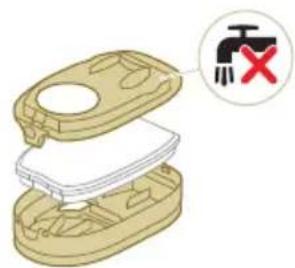
natural_image
3D diagram of a mechanical device with a switch symbol and red X mark (no text or labels)natural_image
Illustration of hands cleaning a trash bin with a water tap (no text or symbols)natural_image
Illustration of a hand holding a rectangular object with curved arrows indicating rotation or motion (no text or symbols)natural_image
Illustration of hands pouring liquid into a trash bin (no text or symbols)natural_image
Diagram of a robotic arm gripping a small object, with motion lines indicating movement (no text or symbols)natural_image
Illustration of a beige plastic container with a red X mark and downward arrow, alongside a smaller outline of its side panel (no text or symbols)natural_image
Illustration of a mechanical device with a golden component inserted into a housing (no text or symbols visible)natural_image
Diagram of a mechanical device with a highlighted component and motion arrow (no text or symbols)natural_image
Illustration of hands holding a coiled string with a magnified inset showing a green checkmark (no text or symbols)natural_image
Illustration of a hand connecting a cable to a mechanical component with a directional arrow (no text or symbols)natural_image
Circular icon with a stylized pen and wrench symbol, no text or numbers presentnatural_image
Circular icon with a white hand-painted object and circular arrow, no text or symbols present.www.philips.com/myvacuum9000s.
Generel beskrivelse
natural_image
Diagram of a mechanical assembly with a vertical rod inserted into a housing (no text or symbols)natural_image
Diagram showing two mechanical assembly states: one with upward arrows and one with downward arrows, no text or symbols present.natural_image
Illustration of a green screwdriver holding a vertical pole next to a bracket with a hand adjusting its sleeve (no text or symbols)natural_image
Illustration of a mechanical device with arrows indicating motion or force direction (no text or symbols)natural_image
Three-step illustration showing a hairdryer being inserted into a device, with arrows indicating motion (no text or symbols present)natural_image
Diagram of a mechanical device with arrows indicating motion or force direction (no text or symbols)natural_image
Illustration of a medical or laboratory procedure showing a needle inserted into a device with a green arrow indicating direction (no text or symbols present)natural_image
Illustration of a hand holding a cylindrical device with a green arrow indicating motion (no text or symbols)natural_image
Diagram of a mechanical device with a highlighted component and motion arrow (no text or symbols)natural_image
Illustration of a mechanical device with a downward arrow and emitting sparks, next to a cylindrical component (no text or symbols)natural_image
Illustration of a handheld device mounted on a cabinet, with no visible text or symbols.natural_image
Illustration of a hand holding a cylindrical object with a downward arrow and sparkles, next to a rectangular device (no text or symbols)natural_image
Illustration of a mechanical device with a downward arrow and sparkles, no text or symbols presentnatural_image
Illustration of a handheld device with a bed outline, no text or symbols presentnatural_image
Illustration of a hairdryer with a cat and dog nearby, showing mechanical components and a close-up of the bed (no text or symbols)natural_image
Illustration of a mechanical device with water droplets and warning symbols (no text or labels)natural_image
Illustration of a dental implant tool interacting with a cylindrical device (no text or symbols present)natural_image
Illustration of a mechanical tool with a red X mark and warning symbol (no text or labels)natural_image
Illustration of a hand pouring liquid into a vertical cylindrical container with a green arrow indicating direction (no text or symbols)natural_image
Simple line drawing of a bucket pouring liquid into a container (no text or symbols)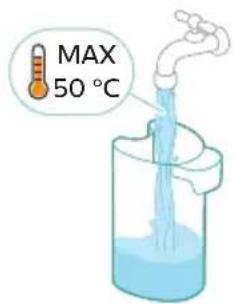
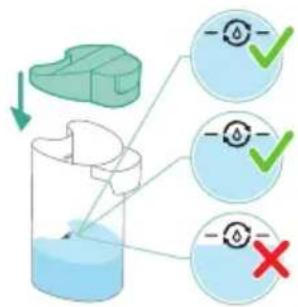
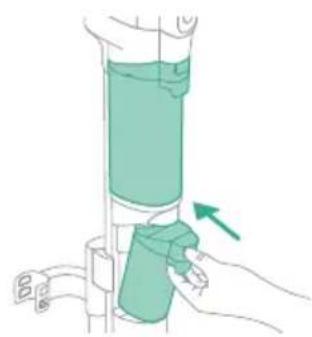
natural_image
Illustration of a hand holding a cylindrical device with a green arrow indicating motion (no text or symbols)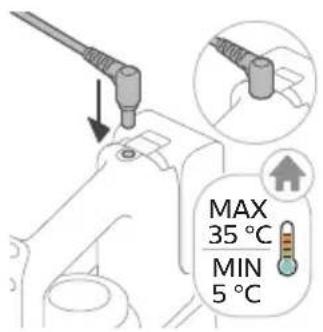
natural_image
Illustration of a remote control device with a switch and navigation knob (no text or symbols)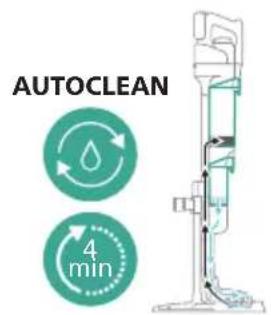
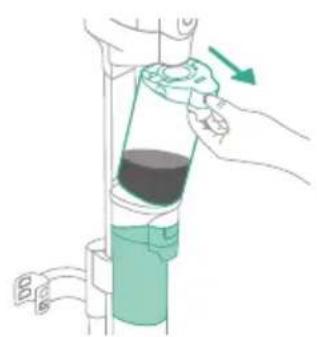
natural_image
Illustration of a hand pouring liquid into a vertical pipe with a green arrow indicating direction (no text or symbols)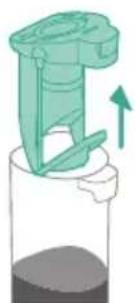
natural_image
Illustration of a mechanical device with a green handle and upward arrow, no text or symbols presentnatural_image
Simple line drawing of a pouring container into a stand, no text or symbols presentnatural_image
Illustration of a faucet pouring liquid into a container with motion lines indicating flow (no text or symbols)17 Skyl tanken til snavset vand under vandhanen.
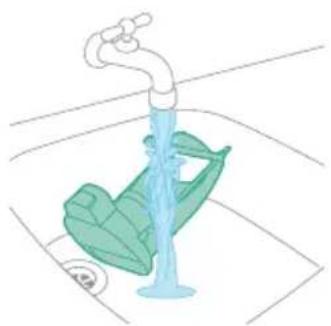
natural_image
Illustration of a faucet with a green leafy seat and water level indicator (no text or symbols)natural_image
Illustration of a mechanical device with a faucet and a green component, no text or symbols presentnatural_image
Technical line drawing of a mechanical component with an arrow indicating direction (no text or symbols)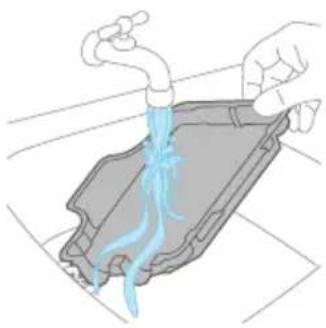
natural_image
Illustration of hands pouring liquid into a container with blue flow lines (no text or symbols)natural_image
Illustration of two hands holding a green object with a green arrow indicating direction (no text or symbols)natural_image
Illustration of a hand holding a coiled green object, no text or symbols presentnatural_image
Diagram of a syringe with green arrows indicating direction (no text or labels)natural_image
Illustration of a vacuum cleaner with green arrows indicating motion direction (no text or symbols)natural_image
Diagram of a robotic arm with green tool pins and a magnified inset showing the handle (no text or symbols)natural_image
Technical diagram of a mechanical assembly with green arrows indicating direction (no text or symbols)natural_image
Illustration of a hand washing a blue faucet with a green handle, no text or symbols presentnatural_image
Illustration of a container with liquid and an open lid, showing upward motion (no text or symbols)natural_image
Illustration of a wooden tool pouring granular material into a container (no text or symbols)3 Tøm støvbeholderen i skraldespanden.
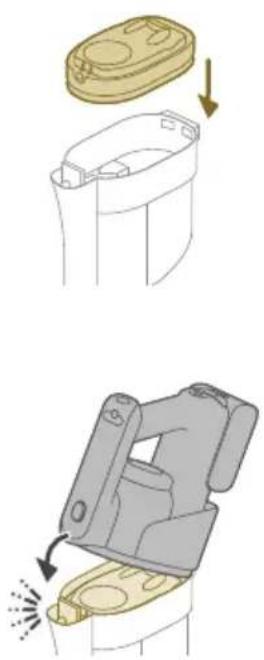
natural_image
Illustration of a container with liquid and an open lid, showing a 3D view (no text or symbols)natural_image
Illustration of a mechanical component pouring granular material into a cylindrical container (no text or symbols)2 Tøm støvbeholderen i skraldespanden.
natural_image
Illustration of a hand pouring liquid from a water bottle into a container (no text or symbols)natural_image
Circular icon with a stylized white figure and exclamation mark inside, set against a dark background (no text or symbols)natural_image
Illustration of a container with liquid and an upward arrow, no text or symbols present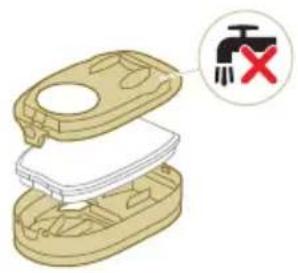
natural_image
Illustration of a hand pouring liquid into a trash bin while another hand swashes it, separated by a diagonal line (no text or symbols)natural_image
Illustration of a hand holding a rectangular object with curved arrows indicating rotation or motion (no text or symbols)natural_image
Illustration of hands pouring liquid into a trash bin (no text or symbols)5 Ryst filterkabinettet og låget over en skraldespand for at fjerne støvet.
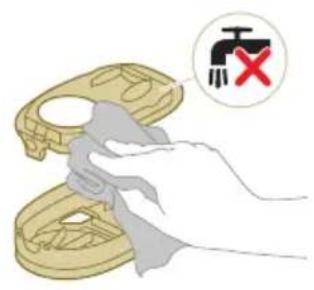
natural_image
Illustration of a hand holding a small object with arrows indicating motion or force (no text or symbols)8 Luk filterkabinettet.
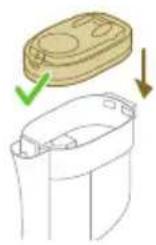
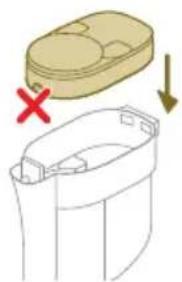
natural_image
Diagram showing a container with a lid and a cross mark, alongside a downward arrow indicating process (no text or symbols)natural_image
Illustration of a hand inserting a yellow component into a mechanical device (no text or symbols)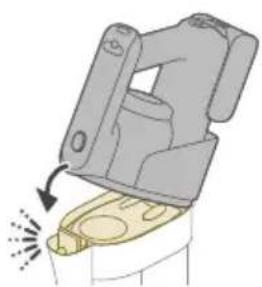
natural_image
Illustration of a mechanical device with a highlighted lever and sparklers (no text or symbols)natural_image
Illustration of hands holding a coiled rope with scissors, accompanied by a magnified inset showing a hand holding a branch (no text or symbols present)2 Skub rullebørsten tilbage i LED-mundstykket (1), og skub låseklemmen op for at låse rullebørsten i LED-mundstykket ("klik").
natural_image
Illustration of a hand holding a coiled cable or wire, with an arrow indicating upward motion (no text or symbols present)natural_image
Circular icon with a stylized white tool and red components, no text or symbols present.natural_image
Icon of a white hand-painted object with a circular frame, no text or symbols present.natural_image
Diagram of a mechanical assembly with a vertical rod inserted into a housing (no text or symbols)natural_image
Diagram showing two mechanical assembly states with arrows indicating direction of movement (no text or symbols)natural_image
Illustration of a green tool with a curved arrow indicating motion or force, next to a vertical support structure (no text or symbols)natural_image
Diagram of a mechanical device with arrows indicating motion or force direction (no text or symbols)natural_image
Three-step illustration showing a hairdryer being inserted into a device, with arrows indicating motion (no text or symbols)natural_image
Illustration of a green plastic container with a downward arrow indicating flow or change (no text or symbols)natural_image
Illustration of a hand holding a green cylindrical device with an arrow indicating motion (no text or symbols)natural_image
Close-up of a black door handle with a circular button labeled ①, no text or symbols present.natural_image
Diagram of a mechanical device with a highlighted component and motion arrow (no text or symbols)natural_image
Illustration of a handheld device mounted on a cabinet (no text or symbols visible)natural_image
Illustration of a vacuum cleaner emitting heat from a tip, with no text or symbols present.natural_image
Illustration of a mechanical component with a downward arrow and sparkles, no text or symbols presentnatural_image
Illustration of a handheld device with a circular inset showing a bedroom (no text or symbols)natural_image
Illustration of a handheld electric shock absorber with a cat and dog nearby (no text or symbols)natural_image
Illustration of a mechanical device with water droplets and warning symbols (no text or labels)natural_image
Illustration of a medical or laboratory procedure showing a pipette inserted into a cylindrical container with a magnified inset showing a bench (no text or symbols present)natural_image
Illustration of a mechanical tool with a red 'X' mark and an orange warning symbol (no text or labels)natural_image
Diagram showing a green mechanical component above a white cylindrical container with an upward arrow indicating motion (no text or symbols)natural_image
Simple line drawing of a cup pouring liquid into a container (no text or symbols)natural_image
Illustration of a hand holding a green cylindrical device with an arrow indicating motion (no text or symbols)natural_image
Illustration of a plug with an arrow indicating direction (no text or symbols)natural_image
Illustration of a remote control device with a circular dial and scroll icon (no text or symbols)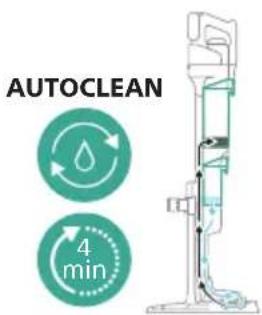
natural_image
Illustration of a hand pouring liquid into a vertical pipe with a green arrow indicating direction (no text or symbols)natural_image
Illustration of a mechanical device with a green handle and upward arrow, no text or symbols presentnatural_image
Simple line drawing of a cup pouring liquid into a stand (no text or symbols)natural_image
Illustration of a faucet pouring liquid into a container with swirling lines indicating flow (no text or symbols)natural_image
Illustration of a faucet pouring liquid into a leafy green leaf on a tiled floor (no text or symbols)natural_image
Illustration of a mechanical device with a faucet and lever, showing a close-up inset of a green cylindrical component (no text or symbols)natural_image
Illustration of a mechanical device being adjusted for a cylindrical component, showing step-by-step assembly (no text or symbols)natural_image
Diagram of a mechanical assembly with three cylindrical components and a base, showing a downward arrow (no text or symbols)natural_image
Technical line drawing of a mechanical component with an arrow indicating direction (no text or symbols)natural_image
Illustration of hands washing a car with blue liquid flowing from the hood (no text or symbols)natural_image
Illustration of two hands holding a green object with a downward arrow, no text or symbols presentnatural_image
Illustration of two hands holding a coiled green object, no text or symbols presentnatural_image
Diagram of a mechanical device with directional arrows indicating movement or force (no text or symbols)natural_image
Illustration of a vacuum cleaner with green arrows indicating motion direction (no text or symbols)natural_image
Diagram of a robotic arm with green tool handle and green guide rails, showing mechanical assembly (no text or symbols)natural_image
Diagram of a mechanical device with green arrows indicating motion or force direction (no text or symbols)natural_image
Illustration of a hand washing a blue faucet with a green handle, no text or symbols presentReinigen des Trockensaugers
natural_image
Illustration of a container with liquid and an upward arrow, no text or symbols presentnatural_image
Illustration of a wooden tool pouring granular material into a perforated container (no text or symbols)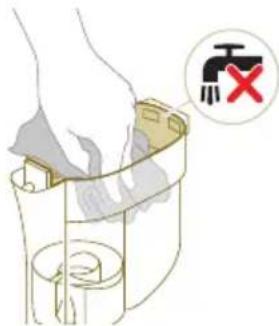
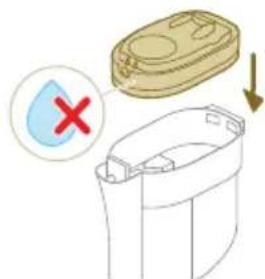
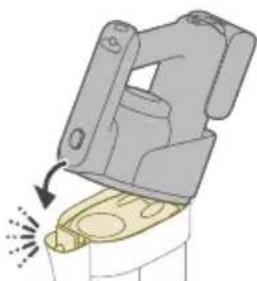
natural_image
Diagram of a mechanical device with a highlighted component and directional arrow (no text or symbols)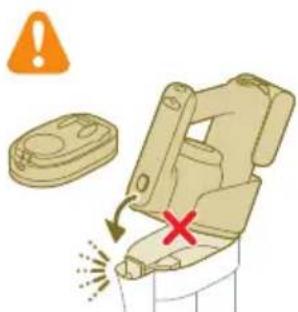
natural_image
Circular icon with a stylized white plug or connector symbol and an exclamation mark, set against a dark background (no text or symbols)natural_image
3D diagram of a mechanical device with a switch symbol (no text or labels)natural_image
Illustration of a hand pouring liquid into a trash bin while another hand swashes it, separated by a diagonal line (no text or symbols)natural_image
Illustration of a hand holding a small object with curved arrows indicating rotation or motion (no text or symbols)natural_image
Illustration of hands pouring liquid into a trash bin (no text or symbols)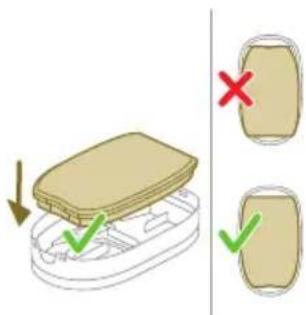
natural_image
Illustration of a dental implant or dental implant device with a tool inserted into a cup (no text or symbols present)natural_image
Diagram showing a container with a lid and a green checkmark indicating selection, alongside a separate view of the container with arrows (no text or symbols)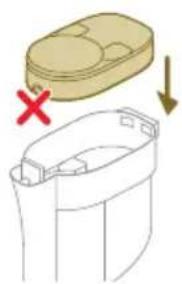
natural_image
Diagram showing a container with a lid and a cross mark, alongside a separate view of a cylindrical container with a handle (no text or symbols)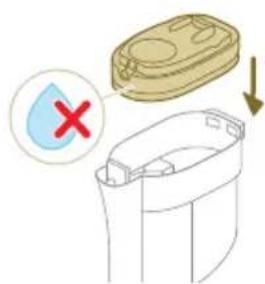
natural_image
Illustration of a hand inserting a yellow coin into a mechanical device (no text or symbols)natural_image
Illustration of a mechanical device with a handle and base, showing motion direction (no text or symbols)natural_image
Illustration of hands tying a rope knot with scissors, showing a magnified view of the knot being held (no text or symbols present)natural_image
Illustration of hands manipulating a mechanical component with a directional arrow (no text or symbols)www.philips.com/myvacuum9000s.
Üldine kirjeldus
1 Tolmukambri vabastusnupp
2 Ekraan
3 Puhastusrežiimi nupp
4 Keskmine nupp (AUTOCLEAN)
5 Toitenupp
6 Aku
7 Kolm-ühes käsitolmuimeja
8 Tolmukamber
9 Toru
10 LED-tuledega otsak
11 Väike turbohari
12 Pikk piluotsak
13 Adapter
14 Toitepistik
15 Lisalaadija (ainult mudelil XW9465/11)
16 Puhastamisjärgne ja hoiustamisjaam
17 Seadme hoidik
18 Puhastamisjärgne alus
19 Alusplaat
20 Märgmoodul
21 Musta vee paak
22 Puhta vee paak
23 AquaSpini otsak
24 Mikrokiudharjad
25 Põrandapesuvedelik Philips Floor Cleaner XV1792 (ainult XW9463/11 ja XW9465/11)
26 Puhastusharjake
natural_image
Diagram of a mechanical assembly with a vertical rod inserted into a housing (no text or symbols)natural_image
Diagram showing two mechanical components with directional arrows indicating movement or assembly (no text or symbols)natural_image
Illustration of a green tool with a curved arrow indicating motion or force, next to a vertical support structure (no text or symbols)natural_image
Illustration of a mechanical device with arrows indicating motion or force direction (no text or symbols)natural_image
Three-step illustration of a vacuum cleaner's tip, showing step-by-step assembly from opening to mounting (no text or symbols)natural_image
Illustration of a green plastic container with a downward arrow indicating flow or change (no text or symbols)7 Pange puhta vee paagile kork tagasi.
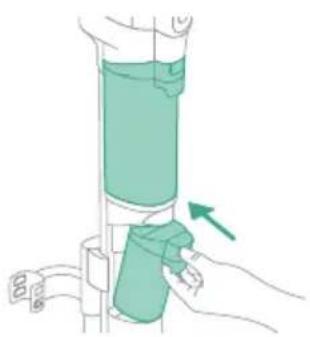
natural_image
Illustration of a hand holding a green cylindrical device with an arrow indicating motion (no text or symbols)natural_image
Close-up of a black door handle with a circular button labeled ①, showing no text or symbols beyond the label.natural_image
Diagram of a mechanical device with a highlighted component and directional arrow (no text or symbols)natural_image
Illustration of a mechanical device emitting exhaust smoke from a cylindrical component (no text or symbols)natural_image
Illustration of a hand holding a handheld device above a white cabinet (no text or symbols)natural_image
Illustration of a hand holding a tool above a device with a flame symbol (no text or symbols present)natural_image
Illustration of a mechanical device with a downward arrow and sparkles, no text or symbols presentnatural_image
Illustration of a handheld vacuum cleaner with a bed icon below (no text or symbols)natural_image
Illustration of a hairdryer with a cat and a dog nearby, showing mechanical components and a close-up of the bed (no text or symbols)natural_image
Illustration of a mechanical device with water droplets and warning symbols (no text or labels)natural_image
Illustration of a hand holding a flashlight with a downward arrow and light effect (no text or symbols)natural_image
Illustration of a medical or laboratory procedure showing a tool interacting with a cylindrical object and a separate view of a bench (no text or symbols present)natural_image
Illustration of a hand pouring liquid into a vertical pipe with a green arrow indicating direction (no text or symbols)natural_image
Simple line drawing of a bucket pouring liquid into a basin (no text or symbols)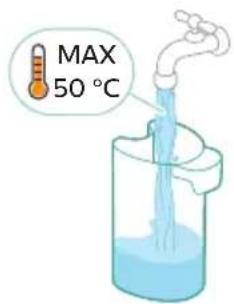
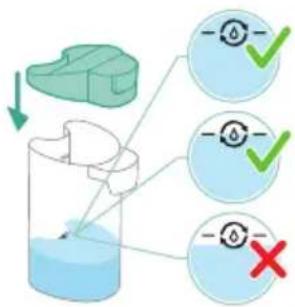
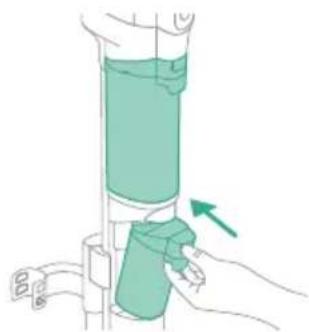
natural_image
Illustration of a hand holding a cylindrical device with a green arrow pointing to the handle (no text or symbols present)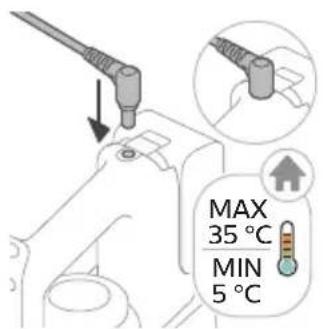
natural_image
Illustration of a remote control device with a handle and control panel (no text or symbols)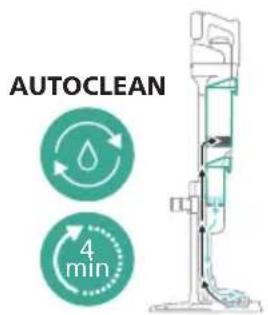
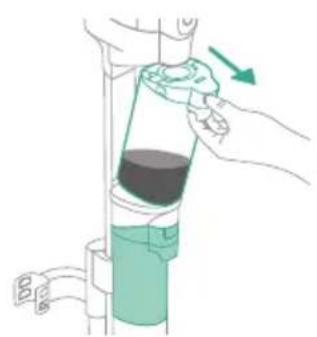
natural_image
Illustration of a hand pouring liquid into a vertical pipe with a green arrow indicating direction (no text or symbols)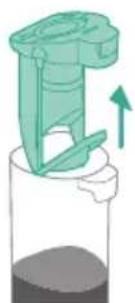
natural_image
Illustration of a green mechanical device with an upward arrow, no text or symbols presentnatural_image
Simple line drawing of a cup pouring liquid into a stand (no text or symbols)16 Valage vesi musta vee paagist kraanikaussi.
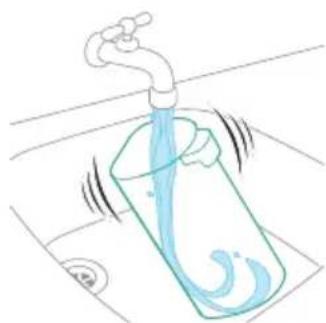
natural_image
Illustration of a faucet pouring liquid into a beaker with water swirling around it (no text or symbols)17 Puhastage musta vee paak kraani all.
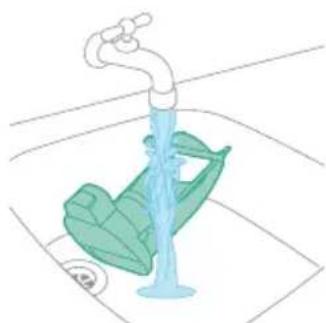
natural_image
Illustration of a faucet releasing water into a green leafy container on a sink (no text or symbols)natural_image
Illustration of a mechanical device with a faucet and a green component, no text or symbols presentnatural_image
Technical line drawing of a mechanical component with an upward arrow indicating motion (no text or symbols)natural_image
Illustration of hands holding a drain with blue liquid flowing through it (no text or symbols)natural_image
Illustration of two hands holding a green object with a downward arrow indicating motion (no text or symbols)natural_image
Illustration of a hand holding a coiled green object, no text or symbols presentnatural_image
Diagram of a mechanical component with directional arrows indicating motion or force (no text or symbols)natural_image
Illustration of a vacuum cleaner with green arrows indicating motion direction (no text or symbols)natural_image
Diagram of a mechanical device with green components and directional arrows indicating movement (no text or symbols)natural_image
Technical diagram of a mechanical assembly with green arrows indicating direction (no text or symbols)natural_image
Illustration of a hand holding a blue faucet with a green handle, placed on a surface (no text or symbols)3 Loputage niisutusribasid kraani all.

natural_image
Illustration of a container with liquid and an upward arrow, no text or symbols presentnatural_image
Illustration of a wooden tool pouring granular material into a container (no text or symbols)3 Tühjendage tolmukambri sisu prügikasti.
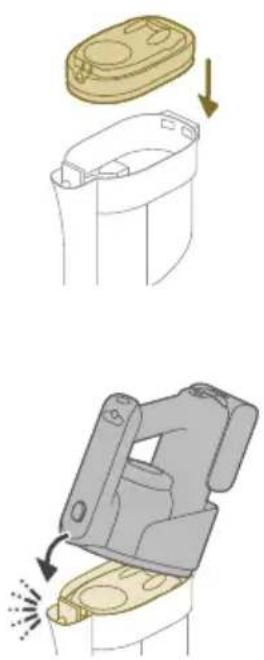
4 Kinnitage filtrikarp tagasi tolmukambrile.
natural_image
Illustration of a container with liquid and an open lid, showing a 3D view (no text or symbols)natural_image
Illustration of a container with granular material being poured into it, no text or symbols present2 Tühjendage tolmukambri sisu prügikasti.
natural_image
Illustration of a hand pouring liquid into a bottle with a faucet (no text or symbols)natural_image
Circular icon with a stylized white hand and exclamation mark inside a black circle (no text or symbols)natural_image
Illustration of a container with liquid and an upward arrow, no text or symbols presentnatural_image
Diagram of a mechanical component with numbered parts (1, 2), no text or symbols present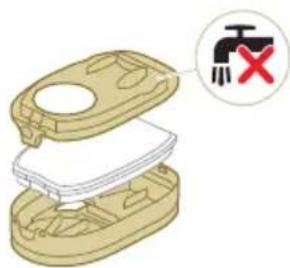
natural_image
Illustration of hands cleaning a trash bin with a water tap (no text or symbols)natural_image
Illustration of a hand holding a rectangular object with curved arrows indicating rotation or motion (no text or symbols)4 Vee eemaldamiseks pigistage vahtplastfiltrit.
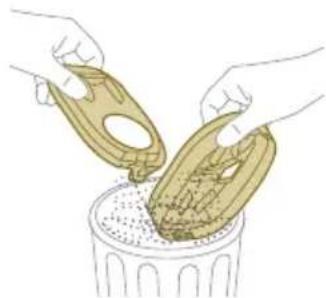
natural_image
Illustration of hands pouring liquid into a trash bin (no text or symbols)6 Puhastage filtrihoidikut niiske lapiga.
natural_image
Illustration of a hand pouring liquid into a container with a spray bottle (no text or symbols)8 Sulgege filtrikarp.
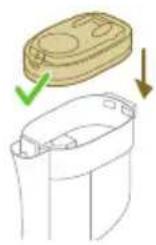

natural_image
Diagram showing a container with a lid and a cross mark, alongside a separate outline of its interior (no text or symbols)9 Pange filtrikarp koos vahtplastfiltriga tagasi tolmukambrisse.
natural_image
Illustration of a mechanical component with a golden circular component inserted into a housing (no text or symbols)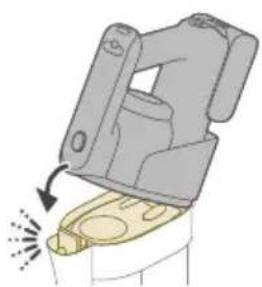
natural_image
Illustration of a mechanical device with a highlighted lever and sparklers (no text or symbols)natural_image
Illustration of hands holding a coiled rope with scissors, accompanied by a magnified inset showing a hand holding a small object (no text or symbols present)natural_image
Diagram of a mechanical component with a vertical rod and base, no text or symbols presentnatural_image
Diagram showing two mechanical components with directional arrows, no text or symbols presentnatural_image
Illustration of a green screwdriver inserted into a mechanical clamp (no text or symbols)natural_image
Diagram of a mechanical device with arrows indicating motion or force direction (no text or symbols)natural_image
Illustration of a hand holding a tool above a rolled-up battery, with no visible text or symbols.natural_image
Illustration of a mechanical device with a highlighted component and motion arrow (no text or symbols)natural_image
Illustration of a mechanical device with a downward arrow and emitting sparks, next to a cylindrical component (no text or symbols)natural_image
Illustration of a plug with a cable and a wall socket, no text or symbols present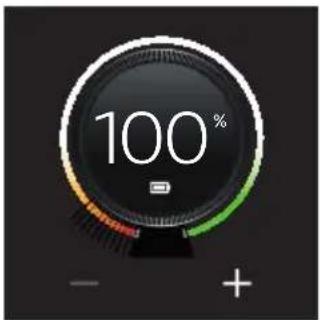
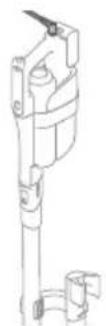
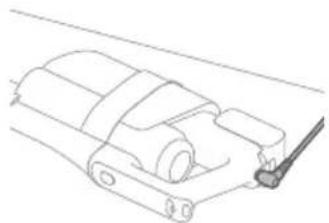
natural_image
Technical line drawing of a mechanical component or housing assembly (no text or symbols)natural_image
Diagram of a mechanical device with arrows indicating motion or force direction (no text or symbols)natural_image
Illustration of a mechanical device with a downward arrow and green laser beam (no text or symbols)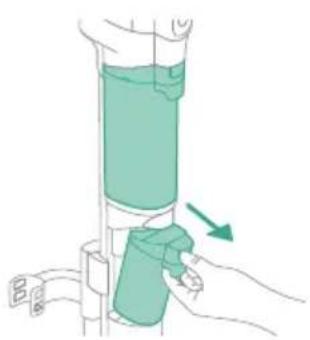
natural_image
Illustration of a hand holding a green cylindrical device with a green arrow indicating motion (no text or symbols)natural_image
Illustration of a hand holding a cylindrical device with a green arrow pointing to the handle (no text or symbols present)natural_image
Diagram of a door handle with a black panel and a circular button labeled ① (no text or symbols on the main object)natural_image
Illustration of a mechanical device with a highlighted lever and sparkles (no text or symbols)natural_image
Illustration of a handheld device mounted on a cabinet (no text or symbols visible)natural_image
Illustration of a hand holding a tool with a downward arrow and emitting smoke or vapor, next to a device (no text or symbols)natural_image
Illustration of a mechanical device with a downward arrow and sparkles, no text or symbols presentnatural_image
Illustration of a handheld device with a circular inset showing a bedroom (no text or symbols)natural_image
Illustration of a handheld vacuum cleaner emitting exhaust from a tank, with icons for cat and dog (no text or symbols)natural_image
Illustration of a mechanical device with water droplets and warning symbols (no text or labels)natural_image
Illustration of a medical or laboratory procedure showing a pipette inserted into a cylindrical container with a magnified inset showing a bench (no text or symbols present)natural_image
Illustration of a mechanical tool with a warning sign and a red X mark, no text or symbols present.natural_image
Illustration of a hand pouring liquid into a vertical pipe with a green arrow indicating direction (no text or symbols)natural_image
Illustration of a mechanical device with a green handle and arrow indicating upward motion (no text or symbols)natural_image
Simple line drawing of a pouring container into a stand (no text or symbols)natural_image
Diagram of a mechanical component with a downward arrow indicating force or direction (no text or symbols)natural_image
Diagram showing a green mechanical component above a white cylindrical container with an upward arrow indicating motion (no text or symbols)natural_image
Simple line drawing of a cup pouring liquid into a container (no text or symbols)natural_image
Illustration of a hand holding a green cylindrical device with a green arrow indicating motion (no text or symbols)natural_image
Illustration of a plug with an arrow indicating direction (no text or symbols)natural_image
Illustration of a remote control device with a circular dial and scroll icon (no text or symbols)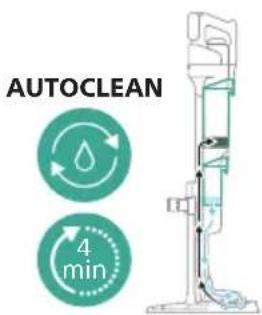
natural_image
Illustration of a hand pouring liquid into a vertical pipe with a green container (no text or symbols)natural_image
Illustration of a mechanical device with a green handle and upward arrow, no text or symbols presentnatural_image
Simple line drawing of a cup pouring liquid into a stand (no text or symbols)natural_image
Illustration of a faucet pouring liquid into a container with swirling lines indicating flow (no text or symbols)natural_image
Illustration of a faucet pouring liquid into a leafy green leaf on a tiled floor (no text or symbols)natural_image
Illustration of a mechanical device with a faucet and lever, showing assembly or maintenance (no text or symbols)natural_image
Illustration of a mechanical device being adjusted for a cylindrical component, showing top and side views with no text or symbols.natural_image
Diagram of a mechanical component with three cylindrical parts and a downward arrow indicating rotation (no text or symbols)natural_image
Technical line drawing of a mechanical component with an arrow indicating direction (no text or symbols)natural_image
Illustration of hands pouring liquid into a container with blue flow lines (no text or symbols)natural_image
Illustration of hands holding a green object with a green arrow indicating direction (no text or symbols)natural_image
Illustration of a hand holding a coiled green object, no text or symbols presentnatural_image
Diagram of a mechanical device with directional arrows indicating motion or force (no text or symbols)natural_image
Illustration of a vacuum cleaner with green arrows indicating motion direction (no text or symbols)natural_image
Diagram of a robotic arm with green tool handle and green guide rails, showing motion direction (no text or symbols)natural_image
Diagram of a mechanical device with green arrows indicating motion or force direction (no text or symbols)natural_image
Illustration of a hand washing a blue faucet with a green handle, no text or symbols presentnatural_image
Illustration of a container with liquid and an upward arrow, no text or symbols presentnatural_image
Illustration of a wooden tool pouring granular material into a glass cup (no text or symbols)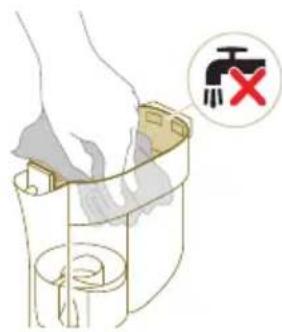
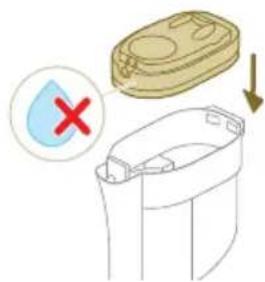
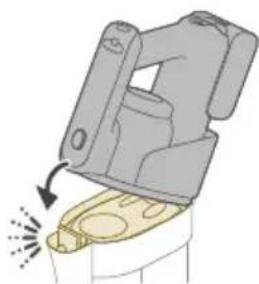
natural_image
Diagram of a mechanical device with a highlighted component and motion arrow (no text or symbols)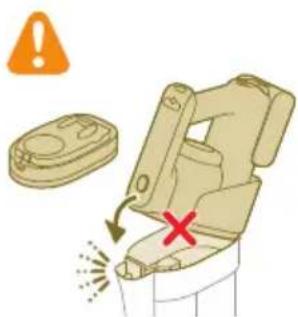
natural_image
Circular icon with a stylized white object resembling a keyhole or plug, enclosed in a golden ring (no text or symbols)natural_image
Illustration of a mechanical device with a switch symbol (no text or labels)natural_image
Illustration of a hand pouring liquid into a trash bin while another hand swashes down a pipe (no text or symbols)natural_image
Illustration of a hand holding a small object with curved arrows indicating rotation or motion (no text or symbols)natural_image
Illustration of hands pouring liquid into a trash bin (no text or symbols)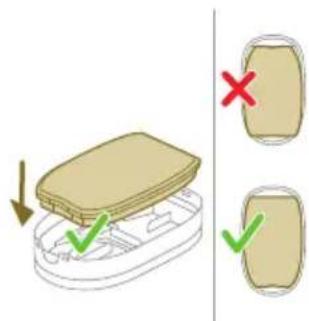
natural_image
Illustration of a hairpin with a lever and base, showing motion direction (no text or symbols)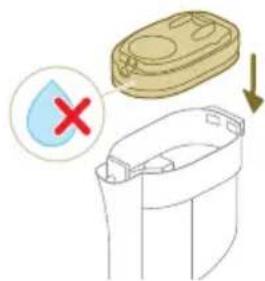
natural_image
Illustration of a mechanical device with a golden circular component inserted into a housing (no text or symbols)natural_image
Illustration of a mechanical device with a handle and base, showing motion direction (no text or symbols)natural_image
Illustration of hands tying a rope knot with scissors, showing a magnified view of the knot being held (no text or symbols present)natural_image
Illustration of hands manipulating a mechanical component with a directional arrow (no text or symbols)www.philips.com/myvacuum9000s.
natural_image
Diagram of a mechanical assembly with a vertical rod inserted into a housing (no text or symbols)natural_image
Diagram showing two mechanical components with directional arrows indicating movement or assembly (no text or symbols present)natural_image
Illustration of a green tool with a curved arrow indicating motion, mounted on a vertical support (no text or symbols)natural_image
Illustration of a mechanical device with arrows indicating motion or force direction (no text or symbols)natural_image
Three-step illustration of a vacuum cleaner's tip, showing step-by-step assembly from opening to mounting (no text or symbols)natural_image
Technical line drawing of a mechanical component or assembly (no text or symbols)natural_image
Illustration of a mechanical device with a highlighted component and motion arrow (no text or symbols)natural_image
Illustration of a mechanical device with a downward arrow and emitting sparks, next to a cylindrical component (no text or symbols)natural_image
Illustration of a hand holding a handheld device above a white cabinet (no text or symbols)natural_image
Illustration of a hand using a tool to press or install a device, with no visible text or symbols.natural_image
Illustration of a mechanical device with a downward arrow and sparkles, no text or symbols presentnatural_image
Illustration of a handheld device with a circular inset showing a bed (no text or symbols)natural_image
Illustration of a hairdryer with a cat and dog nearby, showing mechanical components and a close-up of the bed (no text or symbols)natural_image
Illustration of a hand holding a device with a warning symbol and a red 'X' indicating failure or absence (no text or symbols present)natural_image
Illustration of a hand holding a flashlight with a downward arrow and light effect (no text or symbols)natural_image
Illustration of a medical or laboratory procedure showing a tool interacting with a cylindrical object and a separate diagram of a bench (no text or symbols present)natural_image
Illustration of a mechanical tool with a water droplet and warning symbols (no text or labels)natural_image
Illustration of a hand pouring liquid into a vertical pipe with a green arrow indicating direction (no text or symbols)flowchart
graph TD
    A["Start"] --> B["Step 1: Insert a component into a container with liquid"]
    B --> C["Step 2: Insert a component into a container with liquid"]
    C --> D["Step 3: Insert a component into a container with liquid"]
    D --> E["Step 4: Insert a component into a container with liquid"]
    E --> F["End"]
natural_image
Simple line drawing of a bucket pouring liquid into a basin (no text or symbols)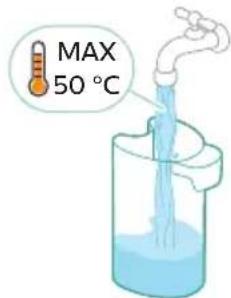
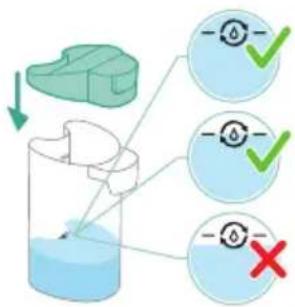
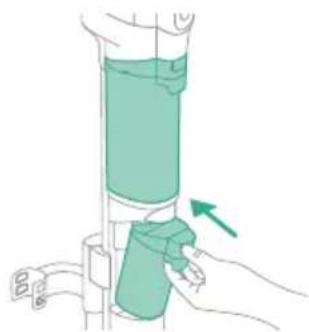
natural_image
Illustration of a hand holding a cylindrical device with a green arrow pointing to the handle (no text or symbols present)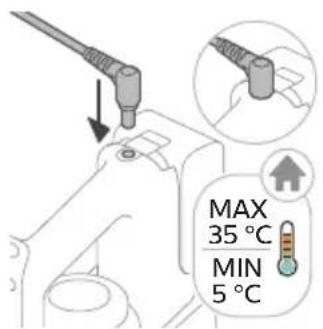
natural_image
Illustration of a remote control device with a handle and control panel (no text or symbols)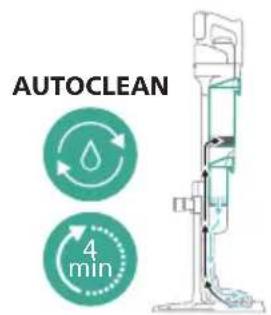
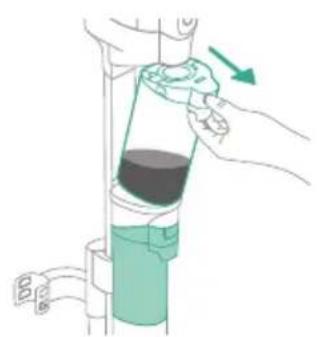
natural_image
Illustration of a hand pouring liquid into a vertical pipe with a green arrow indicating direction (no text or symbols)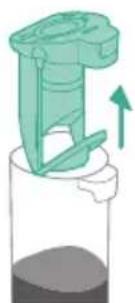
natural_image
Illustration of a mechanical device with an upward arrow, no text or symbols presentnatural_image
Simple line drawing of a pouring container into a stand, no text or symbols presentnatural_image
Illustration of a faucet pouring liquid into a water-filled container with swirling lines (no text or symbols)natural_image
Illustration of a faucet releasing water into a green leafy container (no text or symbols)natural_image
Illustration of a mechanical device with a faucet and a green component, no text or symbols presentnatural_image
Technical line drawing of a mechanical component with an arrow indicating direction (no text or symbols)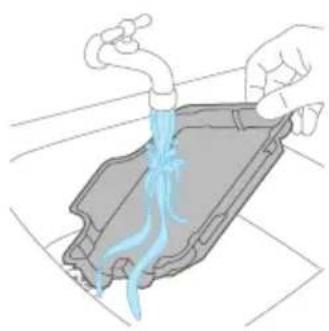
natural_image
Illustration of hands pouring liquid into a container with blue flow lines (no text or symbols)natural_image
Illustration showing two steps of a hand holding a green tool, with a magnified view of the tool being wrapped around it (no text or symbols present)natural_image
Diagram of a syringe with directional arrows indicating motion (no text or labels)natural_image
Illustration of a vacuum cleaner with green arrows indicating motion direction (no text or symbols)natural_image
Diagram of a mechanical assembly with green components and directional arrows, no text or symbols presentnatural_image
Diagram of a mechanical device with green arrows indicating movement or force direction (no text or symbols)natural_image
Illustration of a hand using a green tool to clean or wash a blue faucet (no text or symbols)natural_image
Illustration of a container with liquid and an upward arrow, no text or symbols presentnatural_image
Illustration of a wooden tool pouring granular material into a container (no text or symbols)natural_image
Illustration of a container with liquid and an upward arrow, no text or symbols presentnatural_image
Illustration of a container with granular material being poured into a cylindrical container (no text or symbols)natural_image
Diagram of a mechanical device with a highlighted component and directional arrow (no text or symbols)natural_image
Illustration of a hand using a pipette to lift a cup, with no text or symbols present.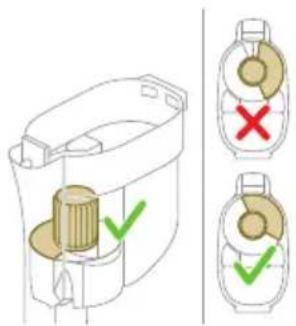
natural_image
Circular icon with a stylized white object and exclamation mark inside a black background (no text or symbols)natural_image
3D diagram of a mechanical device with a magnified inset showing a switch symbol (no text or labels present)natural_image
Illustration of hands cleaning a trash bin with a water tap (no text or symbols)natural_image
Illustration of a hand holding a small object with curved arrows indicating rotation or movement (no text or symbols)natural_image
Illustration of hands pouring liquid into a trash bin (no text or symbols)natural_image
Illustration of a spray gun dispensing liquid into a container (no text or symbols)natural_image
Diagram showing a container with a lid and a side view of its internal structure, marked with red X and downward arrow (no text or symbols)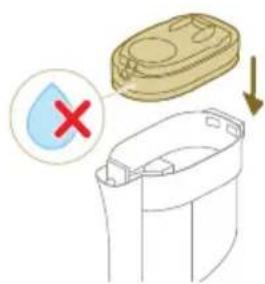
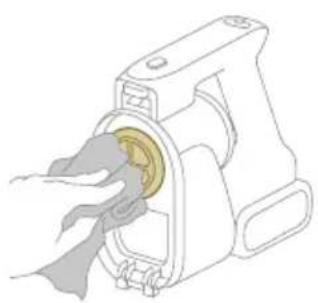
natural_image
Illustration of a hand inserting a yellow coin into a mechanical device (no text or symbols)natural_image
Illustration of a mechanical device with a highlighted component and motion arrow (no text or symbols)natural_image
Illustration of hands holding a coiled string with scissors, accompanied by a magnified inset showing a hand holding a tool (no text or symbols present)natural_image
Circular icon with a house silhouette and warning symbol, labeled 'E3' below (no text or numbers on the icon itself)natural_image
Circular icon with battery symbol and question mark, labeled E5 (no text or symbols beyond label)natural_image
Diagram of a mechanical assembly with a vertical rod inserted into a housing (no text or symbols)Kako biste upotrebljavali funkciju samočišćenja AUTOCLEAN ili pohranili i napunili uređaj na stanici za postavljanje poslije čišćenja i pohranu, prvo morate sastaviti stanicu tako da utisnete držač uređaja na osnovnu ploču.
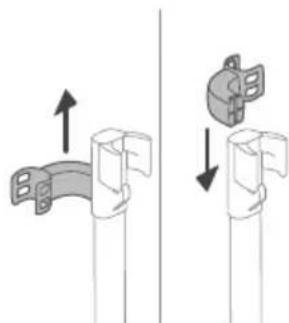
natural_image
Diagram showing two mechanical assembly steps with arrows indicating direction (no text or symbols)Savjet: držač za položaj za usisavanje može se pogurnuti i okrenuti naopako ako usisivač želite postaviti s druge strane stanice za postavljanje poslije čišćenja i pohranu.
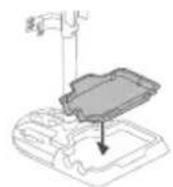
i Napomena: provjerite je li ladica za uporabu poslije čišćenja postavljena na osnovnu ploču i je li temperatura u prostoriji u kojoj se uređaj pohranjuje, puni i čisti između 5 °C i 35 °C.
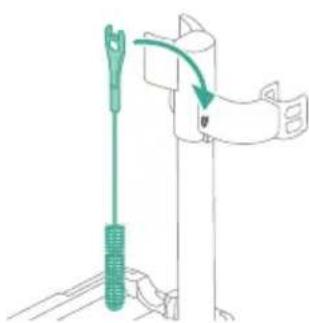
natural_image
Illustration of a green screwdriver holding a vertical pole with a hand adjusting the handle (no text or symbols)natural_image
Illustration of a mechanical device with arrows indicating motion or force direction (no text or symbols)1 Za sastavljanje uređaja u položaj za usisavanje i brisanje umetnite bateriju i pričvrstite držak 3-u-1 na modul za mokro čišćenje („klik“).
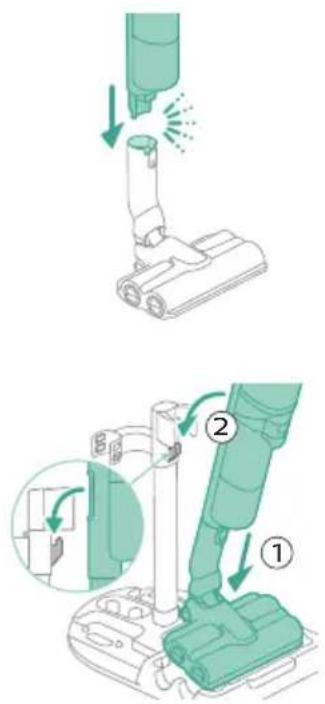
2 Pričvrstite modul za mokro čišćenje na mlaznicu AquaSpin („klik“).
3 Kako biste pohranili uređaj u položaju za usisavanje i brisanje, možete ga staviti u stanicu za postavljanje poslije čišćenja i pohranu.
Sastavljanje uređaja u položaj za usisavanje
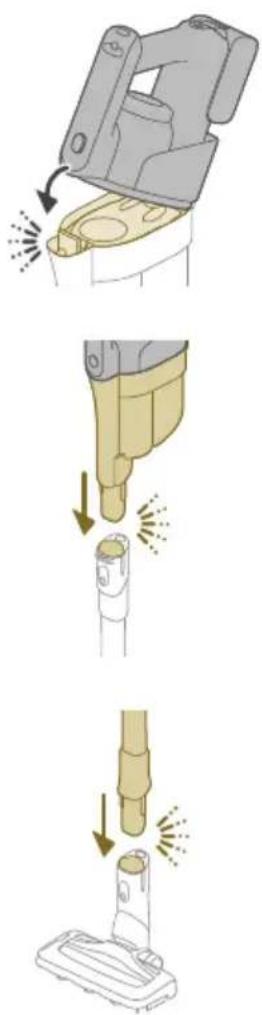
natural_image
Three-step illustration showing a hairdryer being inserted into a device, with arrows indicating motion (no text or symbols)1 Za sastavljanje uredaja u položaj samo za usisavanje pričvrstite držak 3-u-1 na spremnik za prašinu („klik“).
2 Pričvrstite spremnik za prašinu na cijev („klik“).
4 Kako biste pohranili uređaj u položaju samo za usisavanje, stavite ga u stanicu za postavljanje poslije čišćenja i pohranu tako da prvo postavite LED mlaznicu na dulju stranu osnovne ploče, a zatim utisnete cijev u držač.
Savjet: držač za položaj za usisavanje može se pogurnuti i okrenuti naopako ako usisivač želite postaviti s druge strane stanice za postavljanje poslije čišćenja i pohranu.
Punjenje
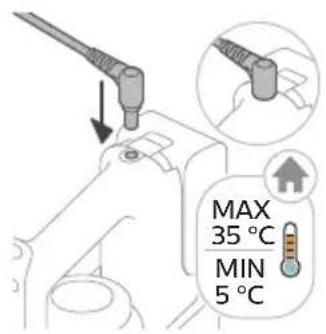
natural_image
Illustration of a hand washing machine with arrows indicating force or motion (no text or symbols)1 Za sastavljanje uređaja u položaj za usisavanje i brisanje umetnite bateriju i pričvrstite držak 3-u-1 na modul za mokro čišćenje ("klik").
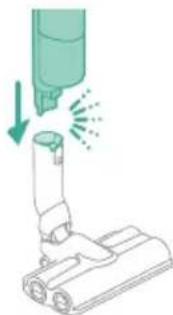
natural_image
Illustration of a mechanical device with a downward arrow and spray effect (no text or symbols)2 Pričvrstite modul za mokro čišćenje na mlaznicu AquaSpin („klik“).
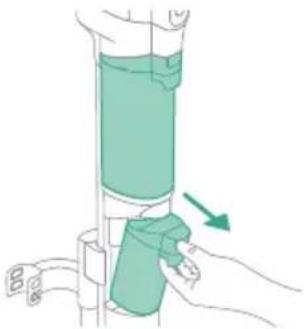
natural_image
Illustration of a hand holding a green cylindrical device with an arrow indicating motion (no text or symbols)3 Pritisnite gumb kako biste otključali i uklonili spremnik za čistu vodu.
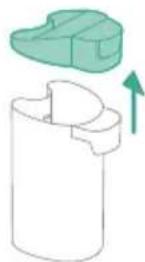
4 Skinite čep sa spremnika čiste vode.
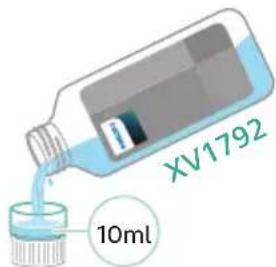
5 Dodajte 10 ml sredstva za čišćenje podova Philips XV1792 u spremnik za čistu vodu.

A Oprez: tvrtka Philips ispitala je rad uređaja samo uz sredstvo za čišćenje podova Philips XV1792. Ostali deterdženti mogu uzrokovati prekomjerno pjenjenje, što oslabljuje performanse i može prouzročiti kvar uređaja. Sredstvo za čišćenje podova Philips XV1792 dostupno je na odabranim tržištima. Kada upotrebljavate neko drugo prikladno tekuće sredstvo za čišćenje podova, dodajte najviše 10 ml sredstva u spremnik za čistu vodu.
6 Napunite spremnik za čistu vodu hladnom ili mlakom vodom iz slavine do oznake MAX.
A Oprez: voda iz slavine koja se ulijeva u spremnik za čistu vodu ne smije biti toplija od 50 °C.
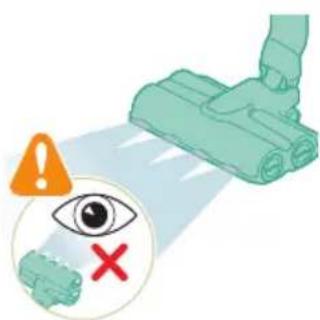
10 S pomoću gumba za način čišćenja birajte između tri različite postavke:
- normalni mokri način rada
- intenzivni mokri način rada
- način rada za upijanje vode
Odabirom normalnog načina rada s vodom uređaj možete upotrebljavati za redovito mokro čišćenje. Intenzivni mokri način rada predviđen je za čišćenje vrlo tvrdokornih mrlja.
natural_image
Illustration of a mechanical device with a highlighted component and motion arrow (no text or symbols)1 Za usisavanje podova od mekih ili tvrdih materijala pričvrstite držak 3-u-1 na spremnik za prašinu („klik“).
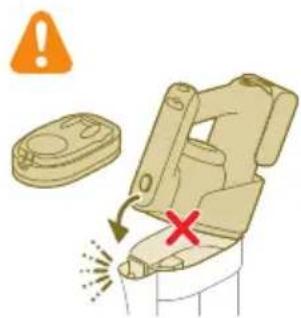
natural_image
Illustration of a mechanical device emitting exhaust smoke from a cylindrical component (no text or symbols)2 Pričvrstite spremnik za prašinu na cijev („klik“).
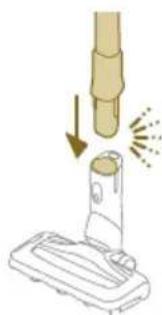
natural_image
Illustration of a vacuum cleaner emitting exhaust smoke from a cylindrical component (no text or symbols)natural_image
Illustration of a hand holding a handheld device above a white cabinet (no text or symbols)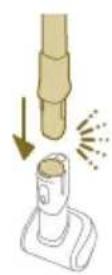
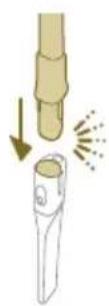
natural_image
Illustration of a hand holding a tool above a device with a flame symbol (no text or symbols present)2 Za odvajanje LED mlaznice pritisnite gumb za otpuštanje (1) i izvucite cijev ili držak iz mlaznice (2).
natural_image
Illustration of a handheld device with a circular inset showing a bed (no text or symbols)natural_image
Illustration of a hairdryer with a cat and dog nearby, showing mechanical components and a close-up of the bed (no text or symbols)4 Za odvajanje četke Mini Turbo pritisnite gumb za otpuštanje (1) i izvucite držak iz četke Mini Turbo (2).
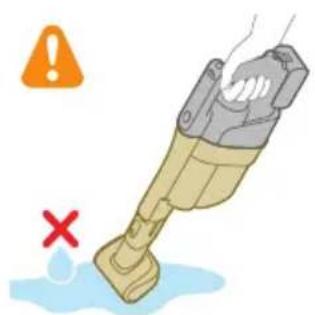
natural_image
Illustration of a mechanical device with water droplets and warning symbols (no text or labels)natural_image
Illustration of a dental implant tool interacting with a cylindrical device (no text or symbols present)3 Za odvajanje dugačkog nastavka za uske površine pritisnite gumb za otpuštanje (1) i iz njega izvucite cijev ili držak (2).
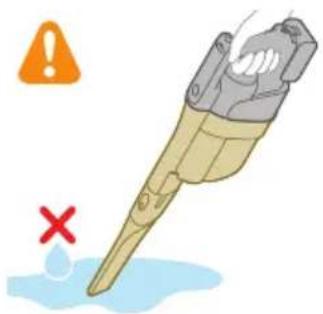
natural_image
Illustration of a mechanical tool with a red X mark and warning symbols (no text or labels)Kako biste spriječili neugodne mirise i naslage kamenca, nakon svake uporabe upotrijebite funkciju samočišćenja AUTOCLEAN. Način rada AUTOCLEAN pomaže vam da potpuno očistite svoj uređaj za približno 4 minute.
1 Uredaj u položaju za usisavanje i brisanje postavite u stanicu za postavljanje poslije čišćenja i pohranu.

natural_image
Illustration of a hand pouring liquid into a vertical pipe with a green arrow indicating direction (no text or symbols)natural_image
Simple line drawing of a bucket pouring liquid into a container (no text or symbols)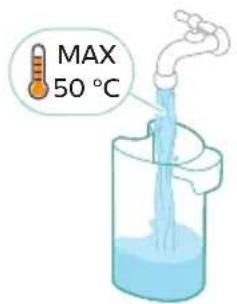
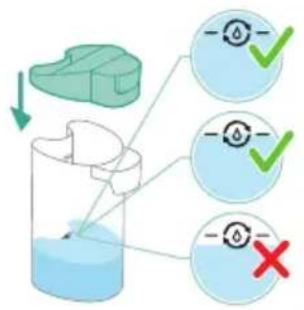
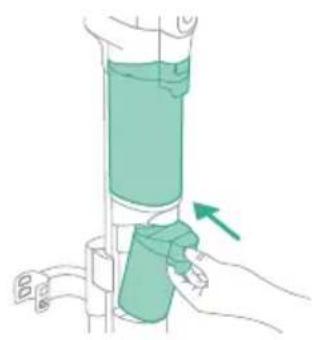
natural_image
Illustration of a hand holding a green cylindrical object with an arrow indicating direction (no text or symbols)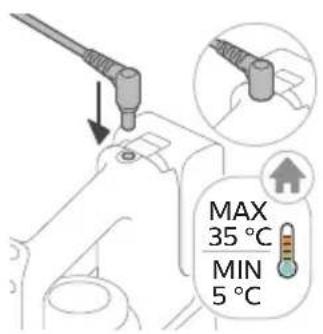
8 Izlijte sav preostali tekući deterdžent iz spremnika za čistu vodu u odvod.
9 Napunite spremnik za čistu vodu hladnom ili mlakom vodom iz slavine barem do oznake AUTOCLEAN.
A Oprez: voda iz slavine koja se ulijeva u spremnik za čistu vodu ne smije biti toplija od 50 °C.
A Oprez: nemojte upotrebljavati deterdžent za funkciju AUTOCLEAN jer bi to moglo dovesti do prekomjernog pjenjenja.
10 Vratite spremnik za čistu vodu u uređaj.
natural_image
Illustration of a remote control device with a handle and control panel, showing no text or symbols.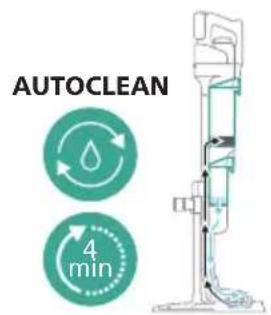
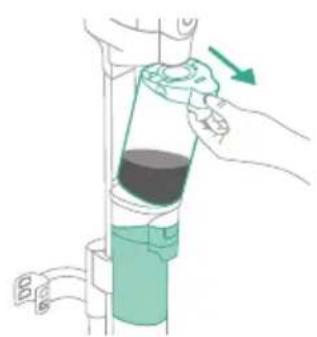
natural_image
Illustration of a hand pouring liquid into a vertical pipe with a green arrow indicating direction (no text or symbols)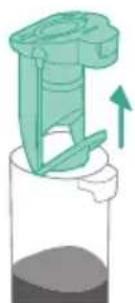
natural_image
Illustration of a green mechanical device with an upward arrow, no text or symbols present12 Kako biste pokrenuli funkciju AUTOCLEAN, pritisnite srednji gumb ⚙Ako je zaslon crn, najprije pritisnite gumb za uključivanje/isključivanje ⚙kako biste aktivirali zaslon.
natural_image
Simple line drawing of a pouring container into a stand, no text or symbols present16 Izlijte vodu iz spremnika za prljavu vodu u odvod.
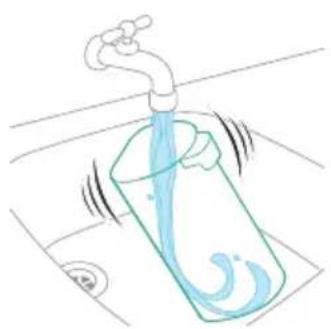
natural_image
Illustration of a faucet pouring liquid into a container with motion lines indicating flow (no text or symbols)17 Spremnik za čistu vodu operite pod mlazom vode iz slavine.
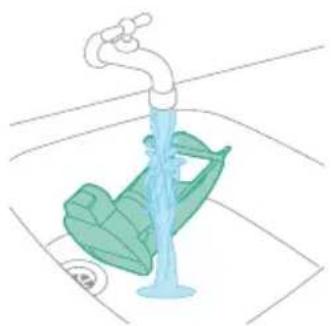
natural_image
Illustration of a faucet with a green leafy seat and water level indicator (no text or symbols)18 Mokri filtar operite pod mlazom vode iz slavine.
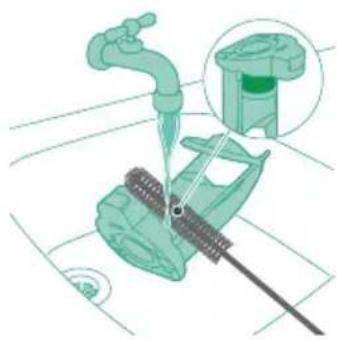
natural_image
Illustration of a mechanical device with a faucet and base component, no text or symbols present19 Očistite mrežasti filtar priloženom četkicom za čišćenje.

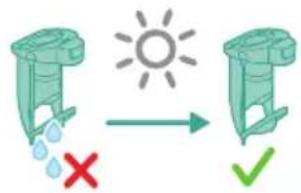
20 Pustite da se vlažni filtar spremnika za prljavu vodu i njegov element za protok vode potpuno osuše prije nego što ih vratite na spremnik za prljavu vodu.

21 Vratite mokri filtar u spremnik za prljavu vodu.
22 Vratite spremnik za prljavu vodu u uređaj.
natural_image
Technical line drawing of a mechanical component with an arrow indicating direction (no text or symbols)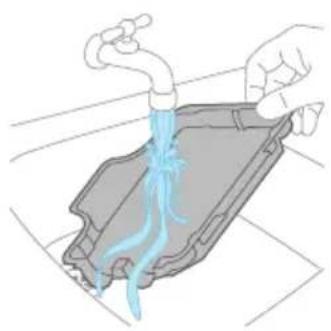
natural_image
Illustration of hands holding a drain with blue liquid flowing through it (no text or symbols)2 Isperite ladicu za uporabu poslije čišćenja pod mlazom vode iz slavine i ostavite da se osuši prije nego što je vratite u stanicu za pohranu.
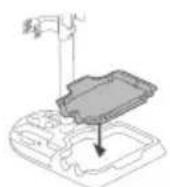
natural_image
Illustration of two hands holding a green object with a downward arrow indicating motion (no text or symbols)natural_image
Illustration of a hand holding a green rope tied with a wrist (no text or symbols)natural_image
Diagram of a mechanical component with directional arrows indicating movement or force (no text or symbols)Ako je modul za mokro čišćenje začepljen, najprije isključite uredaj i uklonite mlaznicu AquaSpin i držak 3-u-1. Zatim uklonite začepljenje pomicanjem četke za čišćenje u usisnom kanalu modula za mokro čišćenje gore-dolje.
Čišćenje začepljenja iz mlaznice AquaSpin
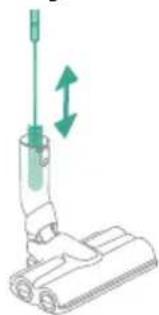
natural_image
Illustration of a vacuum cleaner with green directional arrows indicating motion (no text or symbols)Ako je mlaznica AquaSpin začepljena, to se može ukloniti pomicanjem četke za čišćenje gore-dolje u usisnom kanalu mlaznice AquaSpin.
Čišćenje začepljenja s traka za vlaženje mlaznice AquaSpin
Nakon duge i česte uporabe uređaja trake za vlaženje mlaznice AquaSpin mogu se u nekom trenutku začepiti. Slijedite korake u nastavku kako biste uklonili začepljenje s traka za vlaženje mlaznice AquaSpin.
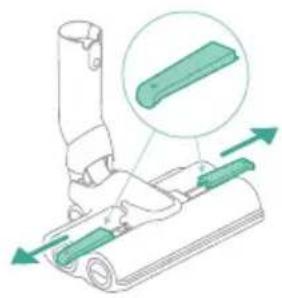
natural_image
Diagram of a mechanical device with green components and an inset showing a green component (no text or symbols)1 Uklonite poklopce traka za vlaženje s mlaznice AquaSpin tako da ih pomaknete u stranu.
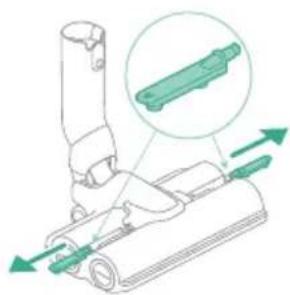
natural_image
Diagram of a mechanical device with green arrows indicating movement or force direction (no text or symbols)2 Uklonite trake za vlaženje s mlaznice AquaSpin tako da ih povučete na stranu.
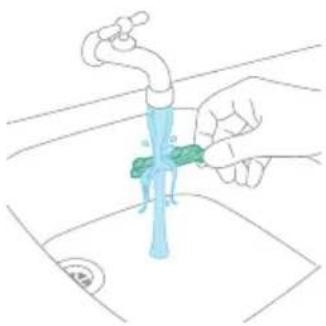
natural_image
Illustration of a hand using a tool to clean or wash a blue water tap (no text or symbols present)Čišćenje uređaja u položaju samo za usisavanje
Pražnjenje spremnika za prašinu
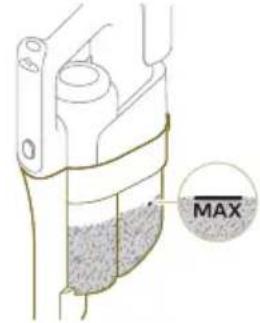
Redovito praznite spremnik za prašinu i pazite da prljavština nikada ne prijeđe oznaku „Max“. Time se sprječava ubrzano začepljenje filtra.
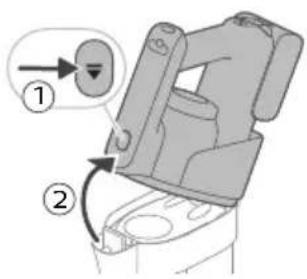
natural_image
Illustration of a container with liquid and an upward arrow, no text or symbols presentnatural_image
Illustration of a wooden tool pouring granular material into a container (no text or symbols)3 Ispraznite spremnik za prašinu u kantu za otpad.
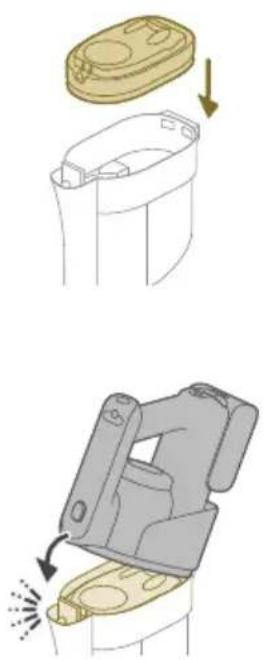
natural_image
Illustration of a container with liquid and an upward arrow, no text or symbols present1 Za čišćenje spremnika za prašinu i ciklonske komore uklonite kućište filtra.
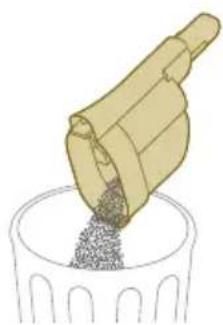
natural_image
Illustration of a container with granular material being poured into a cylindrical container (no text or symbols)2 Ispraznite spremnik za prašinu u kantu za otpad.
3 Ako je potrebno, uklonite i očistite ciklonsku komoru (vidi 'Čišćenje ciklonske komore').
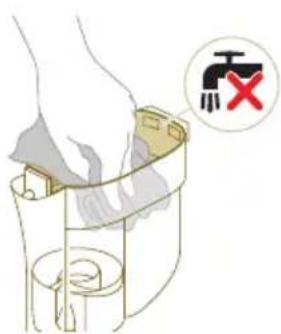
natural_image
Diagram of a mechanical device with a highlighted component and motion arrow (no text or symbols)6 Vratite držak 3-u-1 na spremnik za prašinu.
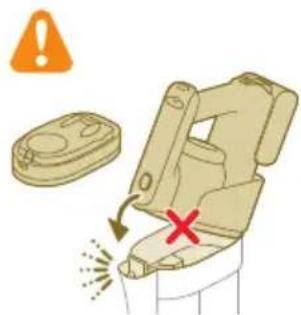
A Oprez: nemojte ponovno pričvršćivati držak 3-u-1 na spremnik za prašinu ako u njega nije umetnuto kućište filtra.
Čišćenje ciklonske komore
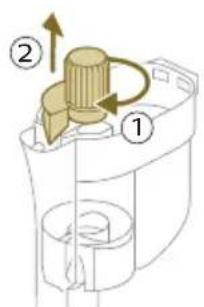
1 Okrenite ciklonsku komoru u smjeru kretanja kazaljke na satu (1) i odvojite je od spremnika za prašinu (2).
2 Uklonite dlake i prljavštinu koja se zaglavila u ciklonskoj komori i ispod nje.
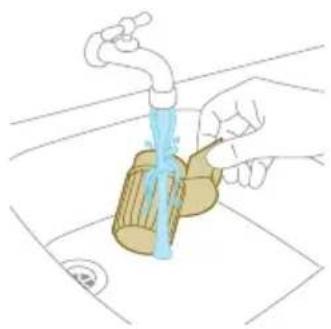
natural_image
Illustration of a hand pouring liquid into a container with a faucet, no text or symbols presenti Napomena: uvijek ostavite ciklonsku komoru da se u potpunosti osuši prije nego što je vratite u spremnik za prašinu.
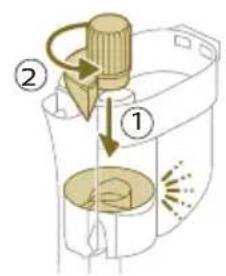
natural_image
Circular icon with a stylized white figure inside a golden ring, no text or symbols present.Kada filtar treba očistiti, na zaslonu se pojavljuje ikona za čišćenje filtra.
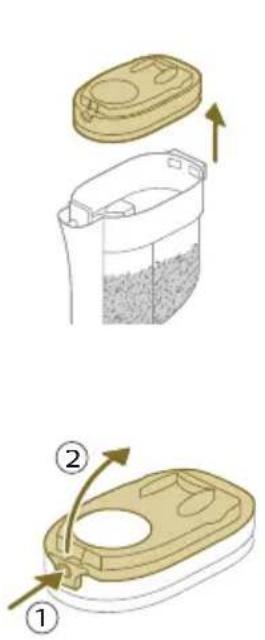
natural_image
Illustration of a hand pouring liquid into a trash bin while another hand swashes down a pipe (no text or symbols)3 Protresite pjenasti filtar iznad kante za otpad kako biste uklonili sloj prljavštine s vrha filtra od pjene. Zatim isperite filtar od pjene pod mlazom vode iz slavine.
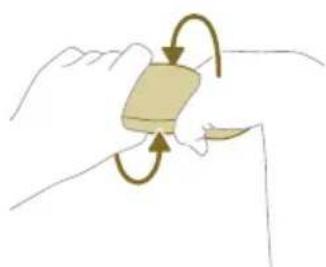
natural_image
Illustration of a hand holding a small object with curved arrows indicating rotation or movement (no text or symbols)natural_image
Illustration of hands pouring liquid into a trash bin (no text or symbols)5 Protresite kućište filtra i poklopac iznad kante za otpad kako biste uklonili prašinu.
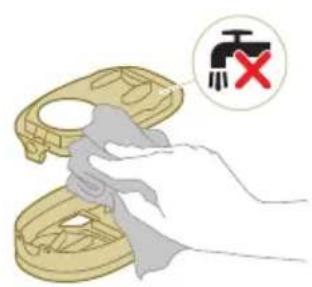
6 Očistite držač filtra vlažnom krpom.
A Oprez: nemojte čistiti bijeli materijal poklopca kućišta filtra uobičajenim usisavačem ili četkom. Nemojte čistiti bijeli materijal poklopca kućišta filtra vodom ili nekim sredstvom za čišćenje. To će oštetiti materijal. Bijeli materijal može se otresti iznad kante za otpad.
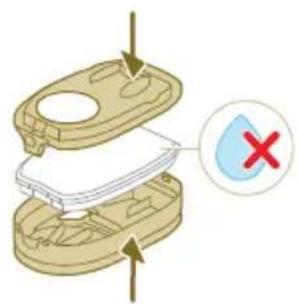
8 Zatvorite kućište filtra.
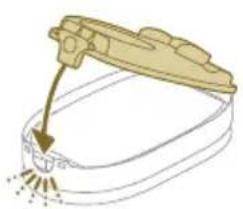
natural_image
Illustration of a hand tool interacting with a device (no text or symbols visible)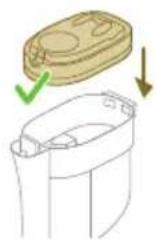
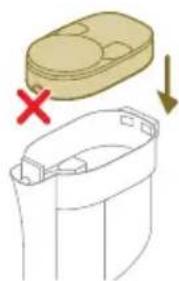
natural_image
Diagram showing a container with a lid and a cross mark, alongside a separate outline of its interior (no text or symbols)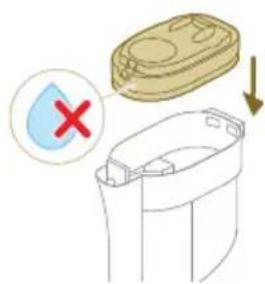
9 Vratite kućište filtra zajedno s filtrom od pjene natrag u spremnik za prašinu.
A Oprez: pazite da bijeli materijal poklopca kućišta filtra bude okrenut prema gore.
A Oprez: provjerite jesu li kućište filtra i filtar od pjene potpuno suhi prije nego što ih vratite u spremnik za prašinu.
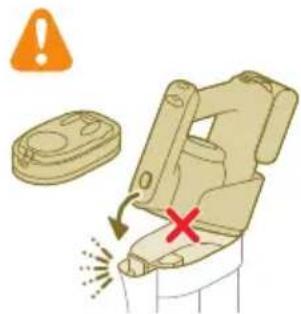
10 Vratite držak 3-u-1 na spremnik za prašinu.
A Oprez: nemojte ponovno pričvršćivati držak 3-u-1 na spremnik za prašinu ako u njega nije umetnuto kućište filtra.
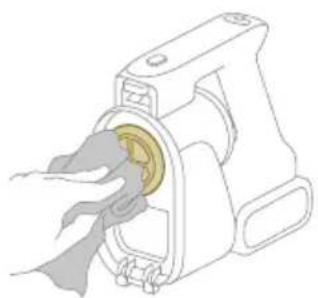
natural_image
Illustration of a hand inserting a yellow coin into a mechanical device (no text or symbols)2 Očistite filtar ulaznog otvora krpom ili četkom za čišćenje.
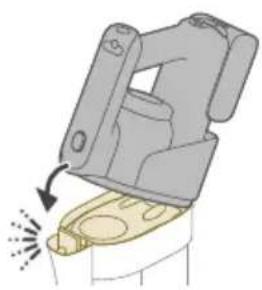
natural_image
Illustration of a mechanical device with a highlighted lever and sparkles, no text or symbols present3 Vratite držak 3-u-1 na spremnik za prašinu. Obavezno prvo spojite stražnji dio, a zatim prednji dio tako da sjedne na mjesto uz zvuk „klik”.
Čišćenje valjkaste četke
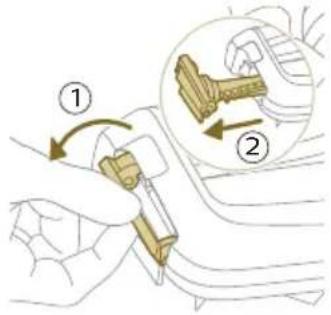
1 Povucite prema dolje polugu za zaključavanje na bočnoj strani LED mlaznice (1) i izvucite valjkastu četku iz LED mlaznice (2). Zapetljane dlake ili niti možete ukloniti s valjkaste četke povlačenjem preko četke jednom rukom.
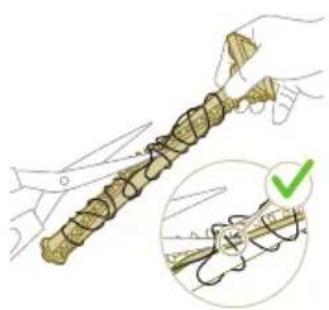
natural_image
Illustration of hands holding a coiled string with scissors, accompanied by a magnified inset showing a green checkmark (no text or symbols)2 Gurnite valjkastu četku natrag u LED mlaznicu (1) i podignite polugu za zaključavanje kako biste zaključali valjkastu četku u LED mlaznicu („klik“).
1 Otključajte gumb za otpuštanje na bočnoj strani četke Mini Turbo (1) i izvucite valjkastu četku iz četke Mini Turbo (2).
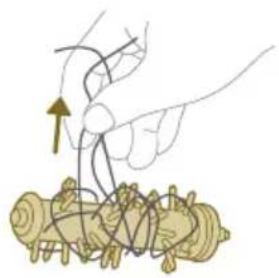
natural_image
Illustration of hands manipulating a mechanical component with a spring (no text or symbols)2 Uklonite dlake i prljavštinu zapetljane oko valjkaste četke.
3 Pritisnite jednu stranu valjkaste četke natrag u četku Mini Turbo (1) i gurnite prema dolje drugu stranu valjkaste četke kako biste je učvrstili u četku Mini Turbo („klik“).
natural_image
Circular icon with a house silhouette and exclamation mark, labeled 'E3' below (no text or symbols on the icon itself)Temperatura je previsoka. Pobrinite se da temperatura u prostoriji u kojoj se uređaj upotrebljava, pohranjuje ili puni bude ispod 35 °C. Uređaj nemojte izlagati izravnoj sunčevoj svjetlosti ni visokim temperaturama (npr. u blizini vrućih peći, mikrovalnih pećnica ili indukcijskih kuhala). Baterije mogu eksplodirati ako se pregriju.
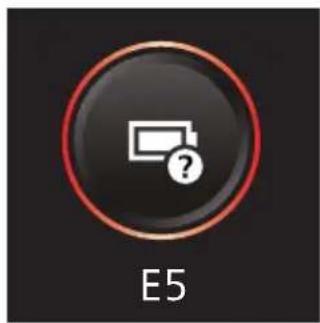
natural_image
Circular icon with battery symbol and question mark, labeled E5 (no text or symbols beyond label)Baterija je napola umetnuta. Provjerite je li baterija ispravno umetnuta (pogledajte odjeljak „Sastavljanje uređaja u položaj za usisavanje i brisanje“).
Šifre informacija Uzrok Rješenje
natural_image
Illustration of a cleaning or cleaning process with a faucet, bucket, and tool (no text or symbols)
natural_image
Circular icon with a white plug symbol and downward arrow, labeled 'i6' at bottom (no text or symbols on the icon itself)natural_image
Icon of an electric plug with a lightning bolt and warning symbol, labeled 'i7' below (no text or symbols on the diagram itself)Spojen je pogrešni punjač. Uređaj punite isključivo s pomoću isporučenog prilagodnika. Upotrebljavajte samo adapter S036-1A340100HE od 34 V. Odgovarajući broj adaptera može se pronaći na adapteru.
natural_image
Circular icon with battery symbol and question mark, labeled 'i10' below (no readable text or symbols beyond the icon)Baterija nije umetnuta. Provjerite je li baterija umetnuta (pogledajte odjeljak „Sastavljanje uređaja u položaj za usisavanje i brisanje“).
Ikone Značenje
natural_image
Diagram of a mechanical assembly with a vertical rod inserted into a housing (no text or symbols)natural_image
Diagram showing two mechanical assembly steps with arrows indicating direction (no text or symbols)natural_image
Illustration of a green tool with a curved arrow indicating motion or force, next to a vertical support structure (no text or symbols)natural_image
Illustration of a hand holding a spray gun with arrows indicating force or motion (no text or symbols)natural_image
Three-step illustration of a vacuum cleaner's tip and base, showing mechanical assembly and tool path (no text or symbols)natural_image
Illustration of a hand washing machine with arrows indicating force or motion (no text or symbols)natural_image
Illustration of a mechanical device with a downward arrow and spray effect (no text or symbols)natural_image
Illustration of a hand holding a green cylindrical device with an arrow indicating motion (no text or symbols)natural_image
Mechanical assembly diagram showing a clamping mechanism with no visible text or symbolsnatural_image
Illustration of a mechanical device with a downward arrow and emitting sparks, next to a simple cylindrical component (no text or symbols)natural_image
Illustration of a hand holding a handheld device above a cabinet (no text or symbols)natural_image
Illustration of a hand holding a cylindrical object with an arrow pointing downward, next to a base device (no text or symbols)natural_image
Illustration of a mechanical device with a downward arrow and sparkles, no text or symbols presentnatural_image
Illustration of a handheld device with a circular inset showing a bed (no text or symbols)natural_image
Illustration of a hairdryer with a cat and dog nearby, showing mechanical components and a close-up of the bed (no text or symbols)natural_image
Illustration of a mechanical device with water droplets and warning symbols (no text or labels)natural_image
Illustration of a dental implant tool interacting with a seated chair (no text or symbols present)natural_image
Illustration of a mechanical tool with a red X mark and warning symbols (no text or labels)natural_image
Illustration of a hand pouring liquid into a vertical pipe with a green arrow indicating direction (no text or symbols)flowchart
graph TD
    A["Start"] --> B["Step 1: Insert a component into a container with liquid"]
    B --> C["Step 2: Insert a component into a container with liquid"]
    C --> D["Step 3: Insert a component into a container with liquid"]
    D --> E["Step 4: Insert a component into a container with liquid"]
    E --> F["End"]
natural_image
Simple line drawing of a bucket pouring liquid into a container (no text or symbols)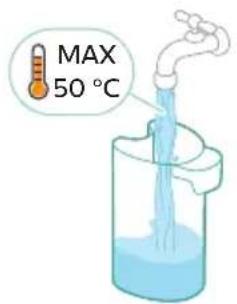
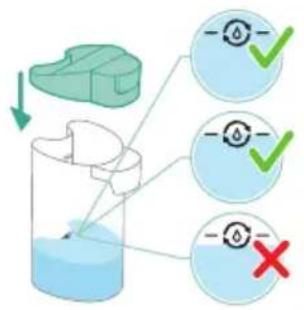
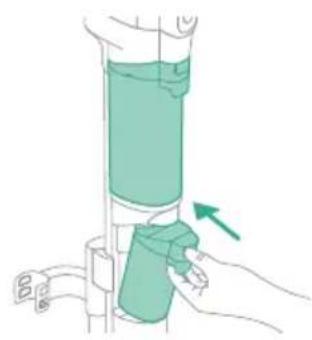
natural_image
Illustration of a hand holding a green cylindrical object with an arrow indicating direction (no text or symbols)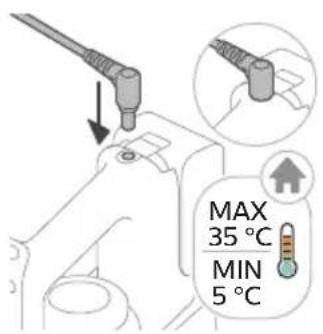
natural_image
Illustration of a remote control device with a switch and control panel (no text or symbols)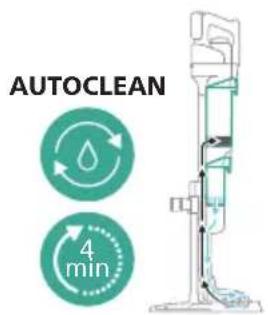
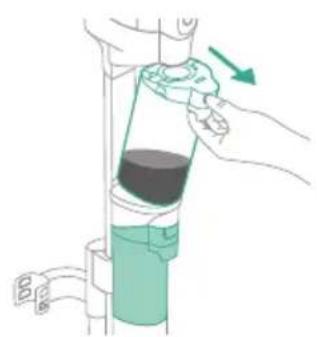
natural_image
Illustration of a hand using a pressure regulator to lift a cylindrical component (no text or symbols visible)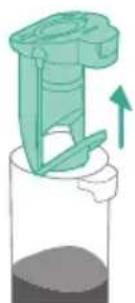
natural_image
Illustration of a green mechanical device with an upward arrow, no text or symbols presentnatural_image
Simple line drawing of a pouring container into a stand, with no text or symbols present.natural_image
Illustration of a faucet pouring liquid into a container with motion lines indicating flow (no text or symbols)natural_image
Illustration of a faucet with a green leaf inside, showing water level and a small circular symbol (no text or labels)natural_image
Illustration of a mechanical assembly with a pipe inserted, showing components like a valve and a green component (no text or symbols)natural_image
Technical line drawing of a mechanical component with an upward arrow indicating motion (no text or symbols)natural_image
Illustration of hands pouring liquid into a container with a blue flame (no text or symbols)natural_image
Illustration of two hands holding a green object with a green arrow indicating direction (no text or symbols)natural_image
Illustration of a hand holding a coiled green object, no text or symbols presentnatural_image
Diagram of a syringe with green arrows indicating direction (no text or labels)natural_image
Illustration of a vacuum cleaner with green arrows indicating motion direction (no text or symbols)natural_image
Diagram of a mechanical device with green components and directional arrows indicating movement (no text or symbols)natural_image
Technical diagram of a mechanical assembly with green arrows indicating direction (no text or symbols)natural_image
Illustration of a hand holding a blue faucet with a green handle, cleaning a surface (no text or symbols)natural_image
Illustration of a container with liquid and an upward arrow, no text or symbols presentnatural_image
Illustration of a wooden tool pouring granular material into a container (no text or symbols)natural_image
Illustration of a container with a lid and an upward arrow indicating growth (no text or symbols)natural_image
Illustration of a wooden tool pouring granular material into a cylindrical container (no text or symbols)natural_image
Diagram of a mechanical device with a highlighted component and directional arrow (no text or symbols)natural_image
Illustration of a hand pouring liquid into a container with a faucet, no text or symbols presentnatural_image
Circular icon with a stylized white object and exclamation mark inside a black background, enclosed in a gold border (no text or symbols)natural_image
3D diagram of a mechanical device with a close-up view showing internal components and a red X symbol (no text or labels)natural_image
Illustration of hands cleaning a trash bin with a water tap (no text or symbols)natural_image
Illustration of a hand holding a small object with curved arrows indicating rotation or movement (no text or symbols)natural_image
Illustration of hands pouring liquid into a trash bin (no text or symbols)natural_image
Illustration of a hand tool interacting with a device (no text or symbols visible)natural_image
Diagram showing a container with a lid and a side view of its interior, marked with red X and downward arrow (no text or symbols)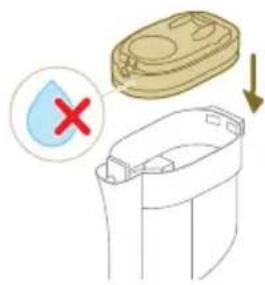
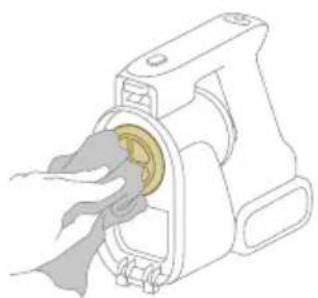
natural_image
Illustration of a hand inserting a yellow coin into a mechanical device (no text or symbols)natural_image
Illustration of a mechanical device with a highlighted component and motion arrow (no text or symbols)natural_image
Illustration of hands holding a coiled rope with scissors, accompanied by a magnified inset showing a green checkmark (no text or symbols)natural_image
Diagram of a mechanical device with arrows indicating motion or force direction (no text or symbols)2 Tad AquaSpin uzgalim pievienojiet mitro moduli (atskan klikškis).
natural_image
Three-step illustration showing a hairdryer being inserted into a device, with arrows indicating motion (no text or symbols present)natural_image
Diagram of a mechanical device with a highlighted component and motion arrow (no text or symbols)natural_image
Illustration of a medical procedure showing a hand holding a needle and a tube with fluid flow, no text or symbols present.2 Pievienojiet putekjsukšanas spaini caurulei (atskan klikškis).
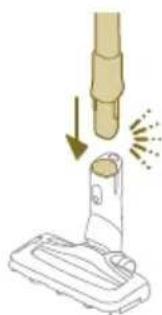
natural_image
Illustration of a vacuum cleaner emitting exhaust smoke from a cylindrical component (no text or symbols)natural_image
Diagram of a door handle with a circular button labeled ①, showing no text or symbols beyond the number and an arrow pointing to the handle area.natural_image
Illustration of a hand holding a handheld device above a white cabinet (no text or symbols)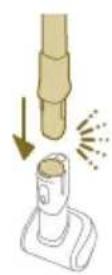
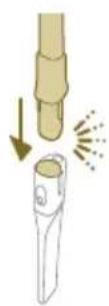
natural_image
Illustration of a hand holding a tool with an arrow pointing downward, next to a device with a flame (no text or symbols)natural_image
Illustration of a mechanical device with a downward arrow and sparkles, no text or symbols presentnatural_image
Illustration of a handheld vacuum cleaner with a bed icon below (no text or symbols)natural_image
Illustration of a hairdryer with a cat and a dog nearby, showing mechanical components and a close-up of the bed (no text or symbols)natural_image
Illustration of a hand holding a device with a warning symbol and a red 'X' indicating failure or absence (no text or symbols present)natural_image
Illustration of a hand holding a flashlight with a downward arrow and light effect (no text or symbols)natural_image
Illustration of a dental tool tip interacting with a cylindrical object, with a magnified inset showing a bench (no text or symbols)natural_image
Illustration of a mechanical tool with a red X mark and warning symbols (no text or labels)natural_image
Illustration of a hand holding a cylindrical device with a green arrow indicating direction (no text or symbols)natural_image
Simple line drawing of a bucket pouring liquid into a basin (no text or symbols)
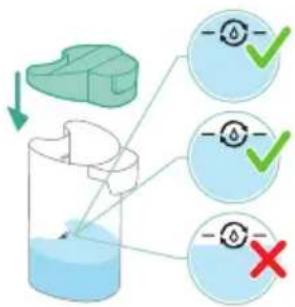
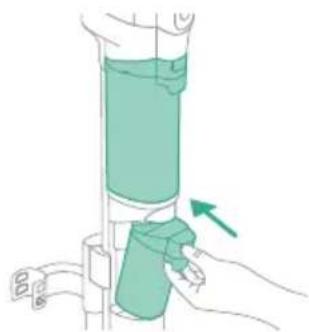
natural_image
Illustration of a hand holding a cylindrical device with a green component, showing a green arrow indicating direction (no text or symbols present)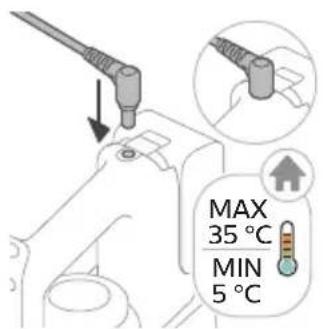
natural_image
Illustration of a remote control device with a handle and control panel (no text or symbols)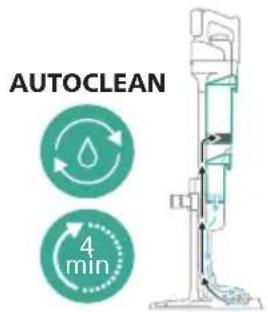

natural_image
Illustration of a hand pouring liquid into a vertical pipe with a green arrow indicating direction (no text or symbols)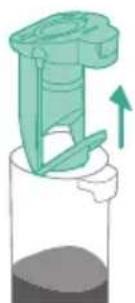
natural_image
Illustration of a green mechanical device with an upward arrow, no text or symbols presentnatural_image
Simple line drawing of a cup pouring liquid into a stand (no text or symbols)16 Izlejiet üdeni no netirā üdens tvertnes izlietnē.
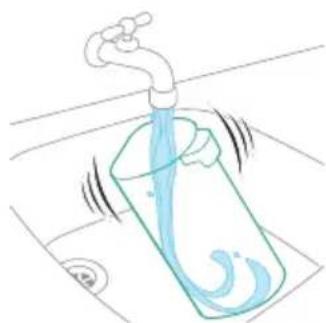
natural_image
Illustration of a faucet pouring liquid into a water-filled container with swirling lines (no text or symbols)natural_image
Illustration of a faucet releasing water into a green leafy container (no text or symbols)18 Noskalojiet mitro filtru zem krāna ūdens.
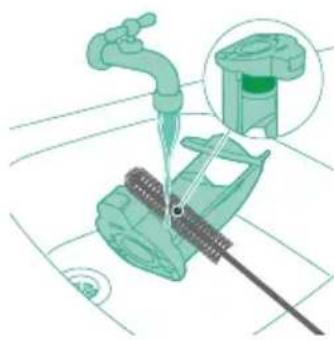
natural_image
Illustration of a mechanical device with a faucet and lever, showing assembly or cleaning process (no text or symbols)natural_image
Technical line drawing of a mechanical component with an upward arrow indicating motion (no text or symbols)natural_image
Illustration of hands holding a drain with blue liquid flowing through it (no text or symbols)natural_image
Illustration of two hands holding a green object with a black tool, showing a downward arrow (no text or symbols)natural_image
Illustration of a hand holding a coiled green object, possibly a medical or mechanical component (no text or symbols)natural_image
Diagram of a syringe with directional arrows indicating motion (no text or labels)natural_image
Illustration of a vacuum cleaner with green arrows indicating motion direction (no text or symbols)natural_image
Diagram of a robotic vacuum cleaner with green sensor components and directional arrows indicating motion (no text or symbols)natural_image
Diagram of a mechanical device with green arrows indicating movement or force direction (no text or symbols)natural_image
Line drawing of a hand holding a blue faucet with a green handle, placed on a surface (no text or symbols)natural_image
Illustration of a container with liquid and an upward arrow, no text or symbols present2 Nonemiet filtra pârsegu nost no puteklu tvertnes.
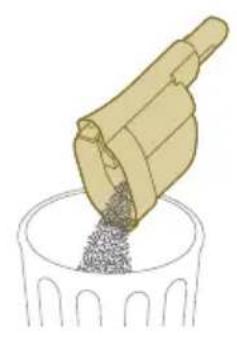
natural_image
Illustration of a hand pouring granular material into a cylindrical container (no text or symbols)3 Iztukšojiet puteklu tvertni atkritumu spainī.
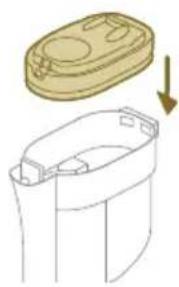
natural_image
Diagram showing a container with a lid and an arrow indicating downward motion (no text or symbols)natural_image
Illustration of a mechanical device with a highlighted component and motion arrow (no text or symbols)natural_image
Illustration of a container with liquid and an upward arrow, no text or symbols presentnatural_image
Illustration of a wooden tool pouring granular material into a cylindrical container (no text or symbols)natural_image
Illustration of a mechanical device with a highlighted component and motion arrow (no text or symbols)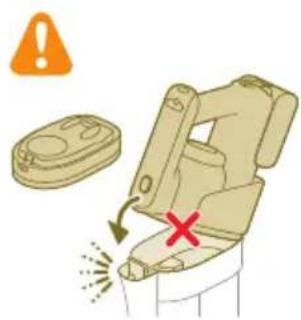
natural_image
Circular icon with a stylized white object resembling a keyhole or plug, enclosed in a golden ring (no text or symbols)1 Nonemiet filtra pârsegu nost no puteklu tvertnes.

natural_image
3D diagram of a mechanical device with a highlighted switch symbol (no text or labels)natural_image
Illustration of a hand pouring liquid into a trash bin with a water tap, no text or symbols presentnatural_image
Illustration of a hand holding a rectangular object with curved arrows indicating rotation or motion (no text or symbols)4 Saspiediet putu filtru, lai izspiestu üdeni.
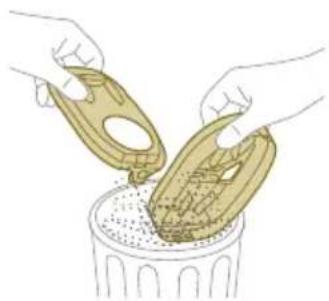
natural_image
Illustration of hands pouring liquid into a trash bin (no text or symbols)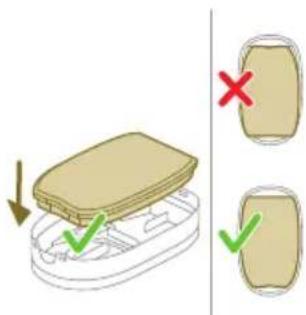
natural_image
Illustration of a hairpin with a lever and base, showing no text or symbols8 Aizveriet filtra apvalku.
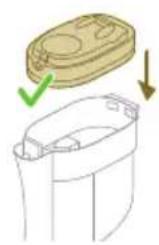
natural_image
Diagram showing a container with a lid and a green checkmark indicating a drop, alongside an arrow pointing downward (no text or symbols)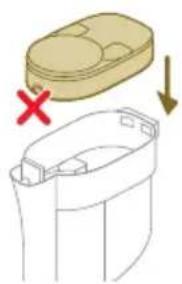
natural_image
Diagram showing a container with a lid and a cross mark indicating failure, alongside a separate view of the container with arrows (no text or symbols)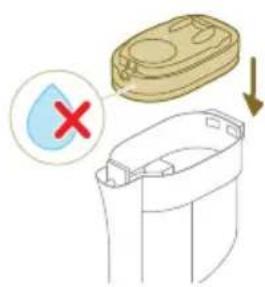
9 lelieciet filtra apvalku ar putu filtru atpakal puteklu tvertnē.
natural_image
Illustration of a hand inserting a yellow component into a mechanical device (no text or symbols)natural_image
Illustration of a mechanical device with a highlighted component and motion arrow (no text or symbols)natural_image
Illustration of hands holding a coiled string with a magnified inset showing a hand holding a plant stem (no text or symbols)natural_image
Illustration of hands manipulating a mechanical component with a spring (no text or symbols)2 Nonemiet matus un netirumus, kas ir uzkräjušies ap rulliša suku.
natural_image
Circular icon with a house silhouette and thermometer symbol, labeled 'E2' below (no text or symbols on the icon itself)natural_image
Circular icon with a house silhouette and exclamation mark, labeled 'E3' below (no text or symbols on the icon itself)natural_image
Circular icon with a document and question mark, labeled 'E5' below (no text or symbols on the icon itself)natural_image
Diagram of a mechanical assembly with a vertical rod inserted into a housing (no text or symbols)natural_image
Diagram showing two mechanical components with directional arrows indicating movement or assembly (no text or symbols)natural_image
Illustration of a green tool with a curved arrow indicating motion, next to a vertical support structure (no text or symbols)natural_image
Illustration of a hand holding a device with arrows indicating motion or force (no text or symbols)natural_image
Three-step illustration of a vacuum cleaner's tip, showing step-by-step assembly from opening to mounting (no text or symbols)
natural_image
Diagram of a mechanical device with a highlighted component and motion arrow (no text or symbols)natural_image
Illustration of a mechanical device with a downward arrow and emitting sparks (no text or symbols)natural_image
Illustration of a vacuum cleaner emitting exhaust smoke from a cylindrical component (no text or symbols)natural_image
Diagram of a door handle with a circular button labeled ①, showing no text or symbols beyond the number and an arrow pointing to the handle area.natural_image
Illustration of a handheld device mounted on a cabinet (no text or symbols visible)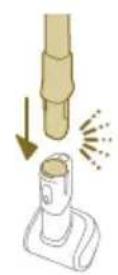
natural_image
Illustration of a hand holding a cylindrical object with a downward arrow and sparkles, next to a base device (no text or symbols)natural_image
Illustration of a handheld device with a circular inset showing a bed (no text or symbols)natural_image
Illustration of a hairdryer with a cat and dog nearby, showing powder and cleaning process (no text or symbols)natural_image
Illustration of a hand holding a device with water droplets and warning symbols (no text or labels)natural_image
Illustration of a dental implant tool interacting with a wall-mounted device (no text or symbols present)natural_image
Illustration of a mechanical tool with a water droplet and warning symbols (no text or labels)natural_image
Illustration of a hand pouring liquid into a vertical pipe with a green arrow indicating direction (no text or symbols)natural_image
Simple line drawing of a bucket pouring liquid into a basin (no text or symbols)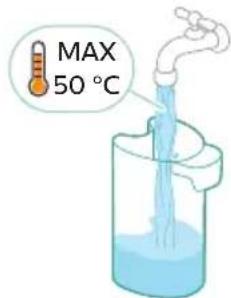
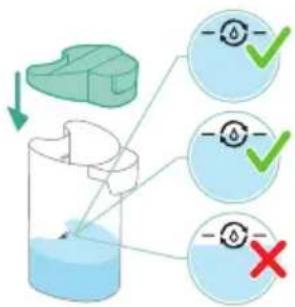
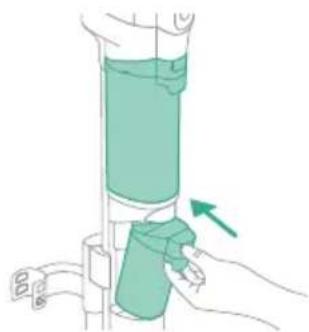
natural_image
Illustration of a hand holding a cylindrical device with a green component, showing a green arrow indicating direction (no text or symbols present)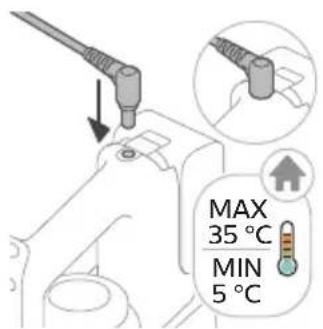
natural_image
Illustration of a remote control device with a handle and control panel (no text or symbols)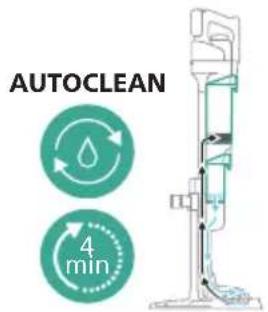
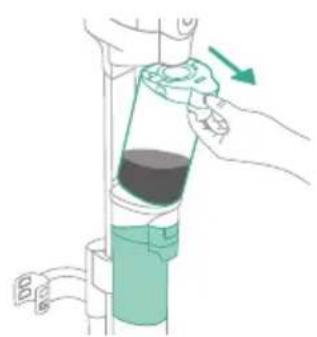
natural_image
Illustration of a hand pouring liquid into a vertical pipe with a green arrow indicating direction (no text or symbols)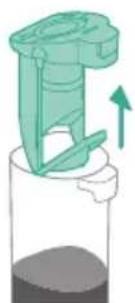
natural_image
Illustration of a mechanical device with a green handle and upward arrow, no text or symbols presentnatural_image
Simple line drawing of a pouring container into a stand, no text or symbols presentnatural_image
Illustration of a faucet pouring liquid into a water-filled container with swirling lines (no text or symbols)natural_image
Illustration of a faucet releasing water into a green leafy container (no text or symbols)natural_image
Illustration of a mechanical device with a faucet and a green component, no text or symbols presentnatural_image
Technical line drawing of a mechanical component with an arrow indicating direction (no text or symbols)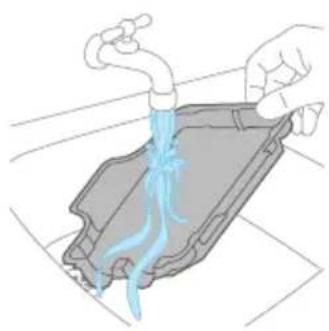
natural_image
Illustration of hands washing a car with blue liquid from a pipe (no text or symbols)natural_image
Illustration of two hands holding a green object with a downward arrow indicating motion (no text or symbols)natural_image
Illustration of a hand holding a coiled green object, no text or symbols presentnatural_image
Diagram of a mechanical component with directional arrows indicating motion or force (no text or symbols)natural_image
Illustration of a vacuum cleaner with green arrows indicating motion direction (no text or symbols)natural_image
Diagram of a mechanical device with green components and directional arrows indicating movement (no text or symbols)natural_image
Technical diagram of a mechanical assembly with green arrows indicating direction (no text or symbols)natural_image
Illustration of a hand cleaning a faucet with a green tool on the handle (no text or symbols)natural_image
Illustration of a container with liquid and an upward arrow, no text or symbols presentnatural_image
Illustration of a wooden tool pouring granular material into a container (no text or symbols)natural_image
Illustration of a container with liquid and an upward arrow, no text or symbols presentnatural_image
Illustration of a wooden tool pouring granular material into a cylindrical container (no text or symbols)natural_image
Illustration of a hand pouring liquid into a container with a faucet (no text or symbols)natural_image
Circular icon with a stylized white hand and exclamation mark inside a black circle (no text or symbols)natural_image
Illustration of a container with liquid and an upward arrow, no text or symbols present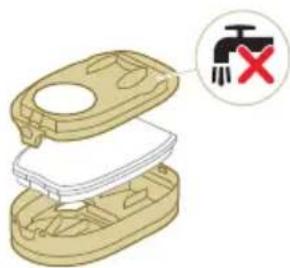
natural_image
Illustration of hands cleaning a trash bin with a water tap (no text or symbols)natural_image
Illustration of a hand holding a rectangular object with curved arrows indicating rotation or motion (no text or symbols)natural_image
Illustration of hands pouring liquid into a trash bin (no text or symbols)natural_image
Illustration of a hand pouring liquid into a container with a spray bottle (no text or symbols)natural_image
Illustration of a beige plastic container with a red X mark and downward arrow, alongside a smaller outline of its side panel (no text or symbols)natural_image
Diagram of a mechanical assembly with a golden component inserted into a housing (no text or symbols visible)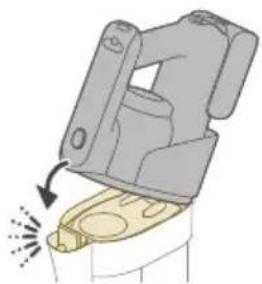
natural_image
Diagram of a mechanical device with a highlighted component and motion arrow (no text or symbols)natural_image
Illustration of hands holding a coiled string with a magnified inset showing a green checkmark (no text or symbols)natural_image
Illustration of a hand connecting wires to a mechanical component (no text or symbols)natural_image
Circular icon with a stylized vehicle or device symbol, no readable text or labelsnatural_image
Circular icon with a stylized pen and wrench symbol, no text or numbers presentnatural_image
Circular icon with a white hand-painted object and circular arrow, no text or symbols present.natural_image
Diagram of a mechanical assembly with a vertical rod inserted into a housing (no text or symbols)natural_image
Diagram showing two mechanical components with directional arrows indicating movement or assembly (no text or symbols)natural_image
Illustration of a green tool being inserted into a vertical cylindrical device with a hand adjusting the handle (no text or symbols present)natural_image
Diagram of a mechanical device with arrows indicating motion or force direction (no text or symbols)natural_image
Three-step illustration showing a hairdryer being inserted into a device, with arrows indicating motion (no text or symbols)natural_image
Technical line drawing of a mechanical component with no visible text or symbols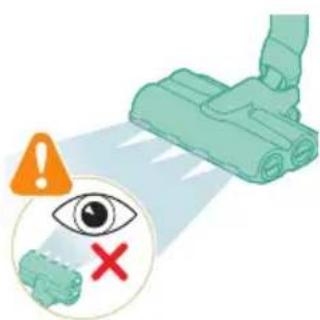
natural_image
Illustration of a mechanical device with a highlighted component and motion arrow (no text or symbols)natural_image
Illustration of a mechanical device emitting exhaust smoke from a cylindrical component (no text or symbols)natural_image
Illustration of a vacuum cleaner emitting exhaust smoke from a cylindrical component (no text or symbols)natural_image
Diagram of a door handle with a circular button labeled ①, showing no text or symbols beyond the number and an arrow pointing to the handle (no readable text or symbols)natural_image
Illustration of a handheld device mounted on a cabinet (no text or symbols visible)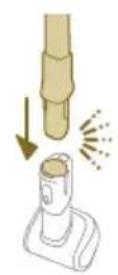
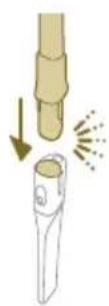
natural_image
Diagram showing a hand holding a tool above a device with a flame symbol, no text or labels presentnatural_image
Illustration of a mechanical device with a circular inset showing a bed (no text or symbols)natural_image
Illustration of a hairdryer with a cat and dog nearby, showing no text or symbolsnatural_image
Illustration of a mechanical device with water droplets and warning symbols (no text or labels)natural_image
Illustration of a dental implant tool interacting with a small object, showing no text or symbols.natural_image
Illustration of a mechanical device with a water droplet and warning symbols (no text or labels)natural_image
Illustration of a hand pouring liquid into a vertical pipe with a green arrow indicating direction (no text or symbols)flowchart
graph TD
    A["Start"] --> B["Step 1: Insert a component into a container with liquid"]
    B --> C["Step 2: Insert a component into a container with liquid"]
    C --> D["Step 3: Insert a component into a container with liquid"]
    D --> E["Step 4: Insert a component into a container with liquid"]
    E --> F["End"]
natural_image
Simple line drawing of a bucket pouring liquid into a basin (no text or symbols)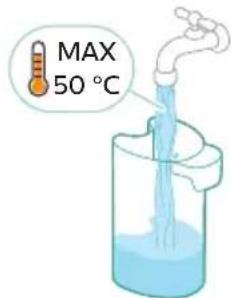
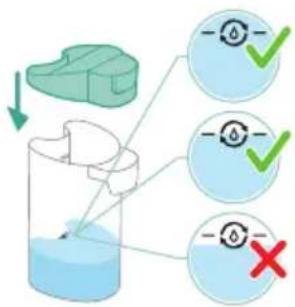
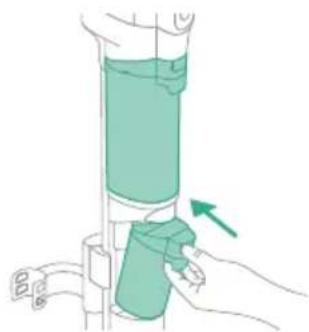
natural_image
Illustration of a hand holding a cylindrical device with a green arrow pointing to it, no text or symbols present.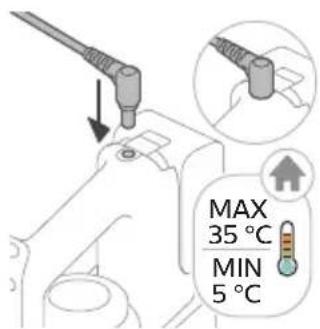
natural_image
Illustration of a remote control device with a switch and control panel (no text or symbols)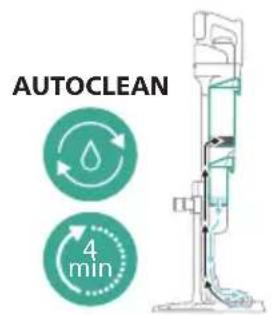
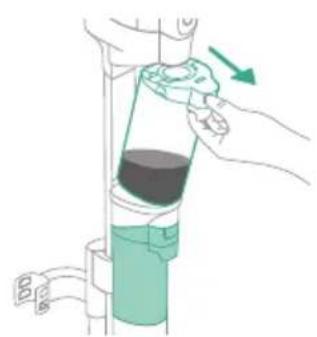
natural_image
Illustration of a hand pouring liquid into a vertical pipe with a green arrow indicating direction (no text or symbols)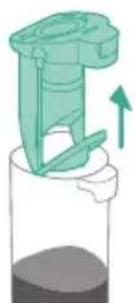
natural_image
Illustration of a mechanical device with a green handle and upward arrow, no text or symbols presentnatural_image
Simple line drawing of a pouring container into a stand, no text or symbols presentnatural_image
Illustration of a faucet pouring liquid into a water-filled container with swirling lines (no text or symbols)natural_image
Illustration of a faucet releasing water into a green leafy container on a sink (no text or symbols)natural_image
Illustration of a mechanical device with a faucet and component, showing assembly or cleaning process (no text or symbols)natural_image
Technical line drawing of a mechanical component with an upward arrow indicating motion (no text or symbols)natural_image
Illustration of a hand pouring liquid into a container with a blue flame (no text or symbols)natural_image
Illustration of two hands holding a green object with a black tool, showing a downward arrow (no text or symbols)natural_image
Illustration of a hand holding a coiled green object, no text or symbols presentnatural_image
Diagram of a mechanical component with directional arrows indicating motion or force (no text or symbols)natural_image
Illustration of a vacuum cleaner with green arrows indicating motion direction (no text or symbols)natural_image
Diagram of a mechanical device with green components and directional arrows indicating movement (no text or symbols)natural_image
Technical diagram of a mechanical assembly with green arrows indicating direction (no text or symbols)natural_image
Illustration of a hand holding a blue faucet with a green handle, placed on a surface (no text or symbols)natural_image
Illustration of a container with liquid and an upward arrow, no text or symbols presentnatural_image
Illustration of a wooden tool pouring granular material into a container (no text or symbols)natural_image
Illustration of a container with liquid and an upward arrow, no text or symbols presentnatural_image
Illustration of a wooden tool pouring granular material into a cylindrical container (no text or symbols)natural_image
Illustration of a hand pouring liquid into a container with a faucet (no text or symbols)natural_image
Circular icon with a stylized white hand and exclamation mark inside a black circle (no text or symbols)natural_image
Illustration of a container with liquid and an upward arrow, no text or symbols present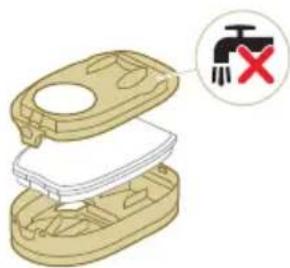
natural_image
Illustration of a hand pouring liquid into a trash bin while another hand swashes down a pipe (no text or symbols)natural_image
Illustration of a hand holding a rectangular object with curved arrows indicating rotation or motion (no text or symbols)natural_image
Illustration of hands pouring liquid into a trash bin (no text or symbols)natural_image
Illustration of a hairpin with a handle and spout, showing no text or symbolsnatural_image
Illustration of a beige plastic container with a red X mark and downward arrow, alongside a smaller outline of its side panel (no text or symbols)natural_image
Illustration of a mechanical component with a yellow circular component inserted into a housing (no text or symbols)
natural_image
Diagram of a mechanical device with a highlighted component and motion arrow (no text or symbols)natural_image
Illustration of hands holding a coiled string with a magnified inset showing a green checkmark (no text or symbols)natural_image
Illustration of hands manipulating a mechanical component with a spring (no text or symbols)natural_image
Circular icon with a house silhouette and thermometer symbol, labeled 'E2' below (no text or numbers on the icon itself)natural_image
Circular icon with a battery symbol and a question mark, labeled 'E5' below (no text or symbols on the icon itself)natural_image
Diagram of a mechanical assembly with a vertical rod inserted into a housing (no text or symbols)natural_image
Diagram showing two mechanical assembly states with arrows indicating direction of movement (no text or symbols)natural_image
Illustration of a medical or surgical tool with a green tool and arrow indicating motion (no text or symbols)natural_image
Illustration of a hand holding a device with arrows indicating motion or force (no text or symbols)natural_image
Three-step illustration of a vacuum cleaner's tip and base, showing mechanical assembly and tool path (no text or symbols)natural_image
Technical line drawing of a mechanical component with no visible text or symbolsnatural_image
Illustration of a green plastic container with a downward arrow indicating flow or change (no text or symbols)natural_image
Illustration of a hand holding a green cylindrical device with an arrow indicating motion (no text or symbols)natural_image
Close-up of a black door handle with a circular icon labeled ①, showing no text or symbols beyond the label.natural_image
Illustration of a mechanical device with a highlighted component and motion arrow (no text or symbols)natural_image
Illustration of a hand holding a handheld device above a cabinet (no text or symbols visible)natural_image
Diagram showing a hand holding a tool above a device with a flame symbol, no text or labels presentnatural_image
Illustration of a mechanical device with a downward arrow and sparkles, no text or symbols presentnatural_image
Illustration of a handheld device with a circular inset showing a bedroom (no text or symbols)natural_image
Illustration of a handheld vacuum cleaner emitting exhaust from a tank, with icons for cat and dog (no text or symbols)natural_image
Illustration of a mechanical device with water droplets and warning symbols (no text or labels)natural_image
Illustration of a medical or laboratory procedure showing a tool interacting with a bottle and a chair (no text or symbols present)natural_image
Illustration of a mechanical tool with a red 'X' marking and an orange warning symbol above (no text or labels)natural_image
Illustration of a hand pouring liquid into a vertical pipe with a green container, showing a right-hand arrow (no text or symbols)natural_image
Illustration of a mechanical device with a green arrow indicating upward motion (no text or symbols)natural_image
Simple line drawing of a cup pouring liquid into a stand (no text or symbols)natural_image
Illustration of a mechanical device with a green handle and arrow indicating downward motion (no text or symbols)natural_image
Diagram showing a green mechanical component being folded into a cylindrical housing with an upward arrow indicating motion (no text or symbols)natural_image
Simple line drawing of a bucket pouring liquid into a container (no text or symbols)natural_image
Illustration of a remote control device with a switch and control panel (no text or symbols)natural_image
Illustration of a hand pouring liquid into a vertical cylindrical container with a green handle, showing a right-hand rule (no text or symbols)natural_image
Illustration of a mechanical device with a green handle and upward arrow, no text or symbols presentnatural_image
Simple line drawing of a cup pouring liquid into a stand (no text or symbols)natural_image
Illustration of a faucet pouring liquid into a beaker with swirling lines indicating flow (no text or symbols)natural_image
Illustration of a faucet pouring liquid into a leafy green leaf on a tiled floor (no text or symbols)natural_image
Illustration of a mechanical device with a faucet and lever, showing assembly or maintenance (no text or symbols)natural_image
Illustration of a mechanical device with a downward arrow indicating motion (no text or symbols)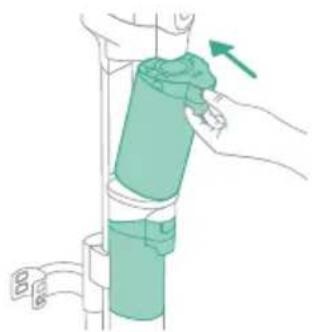
natural_image
Illustration of a hand holding a green cylindrical object with a blue belt, attached to a vertical pipe (no text or symbols)natural_image
Diagram showing three cylindrical components mounted on a base with a downward arrow indicating rotation (no text or symbols)natural_image
Technical line drawing of a mechanical component with an arrow indicating direction (no text or symbols)natural_image
Illustration of hands pouring liquid into a container with blue flow lines (no text or symbols)natural_image
Illustration of two hands holding a green object with a downward arrow, no text or symbols presentnatural_image
Illustration of two hands holding a coiled green object, no text or symbols presentnatural_image
Diagram of a mechanical device with directional arrows indicating movement or force (no text or symbols)natural_image
Illustration of a vacuum cleaner with green arrows indicating motion direction (no text or symbols)natural_image
Diagram of a robotic arm with green tool handle and green guide rails, showing mechanical assembly (no text or symbols)natural_image
Diagram of a mechanical device with green arrows indicating motion or force direction (no text or symbols)natural_image
Illustration of a hand washing a blue faucet with a green tool, no text or symbols presentnatural_image
Illustration of a container with liquid and an upward arrow, no text or symbols presentnatural_image
Illustration of a wooden tool pouring granular material into a glass cup (no text or symbols)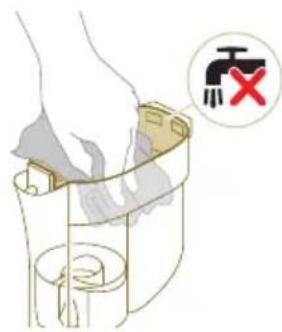
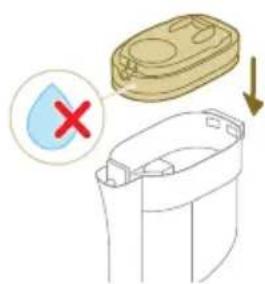

natural_image
Illustration of a mechanical device with a highlighted component and motion arrow (no text or symbols)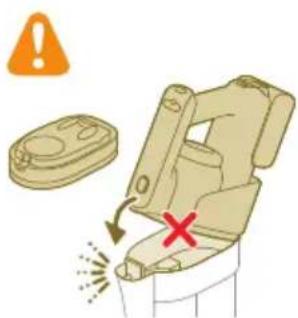
natural_image
Circular icon with a stylized white object resembling a keyhole or plug, enclosed in a gold ring (no text or symbols)natural_image
3D diagram of a mechanical device with a switch symbol (no text or labels)natural_image
Illustration of a hand pouring liquid into a trash bin with a water tap nearby (no text or symbols)natural_image
Illustration of a hand holding a small object with curved arrows indicating rotation or motion (no text or symbols)natural_image
Illustration of hands pouring liquid into a trash bin (no text or symbols)natural_image
Illustration of a hand tool interacting with a device, showing motion lines and no text or symbols8 Sluit de filterbehuizing.
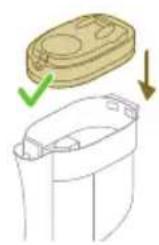
natural_image
Diagram showing a container with a lid and a green checkmark indicating a drop, alongside an arrow pointing downward (no text or symbols)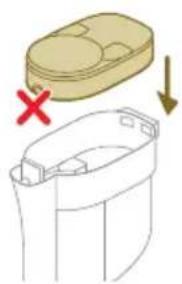
natural_image
Diagram showing a container with a lid and a cross mark, alongside a separate outline of its interior (no text or symbols)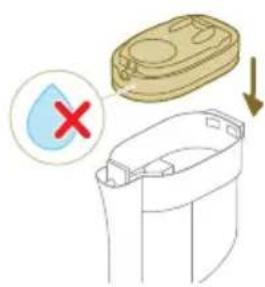
natural_image
Illustration of a hand inserting a yellow component into a mechanical device (no text or symbols)natural_image
Illustration of a mechanical device with a highlighted component and motion arrow (no text or symbols)natural_image
Illustration of hands tying a rope knot with scissors, showing a checkmark (no text or symbols present)natural_image
Illustration of hands manipulating a mechanical component with a directional arrow (no text or symbols)natural_image
Circular icon with a house silhouette and thermometer symbol, labeled 'E2' below (no text or numbers on the icon itself)natural_image
Circular icon with a battery symbol and a question mark, labeled 'E5' below (no text or symbols on the icon itself)www.philips.com/myvacuum9000s.
natural_image
Illustration of a mechanical device with arrows indicating motion or force direction (no text or symbols)natural_image
Three-step illustration of a vacuum cleaner's tip and base, showing mechanical assembly and tool path (no text or symbols)natural_image
Illustration of a mechanical device with a highlighted component and motion arrow (no text or symbols)natural_image
Illustration of a mechanical device emitting exhaust smoke from a cylindrical component (no text or symbols)natural_image
Illustration of a vacuum cleaner emitting exhaust smoke from a cylindrical tube (no text or symbols)natural_image
Illustration of a hand holding a handheld device above a white cabinet (no text or symbols)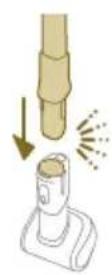
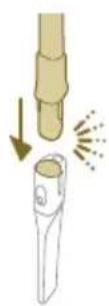
Tips: Det er også mulig å feste mini turbobørsten til slangen.
natural_image
Illustration of a vacuum cleaner emitting exhaust smoke from a cylindrical component (no text or symbols)natural_image
Illustration of a handheld device with a circular inset showing a bed (no text or symbols)natural_image
Illustration of a hairdryer with a cat and dog nearby, showing mechanical components and a close-up of the bed (no text or symbols)natural_image
Illustration of a hand holding a device with a warning symbol and a red 'X' indicating failure or absence (no text or symbols present)Advarsel: Ikke sug opp vann eller andre væsker.
natural_image
Illustration of a hand holding a flashlight with a downward arrow and light effect (no text or symbols)natural_image
Illustration of a dental implant tool interacting with a cylindrical device (no text or symbols present)natural_image
Illustration of a mechanical tool with a red X mark and warning symbols (no text or labels)Advarsel: Ikke sug opp vann eller andre væsker.
natural_image
Illustration of a hand pouring liquid into a vertical pipe with a green arrow indicating direction (no text or symbols)natural_image
Simple line drawing of a bucket pouring liquid into a container (no text or symbols)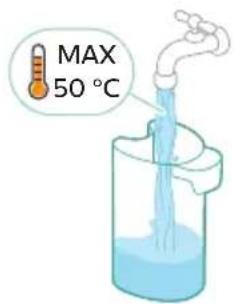
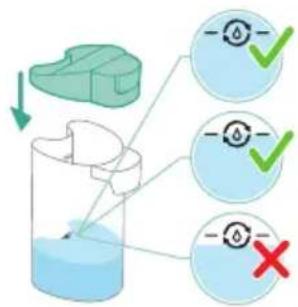
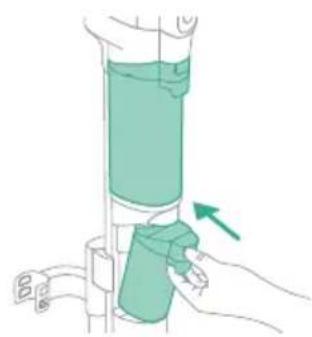
natural_image
Illustration of a hand holding a green cylindrical device with an arrow indicating motion (no text or symbols)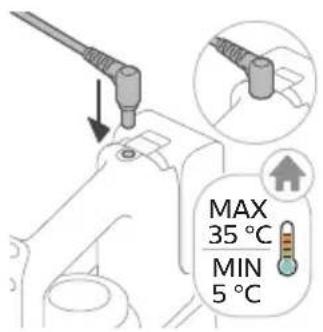
8 Hell ut resterende flytende vaskemiddel fra rentvannsbeholderen i vasken.
natural_image
Illustration of a remote control device with a handle and control panel (no text or symbols)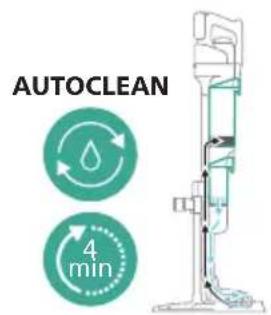
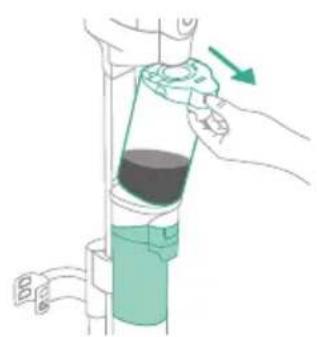
natural_image
Illustration of a hand pouring liquid into a vertical pipe with a green arrow indicating direction (no text or symbols)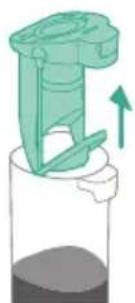
natural_image
Illustration of a mechanical device with a green handle and upward arrow, no text or symbols present12 For å starte AUTOCLEAN-syklusen trykker du på knappen i midten. Hvis du ser en svart skjerm, trykker du på av/på-knappen först for å aktivere skjermen.
natural_image
Simple line drawing of a pouring container over a surface with a circular mark at the base (no text or symbols)16 Hell vannet ut av spillvannsbeholderen i vasken.
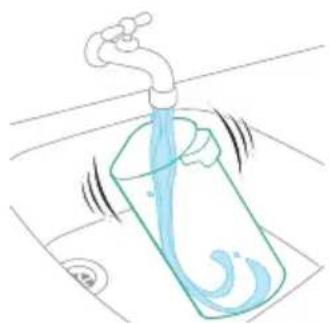
natural_image
Illustration of a faucet pouring liquid into a container with water, showing fluid flow (no text or symbols)natural_image
Illustration of a faucet releasing water into a basin with leafy green leaves (no text or symbols)natural_image
Illustration of a mechanical device with a faucet and base component, no text or symbols presentnatural_image
Technical line drawing of a mechanical component with an arrow indicating direction (no text or symbols)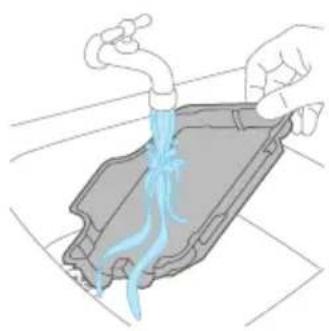
natural_image
Illustration of hands washing a car with blue liquid from a pipe (no text or symbols)natural_image
Illustration of two hands holding a green object with a downward arrow indicating motion (no text or symbols)natural_image
Illustration of a hand holding a coiled green object, no text or symbols presentnatural_image
Diagram of a mechanical component with directional arrows indicating motion or force (no text or symbols)natural_image
Illustration of a vacuum cleaner with green arrows indicating motion direction (no text or symbols)natural_image
Diagram of a mechanical device with green components and directional arrows indicating movement (no text or symbols)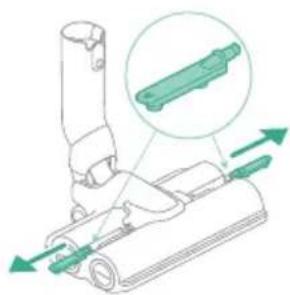
natural_image
Diagram of a mechanical device with green arrows indicating motion or force direction (no text or symbols)natural_image
Illustration of a hand using a blue faucet to clean a green object on a surface (no text or symbols)3 Skyll fuktstripene under springen.

natural_image
Illustration of a container with liquid and an upward arrow, no text or symbols presentnatural_image
Illustration of a wooden tool pouring granular material into a container (no text or symbols)3 Tøm støvbeholderen i søppelkassen.
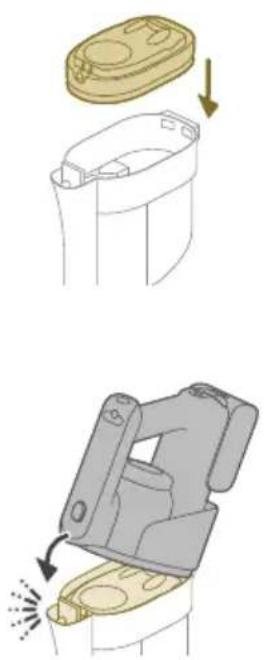
natural_image
Illustration of a container with a lid and an upward arrow, showing internal structure (no text or symbols)natural_image
Illustration of a wooden tool pouring granular material into a cylindrical container (no text or symbols)2 Tøm støvbeholderen i søppelkassen.
natural_image
Illustration of a hand pouring liquid into a bottle with a faucet (no text or symbols)natural_image
Circular icon with a stylized white figure and exclamation mark inside, set against a dark background (no text or symbols)natural_image
Illustration of a container with liquid and an upward arrow, no text or symbols present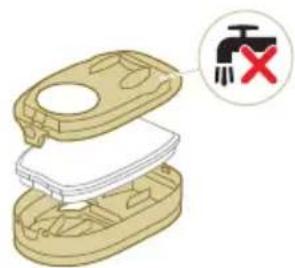
natural_image
3D diagram of a mechanical device with a switch and warning symbol (no text or labels)natural_image
Illustration of hands cleaning a trash bin with a water tap (no text or symbols)3 Rist skumfilteret over søppelkassen for å fjerne smusslaget på toppen av skumfilteret. Skyll deretter skumfilteret under springen.
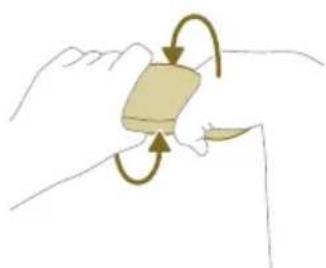
natural_image
Illustration of a hand holding a rectangular object with curved arrows indicating rotation or motion (no text or symbols)natural_image
Illustration of hands pouring liquid into a trash bin (no text or symbols)natural_image
Illustration of a hand holding a small object with arrows indicating motion or force (no text or symbols)8 Lukk filterhylsen.

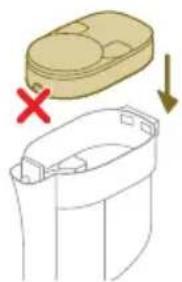
natural_image
Diagram showing a container with a lid and a cross mark, alongside a downward arrow indicating process (no text or symbols)9 Sett filterhylsen, inkludert skumfilteret, tilbake i støvbeholderen.
natural_image
Diagram of a mechanical device with a yellow component inserted into a housing (no text or symbols visible)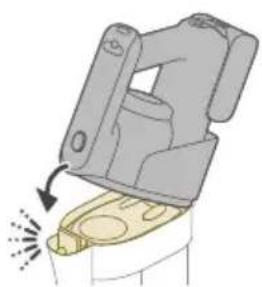
natural_image
Illustration of a mechanical device with a highlighted component and motion arrow (no text or symbols)natural_image
Illustration of hands holding a coiled string with a magnified inset showing a green checkmark (no text or symbols)natural_image
Illustration of hands manipulating a mechanical component with a spring (no text or symbols)natural_image
Diagram of a mechanical device with a vertical rod and base component (no text or symbols)natural_image
Diagram showing two mechanical components with arrows indicating motion, no text or symbols presentnatural_image
Illustration of a green screwdriver holding a vertical pole with a curved arrow indicating motion (no text or symbols)natural_image
Diagram of a mechanical device with arrows indicating motion or force direction (no text or symbols)natural_image
Illustration of a medical or laboratory procedure showing a needle inserted into a device with a magnified view of the needle (no text or symbols present)natural_image
Illustration of a mechanical device with a highlighted component and motion arrow (no text or symbols)natural_image
Illustration of a medical or laboratory procedure showing a tool tip and a magnified view of a device with light reflections (no text or symbols)natural_image
Illustration of a plug with a cable and a socket, no text or symbols present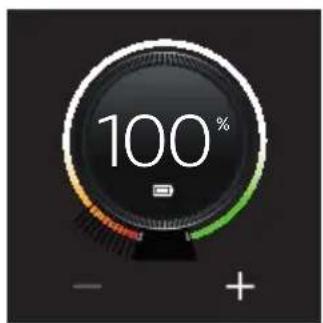
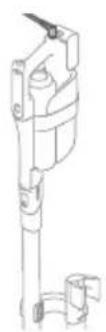
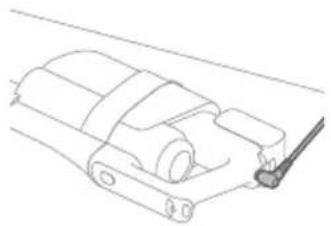
natural_image
Technical line drawing of a mechanical component or assembly (no text or symbols)natural_image
Diagram of a mechanical device with arrows indicating motion or force direction (no text or symbols)natural_image
Illustration of a vacuum cleaner emitting exhaust smoke from a cylindrical device (no text or symbols)natural_image
Illustration of a hand holding a green cylindrical device with an arrow indicating motion (no text or symbols)natural_image
Illustration of a hand holding a cylindrical device with a green arrow pointing to the handle (no text or symbols present)natural_image
Diagram of a door handle with a black panel and control buttons, showing a circular icon with an arrow (no text or symbols)natural_image
Mechanical component diagram showing a lever mechanism with motion arrow (no text or symbols)natural_image
Illustration of a handheld device mounted on a cabinet (no text or symbols visible)natural_image
Illustration of a hand holding a tool with a magnified view of a device (no text or symbols)natural_image
Illustration of a mechanical device with a downward arrow and sparkles, no text or symbols presentnatural_image
Illustration of a handheld device with a circular inset showing a bedroom (no text or symbols)natural_image
Illustration of a handheld vacuum cleaner emitting exhaust from a tank, with icons for cat and dog (no text or symbols)natural_image
Illustration of a mechanical device with water droplets and warning symbols (no text or labels)natural_image
Illustration of a medical or laboratory procedure showing a pipette inserted into a cylindrical container with a magnified inset showing a bench (no text or symbols present)natural_image
Illustration of a mechanical tool with a red 'X' mark and an orange warning symbol (no text or labels)natural_image
Illustration of a hand pouring liquid into a vertical pipe with a green arrow indicating direction (no text or symbols)natural_image
Illustration of a mechanical device with a green handle and arrow indicating upward motion (no text or symbols)natural_image
Simple line drawing of a pouring container into a stand, with no text or symbols present.natural_image
Diagram of a mechanical component with a downward arrow indicating motion (no text or symbols)natural_image
Diagram showing a green mechanical component above a white cylindrical container with an upward arrow indicating motion (no text or symbols)natural_image
Simple line drawing of a cup pouring liquid into a container (no text or symbols)natural_image
Illustration of a hand holding a green cylindrical device with an arrow indicating motion (no text or symbols)natural_image
Illustration of a plug with an attached socket and arrow indicating direction (no text or symbols)natural_image
Close-up of a remote control device with a circular dial and scroll icon (no text or symbols visible)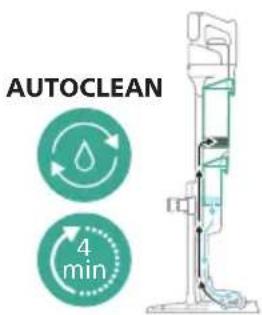
natural_image
Illustration of a hand pouring liquid into a vertical pipe with a green container (no text or symbols)natural_image
Illustration of a mechanical device with a green handle and upward arrow, no text or symbols presentnatural_image
Simple line drawing of a cup pouring liquid into a stand (no text or symbols)natural_image
Illustration of a faucet pouring liquid into a container with swirling lines indicating flow (no text or symbols)natural_image
Illustration of a faucet pouring liquid into a leafy green leaf on a tiled floor (no text or symbols)natural_image
Illustration of a mechanical device with a faucet and lever, showing a close-up inset (no text or symbols)natural_image
Illustration of a mechanical device being adjusted for a cylindrical component, showing the top panel and side view with arrows indicating motion (no text or symbols present)natural_image
Diagram of three cylindrical components with a downward arrow, no text or symbols presentnatural_image
Technical line drawing of a mechanical component with an arrow indicating assembly direction (no text or symbols)natural_image
Illustration of hands pouring liquid into a container with blue flow lines (no text or symbols)natural_image
Illustration of hands holding a green object with a green arrow indicating direction (no text or symbols)natural_image
Illustration of a hand holding a coiled green object, no text or symbols presentnatural_image
Diagram of a mechanical device with directional arrows indicating movement or force (no text or symbols)natural_image
Illustration of a vacuum cleaner with green arrows indicating motion direction (no text or symbols)natural_image
Diagram of a mechanical assembly with green components and directional arrows, no text or symbols presentnatural_image
Technical illustration of a mechanical assembly with green arrows indicating motion direction (no text or symbols)natural_image
Illustration of a hand washing a blue faucet with a green handle, no text or symbols presentnatural_image
Illustration of a container with liquid and an upward arrow, no text or symbols presentnatural_image
Illustration of a wooden tool pouring granular material into a glass cup (no text or symbols)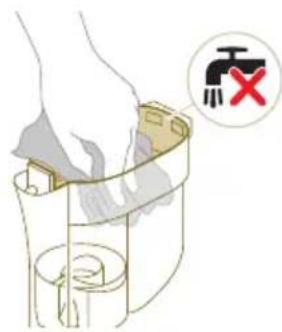
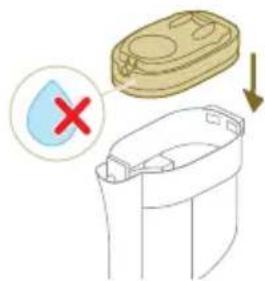
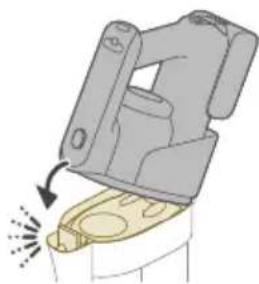
natural_image
Diagram of a mechanical device with a highlighted component and motion arrow (no text or symbols)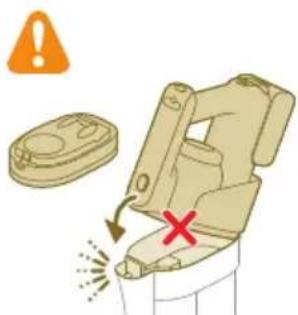
natural_image
Circular icon with a stylized white object resembling a keyhole or plug, enclosed in a golden ring (no text or symbols)natural_image
3D diagram of a mechanical device with a switch symbol (no text or labels)natural_image
Illustration of a hand pouring liquid into a trash bin with a water tap nearby (no text or symbols)natural_image
Illustration of a hand holding a small object with curved arrows indicating rotation or motion (no text or symbols)natural_image
Illustration of hands pouring liquid into a trash bin (no text or symbols)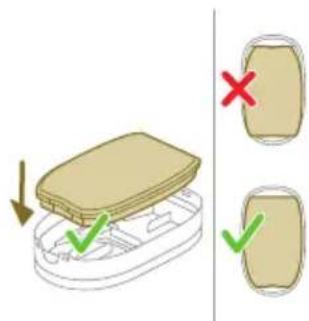
natural_image
Illustration of a hairpin with a lever and base, showing no text or symbolsnatural_image
Illustration of a container with a lid and a checkmark indicating selection, alongside a separate outline showing a drop (no text or symbols)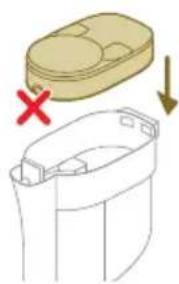
natural_image
Illustration of a container with a lid and a side view showing internal components (no text or symbols)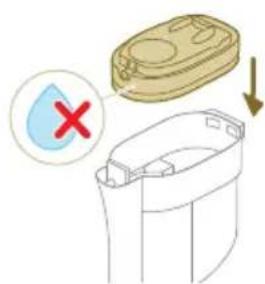
natural_image
Illustration of a hand inserting a yellow coin into a mechanical device (no text or symbols)natural_image
Illustration of a mechanical device with a highlighted component and motion arrow (no text or symbols)natural_image
Illustration of hands tying a rope knot with scissors, showing a magnified view of the knot being held (no text or symbols present)natural_image
Illustration of hands manipulating a mechanical component with a spring (no text or symbols)natural_image
Icon of a house with a thermometer and warning sign, labeled E2 (no text or symbols beyond the icon itself)natural_image
Circular icon with battery symbol and question mark, labeled E5 (no text or symbols beyond label)natural_image
Diagram of a mechanical assembly with a vertical rod inserted into a base component (no text or symbols)natural_image
Diagram showing two mechanical assembly states with arrows indicating direction of movement (no text or symbols)natural_image
Illustration of a green tool with a curved arrow indicating motion, next to a vertical support structure (no text or symbols)natural_image
Illustration of a hand holding a spray gun with arrows indicating force or motion (no text or symbols)2 Encaixe o módulo húmido no bocal AquaSpin (ouve-se um estalido).
natural_image
Three-step illustration showing a hairdryer being inserted into a device, with arrows indicating motion (no text or symbols)natural_image
Technical line drawing of a mechanical component with no visible text or symbols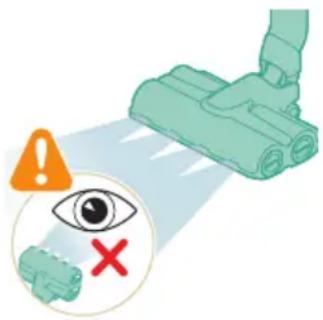
natural_image
Diagram of a mechanical device with a highlighted component and motion arrow (no text or symbols)natural_image
Illustration of a medical or laboratory procedure showing a tool tip and a magnified view of a device (no text or symbols present)natural_image
Illustration of a hand holding a handheld device above a white cabinet (no text or symbols)natural_image
Illustration of a hand using a tool to press down a cylindrical object, with no text or symbols present.natural_image
Illustration of a mechanical device with a downward arrow and sparkles, no text or symbols present1 Para encaixar a miniescova turbo, insira o tubo do aspirador portátil na miniescova turbo.
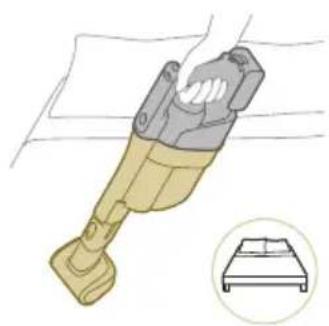
natural_image
Illustration of a handheld device with a bed icon below (no text or symbols)natural_image
Illustration of a hairdryer with a cat and dog nearby, showing mechanical components and a close-up of the bed (no text or symbols)natural_image
Illustration of a mechanical device with water droplets and warning symbols (no text or labels)natural_image
Illustration of a dental implant tool interacting with a cylindrical device (no text or symbols present)natural_image
Illustration of a hand pouring liquid into a vertical pipe with a green arrow indicating direction (no text or symbols)flowchart
graph TD
    A["Start"] --> B["Step 1: Insert a component into a container with liquid"]
    B --> C["Step 2: Insert a component into a container with liquid"]
    C --> D["Step 3: Insert a component into a container with liquid"]
    D --> E["Step 4: Insert a component into a container with liquid"]
    E --> F["End"]
natural_image
Simple line drawing of a bucket pouring liquid into a basin (no text or symbols)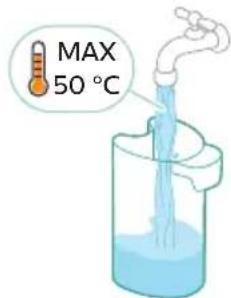
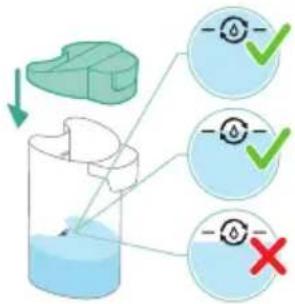
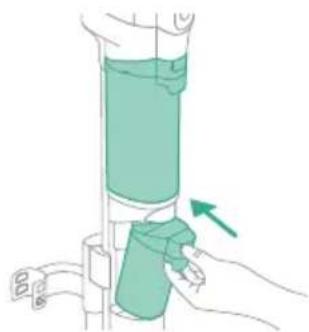
natural_image
Illustration of a hand holding a cylindrical device with a green arrow pointing to the handle (no text or symbols present)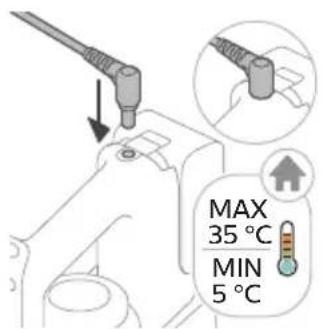
natural_image
Illustration of a remote control device with a handle and control panel, showing no text or symbols.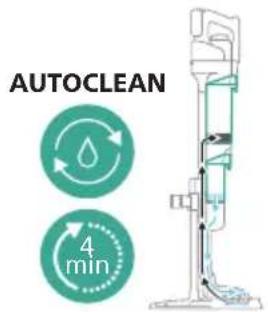
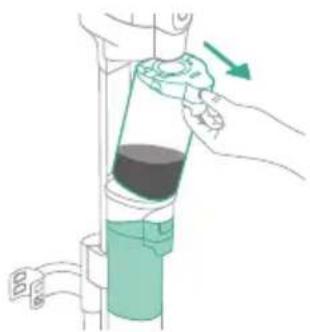
natural_image
Illustration of a hand holding a cylindrical device with a green arrow indicating direction (no text or symbols)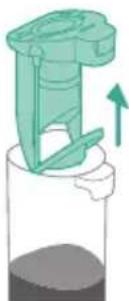
natural_image
Illustration of a mechanical device with a green handle and upward arrow, partially submerged in dark liquid (no text or symbols)natural_image
Simple line drawing of a cup pouring liquid into a stand (no text or symbols)natural_image
Illustration of a faucet pouring liquid into a water-filled container with swirling lines (no text or symbols)natural_image
Illustration of a faucet releasing water into a green leafy container on a sink (no text or symbols)natural_image
Illustration of a mechanical device with a faucet and a green component, no text or symbols presentnatural_image
Technical line drawing of a mechanical component with an upward arrow indicating motion (no text or symbols)natural_image
Illustration of a hand pouring liquid into a container with a blue flame (no text or symbols)natural_image
Illustration of two hands holding a green object with a green arrow indicating direction (no text or symbols)natural_image
Illustration of two hands holding a coiled green object, no text or symbols presentnatural_image
Diagram of a syringe with directional arrows indicating motion (no text or labels)natural_image
Illustration of a vacuum cleaner with green arrows indicating motion direction (no text or symbols)natural_image
Diagram of a mechanical assembly with green components and directional arrows, no text or symbols presentnatural_image
Technical diagram of a mechanical device with green arrows indicating motion or force direction (no text or symbols)natural_image
Line drawing of a hand holding a blue faucet with a green handle, placed on a sink (no text or symbols)natural_image
Illustration of a container with liquid and an upward arrow, no text or symbols presentnatural_image
Illustration of a wooden tool pouring granular material into a container (no text or symbols)natural_image
Illustration of a container with liquid and an upward arrow, no text or symbols presentnatural_image
Illustration of a container with granular material being poured into a cylindrical container (no text or symbols)natural_image
Diagram of a mechanical device with a highlighted component and motion arrow (no text or symbols)natural_image
Illustration of a hand using a pipette to lift a cup (no text or symbols present)natural_image
Circular icon with a stylized white object and exclamation mark inside, set against a dark background (no text or symbols)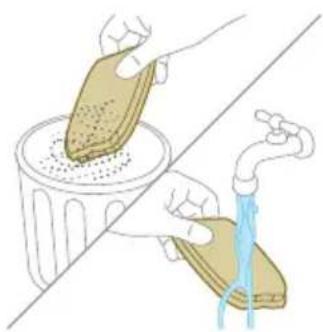
natural_image
Illustration of hands cleaning a trash bin with a water tap, showing the process (no text or symbols)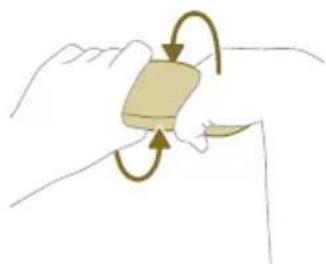
natural_image
Illustration of a hand holding a rectangular object with curved arrows indicating rotation or motion (no text or symbols)natural_image
Illustration of hands pouring liquid into a trash bin (no text or symbols)natural_image
Illustration of a hand tool interacting with a device (no text or symbols visible)natural_image
Diagram showing a container with a lid and a side view of its internal structure, marked with red X and downward arrow (no text or symbols)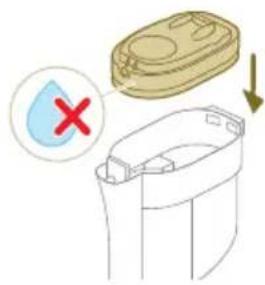
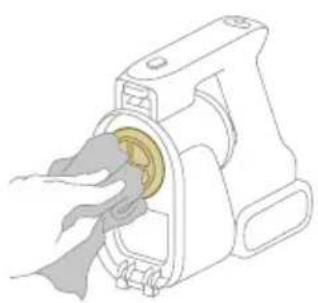
natural_image
Illustration of a hand inserting a yellow coin into a mechanical device (no text or symbols)2 Limpe o filtro de entrada com um pano ou a escova de limpeza.
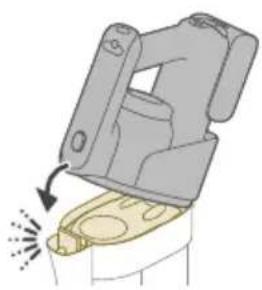
natural_image
Illustration of a mechanical device with a highlighted component and motion arrow (no text or symbols)natural_image
Illustration of hands tying a rope knot with scissors, showing a checkmark (no text or symbols present)www.philips.com/myvacuum9000s.
Descriere generală
natural_image
Diagram of a mechanical device with arrows indicating motion or force direction (no text or symbols)natural_image
Three-step illustration showing a hairdryer being inserted into a device, with arrows indicating motion (no text or symbols)natural_image
Illustration of a hand washing machine with arrows indicating force or motion (no text or symbols)natural_image
Illustration of a hand holding a cylindrical object with a downward arrow, next to a rolled-up sheet (no text or symbols)natural_image
Illustration of a hand holding a green cylindrical device with a downward arrow indicating motion (no text or symbols)natural_image
Illustration of a green plastic container with a downward arrow indicating flow or change (no text or symbols)natural_image
Illustration of a hand holding a green cylindrical device with an arrow indicating motion (no text or symbols)natural_image
Close-up of a black door handle with a circular button labeled ①, no text or symbols present.natural_image
Diagram of a mechanical device with a highlighted component and motion arrow (no text or symbols)natural_image
Illustration of a robotic vacuum cleaner performing a manual press operation (no text or symbols present)natural_image
Close-up of a black door handle with a circular button labeled ①, showing no text or symbols beyond the number and an arrow pointing to the handle area.natural_image
Illustration of a handheld device mounted on a cabinet (no text or symbols visible)natural_image
Illustration of a hand holding a tool above a device with a flame symbol (no text or labels)natural_image
Illustration of a medical or laboratory procedure showing a tool tip falling into a small component with motion lines indicating force or motion (no text or symbols present)natural_image
Illustration of a handheld device with a circular inset showing a bedroom (no text or symbols)natural_image
Illustration of a handheld electric shock absorber with a cat and dog nearby (no text or symbols)natural_image
Illustration of a mechanical device with water droplets and warning symbols (no text or labels)natural_image
Illustration of a medical or laboratory procedure showing a pipette inserted into a cylindrical container with a magnified inset showing a bench (no text or symbols present)natural_image
Illustration of a mechanical tool with a red 'X' mark and an orange warning symbol (no text or labels)natural_image
Illustration of a hand pouring liquid into a vertical cylindrical container with a green valve, showing a right-hand rule (no text or symbols)natural_image
Illustration of a mechanical device with a green handle and upward arrow, no text or symbols presentnatural_image
Simple line drawing of a pouring container into a stand, no text or symbols presentnatural_image
Illustration of a mechanical component with a downward arrow indicating force or direction (no text or symbols)natural_image
Diagram showing a green mechanical component above a white cylindrical container with an upward arrow indicating motion (no text or symbols)natural_image
Simple line drawing of a cup pouring liquid into a container (no text or symbols)natural_image
Illustration of a hand holding a green cylindrical device with a green arrow pointing to it (no text or symbols present)natural_image
Illustration of a plug with an arrow indicating direction (no text or symbols)natural_image
Illustration of a remote control device with a circular dial and scroll icon (no text or symbols)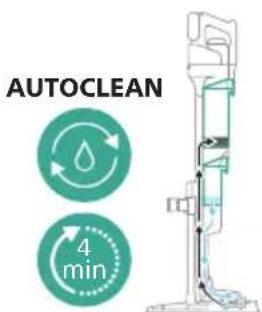
natural_image
Illustration of a hand pouring liquid into a vertical tube with a green container, no text or symbols presentnatural_image
Illustration of a mechanical device with an upward arrow indicating motion or force (no text or symbols)natural_image
Simple line drawing of a cup pouring liquid into a stand (no text or symbols)natural_image
Illustration of a faucet pouring liquid into a container with swirling lines indicating flow (no text or symbols)natural_image
Illustration of a faucet pouring liquid into a green leafy container on a tiled floor (no text or symbols)natural_image
Illustration of a mechanical device with a faucet and lever, showing assembly or maintenance (no text or symbols)natural_image
Illustration of a mechanical device being adjusted for a cylindrical component, showing the top panel and side view with arrows indicating motion (no text or symbols present)natural_image
Diagram of a mechanical assembly with two vertical cylindrical components and a base, showing a downward arrow (no text or symbols)natural_image
Technical line drawing of a mechanical component with an arrow indicating direction (no text or symbols)natural_image
Illustration of hands using a faucet to lift a blue liquid into a gray container (no text or symbols)natural_image
Illustration of hands holding a green object with a green arrow indicating direction (no text or symbols)natural_image
Illustration of a hand holding a coiled green object, no text or symbols presentnatural_image
Diagram of a mechanical device with directional arrows indicating movement or force (no text or symbols)natural_image
Illustration of a vacuum cleaner with green arrows indicating motion direction (no text or symbols)natural_image
Diagram of a robotic arm with green tool handle and green guide rails, showing motion direction (no text or symbols)natural_image
Diagram of a mechanical device with green arrows indicating motion or force direction (no text or symbols)natural_image
Illustration of a hand washing a blue faucet with a green handle, placed on a sink (no text or symbols)natural_image
Illustration of a container with liquid and an upward arrow, no text or symbols presentnatural_image
Illustration of a wooden tool pouring granular material into a glass cup (no text or symbols)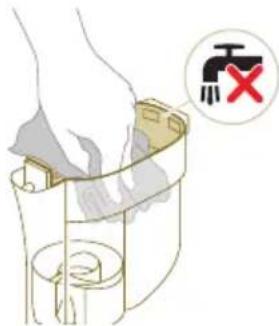
natural_image
Illustration of a mechanical device with a highlighted lever and motion arrow (no text or symbols)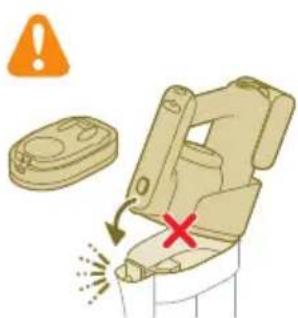
natural_image
Circular icon with a stylized white symbol inside a black ring, featuring a plus and exclamation mark (no text or numbers)natural_image
Illustration showing hands cleaning a trash bin with a water tap (no text or symbols)natural_image
Illustration of a hand holding a small object with curved arrows indicating rotation or motion (no text or symbols)natural_image
Illustration of hands pouring liquid into a trash bin (no text or symbols)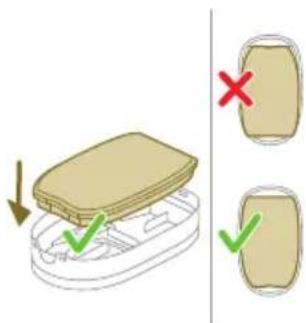
natural_image
Illustration of a hand holding a small object with arrows indicating motion or force (no text or symbols)natural_image
Diagram showing a container with a lid and a cross mark, alongside a separate outline of its interior (no text or symbols)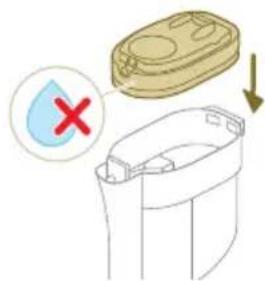
natural_image
Illustration of a hand inserting a yellow coin into a mechanical device (no text or symbols)natural_image
Illustration of a mechanical device with a lever and base, showing motion direction (no text or symbols)natural_image
Illustration of hands tying a rope knot with scissors, showing a magnified view of the knot being held (no text or symbols present)natural_image
Illustration of hands manipulating a mechanical component with a directional arrow (no text or symbols)natural_image
Icon of a house with a thermometer and warning triangle, labeled E2 (no text or symbols beyond label)natural_image
Circular icon with a house silhouette and warning symbol, labeled 'E3' below (no text or numbers on the icon itself)natural_image
Circular icon with battery symbol and question mark, labeled E5 (no text or symbols beyond label)natural_image
Icon of an electric plug with a lightning bolt and warning symbol, labeled 'i7' below (no text or symbols on the diagram itself)natural_image
Circular icon with a document and question mark, labeled 'i10' below (no other text or symbols)natural_image
Circular icon with a water droplet and three curved arrows, no text or symbols present.AUTOCLEAN
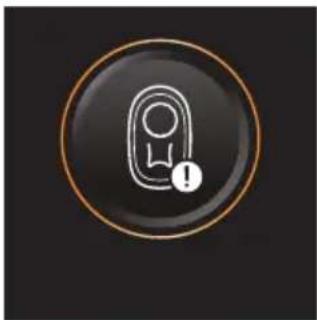
natural_image
Circular icon with a stylized white object and exclamation mark inside, no text or symbols present.natural_image
Circular icon with a white tool and red buttons, no text or symbols present.natural_image
Icon of a hand-painted object with a circular frame and refresh symbol (no text or numbers)www.philips.com/myvacuum9000s.
natural_image
Diagram of a mechanical assembly with a vertical rod inserted into a base component (no text or symbols)natural_image
Diagram showing two mechanical components with directional arrows indicating movement or assembly (no text or symbols)natural_image
Illustration of a medical or surgical tool with a green tool and arrow indicating motion (no text or symbols)natural_image
Illustration of a hand holding a spray gun with arrows indicating motion (no text or symbols)natural_image
Three-step illustration of a vacuum cleaner's tip, showing step-by-step assembly from opening to mounting (no text or symbols)natural_image
Illustration of a green plastic container with a downward arrow indicating flow or change (no text or symbols)natural_image
Illustration of a hand holding a green cylindrical device with an arrow indicating motion (no text or symbols)natural_image
Close-up of a black door handle with a circular button labeled ①, pointing to a small button (no text or symbols on the door itself)natural_image
Illustration of a mechanical device with a highlighted component and motion arrow (no text or symbols)natural_image
Illustration of a hand holding a handheld device above a white cabinet (no text or symbols visible)natural_image
Illustration of a hand holding a tool above a device with a flame symbol (no text or symbols present)natural_image
Illustration of a mechanical device with a downward arrow and sparkles, no text or symbols presentnatural_image
Illustration of a handheld device with a circular inset showing a bedroom (no text or symbols)natural_image
Illustration of a handheld vacuum cleaner emitting exhaust from a tank, with icons for cat and dog (no text or symbols)natural_image
Illustration of a mechanical device with water droplets and warning symbols (no text or labels)natural_image
Illustration of a medical or laboratory procedure showing a pipette inserted into a cylindrical container with a magnified inset showing a bench (no text or symbols present)natural_image
Illustration of a mechanical tool with warning symbols and a red X mark, no text or labels present.natural_image
Illustration of a hand pouring liquid into a vertical tube with a green arrow indicating direction (no text or symbols)natural_image
Illustration of a mechanical component with an upward arrow, no text or symbols presentnatural_image
Simple line drawing of a pouring container into a stand, no text or symbols presentnatural_image
Diagram of a mechanical component with a downward arrow indicating force or direction (no text or symbols)natural_image
Simple line drawing of a bucket pouring liquid into a container (no text or symbols)natural_image
Illustration of a hand holding a vertical cylindrical device with a green arrow pointing to the handle (no text or symbols present)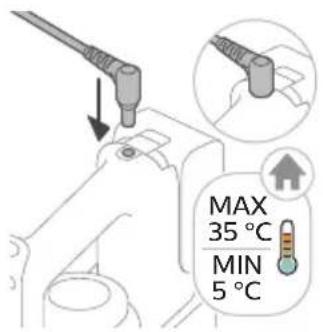
natural_image
Illustration of a plug with an arrow indicating direction (no text or symbols)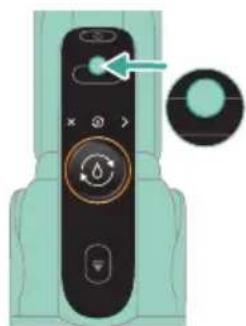
natural_image
Close-up of a remote control device with a circular dial and scroll icon, no visible text or symbolsnatural_image
Illustration of a hand pouring liquid into a vertical cylindrical container with a green handle, showing a right-hand rule (no text or symbols)natural_image
Illustration of a mechanical device with a green handle and upward arrow, no text or symbols presentnatural_image
Simple line drawing of a cup pouring liquid into a stand (no text or symbols)natural_image
Illustration of a faucet pouring liquid into a beaker with swirling lines indicating flow (no text or symbols)natural_image
Illustration of a faucet dispensing water into a green leafy container on a tiled floor (no text or symbols)natural_image
Illustration of a mechanical device with a faucet and lever, showing assembly or maintenance (no text or symbols)natural_image
Illustration of a mechanical device with a downward arrow indicating motion (no text or symbols)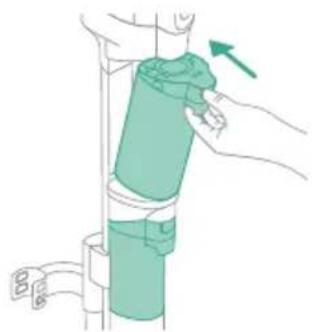
natural_image
Illustration of a hand holding a green cylindrical object with a blue belt, mounted on a vertical support (no text or symbols)natural_image
Diagram of two cylindrical components with a downward arrow indicating rotation or movement (no text or symbols)natural_image
Technical line drawing of a mechanical component with an arrow indicating direction (no text or symbols)natural_image
Illustration of hands washing a car with blue liquid flowing from the hood (no text or symbols)natural_image
Illustration of two hands holding a green object with a downward arrow, no text or symbols presentnatural_image
Illustration of two hands holding a coiled green object, no text or symbols presentnatural_image
Diagram of a mechanical device with directional arrows indicating motion or force (no text or symbols)natural_image
Illustration of a vacuum cleaner with green arrows indicating motion direction (no text or symbols)natural_image
Diagram of a robotic arm with green tool pins and a magnified inset showing a green mechanical component (no text or symbols)natural_image
Diagram of a mechanical device with green arrows indicating motion or force direction (no text or symbols)natural_image
Illustration of a hand holding a blue faucet with a green tool inserted, placed on a surface (no text or symbols)natural_image
Illustration of a container with liquid and an upward arrow, no text or symbols presentnatural_image
Illustration of a wooden tool pouring granular material into a glass cup (no text or symbols)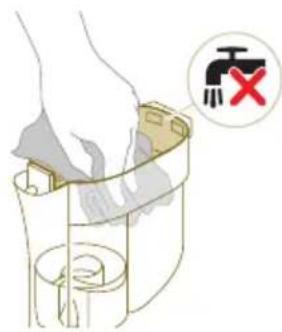
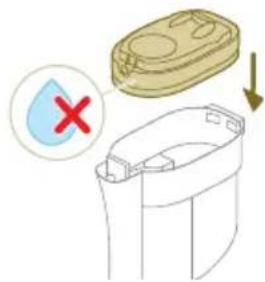
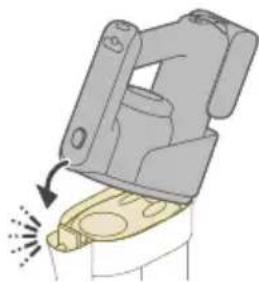
natural_image
Mechanical component diagram showing a lever mechanism with motion indicator (no text or symbols)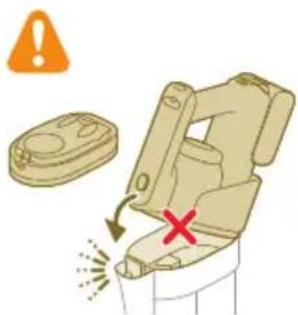
natural_image
Circular icon with a stylized white object resembling a keyhole or plug, enclosed in a gold ring (no text or symbols)natural_image
Illustration of a mechanical device with a switch symbol (no text or labels)natural_image
Illustration of a hand pouring liquid into a trash bin while another hand swashes down a pipe (no text or symbols)natural_image
Illustration of a hand holding a small object with curved arrows indicating rotation or motion (no text or symbols)natural_image
Illustration of hands pouring liquid into a trash bin (no text or symbols)natural_image
Illustration of a dental implant or dental implant device with a tool inserted into a cup (no text or symbols present)8 Mbyllni kasën e filtrit.
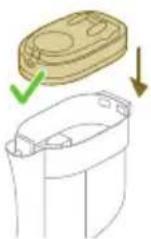
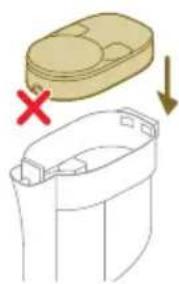
natural_image
Illustration of a container with a lid and a cross mark, showing a downward arrow and a magnified view below (no text or symbols)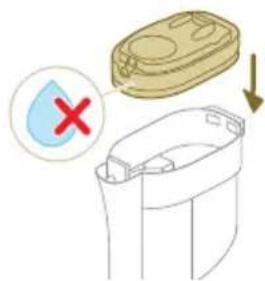
natural_image
Illustration of a hand inserting a yellow coin into a mechanical device (no text or symbols)natural_image
Illustration of a mechanical device with a highlighted component and motion arrow (no text or symbols)natural_image
Illustration of hands tying a rope knot with scissors, showing a magnified view of the knot being held (no text or symbols present)natural_image
Illustration of hands manipulating a mechanical component with a directional arrow (no text or symbols)www.philips.com/myvacuum9000s.
Splošni opis
natural_image
Diagram of a mechanical device with a vertical rod and base component (no text or symbols)Če želite uporabiti funkcijo AUTOCLEAN ali shraniti in polniti aparat na postaji za po čiščenju in za shranjevanje, morate najprej sestaviti postajo, to pa storite tako, da nosilec aparata priključite v podstavek.
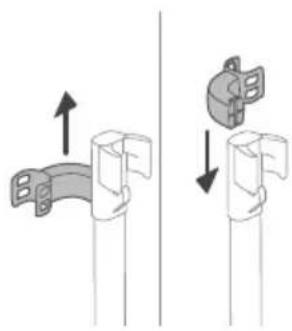
natural_image
Diagram showing two mechanical joint configurations with arrows indicating movement (no text or symbols)natural_image
Illustration of a hand holding a tool with a green arrow indicating motion (no text or symbols)natural_image
Diagram of a mechanical device with arrows indicating motion or force direction (no text or symbols)2 Mokri modul namestite na nastavek AquaSpin (zasliši se klik).
3 Nastavek za sesanje in mokro čiščenje shranite tako, da ga postavite na postajo za po čiščenju in za shranjevanje.
Sestavljanje sklopa samo za sesanje
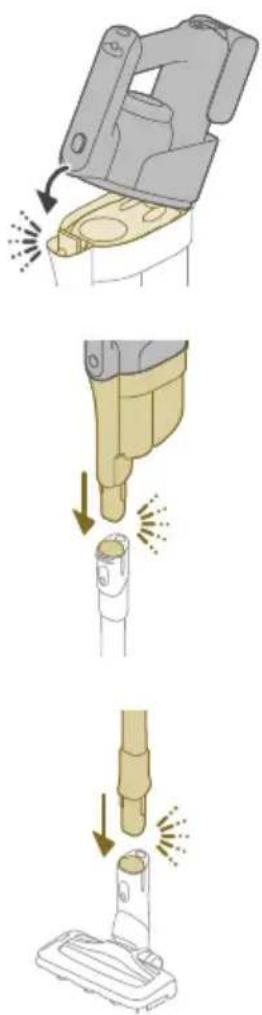
natural_image
Three-step illustration of a vacuum cleaner's tip, showing step-by-step assembly from opening to mounting (no text or symbols)natural_image
Illustration of a mechanical device with a highlighted component and motion arrow (no text or symbols)natural_image
Illustration of a mechanical device with a downward arrow and emitting sparks, next to a cylindrical component (no text or symbols)natural_image
Illustration of a vacuum cleaner emitting exhaust smoke from a cylindrical tube (no text or symbols)3 Cev vstavite v nastavek LED.
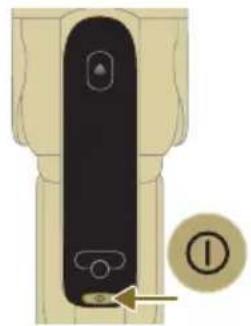
natural_image
Diagram of a door handle with a circular button labeled ①, showing no text or symbols beyond the number and an arrow pointing to the handle area.4 Pritisnite gumb za vklop/izklop, da vklopite aparat, in počakajte, da se aparat pripravi na uporabo.
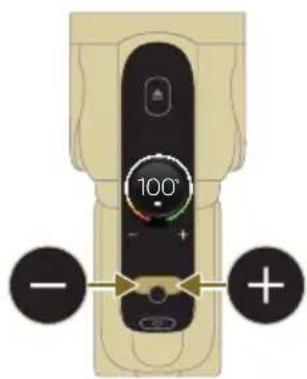
5 Z gumbom na levi m desni izsrajte med dvema nastavitvama moči.
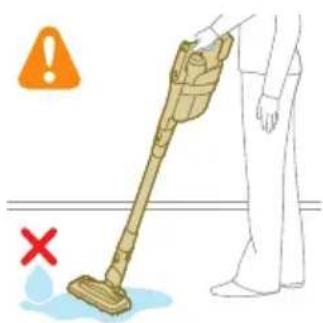
natural_image
Illustration of a handheld device mounted on a cabinet (no text or symbols visible)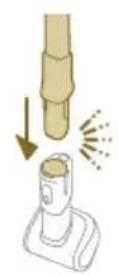
natural_image
Diagram showing a hand holding a tool above a device with a flame symbol, no text or labels presentnatural_image
Illustration of a mechanical device with a downward arrow and sparkles, no text or symbols presentnatural_image
Illustration of a mechanical device with a bed icon, no text or symbols presentnatural_image
Illustration of a hairdryer with a cat and dog nearby, showing mechanical components and a close-up of the bed (no text or symbols)natural_image
Illustration of a hand holding a device with water droplets and a warning symbol (no text or labels)natural_image
Illustration of a dental implant tool interacting with a cylindrical component, with an inset showing a simple chair (no text or symbols present)Funkcijo AUTOCLEAN uporabite po vsaki uporabi, da preprečite nabiranje vodnega kamna in neprijetnega vonja. Način AUTOCLEAN pomaga očistiti celoten aparat v približno 4 minutah.
1 Nastavek za sesanje in mokro čiščenje postavite na postajo za po čiščenju in za shranjevanje.
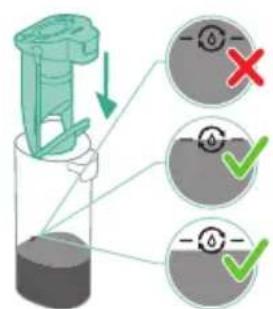
natural_image
Illustration of a hand pouring liquid into a vertical pipe with a green arrow indicating direction (no text or symbols)2 Pritisnite gumb, da odklenete zbiralnik za umazano vodo in ga odstranite.

flowchart
graph TD
    A["Step 1: Insert liquid"] --> B["Step 2: Insert liquid"]
    B --> C["Step 3: Insert liquid"]
    C --> D["Step 4: Insert liquid"]
    D --> E["Step 5: Insert liquid"]
    E --> F["Step 6: Insert liquid"]
3 Mokri filter odstranite iz zbiralnika za umazano vodo.
4 Vodo iz zbiralnika za umazano vodo izlijte v korito.
5 Mokri filter namestite nazaj na zbiralnik za umazano vodo.
6 Prazen zbiralnik za umazano vodo namestite nazaj v aparat in vzemite ven zbiralnik za čisto vodo.
7 Odstranite pokrovček z zbiralnika za čisto vodo.
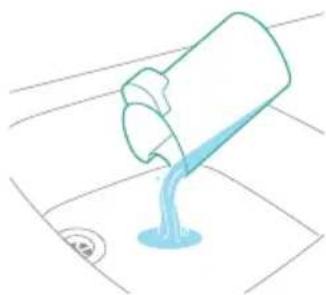
natural_image
Simple line drawing of a bucket pouring liquid into a basin (no text or symbols)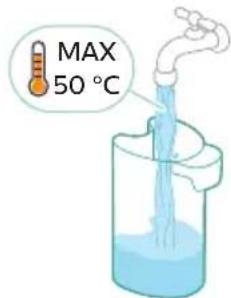
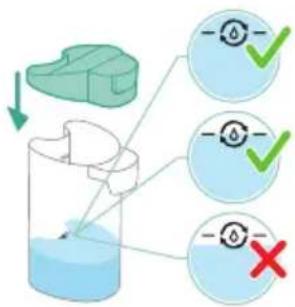
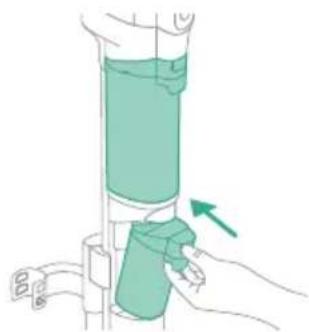
natural_image
Illustration of a hand holding a cylindrical device with a green arrow pointing to the handle (no text or symbols present)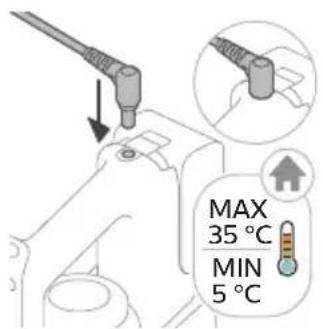
8 Morebitno preostalo tekočino z detergentom izlijte iz zbiralnika za čisto vodo v pomivalno korito.
9 Zbiralnik za čisto vodo napolnite s hladno ali mlačno vodo iz pipe vsaj do oznake AUTOCLEAN.
A Opozorilo: Temperatura vode iz pipe, ki jo natakate v zbiralnik za čisto vodo, ne sme preseči 50 °C.
A Opozorilo: Za program AUTOCLEAN ne uporabite detergenta, saj bi se voda lahko preveč penila.
10 Zbiralnik za čisto vodo nato vstavite nazaj v aparat.
natural_image
Illustration of a remote control device with a handle and control panel (no text or symbols)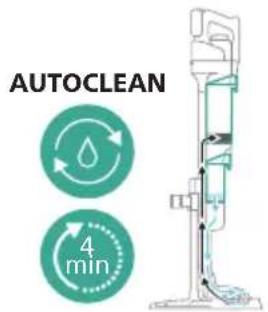
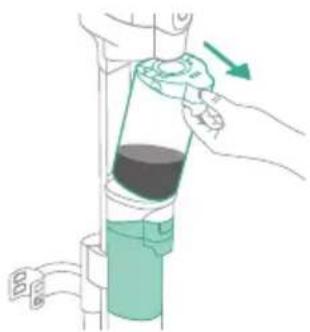
natural_image
Illustration of a hand holding a bottle with a green arrow indicating direction (no text or symbols)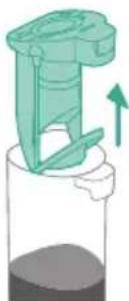
natural_image
Illustration of a mechanical device with a green handle and upward arrow, partially submerged in liquid (no text or symbols)natural_image
Simple line drawing of a pouring container into a stand (no text or symbols)16 Vodo iz zbiralnika za umazano vodo izlijte v korito.
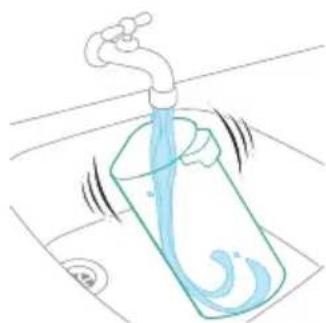
natural_image
Illustration of a faucet pouring liquid into a beaker with water swirling around it (no text or symbols)17 Zbiralnik za umazano vodo očistite pod tekočo vodo.
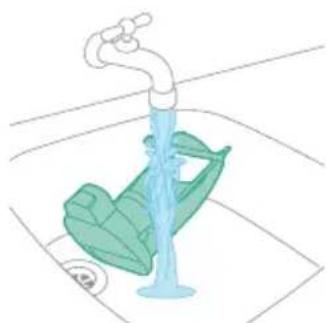
natural_image
Illustration of a faucet releasing water into a green leafy container on a sink (no text or symbols)18 Mokri filter očistite pod tekočo vodo.
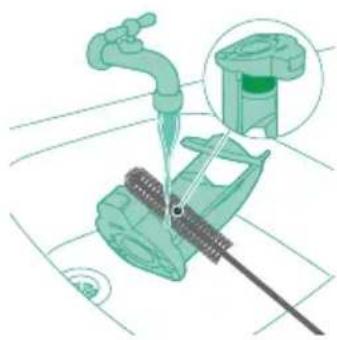
natural_image
Illustration of a mechanical device with a faucet and a green component, no text or symbols present20 Mokri filter zbiralnika za umazano vodo in njegov element za pretok vode naj se popolnoma posušita, preden filter namestite nazaj na zbiralnik za umazano vodo.

21 Mokri filter namestite nazaj na zbiralnik za umazano vodo.
22 Zbiralnik za umazano vodo nato vstavite nazaj v aparat.
23 Ščetki iz mikrovlaken obrnite v nasprotni smeri urnega kazalca (1) in ju odstranite iz nastavka AquaSpin (2).
natural_image
Technical line drawing of a mechanical component with an upward arrow indicating motion (no text or symbols)natural_image
Illustration of a hand pouring liquid into a container with a blue flame (no text or symbols)1 Ščetki iz mikrovlaken obrnite v nasprotni smeri urnega kazalca (1) in ju odstranite iz nastavka AquaSpin (2).
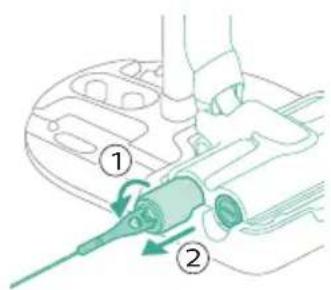
natural_image
Illustration of two hands holding a green object with a downward arrow, no text or symbols presentnatural_image
Illustration of a hand holding a coiled green object, no text or symbols presentnatural_image
Diagram of a mechanical component with directional arrows indicating motion or force (no text or symbols)natural_image
Illustration of a vacuum cleaner with green arrows indicating motion direction (no text or symbols)natural_image
Illustration of a container with liquid and an upward arrow, no text or symbols present2 Izvlecite ohišje filtra s komore za prah.
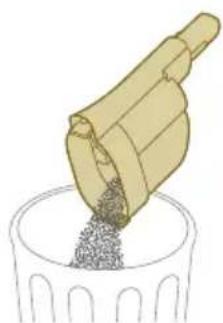
natural_image
Illustration of a wooden tool pouring granular material into a container (no text or symbols)3 Komoro za prah izpraznite v smetnjak.
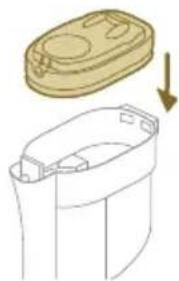
natural_image
Illustration of a container with a lid and a downward arrow indicating compression or disassembly (no text or symbols)natural_image
Diagram of a mechanical device with a highlighted component and directional arrow (no text or symbols)natural_image
Illustration of a container with liquid and an upward arrow, no text or symbols present1 Ko želite očistiti komoro za prah in ciklonski element, odstranite ohišje filtra.
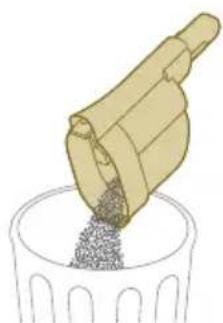
natural_image
Illustration of a mechanical component pouring granular material into a cylindrical container (no text or symbols)2 Komoro za prah izpraznite v smetnjak.
1 Ciklonski element obrnite v smeri urnega kazalca (1) in ga odstranite iz komore za prah (2).
2 Odstranite lase in umazanijo, zataknjeno v ciklonskem elementu in pod njim.
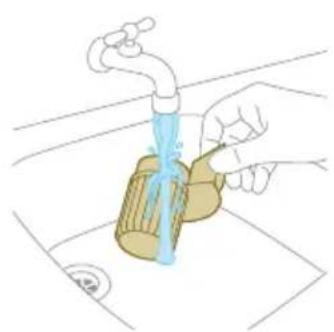
natural_image
Illustration of a hand pouring liquid into a container with a faucet (no text or symbols)i Opomba: Ciklonski element naj se vedno povsem posuši, preden ga namestite nazaj v komoro za prah.
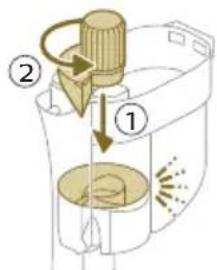
4 Spet namestite ciklonski element (1) in ga obrnite v nasprotni smeri urnega kazalca (2), da se pritrdi na komoro za prah.
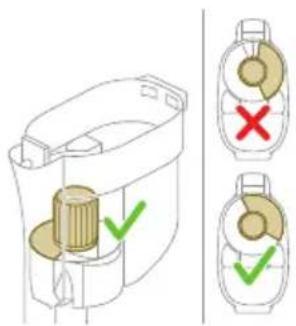
A Opozorilo: Ciklonski element do konca zategnite. Ciklonski element obračajte, dokler gre; šele takrat je popolnoma privit.
Čiščenje filtra
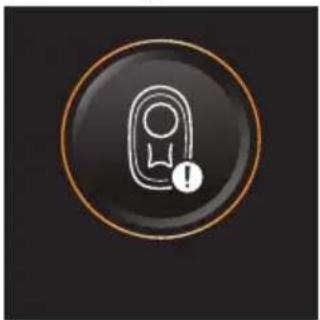
natural_image
Circular icon with a stylized white hand and exclamation mark inside a black circle (no text or symbols)natural_image
Illustration of a plastic container with an upward arrow indicating growth or movement (no text or symbols present)1 Izvlecite ohišje filtra s komore za prah.
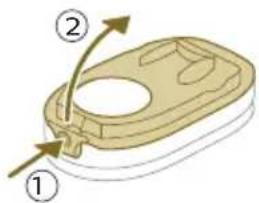
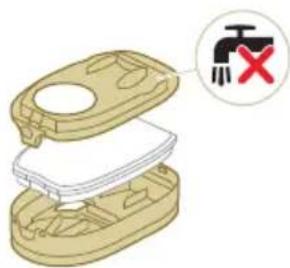
natural_image
Illustration of a hand pouring liquid into a trash bin while another hand swashes down a faucet (no text or symbols)3 Penasti filter stresite nad smetnjakom, da s površine odstranite plast prahu. Penasti filter nato operite pod tekočo vodo.
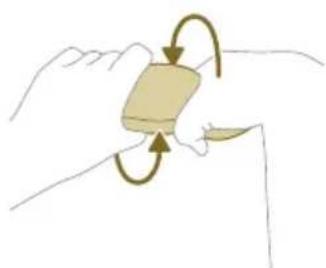
natural_image
Illustration of a hand holding a rectangular object with curved arrows indicating rotation or motion (no text or symbols)4 Penasti filter stisnite, da iztisnete vodo.
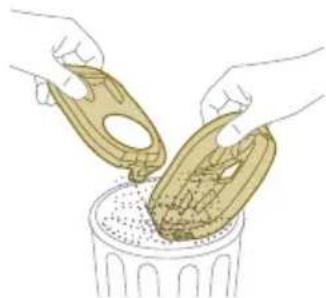
natural_image
Illustration of hands pouring liquid into a trash bin (no text or symbols)5 Ohišje filtra in pokrov stresite nad smetnjakom, da odstranite prah.
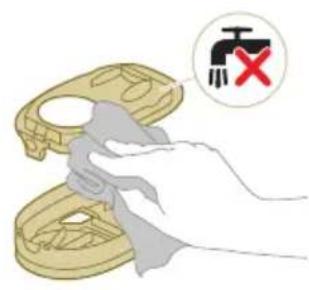
6 Nosilec filtra očistite z vlažno krpo.
A Opozorilo: Belega materiala na pokrovu ohišja filtra ne čistite z običajnim sesalnikom ali krtačo. Belega materiala na pokrovu ohišja filtra ne čistite z vodo ali čistilnim sredstvom. S tem boste poškodovali material. Beli material potapkajte nad smetnjakom.
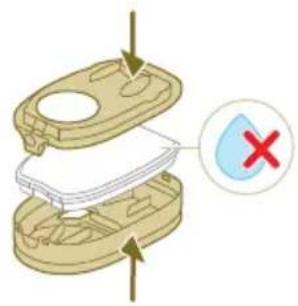
7 Penasti filter se mora popolnoma posušiti, preden ga spet namestite v ohišje filtra.
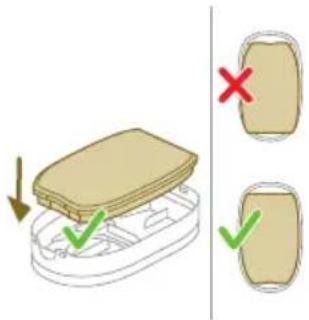
natural_image
Illustration of a hand pouring liquid into a container with a spray bottle (no text or symbols)8 Zaprite ohišje filtra.
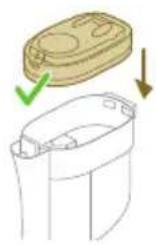
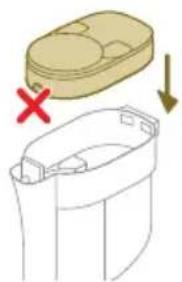
natural_image
Diagram showing a container with a lid and a cross mark, alongside a separate outline of its interior (no text or symbols)9 Ohišje filtra s penastim filtrom vstavite nazaj v komoro za prah.
A Opozorilo: Prepričajte se, da je beli material na pokrovu ohišja filtra obrnjen navzgor.
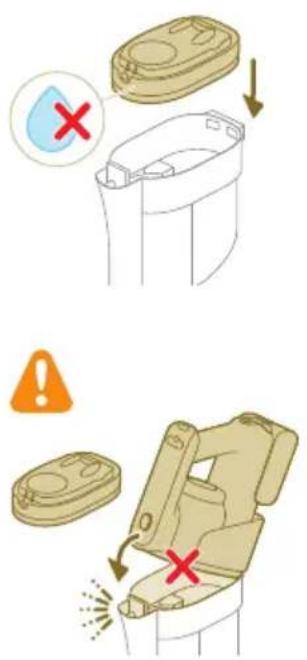
A Opozorilo: Ohišje filtra in penasti filter morata biti popolnoma suha, preden ju spet namestite v komoro za prah.
natural_image
Diagram of a mechanical assembly with a central component and surrounding parts (no text or symbols)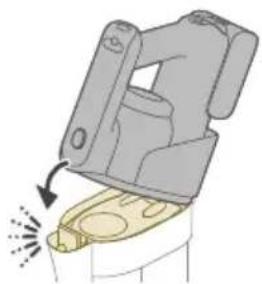
natural_image
Diagram of a mechanical device with a highlighted component and motion arrow (no text or symbols)natural_image
Illustration of hands tying a rope knot with a checkmark indicating selection (no text or symbols present)2 Krtačni valj nato potisnite nazaj v nastavek LED (1) in potisnite zaklepni vzdov navzgor, da zaklenete krtačni valj v nastavek LED (zasliši se klik).
natural_image
Illustration of a hand connecting a cable to a mechanical component with a directional arrow (no text or symbols)2 Odstranite lase in umazanijo, ki so se navili na krtačni valj.
natural_image
Icon of an electric plug with a lightning bolt and warning symbol, labeled 'i7' below (no text or symbols on the diagram itself)natural_image
Circular icon with a document and question mark, labeled 'i10' below (no text or symbols on the icon itself)natural_image
Circular icon with a water droplet and three curved arrows, no text or symbols present.AUTOCLEAN
natural_image
Circular icon with a stylized white object and exclamation mark inside, no text or symbols present.natural_image
Circular icon with a stylized pen and wrench symbol, enclosed in a golden border (no text or numbers)natural_image
Circular icon with a white hand-painted object and circular arrow, no text or symbols present.natural_image
Diagram of a mechanical device with arrows indicating motion or force direction (no text or symbols)2 Upevnite modul na mokré vysávanie k hubici AquaSpin („zacvaknutie“).
natural_image
Three-step illustration of a vacuum cleaner's tip, showing step-by-step assembly from opening to mounting (no text or symbols)natural_image
Technical line drawing of a mechanical component with no visible text or symbolsnatural_image
Illustration of a hand washing machine with arrows indicating force or motion (no text or symbols)1 Ak chcete zostavit zostavu vysávača a mopu, zasuňte batériu a upevnite ručný vysávač 3 v 1 k modulu na mokré vysávanie („zacvaknutie“).
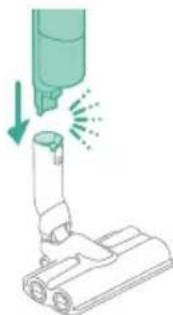
natural_image
Illustration of a mechanical device with a downward arrow and spray effect (no text or symbols)2 Upevnite modul na mokré vysávanie k hubici AquaSpin („zacvaknutie“).
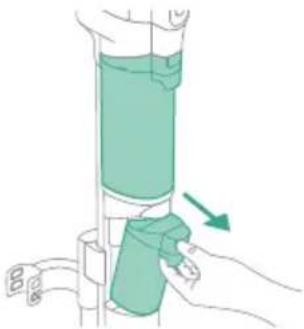
natural_image
Illustration of a hand holding a green cylindrical device with an arrow indicating motion (no text or symbols)natural_image
Mechanical component diagram showing a lever mechanism with motion indicator (no text or symbols)natural_image
Illustration of a hand holding a tool above a cylindrical device with motion lines indicating movement (no text or symbols)natural_image
Illustration of a hand holding a handheld device above a white cabinet (no text or symbols)natural_image
Illustration of a hand using a tool to press or install a device, with no visible text or symbols.natural_image
Illustration of a mechanical device with a downward arrow and sparkles, no text or symbols present1 Ak chcete malú turbokefu nasadiť, zasuňte trubicu ručného vysávača do malej turbokefy.
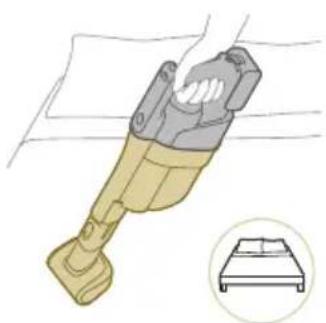
natural_image
Illustration of a handheld device with a bed icon below (no text or symbols)natural_image
Illustration of a hairdryer with a cat and dog nearby, showing no text or symbols4 Ak chcete malú turbokefu zložit, stlačte tlačidlo na uvol'nenie (1) a vytiahnite ručný vysávač z malej turbokefy (2).
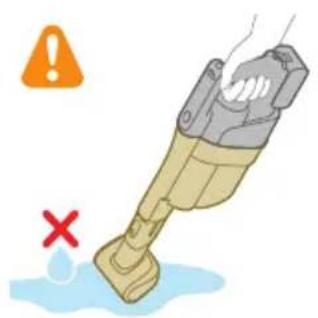
natural_image
Illustration of a hand holding a device with a warning symbol and a red 'X' indicating failure or absence (no text or symbols present)Varovanie: Nevysávajte vodu ani iné kvapaliny.
natural_image
Illustration of a hand holding a flashlight with a downward arrow and light effect (no text or symbols)natural_image
Illustration of a medical or laboratory procedure showing a tool interacting with a cylindrical object and a separate diagram of a bench (no text or symbols present)Varovanie: Nevysávajte vodu ani iné kvapaliny.
natural_image
Illustration of a hand pouring liquid into a vertical cylindrical container with a green arrow indicating direction (no text or symbols)flowchart
graph TD
    A["Start"] --> B["Step 1: Insert a component into a container with liquid"]
    B --> C["Step 2: Insert a component into a container with liquid"]
    C --> D["Step 3: Insert a component into a container with liquid"]
    D --> E["Step 4: Insert a component into a container with liquid"]
    E --> F["End"]
natural_image
Simple line drawing of a bucket pouring liquid into a basin (no text or symbols)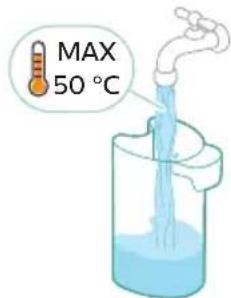
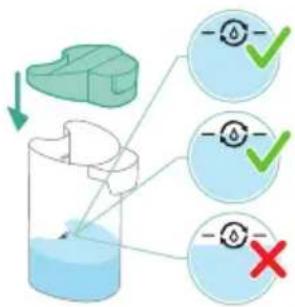
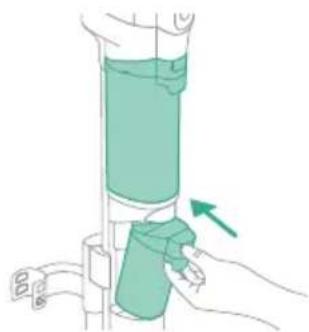
natural_image
Illustration of a hand holding a cylindrical device with a green arrow pointing to the handle (no text or symbols present)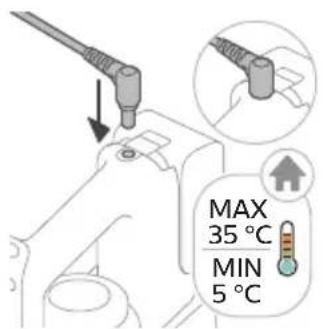
natural_image
Illustration of a remote control device with a switch and control panel (no text or symbols)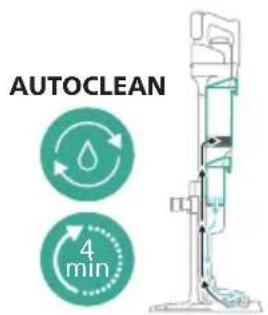
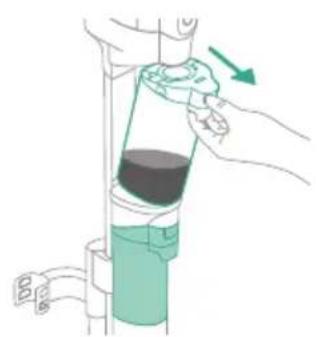
natural_image
Illustration of a hand pouring liquid into a vertical pipe with a green arrow indicating direction (no text or symbols)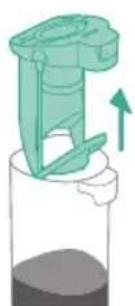
natural_image
Illustration of a mechanical device with a green handle and upward arrow, no text or symbols presentnatural_image
Simple line drawing of a pouring container into a stand, no text or symbols presentnatural_image
Illustration of a faucet pouring liquid into a container with motion lines indicating flow (no text or symbols)natural_image
Illustration of a faucet with a green leafy seat and water level indicator (no text or symbols)18 Mokrý filter vyčistite pod tečúcou vodou.
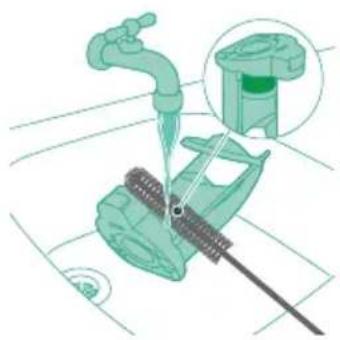
natural_image
Illustration of a mechanical assembly with a pipe inserted, showing components like a valve and a green component (no text or symbols)19 Vyčistite filter s mikrosietkou dodanou čistiacou kefkou.

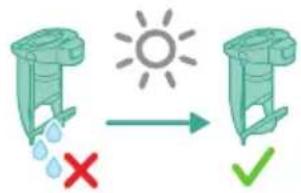
natural_image
Technical line drawing of a mechanical component with an arrow indicating direction (no text or symbols)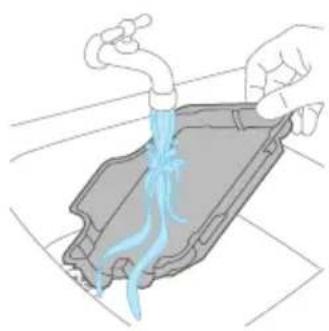
natural_image
Illustration of hands washing a car with blue liquid from a pipe (no text or symbols)2 Opláchnite podnos pod tečúcou vodou a nechajte ho uschnút. Až potom ho vložte spät do odkladacej stanice.
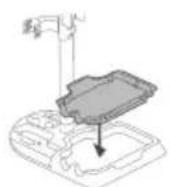
natural_image
Illustration of two hands holding a green object with a downward arrow, no text or symbols presentnatural_image
Illustration of a hand holding a coiled green object, no text or symbols presentnatural_image
Diagram of a mechanical component with directional arrows indicating motion or force (no text or symbols)natural_image
Illustration of a vacuum cleaner with green arrows indicating force direction (no text or symbols)Ak je hubica AquaSpin upchatá, možno ju odblokovat pohybom čistiacej kefky hore-dolu v sacom kanáli hubice AquaSpin.