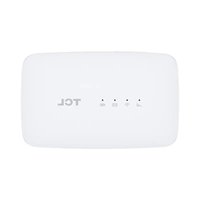
LinkZone MW45V2 - Microwaves TCL - Free user manual and instructions
Find the device manual for free LinkZone MW45V2 TCL in PDF.


| Product type | 4G portable router |
| Brand | TCL |
| Model | LinkZone MW45V2 |
| Frequency bands | GSM 900/1800, UMTS B1 (2100) / B8 (900), LTE (bands unspecified) |
| Wi-Fi | 2.4 GHz, IEEE 802.11 b/g/n |
| Ports | Micro USB (charging), micro SIM card slot |
| Power supply | Rechargeable Li-Ion battery, power adapter 5V/1A, charging via USB (max 4h), adapter (max 3h) |
| Battery life | Not specified |
| Display | LED indicators: network (blue/red), Wi-Fi (blue), SMS (blue), battery (blue/red) |
| Main functions | Share 4G connection via Wi-Fi, WPS, SMS, management via web interface (192.168.1.1) |
| Operating temperature | 0 °C to 45 °C |
| Operating humidity | 10 % to 90 % |
| Care and cleaning | Clean with a soft dry cloth; do not use chemicals |
| Safety | Do not expose to moisture, do not open, use approved accessories |
| Spare parts and repairability | Removable battery; repair by qualified personnel only |
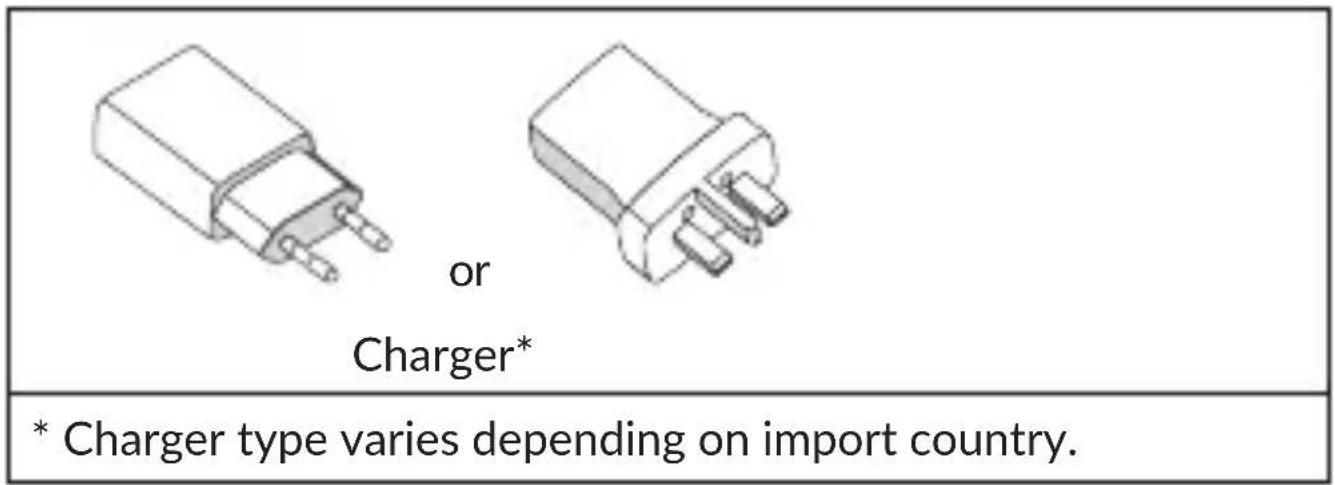
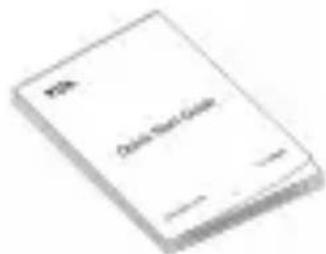
| Package contents | Router, micro USB cable, charger (depending on country), quick start guide |
| Manufacturer | TCL Communication Ltd., 5/F Building 22E, 22 Science Park East Avenue, Hong Kong Science Park, Shatin, NT, Hong Kong |
Frequently Asked Questions - LinkZone MW45V2 TCL
User questions about LinkZone MW45V2 TCL
0 question about this device. Answer the ones you know or ask your own.
Ask a new question about this device
Download the instructions for your Microwaves in PDF format for free! Find your manual LinkZone MW45V2 - TCL and take your electronic device back in hand. On this page are published all the documents necessary for the use of your device. LinkZone MW45V2 by TCL.
USER MANUAL LinkZone MW45V2 TCL
We recommend that you read this chapter carefully before using this device. The manufacturer disclaims any liability for damage, which may result as a consequence of improper use of this device or of use contrary to the instructions contained herein.
 | Do not switch on your device when its use is prohibited or when using the device may cause interference or danger. |
 | Follow rules or regulations in hospitals and health care facilities. Switch off your device near medical apparatus. |
 | Switch off your device in an aircraft. The device may cause interference to aircraft control signals. |
 | Switch off your device near high-precision electronic devices. The device may affect the performance of these devices. |
 | Do not attempt to disassemble your device or its accessories. Only qualified personnel are allowed to service or repair the device. |
 | Do not place your device or its accessories in containers with a strong electromagnetic field. |
 | Do not place magnetic storage media near your device. Radiation from the device may erase the information stored on them. |
 | Do not subject your device to high temperatures or use it in a place with flammable gas such as a petrol station. |
 | Keep your device and its accessories away from children. Do not allow children to use your device without guidance. |
 | Only use approved batteries and chargers to avoid the risk of explosion. |
 | Observe the laws or regulations on device use. Respect others' privacy and legal rights when using your device. |
It is recommended that the equipment only be used in an environment where the temperature is between 0^ C and 45^ C and humidity is between 10% to 90%.
CHARGERS (Optional)
Remove the battery first if you intend to connect the device to a power outlet for a period of more than 7 days. Otherwise, it may damage the battery. Your LinkZone can still function without a battery provided it is connected via a USB cable to a power supply.
Main power chargers will operate within the temperature range of: 0^ C to 40^ C.
The chargers designed for your device meet with the standard for safety of information technology equipment and office equipment use.
They are also compliant to the ecodesign directive 2009/125/EC. Due to different applicable electrical specifications, a charger
you purchased in one jurisdiction may not work in another jurisdiction. They should be used for this purpose only.
Manufacturer's name and Address: TCL Communication Ltd., 5/F Building 22E, 22 Science Park East Avenue, Hong Kong Science Park, Shatin, NT, Hong Kong
Model: UC11
Input Voltage: 100\~240V
Input AC Frequency: 50/60Hz
Output Voltage: 5.0V
Output Current: 1.0A
Output Power: 5.0W
Average active efficiency: 73.8%
No-load power consumption: 0.08W
Following air regulation, the battery of your product is not charged. Please charge it first.
1. Overview
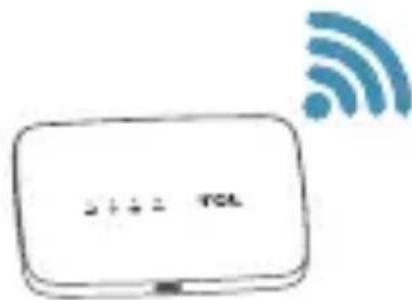
LinkZone is a portable wireless router, providing a simple way to share 4G with any Wi-Fi embedded device.
1.1 Package contents
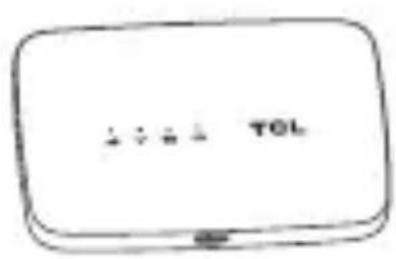
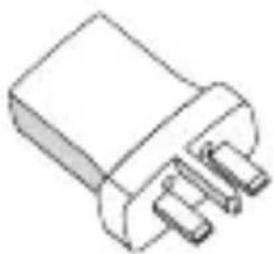
LinkZone USB
natural_image
Simple line drawing of a coiled cable or wire with a connector (no text or symbols)cable Quick start guide
1.2 Application
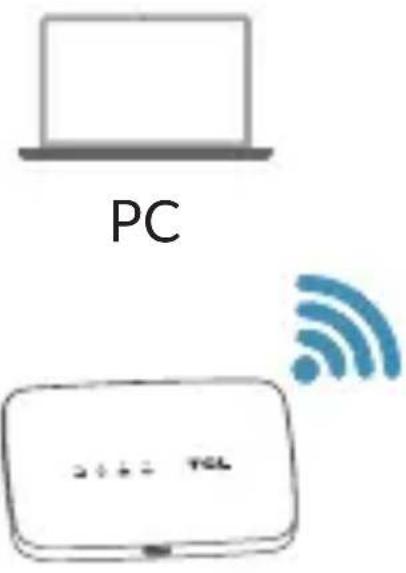
Tablets and iPad
LinkZone
Smart phone
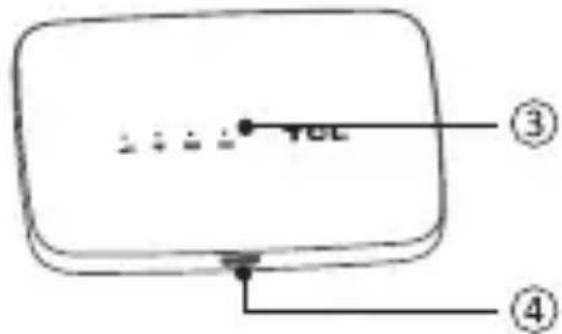
1.3 Device overview
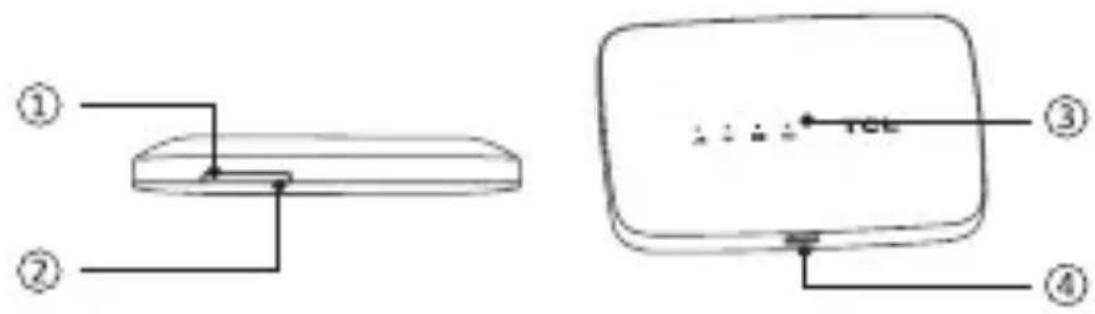
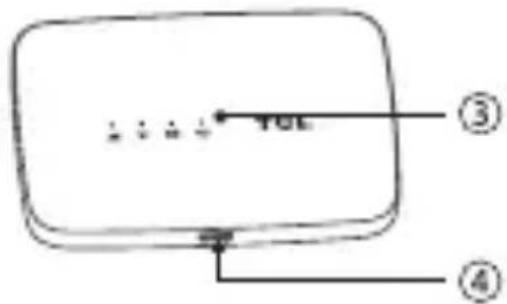
| Number Description | |
| 1 | Power key |
| 2 | WPS key |
| 3 | LED light |
| 4 | Charging/Micro USB Jack |
Use the device's 2 buttons as follows:
| Button Description | |
| 1 Power | Press and hold for 3 seconds to turn the device on/off. |
| Short press to put the LED in either active or sleep mode. | |
| Press and hold for 10 seconds to reboot the device. | |
| 2 WPS | Press and hold the WPS button for 3 seconds until the Wi-Fi LED blinks. |
| Short press to put the device into either active or sleep mode. | |
| Reset | Press both “Power” and “WPS” keys at the same time for 3 seconds to reset your device to factory mode. |
1.4 LED display
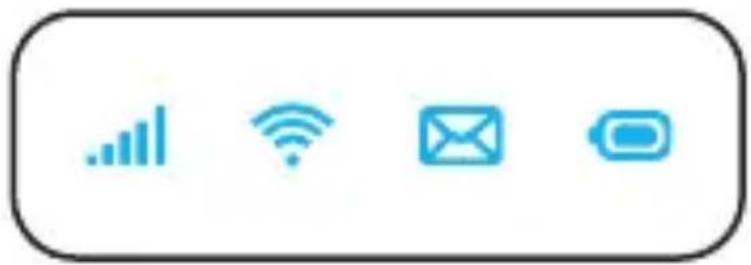
The LED display is interpreted as follows:
natural_image
Four blue icons on a white background: bar chart, Wi-Fi, email, and lock, arranged horizontally (no text or symbols)
Network Indicator (red or blue LED)

Wi-Fi indicator (blue LED)

SMS indicator (blue LED)

Battery indicator (red or blue LED)
LED description:
| Icon Icon display | |
| Network indicator | LED is blue when connected to the Internet or flashes when the Internet is disconnected.LED is red when there’s no network, service, or SIM card. |
| Wi-Fi indicator | LED is blue when Wi-Fi is active. |
| SMS indicator | LED is blue when you have a new message or flashes when your inbox is full. |
| Battery indicator | LED is red when the battery is low.A blue, slowly flashing LED indicates that the device is working.A blue, quickly flashing LED indicates that the device is charging.A blue, non-flashing LED indicates that the device is fully charged. |
Power saving mode:
- If no key is pressed on the device for 30 seconds, then all the LED lights will automatically turn off except the battery LED light. An LED light will come on when the USB cable is used to charge the device or any key is pressed on the device.
- If there is no Wi-Fi access used on the device for 10 mins, Internet network dialling will disconnect automatically and will connect automatically once any key is pressed on the device or Wi-Fi is accessed from the device.
- If there is no Wi-Fi access to the device for 30 minutes, then all LED lights will be automatically turned off along with the Wi-Fi AP function. Press any key to restore the Wi-Fi AP function.
1.5 Installing the device
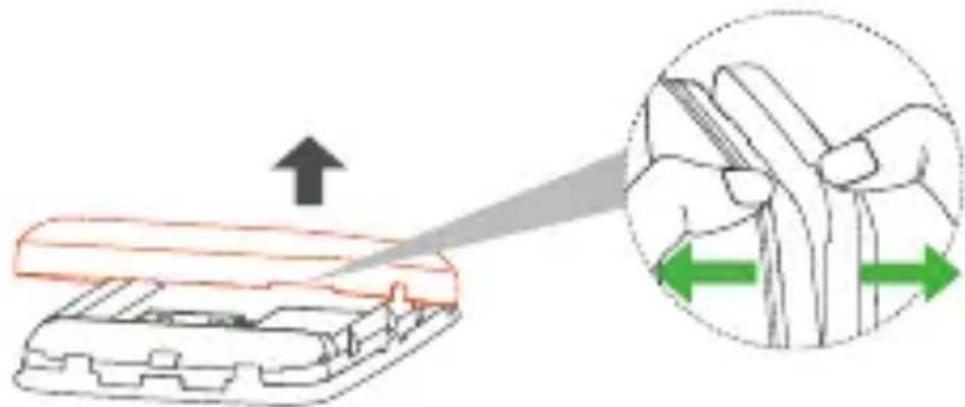
Step 1: Open the back cover.
Note: We suggest that you put the tips of both thumbs into the hole slot at the same time and pull the cover outwards to open it.
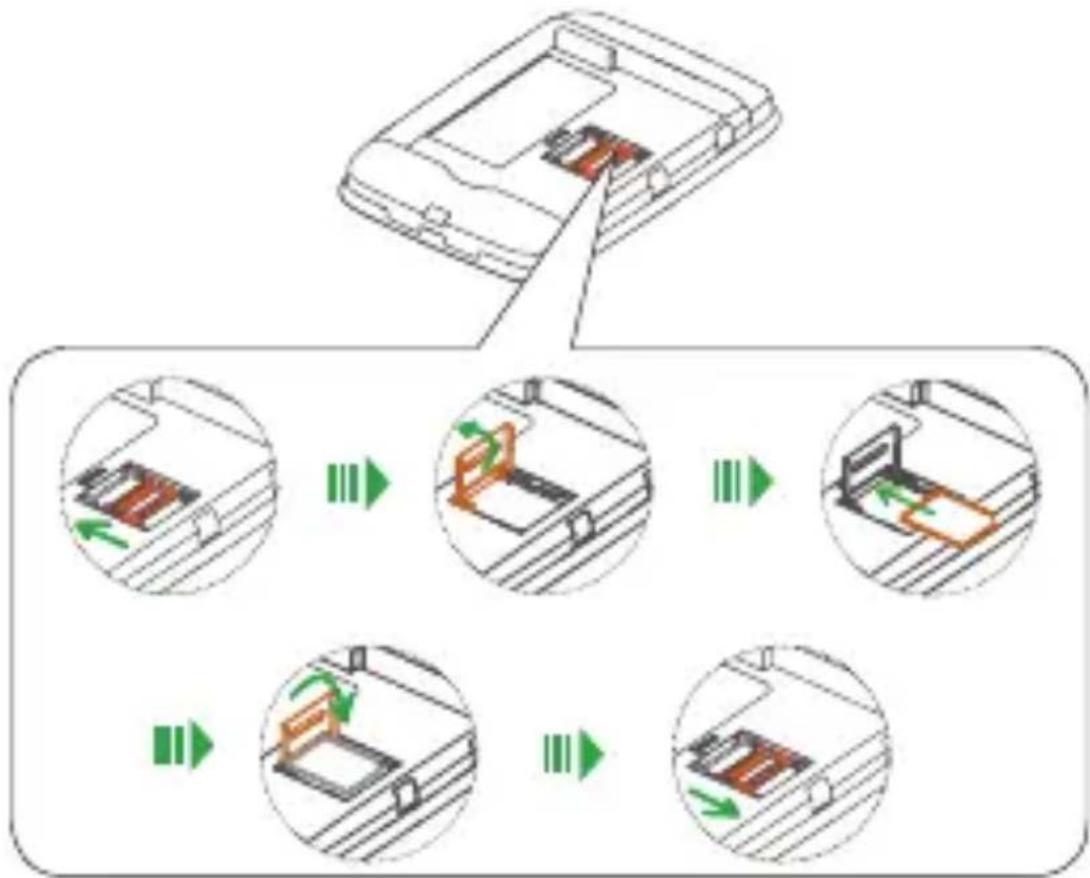
Step 2: Install SIM card in the cards slot.
WARNING! Do not insert the micro SIM card to the slot before opening the slot cover. Follow the mark on the slot to open and lock.
flowchart
graph TD
    A["Device with highlighted section"] --> B["Step 1: Inserted component"]
    B --> C["Step 2: Inserted component with green arrows indicating motion"]
    C --> D["Step 3: Inserted component with orange arrow indicating rotation"]
    D --> E["Step 4: Inserted component with green arrows indicating motion"]
    E --> F["Step 5: Inserted component with orange arrow indicating rotation"]
EN - 9
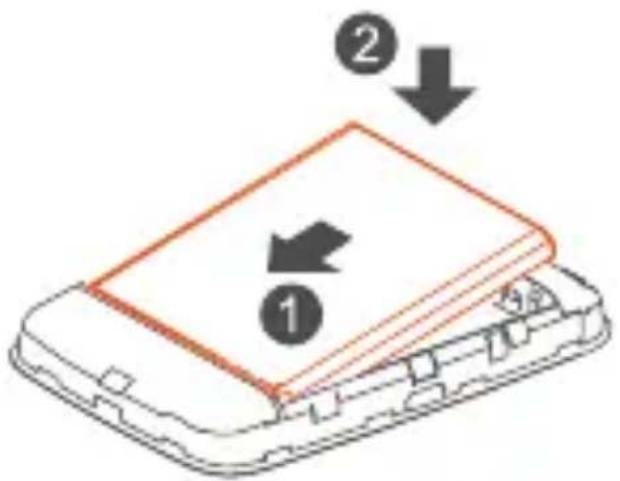
Step 3: Install battery.
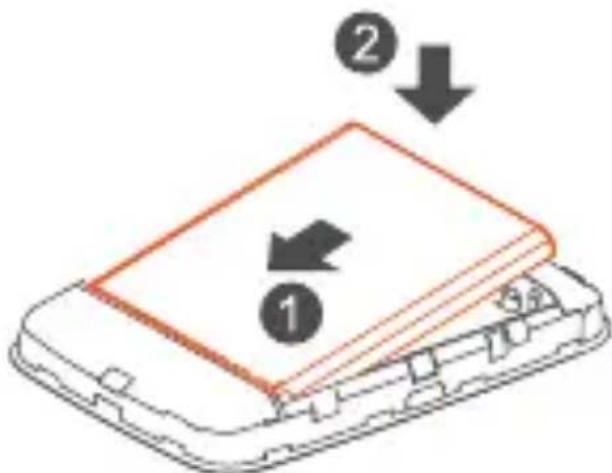
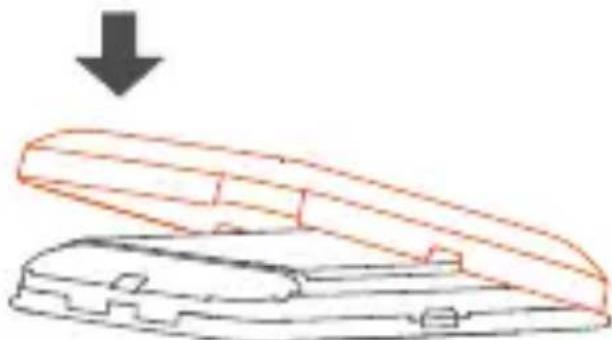
Step 4: Close the back cover.
natural_image
Diagram of a mechanical component with an open lid and downward arrow, no text or symbols present1.6 Connecting in Wi-Fi mode
The Wi-Fi name (SSID) and Wi-Fi key are located on the sticker on the rear of the back cover. They also can be found on the label under the battery.
Step 1: Use the Wi-Fi manager on your Wi-Fi embedded device to select Wi-Fi name (SSID).
- From a Windows PC: Right-click Wireless network connection on the task bar, and select: View Available Networks. Choose an SSID from the list of available networks.
- From a Mac computer: Select System Preferences -> Network -> Airport. Click “Advanced” to choose an SSID from the list of available networks.
EN - 10
- From an iOS device: Settings -> Wi-Fi. Choose an SSID from the available networks.
- From an Android device: Settings -> Wireless controls -> Wi-Fi settings. Choose an SSID from the available networks.
Step 2: Enter the Wi-Fi key when prompted for a security key.
2. Quick Setup
Launch the Internet browser and enter http://192.168.1.1 in the address bar. Enter the password to log into the LinkZone configuration page. The default password can be found on the label under the battery.
Log in and click "Settings" to configure the basic settings.
Wi-Fi Settings:
- SSID: Set the Wi-Fi name of this device.
• Security: Configure the security mode for Wi-Fi connection.
3. Charging the device
You have two ways to charge your device.
Charging with an adapter
Connect a USB cable between the device and the head of the adapter and plug it into a power socket to start charging.
When the device is powered off, it takes a maximum of 3 hours before being fully charged.
Charging via USB
You can also charge the device by connecting it to a PC with the USB cable.
When the device is powered off, it will take a maximum of 4 hours to finish charging.
Note: In order to protect the battery, when the low power LED indicator flashes, charge the device as soon as possible.
4. Certification
WEEE Approval
This device is in compliance with the essential requirements and other relevant provisions of the Waste Electrical and Electronic Equipment Directive 2012/19/EU (WEEE Directive).
natural_image
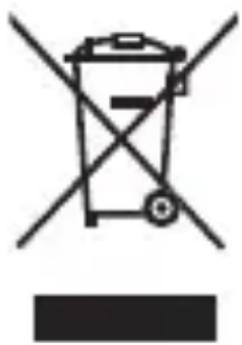
Symbol of a trash bin crossed with no text or numbers, representing waste sorting or disposal (no text present)This symbol on the device means that these products must be taken to collection points at the end of their life:
- Municipal waste disposal centres with specific bins for these items of equipment.
- Collection bins at points of sale.
They will then be recycled, preventing substances being disposed of in the environment, so that their components can be reused.
In European Union countries:
These collection points are accessible free of charge.
All products with this sign must be brought to these collection points.
In non-European Union jurisdictions:
Items of equipment with this symbol are not to be thrown into ordinary bins if your jurisdiction or your region has suitable recycling and collection facilities; instead they are to be taken to collection points for them to be recycled.
CAUTION: RISK OF EXPLOSION IF BATTERY IS REPLACED BY AN INCORRECT TYPE. DISPOSE OF USED BATTERIES ACCORDING TO THE INSTRUCTIONS.
RoHs Approval
This device is in compliance with the restriction of the use of certain hazardous substances in electrical and electronic equipment Directive 2011/65/EC (RoHs Directive).
Radio Waves
Proof of compliance with international standards (ICNIRP) or with European Directive 2014/53/EU (RED) is required of all modem models before they can be put on the market. The protection of the health and safety for the user and any other person is an essential requirement of these standards or this directive.
THIS DEVICE MEETS INTERNATIONAL GUIDELINES FOR EXPOSURE TO RADIO WAVES.
This device is a radio transmitter and receiver. It is designed not to exceed the limits for exposure to radio waves (radio frequency electromagnetic fields) recommended by international guidelines. The guidelines were developed by an independent scientific organization (ICNIRP) and include a substantial safety margin designed to assure the safety of all persons, regardless of age and health.
The radio wave exposure guidelines use a unit of measurement known as the Specific Absorption Rate, or SAR. The SAR limit for mobile devices is 2.0 W/kg for head and body, and 4.0 W/kg for Limbs.
Tests for SAR are conducted using standard operating positions with the device transmitting at its highest certified power level in all tested frequency bands. The highest SAR values under the ICNIRP guidelines for this device model are:
| Maximum SAR for this model and conditions under which it was recorded. | ||
| Body-Worn SAR (5mm) | LTE Band 8 + Wi-Fi 2.4GHz | 1.68 W/kg |
| Limb SAR (0mm) | LTE Band 1 + Wi-Fi 2.4GHz | 3.17 W/kg |
During use, the actual SAR values for this device are usually well below the values stated above. This is because, for purposes of system efficiency and to minimize interference on the network, the operating power of your mobile device is automatically decreased when full power is not needed for the call. The lower the power output of the device, the lower its SAR value.
Body-worn SAR testing has been carried out at a separation distance of 5 mm. To meet RF exposure guidelines during body-worn operation, the device should be positioned at least this distance away from the body. If you are not using an approved accessory ensure that whatever product is used is free of any metal and that it positions the phone the indicated distance away from the body.
The World Health Organization has stated that present scientific information does not indicate the need for any special precautions for the use of mobile devices. They recommend that
if you are interested in further reducing your exposure then you can easily do so by limiting your usage or keep the device away from the head and body.
For more information you can go to www.tcl.com
This device is equipped with a built-in antenna. For optimal operation, you should avoid touching it or degrading it.
Licenses
The Wi-Fi Logo is a certification mark of the Wi-Fi Alliance.
We hereby point out that the end user warranty for infringement IPR is solely limited to the EU/EEA/Switzerland.
If and to the extent that the Product is exported, taken with, or used by end customer or end user outside the EU/EEA/Switzerland any responsibility, warranty or indemnification of manufacturer and its suppliers in regard to the Product expires (including any indemnification in regard to infringement IPR).
General information
Internet address: www.tcl.com
Hot Line Number: see "SERVICES" leaflet or go to our website.
Manufacturer: TCL Communication Ltd.
Address: 5/F, Building 22E, 22 Science Park East Avenue, Hong Kong Science Park, Shatin, NT, Hong Kong.
This radio equipment operates with the following frequency bands and maximum radio-frequency power:
GSM 900: 33.5 dBm
GSM 1800: 30.5 dBm
UMTS B1 (2100): 21.1 dBm
UMTS B8 (900): 22.5 dBm
LTE FDD B1/7 (2100/2600): 22 dBm
LTE FDD B3 (1800): 21.3 dBm
LTE FDD B8/20 (900/800): 23 dBm
802.11 b/g/n 2.4GHz band: 16.46 dBm
Radio Equipment Directive Declaration of Conformity
CE
Hereby, TCL Communication Ltd. declares that the radio equipment of type TCL MW45V2 is in compliance with Directive 2014/53/EU. The full text of the EU declaration of conformity is available at the following internet address: https://www.tcl.com/global/en/EC_DOC
UKCA
Hereby, TCL Communication Ltd. declares that the radio equipment of type TCL MW45V2 is in compliance with the Radio Equipment Regulations 2017. The full text of the UK declaration of conformity is available at the following internet address: https://www.tcl.com/global/en/EC_DOC
5. Warranty
The device is warranted against any deviation from technical specifications for a period of twelve (12) ^(1) months from the date specified on your original invoice.
Under the terms of this warranty, you must immediately inform your vendor in case of a conformity defect on this device, and present a proof of purchase.
The vendor or repair centre will decide whether to replace or repair this device, as appropriate.
Repairs or replaced items on this device are warranted for ONE (1) month unless there are statutory provisions to the contrary.
This warranty shall not apply to damage or defects to this device due to:
1) Not following the instructions for use or installation,
2) Not being compliant with technical and safety standards applicable in the geographical area where this device is used,
3) Improper maintenance of sources of energy, and of the overall electric installation,
4) Accidents or consequences of theft of the vehicle in which this device is transported, acts of vandalism, lightning, fire, humidity, infiltration of liquids, inclement weather,
5) Connecting to or integrating into this device any equipment not supplied or not recommended by the manufacturer,
6) Any servicing, modification or repair performed by individuals not authorised by the manufacturer, the vendor or the approved maintenance centre,
7) Use of this device for a purpose other than that for which
it was designed,
8) Malfunctions caused by external causes (e.g., radio interference from other equipment, power voltage fluctuations),
9) Faulty connections resulting from unsatisfactory radio transmission or caused by the absence of radio relay coverage.
Warranty is also excluded for this device on which markings or serial numbers have been removed or altered.
This device is also warranted against hidden defects (defects inherent in the design, manufacture, etc.).
There are no other express warranties than this printed limited warranty, expressed or implied, of any nature whatsoever.
In no event shall the manufacturer be liable for incidental or consequential damages of any nature whatsoever, including but not limited to trading loss, commercial loss, to the full extent those damages can be disclaimed by law. Some countries/ states do not allow the exclusion or limitation of incidental or consequential damages, or limitation of the duration of implied warranties, so the preceding limitations or exclusions may not apply to you.
TCL
natural_image
Simple line drawing of a cable with connectors (no text or symbols)USB
natural_image
Four blue icons on a white background: bar chart, Wi-Fi, email, and lock, arranged horizontally (no text or symbols)

natural_image
Illustration of a closed mechanical device with an open lid and a downward arrow indicating compression (no text or symbols)FR - 10
1.6 Connexion en mode Wi-Fi
natural_image
Symbol of a trash bin with crossed lines indicating no waste or discharge, and a solid black rectangle below (no text or labels)Adresse: 5/F, Building 22E, 22 Science Park East Avenue, Hong Kong Science Park, Shatin, NT, Hong Kong.
LTE FDD B1/7 (2100/2600): 22 dBm
LTE FDD B3 (1800): 21,3 dBm
LTE FDD B8/20 (900/800) : 23 dBm
802.11 b/g/n 2.4GHz band : 16,46 dBm
natural_image
Simple line drawing of a cable with a connector (no text or symbols)kabel
natural_image
Simple line drawing of an electronic component with two pins (no text or symbols)nebo
natural_image
Illustration of a three-pin electrical connector (no text or symbols)Nabíječka*
natural_image
Simple line drawing of a laptop computer (no text or symbols)PC
natural_image
Simple line drawing of a wireless router with Wi-Fi signal icon above (no text or symbols on device body)LinkZone
Chytrý telefon
natural_image
Four blue icons on white background: bar chart, Wi-Fi, email, and battery (no text or symbols)
natural_image
Diagram showing a device being processed with an arrow, alongside a magnified view of the hand holding a tool (no text or symbols present)flowchart
graph TD
    A["Device with internal components"] --> B{Step 1}
    B -->|Green Arrow| C["Device with internal components"]
    C --> D{Step 2}
    D -->|Green Arrow| E["Device with internal components"]
    E --> F{Step 3}
    F -->|Green Arrow| G["Device with internal components"]
    G --> H{Step 4}
    H -->|Green Arrow| I["Device with internal components"]
Krok 3: Vložte baterii.
CZ - 10
natural_image
Diagram of a mechanical component with an open lid and a downward arrow indicating force or direction (no text or symbols)natural_image
Symbol of a trash bin crossed with no text or numbers, representing environmental protection (no text present)Adresa: 5/F, Building 22E, 22 Science Park East Avenue, Hong Kong Science Park, Shatin, NT, Hong Kong.
LTE FDD B1/7 (2100/2600): 22 dBm
LTE FDD B3 (1800): 21,3 dBm
LTE FDD B8/20(900/800): 23 dBm
802.11 b/g/n 2.4GHz band: 16,46 dBm
- CHARGERS (Optional)
- Overview
- Package contents
- Application
- Device overview
- LED display
- Power saving mode:
- Installing the device
- Connecting in Wi-Fi mode
- Quick Setup
- Wi-Fi Settings:
- Charging the device
- Charging with an adapter
- Charging via USB
- Certification
- WEEE Approval
- In European Union countries:
- In non-European Union jurisdictions:
- RoHs Approval
- Radio Waves
- Licenses
- General information
- Radio Equipment Directive Declaration of Conformity
- Warranty
- TCL
- Connexion en mode Wi-Fi
Brand : TCL
Model : LinkZone MW45V2
Category : Microwaves