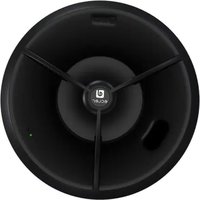
GLOBE5PD - Loudspeaker Ecler - Free user manual and instructions
Find the device manual for free GLOBE5PD Ecler in PDF.


| Product type | Wireless amplified speaker (WiSpeak receiver) |
| Brand | Ecler |
| Model | GLOBE5PD (pendant version) |
| Nominal power | 32 W RMS |
| Dispersion | 360° horizontal x 160° vertical |
| Housing material | Fiberglass-reinforced ABS |
| Available colors | White (RAL 9003) and black (RAL 9005) |
| Power supply | AC 100-240 V, 50/60 Hz, via Euroblock connector |
| Mounting type | Ceiling suspension with 2 steel cables of 5 m |
| Wireless technology | WiSpeak (U-NII band 5.1-5.8 GHz) |
| Maximum range | 12 meters in free space (from transmitter to receiver) |
| Max number of receivers per system | Up to 24 receivers (TUBE, CUBE or GLOBE) |
| Audio input | Wireless WiSpeak signal from CORE transmitter |
| Auxiliary audio output | 1 x AUX OUT (copy of received WiSpeak signal) |
| Controls and indicators | UNPAIR button, WiS LED (blue), STR LED (green) |
| Maintenance and cleaning | Damp cloth with mild detergent, do not use solvents |
| Safety instructions | Do not expose to water, have repairs carried out by qualified technician |
| Included accessories | 2 steel suspension cables of 5 m, Euroblock connector for power supply |
Frequently Asked Questions - GLOBE5PD Ecler
User questions about GLOBE5PD Ecler
0 question about this device. Answer the ones you know or ask your own.
Ask a new question about this device
Download the instructions for your Loudspeaker in PDF format for free! Find your manual GLOBE5PD - Ecler and take your electronic device back in hand. On this page are published all the documents necessary for the use of your device. GLOBE5PD by Ecler.
USER MANUAL GLOBE5PD Ecler
natural_image
Two black and white spotlights with adjustable lighting fixtures (no text or symbols visible)TUBE
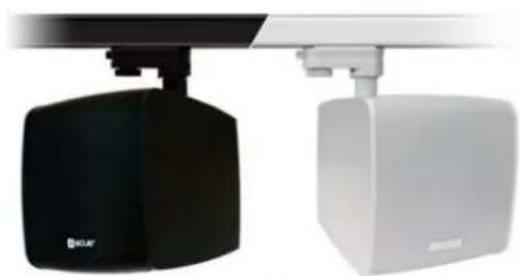
natural_image
Two black and white industrial lighting fixtures with adjustable arm (no visible text or symbols)CUBE
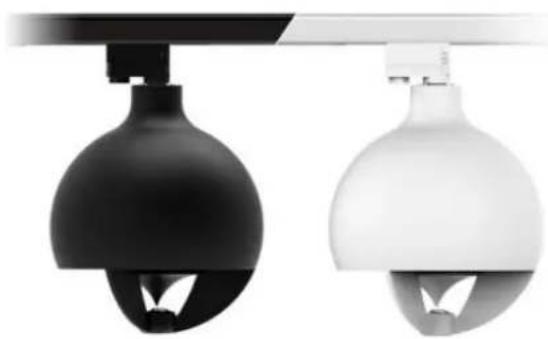
natural_image
Two identical black and white lighting fixtures with spherical domes, mounted on a stand (no text or symbols visible)GLOBE | Rail-mount version
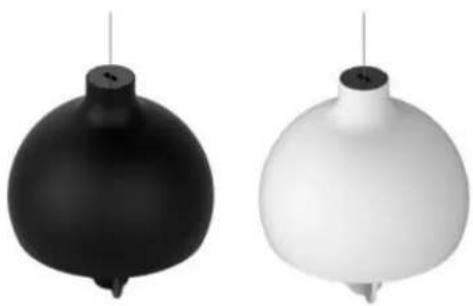
natural_image
Two abstract spherical objects, one black and one white, suspended vertically against a white background (no text or symbols)GLOBE | Pendant version
natural_image
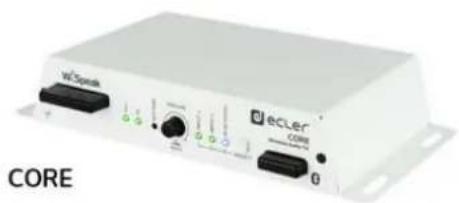
White electronic device labeled 'CORE' with ports and connectors (no readable text beyond branding)natural_image
Technical line drawing of two mechanical lighting fixtures with no visible text or symbolsnatural_image
Technical line drawing of two electronic device modules with internal components (no text or symbols)natural_image
Line drawing of a spherical scientific instrument with internal components and a top-mounted sensor (no text or symbols)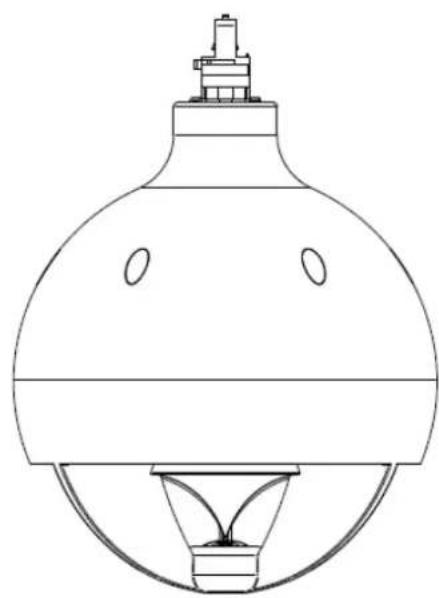
natural_image
Line drawing of a laboratory flask with a stopper and inverted base (no text or symbols)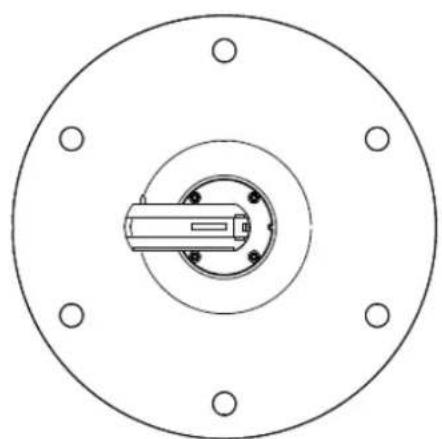
natural_image
Technical diagram of a circular mechanical component with mounting holes and central shaft (no text or symbols)5.4.2 GLOBE PD model (pendant)
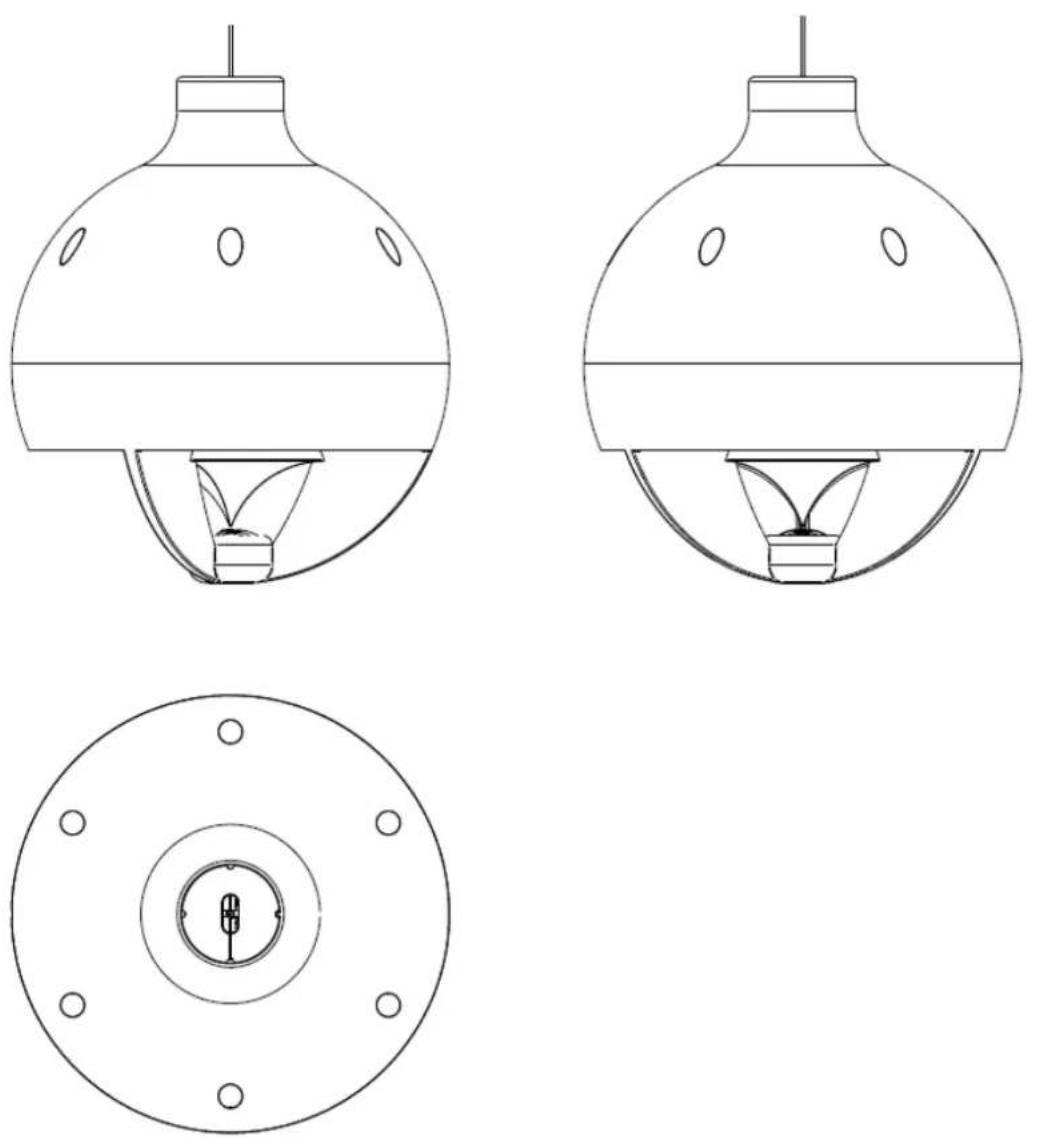
natural_image
Technical line drawing of a mechanical assembly with directional arrows and component footprints (no text or symbols)natural_image
Technical line drawing of a mechanical assembly with an inset close-up showing a component detail (no text or symbols)natural_image
Technical line drawing of a cylindrical structure with internal channels and supports (no text or symbols)natural_image
Technical line drawing of a mechanical assembly with directional arrows and component outlines (no text or symbols)natural_image
Technical line drawing of a mechanical assembly with an inset showing a close-up of a component (no text or symbols present)natural_image
Technical line drawing of two mechanical components with internal parts, shown from exploded and assembled views (no text or symbols)Follow these steps to install a GLOBE RM unit in a lighting rail:
natural_image
Technical line drawing of a mechanical device with a dome-shaped base and internal components (no text or symbols)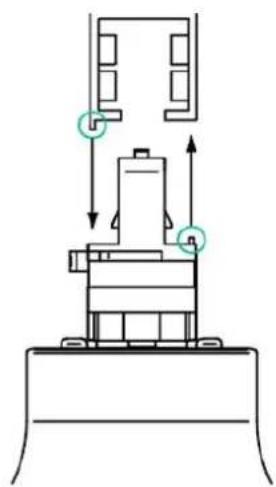
natural_image
Technical diagram of a mechanical assembly with directional arrows and component outlines (no text or labels)Connection to a GLOBAL Trac Pro / Eutrac lighting rail (three-circuit lighting track system)
natural_image
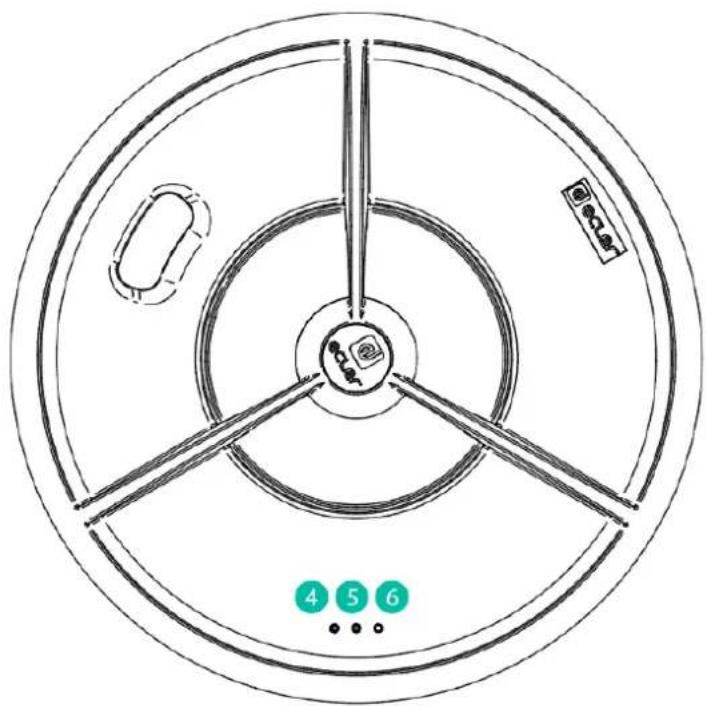
Technical diagram showing a mechanical assembly with a magnified inset highlighting a component detail (no text or symbols present)GLOBE Front panel (PD and RM)
| Inputs | |
| Type | IN1: Balanced, Stereo, Euroblock |
| IN2: Unbalanced, Stereo, RCA | |
| BT: Bluetooth wireless | |
| Input Sensitivity* / Nominal Impedance | IN1: -10dBV to 0dBV / >20kΩ |
| IN2: -10dBV to 0dBV / >20kΩ | |
| BT: -10dBV FS | |
| Gain Control Range ^2 | IN 1&2: 10dB |
| Input Sélecteur (same selection for Ch1&2) | Frontal panel keys / |
| WiSpeak grip control app | |
| CMRR | IN2: >60dB @ 1kHz |
| Bluetooth Input | Type: Compliant 5.0, Class 1 |
| Range: 25m (ideal conditions) | |
| Profiles: A2DP1.3/AVRCP1.6/HFP1.6/HSP1.2 | |
| Decoder support: SBC, AAC | |
| Frequency Response (at TX AUX OUT) | IN1: 10Hz – 20kHz (-1dB) |
| IN2: 10Hz – 20kHz (-1dB) | |
| BT: 10Hz – 20kHz (-1dB) | |
| THD+D (at TX AUX OUT) | IN 1&2: <0.015% |
| Signal Noise Ratio (at TX AUX OUT) | IN 1&2: >95dB |
| Local Output | |
| Type | AUX OUT: Analog, Mono, Balanced, Euroblock |
| Input Selection | CH 1&2: WiSpeak grip control app |
| Nominal Output Level / Min Load | AUX OUT: 0dBV / 10kΩ |
| WiSpeak Channels (RF Wireless Audio) | |
| Channel | CH 1&2: Digital, Mono, RF Wireless Audio |
| General Controls (affects Ch1&2) | Master VOL, MUTE: Frontal panel keys / |
| WiSpeak grip control app | |
| Tone Control ^3 (independent for each Ch) | BASS: 100Hz, ±10dB |
| MID: 1k2kHz, ±10dB | |
| TREBLE: 10kHz, ±10dB | |
| High Pass Filter ^3 (independent for each Ch) | OFF / 120Hz / 150Hz |
| Butterworth 12dB/oct | |
| Low Pass Filter ^3 (independent for each Ch) | OFF / 120Hz / 150Hz |
| Butterworth 12dB/oct | |
| RF Wireless Audio | |
| Frequency Band | U-NII 5.1 – 5.8GHz (supported worldwide) |
| Up to 24 non-overlapping RF channels ^4 | |
| DFS support | |
| Transmission Recommended Distance | Up to 12m from a TX to any paired RX, direct line of sight ^1 |
| Audio Transmission | 24bit uncompressed, 48kHz SR |
| Audio Channels | WiSpeak CH 1&2 |
| Latency (I2S digital audio to RX output) | 5.1ms, fixed |
| Inter-channel delay error | ±1us |
| Reconnection time | Up to 120s ^5 |
| Pairing time | Up to 120s ^5 |
| Latency | |
| From TX Analog Audio IN to TX AUX OUT | <700usec |
| From TX Analog Audio IN to TR AUX OUT | <6ms |
| From TX Analog Audio IN to RX Speaker | <6ms |
| DSP | |
| Processor | 25 / 56 bits |
| Sampling Rate | 48kHz |
| Converters | |
| Resolution | ADC/DAC: 24 bits |
| Dynamic Range | ADC: 96dB |
| DAC: 98dB | |
| Miscellaneous | |
| Control Port | USB-C: Service & Firmware updates |
| Supply | |
| DC Supply | 24VDC |
| Mains (using supplied DC adapter) | 100-240AC 50-60Hz |
| Power Consumption | 0.5A at 24V |
| Mechanical | |
| Dimensions (WxHxD) | 225x120x40mm / 8.9"x4.7"x1.6" |
| Weight | 0.8kg / 1.76 lb. |
16.2. TUBE
| WiS (RF WIRELESS DIGITAL AUDIO) | |
| Frequency band | U-NII 5.1 – 5.8GHz (supported worldwide)Up to 24 non-overlapping RF channels ^2 DFS support |
| Coverage range | Up to 12m from a TX to any paired RX, direct line of sight ^1 |
| Audio channels | WiSpeak CH1 / CH2 |
| Audio transmission | 24bit uncompressed, 48kHz SR |
| Digital Audio Sample size | 24 bits |
| Digital Audio Sampling rate | 48kHz |
| Digital Audio Frequency Response | 20Hz – 20kHz (-0.1dB) |
| Digital Audio converters | DAC Resolution: 24 bitDAC Dynamic range: 100dB |
| Latency | From TX IN to RX AUX OUT <6msFrom TX IN to RX Speaker <6msJitter among receivers ±1us |
| Pairing time | Up to 120s ^3 |
| Reconnection time | Up to 120s ^3 |
| SYSTEM | |
| Effective Freq. Range | 105 - 20kHz (-10dB) |
| Coverage angle | 180x180 (HxV) |
| Sensitivity | 83 dB (1W/1m) |
| Maximum SPL | 96 dB continuous / 102 dB peak |
| TRANSDUCERS | |
| Ways | 1-way |
| Driver | 3" driver |
| Nominal impedance | 4Ω |
| POWERED | |
| Power | 18 W RMS / 72 W Peak |
| Audio inputs | CH1 / CH2: Digital, Mono, RF Wireless Audio |
| Audio outputs | Internal Loudspeaker: Analog, Mono, Self poweredAUX OUT: Analog, Mono, Balanced, Euroblock |
| THD + Noise | <0.15% @1kHz Full power |
| Signal Noise Ratio | >95dB at RX AUX OUT |
| Input sensitivity | 0dBV / 10kΩ |
| ELECTRICAL | |
| Power supply | Universal, internal power supply |
| AC mains requirement | 100-240VAC @ 50-60Hz |
| AC mains connector | From lighting rail bracket |
| Power consumption | 15W (rated) |
| MONITORING AND CONTROL | |
| Volume control | via WiSpeak grip app. |
| Other controls | SOLO: via WiSpeak grip app |
| ID TEST SIGNAL: via WiSpeak grip app | |
| PAIR / UNPAIR: via WiSpeak grip app and Panel button | |
| LED Indicators | WiS and STR LEDs |
| Programming and control | WiSpeak grip app |
| PHYSICAL | |
| Connection type | Ceiling rail AC connection |
| Installation options | Ceiling light rails, or surface using TUBE SMA |
| Certifications | FCC, EMC |
| Mounting system | Lighting rail mount compatible |
| Rail fixing system | 4 wire 3 circuit track system compatible |
| Compatible rail systems | Global Track Pro or compatibles |
| Operating temperature | Min: -10°C; 14°F / Max: 40°C; 104°F |
| Operating humidity | <85% HR |
| Storage temperature | Min: -10°C; 14°F / Max: 40°C; 104°F |
| Storage humidity | <90% HR |
| Included accessories | Lighting rail mount |
| Optional accessories | Surface mount accessory (TUBE SMA) |
| Finished colour | White (RAL 9003) or black (RAL 9005) |
| Dimensions (∅xD) | ∅96x130mm / ∅3.8" x 5.1" in. |
| Support arm | Swivel (pan and tilt) |
| Weight | 0.8 kg / 1.76 lb |
| Pieces per box | 1 unit |
| Shipping dimensions (WxHxD) | 195 x 185 x 245 mm / 7.68 x 7.28 x 9.65 in. |
| Shipping weight | 1.12 kg / 2.47 lb |
16.3. CUBE
| WiS (RF WIRELESS DIGITAL AUDIO) | |
| Frequency band | U-NII 5.1 – 5.8GHz (supported worldwide) |
| Up to 24 non-overlapping RF channels ^2 | |
| DFS support | |
| Coverage range | Up to 12m from a TX to any paired RX, direct line of sight ^1 |
| Audio channels | WiSpeak CH1 / CH2 |
| Audio transmission | 24bit uncompressed, 48kHz SR |
| Digital Audio Sample size | 24 bits |
| Digital Audio Sampling rate | 48kHz |
| Digital Audio Frequency Response | 20Hz – 20kHz (-0.1dB) |
| Digital Audio converters | DAC Resolution: 24 bit |
| DAC Dynaimic range: 100dB | |
| Latency | From TX IN to RX AUX OUT <6ms |
| From TX IN to RX Speaker <6ms | |
| Jitter among receivers ±1us | |
| Pairing time | Up to 120s ^3 |
| Reconnection time | Up to 120s ^3 |
| SYSTEM | |
| Effective Freq. Range | 70 - 20kHz |
| Coverage angle | 150x150 (HxV) |
| Sensitivity | 83 dB (1W/1m) |
| Maximum SPL | 98 dB continuous / 104 dB peak |
| TRANSDUCERS | |
| Ways | 2 ways |
| Low frequency driver | 5" woofer |
| High frequency driver | 1" tweeter |
| Nominal impedance | 8Ω |
| POWERED | |
| Power | 32 W RMS / 128 W Peak |
| Audio inputs | CH1 / CH2: Digital, Mono, RF Wireless Audio |
| Audio outputs | Internal Loudspeaker: Analog, Mono, Self powered |
| AUX OUT: Analog, Mono, Balanced, Euroblock | |
| THD + Noise | <0.15% @1kHz Full power |
| Signal Noise Ratio | >95dB at RX AUX OUT |
| Input sensitivity | 0dBV / 10kΩ |
ELECTRICAL
| Power supplyAC mains requirementAC mains connectorPower consumption | Universal, internal power supply100-240VAC @ 50-60HzFrom lighting rail bracket, or standard 2-pin AC plug15W (rated) |
| MONITORING AND CONTROL | |
| Volume controlOther controls | via WiSpeak grip app.SOLO: via WiSpeak grip appID TEST SIGNAL: via WiSpeak grip appPAIR / UNPAIR: via WiSpeak grip app and Panel button |
| LED Indicators Programming and control | WiS and STR LEDsWiSpeak grip app |
| PHYSICAL | |
| Connection typeInstallation options | Standard 2-pin connector for VACSurface, desktop, shelf, table, etc.Or in a ceiling light rail. |
| CertificationsGrille materialMounting systemPan and tilt wall-mountRail fixing systemCompatible rail systemsOperating temperatureOperating humidityStorage temperatureStorage humidityIncluded accessoriesFinished colourDimensions (WxHxD))Support armWeightPieces per boxShipping dimensions (WxHxD)Shipping weight | FCC, EMCAluminiumLighting rail mount compatibleSwivel (pan and tilt)4 wire 3 circuit track systemGlobal Track Pro or compatiblesMin: -10°C; 14°F / Max: 40°C; 104°F<85% HRMin: -10°C; 14°F / Max: 40°C; 104°F<90% HRLighting rail mount, Surface / wall mountWhite (RAL 9003) or black (RAL 9005)173 x 180 x 181 mm / 6.81 x 7.09 x 7.13 inSwivel (pan and tilt)2.1 kg / 4.6 lb1 unit320 x 260 x 220 mm / 12.6 x 10.24 x 8.66 in3.2 kg / 7.05 lb |
16.4. GLOBE
WiS (RF WIRELESS DIGITAL AUDIO)
| Frequency band | U-NII 5.1 – 5.8GHz (supported worldwide) |
| Up to 24 non-overlapping RF channels | |
| DFS support" | |
| Coverage range | Up to 12m from a TX to any paired RX, direct line of sight |
| Audio channels | 1 mono audio ch received from the WiS TX network |
| Audio transmission | 24bit uncompressed, 48kHz SR |
| Digital Audio Sample size | 24bit |
| Digital Audio Sampling rate | 48kHz |
| Digital Audio Frequency Response | 20Hz – 20kHz (-0.1dB) |
| Digital Audio converters | DAC Resolution: 24 bit |
| DAC Dynamic range: 100dB | |
| Latency | From TX IN to RX AUX OUT <6ms |
| From TX IN to RX Speaker <6ms | |
| Jitter among receivers ±1us | |
| Pairing time | Up to 120s |
| Reconnection time | Up to 120s |
| System | |
| Effective frequency range ^1 | 70 Hz – 20 kHz (-10dB) |
| Coverage angle ^2 | 111° (conical) |
| Sensitivity ^3 | 91 dB (1W/1m) |
| Maximum SPL ^4 | 106 dB Continuous / 112 dB Peak |
| Transducers | |
| Ways | 2-ways full range |
| Driver | 5" woofer + 1" tweeter |
| Low frequency driver | 5" woofer |
| High frequency driver | 1" Silk Dome Tweeter |
| Crossover filter | 4.2KHz |
| Nominal impedance | 8Ω |
| Powered | |
| Power | 32W RMS / 128W peak |
| THD + Noise | <0,15% |
| Signal Noise Ratio | >95dB |
| Electrical | |
| Power supply | Internal. Universal, regulated switch mode with PFC (Power Factor Correction) |
| AC mains requirement | 100-240 VAC @ 50-60Hz |
| AC mains connector | Ceiling rail connection for GLOBE RM Series |
| 3C Euroblock connector for GLOBE PD Series | |
| Power consumption | TBC |
Physical
| Connection type | Ceiling rail AC connection for GLOBE RM SeriesEuroblock 3C connector for VAC in GLOBE PD Series |
| Installation options | Rail Mount / Pendant options |
| Environmental | IP10 |
| Certifications | FCC, EMC |
| Enclosure material | ABS reinforced with fibreglass |
| Mounting system | Ceiling rail connection for GLOBE RM SeriesSteel wire hanging 5 mts for GLOBE PD Series |
| Rail fixing system | 4 wire 3 circuit track system for GLOBE RM |
| Compatible rail systems | Global Track Pro or compatibles for GLOBE RM |
| Operating temperature | Min: 0°C ; 32°F / Max: 35°C ; 95°F |
| Operating humidity | <85% HR |
| Storage temperature | Min: -10°C ; 14°F / Max: 50°C ; 122°F" |
| Storage humidity | <90% HR |
| External diameter | 287 mm / 11.3" |
| Included accessories | For GLOBE PD Series:- 2 x Steel Wire for hanging 5 mts,- 2x plastic cable tie,- 1 x eurobloc 3C connector |
| Finished colour | White (RAL 9003) or black (RAL 9005) |
| Dimensions | ∅287mm x 331mm(H) / ∅11.3 in. x 13 in. (H) |
| Weight | 2.2 Kg / 4.85 lbs |
| Pieces per box | 1 |
| Shipping dimensions (WxHxD) | 360 x 480 x 360 mm / 14.2 x 18.9 x 14.2 in. |
| Shipping weight | 3.7 Kg / 8.15 lb |
^1 10dB below the sound pressure level at specified sensitivity
^2 6dB below the sound pressure level than that at the direction of maximum level, Max. angle between 1 kHz and 4 kHz.
^3 Measured on-axis, far field and referenced to 1 meter by inverse square law. Average from 100 Hz to 10 kHz.
^4 Calculated from sensitivity and power handling specifications, exclusive of power compression
WiSpeak features a unique & intelligent digital wireless transmission system: a solid and stable main channel is always used for the system's audio and control links, together with an alternative backup channel available. The system continuously monitors among 24 transmission channels to resolve the best backup channel option. In case the main channel's integrity is affected by third-party RF interferences, an instantaneous and clean (free of audio drops) switch to the backup one is performed.
Exceptionally, when working in environments with very high radio-electric contamination (presence of frequency inhibitors, WiFi networks saturation, etc.) WiSpeak might at times suffer disturbances in its proper functioning, like intermittent audio drops. In such circumstances, and along the system's installation and setup period, it might even be necessary to decrease the distance from the transmitter to each receiver to reach a solid and stable system performance along time.
Reconnection and pairing time also involve stabilization process to guarantee a solid and stable wireless communication. This time varies depending on adverse conditions described.
WiSpeak
WIRELESS PRO AUDIO
WiSpeak grip
Logiciel
natural_image
Icon of a black megaphone with yellow lens and signal waves on teal background (no text or symbols)MODE D'EMPLOI
17. INTRODUCTION WiSpeak grip

CONNEXION Bluetooth À L'UNITÉ MAÎTRE
My WiS Master Devices
DISCOVER MASTER DEVICES
← Discovered Devices
Select a device to add to your list

CORE-96

eCOMPACT4BT

TX1WiS-AE

TX1WiS-A7

ANGEL_eCOMPACT4BT
11:15 Tue 28 Jan 84%

Discovered Devices
Select a device to add to your list

LE_CORE-96

LE_CORE-ALEX
Exemple pour iOS
Selected Input Master
IN1
Local AUX OUT
CH1
other
CORE Factory Default | Model | Count | |---|---| | CUBE-94 | 100 | | TUBE-59 | 100 | | TUBE-79 | 100 | | TUBE-11 | 100 | | TUBE-A7 | 100 | | TUBE-59 | 100 | | TUBE-A5 | 100 |bar
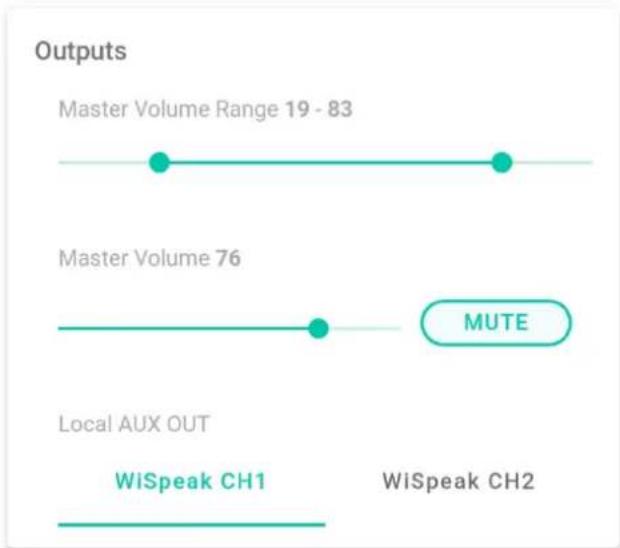
| Inputs | Value | |--------|--------| | IN1 | -3.75 | | IN2 | -3 | | Input Select User Enable | IN1 | | Input Select User Enable | IN2 | | Input Select User Enable | BT |21.2. Outputs (sorties)
line
| Output Type | Value | | ------------------- | ----- | | Master Volume Range 19 - 83 | 19 - 83 | | Master Volume 76 | 76 | | Local AUX OUT | - | | WiSpeak CH1 | - | | WiSpeak CH2 | - |line
WiSpeak Ch1 Settings | Setting | Frequency | Value | | :--- | :--- | :--- | | Low Pass Filter OFF | 120Hz | -10 | | Low Pass Filter High Pass Filter OFF | 150Hz | +10 | | Equalizer TREBLE 0 | -10 | +10 | | Equalizer MID 10 | -10 | +10 | | Equalizer BASS 0 | -10 | +10 | The chart displays the frequency and value of each setting. The labels above the bars indicate 'OFF' or 'High Pass Filter'.| CORE Factory Default | |
| Master Settings | |
| HW MAC Address | 02:EA:5F:00:CC:55 |
| HW Firmware Version | v1.00r0 |
| WiSpeak grip App Version | 1.2.0 |
| Wireless FW Version | v.207.5 |
| Wireless FW Version | v.207.5 |
| Operating Region | |
| EU | |
| Device Alias CORE Factory Default | |
| Bluetooth ID CORE-96 | |
| Bluetooth PIN 1234 | |
| Admin Password admin | |
| User Password user | |
| APPLY CHANGES | |
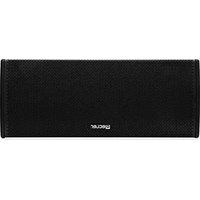

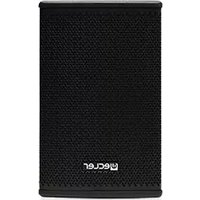
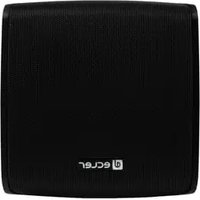
Brand : Ecler
Model : GLOBE5PD
Category : Loudspeaker