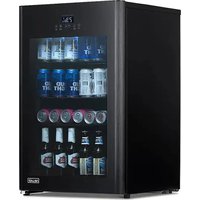
NBF125BK00 - Refrigerator NewAir - Free user manual and instructions
Find the device manual for free NBF125BK00 NewAir in PDF.


| Product Type | Refrigerator |
| Brand | NewAir |
| Model | NBF125BK00 |
| Voltage | 110V |
| Current | 1.8A |
| Frequency | 60Hz |
| Energy Consumption | 180 W (438 kWh/year) |
| Bottle Capacity | 125 cans |
| Storage Capacity | 3.5 cubic feet |
| Temperature Range | 23°F to 72°F (-5°C to 22°C) |
| Refrigerant | R600a |
| Dimensions (W x D x H) | 22.0" x 20.7" x 33.5" (55.9 x 52.6 x 85.1 cm) |
| Adjustable Legs | Yes, for leveling |
| Functions | Interior Light, Panel Lock, Temperature Adjustment, Turbo and Party Modes, Open Door Indicator |
| Interior Light | On/Off Button |
| Safety | Grounding Required, Child Lock (via Lock Function), Entrapment Risk (Removable Door) |
| Cleaning | Warm water and baking soda solution |
| Warranty | 1 Year Limited (Parts and Labor) |
| Customer Service | support@newair.com, 1 855 963-9247 (Mon-Fri 8am-4pm PST) |
Frequently Asked Questions - NBF125BK00 NewAir
User questions about NBF125BK00 NewAir
0 question about this device. Answer the ones you know or ask your own.
Ask a new question about this device
Download the instructions for your Refrigerator in PDF format for free! Find your manual NBF125BK00 - NewAir and take your electronic device back in hand. On this page are published all the documents necessary for the use of your device. NBF125BK00 by NewAir.
USER MANUAL NBF125BK00 NewAir
125 Can Beer Froster
Glacière À Bière 125 Canettes Refrigerador Escarchador para 125 Latas
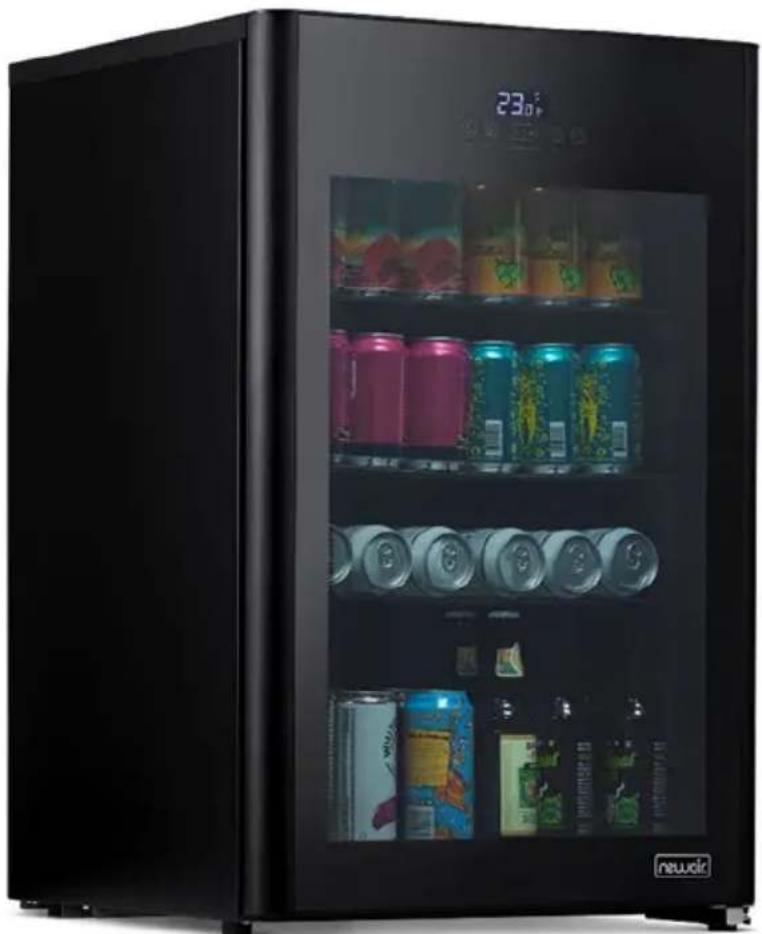
natural_image
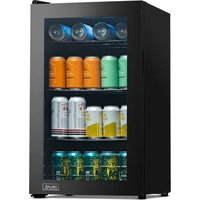
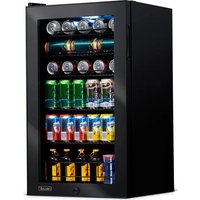
Black refrigerator with digital display showing beverage cans and cans, no visible text or symbols on the cabinet itself.OWNER'S MANUAL
A Name You Can Trust
Trust should be earned and we will earn yours. Customer happiness is the focus of our business.
From the factory to the warehouse, from the sales floor to your home, the whole Newair family promises to provide you with innovative products, exceptional service, and support when you need it the most.
Count on Newair
As a proud Newair owner, welcome to our family. There are no robots here, real people shipped your product and real people are here to help you.
Contact Us
Please reach out to our customer service team before making a return to your store of purchase. We are happy to help with any questions or concerns!
Mon-Fri from 8-4 PST at:
Call: 1-855-963-9247
Email: support@newair.com
Online: www.newair.com
A team member will respond to you within 24 hours.

Facebook.com/newairusa

Instagram.com/newairusa

YouTube.com/newairusa

Twitter.com/newairusa
READ AND SAVE THESE INSTRUCTIONS
TABLE OF CONTENTS
Specifications 5
Register your product online 6
Safety information & warnings 7
Assembly & installation 10
Installing the fridge 10
Energy saving tips 10
Circuit Diagram....11
Electrical connection....12
Extension cord 12
Operating instructions 13
Cleaning & maintenance....15
Cleaning your fridge....15
Power failure....15
Long-term storage 15
Moving your fridge....16
Drinks and low temperatures 16
Troubleshooting....17
Limited manufacturer's warranty 19
SPECIFICATIONS
| MODEL NO. | NBF125BK00 |
| VOLTAGE: | 110V |
| CURRENT: | 1.8A |
| FREQUENCY: | 60Hz |
| POWER CONSUMPTION: | 180W (438kwh/year) |
| BOTTLE CAPACITY: | 125 cans |
| STORAGE CAPACITY: | 3.5 cubic feet |
| TEMPERATURE RANGE: | 23°F - 72°F |
| REFRIGERANT: | R600a |
| PRODUCT DIMENSIONS: | 22.0" W x 20.7" D x 33.5" H |
REGISTER YOUR PRODUCT ONLINE
Register Your Newair Product Online Today!
Take advantage of all the benefits product registration has to offer:

Service and Support
Diagnose troubleshooting and service issues faster and more accurately

Recall Notifications
Stay up to date for safety, system updates and recall notifications

Special Promotions
Opt-in for Newair promotions and offers
Registering your product information online is safe & secure and takes less than 2 minutes to complete:
newair.com/register
Alternatively, we recommend you attach a copy of your sales receipt below and record the following information, located on the manufacturer's nameplate on the rear of the unit. You will need this information if it becomes necessary to contact the manufacturer for service inquiries.
Date of Purchase: ____
Serial Number: ____
Model Number: ____
Your safety and the safety of others is very important.

We have provided many important safety messages in this manual and on your appliance. Always read and obey all safety messages. This is the Safety Alert Symbol. The symbol alerts you to potential hazards that can kill or injure you and others. All safety messages will follow the Safety Alert Symbol and either the word DANGER or WARNING.
DANGER means that failure to heed this safety statement may result in severe personal injury or death.
WARNING means that failure to heed this safety statement may result in extensive product damage, serious personal injury, or death.
All safety messages will alert you about the potential hazard, tell you how to reduce the chance of injury, and let you know what can happen if the instructions are not followed.
IMPORTANT SAFEGUARDS
Before the appliance is used, it must be properly positioned and installed as described in this manual, so please read the manual carefully. To reduce the risk of fire, electrical shock or injury when using the appliance, follow basic precautions, including the following:

DANGER
- Plug into a grounded 3 prong outlet, do not remove grounding prong, do not use an adapter, and do not use an extension cord.
- It is recommended that a separate circuit serving only your appliance be used. Do not use outlets that can be turned off by a switch or pull chain.
- Never clean appliance parts with flammable fluids. These fumes can create a fire hazard or explosion.
- Do not store or use gasoline or other flammable vapors and liquids in the vicinity of this or any other appliance. The fumes can create a fire hazard or explosion.
- Do not connect or disconnect the plug when your hands are wet.
-
Unplug the appliance or disconnect power before cleaning or servicing. Failure to do so can result in electrical shock or death.
-
Unplug the appliance or disconnect power before cleaning or servicing. Failure to do so can result in electrical shock or death.
- Do not attempt to repair or replace any part of your appliance unless it is specifically recommended in this manual. For any further issues, please contact customer service at support@newair.com.

WARNING
- Use two or more people to move and install the appliance. Failure to do so can result in injury.
- Choose a well-ventilated area with temperatures above 50^ F ( 10^ C) and below 110^ F ( 43^ C).
- The appliance should not be located next to ovens, grills or other sources of high heat.
- The appliance must be installed with all electrical, water, and drain connections (if applicable) in accordance with state and local codes. A standard electrical supply (110 V AC only, 60 Hz), properly grounded in accordance with the National Electrical Code and local codes and ordinances, is required.
- Do not kink or pinch the power cord of the appliance. Make certain that any wires or pipes are not pinched, kinked or damaged during installation.
- It is important that the appliance be leveled in order to work properly. You may need to make several adjustments to the feet to level it.
- Check for leaks of any kind after turning on the appliance for the first time.
- Never allow children to operate, play with or crawl inside the appliance.
- Do not use solvent-based cleaning agents or abrasives on the interior. These cleaners may damage or discolor the interior.
- Use this appliance only for its intended purpose as described in this instruction manual.
- Keep fingers out of the "pinch point" areas. Clearances between the door and appliance body are necessarily small, but could cause injury. Be careful closing the door when children are nearby.
Commercial Use: This unit is intended to be functional in commercial settings as well, such as restaurants, offices, etc.
Attention: Child Entrapment Risk!
There is a child entrapment risk for refrigerators and other appliances which are to be discarded or are in storage. The surest method to prevent child entrapment is to take off the door completely. In most cases, this is a simple process using a screwdriver. It is unlawful in many local jurisdictions to discard old refrigerators without first removing the door.
Keep children away from refrigerators, freezers, dryers or coolers still in use. Lock doors to prevent access to these appliances (especially when children are unsupervised) and warn children not to play on, with or inside these appliances.
- SAVE THESE INSTRUCTIONS -
ASSEMBLY & INSTALLATION
BEFORE USING YOUR FRIDGE

Remove the exterior and interior packing. Before plugging in the fridge, let it stand upright for approximately 24 hours.
This will reduce the possibility of a malfunction in the cooling system from handling during transportation. Once you have plugged the fridge into an electrical outlet, let the fridge run for at least 30 minutes to acclimate before making any adjustments.
INSTALLING THE FRIDGE
Place your fridge on a floor that is strong enough to support it when it is fully loaded. To level the fridge, turn the adjustable feet accordingly.
Note: It is recommended that you do not install the fridge near an oven, radiator or other heating source. Any nearby heat sources may increase electrical consumption and cause temperature fluctuation. Do not install in a location where the temperature will fall below 50^ F ( 10^ C) or rise above 110^ F ( 43^ C). Do not install the fridge behind a cabinet door, under a counter or between cabinets. Avoid installing the fridge anywhere with excessive moisture.
ENERGY SAVING TIPS
- The fridge should be placed in the coolest location possible, away from excess heat from any source (stoves, sunlight, etc.)
- Ensure that the fridge is adequately ventilated. The more open air you have around the fridge, the better.
- Do not keep the door open any longer than necessary.
- If you're storing food in your fridge, be sure to let hot foods cool to room temperature first.
- Do not overload the fridge, as it forces the compressor to run more frequently, increasing the power consumption.
- Be sure to wrap foods properly, and wipe containers dry before placing them in the fridge, in order to prevent frost buildup.
- Do not line shelves with aluminum foil, wax paper or paper towels, as they will prevent proper air circulation.
CIRCUIT DIAGRAM
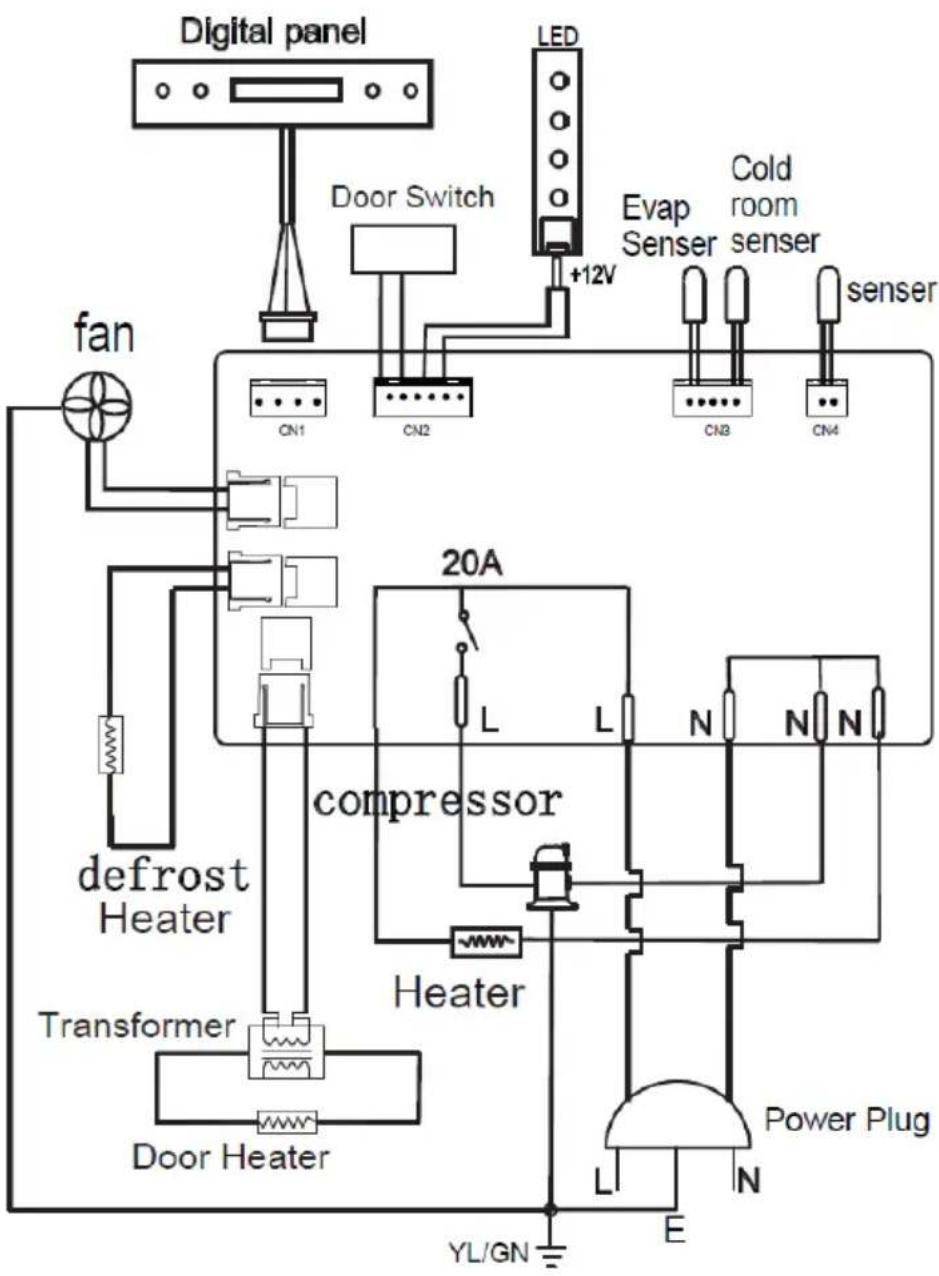
flowchart
graph TD
    A["Digital panel"] --> B["Door Switch"]
    B --> C["LED"]
    C --> D["Evap Senser"]
    D --> E["Cold room senser"]
    E --> F["senser"]
    F --> G["CN1"]
    F --> H["CN2"]
    G --> I["CN3"]
    H --> J["CN4"]
    K["fan"] --> L["condenser"]
    M["defrost Heater"] --> N["condenser"]
    O["Transformer"] --> P["condenser"]
    Q["Door Heater"] --> R["condenser"]
    S["20A"] --> T["L"]
    T --> U["L"]
    U --> V["N"]
    V --> W["N"]
    W --> X["N"]
    X --> Y["Heater"]
    Y --> Z["Power Plug"]
    AA["Power Plug"] --> AB["L"]
    AB --> AC["E"]
    AC --> AD["YL/GN"]
ELECTRICAL CONNECTION
WARNING
Improper use of the grounded plug can result in electrical shock. If the power cord is damaged, contact customer service immediately at support@newair.com
This fridge should be properly grounded for your safety. The power cord of this fridge is equipped with a three-prong plug which fits with a standard three-prong wall outlet to minimize the possibility of electrical shock. Do not, under any circumstances, cut or remove the third (ground) prong from the power cord supplied. For personal safety, this fridge must be properly grounded. Any questions concerning power and/or grounding should be directed toward a certified electrician or customer service at support@newair.com.
This fridge requires a standard 110 Volt AC 60Hz three-prong grounded electrical outlet. Ensure that the wall outlet and circuit been checked by a qualified electrician and confirmed to be properly grounded. If only a 2-prong wall outlet is available, it is your responsibility and obligation to have it replaced with a properly grounded 3-prong wall outlet in order to use this fridge.
To prevent accidental injury, the cord should be secured behind the fridge and not left exposed or dangling, where it may be a trip hazard.
This fridge should always be plugged into its own individual electrical outlet which has a voltage rating that matches the rating label on the fridge. This will allow the best performance and also prevent overloading house wiring circuits that could cause a fire hazard from overheating. Never unplug the fridge by pulling on the power cord. Always grip the plug head firmly and pull straight out from the receptacle. Immediately repair or replace all power cords that have become frayed or otherwise damaged. Do not use a cord that shows cracks or abrasion damage anywhere.
EXTENSION CORD
Because of potential safety hazards under certain conditions, it is strongly recommended that you do not use an extension cord with this fridge. However, if you must use an extension cord, it is absolutely necessary that it be a UL/CUL-Listed, 3-wire grounding type appliance extension cord having a grounding type plug and outlet and that the electrical rating of the cord be 110 volts.
OPERATING INSTRUCTIONS
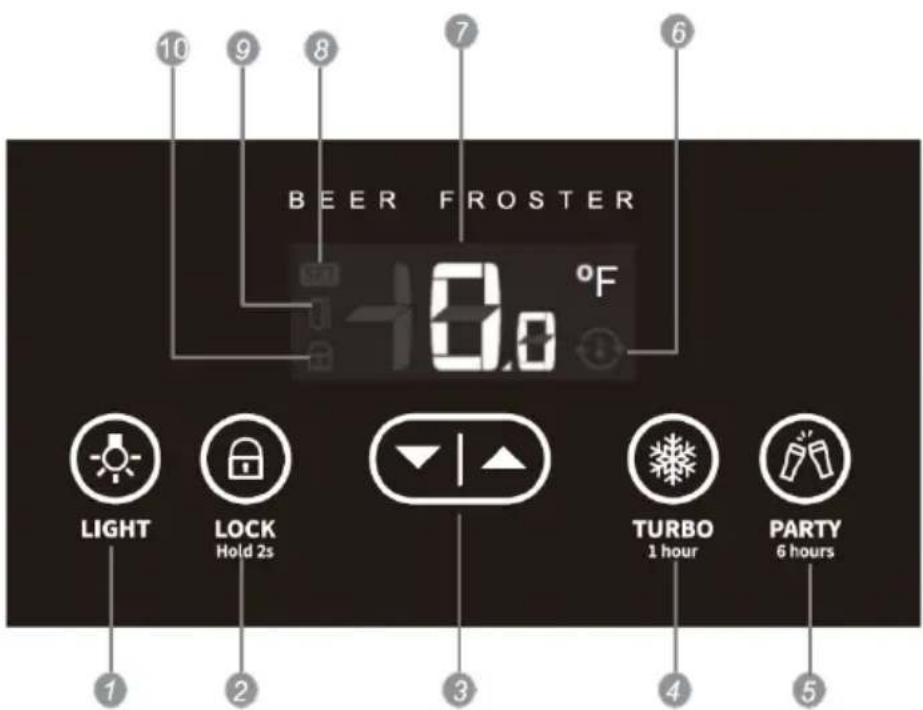
- Light On/Off Button: Press this button once to enable the interior lighting. Press it again to disable interior lighting.
- Lock Button: Press and hold this button for 2 seconds to lock the control panel. When the control panel is locked, the only button that will work is the lock button itself. Press and hold for 2 seconds again to unlock the control panel.
- Temperature Adjustment Buttons: Press the up and down arrows to adjust the desired internal temperature.
- Turbo Button: Press this button to enable high-power cooling for one hour. In turbo mode, the fridge will maximize cooling power for 60 minutes regardless of the set temperature. This feature is handy if you need to do some last-minute beverage chilling.
- Party Button: Press this button to enable high-power cooling for six hours. In party mode, the fridge will maximize cooling power for six hours regardless of the set temperature. This feature is handy if you are hosting a party and the fridge will be frequently opened.
-
Temperature Adjustment Indicator: If this icon is illuminated, the fridge is actively working to reach the set temperature. It will turn off once the desired temperature has been reached.
-
Temperature Display: This display shows your set temperature. Use the temperature adjustment buttons to change your set temperature.
- Temp Adjustment Mode Indicator: If this icon is illuminated, the unit is in temperature adjustment mode. This light will turn on as soon as you press either temperature adjustment button. Once you find your desired temperature, the screen will flash for a few seconds until this light turns off.
- Door Open Indicator: If this icon is illuminated, the door is not properly sealed shut. Ensure that the door is shut properly, and the indicator should turn off.
- Lock Indicator: If this icon is illuminated, the lock is enabled and the lock button will be the only button on the control panel that can be pressed.
CLEANING & MAINTENANCE
CLEANING YOUR FRIDGE
- Turn off the power, unplug the fridge, and remove all items, including shelves.
- Wash the inside surfaces with a solution of warm water and baking soda (about 2 tablespoons of baking soda per 4 cups of water).
- Wash the shelves with a mild detergent solution.
- Wring excess water out of the sponge or cloth before cleaning the area where the controls are located, or any place on or near electrical parts.
- Wash the outside of the fridge with warm water and a mild liquid detergent. Rinse well and wipe dry with a clean, soft cloth.
CAUTION:
Failure to unplug the fridge during cleaning could result in electrical shock or other personal injury.
POWER FAILURE
Most power failures are corrected within a few hours and they should not affect the temperature of your fridge, as long as you avoid opening the door. If the power is going to be off for a longer period of time, it is recommended that you transfer all perishable/sensitive contents to a functional fridge or cooler. To prevent odor and mold growth, leave the door open slightly, blocking it open if necessary. Lay a towel down below the open front of the fridge in case any frost buildup melts and drains out.
LONG-TERM STORAGE
When not in use for 3 weeks or less, it's fine to leave your fridge running as normal. When the fridge will not be in use for more than 3 weeks, we recommend removing all items and turning it off during that time. Be sure to transfer all perishable/sensitive contents to a functional fridge or cooler and clean and dry the interior of the fridge thoroughly. To prevent odor and mold growth, leave the door open slightly, blocking it open if necessary. Lay a towel down below the open front of the fridge in case any frost buildup melts and drains out.
MOVING YOUR FRIDGE
- Remove all contents.
- Securely tape down all loose items (shelves) inside your fridge.
- Turn the adjustable legs up to the base to avoid damaging them.
- Tape the door shut.
- Be sure the fridge stays secure in an upright position during transportation. Also, protect the outside of the fridge with a blanket or sheet.
DRINKS AND LOW TEMPERATURES
Since this unit reaches such low temperatures (23F and occasionally below that), it's important to be aware that some drinks, especially non-alcoholic drinks, could possibly freeze or frost in the right conditions. Exercise caution when storing and opening non-alcoholic beverages in this fridge.
TROUBLESHOOTING
You can solve many common problems easily, saving you the cost of time spent communicating with customer service. Try the suggestions below to see if the problem you're facing has a simple solution. If not, feel free to contact customer service at support@newair.com
| Problem | Possible Causes | Solution |
| The fridge isn’t working. | It isn’t connected to a power supply. | Plug in the fridge. |
| The circuit breaker is tripped, or a fuse has been blown. | Turn the circuit breaker back on, or replace the fuse. | |
| The fridge isn’t cold enough. | The temperature is not set correctly. | Check the set temperature. |
| The ambient temperature could require a lower temperature setting. | Set to a lower temperature. | |
| The door is being opened too often. | Do not open the door more often than necessary. | |
| The door was not closed completely. | Close door properly. | |
| The door is not sealed. | Check the door seal and clean or replace if it does not provide a proper seal. | |
| The fridge compressor turns itself on and off frequently. | A large number of items have just been placed in the fridge. | Let the fridge run for a while to see if it reaches the set temperature. |
| The door is being opened too often. | Do not open the door more often than necessary. | |
| The door was not closed completely. | Close door properly. | |
| The fridge is vibrating or shaking a lot during operation. | The fridge is not properly leveled. | Level the fridge with the adjustable feet. |
| The fridge is making too much noise. | As the refrigerant flows through the fridge, you may hear rattling or gurgling noises. Both are normal.When temperature fluctuation occurs, the expansion and contraction of the inner walls of the fridge may cause popping or crackling noises, which are also normal. | |
| The fridge is not properly leveled. | Level the fridge with the adjustable feet. | |
| The door will not close properly. | The fridge is not properly leveled. | Level the fridge with the adjustable feet. |
| The gasket is dirty. | Clean the door gasket. | |
| The shelves are out of position. | Check the shelves and refit correctly to make sure they don’t interfere with the door. | |
| The fridge is beeping consistently. | The door has been left open for more than 60 seconds. | Close the door and leave it closed for at least 15 minutes. |
| The temperature has suddenly changed significantly from the set temperature. | Leave the door closed and wait for the unit to reach the set temperature. | |
LIMITED MANUFACTURER'S WARRANTY
This appliance is covered by a limited manufacturer's warranty. For one year from the original date of purchase, the manufacturer will repair or replace any parts of this appliance that prove to be defective in materials and workmanship, provided the appliance has been used under normal operating conditions as intended by the manufacturer.
Warranty Terms:
During the first year, any components of this appliance found to be defective due to materials or workmanship will be repaired or replaced, at the manufacturer's discretion, at no charge to the original purchaser. The purchaser will be responsible for any removal or transportation costs.
Warranty Exclusions:
The warranty will not apply if damage is caused by any of the following:
- Power failure
• Damage in transit or when moving the appliance - Improper power supply such as low voltage, defective household wiring or inadequate fuses
- Accident, alteration, misuse or abuse of the appliance such as using non-approved accessories, inadequate air circulation in the room or abnormal operating conditions (extreme temperatures)
• Use in commercial or industrial applications - Fire, water damage, theft, war, riot, hostility or acts of God such as hurricanes, floods, etc.
• Use of force or damage caused by external influences
• Partially or completely dismantled appliances - Excess wear and tear by the user
Obtaining Service:
When making a warranty claim, please have the original bill of purchase with the purchase date available. Once confirmed that your appliance is eligible for warranty service, all repairs will be performed by a Newair™ authorized repair facility. The purchaser will be responsible for any removal or transportation costs. Replacement parts and/or units will be new, re-manufactured or refurbished and is subject to the manufacturer's discretion. For technical support and warranty service, please email support@newair.com.
Un nom de confiance
Instagram.com/newairusa

YouTube.com/newairusa

Twitter.com/newairusa
LISEZ ET CONSERVEZ CES INSTRUCTIONS
TABLE DES MATIÈRES
Caractéristiques 22
Email: support@newair.com
Instagram.com/newairusa

YouTube.com/newairusa

Twitter.com/newairusa
LEA Y GUARDE ESTAS INSTRUCCIONES
INDICE
natural_image
Warning symbol with exclamation mark inside a triangle (no text or numbers)

- Can Beer Froster
- Glacière À Bière 125 Canettes Refrigerador Escarchador para 125 Latas
- OWNER'S MANUAL
- A Name You Can Trust
- Count on Newair
- Contact Us
- READ AND SAVE THESE INSTRUCTIONS
- TABLE OF CONTENTS
- REGISTER YOUR PRODUCT ONLINE
- Register Your Newair Product Online Today!
- Service and Support
- Recall Notifications
- Special Promotions
- newair.com/register
- Your safety and the safety of others is very important.
- IMPORTANT SAFEGUARDS
- DANGER
- WARNING
- Attention: Child Entrapment Risk!
- - SAVE THESE INSTRUCTIONS -
- ASSEMBLY & INSTALLATION
- BEFORE USING YOUR FRIDGE
- Remove the exterior and interior packing. Before plugging in the fridge, let it stand upright for approximately 24 hours.
- INSTALLING THE FRIDGE
- ENERGY SAVING TIPS
- CIRCUIT DIAGRAM
- ELECTRICAL CONNECTION
- EXTENSION CORD
- OPERATING INSTRUCTIONS
- CLEANING & MAINTENANCE
- CLEANING YOUR FRIDGE
- CAUTION:
- POWER FAILURE
- LONG-TERM STORAGE
- MOVING YOUR FRIDGE
- DRINKS AND LOW TEMPERATURES
- TROUBLESHOOTING
- LIMITED MANUFACTURER'S WARRANTY
- Warranty Terms:
- Warranty Exclusions:
- Obtaining Service:
- Un nom de confiance
- LISEZ ET CONSERVEZ CES INSTRUCTIONS
- TABLE DES MATIÈRES
- LEA Y GUARDE ESTAS INSTRUCCIONES
- INDICE
Brand : NewAir
Model : NBF125BK00
Category : Refrigerator