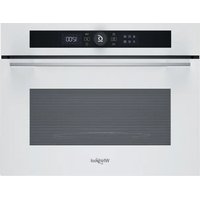
WMW57DHMW - Microwave Oven WHIRLPOOL - Free user manual and instructions
Find the device manual for free WMW57DHMW WHIRLPOOL in PDF.


User questions about WMW57DHMW WHIRLPOOL
0 question about this device. Answer the ones you know or ask your own.
Ask a new question about this device
Download the instructions for your Microwave Oven in PDF format for free! Find your manual WMW57DHMW - WHIRLPOOL and take your electronic device back in hand. On this page are published all the documents necessary for the use of your device. WMW57DHMW by WHIRLPOOL.
USER MANUAL WMW57DHMW WHIRLPOOL
THANK YOU FOR BUYING A WHIRLPOOL PRODUCT
In order to receive a more complete assistance, please register your product on www.register10.eu

Before using the appliance carefully read the Safety Instruction.
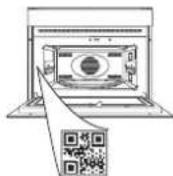
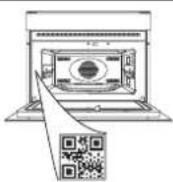
PLEASE SCAN THE QR CODE ON YOUR APPLIANCE IN ORDER TO REACH MORE INFORMATION
PRODUCT DESCRIPTION
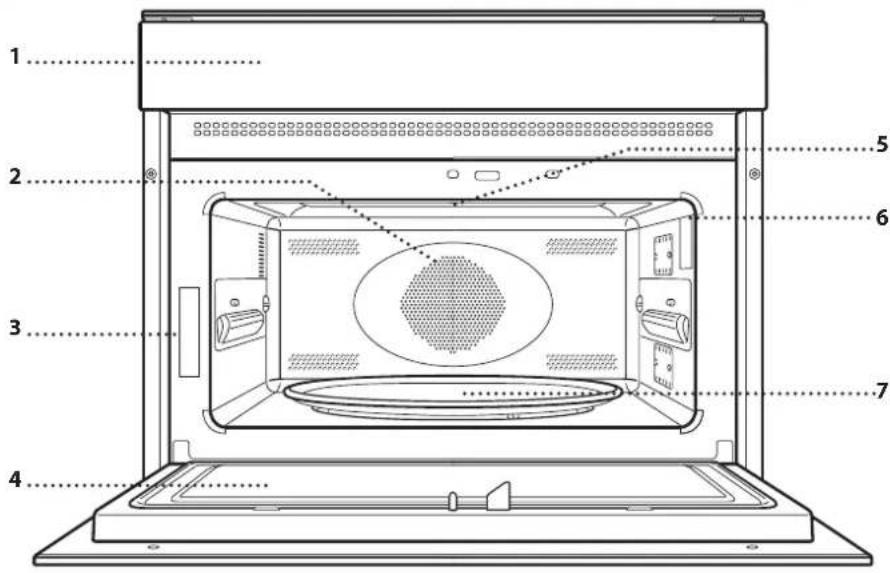
- Control panel
- Circular heating element (non-visible)
- Identification plate (do not remove)
- Door
- Upper heating element/grill
- Light
- Turntable
CONTROL PANEL
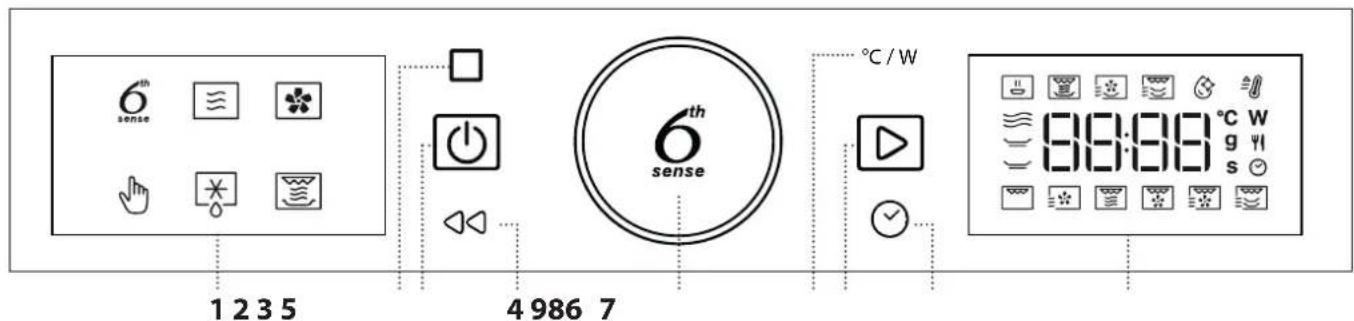
1. LEFT-HAND DISPLAY
2. PAUSE
To pause a cooking cycle
3. ON/OFF
For switching the oven on and off and for stopping an active function at any time.
4. BACK
For returning to the previous step. A long press (5s) enable/disable the Keylock function.
5. ROTARY KNOB / 6 ^th SENSE BUTTON
Turn this to navigate through the functions and adjust all of the cooking parameters. Press to select, set, access or confirm functions or parameters and eventually start the cooking program.
6. POWER/TEMPERATURE
To adjust the temperature, grill level or microwave power.
7. START
For starting functions and confirming settings
8. TIME
For setting the time as well as setting or adjusting the cooking time.
9. RIGHT-HAND DISPLAY
ACCESSORIES
There are a number of accessories available on the market. Before you buy, ensure they are suitable for microwave use and resistant to oven temperatures.
Metallic containers for food or drink should never be used during microwave cooking.
Always ensure that foods and accessories do not come into contact with the inside walls of the oven.
Always ensure that the turntable is able to turn freely before starting the oven. Take care not to unseat the turntable whilst inserting or removing other accessories.
Accessories during microwave function may raise in temperature. It is recommended to use protection to handle accessories at the end of the cycle.
TURNTABLE
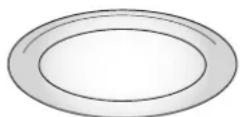
Placed on its support, the glass turntable can be used with all cooking methods.
The turntable must always be used as a base for other containers or
accessories, with the exception of the rectangular baking tray.
TURNTABLE SUPPORT
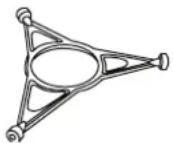
Only use the support for the glass turntable.
Do not rest other accessories on the support.
CRISP PLATE
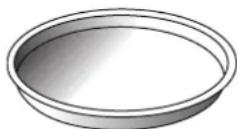
Only for use with the designated functions.
The Crisp plate must always be placed in the center of the glass turntable or wire rack (or both in "Double Crisp" functions) and can
be pre-heated when empty, using the special function for this purpose only. Place the food directly on the Crisp plate.
HANDLE FOR CRISP PLATE
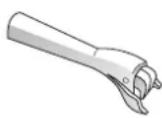
Useful for removing the hot Crisp plate from the oven.
WIRE RACK
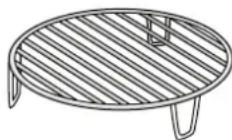
This allows you to place food closer to the grill, for perfectly browning your dish and allows an optimal air circulation. It must be used as base for the crisp plate in some "Crisp Fry"
functions and to place the second crisp plate in "Double Crisp" functions.
Place the wire rack on the turntable, making sure that it does not come into contact with other surfaces.
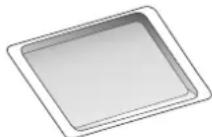
RECTANGULAR BAKING TRAY
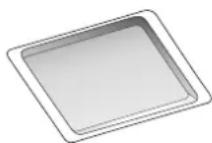
Only use the baking tray with functions that allow for convection cooking; it must never be used in combination with microwaves. Insert the plate horizontally,
resting it on the rack in the cooking compartment.
Please note: You do not need to remove the turntable and its support when using the rectangular baking tray.
The number and type of accessories may vary depending on which model is purchased.
Other accessories that are not supplied can be purchased separately from the After-sales Service.
FUNCTIONS

6^th SENSE FUNCTIONS
With the 6th Sense functions, simply select the type and weight or the quantity of the food items to obtain the best results. The oven will automatically calculate the optimum settings and continue to change them as cooking progresses. To use at best this function, follow the indications on the relative cooking table.

6^th SENSE REHEAT
For reheating ready-made food that is either frozen or at room temperature. The oven automatically calculates the settings required to achieve the best results in the shortest amount of time. Place food on a microwave-safe and heatproof dinner plate or dish.
CATEGORY FOOD WEIGHT
| 1 Plated Meal 250 - 800 g | |
| 2* Frozen Lasagna 400 g - 1 kg | |
| 3* Frozen Portion 250 - 800 g | |
| 4 Milk/Water 100 - 500 g | |
| 5 Soup 200 - 800 g |

6^th SENSE CRISP
For quickly reheating and cooking frozen foods and giving them a golden, crunchy top. Only use this function with the crisp plate provided. Turn the food when prompted.
CATEGORY FOOD WEIGHT
| 1 Chicken Parts 400 g - 1.2 kg | |
| 2* Hamburgers 100 - 500 g | |
| 3* Chicken Nuggets 100 - 500 g | |
| 4* Pizza 350 - 600 g | |
| 5* Fish Fingers | 100 - 500 g |
Required accessories: Crisp plate, handle for crisp plate.

6 ^th SENSE CRISP FRY
This healthy and exclusive function combines the quality of crisp function with the properties of the warm air circulation. It allows crunchy, tasty frying results to be achieved, with a remarkable reduction of oil needed compared to the traditional way of cooking, even removing the need for oil in some recipes. It is possible fry a variety of preset foods, either fresh or frozen.
CATEGORY FOOD WEIGHT
| 1* French Fries | 100 - 500 g |
| 2* Fish and Chips | 100 - 500 g |
| 3 Breaded Chicken Fillet | 100 - 500 g |
| 4 Peppers Strips | 100 - 500 g |
| 5* Fried Seafood | 100 - 500 g |
Required accessories: Crisp plate, wire rack, handle for crisp plate.

6 ^th SENSE DOUBLE CRISP
This unique function allows to use two crisp plates at the same time to double the amount of food to cook or have a complete meal with a single cooking. The weights in the table are intended for a single crisp plate.
PIZZA DOUBLE
Selectable weight refers to one pizza; both pizzas should have similar weight.
QUICHE DOUBLE
Both quiches may have different filling, but similar weight. The weights indicated in the table below cannot be selected and it is the indicative weight that each quiche must have.
SAUSAGES & FRENCH FRIES
Pierce the sausages with a fork to prevent bursting and put on the upper crisp plate and frozen french fries on the crisp plate below. The weights indicated in the table below cannot be selected and it is the indicative weight that each food must have.
FISH FILLET & VEGETABLES GRATIN
Cut vegetables, season with oil and spices as you prefer and put on the upper crisp plate. Put fish on the crisp plate below. The weights indicated in the table below cannot be selected and it is the indicative weight that each food must have.
AUBERGINES & PEPPERS
Cut vegetables in pieces, season with oil and spices as you prefer. Put aubergines on the upper crisp plate and peppers on the crisp plate below. The weights indicated in the table below cannot be selected and it is the indicative weight that each food must have.
| CATEGORY | FOOD | WEIGHT |
| 1* | Pizza Double | 350 - 600 g |
| 2 | Quiche Double | 700 - 900 g |
| 3 | Sausages & Frozen French Fries | 500 - 600 g |
| 4 | Fish Fillet & Vegetables Gratin | 500 - 600 g |
| 5 | Aubergine & Peppers | 500 - 600 g |
Required accessories: Two crisp plate, wire rack, handle for crisp plate.

MW SELF CLEAN
The action of the steam released during this special cleaning cycle allows dirt and food residues to be removed with ease. Pour a cup of drinking water into microwave proof container and activate the function.

MICROWAVE
For quickly cooking and reheating food or drinks. Use microwave function only with food or beverages inside to preserve the correct functionality of the product.
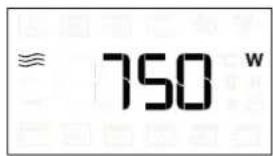
| 900 | Quickly reheating drinks or other foods with a high water content. |
| 750 Cooking vegetables. | |
| 650 Cooking meat and fish. | |
| 500 | Cooking meaty sauces, or sauces containing cheese or egg. Finishing off meat pies or pasta bakes. |
| 350 | Slow, gently cooking. Perfect for melting butter or chocolate. |
| 160 | Defrosting frozen foods or softening butter and cheese. |
| 90 Softening ice cream. | |
| ACTION FOOD POWER (W) | DURATION(MIN.) | ||
| Reheat 2 cups 900 1 - 2 | |||
| Reheat Mashed potatoes 1kg 900 10 - 12 | |||
| Defrost | Minced meat 500g | 160 | 15 - 16 |
| Cook | Sponge cake | 750 | 7 - 8 |
| Cook | Egg custard | 500 | 13 - 16 |
| Cook | Meat loaf | 750 | 17 - 20 |

FORCED AIR
For cooking dishes in a way that achieves similar results to using a conventional oven. The baking plate or other cookware that is suitable for oven use can be used to cook certain foods. To achieve best results this function have a preheating phase: wait the end of preheat to insert the food.
| FOOD | TEMP. (°C) | DURATION(MIN.) |
| Cupcake / Smallcakes | 160 | 20 - 30 |
| Cookies | 160 - 170 | 20 - 30 |
Recommended accessories: Rectangular baking tray / Wire rack

MANUAL FUNCTIONS

FAST PREHEAT
For quickly preheating the oven before a cooking cycle. Wait for the function to finish before placing food inside the oven. Once preheating has finished, the oven will select the "Forced Air" function automatically.

GRILL
For browning, grilling and gratins. We recommend turning the food during cooking.
| FOOD | GRILL LEVEL | DURATION (MIN.) |
| Toast | High 5 - 6* | |
| Prawns | Medium | 18 - 22 |
*For thick bread slices preheat the empty microwave with gtill high for 3 minutes
Recommended accessories; Wire rack

FORCED AIR + MICROWAVE
To prepare oven dishes in a short time. It is suggested to use the rack in order to optimize the air circulation.
| FOOD | POWER (W) TEMP. (°C) | DURATION (MIN.) | |
| Roasts | 350 | 170 | 35 - 40 |
| Meat Pie | 160 | 180 | 25 - 35 |
Required accessories: wire rack

GRILL + MW
For quickly cooking and gratinating dishes, combining the microwave and grill functions.
| FOOD | POWER (W) | GRILL LEVEL | DURATION (MIN.) |
| Potatoes gratin | 650 | Medium | 20 - 22 |
| Jacked potatoes | 650 | High | 10 - 12 |
Recommended accessories: Wire rack

TURBO GRILL
For perfect results, combining the grill and oven air convection. We recommend turning the food during cooking.
| FOOD GRILL LEVEL | DURATION (MIN.) | |
| Chicken kebab | High | 25 - 35 |
Recommended accessories: Wire rack

TURBO GRILL + MW
For quickly cooking and browning your food, combining the microwave, grill and the oven air convection.
| FOOD | POWER (W) | GRILL LEVEL | DURATION (MIN.) |
| Cannelloni frozen | 650 | High | 25 - 35 |
| Pork chops | 350 | High | 30 - 40 |
Recommended accessories: Wire rack

DOUBLE CRISP
This exclusive Whirlpool function allows you to use two crisp plates at once, doubling the amount of food that can be cooked. It can be used to cook the same food or two different foods. Place the first crisp plate directly on the glass turntable then place the second one on the wire rack.
Feel free to experiment with different food combinations. Place the food that requires more intense cooking or that needs to be crispier on the upper crisp plate. Place the most delicate foods in the lower crisp plate.
Required accessories: Two crisp plates, wire rack, handle for crisp plate

DEFROST
For quickly defrosting various different types of food simply by specifying their weight. Always place the food directly on the glass turntable for best results.
CRISP BREAD DEFROST
This exclusive Whirlpool function allows you to defrost frozen bread. Combining both Defrost and Crisp technologies, your bread will taste and feel as if it were freshly baked. Use this function to quickly defrost and heat frozen rolls, baguettes & croissants. The Crisp Plate must be used in combination with this function.
CATEGORY FOOD WEIGHT
| 1* Timed Defrost - | |
| 2* Meat 100 g - 2 kg | |
| 3* Poultry 100 g - 3 kg | |
| 4* Fish 100 g - 2 kg | |
| 5* Crisp Bread Defrost 50 - 800 g |

CRISP
For perfectly browning a dish, both on the top and bottom of the food. This function must only be used with the special Crisp plate.
| FOOD | DURATION (MIN.) |
| Leavened cake 7 - 8 | |
| Hamburger 8 - 10* |
* Turn food halfway through cooking.
Required accessories: Crisp plate, handle for the Crisp plate
FIRST TIME USE
1. SETTING THE TIME
You will need to set the time when you switch on the oven for the first time.
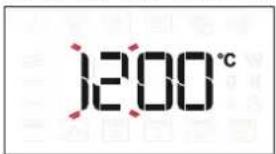
The two digits for the hour will start flashing: Turn the knob to set the hour and then press Ⓤ to confirm.
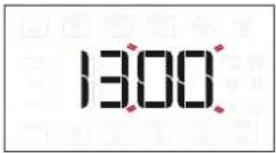
The two digits for the minutes will start flashing. Turn the knob to set the minutes and press ⓐ to confirm. Please note: To change the time at a later point, press and hold ⏱ for at least one second while the oven is off and repeat the steps above. You may need to set the time again following lengthy power outages.
DAILY USE
1. SELECT A FUNCTION
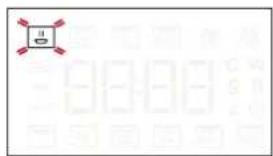
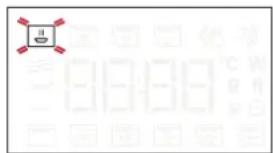
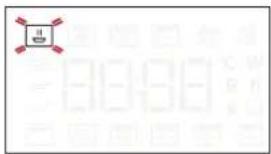
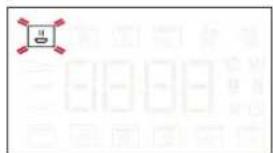
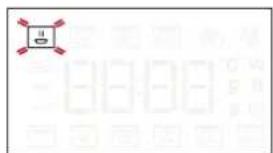
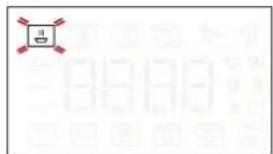
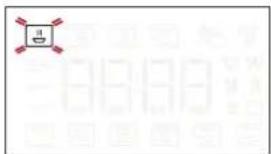
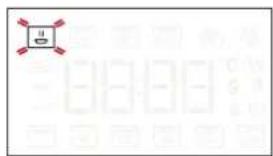
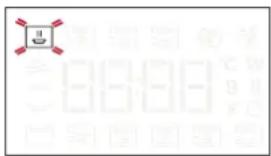
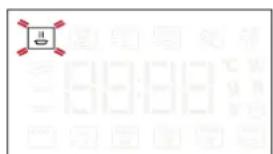
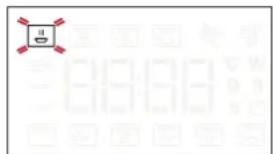
When the oven is off, only the time is shown on the display. Press and hold to switch the oven on. Turn the knob to view the main functions available on the left-hand display. Select one and press. The function currently in selection will blink, and will stop blinking after the press of the knob (i.e. after its selection).

natural_image
Simple diagram with a square containing three wavy lines and red corner markers, surrounded by faint circular symbols (no text or labels)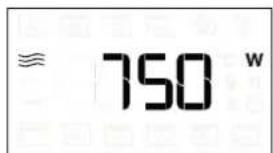
To select a sub-function (where available), select the main function and then press Ⓞ to confirm and go to the function menu.
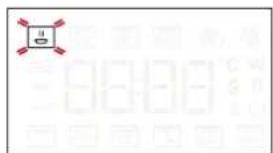
Turn the knob to select from amongst the subfunctions available on the right-hand display and then press Ⓞ to confirm. The sub-function in selection will blink until its confirmation.
2. SET A FUNCTION
. AUTOMATIC FUNCTIONS / JET DEFROST
FOOD CLASS
Once you have chosen one of the automatic functions, you will need to select a category for the food you are cooking.
2. HEAT THE OVEN
A new oven may release odours that have been left behind during manufacturing: this is completely normal. Before starting to cook food, we therefore recommend heating the oven with it empty in order to remove any possible odours. Remove any protective cardboard or transparent film from the oven and remove any accessories from inside it. Heat the oven to 200 °C for around one hour, ideally using a function with air circulation (e.g. "Forced Air"). Follow the instructions for setting the function correctly.
Please note: It is advisable to air the room after using the appliance for the first time.
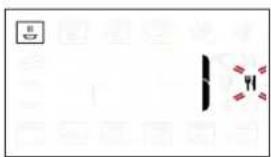
When the 1 icon flashes, turn the knob to select the category you require and then press Ⓠ to confirm. Categories are shown on the stickers applied on the inner door frame.
WEIGHT
To achieve the best results, the automatic functions (and Jet Defrost) require you to enter the weight of the food, selecting from amongst the default settings: the oven will calculate the ideal length of time for the function to run for each category of food.
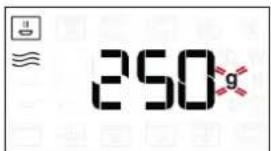
When the default setting appears on the display and the 9 icon flashes, turn the knob to set the weight and then press Ⓞ to confirm.
. MANUAL FUNCTIONS
After having selected the function you require, you can change its settings.
The display will show the settings that can be changed in sequence.
When the Wcon flashes on the display, turn the knob to adjust the power setting and then press Ⓗ to confirm and continue to alter the settings that follow (if possible).
Please note: Once the function has been activated, the power can be changed by pressing °C/W to access the settings menu, then turning the knob to change the setting.
GRILL POWER
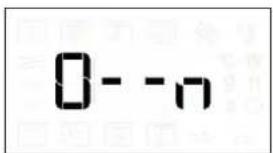
There are three defined power levels for grilling: 1 (low), 2 (mid), 3 (high). The default value is displayed between two flashing “- -” symbols.
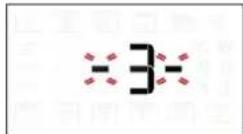
Turn the knob to set the desired grill level, then press Ⓤ to confirm.
DURATION
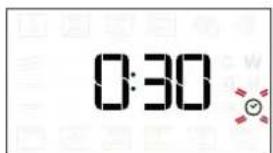
When the ⚙ icon flashes on the display, use the knob to set the cooking time you require and then press Ⓠ to confirm.
You do not have to set the cooking time if you want to manage cooking manually: Press ▶ to confirm and start the function.
Note: During cooking, you can adjust the cooking time by turning the knob; each time you press the cooking time increases by 30 seconds.
PREHEAT
Select the function, then use the knob to set the target temperature you require and press ▶ to confirm and start the function.
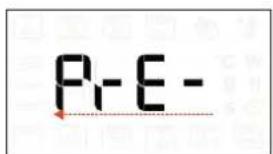
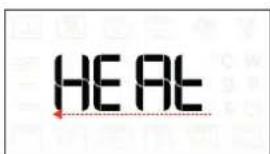
When the oven reaches the target temperature the buzzer plays a sound and the display shows "Add Food".
Please note: it is advisable not to put the food into the oven until it reaches the target temperature.
3. ACTIVATE THE FUNCTION
Once you have applied the settings you require, press ▶ to activate the function.
Every time the ▶ button is pressed again, the cooking time will be increased by a further 30 seconds (for Functions using Microwaves) or 5 minutes (for Functions not using Microwaves).
Please note: You can press ☑ at any time to stop the function that is currently active.
.JET START
When the oven is turned off, it is possible to start a microwave cycle by pressing the Start button. Each additional press of the ▶ button will increase the time by an additional 30 seconds. For example, it is possible to run a microwave function lasting 90 seconds, by pressing the ▶ button three times, without even needing to turn on the oven.
.SAFETY LOCK
This function is automatically activated to prevent the oven from being activated on accidentally.
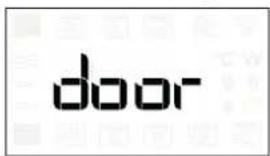
Open and close the door, then press ▶to start the function.
4. PAUSE
To pause an active function, for example to stir or turn the food, simply open the door.
To start it up again, close the door and press ▶.
AUTOMATIC PAUSE
(STIR OR TURN THE FOOD)
Certain functions will pause to allow you to turn or stir the food.
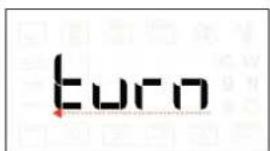

Once the oven has paused cooking, open the door and carry out the action you are prompted to perform before closing the door again and pressing ▶ to continue with cooking.
5. COOKING END TIME
An audible signal will sound and the display will indicate that cooking is complete.
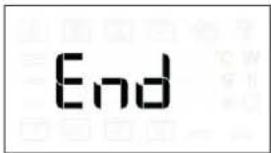
To extend the cooking time without changing the settings, turn the knob to set a new cooking time and press ▶.
.COOLING DOWN
When a function with hot air is finished, the appliance may carry out a cooling procedure.
The display shows "Cool On":
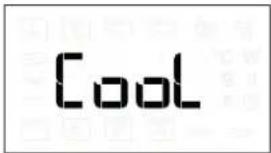
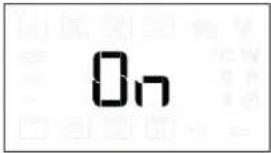
After this procedure, the oven automatically switches off.
. KEY LOCK
To lock the keypad, press and hold ◀ for at least 5 seconds.
Do this again to unlock the keypad.
Please note: The key lock can also be activated while cooking is in progress.
For safety reasons, the oven can be switched off at any time by pressing and holding ☐
CLEANING AND MAINTENANCE
Make sure that the appliance has cooled down before carrying out any maintenance or cleaning. Never use steam cleaning equipment.
Do not use wire wool, abrasive scourers or abrasive/corrosive cleaning agents, as these could damage the surfaces of the appliance.
INTERIOR AND EXTERIOR SURFACES
- Clean the surfaces with a damp microfibre cloth. If they are very dirty, add a few drops of pH-neutral detergent. Finish off with a dry cloth.
- Clean the glass in the door with a suitable liquid detergent.
- At regular intervals, or in case of spills, remove the turntable and its support to clean the bottom of the oven, removing all food residue.
- Activate the "MW Self Clean" function for an optimum cleaning of the internal surfaces.
- The grill does not need to be cleaned as the intense heat burns away any dirt. Use this function on a regular basis.
ACCESSORIES
All accessories are dishwasher safe with the exception of the Crisp plate.
The Crisp plate should be cleaned using water and a mild detergent. For stubborn dirt, rub gently with a cloth. Always leave the Crisp plate to cool down before cleaning.
TROUBLESHOOTING
| Problem Possible cause Solution | ||
| The oven is not working. | Power cut.Disconnection from the mains. | Check for the presence of mains electrical power and whether the oven is connected to the electricity supply. Turn off the oven and restart it to see if the fault persists. |
| The oven makes noises, even when it is switched off. | Cooling fan active. Wait until the cooling process has finished. | |
| The display shows the letter “F” followed by a letter or number. | Software fault. Contact you nearest After-sales Service Centre and state the letter or number that follows the letter “F”. | |
| Keypad does not work as foreseen. The display shows a strange visualization. | Keylock has been activated (see Keylock section). | Disable the keylock by following the indications within Keylock section. |
| The oven does not heat up. | When “DEMO” is “On” all commands are active and menus available but the oven doesn’t heat up. | To exit DEMO mode, follow this procedure: press °C/W, √, °C/W, √, °C/W, √ in sequence (6 taps in total). You will hear a beep signal that the operation has been successful. The clock flashes waiting for the hour setting.At this point, the oven is ready to be used. |
Policies, standard documentation and additional product information can be found by:
• Using the QR code in your appliance
- Visiting our website docs.whirlpool.eu/docs
• Alternatively, contact our After-sales Service (See phone number in the warranty booklet). When contacting our After-sales Service, please state the codes provided on your product's identification plate.
®/TM/© 2025 Whirlpool. Produced under license.

DANKE, DASS SIE SICH FÜR EIN WHIRLPOOL-PRODUKT ENTSCHIEDEN HABEN
1. LINKES DISPLAY
2. PAUSE
natural_image
Simple diagram with a square containing wavy lines and red corner markers, surrounded by small icons (no text or symbols)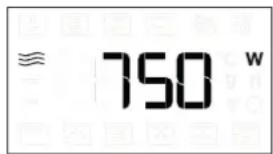
MERCI D'AVOIR CHOISI UN PRODUIT WHIRLPOOL
1. ÉCRAN AFFICHAGE GAUCHE
2. PAUSE
natural_image
Simple diagram with a square containing three horizontal lines and a wavy top, surrounded by small circular symbols (no text or labels)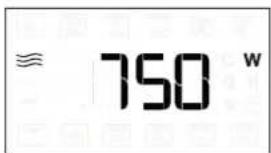
natural_image
Simple diagram with a monitor icon and a vertical bar, no text or symbols present. FONCTIONS MANUELLES
1. LINKERDISPLAY
2. PAUZE
RECHTHOEKIGE BAKPLAAT
natural_image
Simple diagram with a square containing three wavy lines and red corner markers, surrounded by faint geometric shapes (no text or symbols)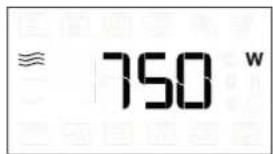
natural_image
Simple line drawing of a battery with three red connectors and a circular label, no text or symbols present.To lock the keypad, press and hold <for at least 5 seconds.
Do this again to unlock the keypad.
1. DISPLAY SINISTRA
2. PAUSA
MANUAL FUNCTIONS (FUNZIONI MANUALI)

natural_image
Simple diagram with a square containing three wavy lines and red corner markers, surrounded by faint rectangular shapes (no text or symbols)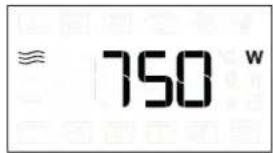
natural_image
Simple diagram with a battery icon and a vertical bar, no text or symbols present1. LEVÝ DISPLEJ
2. PAUZA
MANUAL FUNCTIONS (MANUÁLNÍ FUNKCE)

RYCHLÝ PŘEDEHŘEV
natural_image
Simple diagram with a square containing three wavy lines and red corner markers, surrounded by faint circular shapes (no text or symbols)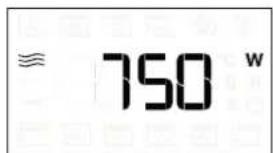
natural_image
Simple line drawing of a vertical object with two people and red symbols, no text or labels present.1. VASAKPOOLNE NÄIDIK
2. PAUS
| TOIT | GRILLIMISE TASE | KESTUS (MIN) |
| Kanakebab | Körge | 25 - 35 |
Soovitatavad tarvikud: Traatrest

TURBO GRILL + ML
natural_image
Simple diagram with a square containing three wavy lines and red corner markers, surrounded by faint circular shapes (no text or symbols)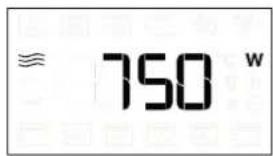
SISE- JA VÄLISPINNAD
1. BAL OLDALI KIJELZÖ
2. SZÜNET
natural_image
Simple diagram with a square containing three wavy lines and red corner markers, surrounded by faint circular shapes (no text or symbols)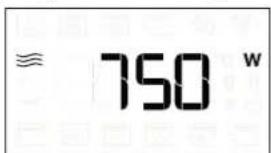
1. DISPLEJS KREISAJĀ PUSĒ
2. APTURÉT
MANUAL FUNCTIONS (MANUĀLĀS FUNKCIJAS)

ĀTRA IESILDĪŠANA
natural_image
Simple diagram with a square containing three wavy lines and red corner markers, surrounded by faint circular shapes (no text or symbols)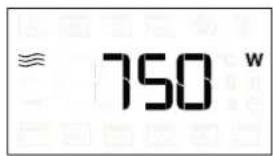
1. KAIRYSIS EKRANAS
2. PRISTABDYMAS
Pristabdomas gaminimo ciklas
3. IJUNGIMAS / IŠJUNGIMAS
"6th SENSE CRISP FRY"
"6th SENSE DOUBLE CRISP"
natural_image
Simple diagram with a square containing three wavy lines and red corner markers, surrounded by small icons (no text or symbols)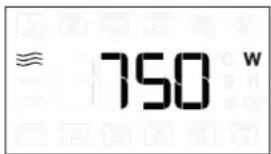
natural_image
Pure electrical circuit lines without any symbols(PAMAIŠYKITE ARBA APVERSKITE MAISTA)
1. WYŚWIETLACZ Z LEWEJ STRONY
2. PAUZA
MANUAL FUNCTIONS (FUNKCJE RĘCZNE)

SZYBKIE NAGRZEW.
natural_image
Simple diagram with a square containing wavy lines and red corner markers, surrounded by faint symbols (no text or labels)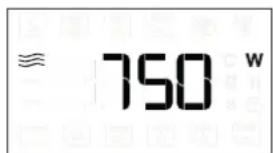
VĂ MULȚUMIM CĂ AȚI ACHIZIȚIONAT UN PRODUS WHIRLPOOL
1. AFIŞAJUL DIN STÂNGA
2. PAUZĂ
MANUAL FUNCTIONS (FUNCTII MANUALE)

PREÎNC RAPIDĂ
natural_image
Simple diagram with a square containing three wavy lines and red cross markers, surrounded by small icons (no text or labels)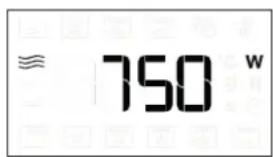
natural_image
Simple diagram with a monitor icon and a vertical bar, no text or symbols present1. L'AVÝ DISPLEJ
2. PAUZA
MW SELF CLEAN (SAMOČISTENIE MW)
MANUAL FUNCTIONS (MANUÁLNE FUNKCIE)

RÝCHLE PREDHRIATIE
natural_image
Simple diagram with a square containing three wavy lines and small circular symbols at the bottom (no text or labels)
. FUNKCIE S MANUÁLNYM NASTAVENÍM
1. ЛІВИЙ ДИСПЛЕЙ
2. ПАУЗА
natural_image
Simple diagram with a square containing three wavy lines and red corner markers, surrounded by faint circular shapes (no text or symbols)