imageRUNNER ADVANCE C7565i - Printer CANON - Free user manual and instructions
Find the device manual for free imageRUNNER ADVANCE C7565i CANON in PDF.


| Product Type | Multifunction printer (Copy, Print, Fax, Scan) |
| Brand | Canon |
| Model | imageRUNNER ADVANCE C7565i |
| Main functions | Copy, print, fax, scan, recipient registration |
| Print speed | Up to 65 pages per minute (estimate for C7565i series) |
| Print resolution | 1200 x 1200 dpi (typical for this range) |
| Maximum paper size | A3 (297 x 420 mm) |
| Standard paper capacity | Approximately 3400 sheets (estimate for standard configuration) |
| Automatic duplex | Yes, for printing and copying |
| Touch screen | Yes, color control panel |
| Connectivity | Ethernet network, USB, remote user interface |
| Power supply | 220-240 V, 50/60 Hz (standard estimate) |
| Dimensions (W x D x H) | Approximately 670 x 760 x 1230 mm (estimate for model with finisher) |
| Weight | Approximately 170 kg (estimate for full configuration) |
| Maintenance | Regular check of consumables, replacement of cartridges and staples |
| Cleaning | Exposure glass and feeder: clean with a soft, dry cloth |
| Security | Encrypted secure printing, password for documents |
| Spare parts | Toner cartridges, drums, staples, maintenance kits available |
| Repairability | Repairability index not specified, but parts and support available |
Frequently Asked Questions - imageRUNNER ADVANCE C7565i CANON
User questions about imageRUNNER ADVANCE C7565i CANON
0 question about this device. Answer the ones you know or ask your own.
Ask a new question about this device
Download the instructions for your Printer in PDF format for free! Find your manual imageRUNNER ADVANCE C7565i - CANON and take your electronic device back in hand. On this page are published all the documents necessary for the use of your device. imageRUNNER ADVANCE C7565i by CANON.
USER MANUAL imageRUNNER ADVANCE C7565i CANON
| English 3 |
| Français 15 |
| Deutsch 27 |
| Italiano 39 |
| Español 51 |
Quick
Operation Guide
Learning How to Use Your Machine 4
Tips for Copying 6
Tips for Printing 7
Tips for Faxing 8
Tips for Scanning 9
Tips for Registering Destinations 10


You can access canon.com/oip-manual to read the User's Guide that describes all functions of this machine.
Store this guide in a safe place for future reference.
Some functions may not be available, depending on the model of the machine you are using.
The information in this document is subject to change without notice.
If your machine is of the model dedicated to printing only
The machine dedicated to printing only cannot be used for any other functions than printing. Although this Guide contains the descriptions of the functions and operations for copying, faxing, and scanning as well as printing, please read only the necessary descriptions to use your machine.

natural_image
Silhouette of a person in red clothing against a dotted background (no text or symbols)Learning How to Use Your Machin
This section contains a brief overview of the basic operations of your machine.
Turning On the Display

natural_image
Illustration of a printer and a hand interacting with a circular button (no text or symbols)When the display is turned off, press the Ⓞ button on the control panel to exit the Sleep mode and turn it back on.
The Main Buttons for Operations
natural_image
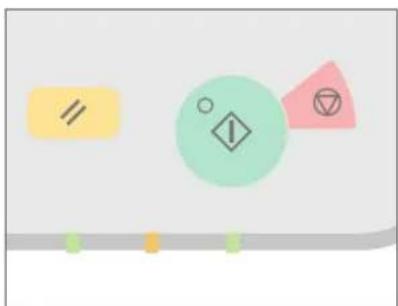
Abstract geometric shapes including a yellow rectangle, green circle with diamond, pink triangle, and black circle on white background (no text or symbols)Press ☐to execute functions, to □ cancel operations, and ☐ to clear the current settings.
- Accessing the Main Menu

Perform a wide variety of operations from the Main Menu, displayed from any screen by pressing 📄.
▶ Quickly Checking the Status of Machine
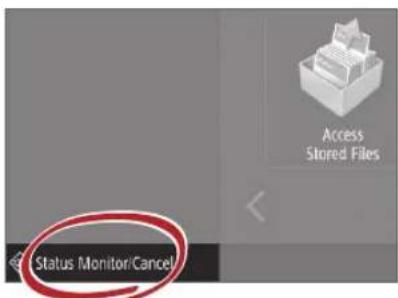
All you need to do to check the machine's status is press Status MonitorCancel

See "Control Panel" in the User's Guide.

natural_image
Red stylized illustration of a computer with control panel and buttons (no text or symbols)Two Methods for Setting Original Documents
Placing Original Documents Correctly
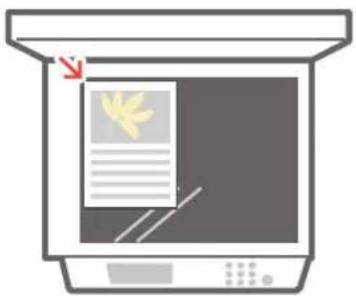
Placing Original Documents on the Platen Glass
- Place the side to scan face down.
- Place the original documents so that it fits in the back left corner.
natural_image
Illustration of a printer with a paper feed and paper strip, no text or symbols presentCompatible Types of Original Documents
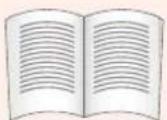
Books, magazines

Business cards

Newspaper clippings
Placing Original Documents in the Feeder
- Place the side to scan face up.
- Adjust the slide guide.
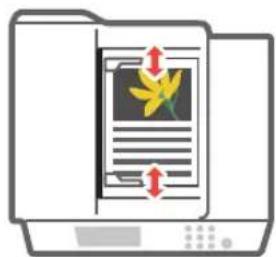
Compatible Types of Original Documents
Documents with many pages, quotations, etc.

natural_image
Silhouette of a person in profile, no text or symbols visibleTips for Copying
Use helpful functions, such as two-sided printing and N on 1 feature, to make your copies look better while using paper efficiently.
Basic Copy Flow
1 | Set the document.
2 | Press [Copy].
3 | Enter the number of copies.
4 | Set your preferred setting.
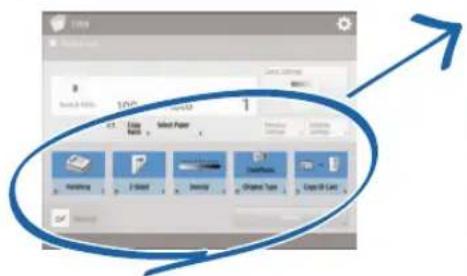
5 | Press (Start).
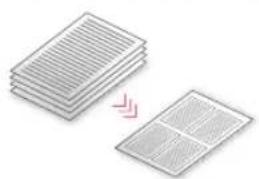
Non 1
The N on 1 feature helps you save paper by combining multiple pages onto one single sheet of paper.
natural_image
Stacked sheets of paper with a magnified inset showing a grid pattern (no text or symbols)Density
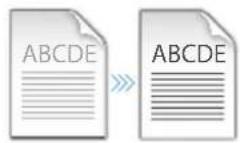
Adjust the text density to make hard to read documents (such as something written in pencil) easier to read.
Recommended Settings
2-Sided
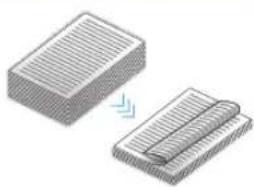
Halve the amount of paper you use by printing on both sides of copied paper.
natural_image
Illustration of two stacked rectangular blocks with striped patterns, one being folded and the other curled (no text or symbols)Copy Ratio
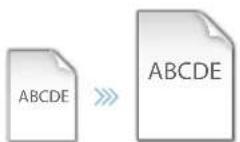
Use "Copy Ratio" when copying to magnify small text for easy reading.
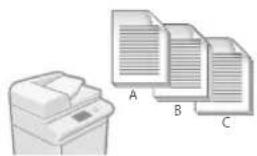
Finishing (Collate)
Output original documents in sets with the Collate mode, convenient for organizing big copy jobs.
natural_image
Illustration of a printer next to three stacked documents labeled A, B, and C (no text or symbols on the devices themselves)Original Type
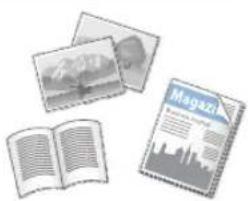
Pick one of a variety of different original types when copying to optimize the settings for that original document.
natural_image
Illustration of a magazine with open and closed pages, photos, and city skyline (no text or symbols)For further information about the functions, see "A Variety of Features," on p.12.
Tips for Printing
Don't bother getting up! Specify print settings directly from your computer.

To print from a computer, first install the printer driver. For instructions on installing printer drivers, see the Printer Driver Installation Guide.

natural_image
Silhouette of a seated woman holding an object, against a solid pink background (no text or symbols)Basic Print Flow
1 | Select the print function from the application menu.
2 | Select the machine from [Select Printer].
3 | Select the paper source.
4 | Set your preferred setting.
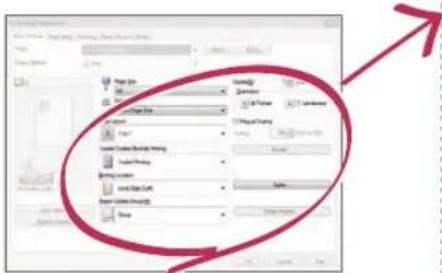
5 | Enter the number of copies, and press [Print].
Recommended Settings
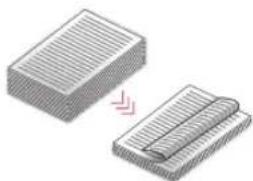
2-Sided
Two-sided printing can save paper, especially for those big copy jobs!
natural_image
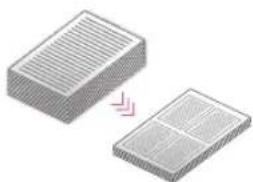
Illustration of two stacked documents with a pink arrow indicating transformation (no text or symbols)Page Layout
Significantly decrease the amount of paper you use by printing a total of four pages on a single sheet of paper.
natural_image
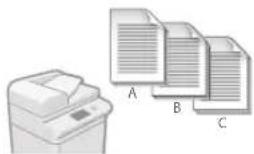
Two 3D rectangular blocks with horizontal grooves, one with a pink arrow indicating transformation or alignment (no text or symbols)Finishing (Collate)
Use [Collate] when printing a large number of copies to sort them for easy distribution.
natural_image
Illustration of a printer and three stacked documents labeled A, B, C (no text or symbols on the devices themselves)For further information about the functions, see "A Variety of Features," on p.12.
Change Print Settings with Just One Easy Click!
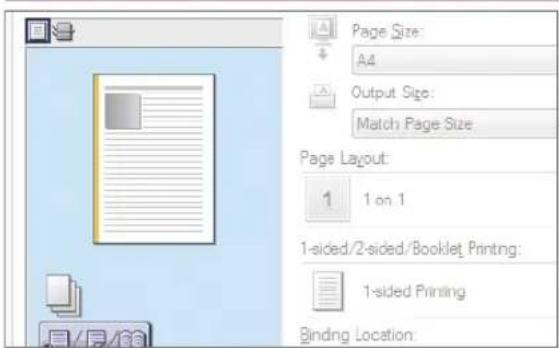
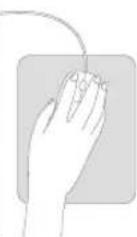
Change print settings, such as the page layout, by simply clicking the icon on the printer driver screen. The icon changes as you adjust the settings, so you can easily see your changes taking effect.

natural_image
Silhouette of a person standing against a green background (no text or symbols)Tips for Faxing
Faxing is easy with these simple steps! Improve the clarity of your faxes by adjusting settings, such as density or resolution.
Basic Fax Flow
1 | Set the document.
2 | Press [Fax].
3 | Enter the fax number and press [OK].
To send a fax to a registered address, press Address Book
4 | Set your preferred setting.
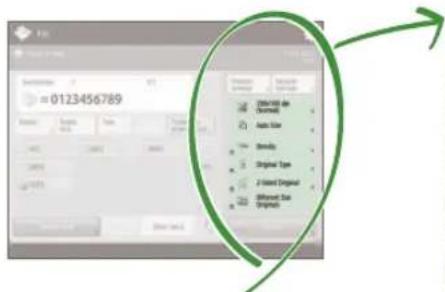
5 | Press (Start) and once scanning is complete, press [Start Sending].
Recommended Settings
Resolution
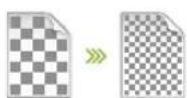
Improve text clarity by increasing the resolution of a document, when sending documents with small text.
Density

Increase the density of thin text when sending (such as text written in pencil) to make it easier to read.
Original Type
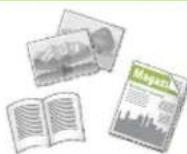
Pick one of a variety of different original types when faxing to optimize the settings for that original document.
For further information about the functions, see "A Variety of Features," on p.12.
Press the Button to Adjust the Fax Volume
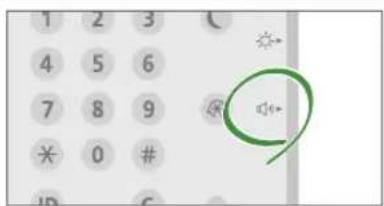
Adjust the volume when sending and receiving faxes by pressing on the control panel.
Previewing Received Faxes Before Printing
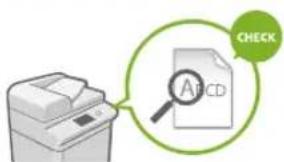
Check received faxes before printing, letting you select which to print while saving paper.

See "Saving Received Documents in the Machine (Memory Reception)" in the User's Guide.
Tips for Scanning
Not enough space for storing mountains of paperwork? You can scan and store them as data on your computer.

natural_image
Silhouette of a person standing against a textured background (no text or symbols)Basic Scan Flow
1 | Set the document.
2 | Press [Scan and Send].
3 | Press [New Destination] and enter the destination address.
To scan and send to a registered destination, press .
4 | Set your preferred setting.
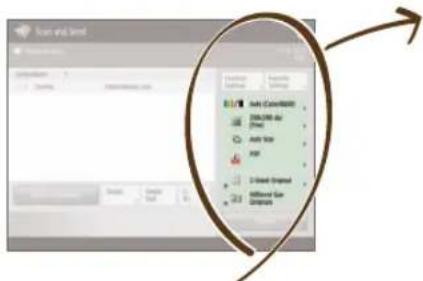
5 | Press (%Start).
Recommended Settings
Resolution
You can adjust the resolution when scanning a magazine or picture to make the image more vivid and clear.
Different Size Originals
Scan a variety of different document sizes in one simple operation.
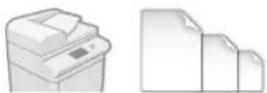
File Format
Save a scanned original document in the format that best suits your needs, such as contracts as PDFs or presentation materials as PowerPoint documents.

flowchart
graph LR
    A["Input Data"] --> B["Processing"]
    B --> C["Output"]
    subgraph Input
        D["Document"]
        E["Print"]
    end
    subgraph Processing
        F["PDF"]
        G["XP3"]
        H["TMP"]
        I["PG"]
    end
    subgraph Output
        J["PDF"]
        K["XP3"]
        L["TMP"]
        M["PG"]
    end
For further information about the functions, see "A Variety of Features," on p.12.
Digitize Stacks of Paper Documents to Save Office Space
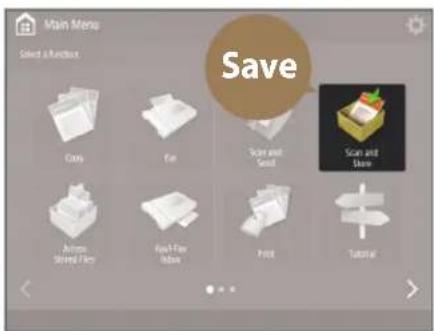
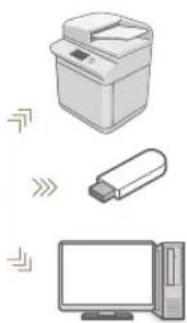
natural_image
Illustration of a printer, USB flash unit, and desktop computer (no text or symbols)Digitize your paper documents by selecting [Scan and Store] when scanning an original document. You can even choose a variety of different destinations to save the data, such as the machine or a file server.

See "Basic Operations for Scanning Originals" in the User's Guide.

natural_image
Silhouette of a human figure in walking pose against a teal background (no text or symbols)Tips for Registering Destinations
Register destinations in the address book to make sending operation simple. Increase efficiency by using One-Touch Buttons for frequently used destinations!
Basic Flow for Registering Destinations
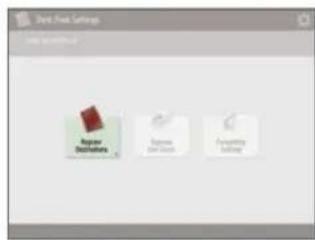
1 | Press [Dest./Fwd. Settings].
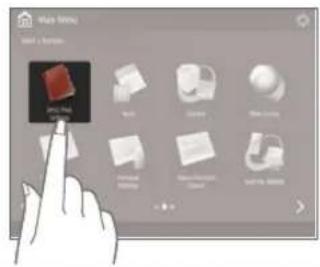
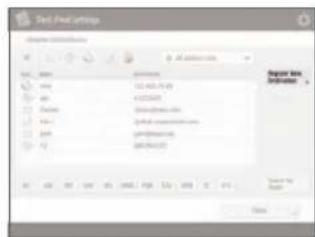
2 | Press [Register Destinations].
3 | Press [Register New Dest.].
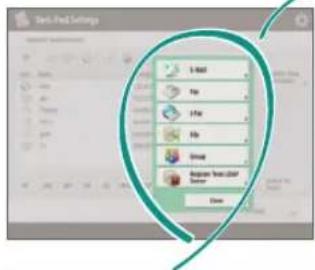
4 | Select the type of destination.
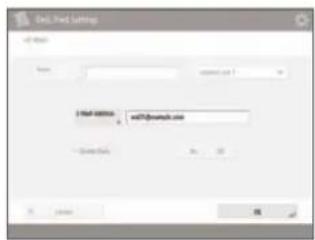
5 | Enter the address and press [OK].
natural_image
Illustration of a hand pointing at a computer monitor (no text or symbols)Select the Destination Type
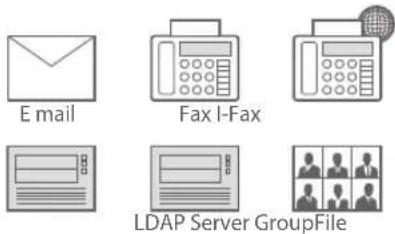
Register e-mail addresses, fax numbers, even servers as destinations! Pick the destination type that is right for you.

See "Registering Destinations" in the User's Guide.
Using [Group]
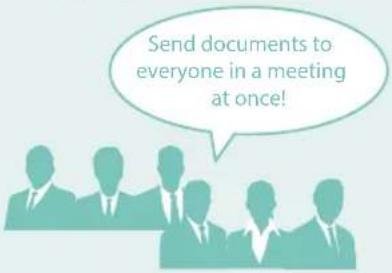
You can register multiple destinations to a single group.
Send Documents Easily With One-touch Buttons
flowchart
graph TD
    A["Register Destinations"] --> B["Register One-Touch"]
    C["Forwarding Settings"] --> B
    B --> D["Next Step"]
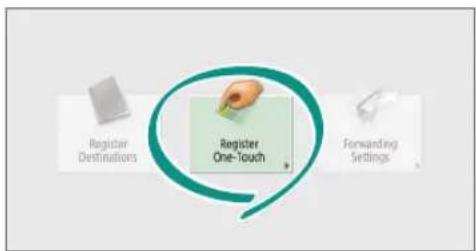
Register an often used destination to a one-touch button with [Register One-Touch], and save time!
Easy Address Editing from Your Computer
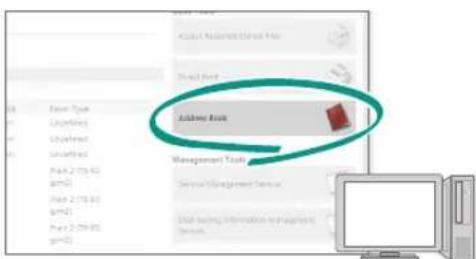
You can access the machine from your computer with the Remote UI, enabling you to edit addresses easily with the keyboard.

See "Registering Destinations" in the User's Guide.

See "Managing the Machine from a Computer (Remote UI)" in the User's Guide.

natural_image
Silhouette of a person in motion against a solid orange background (no text or symbols)And More! A Variety of Features
There are many more helpful features that are not mentioned in this guide. For details, see the User's Guide.
- Change Machine Settings Remotely from Your Computer
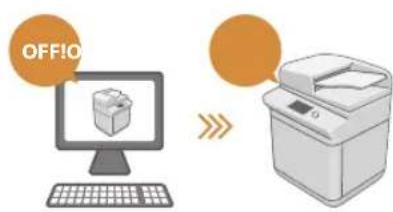
Use the "Remote UI" function to edit the address book, check consumable status, and more from your computer.

See "Managing the Machine from a Computer (Remote UI)" in the User's Guide.
☐ Prevent Security Leaks with Document Security
natural_image
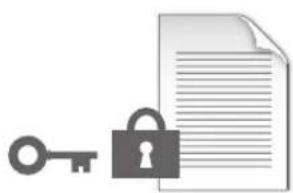
Illustration of a key, lock, and document (no text or symbols)Password your documents with the Encrypted Secure Print mode. This feature is perfect for protecting important documents.

See "Advanced Functions for Printing" in the User's Guide.
Professional Documents with Booklet Printing

Making booklets is easy with the [Booklet] option. Use staple finishing to give it an even more professional feel.

See "Making Booklets" in the User's Guide.
Print Two-Sided ID Cards on One Side of Paper
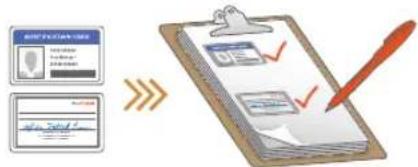
Check IDs easily by copying both sides of an ID and printing them to a single piece of paper with [Copy ID Card].

See "Making ID Card Copies" in the User's Guide.
natural_image
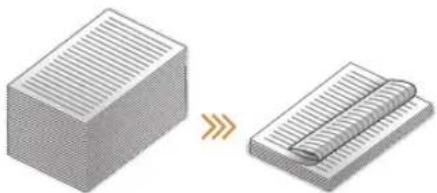
Illustration of a hand pressing down on a device with circular components (no text or symbols)Advanced Paper Saving Options
natural_image
Two 3D block diagrams showing a striped surface and a folded paper sheet, with no text or symbols present.Print up to an incredible 16 pages of original documents on a single sheet of paper with [2-Sided] and [N on 1].

See "Copying" in the User's Guide.
☐ Go Green with Staple-Free Binding
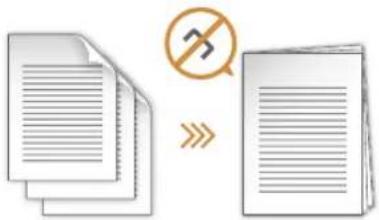
Bind paper without using metal staples with the Eco (Staple-Free) mode. Help the environment, and shred documents without a fuss.

See "Optional Equipment" in the User's Guide.
Reorganizing Documents with Staples
flowchart
graph LR
    A["Document"] --> B["Processing Unit"]
    B --> C["Output"]
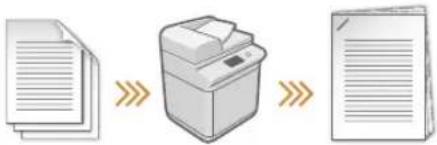
Just set "Manual Staple" and pass unstapled original documents through the feeder to staple them. Great for re-stapling!

See "Finishing with the Stapler" in the User's Guide.
One-touch Settings
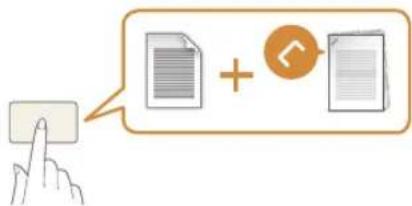
Register often used combinations of settings to "Quick Menu" to efficiently use them with a single button.

See "Customizing the Touch Panel Display" in the User's Guide.
Guide
natural_image
Silhouette of a person in red and white, no text or symbols visiblenatural_image
Illustration of a printer and a hand interacting with a circular button (no text or symbols)natural_image
Abstract diagram with geometric shapes and symbols (no text or labels)natural_image
Red stylized illustration of a computer with control panel and buttons (no text or symbols)natural_image
Illustration of a printer with a paper feed and paper strip, no text or symbols presentTypes de documents originaux compatibles
Livres, magazines

Cartes
de visite
Coupures
de presse
Types de documents originaux compatibles
natural_image
Silhouette of a person in profile, standing against a dotted background (no text or symbols)Astuces pour copier
natural_image
Stacked sheets of paper with a magnified inset showing a grid pattern (no text or symbols)Densité
natural_image
Two 3D isometric diagrams showing a rectangular block and a folded paper sheet, with no text or symbols present.natural_image
Illustration of a printer next to three stacked documents labeled A, B, and C (no text or symbols on the devices themselves)Type d'original
natural_image
Illustration of a magazine with photos, an open book, and a newspaper (no visible text or symbols)natural_image
Silhouette of a seated woman holding an object, against a solid pink background (no text or symbols)natural_image
Two 3D rectangular blocks with striped patterns, one being cut with a red arrow (no text or symbols)Mise en page
natural_image
Two 3D rectangular blocks with horizontal lines, one with a pink arrow indicating transformation or alignment (no text or symbols)natural_image
Silhouette of a person standing against a green background (no text or symbols)Astuces pour le fax
natural_image
Silhouette of a person standing against a dotted background (no text or symbols)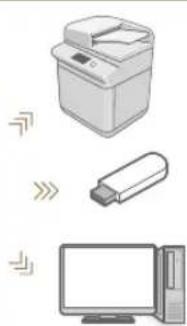
natural_image
Illustration of a printer, USB flash unit, and desktop computer (no text or symbols)natural_image
Silhouette of a human figure in walking pose against a teal background (no text or symbols)
natural_image
Illustration of a hand interacting with a device, no text or symbols present
natural_image
Silhouette of a person standing against an orange background (no text or symbols)natural_image
Illustration of a key, lock, and document (no text or symbols)natural_image
Illustration of a hand pressing down on a computer screen with circular buttons (no text or symbols)natural_image
Two 3D block diagrams showing a striped surface and a rolled-up sheet of paper, with no text or symbols present.natural_image
Silhouette of a person in red and white, no text or symbols visiblenatural_image
Illustration of a printer next to a hand pointing at a circular button with red arrows, no text or symbols present.natural_image
Abstract geometric shapes including a yellow rectangle, a green circle with an exclamation mark, and a pink triangle with a symbol (no text or labels)natural_image
Red line drawing of a computer with a keypad and monitor (no text or symbols)natural_image
Illustration of a printer with a paper feed and a yellow leaf symbol on the cover (no text or symbols present)Kompatible
Originaldokumenttypen
natural_image
Silhouette of a person in profile, wearing a suit and holding an object (no text or symbols visible)natural_image
Stacked sheets of paper with a magnified inset showing a grid pattern (no text or symbols)Dichte
natural_image
Two 3D isometric diagrams showing a striped rectangular block and a folded paper or sheet with a blue arrow indicating transformation (no text or symbols)Kopierfaktor
Verwenden Sie beim
Kopieren den
"Kopierfaktor", um
kleinen Text zwecks
natural_image
Illustration of a printer next to three document sheets labeled A, B, and C (no text or symbols on the devices themselves)Originaltyp
natural_image
Illustration of a magazine with an open book, a photo collage, and a newspaper (no text or symbols visible)natural_image
Silhouette of a person sitting in a chair, holding an object (no text or symbols visible)natural_image
Illustration of two rectangular blocks with striped patterns, one being folded and the other wrapped around it (no text or symbols)Seitenlayout
natural_image
Two 3D rectangular blocks with internal grating, one with a pink arrow indicating compression or dislocation (no text or symbols)natural_image
Silhouette of a person standing against a green background (no text or symbols)Tipps für das Faxen
natural_image
Silhouette of a person standing with one leg raised, against a plain background (no text or symbols)natural_image
Illustration of three electronic devices: a printer, a USB flash unit, and a desktop computer (no text or symbols)natural_image
Silhouette of a human figure in walking pose against a teal background (no text or symbols)
natural_image
Illustration of a hand pointing at a device screen (no text or symbols visible)natural_image
Silhouette of a person standing against a solid orange background (no text or symbols)natural_image
Illustration of a key, lock, and document (no text or symbols)natural_image
Illustration of a hand pressing down on a device with circular holes (no text or symbols)natural_image
Two 3D block diagrams showing a striped structure transforming into a folded paper sheet (no text or symbols)natural_image
Silhouette of a person in red and white, no text or symbols visiblenatural_image
Illustration of a printer and a hand interacting with a circular button (no text or symbols)natural_image
Abstract diagram with geometric shapes and colored circles (no text or symbols)natural_image
Red abstract illustration of a stylized electronic device with no visible text or symbolsnatural_image
Illustration of a printer with a paper feed and paper strip, no text or symbols presentnatural_image
Silhouette of a person in motion, no text or symbols visiblenatural_image
Stacked sheets of paper with a magnified inset showing a grid pattern (no text or symbols)Densità
natural_image
Diagram showing two stacked rectangular blocks with a transformation arrow indicating change (no text or symbols)natural_image
Illustration of a printer next to three stacked documents labeled A, B, and C (no text or symbols on the devices themselves)Tipo di originale
natural_image
Illustration of a newspaper with magazines, photos, and an open book (no text or symbols visible)natural_image
Silhouette of a person sitting on a chair, no text or symbols visiblenatural_image
Silhouette of a person standing against a green background (no text or symbols)Consigli per il fax
natural_image
Silhouette of a person standing against a dotted background (no text or symbols)natural_image
Illustration of three electronic devices: a printer, a USB flash unit, and a desktop computer (no text or symbols)natural_image
Silhouette of a human figure in profile against a teal background (no text or symbols)
natural_image
Illustration of a hand pointing at a device with control buttons (no text or symbols)
natural_image
Silhouette of a person standing against an orange background (no text or symbols)E altro ancora!
natural_image
Illustration of a key, lock, and document (no text or symbols)natural_image
Illustration of a hand pressing down on a device with circular holes (no text or symbols)natural_image
Two 3D block diagrams showing a striped surface and a folded paper sheet, with no text or symbols present.natural_image
Silhouette of a person in red and white, no text or symbols visibleCómo usar el equipo
natural_image
Illustration of a printer and a hand interacting with a circular button (no text or symbols)natural_image
Abstract diagram with geometric shapes and colored circles (no text or symbols)natural_image
Red stylized illustration of a computer with control panel and buttons (no text or symbols)Dos métodos para colocar documentos originales
natural_image
Illustration of a printer with a paper feed and paper strip, no text or symbols presentnatural_image
Illustration of a folder with a document and two arrows indicating document orientation (no text or symbols present)natural_image
Silhouette of a person in profile against a blue background (no text or symbols)natural_image
Stacked sheets of paper with a magnified inset showing a grid pattern (no text or symbols)Densidad
natural_image
Two 3D isometric diagrams showing a rectangular block and a folded paper or sheet, with no text or symbols present.Escala de copia
natural_image
Illustration of a printer and three stacked documents labeled A, B, C (no text or symbols on the devices themselves)Tipo original
natural_image
Illustration of a newspaper with an open book, photos, and a magazine (no text or symbols visible)natural_image
Silhouette of a seated person holding an object, against a solid pink background (no text or symbols)natural_image
Two 3D rectangular blocks with horizontal lines and a folded paper strip, one being cut with arrows (no text or symbols)Diseño de página
natural_image
Two 3D rectangular blocks with internal grid patterns, one with a pink arrow indicating transformation (no text or symbols)Acabado (Clasificar)
natural_image
Illustration of a printer and three stacked documents labeled A, B, C (no text or symbols on the devices themselves)natural_image
Silhouette of a person standing against a green background (no text or symbols)natural_image
Silhouette of a person standing against a dotted background (no text or symbols)natural_image
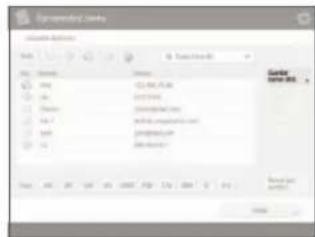
Silhouette of a human figure in walking pose against a teal background (no text or symbols)3 | Pulse [Guardar nuevo dest.].
natural_image
Illustration of a hand pointing at a device with a keypad (no text or symbols)
natural_image
Silhouette of a person standing against a solid orange background (no text or symbols)natural_image
Illustration of a key, lock, and document (no text or symbols)natural_image
Illustration of a hand pressing down on a computer screen with circular buttons (no text or symbols)natural_image
Two 3D block diagrams showing a striped block transforming into a coiled spring (no text or symbols)30-2, Shimomaruko 3-chome, Ohta-ku, Tokyo 146-8501, Japan
CANON U.S.A., INC.
One Canon Park, Melville, NY 11747, U.S.A.
CANON CANADA INC.
8000 Mississauga Road Brampton ON L6Y 5Z7, Canada
CANON EUROPA N.V.
Bovenkerkerweg 59, 1185 XB Amstelveen, The Netherlands
(See http://www.canon-europe.com/ for details on your regional dealer)
CANON AUSTRALIA PTY. LTD
Building A, The Park Estate, 5 Talavera Road, Macquarie Park, NSW 2113, Australia
CANON CHINA CO., LTD
2F Jinbao Building No.89 Jinbao Street, Dongcheng District, Beijing 100005, China
CANON SINGAPORE PTE. LTD.
1 Fusionopolis Place, #15-10, Galaxis, Singapore 138522
- Quick
- Operation Guide
- If your machine is of the model dedicated to printing only
- Learning How to Use Your Machin
- Turning On the Display
- The Main Buttons for Operations
- - Accessing the Main Menu
- ▶ Quickly Checking the Status of Machine
- Placing Original Documents Correctly
- Placing Original Documents on the Platen Glass
- Placing Original Documents in the Feeder
- Tips for Copying
- Basic Copy Flow
- Non 1
- Density
- Recommended Settings
- 2-Sided
- Copy Ratio
- Finishing (Collate)
- Original Type
- Tips for Printing
- Basic Print Flow
- Page Layout
- Change Print Settings with Just One Easy Click!
- Tips for Faxing
- Basic Fax Flow
- Resolution
- Press the Button to Adjust the Fax Volume
- Previewing Received Faxes Before Printing
- Tips for Scanning
- Basic Scan Flow
- Different Size Originals
- File Format
- Digitize Stacks of Paper Documents to Save Office Space
- Tips for Registering Destinations
- Basic Flow for Registering Destinations
- Select the Destination Type
- Using [Group]
- Send Documents Easily With One-touch Buttons
- Easy Address Editing from Your Computer
- And More! A Variety of Features
- - Change Machine Settings Remotely from Your Computer
- ☐ Prevent Security Leaks with Document Security
- Professional Documents with Booklet Printing
- Print Two-Sided ID Cards on One Side of Paper
- Advanced Paper Saving Options
- ☐ Go Green with Staple-Free Binding
- Reorganizing Documents with Staples
- One-touch Settings
- Guide
- Astuces pour copier
- Densité
- Type d'original
- Mise en page
- Astuces pour le fax
- Dichte
- Kopierfaktor
- Originaltyp
- Seitenlayout
- Tipps für das Faxen
- Densità
- Tipo di originale
- Consigli per il fax
- E altro ancora!
- Cómo usar el equipo
- Densidad
- Escala de copia
- Tipo original
- Diseño de página
- Acabado (Clasificar)
Brand : CANON
Model : imageRUNNER ADVANCE C7565i
Category : Printer