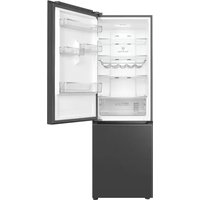
RP318BSC0 - Fridge TCL - Free user manual and instructions
Find the device manual for free RP318BSC0 TCL in PDF.


| Product Type | 2-Door Domestic Refrigerator |
| Brand | TCL |
| Model | RP318BSC0 |
| Dimensions (W x D x H) | 595 x 660 x 1850 mm |
| Net Weight | 76.3 kg |
| Power Supply | 220-240 V ~ 50 Hz |
| Rated Current | 0.8 A |
| Energy Consumption (24h) | 0.595 kWh |
| Annual Consumption | 158 kWh/year |
| Total Volume | 318 L |
| Refrigerator Volume | 219 L |
| Freezer Volume | 99 L |
| Climate Type | SN / N / ST |
| Refrigerant | R600a (40 g) |
| Noise Level | 38 dB(A) |
| Number of Refrigerator Shelves | 3 |
| Number of Freezer Drawers | 3 |
| Special Functions | Power Cool, Power Freeze, Holiday Mode, Door Alarm, Child Lock |
| Defrost | Automatic (No Frost) |
| Included Accessories | Ice Tray, Egg Holder, 4 Bottle Racks, Fruit and Vegetable Crisper |
| Maintenance | Clean with damp cloth and neutral detergent; automatic defrost |
| Door Reversibility | Yes (kit provided) |
| Energy Efficiency Class | Not specified in manual (estimated F for lamp) |
Frequently Asked Questions - RP318BSC0 TCL
User questions about RP318BSC0 TCL
0 question about this device. Answer the ones you know or ask your own.
Ask a new question about this device
Download the instructions for your Fridge in PDF format for free! Find your manual RP318BSC0 - TCL and take your electronic device back in hand. On this page are published all the documents necessary for the use of your device. RP318BSC0 by TCL.
USER MANUAL RP318BSC0 TCL
■Please carefully read the operation instructions before power on, and keep it properly.
■The products may subject to changes without notice.

The Creative Life
Two-Door Household Refrigerator Operating Instructions
RP318BSC0
Thank you for choosing our refrigerator. We appreciate your trust and support. We will do our best to serve you. We hope you enjoy your new purchase!
Safety instructions P2
Product introduction P5
Handling and placement P6
Preparations prior to use P7
Operation notes P8
Illustration and operation of display panel P8
Food storage P10
Ice-making P10
Disassembly and assembly method of accessory P11
Maintenance P11
Failure analysis P14
Non-failure P14
Technical parameter P15
Packing list P15
Safe recovery instructions P16
Description of climate types P16
-
This appliance is not intended for use by persons (including children) with reduced physical, sensory or mental capabilities, or lacking experience and knowledge, unless they are given supervision or instruction concerning use of the appliance by a person responsible for their safety. Children should be supervised to ensure that they do not play with the appliance.
-
If the power cord is damaged, it must be replaced by the manufacturer, its service agent or similarly qualified persons in order to avoid a hazard.
-
This appliance can be used by children aged from 8 years and above and persons with reduced physical, sensory or mental capabilities or lacking experience and knowledge if they are given supervision or instruction concerning safe use of the appliance and understand the associated hazards. Children should not play with the appliance. Cleaning and user maintenance should not be made by children without supervision.
-
WARNING: Keep ventilation openings, in the appliance enclosure or in the built-in structure, clear of obstruction.
-
WARNING: Do not use mechanical devices or other means to accelerate the defrosting process, other than those recommended by the manufacturer.
-
WARNING: Do not damage the refrigerant circuit.
-
WARNING: Do not use electrical appliances inside the food storage compartments, unless they are the type recommended by the manufacturer.
-
Do not store explosive substances such as aerosol cans with a flammable propellant in this appliance.
-
This appliance is intended to be used in household and similar applications such as
— Staff kitchen areas in shops, offices and other working environments;
— Farm houses and hotels, motels and other residential type environments;
— Bed and breakfast type environments;
— Catering and similar non-retail applications.
- This product contains a light source of energy efficiency class F for light source ERP, test with (without) light cover.
Safety instructions
EN
Warning
Warning: Keep ventilation openings, in the appliance enclosure or in the built-in structure, clear of obstruction.
Warning: Do not use mechanical devices or other means to accelerate the defrosting process, other than those recommended by the manufacturer.
Warning: Do not damage the refrigerating circuit.
Warning: Do not use electrical appliances inside the food storage compartments, unless they are of the type recommended by the manufacturer.
Warning: Do not put food and liquids in glass containers in the freezing chamber to avoid glass breakage.
Warning: If powered off, the refrigerator will be powered on 5min later to avoid compressor damage.
Warning: If any live part, abnormal noise, smell, smoke or other abnormality is found during use, power off the appliance immediately and contact the aftersales service timely.
Warning: Do not insert your fingers or hands into the bottom of the refrigerator, especially into the bottom at the back; you can be hurt by sharp objects.
Warning: Children must not play with or climb the refrigerator. Children must be supervised by their parents to avoid danger.
Warning: Do not put your hand between the doors when opening or closing the refrigerator door; otherwise you may get smashed fingers. Use the door handle to open or close the door.
Warning: Under the climate classes SN,N, ST and T, the appliance should operate at ambient temperatures ranging from 10°C to 43°C. If the appliance operates outside the rated climate class (ambient temperature range), it may not be able to maintain a satisfying interior temperature.
Opening the door for long periods can cause a significant temperature increase in the refrigerator compartments.
Regularly clean surfaces that can come in contact with food and accessible drainage systems.
Clean water tanks if they have not been used for 48 hours.
Store raw meat and fish in sealed or covered containers in the refrigerator to prevent them touching or dripping onto other food.
Two-star frozen-food compartments are suitable for storing pre-frozen food, storing or making ice-cream and making ice cubes.
One-, two- and three-star compartments are not suitable for freezing fresh food.
If the refrigerator is left empty for an extended period of time, please leave it disconnected, defrosted, clean, and dry, with the doors open to prevent mould developing within the appliance.
Warning: When positioning the appliance, ensure the power cord is not trapped or damaged.
EN
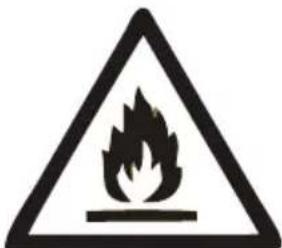
Warning: Risk of fire / flammable materials.
Warning: Do not locate multiple portable socket-outlets or portable power supplies at the rear of the appliance.
Caution
Caution: The power supply shall be consistent with the information on the nameplate, and the standard independent 3-hole socket shall be used (above 10A, and reliably grounded). One socket must not be shared by more than one appliance; otherwise, fire may be caused due to overheat.
Caution: Never pull the power cord by hand. Hold and unplug the power connector from the socket to disconnect the power supply. Never touch the power cord or connector with wet hands to avoid electric shock.
Caution: The power cord must not be squeezed by the refrigerator or any heavy load, and the power cord should not be bent extremely. The damage or peeling of power cord may result in fire or electric shock. If the power cord is broken or cut, please contact the after-sales service immediately.
Caution: No flammables, explosives, corrosive acid or alkaline substances are allowed in the refrigerator.
Caution: The refrigerator must not be used in the rain or under the sunshine.
Caution: It is forbidden to place a container filled with liquid on the refrigerator because the breakage or turnover of the container may affect the electrical insulation of refrigerator and result in electric shock or fire.
Caution: The refrigerator must not be disassembled or modified without permission. The repair must be performed by a specialist.
Caution: In case of leakage of any flammable gas such as coal gas, close the leaking valve first and then open the window for ventilation. Do not unplug the refrigerator connector immediately to avoid fire or explosion caused by electric spark.
Caution: Refrigerating appliances – in particular a refrigerator-freezer Type I – might not operate consistently (possibility of defrosting of contents or temperature becoming too high in the frozen food compartment) when sited for an extended period of time below the cold end of the range of temperatures for which the refrigerating appliance is designed.
Safety instructions
EN
Caution: Effervescent drinks should not be stored in food freezer compartments or cabinets or in low-temperature compartments or cabinets, and food like water ices should not be consumed too cold.
Caution: Do not exceed the storage time(s) recommended by the food manufacturers for any kind of food.
Caution: During defrosting, precautions are necessary to prevent an undue temperature rise of the frozen food, such as wrapping the frozen food with newspaper.
Caution: A temperature rise of the frozen food during manual defrosting, maintenance or cleaning could shorten the storage life.
Caution: Care is required for the frozen food in storage if the refrigerator is out of service for an extended period of time (interruption of power supply or failure of the refrigerating system).
Caution: Measures must be taken when the refrigerator is switched off and out of service temporarily or for an extended period (e.g. emptied, cleaned and dried, and the door(s) or lid(s) propped ajar).
Product introduction

EN
Features The pictures are for reference only. Please refer to the object
--Computer intelligent temperature control ; air cooling and frost free.
--Environmental-friendly refrigerant, It applies materials without CFC, R600a environmental-friendly materials. 80% of the main materials can be recycled;
--Transparent drawers with novel appearances and their internal foods can be clear at a glance;
--The tempered glass refrigeration shelves are height adjustable, wear proof, heat-proof and practical;
--The concealed condenser applies flat back design. It has perfect and coordinated style which is simple, easy to clean and high utility rate of space;
--This product adopts the efficient mute compressor of international brand and special case foaming technology, and features low noise, low energy consumption, and is more suitable for family and commercial purposes.
Warm prompt:
If your product is improved product, it may not be totally same in the instructions. But it will not change the performance and method of application.
EN
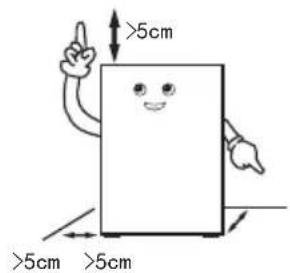
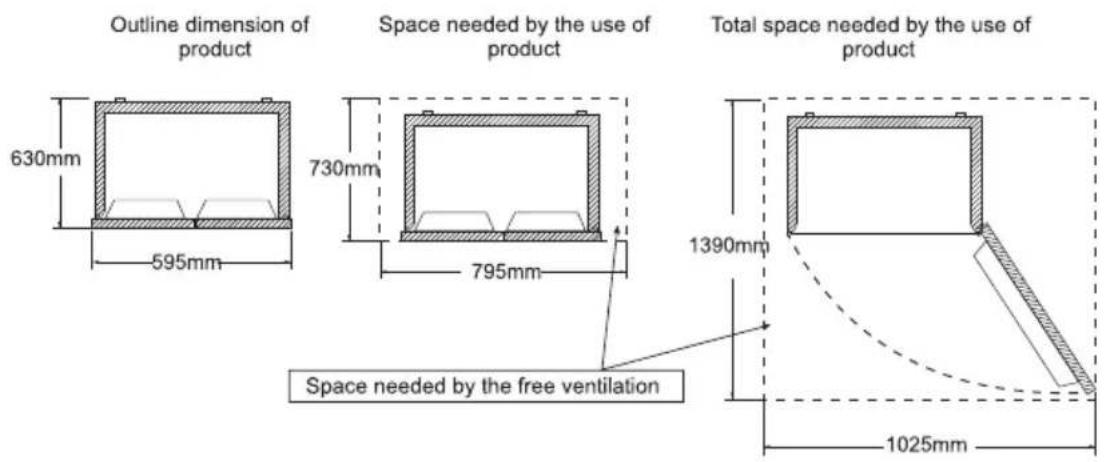
Certain space shall be left around the refrigerator, shown in the figure.
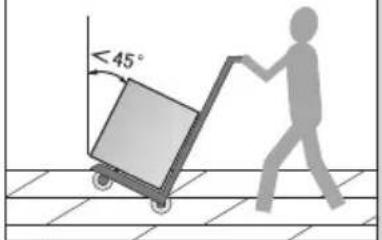
During handling, the door side of the refrigerator shall not contact with the handling tools
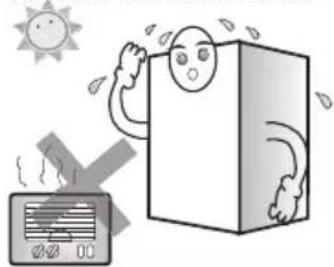
The refrigerator shall be placed in an environment which is dry, has good ventilation, far from direct sunshine and heat source.
natural_image
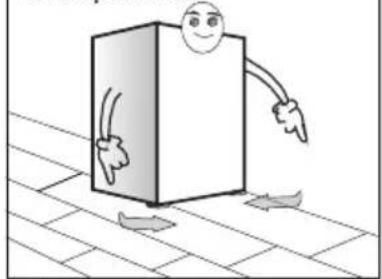
Illustration of a person drying in a box with a sun and smoke, next to an air conditioner (no text or symbols)The refrigerator shall be placed on the flat and firm surface. If the ground is not flat, adjust the adjusting leg to keep it level.
natural_image
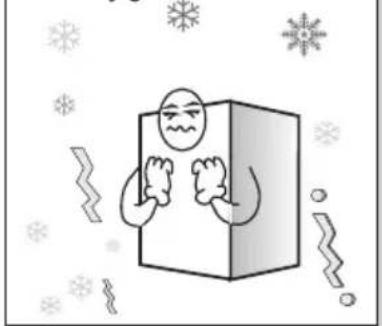
Cartoon illustration of a smiling rectangular box with arms pointing downward, placed on tiled floor with arrows indicating direction (no text or symbols)Never place the refrigerator into a too cold environment that may get frozen.
natural_image
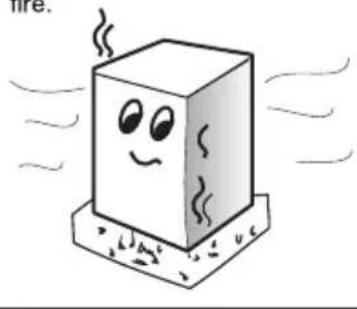
Cartoon illustration of a character inside a box surrounded by snowflakes and decorative elements (no text or symbols)Removing the foam base is beneficial for bottom heat dissipation and can avoid fire.
natural_image
Cartoon illustration of a smiling cube with steam lines, placed on a base (no text or symbols)Warning:ar
--When handling the refrigerator, at least two persons are required – one lifts the top of rear part, the other one handles the bottom (if one part is clamped, it is quite dangerous and may cause accident).
--When moving the refrigerator, the lower runner may damage and scratch the floor. If you need to move the refrigerator for a long distance, the internal accessories shall be fixed using adhesive tape. Otherwise, the accessories may get damaged due to crashing each other.
--Please place the refrigerator in the position with small vibration or little exposed to vibration. For users in the area where earthquake often occurs, please fix the refrigerator against the wall or pole. Otherwise, the falling of refrigerator will cause accident.
--Sufficient clearance shall be left around. If the clearance is too small or if goods are placed on the top or close to the side, or paste on the sides, the heat dissipation of refrigerator will be affected, and thus to cause unnecessary electric energy waste as well as burn out of the wall and other goods; the contact between the back and wall will cause vibration and noise;
--Adjust the front part and adjusting leg of the refrigerator to level it. A unlevel refrigerator refrigerator will cause vibration and noise.
Handling and placement
This refrigerating appliance is not intended to be used as a built-in appliance
The outline dimension of the product and the space needed by the use of product are shown in the following pictures:
Preparations prior to use
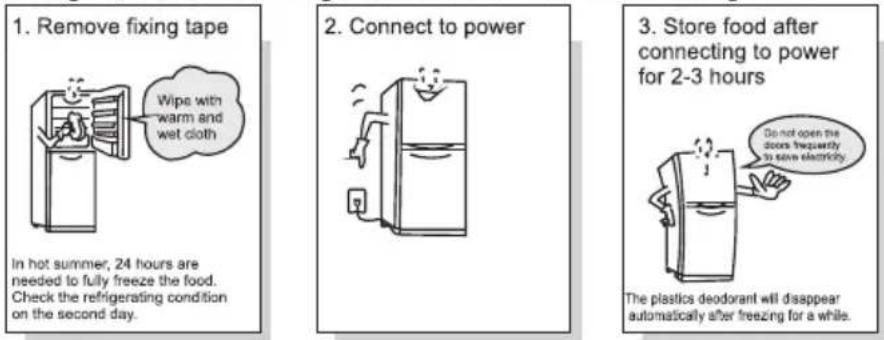
- Remove all packing assemblies such as case fixing tape etc., especially the foam base.
- Use warm wet cloth to clean both interior and exterior of the refrigerator, (neutral detergent can be added in warm water).
- After leveling and cleaning the refrigerator, stand it for about 5 hours before plugging the power plug for powering on, and cool the refrigerator for 2 to 3 hours before storing foods.
The appliance should be located in the coolest area of the room, away from heat producing appliances or heating ducts, and out of the direct sunlight.
Let hot foods cool to room temperature before placing in the appliance. Overloading the appliance forces the compressor to run longer. Foods that freeze too slowly may lose quality, or spoil.
Be sure to wrap foods properly, and wipe containers dry before placing them in the appliance. This cuts down on frost build-up inside the appliance.
Appliance storage bin should not be lined with aluminum foil, wax paper, or paper toweling. Liners interfere with cold air circulation, making the appliance less efficient.
Organize and label food to reduce door openings and extended searches. Remove as many items as needed at one time, and close the door as soon as possible.
Please refer to the product introduction picture on page 5 for the placement of accessories.
Operation notes
EN
Operation and diagram of display board
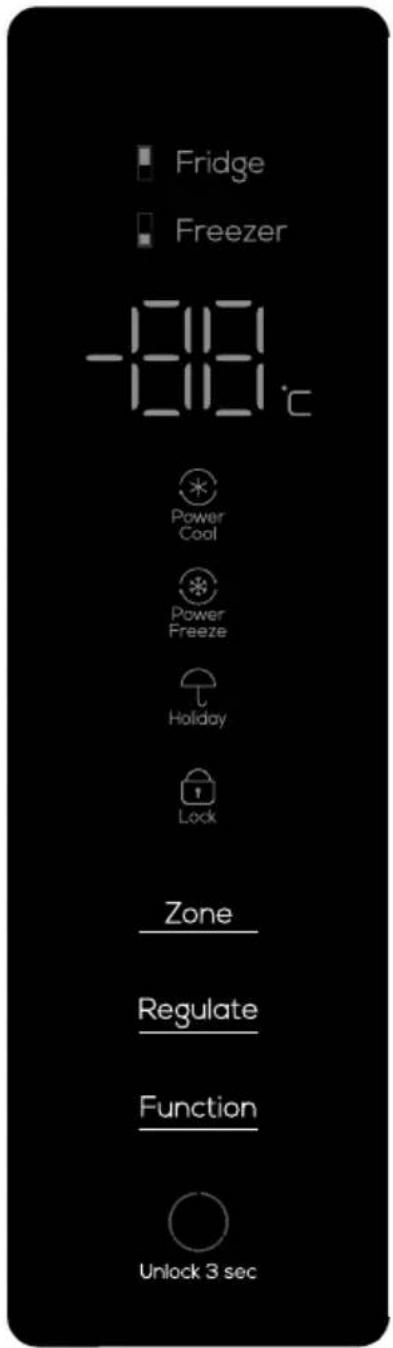
The above is the computer control board of the product
Operation notes
EN
Powered on for the first time
When it is powered on for the first time, the refrigerator will start the intelligent mode and run at 5^ for the refrigerator chamber and -18^ for the freezer chamber.
Child lock function
Turn on: when there is no key operation on the display screen, after 30 seconds, the keyboard is automatically locked and the child lock function is turned on;
Turn off: when the display screen is in the locked state, press the "unlock 3 sec" key and hold it for 3 seconds to unlock, and the child lock function is turned off.
Manual temperature adjustment
When there is no key operation on the display within 30 seconds, the display will go out automatically, and the keyboard will be automatically locked. When the display is off, press the button for the first time to wake up the display; press and hold the "unlock 3 sec" button for 3 seconds to unlock, and then press the button again to make the button function effective.
Refrigerator chamber temperature adjustment (2°C \~ 8°C)
In the unlocked state, repeatedly press the "Zone" button until the refrigerated storage temperature area is lit, and then presses the "Regulate" button to adjust the temperature of the refrigerator chamber. The temperature of the refrigerator chamber should be set between "02" - "03" - "04" - "05" - "06" - "07" - "08" - "02". Select the appropriate temperature to stop the key operation, and then set the temperature range for confirmation.
Freezer chamber temperature adjustment (-24°C \~ -15°C)
In the unlocked state, repeatedly press the "Zone" button until the freeze storage temperature area is lit, and then presses the "Regulate" button to adjust the temperature of the freezer chamber. The temperature of the freezer chamber should be set between "-24" - "-23" - "-22" - "-21" - "-20" - "-19" - "-18" - "-17" - "-16" - "-15" - "-24". Select the appropriate temperature to stop the key operation, and then set the temperature range for confirmation.
Power Cool function
When the refrigerator is under unlock state, press "Function" button repeatedly till the "Power Cool" icon blinks, after that, stop the key operation and wait for 3 seconds to enter refrigerator chamber power cool function. You can quit the power cool function with the same operation. Once entering "Power Cool", The Refrigerator will automatically quit the power cool function after entering it for 2 hours. "Power Cool"
Under "Power Cool" state, the setting temperature for the refrigerator chamber is displayed by 2°C till quitting the function. Under "Power Cool" state, when setting other functions, you may automatically quit the power cool function. Under "Power Cool" state, you will automatically quit the power cool function when the refrigerating door is opened over 3 minutes. (Under "Power Cool" state, when setting other functions, you may automatically quit the power cool function)
Power Freeze function
When the refrigerator is under unlock state, press "Function" button repeatedly till the "Power Freeze" icon blinks, after that, stop the key operation and wait for 3 seconds to enter freezer chamber power freezing function. You can quit the power freezing function with the same operation. Once entering "Power Freeze", the refrigerator will automatically quit the power freezing function after it is under HL-COOL for 4 hours.
Under "Power Freeze" state, the setting temperature for the freezer chamber is displayed by -32^ till quitting the function. Under "Power Freeze" state, when setting other functions, you may automatically quit the power freezing function. Under "Power Freeze" state, you will automatically quit the power freezing function when the freezing door is opened over 3 minutes.
Operation notes
(Under "Power Freeze" state, when setting other functions, you may automatically quit the power freezing function)
EN
Holiday function
In the unlocked state, press the "Function" key repeatedly until the "Holiday" icon flashes, stop the key operation and wait for 3 seconds to enter the holiday function. In holiday mode, the position of refrigerator refrigerating chamber shows "OF", and the refrigerating chamber enters the closed state.(In the "Holiday" state, when other functions are set, the holiday function may be automatically exited)
Note: Before activating the holiday function, please take out the food in the refrigerating chamber.
Power off memory
When power goes off, the instantaneous working state at the time of power off will be locked. After power on, it will still work according to the setting before power off.
Door alarm
If the refrigerator or freezer door is not closed tightly or stays open for more than 1 minute, beep issue "Di, Di, Di". Press any key to pause the alarm; send an alarm again after 1 minute; close the refrigerator or freezer door tightly to stop the alarm.
Over temperature warning of freezer chamber
When the power is switched on, the temperature of the freezer chamber is higher than -12^ , the schematic box corresponding to the temperature zone of the freezer chamber is on, and the digital zone flashes. Press any key to display the temperature of the freezer chamber when it is powered on, press the key again or 10 seconds later, it will return to the normal display state.
Display protection function
If there is no any key operation within 30 seconds, the refrigerator will enter the display protection function, and the keyboard will be automatically locked. In the display protection mode, press any key to exit the display protection function.
Operation notes
EN
Power-off memory
When the power is cut off, the instantaneous working state of blackout will be locked and resume the state after power on.
Foods storage
Refrigerating chamber (2°C\~8°C)
--The refrigerating chamber is mainly used for storing short-term foods, like milk, eggs and bottled drink.
--Vegetables, melons and fruits shall be put into the fruit and vegetable box to prevent water loss.
--The cooked foods shall be put into the refrigerator after packaging with the preservative bags, to prevent the back from frosting and the power from increasing.
Freezing chamber (-24°C\~-15°C)
--The freezing chamber is used for the foods to be stored for long-term.
--Fish and meat to be frozen shall be cut into small pieces, packaged with preservative bags separately and then put into the frozen drawer.
--The glass container or the sealed container filled with liquid shall not be stored in the freezing chamber, to prevent the risk of burst due to freezing.
--The fresh foods shall not be stored together with the frozen foods.
--Do not place food close to inside wall in freezer lest food and wall should be frozen together.
★★ Warm tips:
The stored food, if any, shall not block the air duct outlet and return port for fear of affecting the refrigerating effect.
Before being stored in the refrigerator, the overheated water and food shall be cooled to the room temperature.
Ice-making (If the appliance has it)
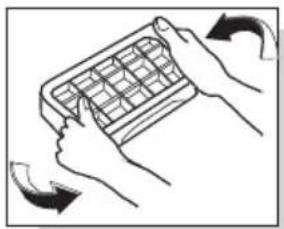
Fill the ice-making box with 4/5 water and put the box into the freezing chamber. After the water in the box turns into ice, twist the box slightly to separate the ice from the box. However, don't bend the box. When separating the ice, wrap the box with dry box to avoid finger frostbite.
natural_image
Illustration of hands holding a grid-based object with directional arrows indicating rotation (no text or symbols)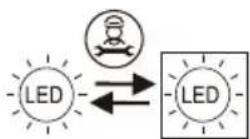
Replaceable (LED only) light source by a professional
Operation notes
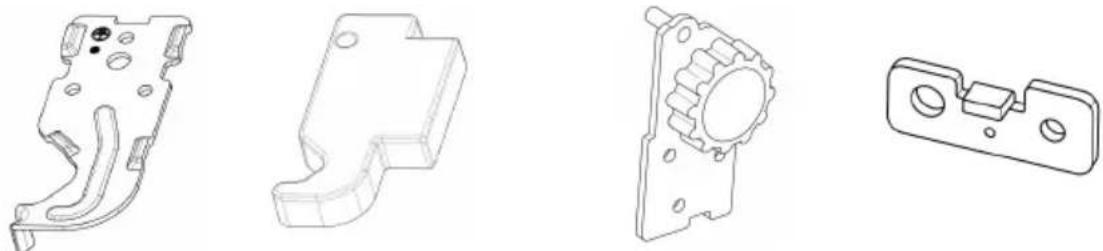
Before reversing the door, please prepare the following tools: cross screw driver, wrench. Note: please remove the main plug before reversing the door. Two people may be needed. Please prepare the following items in advance:
Left upper hinge × 1 left upper hinge cover × 1 lower left hinge assembly × 1 left door stop × 2
- Close the door and take out the screws from the upper hinge cover with a cross screwdriver. Remove the hinge cover, then disassemble the connection terminal, remove the top hinge and take off upper door. Remove left screw cover.
natural_image
Pure technical line drawing of a mechanical or electrical component without any text, numbers, or symbols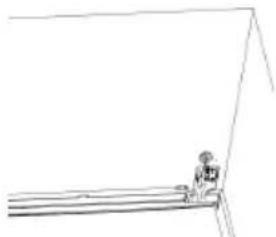
natural_image
Simple line drawing of a person standing near a ladder (no text or symbols)- Take out the screws of the middle hinge with a cross screwdriver, remove the middle hinge, remove the screw cover at the left screw hole, and take down the lower door.
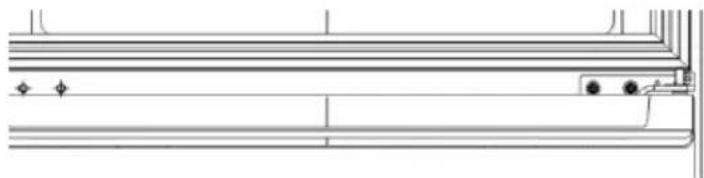
natural_image
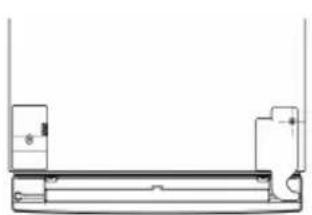
Pure technical line drawing of a mechanical component or bracket (no text or symbols)- Laying down the refrigerator, and remove the lower hinge and leveling angle at the bottom of the refrigerator.
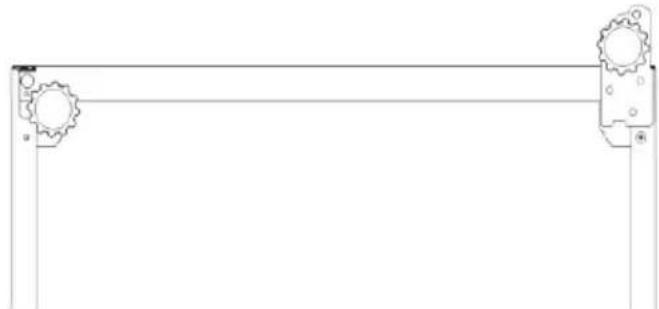
natural_image
Pure mechanical linkage diagram without any text, numbers, or symbols- Remove the wire cover on the upper end of the upper door, change the wiring harness from the right side to the left side, and install the left door stop to the left side of the upper door and lower door. (the replacement of upper door and lower door stop is the same as that of lower door, and the lower left figure will be changed to right picture)
EN
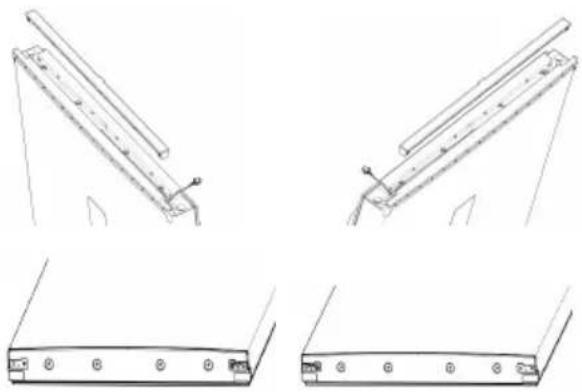
- Install the previously prepared lower left hinge assembly on the left, install the previously removed leveling angle to the right, and install the lower door.
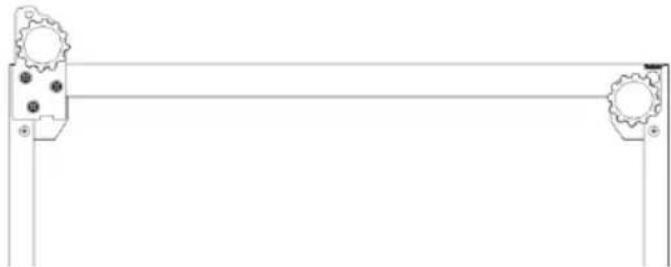
natural_image
Pure mechanical linkage diagram without any text, numbers, or symbols- Install the middle hinge at the left mounting position, and install the previously removed screw cover to the right screw hole.
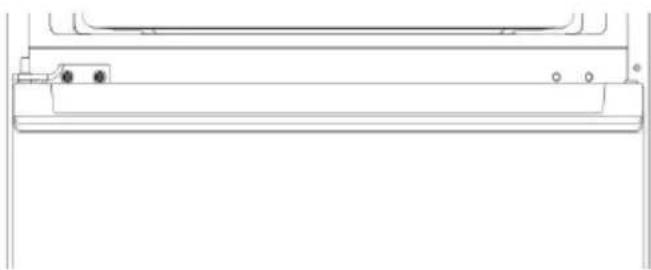
natural_image
Pure technical line drawing of a mechanical component or bracket (no text or symbols)- Install the upper door, connect the terminals, install the left upper hinge, the left upper hinge cover and the previously removed screw cover. Reverse door complete. (the upper hinge and hinge cover are installed on the left as shown in the figure, and the screw cover is in the right position)
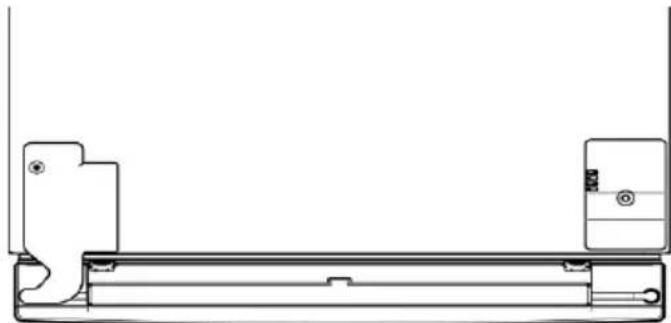
natural_image
Technical line drawing of a mechanical component with no visible text or symbols- After the operation is completed, Please wait for a while and plug in the power supply. ame as that of lower door, and the lower left figure will be changed to right picture)
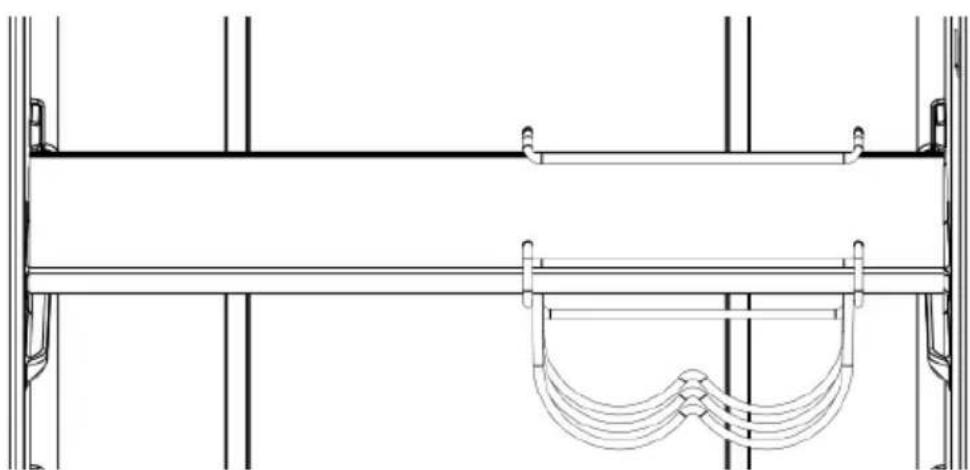
Wine Rack Installation Instruction
- Take out the glass shelf from the refrigerator, with the wine rack front facing the front of glass shelf
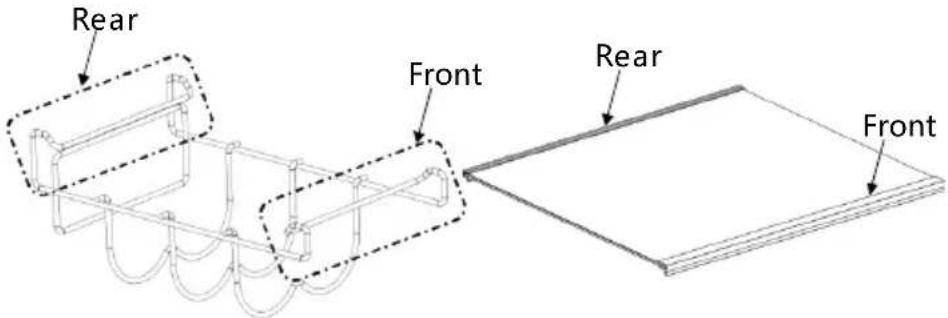
- Align the wine rack with the glass shelf, and install it from the side
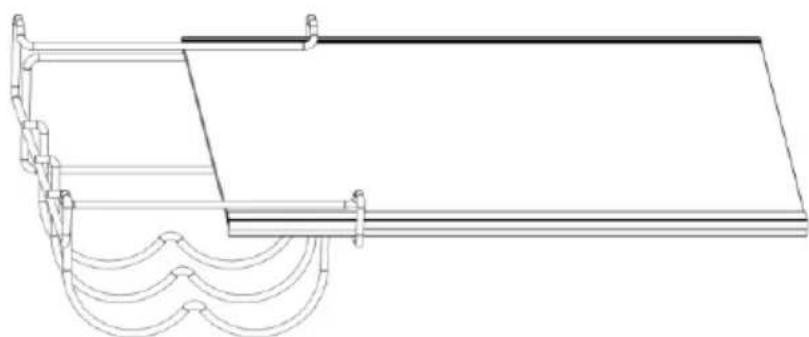
natural_image
Line drawing of a traditional wooden boat hull with wavy deck and support beams (no text or symbols)- Install the wine rack and glass shelf back to the refrigerator
natural_image
Technical line drawing of a structural support frame with vertical supports and a curved support bracket (no text or symbols)Operation notes
Disassembly and assembly method of accessory
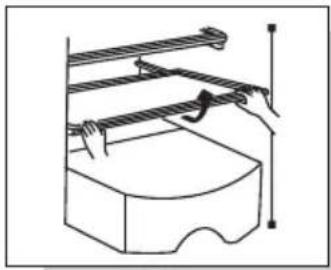
--Glass shelf in the refrigerating chamber: the height of the shelf is adjustable, which facilitates the storage of articles with different volumes. Pull the shelf outwardly and upwardly in a slight way to take out.
--Fruit and vegetable box: for storing vegetables and fruits. It can be taken out by pulling outwardly.
--Drawer in the freezing chamber: storing foods to be preserved for long-term, such as meat and fish. It can be taken out by pulling outwardly and lifting upwardly.
Handy tips: It is recommended to put into the large piece of meat after being cut into small pieces, to avoid difficult cutting after being frozen. The quick-freezing foods shall be distributed uniformly and stored together after being frozen.
--Bottle pedestal at the refrigerating door: storing eggs, various bottled drinks and other sundries. It can be taken out by being lifted up slightly.
Note: Don't pull out the bottle pedestal at the refrigerating door forcibly during disassembly, to avoid damaging the refrigerator.
natural_image
Technical line drawing of a mechanical assembly with no visible text or symbolsTake out by pulling upwardly and outwardly in a slight way

natural_image
Diagram showing a hand pressing down on a panel with an upward arrow, no text or symbols presentTake out by pulling outwardly and upwardly in a slight way
Changing the Light
Any replacement or maintenance of the LED lamps is intended to be made by the manufacturer, its service agent or similar qualified person.
Care and maintenance
It is suggested to clean the refrigerator once per month;
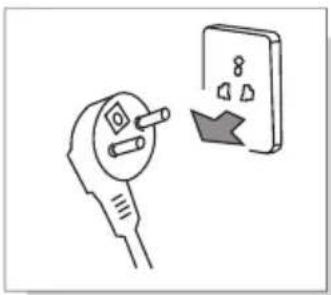
--Unplug the power plug to prevent from electric shock;
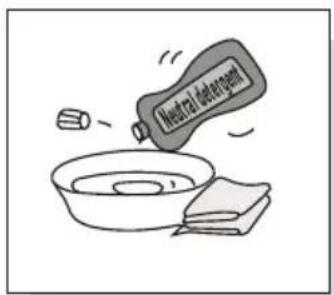
--Use wet cloth or neutral detergent (cleanser essence) to wipe off the oil contamination and other dirt. Then completely wipe off the detergent.
--Do not use alkaline detergent, soap powder, gasoline and alcohol, talcum powder etc.; otherwise the coats or plastics may be damaged;
--Regularly clean the refrigerator body and clear the ground dusts to keep the refrigerator clean.
Inspections after maintenance:
- Whether there are damages to the power line and plug; 2.
Whether there are dusts on the power plug; 3. Whether there is abnormal heat on the plug; 4. Whether the socket is loose; 5.
Whether the plug is totally inserted.
Note:
If the power line and plug is damaged and there exist dusts, electric shock or fire may occur;
After unplugging the plug, 5 minutes must pass before re-plugging it;
Do not put your hands under the refrigerator to avoid getting hurt.
natural_image
Illustration of a hand holding an electrical plug next to an open electrical socket with a lightning bolt (no text or symbols)Unplug the refrigerator plug before cleaning
Please use neutral detergent
Failure analysis
EN
The following items shall be inspected before occurring failures which require maintenance:
Failures: Refrigerator does not work, The refrigeration effect is poor
Causes:1. Check the connection of power supply. 2. Check whether the refrigerator is exposed to direct sunlight or whether there is heat source nearby. 3. Check whether there is heat dissipation space around refrigerator.
Remedies:1. Connect the power supply. 2. Move the refrigerator to a place without direct sunlight and heat source. 3. Leave sufficient space between refrigerator and wall.
Failures: Foods in refrigerating chamber are frozen
Causes:1. Check whether the setting temperature is too low. 2. Check whether foods with too much water are too close to the rear wall.
Remedies:1. Adequately increase the temperature. 2. Move the foods with too much water to the door side of glass shelf
Failures: There is abnormal sound in refrigerator
Causes:1. Check whether the bottom of refrigerator is stable. 2. Check whether the refrigerator is too close to the wall. 3. Check whether the refrigerator touches other objects.
Remedies:1. Adjust the bottom adjusting leg to stabilize the refrigerator. 2. Leave sufficient space around refrigerator. 3. Remove the obstacles.
Failures: There is abnormal odor in refrigerator
Causes:1. Check whether the foods are sealed for storage. 2. Check whether the refrigerator is clean. 3. Check whether the foods are stored for too long.
Remedies:1. Sealed foods for storage. 2. Regularly clean the refrigerator. 3.Do not store foods for too long time.
Non-failures
Phenomenon:Fever or hot on two sides and spacing part surface between refrigerating chamber and freezing chamber.
Cause: Refrigerator pipes (condenser, anti-fog pipes) are on two sides and front part of refrigerator for heat dissipation and to prevent from condensation.
Phenomenon:The door is too tight and not easy to open
Cause: Reopening of the door immediately after closing it is hard because hot air enters the refrigerator and contracts to produce pressure difference. It is easy to open the door after a while.
Phenomenon: There is water ripple in refrigerator
Cause: When starting or stopping the compressor, the refrigerant will make such sound; Water produced after defrosting will also make such sound.
Phenomenon: There is "Click" sound or tick sound in refrigerator
Cause: Shrinkage and swelling of case will make such sound; When the case is cold or the door is opened, this sound will occur;
Phenomenon:There is hum sound in refrigerator
Cause: Running of compressor will make such sound (if the refrigerator is not leveled, this sound will be louder)
Phenomenon: There is condensation or frosting freezing chamber door surface or food surface
Cause: Temperature or humidity around the refrigerator is high; The door is opened for too long time; The foods with too much water are not sealed or tightly wrapped
Phenomenon: There is condensation on the built-in light surface
Cause: Light will produce heat after being lit, and the door is opened for too long. So there is temperature difference, and thus the light case will have condensation.
Phenomenon: There is condensation and water mist on body
Cause: Humidity around refrigerator is high, and the moisture in the air will gather in the case to form condensation
Technical parameter
EN
| Model | RP318BSCO | ||||||
| Climate type | SN/N/ST | ||||||
| Electric shock resistance | I | ||||||
| Star sign | *** | ||||||
| Total Volume | 318L | ||||||
| Fresh food compartment | 219L | ||||||
| Volume of Freezer | 99L | ||||||
| Power type | 220-240V~150Hz | ||||||
| Rated current | 0.8A | ||||||
| Energy consumption E16 | 0.595 kWh/24h | ||||||
| Annual energy consumption AE | 158kW·h/a | ||||||
| Lamp power | 2W | ||||||
| Weight | 76.3kg | ||||||
| Dimension | 595x660x1850mm | ||||||
| Refrigerant and charge amount | R600a,409 | ||||||
| Noise Volume | 38dB(A) | ||||||
Packing list
| Annex\Model | RP318BSC0 | ||||||
| Refrigerating shelf | 3 | ||||||
| Fruit and vegetable box cover | 1 | ||||||
| Fruit and vegetable box | 1 | ||||||
| Ice-making box | 1 | ||||||
| Egg box | 1 | ||||||
| Refrigerating door bottle bracket | 4 | ||||||
| Freezing drawer | 3 | ||||||
| Operating instruction | 1 |
EN
Safe recovery instructions
Disposal
Old appliances still have some surplus value. An environmentally friendly approach will ensure that valuable raw materials are recycled.
The refrigerants used in your equipment and insulation materials require special handling procedures. Make sure there is no pipe damage on the back of the equipment before handling. Up-to-date information on the options for disposing of old equipment and packaging from old equipment can be obtained from the local council.
| Correct Disposal of this product. | |
 | This marking indicates that this product should not be disposed with other household wastes throughout the EU. To prevent possible harm to the environment or human health from uncontrolled waste disposal, recycle it responsibly to promote the sustainable reuse of material resources. To return your used device, please use the return and ollection systems or contact the retailer where the product was purchased. They can take this product for environmental safe recycling. |
Description of climate types
Table 1 Climate classes
| Class | Symbol | Ambient temperature ranges°C |
| Extended temperate | SN | + 10 to + 32 |
| Temperate | N | + 16 to + 32 |
| Subtropical | ST | + 16 to + 38 |
| Tropical | T | + 16 to + 43 |
Extended temperate: 'this refrigerating appliance is intended to be used at ambient temperatures ranging from 10^ to 32^ ;
temperate: ‘this refrigerating appliance is intended to be used at ambient temperatures ranging from 16 °C to 32 °C’;
Subtropical: 'this refrigerating appliance is intended to be used at ambient temperatures ranging from 16° C to 38° C';
Tropical: 'this refrigerating appliance is intended to be used at ambient temperatures ranging from 16° C to 43° C';
Dear customer
if you need customer service, please check warranty card for further information.
natural_image
Illustration of a cartoon box character reacting to heat and cooling, with sun and steam symbols (no text or labels)natural_image
Cartoon illustration of a smiling rectangular box with arms pointing downward, placed on tiled floor (no text or symbols)natural_image
Cartoon illustration of a smiling face inside a box surrounded by snowflakes and motion lines (no text or symbols)natural_image
Cartoon illustration of a smiling cube with steam rising, placed on a base with steam lines (no text or symbols)Remarques:
natural_image
Illustration of hands holding a grid-based object with directional arrows indicating rotation (no text or symbols)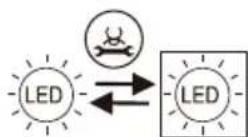
natural_image
Four technical line drawings of mechanical components, no text or symbols presentnatural_image
Technical line drawing of a mechanical assembly with two views (top and side), no text or symbols present.natural_image
Pure technical line drawing of a mechanical or architectural component without any text, numbers, or symbolsnatural_image
Technical line drawings of three different mechanical or electrical components with mounting holes and mounting points (no text or symbols)natural_image
Pure mechanical linkage diagram with two vertical supports and gear symbols (no text or labels)natural_image
Technical line drawing of a mechanical component or bracket (no text or symbols)natural_image
Technical line drawing of a mechanical component with no visible text or symbolsnatural_image
Technical line drawing of a structural frame with curved supports and a horizontal beam (no text or symbols)natural_image
Technical line drawing of a structural support frame with hanging clips (no text or symbols)natural_image
Technical line drawing of a mechanical assembly with no visible text or symbolsnatural_image
Pure diagram of a hand pressing down on a mechanical component with an upward arrow (no text or symbols)natural_image
Illustration of a plug and a wall socket with a switch, showing electrical connections (no text or symbols)natural_image
Illustration of a distressed cardboard box with steam rising, under sunny conditions (no text or symbols)natural_image
Cartoon illustration of a smiling rectangular box with arms and legs, standing on tiled floor with directional arrows (no text or symbols)natural_image
Cartoon illustration of a smiling face inside a box surrounded by snowflakes and decorative elements (no text or symbols)natural_image
Cartoon illustration of a smiling cube with steam rising, placed on a base with steam lines (no text or symbols)Netter Hinweis:
natural_image
Illustration of hands holding a grid-based object with directional arrows indicating rotation (no text or symbols)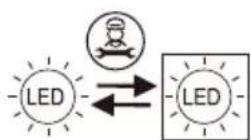
natural_image
Pure technical line drawing of a mechanical component without any text, numbers, or symbols
natural_image
Simple line drawing of a person sitting on a bench facing the side of a wall (no text or symbols)natural_image
Pure technical line drawing of a mechanical component or bracket (no text or symbols)natural_image
Technical line drawing of a mechanical component or bracket (no text or symbols)natural_image
Technical line drawing of a mechanical component with no visible text or symbolsnatural_image
Technical line drawing of a structural frame with curved supports and a horizontal beam (no text or symbols)natural_image
Technical line drawing of a structural support frame with hanging clips (no text or symbols)natural_image
Technical line drawing of a mechanical assembly with no visible text or symbolsnatural_image
Diagram showing a hand holding a rectangular object with an upward arrow, no text or symbols presentnatural_image
Simple line drawing of an electric plug connected to a wall socket with a switch (no text or symbols)natural_image
Illustration of a cartoon cardboard box with steam rising, accompanied by a sun and a monitor (no text or symbols)natural_image
Cartoon illustration of a smiling rectangular character standing on a tiled floor with arms and legs, no text or symbols present.natural_image
Cartoon illustration of a distressed face inside a box surrounded by snowflakes and falling petals (no text or symbols)natural_image
Cartoon illustration of a smiling cube with steam rising, placed on a base with musical notes (no text or symbols)Recordatorio:
natural_image
Illustration of hands holding a grid-based object with directional arrows indicating rotation (no text or symbols)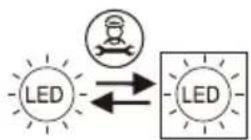
natural_image
Pure technical line drawing of a mechanical component without any text, numbers, or symbols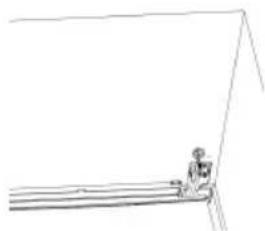
natural_image
Simple line drawing of a person sitting on a bench with no text or symbolsnatural_image
Pure technical line drawing of a mechanical component or bracket (no text or symbols)natural_image
Technical line drawings of mechanical components with mounting holes and mounting points (no text or symbols)natural_image
Pure electrical circuit lines without any symbolsnatural_image
Pure technical line drawing of a mechanical component or bracket (no text or symbols)natural_image
Technical line drawing of a mechanical component with no visible text or symbolsnatural_image
Line drawing of a traditional wooden boat hull with wavy deck and support structure (no text or symbols)natural_image
Technical line drawing of a structural support frame with hanging cables (no text or symbols)Notas de Operación
natural_image
Technical line drawing of a mechanical assembly with no visible text or symbolsnatural_image
Diagram showing a hand holding a rectangular object with an upward arrow, no text or symbols presentnatural_image
Line drawing of an electrical plug and a wall-mounted switch (no text or symbols)natural_image
Illustration of hands holding a grid-based object with directional arrows indicating rotation (no text or symbols)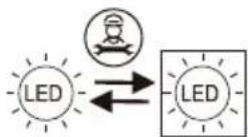
natural_image
Pure technical line drawing of a mechanical assembly without any text, numbers, or symbols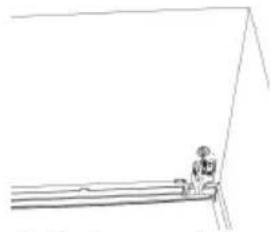
natural_image
Simple line drawing of a person standing near a ladder (no text or symbols)natural_image
Pure technical line drawing of a mechanical component or bracket (no text or symbols)natural_image
Pure mechanical linkage diagram with two gear-like components and a horizontal bar (no text or symbols)natural_image
Technical line drawings of three different mechanical or electrical components with mounting holes (no text or symbols)natural_image
Technical line drawing of a mechanical component or bracket (no text or symbols)natural_image
Technical line drawing of a mechanical component with no visible text or symbolsnatural_image
Technical line drawing of a structural frame with curved supports and a rectangular panel (no text or symbols)natural_image
Technical line drawing of a structural support frame with diagonal braces and a curved bracket (no text or symbols)Notas de utilização
natural_image
Technical line drawing of a mechanical assembly with no visible text or symbolsnatural_image
Diagram showing a hand interacting with a document or folder, with an upward arrow indicating motion (no text or symbols present)natural_image
Simple line drawing of an electric plug connected to a wall-mounted power socket (no text or symbols)natural_image
Illustration of hands holding a grid-based object with curved arrows indicating rotation (no text or symbols)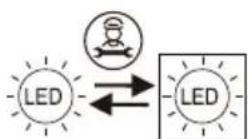
natural_image
Pure technical line drawing of a mechanical assembly without any text, numbers, or symbols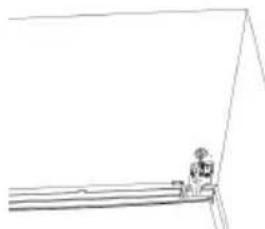
natural_image
Simple line drawing of a person standing near a ladder (no text or symbols)natural_image
Pure technical line drawing of a mechanical assembly without any text, numbers, or symbolsnatural_image
Technical line drawings of mechanical components with mounting holes and mounting points (no text or symbols)natural_image
Pure technical line drawing of a mechanical component or bracket (no text or symbols)natural_image
Technical line drawing of a mechanical component with no visible text or symbolsnatural_image
Line drawing of a traditional wooden boat hull with wavy deck and support structure (no text or symbols)natural_image
Technical line drawing of a structural support frame with hanging clips (no text or symbols)Note operative
natural_image
Technical line drawing of a mechanical assembly with no visible text or symbolsnatural_image
Diagram showing a hand interacting with a panel, with an upward arrow indicating motion (no text or symbols present)natural_image
Illustration of a plug and a wall socket with a lightning bolt symbol (no text or labels)natural_image
Illustration of hands holding a grid-based object with directional arrows indicating rotation (no text or symbols)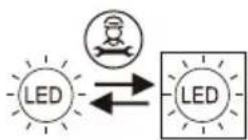
natural_image
Pure technical line drawing of a mechanical assembly without any text, numbers, or symbols
natural_image
Simple line drawing of a person standing near a ladder (no text or symbols)natural_image
Pure technical line drawing of a mechanical component or bracket (no text or symbols)natural_image
Technical line drawings of three different mechanical or structural components with mounting holes and mounting brackets (no text or symbols)natural_image
Pure technical line drawing of a mechanical component or bracket (no text or symbols)natural_image
Technical line drawing of a mechanical component with no visible text or symbolsnatural_image
Technical line drawing of a structural frame with curved supports and a horizontal beam (no text or symbols)natural_image
Technical line drawing of a structural support frame with diagonal braces and a hanging clamp (no text or symbols)natural_image
Technical line drawing of a mechanical assembly with no visible text or symbolsnatural_image
Diagram showing a hand pressing down on a panel with an upward arrow, no text or symbols presentnatural_image
Simple line drawing of an electrical plug and a wall socket with a lightning bolt (no text or symbols)natural_image
Illustration of hands holding a grid-based object with directional arrows indicating rotation (no text or symbols)
natural_image
Pure technical line drawing of a mechanical component or bracket (no text or symbols)natural_image
Technical line drawings of mechanical components with mounting holes and mounting points (no text or symbols)natural_image
Pure technical line drawing of a mechanical component or bracket (no text or symbols)natural_image
Technical line drawing of a mechanical component with no visible text or symbolsnatural_image
Technical line drawing of a structural frame with curved supports and a horizontal beam (no text or symbols)natural_image
Technical line drawing of a structural support frame with hanging cables (no text or symbols)Pokyny k užívání
natural_image
Technical line drawing of a mechanical assembly with no visible text or symbolsnatural_image
Diagram showing a hand interacting with a document or folder, with an upward arrow indicating motion (no text or symbols present)natural_image
Illustration of a plug being replaced by an electrical outlet (no text or symbols)natural_image
Illustration of hands holding a grid-based object with directional arrows indicating rotation (no text or symbols)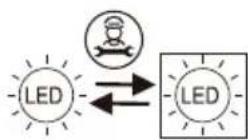
natural_image
Pure technical line drawing of a mechanical assembly without any text, numbers, or symbols
natural_image
Simple line drawing of a person standing near a ladder (no text or symbols)natural_image
Pure technical line drawing of a mechanical component or bracket (no text or symbols)natural_image
Technical line drawings of three different electronic device components with mounting holes and wiring (no text or symbols)natural_image
Technical line drawing of a mechanical component or bracket (no text or symbols)natural_image
Technical line drawing of a mechanical component with no visible text or symbolsnatural_image
Technical line drawing of a mechanical assembly with curved supports and a rectangular plate (no text or symbols)natural_image
Technical line drawing of a structural support frame with horizontal and vertical components (no text or symbols)Uwagi operacyjne
natural_image
Technical line drawing of a mechanical assembly with no visible text or symbolsnatural_image
Diagram showing a hand pressing down on a panel with an upward arrow, no text or symbols presentnatural_image
Simple line drawing of an electric plug connected to a wall socket with a lightning bolt (no text or symbols)
- Two-Door Household Refrigerator Operating Instructions
- Safety instructions
- EN
- Warning
- Caution
- Product introduction
- Features The pictures are for reference only. Please refer to the object
- Warm prompt:
- Warning:ar
- Handling and placement
- Preparations prior to use
- Operation notes
- Powered on for the first time
- Child lock function
- Manual temperature adjustment
- Refrigerator chamber temperature adjustment (2°C \~ 8°C)
- Freezer chamber temperature adjustment (-24°C \~ -15°C)
- Power Cool function
- Power Freeze function
- Holiday function
- Power off memory
- Door alarm
- Over temperature warning of freezer chamber
- Display protection function
- Power-off memory
- Foods storage
- Refrigerating chamber (2°C\~8°C)
- Freezing chamber (-24°C\~-15°C)
- ★★ Warm tips:
- Ice-making (If the appliance has it)
- Wine Rack Installation Instruction
- Disassembly and assembly method of accessory
- Changing the Light
- Care and maintenance
- Note:
- Failure analysis
- Failures: Refrigerator does not work, The refrigeration effect is poor
- Failures: Foods in refrigerating chamber are frozen
- Failures: There is abnormal sound in refrigerator
- Failures: There is abnormal odor in refrigerator
- Non-failures
- Phenomenon:The door is too tight and not easy to open
- Phenomenon: There is water ripple in refrigerator
- Phenomenon: There is "Click" sound or tick sound in refrigerator
- Phenomenon:There is hum sound in refrigerator
- Phenomenon: There is condensation or frosting freezing chamber door surface or food surface
- Phenomenon: There is condensation on the built-in light surface
- Phenomenon: There is condensation and water mist on body
- Technical parameter
- Safe recovery instructions
- Disposal
- Description of climate types
- Dear customer
- Remarques:
- Netter Hinweis:
- Recordatorio:
- Notas de Operación
- Notas de utilização
- Note operative
- Pokyny k užívání
- Uwagi operacyjne
Brand : TCL
Model : RP318BSC0
Category : Fridge