HAT70 832 X - Fridge HOTPOINT - Free user manual and instructions
Find the device manual for free HAT70 832 X HOTPOINT in PDF.


User questions about HAT70 832 X HOTPOINT
0 question about this device. Answer the ones you know or ask your own.
Ask a new question about this device
Download the instructions for your Fridge in PDF format for free! Find your manual HAT70 832 X - HOTPOINT and take your electronic device back in hand. On this page are published all the documents necessary for the use of your device. HAT70 832 X by HOTPOINT.
USER MANUAL HAT70 832 X HOTPOINT
Before using the appliancarefully read the Health and Safety g e. uid
PRODUCT DESCRIPTION
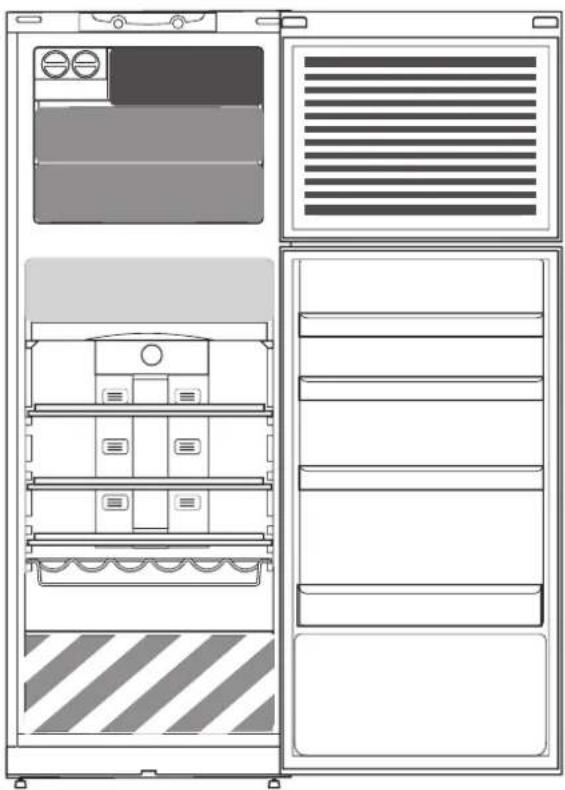
APPLIANCE
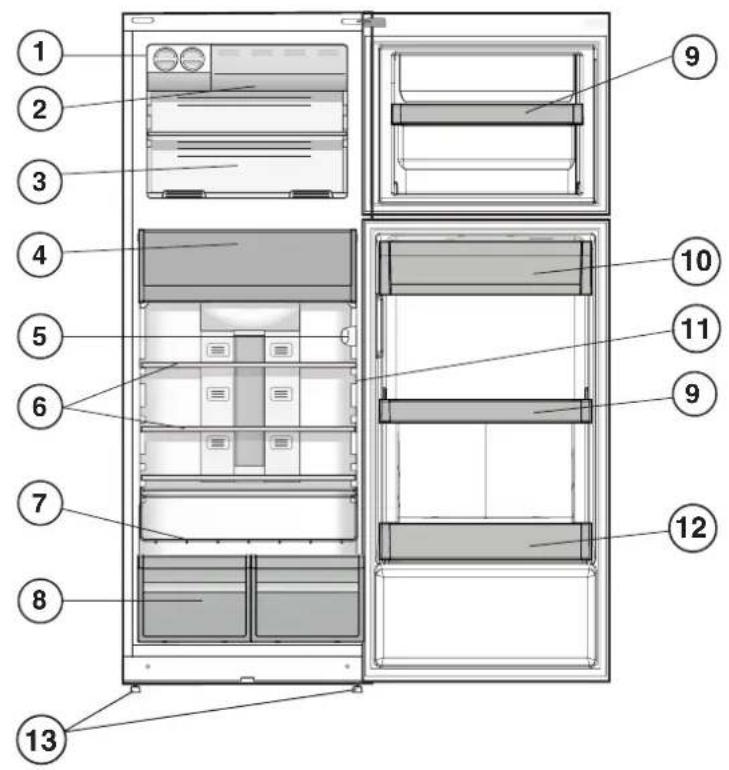
text_image
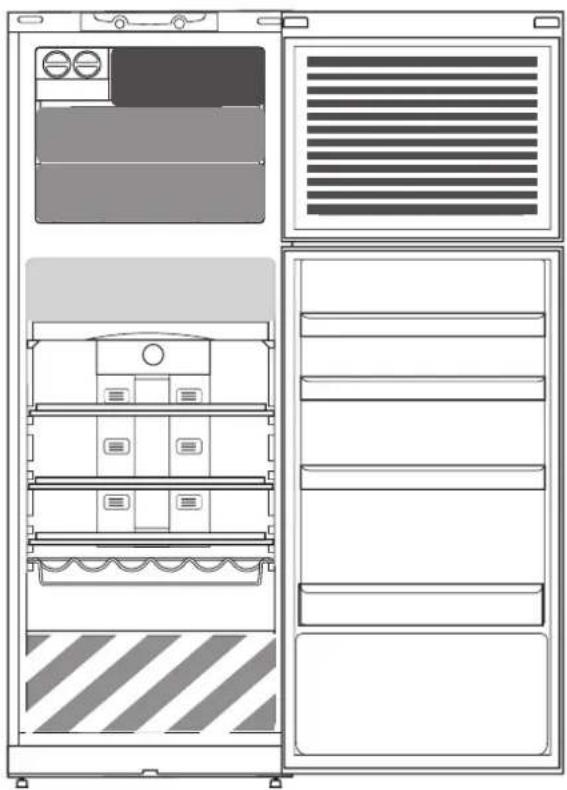
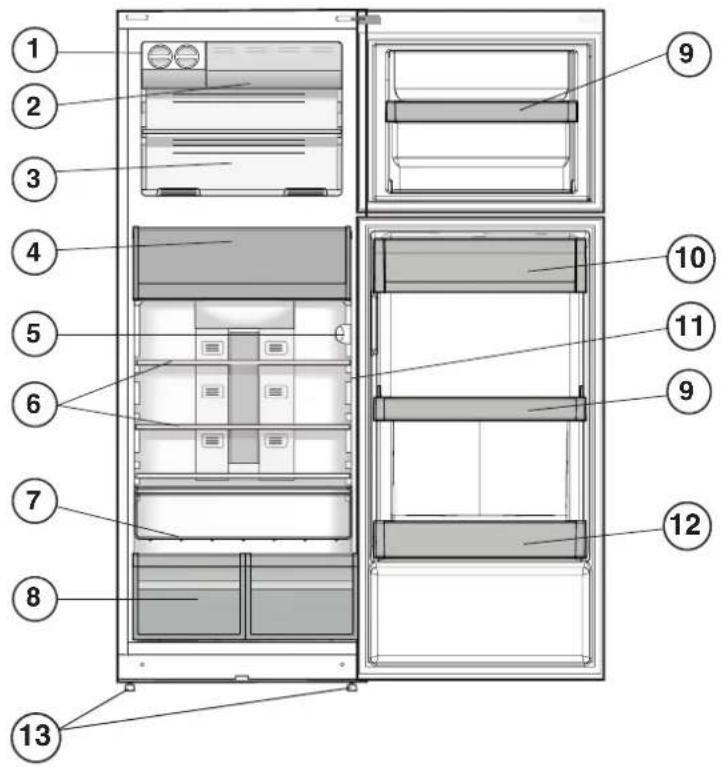
Technical diagram of a refrigerator with numbered compartments and labeled parts- I ce Device *
- Q uick Freezer *
- Freezer And Storage Compartment
- F ood Care Zone 0 °C / Safe Defrost *
- Control Panel
- S helves*
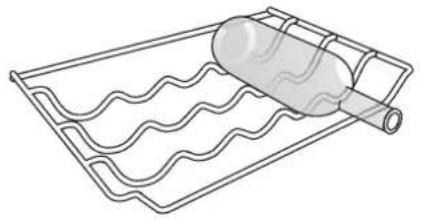
- B ottle Rack *
- F ruit And Vegetable Bin *
- M ovable Shelves *
- D airy Shelf *
- Temperature Indicator *
- Bottle Shelf
- Levelling Feet
*Varies by number and/or position, available only on certain models.
CONTROL PANEL
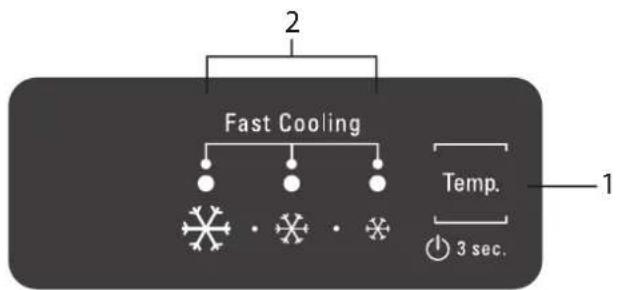
flowchart
graph TD
    A["2"] --> B["Fast Cooling"]
    B --> C["•"]
    B --> D["•"]
    B --> E["•"]
    B --> F["•"]
    B --> G["•"]
    H["Temp."] --> I["1"]
    J["3 sec."] --> K["1"]
- ON/STANDBY Button and Temperature Buton
- Ind icator LEDs to display the current temperature setpoint or the Fast Freezing funct in
ACCESSORIES
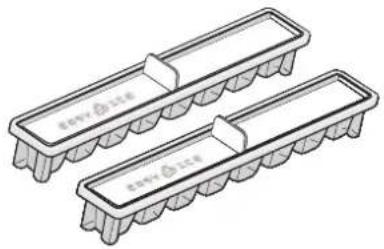
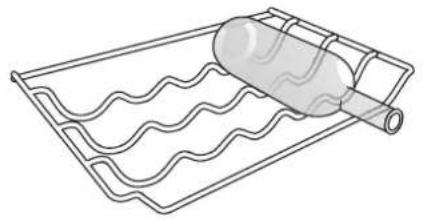
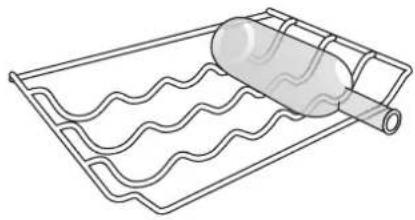
EASY ICE BOTTLE RACK
natural_image
Two identical rectangular electronic components with side connectors, no text or symbols visible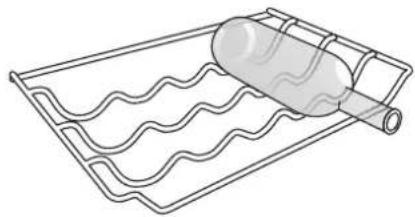
natural_image
Line drawing of a bottle rolling on a wavy surface next to a grid-patterned tray (no text or symbols)FIRST TIME USE
HOW TO START THE APPLIANCE
After plugging the appliance to the man's, tistsarts the operation automatically. After starting the appliance, wait at least 4-6 hours before placing food into the fridgento i the freezer compartment.
When the appliance is connected to the power supply, the display lights up and all the icons appear on the display for approximately 1 second. The default (factory) values of the fridge - freezer compartment settings light-up.
DAILY USE
See Use and Care Guide for more details on functions / see last page for information on how to obtain the Use and Care Guide
FUNCTIONS
ON/STANDBY
To put the product in Stand-by, press and hold the On/Standby button for 3 seconds. All the temperature indicators turn off. Press again to reactivate the appliance (see the Instructions for Use).
TEMPERATURE SETTING
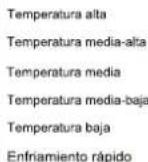
Press the Temperature button on the control panel to adjust the temperature from the warmest through the lower to the coldest level.
Pressing the Temperature button, the temperature setting will change cyclically.
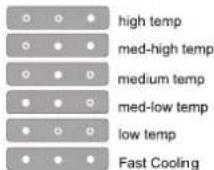
At first plug-in of appliance temperature setpoint is present at medium position (factory set ng)
FAST FREEZING
The use of the Fast Freezing function recommended: to increase the cooling capacity of the freezer compartment when placing a very high quantity of food with it. To activate the Fast Freezing function, press the Temperature button cyclically on the control panel till all the 3 LEDs blink and remain on.

The function automat calli deact ated after 48 hours and return to previous selected set point. The function be manually deactivated by press Temperature button on the control panel.
TEMPERATURE INDICATOR \*
Temperature indicator informs you if the temperature in this cavity is cold enough for storage with the word "OK".
- Check that OK appears clearly on the indicator light (see the picture below).

- If the word "OK" does not appear it means that the temperature is too high: set a lower temperature and wait approximately 10 hours until the temperature has been stabilised.
- Check the indicator light again: if necessary, readjust it following the initial process. If large quantities of food have been added or if the refrigerator door has been opened frequently, it is normal for the indicator not to show OK. Wait at least 10 hours before adjusting the REFRIGERATOR OPERATION knob to a higher setting.
FOOD CARE ZONE 0°C / SAFE DEFROST \*
A compartment designed to keep delicate food such as meat and fish fresh. The low temperature in the compartment makes it possible to store the food for up to one week - tests performed on meat products - without changing its nutrients, appearance and flavour.
The compartment is also very suitable for healthy food defrosting, as low-temperature defrosting prevents any proliferation of microorganisms, while protecting its taste and organoleptic properties.
It is not suitable for fruit, vegetables and green salad. But it can be used for stuffed fresh pasta and even cooked food or leftovers.
FRUIT AND VEGETABLE BIN \*
The salad crispers fitted inside the fridge have been specially designed for the purpose of keeping fruit and vegetables fresh and crisp. Open the humidity regulator (positiB) if you want to store food in a less humid environment I ke i fruit, or close it (position A) to store food in a more humid environment I ke vegetable.
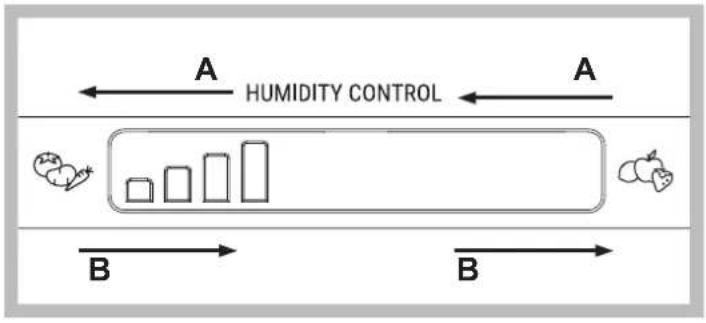
flowchart
graph LR
    A["Humidity Control"] --> B1["Bar 1"]
    A --> B2["Bar 2"]
    A --> B3["Bar 3"]
    B1 --> C1["Box 1"]
    B2 --> C2["Box 2"]
    B3 --> C3["Box 3"]
SHELVES \*
Due to the special guies the shelves are removable and the height is adjustable, allowing easy storage of large containers and food.
ICE DEVICE \*
After pouring water in the special ice cups, place them in their places in the ice device. After about 2 hours, the ice cubes will be ready. In order to get the ice cubes, it will be sufficient to turn the two buttons to the right. The ice cubes will fall in to the tray below, ready to be used.
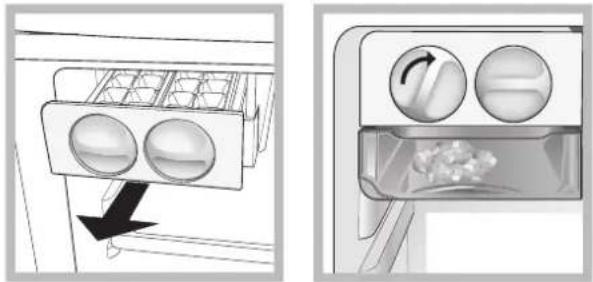
natural_image
Diagram showing a refrigerator interior with two circular windows and a directional arrow indicating airflow (no text or symbols)ALARM TABLE
| ALARM TYPE SIGNAL CAUSE SOLUTION | |||
| Door open alarm. Refrigerator Light blinks.Alarm Indicator blinks. | The door has remained open for more than 2 minutes. | Close the door. | |
| Door open alarm. Refrigerator Light OFF. The door | has remaned open for more than 4 minutes. | Close the door. | |
| Malfunction. | Any temperature indicators blinks. | Product malfunction. | Contact the After-sales Service. |
SOME OF THE FUNCTIONAL SOUNDS YOU MIGHT HEAR
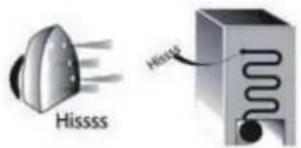
A hissing sound when switching on the appliance for the first time or after a long pause.
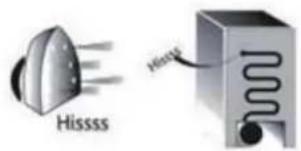
text_image
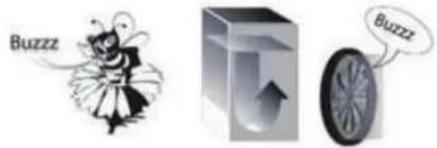
Hissss HisssBuzzing sound when water valve or fan start working.
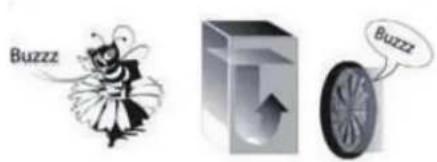
text_image
Buzzz BuzzzA gurgling sound when refrigerant fluid enters into the pipes.
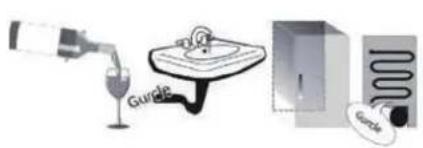
text_image
Diagram showing a bottle pouring liquid into a sink, alongside a close-up of a wall-mounted device with a coiled tube.A cracking sound when compressor starts.
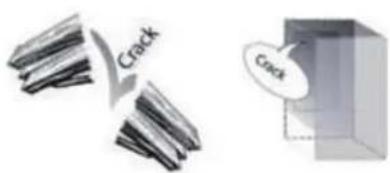
text_image
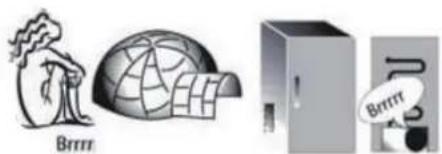
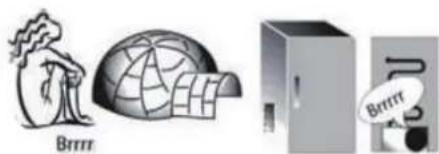
Crack CrackBRRR sound is from the compressor running.
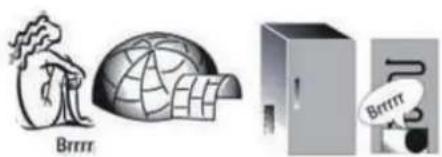
natural_image
Illustration of three objects: a cartoon figure, a globe with a dome, and a server unit (no text or symbols)The CLICK is from the thermostat which adjusts how often the compressor is running.
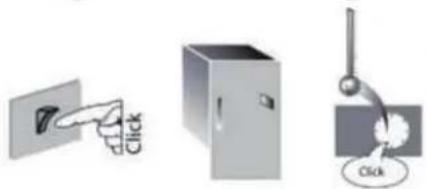
natural_image
Three simple icons: a pointing hand, a refrigerator, and a hanging lamp with a 'Click' button (no text or symbols beyond basic icons)HOW TO STORE FOOD AND BEVERAGE
natural_image
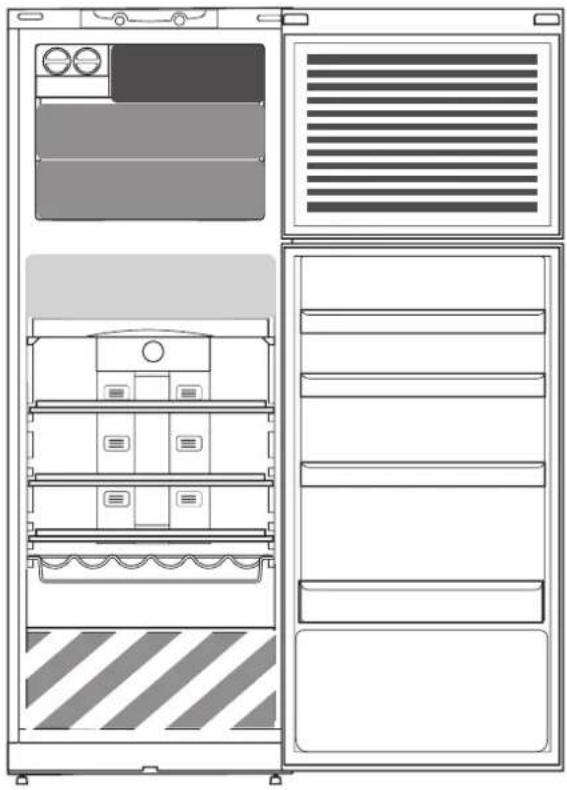
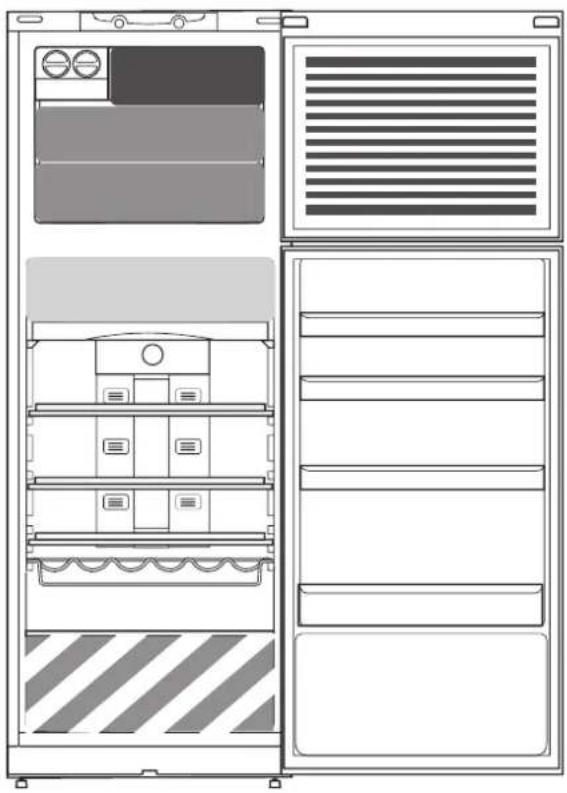
Front and back view diagram of a refrigerator with internal compartments and ventilation grilles (no text or labels)Legend

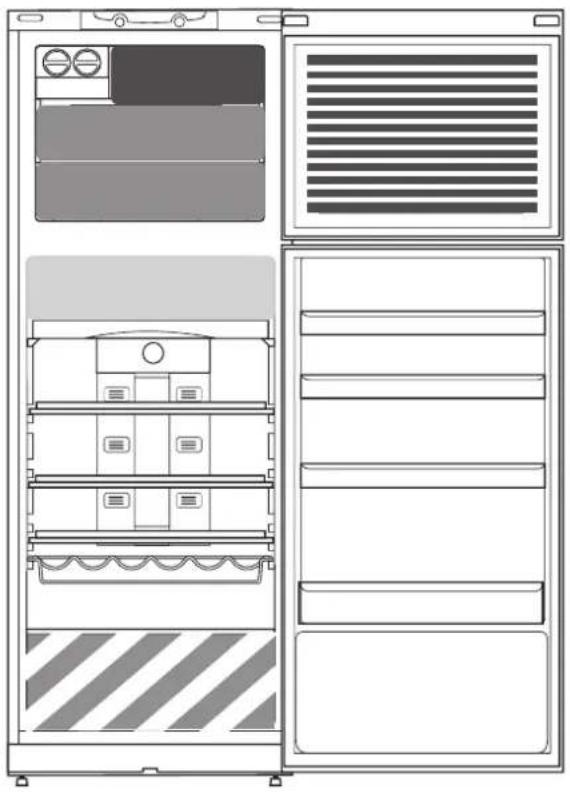
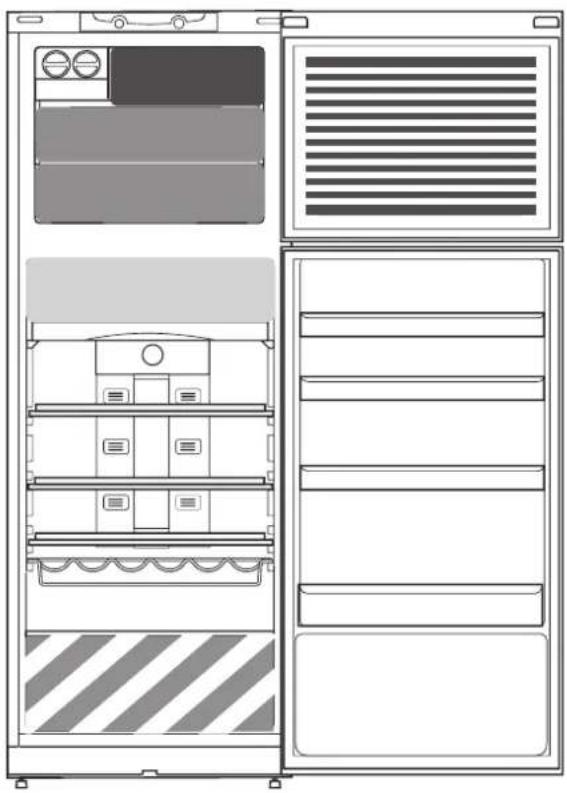
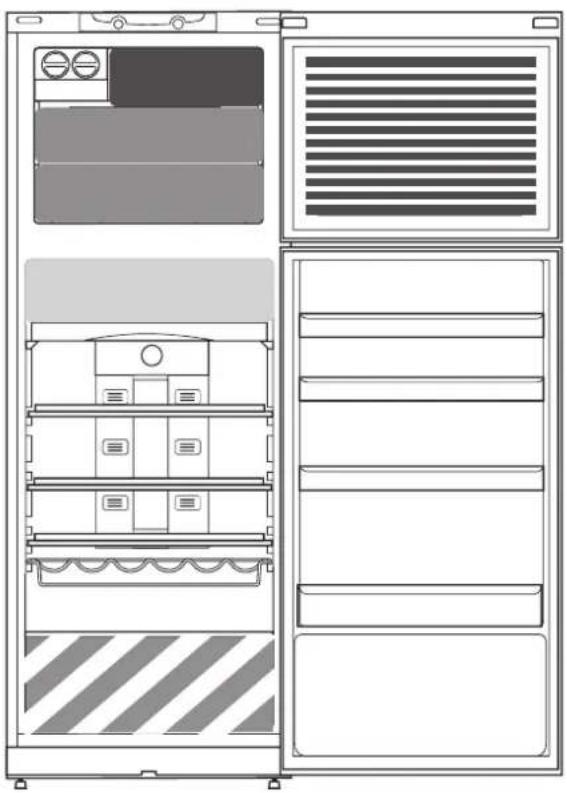
COOL ZONE
Suggested for the storage of beverage, milk and food as dairy food, delicatessen, yogurt, eggs, butter, sauces, pickles, desserts

COOLER ZONE:
FOOD CARE ZONE 0 °C / SAFE DEFROST \*
Suggested for the storage of meat, fish, cold cuts, stuffed fresh pasta, cooked food, leftovers. This zone is also suggested for food defrosting.

FRUIT & VEGETABLE DRAWER

FAST FREEZING ZONE DRAWER
Max cool zone suggested to freeze fresh food and cooked food.

NORMAL FREEZER DRAWERS
Suggested for the storage of frozen food and ice cream.
ICE CREAM LOADING IN THE BALCONIES AREA
Note: The Grey tone of the legend doesn't match with the color of drawers
FRIDGE COMPARTMENT
Use recyclable plastic, metal, aluminum and glass containers and cling film to wrap foods.
Always use closed containers for liquids and for food that may give off or be tainted by odor or flavor transfer or cover them.
If you have a little quantity of food to store in the refrigerator, we recommend to use the shelves above the crisper for fruits and vegetables since this is the coolest area of the compartment.
Foods which give off a large amount ethylene gas and those that are sensitive to this gas, such as fruit, vegetables and salad, should always be separated or wrapped so as not to reduce the storage life; for example do not store tomatoes together with kiwi fruits or cabbage.
To avoid bottles falling over, you can use the bottle holder (available on selected models).
Do not store food too close together to enable sufficient air circulation.
FREEZER COMPARTMENT
The freezer is the ideal storage location for store frozen food, make ice cubes and freeze fresh food in the freezer compartment.
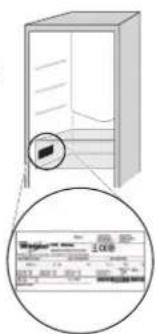
The maximum number of kilograms of fresh food that can be frozen within a 24-hour period is indicated on the rating plate (...kg/24h).
If you have a little quantity of food to store in the freezer, we recommend to use the coldest areas of your freezer compartment, corresponding to the middle area.
Specifications, technical data and images may vary from model to model
To receive the assistance call the number shown on the warranty booklet or follow the instruction on the web site www.hotpoint.eu
CONTACTING AFTER-SALES SERVICE
You can find our contact details in the warranty manual. When contacting our Client After-sales Service, please state the codes provided on your product's identification plate.
text_image
Diagram showing a refrigerator with a magnified inset of its interior, including a close-up of the interior panel labeled '2008'.
text_image
Technical diagram of a refrigerator with numbered compartments and labeled partsnatural_image
Two identical rectangular electronic components with textured bases, no visible text or symbols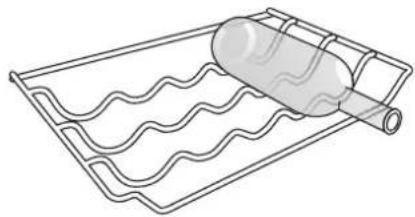
natural_image
Line drawing of a wavy container with a cylindrical object on top, no text or symbols presentPREMIÈRE UTILISATION
MISE EN MARCHE DE L'APPAREIL
flowchart
graph LR
    A["Humidity Control"] --> B1["Process 1"]
    A --> B2["Process 2"]
    A --> B3["Process 3"]
    B1 --> C1["Box with fruit icon"]
    B2 --> C2["Box with fruit icon"]
    B3 --> C3["Box with fruit icon"]
CLAYETTES \*
natural_image
Diagram showing two views of a refrigerator interior with labeled fixtures and airflow direction (no text or symbols)TABLEAU D'AVERTISSEMENTS
natural_image
Illustration of three industrial devices: a tree with 'Brinrr' label, a dome-shaped structure, and a refrigerator with a bag (no text or symbols on devices)natural_image
Three simple icons showing a door, a refrigerator, and a hanging lamp (no text or symbols)COMMENT CONSERVER LES ALIMENTS ET LES BOISSONS
natural_image
Line drawing of a refrigerator interior showing front and side views with no text or symbolsLégende

ZONE FROIDE
text_image
Diagram showing a refrigerator with a magnified view of its price range, including a 200- and 100- price range label.
text_image
FR +
text_image
Diagram of a refrigerator interior with numbered compartments and labeled storage areasnatural_image
Two identical isometric diagrams of integrated circuit chips with no text or symbols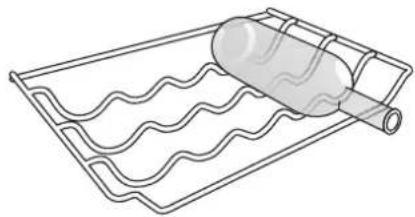
natural_image
Line drawing of a container with a wavy pattern inside, no text or symbols presentPRIMO UTILIZZO
ACCENSIONE DELL'APPARECCHIO
natural_image
Diagram showing a refrigerator interior with two circular fans and a directional arrow indicating airflow (no text or symbols)TABELLA ALLARMI
text_image
Crack Cracknatural_image
Illustration of three objects: a tree with 'Brrrr' label, a globe-like structure, and a server unit (no text or symbols on objects)natural_image
Three simple icons showing a door, a refrigerator, and a hanging lamp with a 'Click' button (no text or symbols beyond basic icons)COME CONSERVARE ALIMENTI FRESCHI E BEVANDE
natural_image
Front and side technical line drawing of a refrigerator cabinet with ventilation grilles and doorways (no text or symbols)Legenda

ZONA FREDDA
text_image
Diagram showing a refrigerator with a close-up of its price range and a magnified view of the price range.DNEVNA PREPORUKA
VODIČ
Hotpoint
ARISTON

Prije upotrebe uređaja pažljivo pročitajte vodič za zdravlje i sigurnost.
OPIS PROIZVODA
UREĐAJ
text_image
Diagram of a refrigerator interior with numbered compartments and labeled storage areasnatural_image
Two rectangular electronic component enclosures with textured bases, no text or symbols visibleDRŽAČ ZA BOCE
natural_image
Line drawing of a wavy surface covered in plastic film, wrapped around a coiled cylindrical object (no text or symbols)PRVA UPOTREBA
KAKO POKRENUTI UREĐAJ
natural_image
Diagram showing a refrigerator interior with two circular compartments and a directional arrow indicating flow or movement (no text or symbols present)TABLICA UPOZORENJA
| VRSTAUPOZORENJA | SIGNAL | UZROK | RJEŠENJE |
| Upozorenje za otvorena vrata. | Svjetlo hladnjaka treperi.Pokazatelj upozorenja treperi. | Vrata su ostala otvorena duže od 2 minute. | Zatvorite vrata. |
| Upozorenje za otvorena vrata. | Svjetlo hladnjaka je ISKLJUČENO. | Vrata su ostala otvorena duže od 4 minute. | Zatvorite vrata. |
| Neispravan rad | Trepere pokazatelji razne temperature. | Neispravan rad proizvoda. | Kontaktirajte servisnu službu - postprodaje. |
NEKE FUNKCIONALNE ZVUKOVE
Zvuk šuštanja kada uključujete uređaj prvi put nakon duge pauze.
text_image
Hissss HissZvuk zujanja kada ventil za vodu ili ventilator počnu raditi.
text_image
Buzzz Buzzztext_image
Crack CrackZvuk BRRR je zvuk kompresora koji radi.
natural_image
Illustration of three objects: a tree with 'Brrrr' label, a globe-like structure, and a server unit (no text or symbols on objects)text_image
Click ClickKAKO ČUVATI HRANU I PIĆE
natural_image
Front and side technical line drawing of a refrigerator cabinet with doors, drawers, and storage compartments (no text or symbols)Legenda

ZONA HLAĐENJA
Preporučuje se za čuvanje pića, mlijeka i hrane poput mliječnih proizvoda, delikatesa, jogurta, jaja, maslaca, umaka, ukiseljenog povrća, deserta.

ZONA HLADNJAKA
text_image
Diagram showing a refrigerator with a close-up view of its front panel, labeled with 'Wegener' and '1000'.DNEVNI SKLIC
VODNIK
Hotpoint
ARISTON

text_image
Diagram of a refrigerator interior with numbered compartments and labeled storage areasnatural_image
Two identical rectangular electronic components with hatched bases, no text or symbols visibleSTOJALO ZA STEKLENICE
natural_image
Line drawing of a wavy surface covered with a cylindrical object, wrapped in a wire rack (no text or symbols)PRVA UPORABA
KAKO ZAGNATI NAPRAVO
natural_image
Diagram showing two views of a refrigerator interior with circular windows and a directional arrow (no text or symbols)TABELA ALARM
text_image
Crack Cracknatural_image
Illustration of three objects: a tree with 'Brrrr' label, a globe-like structure, and a refrigerator with a speech bubble (no text or symbols on objects)natural_image
Three simple icons showing a hand pointing at a panel, a cabinet, and a hanging tool with a 'Click' button (no text or symbols beyond basic icons)KAKO SHRANJEVATI HRANO IN PIJAČO
natural_image
Front and side technical line drawing of a refrigerator cabinet with doors, shelves, and ventilation grilles (no text or symbols)Legenda




HLADNA CONA
text_image
Diagram showing a refrigerator with a close-up view of its front panel, labeled with price and quantity.PREPORUKA DANA
VODIČ
Hotpoint
ARISTON

text_image
Diagram of a refrigerator interior with numbered compartments and labeled storage areas- Ledomat*
- Brzi zamrzivač*
- Zamrzivač i odeljak za skladištenje
- Zona za čuvanje hrane 0°C / Bezbedno odmrzavanje *
- Kontrolna tabla
- Police *
- Stalak za boce *
- Posuda za voće i povrće *
- Pokretne police *
- Polica za mlečne proizvode*
- Indikator temperature *
- Polica za boce
- Nogica za izravnavanje uređaja
natural_image
Two identical isometric diagrams of rectangular electronic components with no text or symbols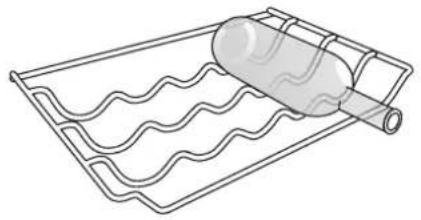
natural_image
Line drawing of a wavy surface covered in a grid with a cylindrical object on top (no text or symbols)PRVA UPOTREBA
KAKO UKLJUČITI UREĐAJ
Nakon uključivanja uređaja na mrežu napajanja električnom energijom, on automatski počinje da radi. Nakon uključivanja uređaja, sačekajte najmanje 4-6 sati pre nego što stavite hranu u frižider i zamrzivač.
Kada je uređaj priključen na napajanje, ekran svetli i sve ikone se pojavljuju na ekranu na otprilike 1 sekundu. Podrazumevane (fabričke) vrednosti podešavanja frižidera i zamrzivača svetle.
SVAKODNEVNA UPOTREBA
Pogledajte u Uputstvu za upotrebu i negu više detalja o funkcijama/pogledajte na poslednjoj stranici informacije o tome kako da dobijete Uputstvo za upotrebu i negu
FUNKCIJE
UKLJUČENO/REŽIM PRIPRAVNOSTI
Da biste proizvod stavili u stanje pripravnosti, pritisnite i držite dugme za uključenje/režim pripravnosti 3 sekunde. Svi indikatori temperature će biti isključeni. Pritisnite ponovo da biste ponovo aktivirali uređaj (pogledajte Uputstvo za upotrebu).
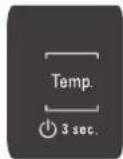
PODEŠAVANJE TEMPERATURE
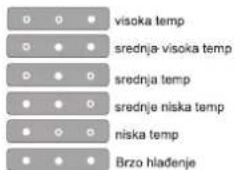
Pritisnite dugme Temperatura na kontrolnoj tabli da podesite temperaturu od najtoplijeg preko nižeg do najhladnijeg nivoa. Pritiskom na dugme Temperatura, podešavanje temperature će se ciklično menjati.
natural_image
Diagram showing a refrigerator interior with two circular compartments and a directional arrow indicating flow or movement (no text or symbols present)TABELA ALARMA
| VRSTA ALARMA ŠIGNAL UZROK | REŠENJE | ||
| Upozorenje na otvorena vrata. | Lampica frižidera treperi. Indikator alarma treperi. | Vrata su ostala otvorena duže od 2 minuta. | Zatvorite vrata. |
| Upozorenje na otvorena vrata. | Svetla frižidera Isključena | Vrata su ostala otvorena duže od 4 minuta. | Zatvorite vrata. |
| Neispravnost. | Svi indikatori temperature trepću. | Neispravnost proizvoda. | Obratite se službi za podršku. |
NEKI OD FUNKCIONALNIH ZVUKA KOJE MOŽDA ČUJETE
Šištanje pri prvom uključivanju uređaja ili posle duže pauze.
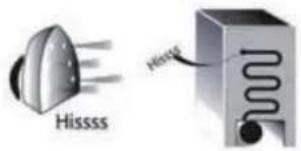
text_image
Hissss HisssZvuk kada ventil za vodu ili ventilator počnu da rade.
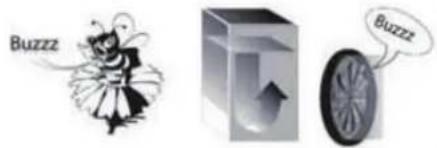
text_image
Buzzz Buzzztext_image
Crack CrackZvuk BRRR dolazi od kompresora koji radi.
natural_image
Illustration of three objects: a tree with 'Brrrr' label, a globe-like structure, and a server unit (no text or symbols on objects)natural_image
Three simple icons showing a hand pressing a button, a cabinet, and a hanging knob with 'Click' labels (no text or symbols on objects)KAKO SKLADIŠTITI HRANU I PIĆE
natural_image
Front and side technical line drawing of a refrigerator cabinet with doors, drawers, and internal compartments (no text or symbols)Legenda





ZONA HLAĐENJA
Preporučuje se za skladištenje pića, mleka i hrane kao što su mlečni proizvodi, suhomesnati proizvodi, jogurt, jaja, puter, sosovi, kisele salate, dezerti
ZONA FRIŽIDERA:
ZONA ZA ČUVANJE HRANE 0 °C / BEZBEDNO ODMRZAVANJE \*
text_image
Diagram showing a cabinet with a magnified view of its internal structure, including a close-up of the label 'Weglar's box' and a magnified inset.REFERENCIA DIARIO
GUÍA
Hotpoint
ARISTON

text_image
Technical diagram of a refrigerator with numbered compartments and labeled partsnatural_image
Two identical 3D rectangular electronic components with internal fins, shown in isometric line drawing without any text or symbols.ESTANTE DE BOTELLAS
natural_image
Line drawing of a wavy surface covered in plastic film, wrapped around a cylindrical object (no text or symbols)PRIMER USO
CÓMO ARRANCAR EL APARATO
Press the Temperature button on the control panel to adjust the temperature from the warmest through the lower to the coldest level.
Pressing the Temperature button, the temperature setting will change cyclically.

flowchart
graph LR
    A["CONTROL DE LA HUMEDAD"] --> B1["Bar segment 1"]
    A --> B2["Bar segment 2"]
    A --> B3["Bar segment 3"]
    B1 --> C1["Box with fruit icon"]
    B2 --> C2["Box with fruit icon"]
    B3 --> C3["Box with fruit icon"]
ESTANTES \*
natural_image
Diagram showing airflow or fluid flow between two containers, with no visible text or symbolsTABLA DE ALARMA
text_image
Crack Cracknatural_image
Illustration of three industrial or storage units: a tree with 'Brrrr' label, a globe-like structure, and a refrigerator with a speech bubble (no readable text or symbols)natural_image
Front and side technical line drawing of a refrigerator with doors, shelves, and ventilation grilles (no text or symbols)Leyenda

ZONA FRESCA
text_image
Diagram showing a refrigerator with a close-up of its price range and a magnified view of the price range.GUIA DE CONSULTA
DIÁRIA
Hotpoint
ARISTON

text_image
Technical diagram of a refrigerator with numbered compartments and labeled partsnatural_image
Two identical rectangular electronic component enclosures with no visible text or symbols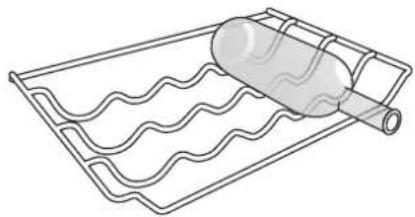
natural_image
Line drawing of a wavy surface next to a cylindrical object on a grid (no text or symbols)UTILIZAR PELA PRIMEIRA VEZ
COMO LIGAR O APARELHO
natural_image
Diagram showing a device with two circular components and a directional arrow, no text or symbols present.TABELA DE ALARME
text_image
Crack Cracknatural_image
Illustration of three abstract objects: a tree with 'Brrrr' on the left, a globe on the right, and a server unit with a speech bubble (no text or symbols)text_image
Click ClickCOMO ARMAZENAR ALIMENTOS E BEBIDAS
natural_image
Front and side technical line drawing of a refrigerator cabinet with ventilation grilles and doorways (no text or symbols)Legenda