
BLP7250 - Power bank BLAUPUNKT - Free user manual and instructions
Find the device manual for free BLP7250 BLAUPUNKT in PDF.
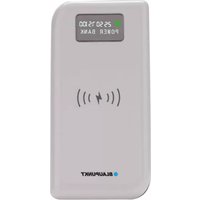


| Product type | Portable battery |
| Brand | Blaupunkt |
| Model | BLP7250 |
| Battery capacity | 8000 mAh (Li-Po) |
| Charging input | 5V / 2A (Micro USB) |
| Wired outputs | Output 1: 5V / 2A Output 2: 5V / 2.1A Output 3: 5V / 1A |
| Wireless charging | Yes, up to 5W |
| Maximum power consumption | 5 W |
| Charging time | Approximately 6 hours |
| Dimensions | 140 x 70 x 16 mm |
| Weight | 200 g |
| Display | LCD screen with 25%, 50%, 75%, 100% levels |
| Low battery indicator | Flashing red LED |
| Auto-off | Yes, 5 minutes after device fully charged |
| Protection | Overcharge, short-circuit, overheating |
| Operating temperature | Temperate climate only |
| Maintenance | Clean with a soft, dry cloth |
| Repairability | Not user-repairable. Built-in battery non-replaceable. |
| Box contents | Power bank, Micro USB cable, user manual |
| Standards | CE, WEEE (2012/19/EU) |
Frequently Asked Questions - BLP7250 BLAUPUNKT
User questions about BLP7250 BLAUPUNKT
0 question about this device. Answer the ones you know or ask your own.
Ask a new question about this device
Download the instructions for your Power bank in PDF format for free! Find your manual BLP7250 - BLAUPUNKT and take your electronic device back in hand. On this page are published all the documents necessary for the use of your device. BLP7250 by BLAUPUNKT.
USER MANUAL BLP7250 BLAUPUNKT
Read these safety instructions before using your device and store them for possible future reference.
- If the charger cord is damaged, have it repaired by the manufacturer, its service or a similarly qualified person in order to avoid any hazard.
- The power supply must be replaced by a new one in case of malfunction, because this power supply is not repairable.
- The charger is not intended for use by persons (including children) with reduced physical, sensory or mental capacity. Persons who have not read the manual, unless they have received explanations by a person responsible for their safety and supervision should not use this unit.
Children should be monitored to ensure that they do not play with the charger.
- The charger should always be readily accessible.
- The device should not be exposed to dripping or splashing water.
- No objects filled with liquids such as vases shall be placed on the device.
- Always leave a minimum distance of 10 cm around the unit to ensure sufficient ventilation.
- Open flame sources, such as candles, should not be placed on top of the device.
- The device is intended for use only in a temperate climate.
- The product should not be exposed to excessive heat such as sunshine, fire or similar.
- The internal battery can't be replaced by the user, but only by the maker of this product, the after sales department or a qualified person.
Specifications
Input: DC 5V=2A
Output 1: DC 5V = 2A
Output 2: DC 5V = 2.1A
Output 3: DC 5V = 1A
Max consumption: 5W
Li-Po battery 8000mAh
Charging time: 6 hours
Dimensions: 140 x 70 x 16mm
Weight: 200g
Turn ON/OFF
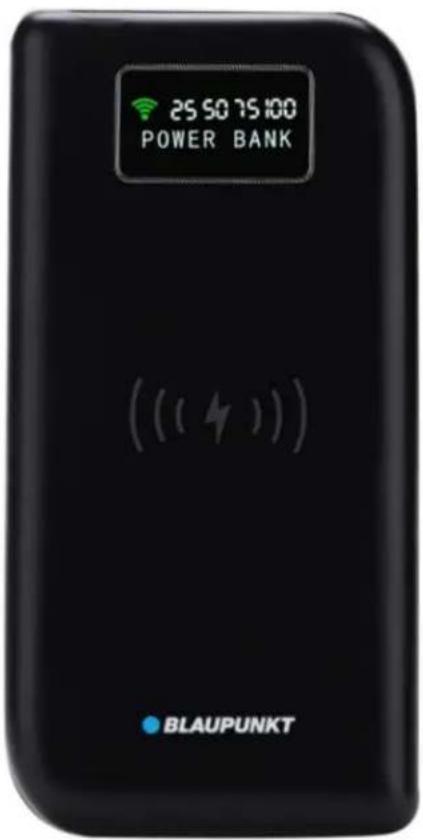
Press the power switch to turn on/off the product, LCD displays "POWER BANK" and "25 50 75 100" as battery level. The green wireless symbol on the left will flash 4 times.
Press the power switch twice to turn off, and the screen goes off.
Charge to the product
DC charging:
Connect the product with wall charger by using micro USB cable, LCD displays the red wireless symbol while charging, and "25 50 75 100" is flashing and displayed according to the current battery level, the flashing will be steady when it is fully charged.
Discharge to the mobile phone
Charge with cable:
Connect the product to your mobile phone with a cable, and it will start charging automatically.
Wireless charge:
To use wireless charging, press the power switch to turn on the product (the green wireless charging symbol will light up), and then place your mobile phone on it for charging.
Note:
When you see the LED light blinking, it means the product is running low on power.
This product will automatically power off 5 minutes after your mobile phone is fully charged.
Make sure you place your mobile phone on the center of the receiving terminal, which allows only a 20mm deflection.
When the current is overloaded, the product will stop working automatically.
The European directive 2012/19/EU on Waste Electrical and Electronic Equipment (WEEE) requires that old household electrical appliances must not be disposed of in the normal unsorted municipal waste stream. Old appliances must be collected separately in order to optimize the recovery and recycling of the materials they contain, and to reduce the impact on human health and the environment. The crossed-out "wheeled bin" symbol on the product reminds you of your obligation that, when you dispose of the appliance, it must be collected separately.

Imported by Dag Technologie®
79/81 Ancienne route Nationale 7
69570 Dardilly
FRANCE

BLAUPUNKT
Enjoy it.
Dag Technologie®
79/81 Ancienne Route Nationale 7
69570 Dardilly – France
All rights reserved. All brand names are registered trademarks of their respective owners. Specifications are subject to change without prior notice.

BLAUPUNKT
User manual
Enjoy it.
Backup battery
BLP7250-001


Brand : BLAUPUNKT
Model : BLP7250
Category : Power bank