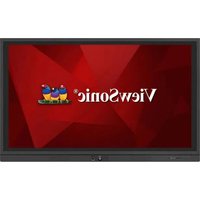
IFP7560 - Whiteboard and accessories VIEWSONIC - Free user manual and instructions
Find the device manual for free IFP7560 VIEWSONIC in PDF.


| Product Type | Interactive whiteboard (touch screen) |
| Brand | ViewSonic |
| Model | IFP7560 |
| Screen size | 75 inches (diagonal) |
| Native resolution | 3840 x 2160 (4K UHD) |
| Dimensions (W x H x D) | 1763 x 1042 x 99 mm (approximate) |
| Weight | Approximately 58.5 kg |
| Power supply | 100-240 V AC, 50/60 Hz |
| Power consumption (on/standby) | 430 W / < 0.5 W |
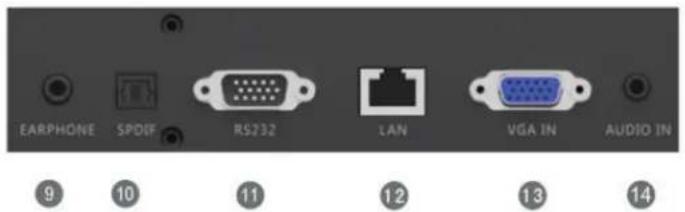
| Video inputs | 3 x HDMI, 1 x DisplayPort, 1 x VGA |
| Video outputs | 1 x HDMI |
| USB ports | 2 x USB 2.0 (front), 1 x USB 3.0 (rear), 1 x USB 2.0 (rear), 1 x USB touch (front), 1 x USB touch (rear) |
| Network connectivity | Ethernet RJ-45, Wi-Fi (via optional USB adapter) |
| Built-in speakers | 2 x 16 W |
| Touch function | Multi-touch (up to 10 points), stylus included |
| Built-in applications | vBoard (digital whiteboard), ViewBoard Cast (screen sharing), Zoom, web browser, file manager |
| VESA wall mount | 800 x 400 mm, M8 x 18 mm screws (4 pieces) |
| Package contents | HDMI cable, power cable (x4), remote control, AAA batteries (x2), USB cable, stylus pens (x3), quick start guide, plate, screws (x9) |
| Maintenance and cleaning | Clean with a soft dry cloth. Unplug before cleaning. Do not use liquid or aerosol products. |
| Safety | Do not open the rear cover. Use a grounded outlet. Do not expose to moisture. Unplug if not used for an extended period. |
| Repairability and spare parts | Contact ViewSonic technical support or an authorized center. Limited warranty included. |
Frequently Asked Questions - IFP7560 VIEWSONIC
User questions about IFP7560 VIEWSONIC
0 question about this device. Answer the ones you know or ask your own.
Ask a new question about this device
Download the instructions for your Whiteboard and accessories in PDF format for free! Find your manual IFP7560 - VIEWSONIC and take your electronic device back in hand. On this page are published all the documents necessary for the use of your device. IFP7560 by VIEWSONIC.
USER MANUAL IFP7560 VIEWSONIC
Commercial Touch Display
ModelNo.VS17302/VS17303
| Substance | Concentration maximale proposée | Concentration réelle |
| Lead (Pb) 0.1% < 0.1% | ||
| Mercury (Hg) 0.1% < 0.1% | ||
| Cadmium (Cd) 0.01% < 0.01% | ||
| Hexavalent Chromium ( Cr^6+ ) 0.1% < 0.1% | ||
| Polybrominated biphenyls (PBB) 0.1% < 0.1% | ||
| Polybrominated diphenyl ethers (PBDE) 0.1% < 0.1% | ||
| Bis (2-ethylhexyl) phthalate (DEHP) 0.1% < 0.1% | ||
| Butyl benzyl phthalate (BBP) 0.1% < 0.1% | ||
| Dibutyl phthalate (DBP) 0.1% < 0.1% | ||
| Diisobutyl phthalate (DIBP) 0.1% < 0.1% |
Europe : http://www.viewsoniceurope.com/eu/support/call-desk/
Taiwan : https://recycle.epa.gov.tw/
1. Démarrage
natural_image
Close-up of a black control panel with a power button and a separate square button, labeled 9, 10, and 11 below (no additional text or symbols)
natural_image
Illustration of a hand holding a smartphone with a small object inside (no text or symbols)(1)

natural_image
Line drawing of a handheld electronic device with a handle and internal components, enclosed in a dashed border (no text or symbols)(2)
natural_image
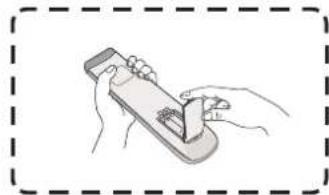
Illustration of hands holding a handheld device with a small object inside (no text or symbols)(3)
natural_image
Interior view of a computer monitor case with ventilation grilles and a control panel (no text or symbols visible)IFP7560
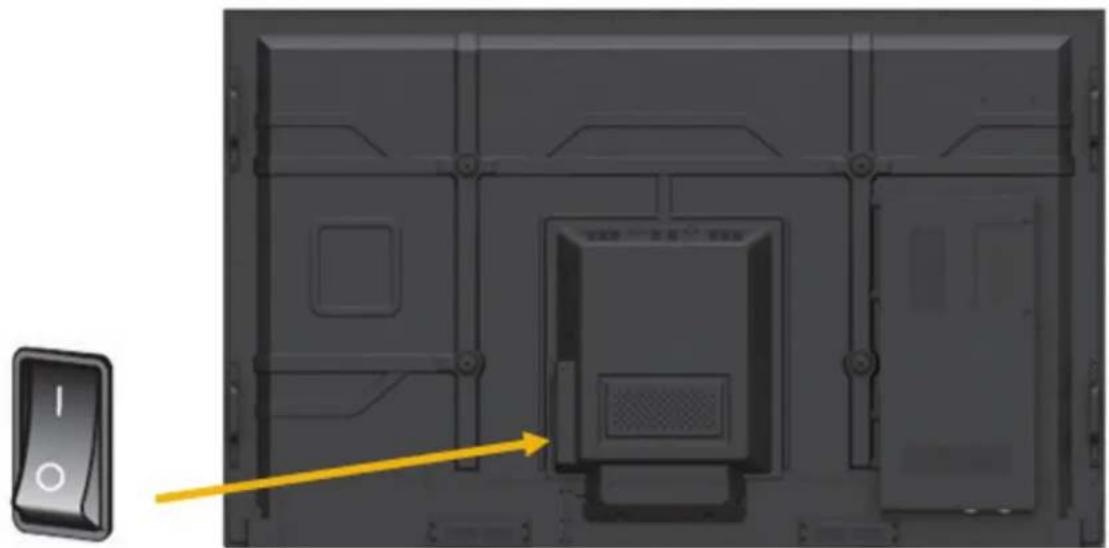
natural_image
Interior view of a computer monitor case with a yellow indicator light and control panel (no text or symbols)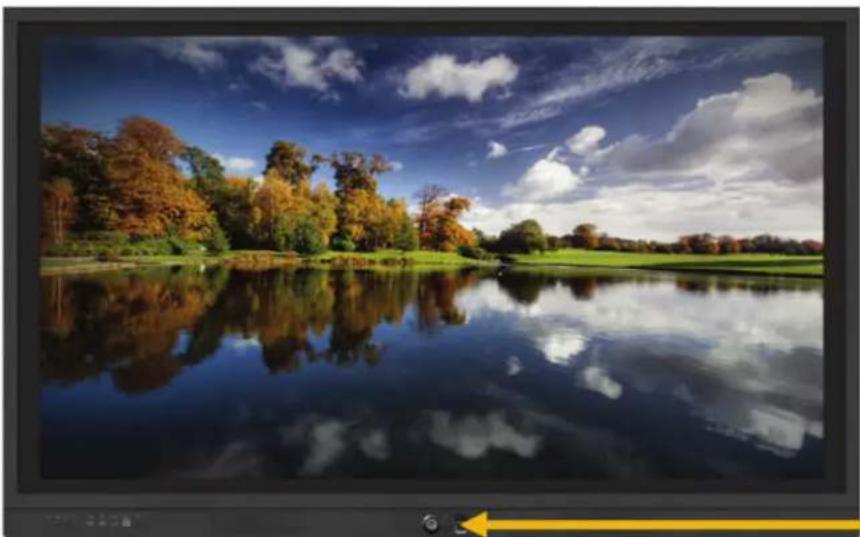
natural_image
Autumn landscape with colorful trees reflected in a calm lake under a blue sky with scattered clouds (no text or symbols visible)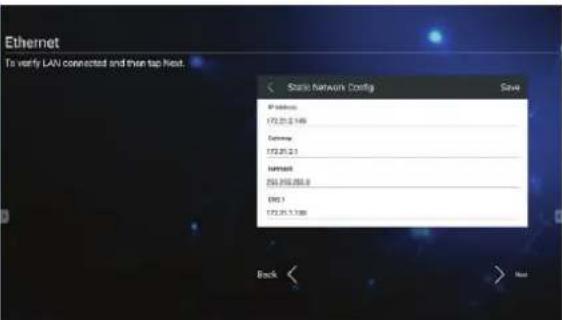
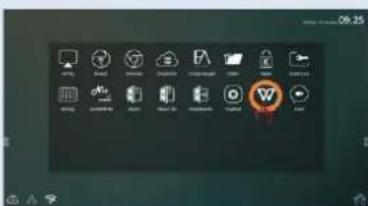

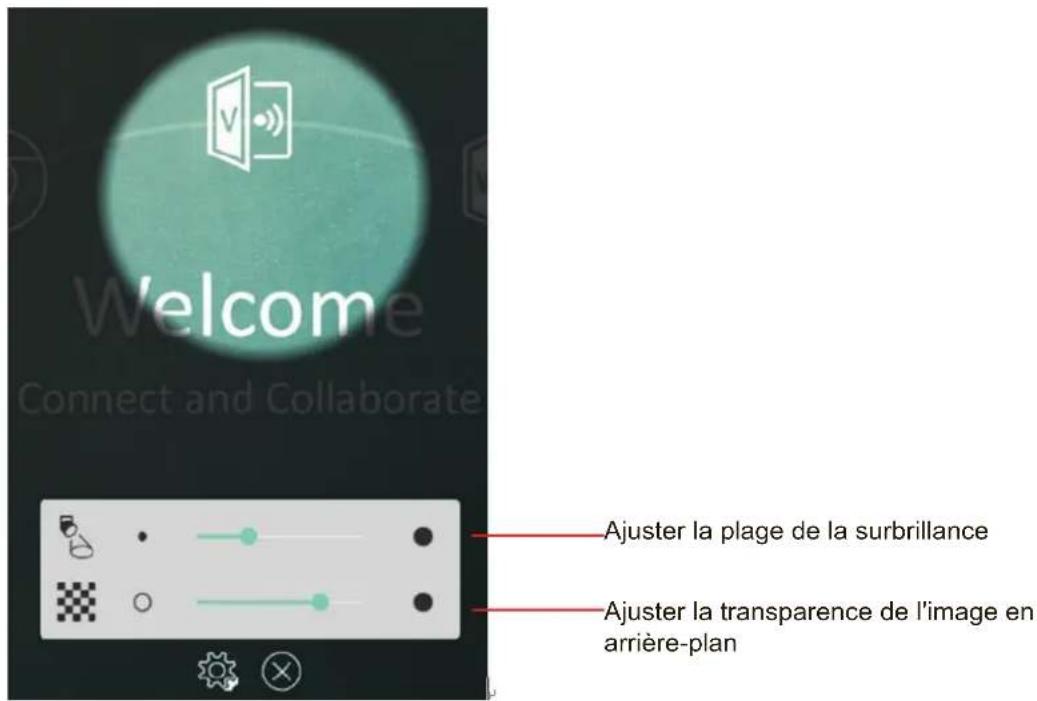
Outil Spotlight (Surbrillance)
natural_image
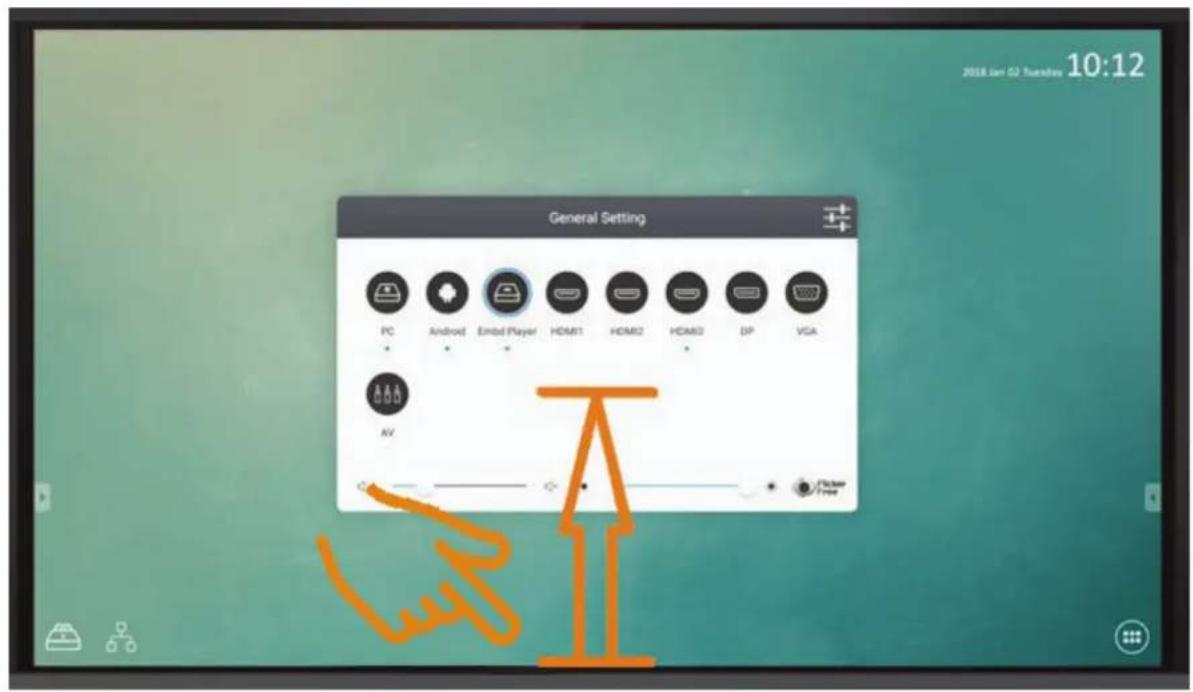
Simple diagram with a circle connected by a horizontal line and a speaker icon (no text or labels)Réglage du volume :
bar
| Category | Value | |---|---| | AUDIO | 50 | | SCREEN | 80 | | DISPLAY | 80 | | ADJUST | 30 | The chart displays a single numerical value for each attribute (Brightness, Contrast, Saturation, Sharpness) with an icon indicating the same category. The bottom row includes a 'Standard' button with a sun icon and a 'Soft' icon. The bottom row includes a 'Custom' button with a cloud icon and a 'Warm' icon. The bottom row contains a 'Filter' button with a thermometer icon. A scale bar indicates 73 units.Wireless hotspot (Hotspot sans fil)
Network >.172.18.96.117| > share
Display (Affichage):
bar
| Category | Value | |---|---| | Internal storage | 3.39GB | | Total space | 3.39GB | | Available | 3.00GB | | Apps (app data & media content) | 5.11MB | | Cached data | 5.24MB | | /usr/sda1 | 7.86GB | | Total space | 29.52GB | | Available | 26.49GB |Apps (Applications) :
• Personal (Personnel)
Startup and shutdown

Language & input

Password
Last shutdown channel

Default startup channel
Embd Player OPS
HDMI1
HDMI2
HDMI3
Built-in PC startup option

Boot up when source switch to OPS/SDM channel

Boot
DP
powers on
Power Standby mode (Mode veille alimentation) :
| Input Setting | |
| Input Alias Switch | |
| Embed Player | Embed Player |
| HDMI1 | HDMI1 |
| HDMI2 | HDMI2 |
| HDMI3 | HDMI3 |
| OPS | OPS |
| DP | DP |
| VGA | VGA |
| Wake Up by Active Source | |
| Signal Auto Search | |
| Signal Auto Switch When plug-in a New Source | |
| No Signal Auto Off | |
| 09 | |
| Set no signal auto-off to 10 minutes. | |
| 11 | |
| HDMI CEC | |
| Player off then display off | |
| Display off then player off | |
| Player on then display on | |
| Display on then player on | |
Automatic date & time Use network-provided time

natural_image
Simple diagram with a horizontal black line and two white sun icons on the left (no text or symbols)natural_image
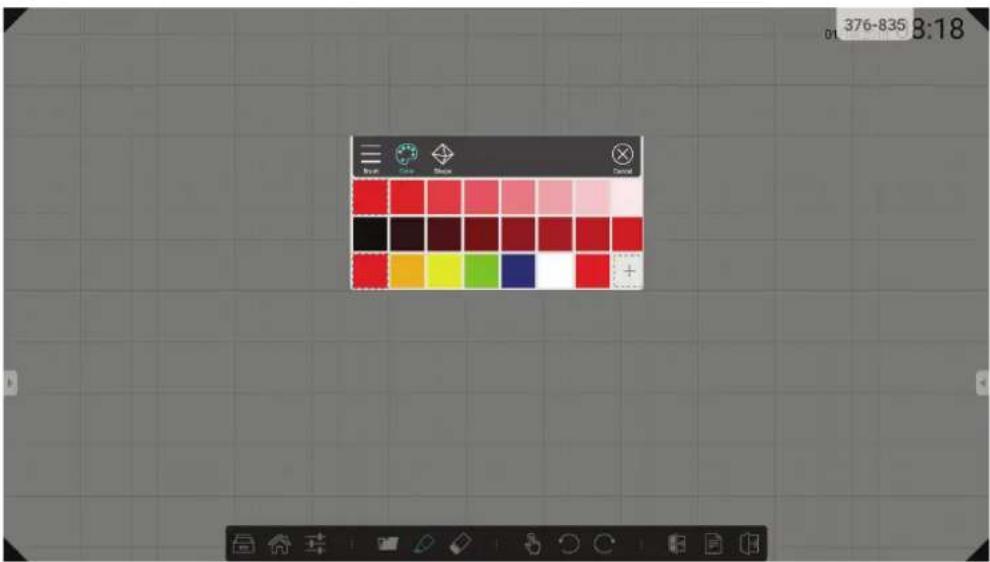
Color palette grid with solid and dashed squares for grayscale, red, yellow, green, blue, black, gray, white, plus symbol (no text or labels)natural_image
Simple horizontal line with speaker icons at top and bottom (no text or symbols)(5) Informations "à propos" de ce vBoard.

natural_image
Five simple geometric shapes: square, circle, ellipse, triangle, and hexagon arranged horizontally (no text or symbols)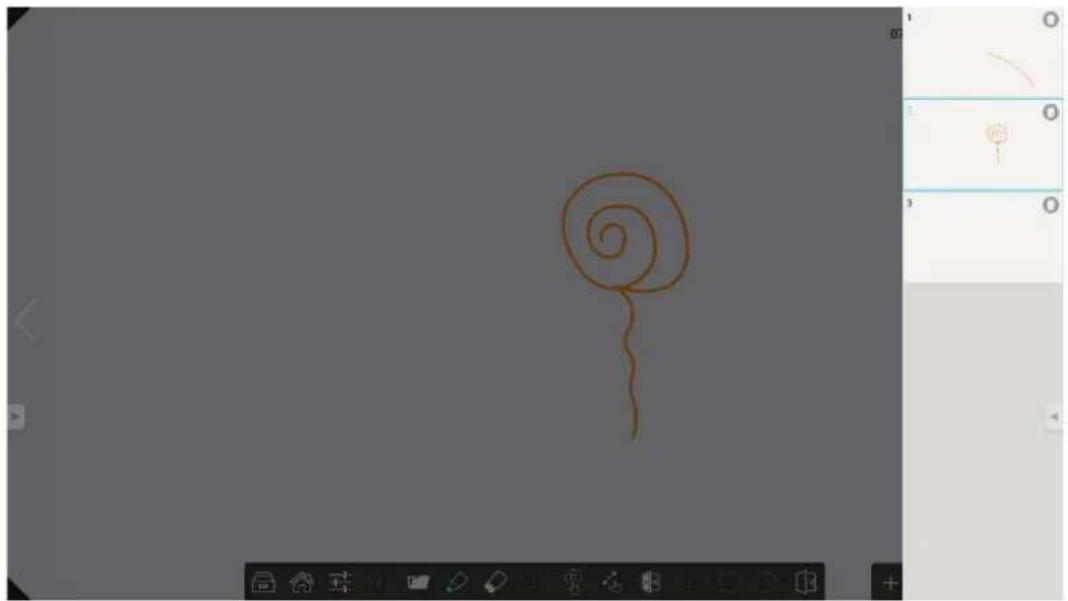
natural_image
Simple hand-drawn spiral shape on a gray background, no text or symbols present
flowchart
graph LR
    A["Setup"] --> B["1"]
    B --> C["2"]
    C --> D["3"]
    A --> E["Android"]
    E --> F["Make sure your device is connected to the same network with the device."]
    F --> G["Slide up at the bottom enter the quick set Open AirPlay. Or scan the QR-Code to download the client(or input "http://192.168.0.208:8000" in browser)"]
    G --> H["Select the device Enter password: 961608"]
    A --> I["Open the Cast client Enter password: 961608"]
iOS
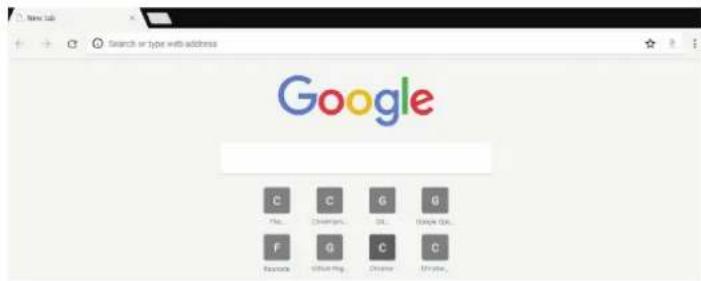
By using this application, you agree to Chrome's Terms of Service and Privacy Notice.
□ Help make Chrome better by sending usage statistics and crash reports to Google.
ACCEPT & CONTINUE
natural_image
Illustration of a hand pressing down on a computer monitor (no text or symbols visible)8.2 Mode HDMI1/2/3/OPS/SDM
This document describes the hardware interface spec and software protocols of RS232 interface communication between ViewSonic LFD and PC or other control unit with RS232 protocol.
The protocol contains three sections command:
- Set-Function
- Get-Function
- Remote control pass-through mode
※ In the document below, "PC" represents all the control units that can sent or receive the RS232 protocol command.
10.2 Description
10.2.1 Hardware specification
ViewSonic LFD communication port on the rear side
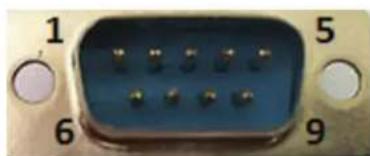
(1) Connector type: DSUB 9-Pin Male (or 3.5mm barrel connector)
(2) Pin Assignment
(3) Use of crossover (null modem) cable for connection
Male DSUB 9-Pin
natural_image
Close-up of a blue electronic component with numbered pins (1, 5, 6, 9) and circular connectors at the ends (no text or symbols on body)| Pin # | Signal | Remark |
| 1 NC | ||
| 2 RXD | Input to Display | |
| 3 TXD | Output from Display | |
| 4 NC | ||
| 5 GND | ||
| 6 NC | ||
| 7 NC | ||
| 8 NC | ||
| 9 NC | ||
| frame | GND | |
3.5mm barrel connector (alternative for limited space)
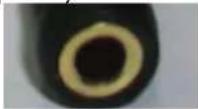
| Pin # Signal Remark | |
| Tip TXD Output from Display | |
| Ring RXD Input to Display | |
| Sleeve GND | |
10.2.2 LAN Hardware Specification
ViewSonic LFD communication port on the rear side
(1) Connector type: 8P8C RJ45
(2) Pin Assignment
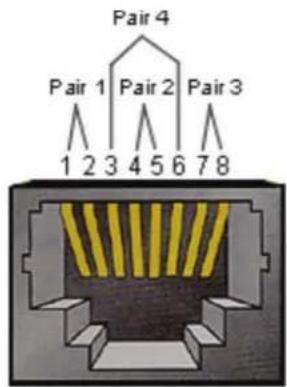
| Pin # | Signal | Remark |
| 1 | TX+ | Output from Display |
| 2 | TX- | Output from Display |
| 3 | RX+ | Input to Display |
| 4 | BI_D | 3+ For 1G case |
| 5 | BI_D | 3- For 1G case |
| 6 | RX- | Input to Display |
| 7 | BI_D | 4+ For 1G case |
| 8 | BI_D | 4- For 1G case |
| frame | GND |
10.2.3 RS232 Communication Setting
- Baud Rate Select: 9600bps (fixed)
- Data bits: 8 bits (fixed)
- Parity: None (fixed)
- Stop Bits: 1(fixed)
10.2.4 LAN Communication Setting
- Type: Ethernet
- Protocol: TCP/IP
- Port: 5000 (fixed)
- Cross subnet: No
- Logon Credentials: No
10.2.5 Command Message Reference
PC sends to LFD command packet followed by "CR". Every time PC sends control command to Display, the Display shall respond as follows:
- If the message is received correctly it will send “+” (02Bh) followed by “CR” (00Dh)
- If the message is received incorrectly it will send “-” (02Dh) followed by “CR” (00Dh)
10.3 Protocol
10.3.1 Set-Function Listing
The PC can control the Display for specific actions. The Set-Function command allows you to control the Display behavior in a remote site through the RS232 port. The Set-Function packet format consists of 9 bytes.
Set-Function description:
Length: Total Byte of Message excluding "CR"
LFD ID Identification for each of Display (01\~98; default is 01)
ID "99" means to apply the set command for all connected displays. Under such circumstances, only ID#1 display has to reply.
The LFD ID can be set via the OSD menu for each Display.
Command Type Identify command type,
"s" (0x73h): Set Command
“+” (0x2Bh): Valid command Reply
“-” (0x2Dh): Invalid command Reply
Command: Function command code: One byte ASCII code.
Value[1\~3]: Three bytes ASCII that defines the value.
CR 0x0D
Set-Function format
Send: (Command Type="s")
Reply: (Command Type="+" or "-"')
- When PC applies command to all displays (ID=99), only the #1 set needs to reply by the name of ID=1.
Example1: Set Brightness as 76 for Display (#02) and this command is valid Send (Hex Format)
| Name | Length ID | Command Type | Command | Value1 | Value2 | Value3 | CR |
| Hex | 0x38 | 0x30 | 0x73 | 0x24 | 0x30 | 0x37 | 0x36 |
| 0x32 |
Reply (Hex Format)
| Name | Length | ID | Command Type | CR |
| Hex | 0x34 | 0x300x32 | 0x2B | 0x0D |
Example2: Set Brightness as 75 for Display (#02) and this command is NOT valid
| Name | Length ID | Command Type | Command | Value1 | Value2 | Value3 | CR |
| Hex | 0x38 | 0x30 | 0x73 | 0x24 | 0x30 | 0x37 | 0x35 |
Reply (Hex Format)
| Name | Length ID | Command | Type | CR |
| Hex | 0x34 0x30_0x32 | 0x2D 0x0D | _ | |
Set-function table
A. Basic function
| Set Function | Length | ID | Command Command | Command Value Range Comments | |||
| Type (ASCII) | Code (ASCII) | Code (Hex) | (Three ASCII bytes) | ||||
| Power on/off (standby) | 8 s ! | 21 000 | : STBY | 001: ON | The Power-on via LAN control may works only under specific mode. To see display UG for details. *3.1.1 | ||
| Input Select 8 | s | * 22 000: TV | 001: AV002: S-Video003: YPbPr004: HDMI1014: HDMI2024: HDMI3034: HDMI4005: DVI006: VGA1016: VGA2026: VGA3007: Slot-in PC (OPS/SDM)/HDBT008: Internal memory009: DP00A: Embedded/ Main (Android) | 1. No need for USB2. For the case of two more same sources, the 2nd digital is used to indicate the extension.3. The HEX of 00A is 30 30 41. | |||
| Brightness | 8 s | $ | 24 000 ~ | 100 | 900: Bright down (-1)901: Bright up (+1) *3.1.1 | ||
| Power lock | 8 s | 4 | 34 000: Unlock | 001: Lock | *See note in details | ||
| Volume | 8 s | 5 | 35 000 ~ | 100 | 900: Volume down(-1)901:Volume up(+1) | ||
| Mute | 8 s | 6 | 36 000: OFF | 001: ON (mute) | |||
| Button lock | 8 s | 8 | 38 000: Unlock | 001: Lock | *See note in details | ||
| Menu lock | 8 | s | >000: Unlock001: Lock | *See note in details | |||
| Number *3.1.1 8 | s @ 40 | 000~009 | |||||
| Key Pad *3.1.1 8 | s A 41 | 000: UP | 001: DOWN002: LEFT003: RIGHT004: ENTER005: INPUT006: MENU/(EXIT)007: EXIT | ||||
| Remote Control | 8 s B | 42 000: Disable | 001: Enable002: Pass through | Disable: RCU will be no functionEnabled: RCU controls normallyPass through: Display will bypass the RC code to connected device via the RS232 port, but not react itself. | |||
| Restore default | 8 s ~ | 7E 000 Recover to factory set- | ting | ||||
NOTE:
1. Behavior at lock modes
| Lock Mode Behavior | |
| Button Lock 1. | Lock all buttons on the front panel and RCU, except for “Power”2. All the SET functions should be workable via RS32, even the ones with according hot key in RCU like Mute,...etc. |
| MENU Lock 1. | Lock “MENU’ key of front panel and RCU2. The Factory and Hospitality modes should not be blocked for the model using MENU-combined key to enter these two modes. Alternative approach will be indicated separately if any limitation by model. |
| POWER Lock 1. | Lock “POWER” key on the front and RCU.2. The SET_POWER on/off should be workable via RS232, but does not mean the POWER lock will be released under this case.3. Can not be unlocked by reset in OSD setting4. Will auto AC power-on in power-lock5. Under power-lock, the set will not enter power saving when no PC signal and neither not turn off when no other video signals after 15min. |
| Remote control disable | Lock the RCU keys, but keep the front panel buttons workable. |
B. Optional function
| Set Function | Length | ID | Command Com Type (ASCII) | Command Value Range | Comments (Three ASCII bytes) | ||
| Contrast 8 s # | 23 000 | ~ 100 | |||||
| Sharpness 8 s % | 25 000 | ~ 100 | |||||
| Color 8 s & 26 | 000 ~ 100 | ||||||
| Tint | 8 s | ‘ | 27 000 ~ | 100 | |||
| Color mode | 8 s | ) 29 000: Normal | 001: Warm002: Cold003: Personal | ||||
| Surround sound | 8 s | - | 2D | 000: OFF | 001: ON | ||
| Bass | 8 s | . 2E | 000 ~ 100 | ||||
| Treble | 8 | S | / 2F | 000 ~ 100 | |||
| Balance | 8 | s | 0 | 30 | 000 ~ 100 | 050 is central | |
| Picture Size | 8 s 1 | 31 | 000: FULL (16:9) | 001: NORMAL (4:3)002: REAL (1:1)*3.1.0 | |||
| OSD language | 8 s 2 | 32 | 000: English | 001: French002: Spanish | Could be extended for more supported languages by model | ||
| PIP-Mode | 8 s 9 | 39 | 000: OFF | 001: PIP(POP)002: PBP | |||
| PIP-Sound select | 8 s | : 3A | 000: Main | 001: Sub | |||
| PIP-Position | 8 s | ; 3B | 000: Up | 001: Down002: Left003: Right | |||
| PIP-Input | 8 s 7 | 37 | *2.9 | 000: TV001: AV002: S-Video003: YPbPr004: HDMI1014: HDMI2024: HDMI3034: HDMI4005: DVI006: VGA1016: VGA2026: VGA3007: Slot-in PC (OPS/SDM)/HDBT008: Internal memory009: DP00A: Embedded/Main (Android) | Value range is same as SET-Input select | ||
| Tiling-Mode 8 | s P 50 00 | 0: OFF | 001: ON | (for video wall) | ||
| Tiling-Compensation | 8 s Q | 51 00 | 00: OFF | 001: ON | (for video wall)Bezel width compensation | |
| Tiling-H by V Monitors | 8 s R | 52 01 | x~09x: H | 0x1~0x9: V | (for video wall)1. 2nd digital for H monitors2. 3rd digital for V monitors | |
| Tiling-Position | 8 s S | 53 00 | 01~025 (for Video wall) | Copy the screen of Position# to identified display | ||
| Date: Year 8 | s V 56 Y | 17~Y9 | 9 Last 2 digits | (20)17~(20)99 | ||
| Date: Month 8 | s V 56 M | 01~M | 12 2 digits | |||
| Date: Day 8 s | V 56 D01 | ~D31 | 2 digits | |||
| Time: Hour 8 | s W 57 H | 00~H | 23 24-hr format. 2 digits. | |||
| Time: Min | 8 s W | 57 M | 00~M59 2 digits | |||
| Time: Sec | 8 s W | 57 S | 00~S59 2 digits |
Note:
1. Tiling definition of H Monitors/ V Monitors/ and Position
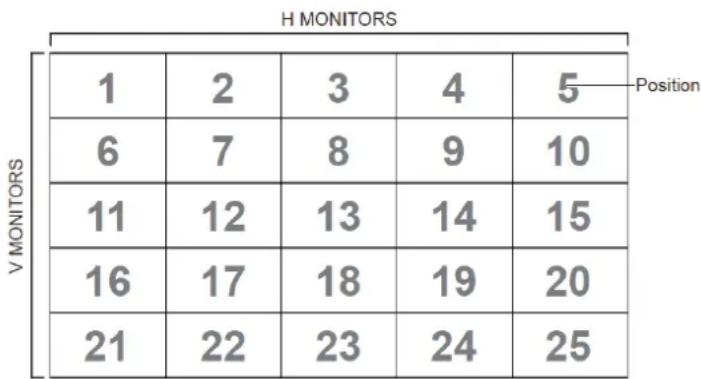
heatmap
H MONITORS | Position | V MONITORS | 1 | 2 | 3 | 4 | 5 | | :--- | :--- | :--- | :--- | :--- | :--- | :--- | | V MONITORS | 1 | 2 | 3 | 4 | 5 | Position | | V MONITORS | 6 | 7 | 8 | 9 | 10 | | | V MONITORS | 11 | 12 | 13 | 14 | 15 | | | V MONITORS | 16 | 17 | 18 | 19 | 20 | | | V MONITORS | 21 | 22 | 23 | 24 | 25 | | The image contains a grid of numerical values (e.g., 1, 2, etc.) and labels 'Position' in the top right corner. The numbers inside the cells are explicitly labeled as 'Position'.2. Set Date example
Date: 2017-3/15
Send: 0x 38 30 31 73 56 59 31 37 0D ("Y17")
Send: 0x 38 30 31 73 56 4D 30 33 0D ("M03")
Send: 0x 38 30 31 73 56 44 31 35 0D ("D15")
3. Set Time example
Time: 16:27:59
Send: 0x 38 30 31 73 57 48 31 36 0D ("H16")
Send: 0x 38 30 31 73 57 4D 32 37 0D ("M27")
Send: 0x 38 30 31 73 57 53 35 39 0D ("S59")
10.3.2 Get-Function Listing
The PC can interrogate the LFD for specific information. The Get-Function packet format consists of 9 bytes which is similar to the Set-Function packet structure. Note that the "Value" byte is always = 000
Get-Function description:
Length: Total Byte of Message excluding "CR".
TV/DS ID Identification for each of TV/DS (01\~98; default is 01).
Command Type Identify command type,
"g" (0x67h) : Get Command
"r" (0x72h) : Valid command Reply
“-” (0x2Dh) : Invalid command Reply
Command: Function command code: One byte ASCII code.
Value[1\~3]: Three bytes ASCII that defines the value.
CR 0x0D
Get-Function format
Send: (Command Type="g")
Reply: (Command Type="r" or "--")
If the Command is valid, Command Type = "r"
If the Command is Not valid, Command Type="-"
Example1: Get Brightness from TV-05 and this command is valid.
The Brightness value is 67.
Send (Hex Format)
| Name | Length ID | Command Type | Command | Value1 | Value2 | Value3 | CR |
| Hex | 0x38 0x30 0x35 | 0x67 0x62 | 0x30 0x30 | 0x30 0x0D____ | ____ | ____ | ____ |
Reply (Hex Format)
| Name | Length ID | Command Type | Command | Value1 | Value2 | Value3 | CR |
| Hex | 0x38 0x30 0x35 | 0x72 0x6 | 2 0x30 0x36 | 0x37 0x0 | D____ | ____ | ____ |
Example2: Get Color from Display (#05), but the Color command is not supported by this model.
Send (Hex Format)
| Name | Length ID | Command Type | Command | Value1 | Value2 | Value3 | CR |
| Hex | 0x38 0x30 0x35 | 0x67 | 0X26 | 0x30 0x30 0x30 | 0x0D |
Reply (Hex Format)
| Name | Length ID | Command Type | CR |
| Hex | 0x34 0x30 0x35 | 0x2D | 0x0D |
Get-Function table
A. Basic function
| Get Function | Length | ID | Command Type(ASCII) Code (ASCII) | Command Response Range Comments | |||
| Code (Hex) (Three ASCII bytes) | |||||||
| Get-Brightness | 8 g b | 62 000 ~ 100 | |||||
| Get-Volume | 8 g f 66 000 ~ 100 | ||||||
| Get-Mute 8 g | g 67 000: Off | 001: On (muted) | |||||
| Get-Input select | 8 g | j 6A | 000~ | 100~ | 1. 1st digit for signal detection: 0 means “no signal”; 1 means “signal detected”2. 2nd &3rd digit: See Set-function table | ||
| Get-Power status: ON/STBY | 8 g | I | 6C 001: ON | 000: STBY | |||
| Get-Remote control | S | g n | 6E | 000: Disable | 001: Enable002: Pass through | Get RCU mode status | |
| Get-Power lock | 8 g o | 6F 000: Unlock | 001: Lock | ||||
| Get-Button lock | 8 g p | 70 000: Unlock | 001: Lock | ||||
| Get-Menu lock | 8 g | I | 6C 000: Unlock | 001: Lock | |||
| Get-ACK | 8 | g | z | 7A | 000 | This command is used to test the communication link | |
| Get-Thermal | 8 g 0 30 000~100: | 0~+100 deg C-01~-99:-1~-99 deg C | |||||
| Get-Operation time-3.1.0 | 8 g 1 | 31 000 | 1. Accumulated | hours in 8-digit integer (00,000,001~99,999,999)2. Could be reset when FW update and Factory initiation3. Reply in 4 strings | |||
| Get-Device name | 8 g 4 | 34 000 | Reply in 6 strings | (max. 12 characters)*3.1.0 | |||
| Get-MAC address | 8 g 5 | 35 000 | (for the model with | LAN)Reply in 6strings.*3.1.0 | |||
NOTE:
1. Get Operation time example
Assumed the accumulated operation time is 00,123,456 hrs
Send: 0x 38 30 31 67 31 30 30 30 0D (Get Operation time)
Reply:
1 0x 38 30 31 72 31 31 30 30 0D ("00")
2 0x 38 30 31 72 31 32 31 32 0D ("12")
3 0x 38 30 31 72 31 33 33 34 0D ("34")
4 0x 38 30 31 72 31 34 35 36 0D ("56")
2. Get Device Name example
Assumed the device name is CDE-5500
Send: 0x 38 30 31 67 34 30 30 30 0D (Get Device Name)
Reply:
1 0x 38 30 31 72 34 31 43 44 0D ("C" "D")
2 0x 38 30 31 72 34 32 45 2D 0D ("E" "-"
3 0x 38 30 31 72 34 33 35 35 0D ("5" "5")
4 0x 38 30 31 72 34 34 30 30 0D ("0" "0")
5 0x 38 30 31 72 34 35 00 00 0D ("(NULL)" "(NULL)")
6 0x 38 30 31 72 34 36 00 00 0D ("NULL") "(NULL)")
Assumed the device name is "NMP-302#1"
Send: 0x 38 30 31 67 34 30 30 30 0D (Get Device Name)
Reply:
1 0x 38 30 31 72 34 31 4E 4D 0D ("N" "M")
2 0x 38 30 31 72 34 32 50 2D 0D ("P" "-"
3 0x 38 30 31 72 34 33 33 30 0D ("3" "0")
4 0x 38 30 31 72 34 34 32 23 0D ("2" "#")
5 0x 38 30 31 72 34 35 31 00 0D ("1" "(NULL)")
6 0x 38 30 31 72 34 36 00 00 0D ("(NULL)" "(NULL)")
3. Get MAC address example
Assumed the MAC address is 00:11:22:aa:bb:cc
Send: 0x 38 30 31 67 35 30 30 30 0D (Get MAC add)
Reply:
1 0x 38 30 31 72 35 31 30 30 0D ("00")
2 0x 38 30 31 72 35 32 31 31 0D ("11")
3 0x 38 30 31 72 35 33 32 32 0D ("22")
4 0x 38 30 31 72 35 34 61 61 0D ("aa")
5 0x 38 30 31 72 35 35 62 62 0D ("bb")
6 0x 38 30 31 72 35 36 63 63 0D ("cc")
B. Optional function
| Get Function | Length | ID | Command Type (ASCII) Code | Command Response Range Comments | |||
| Code (ASCII) Code (Hex) (Three ASCII bytes) | |||||||
| Get-Contrast | 8 g a 61 | 000 ~ | 100 | ||||
| Get-Sharpness | 8 g c | 63 000 ~ 100 | |||||
| Get-Color 8 g | d 64 000 | ~ 100 | |||||
| Get-Tint | 8 g e | 65 000 ~ 100 | |||||
| Get-PIP mode | 8 g | t | 74 000: OFF | 001: PIP (POP)002: PBP | |||
| Get-PIP input | 8 g u 75 | 000 ~ | See Set-input select | ||||
| Get-Tiling Mode | 8 g v | 76 000: OFF | 001: ON | (for Video wall) | |||
| Get-Tiling Compensation | 8 g | w | 77 000: OFF | 001: ON | (for Video wall)Bezel width compensation | ||
| Get-Tiling H by V monitors | 8 g x | 78 01x~09x: H moni- | tors0x1~0x9: V moni-tors | (for Video wall)1. 2nd digital for H monitors2. 3rd digital for V monitors | |||
| Get-Tiling position | 8 g y | 79 000: OFF | 001~025 | (for Video wall)Copy the screen of Position# to identified display | |||
| Get-Date: Year | 8 g 2 | 32 Y00~Y00 | Last 2 digits | (20)17~(20)99 | |||
| Get-Date: Month | 8 g 2 | 32 M00~M00 | 2 digits | ||||
| Get-Date: Day | 8 g 2 | 32 D00~M00 | 2 digits | ||||
| Get-Time: Hour | 8 g 3 | 33 H00~H00 | 24-hr format. 2 digits | ||||
| Get-Time: Min | 8 g 3 | 33 M00~M00 | 2 digits | ||||
| Get-Time: Sec | 8 g 3 | 33 S00~S00 | 2 digits | ||||
| Get-RS232 version | 8 g 6 | 36 001~ Version 0.0.1~9.9.9 | |||||
NOTE:
1. Get Date example
Assumed the current date of display#01 as below
Date: 2017-3/15
Send: 0x 38 30 31 67 32 59 30 30 0D (Get Date:Year)
Reply: 0x 38 30 31 72 32 59 31 37 0D ("Y17")
Send: 0x 38 30 31 67 32 4D 30 30 0D (Get Date:Month)
Reply: 0x 38 30 31 72 32 4D 30 33 0D ("M03")
Send: 0x 38 30 31 67 32 44 30 30 0D (Get Date:Day)
Reply: 0x 38 30 31 72 32 44 31 35 0D ("D15")
2. Get Time example
Assumed the current time of display#01 as below
Time: 16:27:59
Send: 0x 38 30 31 67 33 48 30 30 0D (Get Time:Hour)
Reply: 0x 38 30 31 72 33 48 31 36 0D ("H16")
Send: 0x 38 30 31 67 33 4D 30 30 0D (Get Time:Min)
Reply: 0x 38 30 31 72 33 4D 32 37 0D ("M27")
Send: 0x 38 30 31 67 33 53 30 30 0D (Get Time:Sec)
Reply: 0x 38 30 31 72 33 53 35 39 0D ("S59")
3. Get MAC address example
Assumed the version is 3.0.1
Send: 0x 38 30 31 67 36 30 30 30 0D (Get RS232 version)
Reply: 0x 38 30 31 72 36 33 30 31 0D ("301")
10.3.3 Remote Control Pass-through mode
When PC sets the Display to Remote Control Pass through mode, the Display shall send a 7-byte packet (followed by "CR") in response to RCU button activation. In this mode the RCU shall have no effect on the Display function. For example: "Volume+" will not change the volume in the Display but only sends "Volume+" code to PC over the RS232 port.
IR Pass Through-Function format
Reply: (Command Type="p")
Example1: Remote Control pass-through when "VOL+" key is pressed for Display (#5)
Send (Hex Format)
| Name | Length ID | Command | Type | RCU Code1 (MSB) | RCU Code2 (LSB) | CR |
| Hex | 0x36 | 0x30 | 0x70 0x31 | 0x30 0x0D | — | — |
| Key Code (HEX) | Basic *3.1.1 | Optional *3.1.1 | |
| 1 | 01 V | ||
| 2 | 02 V | ||
| 3 | 03 V | ||
| 4 | 04 V | ||
| 5 | 05 V | ||
| 6 | 06 V | ||
| 7 | 07 V | ||
| 8 | 08 V | ||
| 9 | 09 V | ||
| 0 | 0A | V | |
| - | 0B | V | |
| RECALL (LAST) | 0C | V | |
| INFO (DISPLAY) | 0D | V | |
| 0E | |||
| ASPECT (ZOOM, SIZE) | 0F | V | |
| VOLUME UP (+) | 10 V | ||
| VOLUME DOWN (-) | 11 | V | |
| MUTE | 12 V | ||
| CHANNEL/PAGE UP (+)/BRIGHTNESS+ | 13 | V | |
| CHANNEL/PAGE DOWN (-)/BRIGHTNESS- | 14 | V | |
| POWER 15 V | |||
| SOURCES (INPUTS) 16 V | |||
| 17 | |||
| 18 | |||
| SLEEP 19 V | |||
| MENU 1A V | |||
| UP 1B V | |||
| DOWN 1C V | |||
| LEFT (-) 1D V | |||
| RIGHT (+) 1E V | |||
| OK (ENTER, SET) 1F V | |||
| EXIT 20 V | |||
| 21 | |||
| 22 | |||
| 23 | |||
| 24 | |||
| 25 | |||
| 26 | |||
| 27 | |||
| 28 | |||
| 29 | |||
| 2A | |||
| 2B | |||
| RED■ (F1) 2C V | |||
| GREEN■ (F2) 2D V | |||
| YELLOW■ (F3) 2E | V | ||
| BLUE■ (F4) | 2F V | ||
| CHANNEL/PAGE DOWN (-)/BRIGHTNESS- | 14 | ||
| POWER 15 | |||
| SOURCES (INPUTS) 16 | |||
| 17 | |||
| 18 | |||
| SLEEP 19 | |||
| MENU 1A | |||
| UP | 1B | ||
| DOWN | 1C | ||
| LEFT (-) 1D | |||
| RIGHT (+) 1E | |||
| OK (ENTER, SET) 1F | |||
| EXIT 20 | |||
| 21 | |||
| 22 | |||
| 23 | |||
| 24 | |||
| 25 | |||
| 26 | |||
| 27 | |||
| 28 | |||
| 29 | |||
| 2A | |||
| 2B | |||
| RED ■ (F1) 2C | |||
| GREEN ■ (F2) 2D | |||
| YELLOW ■ (F3) 2E | |||
| BLUE ■ (F4) 2F |
NOTE:
- This IR-pass-through code is different from the RCU key code.
- Special control sequence for POWER key under IR-pass through mode.
2-1. When Display is OFF and receives the IR POWER code: Display will turn itself on, then forward the POWER code to the host via RS232.
2-2. When Display is ON and receives the IR POWER code: Display will forward the POWER code to the host via RS232, then turn off itself.
2-3. When SET-POWER LOCK is enabled, the Display will not respond to POWER key pressing. - The VOLUME UP and VOLUME DOWN code will repeatedly output when you press and hold the keys.
Autres informations
Service clientèle
Smart White Board Warranty Term Template In UG
VSC_TEMP_2013

natural_image
Three colorful bird illustrations perched on a branch against a red background (no text or symbols)ViewSonic®
- Démarrage
- Outil Spotlight (Surbrillance)
- Wireless hotspot (Hotspot sans fil)
- • Personal (Personnel)
- iOS
- Mode HDMI1/2/3/OPS/SDM
- Description
- Hardware specification
- LAN Hardware Specification
- RS232 Communication Setting
- LAN Communication Setting
- Command Message Reference
- Protocol
- Set-Function Listing
- Set-Function description:
- Set-function table
- NOTE:
- Behavior at lock modes
- Tiling definition of H Monitors/ V Monitors/ and Position
- Set Date example
- Set Time example
- Get-Function Listing
- Get-Function description:
- Get-Function format
- Reply: (Command Type="r" or "--")
- Get-Function table
- Get Operation time example
- 0x 38 30 31 72 31 31 30 30 0D ("00")
- 0x 38 30 31 72 31 32 31 32 0D ("12")
- 0x 38 30 31 72 31 33 33 34 0D ("34")
- 0x 38 30 31 72 31 34 35 36 0D ("56")
- Get Device Name example
- 0x 38 30 31 72 34 31 43 44 0D ("C" "D")
- 0x 38 30 31 72 34 32 45 2D 0D ("E" "-"
- 0x 38 30 31 72 34 33 35 35 0D ("5" "5")
- 0x 38 30 31 72 34 34 30 30 0D ("0" "0")
- 0x 38 30 31 72 34 35 00 00 0D ("(NULL)" "(NULL)")
- 0x 38 30 31 72 34 36 00 00 0D ("NULL") "(NULL)")
- 0x 38 30 31 72 34 31 4E 4D 0D ("N" "M")
- 0x 38 30 31 72 34 32 50 2D 0D ("P" "-"
- 0x 38 30 31 72 34 33 33 30 0D ("3" "0")
- 0x 38 30 31 72 34 34 32 23 0D ("2" "#")
- 0x 38 30 31 72 34 35 31 00 0D ("1" "(NULL)")
- 0x 38 30 31 72 34 36 00 00 0D ("(NULL)" "(NULL)")
- Get MAC address example
- 0x 38 30 31 72 35 31 30 30 0D ("00")
- 0x 38 30 31 72 35 32 31 31 0D ("11")
- 0x 38 30 31 72 35 33 32 32 0D ("22")
- 0x 38 30 31 72 35 34 61 61 0D ("aa")
- 0x 38 30 31 72 35 35 62 62 0D ("bb")
- 0x 38 30 31 72 35 36 63 63 0D ("cc")
- Get Date example
- Get Time example
- Remote Control Pass-through mode
- IR Pass Through-Function format
- Example1: Remote Control pass-through when "VOL+" key is pressed for Display (#5)
- Autres informations
- Service clientèle
Brand : VIEWSONIC
Model : IFP7560
Category : Whiteboard and accessories