303249 - Scale Mybeo - Free user manual and instructions
Find the device manual for free 303249 Mybeo in PDF.


User questions about 303249 Mybeo
0 question about this device. Answer the ones you know or ask your own.
Ask a new question about this device
Download the instructions for your Scale in PDF format for free! Find your manual 303249 - Mybeo and take your electronic device back in hand. On this page are published all the documents necessary for the use of your device. 303249 by Mybeo.
USER MANUAL 303249 Mybeo
ENG: Latest information, drivers, user manuals and data sheets can be found at www.ganzeinfach.de in our download area.
text_image
QR code image containing encoded data, no visible human-readable textnatural_image
Diagram showing a battery being placed on its tray, with an arrow indicating the process (no text or symbols present)- This device is suitable only for domestic use. Use the scale only to check your body weight!
- Do not use the device on carpets or similar materials. Always use the scale on a flat and hard surface. This ensures constant measurement.
- Never use the product outdoors!
- Ensure that your feet are not wet and that the device is dry while using.
- Ensure that the scale does not topple over. There is a risk of injury!
- Do not use the scale if it is defective.
- Do not use the device if it has fallen down or the surface is damaged.
- Never place any objects on the scale.
- Do not immerse the device under water and ensure that it does not come in contact with water.
- Pay special attention to the correct polarity when inserting the batteries! Ensure that you do not reverse the battery polarity under any circumstances!
- Never dismantle the device under any circumstances. Warranty claims are rendered void in case of improper use.
- Do not jump on and off the device under any circumstances.
• This product is not a toy! - Keep it out of reach of children.
- Avoid exposing the scale to direct sunlight. As far as possible, avoid placing the scale in places where the temperature and humidity are very high.
- This device is not intended to be used, cleaned or maintained by people (including children) with reduced physical, sensory or mental abilities or lack of experience and/or knowledge. Unless they are supervised by a person who is responsible for their safety or have received instructions from this person about how the device is to be properly used.
- Never overload the product. The maximum weighing capacity of the product is 180kg.
mybeo
- Do not use the scale near combustible or inflammable surroundings or objects.
- Use only high-quality batteries. Inferior quality batteries may leak and damage the device.
- Batteries should never be thrown into the fire nor be charged.
- If the scale is not used for a long duration of time, then ensure that the batteries are removed and stored in a dry place.
- Do not use any chemical cleaning agents. Use only a soft cloth for cleaning.
Thank you for choosing a mybeo product. Please read the following user manual carefully to have an enjoyable experience with your purchased product.
1. Scope of supply
• Digital personal scale
- User manual
2. Technical data
| Power supply 4x 1.5V AAA | batteries |
| Loading capacity: 5 - 180kg | |
| Resolution 0.1kg | |
| Frequency range 2402MHz | - 2480 MHz |
| Transmission power -1,46 dBm | |
| Units KG, lb, ST | |
| Features • Auto-off function | LED displayApp controlled |
3. Initial use
Take the device out of the package and remove all packaging material. Before using the personal scale, you have to remove the safety strip from the battery compartment for the batteries to make contact. Place the product only on a firm, even and dry surface. How to set up the scale via App, is explained in the following chapter.
4. Setup via App
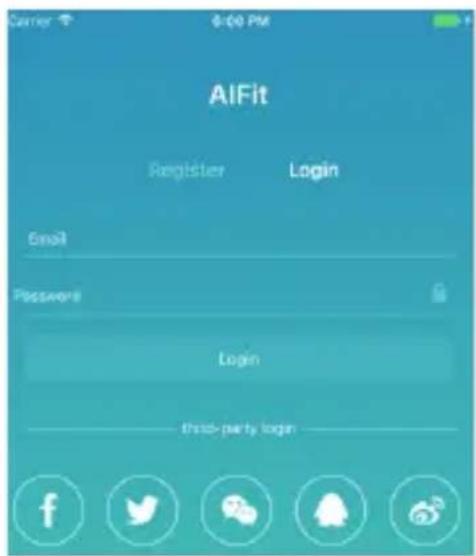
Open the appstore of your mobile device (e.g. smartphone or tablet), with whom you want to pair the scale with. Search for the App „AIFit“ and install it.
text_image
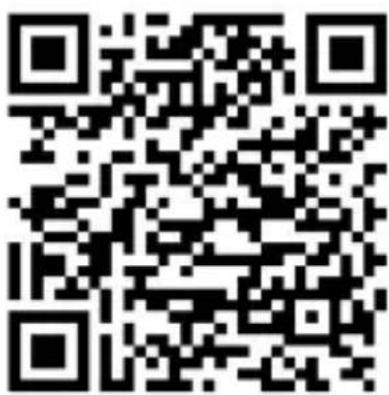
AlFit Register Login Email Password Login third-party loginOtherwise you can find the app with following QR-code:
text_image
QR code image containing encoded data, no visible human-readable textFor the next step, it's necessary to create an account in the app. Please tap on the index „Register“. Fill in your email information and choose a password. Tap now on the „Register“ field below the data you filled in. When the registration is done, you'll automatically redirected to the configuration page in which you have to fill in your name, birthday and target weight. After you have confirmed the settings, the pairing mode starts automatically and shows the scale on the display, please tap on the scale and pair it. On the first run, weight is shown in pounds (lb). If you want to change this, tap on „Me“ in the bottom right corner, choose „Units“ and set your favorite measuring unit.
5. Usage and function
Place both feet centered on the scale and stay still. Your weight is displayed after some seconds. Wait until the display stops flashing. To change the displayed weight unit, go to „Me“ in the bottom right corner, tap on „Units“ and choose between following possibilities:
ST= Stone; KG= kilogram; LB= pound
The scale has an auto-off function. After 10 seconds without usage it's turning off.
6. Replace batteries
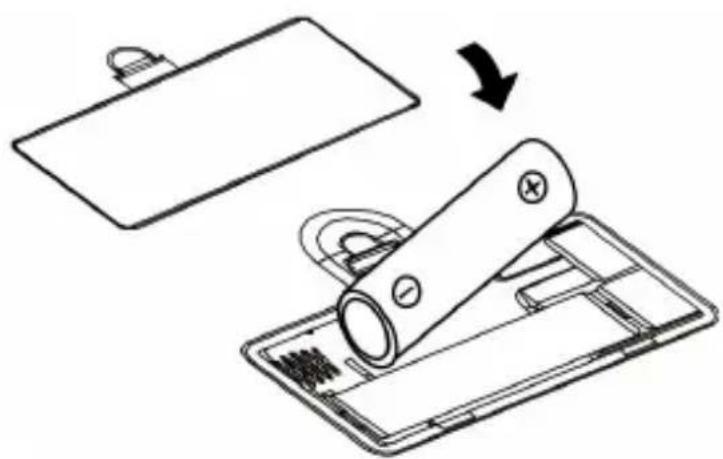
Open the batterie slot on the bottom of the scale. Take out the empty batteries and dispose them properly.
Now put in the new batteries and take care of the right polarity of the contacts!
Please remove the batteries if you have not used the device for a longer time.
natural_image
Diagram showing a battery being placed on a tray, with an arrow indicating the process (no text or symbols present)Hint: Please don't use rechargeable batteries, as they've a lower voltage, the scale could not work properly!
7. Error-codes
"Err"-code:
The "Err"-code means, that the device is overallocated.

text_image
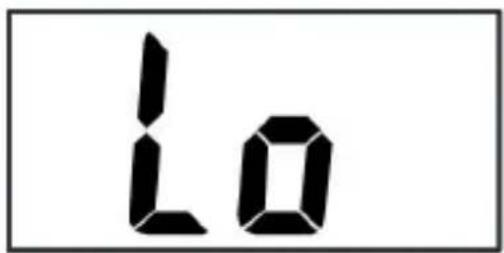
Err"Lo"-code:
The "Lo"-code means, that the battery power is too low. Change batteries as soon as you possible.
text_image
10If the scale indicates an error, we suggest to reset the scale. Take out the batteries for approximately 10 seconds. After that, insert the batteries again.
8. Cleaning and care
Follow the safety instructions strictly while cleaning. Once the scale is switched off, you can clean the surface using a damp, soft cloth.
Do not use any cleaning agents, solvents or scouring agents for cleaning. Use only a soft cloth to clean the device.
9. Safety instructions and liability disclaimer
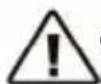
Never try to open the device to carry out repairs or conversions. Avoid contact with mains voltages. Do not short-circuit the product. The device is not certified for use in the open air; only use it in dry conditions. Protect it from high humidity, water and snow. Keep it away from high temperatures. Do not subject the device to sudden changes in temperature or heavy vibration as this might damage electronic components. Examine the device for damage before using it. The unit should not be used if it has received an impact or has been damaged in any other way. Please observe national regulations and restrictions.
Do not use the device for purposes other than those described in the instructions. This product is not a toy. Keep it out of the reach of children or mentally impaired persons. Any repair or alteration to the device not carried out by the original supplier, will invalidate the warranty or guarantee. The product may only be used by persons who have read and understood these instructions. The device specifications may change without any separate prior notice to this effect.

10. Disposal instructions
Electrical and electronic devices may only be disposed of in accordance with the European WEEE Directive and not with household rubbish. Components must be disposed of or recycled separately as dangerous, toxic elements can inflict sustained damage on the environment if they are disposed of incorrectly. As a consumer, you are bound by the Electrical and Electronic Devices Act (ElektroG) to return electrical and electronic goods free of charge at the end of their useful life to the manufacturer, the place of purchase or to specially set up, public collection points. The details in each case are governed by national law. The symbol on the product, the operating instructions and/or the packaging refers to these regulations. By separating materials in this way, recycling and disposing of old devices, you are making an important contribution towards protecting our environment.

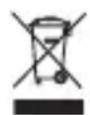
WEEE guideline: 2012/19/EU
WEEE register number: DE 67896761
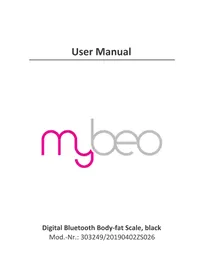
WD Plus GmbH, herewith declares that this product 303249/20190402ZS026 conforms to the principle requirements and other relevant stipulations of the directive 2014/53/EU. The complete Declaration of Conformity can be obtained from: WD Plus GmbH, Wohlenbergstraße 16, 30179 Hanover, https://www.ganzeinfach.de/