RO4MWM9G6NQB - Microwave Oven ROSIERES - Free user manual and instructions
Find the device manual for free RO4MWM9G6NQB ROSIERES in PDF.


| Product type | Microwave oven |
| Brand | Rosieres |
| Model | RO4MWM9G6NQB |
| Capacity | 45 L |
| Dimensions (W x H x D) | 595 x 455 x 420 mm |
| Net weight | 20 kg |
| Power supply | 230 V, 50 Hz |
| Microwave power | 900 W (adjustable from 150 to 900 W) |
| Grill power | 1500 W |
| Convection power | 2000 W |
| Temperature range | 35°C to 250°C |
| Functions | Microwave, Natural convection, Fan-assisted, Multi-level, Grill, Grill+fan, Roast, Combined microwave, Air fry, Dehydration, Yogurt, Proofing, Defrost |
| Display | Touch screen |
| Interior lighting | LED bulb class G |
| Connectivity | Wi-Fi 802.11 b/g/n, Bluetooth 4.2 |
| Remote control | Via hOn app |
| Child lock | Yes (press and hold temperature button for 5 seconds) |
| Timer | Yes |
| Delayed start | Yes |
| Cleaning | Clean with a damp cloth and mild detergent |
| Repairability | Spare parts available through after-sales service |
Frequently Asked Questions - RO4MWM9G6NQB ROSIERES
User questions about RO4MWM9G6NQB ROSIERES
0 question about this device. Answer the ones you know or ask your own.
Ask a new question about this device
Download the instructions for your Microwave Oven in PDF format for free! Find your manual RO4MWM9G6NQB - ROSIERES and take your electronic device back in hand. On this page are published all the documents necessary for the use of your device. RO4MWM9G6NQB by ROSIERES.
USER MANUAL RO4MWM9G6NQB ROSIERES
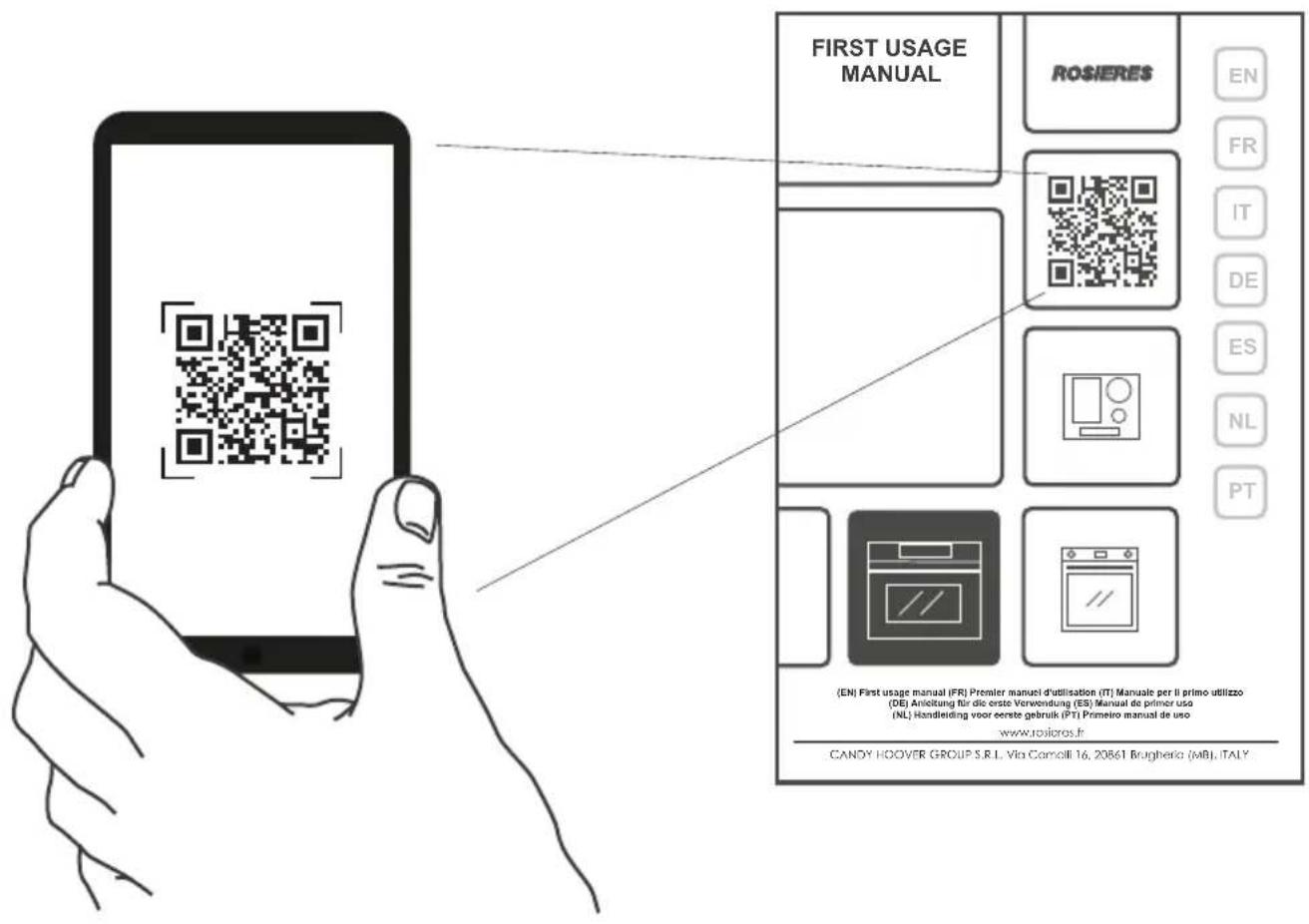
DISCOVER THE FULL USER MANUAL
DECOUVREZ LE MANUEL D'UTILISATION COMPLET
SCOPRI IL MANUALE PER L'UTENTE COMPLETO
ENTDECKEN SIE DAS VOLLSTÄNDIGE BENUTZERHANDBUCH
DESCUBRA EL MANUAL DE USUARIO COMPLETO
ONTDEK DE VOLLEDIGE GEBRUIKERSHANDLEIDING
DESCUBRA O MANUAL COMPLETE DO UTILIZADOR
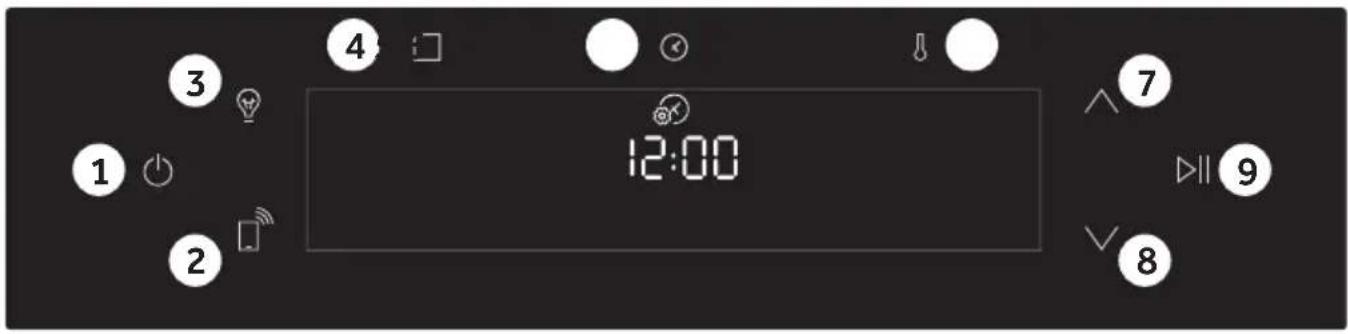
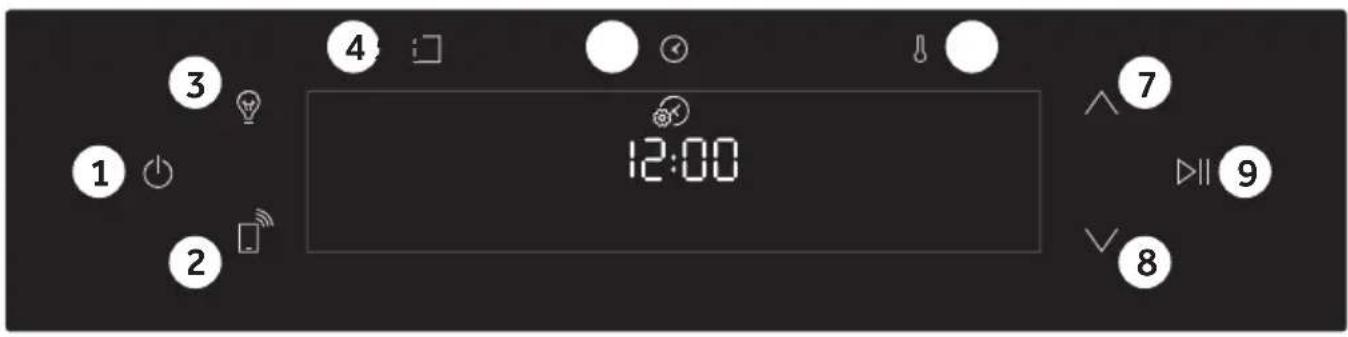
- On/Off
7.8. Navigation buttons - Remote control
9.Start/Pause
3.Light
4.Functions
5.Time
6.Temperature
MAIN FUNCTIONS
| Symbol | Function | Description |
| On/Off | Turning the oven on and off. | |
| Remote Control ON/OFF | The button on the display is used to switch on remote control; after the pairing with the hOn app, it can be pressed to activate remote control. | |
| Light | Turn on/off the oven cavity light. The appliance is provided with a bulb whose lighting efficiency class is G. | |
| Functions | Accessing Manual functions, Food cooking categories and WiFi menu. | |
| Time | Accessing time functions: Cooking duration, Kitchen timer (available also with the oven in stand by mode), Delay start and Time of day. | |
| Temperature | Accessing temperature setting and microwave power options. To activate/deactivate the screen lock hold the (4) key down for 5 seconds. | |
| Navigation buttons | Navigation buttons for setting functions and parameters. | |
| Start/Pause | Start/Pause of the cooking or confirm the functions. |
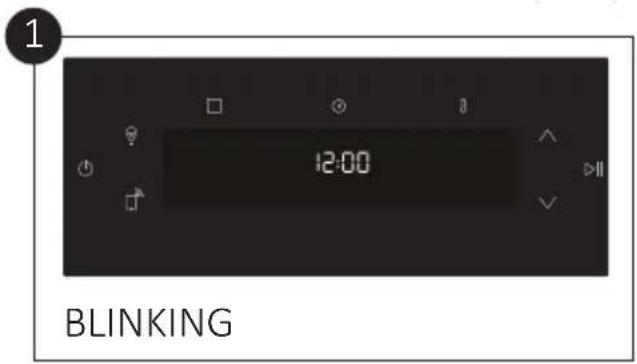
Set time
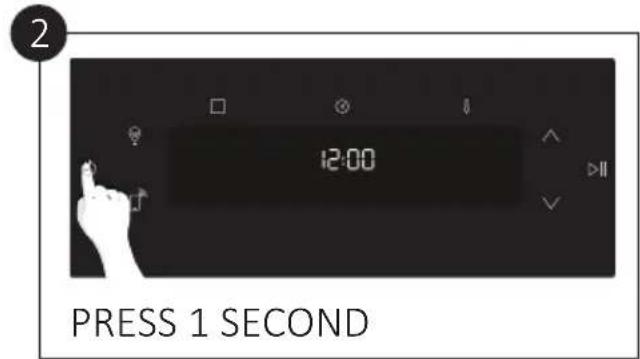
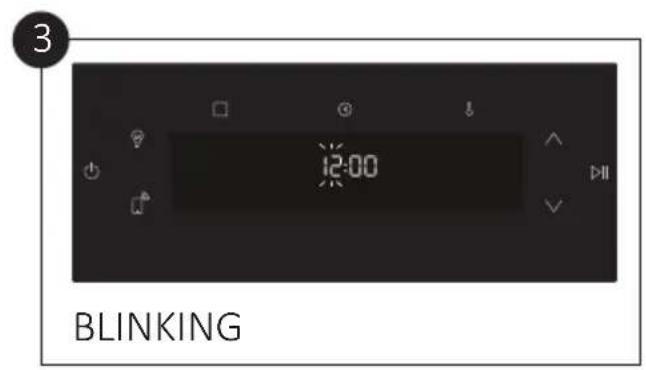
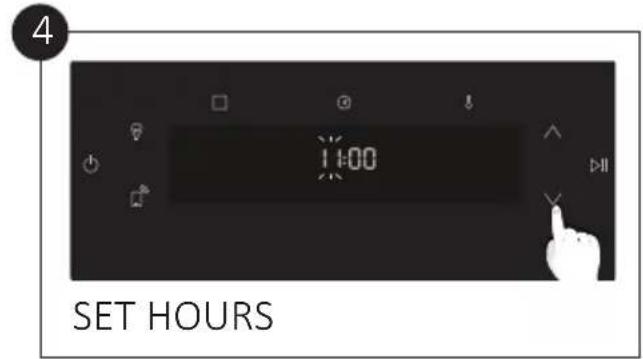
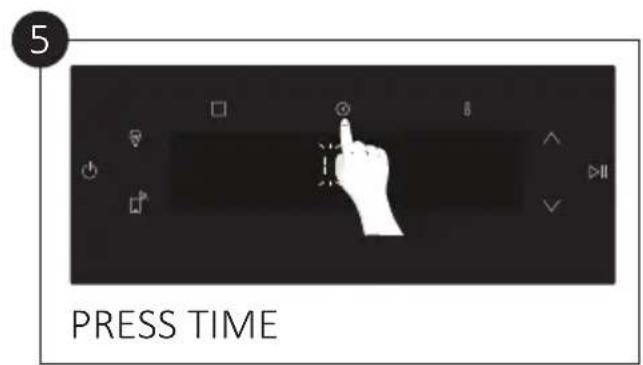
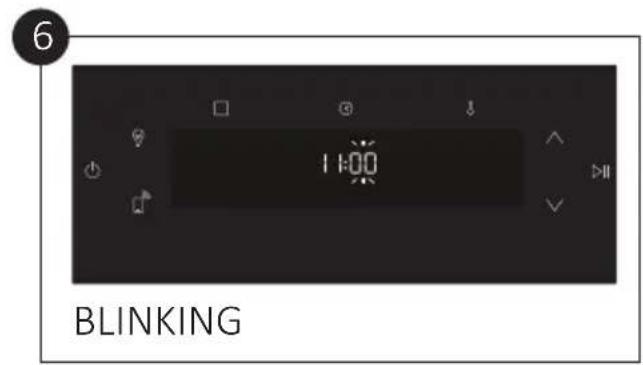
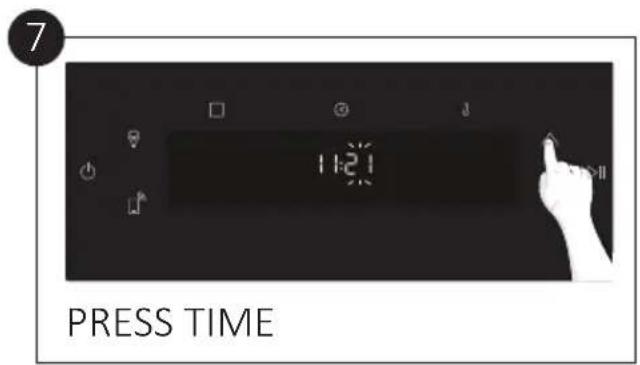
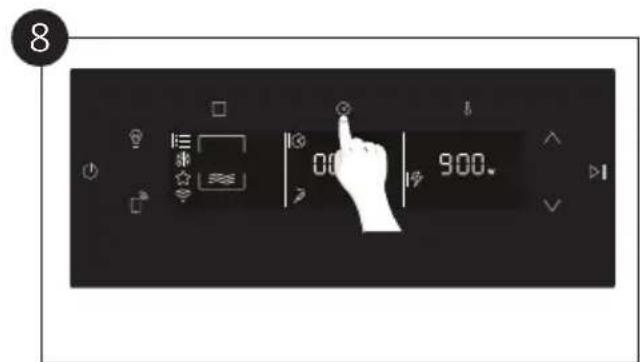
Standard functions
| Symbol | Default valuesRange | Function | PreHeating | Suggestions |
| MW: 900W MW: 150 W-900 W | Microwave | - | - | |
| T: 180°C T: 50-250°C | Conventional | - | ||
| T: 160°C T: 50-250°C | Fan assisted | - | ||
| T: 160°C T: 50-250°C | Multilevel | - | ||
| L: 5 L: 1-5 | Grill | - | ||
| T: 180°C T: 50-250°C | Grill + Fan | - | ||
| T: 180°C T: 50-250°C | Roast | - | ||
| MW: 300W/ T: 160°C MW: 150-300W/ T: 50-230°C | Multilevel+Microwave | *** *** | ||
| MW: 300W /T: 180°C MW: 150-300W /T: 50-230°C | Grill+Fan+Microwave | |||
| MW: 300W/ L: 5 MW: 150-300W/ L: 1-5 | Grill+Microwave | - | ||
| MW: 300W T: 175°C MW:150-300W/ T: 50-230°C | Roast+Microwave | |||
| MW: 150W - | Time defrost | - | *** | |
| MW: 150W - | Weight defrost(+food category) | - | *** |
Special functions
| Symbol | Default values: Description | Preheat | Suggestions | Prelheat | Suggests |
| T: 200°C T: 50 - 250°C | Air Fr y - | ||||
| T: 60°C T: 35 - 100°C | De hy d r a t e | ||||
| T: 40°C T: 40°C | Y o g u r t - | ||||
| T: 35°C T: 35°C | Leavening | - | |||
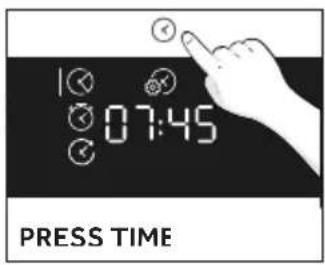
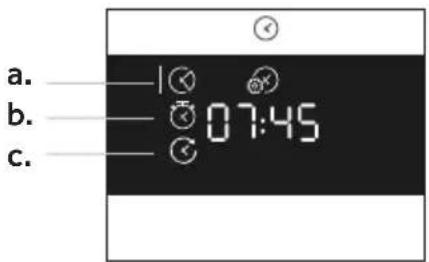
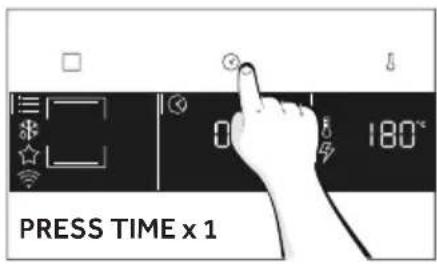
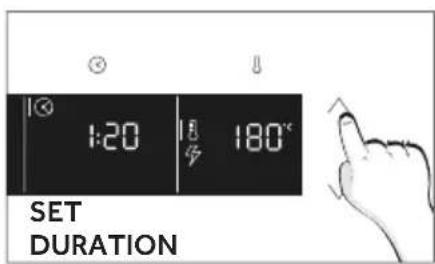
a. Cooking Duration

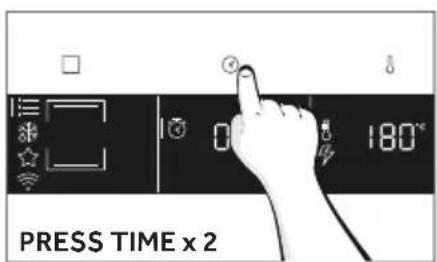
b. Kitchen Timer
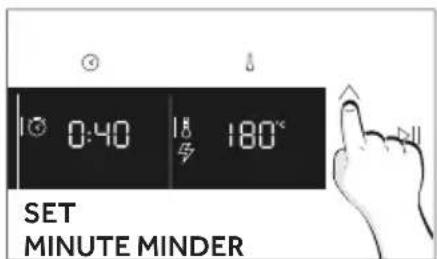
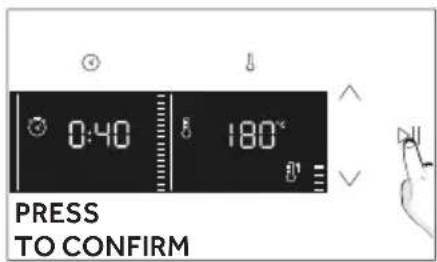
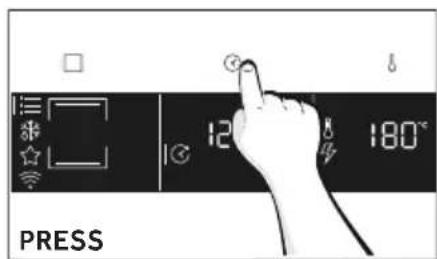
c. Delay Start
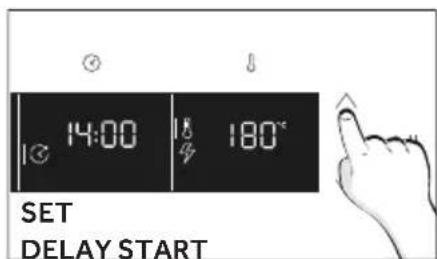
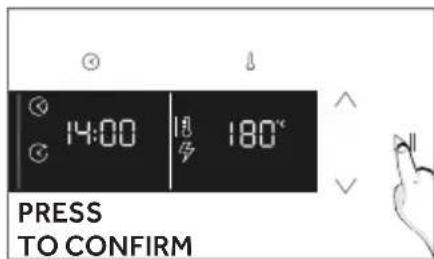
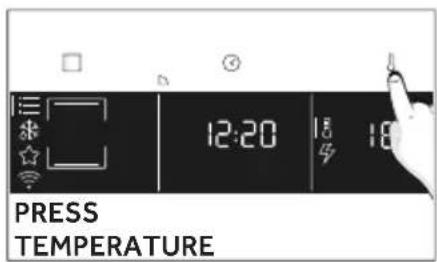
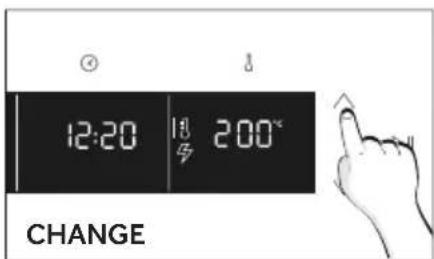
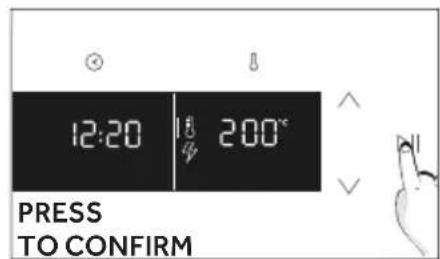
CHANGE TEMPERATURE
WIRELESS PARAMETERS
| Technology Wi-Fi Bluetooth | ||
| Standarc | IEEE 802.11 b/g/n | Bluetooth v4, BR/EDR, BLE |
| Frequency Band(s) LMHz | 2401±283 | 2402±280 |
| Maximum Power lmW | 10C | 10 |
PRODUCT INFORMATION FOR NETWORKED EQUIPMENT
Power consumption of the product in networked standby if all wired network ports are connected and all wireless network ports are activated: 2,0 W.
How to activate wireless network port:
Wifi module switches on as soon as the user press the power on button.
How to deactivate wireless network port:
Wi-fi module deactivates as soon as the user presses the power off button. The wi-fi can also be deactivated when the oven is on by selecting "off" in the Wi-fi settings.
Hereby, CANDY HOOVER GROUP S.R.L. declares that the radio
equipment is in compliance with Directive 2014/53/EU and with the relevant statutory requirements for the UK market. The full text of the declaration of conformity is available at the following internet address: www.rosieres.fr
Download hOn app on your smartphone .


NEW USER REGISTRATION
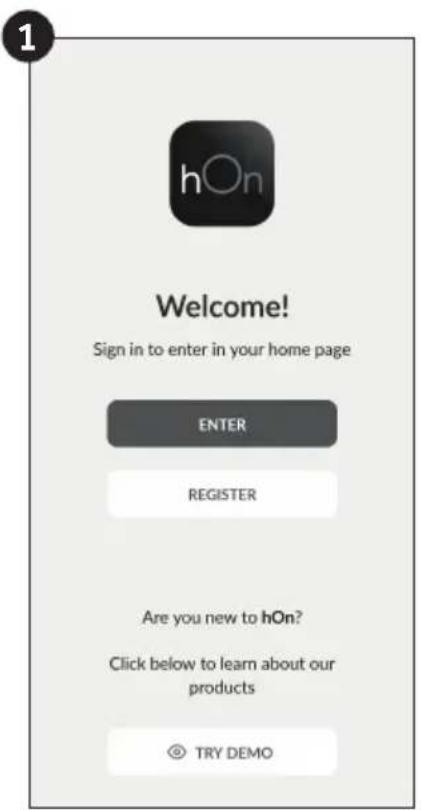
EN Click on "Register"

EN You can register through social accounts or sign up with your personal e-mail
QUICK PAIR ENROLLMENT
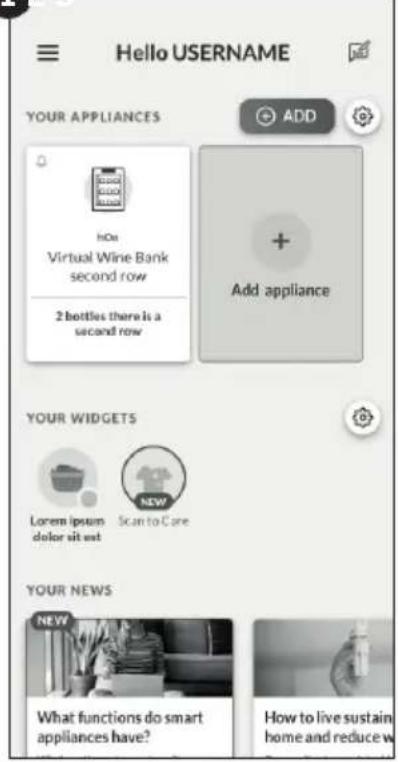
1
EN Select "Add appliance"
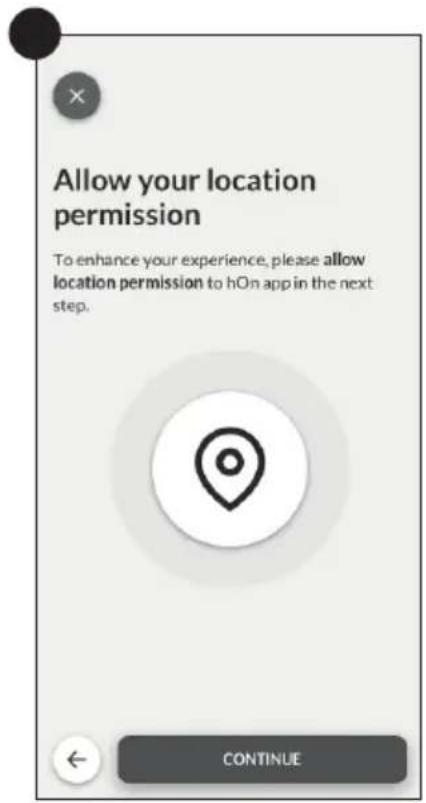
EN Allow your location permission
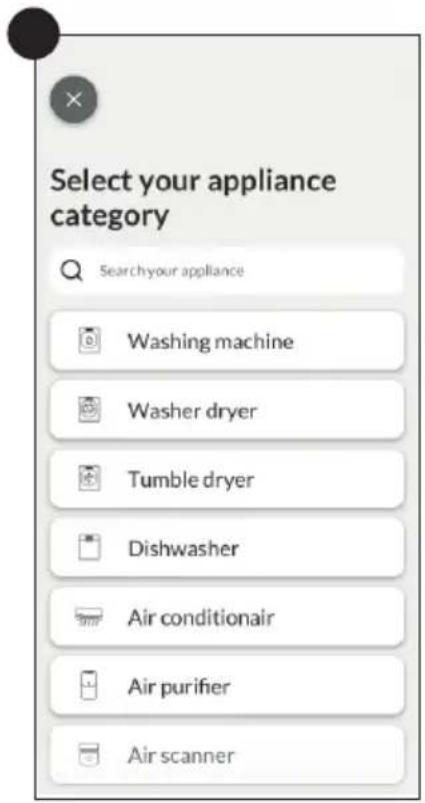
EN Select oven from the appliance category
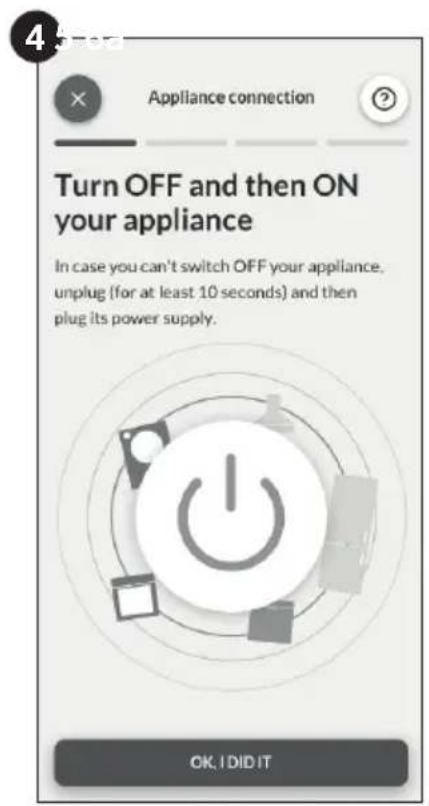
EN Turn on your appliance; if it is already on, turn it off and on again
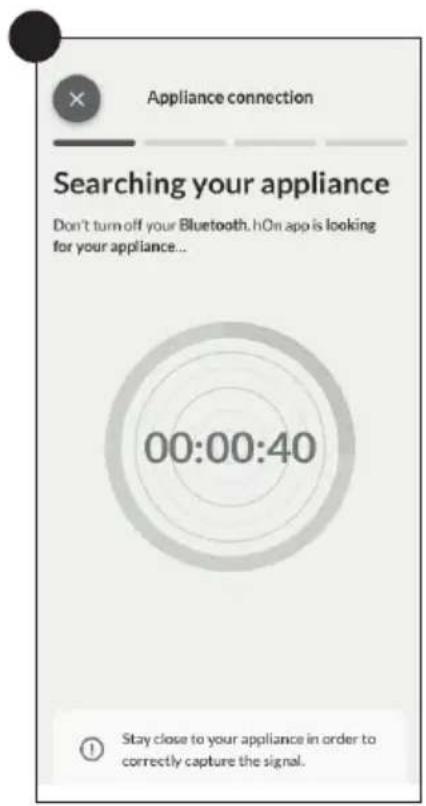
EN After turning on, the hOn app will start searching for your home appliance. The WiFi icon on your display will start blinking
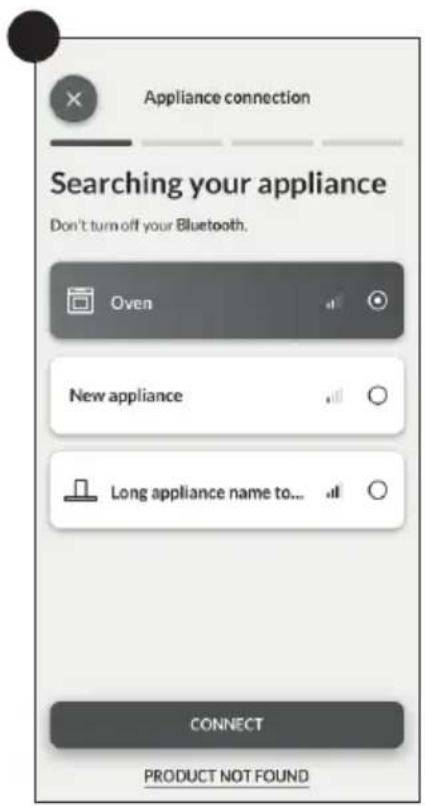
EN Select your home appliance, tap on "connect" and wait a few seconds
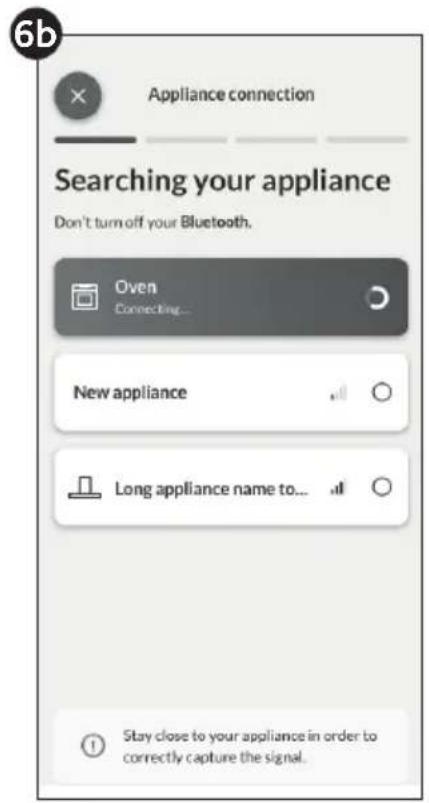
EN Select your home appliance, tap on "connect" and wait a few seconds
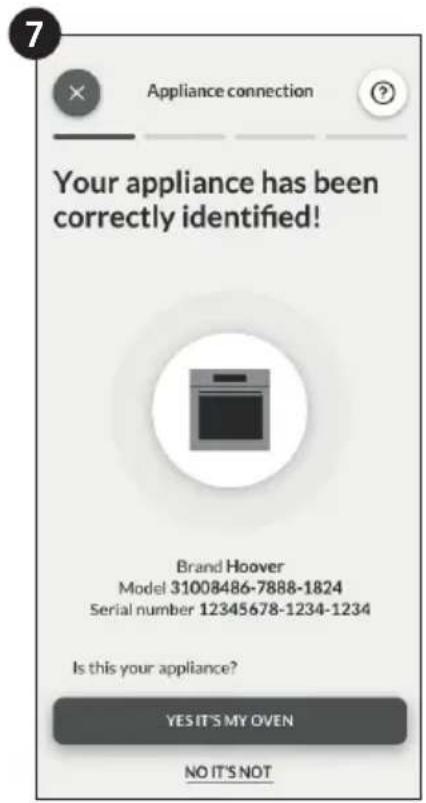
EN Your microwave oven will be found and you can control it through. The WiFi icon on your display will stop blinking
PLEASE NOTE: the oven is provided with an automatic update function. The automatic update function is enabled as soon as the product is enrolled in app. When the update is available, the oven will update automatically. The process may take a few minutes. During the buttons will blink and the display will show the software update progress.
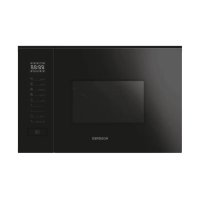
Brand : ROSIERES
Model : RO4MWM9G6NQB
Category : Microwave Oven