
FORTEMANAGER - Management Software LG - Free user manual and instructions
Find the device manual for free FORTEMANAGER LG in PDF.


| Product Type | Management Software |
| Brand | LG |
| Model | FORTEMANAGER |
| Category | DDC/CI communication software for LCD monitor |
| Compatible Operating Systems | Windows 2000, Windows XP, Windows XP-64, Windows Vista |
| Supported Languages | Simplified Chinese, Traditional Chinese, Dutch, English, French, German, Italian, Japanese, Korean, Spanish, Portuguese, Russian |
| Compatible Video Adapters | ATI, NVIDIA, Intel 82945G or higher, SIS661 or higher |
| Main Functions | Control and command of monitor functions from the PC via DDC/CI |
| Required Configuration | Microsoft Internet Explorer 6.0 or higher |
| Installation Method | Protected CD-ROM with automatic installation wizard or manual via Setup.exe |
| Restart Required | Yes, after installation |
| Launch Icon | Execution icon appears on screen after installation |
| Monitor Compatibility | LG LCD monitors supporting DDC/CI |
| Maintenance | Update via LG website if available |
| Security | No specific mention; use antivirus when downloading |
Frequently Asked Questions - FORTEMANAGER LG
User questions about FORTEMANAGER LG
0 question about this device. Answer the ones you know or ask your own.
Ask a new question about this device
Download the instructions for your Management Software in PDF format for free! Find your manual FORTEMANAGER - LG and take your electronic device back in hand. On this page are published all the documents necessary for the use of your device. FORTEMANAGER by LG.
USER MANUAL FORTEMANAGER LG
Mounter's gncn to jgchh s hngn.
1.지원 OS
Windows 2000
Windows XP
Windows XP-64
Windows Vista
2.지원 어
What is the forteManager Program?
forteManager, which is included with the LG LCD monitor, is a program to enable DDC/CI communication between PC and monitor. With forteManager, you can control and adjust the functions of the monitor with a PC.
1. Supported OS
Windows 2000
Windows XP
Windows XP-64
Windows Vista
2. Supported Languages
Chinese simplified
Chinese traditional
Dutch
English
French
German
Italian
Japanese
Korean
Spanish
Portuguese
Russian
3. Supported Video Adapters
ATI
NVIDIA
INTEL - Intel 82945G or higher graphics chip set
SIS - SIS661 or higher graphics main board

How to install forteManager
This program requires Microsoft Internet Explorer 6.0 or higher.
- Close all other application programs before installing forteManager program.
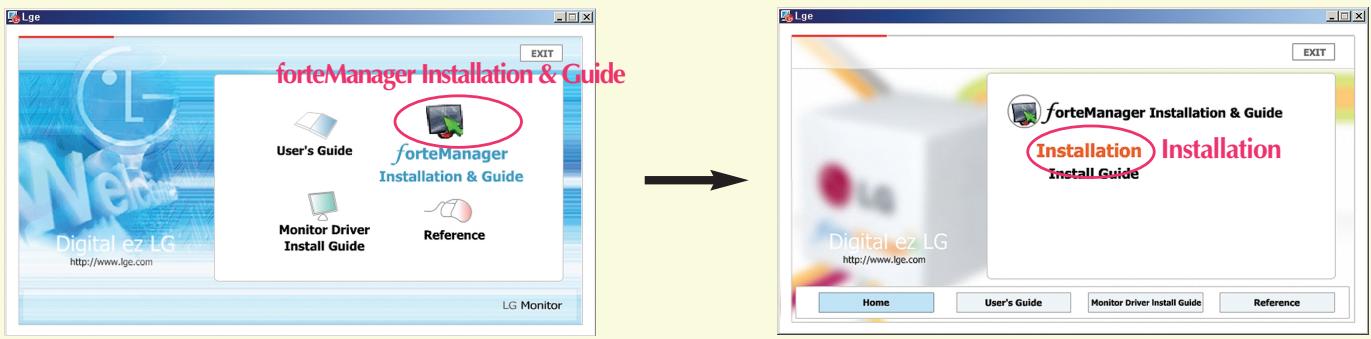
- On the main screen of the enclosed CD-ROM, select 'forteManager Installation & Guide' 'Installation', then the installation screen will be automatically displayed.
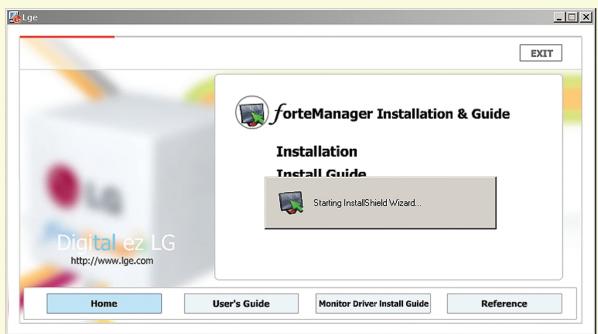
- forteManager InstallShield Wizard will start on the screen.
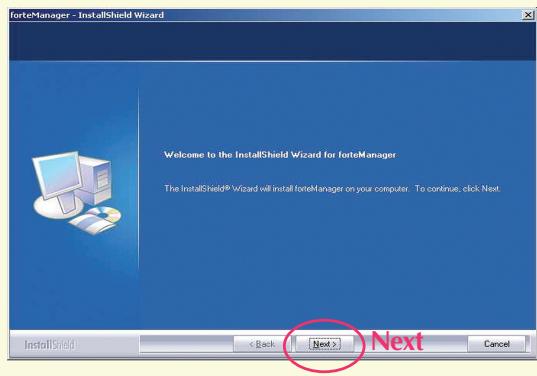
- Click 'Next'
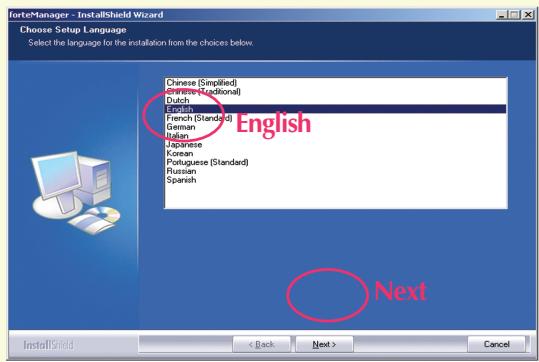
- Select 'Installation Language' → Click 'Next'
- Select 'I accept the terms of the license agreement' Click 'Next'
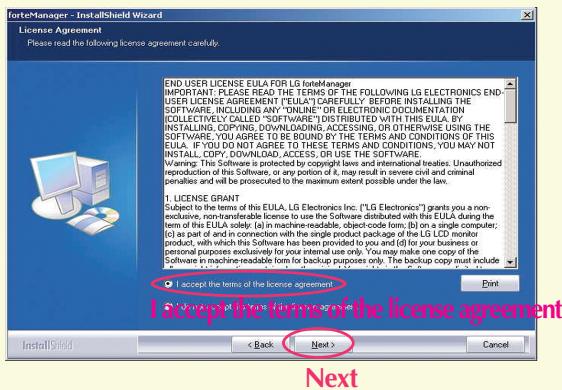
7. Click 'Next'
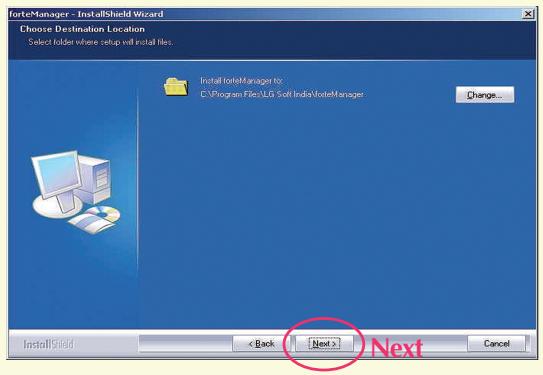
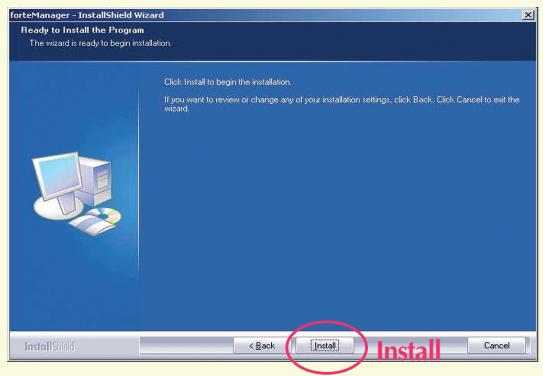
8. Click 'Install'
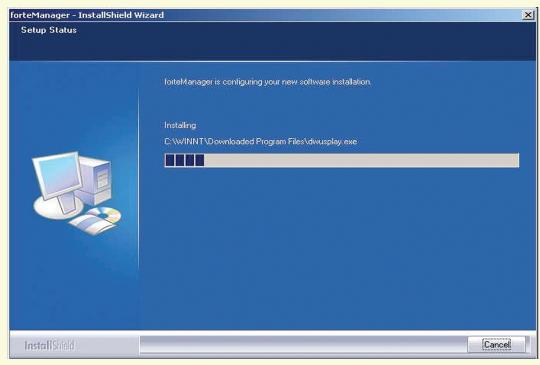
- forteManager program will be installed.
- Click 'Yes, I want to restart my computer now.' Click 'Finish'
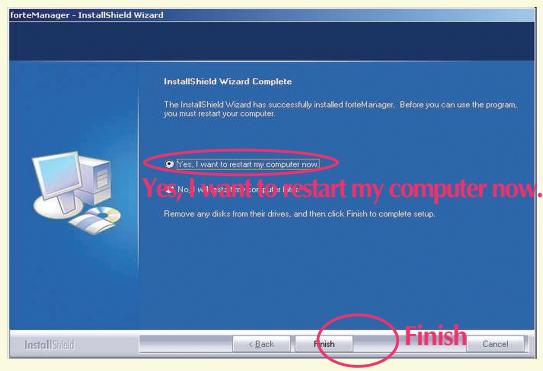
For normal operation, you need to reboot the system. When installation is completed, the forteManager execution icon will be created on the screen.

If the installation screen is not displayed automatically, Use the following steps to manually install the program.
- 'My Computer' → 'Digital_LG'
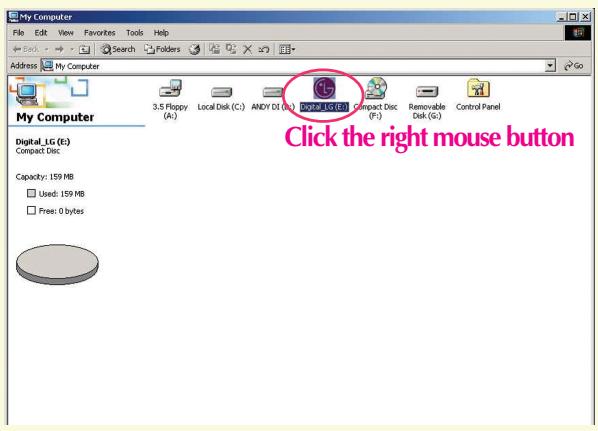
- Click the right mouse button Click 'Open'
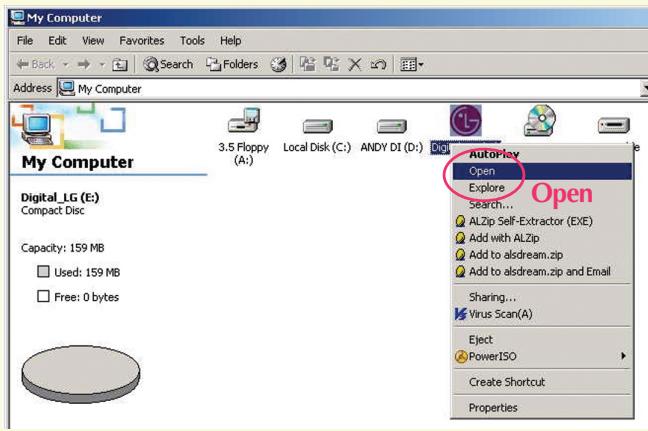
-
'forteManager' folder Click the right mouse button Click Open
-
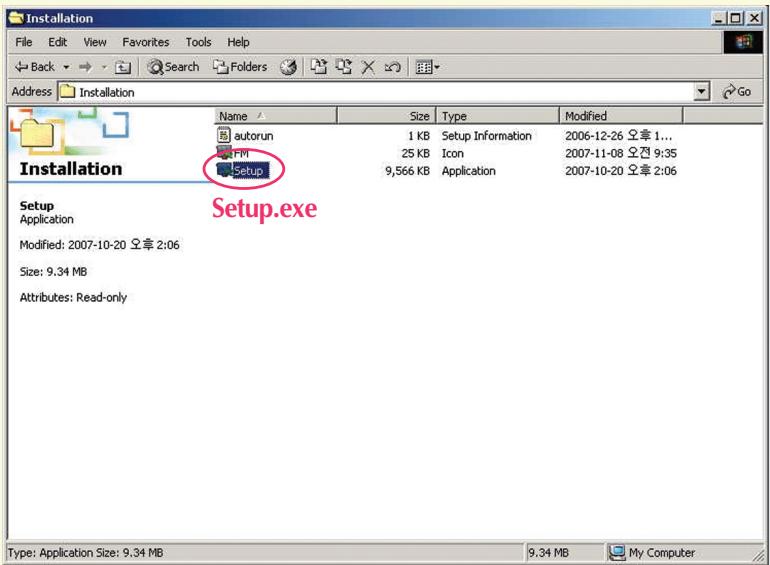
'Installation' folder Click the right mouse button Click 'Open'
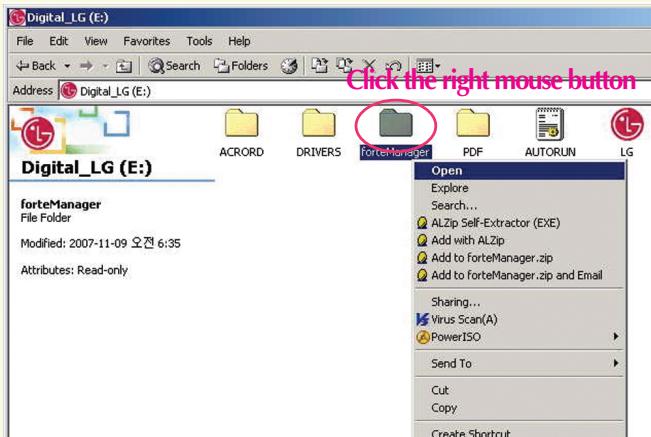
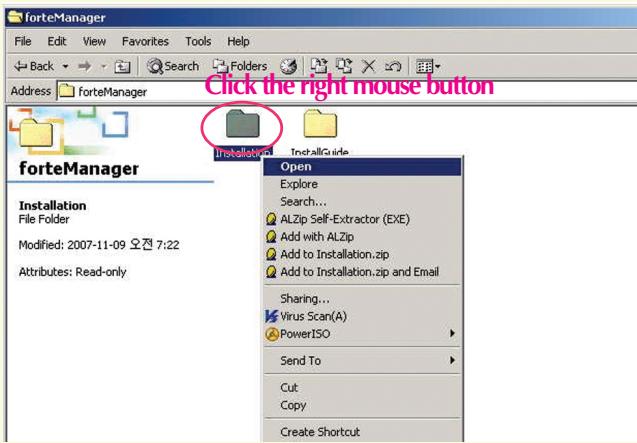
- Double click 'Setup.exe' forteManager InstallShield Wizard will start.

This is a draft of a book on the use of Microsoft Windows 2003. It has been revised and refined by a number of experts from a variety of fields, including computer science, mathematics, and engineering.
- 按一下 Yes, I want to restart my computer now (是,我要立即重新啟動電腦) → 按一下 Finish (完成)
您必須重新啟動系統,才能正常操作。