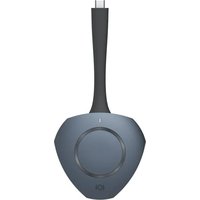
UCWDA - Computer accessory V7 - Free user manual and instructions
Find the device manual for free UCWDA V7 in PDF.


| Product Type | USB-C Wireless Display Adapter |
| Brand | V7 |
| Model | UCWDA |
| Main Function | Wireless Screen Sharing |
| System Compatibility | Android 11 or later |
| Maximum Number of Simultaneous Users | 9 |
| Connectivity | USB-C |
| LED Indicators | Blue, white, green |
| Power | Via device's USB-C port |
| Operating Temperature | 0 to 40 °C |
| Operating Relative Humidity | 10 to 90% |
| Limited Warranty | 2 years |
| Package Contents | Adapter (dongle), user manual |
| Care and Cleaning | Clean with a dry cloth |
| Safety Precautions | Do not expose to heat, moisture, do not immerse, do not attempt repair |
| Spare Parts and Repairability | No user-serviceable parts, repair not recommended |
| Customer Service (Europe) | DE 089 2620 7559, UK 020 8610 7999 |
| Recycling | Compliant with WEEE directive, do not dispose with household waste |
| Approximate Weight | 20 g |
| Approximate Dimensions | 5 x 2 x 1 cm |
Frequently Asked Questions - UCWDA V7
User questions about UCWDA V7
0 question about this device. Answer the ones you know or ask your own.
Ask a new question about this device
Download the instructions for your Computer accessory in PDF format for free! Find your manual UCWDA - V7 and take your electronic device back in hand. On this page are published all the documents necessary for the use of your device. UCWDA by V7.
USER MANUAL UCWDA V7
natural_image
Line drawing of a kitchen utensil with handle and circular base (no text or symbols)UCWDA USB-C Wireless Display Adapter
User Manual
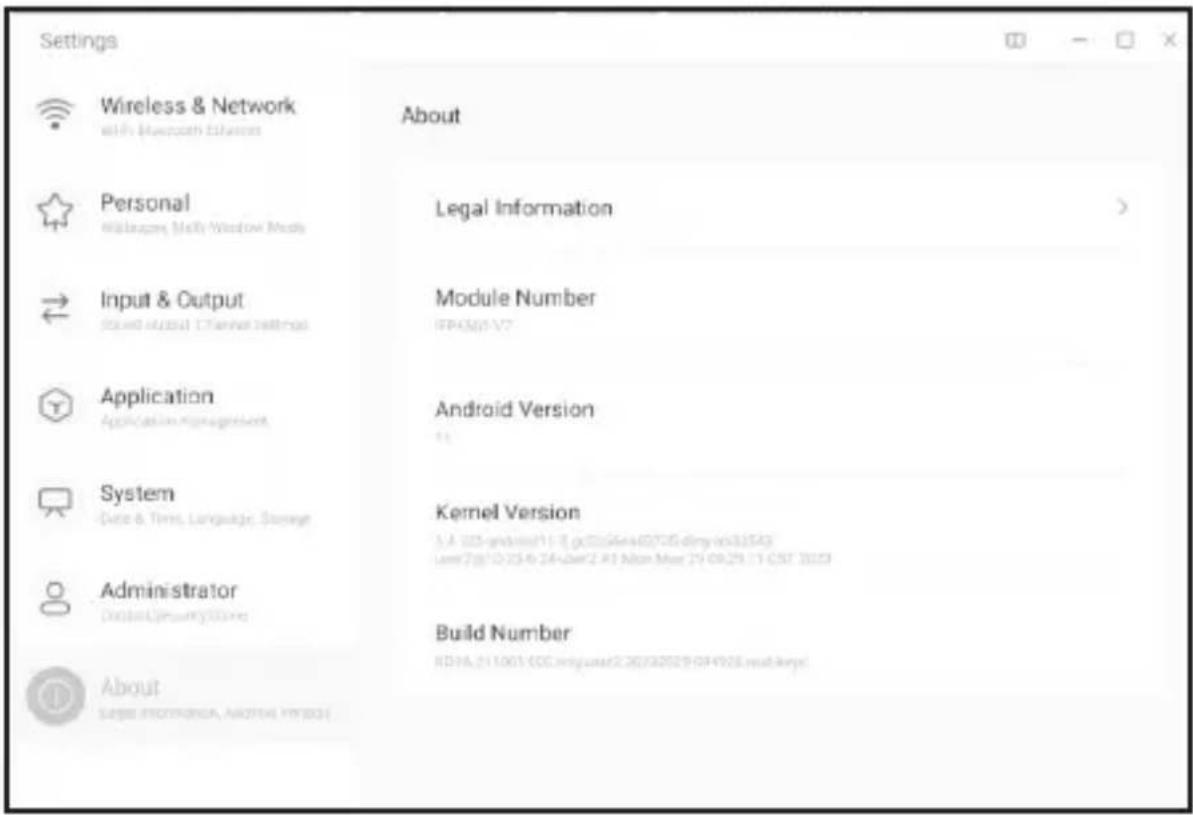
- Verify you are using the latest Android 11 or higher firmware
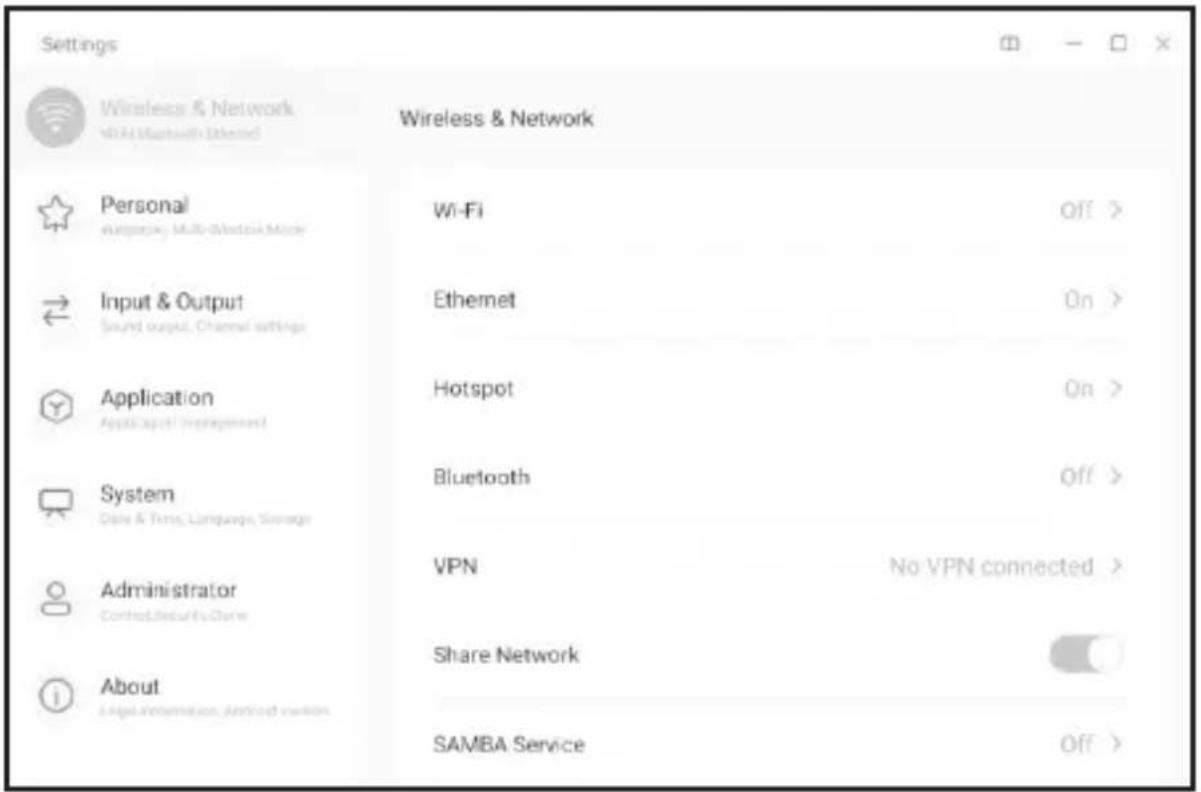
- Ensure Hotspot is ON
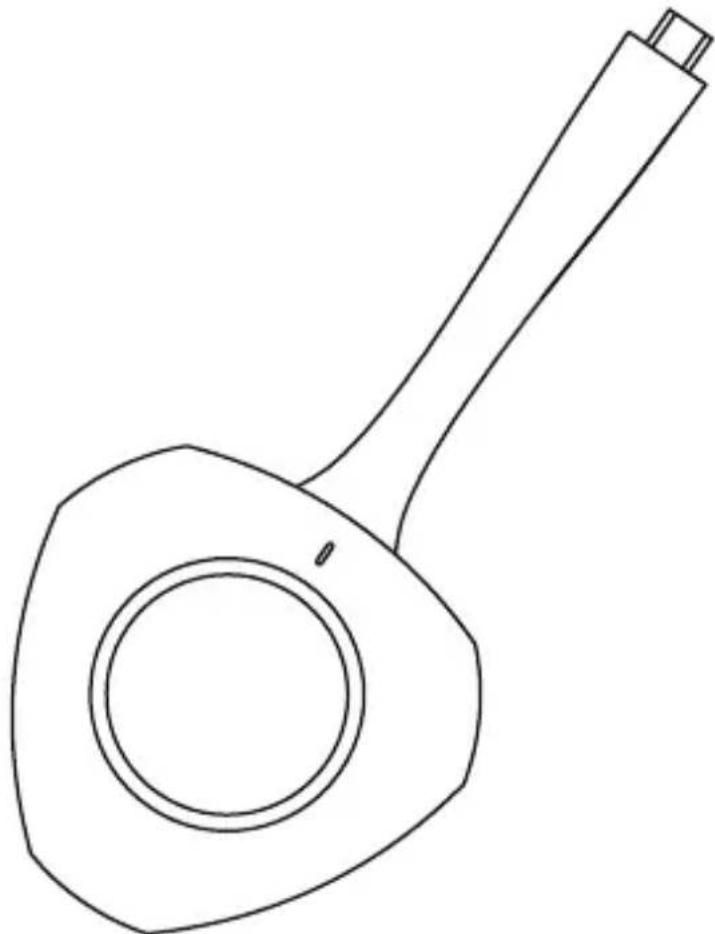
- Insert UCWDA dongle into IFP - Light on dongle will flash - Remove dongle when Configuration Succeed displays, light on Dongle will turn blue.
Configuration succeed
Configuration succeed, please unplug Dongle.
OK
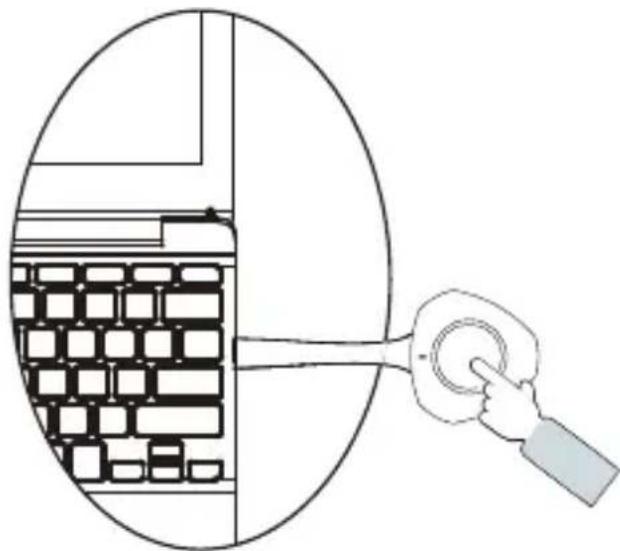
- Unplug Dongle from IFP and insert into USB-C port on device Light on Dongle will turn white. Press the button to start sharing - Dongle light will turn green. Press button again to disconnect.
natural_image
Diagram showing a hand pressing a button into a grid-patterned room, with no text or symbols present.Computer
- If you have more than one UCWDA Dongle - repeat previous steps, then users can share a split screen on the IFP (up to 9 at once).
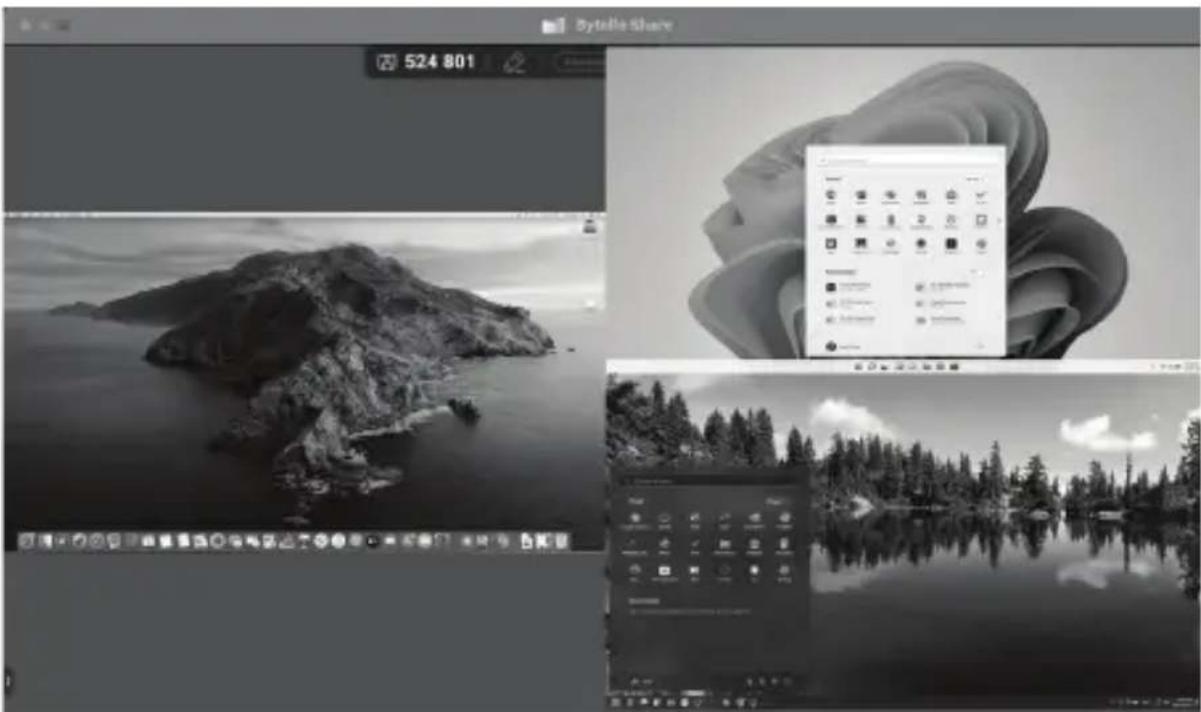
natural_image
Black-and-white desktop interface showing a island image, a cloud-themed design, and a forest landscape with reflection (no readable text or symbols)Safety Warnings
Before using and operating this device, please read thoroughly and comply with the following precautions:
Operating Environment
DO NOT expose to any heat source (such as electrical heater).
Normal operating temperature is 0-40 °C, normal operating humidity is 10%-90% RH.
DO NOT place the product in dusty and humid environments.
Do not expose the device to direct sunlight.
Do not attempt repairs. Do not attempt to take apart, disassemble, service, or modify the hardware device or power supply. Any evidence of any attempt to dissemble and/or modify the device, including peeling, puncturing, or removal of any of the labels, will void the Limited Warranty.
Two Year Limited Warranty
V7 Limited Manufacturer's Warranty, provided by Ingram Micro Inc., 3351 Michelson Drive, Suite 100, Irvine, CA 92612 ("Manufacturer"), covers this Adapter ("Product") against defects
in materials or workmanship from the date of purchase for a period of twenty-four (24) months for parts and labor. The defects claimed under this limited warranty will be remedied by Manufacturer at its own discretion and at its own expense by repair or delivery of new or reconditioned parts. Liability under this limited warranty shall in no event exceed the cost of replacement or the original cost of the product at the time of purchase. In the event of product discontinuance or unavailability wherein failure has occurred the product shall, at the sole discretion of Manufacturer, be replaced to the first purchaser with a substantially similar product of equal or lesser value or the first purchaser shall be provided with a refund equal to the original i.e. first purchaser purchase price. This limited warranty does not cover the repair of cracked, scratched, broken or modified plastic or other cosmetic damage; or parts that have been altered, defaced or removed. Also, it does not apply to repairs or replacement necessitated by any cause beyond the control of the
Manufacturer or a servant or agent of the Manufacturer including, but not limited to, any malfunction, defects or failures which in the opinion of Manufacturer were caused by or resulting from unauthorized service or parts, improper maintenance, operation contrary to furnished instructions, shipping or transit accidents, modification or repair by the user, abuse, misuse, neglect, accident, fire, flood, or other acts of God, incorrect line voltage or normal wear and tear, or which did not exist at the time when the Product was purchased.
This limited warranty does not apply to damage that occurs during unpacking, setup, or installation; removal of the product for repair; reinstallation of the product after repair, or shipping cost of the product for any purpose. There are no other expressed warranties, whether written or oral, other than this printed limited warranty. All implied warranties, including without limitation the implied warranties or merchantability or fitness for a particular purpose, are limited to the durations of this limited warranty. In no event shall Manufacturer be liable for incidental or consequential damages of any nature whatsoever, including but not limited to lost profit or commercial loss, to the full extent those damages can be disclaimed by law. Some countries do not allow the exclusion or limitation of liability arising from implied warranties, or limitation of the duration of implied warranties, so the preceding limitations or exclusions may not apply to all purchasers. This limited warranty is subject to the laws of the relevant jurisdiction, being the country where the product is originally purchased. This limited warranty shall only apply to the extent permitted by applicable national legislation governing the sale of consumer goods. The rights and remedies that consumers enjoy free of charge under such consumer protection laws shall not be limited. This warranty is valid only in the country where the product is originally purchased. Additional information can be found at www.V7world.com.
Claims under this limited warranty can only be asserted against Manufacturer within a preclusion period of two months after the occurrence of the defect or, in the case of defects that are not immediately recognizable, within two months after their discovery, upon presentation of the original invoice with the date of purchase.
You may execute this warranty where you purchased in accordance with the exchange policy of the establishment. At any time thereafter during the term of this warranty, please refer to the authorized distributor of your jurisdiction.
Regulatory Information: Disposal of Waste Electrical and Electronic Equipment (WEEE)
The Waste Electrical and Electronic Equipment (WEEE) Directive aims to minimize the impact of electrical and electronic goods on the environment and human health, by increasing re-use and recycling and by reducing the amount of WEEE going to landfill. Waste prevention takes precedence over waste management. In the case of used equipment, waste prevention measures include extending its service life by repairing defective equipment and selling rather than discarding functioning used equipment.
The symbol on your V7 product or its packaging signifies that this product must be disposed separately from ordinary household wastes at its end of life. Please kindly be aware that this is your responsibility to dispose electronic equipment at recycling centers so as to help conserve natural resources. By disposing of this product separately you contribute to the re-use, recycling and other forms of recovery of WEEE.
Each country in the European Union should have its collection centers for electrical and electronic equipment recycling. For information about your recycling drop off area, please contact your related electrical and electronic equipment waste management authority or the retailer where you bought the product.
Used equipment often contains sensitive personal data. Please note that it is your responsibility to delete data on used equipment to be disposed of.
Battery Directive
Regulatory Information: Battery Directive
The Battery Directive aims to minimize the impact of certain substances that are hazardous to the environment and health, especially lithium batteries should be used, collected and handled with special care. Waste prevention takes precedence over waste management. In the case of used batteries, waste prevention measures include extending their service life by repairing defective equipment and selling rather than discarding functioning used equipment. Please also consider re-using used batteries instead of disposing of them, e.g. by including the battery in a second life cycle or repairing it. Further information can be found in your country's waste prevention program.
The separation, collection, and recycling of used batteries helps reduce negative impact of batteries on the environment and human health by reducing the amount of batteries going to landfill. The symbol on your V7 product or its packaging on both rechargeable and non-rechargeable batteries means that batteries must not be disposed of with household or business waste. Should a battery have more than 0.0005% mercury (Hg), 0.002% cadmium (Cd) or 0.004% lead (Pb) according to weight, their respective chemical symbol (Hg, Cd or Pb) is displayed under the symbol. As a consumer of batteries, you are legally obligated to dispose the used batteries
so they can be properly recycled. You can take used non-rechargeable and rechargeable batteries to collection points designated by local municipal authorities or recycling centers or where batteries are sold. The drop-off is free of charge for you. Please kindly be aware that this is your responsibility to dispose batteries responsibly so as to help conserve natural resources.
Each country in the European Union should have its collection centers for battery recycling. For information about your recycling drop off area, please contact your related electrical and electronic equipment waste management authority or the retailer where you bought the product.
Product Safety Instructions:
Read this guide for important safety and health information and for regulatory information. Warning: Failure to properly set up, use, and care for this product can increase the risk of serious injury or death, or damage to the device or devices. Read this instruction and keep all printed manuals, instruction for future references. This Product Safety Instructions includes important information about many V7 products. Refer to sections that apply to the feature of your device.
Battery Powered Devices: These precautions apply to all products that use rechargeable or disposable batteries. Improper use of batteries may result in battery fluid leakage, overheating, or explosion. Released battery fluid is corrosive and may be toxic. It can cause skin and eye burns, and is harmful if swallowed.
To reduce the risk of injury:
- Keep batteries out of reach of children.
- Do not heat, open, puncture, mutilate, or dispose of batteries in fire.
- Do not mix new and old batteries of different types (for example, carbon-zinc and alkaline batteries).
- Do not allow metal objects to touch the battery terminals on the device; they can become hot and cause burns.
- Remove the batteries if they are worn out or before storing your device for an extended period of time.
- Always remove old, weak, or worn-out batteries promptly and recycle or dispose of them in accordance with Local and National Disposal Regulations.
- If a battery leaks, remove all batteries, taking care to keep the leaked fluid from touching your skin or clothes. If fluid from the battery comes into contact with skin or clothes, wash skin with water immediately. Before inserting new batteries, thoroughly clean the battery compartment with a damp paper towel, or follow the battery manufacturer's recommendations for clean-up.
Do not attempt repairs. Do not attempt to take apart, disassemble, service, or modify the hardware device or power supply. Doing so could present risk of electronic shock or other hazard. Any evidence of any attempt to dissemble and/or modify the device, including peeling, puncturing, or removal of any of the labels, will void the Limited Warranty. Do not abuse the device: Do not immerse the device to any liquid or expose to moisture. Clean only with dry cloth. Do not use the device outside the specified operating temperature range of 5°C (41°F) to 35°C (95°F). If the device is exposed to environment outside of its prescribed operation, turn off the device and allow the temperature to stabilize within the specified operating range before using the device.
7SEVEN
natural_image
Line drawing of a kitchen utensil with handle and circular base (no text or symbols)UCWDA USB-C Wireless Display Adapter
Benutzerhandbuch
Configuration succeed
Configuration succeed, please unplug Dongle.
OK
natural_image
Diagram showing a hand pressing a button into a grid-like structure, with no text or symbols present.Computer
natural_image
Black-and-white desktop interface showing a landscape image with a cloud-shaped overlay and multiple views of the island (no readable text or symbols)natural_image
Line drawing of a kitchen utensil with handle and circular base (no text or symbols)UCWDA
Configuration succeed
Configuration succeed, please unplug Dongle.
OK
natural_image
Diagram showing a hand interacting with a circular object containing stacked rectangular blocks, no text or symbols present.Ordenador
natural_image
Black-and-white desktop interface showing a landscape image with a cloud-shaped overlay and multiple views of the island (no readable text or symbols)natural_image
Line drawing of a kitchen utensil with a handle and circular base (no text or symbols)UCWDA
Configuration succeed
Configuration succeed, please unplug Dongle.
OK
natural_image
Diagram showing a hand interacting with a circular object containing stacked rectangular blocks, no text or symbols present.PC
natural_image
Black-and-white desktop interface showing a landscape image with a cloud-shaped overlay and multiple views of the island (no readable text or symbols)Directive relative aux piles
natural_image
Line drawing of a kitchen utensil with a handle and circular base (no text or symbols)UCWDA
Configuration succeed
Configuration succeed, please unplug Dongle.
OK
natural_image
Diagram showing a hand pressing a button into a grid-patterned room, with no text or symbols present.Computer
natural_image
Black-and-white desktop interface showing a landscape image with a cloud-shaped overlay and multiple views of the island (no readable text or symbols)Hereby, Ingram Micro UK (Ltd), Milton Keyes, United Kingdom declare under our sole responsibility that the
Information TechnologyEquipment products are fully compliant with the essential requirements and Laws of United Kingdom relating to Radio Equipment Regulation 2017 (RED) and The Restriction of the Use of Certain Hazardous Substances in Electrical and Electronic Equipment Regulations2012 (RoHS).
RF & Power
| Frequency band(s) | Maximum power transmitted (E.i.r.p) |
| 2402-2480MHz 3.72 | dBm |
| 5150-5250MHz 17.1 | 3 dBm |
| 5250-5350MHz 17.2 | 9 dBm |
| 5470-5725MHz 17.6 | 2 dBm |
| 5725-5850MHz 12.1 | 4 dBm |
| 13.56MHz -29.5 | dBuA/m |

| AT | BE | BG | CH | CY | CZ | DE | DK | EE |
| EL | ES | FI | FR | HR | HU | IE | IS | IT |
| LI | LT | LU | LV | MT | NL | NO | PL | PT |
| RO | SE | SI | SK | UK(NI) | ||||

UK
Mon-Fri 9:30am-5:30pm CET
US 800 289 9686
Mon-Fri 8:30am-4:30pm GMT
Mon-Fri 8:30am-8:00pm ET

techsupport@v7-world.com
Manufacturer/ Fabricant/ Hersteller/ Fabricante/ Produttore:
Ingram Micro Inc.
3351Michelson Dr. Suite 100
Irvine, CA 92612, USA
78 Apollo Drive, Albany
Auckland 0642, New
Zealand
Brazil
Ingram Micro Brasil Ltda
Av. Piracema, 1341
Tamboré, Barueri – Sao
Paulo
CEP 06460-030, Brazil
UK
Ingram Micro (UK) Ltd,
CBXII West, Midsummer
Boulevard,
Milton Keynes, MK9 2EA,
United Kingdom
Canada
Ingram Micro, LP Canada
55 Standish Court
Mississauga, ON, L5R 4A1,
Canada
European Union
Ingram Micro Pan Europe
GmbH
Heisenbergbogen 3,
D-85609 Dornach /
Munich, Germany
India
Ingram Micro India Limited
Godrej IT Park, B-Block,
5th Floor
Pirojsahanagar, L.B.S. Road,
Vikhroli (West), Mumbai-400
079, India
Australia
Ingram Micro Pty Ltd
61 Dunning Ave,
Rosebery
NSW 2018, Australia
Hong Kong
Ingram Micro (China) Limited
9th Floor, Pioneer Place, No.
33 Hoi Yuen Rd.
Kowloon, Hong Kong
For information on recycling, please visit | Informationen zum
Recycling finden Sie unter | Para más información sobre reciclaje, visite | Pour des informations sur le recyclage,
Brand : V7
Model : UCWDA
Category : Computer accessory