
KG 2398 - Barbecue SEVERIN - Free user manual and instructions
Find the device manual for free KG 2398 SEVERIN in PDF.


User questions about KG 2398 SEVERIN
0 question about this device. Answer the ones you know or ask your own.
Ask a new question about this device
Download the instructions for your Barbecue in PDF format for free! Find your manual KG 2398 - SEVERIN and take your electronic device back in hand. On this page are published all the documents necessary for the use of your device. KG 2398 by SEVERIN.
USER MANUAL KG 2398 SEVERIN
natural_image
Technical line drawing of a rectangular electronic device with buttons and ventilation slots (no text or symbols)Art.-No. KG 2398
DE GB FR NL ES IT
Instruction manual....15
Mode d'emploi 27
text_image
Technical diagram of a device with labeled parts, showing front and side views with numbered annotations.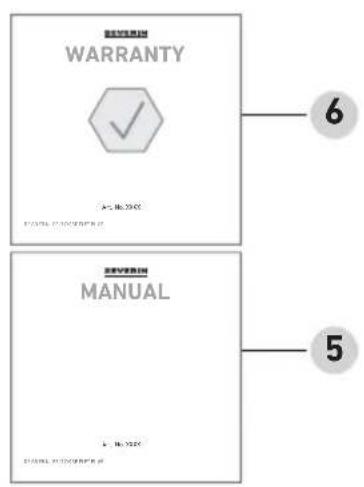
text_image
WARRANTY A: No. 2000 6 5 SEVERIN MANUAL B: No. 2000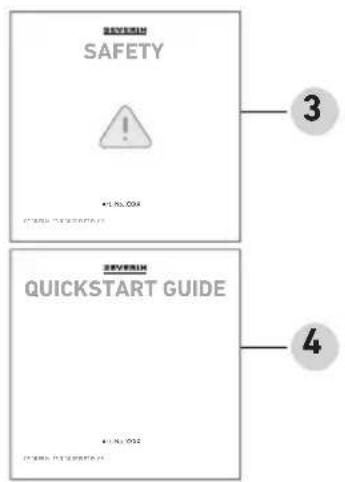
text_image
SEVERIN SAFETY ! • LRL.004 SEVERIN 2017年第四次 SEVERIN QUICKSTART GUIDE • LRL.004 SEVERIN 2017年第四次 3 42 Lieferumfang
natural_image
Illustration of a mechanical device with a flat top and base, accompanied by an 'i' symbol (no text or labels present)
www.severin.com
3 Beschreibung
text_image
A B C D E FGJIHtext_image
Technical diagram showing a grating device with labeled parts and a magnified view of the internal structure.natural_image
Technical line drawing of a mechanical assembly with a base and clamping mechanism (no text or symbols)Abstandhalter
Zum Abkühlen:
natural_image
Technical line drawing of a mechanical device with three views showing internal components and a close-up of the component being inserted (no text or symbols present)Erstes Aufheizen

Vorsicht!
text_image
Diagram showing a device with three rotary dial indicators labeled MIN, OFF, and MAX, illustrating mechanical or electrical control settings.2 Scope of supply 17
3 Description....18
4 Before the first use....19
Unpacking 19
Cleaning....19
Installation....19
Grill plates....20
Grease drip tray 21
Spacer 21
5 Grilling 23
6 Cleaning....24
7 Recommendations for use 24
8 FAQ....25
9 Disposal....26
10 Technical Data.... 26
1 About this manual
General information
These instructions are an integral part of the appliance.
Read them carefully before setting up, installing and using the appliance and keep them for future reference.
▶ Pass them on to any subsequent owner or user of the product.
The appliance must only be used by those familiar with the instructions below.
Relevant documents
- Quick start guide
- Safety manual (Safety)
- Warranty declaration (Warranty)
Warning notices

Signal word
Type, source and consequences of the hazard
▶ Measures to avoid the hazard.
Signal word Description
| Danger Imminently | hazardous situation which, if not avoided, will result in death or serious injury. |
| Warning Potentially | hazardous situation which, if not avoided, could result in death or serious injury. |
| Caution Potentially | hazardous situation which, if not avoided, could result in minor injury. |
| Note Potentially hazardous situation which, if not avoided, can result in property damage. | |
text_image
Technical diagram of a device with labeled components, showing front and side views with numbered annotations.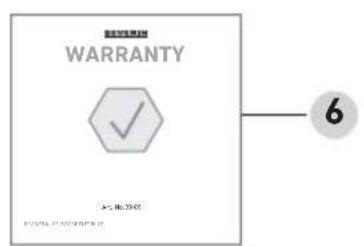
text_image
WARRANTY 6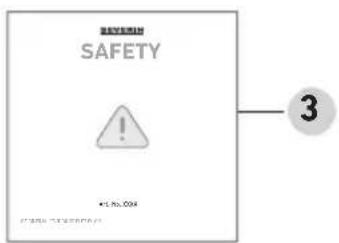
text_image
SAVETY ! ¥1.00.004 3
text_image
SEVERIN MANUAL 10.7245 JOURNAL FOR WORKING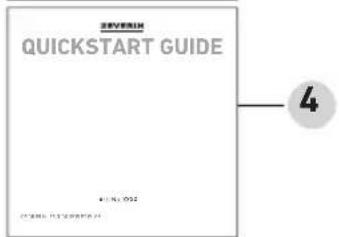
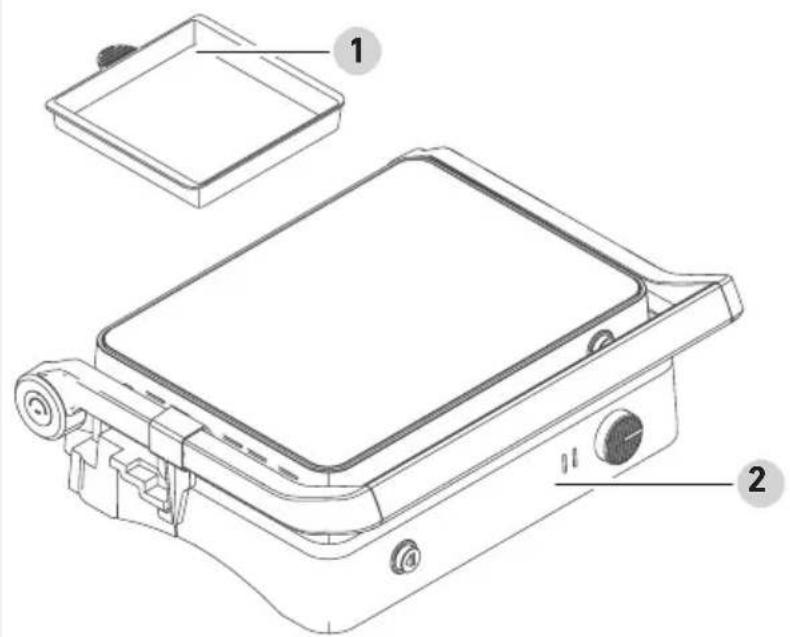
1 Grease drip tray
2 Appliance
3 Safety instructions
4 Quick start guide
5 Instruction manual
6 Warranty declaration
natural_image
Illustration of a mechanical device with a labeled 'i' icon (no text or symbols on the device itself)
text_image
QR code image containing encoded data, no visible human-readable textwww.severin.com
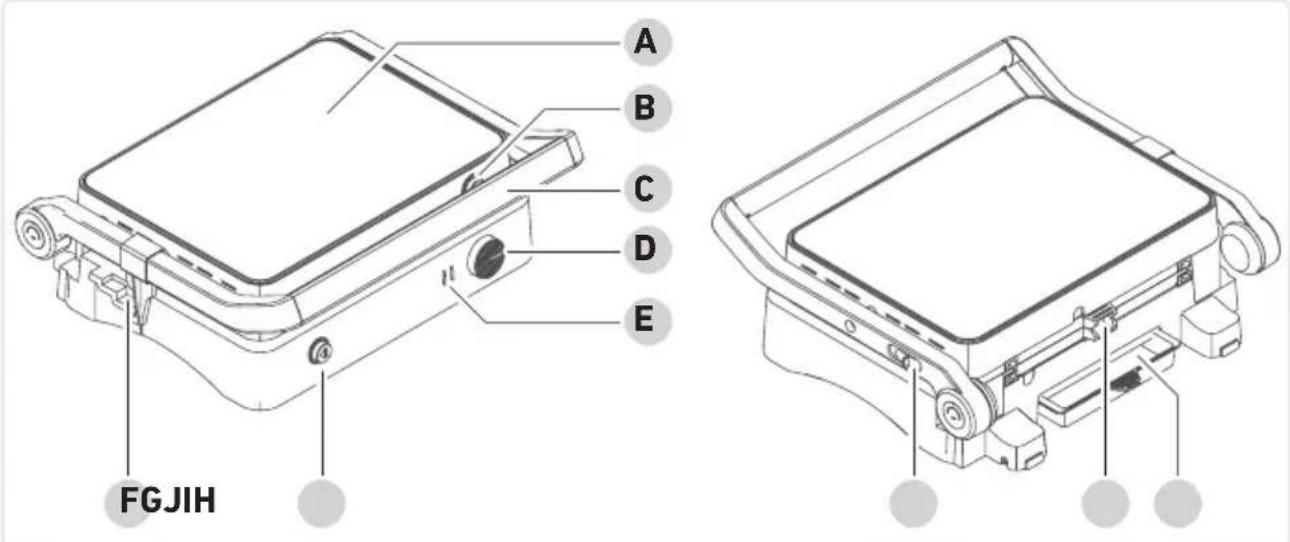
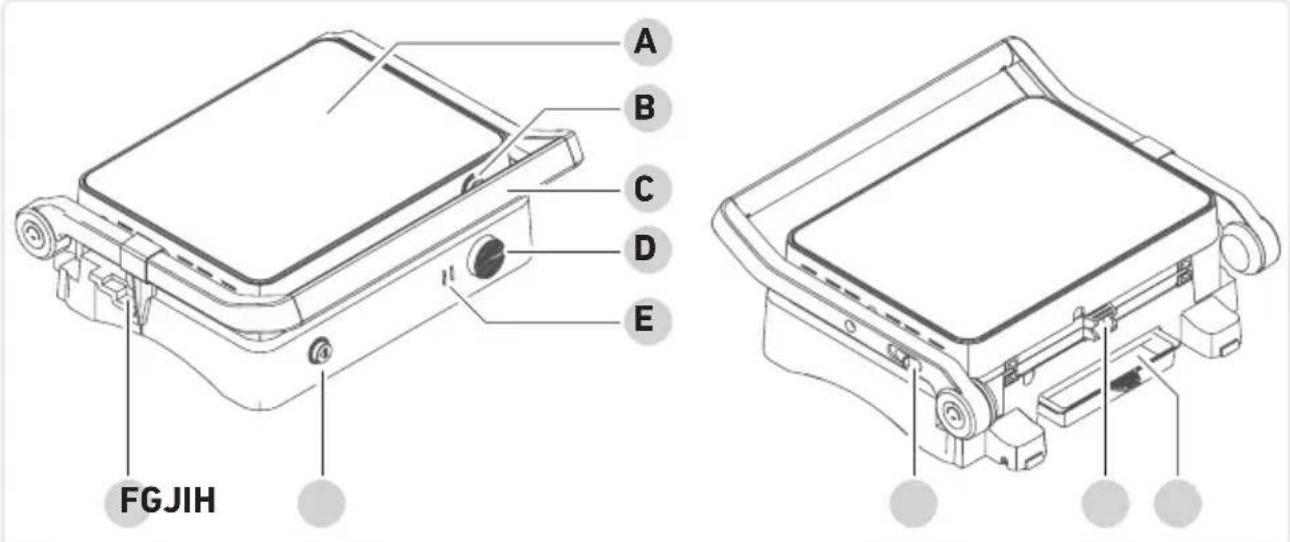
3 Description
text_image
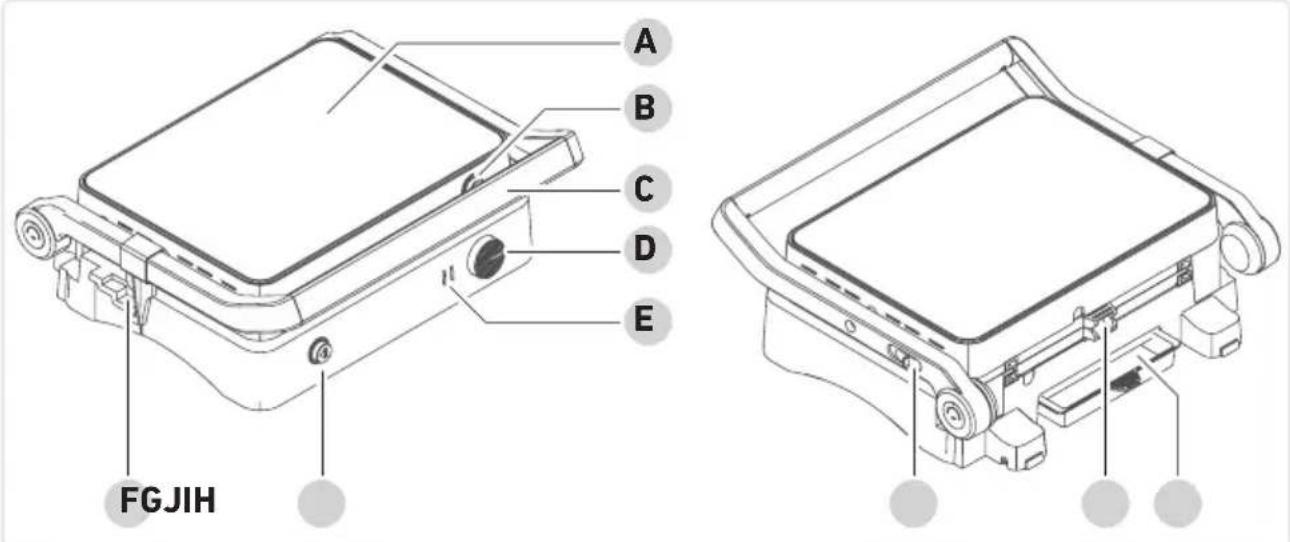
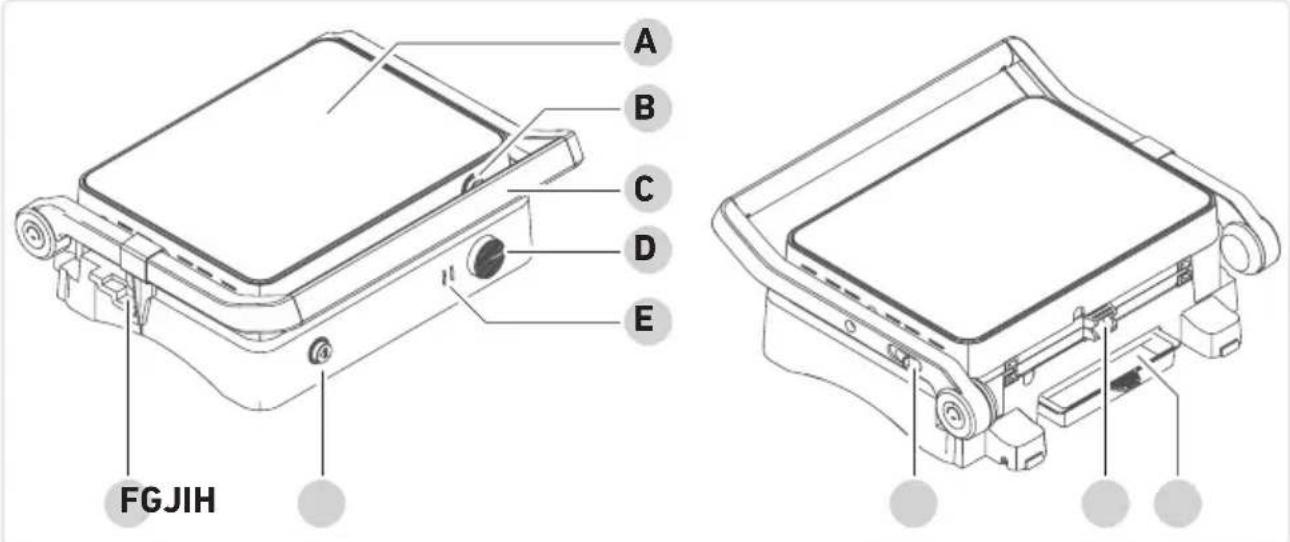
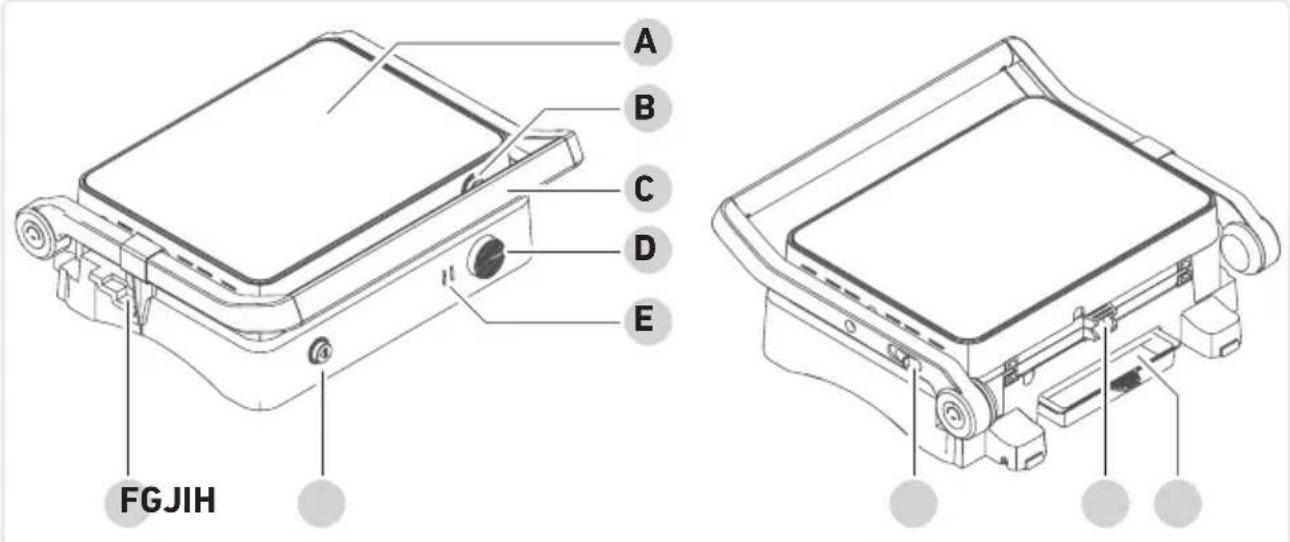
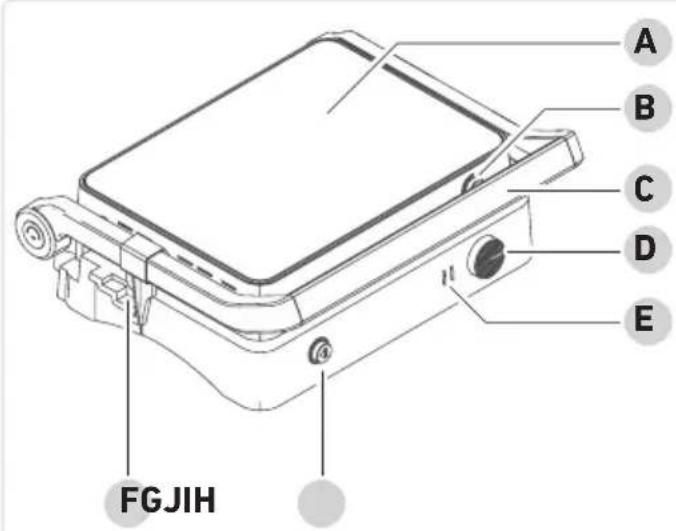
A B C D E FGJIHA Upper grill plate
B Upper grill plate release
C Handle
D Temperature control
E Status indicators
Red: the appliance is plugged in / preheating is completed
Red and green: the appliance is warming up
F Spacer
G Lower grill plate release
H Lid release catch
I Grease outlet
J Grease drip tray
4 Before the first use
Unpacking
▶ Remove all parts from the packaging.
Remove all packaging material, protective film and stickers.
! Never remove the rating labels; they must always remain on the appliance.
▶ Check the scope of delivery for completeness and damage.
Cleaning

Caution!
Risk of injury from electric shock and damage to the appliance.
▶ Do not immerse the appliance in water.
▶ Wipe the appliance with a damp cloth and dry.
▶ Clean the grill plates and grease drip tray with warm soapy water and dry them.
Installation

Only use the appliance indoors.
Place the appliance on a flat, heat-resistant surface.
▶ Ensure adequate ventilation.
▶ The appliance must only be connected to a properly installed socket.
Grill plates
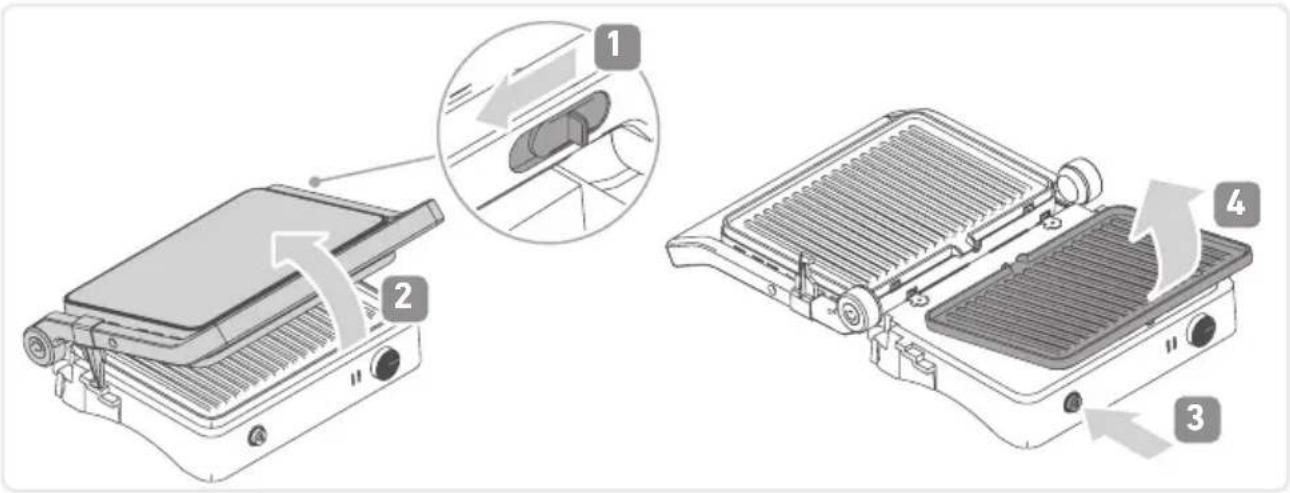
Removing the grill plate:
▶ Pull the release catch on the handle forward.
▶ Open the lid completely.
▶ Press the release button.
Remove the grill plate.
text_image
Technical diagram showing a grating device with labeled parts and a magnified view of the internal structure.Inserting the grill plates:
▶ Push the latching lugs into the openings.
▶ Press the grill plate down until it audibly clicks into place.
Grease drip tray
Before each use, check whether the grease drip tray is in place and fitted correctly. If it is not in place, insert the grease drip tray.
▶ Check the level of the grease drip tray at regular intervals.
▶ When the grease drip tray is full, remove it and discard the used grease properly.

natural_image
Technical line drawing of a mechanical assembly with a base and clamping mechanism (no text or symbols)Spacer
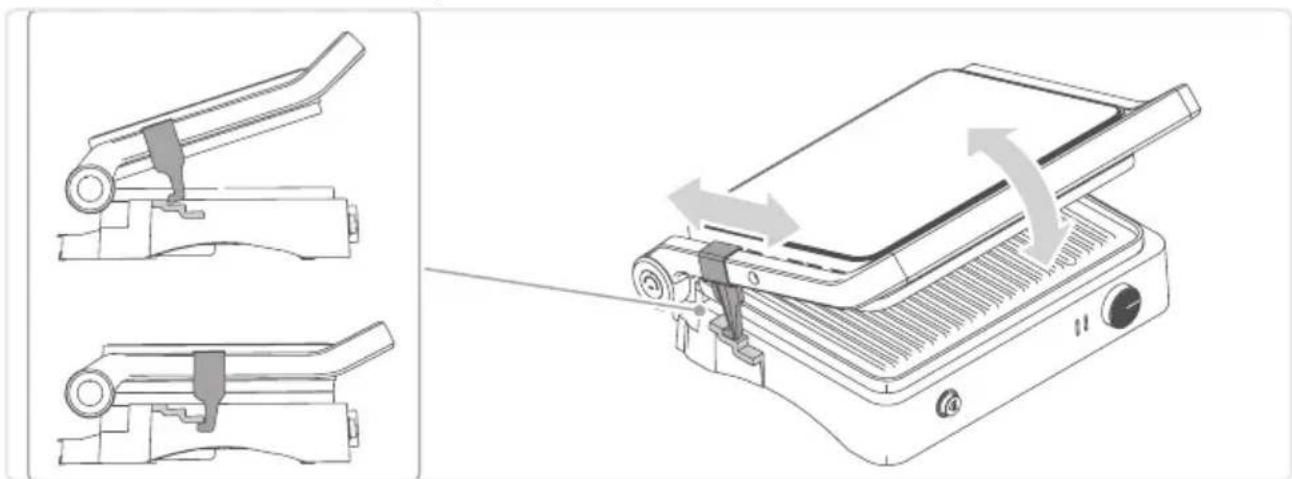
Cooling down the appliance:
▶ Move the spacer on the handle so that it rests on the counterpart. The lid remains open for the appliance to cool down.
Transporting the appliance:
▶ With the lid closed, slide the spacer under the counterpart. The lid is fixed and cannot be opened.
natural_image
Technical illustration of a flat-screen printer with mechanical components and a paper roll, showing assembly steps (no text or symbols)First use

Caution!
Risk of injury from slight build-up of smoke. Inhaling smoke can cause damage to your health.
▶ Open the windows or doors.
Insert the grease drip tray at the back of the appliance.
▶ Fit the upper and lower grill plates into the appliance.
▶ Close the appliance and connect the power plug to the socket.
The appliance is switched on: the red status indicator lights up.
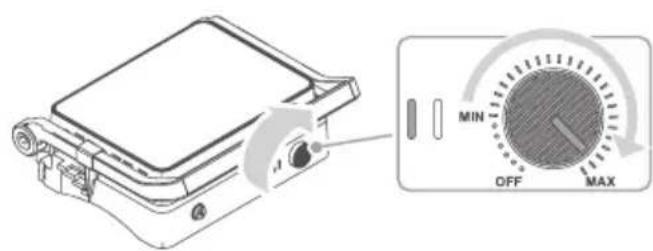
▶ Let the appliance heat up for approx. 15 minutes without food to allow any unpleasant odour to dissipate.
To do this, set the temperature controller to MAX.
The appliance heats up: the green and red status indicators light up.
text_image
Diagram showing a device with a rotary dial and control knob labeled MIN, OFF, MAX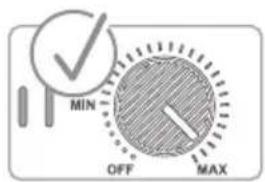
text_image
MIN OFF MAX▶ Switch off the appliance after 15 minutes, unplug it and let it cool down.
▶ Wipe the upper and lower grill plates with a damp cloth.
5 Grilling
▶ Set up the appliance in a suitable location (see page 19 Installation).
▶ Insert the grill plates and grease drip tray into the appliance.
▶ Close the appliance and connect the power plug to the socket.
The red status indicator lights up.
For preheating, set the temperature controller to MAX.
The green status indicator lights up until the set temperature is reached.

Attention!
Frozen food can cause damage to the grill plate due to excessive temperature differences.
▶ Only place completely thawed food on the grill plate.
▶ Open the lid of the appliance, lightly grease the grill plates and place food on the lower grill plate.
▶ Close the lid.
▶ Set the desired temperature by turning the temperature controller (see page 24 Recommendations for use).
During grilling, check the grill progress at regular intervals.

Warning!
Risk of burns from hot parts of the appliance and accessories.
▶ Do not touch hot parts of the appliance or its accessories.

Attention!
Pointed or sharp metal objects can damage the coated surfaces of the appliance when removing the food.
▶ To remove the food, use a wooden or plastic spatula.
Remove ready-made food with a wooden or plastic spatula.
Once the grilling process is finished:
▶ Set the temperature controller to "OFF".
▶ Unplug the appliance and let it cool down while closed.
6 Cleaning
▶ Clean the appliance after each use.
▶ Before each cleaning, unplug the appliance and let it cool down.
Remove the grill plates and grease drip tray.
▶ Empty the grease drip tray.
▶ Clean the grill plates and grease drip tray with rinse water.
Use a soft cloth or sponge and water with a mild detergent. Do not use metal sponges and abrasive cleaning agents.
▶ Clean the appliance with a damp cloth. They must not be immersed in liquids or even allowed to come into contact with them.
Dry all parts.
7 Recommendations for use
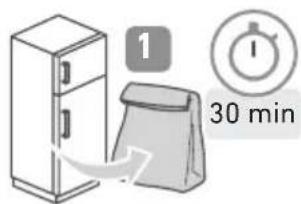
Remove the food from the fridge at least 30 minutes before grilling.
Set the control to "MAX" for grilling.
To keep the food warm, position the temperature controller slightly above "MIN".
text_image
1 30 min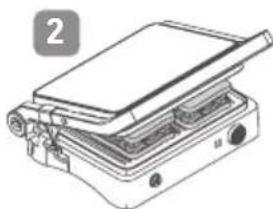
natural_image
Line drawing of a portable flatbed appliance with a flat lid and control panel (no text or symbols)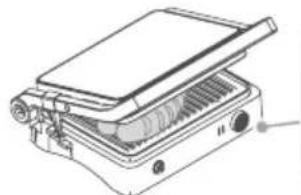
natural_image
Technical line drawing of a portable electronic device with ventilation slots and a lid (no text or symbols)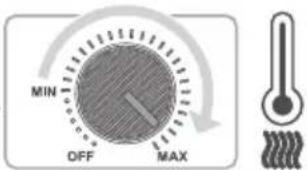
text_image
MIN OFF MAX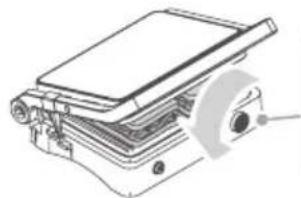
natural_image
Technical line drawing of a mechanical assembly with layered components and a circular component (no text or symbols)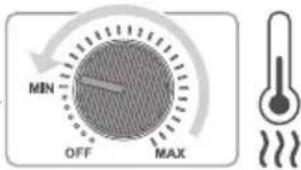
text_image
MIN OFF MAX
Warning!
Risk of injury from operating a faulty appliance. Operating a faulty appliance can lead to electric shock.
▶ Never use a faulty appliance.
▶ Do not attempt to repair the appliance yourself.
▶ Contact our customer service in the event of a defect.
Before contacting our customer service, check the table below to see if you can rectify the problem yourself.
Question / Possible cause Solution problem
| The appliance is not responding. | No power. Check whether | the appliance is connected to the power supply.the mains socket is energised. |
| Smoke comes out of the appliance during preheating. | The heating elements are factory-treated with a care product that evaporates during initial preheating. | If smoke develops only during initial preheating, this is normal.The care product is non-toxic and harmless. Nevertheless, ensure good ventilation. |
| Some foods burn, others are undercooked. | Food is not in the middle of the grill plate. | Make sure that the food is placed centrally on the grill plate and the optimal temperature has been selected for the preparation. |
9 Disposal
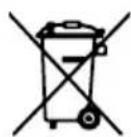
Appliances marked with this symbol must be disposed of separately from household waste. These appliances contain valuable raw materials that can be recycled. Proper disposal of these items protects the environment and public health. Your local authority or retailer can provide detailed information on proper disposal.
10 Technical Data
| Article number KG 2398 | |
| Power 1,800 W | |
| Voltage/Frequency 220-240 V~, 50-60 Hz | |
| Type of grill surface Ceramic coating | |
| On/off switch Control knob | |
| Temperature control Thermostat-controlled | |
| Grill surface 30 x 22 cm | |
| Weight approx. 4.2 kg | |
| Appliance dimensions 35 x 32 x 13 cm |
Contenu
text_image
Technical diagram of a device with labeled parts, showing front and side views with numbered annotations.
text_image
WARRANTY 6
text_image
SAFETY ! ■ No. 2004 3
text_image
SEVERIN MANUAL 5
text_image
SEVERIN QUICKSTART GUIDE 4natural_image
Illustration of a mechanical device with a labeled 'i' icon (no text or symbols on the device itself)
www.severin.com
3 Description
text_image
A B C D E FGJIHtext_image
Technical diagram showing a grating device with labeled parts and a magnified view of the internal structure.natural_image
Technical line drawing of a mechanical device with a gray component inserted, showing no text or symbols.Entretoise
Pour refroidir :
natural_image
Technical line drawing of a portable electronic device with two views showing internal components and a close-up of the device's handle (no text or symbols present)Premier chauffage

Attention!
text_image
Diagram showing a device with a rotary dial labeled MIN, OFF, and MAX, alongside a control panel.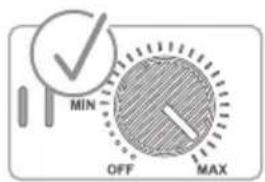
text_image
MIN OFF MAXnatural_image
Line drawing of a portable flatbed appliance with a flat lid and control panel (no text or symbols)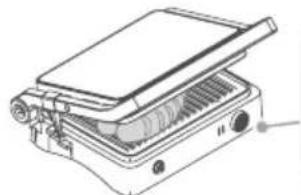
natural_image
Technical line drawing of a portable electronic device with ventilation slots and a lid (no text or symbols)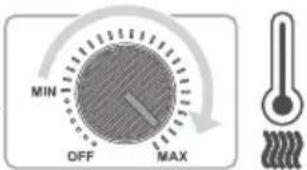
text_image
MIN OFF MAX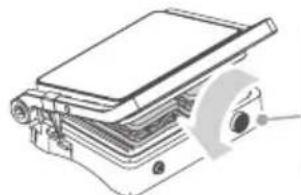
natural_image
Technical line drawing of a mechanical assembly with layered components (no text or symbols)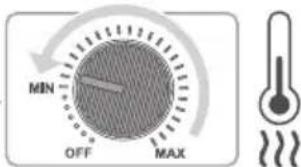
text_image
MIN OFF MAX
Avertissement !
text_image
Technical diagram of a device with labeled components, showing front and side views with numbered annotations.
text_image
SEVERIN WARRANTY 6 5 MANUAL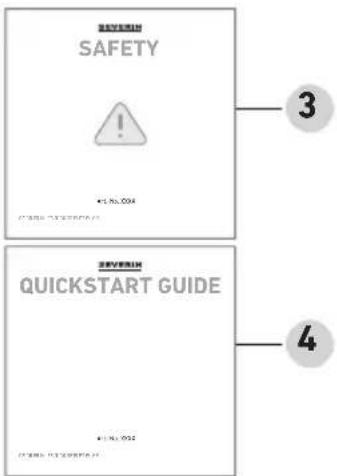
text_image
SEVERIN SAFETY ! #1. No. 2004 SEVERIN QUICKSTART GUIDE 3 42 De levering omvat
natural_image
Illustration of a mechanical device with a labeled icon (no text or symbols on the device itself)
www.severin.com
3 Beschrijving
text_image
A B C D E FGJIHtext_image
Technical diagram showing a grating device with labeled parts and a magnified view of the internal structure.natural_image
Technical line drawing of a mechanical device with a base and arrow indicating motion (no text or symbols)Afstandhouder
Om af te koelen:
natural_image
Technical illustration of a flat-screen printer with mechanical clamps and a paper feed cover (no text or symbols)text_image
Diagram showing a device with a rotary dial labeled MIN, OFF, and MAX, alongside a schematic view of its internal components.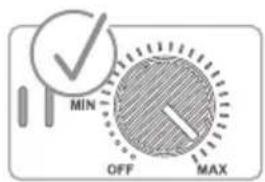
text_image
MIN OFF MAXnatural_image
Line drawing of a flatbed electronic device with a tray and control panel (no text or symbols)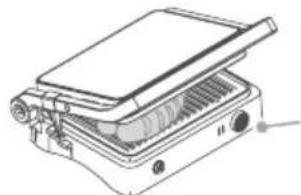
natural_image
Technical line drawing of a portable electronic device with ventilation slots and ports (no text or symbols)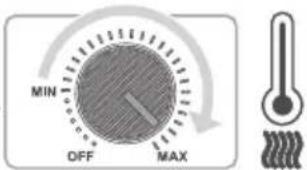
text_image
MIN OFF MAX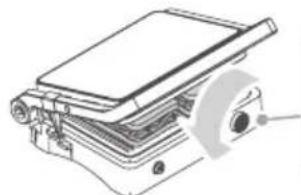
natural_image
Technical line drawing of a mechanical assembly with layered components (no text or symbols)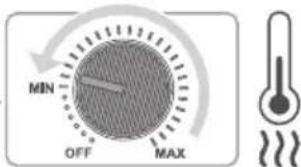
text_image
MIN OFF MAX
Waarschuwing!
text_image
Technical diagram of a device with labeled parts, showing front and side views with numbered annotations.
text_image
WARRANTY 6
text_image
SAFETY ! ■ No. 004 3
text_image
SEVERIN MANUAL 5
text_image
SEVERIN QUICKSTART GUIDE 4 2016.05.222 Material
natural_image
Illustration of a mechanical device with a labeled 'i' (no text or symbols on the device itself)
www.severin.com
3 Descripción
text_image
A B C D E FGJIHtext_image
Technical diagram showing a grating device with labeled parts and a magnified view of the internal structure.natural_image
Technical line drawing of a mechanical device with a gray component inserted, showing no text or symbols.Separador
Para enfriar:
natural_image
Technical line drawing of a mechanical device with two views showing internal components and a close-up of the component being inserted (no text or symbols present)text_image
Diagram of a portable device with control knob and rotary dial showing MIN, OFF, and MAX settings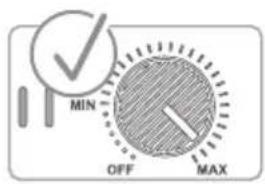
text_image
MIN OFF MAXtext_image
Technical diagram of a device with labeled parts, showing front and side views with numbered annotations.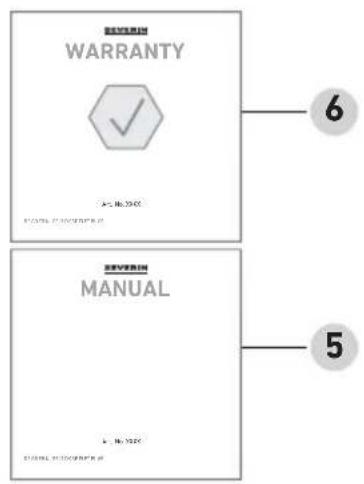
text_image
WARRANTY 6 5 SEVERIN MANUAL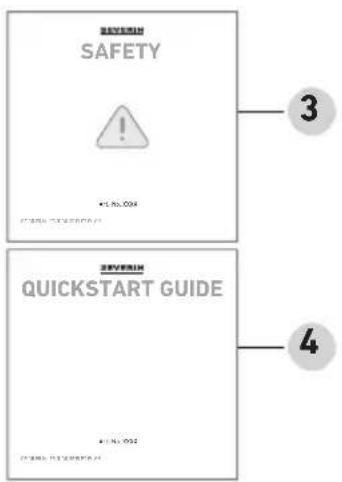
text_image
SEVERLH SAFETY ! 41.No.004 SEVERLH QUICKSTART GUIDE 41.No.004natural_image
Illustration of a mechanical device with a labeled 'i' (no text or symbols on the device itself)
www.severin.com
3 Descrizione
text_image
A B C D E FGJIH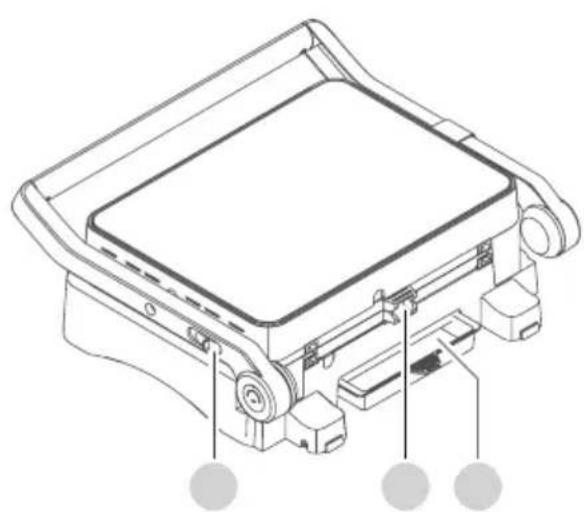
natural_image
Technical line drawing of a mechanical device with mounting brackets and control buttons (no text or symbols)text_image
Technical diagram showing a grating device with labeled parts and a magnified view of the internal structure.natural_image
Technical line drawing of a mechanical device with a base and mounting bracket (no text or symbols)Distanziale
Per raffreddare:
natural_image
Technical illustration of a flat-screen printer with mechanical components and a paper roll, showing assembly steps (no text or symbols)Primo riscaldamento

Attenzione!
text_image
Diagram showing a device with a rotary dial and control knob labeled MIN, OFF, MAX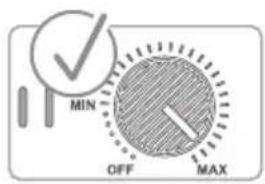
text_image
MIN OFF MAXnatural_image
Line drawing of a portable electric stove or grill with a flat top panel and control knobs (no text or symbols)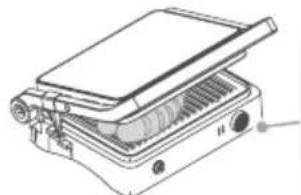
natural_image
Technical line drawing of a portable electronic device with ventilation slots and a lid (no text or symbols)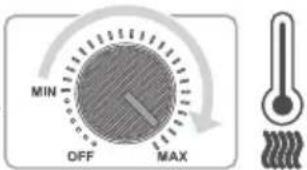
text_image
MIN OFF MAX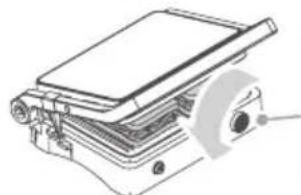
natural_image
Technical line drawing of a mechanical assembly with layered components and a circular component (no text or symbols)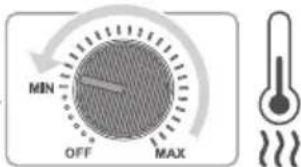
text_image
MIN OFF MAX
Avvertenza!
text_image
QR code image containing encoded data, no visible human-readable textSEVERIN global
SEVERIN Service Deutschland
Tel +49 2933 982-1460
service@severin.de
FOLLOW US ON


www.severin.com/socials
SEVERIN
Model specifications are subject to change.