USER MANUAL Rave Party 2 soundcore
natural_image
Line drawing of a stylized cylindrical device with circular patterns and a handle (no text or symbols)
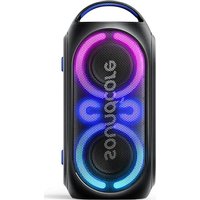
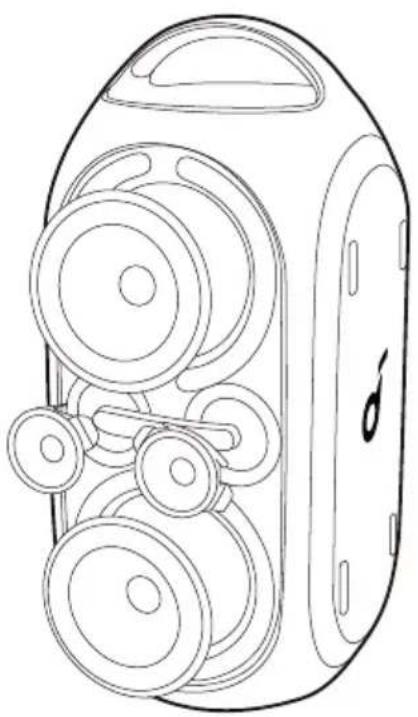
Soundcore Rave Party 2
USER MANUAL
| English01 | | Portugues do Brasil | 111 |
| Čeština 11 | | Русский 121 | |
| Dansk 21 | | Svenska | 131 |
| Deutsch 31 | | Türk | 141 |
| Español 41 | | 日本語 | 151 |
| Suomi 51 | | 한국어 | 161 |
| Français 61 | | 简体中文 | 171 |
| Italiano 71 | | 繁體中文 | 181 |
| Nederlands 81 | | لعربيya | 191 |
| Norsk 91 | | הכלה | 201 |
| Język polski 101 | | | |
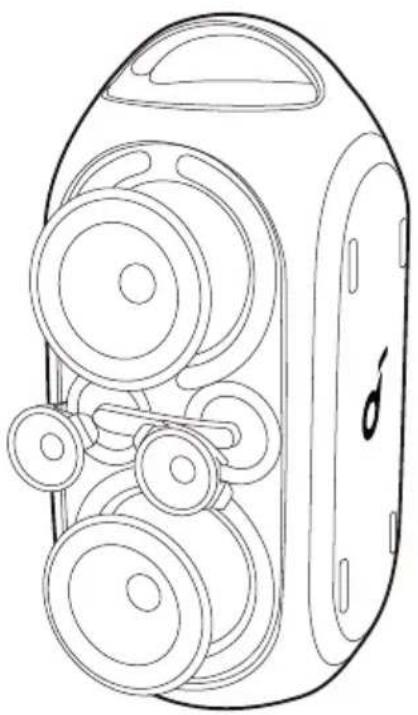
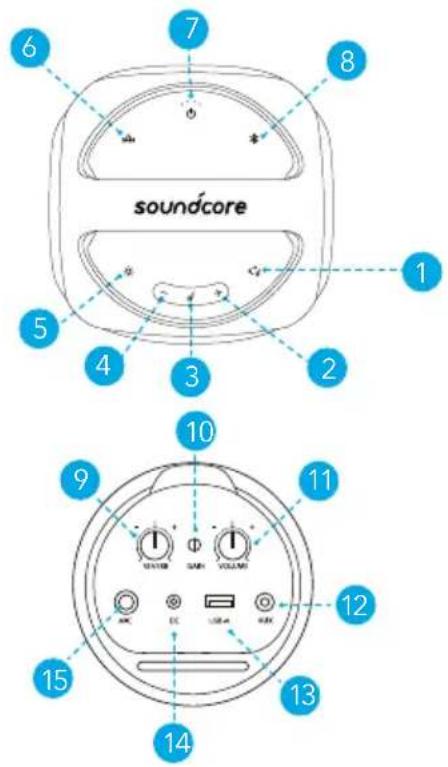
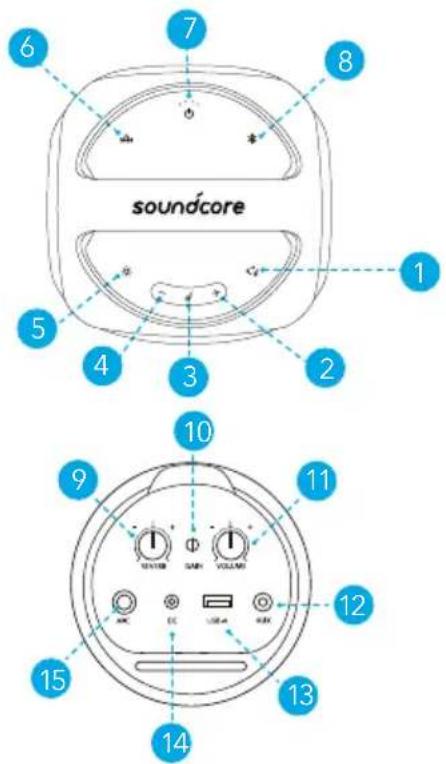
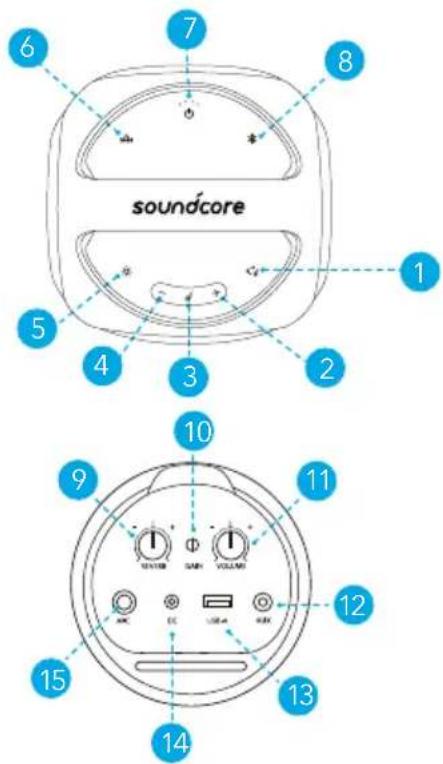
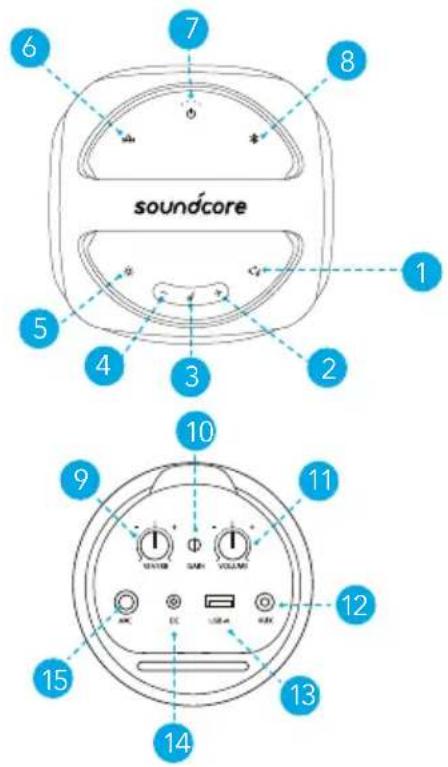
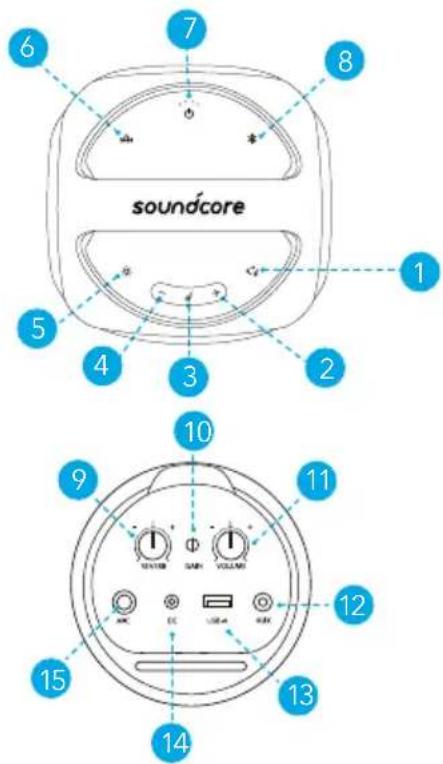
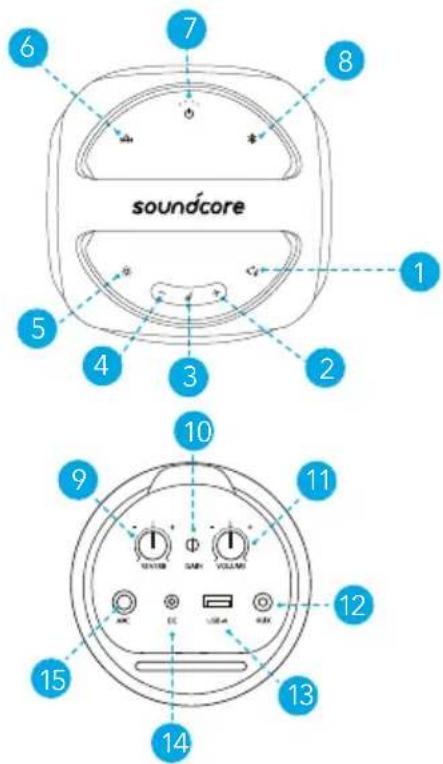
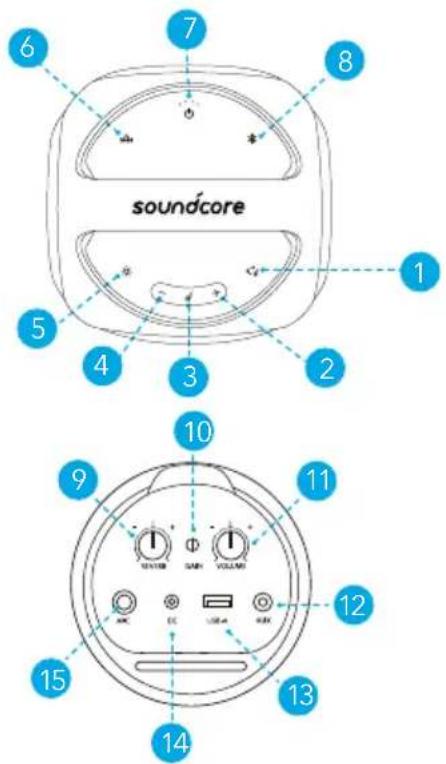
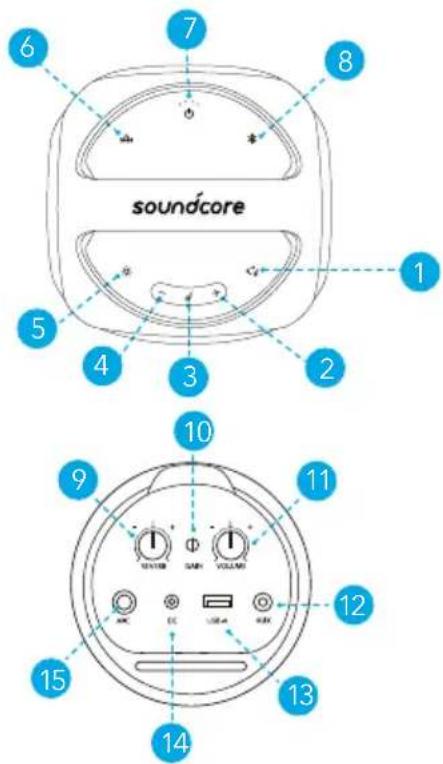
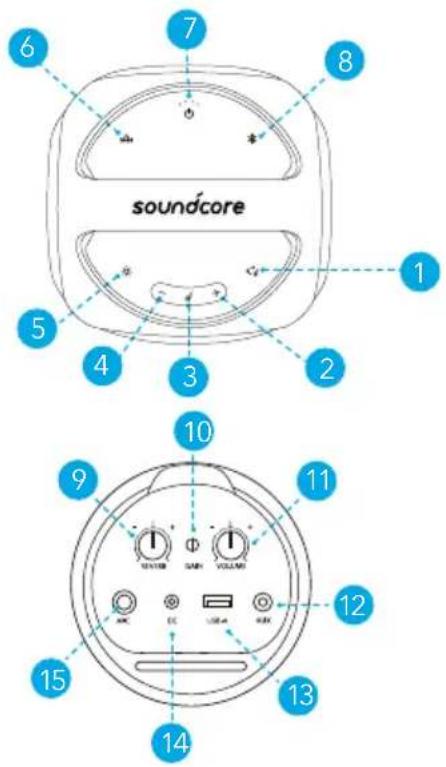
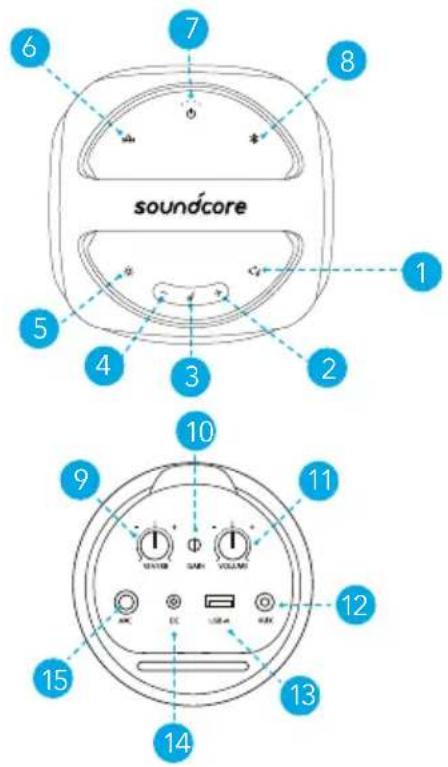
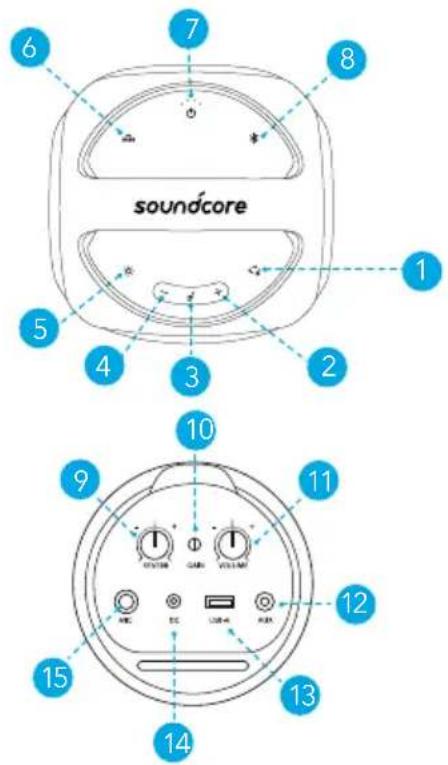
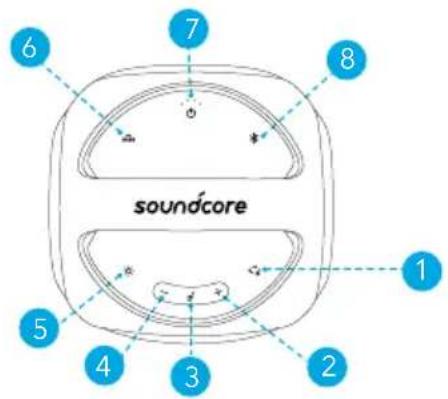
At a Glance
natural_image
Line drawing of a vintage camera with multiple lenses and a handle (no text or symbols)
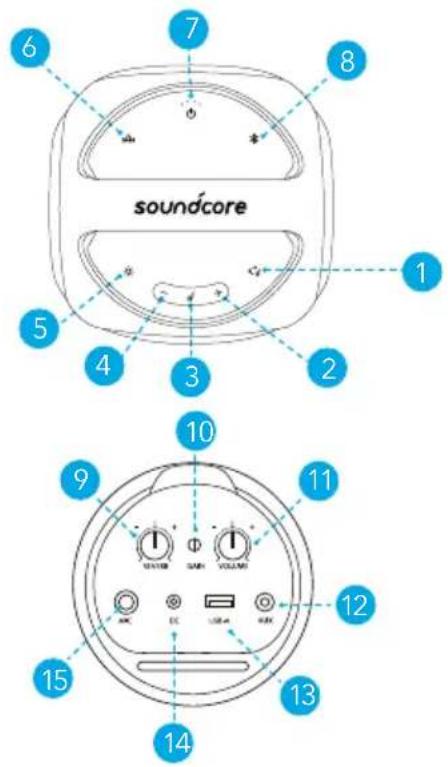
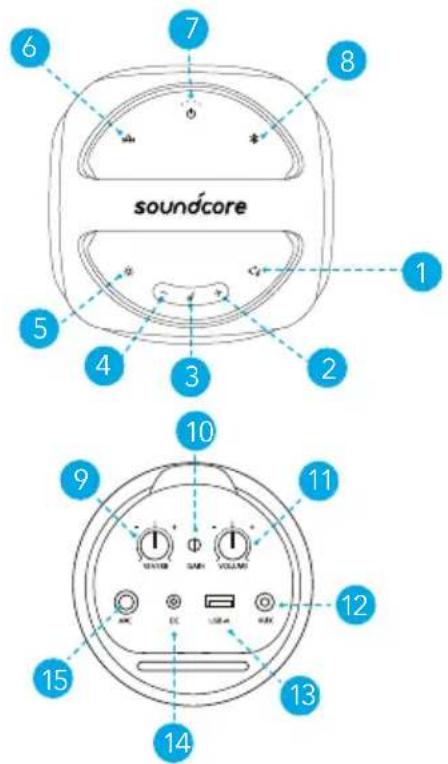
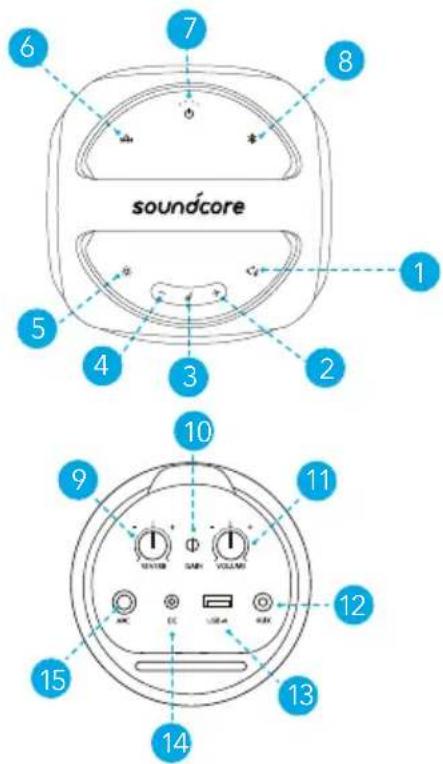
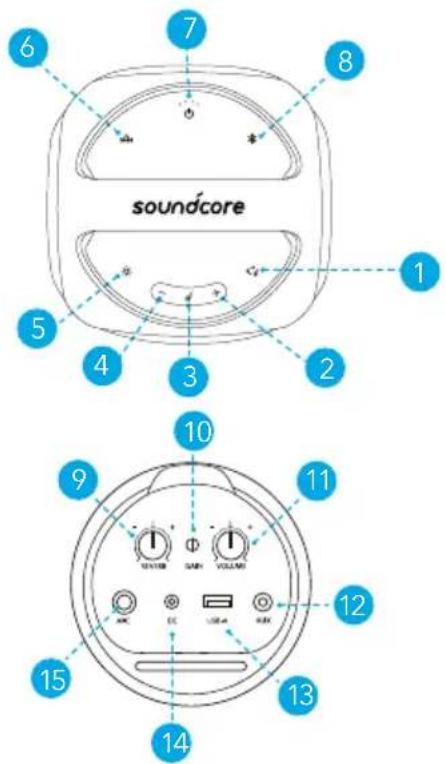
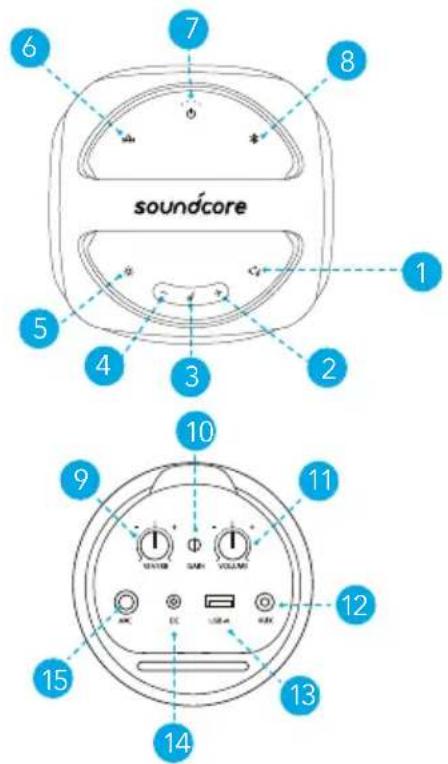
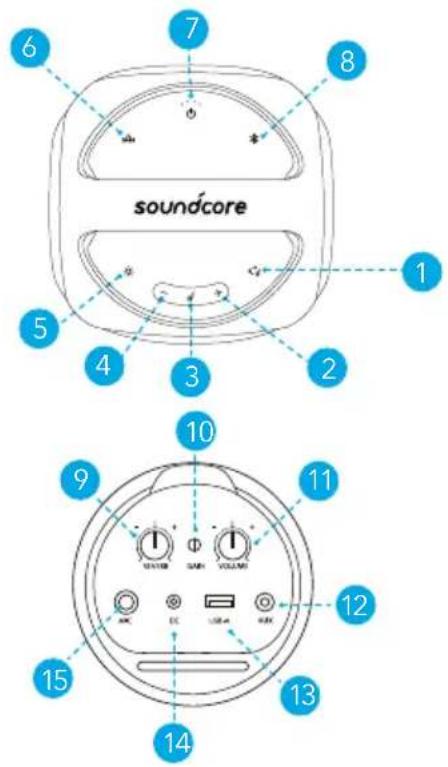
- PartyCast
- Volume up
- Play/Pause
- Volume down
- Light mode
- BassUp
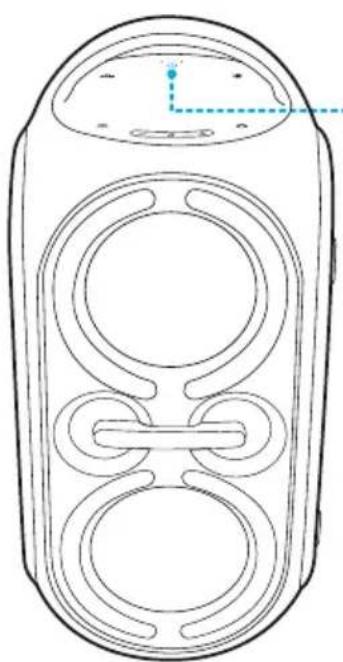
- Power
- Bluetooth
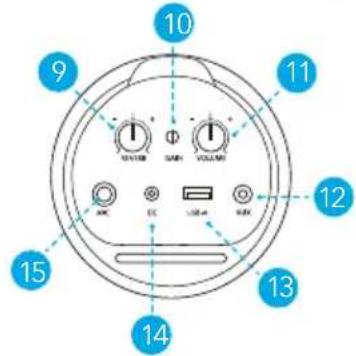
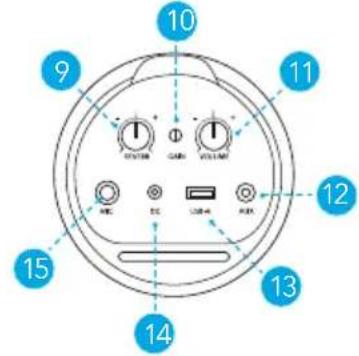
- Mic reverb
- Mic gain
- Mic volume
- AUX
-
Microphone
-
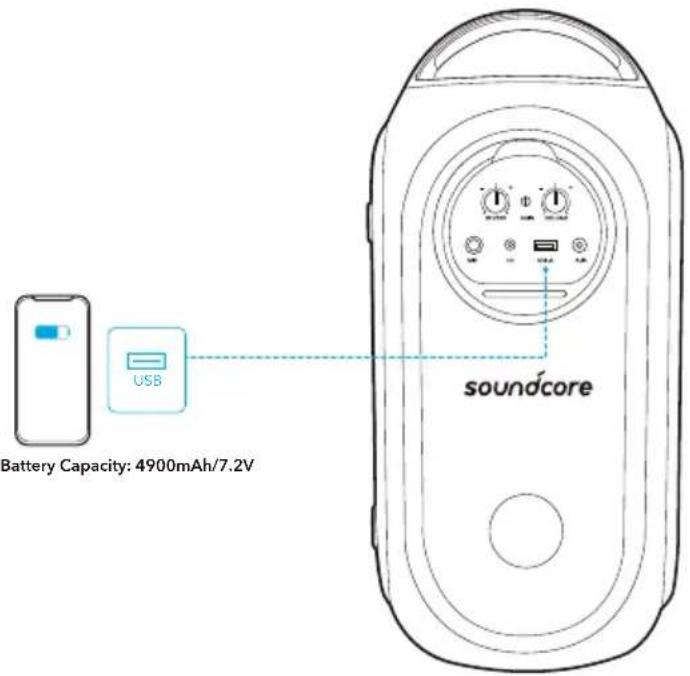
USB-A for USB playback and charging out
-
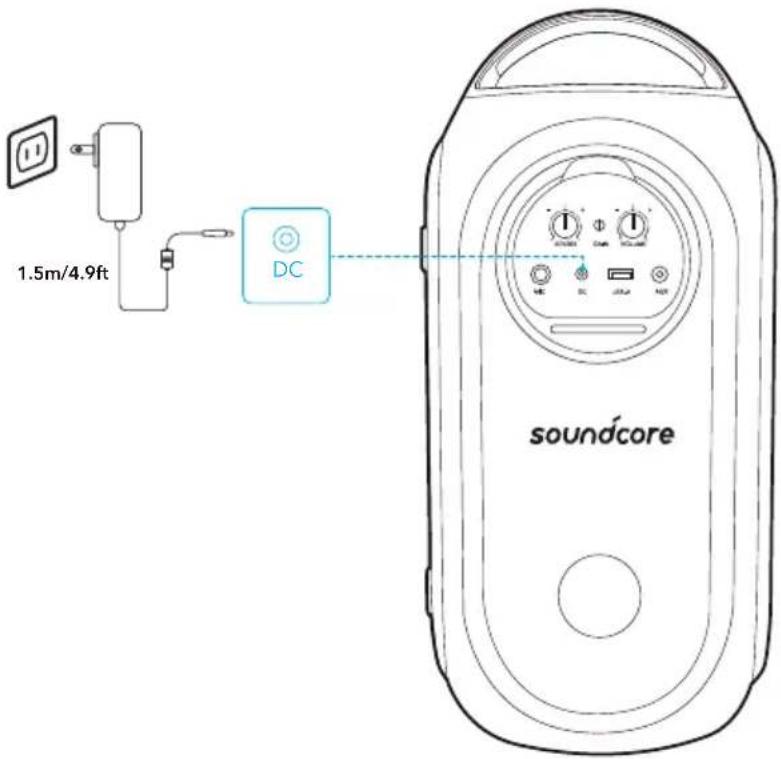
DC for charging in
Charging
Charge your Speaker
Fully charge this speaker before the first use to prolong the lifespan of the built-in battery.
| 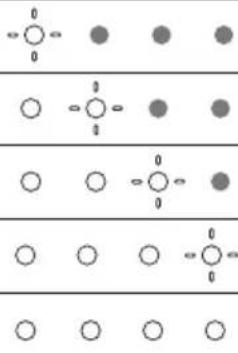 | | Battery level < 25 % |
| | Battery level 25% - 50 % |
| | Battery level 51% - 75 % |
| | Battery level 76% - 99 % |
| | Fully charged |
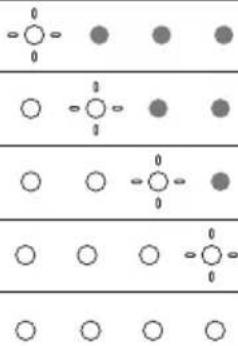
Check Battery Level
| 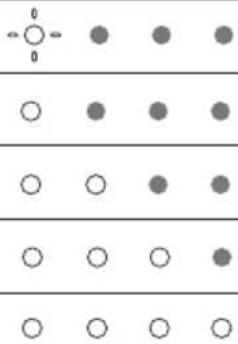 | | Battery level < 10 % |
| | Battery level 10% - 25 % |
| | Battery level 26% - 50 % |
| | Battery level 51% - 75 % |
| | Battery level 76% - 100 % |
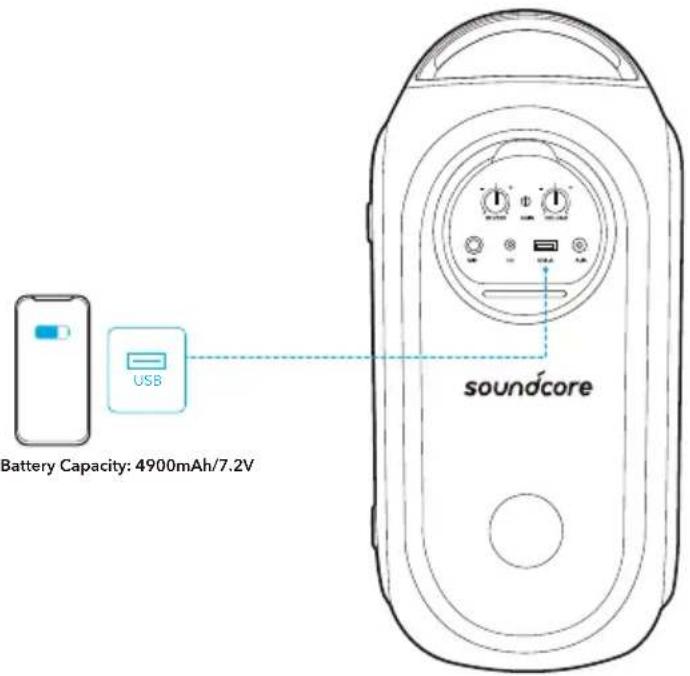
Charge your USB Devices
Charge your USB devices through the USB port.
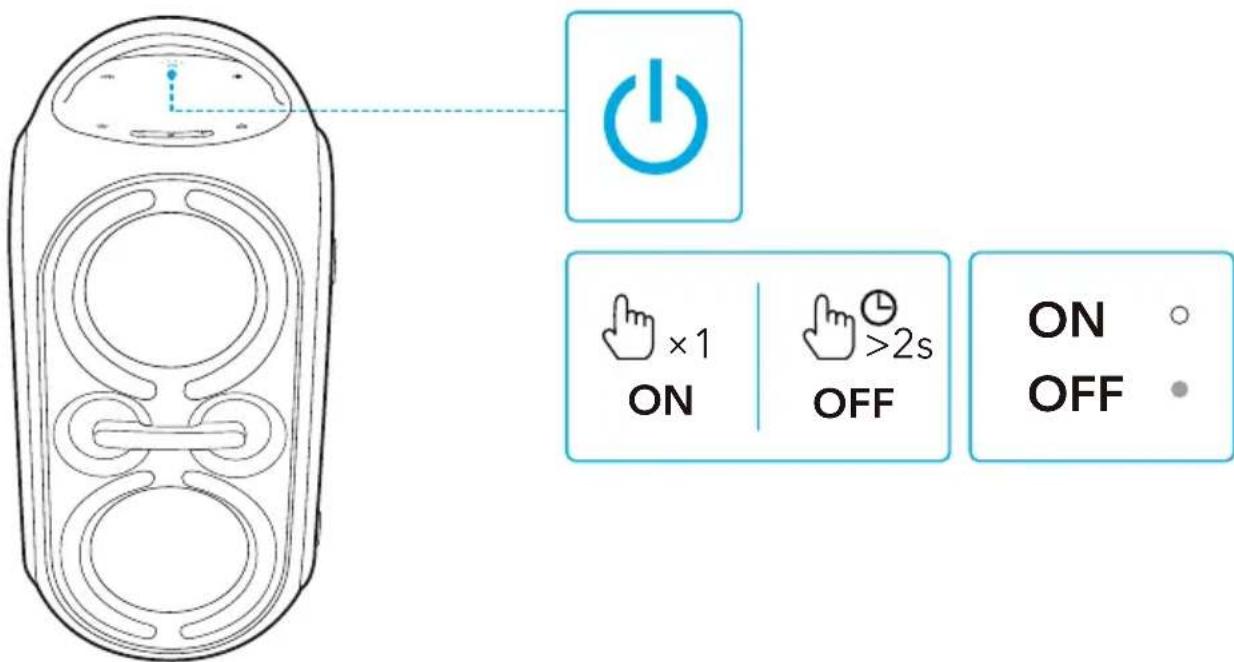
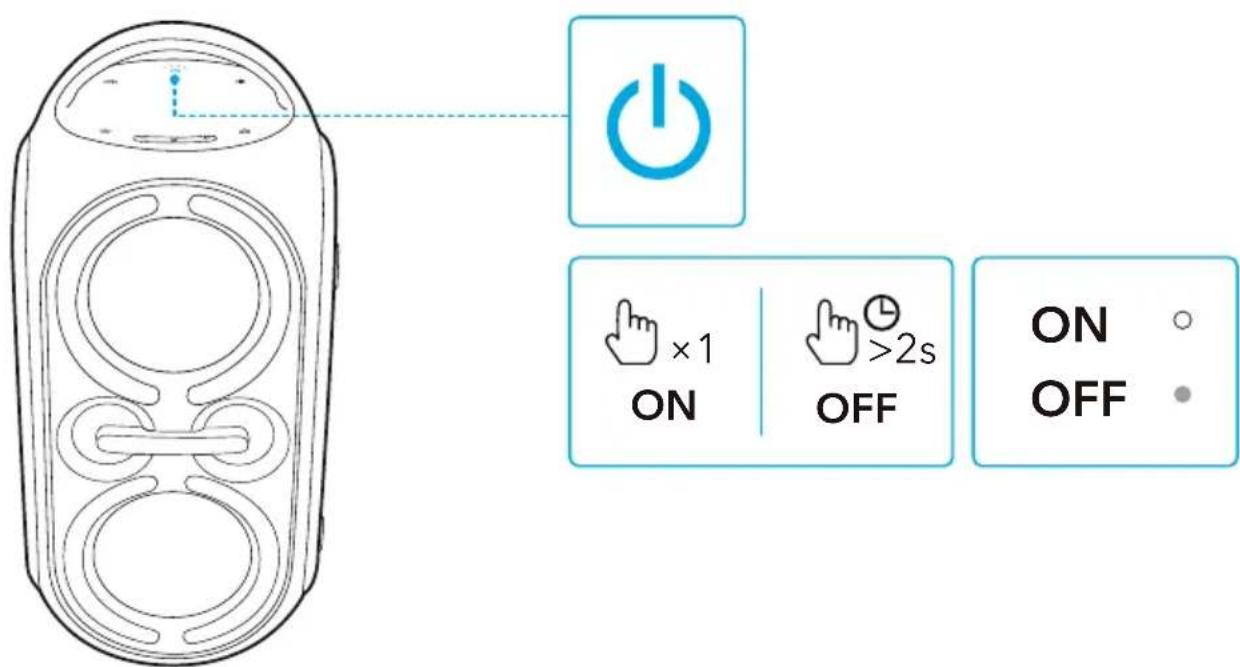
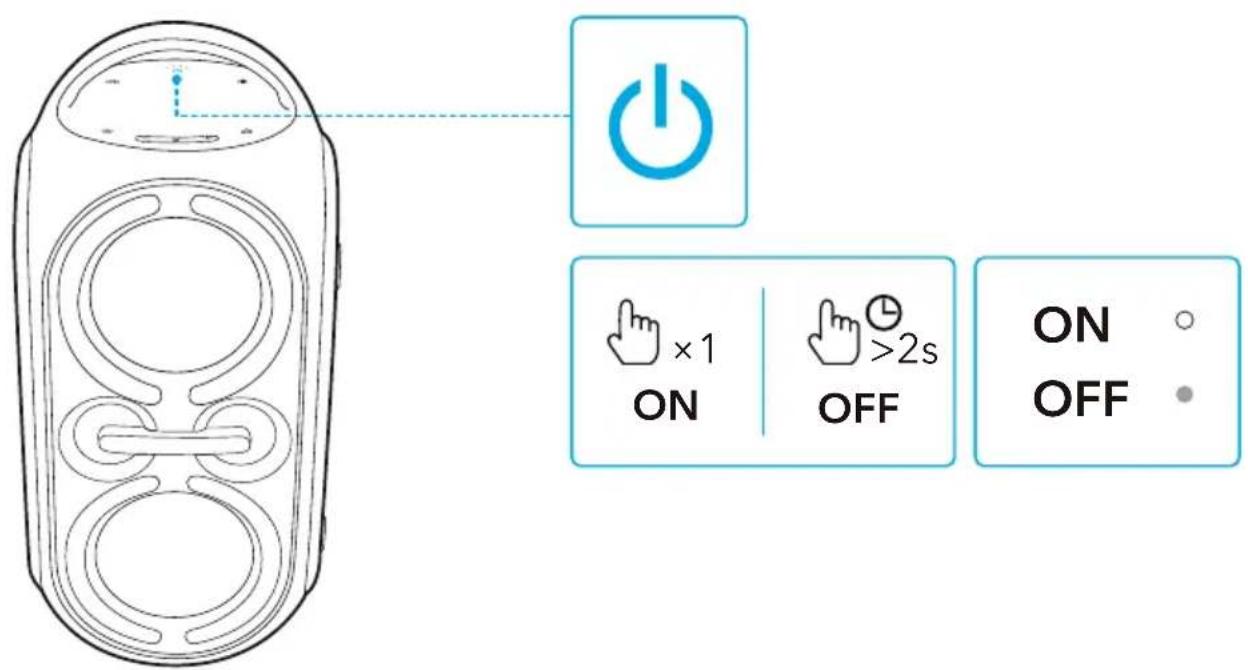
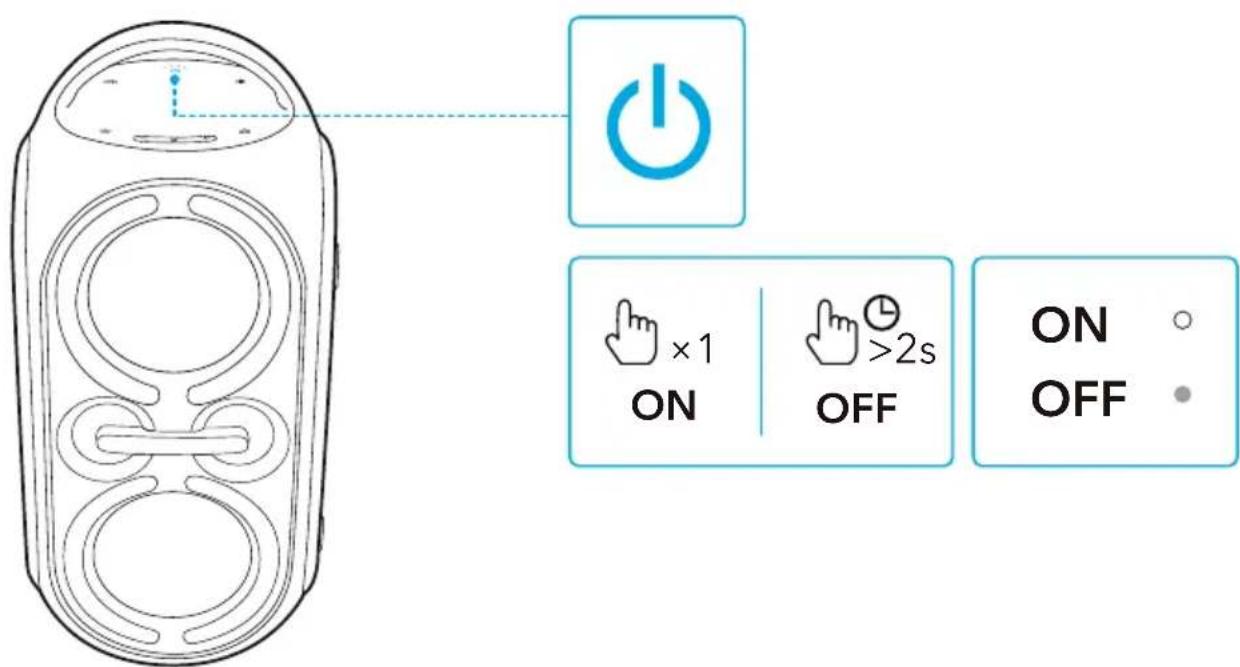
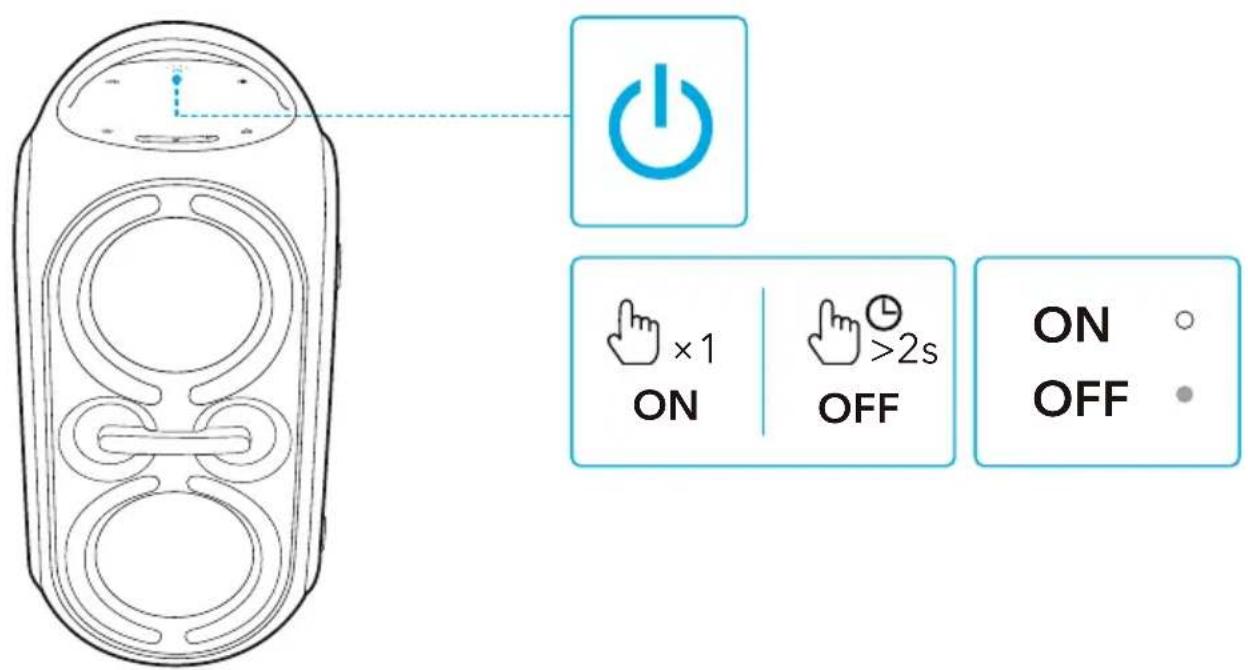
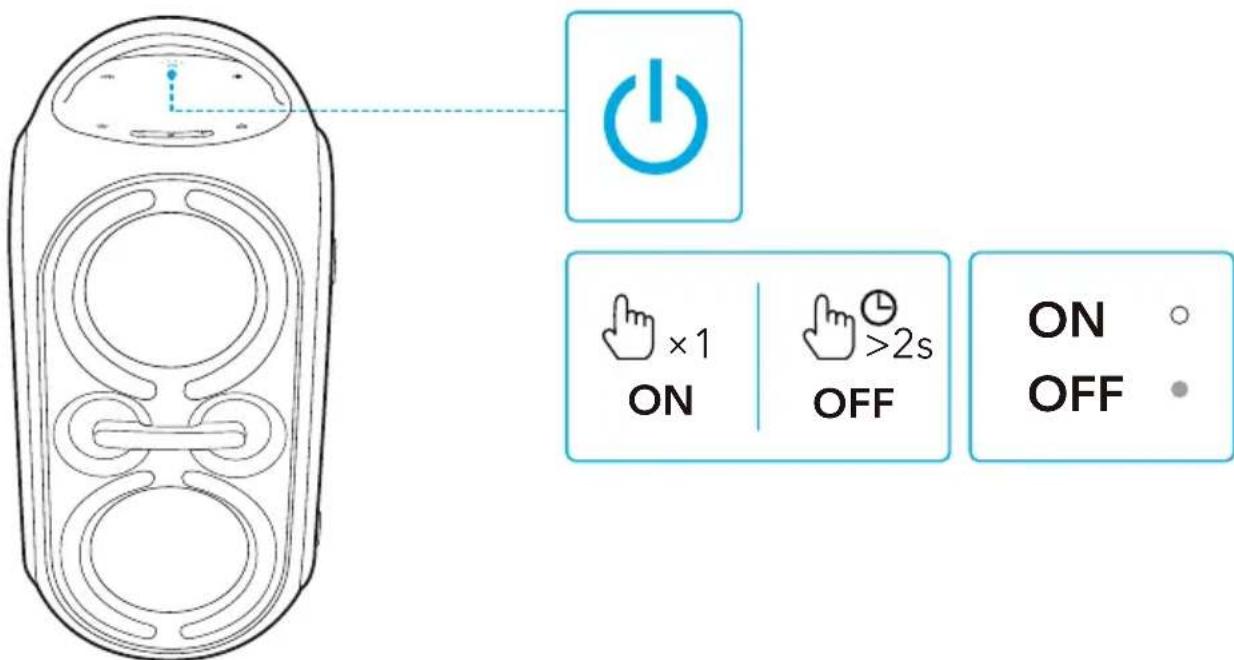
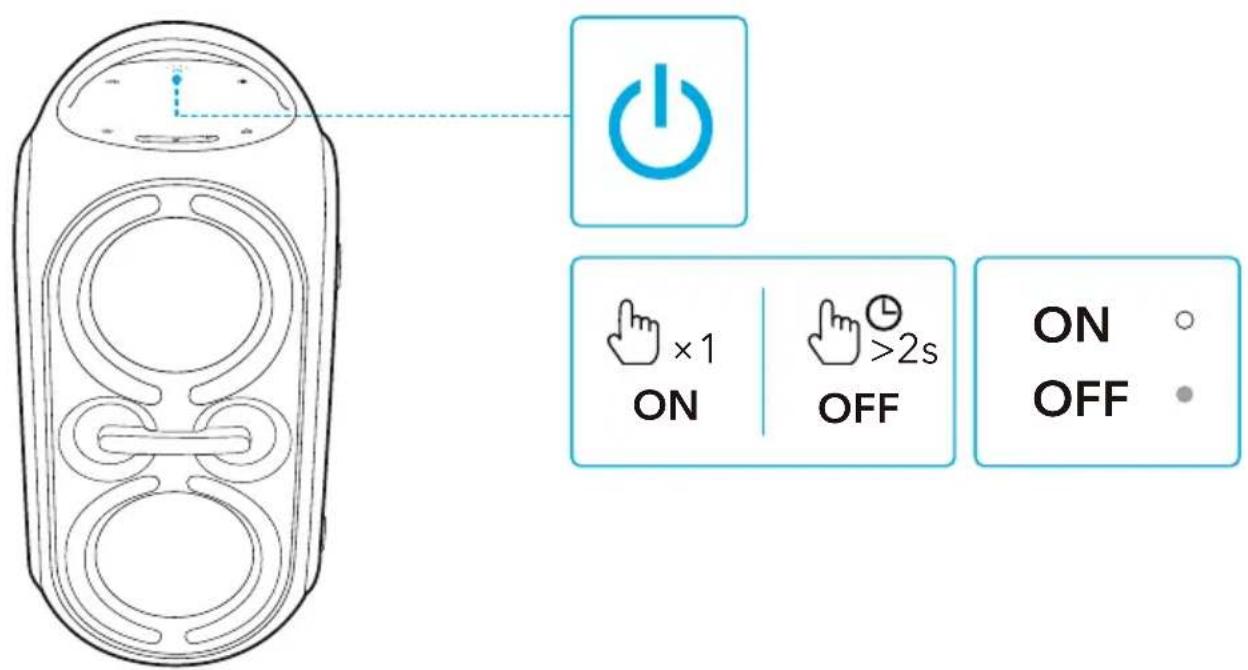
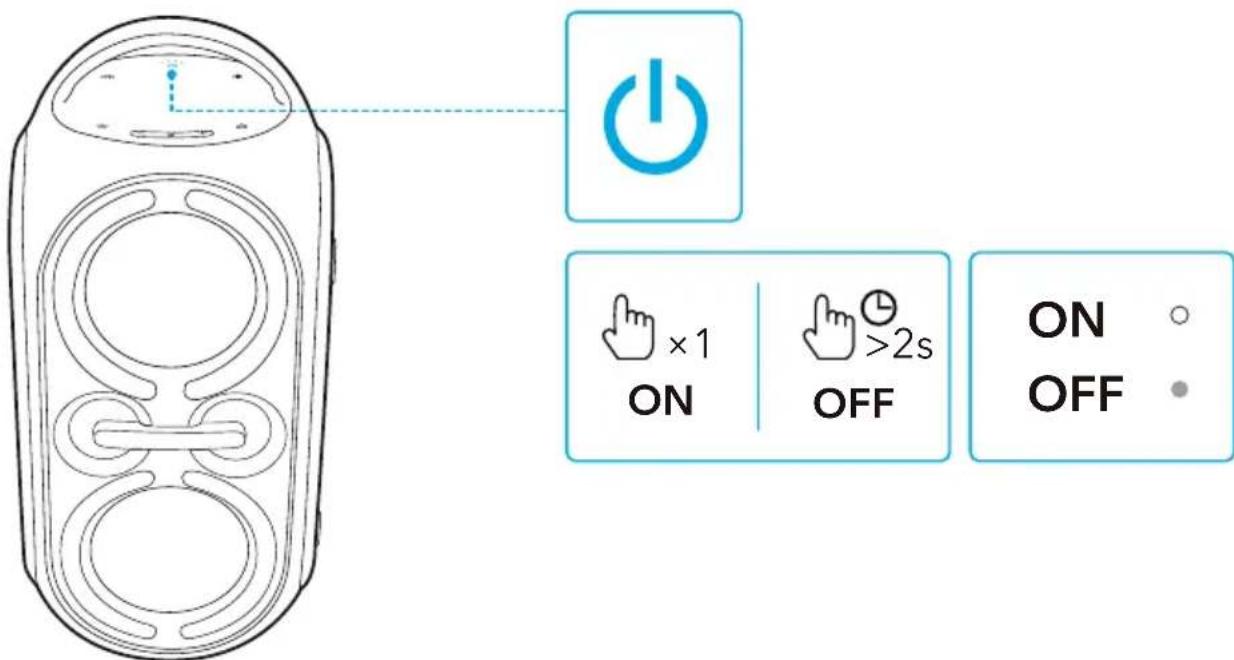
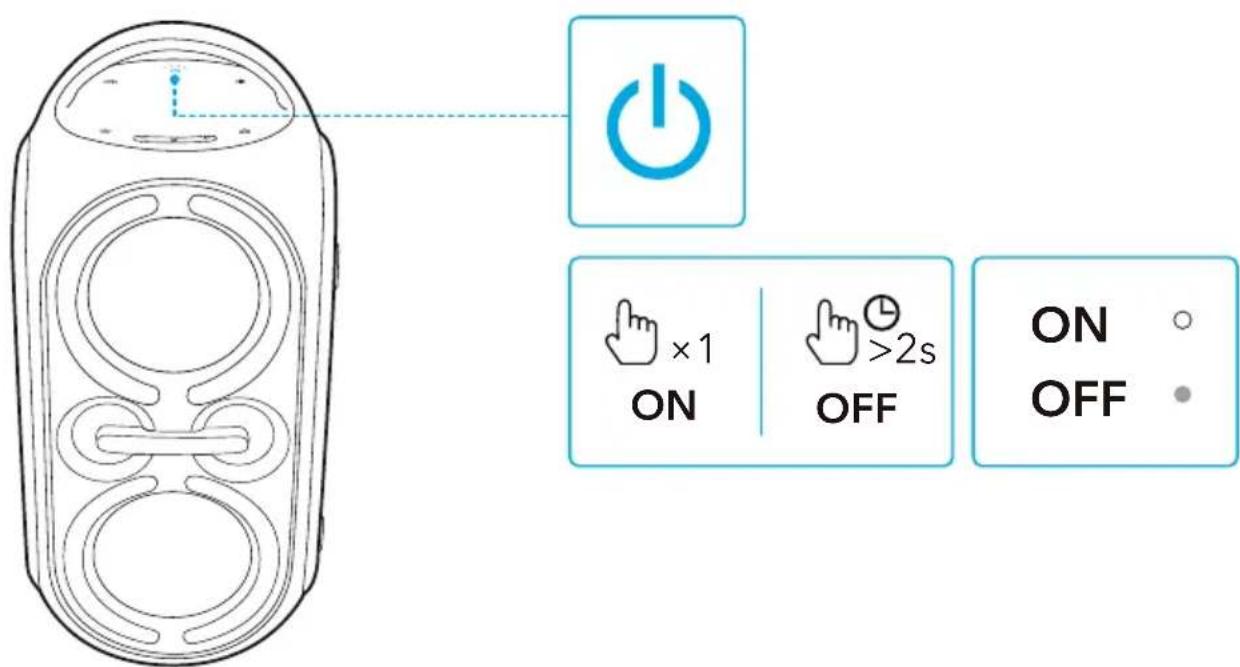
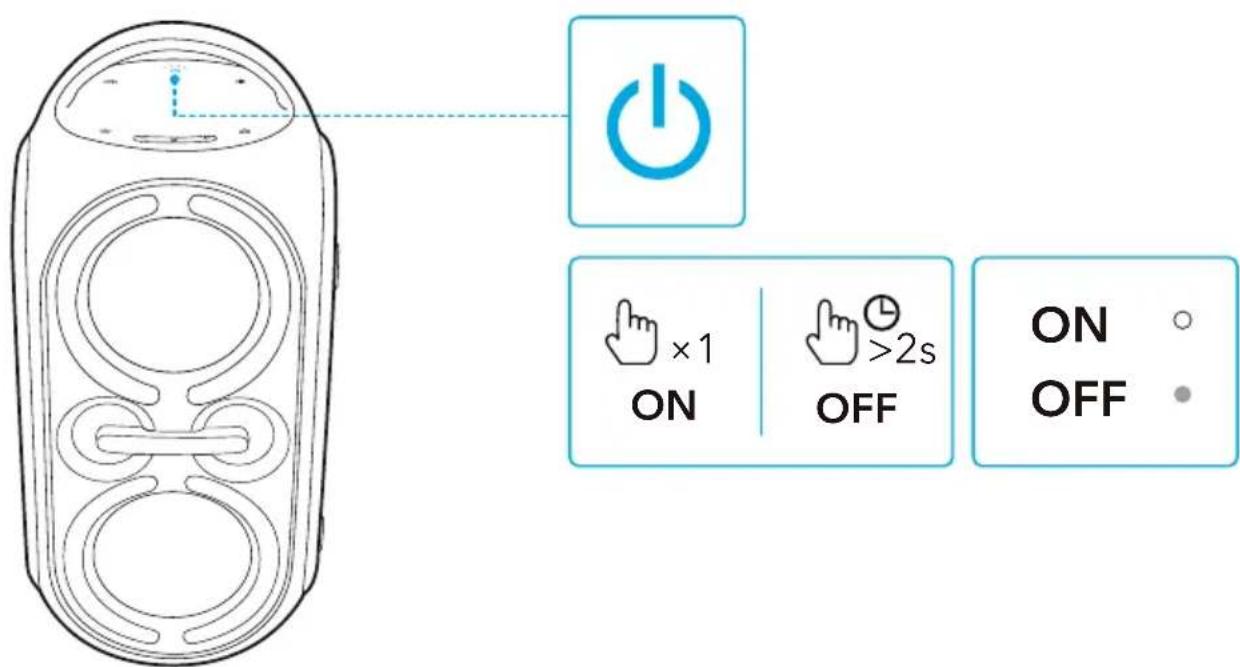
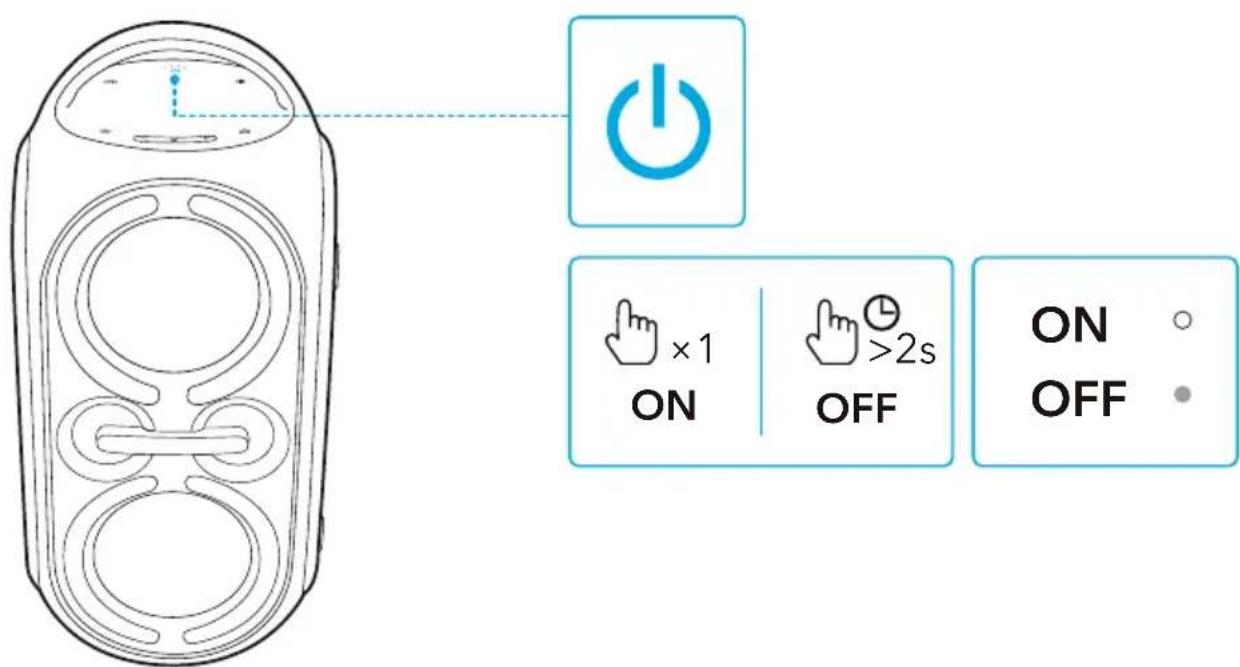
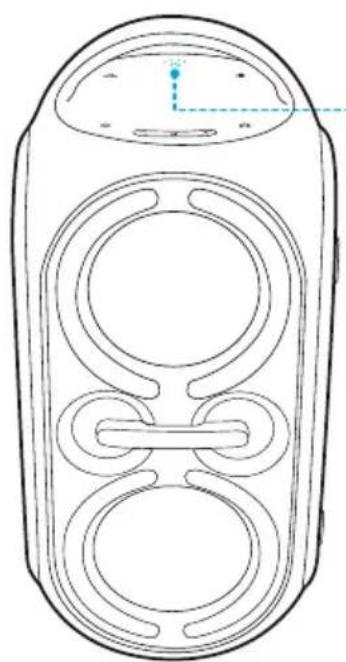
Powering On/Off
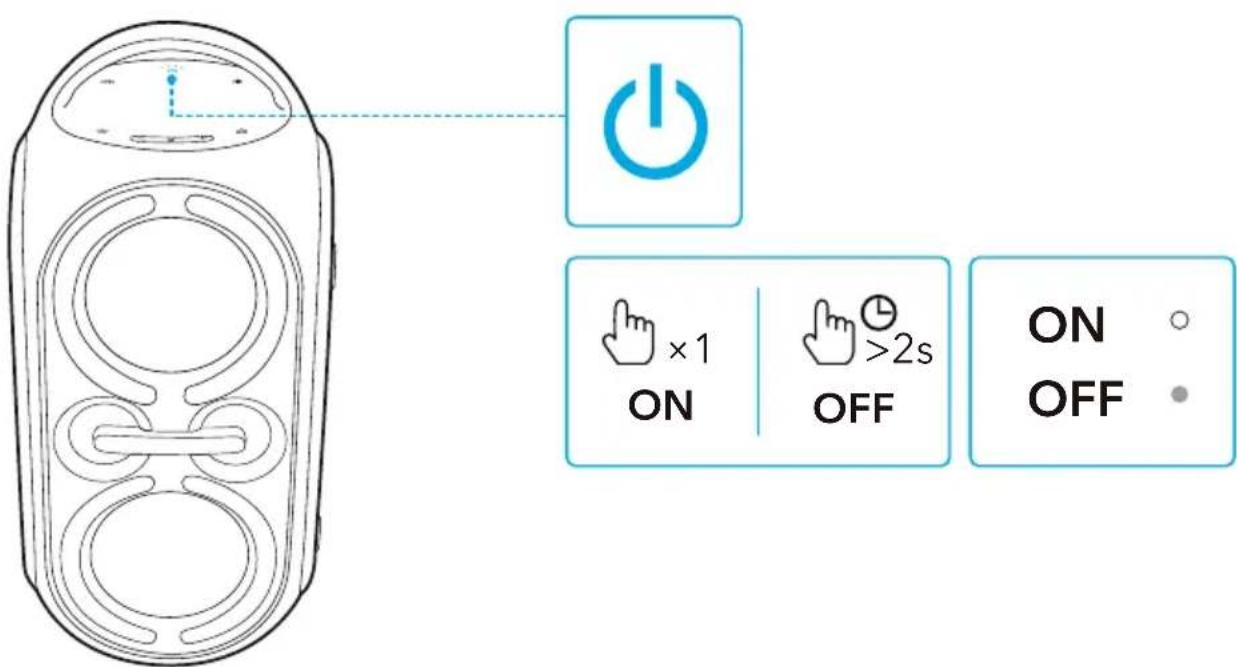
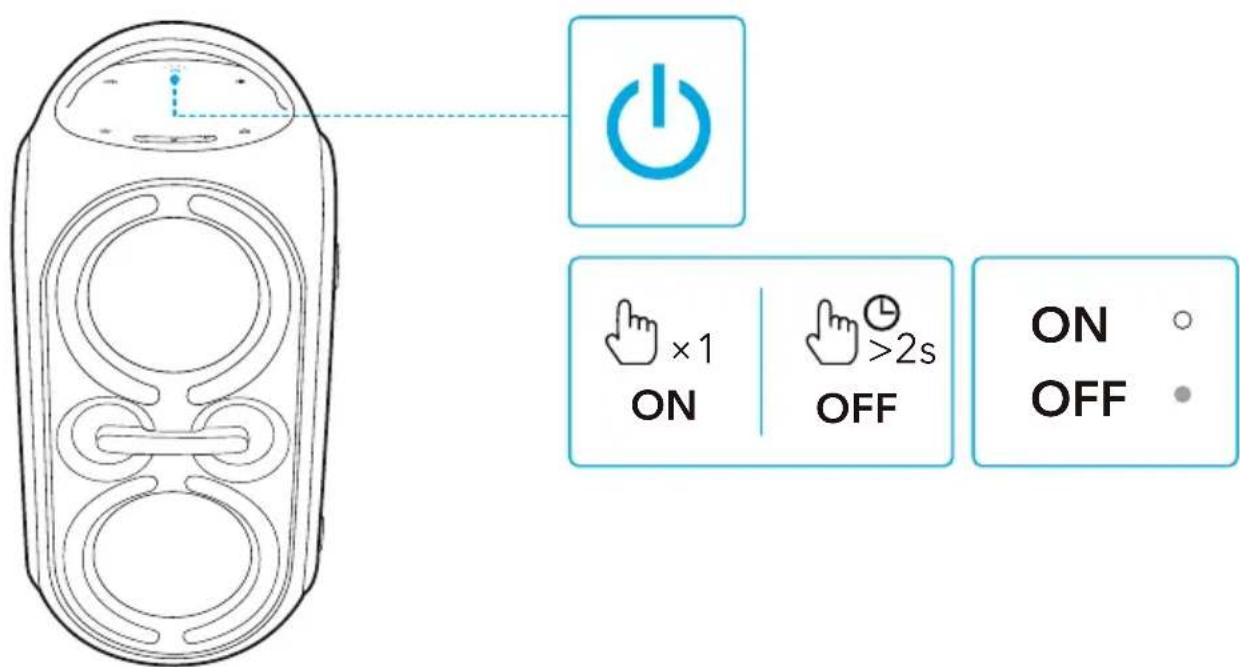
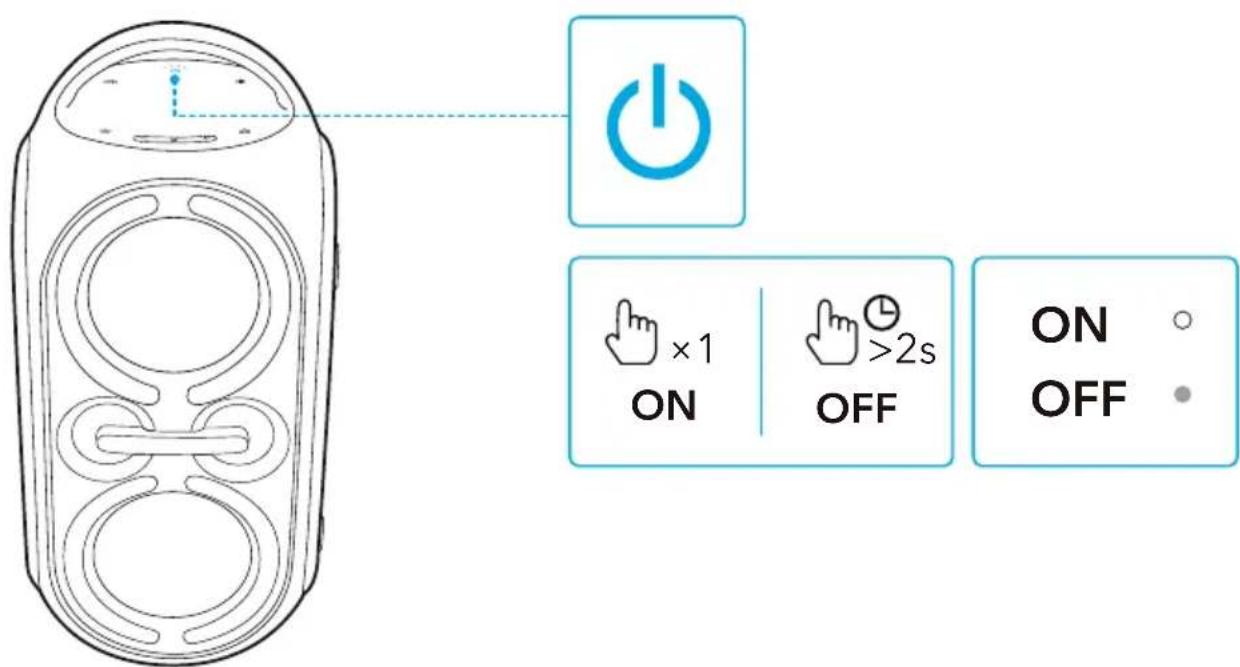
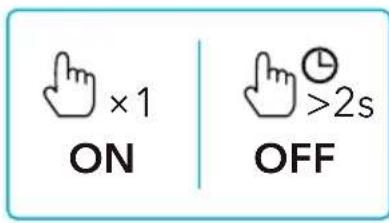
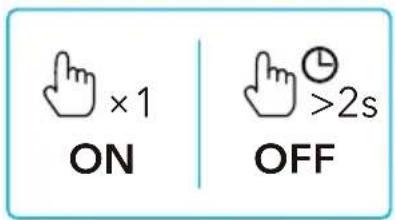
| Press once | Power on |
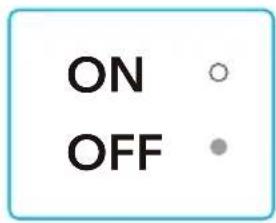
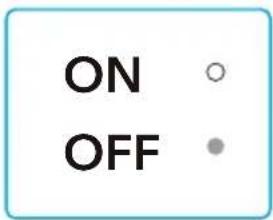
| Steady white |
| Press and hold for 2 seconds | Power off |
| Light off |

This speaker will power off automatically after 20 minutes if no device is connected.
Using Your Speaker
Bluetooth Mode
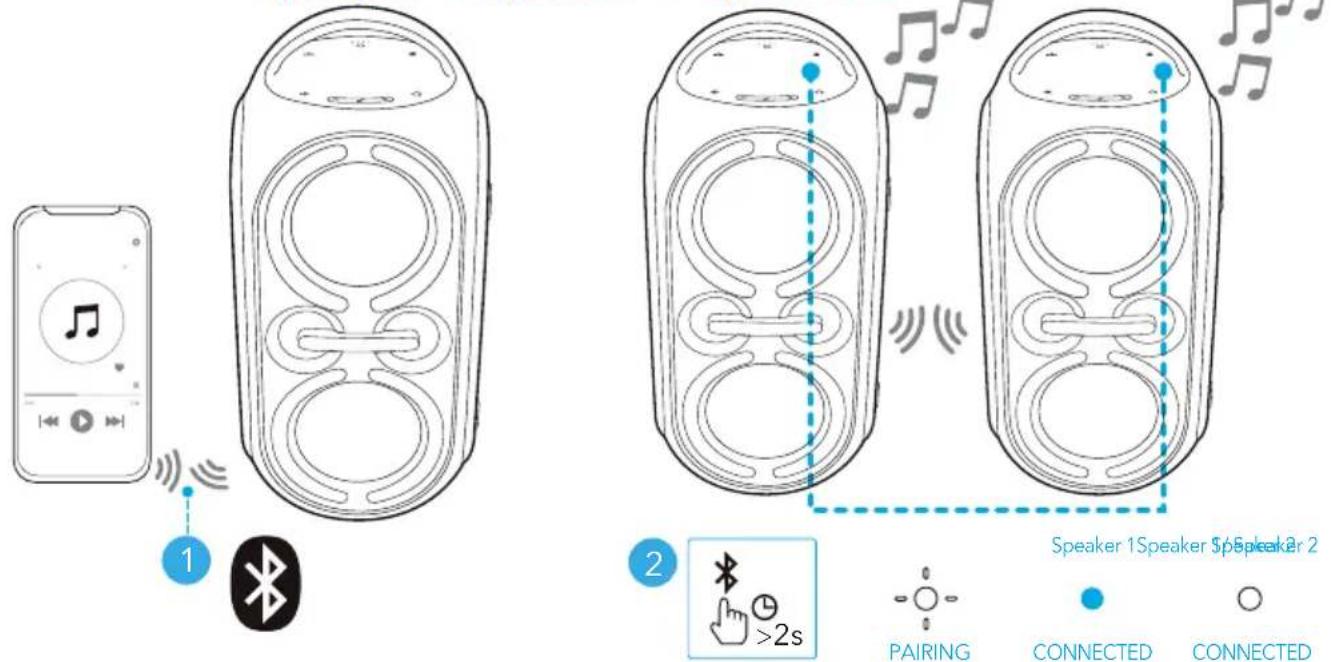
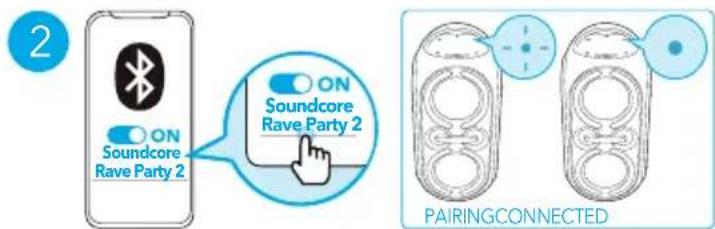
With this speaker, you can enjoy music through your Bluetooth-enabled devices.
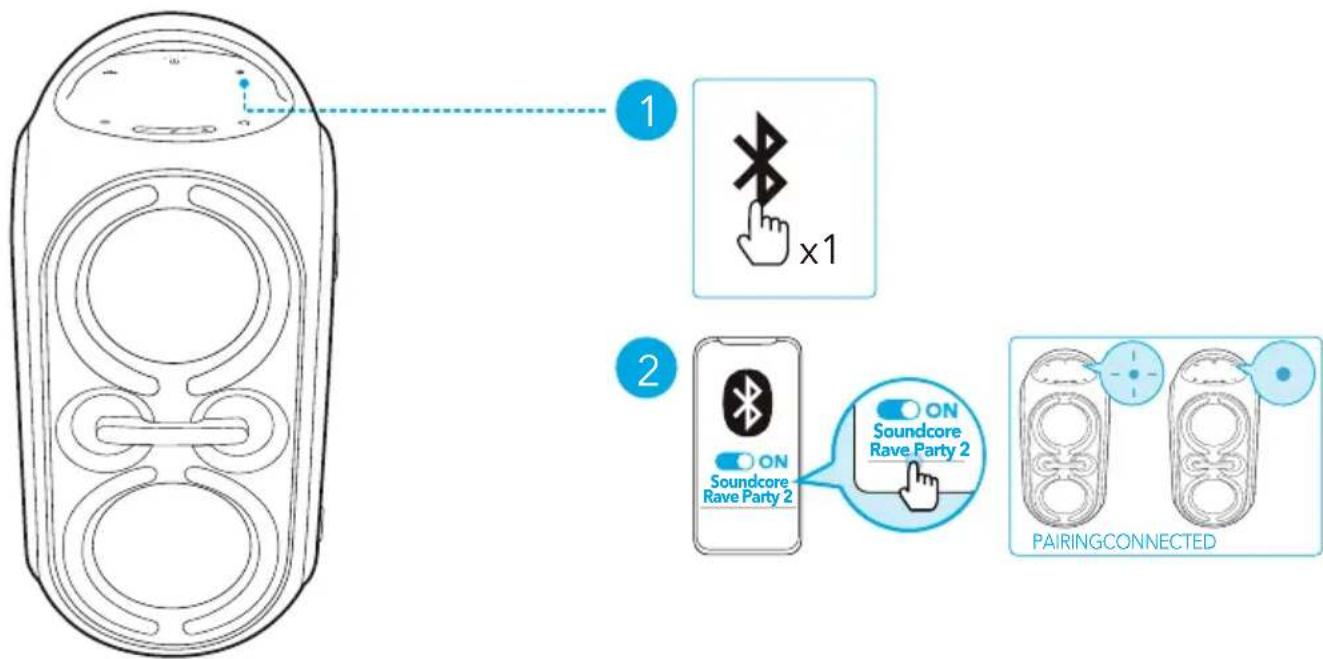
flowchart
graph TD
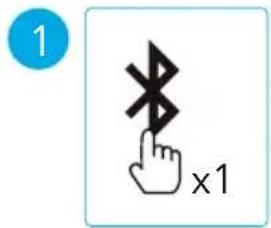
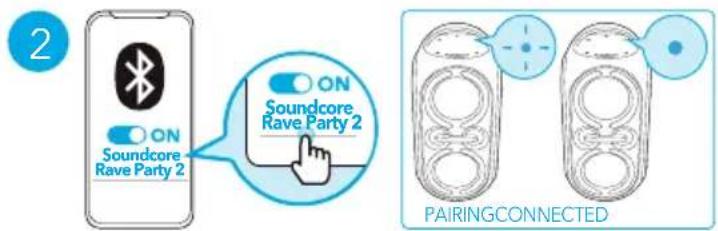
    A["Device with circular ports"] --> B["1: Bluetooth x1"]
    B --> C["2: Soundcore Rave Party 2 ON"]
    C --> D["3: Soundcore Rave Party 2 ON"]
    D --> E["PAIRING CONNECTED"]
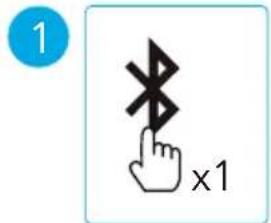
 | Press Enter Bluetooth pairing mode |
 | Flashing blue Bluetooth pairing |
| ### | Steady blue Bluetooth connected |

- This speaker can pair with 2 mobile devices via Bluetooth. To pair with another Bluetooth device, press the Bluetooth button once to re-enter Bluetooth pairing mode.
- This speaker can only play music on one mobile device at a time. To play from another connected device, pause the device that's currently active first.
• Each time you power on your speaker, it will automatically connect to your last connected device if available within the Bluetooth range. If not, press the Bluetooth button to enter Bluetooth pairing mode.
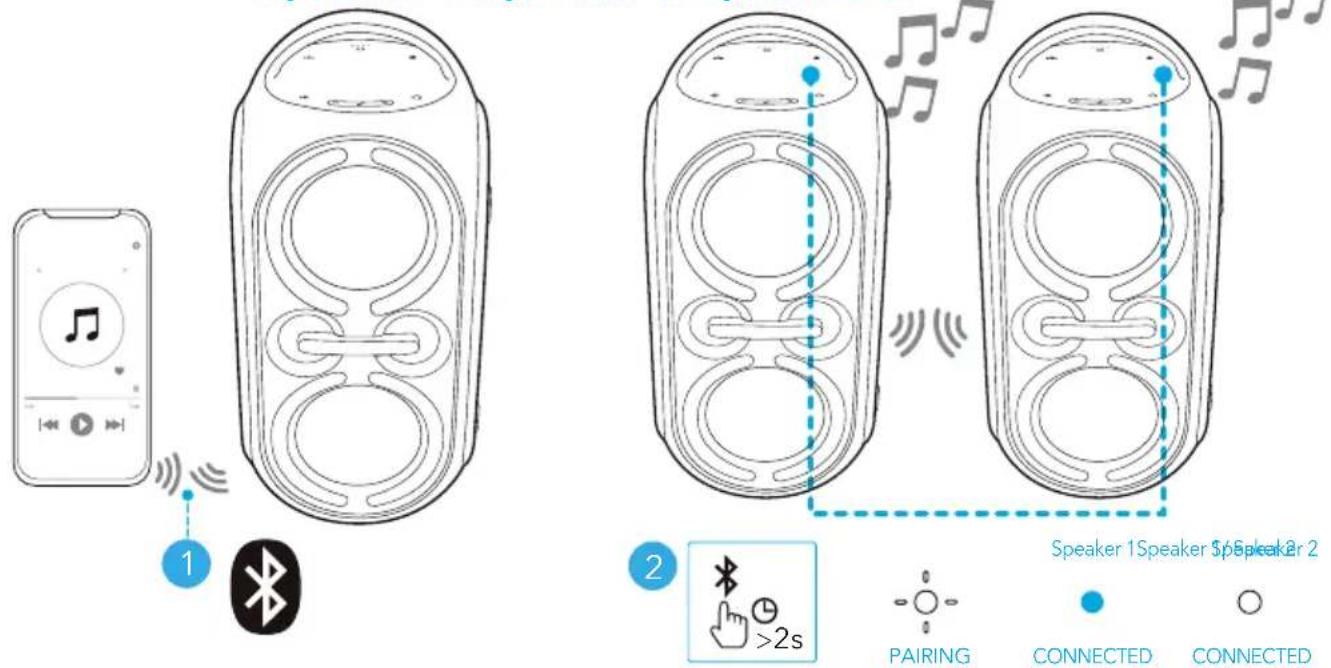
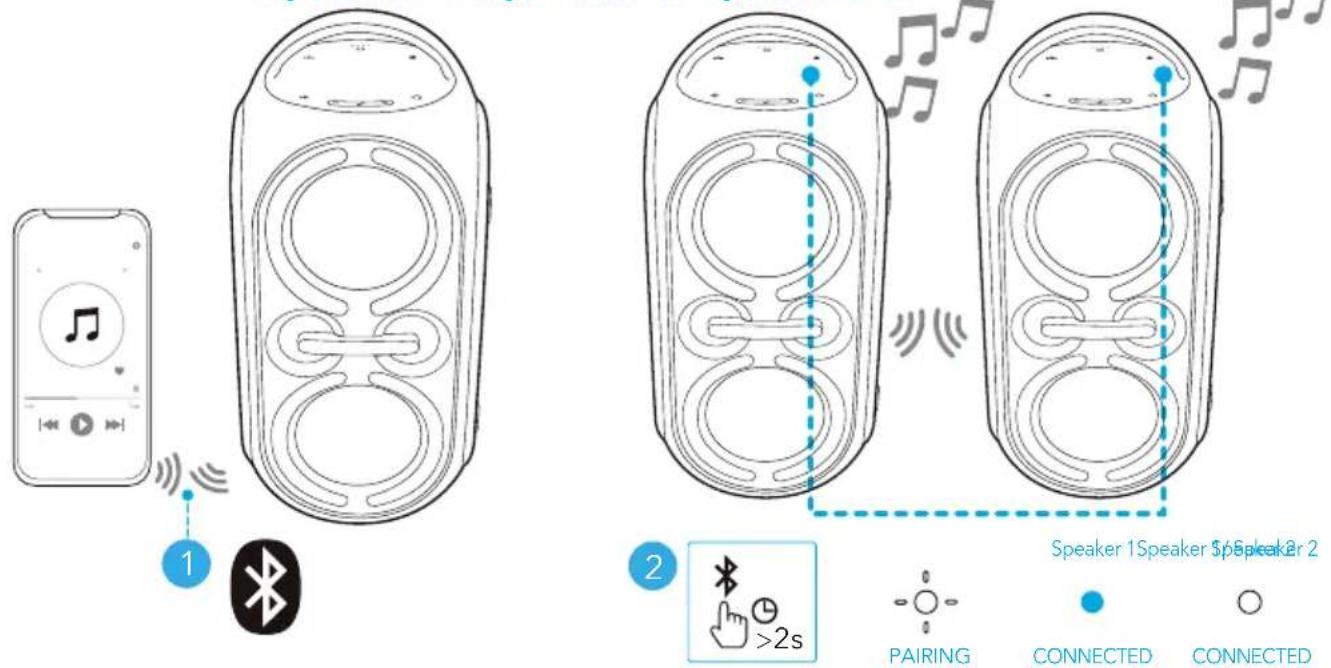
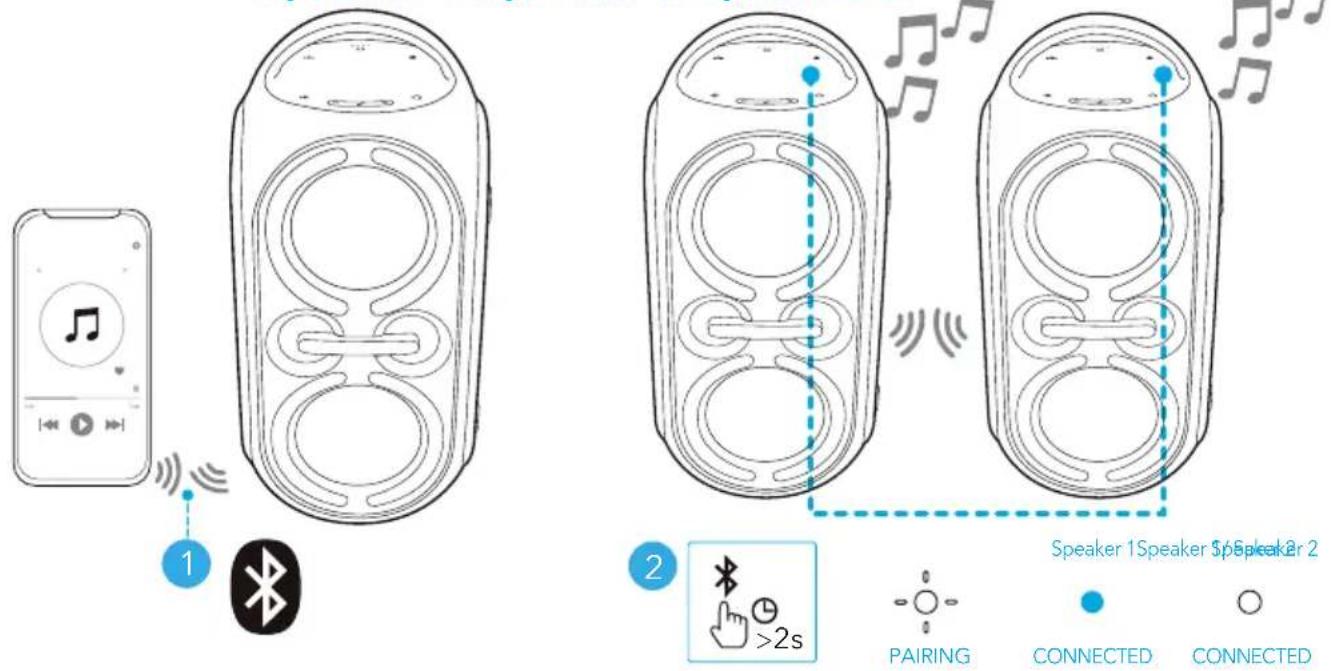
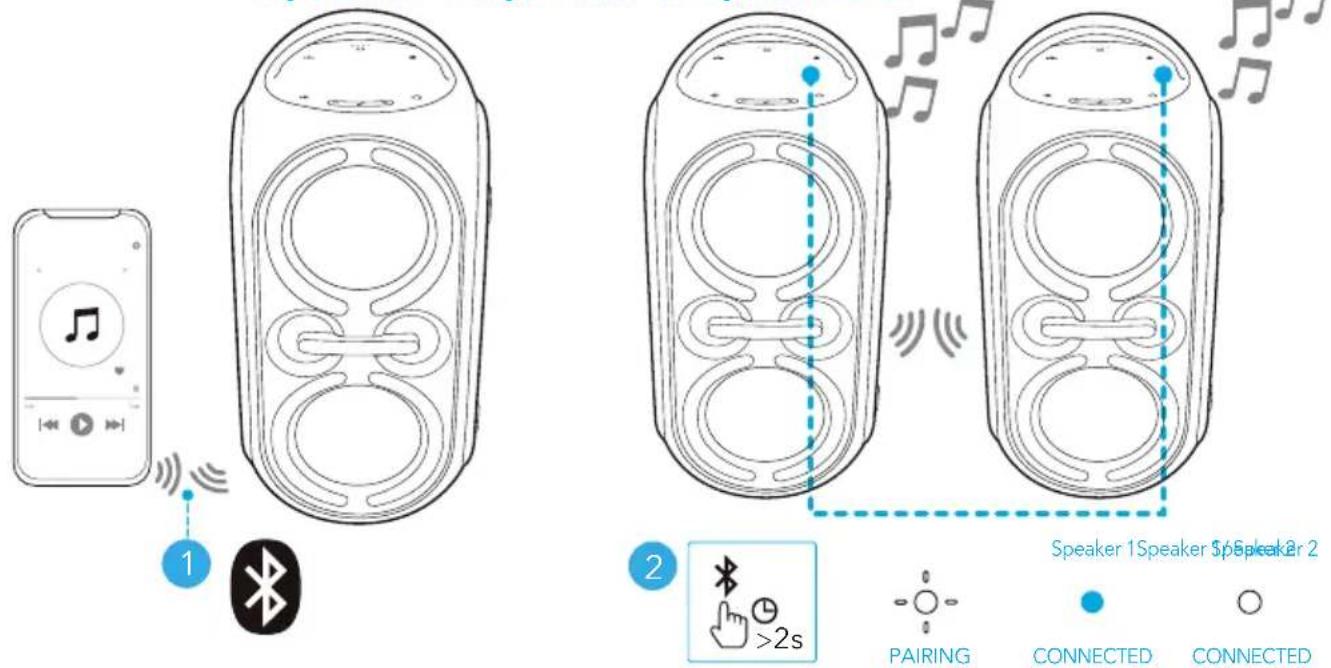
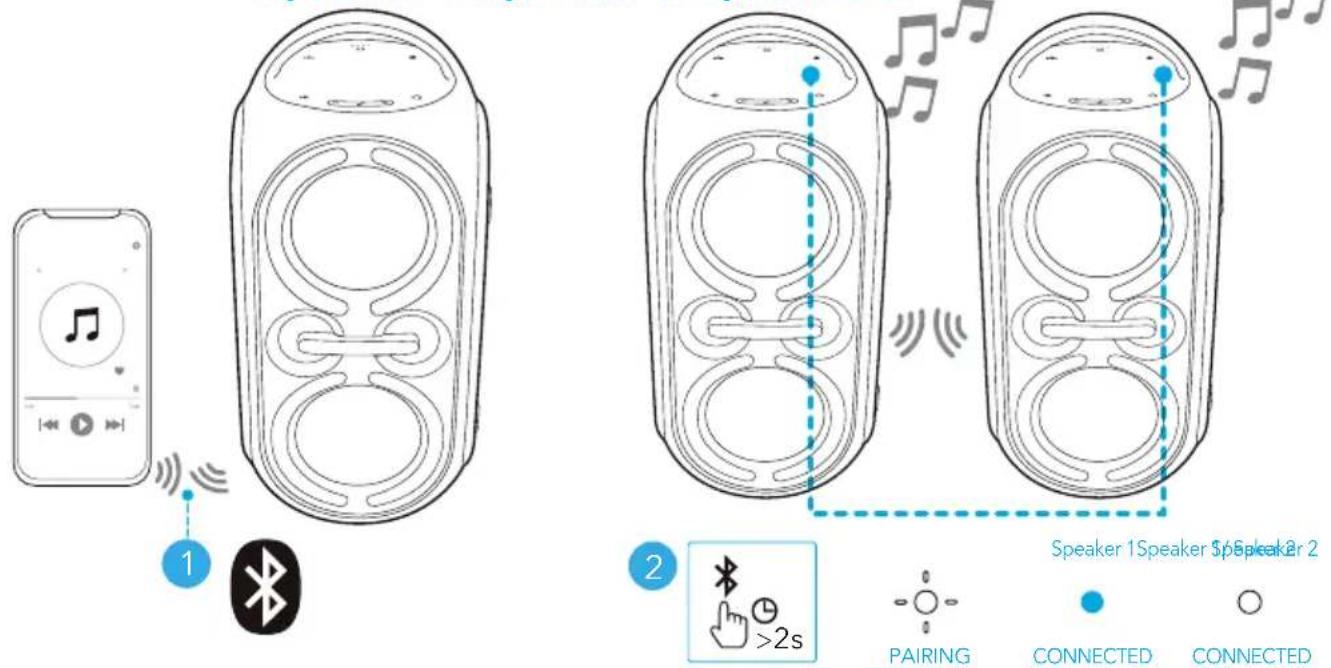
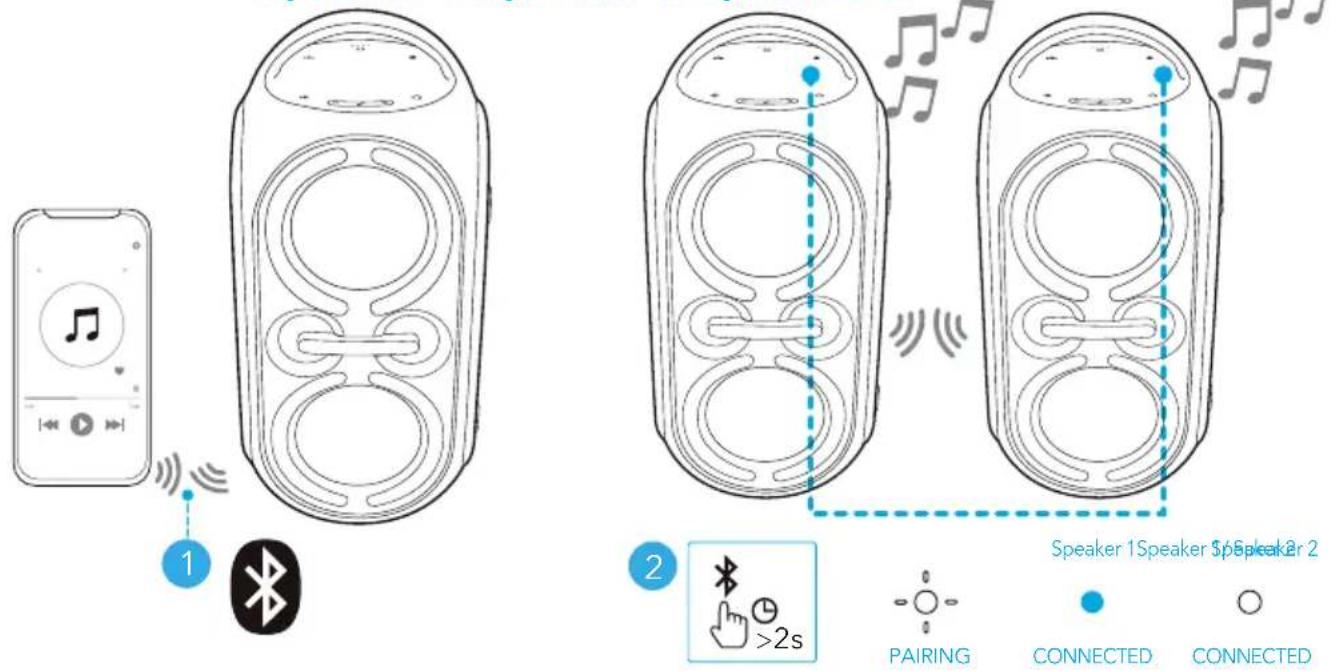
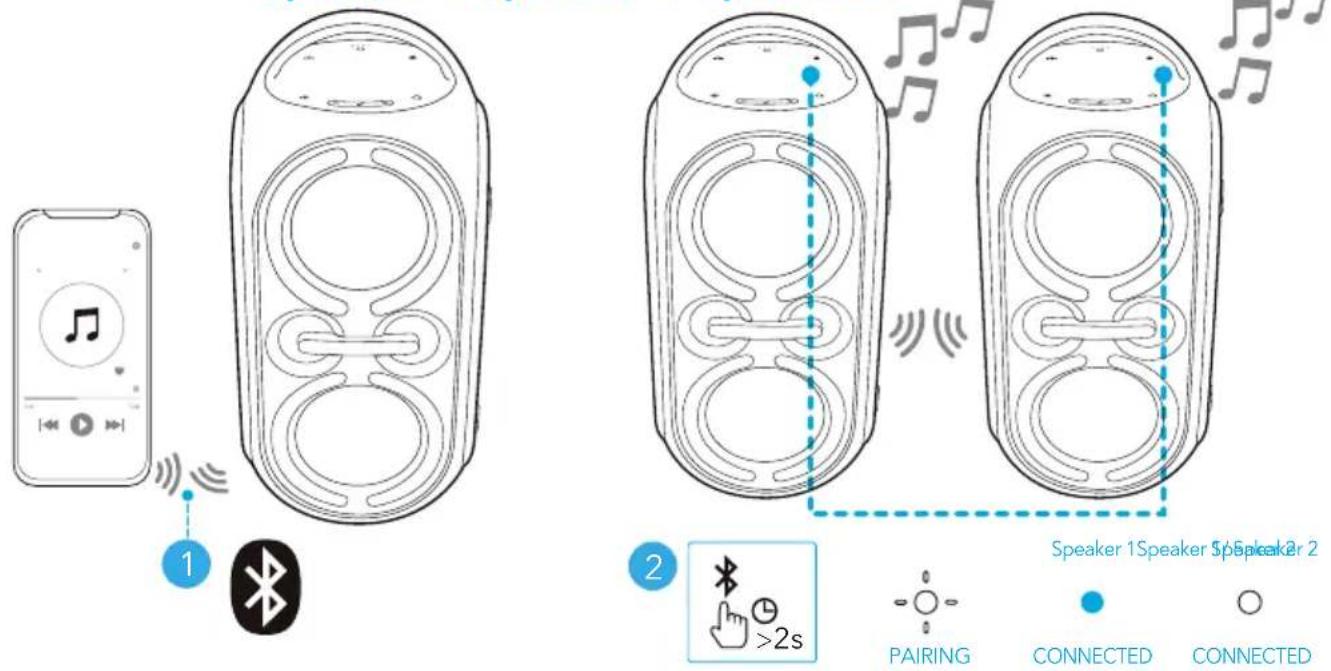
TWS (True Wireless Stereo) Mode
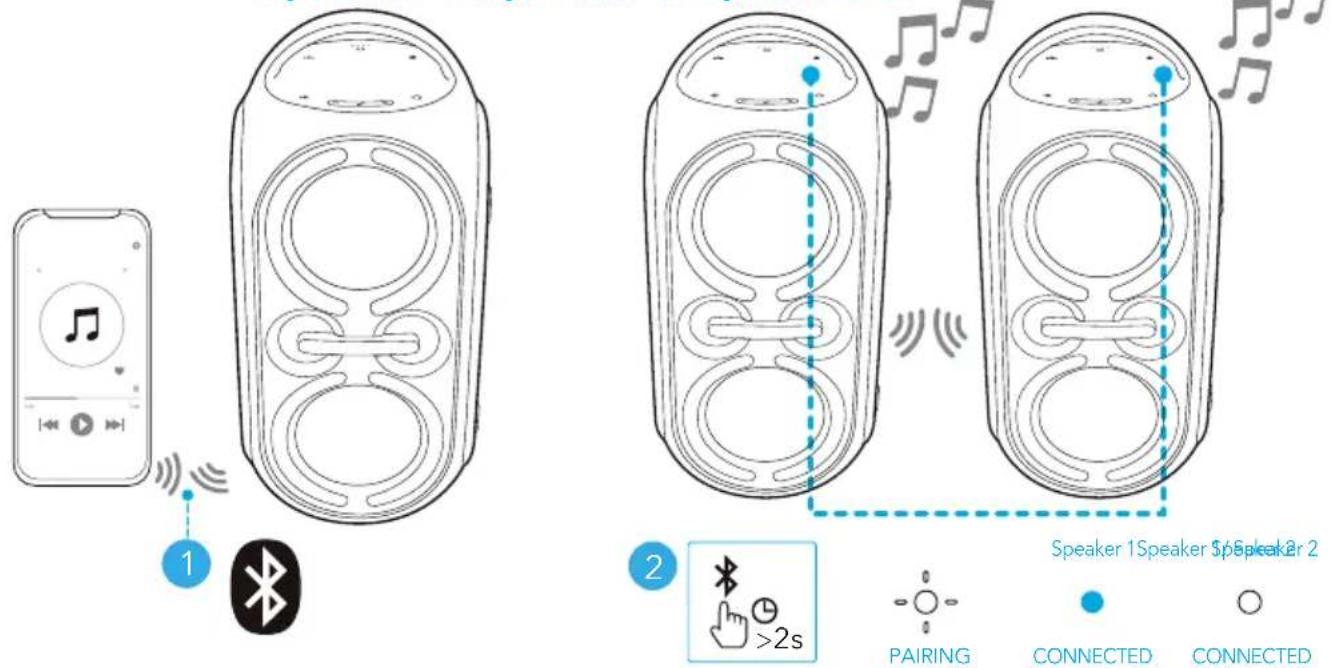
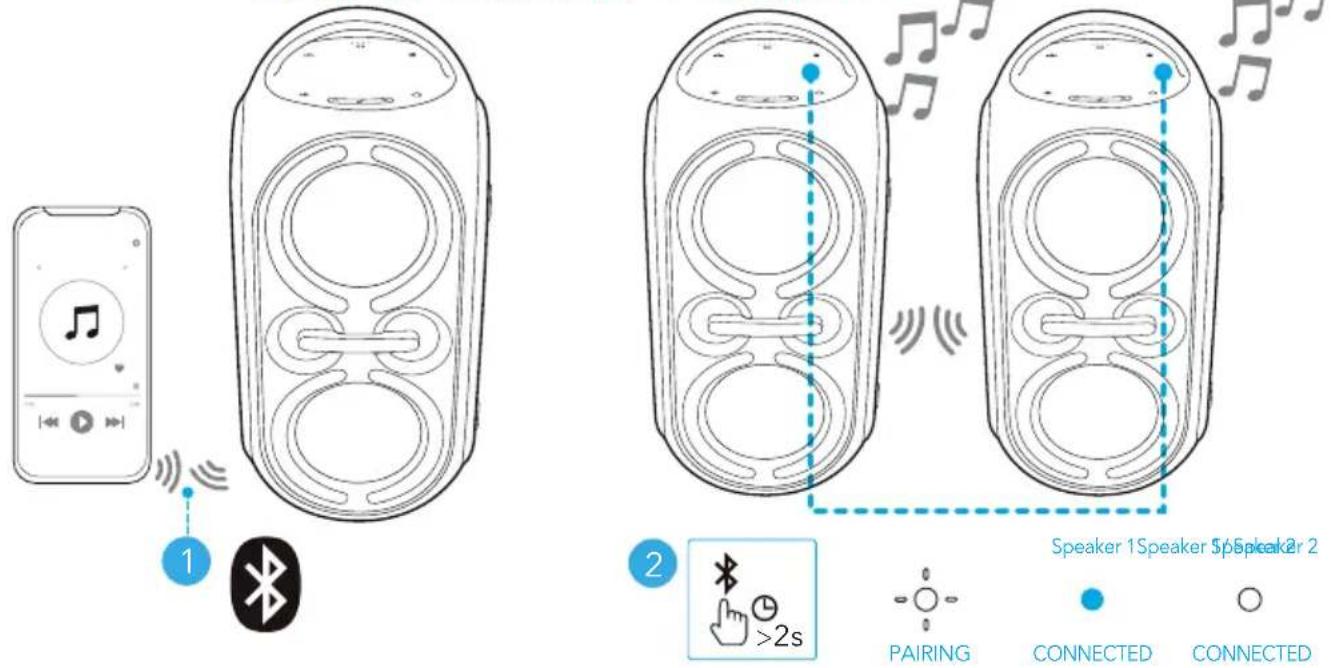
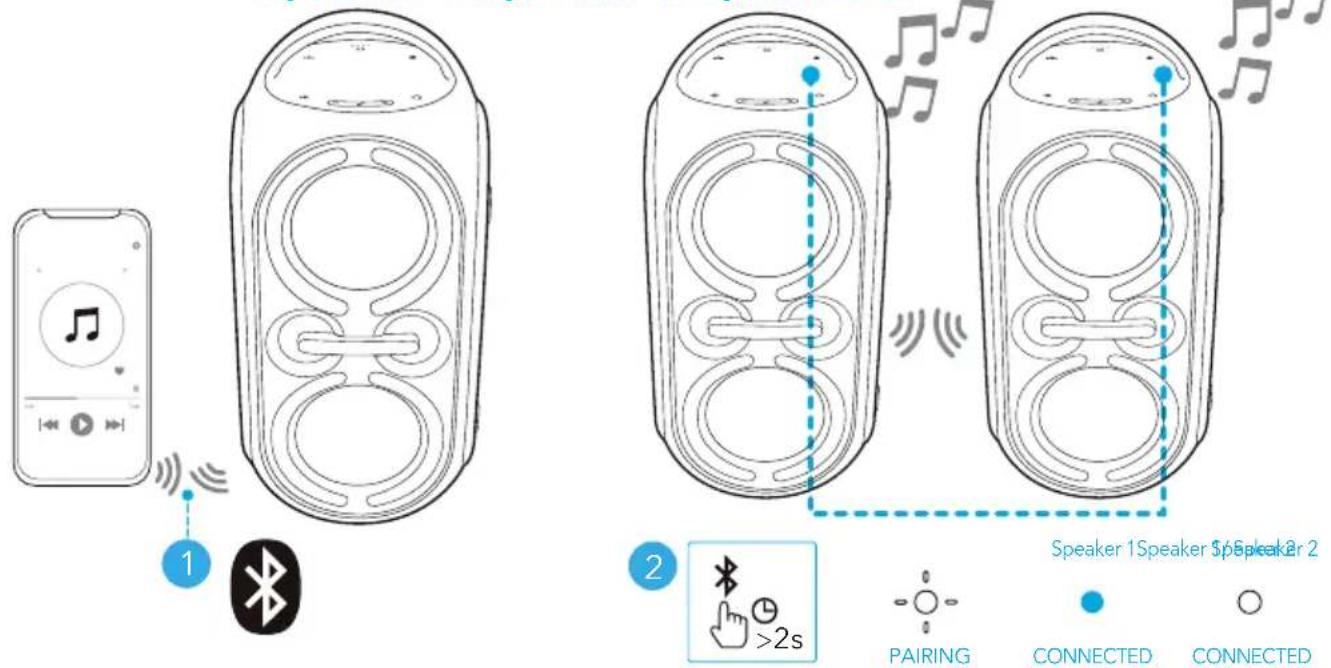
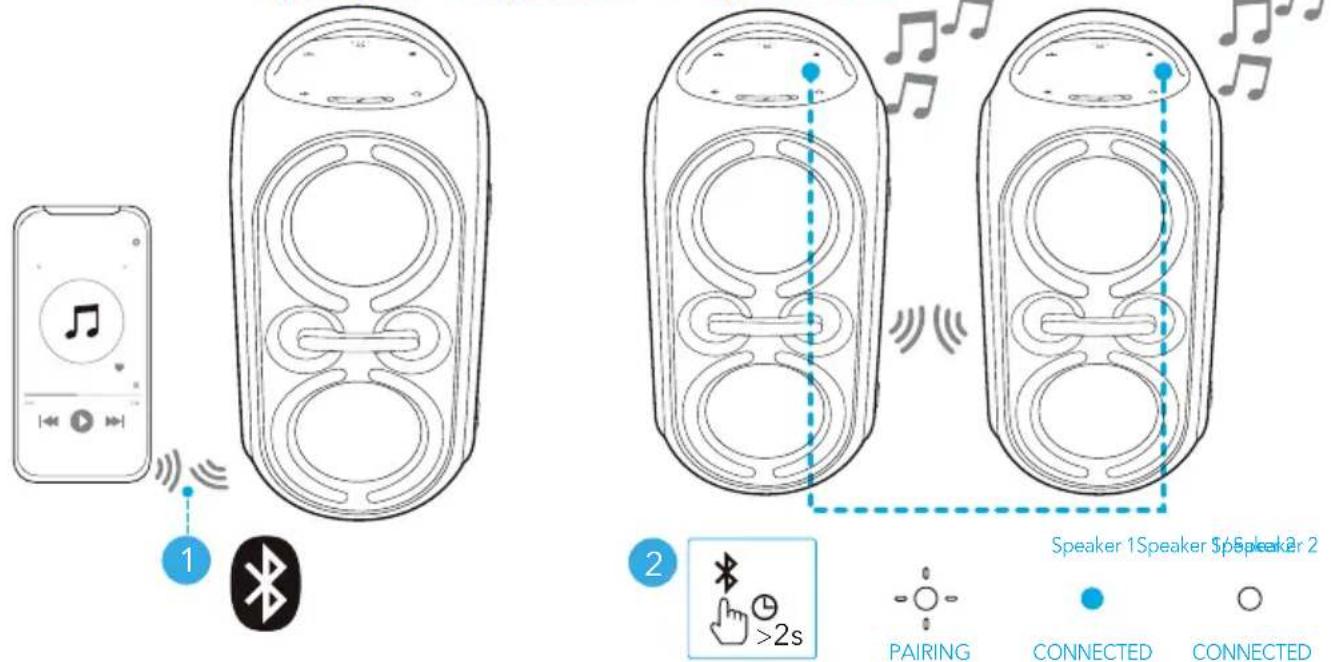
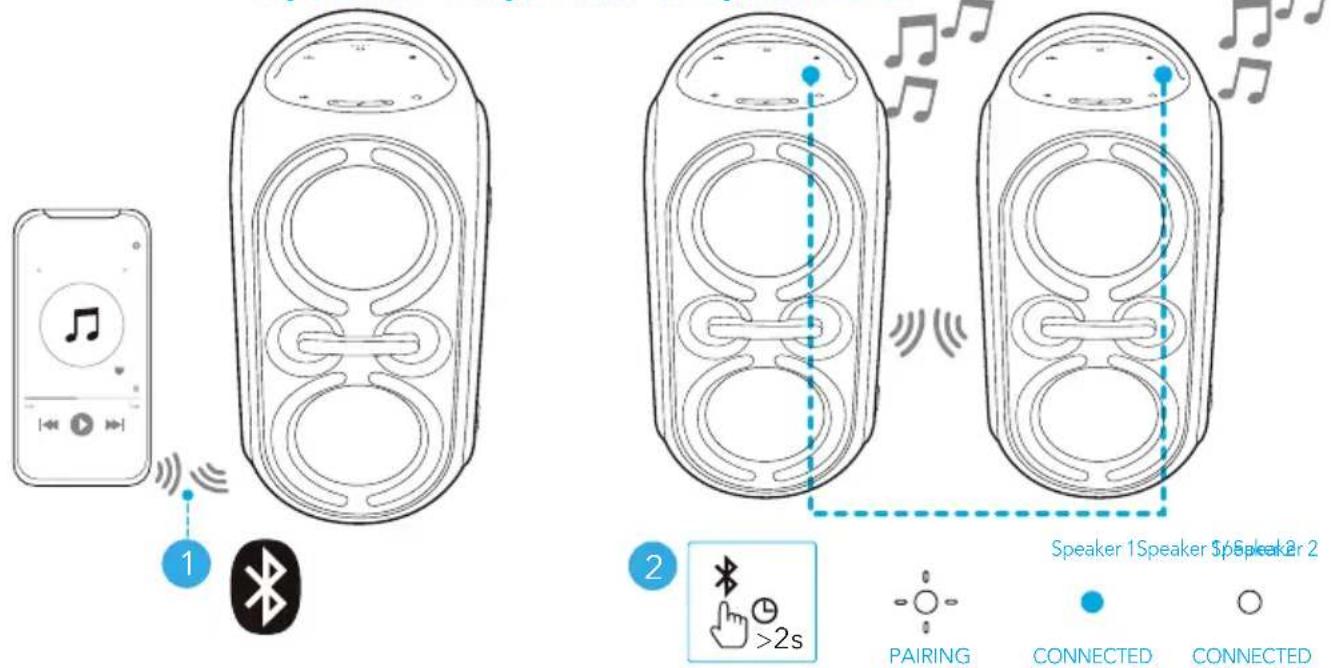
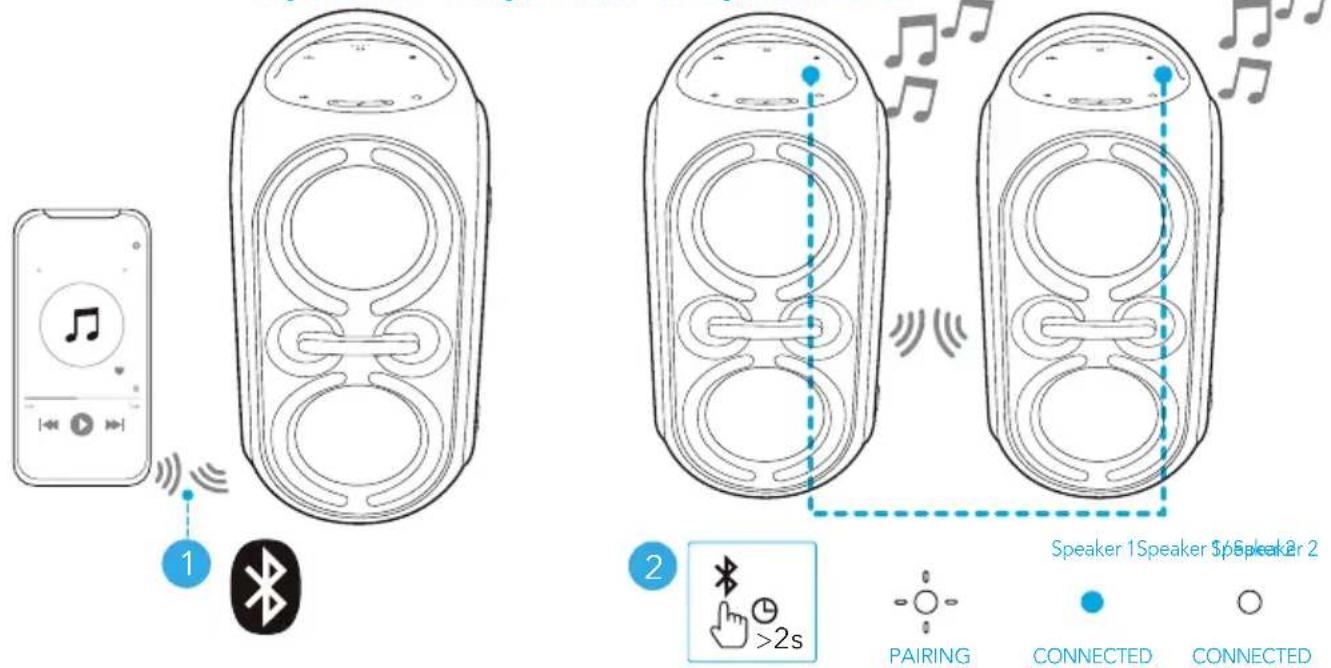
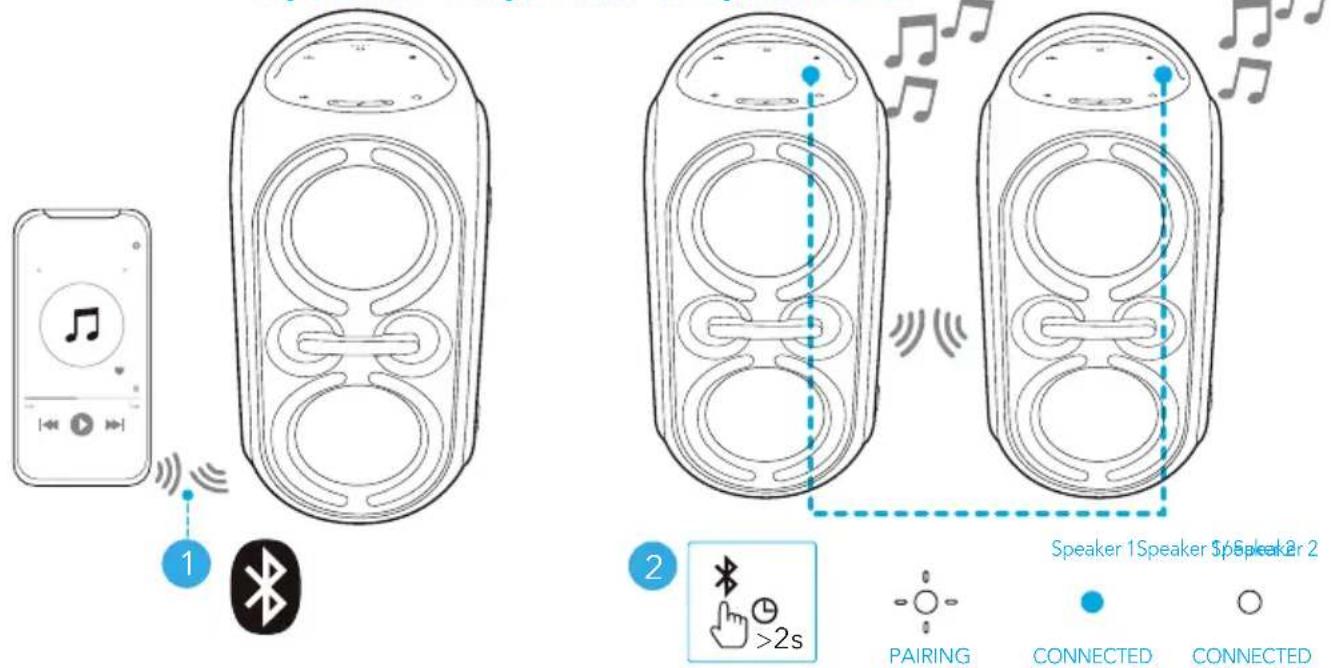
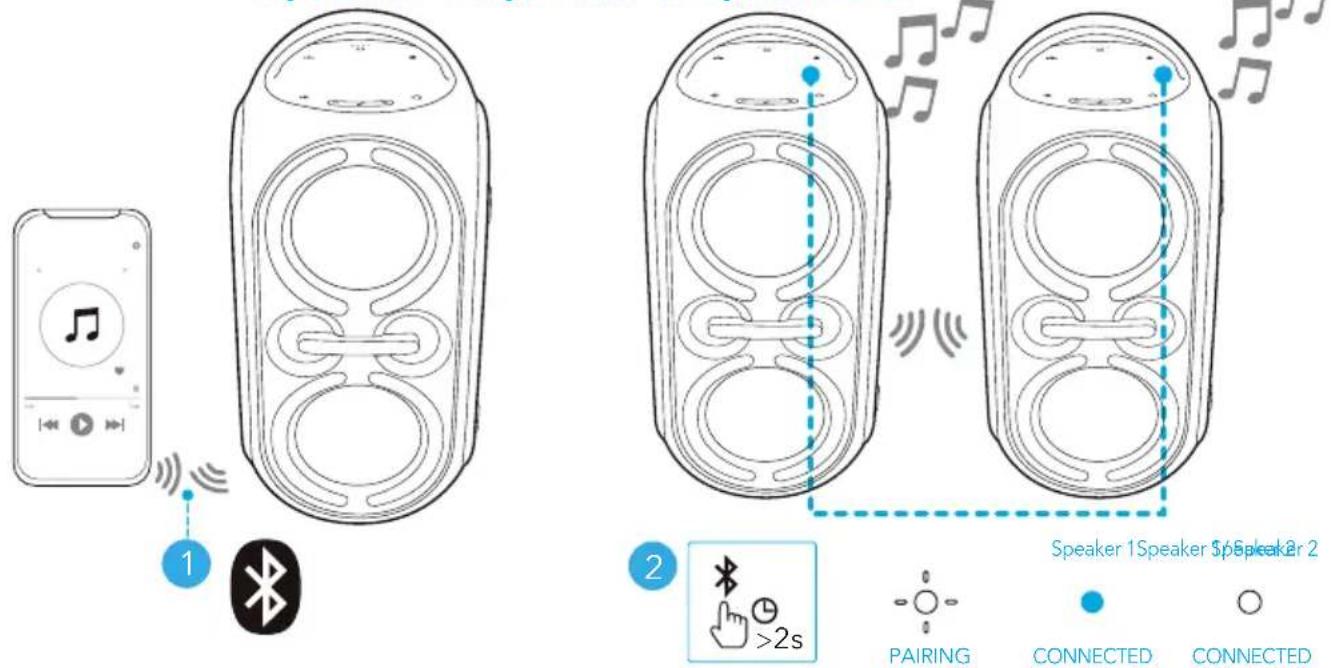
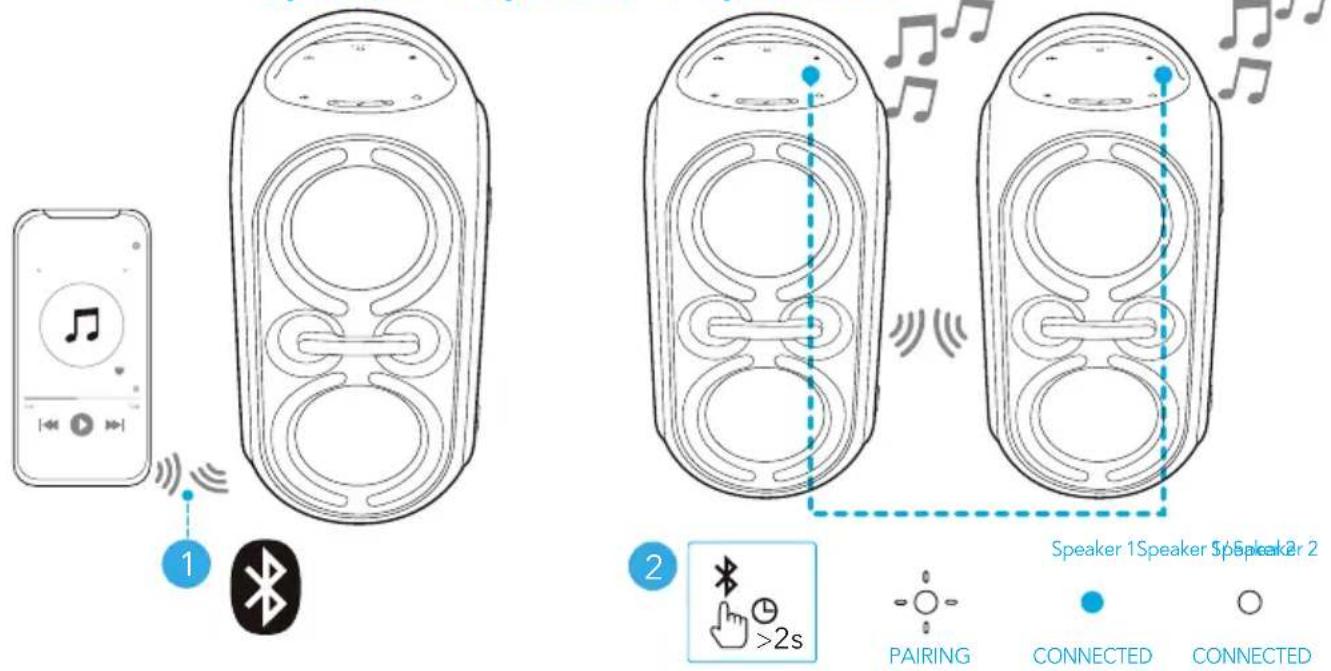
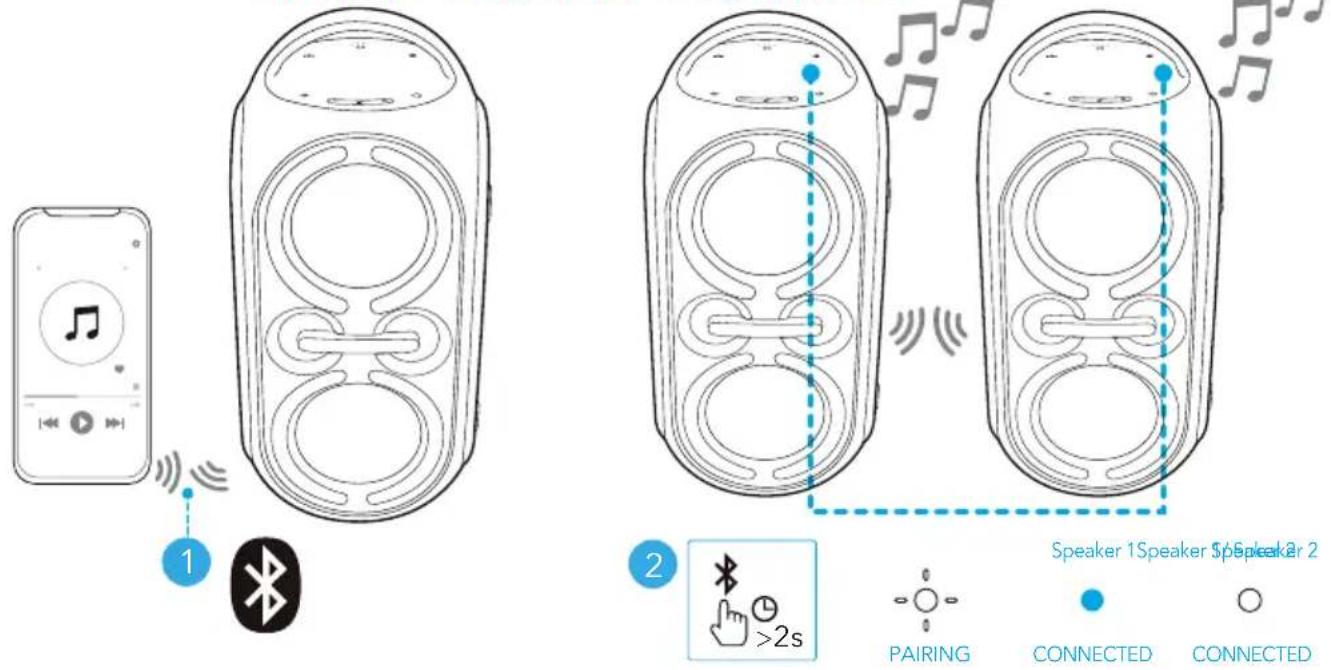
Two identical Rave Party 2 speakers can pair with each other for stereo sound. Both speakers can play the same audio (one as L channel and the other as R channel).
- Connect either speaker with your Bluetooth device.
- On both speakers, press and hold the Bluetooth button for at least 2 seconds to enter TWS pairing mode.
Speaker 1 Speaker 1 Speaker 2
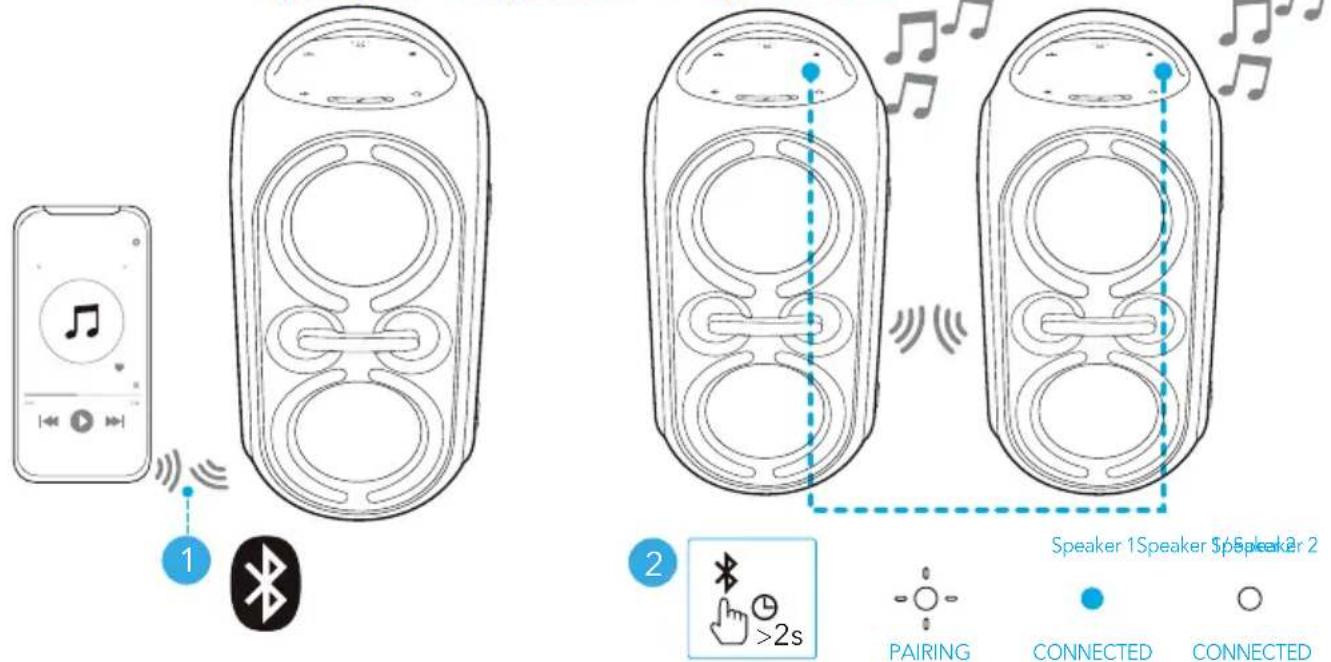
| Press and hold for at least 2 seconds Enter TWS pairing mode |
| Flashing white TWS pairing |
| Steady blue (Speaker 1) |
| Steady white (Speaker 2) |

To exit TWS mode, press and hold the Bluetooth button for at least 2 seconds.
PartyCast Mode
You can wirelessly connect up to 100 identical Rave Party 2 speakers together.
- Connect a Rave Party 2 speaker with your smartphone or tablet as Speaker 1.
- Press the PartyCast button once on Speaker 1 and all the additional speakers to enter the pairing mode. When successfully connected, you will hear a prompt sound.
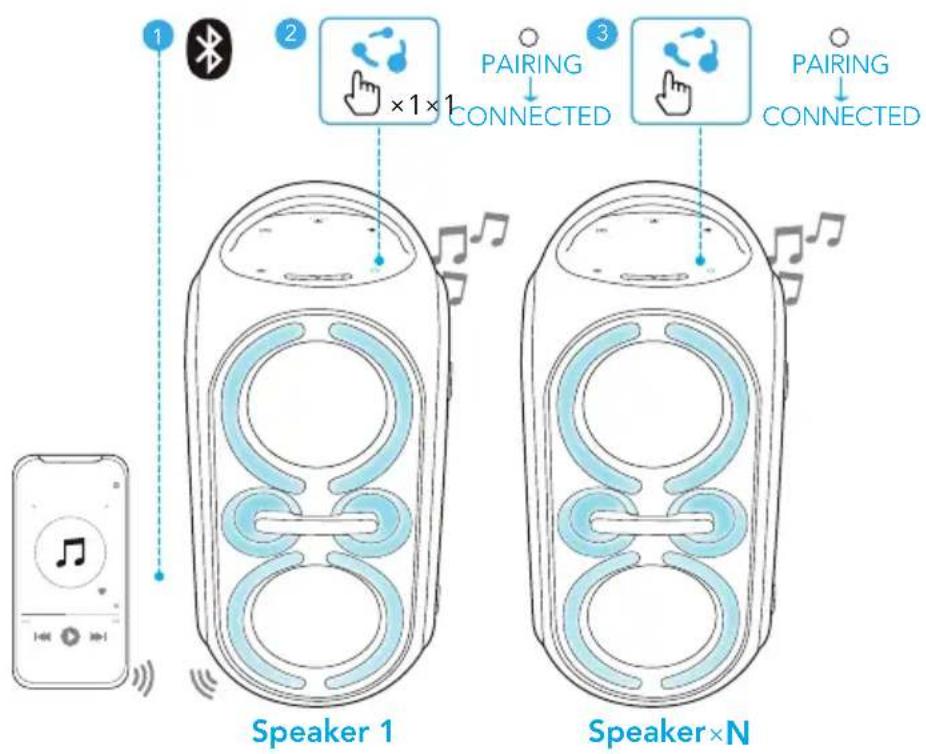
| Press once Enter PartyCast pairing mode |
| ○ | Steady white | PartyCast pairing |
| PartyCast connected |

- PartyCast 2.0 technology can sync up stereo sound and is compatible with PartyCast 1.0. Any Rave Party 2 speaker can connect with a speaker supporting PartyCast 1.0.
- To exit the PartyCast mode, press the PartyCast button once on any Rave Party 2 speaker.
MIC/USB/AUX Mode
Insert a microphone, a USB storage device, or a 3.5 mm audio cable.
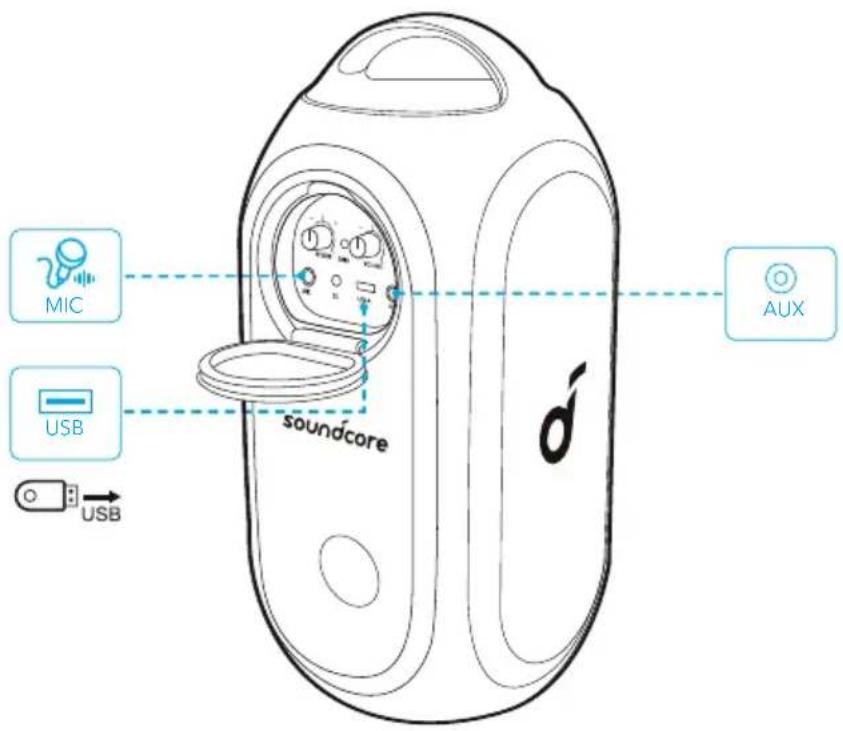

When using AUX mode, control audio playback via the connected device.
 |
| ð | Press once Play/Pause | |
| ð | Press twice Next track | |
| ð | Press three times Previous track | |
| -/+ | Press or press and hold Adjust volume | |
| BASS | Press once Turn BassUp on/off | |
 | Turn the reverb knob Adjust mic reverb | |
 | Turn the volume knob Adjust mic volume | |
Reset
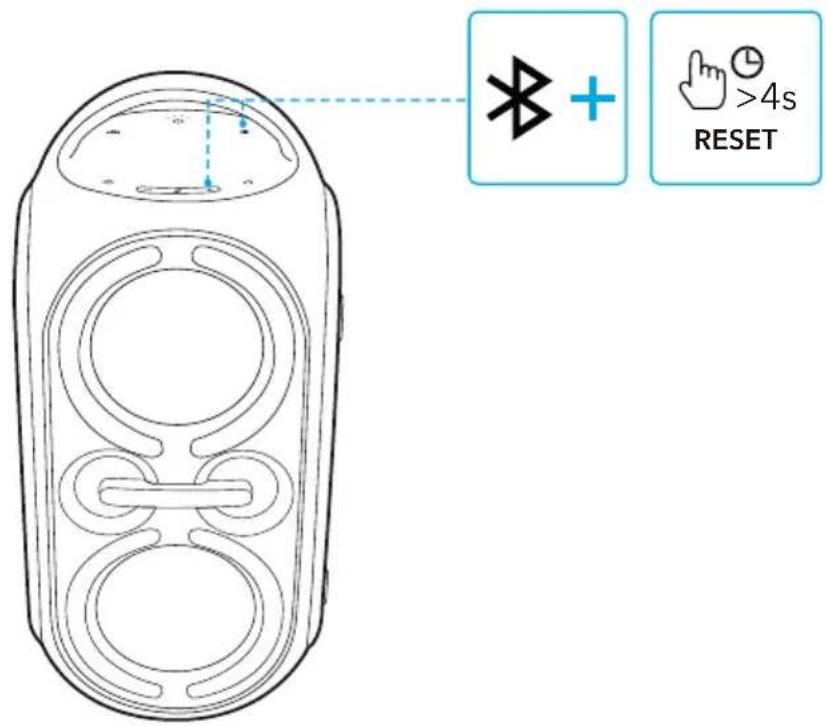
Press and hold the Bluetooth button and volume up button simultaneously for at least 4 seconds to reset the speaker.
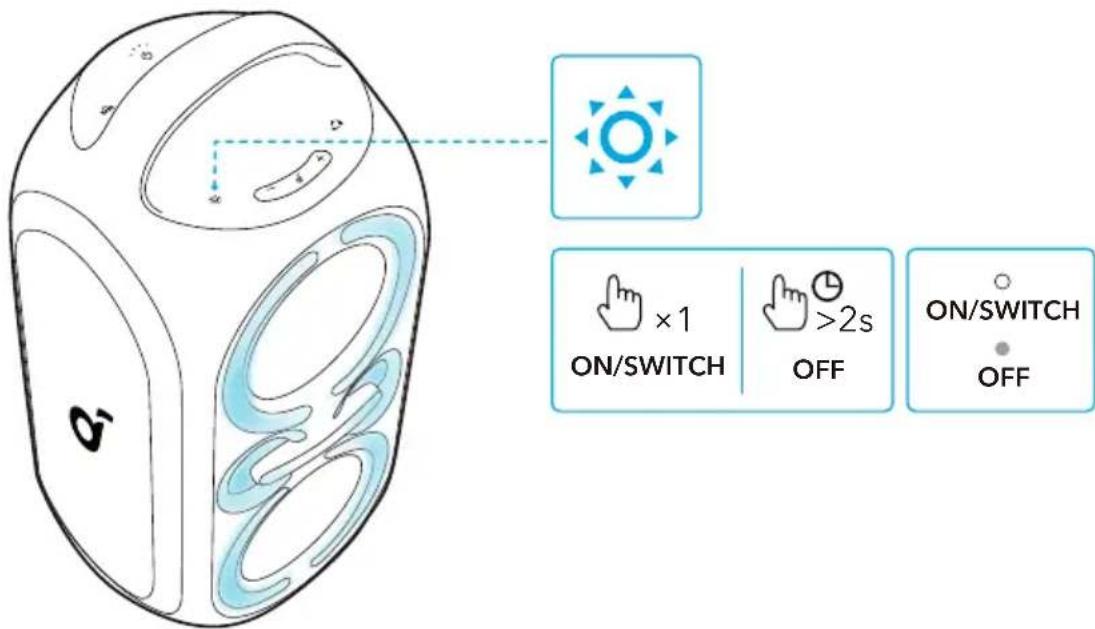
Light Effects
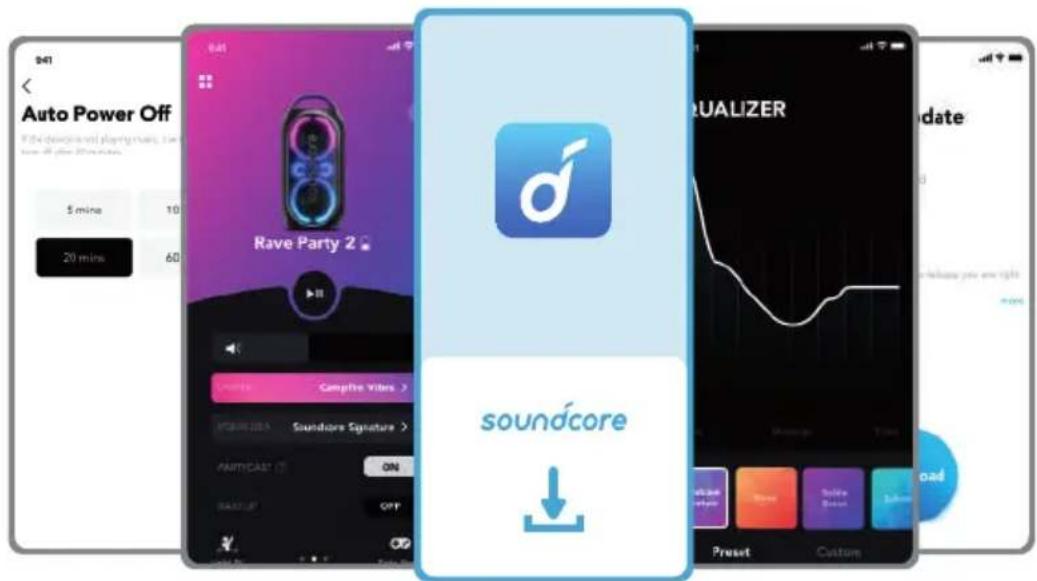
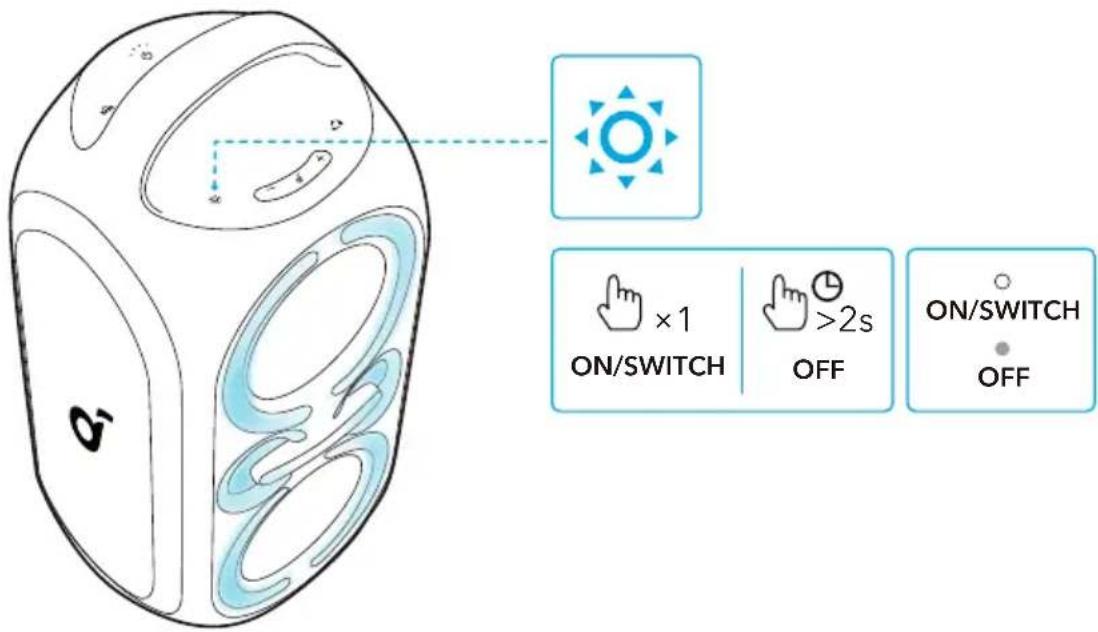
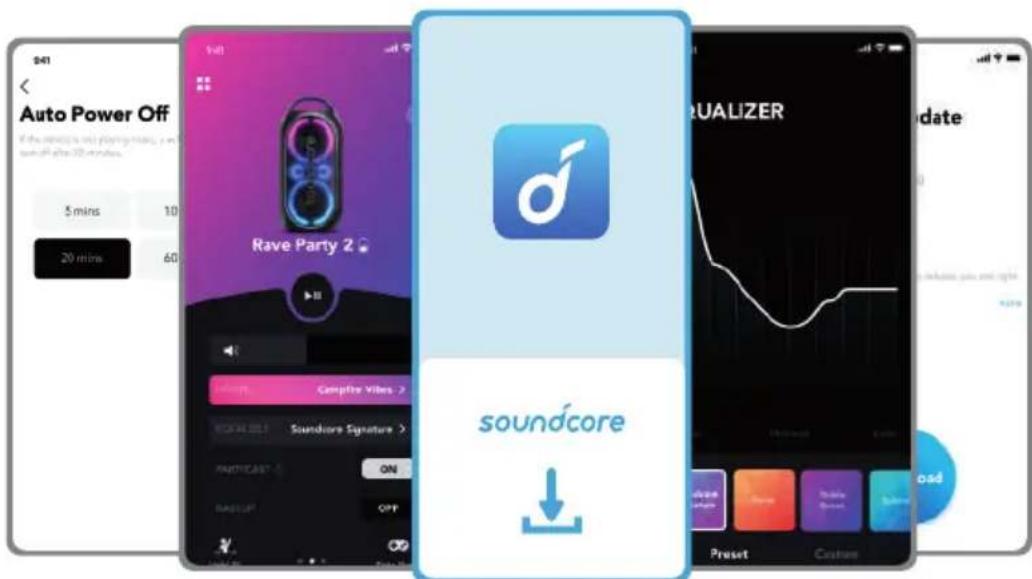
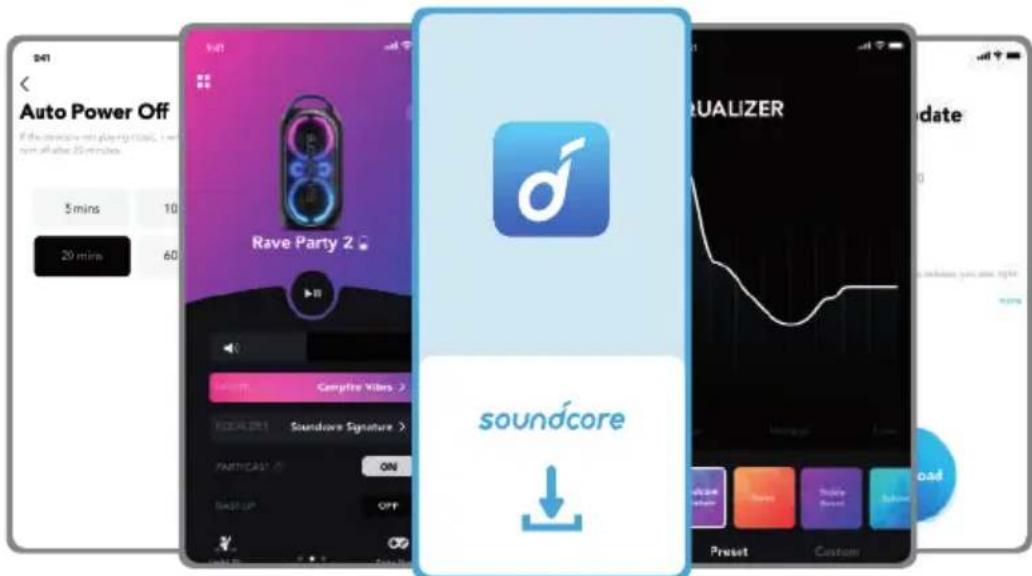
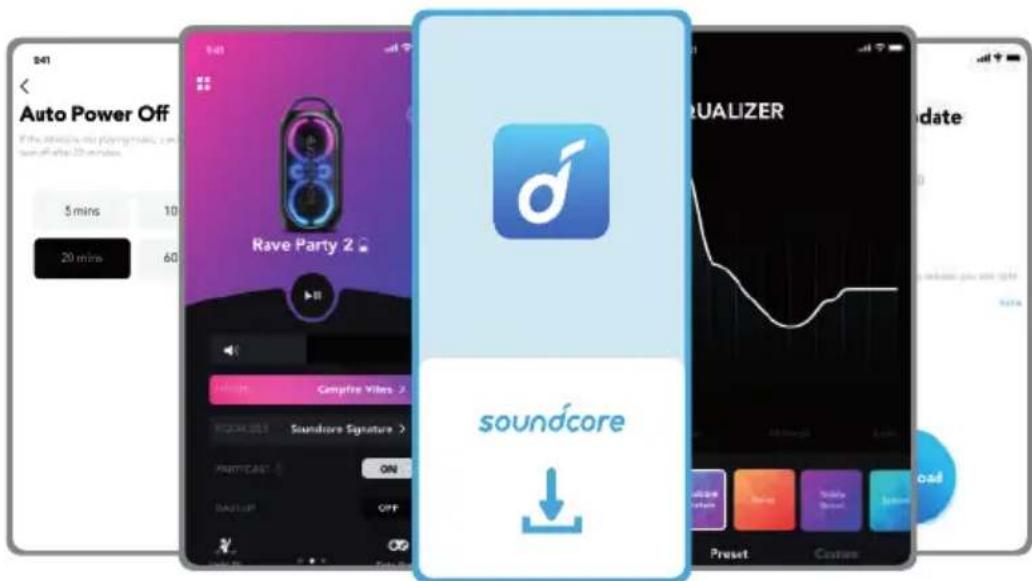
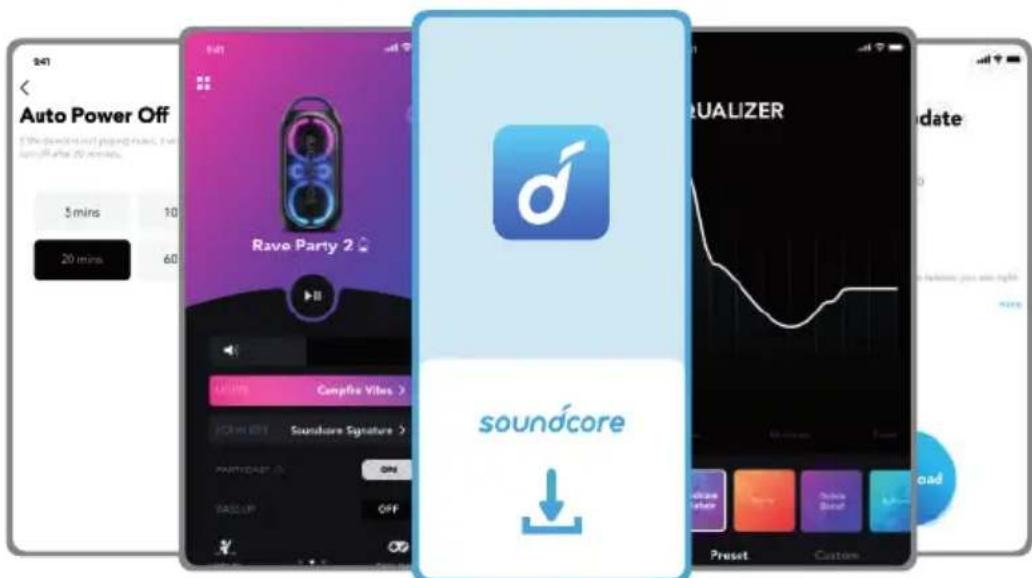
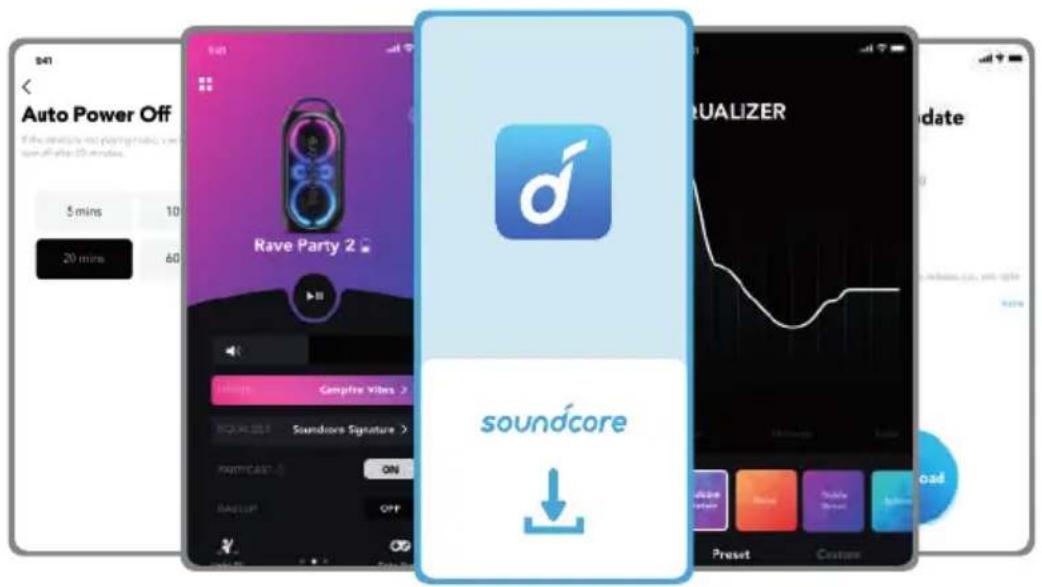
Download the Soundcore app to check all available light modes.
- Campfire Vibes
- Neon Night
- Spring Break
- Euphoric Dance
• Romantic Stroll
- Flow
- Party
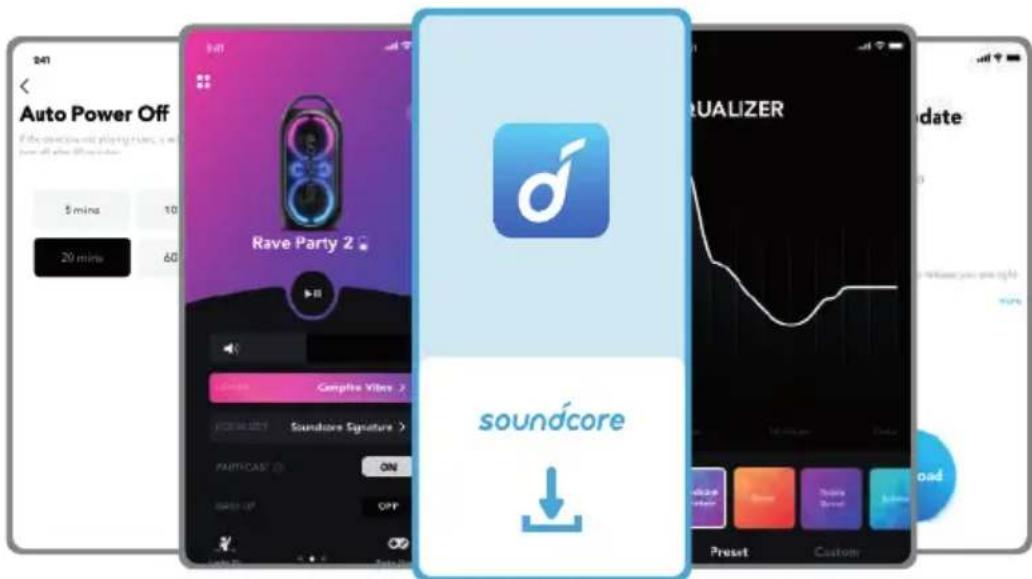
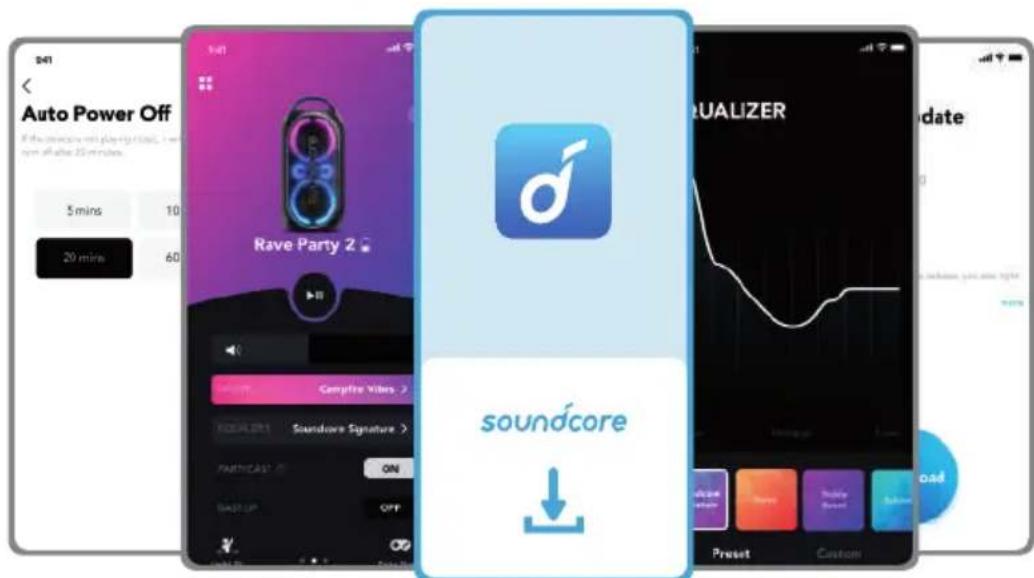
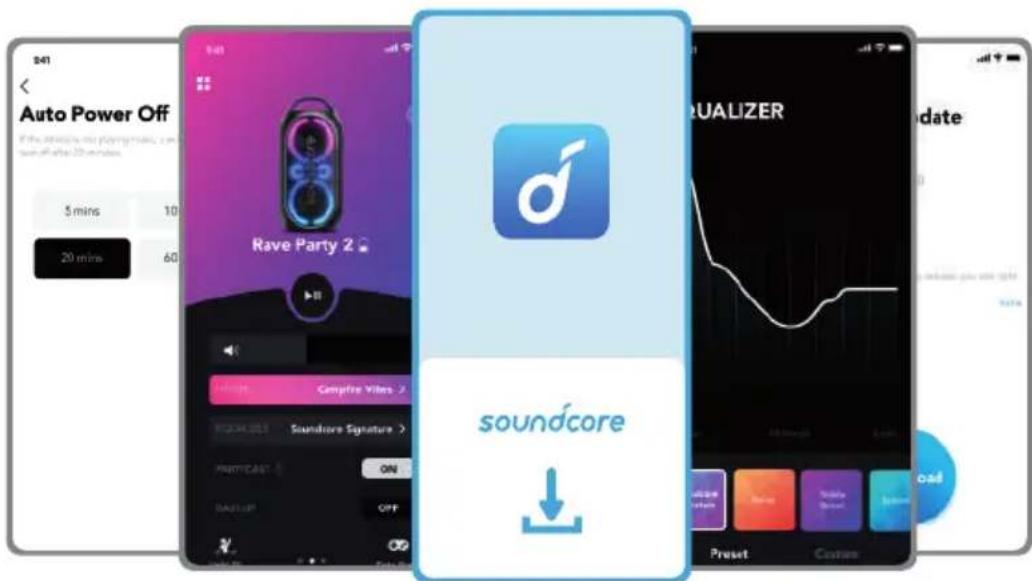
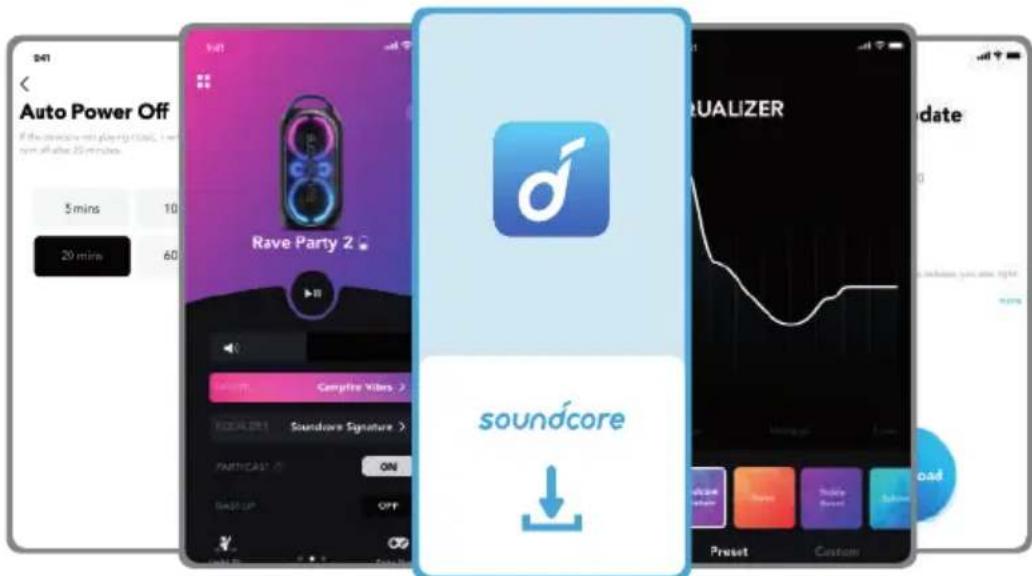
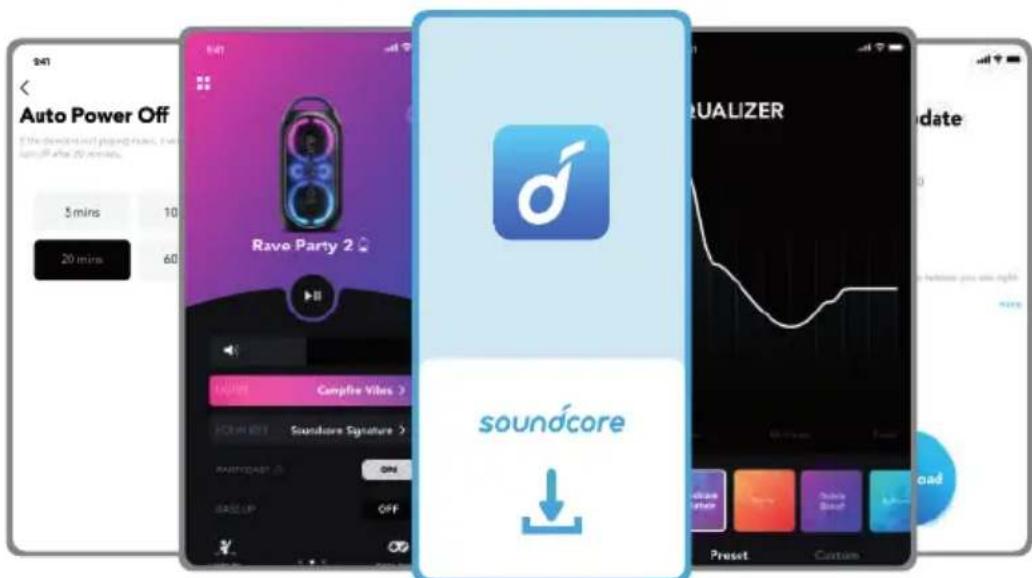
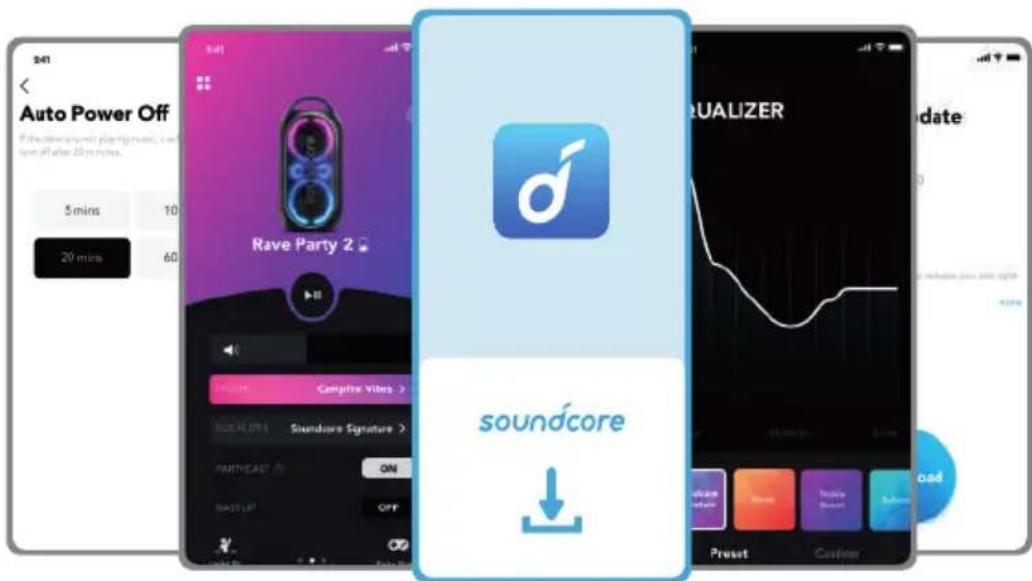
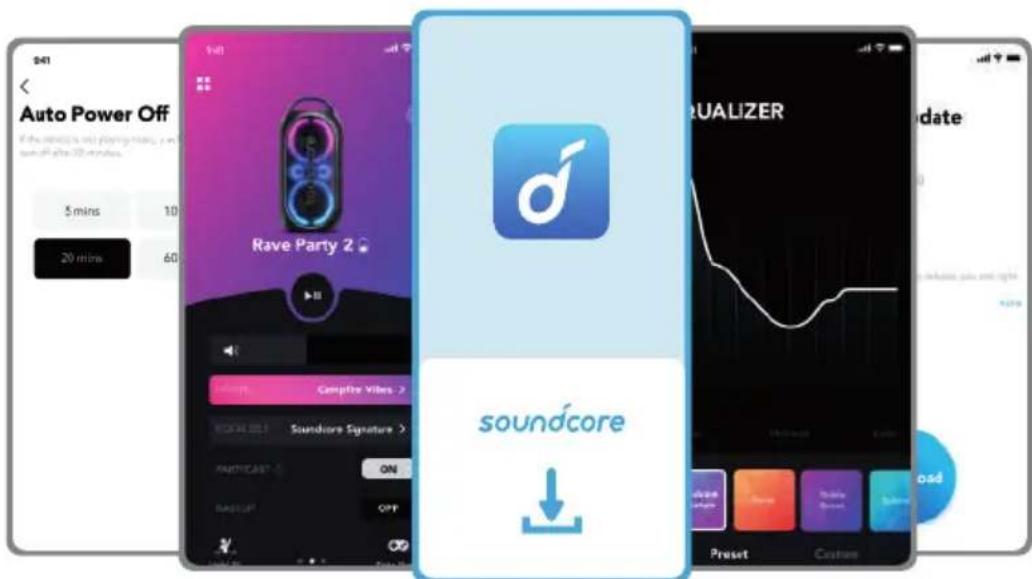
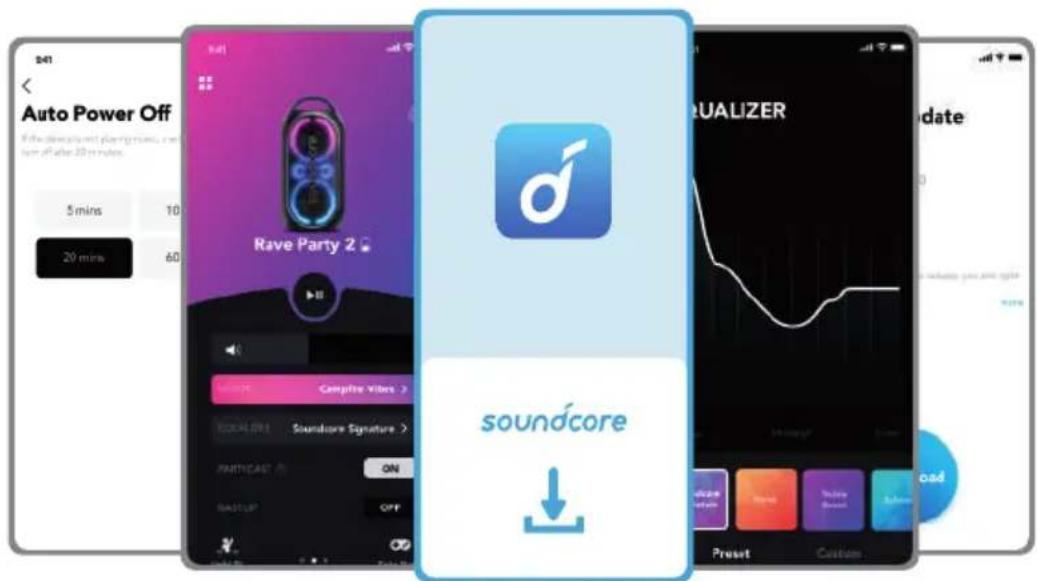
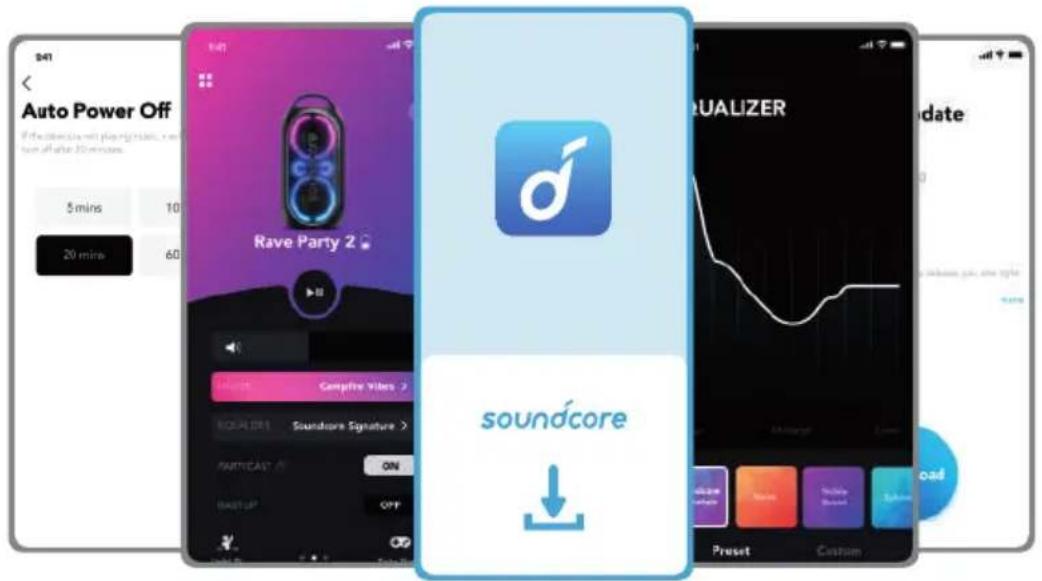
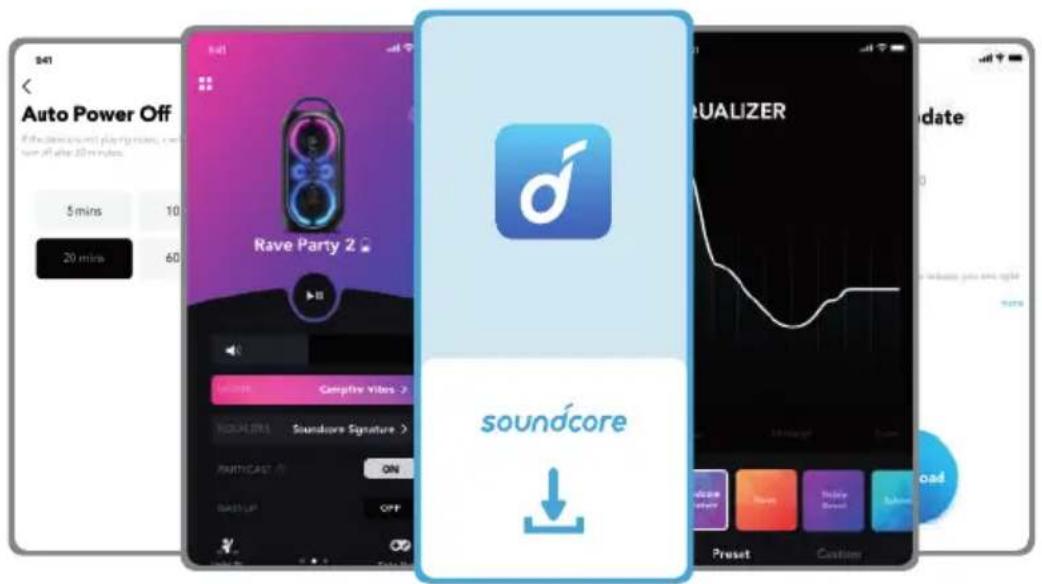
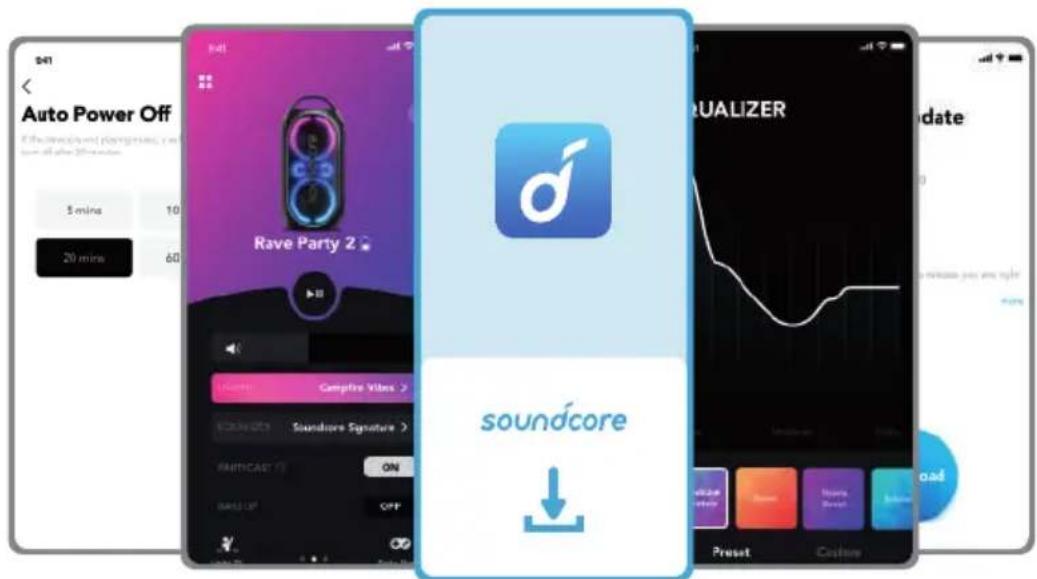
Soundcore App
Download the Soundcore app to enhance your experience.
Product information: Check the product name and software version, or read the user manual.
Firmware update: You will be informed once a new version of firmware is detected when you connect the speaker with the app.
Battery status: Indicates the remaining battery level of your speaker.
Volume control: Adjust the volume level via the app without pressing the buttons on the speaker.
EQ settings: There are 6 EQ settings you can choose from in the app to optimize your experience while enjoying different music genres.
• Soundcore Signature: Normal EQ mode with well-balanced sound.
• Voice: Voices stand out more clearly from other ambient sounds.
• Treble Boost: High frequencies are enhanced.
• Balance: No enhancement for high-frequency and low-frequency sounds.
- Custom: Customize the EQ setting to suit you in the app.
• BassUp: Turn on BassUp to enhance the low-frequency sound.
Set Auto-power off time: Set an auto-power off time (5/10/20/60 minutes, 20 minutes by default), the speaker will automatically power off when the time is up.
Voice prompt: Mute or restore the voice prompt while powering on/off.
Specifications
Specifications are subject to change without notice.
| DC power input 12 V 2 A | --- |
| Battery capacity 4900 mAh/7.2 V | |
| USB output 5 V | ---2.1 A |
| Audio output power | 120 W |
| Charging time 5.5 hours | |
| Playtime (varies by volume level and music content) | Up to 16 hours |
| Waterproof level IPX4 | |
| Bluetooth version 5.3 | |
| Bluetooth range 100 m | |
| USB audio format .mp3 | |
Přehled
natural_image
Line drawing of a vintage camera with multiple lenses and a handle (no text or symbols)
Zapnutí/Vypnutí
Speaker 1 Speaker 1 Speaker 2

Specifikace
natural_image
Line drawing of a vintage camera with multiple lenses and a handle (no text or symbols)
| Batteriniveau < 25 % |
| Batteriniveau 25 % - 50 % |
| Batteriniveau 51 - 75 % |
| Batteriniveau 76 - 99 % |
| Helt opladet |
Tjek batteriniveau
| Batteriniveau < 10 % |
| Batteriniveau 10% - 25 % |
| Batteriniveau 26 - 50 % |
| Batteriniveau 51 - 75 % |
| Batteriniveau 76 - 100 % |
Tænde/slukke
Speaker 1 Speaker 1 Speaker 2

Specifikationer
natural_image
Line drawing of a vintage camera with multiple lenses and a handle (no text or symbols)

Ein-/Ausschalten
Speaker 1 Speaker 1 Speaker 2
flowchart
graph TD
    A["Speaker 1"] -->|1| B["Mobile Device"]
    A -->|2| C["Speaker 1 with Bluetooth icon"]
    C -->|3| D["Speaker ×N with two speakers connected via '×1×1' and 'PAIRING' icons"]
    D -->|3| E["Speaker ×N with two speakers connected via 'PAIRING' icons"]

Technische Daten
natural_image
Line drawing of a vintage camera with multiple lenses and a handle (no text or symbols)
Encendido/Apagado
Speaker 1 Speaker 1 Speaker 2

Especificaciones
natural_image
Line drawing of a vintage-style camera with multiple circular components and a handle (no text or symbols)
Virta päälle/pois
Speaker 1 Speaker 1 Speaker 2

• Romantic Stroll
- Flow
- Party
Soundcore-sovellus
Tekniset tiedot
natural_image
Line drawing of a vintage camera with multiple lenses and a handle (no text or symbols)
Speaker 1 Speaker 1 Speaker 2

Spécifications
natural_image
Line drawing of a vintage-style camera with multiple circular components and a handle (no text or symbols)
Speaker 1 Speaker 1 Speaker 2

Specifiche
natural_image
Line drawing of a vintage-style camera with multiple circular components and a handle (no text or symbols)
|  | | Batterijniveau < 25 % |
| | Batterijniveau 25 % - 50 % |
| | Batterijniveau 51 % - 75 % |
| | Batterijniveau 76 % - 99 % |
| | Volledig opgeladen |
In-/uitschakelen

Speaker 1 Speaker 1 Speaker 2


Specificaties
natural_image
Line drawing of a vintage-style camera with multiple circular components and a handle (no text or symbols)
| Batterinivå < 25 % |
| Batterinivå 25 % - 50 % |
| Batterinivå 51 - 75 % |
| Batterinivå 76 - 99 % |
| Fullt ladet |
Kontroller batterinivået
| Batterinivå < 10 % |
| Batterinivå 10% - 25 % |
| Batterinivå 26 - 50 % |
| Batterinivå 51 - 75 % |
| Batterinivå 76 - 100 % |
Lad USB-enheter
Lad USB-enhetene via USB-porten.
Slå på/av
flowchart
graph TD
    A["Remote Control Panel"] --> B["1: Bluetooth x1"]
    B --> C["2: Soundcore Rave Party 2 ON"]
    C --> D["3: Pairing Connected Device"]
| Trykk Gå inn i Bluetooth-paringsmodus |
 | Blinker blått Bluetooth-paring |
| Fast blått Bluetooth tilkoblet |

Speaker 1 Speaker 1 Speaker 2

Når du bruker AUX-modus, kontrollerer du lydavspillingen via den tilkoblede enheten.
Knappekontroller
Spesifikasjoner
natural_image
Line drawing of a vintage camera with multiple lenses and a handle (no text or symbols)
Speaker 1 Speaker 1 Speaker 2

Dane techniczne
natural_image
Line drawing of a vintage camera with multiple lenses and a handle (no text or symbols)
Ligando/desligando
Speaker 1 Speaker 1 Speaker 2

Especificações
natural_image
Line drawing of a vintage camera with multiple lenses and a handle (no text or symbols)
Speaker 1 Speaker 1 Speaker 2

natural_image
Line drawing of a vintage camera with multiple lenses and a handle (no text or symbols)
| Batterinivå < 25 % |
| Batterinivå 25 - 50 % |
| Batterinivå 51 % - 75 % |
| Batterinivå 76 % - 99 % |
| Fulladdad |
Slå på/stänga av
Speaker 1 Speaker 1 Speaker 2

Specifikationer
natural_image
Line drawing of a vintage camera with multiple lenses and a handle (no text or symbols)
Güç Açma/Kapatma
flowchart
graph TD
    A["Remote Control Panel"] --> B["1: Bluetooth x1"]
    B --> C["2: Soundcore Rave Party 2 ON"]
    C --> D["3: Pairing Connected Device"]
Speaker 1 Speaker 1 Speaker 2

Google Play and the Google Play ogo are trademarks of Google Inc.

Apple and the Apple logo are trademarks of Apple Inc.
Teknik Özellikler
natural_image
Line drawing of a vintage camera with multiple lenses and a handle (no text or symbols)
バッテリー充電中の表示
電源オン / オフ
Speaker 1 Speaker 1 Speaker 2

製品の仕様
natural_image
Line drawing of a vintage camera with multiple lenses and a handle (no text or symbols)
-
PartyCast
-
볼륨 높이기
3.재생/일시중지
- 볼륨 줄이기
5.라이트 모드
-
BassUp
-
전원
-
Bluetooth
9.마이크 에코
10.마이크 게인
11.마이크 볼륨
전원 켜기/ 끌기
Speaker 1 Speaker 1 Speaker 2

사양
natural_image
Line drawing of a vintage camera with multiple lenses and a handle (no text or symbols)
开机 / 关机

规格
规格如有变更,恕不另行通知。
natural_image
Line drawing of a vintage camera with multiple lenses and a handle (no text or symbols)
開啟 / 關閉電源
Speaker 1 Speaker 1 Speaker 2

規格
規格可能隨時變更,恕不另行通知。
natural_image
Line drawing of a vintage camera with visible lens, buttons, and frame (no text or symbols)
تشغيل/ابقاف التشفيل
natural_image
Technical line drawing of a mechanical component with symmetrical cutouts and a central hole (no text or symbols)
natural_image
Blue power button icon on white background (no text or symbols)
natural_image
Line drawing of a mechanical component with circular and rectangular features (no text or symbols)
Speaker 1 Speaker 1 Speaker 2
.PartyCast 1.0 Retive Party 2

natural_image
Line drawing of a vintage camera with visible lens, buttons, and frame (no text or symbols)
הכלה/הכלה
natural_image
Line drawing of a device casing with circular and ring components (no text or symbols)
natural_image
Blue power button icon on white background (no text or symbols)
natural_image
Line drawing of a rectangular device with internal circular and ring patterns (no text or symbols)
Speaker 1 Speaker 1 Speaker 2

Google Play and the Google Play logo are trademarks of Google Inc.

Apple and the Apple logo are trademarks of Apple Inc.