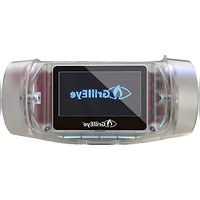
Max - Food thermometer GrillEye - Free user manual and instructions
Find the device manual for free Max GrillEye in PDF.


User questions about Max GrillEye
0 question about this device. Answer the ones you know or ask your own.
Ask a new question about this device
Download the instructions for your Food thermometer in PDF format for free! Find your manual Max - GrillEye and take your electronic device back in hand. On this page are published all the documents necessary for the use of your device. Max by GrillEye.
USER MANUAL Max GrillEye
natural_image
Close-up of a grillieye® grill with glossy brown meat and green herbs, placed on a plate with sliced meat in the foreground (no text or symbols visible)
text_image
GrillEye® maxThe 1 ^st INSTANT & ULTRA-PRECISE smart thermometer for your grill or smoker
Contents
EN Warranty & support 3
Getting ready 4
Let's grill 5
Unattended perfection 6
Safety guidelines 7
The GrillEye® Max carries manufacturer's warranty against defects in either components or workmanship. During this period, products that prove to be defective, will, at the discretion of G&C Ltd, be either repaired or replaced. This warranty does not apply to consumables / peripherals (probes & wire extenders), where a limited period is offered.
The product warranty does not cover damage caused by fair wear and tear, abnormal storage conditions, incorrect use, accidental misuse, abuse, neglect, misapplication or modification.
Full details of this warranty is available at grilleye.com/warranty
How to reach us if you need to 5 different ways available for you to seek our assistance for anything that troubles you regarding your GrillEye®... or 5 ways to share your thoughts and recommendations with us.

instagram @grilleye_original

facebook facebook.com/GrillEye

live chat access on grilleye.com

email support@grilleye.com

video call book a slot at: grilleye.com/support
Getting ready
Download the Grilleye® Hyperion application.

iOS
12 or later

Android OS 8 or later
Charge your GrillEye® Max using the USB-C cable included in the package. You can use GrillEye® Max while it's charging.
4.2 or later
Activate Bluetooth® on your smart device. Bluetooth® is required only for initial pairing with your mobile, since GrillEye® max is Wi-Fi®/Cloud exclusive.
Make sure you have Internet access on your smart device.
Connect GrillEye® Max to a 2.4 GHz router with Internet access
Let's get started!
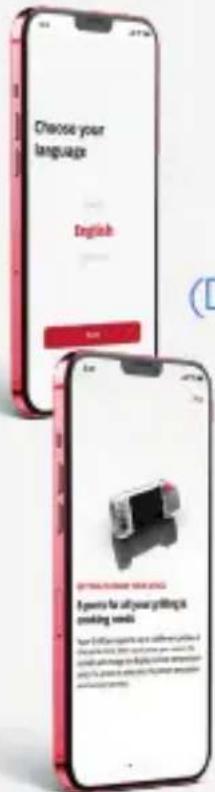
Power-on your GrillEye® Max by pressing the red button on the side of the device.

text_image
Choose your language English 3D ETRASSING VENGKING Examples for all your grilling is smoking weeks. How to be able to use a software or video on the phone, you can't use any other program or video. You can't use any other program or video. You can't use any other program or video.Open the GrillEye® Hyperion app and follow the on-screen wizard to setup your GrillEye® Max. After you finish setup, all previously set options will be available in the app, under Settings/Initial section (Device preferences and App preferences sections).
Following the initial setup, the app will walk-you-through the basics of your newly purchased GrillEye® Max.
We strongly recommend taking the tour that you can recall later from within the app, under Settings/Initial section/App preferences/Onboarding.
Let's grill!
5
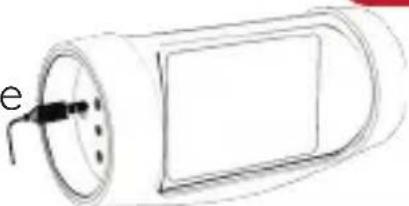
Bring your food to room temperature and prepare it. Plug-in any of the instant GrillEye® Iris probes to any of the 8 ports of the GrillEye® Max.
natural_image
Simple line drawing of a cylindrical object with a curved handle and internal components (no text or symbols)if the device remains idle for 5' it will automatically power-off
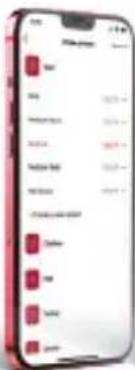
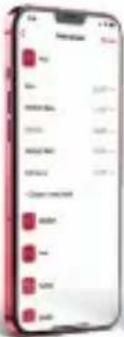
Select the preset that matches your food & preferences, or create your own if you want to fine-tune things to your taste.

text_image
Mobile app interface screenshot showing a red promotional banner with Chinese text and a small icon, likely for a service or app.Home
text_image
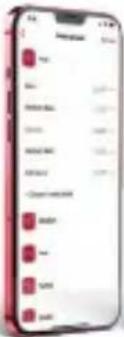
Mobile app screenshot showing a list of items with red square markers, likely representing items like 'Book', 'Book', and 'Sales'.Select & Create preset
text_image
Mobile app interface screenshot showing a red progress bar with Chinese text and a 'OK' buttonCreate
text_image
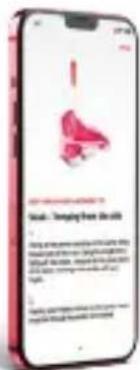
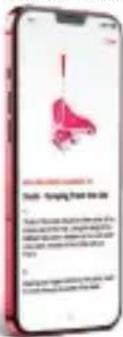
Smiling from the skin A small figure is not a very bad, but it's too bad. It's too bad. It's too bad. It's too bad. It's too bad. It's too bad. It's too bad. It's too bad. It's too bad. It's too bad.Probe placement tips
You can disable the probe placement tips displayed with every preset selection from Settings/Initial/App preferences
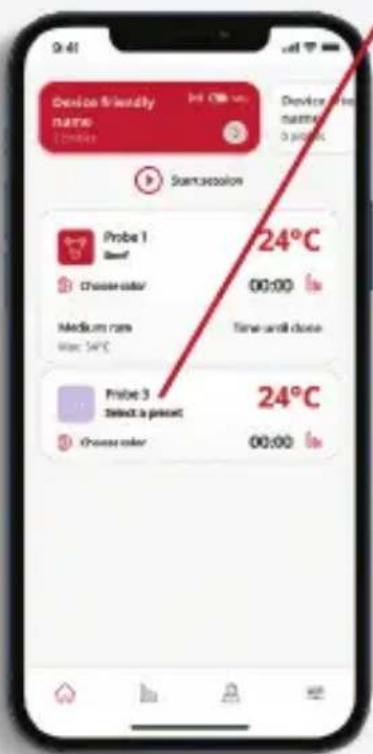
From Home screen to Preset selection
text_image
Device Friendly name 1 device int 0.00 um Device 1 number 0 pixels Semicsecution Probe 1 Beef 24°C Cheese color 00:00 Medium rms Mac 54°C Time until close Probe 3 Select a preset 24°C Cheese color 00:00Press the "Select a preset"
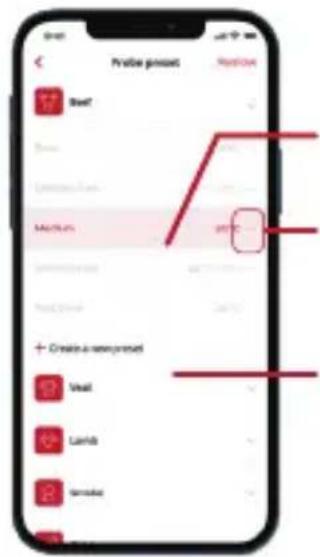
text_image
Profile preview Profile 17 Seed 20 Language Medium 21 Create a new content 22 Vail 23 Lands 24 Tornado 25Complete selection
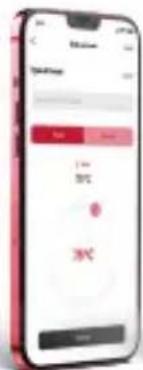
Edit/Fine tune selection
Create a new preset
Unattended perfection
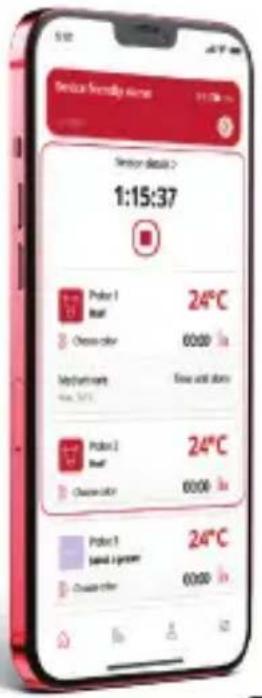
Moving beyond monitoring with Sessions
text_image
Service hotline server 1:15:37 Service details > 24°C Polar 1 Rust Cheese color 6000 My department New store New and store 24°C Polar 2 Rust Cheese color 6000 Polar 3 Spare 1 greener 24°C Create other 6000Grilling & cooking isn't just about monitoring temperatures in isolation. Frequently, monitoring temperatures is part of a meal you prepare, or as we call it... a part of a Session.
Press the "Start" button at the top of the Home screen to start recording your Session & then press the arrow above to name it (e.g. 4th of July dinner) and select the probes to include.
Sessions are saved under Profile / See all cooking sessions option inside the app and can be exported for later reference.
Enjoy your GrillEye® Max!

BBQ
grills

BBQ smokers
ovens hobs & worktops
fridges & freezers
USE IT ON, LITERALY ANYTHING you want to measure or monitor (just make sure to follow its safety guidelines).
Safety guidelines
GrillEye® Max has been especially created for grilling enthusiasts, meaning it can withstand demanding conditions. Proper use though, according to its safety guidelines, is essential.
GrillEye® Iris - probes


REMOVE WRAP BEFORE USING
Probe wrap is for storage purposes only. Unfold wire and remove wrap before each use.

CAUTION! GRIP MAY BECOME HOT WHILE IN USE
When heated do not touch without protective gloves.

NOT TO BE USED WITH INDUCTION COOKERS
Electromagnetic waves of induction cookers create interferences that cause the probe to read false temperatures.

Prolonged exposure directly onto fire (temp. > 300°C / 572°F) may cause the probe to malfunction.

NOT DISHWASHER SAFE
Avoid submersion into water. Do not put inside dishwasher.

KEEP AWAY FROM CHILDREN
Probe tip can cause injuries to children. Keep away from their reach.
GrillEye® Max - device
natural_image
Simple line drawing of a car front view with no text or symbols
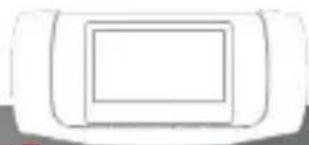
AVOID PROLONGED EXPOSURE TO HEAT
Heating the product, above 50°C / 122°F may damage its electronics.

KEEP AWAY FROM FIRE
If a surface is too hot to touch, it's too hot for magnetically mounting the GrillEye® Max.

DO NOT ATTEMPT TO OPEN OR MODIFY
Any unauthorised attempt to open the device will constitute its warranty to become void.

NOT WATER-RESISTANT / WATERPROOF
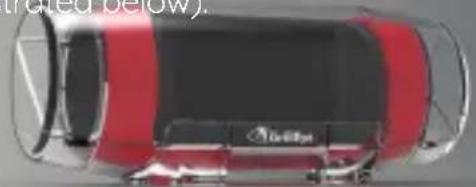
Although the device is designed for outdoor use you should not expose it directly to condensed moisture/rain. To protect your device, use the waterproof GrillEye® case (prototype illustrated below).
* Waterproof case prototype. Production model may vary
natural_image
Top-down view of a red and black car with visible branding (no text or symbols on the car itself)access on grilleye.com

support@grilleye.com

Videoanruf
book a slot at: grilleye.com/support
Vorbereitung
text_image
Choose your language English GETTING YOUR LAYOUT I parts for all your writing & writing tools. You'll get up your English text or to access your English text on the Internet. You can't use any English text or to access your English text on the Internet. You can't use any English text or to access your English text on the Internet.text_image
Mobile app screenshot showing a red promotional interface with Chinese text and a small logo, likely for mobile app download or registration.Startseite
text_image
Mobile app interface displaying a list of items with red square bullet points, likely representing item selection or status.text_image
Mobile app interface screenshot showing a red progress bar and navigation buttons, likely for user interaction or progress tracking.& Erstellen
text_image
Food Delivery Bidiety - Supply from the day 1. Food delivery is ready for your bri dish, so it's ready to be a healthy food delivery. This is ready to be a healthy food delivery. This is ready to be a healthy food delivery. This is ready to be a healthy food delivery. This is ready to be a healthy food delivery. This is ready to be a healthy food delivery. This is ready to be a healthy food delivery. This is ready to be a healthy food delivery. This is ready to be a healthy food delivery. This is ready to be a healthy food delivery. This is a healthy food delivery. This is ready to be a healthy food delivery. This is ready to be a healthy food delivery. This is ready to be a healthy food delivery. This is ready to be a healthy food delivery. This is ready to be a healthy food delivery. This is ready to be a healthy food delivery. This is ready to be a healthy food delivery. This is ready to be a healthy food delivery. This is ready to benatural_image
Simple line drawing of a cylindrical battery with a side port and internal circuit (no text or symbols)text_image
Device Friendly name 1 minutes Simvension Probe 1 Beef Cheese color Medium rare time: 54°C Probe 3 Select a preset Cheese color 24°C 00:00 Time until done 24°C 00:00natural_image
Simple line drawing of a rectangular object with a central square (no text or symbols)
natural_image
Top-down view of a red car with visible roof and side panels (no text or symbols)live chat access on grilleye.com

email support@grilleye.com

appel video book a slot at: grilleye.com/support
Préparation
Téléchargez l'application Grilleye® Hyperion.
text_image
iOS 12 our version ultérieure Android 8 our version ultérieure
text_image
Choose your language English voc to de do GETTING TO WORK INCOME I parts for all your pinging & walking meals. You will get up your own phone to the phone from the public account, the user will change a closing session with and I could not change it for your first time and have been done.natural_image
Simple line drawing of a cylindrical object with a central hole and a curved top (no text or symbols)text_image
Develop friendly name 24°C Develop free name 0 min Sumsecution Probe 1 Bmf Cheese order Medium rate Max: 54°C Time until close Probe 3 Select a pretest Cheese order 24°C 00:00 00:00NE PAS EXPOSER DIRECTEMENT AU FEU
natural_image
Top-down view of a car with red and black stripes (no visible text or symbols)Garanzia e supporto
access on grilleye.com

support@grilleye.com

videochiamata
book a slot at: grilleye.com/support
Preparazione
Scarica
text_image
Choose your language English I you're to all your getting & enabling meetsnatural_image
Simple line drawing of a cylindrical object with a curved top and internal components (no text or symbols)text_image
Mobile app screenshot showing a red promotional interface with Chinese text and a small logo, likely for mobile app download or service.Home
text_image
Mobile app screenshot showing a list of items with red square bullet points, likely representing item names or categories.text_image
Mobile app interface screenshot showing a red progress bar with Chinese text and a 'OK' button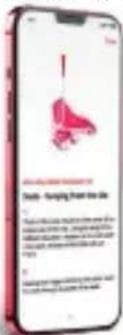
text_image
Body - Sparing from the Use 1. Body is not able to use this device, but it is not able to use any other device. The device is designed for using a single dose of 200 mg per dose. The device is designed for using a single dose of 200 mg per dose. The device is designed for using a single dose of 200 mg per dose.text_image
Develop friendly NAME Cheese 24°C Probe 1 Beef Cheese order 00:00 Medium rate Max: 54°C Time until close Probe 3 Select a preset 24°C Cheese order 00:00text_image
Probe format Review Staff Medium Create an new format Text Lands Servicenatural_image
Simple line drawing of a car front view with no text or symbols
EVITARE L'ESPOSIZIONE PROLUNGATA AL CALORE
natural_image
Top-down view of a red and black car with visible engine compartment (no text or symbols)access on grilleye.com

support@grilleye.com

videollamada
book a slot at: grilleye.com/support
text_image
Choose your language English Freetext_image
4 pence to all songgling a Coping mode You're looking up at a table for your phone in the serving room. You can use a phone to get your phone. We use your phone to access your phone to you. You are looking up at a table for your phone in the serving room. You can use a phone to get your phone to you.natural_image
Simple line drawing of a cylindrical object with a rectangular body and internal components (no text or symbols)natural_image
Simple line drawing of a rectangular object with a square cutout on top (no text or symbols)
natural_image
Top-down view of a red car with visible engine and roof components (no text or symbols)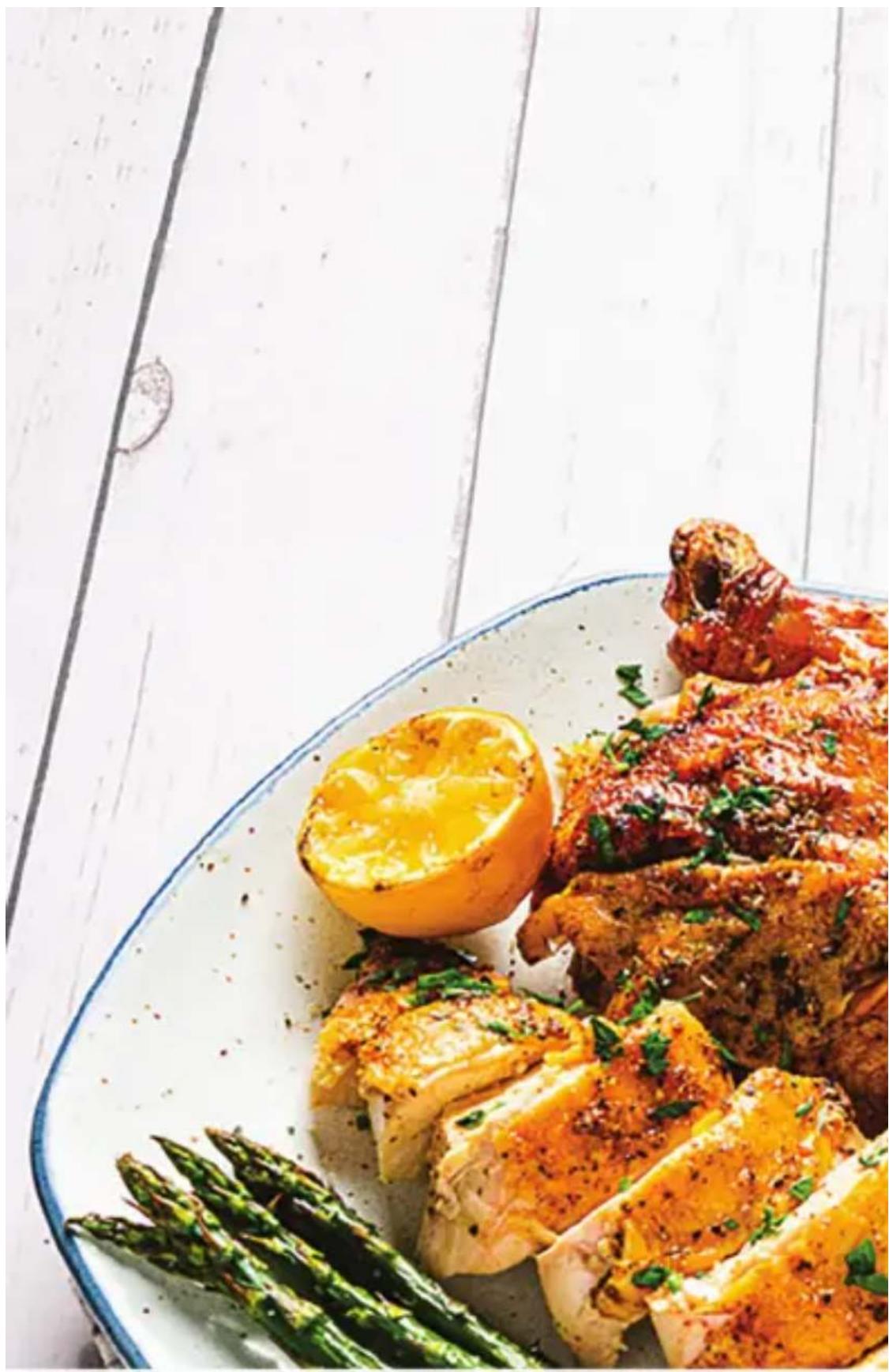
natural_image
Plated dish of roasted chicken with asparagus and a lemon slice, served on a white plate (no text or symbols visible)Welcome to the World of Unattended Perfection