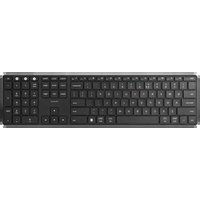
BBWLBKPQ23 - Keyboard BlueBuilt - Free user manual and instructions
Find the device manual for free BBWLBKPQ23 BlueBuilt in PDF.


| Brand | BlueBuilt |
| Model | BBWLBKPQ23 |
| Product type | Bluetooth wireless keyboard |
| Dimensions (L x W x H) | Approximately 280 x 120 x 10 mm |
| Weight | Approximately 300 g |
| Power | Built-in rechargeable battery, 5V = 200 mA via USB-C |
| Connectivity | Bluetooth 2.4 GHz, 3 channels |
| Transmission range | Up to 10 m |
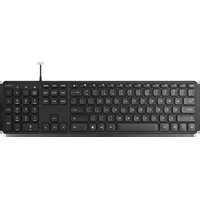
| Main keys | 61 keys with multimedia functions and Windows/Mac shortcuts |
| Special features | Backlight (adjustable brightness), volume keys, media playback |
| Compatibility | Windows (7/8/10/11) and macOS |
| Operating temperature | Max 45 °C |
| Package contents | Keyboard, USB-C cable, user manual |
| Care and cleaning | Damp cloth with water, no harsh cleaners |
| Warranty | 5 years |
| Repairability | Do not disassemble, spare parts not provided |
| Standards and certifications | CE, RoHS, Directive RED 2014/53/EU |
Frequently Asked Questions - BBWLBKPQ23 BlueBuilt
User questions about BBWLBKPQ23 BlueBuilt
0 question about this device. Answer the ones you know or ask your own.
Ask a new question about this device
Download the instructions for your Keyboard in PDF format for free! Find your manual BBWLBKPQ23 - BlueBuilt and take your electronic device back in hand. On this page are published all the documents necessary for the use of your device. BBWLBKPQ23 by BlueBuilt.
USER MANUAL BBWLBKPQ23 BlueBuilt
FLYING START.
Whoooo.
Wireless Bluetooth Keyboard Pro
Draadloos Bluetooth Toetsenbord Pro Clavier sans Fil Bluetooth Pro Kabellose Bluetooth-Tastatur Pro
921904 - BBWLBKPQ23

TABLE OF CONTENTS
HOW TO CONNECT YOUR KEYBOARD 4
KEYBOARD INDICATORS 5
CHARGING YOUR KEYBOARD 6
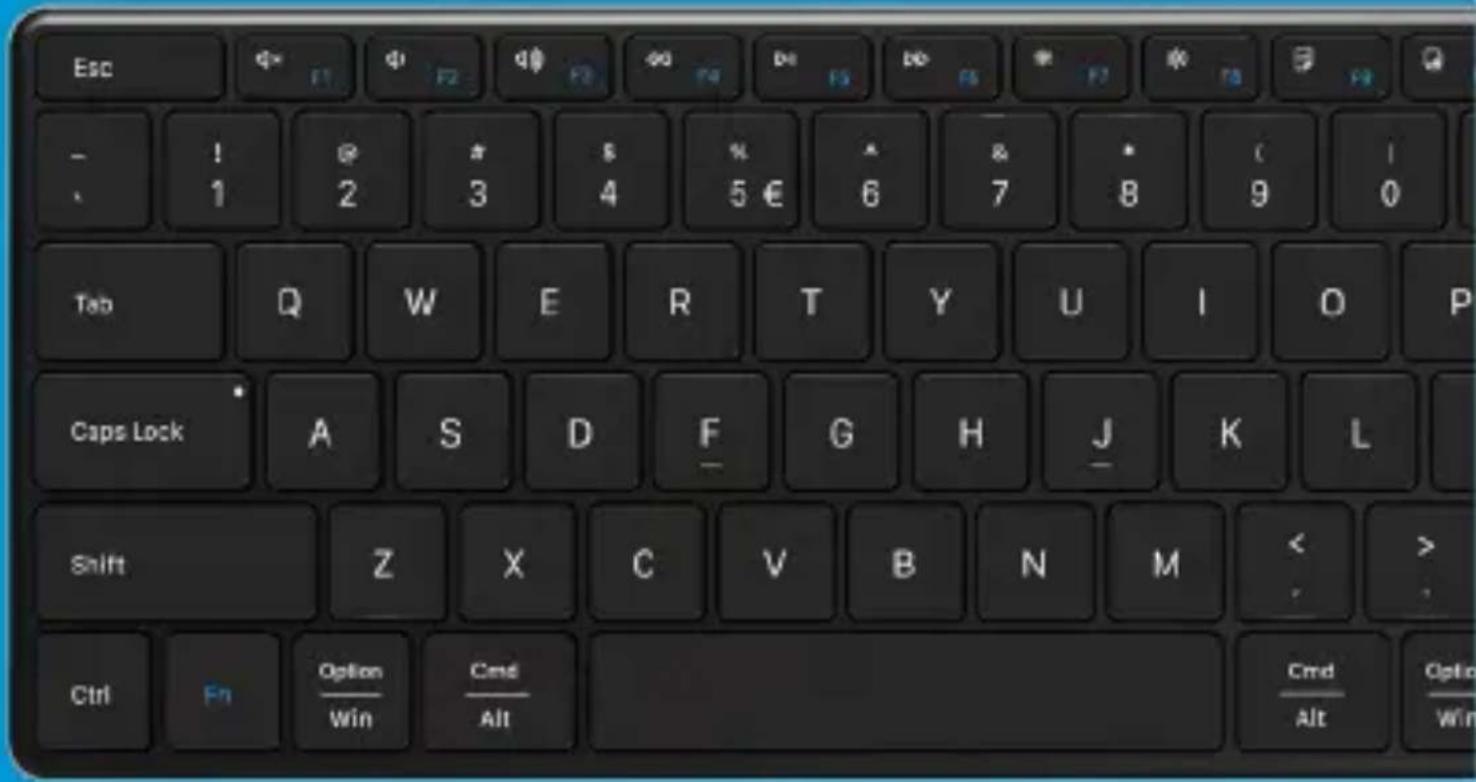
KEYS AND FUNCTIONS 7
DECLARATION OF CONFORMITY 8
INHOUDSOPGAVE
JE TOETSENBORD AANSLUITEN 10
TOETSENBORD INDICATOREN 11
JE TOETSENBORD OPLADEN 12
TOETSEN EN FUNCTIES 13
VERKLARING VAN OVEREENSTEMMING 14
TABLE DES MATIÈRES
CONNECTER VOTRE CLAVIER 16
INDICATEURS DU CLAVIER 17
CHARGEMENT DU CLAVIER 18
TOUCHES ET FONCTIONS 19
DÉCLARATION DE CONFORMITÉ 20
INHALTSVERZEICHNIS
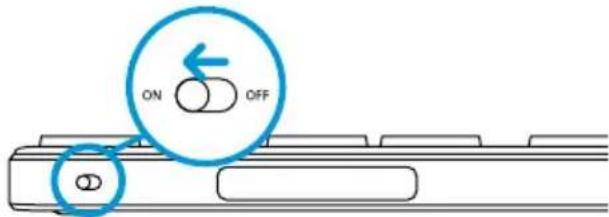
Turn on the keyboard, the switch is found on top.
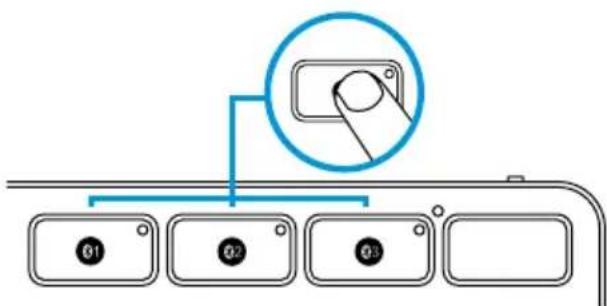
Press and hold one of the three Bluetooth buttons on the top right of the keyboard for 3 to 5 seconds to start the pairing mode. As soon as a white light starts flashing quickly, open the Bluetooth settings on your device. When you select the keyboard, the connection is automatically established.
② KEYBOARD INDICATORS
The power indicator shows if your keyboard is turned on, after 30 minutes of inactivity the keyboard will enter sleep mode and the light will turn off. Press any key to wake up the keyboard.
The three Bluetooth channels indicate what channel you're connected to. To switch, simply press the channel you want to connect to.
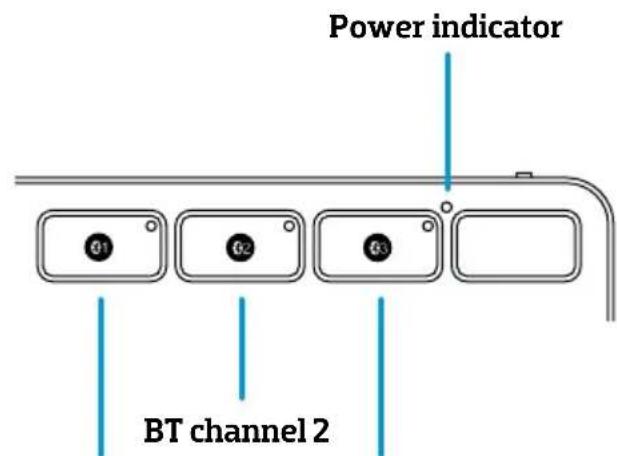
BT channel 1 BT channel 3
③ CHARGING YOUR KEYBOARD
When the battery is low the battery indicator light will start to flash, plug the included usb-C cable on the top of the keyboard to charge.

natural_image
Pure diagram of parallel lines with a central oval shape, no text or symbols present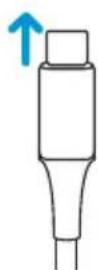

Please note: when the battery is low, the transmission of the keyboard can be delayed or unstable.
4 KEYS AND FUNCTION
| Key Windows Mac | ||
| Decrease brightness Decrease brightness | ||
| Increase brightness Increase brightness | ||
| Mute Mute | ||
| Decrease volume Decrease volume | ||
| Increase volume Increase volume | ||
| Previous track Previous track | ||
| Play / pause Play / pause | ||
| Next track Next track | ||
| Select all Select all | ||
| Copy Copy | ||
| Cut Cut | ||
| Paste Paste | ||
| Search N/A | ||
| Home page | N/A | |
| Fn lock, open or close the Fn function | ||
Declaration of conformity
Product specifications
Input: 5V=200mA
Frequency: 2.4GHz
Maximum operating ambient temperature: 45°C
Safety instructions
-
Always follow these instructions and note the warnings, save this document for future use as long as you own or use the device, and give it to the next users of the device.
-
Make sure you read and understand the entire manual before you use the device.
-
Use the device only in the application for which it is intended, namely as a device connected to a laptop or computer with which, by pressing keys, letters, numbers and symbols appear on the screen.
-
Before you connect a device, check if the output power of the charger provides enough power for the connected device.
-
Don't expose the device to extreme heat, like sunlight or fire. Avoid sudden temperature shifts.
-
Don't use or use the device in moist or wet conditions.
-
Don't use the device close to explosive gasses or flammable materials.
-
Don't burn the device.
-
Avoid contact with the chemicals of the battery. When the chemicals of the battery come into contact with skin or the eyes, stop using the device right away, use plenty of water to rinse off the chemicals, and contact a doctor.
-
Don't throw, shake, vibrate, drop, or mechanically misuse the device and don't expose it to impacts.
-
Don't cover the device with objects that affect the heat dispersal.
-
Only use the device with the included cables or with cables that came with the device. Don't use the device when the included cables are damaged or have gotten damaged over time.
-
Disconnect the device when it's not in use. Don't charge or discharge the device unsupervised.
-
Keep the device away from children.
-
Don't disassemble, open, or repair the device.
-
Only clean the device with a damp cloth with water. Don't use (aggressive) cleaning agents.
-
This device can be used by people with reduced physical, sensory, or mental capacity, or by people without experience and knowledge, given that they're supervised or have gotten instructions about safe use of the product and understand any dangers.
Warranty and liability
This device comes with a warranty period of five (S) years after the date of purchase. For more information about the warranty terms and conditions, go to https://www.coolblue.nl/en/customer-service. Coolblue B.V. can in no way be held liable for material and immaterial damage suffered by you, others, the device, other property, or the property of others due to non-compliance with the instructions in this manual.

Hereby, Coolblue B.V. declares that this product is in compliance with RoHS Directive 2011/65/EU and Radio Equipment Directive 2014/53/EU. The full text of the EU Declaration of Conformity is available at www.coolblue.nl/en/product/921904.
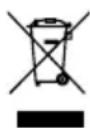
This symbol on the product indicates that it can't be treated as regular waste, but that it's supposed to be collected separately. Hand the product in at a collection point for the recycling of electronic devices if you live in the EU or in a different European country that has a separate collection system for electronic devices. If you correctly dispose of the product, you help to avoid risks for the environment and public health which might arise by the mishandling of disposed devices. Recycling materials contributes to the maintenance of our natural resources.
① JE TOETSENBORD AANSLUITEN
② TOETSENBORD INDICATOREN
③ JE TOETSENBORD OPLADEN
natural_image
Pure diagram of parallel lines with a central oval shape, no text or symbols present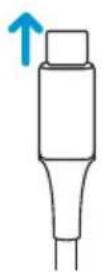

2 INDICATEURS DU CLAVIER
natural_image
Pure diagram of parallel lines with a central oval shape, no text or symbols present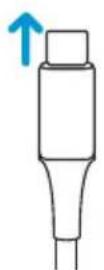

2223
② TASTATUR-ANZEIGEN
natural_image
Pure diagram of parallel lines with a central oval shape, no text or symbols present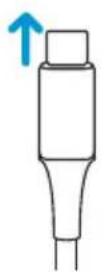

| Battery capacity 280mAh | |
| Battery life | 1000 times charge and discharge cycles |
| Key life 3 million key strokes | |
| Standby time 200 hours | |
| Continuous working time 50 hours | |
| Wake-up method Press any key | |
| Effective distance Within 8 meters | |
| Working current ≤5mA | |
| Product dimensions 426.8×113.4×12.9mm |


- FLYING START.
- Whoooo.
- Wireless Bluetooth Keyboard Pro
- TABLE OF CONTENTS
- INHOUDSOPGAVE
- TABLE DES MATIÈRES
- INHALTSVERZEICHNIS
- ② KEYBOARD INDICATORS
- ③ CHARGING YOUR KEYBOARD
- KEYS AND FUNCTION
- Declaration of conformity
- Product specifications
- Safety instructions
- Warranty and liability
- ① JE TOETSENBORD AANSLUITEN
- ② TOETSENBORD INDICATOREN
- ③ JE TOETSENBORD OPLADEN
- INDICATEURS DU CLAVIER
- ② TASTATUR-ANZEIGEN
Brand : BlueBuilt
Model : BBWLBKPQ23
Category : Keyboard