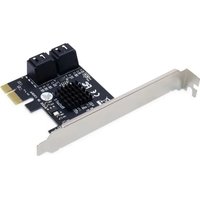
EMRICK03G - Expansion card CONCEPTRONIC - Free user manual and instructions
Find the device manual for free EMRICK03G CONCEPTRONIC in PDF.


| Product type | PCIe Serial Expansion Card |
| Brand | Conceptronic |
| Model | EMRICK03G |
| Interface | PCI Express (x1) |
| Serial ports | 1 RS-232 port (DB9 male) |
| Chipset | Moschip MCS9901 or equivalent |
| OS compatibility | Windows 11/10/8/7, Linux |
| Dimensions (L x W x H) | approx. 120 x 80 x 20 mm |
| Weight | approx. 50 g |
| Power supply | Via PCIe bus (3.3V) |
| Power consumption | less than 1 W |
| Main functions | Adding an RS-232 serial port to a computer |
| Installation | Insert into a free PCIe slot, install drivers from the included CD |
| Maintenance and cleaning | No maintenance required. Clean with a dry cloth if necessary. |
| Safety | Disconnect the computer before installation. Avoid static electricity. |
| Spare parts and repairability | The card contains no user-serviceable parts. |
| Package contents | PCIe serial card, driver CD, quick installation guide |
| Warranty | 2 years |
Frequently Asked Questions - EMRICK03G CONCEPTRONIC
User questions about EMRICK03G CONCEPTRONIC
0 question about this device. Answer the ones you know or ask your own.
Ask a new question about this device
Download the instructions for your Expansion card in PDF format for free! Find your manual EMRICK03G - CONCEPTRONIC and take your electronic device back in hand. On this page are published all the documents necessary for the use of your device. EMRICK03G by CONCEPTRONIC.
USER MANUAL EMRICK03G CONCEPTRONIC
Multi Language Quick Guide
4-Port SATA PCIe Adapter with SATA Cable
EMRICK03G
V2.0
Conceptronic EMRICK03G
Installation & usage
- Turn Off the power to your computer.
- Unplug the power cord and remove your computer's cover.
- Remove the slot bracket from an available PCIe slot.
- To install the card, carefully align the card's bus connector with the selected PCIe slot on the motherboard. Push the board down firmly.
- Replace the slot bracket's holding screw to secure the card.
- Replace the computer cover and reconnect the power cord.
Your computer will show the “New Hardware Wizard” on your screen. You can ignore this “New Hardware Wizard” by clicking “Cancel”.
- Insert the CD-ROM in the optical drive of your computer. The AutoPlay option will be shown automatically. Click on “Run Autorun.exe” to start the autorun menu.
- Select “Install Drivers” and follow the onscreen instructions to install the required drivers for the serial PCIe card.
- When the driver installation is complete, restart your computer to ensure the drivers are correctly loaded.
Conceptronic EMRICK03G
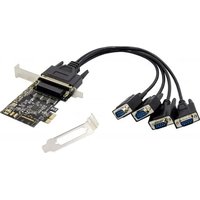
Brand : CONCEPTRONIC
Model : EMRICK03G
Category : Expansion card