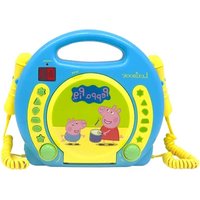
RCDK100PP - Mp3 player LEXIBOOK - Free user manual and instructions
Find the device manual for free RCDK100PP LEXIBOOK in PDF.


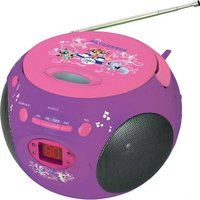
| Product type | CD player with 2 built-in microphones |
| Brand | Lexibook |
| Model | RCDK100PP |
| Dimensions | 265 x 98 x 210 mm |
| Power supply (AC) | AC adapter 6V ---, 833 mA (not included), input 100-240V ~ 50/60Hz |
| Battery power | 4 C/LR14 1.5V batteries (not included) |
| Main functions | CD playback, pause, stop, next/previous track, repeat one or all tracks, program up to 20 tracks, main volume and microphone volume adjustment |
| Microphones | 2 built-in microphones with on/off switch and separate volume |
| Display | LED screen |
| Disc compatibility | Standard audio CDs, does not play burned CDs (CD-R) |
| Auxiliary input | Headphone jack (auxiliary input) |
| Maintenance and cleaning | Unplug before cleaning, wipe with a dry cloth, do not use liquid detergents or sprays |
| Laser safety | Optical laser beam, do not disassemble, dangerous eye exposure |
| Usage precautions | Do not expose to water, moisture, heat sources; do not block ventilation openings; leave 10 cm around the device |
| Warranty | 2 years, covers material and assembly defects, excludes failure to follow instructions or unauthorized intervention |
| Spare parts and repairability | AC adapter and batteries not included; repair by qualified personnel only |
| General information | Designed and developed in Europe, made in China. Reference: RCDK100series. Not suitable for children under 3 years. This product is not a toy. |
Frequently Asked Questions - RCDK100PP LEXIBOOK
User questions about RCDK100PP LEXIBOOK
0 question about this device. Answer the ones you know or ask your own.
Ask a new question about this device
Download the instructions for your Mp3 player in PDF format for free! Find your manual RCDK100PP - LEXIBOOK and take your electronic device back in hand. On this page are published all the documents necessary for the use of your device. RCDK100PP by LEXIBOOK.
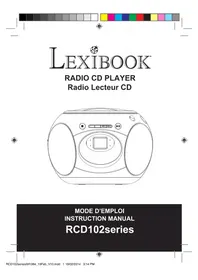
USER MANUAL RCDK100PP LEXIBOOK
natural_image
Gray portable CD or DVD device with adjustable buttons and a digital display showing '01' (no visible text or symbols on device body)MODE D'EMPLOI INSTRUCTION MANUAL
RCDK100series

natural_image
Color bar with grayscale gradient and a crosshair symbol at the bottom (no text or labels)


Franqals
MESURES DE SÉCURITÉ
DANGER

SECURITE CONCERNANT LE LASER
CLASS 1 LASER PRODUCT
CE PRODUIT LASER EST DE CLASSE 1. L'UTILISATION DE COMMANDES OU DE REGLAGES AINSI QUE L'EXECUTION DE PROCEDURES AUTRES QUE CELLES SPECIFIEES DANS CE DOCUMENT PEUVENT ENTRAINER UNE EXPOSITION A DES RADIATIONS DANGEREUSES.
natural_image
Pure electrical circuit lines without any symbolsnatural_image
Hand holding a circular object with concentric rings and an arrow indicating direction (no text or symbols)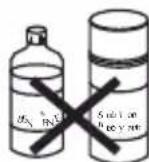

EMPLACEMENT DES TOUCHES
This unit employs an optical laser beam system in the CD mechanism, designed with built in safeguards. Do not attempt to disassemble, refer to qualified service personnel. Exposure to this invisible laser light beam may be harmful to the human eye.
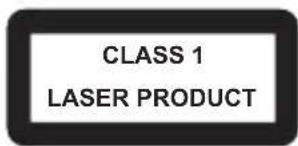
THIS IS A CLASS-1 LASER PRODUCT. USE OF CONTROLS, OR ADJUSTMENTS OR PROCEDURES OTHER THAN THOSE SPECIFIED HEREIN, MAY RESULT IN HAZARDOUS LASER LIGHT BEAM EXPOSURE.
Invisible laser radiation when open and interlock failed or defeated. Avoid direct exposure to laser beam.
IMPORTANT SAFETY INSTRUCTIONS
- Read these instructions.
- Keep these instructions.
- Heed all warnings.
- Follow all instructions
- Do not use this product near water and moisture, for example: near a bathtub, washbowl, kitchen sink or laundry tub; in a wet basement; or near a swimming pool.
- Clean only with a dry cloth. Unplug this product from the wall outlet before cleaning. Do not use liquid cleaners or aerosol cleaners. It may damage the screen.
- Do not block any ventilation openings. Install in accordance with manufacturer's instructions.
- Do not install near any heat sources such as radiators, heat registers, stoves, or other apparatus (including amplifiers) that produce heat.
-
The socket-outlet shall be installed near the equipment and shall be easily accessible.
-
Only use attachments/accessories specified by the manufacturer.
-
Unplug this apparatus during lightning storms or when unused for long periods of time.
-
Refer all servicing to qualified service personnel. Servicing is required when the apparatus has been damaged in any way, such as power-supply cord or plug is damaged, liquid has been spilled or objects have fallen into the apparatus, the apparatus has been exposed to rain or moisture does not operate normally, or has been dropped.
-
Do not overload wall outlet. Use only power source as indicated.
-
Use replacement parts as specified by the manufacturer.
-
Never push objects of any kind into this product through openings as they may touch dangerous voltage points or short out parts that could result in fire or electric shock. Never spill or spray any type of liquid on the product.
-
The product may be mounted to a wall only if recommended by the manufacturer.
-
Upon completion of any service or repairs to this product, ask the service technician to perform safety checks.
-
Only use with the cart, stand, tripod, bracket or table specified by the manufacturer or sold with the apparatus. When a cart is used, use caution when moving the cart/apparatus combination to avoid injury from tip-over.
-
The apparatus should be operated only from the type of power source indicated on the marking label. If you are not sure of the type of power supply to your home, consult your appliance dealer or local power company. For apparatus intended to operate from battery power, or other sources, refer to the operating instructions.
-
Do not attempt to service the apparatus yourself as opening or removing covers may expose you to dangerous voltage or other hazards. Refer all servicing to qualified service personnel.

English
- The apparatus shall not be exposed to dripping or splashing and no object filled with liquids, such as vases, shall be placed on the apparatus.
- Minimum distance 10 cm around the apparatus for sufficient ventilation.
- No naked flame sources such as lighted candles should be placed on the apparatus.
- Attention should be drawn to the environmental aspects of battery disposal.
- Use the apparatus in moderate climates.
- Keep a minimum distance around the device for sufficient ventilation.
- The openings should never be blocked by newspapers, curtains, tablecloths, etc.
UNPACKING THE DEVICE
When unpacking, ensure that the following elements are included:
1 x CD Player with 2 integrated microphones
1 x Instruction manual
WARNING: All packaging materials, such as tape, plastic sheets, wire ties and tags are not part of this product and should be discarded.
POWER SOURCES
Your CD Player operates with the AC/DC adapter 6V—833 mA, with negative centre
+. Input: 100V - 240V \~ 50 / 60Hz, 0.3A or with 4 x 1.5V = C/LR14 size batteries (not included).
AC operation
- Check that the unit is switched off.
- Connect the adapter plug (not supplied) to the socket on the side of the unit.
- Connect the adapter into a main socket.
Warning: Disconnect the adapter if the game is not used for a long period of time to prevent overheating. When the game is powered by an adapter, do not play outside. Check the state of the adapter and the connection cords regularly. If their condition is deteriorating, do not use the adapter until it has been repaired. The toy shall only be used with a transformer for toys. The adapter is not a toy. The console should be disconnected from the power supply to be cleaned if liquids are used for cleaning. The toy is not intended for children under 3 years old. Misuse of transformer can cause electrical shock.
Parental advisory: transformer and adaptor for toys are not intended to be used as a toy. The usage must be under parental advice.
Battery installation
- Using a screwdriver, open the battery compartment cover located at the back of the unit.
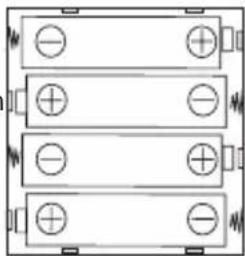
- Insert 4 x 1.5V-CA/LR14 size batteries (not included) observing the polarity indicated in the compartment, and as per the diagram shown opposite.
- Close the battery compartment and tighten the screw.
Note: The AC adapter must be disconnected from the AC socket on the side of the unit in order for the product to operate on battery power.
natural_image
Pure electrical circuit lines without any symbolsNon-rechargeable batteries are not to be recharged. Rechargeable batteries are to be removed from the product before being charged. Rechargeable batteries are only to be charged under adult supervision. Different types of batteries or new and used batteries are not to be mixed. Only batteries of the same or equivalent type as recommended are to be used. Batteries are to be inserted with the correct polarity. Exhausted batteries are to be removed from the product. The supply terminals are not to be short circuited. Do not throw batteries into a fire. Remove the batteries if you are not going to use the game for a long period of time. Battery shall not be exposed to excessive heat such as sunshine, fire or the like.
WARNING: Malfunction or loss of memory may be caused by strong frequency interference or electrostatic discharge. Should any abnormal function occur, remove the batteries and insert them again, or unplug the unit from the mains socket and re-plug it again.
CARE AND MAINTENANCE
Caring for compact discs
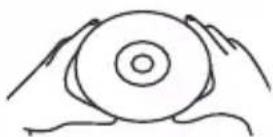
- Treat the disc carefully. Handle the disc only by its edges. Never allow your fingers to come in contact with the shiny, unprinted side of the disc.
- Do not attach adhesive tape, stickers, etc. to the disc label.
- Clean the disc periodically with a soft, lint-free, dry cloth. Never use detergents or abrasive cleaners to clean the disc. If necessary, use a CD cleaning kit.
- If a disc skips or gets stuck on a section of the disc, it is probably dirty or damaged (scratched).
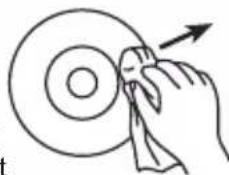
- When cleaning the disc, wipe in straight lines from the centre of the disc to the outer edge of the disc. Never wipe in circular motions.
- This unit is designed to play only compact discs bearing the identification logo as shown here. Other discs may not conform to the CD standard and may not play properly.
• Discs should be stored in their cases after each use to avoid damage.
- Do not expose discs to direct sunlight, high temperatures or dust, etc.
- Prolonged exposure or extreme temperatures can warp the disc.
- Do not stick or write anything on either side of the disc. Sharp writing instruments, or ink, may damage the surface.
natural_image
Hand cleaning a circular object with a cloth, no text or symbols present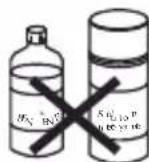

Cleaning the unit
• To prevent fire or shock hazard, disconnect your unit from the AC power source when cleaning.
- The finish on your unit may be cleaned with a dust cloth and cared for as other furniture. Use caution when cleaning and wiping the plastic parts.
- Mild soap and a damp cloth may be used on the front panel.
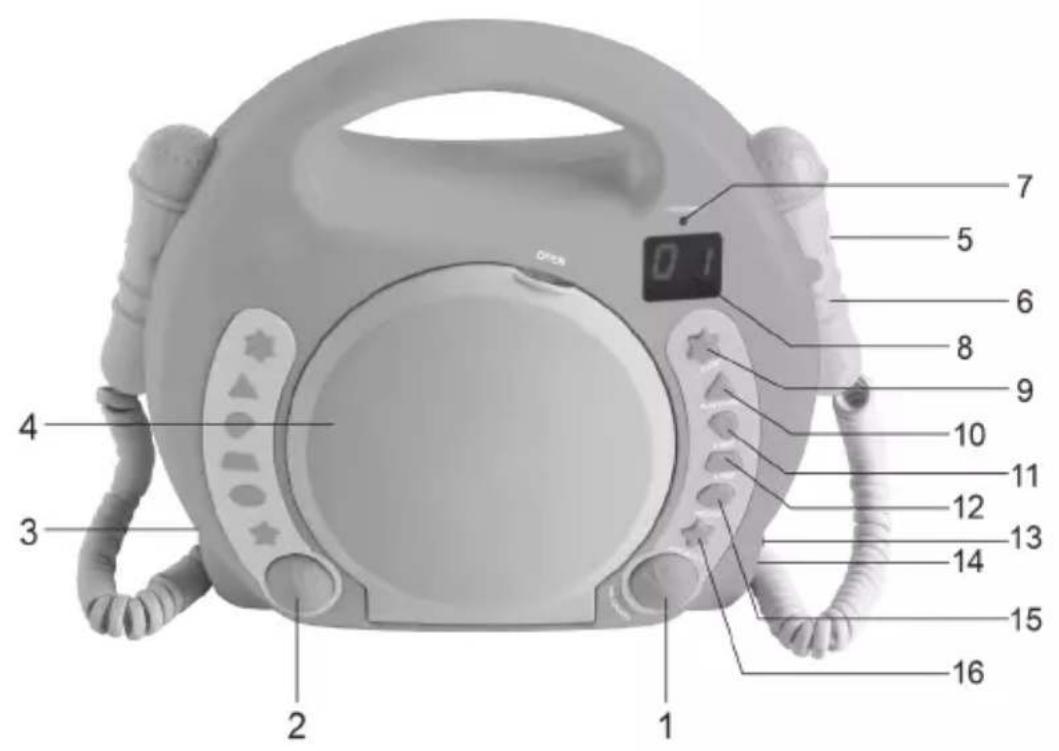
LOCATION OF CONTROLS
Refer to the image p.2
- VOL/ON/OFF knob to turn on/off the device and adjust the volume
- MICVOL knob to adjust microphone volume
- Battery compartment
- CD compartment door
- Microphone ON/OFF switch
- Microphone
-
PROGRAM LED indicator
-
LED display
- STOP button
- PLAY/PAUSE button
- Forward button
- Backward button
- Headphone jack
- DC adapter jack (not included)
- PROGRAM button
- REPEAT/ALL button
TURNING THE DEVICE ON AND OFF
- Make sure the AC/DC power adapter (not included) is connected to the DC jack or the batteries correctly inserted in the compartment.
- To turn the CD Player on, turn the VOL/ON/OFF knob to the right. You will hear a click sound when on.
- Turn the knob to the left to turn it off. You will hear a click sound when off.


FUNCTIONS OF YOUR DEVICE
Play a CD
- Once the device is turned on, the word « no » appears on the LED display indicating there is no disc inside the CD compartment. Open the CD compartment door and place a disc on the spindle with the printed label side facing up. And close the CD compartment door.
- The LED display will show “--” for a few seconds then the total number of tracks on the disc will appear on the screen.
- You may press Backward or Forward button to select a specific track for playback.
- Press Play button to start listening to music, the play indicator will light up. You can press Backward or Forward button to select a specific track during playback as well.
- Adjust the volume with the VOL/ON/OFF knob to the desired level.
- During playback, you can press PLAY/PAUSE button to pause momentarily. When pausing, the number on the display will blink.
- To stop playback press Stop button. The play indicator will turn off.
Note: The CD player does not read burned CDs.
Repeat Playback
- To repeat a track, first select the track you want to repeat, then press PLAY/PAUSE button to play the track.
- To repeat a single track press REPEAT/ALL button once. The LED indicator in the LED display will flash.
- To repeat all tracks, first select a track, then press PLAY/PAUSE button to play the track.
- Press REPEAT/ALL button twice to repeat all tracks. The LED indicator in the LED display will show a steady light.
- To deactivate the Repeat/All feature, press REPEAT/ALL button until the LED indicator in the LED display disappears.
Note: Once the "repeat all track" feature is activated, the CD player will play automatically all the songs again and again.

Make your playlist
With the PROGRAM feature you can make your own playlist. Before starting, make sure you placed a CD in the CD compartment.
- Press PROGRAM button twice, the LED display will show "00" and flash along with the PROGRAM LED indicator.
- Press Backward or Forward button to select a track.
- Press PROGRAM button again to register the selected track number.
- Repeat steps 2 and 3 above to program other tracks.
- Once you made your playlist press PLAY/PAUSE button to start the programmed playlist. The PROGRAM LED indicator will light up. You can press Backward or Forward button to select a specific track.
- To cancel the programmed sequence, switch the unit off by turning the VOL/ON/OFF knob to the left.
- When the device is not playing you can review or change the tracks programmed by pressing PROGRAM button repeatedly.
- To stop press STOP button.
Note: The REPEAT/ALL feature also operates under PROGRAM mode.
A maximum of 20 tracks can be programmed to play in any order.

- Turn on the device.
- Take your microphone and push the switch from off to on.
- Adjust the volume to the desired level with MICVOL knob.
- You can start talking or singing in your microphone.
- To turn the microphone off, slide the switch from on to off.
Note: The MICVOL knob adjusts the sound for both microphones.
Note: Do not bring the microphone too close to the speakers as it may cause audio feedback (squealing noise) through the speakers.
TROUBLESHOOTING
| Problem | Solution |
| No sound from the microphone | Ensure the volume is not too low.When singing or speaking in the mic ensure your mouth is close to the microphone windscreen.Ensure the windscreen is clean and nothing obstructs it. |
| No sound from the song | Ensure the volume is not too low.Ensure the song is playing. |
SPECIFICATIONS
• Output Power: DC 6V 833mA, polarity
- Input Power: AC100V – 240V 50/60 Hz, 0.3A
• Product dimension: 265 x 98 x 210mm
MAINTENANCE
Only use a soft, slightly damp cloth to clean the unit. Do not use detergent. Do not to expose the unit to direct sunlight or any other heat source. Do not immerse the unit in water. Do not dismantle or drop the unit. Do not try to twist or bend the unit. To prevent fire or shock hazard, disconnect your unit from the AC power source when cleaning.
WARRANTY
This product is covered by our 2-year warranty.
For any claim under the warranty or after sale service, please contact your distributor and present a valid proof of purchase. Our warranty covers any manufacturing material and workmanship defect, with the exception of any deterioration arising from the non-observance of the instruction manual or from any careless action implemented on this item (such as dismantling, exposition to heat and humidity, etc.). It is recommended to keep the packaging for any further reference.
In a bid to keep improving our services, we could implement modification on the colours and the details of the product shown on the packaging.
NOTE: Please keep this instruction manual, it contains important information.
WARNING! Not suitable for children under 3 years. Choking Hazard-Small parts.

Reference: RCDK100series
Designed and developed in Europe - Made in China
©Lexibook®
United Kingdom & Ireland
For after-sales service, please contact our teams:
0808 1003015
http://www.lexibook.com

This product is not a toy.

Environmental Protection
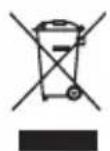
Unwanted electrical appliances can be recycled and should not be discarded along with regular household waste! Please actively support the conservation of resources and help protect the environment by returning this appliance to a collection centre (if available).
CLASS 1 LASER PRODUCT
ESTE ES UN PRODUCTO LÁSER DE CLASE 1. EL USO DE CONTROLES, AJUSTES O PROCEDIMIENTOS DISTINTOS DE LOS QUE SE DESCRIBEN EN ESTE MANUAL, PUEDEN SER CAUSA DE EXPOSICIÓN PELIGROSA AL RAYO LÁSER.
natural_image
Pure electrical circuit lines without any symbolsnatural_image
Hand holding a circular object with concentric rings and an arrow indicating direction (no text or symbols)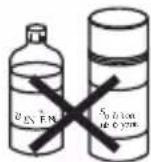

natural_image
Pure electrical circuit lines without any symbols
Limpeza da unidade
SI TRATTA DI UN PRODOTTO LASER DI CLASSE 1. L'UTILIZZO DI CONTROLLI O REGOLAZIONI O PROCEDURE DIVERSE DA QUELLE QUI SPECIFICATE PUÒ PROVOCARE ESPOSIZIONE PERICOLOSA AI RAGGI LASER.
natural_image
Pure electrical circuit lines without any symbols
natural_image
Pure electrical circuit lines without any symbolsnatural_image
Hand cleaning a circular object with a cloth, no text or symbols present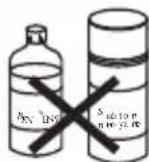

natural_image
Pure electrical circuit lines without any symbolsIM Code: RCDK100seriesIM1406

YOUR OPINION MATTERS / VOTRE AVIS COMPTE
- Franqals
- MESURES DE SÉCURITÉ
- SECURITE CONCERNANT LE LASER
- CLASS 1 LASER PRODUCT
- EMPLACEMENT DES TOUCHES
- IMPORTANT SAFETY INSTRUCTIONS
- English
- UNPACKING THE DEVICE
- POWER SOURCES
- AC operation
- Battery installation
- CARE AND MAINTENANCE
- Caring for compact discs
- Cleaning the unit
- LOCATION OF CONTROLS
- Refer to the image p.2
- TURNING THE DEVICE ON AND OFF
- FUNCTIONS OF YOUR DEVICE
- Play a CD
- Repeat Playback
- Make your playlist
- SPECIFICATIONS
- MAINTENANCE
- WARRANTY
- Environmental Protection
- Limpeza da unidade
- YOUR OPINION MATTERS / VOTRE AVIS COMPTE
Brand : LEXIBOOK
Model : RCDK100PP
Category : Mp3 player