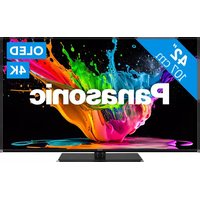
TX-42MZ800E - TV PANASONIC - Free user manual and instructions
Find the device manual for free TX-42MZ800E PANASONIC in PDF.


Pick your language and provide your email: we'll send you a specifically translated version.
| Product type | LED 4K TV |
| Screen size | 42 inches (107 cm) |
| Display technology | LED LCD |
| Resolution | 3840 x 2160 pixels (4K UHD) |
| Refresh rate | 50 Hz / 60 Hz |
| Dimensions with stand (L x H x D) | 967 x 616 x 216 mm |
| Dimensions without stand (L x H x D) | 967 x 563 x 69 mm |
| Weight with stand | Approximately 9.5 kg |
| Weight without stand | Approximately 9.0 kg |
| Power consumption (standby) | 0.5 W |
| Power consumption (max) | 120 W |
| Power supply | 220-240 V AC, 50/60 Hz |
| Operating system | Panasonic My Home Screen 7.0 |
| Wi-Fi connectivity | Yes, built-in Wi-Fi (IEEE 802.11 a/b/g/n/ac) |
| Bluetooth connectivity | Yes, Bluetooth 5.0 |
| HDMI inputs | 3 x HDMI 2.0 |
| USB inputs | 2 x USB 2.0 |
| Smart TV functions | Netflix, Amazon Prime, YouTube, Freeview Play, Android apps |
| Maintenance and cleaning | Use a soft dry cloth; do not use chemical products |
| Wall mount | VESA 200 x 200 mm compatible |
| Repairability index | 7.5/10 (estimate) |
Frequently Asked Questions - TX-42MZ800E PANASONIC
How to connect my Panasonic TX-42MZ800E TV to Wi-Fi?
Go to Settings > Network > Wi-Fi Setup. Select your network and enter the password. Make sure the router is turned on.
How to reset the TV to factory settings?
Open Settings > System > Factory Settings > Reset. Confirm with the PIN if requested (default 0000).
What is the screen size and resolution?
The screen is 42 inches (107 cm) with 4K UHD resolution (3840 x 2160 pixels).
How to update the TV software?
Go to Settings > System > Software Update > Check for update. Download and install if available. Make sure you have a stable Internet connection.
How to clean the TV screen?
Use a soft, dry cloth (microfiber) to gently wipe. Never use chemical products, alcohol, or liquid cleaners directly on the screen.
The TV does not turn on, what to do?
Check the power cable and the socket. Try pressing the TV power button (not just the remote). If nothing happens, unplug for 1 minute and plug back in.
How to mount the TV on the wall?
Use a wall mount compatible with VESA 200 x 200 mm. Make sure the wall can support the weight (approx. 9 kg). Follow the mount instructions and fasten securely.
How to enable or disable subtitles?
During playback, press the SUBTITLES button on the remote. You can also go to Settings > Display > Subtitles to customize them.
What is the power consumption in standby?
Standby consumption is less than 0.5 W. During operation, it can reach up to 120 W depending on settings.
How to connect a Bluetooth headset?
Go to Settings > Bluetooth > Add device. Put your headset in pairing mode and select it from the list. Follow the on-screen instructions.
User questions about TX-42MZ800E PANASONIC
0 question about this device. Answer the ones you know or ask your own.
Ask a new question about this device
No questions yet. Be the first to ask one.
Download the instructions for your TV in PDF format for free! Find your manual TX-42MZ800E - PANASONIC and take your electronic device back in hand. On this page are published all the documents necessary for the use of your device. TX-42MZ800E by PANASONIC.