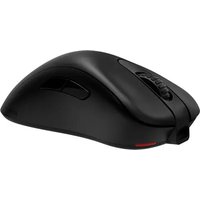
ZOWIE EC3 - Mouse BENQ - Free user manual and instructions
Find the device manual for free ZOWIE EC3 BENQ in PDF.


| Product Type | Wireless and Wired Gaming Mouse |
| Brand | BenQ |
| Model | ZOWIE EC3 |
| Connectivity | Wireless 2.4G RF and USB Wired (automatic switching) |
| DPI Settings (dots per inch) | 400 / 800 / 1600 / 3200 DPI |
| USB Report Rate | 125 / 500 / 1000 Hz |
| Connector | USB Type A (PC) / USB Type C (device) |
| Number of Buttons | 7 programmable buttons |
| Included Cable | USB Type A to USB Type C, 2 meters |
| Battery Life / Charging | Rechargeable battery, charges in about 2 hours |
| Lift-Off Distance (LOD) | Adjustable: low, medium, high (via button combinations) |
| Click Response Time | Adjustable: fast or normal |
| Switch | 1 power switch and two receivers |
| Dimensions (approx.) | Approx. 120 x 65 x 40 mm |
| Weight (approx.) | Approx. 75 g |
| Material | Plastic, anti-slip surface |
| Maintenance | Clean with a soft, dry cloth. Do not use abrasive products. |
| Safety | Do not expose to moisture, do not open the casing. Use only the provided charger. |
| Spare Parts and Repairability | Wireless receiver, USB cable. Repairs by a professional are recommended. |
Frequently Asked Questions - ZOWIE EC3 BENQ
User questions about ZOWIE EC3 BENQ
0 question about this device. Answer the ones you know or ask your own.
Ask a new question about this device
Download the instructions for your Mouse in PDF format for free! Find your manual ZOWIE EC3 - BENQ and take your electronic device back in hand. On this page are published all the documents necessary for the use of your device. ZOWIE EC3 by BENQ.
USER MANUAL ZOWIE EC3 BENQ
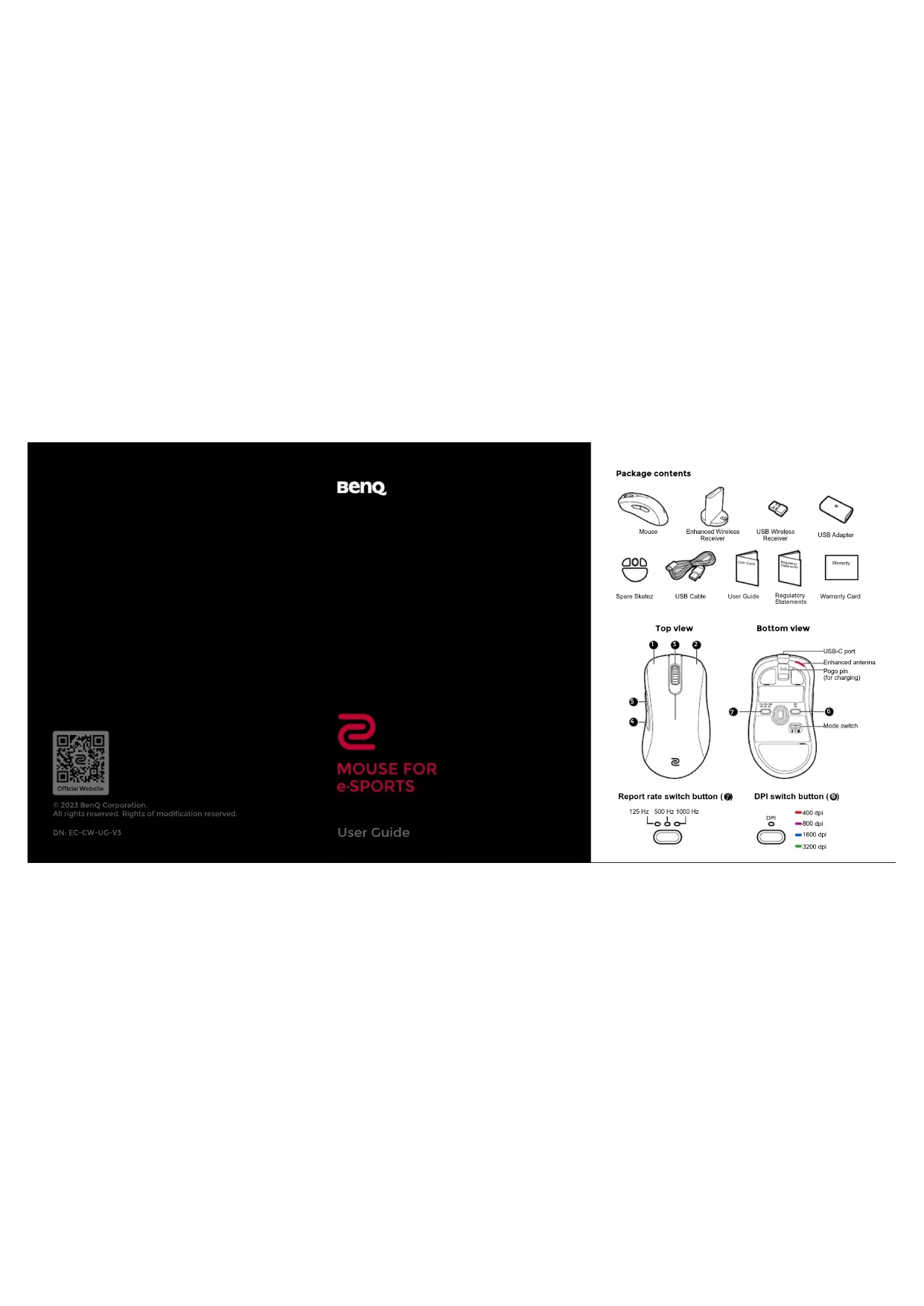
Package contents

Mouse

Enhanced Wireless Receiver

USB Wireless Receiver

USB Adapter

Spare Skatez

USB Cable

User Guide

Regulatory Statements

Warranty Card

Report rate switch button (7)
125 Hz 500 Hz 1000 Hz

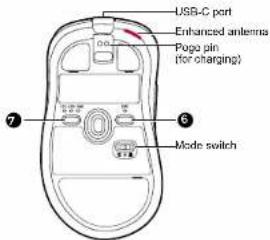
Bottom view
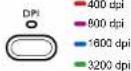
DPI switch button (⑤)
Wireless operation (via Enhanced Wireless Receiver)
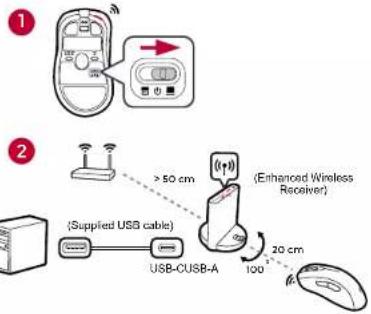
Wireless operation (via USB Wireless Receiver)

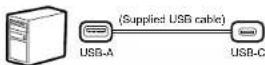
Wired operation
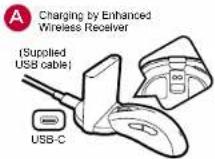
Charging
B Charging by USB-C

Power LED indicators

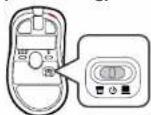
Powering off (for power saving)
Product support

zawie.beng.com > Support > DOWNLOAD & FAQ
House (EC1-CW/EC2-CW/EC3-CW): SV=500mA Enhanced Wireless Receiver (ER-80): SV=500mA USB Wireless Receiver (RX-80): SV=100mA Battery: 3.7V=300mAh
This symbol on the product or its packaging indicates that this product must not be disposed of with your other household waste. Instead it is your responsibility to dispose of your waste equipment by handling it over to a decentralized collection pane for the recycling of waste electrical and electronic equipment. The separate collection and recycling of your waste equipment at the time of disposal will help to conserve natural resources and ensure that it is recycled in a manner that protects human health and the environment. For more information about E-waste and the pace to drop off your waste equipment for recycling in India please visit https://www.deng.com.cn-us/support/cyczying global-recycle.html
English
Specifications
- No driver needed.
- Connection:
- Wireless: 2.4G RF
- Wired: USB (Auto switch to wired mode when USB cable is connected)
- DPI (Dots per inch) settings:400/800/1600/3200 dpi
- Adjustable USB report rate:125/500/1000 Hz
- Connector: USB type-A on a PC; USB type-C on a device
- Buttons: 7 buttons
- Switch:1 (switch for power off and two receivers)
- Cable: USB type-A to USB type-C (2 meters/6.6 feet)
- Battery charging: approximately 2 hours
Changing DPI setting
Press the DPI switch (labeled 6) to switch to a desired DPI setting.
Adjusting USB report rate
Press the report rate switch (labeled 7) to switch to a desired report rate setting.
Changing the Lift Off Distance (LOD) of your mouse
You might want to change the LOD to work with your mouse pad properly.
Wireless mode: Power off the mouse first. Press and hold the following combination keys together and power on the mouse at the same time.
Wired mode: Power off and disconnect the mouse first. Press and hold the following combination keys together and re-connect the mouse at the same time.
- For a lower LOD: buttons 4 + 1
- For a medium LOD: buttons 5 + 1
- For a higher LOD: buttons 4 + 1 + 2
Changing click response time
You can change click response time as desired.
Wireless mode: Power off the mouse first. Press and hold the following key and power on the mouse at the same time.
Wired mode: Power off and disconnect the mouse first. Press and hold the following key and re-connect the mouse at the same time.
- Fast response time: 4
• Normal response time: 5
LED indicator on Enhanced Wireless Receiver
Solid white: In sleep mode
Dark white: In normal operation
Flashing amber: Weak signal. Move the mouse within the effective range to improve signal strength.
Français
Spécifications

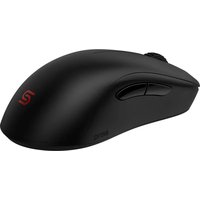
Brand : BENQ
Model : ZOWIE EC3
Category : Mouse