 ManualGo.com
HWO60SM6FS9XHP - Oven HAIER - Free user manual and instructions
Find the device manual for free HWO60SM6FS9XHP HAIER in PDF.



Download the instructions for your Oven in PDF format for free! Find your manual HWO60SM6FS9XHP - HAIER and take your electronic device back in hand. On this page are published all the documents necessary for the use of your device. HWO60SM6FS9XHP by HAIER.
USER MANUAL HWO60SM6FS9XHP HAIER
- Power consumption of the product in networked standby if all wired network ports are connected and all wireless network ports are activated: 2,0 W How to activate wireless network port:
- If the oven is not enrolled, please follow the instruction for enrollment to enable Wi-Fi.
- If the oven is enrolled, in Wi-Fi menu select Wi-Fi and set to On or hOn. How to deactivate wireless network port:
- If the oven is not enrolled, wi module is on for the rst 30 minutes after oven activation, to turn it o wait 30 minutes or before 30 minutes in wi menu set wi to o.
- If the oven is enrolled, in Wi-Fi menu select Wi-Fi and set to O.
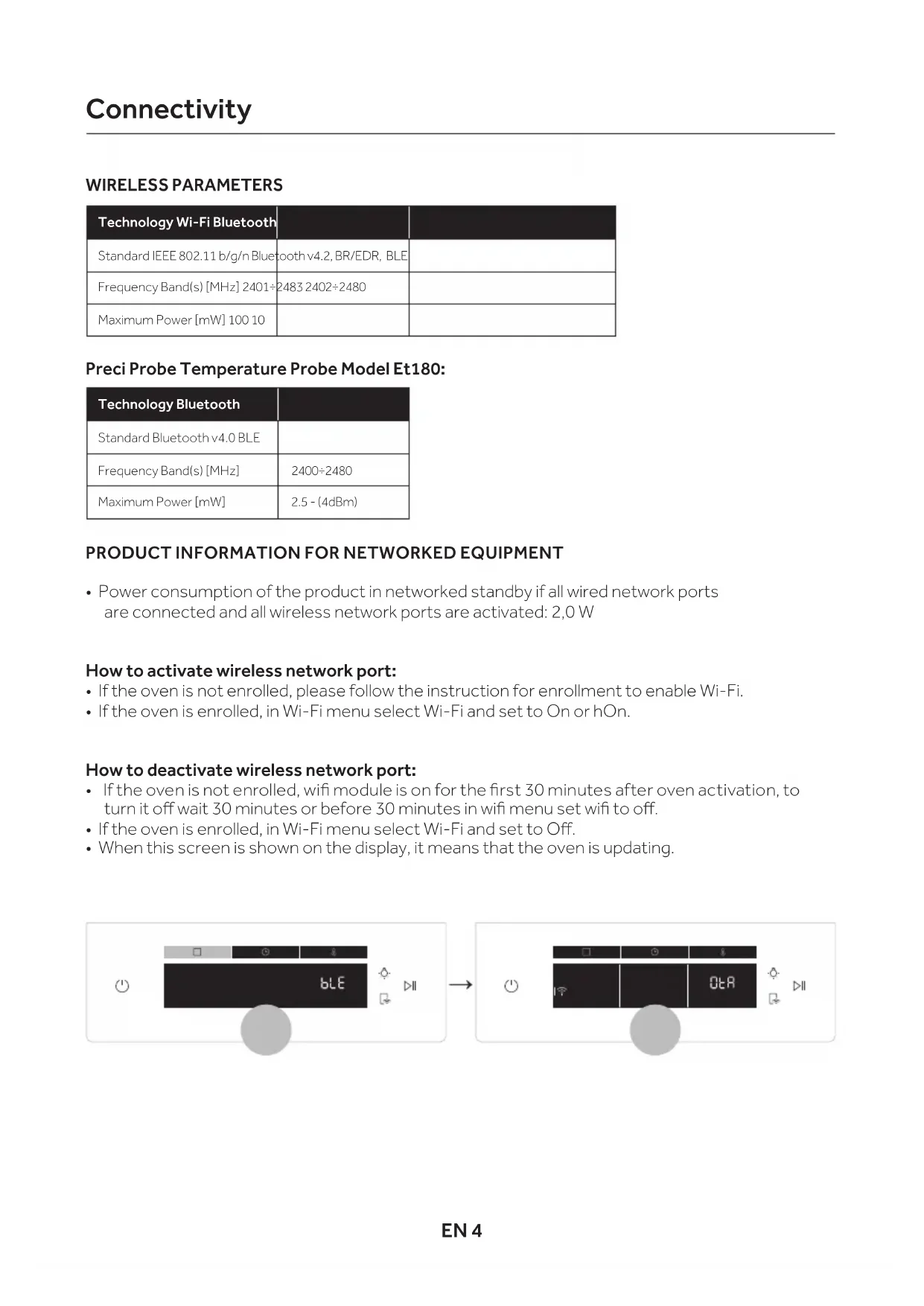
- When this screen is shown on the display, it means that the oven is updating. Preci Probe Temperature Probe Model Et180: Connectivity Technology Wi-Fi Bluetooth Standard IEEE 802.11 b/g/n Bluetooth v4.2, BR/EDR, BLE Frequency Band(s) [MHz] 2401÷2483 2402÷2480 Maximum Power [mW] 100 10 Technology Bluetooth Standard Bluetooth v4.0 BLE Frequency Band(s) [MHz] 2400÷2480 Maximum Power [mW] 2.5 - (4dBm)EN 5 Oven enrollment on app
- Log in or sign up. Step 3
- Add new appliance Step 4
- Scan the QR code or insert the serial number Write here your serial number for future reference.EN 6
- Tap icon, turn the knob to select the wi mode and tap
- Continue the pairing process via app and wait until the the time bar indicator is complete. Step 7
- When pairing is nished, the oven status will automatically switch to Wi-Fi “On”. NOTE:
- Make sure to have minimum a 2.4GHz Home Wi-Fi network.
- Make sure to have your Home Wi-Fi password and name ready. You will need them later.
- Make sure your appliance is in a place where there is an excellent Home Wi-Fi signal.
- And yes, stay close to your appliance. Router connection lost While cooking - Wi-Fi icon blinking Inside Wi-Fi menu - Digits blinkingEN 7 NOTE: To activate, deactivate or reset the Wi-Fi see info on page EN 4 of this document. Step 1
- Tap icon, turn the knob to select the Wi-Fi mode and tap . “On” will start blinking. Step 2
- Turn the knob to select the “hOn” mode and tap to activate remote control.
- Press “function button” to exit “hOn” mode Hereby, Candy Hoover Group Srl declares that the radio equipment is in compliance with Directive 2014/53/EU and with the relevant Statutory Requirements (for the UKCA market). The full text of the declaration of conformity is available at the following internet address: www.candy-group.com Remote control mode Wi-Fi ON It is only possible to monitor the oven status by App. Wi-Fi OFF The oven is not connected but still enrolled with network credentials saved. Wi-Fi hOn The oven can be used exclusively by App. Wi-Fi Reset The connection is reset and a new enrollment is possible.EN 8 The remote control can be activate also by the dedicated button. Remote control mode shortcut Step 1