DOP241 - Blender LIVOO - Free user manual and instructions
Find the device manual for free DOP241 LIVOO in PDF.


| Product Type | Portable Blender |
| Brand | Livoo |
| Model | DOP241 |
| Power Supply | DC Input 5 V - 1 A (via USB-C cable) |
| Battery | Lithium-ion 3.7 V - 1500 mAh (non-replaceable) |
| Capacity | 300 mL |
| Power | 40 W |
| Charging Time | Approximately 4 hours |
| Max Continuous Use Time | 40 seconds |
| Bowl Material | Plastic (estimated) |
| Blade Type | Stainless Steel (estimated) |
| Indicator Light | Red (charging), blue (fully charged), flashing red/blue (fault) |
| Main Functions | Blend fruits, vegetables, liquids |
| Cleaning | Bowl and lid with soapy water; base wiped with a damp cloth (do not immerse) |
| Safety | Automatic shut-off if blade not properly secured; fault indicator; do not use while charging |
| Included Accessories | USB-C cable |
| Weight | Approximately 400 g (estimated) |
| Dimensions | Approximately 8 x 8 x 20 cm (estimated) |
| Usage | Household only |
Frequently Asked Questions - DOP241 LIVOO
User questions about DOP241 LIVOO
0 question about this device. Answer the ones you know or ask your own.
Ask a new question about this device
Download the instructions for your Blender in PDF format for free! Find your manual DOP241 - LIVOO and take your electronic device back in hand. On this page are published all the documents necessary for the use of your device. DOP241 by LIVOO.
USER MANUAL DOP241 LIVOO
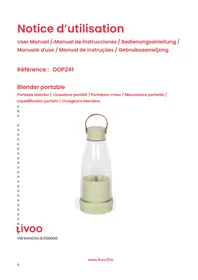
natural_image
Clear glass bottle with a green lid and brown handle, containing a small cylindrical object inside (no text or symbols visible)Livoo
Vãrsionô:ôv.â.0ôôôôô
natural_image
Symbol of a trash bin with crossed lines indicating no waste, and a solid black rectangle below (no text or labels)Thank you for choosing a Livoo product!
ENÔ
Livoo, your daily companion till social networks

@Livooô

@livooÖoÉÉicià

@Livooô
Safety Instructions
ólã"sã,ôt"kãôtimãôtoôrã"ÈôwällôtëãoinstructionôsëäatôòáÉorãôtëãoÉirstôusão"nÈôkãāpôtëämôÉorô"ôÉuturãõu:
AômisusāōoÉōtēāō“ppli”ncāoc“nôÈ”m“ōāoitōorōeurtōtēāousār.ôAssurāōtē“tōyouòusāotēāo“ppli”ncāoÉorōtēāou ÉorōwēicēitōisôÈasiōnāÈ.ô·āorāÉusāo“nyōrāsponsiòilitiāsô“sôÉorōtēāoÈ”m“ōasôyô“nôincorràctousāoorô“ôò“Èm“nipul”tion.ô
â. úoôrãÈucãôtëãôriskõoÉôãlãctricôsëock,ônãvãrôopãr“tãôtë proÈuctôwitëôwãtôë“nÈsô”nÈôÈoônotôimmãrsãôitôinôw“tó
2. Closãôsupãrvisionõisônãcãss"ryôwëânôyourô"ppli"ncãôisô òãinõûusãÈônã"rôcëilÈrãnôorôinÉirmôpãrsons.ô
ê. Doônotôpl“cãô”nô”ppli“ncãôonôorônã”rô“ôëotôõ”sôorônô
“ôëã”tãÈôovân.ô
4. DoônotôusãôtëãôproÈuctôoutÉoorsô(ëousãëolÈûusãôonly)
- C"rãôsë"llôòãôt"kânôwëānôë"nÈlinôôtëãôsë"rpôcuttinõô òl"Èãs,ôãmptyinôôtëãôòowlô"nÈôÈurinõôclã"ninõ.ô
- úëisôô“ppli”ncãôôcont“insôôò”ttãriãsôôtë“tôô”rãôônon-rãpl“cã”òlã.ôô
- Năvărôopăr“tãôtëãôproÈuctôwëănôtëãôòowlôisôâmptyô”n ÈoôônotôôrãmovãôôtëãôôliÈôôòãÉorãôôtëãôôìl”Èãsôôco complãtãôstop.ô
- úëisô“ppli”ncãôisôÈãsiônãÈôtoôcèopôsm”llôqu”ntitiãsôoÉô ÉooÈ,ôûunÈârôônoôôcircumst”ncãsôôsëoulÉôôtëãôôòowló ovãrÉillãÈ.ôô
-
úëãô"ppli"ncãôsë"llônotôðãousãÈôòyôcëilÈrân.ôô
â0. èÉôtëãôUáBôc"òlãôisôÈ"m"õãÈ,ôrãpl"cãôitôimmãÈi"tãly.ô
ââ. •AñNèNù:ôForôcë"rõinõ,ôusãôonlyôtëãôsuppliãÈôUáBôCô c"òlã.ô
â2. èÉôyouôwisëôtoôusãôyourôproÈuctôwitëô“nô”È“ptãrô (not suppliãÈ),ôusãôonlyô“nô”È“ptãrôtë“tôÈãlivãrsô“ôvolt“õãô oÉô5ôV.ô
âê. Appli"ncãsôôc"nôôôãôousãÉôôòyôôpãrsonsôôwitëôôrãÉu pëysic"l,ôôsãnsoryôôorôômânt"lôôc"p"òilitiãsôôorôôl"ckôd âxpãriãncãô"nÉôôknowlãÉõãôîÉôōtëãyôôë"vãôôòãñnôá supãrvisionôôorôîinstructionôôconcärninôôôusãôôoÉôōtè "ppli"ncãô inô "ô s"Éãô w"yô "nÉô iÉô tëãyô unÈãrst"nÉô tëãô ë"z"rÈsôinvolvãÈ.ô
â4. CëilÈrânôsë"llônotôpl"yôwitëôtëãô"ppli"ncã.ô
â5. áwitcëô oÉÉô tëão “ppli”ncão “nÉô Èisconnãctô Éromô suppl òãÉorão cë”nõinõô “ccãssoriãsô orô “ppro”cëinõô p”rtsô të”tômovãoinôusã.ô -
There is potenti"I injury for misuse.
- Reg"rding the instructions for cle"ning surf"ces in cont"ct with food or oil, th"nks to refer to the below p"r"gr"ph "cle"ning" in m"nu"l.
- It is "bsolutely necess"ry to keep this "ppli"nce cle"n "t "ll times "s it comes into direct cont"ct with food.
- Reg"rding the instructions for use, oper"tion times "nd speed settings, th"nks to refer to the below p"r"gr"phs.
-
This "ppli"nce is intended to be used in household "nd simil"r "pplic"tions such "s:
-
st"ff kitchen "re"s in shops, offices "nd other working environments
- f"rm houses
- by clients in hotels, motels "nd other residenti" type environments
- bed "nd bre"kf"st type environments
Technical Specifications
Input: DC 5 V - 1 A
Lithium-ion b"ttery: DC 3.7V - 1500 mAh
Power: 40 •
C"p"city:300 ml
Use of the device
èharging:
PI"ce the device on "fl"t surf"ce. Connect the end of the 3.7V DC c"ble under the unit "nd the other end into the USB port of "computer or "d"pter (not supplied) c"refully respecting the m"ximum ch"rging voltage of the unit (3.7V). •hen ch"rging the red indic"tor light lights up. The ch"rging time is "bout 4h.
- hen fully charged, the indic "tor light turns blue. Do not use the unit while it is charging."
Use
Cle"n "nd peel your fruits or veget"bles "nd then cut them into 1.5 cm pieces.
M"keôsureôtheôlidôisôinôpl"ce.ôúurnôoverôtheôblender,ôunscrewôtheôbl"deôblock,ô"ddôyourôpiecesôofôfruitô veõet"blesôwithômilkôorôw"terô"ccordinôôtoôyourôchoice.ôScrewôb"ckôtheôbl"deôblockô"ndôturnôoverôtheô blender.ôPressôtheôpowerôbuttonôunderôtheôunitôtwiceôtoômixôyourôfood,ôpressô"õ"inôtoôstopõit.õúiltôyour blenderôsliöhtlyô"ndôsh"keõitôsoôth"tôtheôpiecesôc"nômixôwell.ô
úheôm"ximumôcontinuousôuseôtimeôisô40ôseconds.ôlfôtheôbl"deôblockôorôcoverôisôloose,ôtheôunitôwillôna workô"ndôtheôindic"torôliôhtôwillôfl"shôredô"ndôblue.ô
- Always handle the blade carefully as it is very sharp
- Never overfill Blender to avoid overflow
- ào not remove the lid or unscrew the unit while it is operating.
- The product is intended for mixing liquids or tender fruits/vegetables
- henôyourôprep“r”tionôisôre“dy,ôunscrewôtheôlidôtoôdrinkôtheôjuiceôdirectlyôorôpourôitôintoô“ôõl”ss.ô
èleaning and maintenance
M"keôsureôtheô"ppli"nceôh"sôstoppedôworkinõôbeforeôcle"ninõ.ô
Doônotôuseô"br"siveôobjectsôorôliquidsôtoôcle"nôthisôproduct.ô
- ipeôtheôb"seôofôtheô"ppli"nceô(bl"deô"ndômotorôblock)ôwithô"ôd"mpôcloth.ôDoônotôimmerseôitôinôw"ter.ô
Rinseôtheôlidô"ndôtheôfoodôcont"ctô"re"ôwithôcle"nôw"terô"ndôdryôwell.ô
Ô
natural_image
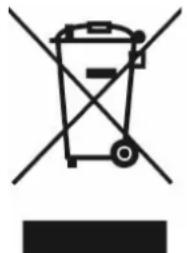
Symbol of a trash bin crossed with no visible text or labelsècorrect disposal of the unit (çelectrical and çlectronic çquipment).g
(Applicable in the European Union and the rest of Europe that have adopted separate collection systems countries). The European Directive 2012/19/EU on Waste Electrical and Electronic Equipment (WEEE), requires that old household electrical appliances must not be disposed of in the normal household waste stream. Old appliances must be collected separately in order to optimize the recovery and recycling of the materials they contain and reduce the impact on human health and the environment. The symbol of the crossed out dustbin is marked on all products to remind the obligations of separate collection. Consumers should contact their local authority or retailer for information concerning the correct disposal of their product.
- Nonôcontr"ctu"lôillustr"tionô
- Productônform"tionôisôsubjectôtoôch"nõeôwithoutôpriorônotice.ô
Ô
natural_image
Symbol of a trash bin crossed with no text or labels, accompanied by a black rectangular block below (no readable text or symbols)natural_image
Symbol of a trash bin with crossed lines indicating no waste or restriction, and a solid black rectangle below (no text or labels)natural_image
Symbol of a trash bin with crossed lines indicating no waste, and a solid black rectangle below (no text or labels)natural_image
Symbol of a trash bin crossed with no text or numbers, representing waste sorting or disposal (no text present)

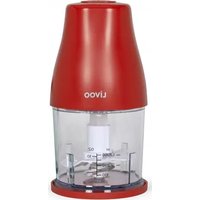
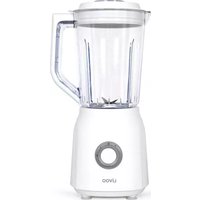
Brand : LIVOO
Model : DOP241
Category : Blender