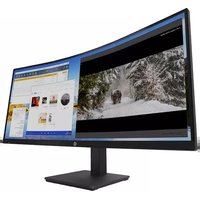
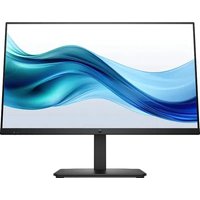
M34d - Monitor HP - Free user manual and instructions
Find the device manual for free M34d HP in PDF.


| Product Type | Monitor |
| Brand | HP |
| Model | M34d |
| Screen Size | 34 inches (diagonal) |
| Native Resolution | 3440 x 1440 (WQHD) |
| Refresh Rate | 60 Hz |
| Connectivity | HDMI, DisplayPort, USB-C (depending on version) |
| Power Supply | 100-240 V AC, 50/60 Hz |
| Power Consumption (standby) | <0.5 W |
| Net Weight (with stand) | Approximately 7 kg |
| Dimensions (with stand, W x H x D) | Approximately 815 x 450 x 250 mm |
| Ergonomic Adjustments | Height, tilt, pivot |
| Main Functions | Blue light filter, game mode, PIP/PBP |
| Maintenance and Cleaning | Soft dry cloth, no solvents |
| Safety | Kensington lock, CE certification, CAN ICES-3(B)/NMB-3(B) |
| Spare Parts and Repairability | Power adapter, HDMI/DP cables, VESA bracket |
Frequently Asked Questions - M34d HP
User questions about M34d HP
0 question about this device. Answer the ones you know or ask your own.
Ask a new question about this device
Download the instructions for your Monitor in PDF format for free! Find your manual M34d - HP and take your electronic device back in hand. On this page are published all the documents necessary for the use of your device. M34d by HP.
USER MANUAL M34d HP
This document provides country- and region-specific non-wireless and wireless regulatory notices and compliance information for your product. Some of these notices may not apply to your product.
Federal Communications Commission notice
This equipment has been tested and found to comply with the limits for a Class B digital device, pursuant to Part 15 of the FCC Rules.
These limits are designed to provide reasonable protection against harmful interference in a residential installation. This equipment generates, uses, and can radiate radio frequency energy and, if not installed and used in accordance with the instructions, may cause harmful interference to radio communications. However, there is no guarantee that interference will not occur in a particular installation.
If this equipment does cause harmful interference to radio or television reception, which can be determined by turning the equipment off and on, the user is encouraged to try to correct the interference by one or more of the following measures:
■ Reorient or relocate the receiving antenna.
■ Increase the separation between the equipment and receiver.
■ Connect the equipment to an outlet on a circuit different from that to which the receiver is connected.
■ Consult the dealer or an experienced radio or television technician for help.
This device complies with Part 15 of the FCC Rules. Operation is subject to the following two conditions:
-
This device may not cause harmful interference, and
-
This device must accept any interference received, including interference that may cause undesired operation.
For questions regarding product, contact:
HP Inc.
1501 Page Mill Road
Palo Alto, CA 94304
Or, call HP at 650-857-1501.
To identify your product, refer to the part, series, or model number found on the product.
Modifications
The FCC requires the user to be notified that any changes or modifications made to this device that are not expressly approved by HP may void the user's authority to operate the equipment.
Cables
Connections to this device must be made with shielded cables having metallic RFI/EMI connector hoods to maintain compliance with FCC Rules and Regulations.
Products with wireless LAN devices or HP Mobile Broadband Modules
This device must not be co-located or operating in conjunction with any other antenna or transmitter.

WARNING: Exposure to Radio Frequency Radiation The radiated output power of this device is below the FCC radio frequency exposure limits. Nevertheless, the device should be used in such a manner that the potential for human contact is minimized during normal operation of tablet PCs and notebook computers.
To avoid the possibility of exceeding the FCC radio frequency exposure limits, human proximity to the antennas should not be less than 20 cm (8 inches). To identify the location of the wireless antennas, refer to the computer user guides included with your computer.

CAUTION: When using IEEE 802.11a wireless LAN, this product is restricted to indoor use, due to its operation in the 5.15- to 5.25-GHz frequency range. The FCC requires this product to be used indoors for the frequency range of 5.15 GHz to 5.25 GHz to reduce the potential for harmful interference to co-channel mobile satellite systems. High-power radar is allocated as the primary user of the 5.25- to 5.35-GHz and 5.65- to 5.85-GHz bands. These radar stations can cause interference with and/or damage to this device.
Brazil notice
This Class B digital apparatus meets all requirements of the Canadian Interference-Causing Equipment Regulations CAN ICES-3(B)/NMB-3(B). If this device has WLAN or Bluetooth® capability, the device complies with Industry Canada license-exempt RSS standard(s). Operation is subject to the following two conditions: (1) this device may not cause interference, and (2) this device must accept any interference, including interference that may cause undesired operation of the device.
WARNING: Exposure to Radio Frequency Radiation: The radiated output power of this device is below the Industry Canada radio frequency exposure limits. Nevertheless, the device should be used in such a manner that the potential for human contact is minimized during normal operation.
To avoid the possibility of exceeding the Industry Canada radio frequency exposure limits, human proximity to the antennas should not be less than 20 cm (8 inches), including when the computer display is closed. To identify the location of the wireless antennas, refer to the computer user guides included with your computer.
CAUTION: When using IEEE 802.11a wireless LAN, this product is restricted to indoor use, due to its operation in the 5.15- to 5.25-GHz frequency range. Industry Canada requires this product to be used indoors for the frequency range of 5.15 GHz to 5.25 GHz to reduce the potential for harmful interference to co-channel mobile satellite systems. High-power radar is allocated as the primary user of the 5.25- to 5.35-GHz and 5.65- to 5.85-GHz bands. These radar stations can cause interference with and/or damage to this device. The antennas for this device are not replaceable. Any attempt at user access will damage your computer.
Avis Canadien
Radiation Exposure Statement:
This product complies with the US/Canada portable RF exposure limit set forth for an uncontrolled environment and is safe for intended operation as described in this manual. The further RF exposure reduction can be achieved if the product can be kept as far as possible from the user's body or set the device to lower output power if such function is available.
China radio equipment notice
型号核准代码显示在产品本体的铭牌上
European Union and United Kingdom regulatory notices
Declaration of Conformity

Products bearing the CE marking and UK marking comply with one or more of the following EU Directives and the applicable UK Statutory Instruments as may be applicable:
RED 2014/53/EU; Low Voltage Directive 2014/35/EU; EMC Directive 2014/30/EU; Ecodesign Directive 2009/125/EC; RoHS Directive 2011/65/EU. Compliance with these directives is assessed using applicable European Harmonised Standards.
The full Declaration of Conformity can be found at the following website: http://www.hp.eu/certificates (Search with the product model name or its Regulatory Model Number (RMN), which may be found on the regulatory label.)
The point of contact for EU regulatory matters is HP Deutschland GmbH, HQ-TRE,71025, Boeblingen, Germany.
The point of contact for UK regulatory matters is HP Inc UK Ltd, Regulatory Enquiries, Earley West, 300 Thames Valley Park Drive, Reading, RG61PT, UK.
Email techregshelp@hp.com.
Products with radio functionality (EMF)
This product incorporates a radio transmitting and receiving device. For notebook computers in normal use, a separation distance of 20 cm ensures that radio frequency exposure levels comply with EU requirements. Products designed to be operated at closer proximities, such as tablet computers, comply with applicable EU requirements. Products can be operated without maintaining a separation distance unless otherwise indicated in instructions specific to the product.
Restrictions for product with radio functionality
This product is designed for use without restrictions in all EU countries, plus Iceland, Liechtenstein, Norway, and Switzerland.
E-post: techregshelp@hp.com.
German ergonomics notice
A computer system comprising HP brand products meets the applicable German ergonomic requirements if all affected constituent products bear the "GS" approval mark, for example Business Desktop PC, keyboard, PC-mouse and monitor.
Australia and New Zealand notice
This equipment incorporates a radio transmitting and receiving device. In normal use, a separation distance of 20 cm ensures that radio frequency exposure levels comply with the Australian and New Zealand Standards.
Japan notice
日本向け
Singapore wireless notice
Turn off any WWAN devices while you are onboard aircraft. The use of these devices onboard aircraft is illegal, may be dangerous to the operation of the aircraft, and may disrupt the cellular network. Failure to observe this instruction may lead to suspension or denial of cellular services to the offender, or legal action, or both.
Users are reminded to restrict the use of radio equipment in fuel depots, chemical plants, and where blasting operations are in progress.
As with other mobile radio transmitting equipment, users are advised that for satisfactory operation of the equipment and for the safety of personnel, no part of the human body should be allowed to come too close to the antennas during operation of the equipment.
This device has been designed to comply with applicable requirements for exposure to radio waves, based on scientific guidelines that include margins intended to assure the safety of all people, regardless of health and age. These radio wave exposure guidelines employ a unit of measurement known as the specific absorption rate (SAR). Tests for SAR are conducted using standardized methods, with the phone transmitting at its highest certified power level in all used frequency bands. The SAR data information is based on CENELEC's standards EN50360 and EN50361, which use the limit of 2 watts per kilogram, averaged over 10 grams of tissue.
South Korea notices
B급 기기
(가정용 방송통신기자재)
Wireless LAN 802.11 devices/Bluetooth devices/short-range devices
低功率電波輻射性電機管理辦法
This telecom equipment has complied with NTC regulations.
The monitor power supply is provided with Automatic Line Switching (ALS). This feature allows the monitor to operate on input voltages between 100–120V or 200–240V.
The power cord set (flexible cord or wall plug) received with the monitor meets the requirements for use in the country where you purchased the equipment.
A power cord should be routed so that it is not likely to be walked on or pinched by items placed upon it or against it. Particular attention should be paid to the plug, electrical outlet, and the point where the cord exits from the product.
Japanese power cord requirements
For use in Japan, use only the power cord received with this product.

CAUTION: Do not use the power cord received with this product on any other products.
日本国内での電源コードの要件
Health and Safety Warning Notice for OMEN X 65 and OMEN X 65 SB Displays
Carefully read all of the following safety precautions before using the OMEN X 65 and OMEN X 65 SB Displays ("Display(s)").

WARNING! Photosensitive Epileptic Seizures — A very small percentage of individuals may experience a seizure or other complications when exposed to certain visual images, including flashing lights or patterns that may appear during use of Display(s). If you, or any user, have a history of seizures or epilepsy, consult a physician before using Display(s) functionality. Even those without a personal family history of epilepsy or stroke may have an undiagnosed condition that can cause photosensitive epileptic seizures.
If you experience any of the following symptoms, immediately stop using Display(s) functionality and consult a physician: altered vision, light-headedness, dizziness, involuntary movements such as eye or muscle twitching, convulsions, nausea, loss of awareness, confusion, cramps, and/or disorientation.
RESUME DISPLAY(S) USAGE ONLY ON APPROVAL OF YOUR PHYSICIAN.
Parents should monitor and ask their children if they have any of the above symptoms. Children and teenagers may be more likely than adults to experience these symptoms.
The vision of young children (especially children under the age of 6) is still under development. Consult your physician (such as a pediatrician or eye doctor) before allowing young children to use Display(s) functionality.
Use and handling of Display(s) to help reduce the likelihood of adverse physical reactions:
- Use in a well-lit area and moderate the brightness of Display(s).
- Keep as far away as possible from Display(s) when using functionality.
- Avoid prolonged use of Display(s).
Take a 15-minute break during each hour of Display(s) use. The length and frequency of necessary breaks may vary from person to person. Please take breaks that are long enough to allow any feelings of discomfort to subside. If symptoms persist, consult a physician.
- Avoid using Display(s) functionality when you are tired or need sleep.
AVERTISSEMENT SUR L'ÉPILEPSIE
WARNING: To reduce the risk of serious injury, read the Safety & Comfort Guide. It describes proper workstation setup, posture, and health and work habits for computer users, and provides important electrical and mechanical safety information. This guide is located on the Web at http://www.hp.com/ergo.
Battery notices

When a battery has reached the end of its useful life, do not dispose of the battery in general in household waste. Follow the local laws and regulations in your area for battery disposal.
HP encourages customers to recycle used electronic hardware, HP original print cartridges packaging, and rechargeable batteries. For more information about recycling programs, refer to the HP Web site at http://www.hp.com/recycle.
For information about removing a user-replaceable battery, refer to the user guide included with the product.
WARNING: Risk of explosion if battery is replaced by an incorrect type. Dispose of used batteries according to the instructions.
WARNING: To reduce the risk of fire or burns, do not disassemble, crush, puncture, short external contacts, or dispose of in fire or water.
WARNING: Do not ingest battery, a Chemical Burn Hazard.
WARNING: This product contains a coin/button cell battery. If the coin/button cell battery is swallowed, it can cause severe internal burns in just 2 hours and can lead to death.
WARNING: Keep new and used batteries away from children.
WARNING: If the battery compartment does not close securely, stop using the product and keep it away from children.
WARNING: If you think batteries might have been swallowed or placed inside any part of the body, seek immediate medical attention.
WARNING: Leaving a battery in an extremely high temperature surrounding environment can result in an explosion or the leakage of flammable liquid or gas.
WARNING: A battery subjected to extremely low air pressure may result in an explosion or the leakage of flammable liquid or gas.
Taiwan battery warning
警告
本電池如果更換不正常會有爆炸的危險
請依製造廠說明書處理用過之電池
Potential safety conditions notice
If you notice any of the following conditions (or if you have other safety concerns), do not use the monitor: crackling, hissing, or popping sound, or a strong odor or smoke coming from the monitor. It is normal for these conditions to appear when an internal electronic component fails in a safe and controlled manner. However, these conditions may also indicate a potential safety issue. Do not assume it is a safe failure. Turn off the monitor, disconnect it from its power source, and contact technical support for assistance.
China safety notices
China: Altitude notice
Altitude warning for products not certified for use in >5000 m.

Tropical warning for products not certified for use in tropical regions.

仅适用于非热带气候条件下安全使用
使用過度恐傷害視力
注意事项:
Product environmental notices
This document provides country- and region-specific environmental notices and compliance information. Some of these notices may not apply to your product.
Electronic hardware, packaging and battery recycling
HP encourages customers to recycle used electronic hardware, HP original print cartridges, and rechargeable batteries. For more information about recycling programs, go to http://www.hp.com/recycle.
For information about recycling the product in Japan, refer to http://www.hp.com/jp/hardware-recycle/.
Disposal of waste equipment by users

This symbol means do not dispose of your product with your other household waste. Instead, you should protect human health and the environment by handing over your waste equipment to a designated collection point for the recycling of waste electrical and electronic equipment. For more information, please contact your household waste disposal service or go to http://www.hp.com/recycle.
Brazil alkaline battery disposal
Brazil hardware recycling information
Taiwan EPA battery information
| 廢電池請回收 | The Taiwan EPA requires dry battery manufacturing or importing firms, in accordance with Article 15 of the Waste Disposal Act, to indicate the recovery marks on the batteries used in sales, giveaways, or promotions. Contact a qualified Taiwanese recycler for proper battery disposal.台灣EPA要求乾電池製造商或進口商必須依照「廢棄物清理法」第15項條款,在用於銷售、饋贈或促銷的電池上標示再生標記。要正確處理廢棄電池,請洽詢台灣合格的回收廠。 |
Turkey WEEE regulation
ENERGY STAR® qualification

This section applies only to products bearing the ENERGY STAR logo.
As an ENERGY STAR Partner, HP Inc. has followed the U.S. Environmental Protection Agency (EPA) enhanced product qualification and certification process to ensure that the products marked with the ENERGY STAR logo are ENERGY STAR-qualified per the applicable ENERGY STAR guidelines for energy efficiency.
The following logo appears on all ENERGY STAR-qualified displays:
The ENERGY STARprogram specifications for displays and computers were created by the EPA to promote energy efficiency and reduce air pollution through more energy-efficient equipment in homes, offices, and factories. One way products achieve this goal is by using the Microsoft® Windows *power management feature to reduce power consumption when the product is not in use.
The power management feature enables the computer to initiate a low-power or "sleep" mode after a period of user inactivity. When used with an external ENERGY STAR qualified display, this feature also supports similar power management features for the display. To take advantage of these potential energy savings, users should use the default power management settings that are provided with ENERGY STAR qualified computers and displays. The default power management settings on ENERGY STAR-qualified computers are preset to behave in the following ways when the system is operating on AC power:
■ Turn off an external display after 5 minutes of user inactivity
■ Initiate a low power sleep mode for the computer after 30 minutes of user inactivity
ENERGY STAR-qualified computers exit the low power sleep mode and ENERGY STAR-qualified displays resume operation when the user resumes use of the computer. Examples include the user pressing the power/sleep button, receiving an input signal from an input device, receiving an input signal from a network connection with the Wake On LAN (WOL) feature enabled, etc.
Changes to the default as-shipped settings may increase the energy consumption beyond the Energy Star certification limits. For select display products, you can change from the default power setting to the Performance power setting that enables additional display features and functions. The Performance setting can increase power consumption.
Additional information on the ENERGY STAR program, its environmental benefits and the potential energy and financial savings of the power management feature can be found on the EPA ENERGY STAR Power Management website at http://www.energystar.gov/powermanagement.
Chemical substances
HP is committed to providing our customers with information about the chemical substances in our products as needed to comply with legal requirements such as REACH (Regulation EC No1907/2006 of the European Parliament and the Council). A chemical information report for this product can be found at http://www.hp.com/go/reach.
Химически вещества
This statement applies to computer displays that do not use LED backlighting.
This HP product may contain the following material that might require special handling at end-of-life:
■ Mercury in the fluorescent lamp in the display LCD
Disposal of mercury can be regulated because of environmental considerations. For disposal or recycling information, please contact your local authorities or the Electronic Industries Alliance (EIA) (http://www.eiae.org)
Perchlorate material-special handling may apply
The computer's real-time clock battery may contain perchlorate and may require special handling when recycled or disposed of in California. See http://www.dtsc.ca.gov/hazardouswaste/perchlorate/.
China environmental notices
微型计算机电源声明书
能耗信息说明
The Display CEL user information
In accordance with "The Regulation of the Implementation on China Energy Label for PC Monitors" (CEL rule), this monitor has an Energy Efficiency Label. The energy efficiency grade, energy efficiency, off-mode power consumption, sleep-mode power consumption, and product category presented on the label are determined and calculated according to the standard Minimum Allowable Values of Energy Efficiency and Energy Efficiency Grades for Computer Monitors (GB21520).
- Energy efficiency grades
The energy efficiency level is classified into three grades, where grade one is the most efficient. The grade is determined by the standard according to product category and the calculation of energy efficiency.
- Product category
There are two types of categories: Standard display and enhanced performance display, and classification is based on display product functionalities on contrast ratio, native resolution, and NTSC color gamut.
- Energy efficiency information
■ Energy efficiency measured and calculated as specified in GB21520. This data is expressed in (cd/watts (W)).
■ Off mode power consumption measured and calculated as specified in GB21520. This data is expressed in watts (W).
Sleep mode power consumption measured and calculated as specified in GB21520, this data is expressed in watts (W).
The energy consumption figure presented on the label is the data measured with the representative configuration that covers all the configurations in the registration unit, which is selected according to CEL rule. Thus, actual energy consumption of this specific monitor may not be the same as the data presented on the label.
For more details on the specification, please refer to the GB21520 standard.
计算机显示器 CEL 用户信息
China restriction of hazardous substances (RoHS)


产品中有害物质或元素的名称及含量
Taiwan restriction of hazardous substances (RoHS)
限用物質含有情況標示聲明書
Declaration of the Presence Condition of the Restricted Substances Marking
| 單元Unit | 限用物質及其化學符號Restricted substances and its chemical symbols | |||||
| 鉛Lead(Pb) | 汞Mercury(Hg) | 鎘Cadmium(Cd) | 六價鉻Hexavalent chromium (Cr+6) | 多溴聯苯Polybrominated biphenyls(PBB) | 多溴二苯醚Polybrominated diphenyl ethers (PBDE) | |
| 塑膠擋板 Plastic Bezel | ○ | ○ | ○ | ○ | ○ | |
| 後蓋 Rear Cover | ○ | ○ | ○ | ○ | ○ | |
| 液晶顯示器 (LCD) 面板Liquid Crystal Display (LCD) Panel | —○ | ○ | ○ | ○ | ○ | |
| 印刷電路板組件 (PCBA)Printed Circuit Board Assembly (PCBA) | —○ | ○ | ○ | ○ | ○ | |
| 電源線 Power Cord | —○ | ○ | ○ | ○ | ○ | |
| 纜線 Cables | —○ | ○ | ○ | ○ | ○ | |
| 電源供應器 Power supply | —○ | ○ | ○ | ○ | ○ | |
| 備考1. “超出0.1 wt %”及“超出0.01 wt %”係指限用物質之百分比含量超出百分比含量基準值。Note 1: “Exceeding 0.1 wt %” and “exceeding 0.01 wt %” indicate that the percentage content of the restricted substance exceeds the reference percentage value of presence condition.備考2. “○”係指該項限用物質之百分比含量未超出百分比含量基準值。Note 2: “○” indicates that the percentage content of the restricted substance does not exceed the percentage of reference value of presence.備考3. “—”係指該項限用物質為排除項目。Note 3: The “—” indicates that the restricted substance corresponds to the exemption. | ||||||
若要取得最新版使用指南,請前往 http://www.hp.com/support,並依照指示尋找您的產品。然後選取使用指南。To access the latest user guides, go to http://www.hp.com/support, and follow the instructions to find your product. Then select Manuals.
India restriction of hazardous substances (RoHS)
This product, as well as its related consumables and spares, complies with the reduction in hazardous substances provisions of the "India E-waste Rule 2016." It does not contain lead, mercury, hexavalent chromium, polybrominated biphenyls or polybrominated diphenyl ethers in concentrations exceeding 0.1 weight % and 0.01 weight % for cadmium, except where allowed pursuant to the exemptions set in Schedule 2 of the Rule.
Information for European Union Commission Regulation 1275/2008
To locate product power consumption data, including when the product is in networked standby with all wired network parts connected, refer to sectin P14 "Additional information" of the product IT ECO Declaration at
http://www.hp.com/hpinfo/globalcitizenship/environment/productdata/itecodesktop-pc.html.
Where applicable, activate and deactivate a wireless network using the instructions included in the product user guide or the operating system. Information is also available at http://www.hp.com/support.
http://www.hp.com/hpinfo/globalcitizenship/environment/productdata/itecodesktop-pc.html.
http://www.hp.com/hpinfo/globalcitizenship/environment/productdata/itecodesktop-pc.html.
Kada je moguće, aktivirajte i deaktivirajte bežičnu mrežu prateći upute navedene u korisničkom priručniku proizvoda ili operacijskom sustavu.
Informacije potražite na web-mjestu http://www.hp.com/support.
http://www.hp.com/hpinfo/globalcitizenship/environment/productdata/itecodesktop-pc.html.
This section applies only to products bearing the TCO Certified logo.
A third-party certification according to ISO 14024

Toward sustainable IT products
natural_image
Collection of electronic devices including desktops, laptops, headphones, and a speaker (no text or symbols visible)Say hello
to a more sustainable product
IT products are associated with a wide range of sustainability risks throughout their life cycle. Human rights violations occur in the supply chain. Harmful substances are used both in products and their manufacture. Products can often have a short lifespan because of poor ergonomics, low quality and when they are not able to be repaired or upgraded.
This product is a better choice: It meets all the criteria in TCO Certified, the world's most comprehensive sustainability certification for IT products. Thank you for making a responsible product: choice, that help drive progress towards a more sustainable future!
Criteria in TCO Certified have a life-cycle perspective and balance environmental and social responsibility. Conformity is verified by independent and approved verifiers that specialize in IT products, social responsibility or other sustainability issues. Verification is done both before and after the certificate is issued, covering the entire validity period. The process also includes ensuring that corrective actions are implemented in all cases of factory non-conformities. And last but not least, to make sure that the certification and independent verification is accurate, both TCO Certified and the verifiers are reviewed regularly.
Want to know more?
Read information about TCO Certified, full criteria documents, news and updates at tcocertified.com. On the website you'll also find our Product Finder, which presents a complete, searchable listing of certified products.
TCO Certified Edge
This section applies only to products bearing the TCO Certified Edge logo.
A third-party certification according to ISO 14024

Toward sustainable IT products
natural_image
Collection of electronic devices including desktops, laptops, headphones, and a projector (no text or symbols visible)Say hello
to a more sustainable product
IT products are associated with a wide range of sustainability risks throughout their life cycle. Human rights violations occur in the supply chain. Harmful substances are used both in products and their manufacture. Products can often have a short lifespan because of poor ergonomics, low quality and when they are not able to be repaired or upgraded.
This product is a better choice. It meets all the criteria in TCO Certified, the world's most comprehensive sustainability certification for IT products. Additionally, it fulfills the requirements of TCO Certified Edge, the supplemental certification that recognizes leading-edge products that exceed typical performance in a particular sustainability attribute. At our Product Finder (tcocertified.com/product-finder) you can find out which TCO Certified Edge criterion or criteria this product meets.
Criteria in TCO Certified have a life-cycle perspective and balance environmental and social responsibility. Compliance is verified by independent verification organizations that specialize in IT products, social responsibility or other sustainability issues. Verification is done both before and after the certificate is issued, covering the entire validity period. The process also includes ensuring that corrective actions are implemented in all cases of factory non-conformities.
Thank you for making a responsible product choice, that help drive progress towards a more sustainable future!
Want to know more?
Read information about TCO Certified, full criteria documents, news and updates at tcocertified.com. On the website you'll also find our Product Finder, which presents a complete, searchable listing of certified products.
© Copyright 2020 HP Development Company, L.P.
ENERGY STAR is a registered mark owned by the U.S. government.
Microsoft and Windows are either registered trademarks or trademarks of Microsoft Corporation in the United States and/or other countries.
Bluetooth is a trademark owned by its proprietor and used by HP Inc. under license.
The information contained herein is subject to change without notice. The only warranties for HP products and services are set forth in the express warranty statements accompanying such products and services. Nothing herein should be construed as constituting an additional warranty. HP shall not be liable for technical or editorial errors or omissions contained herein.
First Edition: November 2020
Document part number: M46118-B21
- Federal Communications Commission notice
- Modifications
- Cables
- Products with wireless LAN devices or HP Mobile Broadband Modules
- Brazil notice
- Avis Canadien
- Radiation Exposure Statement:
- China radio equipment notice
- European Union and United Kingdom regulatory notices
- Declaration of Conformity
- Products with radio functionality (EMF)
- Restrictions for product with radio functionality
- German ergonomics notice
- Australia and New Zealand notice
- Japan notice
- 日本向け
- Singapore wireless notice
- South Korea notices
- Wireless LAN 802.11 devices/Bluetooth devices/short-range devices
- Japanese power cord requirements
- 日本国内での電源コードの要件
- Health and Safety Warning Notice for OMEN X 65 and OMEN X 65 SB Displays
- RESUME DISPLAY(S) USAGE ONLY ON APPROVAL OF YOUR PHYSICIAN.
- AVERTISSEMENT SUR L'ÉPILEPSIE
- Battery notices
- Taiwan battery warning
- Potential safety conditions notice
- China safety notices
- China: Altitude notice
- 使用過度恐傷害視力
- Product environmental notices
- Electronic hardware, packaging and battery recycling
- Disposal of waste equipment by users
- Brazil alkaline battery disposal
- Brazil hardware recycling information
- Taiwan EPA battery information
- Turkey WEEE regulation
- ENERGY STAR® qualification
- Chemical substances
- Химически вещества
- Perchlorate material-special handling may apply
- China environmental notices
- The Display CEL user information
- 计算机显示器 CEL 用户信息
- China restriction of hazardous substances (RoHS)
- 产品中有害物质或元素的名称及含量
- Taiwan restriction of hazardous substances (RoHS)
- 限用物質含有情況標示聲明書
- Declaration of the Presence Condition of the Restricted Substances Marking
- India restriction of hazardous substances (RoHS)
- Information for European Union Commission Regulation 1275/2008
- Say hello
- to a more sustainable product
- Want to know more?
- TCO Certified Edge
Brand : HP
Model : M34d
Category : Monitor