Series 3 Pro 324pe - Monitor HP - Free user manual and instructions
Find the device manual for free Series 3 Pro 324pe HP in PDF.


Pick your language and provide your email: we'll send you a specifically translated version.
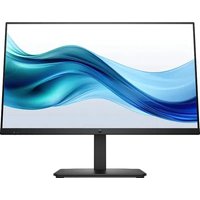
| Product Type | LED-backlit LCD monitor |
| Model | HP Series 3 Pro 324pe |
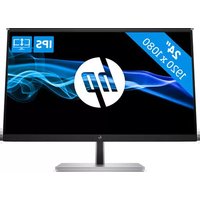
| Diagonal Size | 23.8 inches |
| Panel Type | IPS |
| Native Resolution | 1920 x 1080 (Full HD) |
| Refresh Rate | 60 Hz |
| Response Time | 5 ms (gray-to-gray) |
| Brightness | 250 cd/m² |
| Contrast Ratio | 1000:1 (static) |
| Viewing Angle | 178° horizontal / 178° vertical |
| Connectivity | HDMI 1.4, VGA, DisplayPort 1.2 |
| Power Consumption (Typical) | 23 W |
| Power Consumption (Standby) | 0.5 W |
| Dimensions (W x D x H) with Stand | 21.2 x 7.5 x 15.7 inches |
| Weight (with Stand) | 11.5 lbs |
| Tilt Adjustment | -5° to +25° |
| VESA Mounting | 100 x 100 mm |
| Color Support | 16.7 million colors (8-bit) |
| Energy Star Certified | Yes |
| Screen Coating | Anti-glare (matte) |
Frequently Asked Questions - Series 3 Pro 324pe HP
How do I connect my HP Series 3 Pro 324pe monitor to a computer?
Use an HDMI, DisplayPort, or VGA cable (not included). Connect one end to the monitor and the other to your computer. Press the power button on the monitor to turn it on. If no signal, check the input source using the monitor's OSD menu.
What is the recommended resolution and refresh rate?
The native resolution is 1920x1080 at 60 Hz. For best image quality, set your computer to output this resolution. You can adjust settings in your operating system's display settings.
How do I adjust the brightness and contrast?
Press the menu button on the monitor (usually located at the bottom or back). Use the OSD to navigate to 'Brightness' and 'Contrast' settings. Adjust using the arrow keys and confirm with the menu button.
Can I mount this monitor on a wall?
Yes, the monitor supports VESA 100x100 mm mounting. Remove the stand by pressing the release button and sliding it off. Attach a compatible mount to the VESA holes using the appropriate screws (not included).
How do I clean the screen safely?
Turn off the monitor and unplug it. Use a soft, lint-free microfiber cloth slightly dampened with water (or a 1:1 mixture of distilled water and isopropyl alcohol). Gently wipe the screen in circular motions. Do not spray liquid directly; spray onto cloth first. Avoid using paper towels or harsh chemicals.
What should I do if the monitor shows no signal?
Check that the cable is securely connected to both monitor and computer. Ensure the correct input source is selected in the monitor's OSD menu. Try a different cable or port. Restart your computer. If using a VGA cable, tighten the screws.
How do I enable or disable the blue light filter?
Access the OSD menu and look for 'Low Blue Light' or 'Eye Care' mode. Select it and toggle on/off. This reduces blue light emission for less eye strain.
What is the power consumption of this monitor?
Typical power consumption is 23 W. In standby mode, it consumes less than 0.5 W. To save energy, enable power-saving settings in the OSD or use a power strip.
Can I use this monitor for gaming?
Yes, but it is a standard 60 Hz IPS monitor with 5 ms response time, suitable for casual gaming. For competitive gaming, consider a higher refresh rate monitor.
How do I update the monitor driver?
Monitors typically do not require drivers for basic functionality. However, you can install the HP Display Control utility from HP's support website for advanced features like color calibration. Check for updates at hp.com/support.
User questions about Series 3 Pro 324pe HP
0 question about this device. Answer the ones you know or ask your own.
Ask a new question about this device
No questions yet. Be the first to ask one.
Download the instructions for your Monitor in PDF format for free! Find your manual Series 3 Pro 324pe - HP and take your electronic device back in hand. On this page are published all the documents necessary for the use of your device. Series 3 Pro 324pe by HP.
USER MANUAL Series 3 Pro 324pe HP
Manual assistant
Powered by Anthropic
Waiting for your message
Product information
Brand : HP
Model : Series 3 Pro 324pe
Category : Monitor