ManualGo.com
DZ1500F - Sewing machine BROTHER - Free user manual and instructions
Find the device manual for free DZ1500F BROTHER in PDF.


Download the instructions for your Sewing machine in PDF format for free! Find your manual DZ1500F - BROTHER and take your electronic device back in hand. On this page are published all the documents necessary for the use of your device. DZ1500F by BROTHER.
USER MANUAL DZ1500F BROTHER
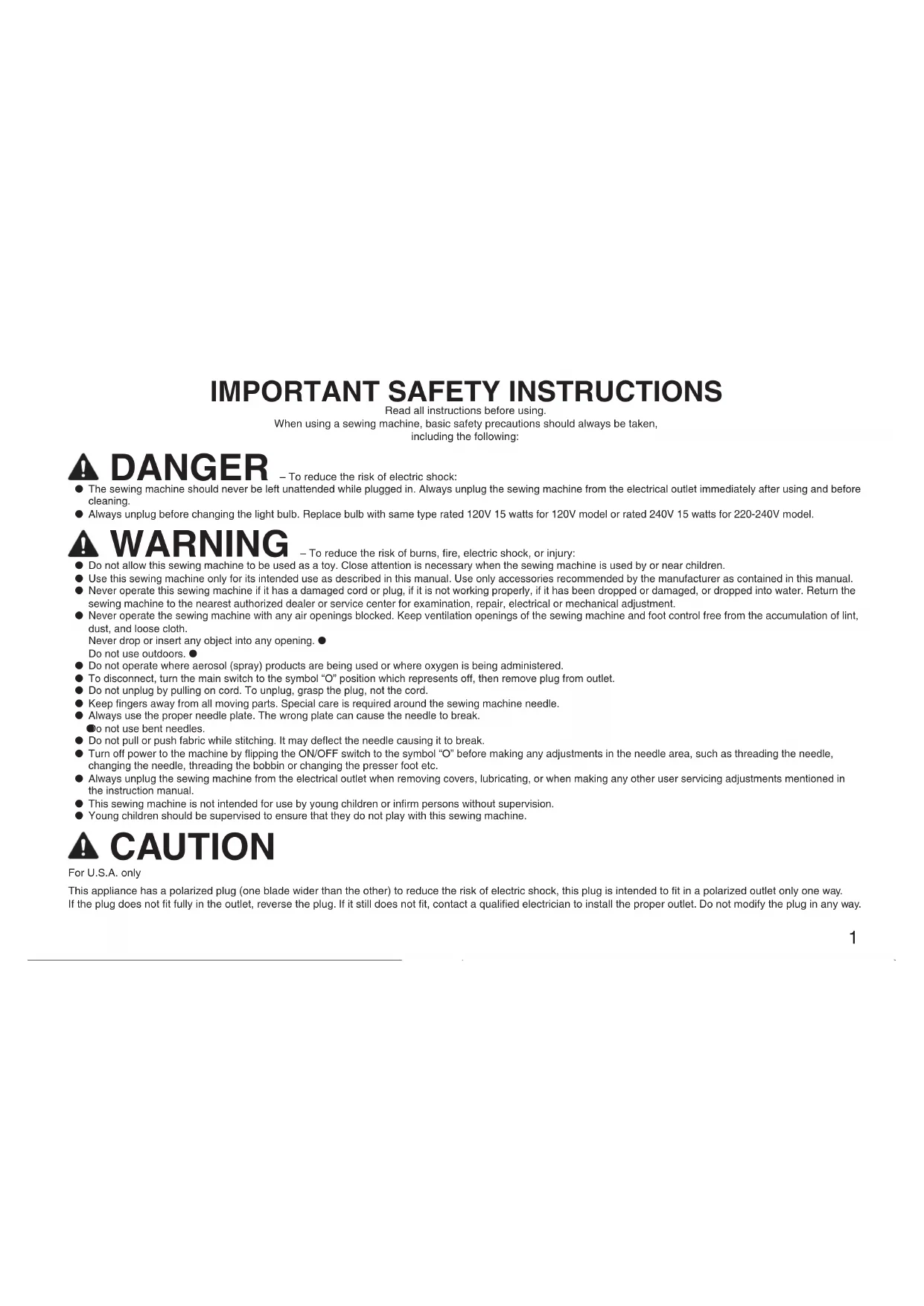
Read all instructions before using. When using a sewing machine, basic safety precautions should always be taken, including the following: DANGER – To reduce the risk of electric shock: The sewing machine should never be left unattended while plugged in. Always unplug the sewing machine from the electrical outlet immediately after using and before ● cleaning. Always unplug before changing the light bulb. Replace bulb with same type rated 120V 15 watts for 120V model or rated 240V 15 watts for 220-240V model. ● WARNING – To reduce the risk of burns, fire, electric shock, or injury: Do not allow this sewing machine to be used as a toy. Close attention is necessary when the sewing machine is used by or near children. ● Use this sewing machine only for its intended use as described in this manual. Use only accessories recommended by the manufacturer as contained in this manual. ● Never operate this sewing machine if it has a damaged cord or plug, if it is not working properly, if it has been dropped or damaged, or dropped into water. Return the ● sewing machine to the nearest authorized dealer or service center for examination, repair, electrical or mechanical adjustment. Never operate the sewing machine with any air openings blocked. Keep ventilation openings of the sewing machine and foot control free from the accumulation of lint, ● dust, and loose cloth. Never drop or insert any object into any opening. ● Do not use outdoors. ● Do not operate where aerosol (spray) products are being used or where oxygen is being administered. ● To disconnect, turn the main switch to the symbol “O” position which represents off, then remove plug from outlet. ● Do not unplug by pulling on cord. To unplug, grasp the plug, not the cord. ● Keep fingers away from all moving parts. Special care is required around the sewing machine needle. ● Always use the proper needle plate. The wrong plate can cause the needle to break. ● Do not use bent needles. ● Do not pull or push fabric while stitching. It may deflect the needle causing it to break. ● Turn off power to the machine by flipping the ON/OFF switch to the symbol “O” before making any adjustments in the needle area, such as threading the needle, ● changing the needle, threading the bobbin or changing the presser foot etc. Always unplug the sewing machine from the electrical outlet when removing covers, lubricating, or when making any other user servicing adjustments mentioned in ● the instruction manual. This sewing machine is not intended for use by young children or infirm persons without supervision. ● Young children should be supervised to ensure that they do not play with this sewing machine. ● CAUTION For U.S.A. only This appliance has a polarized plug (one blade wider than the other) to reduce the risk of electric shock, this plug is intended to fit in a polarized outlet only one way. If the plug does not fit fully in the outlet, reverse the plug. If it still does not fit, contact a qualified electrician to install the proper outlet. Do not modify the plug in any way.2
SAVE THESE INSTRUCTIONS
This sewing machine is intended for household use. This appliance is not intended for use by persons (including children) with reduced physical, sensory or mental capabilities, or lack of experience and knowledge, unless they have been given supervision or instruction concerning use of the appliance by a person responsible for their safety. Children should be supervised to ensure that they do not play with the appliance. FOR USERS IN THE UK, EIRE, MALTA
IMPORTANT In the event of replacing the plug fuse, use a fuse approved by ASTA to BS 1362, i.e. carrying the ● mark, rating as marked on plug. Always replace the fuse cover. Never use plugs with the fuse cover omitted. ● If the available electrical outlet is not suitable for the plug supplied with this equipment, you should contact your authorized dealer to obtain the correct lead. ●3
CONGRATULATIONS ON CHOOSING
A BROTHER SEWING MACHINE
Stitch Length Regulator Reference Mark Lower number = shorter stitches Higher number = longer stitches Stitch Length Reverse Stitch Lever Upper Thread TensionLoosen TightenTension Block Thread Tension Dial When tighter thread tension is ●desired, turn the tension dial to the right. Upper and bobbin threads will meet on right side of the fabric.When looser thread tension is ●desired, turn tension dial to the left. Upper and lower threads will then meet on wrong side of fabric. Power Switch Flip power switch to “I” position ●to turn on.To switch power off, flip switch to ●“O” position. Hand Wheel Position needle using hand ●wheel.Always turn hand wheel towards ✽ you. CAUTION Be sure to keep the area under and around the needle clear. Stitch Length Regulator Adjust desired stitch length ●using stitch regulator dial. Reverse Stitch Lever Sewing in reverse is possible ●when the reverse stitch lever is in the lowered position.Make sure to continuously press ✽the lever to its lowest position when reverse sewing is desired.When the feed adjustment dial is ✽set between 5-7 mm, the reverse stitch length is always 5 mm. Power Cord and Foot Controller WARNING Please use common household current.Plug in cord. ●Plug foot controller into machine. ●When you press the foot controller ●down lightly, the machine will run at a low speed. When you press harder, the machine’s speed will increase. When you take your foot off the foot controller, the machine will stop. SlowerFaster8 Presser Foot Lift Lever Lowering the presser foot ● lift lever lowers the sewing foot down onto the fabric and engages the thread tension function. When working with heavy ✽ fabrics or other fabrics that don’t slide easily under the foot, raise the presser foot lever to position the fabric. Knee Lift Using the convenient knee lift ● to lift and lower the presser foot easily, leaving both your hands free. Presser Foot Pressure Adjustment Dial Turning the pressure adjustment ● dial raises and lowers the pressure indicator needle as the amount of pressure on the presser foot changes. See also: “Feed Dog Adjustment Knob” on page 9. See “Thread Tension” on page ✽
Presser Foot Lift Lever Knee Lift Setting up the knee lift. Presser Foot Pressure Adjustment Dial Pressure Indicator Needle Push the knee lift bar all the ✽ way into the socket. When knee lift is not in use, ✽ it can be stored beneath the fabric extension table. Fabric Extension Table Knee Lift Fabric Extension Table Lower the adjustable table feet and slide the fabric extension table on to the
Before You Begin (2) Thread Cutter Button CAUTION When the machine stops due to jammed threads and so forth, do not step on the foot controller, turn the power off, and moving the needle with the hand wheel, check the situation.The thread cutter trims upper and ●bobbin threads at the end of seams. Needle Stop Position Button When indicator lamp is lit up, the ●machine will stop sewing with the needle lowered through the fabric.When indicator lamp is off, the ●needle position when sewing stops, will be random.If the safety mechanism is activated, ●for example if the thread becomes tangled, the red lamp flashes. Light Switch Push light switch to turn the light ●over the sewing area on and off. Feed Dog Adjustment Knob Height of feed dogs can be ●adjusted to coincide with fabric weights. Foot Pressure and Feed Dog Position Thread Cutter Button Indicator LampNeedle Stop Position Button Light Switch Feed Dog Adjustment Knob Select one of four feed dog positions according to your needs. Note If a setting other than is selected, the pin feed mechanism will not operate. (Feed Dogs Down)(Pin Feeding)VelvetLightweight FabricsMiddleweight FabricsHeavyweight Fabrics Press with the presser lever down. ✽10 Changing Needles and Light Bulb Changing the Needle Turn the sewing machine off. Raise needle to highest position using hand wheel, and lower presser foot.Loosen screw with 2screwdriver, and remove needle.Hold the needle with the flat side to the right, and insert the needle as far as it will go. Make sure needle is securely set in the needle chamber by screwing in tightly.If the needle is not ✽adequately inserted or the screw is loose, this may break the needle or cause a breakdown and the needle threader will not work.Check needles on a ✽flat surface to make sure they are not bent. Changing the Feed Pin Set the feed dogs to “velvet” position. (See page 9.)Remove needle, presser foot and needle plate.Lower presser foot and turn hand wheel until feed pin is in its highest position.Insert small screwdriver (included) as shown in diagram. Changing Light Bulbs Turn off power.1Remove screw from 2head. Note HLX5 needles should be used; however, Schmetz 130/705H may also be used under normal circumstances. Screwdriver Flat surfaceLay needle on a flat surface (such as the needle plate or a plate of glass).The needle should lay parallel to a surface. While holding spring 5with fingertip, lower the feed pin changer onto the needle to pick it up.Attach new feed pin to feed pin changer, lower and attach while holding spring with fingertip.Remove screwdriver.7Re-attach needle plate, 8needle and presser foot.Remove bulb housing.3Unscrew bulb and 4remove.Screw in new bulb. 5Sewing Light: See page 24.Re-attach bulb housing 6and tighten screw. Screwdriver 120V Light Bulb Light Bulb 230V CAUTION Please make sure the power to the machine is turned off before carrying out the following operations. There is a chance of injury if the machine accidentally starts running during this operation. CAUTION Please make sure the power to the machine is turned off before carrying out the following operations. The glass plate over the light bulb will be hot immediately after using the machine, therefore it is advisable to wait until the light bulb has had a chance to cool down before changing bulbs.11
Threading (1) CAUTION Do not move bobbin winding clutch while machine is running. Bobbin Winding Raise the thread guide bar all the way.1 Mount a spool of thread on the spool pin.2 ✽1 Use spool cap when using parallel-wound thread. ✽2 Use spool cushion when using cross-wound thread. Pass the thread through the 3 triangular hole. Pass thread through bobbin winding 4 thread guide as shown in drawing. Run thread through top 5 thread notch 1, and turning the bobbin align bottom thread notch 2 of the bobbin with guide pin on bobbin winder shaft. Press bobbin winding clutch up against 6 empty bobbin. If the bobbin stop does not slide easily between the top and bottom of the bobbin, check that the bobbin is seated properly with the guide pin (5) inserted into the lower notch. Bobbin Bobbin Winder Shaft Guide Pin Thread Notch 1 Thread Notch 2 Bobbin Winding Clutch
5 - 0: See the following illustrations.12
Stop winding process when 9 bobbin is full. Take the foot off foot controller. Manually move bobbin winding 0 clutch back to original position. While holding the end of the thread, 7 step on the foot controller for a few seconds. Once enough thread has wound itself around the bobbin to hold itself in place, release the foot controller and trim the excess thread. Cut thread and remove bobbin.A Start winding the bobbin again by 8 pressing down on the foot controller.
Place the thread end so that it does not protrude from the bobbin. Bobbin Winding Clutch Controller Pedal Press down
Pressing down on the controller harder increases the winding speed.13 Quick Bobbin Thread Device Lift needle plate and open 1bobbin door.Put bobbin into the bobbin case.2Run thread through thread notch and ✽under latch spring, so that a length of thread is exposed.Always use the bobbin case that was ✽supplied with this machine. A secondary bobbin case can be ordered from your dealer.Pull the latch lever of the bobbin 3case out and push the bobbin case into the shuttle race and release the latch lever.If the latch lever is not set securely on ✽the hook, it may fly off during sewing and cause lower thread breakage. Rotate the hand wheel one full rotation towards you to check that the bobbin case is set securely.Pass the thread through the quick 4bobbin thread device in the order 1 2, pull in the direction of the arrow 3, then cut the thread. Quick Bobbin Thread DeviceThis device cuts the bobbin thread end to an appropriate length after the bobbin has been replaced and holds it at that length. Following this process eliminates the need to manually pull the bobbin thread through the hole in the needle plate. Simply close the bobbin case and continue the upper threading process. Bobbin Insertion Bobbin should be positioned so it winds to the left.Latch SpringThread Notch10 cm (4 inches)
Lower slide plate and close 5bobbin door, following numbers 1 2 above in order. Bobbin Thread Setting Cover When the fabric extension table is set in place ●Open the bobbin thread setting cover beforehand, then following the above directions set the bobbin thread in place. (You can set the bobbin thread in place without removing the fabric extension table.) CAUTION – Moving parts – To reduce risk of injury, turn the power to the machine off before servicing. Open covers.14 Threading (2)
Make sure thread take-up lever ●
) is in highest position and presser foot is up.When using polyester thread or thread that ✽tangles or breaks, run the thread through all three holes of the thread guide.If the thread is still tangles or breaks, ✽run the thread through the holes backwards as shown in diagram. CAUTION Please turn off the power to the machine before using the automatic needle threader. Accidentally stepping on the foot controller during this operation could cause bodily injury or damage to the machine. CAUTION Turn off the power to the machine before using the automatic needle threader. Otherwise, it may cause injuries when you unintentionally press down on the foot controller. Upper Threading Thread tension may not be adjusted ✽adequately unless the thread runs correctly through the take-up spring. Thread take-up spring15 Before sewing, pull the thread loop to the
right and then pull the thread tail towards the back of the machine following the opening in the presser foot. The automatic needle-threader cannot be
used with the thread-needle combinations illustrated in the chart shown above. Transparent nylon thread can be used regardless of the chart, providing the needle used is a #14 or #16. Rotate hand wheel towards you 1 until needle is in the highest position, and lower presser foot. Take thread in your left hand, and 2 gently pull it forward. Lower automatic needle threader.3 Pull thread along the right side of the pin.
Do not force the needle threader lower
than the eye of the needle. Be sure that the needle is in the highest position. Turn the needle threader lever all the
way in the direction of 1 and when the hook extends from the needle hole, pull the thread in the direction of 2 to catch it on the hook. While holding the thread gently, return
the needle threader lever to the right. As you do this the hook that has caught the thread will move as well, pulling a loop of thread through the eye of the needle. Using the Automatic Needle Threader Pin Thread
Hook Automatic Needle Threader Pull the thread to
the left and check that it is caught on the hook. Needle (HLX5) Thread #9 #20 #30 #50 #60 #11 #20 #30 #14 #20 #30 #16 #20 Using the Spool Net
If using transparent nylon thread, metallic thread, or other strong thread, place the included spool net over the spool before using. If the spool net is too long, fold it once to match it to the spool size before placing it over the spool. Spool net1 Thread spool2 Spool pin3 Spool cap416 Stitch Samples and Needle Chart Stitch Samples Set stitch length regulator to 1 desired stitch length. Make sure approximately 15 cm 2 of upper thread is pulled out and laying behind presser foot. While needle is in raised position, insert a test strip from the garment fabric under the foot. Lower presser foot.3 Turn the hand wheel forward to 4 lower the needle through the fabric, then step gently on the foot controller to begin. Turn the hand wheel towards you
to raise the needle and thread take-up lever to their highest positions. Lift presser foot, remove fabric 6 and then manually cut the thread with the cutter on the left side of the head of the machine or with a pair of scissors. When using thread cutter: ✽
Press the thread cutter button while the presser foot lever in the down position
Lift foot and remove fabric. Thread Tension Bobbin thread should feed smoothly. Adjust bobbin
thread to match that of upper thread. (If bobbin thread is too tight it may cause fabric to bunch up.) to increase bobbin tensionto reduce needle thread tensionto increase needle thread tensionFabricUpper ThreadLower Threadto reduce bobbin tensionCorrect thread tensionIncorrect thread tension can lead to such undesirable results as messy stitches, puckered seams and thread breakage.Upper ThreadLower ThreadRight side of FabricUpper ThreadLower ThreadRight side of FabricWrong side of fabricBobbin tension . . .ProperWhen it is weekBobbin tension . . .ProperWhen it is strongWrong side of fabricAdjust the upper thread to match the bobbin thread. Selecting the proper needle for use with the fabric and thread you are working with
The following chart applies to many different fabric, thread and needle combinations.
HLX5 needles are recommended; however, Schmetz 130/705H needles may ✽ also be used under normal sewing conditions. Adjust the pressure adjustment dial and the feed dog adjustment knob ✽ according to the chart on the sewing machine. When sewing on knit fabrics such as jersey or tricot, use a ballpoint needle ✽ or a needle designed for use with knit fabrics. Fabric - Thread - Needles Cloth Thread Needle (HLX5) Specialty fabrics Velvet Silk, Polyester #30 – #50 #11 – #14 Quilt Polyester #20 – #50 #11 – #16 Synthetic Suede Polyester #20 – #50 Knit Polyester #20 – #50 Coating Polyester #50 #11 – #14 Light weight fabrics Lawn Cotton #80 #9 Tricot Polyester #60 Silk Georgette Silk #50 Wool Georgette Silk, Polyester #50 #11 Middle weight fabrics Gingham Cotton #60 – #80 #11 – #14 Lightweight Jersey Polyester #60 #11 Gabardine, Flannel Silk #50 Heavy weight fabrics Denim Cotton #20 – #50 #14 – #18 Jersey Polyester #20 – #50 #11 – #16 Tweed Silk #20 – #50 HLX5 Schmetz 130/705H #9 #65 #11 #75 #14 #90 #16 #100 #18 #11017 Changing Presser Feet (Zipper Foot) Raise presser foot, and raise 1 needle to highest position. Loosen and remove screw using 2 screwdriver. Changing Presser Feet Presser Feet Attach zipper foot and tighten 3 screw. Use the same method to attach ✽ the other feet that come with your machine. See page 22 for directions on ✽ attaching the “Walking Foot”. Use the position knob on back of ✽ the zipper foot to adjust position of foot in relation to needle. Only the zipper foot has a ✽ position knob. You can begin sewing with all other presser feet immediately after attaching. Use only feet supplied with your machine. Each foot is ✽specially designed for this machine and has clearance for the pin at the rear of each foot. Use of other presser feet may damage or break the pin feed mechanism. CAUTION Make sure the power to the machine is off before changing presser feet. Walking Foot ● For sewing or quilting on fabrics which stick or tend to slip Useful for sewing multiple layers as in quilting. 1/4” Foot ● For quilt and patchwork piecing with 1/4” or 1/8” seam allowance. Zipper Foot ● Use to attach fasteners other than concealed fasteners. The zipper foot can also be used to secure piping in place as you sew. Use the side of the foot closest to the needle to rest against the edge of the piping as you sew. General purpose Foot
This foot is used for most sewing. (Can also be used for sewing thick fabrics or seams.) When sewing thick
seams, lightly guide the fabric with your hand on the downward side of the seam. Can also be used with
pin feeding. Pin Feed Foot ● For perfect stitching on otherwise difficult fabrics like velvet, leather and suede. Rolled Hem Foot ● Use on the edge of fabric, such as on hems of dress shirts, to fold the edge of the fabric in three while sewing. Invisible Zipper Foot
Use to attach concealed fasteners. Quilting Foot ● Spring action foot for darning, quilting or free-motion embroidery.18 Basic Sewing (1) Basic Sewing Lift foot, pull about 15 cm 1 of upper and bobbin thread under and behind foot, and position fabric under foot. Lower presser foot lever to 2 lower foot. Turn the hand wheel toward 3 you to lower the needle through the fabric, then step gently on the foot controller to begin. Raise needle to highest position.
Lift foot, remove fabric and cut thread.
Push thread trimmer button (this will cause the upper and bobbin threads to be cut automatically and the needle to stop in a raised position).
Lift presser foot and remove fabric. Make sure needle is pierced 1 all the way through fabric. Lift presser foot, and turn 2 fabric using needle as an axis. Lower presser foot and 3 continue sewing. At the beginning and end ✽ of a seam, press down the reverse stitch lever and backstitch about 1 cm. Before sewing. Begin sewing. Finish sewing.
When changing sewing directions. Backstitches 1 cm 1 cm Pin Feeding (for hard-to-handle fabrics) The fabrics shown ✽above can be joined evenly by activating the pin feed mechanism. Pin Feeding Mechanism The feed pin passes up through all layers of fabric moving with the feed dog’s motion to feed all layers of the fabric evenly.For safety, the feed pin is automatically lowered when presser foot is raised. ✽ Fabric: Velvet Quilt Synthetic Suede Knit Coating Others Move feed
adjustment knob to pin feeding position. Adjust pressure adjustment
dial until indicator needle is in the right position in the matching color coded area. Gently pull thread until 3 feed pin catches fabric and sew. Feed Pin Feed Pin Fabric Feed Dog Indicator Needle CAUTION While the presser foot lever is lowered, the feed pin appears up through the feed dog. Keep your fingers away from the feed pin.19 Basic Sewing (2) Rolled Hem Foot Attach rolled hem foot.1 Refer to page 17 for instructions ✽ on changing sewing feet. Position the fabric (reverse side 2 facing up) under the presser foot. Insert needle approximately
0.5 cm from the edge of the
fabric and sew 2 stitches.
Thread end Rolled Hem Thread With your right hand, put the 5 edge of the rolled hem under the presser foot, from the spot where the threads come out. Insert the edge so that it lies directly under the needle. Lower the presser foot. Pull gently on threads in left 6 hand while sewing the first 3-4 stitches to hold them in place. Fold hem over about 0.5 cm and 7 continue feeding folded hem under foot while sewing towards the curved guide on the foot. Turn the hand wheel towards 3 you to raise the needle, raise the presser foot, then pull the fabric forward. Be sure not to unthread the ✽ fabric while pulling it forward. Hold the 4 threads in your left 4 hand. CAUTION Make sure the power to the machine is off before changing presser feet.20 Basic Sewing (3) Zipper Foot Attach zipper foot.1See “Changing Presser Feet ✽(Zipper Foot)” on page 17.Turn the hand wheel towards you to lower the needle and adjust the position of the foot relative to the needle using the adjustment screw to slide the foot from left to right.Secure the zipper with basting 5and sew along the mark. CAUTION Make sure the needle does not strike the metal part of the zipper when sewing. The needle may break and cause injury.Line up the folded hem on the 6opposite side with the stitches.Line up zipper to the section of 3fabric it will be attached to, and mark the base of the opening on the fabric. It should be set approximately 0.5 cm below zip stop. Sew from below the base of the opening.Divide the seam margin. Fold 4the seam margin with the overlap of the zipper position facing down 0.2 cm on the outside of the mark.
Change position of zipper foot.7Turn the hand wheel to lower the 8needle and position the presser foot. With the fabric right side up, baste the zipper onto the fabric, then sew the edge of the basting.Reinforce base of opening by ✽sewing over it twice.If the zipper slide gets in the ✽way, lower the needle all the way through the fabric, lift the foot, and move the slider out of the way.
CAUTION Make sure the power to the machine is off before changing feet.•When attaching zippers to stretch fabrics, use the pin feed method and •adjust foot pressure accordingly.The zipper foot can also be used as a guide when attaching piping to •fabric.21 Invisible Zipper Foot Attach invisible zipper foot.1 Align zipper with fabric. Mark 2 the base of the opening approximately 2 cm above the end of the zipper. Baste the zipper position.3 Separate the seam allowance.4 With the zipper mounted, baste 5 just the seam margin on one side of the zipper. Close the zipper and baste the 6 other side of the zipper. Remove the basting at the 7 zipper position. Fit the zipper teeth into the 8 presser foot groove, guide them to prevent them from falling over, and sew to the base of the opening. When sewing with the teeth to ✽ the right, the left side of the foot should line up with the left teeth of the zipper. Baste 2 cm Base of Opening Slide Teeth Basting Basting 1/4” Foot Sewing machine settings: ● Stitch length = 2 - 2.5 mm Sew a consistent seam • allowance (1/4”, 6.4 mm) when piecing together a quilt. Use guides (mark) to begin, • end, or pivot 1/4” from edge of fabric. Accurately top stitch 1/8” from • seam. Seam allowance (1/4”, 6.4 mm) End of stitching Align this mark with edge of fabric Align this mark with edge of fabric Beginning
stitching Top of fabric Seam (1/8”, 3.2 mm)22 Quilting Foot Reduce the foot pressure and turn the dial on the machine lowering the feed dogs for free motion quilting. Note If the foot is frequently used, be sure to apply a small amount of oil about once a month to the area indicated by the arrows. (If too much oil is applied, wipe off the excess with a cloth.) Walking Foot Forked part of operation lever Secure the capscrew with a screwdriver.
Note Do not press the foot controller • all the way down. Try to keep the sewing speed low (500 r.p.m. or less). The fabric may not feed if you • sew at high speeds. The feed dog for feeding the • cloth may not move if the foot pressure on the fabric is too strong. Use the presser foot pressure adjustment dial to achieve the desired results. It is not advisable or necessary • to use the Pin Feed mode with the walking foot. Insert the forked part of the 1 operation lever while raised in an upright position onto the screw on the right side of the needle bar, as shown and then insert the capscrew. Tighten the screw securely 2 with a screwdriver. Tightening adequately is important as the screw might loosen due to the foot and forked operation lever vibration.23 Seam Guide Tighten the screw securely 1 with a screwdriver since it might otherwise loosen due to vibration.
Installation Adjustment Turn adjustment screws as arrows images suggest to set the position of the Seam Guide foot. Fabric Separator (for joining lining to fabric) Use this technique for sewing ✽ velvet and lining together. Raise needle and foot.1 Move separator so it sits under 2 presser foot. Make sure it is lined up so that 3 the needle passes through the slot of the separator without hitting the plate itself. Secure liner plate in place with 4 lining plate screws. Set pressure of sewing feet 5 and feed position to pin feeding position. Pull thread until lower needle 6 catches fabric. Sew 2-3 reinforcement stitches. ✽ When not using separator, it 7 can be swung off to the side as illustrated in drawing. Fabric Separator Needle Separator Needle Separator Lining Velvets Note
- Lightenthepresserfootpressureslightlywhenusingthefabricseparator.
- Usetheseparatortoneatlysew2layersofhardtomanagefabricstogetherbykeepingthem from interacting with one and other before the needle sews them together in a perfect seam.24 Caring for Your Machine CAUTION Make sure the power to the machine is off before cleaning sewing machine. Turn machine off.1 Remove foot.2 Remove needle plate.3 Clean out dust and thread 4 scraps. Thread scraps can be swept out ✽ through the bobbin door. When the area under the needle 5 plate is cleaned out, oil hook of bobbin case with sewing machine oil. Use a cloth to clean the machine ✽ of any excess oil. Attach needle plate and foot.6 Hook Lubrication Points When using the sewing machine ● every day, apply a few drops of oil to each location indicated twice a month. Use a cloth to wipe the machine ✽ clean of any oil spilled near the lubrication points. Cleaning the Machine Keep Your Sewing Machine Clean ■ Please use a soft, dry cloth to wipe off light dirt and dust. If sewing machine is very dirty, wipe with a cloth soaked in warm water, or in warm water containing a neutral detergent. Then wipe off any detergent residue, and wipe off water with a dry cloth. Precautions ■ Please keep sewing machine away from heat sources such as irons and space heaters. Do not use chemicals like benzine or thinner to clean your machine. When machine is not in use, please keep machine out of direct sunlight. Item SpecificationSewing Speed (maximum)1,500 stitches per minuteStitch Length (pitch) 0 – 7 mmStroke of Needle34.1 mmStroke of Thread Take-Up Lever64.7 mmFoot HeightFoot Lift One 6 mmTwo 9 mmKnee control Over 10 mmItem SpecificationHeight of feed dog0.7 mm, 1.1 mmHeight of lower needle3 mm – 3.5 mmNeedles that may be usedHLX5#9 – #18SCHMETZ 130/705H #65 – #110Bed dimensions439 mm × 178 mm (17 1/4 × 7 inches)Total weight 11 kg (24 1/4 lbs.)Sewing Light120V model: 120V/15WParts code: X53061-050220-240V model:240V/15WParts code: 205336-050Sewing area595 mm × 285 mm (23 3/8 × 11 1/4 inches)25 Trouble Shooting Before taking your sewing machine in for service, check the following chart. You can solve most problems by yourself. If you need additional help, the Brother ✽ Solutions Center offers the latest FAQs and troubleshooting tips. Visit us at “ http://solutions.brother.com ”. 13-15.24 Thread Breakage Upper threading is not threaded correctly.Re-thread machine properly.Thread is getting tangled.Rethread machine.Clean bobbin case and under needle plate. Oil the machine.Upper thread tension is too high.Reduce tension.Improper fabric/needle/thread combination.See chart on p.16 for the right needle to use with your fabric and thread.Bobbin case is scratched.Remove needle plate and check bobbin case. Bobbin Thread Breakage Skipped Stitches Fabric Puckers Fabric Won’t Feed Properly or Irregular Stitches Loop in Seam Needle Breakage Sewing Machine Doesn’t Run Machine is Noisy Automatic Needle Threader Doesn’t Work Thread Cutter Doesn’t Work Bobbin thread is not passing correctly from bobbin case.Needle is not inserted correctly.Wrong needle.See chart on p.16 to choose the needle that best fits your fabric-thread combination.Threading is incorrect.Wrong needle for the fabric and thread you are using.See chart on p.16 to choose the needle that best fits your fabric-thread combination.Stitch length is too short.Pressure of sewing foot is too weak.Increase foot pressure.Upper threading is incorrect.Thread is not passing through bobbin case correctly.Reset bobbin case.Needle is not attached correctly.Wrong needle.Change needles.The power isn’t on.Machine’s not plugged in.Check to make sure the machine’s plugged in.The area under the needle plate needs to be cleaned.Needle is not in the highest position. Needle is not properly inserted.Reinsert bobbin properly.Bobbin tension is too high.Reduce tension.Bobbin case is scratched.Remove needle plate and check bobbin case.Reinsert.Machine is not threaded properly.Rethread machine.Rethread machine.Needle is bent, or tip is dulled.Change needles.Clean feed dog and bobbin case. Oil the machine.Area under needle plate needs to be cleaned.Upper thread tension is too high.Reduce tension.Reduce tension.Bobbin tension is too high.You’re sewing a lightweight fabric with feed dogs in heavyweight position.Adjust feed dogs.Sewing heavyweight fabric with feed dogs in lightweight fabric position.Adjust feed dogs.Rethread machine. Clean needle plate and bobbin case.Thread is getting tangled.Adjust stitch length.Re-thread machine properly.Improper fabric/needle/thread combination.See chart on p.16 for the right needle to use with your fabric and thread.You’re pulling the fabric too hard.Pull the fabric more gently.Improper fabric/needle/thread combination.See chart on p.16 for the right needle to use with your fabric and thread.Reattach.Turn the power on.The foot controller has come unplugged.Reattach foot controller.Clean feed dog and bobbin case.Turn hand wheel to raise needle.Wrong needle for the thread you’re using.See chart on p.16.Hook of needle threader doesn’t pass through eye of needle.Check to make sure the hook isn’t bent. Needle may need to raised to the highest position.Using the automatic needle threader incorrectly.Check the use of the auto-matic needle threader.Reinsert. Set needle to highest position in chamber.Wrong needle.See chart on p.16 to choose the needle that best fits your fabric-thread combination.Needle is bent, or tip is dulled.Change needles.Area under needle plate needs to be cleaned.Clean feed dog and bobbin case.Upper threading is incorrect.Re-thread machine. If you still cannot find the problem, please take your sewing machine into the shop where you purchased it, or your nearest authorized Brother dealer for repair. Thread is getting tangled.Rethread machine.Clean bobbin case and under needle plate.
Machine is out of oil.Oil the machine.
Machine is out of oil.Clean and oil the machine. The automatic safety device has operated.
13-15 13-15.2413-15.24Upper thread does not run through the take-up spring. Pass thread through the take-up spring correctly.
13-15.24 Hand Wheel Doesn’t Rotate Needle is not attached correctly.Reattach.Thread is getting tangled.Rethread machine.Clean bobbin case and under needle plate. Oil the machine.Needle is bent, or tip is dulled.Change needles. Thread Gets Tangled on Wrong Side of Fabric Upper threading is not threaded correctly.Re-thread machine properly.Bobbin case is scratched.Remove needle plate and check bobbin case. If you still cannot find the problem, please take your sewing machine into the shop where you purchased it, or your nearest authorized Brother dealer for repair. Upper thread tension is too low.Increase tension.
If you find it difficult to turn the hand wheel, you may also see “Sewing Machine Doesn’t Run” in “Trouble Shooting”. ✽27