ManualGo.com
XL-6562 - Sewing machine BROTHER - Free user manual and instructions
Find the device manual for free XL-6562 BROTHER in PDF.


Download the instructions for your Sewing machine in PDF format for free! Find your manual XL-6562 - BROTHER and take your electronic device back in hand. On this page are published all the documents necessary for the use of your device. XL-6562 by BROTHER.
USER MANUAL XL-6562 BROTHER
Instruction Manual Manuel d'instructions Manual de instrucciones"IMPORTANT SAFETY INSTRUCTIONS" When using this machine, basic safety precautions should always be taken , including the following: "Read all instructions before using." DANGER – To reduce the risk of electric shock:
1. The machine should never be left unattended when plugged in. Always unplug this machine from the electrical outlet
immediately after using and before cleaning.
2. Always unplug before changing the light bulb.
Replace bulb with same type rated 15 watts. WARNING – To reduce the risk of burns, fire, electric shock, or injury to persons: 1. Do not allow this machine to be used as a toy. Close attention is necessary when the machine is used by or near children.
2. Use this machine only for its intended use as described in this manual. Use only accessories recommended by the
manufacturer as contained in this manual. 3. Never operate this machine if it has a damaged cord or plug, if it is not working properly, if it has been dropped or damaged, or dropped into water. Return the machine to the nearest authorized dealer or service center for examination, repair, electrical or mechanical adjustment. 4. Never operate the machine with any air openings blocked. Keep ventilation openings of the machine and foot control free from the accumulation of lint, dust, and loose cloth.
5. Never drop or insert any object into any opening.
6. Do not use outdoors.
7. Do not operate where aerosol (spray) products are being used or where oxygen is being administered.
8. To disconnect, turn the main switch to the symbol “O” position which represents off, then remove plug from outlet.
9. Do not unplug by pulling on cord. To unplug, grasp the plug, not the cord.
10. Keep fingers away from all moving parts. Special care is required around the machine needle.
11. Always use the proper needle plate. The wrong plate can cause the needle to break.
12. Do not use bent needles.
13. Do not pull or push fabric while stitching. It may deflect the needle causing it to break.
14. Switch the machine to the symbol “O” position when making any adjustments in the needle area, such as threading
needle, changing needle, threading bobbin, or changing the presser foot, and the like. 15. Always unplug the machine from the electrical outlet when removing covers, lubricating, or when making any of the user service adjustments mentioned in the instruction manual.
16. The machine is not intended for use by young children or infirm persons without supervision.
17. Young children should be supervised to ensure that do not play with this machine.
"SAVE THESE INSTRUCTIONS"
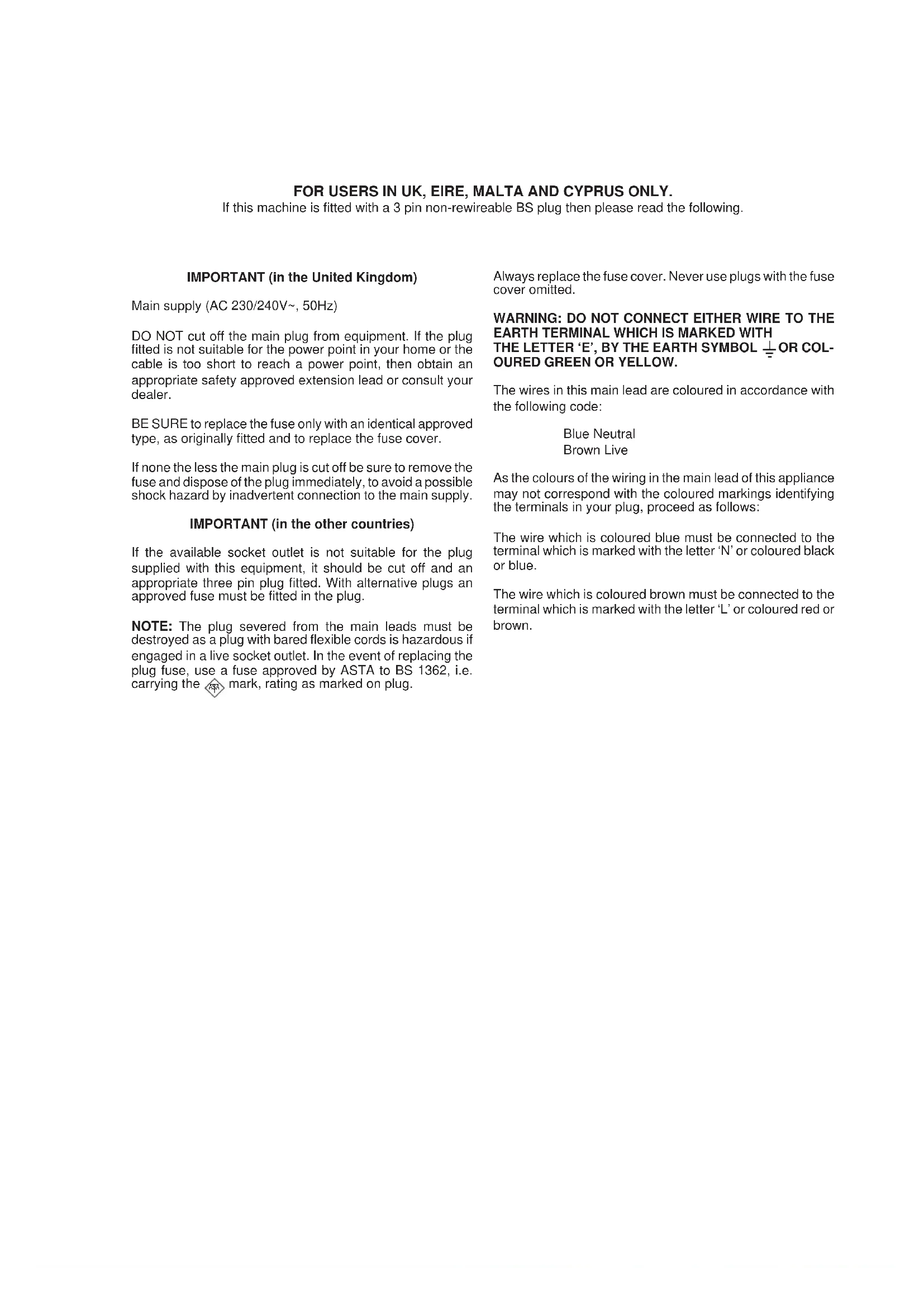
“Esta máquina de coser es para uso doméstico”FOR USERS IN UK, EIRE, MALTA AND CYPRUS ONLY. If this machine is fitted with a 3 pin non-rewireable BS plug then please read the following. IMPORTANT (in the United Kingdom) Main supply (AC 230/240V~, 50Hz) DO NOT cut off the main plug from equipment. If the plug fitted is not suitable for the power point in your home or the cable is too short to reach a power point, then obtain an appropriate safety approved extension lead or consult your dealer. BE SURE to replace the fuse only with an identical approved type, as originally fitted and to replace the fuse cover. If none the less the main plug is cut off be sure to remove the fuse and dispose of the plug immediately, to avoid a possible shock hazard by inadvertent connection to the main supply. IMPORTANT (in the other countries) If the available socket outlet is not suitable for the plug supplied with this equipment, it should be cut off and an appropriate three pin plug fitted. With alternative plugs an approved fuse must be fitted in the plug. NOTE: The plug severed from the main leads must be destroyed as a plug with bared flexible cords is hazardous if engaged in a live socket outlet. In the event of replacing the plug fuse, use a fuse approved by ASTA to BS 1362, i.e. carrying the ASA mark, rating as marked on plug. Always replace the fuse cover. Never use plugs with the fuse cover omitted.
THE LETTER ‘E’, BY THE EARTH SYMBOL OR COL- OURED GREEN OR YELLOW. The wires in this main lead are coloured in accordance with the following code: Blue Neutral Brown Live As the colours of the wiring in the main lead of this appliance may not correspond with the coloured markings identifying the terminals in your plug, proceed as follows: The wire which is coloured blue must be connected to the terminal which is marked with the letter ‘N’ or coloured black or blue. The wire which is coloured brown must be connected to the terminal which is marked with the letter ‘L’ or coloured red or brown.1. Connect the three-prong plug into the machine.
2. Connect the electrical supply plug into a wall outlet.
- When leaving the machine unattended, the main switch of the machine should be switched off or the plug must be removed from the socket outlet. Turn on or off the switch for the main power and sew-light. 1 Turn on 2 Turn off - When servicing the machine, or when removing covers or changing bulbs, the machine or the electrical set must unplugged.
Connecting Plugs and Main Power / Sewing Light SwitchPLEASE READ BEFORE USING THIS MACHINE For safe operation
1. Be sure to keep your eye on the needle while sewing. Do not touch the balance wheel, thread take-up, needle, or other
2. Remember to turn off the power switch and unplug the cord when:
- Operation is completed
- Replacing or removing the needle or any other parts
- A power failure occurs during use
- Maintaining the machine
- Leaving the machine unattended.
3. Do not store anything on the foot controller.
4. Plug the machine directly into the wall. Do not use extension cords.
For a longer service life 1. When storing this machine, avoid direct sunlight and high humidity locations. Do not use or store the machine near a space heater, iron, halogen lamp, or other hot objects.
2. Use only neutral soaps or detergents to clean the case. Benzene, thinner, and scouring powders can damage the case
and machine, and should never be used.
3. Do not drop or hit the machine.
4. Always consult the operation manual when replacing or installing any assemblies, the presser feet, needle, or other parts to assure correct installation. For repair or adjustment In the event a malfunction occurs or adjustment is required, first follow the troubleshooting table in the back of the operation manual to inspect and adjust the machine yourself. If the problem persists, please consult your local authorized dealer.VEUILLEZ LIRE CES INFORMATIONS AVANT
USING ATTACHMENTS AND APPLICATIONS
KNOWING YOUR SEWING MACHINE STRAIGHT AND ZIGZAG STITCHING BUILT-IN STITCHES BUTTONHOLE AND BUTTON SEWING USING ATTACHMENTS AND APPLICATIONS
MENT (Page 12, 25) 9 ZIGZAG PRESSER FOOT (Page 3, 11) : REVERSE SEWING LEVER (Page 24) Push for stitching in the reverse direction. A PATTERN INDICATION WINDOW (Page 13) Shows the stitch number to be performed. B HOLE FOR VERTICAL SPOOL PIN (Page 37) Used to hold a second spool of thread for twin needle sewing.
C RUEDA MANUAL/POLEA
1. Connect the power cord plug into the machine.
2. Connect the power supply plug into a wall outlet.
1. When leaving the machine unattended, the main switch of
the machine should be switched off or the plug must be removed from the socket-outlet.
2. When servicing the machine, or when removing covers or
changing bulbs, the machine or the electrical set must be unplugged.
This appliance has a polarized plug (one blade wider than the other). To reduce the risk of electric shock, this plug is intended to fit in a polarized outlet only one way. If the plug does not fit fully in the outlet, reverse the plug. If it still does not fit, contact a qualified electrician to install the proper outlet. Do not modify the plug in any way. WARNING
- Use only regular household electricity for the power source. Using other power sources may result in fire, electric shock, or damage to the machine.
- Turn off the main power and remove the plug in the following circumstances: - When you are away from the machine - After using the machine - When the power fails during use - When the machine does not operate correctly due to a bad connection or a disconnection - During electrical storms CAUTION
- Do not use extension cords or multi-plug adapters with many other appliances plugged in to them. Fire or electric shock may result.
- Do not touch the plug with wet hands. Electric shock may result.
- When unplugging the machine, always turn off the main power first. Always grasp the plug to remove it from the outlet. Pulling on the cord may damage the cord, or lead to fire or electric shock.
- Do not allow the power cord to be cut, damaged, modi- fied, forcefully bent, pulled, twisted, or bundled. Do not place heavy objects on the cord. Do not subject the cord to heat. These things may damage the cord and cause fire or electric shock. If the cord or plug is damaged, take the machine to your authorized dealer for repairs before continuing use.
- Unplug the power cord if the machine is not to be used for a long period of time. Otherwise a fire may result. TABLE OF CONTENTSKNOWING YOURSEWING MACHINESTRAIGHT ANDZIGZAG STITCHINGBUILT-IN STITCHESBUTTONHOLE ANDBUTTON SEWINGUSING ATTACHMENTSAND APPLICATIONSMAINTENANCEINDEX6
Checking the Needle The sewing needle must always be straight and sharp for smoothsewing.To Check the Needle Correctly:To check the needle, place the flat side of the needle on a flatsurface. Check the needle from the top and the sides. Throw awayany bent needles.1 Parallel space2 Level surface (bobbin cover, glass, etc.)* Place a level surface under the needle. Replacing the Needle CAUTION
- Turn the main power switch to OFF before changing theneedle. If the main power is left on and foot controller isstepped on, the machine will start and injury may result.• Use only sewing machine needles for home use. Otherneedles may bend or break and cause injury.• Never sew with a bent needle. A bent needle will easilybreak and cause injury.1. Remove the power supply plug from the outlet.2. Raise the needle bar to its highest position.3. Lower the presser foot.4. Remove the needle by loosening the needle clamp screw.1 Presser foot leverCAUTIONDo not loosen or tighten the needle clamp screw with a strongforce, otherwise it may be damaged.5. With the flat side of the needle facing the back, insert the newneedle all the way to the top of the needle stopper (viewingwindow) in the needle clamp. Use a screwdriver to securelytighten the needle clamp screw.2 Needle stopper3 Hole for setting needle4 Flat side of needle CAUTION Be sure to push in the needle until it touches the stopper,and securely tighten the needle clamp screw with a screw-driver. If the needle is not completely inserted or the needleclamp screw is loose, the needle may break or the machinemay be damaged.
- Always turn off the power before changing the presser foot. If the power is on and controller is stepped on, the machine will start and may cause injury.
- Always use the correct presser foot for the selected stitch pattern. If the wrong presser foot is used, the needle may strike the presser foot and bend or break, and may cause injury.
- Only use presser feet for this machine. Using other presser feet may lead to accident or injury. It may be necessary to change the presser foot according to your sewing needs. SNAP-ON TYPE
1. Raise the needle to its highest position by turning the balance
wheel toward you (counter clockwise) and raise the presser foot lever.
2. Release the foot by raising the lever located at the back of the
3. Place a different presser foot on the needle plate so that the bar
on the presser foot is in line with the slot on the shank.
4. Lower the presser foot lever and fix the presser foot onto the
shank. If the presser foot is in the correct location, the bar should snap in. Changement de pied-de-biche ATTENTION
KNOWING YOUR SEWING MACHINE STRAIGHT AND ZIGZAG STITCHING BUILT-IN STITCHES BUTTONHOLE AND BUTTON SEWING USING ATTACHMENTS AND APPLICATIONS MAINTENANCE INDEX13 VARIOUS CONTROLS Pattern Selection Dial CAUTION When you use the Pattern Selection Dial to select a pattern, turn the balance wheel to the front (counter-clockwise) by hand to set the needle in the highest position before selecting the pattern. If the needle is in the down position when the Pattern Selection Dial is turned, the needle, presser foot, or fabric may be damaged. To select a stitch, simply turn the Pattern Selection Dial, located on the right side of the machine. The Pattern Selection Dial may be turned in either direction. The following page shows the recom- mended range of stitch lengths and widths. 1 Pattern selection dial 2 Pattern number The stitches that are available depend on the Stitch Length Dial setting. If the Stitch Length Dial is set between 0 and 4, any of the stitches in the top row can be selected. If the Stitch Length Dial is set to SS, any of the stitches in the bottom row can be selected. 3 Stitch length dial NOTE: Since the Pattern Selection Dial is not a continuous dial, it cannot be turned directly from the last stitch to the first one or from the first stitch to the last one. To select the first stitch when the last one is displayed or to select the last stitch when the first one is displayed, turn the Pattern Selection Dial in the opposite direction until the desired stitch is displayed.
RECOMMENDED WIDTHS AND LENGTHS FOR STITCHES
RECOMMENDED WIDTHS AND LENGTHS FOR STITCHES
Stitch Length Dial Depending on your selected stitch, you may need to adjust the stitchlength for best results.The numbers marked on the Stitch Length Dial represent the lengthof the stitch in millimeters (mm).THE HIGHER THE NUMBER, THE LONGER THE STITCH.The “O” setting does not feed the material. This is used for sewingon a button.The “F” area is used for making a Satin Stitch (a dense zigzag stitch)which can be used in making buttonholes and decorative stitches.The position needed for making the Satin Stitch varies according tothe material and thread being used. To determine the exact dialposition, you should first test the stitch and length settings on ascrap of fabric to observe the feeding of the material.1 Stitch length dial2 Length3 Fine → SS4 CoarseCAUTIONDo not set the Stitch Length Dial in the range shown by
A. Ifthe machine is started while the dial is set in the range shown
A, the fabric will not feed correctly and the fabric ormachine may be damaged.Turn the dial to the left past “O” for the position. (Fixed 2.5) CAUTION If the stitches get bunched together, lengthen the stitchlength and continue sewing. Do not continue sewing with-out lengthening the stitch length, otherwise the needle maybreak and cause injury.
KNOWING YOUR SEWING MACHINE STRAIGHT AND ZIGZAG STITCHING BUILT-IN STITCHES BUTTONHOLE AND BUTTON SEWING USING ATTACHMENTS AND APPLICATIONS MAINTENANCE INDEX24
KNOWING YOUR SEWING MACHINE STRAIGHT AND ZIGZAG STITCHING BUILT-IN STITCHES BUTTONHOLE AND BUTTON SEWING USING ATTACHMENTS AND APPLICATIONS MAINTENANCE INDEX25
KNOWING YOUR SEWING MACHINE STRAIGHT AND ZIGZAG STITCHING BUILT-IN STITCHES BUTTONHOLE AND BUTTON SEWING USING ATTACHMENTS AND APPLICATIONS MAINTENANCE INDEX26 THREADING THE MACHINE Winding the Bobbin CAUTION
- If the thread spool and/or spool cap are set incorrectly, the thread may tangle on the spool pin.
- Use the spool cap (large, medium, or small) that is closest in size to the thread spool. If a spool cap smaller than the thread spool is used, the thread may become caught in the slit on the end of the spool.
1. Place the spool of thread on the horizontal spool pin and firmly
hold it with a spool cap so that the spool of thread will not turn. Pass the thread through the thread guide as shown following the dotted line on the machine. CAUTION Use only bobbins recommended by the manufacturer of this machine (see page 3). Using other bobbins may result in damage or injury.
2. Pass the end of the thread through the hole on the bobbin from
the inside. Place the bobbin onto the bobbin winder shaft and slide the bobbin winder shaft to the right. Turn the bobbin clockwise, by hand, until the spring on the shaft slides into the groove of the bobbin. 1 Spring on the shaft 2 Groove of the bobbin 3 Bobbin winder seat
3. While holding the end of the thread, gently depress the foot
controller to wind the thread around the bobbin a few times. Then stop the machine. Trim the excess thread above the bobbin.
4. Step down on the foot controller to start.
5. After the machine stops automatically when the bobbin is full,
take your foot off of the foot controller. CAUTION When removing the bobbin, do not pull on the bobbin winder seat. Doing so could loosen or remove the bobbin winder seat, resulting in damage to the machine.
6. Cut the thread, slide the bobbin winder shaft to the left and
remove the bobbin. NOTE: The needle bar does not move when the bobbin winding shaft is slid to the right. Immediately after winding the bobbin, it is normal to hear the sound of the clutch engaging when beginning to sew or manually turning the balance wheel. CAUTION Be sure to follow the process described. If the thread is not cut completely, and the bobbin is wound, when the thread runs low it may tangle around the bobbin and cause the needle to break. CAUTION Setting the bobbin improperly may cause the thread ten- sion to loosen, breaking the needle and resulting in injury. 1 Wound evenly 2 Wound poorly
KNOWING YOUR SEWING MACHINE STRAIGHT AND ZIGZAG STITCHING BUILT-IN STITCHES BUTTONHOLE AND BUTTON SEWING USING ATTACHMENTS AND APPLICATIONS MAINTENANCE INDEX28
- If the thread spool and/or spool cap are set incorrectly,the thread may tangle on the spool pin and cause theneedle to break.• Use the spool cap (large, medium, or small) that isclosest in size to the thread spool. If a spool cap smallerthan the thread spool is used, the thread may becomecaught in the slit on the end of the spool and cause theneedle to break. CAUTION Be sure to thread the machine properly. Improper threadingcan cause the thread to tangle and break the needle, leadingto injury.4. Deliver the upper thread as shown in this diagram.5. Make sure to guide the thread through the thread take-up leverfrom the right to the left.2 Thread take-up lever6. Place thread behind the guide above the needle.NOTE:If the thread take-up lever is lowered, the upper thread can not bewrapped around the thread take-up lever. Be sure to raise thePresser Foot Lever and the thread take-up before feeding the upperthread.Incorrectly feeding the thread may cause sewing problems.
Using Needle Threader Turn power switch to “O”.1. Lower the presser foot lever.2. Turn the balance wheel toward you (counter-clockwise) to raisethe needle holder to the highest position.1 Needle holder2 Needle threader leverCAUTIONWhen using the needle threader, be sure the needle holder isin the highest position. Otherwise, the hook may be damaged.3. While lowering the needle threader lever, hook the thread ontothe guide.4. Pull down the needle threader lever as much as possible, thenrotate the lever toward the back of the machine (away from you).Make sure that the hook passes through the eye of the needleand grabs the thread.• Hold the thread in front of the needle in order to make sure thatthe hook grabs it.1 Needle holder2 Needle threader lever3 Guide4 Hook holder5. While lightly holding the thread, rotate the needle threader levertoward the front of the machine (toward you). The hook will pullthe thread through the needle.5 Hook6 Thread6. Raise the needle threader lever and pull out about 5 cm (2") ofthread through the needle toward the back of the sewingmachine. CAUTION The needle threader can only be used with home sewingmachine needles size 75/11-100/16. Check the table onpage 39 for appropriate needle and thread combinations.Note that, if you are using transparent nylon mono-filamentthread, only needles in the range of 90/14-100/16 can beused. CAUTION The needle threader can not be used to thread the needlewhen you are using decorative threads or specialty needleslike the twin needle and wing needle. When using thosetypes of threads or needles, thread the eye of the needlemanually. Make sure the main power switch is OFF whenthreading the needle manually.
1. While lightly holding the end of the upper thread, slowly turn the
balance wheel to the front (counter-clockwise) once by hand to lower and then raise the needle.
2. Pull on the upper thread to draw up the lower thread.
3. Pull out about 10 cm (4") of both threads and place them toward
the back of the machine under the presser foot. 1 Upper thread 2 Lower thread
KNOWING YOUR SEWING MACHINE STRAIGHT AND ZIGZAG STITCHING BUILT-IN STITCHES BUTTONHOLE AND BUTTON SEWING USING ATTACHMENTS AND APPLICATIONS MAINTENANCE INDEX36 Twin Needle Sewing Your machine is designed for twin needle sewing, which allows you to sew with two top threads. You can use the same color or two different colors of thread for making decorative stitches. Any of the patterns, except the buttonhole pattern, can be sewn with the twin needle. When using the Straight Stitch, the Stitch Width Dial should be set so that the needle is in the center position (between 1 and 2). However, when other patterns are used, set the Stitch Width Dial between 0 and 3. See page 23 for details on adjusting the Stitch Width Dial. CAUTION
- Use only twin needles made for this machine (part code X57521-001). Other needles could break, resulting in damage.
- When sewing with the twin needle, be sure the Stitch Width Dial is not set above 3 since this may cause the needle to hit the needle plate and break.
- Do not sew with bent needles. The needle could break and cause injury.
KNOWING YOUR SEWING MACHINE STRAIGHT AND ZIGZAG STITCHING BUILT-IN STITCHES BUTTONHOLE AND BUTTON SEWING USING ATTACHMENTS AND APPLICATIONS MAINTENANCE INDEX37
Insert in the same way a single needle is inserted (refer to page 9). The flat side of the needle should face toward the back and the rounded side should face toward you.
PLACING THE EXTRA SPOOL PIN
Place the vertical spool pin in the hole found on top of the machine near the horizontal spool pin. Place the second spool of thread onto the vertical spool pin as shown in fig. A.
TWIN NEEDLE THREADING
Each needle should be threaded separately.
1. Threading the Right Needle
Follow the same instructions for single needle threading using the thread from the spool on the extra spool pin. See page 31 for more details.
PARA INTRODUCIR LA AGUJA DOBLE
KNOWING YOUR SEWING MACHINE STRAIGHT AND ZIGZAG STITCHING BUILT-IN STITCHES BUTTONHOLE AND BUTTON SEWING USING ATTACHMENTS AND APPLICATIONS MAINTENANCE INDEX38 Thread Tension Thread tension will affect the quality of your stitches. It may need to be adjusted when you change fabric or thread type. NOTE: It is recommended that a test sample be made on a fabric scrap before sewing on your project. Possible misadjustments and their results. Upper tension is too tight. (Fig.A) Locks appear on the surface of the fabric. <Solution> Decrease the tension by turning the Upper Tension Control Dial to a lower number. Upper tension is too loose. (Fig.B) Locks appear on the reverse side of the fabric. <Solution> Increase the tension by turning the Upper Tension Control Dial to a higher number. CORRECT TENSION (Fig.C) Correct tension is important since too much or too little tension will weaken your seams or cause puckers on your fabric. 1 Surface 2 Reverse side 3 Upper thread 4 Lower thread 5 Locks appear on surface of fabric 6 Locks appear on reverse side of fabric
KNOWING YOUR SEWING MACHINE STRAIGHT AND ZIGZAG STITCHING BUILT-IN STITCHES BUTTONHOLE AND BUTTON SEWING USING ATTACHMENTS AND APPLICATIONS MAINTENANCE INDEX39
2. The same thread is usually used for the bobbin thread and upper threading.
CAUTION Be sure to follow the needle, thread, and fabric combinations listed in the table. Using an improper combination, especially a heavyweight fabric (i.e., denim) with a small needle (i.e., 65/9 - 75/11), may cause the needle to bend or break, and lead to injury. Also, the seam may be uneven, the fabric may pucker, or the machine may skip stitches. Medium weight fabric Lightweight fabric Heavyweight fabric Stretch fabric For top stitching Buttonhole twist Cotton, Polyester Synthetic mercerized Polyester Cotton, Polyester Synthetic mercerized Polyester Cotton, Polyester Synthetic mercerized Polyester Polyester Synthetic mercerized Cordonnet Fabric Broadcloth Taffeta Flannel, Gabardine Lawn, Batiste Georgette Challis, Satin Denim Corduroy Tweed Jersey Tricot
75/11 - 90/14 65/9 - 75/11 90/14 - 100/16 Ball point needle (golden colored) 75/11 - 90/14 90/14 - 100/16 Size Thread Size of needle Type
- To avoid injury, pay special attention to the needle while the machine is in operation. Keep your hands away from moving parts while the machine is in operation.
- Do not stretch or pull the fabric during sewing. Doing so may lead to injury.
- Do not use bent or broken needles. Doing so may lead to injury.
- Take care that the needle does not strike basting pins or other objects during sewing. Otherwise, the needle may break and cause injury.
- If stitches become bunched, lengthen the stitch length setting before continuing sewing. Otherwise, the needle may break and cause injury.
- Always use the correct presser foot. If the wrong presser foot is used, the needle may strike the presser foot and bend or break, resulting in injury.
- When you turn the balance wheel by hand, always turn it to the front (counter-clockwise). Turning it the other way may cause the thread to tangle, and result in damage to the needle or fabric or injury. LEA ESTO POR FAVOR ANTES DE COSER PRECAUCIÓN
KNOWING YOUR SEWING MACHINE STRAIGHT AND ZIGZAG STITCHING BUILT-IN STITCHES BUTTONHOLE AND BUTTON SEWING USING ATTACHMENTS AND APPLICATIONS MAINTENANCE INDEX42 Straight Stitching Pattern Stitch Length Stitch Width (Straight Stitch) 1-4
(Triple Stretch Stitch)
1. Turn the Pattern Selection Dial to show your desired stitch in the
Pattern Indication Window. Setting the Pattern Selection Dial to Straight Stitch or Triple Stretch Stitch is required.
2. Raise the needle to its highest position and lift the presser foot
3. Pull the upper thread toward the back of the presser foot.
4. Place the fabric under the presser foot and position the needle
1 cm (3/8") from the edge of the fabric.
5. Lower the presser foot.
6. To backtack, push down the Reverse Sewing Lever as far as
possible, then step down on the foot controller to start reverse sewing.
7. Release the Reverse Sewing Lever and start sewing in the
forward direction by applying pressure to the foot controller.
- Reverse sewing is used for locking the end of seams and where reinforcement is needed. CAUTION Be sure the needle does not strike a basting pin, or any other objects, during sewing. The thread could tangle or the needle could break, causing injury. Puntadas rectas Modelo de puntada Largo de puntada Ancho de puntada (Puntada recta) 1-4
KNOWING YOUR SEWING MACHINE STRAIGHT AND ZIGZAG STITCHING BUILT-IN STITCHES BUTTONHOLE AND BUTTON SEWING USING ATTACHMENTS AND APPLICATIONS MAINTENANCE INDEX43
CHANGING SEWING DIRECTION
1. Stop the machine at the point where you wish to change
direction with the needle still in the fabric.
2. Raise the presser foot and turn the fabric to line up its new
direction using the needle as a turning point.
3. Lower the presser foot and start sewing in the new direction.
FINISHING SEWING Reverse stitching is used to lock the threads at the end of the seam or wherever reinforcement is needed.
1. Stitch to the end of the seam and stop.
2. Push the Reverse Sewing Lever and stitch backwards for 1 cm
(3/8") from the end of the fabric. POUR MODIFIER LE SENS DE LA COUTURE
KNOWING YOUR SEWING MACHINE STRAIGHT AND ZIGZAG STITCHING BUILT-IN STITCHES BUTTONHOLE AND BUTTON SEWING USING ATTACHMENTS AND APPLICATIONS MAINTENANCE INDEX44
Raise the needle to its highest position and make sure that the thread take-up lever is also in its highest position.
2. Lift the presser foot and pull the fabric out gently to the left side.
3. Cut both threads with the thread cutter located on the left side of
the machine. 1 Thread cutter
4. To prepare the machine for the next seam, pull about 10 cm (4")
of thread through the toes of the presser foot toward the back of the machine.
TOP STITCHING AND STRETCH MATERIALS
Straight Stitch is used for top stitching and sewing lightweight fabrics. Triple Stretch Stitch is used for stretch fabrics.
KNOWING YOUR SEWING MACHINE STRAIGHT AND ZIGZAG STITCHING BUILT-IN STITCHES BUTTONHOLE AND BUTTON SEWING USING ATTACHMENTS AND APPLICATIONS MAINTENANCE INDEX45 Zigzag Stitching Pattern Stitch Length Stitch Width (Zigzag Stitch) F-4 0-5 ZIGZAG STITCH Select the Zigzag Stitch using the Pattern Selection Dial. Then, select the Stitch Length and the Stitch Width. It is recommended to sew using the Straight Stitch at the beginning and end of the Zigzag Stitches. (This acts as a reinforcement stitch.) SATIN STITCH When the Zigzag Stitch length is set in the “F” range, it produces a Satin Stitch (a dense Zigzag Stitch). The Satin Stitch can be used for making decorative stitches. Select the Zigzag Stitch, then set the stitch length in the “F” range and set the desired stitch width. When sewing a satin stitch, use a slightly loose upper thread tension to produce more beautiful stitches.
KNOWING YOUR SEWING MACHINE STRAIGHT AND ZIGZAG STITCHING BUILT-IN STITCHES BUTTONHOLE AND BUTTON SEWING USING ATTACHMENTS AND APPLICATIONS MAINTENANCE INDEX46 Blind Hem Stitching Pattern Stitch Length Stitch Width (Blind Hem Stitch) F-2 3-5 (Stretch Blind Hem Stitch) F-1.5 The Blind Hem Stitch is used to finish the edge of a project like the hem of a pair of pants without the stitch showing. Use the Blind Hem Stitch for any non-stretch fabrics and the Stretch Blind Hem Stitch for stretch fabrics.
1. Both the threads should be the same color as the fabric.
2. Fold back the fabric to the desired location of the hem as shown
in fig. A. Then, fold the edge of the fabric as in fig. B. Leave a 6 mm (15/64") overlap at the edge.
3. Set the Pattern Selection Dial to Blind Hem Stitch or Stretch
Blind Hem Stitch and set the stitch length and width.
4. Sew on the fold as in fig. C.
5. When the fabric is unfolded you will have a Blind Stitch hem as
shown in fig. D. 1 Right side of fabric 2 Wrong side of fabric NOTE: The Stretch Blind Hem Stitch is useful for stretch fabrics. ABCD
1. Set the Pattern Selection Dial to Shell Tuck Stitch.
2. Sew the fabric on the bias, placing it under the presser foot so
that the straight stitches are sewn on the seamline and the zigzag stitches are sewn slightly over the folded edge.
3. This stitch requires a tighter thread tension than normal.
4. Sew at a slow speed.
KNOWING YOUR SEWING MACHINE STRAIGHT AND ZIGZAG STITCHING BUILT-IN STITCHES BUTTONHOLE AND BUTTON SEWING USING ATTACHMENTS AND APPLICATIONS MAINTENANCE INDEX48 Elastic Stitching Pattern Stitch Length Stitch Width (Elastic Stitch) F-2.5 3-5 The Elastic Stitch can be used for 3 functions: mending, sewing elastic or joining fabric. Each is explained below. Set the Pattern Selection Dial to Elastic Stitch. MENDING
1. Place the reinforcement fabric under area to be mended.
2. Following the line of the tear, sew using the Elastic Stitch as
illustrated in fig. A. SEWING ELASTIC
1. Place the elastic on the fabric.
2. As you sew, stretch the elastic both in the front and behind the
presser foot as shown in fig. B. JOINING FABRIC The Elastic Stitch can be used to join two pieces of fabric together and is very effective when sewing knitted fabrics. When nylon thread is used, the stitch will not be visible.
1. Place the edge of the two pieces of fabric together and center
them under the presser foot.
2. Sew them together using the Elastic Stitch taking care to keep
KNOWING YOUR SEWING MACHINE STRAIGHT AND ZIGZAG STITCHING BUILT-IN STITCHES BUTTONHOLE AND BUTTON SEWING USING ATTACHMENTS AND APPLICATIONS MAINTENANCE INDEX49 Double Action Stitching Pattern Stitch Length Stitch Width (Double Action Stitch) (Bridging Stitch) F-3 3-5 (Rampart Stitch) (Decorative hem Stitch)
KNOWING YOUR SEWING MACHINE STRAIGHT AND ZIGZAG STITCHING BUILT-IN STITCHES BUTTONHOLE AND BUTTON SEWING USING ATTACHMENTS AND APPLICATIONS MAINTENANCE INDEX50 Scallop Stitching Pattern Stitch Length Stitch Width (Scallop Stitch) F-1.5 3-5 This machine automatically produces a Scallop Stitch which may be used as a decorative edging.
1. Set the Pattern Selection Dial to Scallop Stitch.
2. Sew the Scallop Stitch along the edge of the material.
3. If desired, trim around the scallop with scissors to create a
scalloped edge. Be careful not to cut the thread.
KNOWING YOUR SEWING MACHINE STRAIGHT AND ZIGZAG STITCHING BUILT-IN STITCHES BUTTONHOLE AND BUTTON SEWING USING ATTACHMENTS AND APPLICATIONS MAINTENANCE INDEX51
Decorative Stitching Pattern Stitch Length Stitch Width (Bead Stitch)* (Arrowhead Stitch)* 3-5 (Parallelogram Stitch)* (Triangle Stitch)* F-1 (Lighting Stitch) (Square stitch) 5 (Decorative Stitch) (Decorative Stitch) 3-5 (Decorative Stitch)
These stitches can be used for making decorative top stitching and for smocking. Set the Pattern Selection Dial to Triangle Stitch, Bead Stitch, etc.
KNOWING YOUR SEWING MACHINE STRAIGHT AND ZIGZAG STITCHING BUILT-IN STITCHES BUTTONHOLE AND BUTTON SEWING USING ATTACHMENTS AND APPLICATIONS MAINTENANCE INDEX52 Patchwork Pattern Stitch Length Stitch Width (Fagoting Stitch)
3-5 (Link stitch) These stitchs are used to join two pieces of fabric while leaving a space between their edges.
1. Fold over the edges of the two pieces of fabric for the hem and
baste the edges to a thin piece of paper leaving a small space between them.
2. Set the Pattern Selection Dial to Fagoting Stitch or Link stitch.
3. Stitch along the edge, pulling both threads slightly when begin-
- Use thicker than normal threads for sewing.
4. After sewing, remove the basting and the paper. Finish by tying
knots on the reverse side at the beginning and the end of the seams. 1 First needle drop
Overedge Stitching Pattern Stitch Length Stitch Width
These stitches are used to join together seams and finish them in one operation. The Elastic Overlock Stitches are useful when sewing stretch materials.
1. Set the Pattern Selection Dial to Comb Stitch, either Elastic
Overlock Stitch, or Elastic Shell Tuck Stitch.
2. Position the fabric under the presser foot so that the seamline (or
arrowhead point) is approximately 3 mm (1/8") to the left of the center of the presser foot. This stitch works best with a seam allowance of approximately 5 mm (3/16") as this allows the right (zigzag) side of the stitch to overlock the cut edge of the fabric as shown in fig. A.
3. If the seam allowance is wider than the stitch pattern, trim away
any excess fabric after stitching. A finished Elastic Overlock Stitch is shown in fig. B.
KNOWING YOUR SEWING MACHINE STRAIGHT AND ZIGZAG STITCHING BUILT-IN STITCHES BUTTONHOLE AND BUTTON SEWING USING ATTACHMENTS AND APPLICATIONS MAINTENANCE INDEX54 Feather Stitching Pattern Stitch Length Stitch Width (Feather Stitch)
3-5 Use the Feather Stitch as a decorative top stitch or when hemming blankets, tablecloths or draperies or when embroidering.
1. Set the Pattern Selection Dial to Feather Stitch.
2. Place the fabric right side up and sew 1 cm (3/8") from the edge
3. Trim close to the stitching.
This stitch will prevent the fabric from unravelling. Triple Zigzag Stretch Stitching Pattern Stitch Length Stitch Width (Triple Zigzag Stretch Stitch)
KNOWING YOUR SEWING MACHINE STRAIGHT AND ZIGZAG STITCHING BUILT-IN STITCHES BUTTONHOLE AND BUTTON SEWING USING ATTACHMENTS AND APPLICATIONS MAINTENANCE INDEX55 Making a Buttonhole (For 1-step BH Type) Pattern Stitch Length Stitch Width FootF-1.5 3-5 Buttonhole FootNOTE:1. It is recommended to practice making a buttonhole on a scrappiece of fabric before attempting it on the actual garment.2. When making buttonholes on soft fabrics, place a stabilizermaterial on the underside of the fabric.One-step buttonhole-making is a simple process that providesreliable results.MAKING A BUTTONHOLE1. Using tailor’s chalk, mark the position of the buttonhole on thefabric.2. Set the Pattern Selection Dial to Buttonhole.3. Attach the buttonhole foot, pull open the button holder and inserta button. (See fig. B)* The size of the buttonhole is determined by the button insertedinto the button holder.4. Align the red line on the presser foot with the mark on the fabric,then lower the Presser Foot Lever. Be sure to pass the threadunder the presser foot and pull it toward you. (See fig. C)NOTE:Do not lower the Presser Foot Lever while pushing in the area of the presser foot marked a in fig.C. Otherwise the buttonhole will not be sewn with the correct size.1 Do not close this gap.(Fig.A)2 Align the lines on the presser foot.5. Pull down the buttonhole lever to its lowest position, then lightlypush it toward the back of the machine. (See fig. D)3 Button holder4 Mark on fabric5 Line on presser foot6. Hold the upper thread and step down on the foot controller tobegin sewing. CAUTION Pulling the thread too strongly may bend or break theneedle, and lead to injury.
7. Stitches 1, 2, 3 and 4 are sewn, then stop the machine.
counterclockwise and sew Straight Stitches to the end of the front bar tack of the buttonhole.
2. Remove the material from the machine. It is recommended that
pins be placed across both ends of the buttonhole as protection against cutting the stitches.
3. Cut an opening in the middle of the buttonhole with a seam ripper
tool. Be careful not to cut through any stitches. CAUTION When using the seam ripper to open the buttonhole, do not put your hand or finger in the path of the ripper. The ripper may slip and cause injury. PARA COMPLETAR LAS PUNTADAS Y CORTAR EL OJAL
KNOWING YOUR SEWING MACHINE STRAIGHT AND ZIGZAG STITCHING BUILT-IN STITCHES BUTTONHOLE AND BUTTON SEWING USING ATTACHMENTS AND APPLICATIONS MAINTENANCE INDEX59 Buttonhole Fine Adjustment If the stitching on the two sides of the buttonhole do not appearuniform, the following adjustments can be made.1. Set the Stitch Length Dial at “F-1.5” and stitch the right side ofthe buttonhole on a scrap of fabric while observing how thematerial is fed.2. If the right side of the buttonhole is too coarse or fine, adjust thefeeding of the material with the Stitch Length Dial.1 Right row2 Stitch length3 Shorter4 Longer5 Adjusted stitch3. After obtaining a satisfactory feeding on the right side, stitch theleft side of the buttonhole and observe the feeding.4. If the left side is too coarse or fine compared to the right side,adjust the buttonhole fine adjustment screw as described below.If the left side is too coarse, turn the screw with the enclosedlarge screwdriver in the – direction.If the left side is too fine, turn the screw with the enclosed largescrewdriver in the + direction.This adjustment allows both sides of the buttonhole to appearuniform.6 Stitch length dial7 Buttonhole fine adjusting screw8 Right row9 Adjusted stitch
thread and lower thread.
2. Pull the buttonhole lever slightly toward you.
3. Sew about 10 stitches with no fabric, upper thread, or lower
thread in the machine.
4. Place the fabric under the presser foot, and set the upper and
lower thread again, then lightly push the buttonhole lever toward the back of the machine and sew the buttonhole from the beginning. Correction Procedure 2 (See fig. B)
1. Raise the Presser Foot Lever, then remove the fabric and all of
2. Place the fabric under the presser foot again, then lightly push
the buttonhole lever toward the back of the machine and sew the buttonhole from the beginning. NOTE: When you are finished sewing all buttonholes be sure to raise the buttonhole lever. If the buttonhole lever is pushed toward the back of the machine while sewing any stitch other than a buttonhole, the buttonhole feed will be used and the stitch will not be sewn correctly. If the buttonhole lever is accidentally pushed when you are sewing a stitch other than a buttonhole, remove the fabric and thread from the machine, raise the buttonhole lever, and sew about 20 stitches. Then sew the intended stitch.
KNOWING YOUR SEWING MACHINE STRAIGHT AND ZIGZAG STITCHING BUILT-IN STITCHES BUTTONHOLE AND BUTTON SEWING USING ATTACHMENTS AND APPLICATIONS MAINTENANCE INDEX62 Button Sewing Pattern Stitch Length Stitch Width Foot 0 Less than 5
1. Measure the distance between the holes and set the appropriate
stitch width using the Stitch Width Dial. For example, if the distance between the holes is 1.5 mm, set the stitch width to 1.5.
2. Change the foot to the Zigzag presser foot.
3. Remove the power supply plug from the outlet. And place the
darning plate on the needle plate. Connect the power supply plug into a wall outlet.
4. Place a button between the foot and the fabric and make sure
that the needle enters the holes without hitting the button. If it hits see Step 1.
5. At a slow speed, sew approximately 10 stitches.
6. Remove the material from the machine. Cut the upper and lower
les nouer sur l’envers du tissu. ATTENTION Pendant la couture, veillez à ce que l´aiguille ne touche pas le bouton. L´aiguille risque de casser et vous pourriez vous blesser. TABLE OF CONTENTSKNOWING YOURSEWING MACHINESTRAIGHT ANDZIGZAG STITCHINGBUILT-IN STITCHESBUTTONHOLE ANDBUTTON SEWINGUSING ATTACHMENTSAND APPLICATIONSMAINTENANCEINDEX63 Zipper Insertion Pattern Stitch Length Stitch Width Foot2-3 2.5 (center) Zipper FootThe zipper foot is used to sew various types of zippers and caneasily be positioned to the right or left side of the needle.When sewing the right side of the zipper, attach the shank to the leftpin of the zipper foot. When sewing the left side of the zipper, attachthe shank to the right pin of the zipper foot. (See fig. A)1. Set the Pattern Selection Dial to Straight Stitch. Set the StitchLength between 2 and 3.Set the Stitch Width 2.5 (center).2. Lower the presser foot lever and fix either the left or right pin ofthe zipper foot onto the shank.3. Fold the edge of the material 2 cm (3/4") and place the zipperunder the folded portion.4. Lower the needle into the notch located either on the left or rightside of the zipper foot. CAUTION Turn the balance wheel to make sure the needle does notstrike the presser foot. If another stitch is selected, theneedle will strike the presser foot, causing the needle tobreak, possibly leading to injury.5. Sew from the bottom of the zipper toward the top on both sides.The needle should be positioned on the zipper side of the footfor best results. (See fig. B)6. To sew the opposite side of the zipper, releasethe foot by pressing the button located at the back of the presserfoot, install the zipper foot on the other side of the zipper andcontinue sewing using the other side notch.1 Zipper foot2 Right pin for sewing the left side of the zipper3 Left pin for sewing the right side of the zipper CAUTION Make sure the needle does not strike the zipper duringsewing. If the needle strikes the zipper, the needle maybreak, leading to injury.
1. Remove the power supply plug from the outlet. And place the
darning plate on the needle plate as shown in fig. A. Connect the power supply plug into a wall outlet.
2. Set the Pattern Selection Dial to Straight Stitch.
3. Place the portion to be darned under the presser foot together
with a fabric for reinforcement.
4. Lower the presser foot.
5. Begin sewing alternating between gently drawing the work away
from you and pulling it toward you.
6. Repeat this motion until the portion to be darned is filled with
KNOWING YOUR SEWING MACHINE STRAIGHT AND ZIGZAG STITCHING BUILT-IN STITCHES BUTTONHOLE AND BUTTON SEWING USING ATTACHMENTS AND APPLICATIONS MAINTENANCE INDEX66 Appliques Pattern Stitch Length F-2 An applique is created by cutting a contrasting piece of fabric into a shape to be used as a decoration on a garment or project.
1. Baste the cut design to the fabric in the location where desired.
2. Carefully sew around the edge of the cutout design with a Zigzag
Stitch in the fine stitch length.
3. Cut away the surplus fabric outside of the stitching.
1. Remove the power supply plug from the outlet. And place the
darning plate on the needle plate as shown in fig. A. Connect the power supply plug into a wall outlet.
2. Set the Pattern Selection Dial to the appropriate Zigzag Stitch
3. Draw the lettering (for monogramming) or design (for embroi-
dering) on the surface of the fabric.
4. Stretch the fabric between embroidery hoops as firmly as
possible with the underside of the fabric on the bottom of the inside hoop.
5. Place the work under the needle and lower the presser bar with
6. Pull the lower thread up through the work at the starting position
by turning the balance wheel and make a few holding stitches.
7. Grip the hoop with the thumb and forefingers of both hands while
pressing the fabric with the middle and third fingers and support- ing the outside of the hoop with your smaller fingers. MONOGRAMMING
1. Sew, moving the hoop slowly along the lettering at a constant
2. Secure with a few straight stitches at the end of the last letter.
1. Stitch the outline of the design by moving the embroidery hoop.
2. Fill in the design alternating from the outline of the design to the
inside and from the inside to the edge of the outline until the design is completely filled in. Keep the stitching close together. NOTE: A long stitch is made by moving the embroidery hoop rapidly and a short stitch is made by moving it slowly.
3. Secure with a few Straight Stitches at the end of the design.
3. Arrêter par quelques points droits à la fin du motif.69
OPTIONAL ACCESSORIES Using the Walking Foot Pattern Stitch Length Stitch Width(Straight Stitch) 1-4 2-3 (Zigzag Stitch) 0-5This foot is very useful for sewing materials such as vinyl cloth,synthetic leather, thin leather, etc. These materials are difficult tofeed when sewing. The walking foot prevents such materials fromcrumpling, slipping or sticking between presser foot and materialdue to even feeding of upper and lower materials.NOTE:Use foot only for straight sewing and zigzag stitching. Do not useother patterns.1. Remove the power supply plug from the outlet.2. Raise the needle and the presser foot.3. Loosen the presser foot screw to remove the presser foot holder.(See fig. A)4. Attach the forked section of the connecting lever to the needleclamp, install the walking foot to the presser bar. (See fig B)5. Lower the presser foot lever and then tighten the accessorypresser bar holder fixing screw. (See fig.C)1 Forked part of operation lever2 Presser bar holder1 Use a screwdriver CAUTION
- Use the screwdriver to tighten the screw securely. If thescrew is loose, the needle may strike the presser footand cause injury.• Be sure to turn the balance wheel toward the front of themachine to check that the needle does not strike thepresser foot. If the needle strikes the presser foot, injurymay result.• Be careful not to touch the needle during this time,otherwise injury may result.CAUTIONWhen sewing with the walking foot, sew at medium to lowspeeds.
- Be careful not to touch the needle during this time,otherwise injury may result.• Use the screwdriver to tighten the presser foot holderscrew securely. If the screw is loose, the needle maystrike the presser foot and cause injury.• Be sure to turn the balance wheel toward the front of themachine to check that the needle does not strike thepresser foot. If the needle strikes the presser foot, injurymay result.5. Place the darning plate on the needle plate as shown in fig. C.Connect the power supply plug into a wall outlet.6. Set the Pattern Selection Dial to Straight Stitch.* Before starting to sew, draw the quilting design on the fabric.7. Use both hands to keep the fabric firmly stretched and move thefabric to sew over the drawn design. (See fig. D)B Quilting design (Line)8. The stitch length depends on how quickly the fabric is movedand on the machine’s sewing speed. Sew while moving thefabric slowly.
de la vitesse de couture de la machine. Coudre en déplaçant lentement le tissu.73 OPTIONAL ACCESSORIES Using the 1/4-Inch Quilting Foot Pattern Stitch Length Stitch Width(Straight Stitch) 2-2.5 2.5 (center)The 1/4-Inch Quilting Foot is used to sew fixed seam allowance 6.5mm (1/4") when piecing together a quilt. (See fig.A)1. Set the Pattern Selection Dial to Straight Stitch.Set the Stitch Length between 2 and 2.5.Set the Stitch Width 2.5 (center).2. Change the foot to the 1/4-Inch Quilting Foot.1 Seam allowance (1/4", 6.5mm)3. Position the presser foot over the fabric and sew as shown in fig.B and C.• Achieve leaving an accurate seam allowance.(See fig.B)2 Beginning of stitching.3 Align this mark with edge of fabric.4 End of stitching5 Align this mark with edge of fabric.• Quickly stitch together a quilt. (See fig.C)6 Top of fabric.7 Seam (1/8", 3.2mm)
- Turn off the main power switch and unplug the machinebefore changing the light bulb. If the main power switchis on when the light bulb is changed, an electric shockmay result. If the machine is on and foot controller isstepped on, injuries may result.• To avoid burns, give the light bulb time to cool beforechanging it.1. Remove the power supply plug from the outlet.2. Loosen the screw on the reverse side of sewing head as shownin fig. A.3. Remove the light cover from the machine as illustrated in fig. A.4. Replace the sewing light bulb. (See fig. B)1 Bulb1 Loosen2 Tighten5. Reattach the light cover and fasten the screw as shown in fig.C.
5. Rattacher le capot et resserrer la vis comme l’indique la fig. C.77
Cleaning CAUTION Be sure to unplug the machine before cleaning it. Other-wise, electric shock or injury may result.1. Remove the power supply plug from the outlet.2. Raise the needle and the presser foot.3. Loosen the presser foot screw and the needle clamp screw toremove the presser foot holder and the needle. (See fig. A)4. Usibg a coin, remove the screws.The tab at the front of the needle plate is hooked into themachine.Slightly raise the back of the needle plate 1, and slide it back toremove the tab 2.Then lift the plate to remove it 3.1 Use a coin or screwdriver.2 Tab5. Turn the balance wheel toward you until the notch of shuttlealigns with the shelf of race as shown in the illustration.3 Notch of shuttle race4 Shelf of race CAUTION Be sure to turn the balance wheel towards the front of themachine. Turning the balance wheel in the other directionmay damage the machine.6. Remove the race. (See fig. C)7. Clean out lint and dust.* Use soft fabric to clean the race. DO NOT OIL the race or shuttle.(See fig. D)5 Race6 Shuttle* DO NOT OIL. CAUTION
- Do not use a damaged race or shuttle. Otherwise, thethread may tangle and cause a poor finish, or the needlemay break. You can get the proper parts from yourauthorized dealer.• Be sure to insert the race in the correct position. Other-wise, the needle may break.8. Assemble the race first then the needle plate.When installing the race, be sure that the notch of shuttle is in thesame position that it was when the shuttle hook was removedand that the shelf on the race aligns with the spring.Install the needle plate by sliding it to the left (the reverse of itsremoval procedure).7 Notch of shuttle8 Shelf9 Spring
Whenever sewing difficulties are encountered, review the section in this instruction manual that details the operation you are performing to make sure you are correctly using the machine. If the problem continues, the following check list may help you to improve the operation. If you still have difficulties, contact your nearest authorized service center.
Page 31 Upper thread is not correctly installed.
Page 38 Lower thread is tangled. Needle is incorrectly inserted. Thread tension is incorrect. Thread tension is too tight. NoPage 31 Upper thread is tangled. NoPage 31 Threading is not correct. NoPage 38 Upper thread tension is too tight. NoPage 39 NoPage 9 Wrong needle is used. The combination of needle size/thread size/fabric is incorrect. NoPage 31 Spool of thread is not correctly installed.
Page 9 Needle is bent or not sharp. NoPage 39 The combination of needle size/thread size/fabric is incorrect.
Page 31 Threading is not correct.
KNOWING YOUR SEWING MACHINE STRAIGHT AND ZIGZAG STITCHING BUILT-IN STITCHES BUTTONHOLE AND BUTTON SEWING USING ATTACHMENTS AND APPLICATIONS MAINTENANCE INDEX80 NoPage 8 Foot controller is not used correctly. MACHINE IS
Page 21 Stitch Length Dial is set at no feeding. ("0")
Page 5 Lint is clinging to the bottom of the needle plate. Power supply plug is removed from outlet. NoPage 39 The combination of needle size/thread size/fabric is incorrect. NoPage 7 Main power switch is turned off. NoPage 9 Inferior needle is used. NoPage 27 The bobbin winder shaft is slid to the right. NoPage 31 Thread is tangled. NoPage 55 The buttonhole lever is pushed toward the back of the machine. NEEDLE BREAKS
Page 9 Needle is not correctly inserted. NoPage 9 Inferior needle is used. NoPage 39 The combination of needle size/thread size/fabric is incorrect.
Fabric is pulled excessively. Let the feed dogs move the fabric. Do not pull the fabric.
Se tira del tejido con demasiada fuerza. Deje que el arrastre lo aliment solos. No tire del tejido.85 Repacking the Machine Keep the carton and packing materials for future use. It may become necessary to reship the machine. Improper packing or improper packing material could result in damage during shipping. Instructions for repacking the machine are illustrated.
- Hard case (1, 2, 3) is included only with Model XR-46. IMPORTANT This packing material is designed to prevent damage in transit. Save this packing material in the event it is needed to transport this machine.
KNOWING YOUR SEWING MACHINE STRAIGHT AND ZIGZAG STITCHING BUILT-IN STITCHES BUTTONHOLE AND BUTTON SEWING USING ATTACHMENTS AND APPLICATIONS MAINTENANCE INDEX87 Page