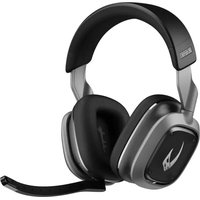
A30 - Headphones Astro - Free user manual and instructions
Find the device manual for free A30 Astro in PDF.


| Product type | Wireless audio headset |
| Brand | Astro |
| Model | A30 |
| Wireless connectivity | Bluetooth 5.0, LIGHTSPEED (2.4 GHz) |
| Wired connectivity | 3.5 mm jack, USB-C |
| Microphone | Internal microphone + removable boom mic |
| Battery life | Up to 20 hours (estimated) |
| Battery type | Rechargeable Li-Ion, charges via USB-C |
| Bluetooth range | Up to 10 meters |
| Compatibility | PC, Mac, PlayStation, Xbox, Nintendo Switch, smartphones |
| Integrated controls | Joystick for volume, game/voice balance, music control; mute switch; power and Bluetooth button |
| Features | Auto sleep mode, motion detection, Logitech G mobile app |
| LED indicators | LED indicator on headset and transmitter (depending on mode) |
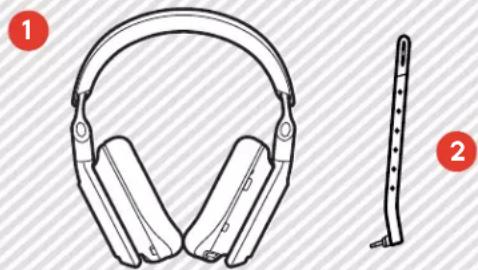
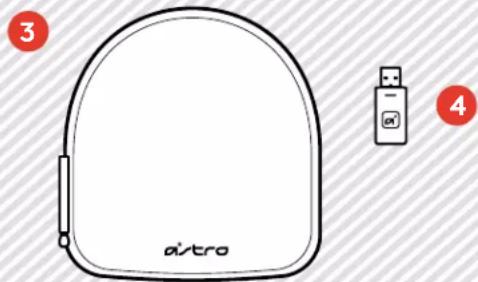
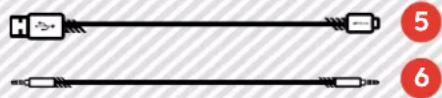
| Box contents | A30 headset, USB-C cable, 3.5 mm aux cable, wireless USB transmitter, removable boom mic |
| Care and cleaning | Clean with a soft, dry cloth; do not use chemicals |
| Safety | Avoid moisture, extreme temperatures, and shocks |
| Spare parts and reparability | Boom mic, cables, USB transmitter available separately |
Frequently Asked Questions - A30 Astro
User questions about A30 Astro
0 question about this device. Answer the ones you know or ask your own.
Ask a new question about this device
Download the instructions for your Headphones in PDF format for free! Find your manual A30 - Astro and take your electronic device back in hand. On this page are published all the documents necessary for the use of your device. A30 by Astro.
USER MANUAL A30 Astro
SETUPGUIDEGUIDED INSTALLATION

logitech
C
CONTENTS
3ASTR

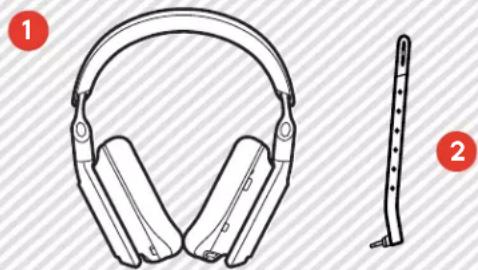
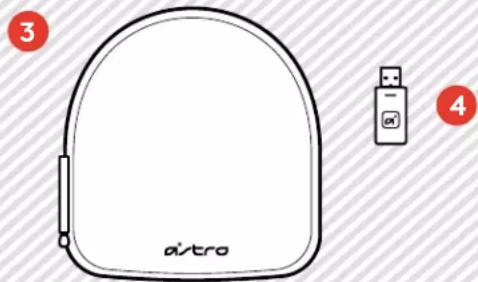
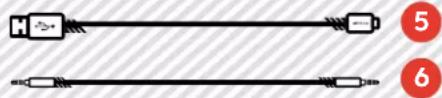
1 ASTRO A30 Wireless
5 USB to USB C Cable
2
Detachable Boom Microphone
6 3.5 mm Aux Cable
3
Carrying Case
4
USB Wireless
Transmitter
ASTRO A30 WIRELESS 3
PRODUCTGUIDE 4
DOWNLOAD THE APP 5
POWER ON/OFF 6
BLUETOOTH CONNECTION
LIGHTSPEED CONNECTION 8
Wired Connection 9
VOICE, MUTE, GAME & VOICE BALANCE. 10
MOBILE SPECIFIC CONTROLS 11
BATTERY 12
TRANSMITTER LED BEHAVIOR. 13
MICROPHONE. 14
SLEEP MODE 15

ENGLISH
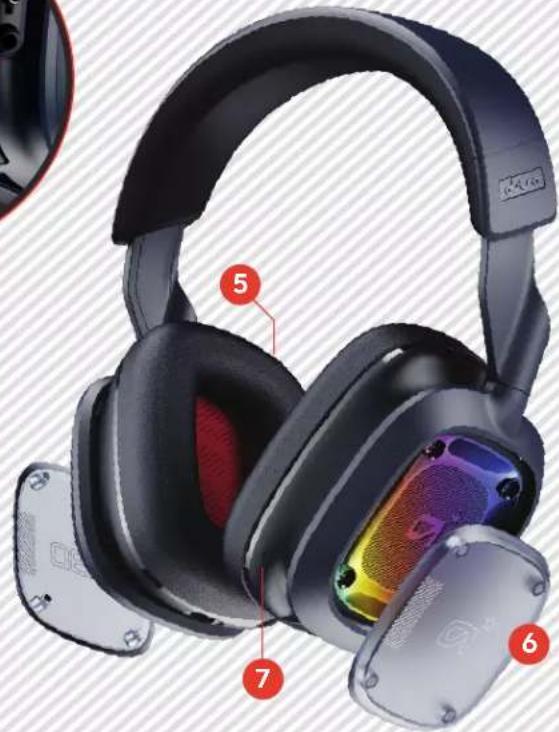
PRODUCT GUIDE
4AST
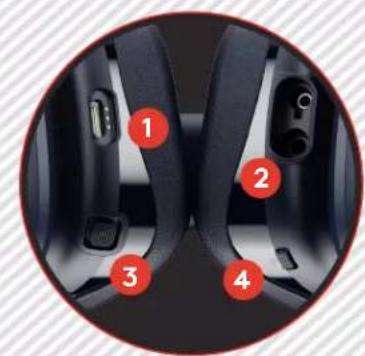
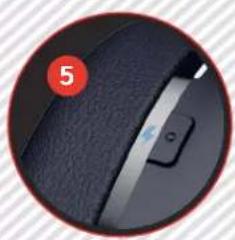
9
USB-C Port
3.5mm Audio Port
3 Multi-function Control
Mute Switch
5 Power
6 Customizable Speaker Tags
7 Integrated Microphone
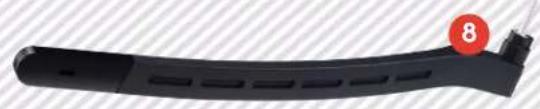
8 Detachable Boom Microphone
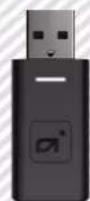
USB Wireless Transmitter

ENGLISH
DOWNLOAD THE APP
ASTRO A30 WIRELESS


www.astrogaming.com/GMobile-App
Download the Logitech G mobile app for the optimal experience.
Follow the on-screen instructions to further customize device mixes and additional settings based on your needs.
Download from Google Play Store or the Apple App Store.

Download on the
App Store

GET IT ON
Google Play
POWER ON/OFF
6ASTR
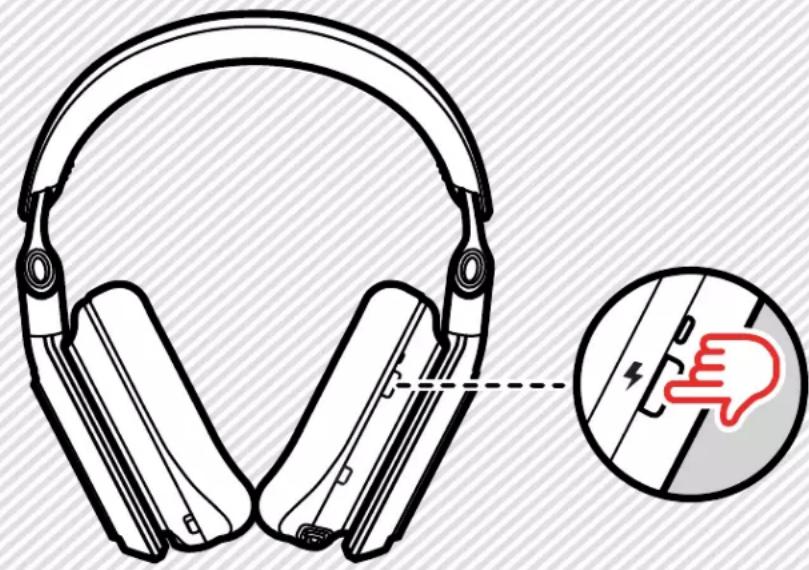
00:03
Power On
Press and hold the Power button for 3 seconds when the headset is off. You will hear a tone to indicate the power is on.
2 Power Off
Press and hold the Power button for 3 seconds when the headset is on.
CONNECTION
7ASTR
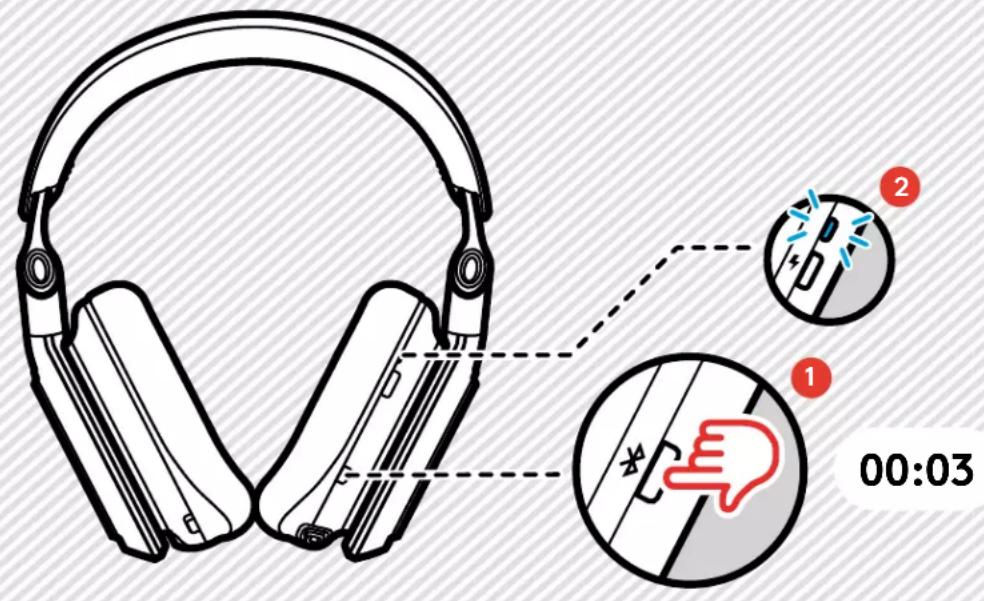
Make sure your A30 is powered on and within 30 feet of the device it's pairing to.
Press and hold the Bluetooth® button for 3 seconds to enter pairing mode.
The LED will blink blue and a tone will indicate your A30 has entered pairing mode.
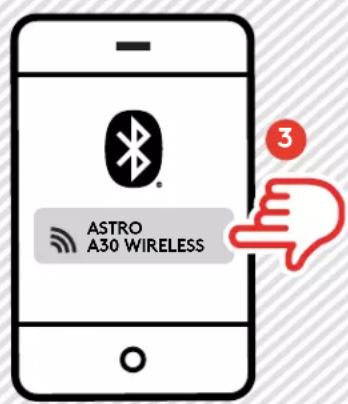
3 From your device, select your A30 from the Bluetooth device list.

ENGLISH
LIGHTSPEED CONNECTION
8ASTR

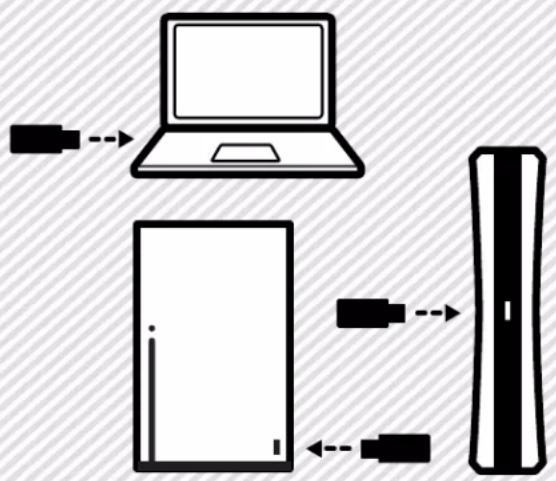
1
Connect to your PC, Mac, or console with LIGHTSPEED Wireless Technology. Your A30 is pre-paired with the transmitter for easy setup. Plug the included USB Wireless Transmitter into your device.
If you are pairing a new transmitter or your transmitter has lost connection, do the following to repair the connection:
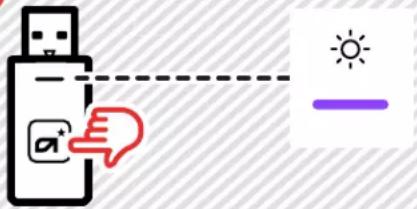
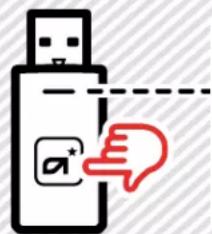
Press and hold the transmitter button down until the LED turns purple.
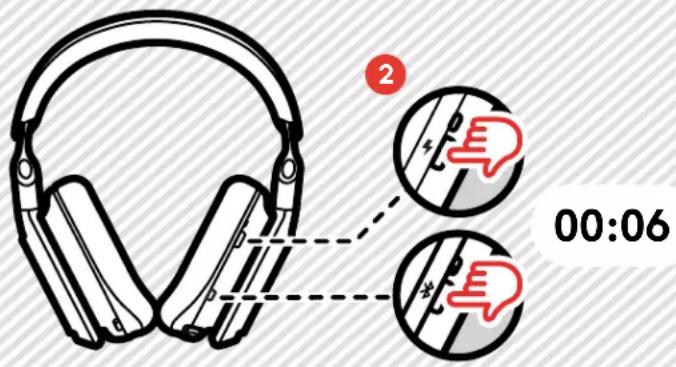
Press and hold the power and Bluetooth button down. The power LED will flash purple within 6 seconds, and the pairing will be completed.

ENGLISH
Wired Connection
9ASTR
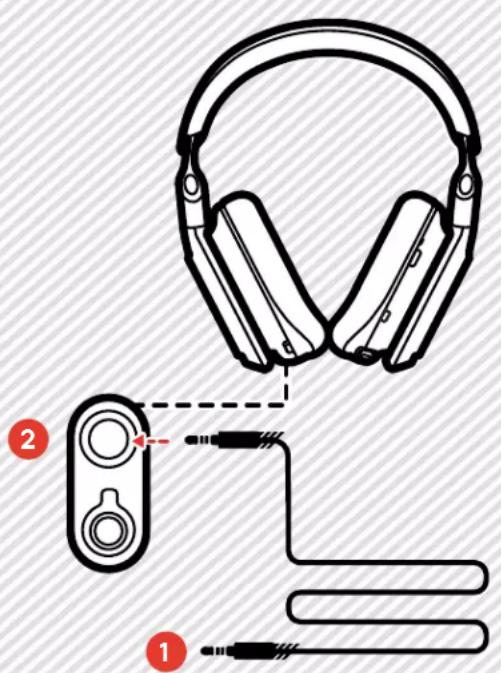
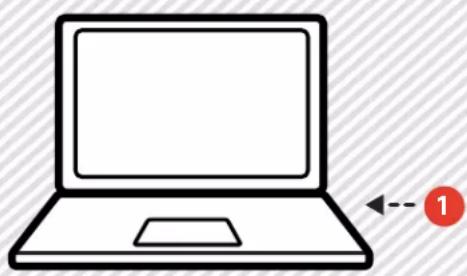
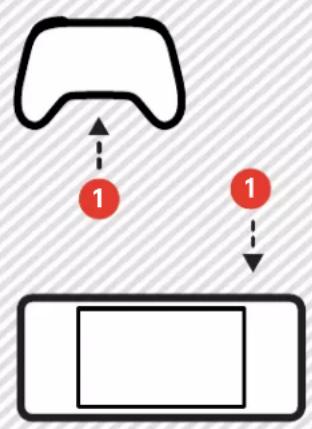
Use your A30 in wired mode with the included 1.5m cable.
Plug the cable into your A30 3.5mm jack and into your device.
2 Be sure to insert into the correct input slot as shown in the above illustration.
The 3.5mm aux port will function even if your A30 is powered off or out of battery life.

ENGLISH
VOICE, MUTE, GAME & VOICE BALANCE
10ASTI
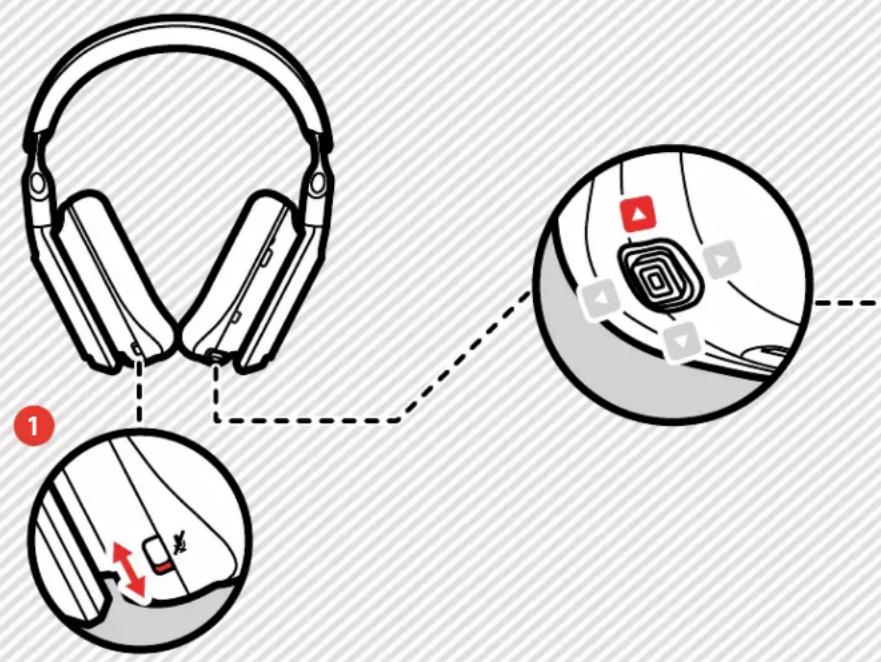
2 3

1 Mute/Unmute
Toggle to mute on/mute off, you will hear a tone when you mute on/off. When muted, you will see a red indicator.
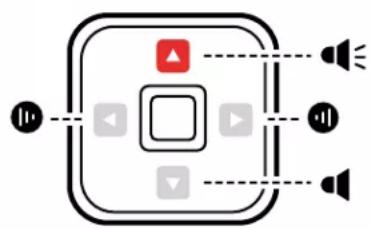
2 Volume Control
Control your volume using the joystick.
To increase volume, move the joystick up. At max volume, you will hear a tone.
To decrease volume, move the joystick down. At min volume, you will hear a tone.
Game & Voice Balance
Adjust balance between Game & Voice using the joystick.
To balance towards Game and lower Voice, move the joystick left. You will hear a tone when it reaches max and a tone when it reaches the midpoint window.
To balance towards Voice and lower Game, move the joystick right. You will hear a tone when it reaches max and a tone when it reaches the midpoint window.

ENGLISH
MOBILE SPECIFIC CONTROLS
11ASTR

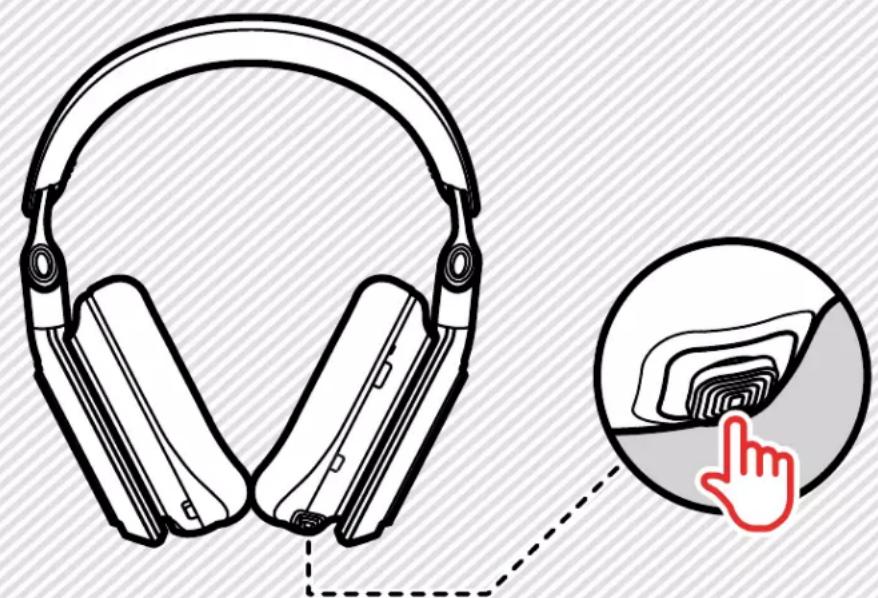
When using your A30 with your mobile phone, additional features are enabled via the joystick.
Triple press to go back and replay track.
You will hear a tone.
1 Calls
To answer or hang up a call, press the joystick in.
To reject calls, hold the joystick in.
3 Smart Assistant
To trigger your device's Smart Assistant, when not on a call, hold the joystick in for 3 seconds.
When Listening to Music
Press the joystick to play and pause. Double press to move to the next track. You will hear a tone.
BATTERY
12ASTF
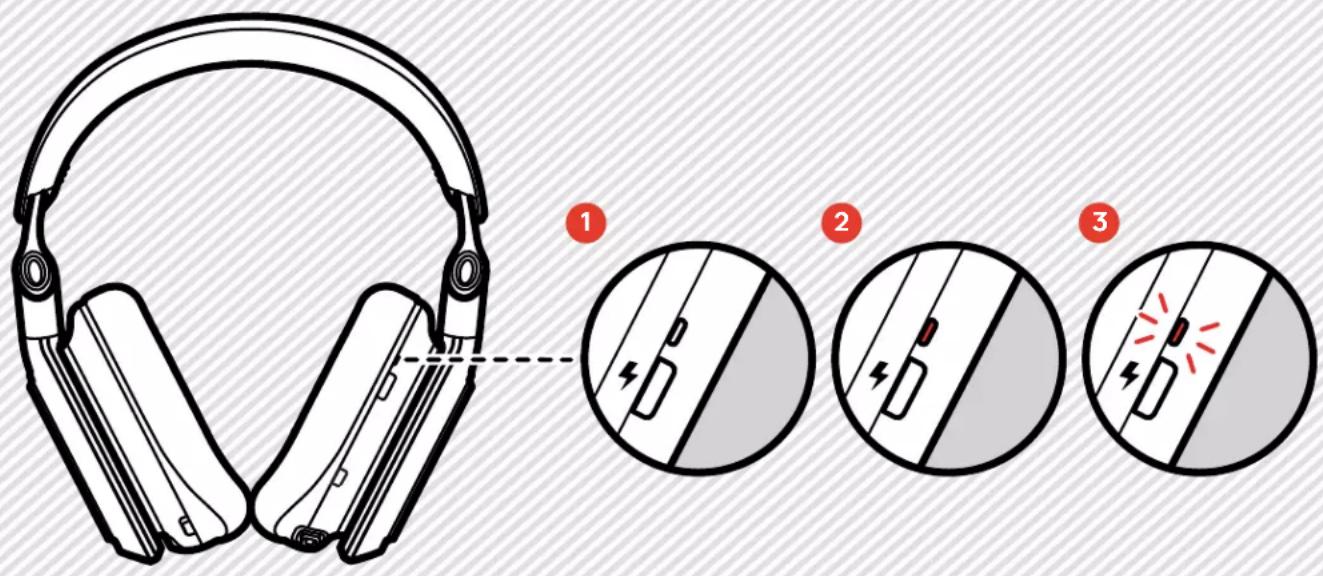
1 Battery above 20% will show a solid white LED.
When battery hits 20% you will hear a SOS tone. Battery between 10% to 20% will show a solid red LED.
3 Battery below 10% will blink red LED and you will hear a tone every 3 minutes until it shuts down.
TRANSMITTER LED BEHAVIOR
13ASTF
1



2
3

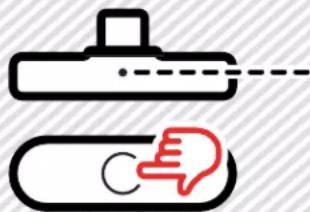
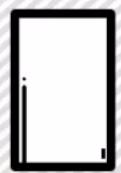
USB-C transmitter is sold separately.
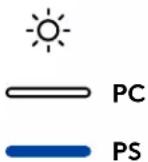
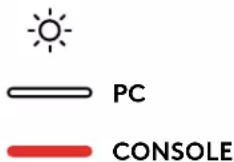
When using your Xbox A30, your transmitter LED will show green when in console mode, and white when in PC mode.
When using your PlayStation A30, your transmitter LED will show blue when in console mode, and white when in PC mode.
3 When using your A30 with the USB-C transmitter, your transmitter LED will show red in console mode, and white when in PC mode.
To switch your USB transmitter between modes simply press the button on the transmitter once or you can use the Logitech G mobile app.

ENGLISH
MICROPHONE
14AST
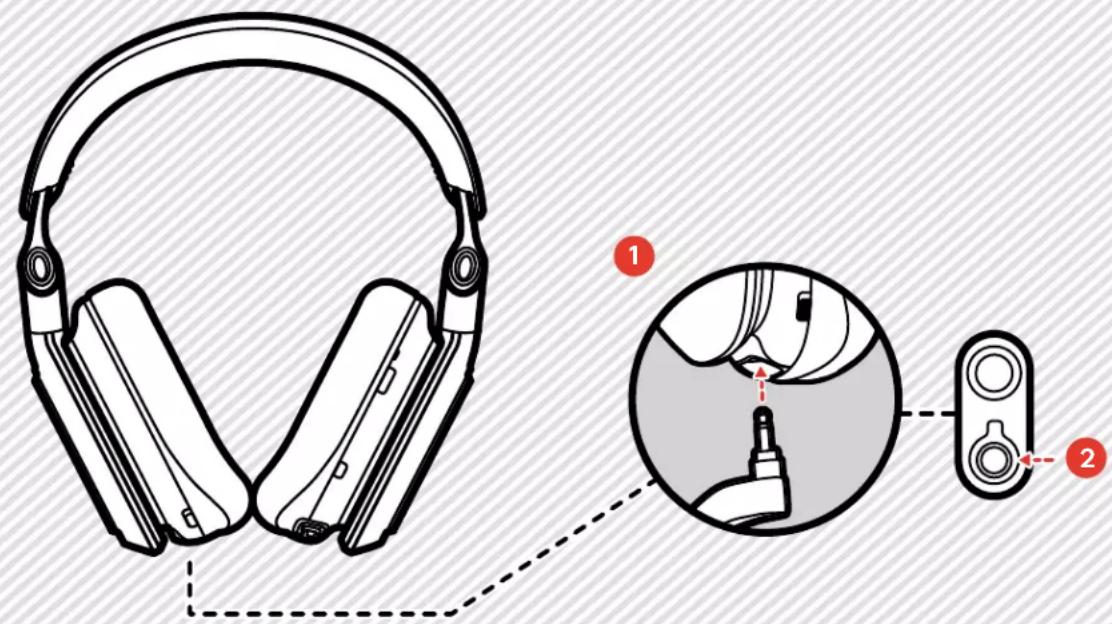
Your A30 comes with two microphones, an internal microphone and a detachable boom microphone.
When the A30 is powered off or out of battery life, only the internal microphone will function.
To attach the boom microphone, insert it in the bottom of your A30.
2 Be sure to insert into the correct input slot as shown in the above illustration.
When your A30 is powered on, your mic will default to the boom microphone. When your boom microphone is removed, your internal microphone will be used.
SLEEP MODE
15ASTF

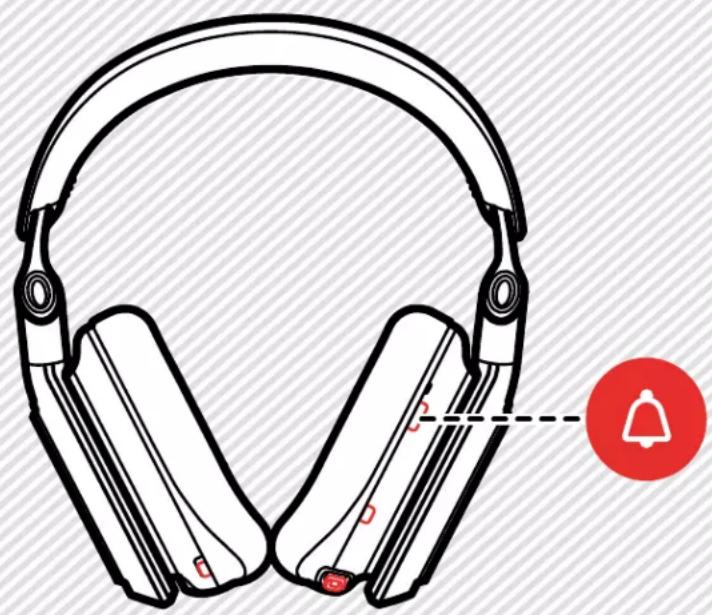
Your A30 senses motion to intelligently conserve power. The A30 will go into Sleep Mode if left unattended for 15 minutes, this timer can be adjusted or turned off using the Logitech G mobile app.

To wake, tap any button on the headset, you will hear a tone.
If the A30 remains in Sleep Mode for over 1 hour, the headset will shutdown completely.

ENGLISH
CONTENU
ASTRO A30 SANS FIL

1 ASTRO A30 sans fil
Microphone atige amovable
3 Housse de transport
4 Émetteur sans fil USB
2022 Logitech, Logi and the Logitech Logo are trademarks or registered trademarks of Logitech Europe S.A. and/or its affiliates in the U.S. and other countries. All other trademarks are the property of their respective owners. Logitech assumes no responsibility for any errors that may appear in this manual. Information contained herein is subject to change without notice.
WEB-621-002248 002