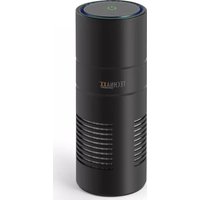
TX-131+ - Air purifier TECHNAXX - Free user manual and instructions
Find the device manual for free TX-131+ TECHNAXX in PDF.



User questions about TX-131+ TECHNAXX
0 question about this device. Answer the ones you know or ask your own.
Ask a new question about this device
Download the instructions for your Air purifier in PDF format for free! Find your manual TX-131+ - TECHNAXX and take your electronic device back in hand. On this page are published all the documents necessary for the use of your device. TX-131+ by TECHNAXX.
USER MANUAL TX-131+ TECHNAXX
Technaxx® * User Manual USB-Air-Purifier TX-131+
The Declaration of Conformity for this device is under the Internet link: www.technaxx.de/ (in bottom bar "Konformitätserklärung"). Before using the device the first time, please read the user manual carefully.
Service phone No. for technical support: 01805 012643 (14 cent/minute from German fixed-line and 42 cent/minute from mobile networks). Free Email: support@technaxx.de
Keep this user manual for future reference or product sharing carefully. Do the same with the original accessories for this product. In case of warranty, please contact the dealer or the store where you bought this product. Warranty 2 years
Enjoy your product * Share your experience and opinion on one of the well-known internet portals.
Features
- Ultraviolet light and negative ions removes up to 99% of viruses, bacteria, smokes and pollutants
- Easy handling and installation
- Replaceable HEPA- & Activated-Carbon-Filter with aroma holder (Users are advised to replace filter every 6 month or less subject to air quality and usage frequency)
Note: separate available replacement filter for TX-131+ (EAN:4260358124445)
Technical specifications
| Working area | max. ~3m³ | |
| Noise level | max. ~35dB | |
| UV-Light | Wavelength of 380nm | |
| Negative ion concentration | 6 million ions/cm³ | |
| Power supply / consumption | USB DC 5V / 1A / ≤ 5W | |
| Operation temperature | -10°C up to 50°C | |
| Storage temperature | -20°C up to 60°C | |
| Weight/Dimensions | 393g / (L) 182mm x (Ø) 69mm | |
| Package contents | USB-Air-Purifier TX-131+, USB/DC-cable, HEPA-Filter, User manual | |
Product overview
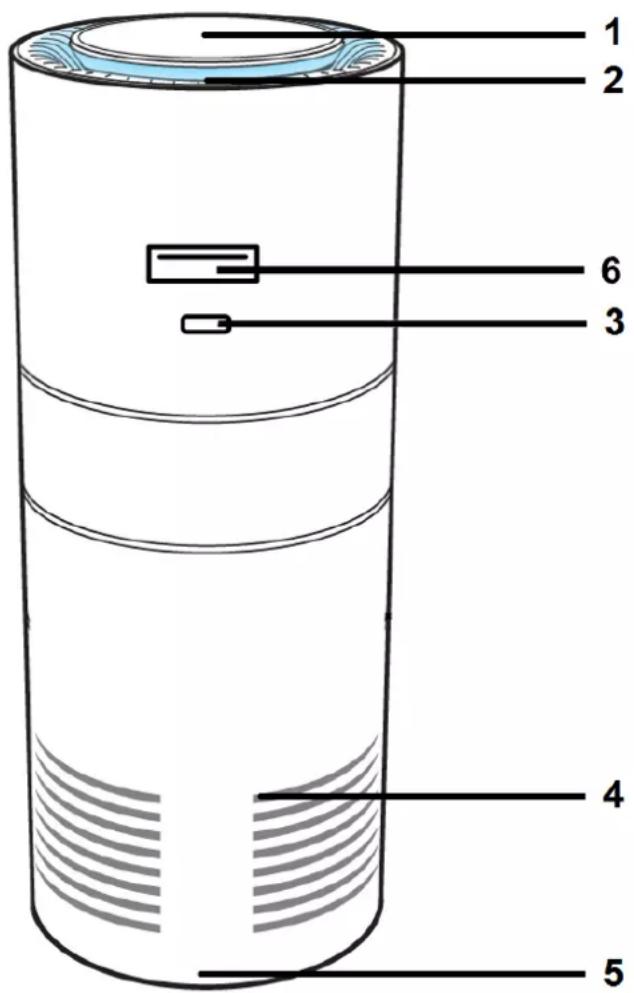
| 1 | On/Off/Speed Touch-Button | 4 | Air Intake |
| 2 | Air Outlet | 5 | Bottom Cover |
| 3 | DC power supply input | 6 | USB loading port (5W) |
Operating
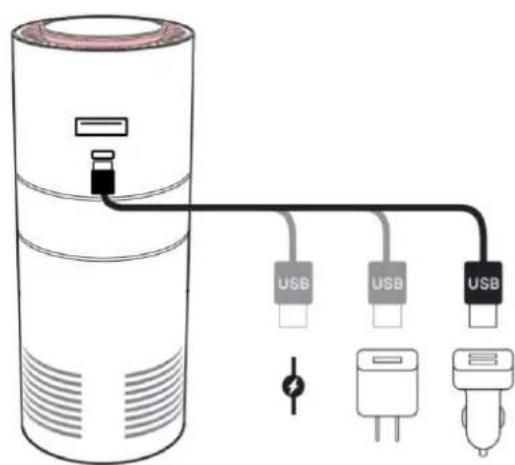
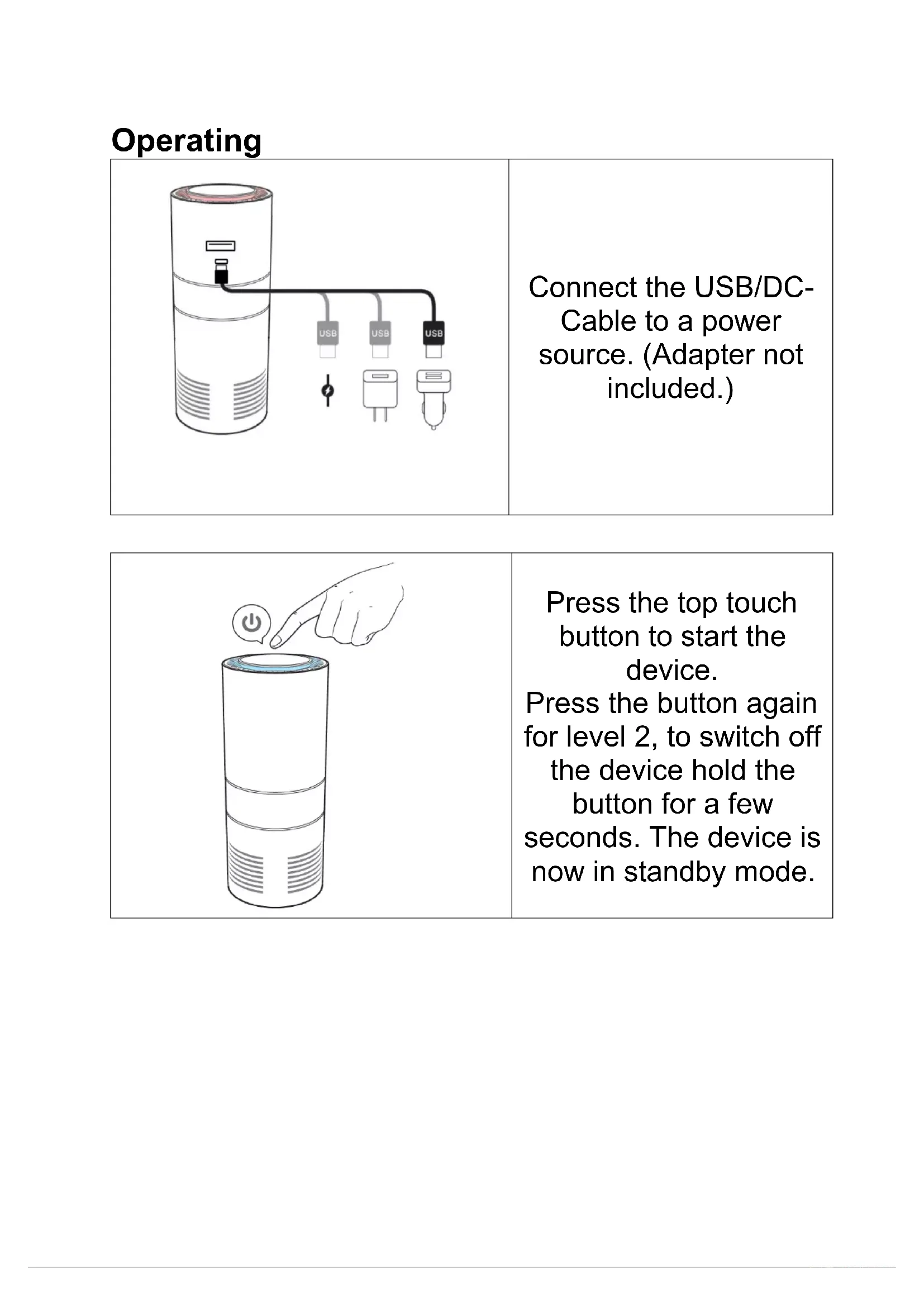
Connect the USB/DC-Cable to a power source. (Adapter not included.)
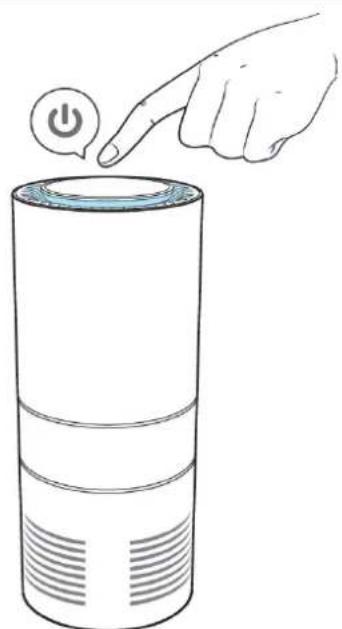
Press the top touch button to start the device.
Press the button again for level 2, to switch off the device hold the button for a few seconds. The device is now in standby mode.
Replace the HEPA-Filter
| Turn off the device. Unscrew the bottom cover. | |
| Remove the dirty filter and replace it with a new filter. (Every new Filter comes with Aroma holder.) | |
| Optional: Drop aroma oil (not included in delivery) on the aroma holder. | |
| Screw the bottom cover tightly before turn on the device again. |
Hints
- Clean with soft cloth only - Disconnect the device before cleaning
- The device is intended exclusively for private and not for commercial use. Only use this device as described in this user manual. When disconnecting the cable, always pull at the plug. Do not pull on the cable itself. Do not let the cable on the edge of a table or work surface. Prevent it comes into contact with hot surfaces
WARNING
- Keep the device free of any object obstructing the air flow Do not submerge product in water Do not place any part of this device in water or any other liquid Do not handle the device with wet hands
- Do not operate the device while driving Do not let children play with the device Keep the device away from fire, water and moist places in order to avoid explosion. Do not expose to extreme heat
- Only use accessories as recommended in this manual No one except professional technicians should attempt to disassemble it in order to avoid damaging it Keep the device away from heat sources to avoid deformation of plastic parts

Hints for Environment Protection: Packages materials are raw materials and can be recycled. Do not disposal old devices or batteries into the domestic waste. Cleaning: Protect the device from contamination and pollution. Avoid using rough, coarse-grained materials or solvents/aggressive cleaner. Wipe the cleaned device accurately. Distributor: Technaxx Deutschland GmbH & Co.KG, Kruppstr. 105, 60388 Frankfurt a.M., Germany
This device complies with part 15 of the FCC Rules. Operation is subject to the following two conditions:
(1) This device may not cause harmful interference, and
(2) this device must accept any interference received, including interference that may cause undesired operation.
US Warranty
Thank you for your interest in the products and services of Technaxx Deutschland GmbH & Co. KG. This Limited Warranty applies to physical goods, and only for physical goods, purchased from Technaxx Deutschland GmbH & Co. KG.
This Limited Warranty covers any defects in material or workmanship under normal use during the Warranty Period. During the Warranty Period, Technaxx Deutschland GmbH & Co. KG will repair or replace, products or parts of a product that proves defective because of improper material or workmanship, under normal use and maintenance.
The Warranty Period for Physical Goods purchased from Technaxx Deutschland GmbH & Co. KG is 1 year from the date of purchase. A replacement Physical Good or part assumes the remaining warranty of the original Physical Good or 1 year from the date of replacement or repair, whichever is longer.
This Limited Warranty does not cover any problem that is caused by:
- conditions, malfunctions or damage not resulting from defects in material or workmanship
To obtain warranty service, you must first contact us to determine the problem and the most appropriate solution for you.