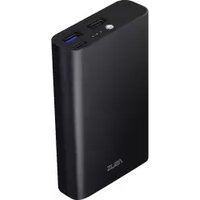
ZenPower 10050C ABTU012 - Power bank ASUS - Free user manual and instructions
Find the device manual for free ZenPower 10050C ABTU012 ASUS in PDF.



| Product Type | Portable Battery |
| Brand | ASUS |
| Model | ZenPower 10050C ABTU012 |
| Capacity | 10050 mAh (36 Wh) |
| Fast Charging Technology | Quick Charge 3.0 (Qualcomm) |
| Number of Ports | 3 (USB Type-C, USB QC 3.0, USB Standard) |
| Input | USB Type-C, 5V=3A max |
| Output 1 (QC 3.0) | 5.1-6.1V=3A / 6.1-12.1V, 18.3W max |
| Output 2 | USB Standard, 5.1V=1A max |
| Type-C Output | 5.1V=3A max |
| Total Output Power | 23.5W max |
| Dimensions | 100 x 59.6 x 22 mm |
| Weight | 230 g (±3 g) |
| Material | Aluminum |
| Color Options | Multiple colors available |
| Safety | ASUS PowerSafe |
| Thermal Protection | Automatic current adjustment based on temperature |
| Durability | Tested for 5000 USB connection cycles |
| LED Flashlight | Built-in, activate by long press 3-5 seconds |
| Charge Indicators | 3 LEDs (5% - 100%) |
| Charging Time | < 6h (5V=2A) / < 9h (5V=1A) |
| Operating Temperature (charge) | 0°C to 35°C |
| Maintenance | Clean with a soft dry cloth |
| Spare Parts | Not available, repair by ASUS after-sales service |
Frequently Asked Questions - ZenPower 10050C ABTU012 ASUS
User questions about ZenPower 10050C ABTU012 ASUS
0 question about this device. Answer the ones you know or ask your own.
Ask a new question about this device
Download the instructions for your Power bank in PDF format for free! Find your manual ZenPower 10050C ABTU012 - ASUS and take your electronic device back in hand. On this page are published all the documents necessary for the use of your device. ZenPower 10050C ABTU012 by ASUS.
USER MANUAL ZenPower 10050C ABTU012 ASUS
Credit Card Size10050mAh Quick Charge Power Bank
User Manual
Model: ABTU012
Table of Contents
English....3
Čeština....7
Français....11
Deutsch....15
Magyar 19
Italiano 23
Polski....27
Русский....31
Română 35
Slovenčina....39
Español....43
Українська....47
Türkçe 51
Português....62
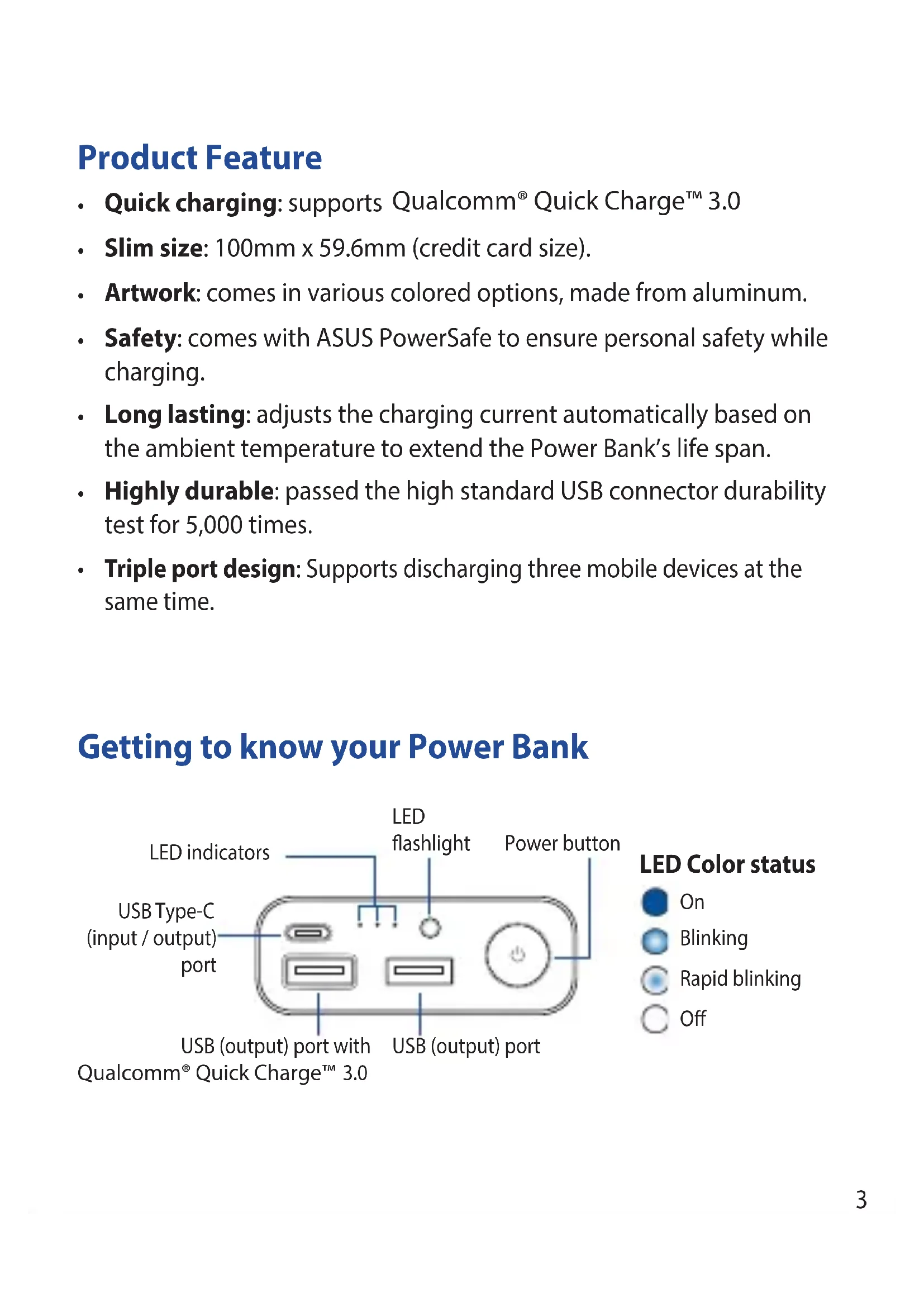
Product Feature
- Quick charging: supports Qualcomm® Quick Charge™ 3.0
- Slim size: 100mm x 59.6mm (credit card size).
- Artwork: comes in various colored options, made from aluminum.
- Safety: comes with ASUS PowerSafe to ensure personal safety while charging.
- Long lasting: adjusts the charging current automatically based on the ambient temperature to extend the Power Bank's life span.
- Highly durable: passed the high standard USB connector durability test for 5,000 times.
- Triple port design: Supports discharging three mobile devices at the same time.
Getting to know your Power Bank
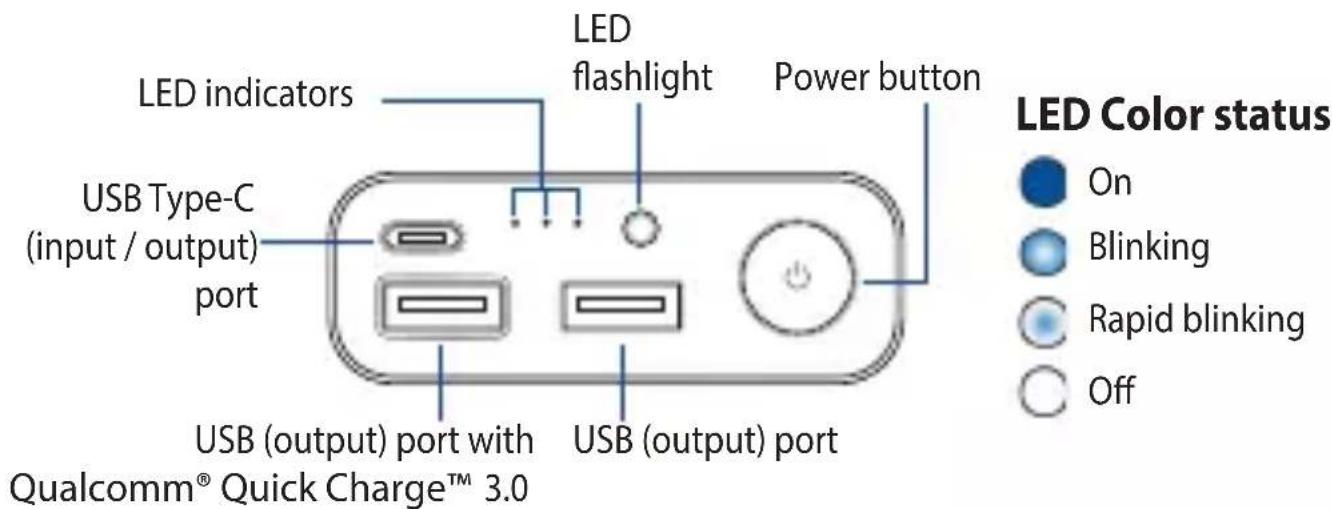
LED indications
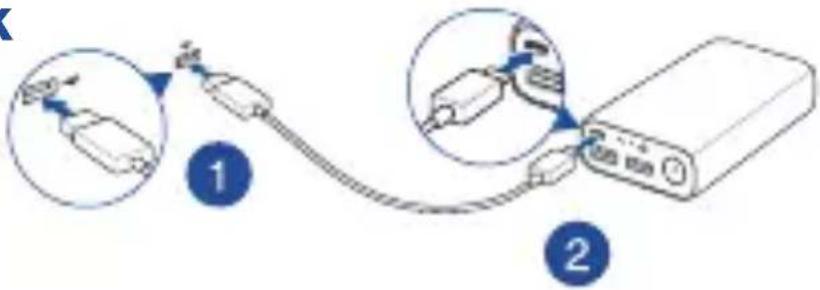
Charging the Power Bank
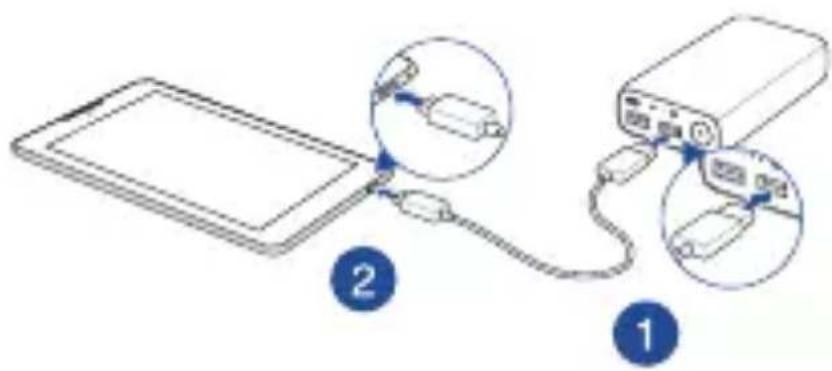
Charging devices using the Power Bank
| Charge status LED 1 LED 2 LED 3 | |||
| < 5% |  |  |  |
| 5% - 30% |  |  |  |
| 31% - 60% |  |  |  |
| 61% - 100% |  |  |  |
| Error detected* |  |  |  |
| Discharge status LED 1 LED 2 LED 3 | |||
| 61% - 100% |  |  |  |
| 31% - 60% |  |  |  |
| 5% - 30% |  |  |  |
| < 5% |  |  |  |
| Error detected* |  |  |  |
* To stop the Power Bank from blinking when an error is detected, replug the cable from the Power Bank.
NOTES:
- When the Power Bank starts to charge your devices, the LED indicators will light up and begin to flashe after 5 seconds.
- When you press the power button of the Power Bank without charging a device on it, the LED indicators light up to display its power status. It turns off after 5 seconds.
- Press and hold the power button for 3\~5 seconds to turn on or turn off the LED flashlight.
Specifications
| Cell type | Rechargeable lithium-ion cell |
| Cell capacity | DC 3.6V / 10050 mAh (36Wh) |
| Charging temperature | 0^ - 35^ |
| Size | 100mm x 59.6mm (Credit card size) x 22mm |
| Weight | 230 ± 3g |
| Charging time | < 6 hrs with DC 5V =2A standard cable |
| < 9 hrs with DC 5V =1A standard cable | |
| Input | 5V =3A (Max) |
| Output 1 (supports Qualcomm® Quick ChargeTM 3.0) | 5.1V~6.1V=3A6.1V~12.1V / 18.3W (Max) |
| Output 2 | 5.1V =1A (MAX) |
| Output Type-C | 5.1V =3A (MAX) |
| Output 1+2+Type-C | 23.5W (MAX) |
NOTES:
- Quick charging performance applies to the mobile device which supports Qualcomm® Quick Charge™ 3.0.
- When charging a device that doesn't comply Qualcomm® Quick Charge™ 3.0, the output voltage will be 5.1V (typ).
- When your Power Bank battery is low, Qualcomm® Quick Charge™ 3.0 will be disabled and the output voltage will be 5.1V.
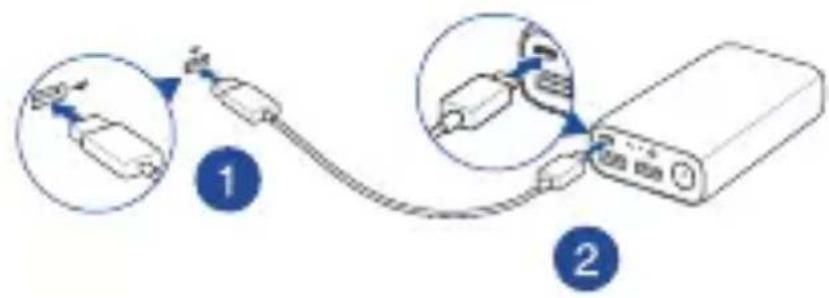
• Press the power button on the Power Bank to charge your device.
Charging the Power Bank
Using the Power Bank
Safety Notices
• Before using the product, carefully read all the manuals that came with your device.
• Fully charge the Power Bank before using it for the first time.
- Use the bundled cable when charging the Power Bank or when using the product to charge your device.
• Disconnect your device from the Power Bank once it becomes fully charged.
- Check your local voltage regulations before using the Power Bank.
• Never attempt to disassemble and reassemble the Power Bank.
- Do not operate the Power Bank beyond 60 °C (140°F) environment, nor subject it to water or fire, or any attempt to break the casing.
Rechargeable Battery Recycling Service in North America
For US and Canada customers, you can call 1-800-822-8837 (toll-free) for recycling information of your ASUS products' rechargeable batteries.
Vlastnosti produktu
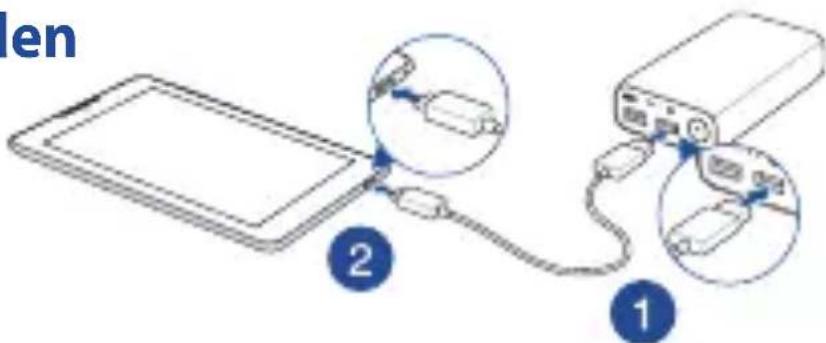
Powerbank verwenden
Sicherheitshinweise
Charger le power bank
Charger le power bank
Utiliser le power bank
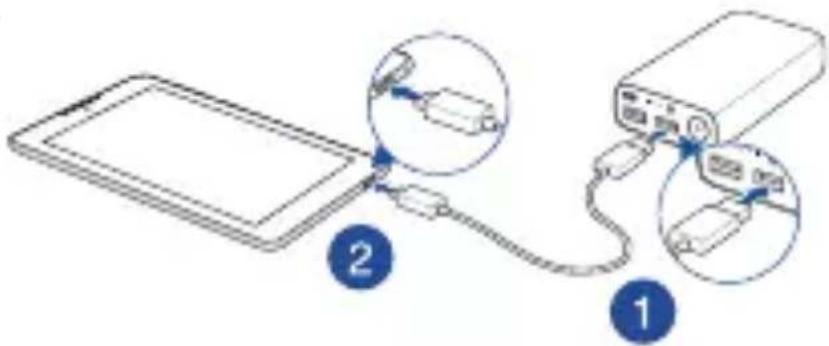
Používanie externej batérie s nabíjačkou Power Bank

Bezpečnostné pokyny
Avisos de seguridad
natural_image
Diagram showing a device connected to a power bank via cable, with two magnified insets highlighting internal components (no text or symbols present)Заходи безпеки
Issue Date: January 17, 2018
Ref. Report No. ISL-18LE048CE
| Product Name | : Rechargeable Li-ion Power Bank |
| Model(s) | : ABTU012 |
| Brand | : ASUS |
| Responsible Party | : SIMPLO Technology Co., Ltd. |
| Address | : No.471, Sec. 2, Pa Tch Rd., Hu Kou 303, Hsin Chu Hsien, Taiwan |
We, International Standards Laboratory Corp., hereby certify that:
The device bearing the trade name and model specified above has been shown to comply with the applicable technical standards as indicated in the measurement report and was tested in accordance with the measurement procedures specified in European Council Directive- EMC Directive 2014/30/EU. The device was passed the test performed according to :

Standards:
EN 55032:2015+AC:2016, CISPR 32: 2015+COR1:2016: Class B
AS/NZS CISPR 32:2015: Class B
EN 55024: 2010+A1:2015 and CISPR 24: 2010+A1:2015
EN 61000-4-2: 2009 and IEC 61000-4-2: 2008
EN 61000-4-3: 2006+A1: 2008+A2: 2010 and
IEC 61000-4-3:2006+A1:2007+A2:2010
EN 61000-4-8: 2010 and IEC 61000-4-8: 2009
I attest to the accuracy of data and all measurements reported herein were performed by me or were made under my supervision and are correct to the best of my knowledge and belief. I assume full responsibility for the completeness of these measurements and vouch for the qualifications of all persons taking them.
International Standards Laboratory Corp.
Bert Chen / Director
Hsi-Chih LAB:
No. 65, Gu Dai Keng Street, Hsi-Chih Dist., New Taipei City 221, Taiwan
Tel: 886-2-2646-2550; Fax: 886-2-2646-4641



Lung-Tan LAB:
No. 120, Lane 180, Hsin Ho Rd., Lung-Tan Dist., Tao Yuan City 325, Taiwan
Tel: 886-3-407-1718; Fax: 886-3-407-1738



SERTİFİKA
EN 61000-4-2: 2009 ve IEC 61000-4-2: 2008
EN 61000-4-3: 2006 + A1: 2008 + A2: 2010 vc IEC 61000-4-3: 2006 + A1: 2007 + A2: 201
EN 61000-4-8: 2010 ve IEC 61000-4-8: 2009
65, Gu Dai Keng Caddesi, Hsi-Chih Dist., Yeni
Tel: 886-2-2646-2550; Faks: 886-2-2646-4641


Lung-Tan LAB:
No. 120, Lane 180, Hsin Ho Sokak., Lung-Tan
Dist., Tao Yuan Şehri 325, Tayvan
Tel: 886-3-407-1718; Faks: 886-3-407-1738


KANUNUN 11. MADDESİNDEKİ TÜKETİCİYE SAĞIANAN SEÇİMİİLİK HAKIArı
Utilizar o carregador de bateria

Avisos de segurança

- Credit Card Size10050mAh Quick Charge Power Bank
- Table of Contents
- Product Feature
- LED indications
- Charging the Power Bank
- Charging devices using the Power Bank
- NOTES:
- Using the Power Bank
- Safety Notices
- Rechargeable Battery Recycling Service in North America
- Vlastnosti produktu
- Powerbank verwenden
- Sicherheitshinweise
- Charger le power bank
- Utiliser le power bank
- Používanie externej batérie s nabíjačkou Power Bank
- Bezpečnostné pokyny
- Avisos de seguridad
- Заходи безпеки
- Standards:
- Hsi-Chih LAB:
- Lung-Tan LAB:
- SERTİFİKA
- KANUNUN 11. MADDESİNDEKİ TÜKETİCİYE SAĞIANAN SEÇİMİİLİK HAKIArı
- Utilizar o carregador de bateria
- Avisos de segurança
Brand : ASUS
Model : ZenPower 10050C ABTU012
Category : Power bank