MH7082A - Microwaves LG - Free user manual and instructions
Find the device manual for free MH7082A LG in PDF.


User questions about MH7082A LG
0 question about this device. Answer the ones you know or ask your own.
Ask a new question about this device
Download the instructions for your Microwaves in PDF format for free! Find your manual MH7082A - LG and take your electronic device back in hand. On this page are published all the documents necessary for the use of your device. MH7082A by LG.
USER MANUAL MH7082A LG
Precautions to avoid possible exposure to excessive microwave energy.
You cannot operate your oven with the door open due to the safety interlocks built into the door mechanism. These safety interlocks automatically switch off any cooking activity when the door is opened; which in the case of a microwave oven could result in harmful exposure to microwave energy.
It is important not to tamper with the safety interlocks.
Do not place any object between the oven front face and the door or allow food or cleaner residue to accumulate on sealing surfaces.
Do not operate your oven if it is damaged. It is particularly important that the oven door closes properly and that there is no damage to the: (1) door(bent), (2) hinges and latches (broken or loosened), (3) door seals and sealing surfaces.
Your oven should not be adjusted or repaired by anyone except qualified service personnel.
Warning
Please ensure cooking times are correctly set as over cooking may result in the FOOD catching fire and subsequent damage to your oven.
When heating liquids, e.g. soups, sauces and beverages in your microwave oven, delayed eruptive boiling can occur without evidence of bubbling. This could result in a sudden boil over of the hot liquid. To prevent this possibility the following steps should be taken:
1 Avoid using straight sided containers with narrow necks.
2 Do not overheat.
3 Stir the liquid before placing the container in the oven and again halfway through the heating time.
4 After heating, allow to stand in the oven for a short time, stir or shake them (especially the contents of feeding bottles and baby food jars) again carefully and check the temperature of them before consumption to avoid burns (especially, contents of feeding bottles and baby food jars). Be careful when handling the container.
Warning
Always allow food to stand after being cooked by microwaves and check the temperature of them before consumption. Especially contents of feeding bottles and baby food jars.
Contents
How the Microwave Oven Works
Microwaves are a form of energy similar to radio and television waves and ordinary daylight. Normally, microwaves spread outwards as they travel through the atmosphere and disappear without effect. Microwave ovens, however, have a magnetron which is designed to make use of the energy in microwaves. Electricity, supplied to the magnetron tube, is used to create microwave energy.
These microwaves enter the cooking area through openings inside the oven. A turntable or tray is located at the bottom of the oven. Microwaves cannot pass through metal walls of the oven, but they can penetrate such materials as glass, porcelain and paper, the materials out of which microwave-safe cooking dishes are constructed.
Microwaves do not heat cookware, though cooking vessels will eventually get hot from the heat generated by the food.
A very safe appliance
Your microwave oven is one of the safest of all home appliances. When the door is opened, the oven automatically stops producing microwaves. Microwave energy is converted completely to heat when it enters food, leaving no "left over" energy to harm you when you eat your food.
Precautions 2
Contents 3
Unpacking & Installing 4\~5
Setting the Clock 6
Child Lock 7
Micro Power Cooking 8
Micro Power Level 9
Two stage Cooking 10
Quick Start 11
Grill Cooking 12
Combination Cooking 13
Auto Cook 14\~16
Auto Defrost 17 18
Quick Defrost 19 20 Defrost & Grill
Keep Warming 23
Energy Saving 24
1502nt safety instru Microwave-safe Utens 2802 characteristics & Questions & Answers Plug Wiring Informatio
Unpacking & Installing
By following the basic steps on these two pages you will be able to quickly check that your oven is operating correctly. Please pay particular attention to the guidance on where to install your oven. When unpacking your oven make sure you remove all accessories and packing. Check to make sure that your oven has not been damaged during delivery.
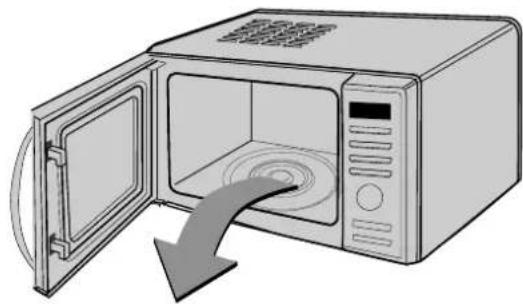
1 Unpack your oven and place it on a flat level surface.
natural_image
Illustration of a microwave oven with open door and closed lid, showing internal air gap (no text or symbols)RACK
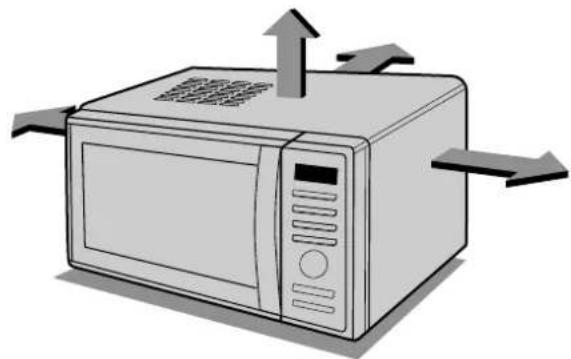
Place the oven in the level location of your choice with more than 85cm height but make sure there is at least 30cm of space on the top and 10cm at the rear for proper ventilation. The front of the oven should be at least 8cm from the edge of the surface to prevent tipping. An exhaust outlet is located on top or side of the oven. Blocking the outlet can damage the oven.
natural_image
Illustration of a microwave oven with airflow arrows indicating direction (no text or symbols)THIS OVEN SHOULD NOT BE USED FOR COMMERCIAL CATERING PURPOSES
Plug your oven into a standard household socket.
Make sure your oven is the only appliance
connected to the socket. If your oven does not operate properly, unplug it from the electrical socket and then plug it back in.
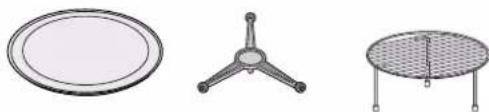
Open your oven door by pulling the DOOR HANDLE. Place the ROLLER REST inside the oven and place the GLASS TRAY on top.
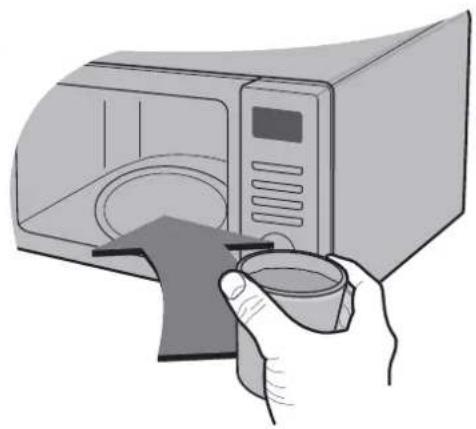
Fill a microwave safe container with 300 ml (1/2 pint) of water. Place on
the GLASS TRAY and close the oven door. If you have any doubts about what type of container to use please refer to page 27.
natural_image
Illustration of a hand holding a microwave oven with a glass lid, no text or symbols present
Press the START button once
to set 30 seconds of cooking time.
The DISPLAY will count down from 30 seconds
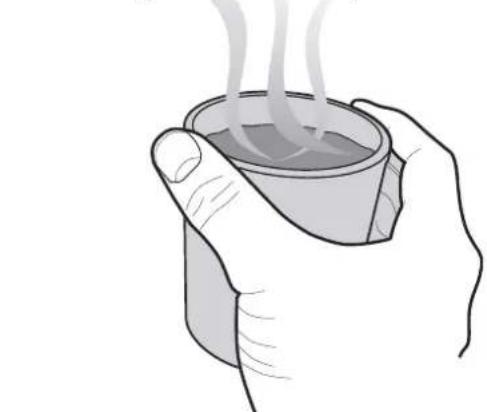
When it reaches 0, BEEP sounds. Open the and test the temperature of the water. If your operating the water should be warm. Be careful, having the container it may be hot.
natural_image
Illustration of two hands holding a steaming cup (no text or symbols)YOUR OVEN IS NOW INSTALLED
Setting the Clock
You can set either 12 hour clock or 24 hour clock.
In the following example I will show you how to set the time for 14:35 when using the 24 clock.
Make sure that you have removed all packaging from your oven.
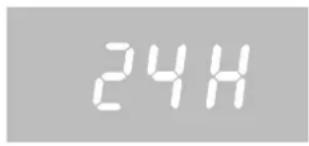
When your oven is plugged in for the first time or when power resumes after a power cut, a '24H' will be shown in the display; you can reset the clock.
If the clock (or display) shows any strange looking symbols, unplug your oven from the electrical socket and plug it back in and reset the clock.
Make sure that you have correctly installed your oven as described earlier in this book.
Plug in your oven for the first time.
"24H" appears on the display.
(If you want to use different option, Press KEEP WARMING
If you want to change different option after setting clock,
you have to unplug and plug it back in.)
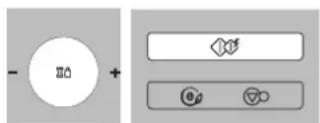
Turn DIAL until display shows "14:".
Press START for hour confirmation.
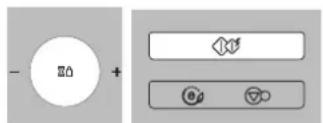
Turn DIAL until display shows "14:35".
Press START
The clock starts counting.
Child
Lock
Your oven has a safety feature that prevents accidental running of the oven. Once the child lock is set, you will be unable to use any functions and no cooking can take place. However your child can still open the oven door.
Press STOP/CLEAR.

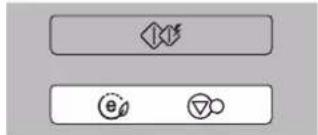
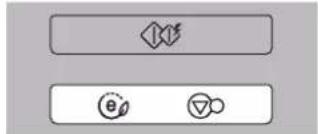
Press and hold STOP/CLEAR until "L" appears on the display and BEEP sounds.
The CHILD LOCK is now set.
The time will disappear on the display if you have set the clock.
flowchart
graph TD
    A["◇"] --> B["∅"]
    B --> C["∅"]
"L" remains on the display to let you know that CHILD LOCK is set.
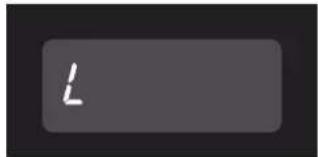
To cancel CHILD LOCK press and hold STOP/CLEAR until "L" disappears. You will hear BEEP when it's released.
Micro Power
Cooking
In the following example I will show you how to cook some food on 80% power for 5 minutes and 30 seconds.
Your oven has five microwave Power settings.
| MICRO | % | Power Output |
| HIGH | 100% | 900W |
| MEDIUM HIGH | 80% | 720W |
| MEDIUM | 60% | 540W |
| DEFROST MEDIUM LOW | 40% | 360W |
| LOW | 20% | 180W |
Make sure that you have correctly installed your oven as described earlier in this book.
Press STOP/CLEAR.
Press MICRO twice to select 720 power. "720" appears on the display.
Turn DIAL until display shows "5:30".
Press START.
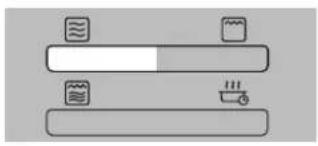
natural_image
Simple line drawing of a horizontal bar with icons for water, a container, and a thermometer (no text or symbols)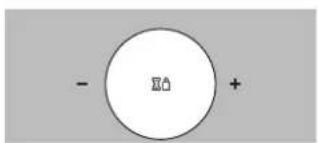
flowchart
graph TD
    A[" "] --> B[" "]
    B --> C["e"]
    B --> D["△"]
Your microwave oven is equipped with 5 power levels to give you maximum flexibility and control over cooking. The table below shows the examples of food and their recommended cooking power levels for use with this microwave oven.
Micro Power
Level
| POWER LEVEL | USE | POWER LEVEL(%) | POWER OUTPUT |
| HIGH * Boil Water | * Brown minced beef* Cook poultry pieces, fish, vegetables* Cook tender cuts of meat | 100% | 900W |
| MEDIUM HIGH * All reheating | * Roast meat and poultry* Cook mushrooms and shellfish* Cook foods containing cheese and eggs | 80% | 720W |
| MEDIUM * Bake cakes and scones | * Prepare eggs* Cook custard* Prepare rice, soup | 60% | 540W |
| DEFROST/ * All thawingMEDIUM LOW * Melt butter and chocolate | * Cook less tender cuts of meat | 40% | 360W |
| LOW * Soften butter & cheese | * Soften ice cream* Raise yeast dough | 20% | 180W |
Two stage Cooking
In the following example I will show you how to cook some food in two stages. The first stages will cook your food for 11 minutes on HIGH; the second will cook for 35 minutes on 360
During two stage cooking the oven door can be opened and food checked. Close the oven door and press START and the cooking stage will continue.
At the end of stage1, BEEP sounds and stage 2 commences.
Should you wish to clear the programme press STOP/CLEAR twice.
Press STOP/CLEAR.
flowchart
graph TD
    A[" "] --> B["e"]
    B --> C["o"]
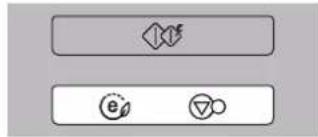
Set the power and the cooking time for stage1.
Press MICRO once to select HIGH power.
Turn DIAL until display shows "11:00".
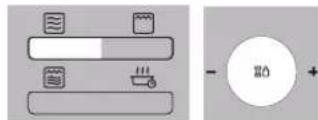
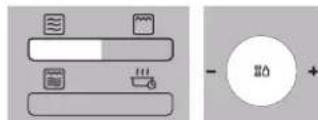
Set the power and the cooking time for stage2.
Press MICRO four times to select power.
Turn DIAL until display shows "35:00".
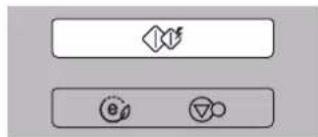
Press START.
In the following example I will show you how to set 2 minutes of cooking on high power.
Quick Start
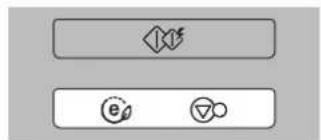
The QUICK START feature allows you to set 30 seconds intervals of HIGH power cooking with a touch of the START button.
Press STOP/CLEAR.
Press START four times to select 2 minutes on HIGH power. Your oven will start before you have finished the fourth press.
flowchart
graph TD
    A[" "] --> B["e"]
    B --> C["▽"]
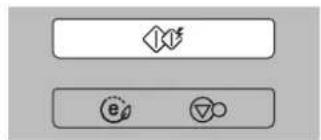
During QUICK START cooking, you can extend the cooking time by repeatedly pressing the START button.
Grill
Cooking
In the following example I will show you how to use the grill to cook some food for 12 minutes and 30 seconds.
This feature will allow you to brown and crisp food quickly.
Press STOP/CLEAR.
flowchart
graph TD
    A["◇"] --> B["e"]
    B --> C["▽"]
Press GRILL.

natural_image
Simple diagram of a horizontal bar with icons for water, storage, and heating (no text or labels)Set the cooking time.

Turn DIAL until display shows "12:30".
Press START.

flowchart
graph TD
    A[" "] --> B[" "]
    B --> C[" "]
    style A fill:#fff,stroke:#000
    style B fill:#fff,stroke:#000
    style C fill:#fff,stroke:#000
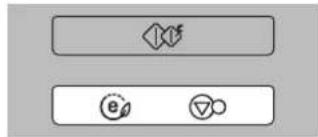
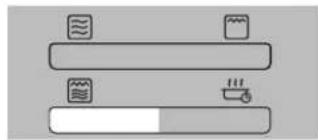
In the following example I will show you how to programme your oven with combi mode Co-3 for a cooking time of 25 minutes.
Combination Cooking
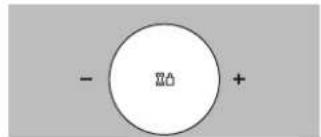
Your oven has a combination cooking feature which allows you to cook food with heater and microwave at the same time or alternately. This generally means it takes less time to cook your food.
The sheath heater grills the surface of the food while microwave heats inside. Moreover, preheating your oven is not necessary.
Press STOP/CLEAR.
Press COMBI, three times.
"Co-3" appears on the display.
Set the cooking time.
Turn DIAL until display shows "25:00".
Press START.
Be careful when removing your food because the container will be hot!
flowchart
graph TD
    A["◇"] --> B["e"]
    A --> C["o"]
natural_image
Simple diagram of two horizontal bars with icons for water, storage, and heating elements (no text or labels)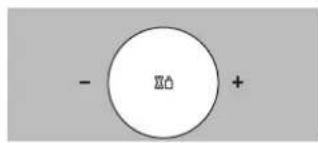
chemical
Simple diagram showing a central circle with '20' inside and an arrow pointing to it, with negative and positive signs on the sides.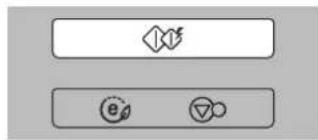
flowchart
graph TD
    A[" "] --> B["e"]
    A --> C["o"]
Combination Cooking Mode
| CATEGORY MICRO POWER (%) HEATER POWER (%) | ||
| Co-1 20 80 | ||
| Co-2 40 60 | ||
| Co-3 60 40 | ||
Auto Cook
In the following example I will show you how to cook 0.6kg of fresh vegetable.
AUTO CO OK allows you to cook most of your favorite food easily by selecting the food type and entering the weight of the food.
| CATEGORY | Press Auto Cook |
| JACKET POTATO | 1 time |
| FRESH VEGETABLE | 2 times |
| FROZEN VEGETABLE | 3 times |
| RICE | 4 times |
| FRESH FISH | 5 times |
| ROAST BEEF | 6 times |
| ROAST LAMB | 7 times |
| CHICKEN LEGS | 8 times |
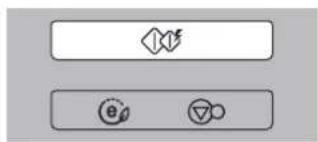
Press STOP/CLEAR.
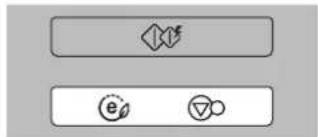
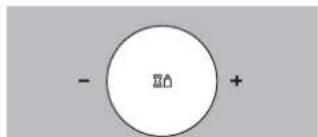
Press AUTO COOK twice to select Fresh vegetable.

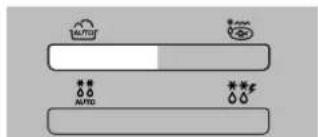
Turn DIAL until display shows "0.6".
Press START.

flowchart
graph TD
    A["Decision"] --> B["e"]
    A --> C["△"]
| FOOD CATEGORY | WEIGHT LIMIT UTENSILS FOOD | TEMP. INSTRUCTIONS | ||
| 1. JACKET POTATO | 0.2 kg ~ 1.0 kg | On glass tray | Room | Choose medium sized potatoes 170 - 200g.Wash and dry potatoes. Pierce the potatoes several times with fork. Place the potatoes on the glass turntable. Adjust weight and press start. After cooking, remove the potatoes from the oven. Let stand covered with foil for 5 minutes. |
| 2. FRESH VEGETABLE | 0.2 kg ~ 0.8 kg | Microwave-safe bowl | Room | Place vegetables in a microwave-safe bowl. Add water.Cover with wrap. After cooking, stir and allow to stand for 2 minutes. Add amount of water according to the quantity.** 0.2kg - 0.4kg : 2 Tablespoon** 0.5kg - 0.8kg : 4 Tablespoon |
| 3. FROZEN VEGETABLE | 0.2 kg ~ 0.8 kg | Microwave-safe bowl | Frozen | Place vegetables in a microwave-safe bowl. Add water.Cover with wrap. After cooking, stir and allow to stand for 2 minutes. Add amount of water according to the quantity.** 0.2kg - 0.4kg : 2 Tablespoon** 0.5kg - 0.8kg : 4 Tablespoon |
| 4. RICE | 0.1 kg ~ 0.3 kg | Microwave-safe bowl | Room | Wash rice. Darin water.Place rice & boiling water in a deep and large bowl. |
| Weight 100g 200g 300g CoverBoiling water 200ml 400ml 600ml Yes /Vent corner** Rice - After cooking, stand covered for 5 minutes or until water is absorbed. | ||||
| 5. FRESH FISH | 0.2 kg ~ 0.6 kg | Microwave-safe flan dish | Refrigerated | Whole fish, steaks-Oily fish : salmon, mackerel- White fish : cod, haddockArrange in a single layer in a large microwave-safe flan dish.Cover dish tightly with plastic wrap and pierce in several places.Place on the glass turntable. Adjust weight and press start.After cooking, remove the dish from the oven. Allow to stand for 3 minutes before serving. |
| 6. ROAST BEEF | 0.5kg-1.5kg | Rack | Refrigerated | Brush the beef with melted margarine or butter.Place on the low rack on the metal tray.The oven will beep, turn food over and press start to continue.After cooking, stand covered with foil for 10 minutes before serving. |
| 7. ROAST LAMB | 0.5kg-1.5kg | Rack | Refrigerated | Brush the lamb with melted margarine or butter.Place on the low rack on the metal tray.The oven will beep, turn food over and press start to continue.After cooking, stand covered with foil for 10 minutes before serving. |
| 8. CHICKEN LEGS | 0.2kg-0.8kg | Rack | Refrigerated | Wash and dry skin. Brush the chicken legs with melted margarine or butter. Place on the high rack on the glass tray.The oven will beep, turn food over and press start to continue.After cooking, stand covered with foil for 2-5 minutes. |
The temperature and density of food varies, I would recommend that the food is checked before cooking commences. Pay particular attention to large joints of meat and chicken, some foods should not be completely thawed before cooking. The BREAD programme is suitable for defrosting small items such as rolls or a small loaf. These will require a standing time to allow the centre to thaw. In the following example I will show you how to defrost 1.4 Kg of frozen poultry.
Auto Defrost
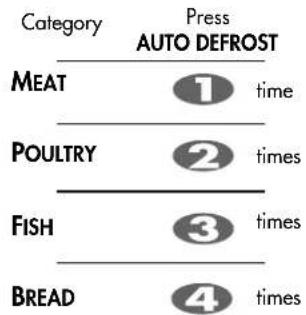
Your oven has four microwave defrost settings:- MEAT, POULTRY, FISH and BREAD; each defrost category has different power settings. Repeated presses of the AUTO DEFROST button will select a different setting.
Press STOP/CLEAR.
Weight the food that you are about to defrost. Be certain to remove any metallic ties or wraps; then place the food in your oven and close the oven door.
Press AUTO DEFROST twice to select the POULTRY defrosting programme.
Enter the weight of the frozen food that you are about to defrost.
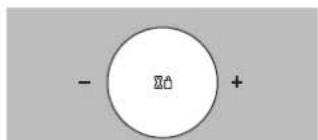
Turn DIAL until display shows "1.4".
Press START.
flowchart
graph TD
    A[" "] --> B["e"]
    B --> C["▽"]
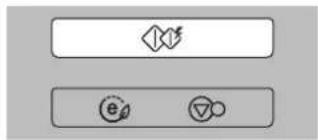
flowchart
graph TD
    A["◇"] --> B["e"]
    B --> C["▽"]
During defrosting your oven will "BEEP", at which point open the oven door, turn food over and separate to ensure even thawing. Remove any portions that have thawed or shield them to help slow down thawing. After checking close the oven door and press START to resume defrosting. Your oven will not stop defrosting (even when the beep sounded) unless the door is opened.
AUTO W EIG HT DEFRO ST G UIDE
* Food to be defrosted should be in a suitable microwave proof container and place uncovered on the glass turntable.
* If necessary, shield small areas of meat or poultry with flat pieces of aluminum foil. This will prevent thin areas becoming warm during defrosting. Ensure the foil does not touch the oven walls.
* Separate items like minced meat, chops, sausages and salmon as possible.
When BEEP, at this piont remove the food from the microwave oven, turn the food over and return to the microwave oven. Press start to continue. At the end of the program, remove the food from the microwave oven, cover with foil and allow to stand until completely thawed.
To thaw completely, for example joints of meat and whole chickens should STAND for a minimum of 1 hour before cooking.
| Category | Weight Limit | Utensil | Food |
| MeatPoultryFish | 0.1 ~ 4.0 kg | Microwave ware(Flat plate) | MeatMinced beef, Fillet steak, Cubes for stew, Sirloin steak, Pot roast, Rump roast, Beef burgerLamb chops, Rolled roast, Sausage, Cutlets(.2cm)Turn food over at beep.After defrosting, let stand for 5-15 minutes.PoultryWhole chicken, Legs, Breasts, Turkey breasts(under 2.0kg)Turn food over at beep.After defrosting, let stand for 20-30 minutes.FishFillets, Steaks, Whole fish, Sea foodsTurn food over at beep.After defrosting, let stand for 10-20 minutes. |
| Bread | 0.1 ~ 0.5 kg | Paper towelor flat plate | Sliced bread, Buns, Baguette, etc.Separate slices and place between paper towel or flat plate.Turn food over at beep.After defrosting, let stand for 1-2 minutes. |
Use this function to thaw only 0.5kg of Minced meat very quickly.
This will require a standing time to allow the center to thaw. In the following example will show you how to defrost 0.5kg of frozen minced meat.
Quick Defrost
Your oven has a microwave quick defrost setting (MEAT).
Press STOP/CLEAR.
Weight the food that you are about to defrost. Be certain to remove any metallic ties or wraps; then place the food in your oven and close the oven door.
flowchart
graph TD
    A["◇"] --> B["e"]
    B --> C["▽"]
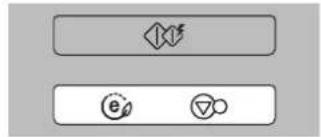
Press QUICK DEFROST.
The oven will start automatically.
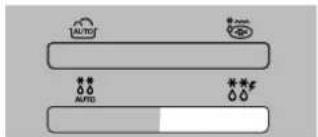
During defrosting your oven will "BEEP", at which point open the oven door, turn food over and separate to ensure even thawing. Remove any portions that have thawed or shield them to help slow down thawing. After checking close the oven door and press START to resume defrosting. Your oven will not stop defrosting (even when the beep sounded) unless the door is opened.
AUTO WEIGHT DEFROST GUIDE
Use this function to defrost quickly for minced meat.
Remove the meat completely from it's wrapping. Place the mince onto a microwave-safe plate. When BEEP, at this point remove the mince from the microwave oven, turn the mince over and return to the microwave oven. Press start to continue. At the end of the program remove the mince from the microwave oven, cover with foil and allow to stand 5-15 minutes or until completely thawed.
| CATEGORY WEIGHT | UTENSIL INSTRUCTIONS | ||
| Minced meat | 0.5kg | Microwave ware(Flat plate) | Minced meatTurn food over at beepAfter defrosting, let stand for 5-15 minutes |
In the following example I will show you how to cook 0.3kg of "Salmon Fillet".
Defrost & Grill
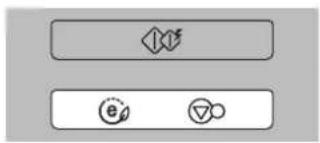
Defrost & Grill allows you to cook most of your favorite food easily by selecting the food type and entering the weight of food by turn the wheel dial.
| Category | Press Defrost & Grill | |
| Salmon Fillet | 1 | time |
| Shrimp | 2 | times |
| Hamburger Patties | 3 | times |
| Sausage | 4 | times |
flowchart
graph TD
    A["◇"] --> B["e"]
    B --> C["▽"]
Press DEFROST&GRILL once.
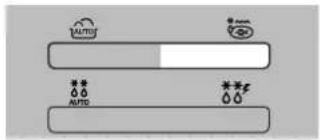
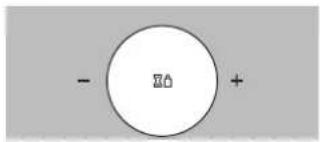
Turn DIAL until display shows "0.3kg".
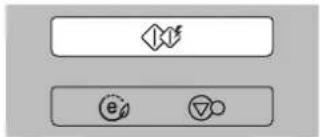
Press START.

| Category | Quantity | Utensil | FOOD TEMP. | Instructions |
| Salmon fillet 0.2-0.6kg Frozen | Rack | Choose salmon fillet of 200gl weight and 2.5cm thickness each. Frozen it. Place food on the rack.Choose the menu and weight, press start.After cooking, remove from the oven and stand. | ||
| Shrimp 0.1-0.4kg Frozen | 1.Clean and de-vein shrimps. Place on the rack.2.When beep, turn food over. | |||
| Hamburger Patties | 1-4 piece Frozen | Place hamburger Patties on the rack.Choose the menu and weight, press start.After cooking, remove from the oven and stand. | ||
| Sausage | 0.2-0.6kg | Frozen | 1.Remove all packages and slit on the surface.Place on the rack.2.When beep, turn food over. | |
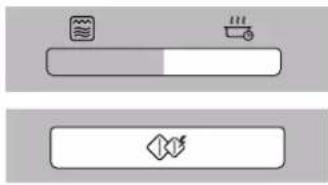
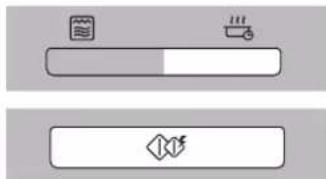
In the following example I will show you how to use the keep warming function to warm food at high level in 90 min.
Keep Warming
If you want to warm your food when using the AUTO COOK programme, you can get the warming food by pressing the key.
When the food without Auto function need warming you can set warming at any point by pressing the key.
Keep warming function has only one time level-90 minutes. But the function will stop when you open the door.
LEVEL Press keep warming Display
| Low level | 1 | time | 4 |
| High level | 2 | times | Hot |
Keep Warming manually
Put some food into the micro-wave oven, press "keep Warming" two times, "Ho-H" appears on the display. Press "start".
Keep Warming after AUTO COOK
-
Set the required AUTO COOK programme. Press "start". And after the AUTO COOK programme, it will automatically run Taste saver function when five minutes later after AUTO COOK is over.
-
When the AUTO COOK is over, you can also press 'keep warming', and "Ho-H" appears on the display. Press "start".
\*TIME display
When Taste saver is running, it will display ____ And then you press "keep warming" again, left time of Keep warming will appear on the display.
natural_image
Two horizontal bar icons with icons: one with a water drop and another with a flame symbol (no text or labels)
natural_image
Simple geometric shape: a dashed rectangle outline on a gray background (no text or symbols)Energy Saving
The ECO ON feature allows you to save energy through display off during stand-by status, or after 5 minutes with door open or closing, display will off automatically.
Press STOP /CLEAR(ECO ON).
"O" appears on the display.
Press STOP /CLEAR(ECO ON) or
After 5 minutes with door open or closing, display off.
During ECO ON status, if you press any key, display will on.
WARNING
Please ensure cooking times are correctly set as over cooking may result in FIRE and subsequent DAMAGE to the OVEN.
Important safety instructions
Read carefully and keep for future reference
1 Do not attempt to tamper with, or make any adjustments or repairs to the door, control panel, safety interlock switches or any other part of the oven. It is hazardous for anyone to carry out any service or repair operation which involves the removal of any cover which gives protection against exposure to microwave energy. Repairs should only be undertaken by a qualified service technician.
2 Do not operate the oven when empty. It is best to leave a glass of water in the oven when not in use. The water will safely absorb all microwave energy, if the oven is accidentally started.
3 Do not use the oven for the purpose of dehumidification. It can be the cause of serious damage of safety. (ex. Operating the microwave oven with the wet newspapers, clothes, toys, pet or portable electric devices, etc.)
4 Do not cook food wrapped in paper towels, unless your cook book contains instructions, for the food you are cooking.
5 Do not use newspaper in place of paper towels for cooking.
6 Do not use wooden containers. They may heat-up and char. Do not use ceramic containers which have metallic (e.g. gold or silver) inlays. Always remove metal twist ties. Metal objects in the oven may arc, which can cause serious damage.
7 Do not operate the oven with a kitchen towel, a napkin or any other obstruction between the door and the front edges of the oven, which may cause microwave energy leakage.
8 Do not use recycled paper products since they may contain impurities which may cause sparks and/or fires when used in cooking.
9 Do not rinse the turntable by placing it in water just after cooking. This may cause breakage or damage.
10 Small amounts of food require shorter cooking or heating time. If normal times are allowed they may overheat and burn.
11 Be certain to place the oven so the front of the door is 8 cm or more behind the edge of the surface on which it is placed, to avoid accidental tipping of the appliance.
12 Before cooking, pierce the skin of potatoes, apples or any such fruit or vegetable.
13 Do not cook eggs in their shell. Pressure will build up inside the egg which will burst.
14 Do not attempt deep fat frying in your oven.
15 Remove the plastic wrapping from food before cooking or defrosting. Note though that in some cases food should be covered with plastic film, for heating or cooking.
16 If the oven door or door seals are damaged, the oven must not be operated until it has been repaired by a qualified service technician.
17 If smoke is observed, switch off or disconnect the oven from the power supply and keep the oven door closed in order to stifle any flames.
18 When food is heated or cooked in disposable containers of plastic, paper or other combustible materials, check the oven frequently due to the possibility of the food container is deteriorating.
19 Only allow children to use the oven without supervision when adequate instructions have been given so that the child is able to use the oven in a safe way and understands the hazards of improper use.
20 Liquids or other foods must not be heated in sealed containers since they are liable to explode.
21 Do not operate the oven, if the door seals and adjacent parts of the microwave oven are faulty, until the oven has been repaired by a qualified service technician.
22 Check the utensils are suitable for use in microwave ovens before use.
23 Do not touch the oven door, outer cabinet, rear cabinet, oven cavity, accessories and dishes during grill mode, convection mode and auto cook operations, unless wearing thick oven gloves, as they will become hot. Before clearing make sure they are not hot.
uctionstant safety instrlmpor
Read carefully and keep for future reference
24 Only use utensils that are suitable for use in microwave ovens.
25 When heating food in plastic or paper containers, keep an eye on the oven due to the possibility of ignition.
26 If smoke is observed, switch off or unplug the appliance and keep the door closed in order to stifle any flames.
27 Microwave heating of beverages can result in delayed eruptive boiling, therefore care must be taken when handing the container.
28 The contents of feeding bottles and baby food jars shall be stirred or shaken and the temperature checked before consumption, in order to avoid burns.
29 Eggs in their shell and whole hard-boiled eggs should not be heated in microwave ovens since they may explode, even after microwave heating has ended.
30 Details for cleaning door seals, cavities and adjacent parts.
31 The oven should be cleaned regularly and any food deposits removed.
32 Failure to maintain the oven in a clean condition could lead to deterioration of the surface that could adversely affect the life of the appliance and possibly result in a hazardous situation.
33 Only use the temperature probe recommended for this oven (for appliances having a facility to use a temperature-sensing probe).
34 If heating elements are provided, during use the appliance becomes hot. Care should be taken to avoid touching heating elements inside the oven.
35 The appliance is not intended for use by young children or infirm persons without supervision.
36 The microwave oven must be operated with the decorative door open.
37 This connection may be achieved by having the plug accessible or by incorporation a switch in the fixed wiring in accordance with the wiring rules.
38 Do not use harsh abrasive cleaners or sharp metal scrapers to clean the oven door glass since they can scratch the surface, which may result in shattering of the glass.
39 This appliance is not intended for use by persons (including children) with reduced physical, sensory or mental capabilities, or lack of experience and knowledge, unless they have been given supervision or instruction concerning use of the appliance by a person responsible for their safety.

WARNING: If the door or door seals are damaged, the oven must not be operated until it has been repaired by a competent person.

WARNING: It is hazardous for anyone other than a competent person to carry out any service or repair operation that involves the removal of a cover which gives protection against exposure to microwave energy.

WARNING: Liquids and other foods must not be heated in sealed containers since they are liable to explode.

WARNING: Only allow children to use the oven without supervision when adequate instructions have been given so that the child is able to use the oven in a safe way and understands the hazards of improper use.

WARNING: Accessible parts may become hot during use. Young children should be kept away.
Microwave-safe Utensils
Never use metal or metal trimmed utensils in your
microwave oven
Microwaves cannot penetrate metal. They will bounce off any metal object in the oven and cause arcing, an alarming phenomenon that resembles lightning.
Most heat resistant non metallic cooking utensils are safe for use in your microwave oven. However, some may contain materials that render them unsuitable as microwave cookware. If you have any doubts about a particular utensil, there's a simple way to find out if it can be used in your microwave oven.
Place the utensil in question next to a glass bowl filled with water in the microwave oven. Microwave at power HIGH for 1 minute. If the water heats up but the utensil remains cool to the touch, the utensil is microwave\~safe. However, if the water does not change temperature but the utensil becomes warm, microwaves are being absorbed by the utensil and it is not safe for use in the microwave oven. You probably have many items on hand in your kitchen right now that can be used as cooking equipment in your microwave oven. Just read through the following checklist.
Dinner plates
Many kinds of dinner-ware are microwave-safe. If in doubt consult the manufacturer's literature or perform the microwave test.
Glassware
Glassware that is heat-resistant is microwave-safe. This would include all brands of oven tempered glass cookware. However, do not use delicate glassware, such as tumblers or wine glasses, as these might shatter as the food warms.
Plastic storage containers
These can be used to hold foods that are to be quickly reheated. However, they should not be used to hold foods that will need considerable time in the oven as hot foods will eventually warp or melt plastic containers.
Paper
Paper plates and containers are convenient and safe to use in your microwave oven, provided that the cooking time is short and foods to be cooked are low in fat and moisture. Paper towels are also very useful for wrapping foods and for lining baking trays in which greasy foods such as Lare booked. In general, avoid coloured paper products as the colour may run. Some recycled paper products may contain impurities which could cause arcing or fires when used in the microwave oven.
Plastic cooking bags
Provided they are made specially for cooking, cooking bags are microwave safe. However, be sure to make a slit in the bag so that steam can escape. Never use ordinary plastic bags for cooking in your microwave oven, as they will melt and rupture.
Plastic microwave cookware
A variety of shapes and sizes of microwave cookware are available. For the most part, you can probably use items you already have on hand rather than investing in new kitchen equipment.
Pottery, stoneware and ceramic
Containers made of these materials are usually fine for use in your microwave oven, but they should be tested to be sure.
CAUTION
Some items with high lead or iron content are not suitable for cooking utensils.
Utensils should be checked to ensure that they are suitable for use in microwave ovens.
Food characteristics &
Microwave cooking
Keeping an eye on things
The recipes in the book have been formulated with great care, but your success in preparing them depends on how much attention you pay to the food as it cooks. Always watch your food while it cooks. Your microwave oven is equipped with a light that turns on automatically when the oven is in operation so that you can see inside and check the progress of your food. Directions given in recipes to elevate, stir, and the like should be thought of as the minimum steps recommended. If the food seems to be cooking unevenly, simply make the necessary adjustments you think appropriate to correct the problem.
Factors affecting microwave cooking times
Many factors affect cooking times. The temperature of ingredients used in a recipe makes a big difference in cooking times. For example, a cake made with ice-cold butter, milk, and eggs will take considerably longer to bake than one made with ingredients that are at room temperature. All of the recipes in this book give a range of cooking times. In general, you will find that the food remains under-cooked at the lower end of the time range, and you may sometimes want to cook your food beyond the maximum time given, according to personal preference. The governing philosophy of this book is that it is best for a recipe to be conservative in giving cooking times. While overcooked food is ruined for good. Some of the recipes, particularly those for bread, cake, and custards, recommend that food be removed from the oven when they are slightly undercooked. This is not a mistake. When allowed to stand, usually covered, these foods will continue to cook outside of the oven as the heat trapped within the outer portions of the food gradually travels inward. If the food is left in the oven until it is cooked all the way through, the outer portions will become overcooked or even burnt. You will become increasingly skilful in estimating both cooking and standing times for various foods.
Density of food
Light, porous food such as cakes and breads cook more quickly than heavy, dense foods such as roasts and casseroles. You must take care when microwaving porous food that the outer edges do not become dry and brittle.
Height of food
The upper portion of tall food, particularly roasts, will cook more quickly than the lower portion. Therefore, it is wise to turn tall food during cooking, sometimes several times.
Moisture content of food
Since the heat generated from microwaves tends to evaporate moisture, relatively dry food such as roasts and some vegetables should either be sprinkled with water prior to cooking or covered to retain moisture.
Bone and fat content of food
Bones conduct heat and fat cooks more quickly than meat. Care must be taken when cooking bony or fatty cuts of meat that they do not cook unevenly and do not become overcooked.
Quantity of food
The number of microwaves in your oven remains constant regardless of how much food is being cooked. Therefore, the more food you place in the oven, the longer the cooking time. Remember to decrease cooking times by at least one third when halving a recipe.
Shape of food
Microwaves penetrate only about 2.cm into food, the interior portion of thick foods are cooked as the heat generated on the outside travels inward. Only the outer edge of food in cooked by microwave energy; the rest is cooked by conduction. The worst possible shape for a food that is to be microwaved is a thick square. The corners will burn long before the centre is even warm. Round thin foods and ring shaped foods cook successfully in the microwave.
Covering
A cover traps heat and steam which causes food to cook more quickly. Use a lid or microwave cling film with a corner folded back to prevent splitting.
Browning
Meats and poultry that are cooked fifteen minutes or longer will brown lightly in their own fat. Foods that are cooked for a shorter period of time may be brushed with a browning sauce such as worcestershire sauce, soy sauce or barbecue sauce to achieve an appetizing colour. Since relatively small amounts of browning sauces are added to food the original flavour of the recipe is not altered.
Covering with greaseproof paper
Greaseproofing effectively prevents spattering and helps food retain some heat. But because it makes a looser cover than a lid or clingfilm, it allows the food to dry out slightly.
Arranging and spacing
Individual foods such as baked potatoes, small cakes and hors d'oeuvres will heat more evenly if placed in the oven an equal distance apart, preferably in a circular pattern. Never stack foods on top of one another.
Food characteristics &
Microwave cooking
Stirring
Stirring is one of the most important of all microwaving techniques. In conventional cooking, food is stirred for the purpose of blending. Microwaved food, however, is stirred in order to spread and redistribute heat. Always stir from the outside towards the centre as the outside of the food heats first.
Turning over
Large, tall foods such as roasts and whole chickens should be turned so that the top and bottom will cook evenly. It is also a good idea to turn cut up chicken and chops.
Placing thicker portions facing outwards
Since microwaves are attracted to the outside portion of food, it makes sense to place thicker portions of meat, poultry and fish to the outer edge of the baking dish. This way, thicker portions will receive the most microwave energy and the food will cook evenly.
Shielding
Strips of aluminium foil (which block microwaves) can be placed over the corners or edges of square and rectangular foods to prevent those portions from overcooking. Never use too much foil and make sure the foil is secured to the dish or it may cause 'arcing' in the oven.
Elevating
Thick or dense foods can be elevated so that microwaves can be absorbed by the underside and centre of the foods.
Piercing
Foods enclosed in a shell, skin or membrane are likely to burst in the oven unless they are pierced prior to cooking. Such foods include yolks and whites of eggs, clams and oysters and whole vegetables and fruits.
Testing if cooked
Food cooks so quickly in a microwave oven, it is necessary to test it frequently. Some foods are left in the microwave until completely cooked, but most foods, including meats and poultry, are removed from the oven while still slightly undercooked and allowed to finish cooking during standing time. The internal temperature of foods will rise between 50°F (30°C) and 150°F (80°C) during standing time.
Standing time
Foods are often allowed to stand for 3 to 10 minutes after being removed from the microwave oven. Usually the foods are covered during standing time to retain heat unless they are supposed to be dry in texture (some cakes and biscuits, for example). Standing allows foods to finish cooking and also helps flavour blend and develop.
To Clean Your Oven
1 Keep the inside of the oven clean
Food spatters or spilled liquids stick to oven walls and between seal and door surface. It is best to wipe up spillovers with a damp cloth right away. Crumbs and spillovers will absorb microwave energy and lengthen cooking times. Use a damp cloth to wipe out crumbs that fall between the door and the frame. It is important to keep this area clean to assure a tight seal. Remove greasy spatters with a soapy cloth then rinse and dry. Do not use harsh detergent or abrasive cleaners. The glass tray can be washed by hand or in the dishwasher.
2 Keep the outside of the oven clean
Clean the outside of your oven with soap and water then with clean water and dry with a soft cloth or paper towel. To prevent damage to the operating parts inside the oven, the water should not be allowed to seep into the ventilation openings. To clean control panel, open the door to prevent oven from accidentally starting, and wipe a damp cloth followed immediately by a dry cloth. Press STOP/CLEAR after cleaning.
3 If steam accumulates inside or around the outside of the oven door, wipe the panels with a soft cloth. This may occur when the microwave oven is operated under high humidity conditions and in no way indicates a malfunction of the unit.
4 The door and door seals should be kept clean. Use only warm, soapy water, rinse then dry thoroughly.
DO NOT USE ABRASIVE MATERIALS, SUCH AS CLEANING POWDERS OR STEEL AND PLASTIC PADS.
Metal parts will be easier to maintain if wiped frequently with a damp cloth.
5 Do not use any steam cleaner.
Questions &
Answers
Q What's wrong when the oven light will not glow?
A There may be several reasons why the oven light will not glow. Light bulb has blown Door is not closed
Q Does microwave energy pass through the viewing screen in the door?
A No. The holes, or ports, are made to allow light to pass; they do not let microwave energy through.
Q Why does the beep tone sound when a pad on the Control Panel is touched?
A The beep tone sounds to assure that the setting is being properly entered.
Q Will the microwave oven be damaged if it operates empty?
A Yes Never run it empty or without the glass tray.
Q Why do eggs sometimes pop?
A When baking, frying, or poaching eggs, the yolk may pop due to steam build up inside the yolk membrane. To prevent this, simply pierce the yolk before cooking. Never microwave eggs in the shell.
Q Why is standing time recommended after microwave cooking is over?
A After microwave cooking is finished, food keeps on cooking during standing time. This standing time finishes cooking evenly throughout the food. The amount of standing time depends on the density of the food.
Q Is it possible to pop corn in a microwave oven?
A Yes, if using one of the two methods described below 1 Popcorn-popping utensils designed specifically for microwave cooking. 2 Prepackaged commercial microwave popcorn that contains specific times and power outputs needed for an acceptable final product.
FOLLOW EXACT DIRECTIONS GIVEN BY EACH MANUFACTURER FOR THEIR POPCORN PRODUCT. DO NOT LEAVE THE OVEN UNATTENDED WHILE THE CORN IS BEING POPPED. IF CORN FAILS TO POP AFTER THE SUGGESTED TIMES, DISCONTINUE COOKING. OVERCOOKING COULD RESULT IN THE CORN CATCHING FIRE.
CAUTION
NEVER USE A BROWN PAPER BAG FOR POPPING CORN. NEVER ATTEMPT TO POP LEFTOVER KERNELS.
Q Why doesn't my oven always cook as fast as the cooking guide says?
A Check your cooking guide again to make sure you've followed directions correctly, and to see what might cause variations in cooking time. Cooking guide times and heat settings are suggestions, chosen to help prevent overcooking, the most common problem in getting used to a microwave oven. Variations in the size, shape, weight and dimensions of the food require longer cooking time. Use your own judgement along with the cooking guide suggestions to test food condition, lust as you would do with a conventional cooker.
Warning
This appliance must be earthed
The wires in this mains lead are colored in accordance with the following codes
BLUE \~ Neutral
BROWN \~ Live
As the colours of the wires in the mains lead of this appliance may not correspond with the coloured markings identifying the terminals in your plug proceed as follows:
The wire which is colored BLUE must be connected to the terminal which is marked with the letter N or Colored BLACK.
The wire which is colored BROWN must be connected to the terminal which is marked with the letter L or colored RED.
The wire which is colored GREEN & YELLOW or GREEN must be connected to the terminal which is marked with the letter E or 12 .
If the supply cord is damaged, it must be replaced by the manufacturer or its service agent or a similarly qualified person in order to avoid a hazard;
Technical Specification
| MH7082A/MH7082AS | ||
| Power Input | 30 V AC /50Hz2 | 20 V AC /50Hz2 |
| Output | 900 W (IEC60705 rating standard) | |
| Microwave Frequency | 2,450 MHz | |
| Outside Dimension | 510 mm(W) X 286mm(H) X444mm(D) | |
| Power Consumption | 1300 Watts | |
| Microwave | ||
| Grill | 1000 Watts | |
| Combination | 1450 Watts | |
LG
Life's Good
MANUEL DE L'UTILISATEUR
FOUR À MICRO-ONDES AVEC GRIL
LISEZ ATTENTIVEMENT LE PRESENT MANUEL DE L'UTILISATEUR AVANT D'UTILISER L'APPAREIL.
MH7082A
MH7082AS
P/No.: MFL67571201
www.lg.com
natural_image
Illustration of a microwave oven with open door and closed lid, showing internal air gap (no text or symbols)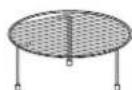
Grille haute
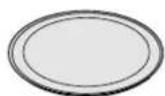
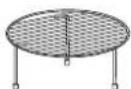
Plateau en verre
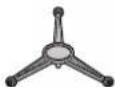
SUPPORT ROULEAUX
natural_image
Illustration of a microwave oven with airflow arrows indicating air flow (no text or symbols)CE FOUR NE DOIT PAS ÊTRE UTILISE A DES FINS DE RESTAURATION COMMERCIALE
natural_image
Illustration of a hand holding a microwave oven with a glass lid (no text or symbols)
natural_image
Illustration of two hands holding a cup with steam rising from the cup (no text or symbols)VOTRE FOUR EST PRÊT
flowchart
graph TD
    A["◇"] --> B["e"]
    B --> C["▽"]
flowchart
graph TD
    A["◇"] --> B["e"]
    B --> C["▽"]
natural_image
Simple diagram of a horizontal bar with icons for water, water drop, and heating element (no text or labels)
flowchart
graph TD
    A[" "] --> B{ }
    B --> C["e"]
    B --> D["o"]
Niveau de puissance
flowchart
graph TD
    A["◇"] --> B["e"]
    B --> C["▽"]
Démarrage rapide
flowchart
graph TD
    A["◇"] --> B["e"]
    B --> C["▽"]
flowchart
graph TD
    A[" "] --> B["e"]
    A --> C["o"]
flowchart
graph TD
    A["◇"] --> B["e"]
    B --> C["▽"]
flowchart
graph TD
    A["◇"] --> B["e₀"]
    B --> C["▽"]
flowchart
graph TD
    A["◇"] --> B["e"]
    B --> C["▽"]
Appuyez sur GRIL

natural_image
Simple diagram of a horizontal bar with icons for water, steam, and a thermometer (no text or labels)flowchart
graph TD
    A["◇"] --> B["e"]
    B --> C["▽"]
natural_image
Simple diagram of three horizontal bars with icons, no text or symbols present
chemical
Simple diagram showing a nucleus with negative charge and positive charge, likely representing a protonated ion or ion exchange.
Cuisson
automatique
flowchart
graph TD
    A["Process Block 1"] --> B["Process Block 2"]
    B --> C["Process Block 3"]
chemical
Simple diagram showing a circle with a minus sign and a plus sign, likely representing a chemical reaction or charge state.flowchart
graph TD
    A["◇"] --> B["e"]
    B --> C["▽"]
natural_image
Simple diagram with a circle containing a symbol and two opposing signs (no text or labels)natural_image
Two horizontal control buttons with icons, one with a water drop and the other with a flame symbol (no text or labels)natural_image
Two horizontal bar icons with symbols: a water drop and a speedometer, both without any text or labels.\*AFFICHAGE DU TEMPS
natural_image
Simple geometric shape: a dashed rectangle outline on a gray background (no text or symbols)natural_image
Illustration of a microwave oven with airflow arrows indicating direction (no text or symbols)natural_image
Illustration of a microwave oven with open door and closed lid, showing internal air gap (no text or symbols)تَيْلُوا فَر قَراود قَلْح يَلْفِسلا فَرْلَا
natural_image
Three simple furniture items: a circular plate, a three-leaf tripod stand, and a square fan with a mesh grille (no text or symbols)natural_image
Illustration of a hand holding a cup with liquid inside, no text or symbols presentnatural_image
Illustration of a hand holding a microwave oven with a cloth partially inserted (no text or symbols)flowchart
graph TD
    A["◇"] --> B["e"]
    B --> C["▽"]
flowchart
graph TD
    A[" "] --> B[" "]
    B --> C["e"]
    B --> D["o"]
flowchart
graph TD
    A["◇"] --> B["e"]
    B --> C["▽"]
natural_image
Simple diagram of a horizontal bar with icons for water, storage, and heating (no text or labels)flowchart
graph TD
    A[" "] --> B["e"]
    A --> C["△"]
flowchart
graph TD
    A["◇"] --> B["e"]
    B --> C["▽"]
flowchart
graph TD
    A["Process Step"] --> B["Process Step"]
    B --> C["Process Step"]
natural_image
Simple diagram of a horizontal bar with icons for water, documents, and a thermometer (no text or labels)natural_image
Simple diagram of a horizontal bar with icons for water, ice, and steam (no text or labels)flowchart
graph TD
    A[" "] --> B["e"]
    A --> C["△"]
chemical
Simple diagram showing a nucleus with positive charge and negative charge, labeled with 'Σ0' at the nucleus.
chemical
Simple diagram showing a central circle with a bottle symbol and two opposing signs below it.flowchart
graph TD
    A["◇"] --> B["e"]
    B --> C["▽"]
اضغطي على حسم/فاقبا
flowchart
graph TD
    A[" "] --> B["e"]
    A --> C["▽"]
hfظ المذاق يدوياً
natural_image
Two horizontal bar designs with icons, no text or symbols present“ Ho -H Keep warning
natural_image
Simple geometric shape: a dashed rectangle outline on a gray background (no text or symbols)*عرض الوقت
natural_image
Simple line drawing of a cartoon character with antenna and smiling face (no text or symbols)
- Precautions to avoid possible exposure to excessive microwave energy.
- It is important not to tamper with the safety interlocks.
- Warning
- Contents
- How the Microwave Oven Works
- A very safe appliance
- Unpacking & Installing
- Setting the Clock
- Child
- Lock
- Micro Power
- Cooking
- Level
- Two stage Cooking
- Quick Start
- Grill
- Combination Cooking
- Auto Cook
- Auto Defrost
- AUTO W EIG HT DEFRO ST G UIDE
- Quick Defrost
- Press STOP/CLEAR.
- Press QUICK DEFROST.
- AUTO WEIGHT DEFROST GUIDE
- Defrost & Grill
- Keep Warming
- Keep Warming manually
- Keep Warming after AUTO COOK
- \*TIME display
- Energy Saving
- Important safety instructions
- Read carefully and keep for future reference
- uctionstant safety instrlmpor
- Microwave-safe Utensils
- Never use metal or metal trimmed utensils in your
- microwave oven
- Dinner plates
- Glassware
- Plastic storage containers
- Paper
- Plastic cooking bags
- Plastic microwave cookware
- Pottery, stoneware and ceramic
- CAUTION
- Food characteristics &
- Microwave cooking
- Keeping an eye on things
- Factors affecting microwave cooking times
- Density of food
- Height of food
- Moisture content of food
- Bone and fat content of food
- Quantity of food
- Shape of food
- Covering
- Browning
- Covering with greaseproof paper
- Arranging and spacing
- Stirring
- Turning over
- Placing thicker portions facing outwards
- Shielding
- Elevating
- Piercing
- Testing if cooked
- Standing time
- To Clean Your Oven
- Keep the inside of the oven clean
- Keep the outside of the oven clean
- Questions &
- Answers
- This appliance must be earthed
- MANUEL DE L'UTILISATEUR
- FOUR À MICRO-ONDES AVEC GRIL
- Niveau de puissance
- Démarrage rapide
- Cuisson
- automatique
- \*AFFICHAGE DU TEMPS
Brand : LG
Model : MH7082A
Category : Microwaves