
Tapo D230S1 - Surveillance Camera TP-LINK - Free user manual and instructions
Find the device manual for free Tapo D230S1 TP-LINK in PDF.
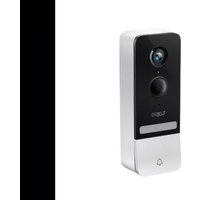


| Product Type | Wireless Security Camera |
| Brand | TP-Link |
| Model | Tapo D230S1 |
| Dimensions (approx.) | 60 x 60 x 120 mm |
| Weight (approx.) | 150 g |
| Power Source | Built-in rechargeable battery, charges via USB-C |
| Battery Life | Up to 6 months depending on usage |
| Video Resolution | 1080p Full HD |
| Night Vision | Yes, infrared up to 10 m |
| Viewing Angle | 120° diagonal |
| Connectivity | Wi-Fi 2.4 GHz, compatible with Tapo hub |
| Mobile App | Tapo (iOS and Android) |
| Local Storage | Via hub with microSD card (up to 256 GB) |
| Motion Detection | Yes, with push notifications |
| Two-Way Audio | Yes, built-in speaker and microphone |
| Weather Resistance | IP65 (protection against rain and dust) |
| Operating Temperature | -20°C to 45°C |
| Maintenance and Cleaning | Clean with a soft, dry cloth. Do not use abrasive products. |
| Safety | Do not disassemble, do not expose to water, do not use damaged power supply. |
| Spare Parts and Repairability | Replaceable battery, wall mount, USB cable. Contact TP-Link support for repair. |
| Warranty | 2 years (see terms on TP-Link website) |
Frequently Asked Questions - Tapo D230S1 TP-LINK
User questions about Tapo D230S1 TP-LINK
0 question about this device. Answer the ones you know or ask your own.
Ask a new question about this device
Download the instructions for your Surveillance Camera in PDF format for free! Find your manual Tapo D230S1 - TP-LINK and take your electronic device back in hand. On this page are published all the documents necessary for the use of your device. Tapo D230S1 by TP-LINK.
USER MANUAL Tapo D230S1 TP-LINK
For technical support, user guides, and more information
Quick Start Guide
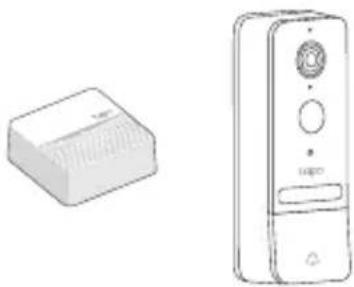
Tapo Video Doorbell Camera Kit
CONTENTS
1 / Mounting
2 / English
Mount the Doorbell After Setup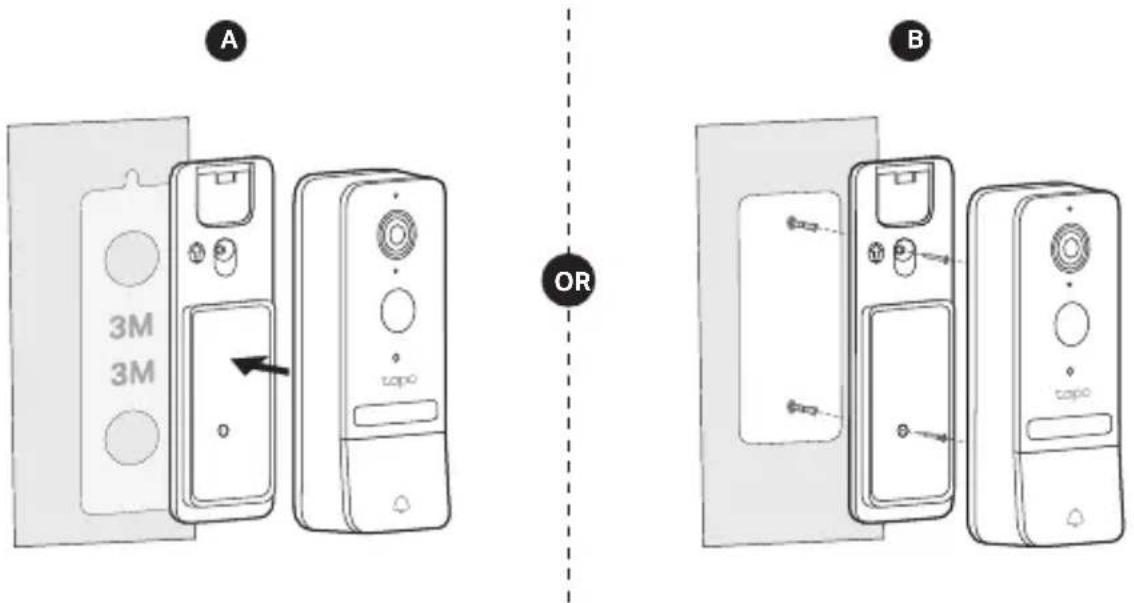
Images may differ from the actual products.
English
Note: Images may differ from the actual products.
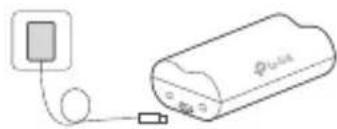
1 Charge the Battery
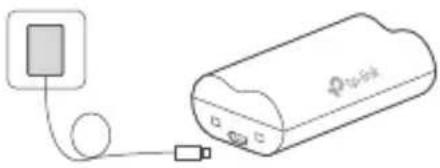
| LED Indication | |
| Charging Steady orange | |
| Fully charged Steady green |
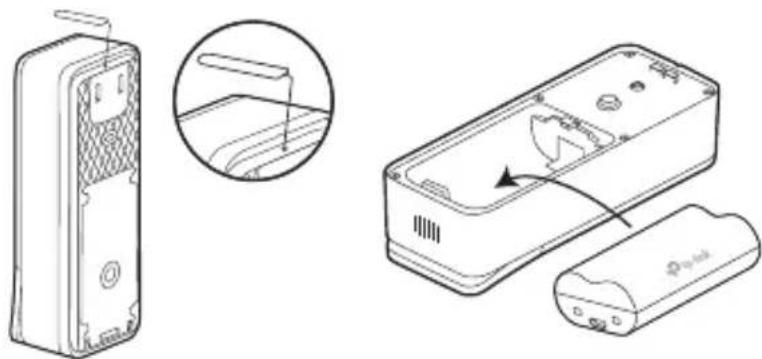
2 Insert the Battery
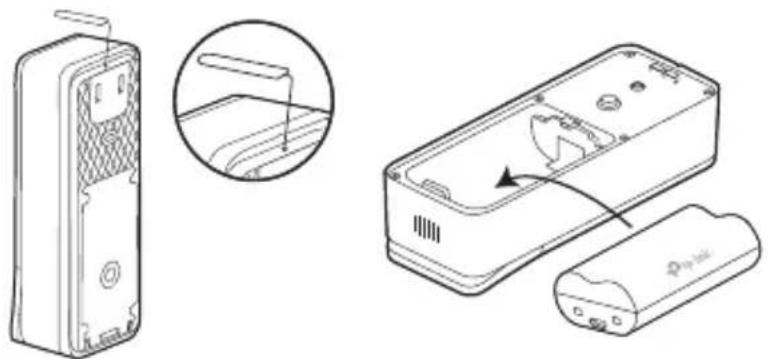
*Check battery status in the Tapo app after setup.
3 Set Up
- Get the Tapo app from the App Store or Google Play.
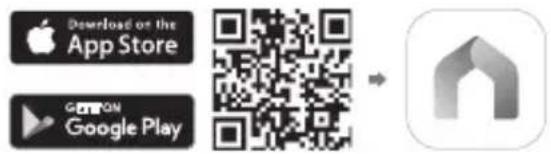
- Follow app instructions to complete setup.
4 Local Recording
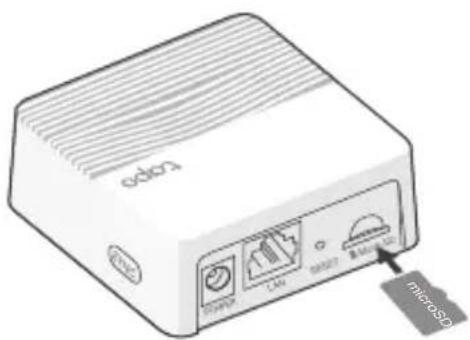
If you want the doorbell to record videos locally, insert a microSD card into your hub.
Initialize the microSD card within the Tapo app.
| LED indikacija | |
| Punjenje | Stalno narančasto |
| Potpuno napunjen | Stalno zeleno |
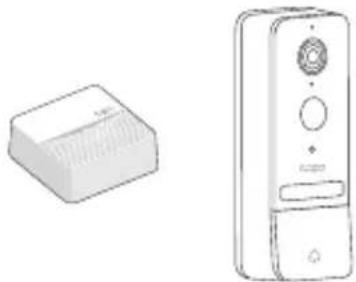
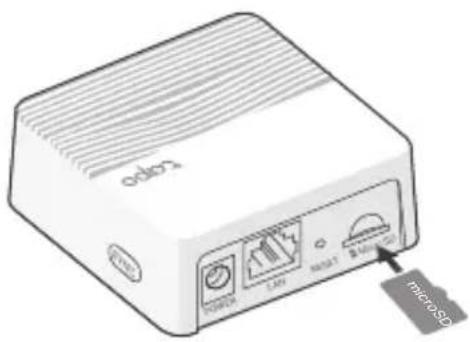
4 Local Recording
Danish
*Check battery status in the Tapo app.
3 Setup
4 Local Recording
4 Local Recording
*Check battery status in the Tapo app.
3 Setup
French
*Check battery status in the Tapo app.
3 Installation
Greek
4 Local Recording
4 Local Recording
Indonesian
*Check the battery status in the Tapo app.
3 Setup
4 Local Recording
If you want the doorbell to record video locally, insert a microSD card into your hub.
4 Local Recording
4 Local Recording
4 Local Recording
Note: Images may differ from actual products.
4 Local Recording
*Check the battery status in the Tapo app.
3 Setup
- Get the Tapo app from the App Store or Google Play.
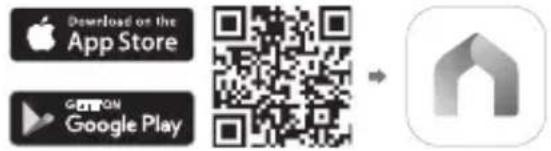
4 Local Recording
If you want the doorbell to record videos locally, insert a microSD card into your hub.
Initialize the microSD card in the Tapo app.
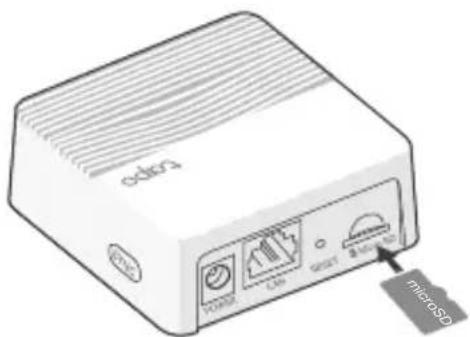
4 Local Recording
4 Local Recording
4 Local Recording
If you want the doorbell to record videos locally, insert a microSD card into the hub.
Initialize the microSD card in the Tapo app.
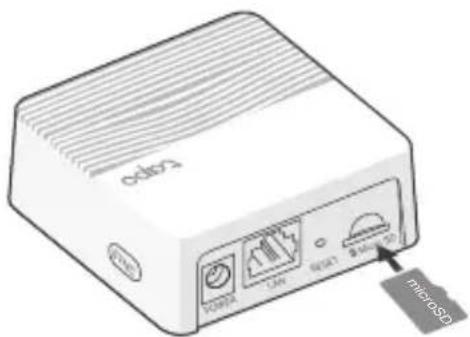
*Check the battery status in the Tapo app.
3 Configuration
*Check the battery status in the Tapo app.
3 Setup
- Download the Tapo app from Google Play or the App Store.

- Follow the app's instructions and complete the setup.
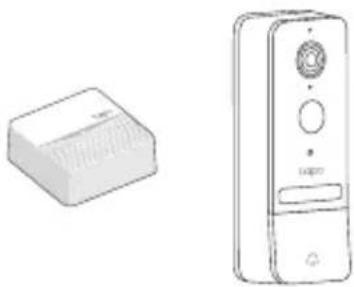
4 Local Recording
4 Local Recording
*Check the battery status in the Tapo app.
3 Configuration
4 Local Recording
4 Local Recording
4 Local Recording
4 Local Recording
Thai
Vietnamese
4 Local Recording
*Check the battery status in the Tapo app.
3 Setup
4 Local recording

Local recording
4
Settings
3
English: Safety Information
- Do not attempt to disassemble, repair, or modify the device. If you need service, please contact us.
- Do not use damaged charger or USB cable to charge the device.
- Do not use any other chargers than those recommended.
- Do not use the device where wireless devices are not allowed.
- Keep the device away from fire or hot environments. DO NOT immerse in water or any other liquid.
- Adapter shall be easily accessible.
CAUTION!
Risk of fire or explosion if the battery is replaced by an incorrect type.
CAUTION!
Avoid replacing a battery with an incorrect type that can defeat a safeguard. Avoid disposing of a battery into fire or a hot oven, or mechanically crushing or cutting a battery, which can result in an explosion. Do not leave a battery in an extremely high temperature surrounding environment, which can result in an explosion or the leakage of flammable liquid or gas. Do not subject a battery to extremely low air pressure, which may result in an explosion or the leakage of flammable liquid or gas.
Please read and follow the above safety information when operating the device. We cannot guarantee that no accidents or damage will occur due to improper use of the device. Please use this product with care and operate at your own risk.
| 單元Unit | 限用物質及其化學符號Restricted substances and its chemical symbols | |||||
| 鉛Lead (Pb) | 汞Mercury (Hg) | 鎘Cadmium (Cd) | 六價鉻Hexavalent chromium ( Cr19 ) | 多溴聯苯Polybrominated biphenyls (PBB) | 多溴二苯醚 Polybrominated diphenyl ethers (PBDE) | |
| PCB ○○○ | ○○○ | |||||
| 外殼 ○○○ | ○○○ | |||||
| 電源供應器 - ○ | ○○○○ | |||||
| 其他及其配件 - | ○○○○ | |||||
| 備考 1. “超出 0.1 wt %” 及 “超出 0.01 wt %” 係指限用物質之百分比含量超出百分比含量基準值Note 1: “Exceeding 0.1 wt %” and “exceeding 0.01 wt %” indicate that the percentage content of the restricted substance exceeds the reference percentage value of presence condition.備考 2. “○” 係指該項限用物質之百分比含量未超出百分比含量基準值。Note 2: “○” indicates that the percentage content of the restricted substance does not exceed the percentage of reference value of presence.備考 3. “-” 係指該項限用物質為排除項目。Note 3: The “-” indicates that the restricted substance corresponds to the exemption. | ||||||
TP-Link hereby declares that the device is in compliance with the essential requirements and other relevant provisions of directives 2014/53/EU, 2009/125/EC, 2011/65/EU and (EU)2015/863.
The original EU Declaration of Conformity may be found at https://www.tapo.com/support/ce/.
TP-Link hereby declares that the device is in compliance with the essential requirements and other relevant provisions of the Radio Equipment Regulations 2017.
The original UK Declaration of Conformity may be found at https://www.tapo.com/support/ukca/.
For TP-Link Branded Products Only. For more information about warranty, please visit https://www.tapo.com/support. THIS WARRANTY GIVES YOU SPECIFIC LEGAL RIGHTS, AND YOU MAY HAVE OTHER RIGHTS THAT VARY FROM STATE TO STATE (OR BY COUNTRY OR PROVINCE).
TO THE EXTENT ALLOWED BY LOCAL LAW, THIS WARRANTY AND THE REMEDIES SET FORTH ARE EXCLUSIVE AND IN LIEU OF ALL OTHER WARRANTIES, REMEDIES AND CONDITIONS.
TP-Link warrants the TP-Link branded hardware product contained in the original packaging against defects in materials and workmanship when used normally in accordance with TP-Link's guidelines for a period which depends on the local service from the date of original retail purchase by the end-user purchaser.
TP-Link Limited Product Warranty Applies only to TP-Link branded products. For more information about the warranty, please visit https://www.tapo.com/support THIS WARRANTY GIVES YOU SPECIFIC LEGAL RIGHTS, AND YOU MAY ALSO HAVE OTHER RIGHTS THAT VARY FROM STATE TO STATE (OR FROM COUNTRY OR PROVINCE).
WITHIN THE LIMITS OF THE LAW, THE WARRANTY AND THE REMEDIES SET FORTH ARE EXCLUSIVE AND IN LIEU OF ALL OTHER RIGHTS, REMEDIES AND CONDITIONS.
https://www.tapo.com/support


Brand : TP-LINK
Model : Tapo D230S1
Category : Surveillance Camera