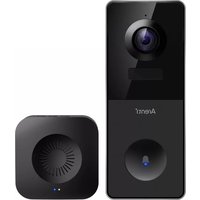
VBELL 1 - Intercom Arenti - Free user manual and instructions
Find the device manual for free VBELL 1 Arenti in PDF.


| Product Type | Wireless Video Doorbell |
| Brand | Arenti |
| Model | VBELL 1 |
| Resolution | 3 megapixels (2304 x 1296) |
| Viewing Angle | 130° |
| Night Vision | High power IR LED with ICR, range 5 m |
| Motion Detection | PIR sensor, range up to 7 m, angle 100° |
| Audio | Two-way with microphone and speaker |
| Power Supply | DC 5V, 1A power adapter or 6700 mAh rechargeable battery |
| Battery | Lithium-ion 6700 mAh |
| Standby Time | Up to 10 months |
| Usage Time | Up to 3 months (10 triggers per day) |
| Local Storage | microSD card up to 256 GB (not included) |
| Connectivity | Wi-Fi 2.4 GHz IEEE802.11b/g/n, WPA/WPA2 encryption |
| Security | AES128 encryption |
| Protocols | HTTP, DHCP, DNS |
| Operating Temperature | -20°C to 50°C |
| Dimensions (L x W x H) | 143 x 57 x 36 mm |
| Chime Included | Yes, with LED indicator and ringtone selection |
| App | Arenti (iOS and Android) |
| Package Contents | Camera, chime, power adapter, USB cable, bracket, screws, 3M stickers, user manual |
Frequently Asked Questions - VBELL 1 Arenti
User questions about VBELL 1 Arenti
0 question about this device. Answer the ones you know or ask your own.
Ask a new question about this device
Download the instructions for your Intercom in PDF format for free! Find your manual VBELL 1 - Arenti and take your electronic device back in hand. On this page are published all the documents necessary for the use of your device. VBELL 1 by Arenti.
USER MANUAL VBELL 1 Arenti
EN Wire-free Battery Powered Video Doorbell
natural_image
Exterior view of a black rectangular electronic device with a circular dial and two circular buttons (no text or symbols visible)Quick start guide
- Packing list
- Product description
-
Installation
-
Product configuration
- Legal notice
1. Packing list
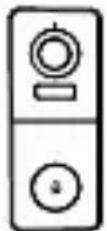
Camera 1X
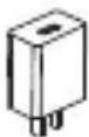
Power adaptor 1X
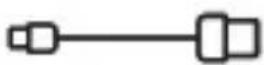
USB cable 1X
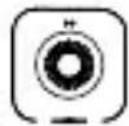
Chime 1X
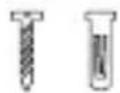
Screws 3X
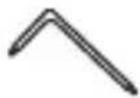
Screwdriver 1X
Warning sticker 1X
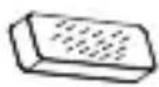
3M sticker 2X

Quick guide 1X
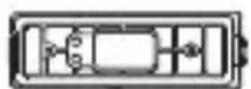
Bracket 1X*
* The bracket is attached to the camera.
2. Product description
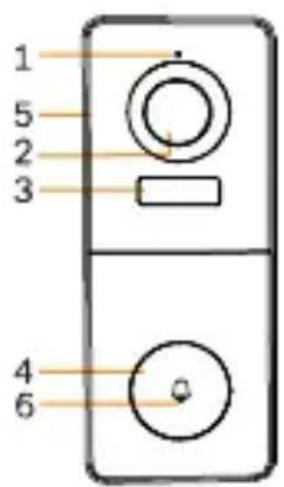
- Microphone
- Lens
- PIR
- Doorbell button
- Speaker
- LED indicator
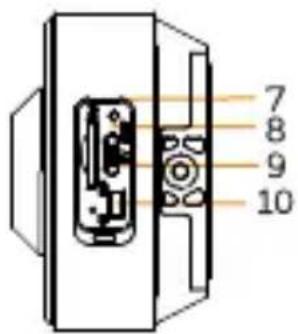
- SD card slot
- Reset
- DC5V USB
- Device ON/OFF
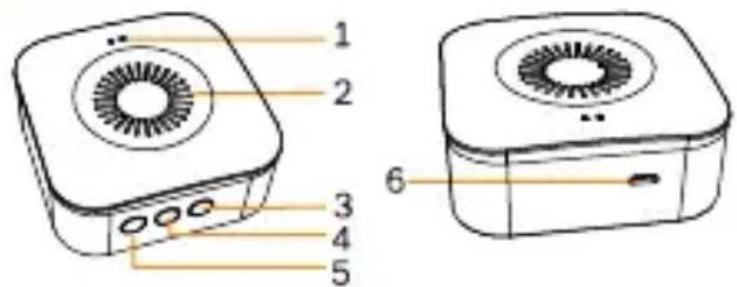
- LED indicator
- Speaker
- Ringtone
- Volume
- Function button
- Micro USB
Notice
To reset the device, press and hold the reset button for 5s. The camera beeps when the operation is complete.
LED indicator of camera:
| Flashing red light (slow) | Wait for network config |
| Flashing red light (fast) | Connecting the network |
| Fixed red light | Network is malfunctional |
| Fixed blue light | Camera is working correctly |
LED indicator of chime:
| Flashing red light | Wait for pairing |
| Fixed blue light | Succeed to pair |
3. Installation
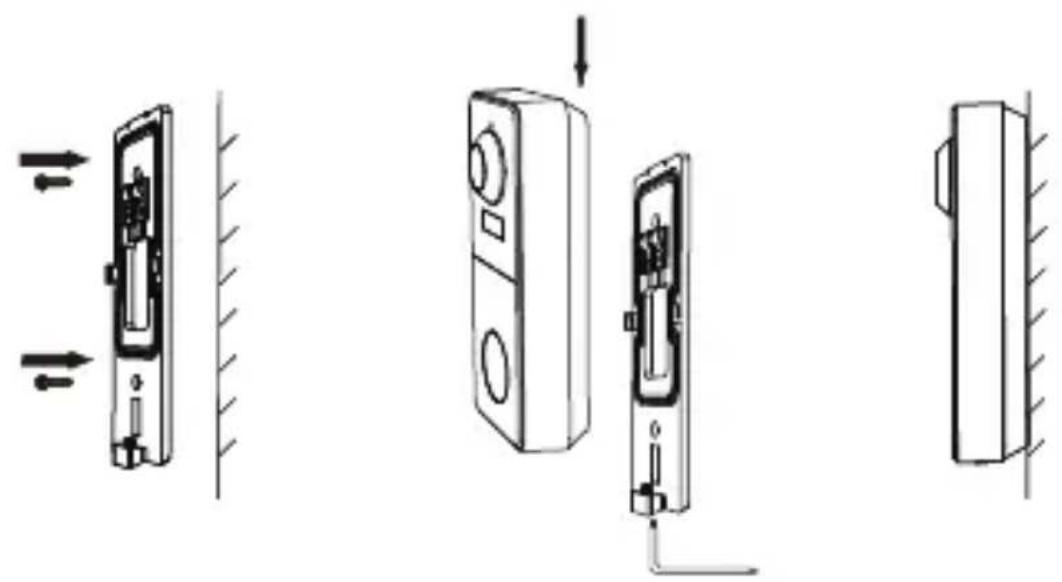
Installation with screws
natural_image
Diagram showing three views of a door lock mechanism with arrows indicating movement, no text or symbols present- Fix the bracket to the wall with the mounting screws.
- Install the camera in the bracket and lock it with the screw.
Installation with 3M stickers
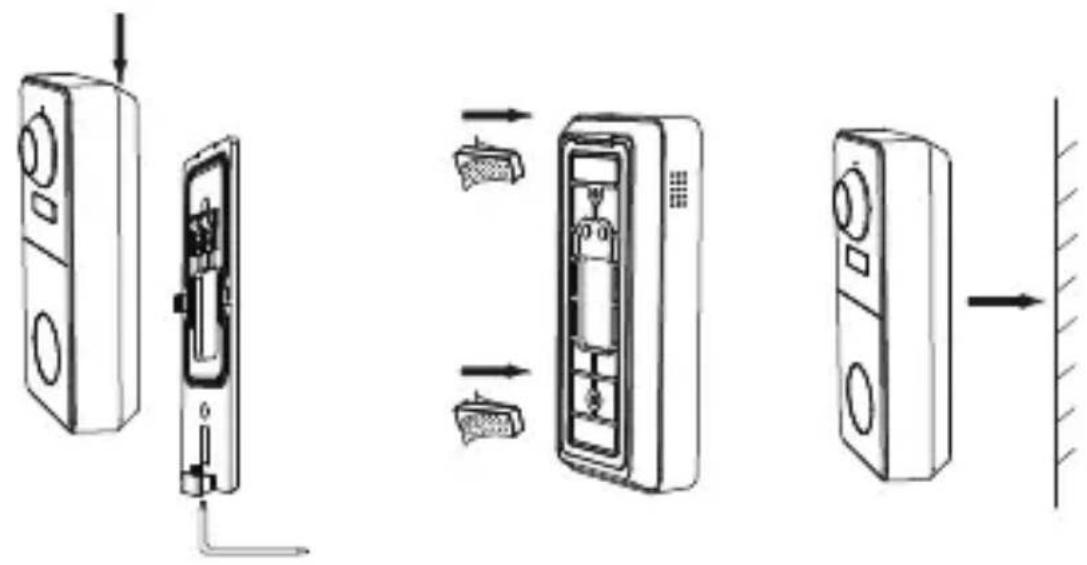
- Lock the bracket to camera with the screw at the bottom.
- Stick the adhesive tapes to the barcket.
- Stick the other side of adhesive tapes to the wall.
4. Product configuration
Step 1 Turn on your camera.
Step 2 Connect your smartphone to the Wi-Fi network.
Step 3 Download Arenti app from the App Store or Google Play depending on your device.
Step 4 Launch the App and sign up for the first use.
Step 5 Follow the on-screen instructions to add your camera.
For more information, scan the QR code.
EN
Notice
If you have multiple cameras, please follow step 5 again to add devices one by one.
To change Wi-Fi network, please restore the camera to factory settings and follow step 5 to add the camera.
Chime Pairing
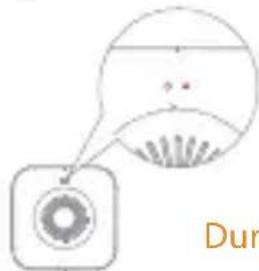
- Short press " 🔺 " (within 2 seconds), the status light flashes red slowly and the chime will be in pairing mode.
natural_image
Simple line drawing of a circular object with a pointer and a dotted line above it, labeled 'Dur' (no text or symbols on the object itself)During pairing mode, it will blink red
- Press the doorbell button to pair, when the chime status light turns off, and the song will play automatically, the chime pairing is successful at this time.
Description:
- The chime can connect to maximum eight doorbells.
- When the chime is in pairing mode, press the "💡" again (within 2 seconds), the chime will automatically exit the pairing mode.
-
After adding the chime successfully, the volume will be adjusted to the maximum automatically. When it is at the minimum volume, it will return to the maximum volume after pressing " 🔊".
-
Each press " musical", will play the next song along with blinking blue light.
Specifications
| Sensor type | 1/2.8" CMOS |
| Min. brightness | Color 0.01Lux@F1.2 |
| Black and white 0.001Lux@F1.2 | |
| Resolution | 3 Mega pixels |
| Lens | 3.2 mm F2.0 |
| Shutter | 1/25-1/100,000 per second |
| Infrared | High power LED with ICR |
| Infrared distance | 5 meters |
| FOV | 130° |
| Video compression | H.264 |
| Bit rate | 32Kbps - 2Mbps |
| Max resolution | 2304 x 1296 |
| Framerate | 1-25 per second |
| Picture settings | Support HD/SD; support flip |
| Storage | SD card (Max 256GB) |
| Audio | Two-way audio |
| Protocols | HTTP, DHCP, DNS |
| WiFi standard | IEEE802.11b/g/n |
| Frequency | 2.4 GHz - 2.4835 GHz |
| WiFi encryption | WPA-PSK/WPA2-PSK |
| Security | AES128 |
| Working temperature | -20°C~50°C |
| Power | DC5V,1A |
| Consumption | 4.5W MAX |
| Size(mm) | 143x57x36 |
| Battery | 6700mAh |
| Standby consumption | 200μA (average) |
| Work consumption | 220mA (IR off) |
| Standby time | 10 months |
| Working time | 3 months (10 times wake up per day) |
| PIR Detection Rangle | 7m (Max.) |
| PIR Detection Angle | 100° |
5. Legal notice
Support
www.arenti.com
Symbols
--- Direct current (DC)
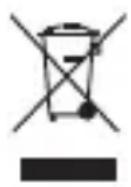
Don't throw batteries or out of order products with the household waste (garbage). The dangerous substances that they are likely to include may harm health or the environment. Make your retailer take back these products or use the selective collect of garbage proposed by your city.

Hereby, Arenti, declares that the radio equipment type 'VBell 1' is in compliance with the Directive 2014/53/EU
The full test of the EU declaration of conformity is available at the following Internet address:
www.arenti.com
For indoor use only

natural_image
Diagram showing three views of a door lock mechanism with directional arrows indicating movement (no text or labels present)Remarquer
natural_image
Simple diagram with a circular shape and a square, no text or symbols present--- Courant continu (DC)
natural_image
Line drawing of a square electronic device with a circular top and internal fan (no text or symbols)natural_image
Technical line drawings of a door lock mechanism showing front, side, and side views (no text or symbols)Merk op
natural_image
Simple line drawing of a speech bubble with a circular icon and partial text 'Tijde' (no readable text or symbols)natural_image
Diagram showing three views of a door lock mechanism with arrows indicating movement (no text or symbols present)Nota
natural_image
Simple line drawing of a circular object with a pointer and a dot, no text or symbols present.natural_image
Simple line drawing of a camera with a circular lens and fan (no text or symbols)Especificaciones
natural_image
Diagram showing three views of a door lock mechanism with arrows indicating motion (no text or symbols)PT
Aviso prévio
natural_image
Simple line drawing of a circular object with a pointer and a fan-like shape inside, no text or symbols present.natural_image
Simple line drawing of a speech bubble with a circular icon below, no text or symbols present.Especificações
--- Corrente contínua (DC)
natural_image
Technical line drawings of a door lock mechanism with mounting brackets and directional arrows indicating movement (no text or symbols)Hinweis
natural_image
Simple diagram with a circular shape containing a dot and a fan-like shape, no text or symbols present.natural_image
Diagram of a door mechanism with directional arrows indicating movement (no text or symbols)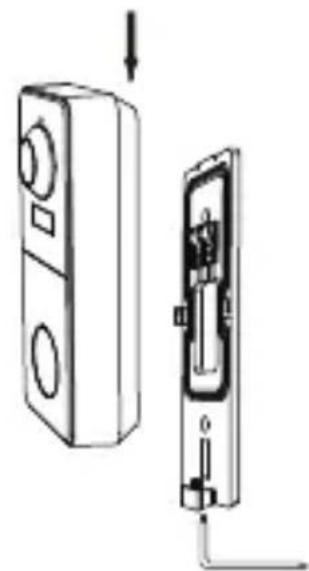
natural_image
Diagram showing a device with a lock and internal components, no text or symbols present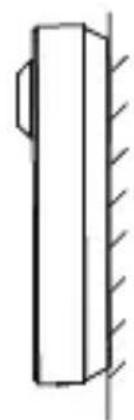
natural_image
Simple line drawing of a vertical cylindrical object with hatched side, no text or symbols presentAvviso
natural_image
Simple line drawing of a camera with lens and screen (no text or symbols)natural_image
Diagram of a door mechanism with directional arrows indicating movement (no text or symbols)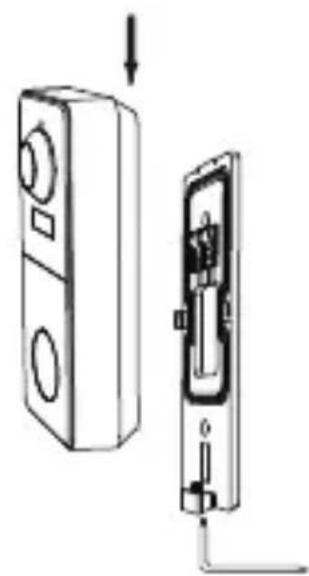
natural_image
Diagram showing a device with two buttons and a close-up of its internal components (no text or symbols)
natural_image
Simple line drawing of a vertical cylindrical object with hatched side lines, no text or symbols present.Заметка
natural_image
Simple diagram showing a circular object with a pointer and a fan-like shape, no text or symbols present.natural_image
Diagram of a door mechanism with directional arrows indicating movement (no text or symbols)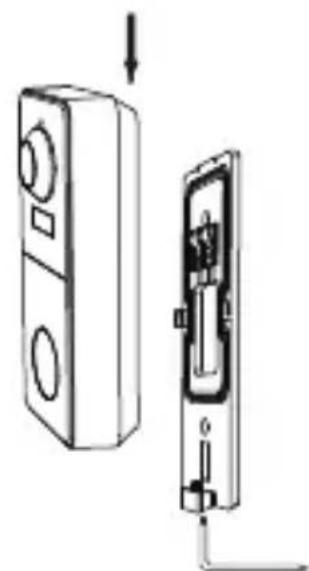
natural_image
Diagram showing a device with two buttons and a separate internal component, no text or symbols present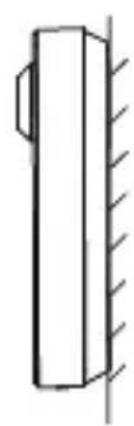
natural_image
Simple line drawing of a vertical cylindrical object with hatched side, no text or symbols presentFarkına varmak
natural_image
Simple line drawing of a speaker icon with a circular dial and fan (no text or symbols)© 2020 Arenti. All rights reserved. All trade names are registered trademarks of respective companies Apple, the Apple logo, iPhone are trademarks of Apple Inc. registered in the U.S. and other countries. Google, the Google logo, Android are trademarks of Google Inc. App Store is a service mark of Apple Inc. Google Play is a service mark of Google Inc.