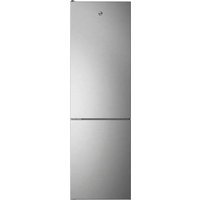
HOCE4T620CX - Refrigerator HOOVER - Free user manual and instructions
Find the device manual for free HOCE4T620CX HOOVER in PDF.



| Product Type | Refrigerator-freezer |
| Brand | Hoover |
| Model | HOCE4T620CX |
| Energy class | A++ (estimated) |
| Dimensions (W × D × H) | 920 × 1137 × 1800 mm (estimated) |
| Net weight | 70 kg (estimated) |
| Supply voltage | 220-240 V |
| Frequency | 50 Hz |
| Noise level | 40 dB (estimated) |
| Special functions | Super cooling, Super freezing, Eco Mode, Holiday Mode, Fine adjustment |
| Connectivity | Wi-Fi, hOn app |
| Defrost | Automatic |
| Door reversibility | Yes |
| Lighting | LED |
| Installation type | Freestanding |
| Number of doors | 2 |
| Maintenance and cleaning | Clean with a soft cloth and soapy water. Do not use abrasive products. |
| Safety | Use by children aged 8+ and persons with reduced capabilities under supervision. |
| Spare parts and repairability | Available from the after-sales service. |
Frequently Asked Questions - HOCE4T620CX HOOVER
User questions about HOCE4T620CX HOOVER
0 question about this device. Answer the ones you know or ask your own.
Ask a new question about this device
Download the instructions for your Refrigerator in PDF format for free! Find your manual HOCE4T620CX - HOOVER and take your electronic device back in hand. On this page are published all the documents necessary for the use of your device. HOCE4T620CX by HOOVER.
USER MANUAL HOCE4T620CX HOOVER
PRODUCT DESCRIPTION....2
Space requirements....2
USE 3
Use....3
Customized temperature....3
Fine Tuning....4
Super Cool function .... 4
Super Freeze function....4
Eco mode....5
Holiday function....5
Defrosting....5
Demo mode....5
Error codes 5
APP CONNECTION (Content only) 6
IN APP PAIRING PROCEDURE 6
Step 1....6
Step 2....6
Step 3....6
WiFi Use 7
DOOR REVERSIBILITY 8
PRODUCT DESCRIPTION
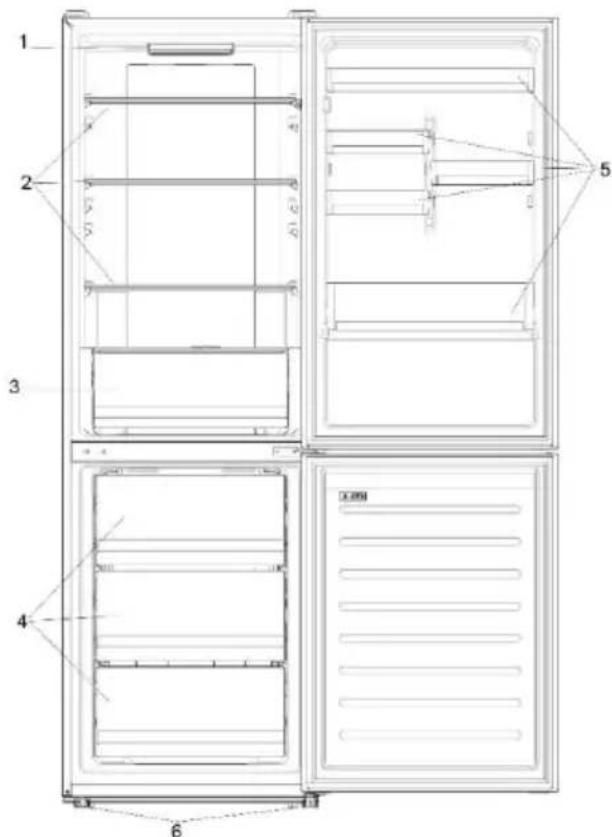
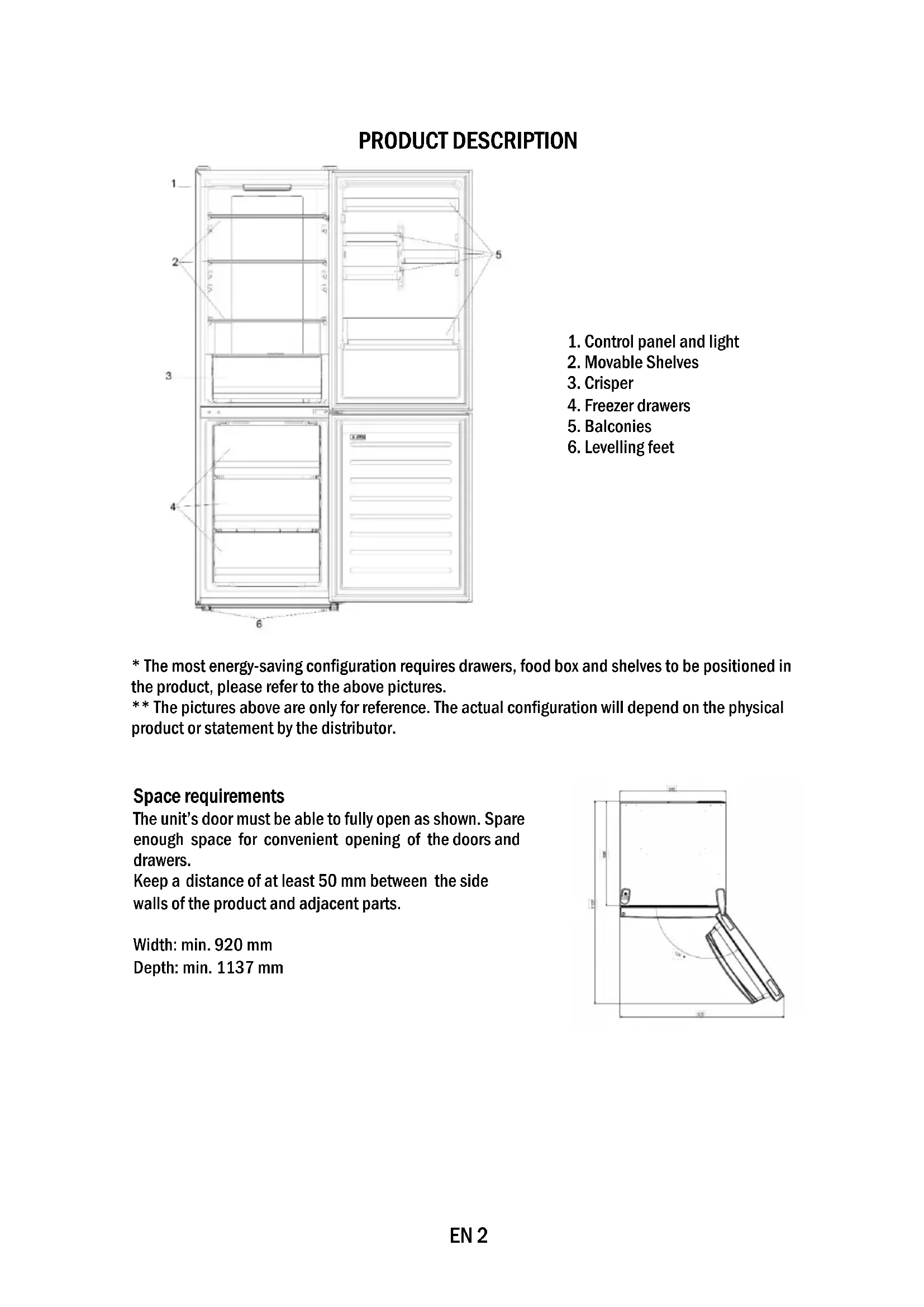
- Control panel and light
- Movable Shelves
- Crisper
- Freezer drawers
- Balconies
- Levelling feet
* The most energy-saving configuration requires drawers, food box and shelves to be positioned in the product, please refer to the above pictures.
** The pictures above are only for reference. The actual configuration will depend on the physical product or statement by the distributor.
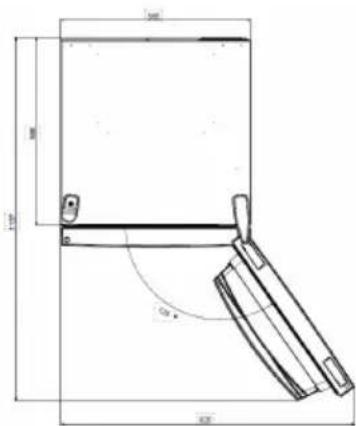
Space requirements
The unit's door must be able to fully open as shown. Spare enough space for convenient opening of the doors and drawers.
Keep a distance of at least 50 mm between the side walls of the product and adjacent parts.
Width: min. 920 mm
Depth: min. 1137 mm
USE

① ON/OFF key, used to switch on/off the appliance.
② SET key, used to select the fridge temperature or the special functions like.
③ WiFi Icon, shows if the appliance is connected to the app.
④ Super Cool Icon, shows if the function is activated.
⑤ Temperature levels, show which is the selected temperature.
Use
- Plug on the appliance. The appliance will turn on automatically.
- The temperature will automatically set at 4 °C in the fridge and -18 °C in the freezer.
- To change the temperature, with the fridge door open, press the SET key. When the setting increases, the corresponding LED light will turn on. An acoustic signal is made every time the SET key is pressed and the temperature is changed.
• In case of power loss, the last cooling level set will be restored. - To restore the default setting, at the screen lit, keep pressed the TEMP button, and then press ON/OFF button 5 times in 5 seconds.
- Under the normal operating condition (in spring and autumn), it is recommended to set the temperature at 4 °C. In summer when the ambient temperature is high, it is recommended to set temperature at 6\~8 °C, so as to guarantee the fridge and freezer temperatures and reduce the refrigerator continuous running time; and in winter when the ambient temperature is low, it is recommended to set temperature at 2\~4 °C to avoid frequent start/stop of the refrigerator.
Customized temperature
From the app, it is possible to customize the temperature of the fridge compartment. The temperature can be set with 1 °C sensitivity and it is possible to select a temperature from 2 °C to 8 °C in the fridge. An acoustic signal is made every time the temperature is changed. When the temperature is selected by the app, there is no indication on the control panel, all the temperature LED lights are turned off, while only the WiFi icon is turned on.
Fine Tuning
The fine tuning selection SET gives to possibility to set the temperatures by sublevels; each temperature level has three sublevels.
How to use the fine tuning function:
- Press the SET key for 8 seconds to enter fine tuning selection mode. When the appliance enters the mode, an acoustic signal is made and the LED of currently selected cooling level blinks.
- By short pressing the SET key within 5 seconds, the fine tuning setting increases and, at each pressing, an acoustic signal is made.
- During fine tuning, the LED of the selected cooling level is fixed, while the LED of the selected sublevel blinks.
- If no key is pressed for 5 seconds, the system automatically exits from fine tuning selection mode. The fine tuning setting is saved and the LED of the selected fridge temperature is fixed.
- If the fine tuning is activated again, the setting will start from the previously stored level.
Super Cool function
It is suggested to switch on the Super Cool function if a large quantity of food should be stored (for example after the purchase). The Super-Cool function accelerates the cooling of fresh food and protects the goods already stored from undesirable warming. When the function is activated, the temperature of the fridge is automatically set at 2 °C.
How to use the Super Cool function:
- The function can be activated by pressing many times the SET key until the Super Cool LED is turned ON or by selecting it from the app. If the function is activated, the corresponding icon on the control panel will be turned on.
• To exit the Super Cool function, press the SET key again.
• The Super Cool function automatically ends after 30 hours running. - When the Super Cool ends, the corresponding icon of the control panel turns off and the previously set cooling level is restored.
Super Freeze function
The super freezing function accelerates the freezing of fresh food and protects the goods already stored from undesirable warming. If a large amount of food has to be freeze, it is recommended to set the Super Freeze function on 24h before the usage. When the function is activated, the temperature is automatically set at -25 °C.
How to use the Super Freeze function:
- The function can be launched only by selecting it from the app. If the function is activated, it will be shown by the app; there is no indication on the control panel.
• To exit the Super Freeze function, turn it off from the app. - The Super Freeze function automatically ends when the function has lasted for more than 50 hours.
Eco mode
The Eco mode can be activated to optimize the performance of the appliance, whereas obtaining the best food storage. When the function is activated, the temperature is automatically set at 5 °C in the fridge, and at -18 °C in the freezer.
How to use the Eco mode:
- The function can be activated only by selecting it from the app. If the function is activated, it will be shown by the app; there is no indication on the control panel.
- To exit the Eco mode, turn it off from the app; the previously selected temperature will be restored.
- The Eco mode automatically ends when another function is chosen from the control panel.
Holiday function
The Holiday function can be used to reduce the energy consumption of the appliance, when it is not used regularly. When the function is on, the LED lights will be off (even if the door is open) and the fridge will work on low power consumption mode, whereas the freezer will keep working normally. How to use the Holiday function:
- The function can be activated only by selecting it from the app. If the function is activated, it will be shown by the app; there is no indication on the control panel.
- To exit the Holiday function, turn it off from the app; the previously selected temperature will be restored.
- The Holiday function automatically ends when another function is chosen from the control panel.
Defrosting
The defrosting of the refrigerator and freezer compartment are done automatically: no manual operation is needed.
Slider
Near the vegetable basket there is a slider that allows you to adjust the humidity inside it: moving it to the right decreases the humidity, moving it to the left increases the humidity.
Demo mode
Keep the refrigerated door open, press and hold the on / off key, and click the set key five times. The refrigerator will enter the Demo mode. To exit the mode, keep pressed the door switch and press again the mode key for 5s.
Error codes
If - 6 °C LED light is flashing, it means there has been a fan error. Please, contact the technical assistance to help solve the problem
APP CONNECTION (Content only)
IN APP PAIRING PROCEDURE
Step 1
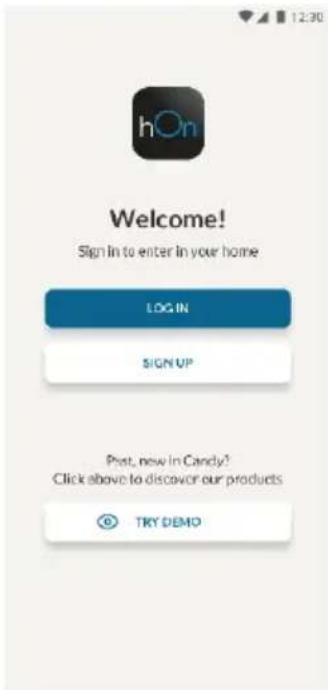
• Download the hOn app on the stores


Step 2
- Create your account on the hOn App or log in if you already have an account
Step 3
• Follow pairing instructions in the hOn App
WiFi Use
To activate the Wi-Fi, long press the set key for 2 seconds, the Wi-Fi icon will turn on and an acoustic signal is made.
If the Wi-Fi has not been configured yet, when the refrigerator turns on, it will automatically enter the configuration mode and keep this status for 30 minutes. To use the configuration mode:
- Press the set key for 2s but less than 8s, the refrigerator enters the Wi-Fi configuration mode and an acoustic signal is made. The Wi-Fi icon starts blinking.
- Follow in app instructions to configure the Wi-Fi (see above).
- Once the Wi-Fi is configured and the connection established, the Wi-Fi icon is on and fixed.
- After 30 minutes without performing any operation, the Wi-Fi will automatically exit the configuration mode.
- If the Wi-Fi has already been configured, it will automatically reconnect according to the configuration information.
Radio-module - Technical data
| Frequency rate (OFR) | 2400 MHz-2843.5 MHz |
| Channel frequencies | 2412...2472 MHz(step size 5 MHz) |
| Maximum power(EIRP) | 100 mW |
Radio equipment type is in compliance with Directive 2014/53/EU.
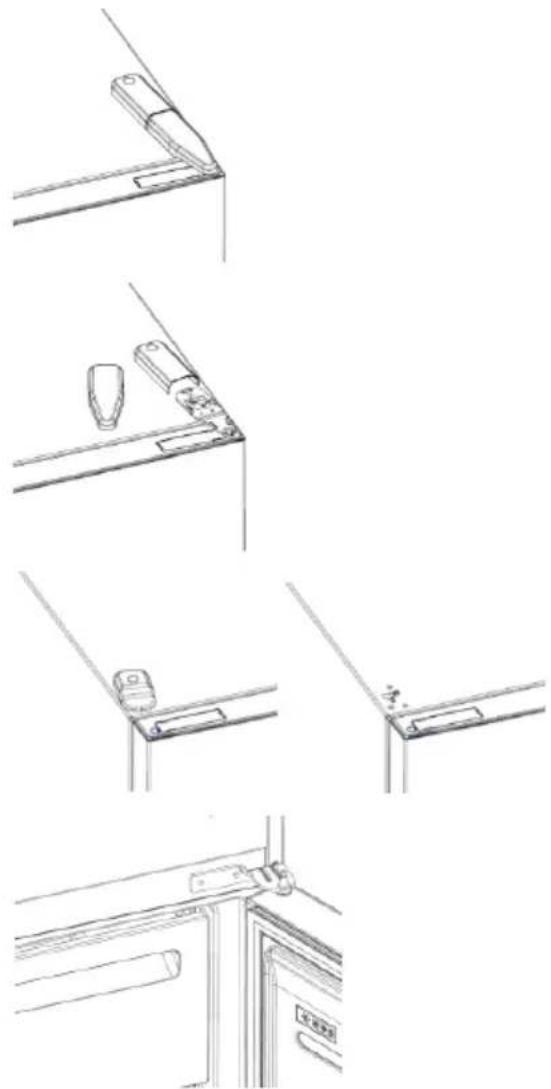
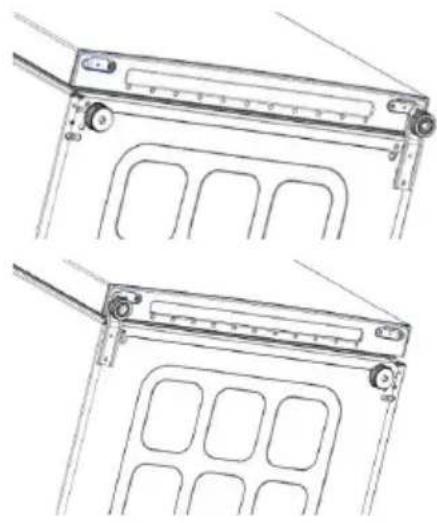
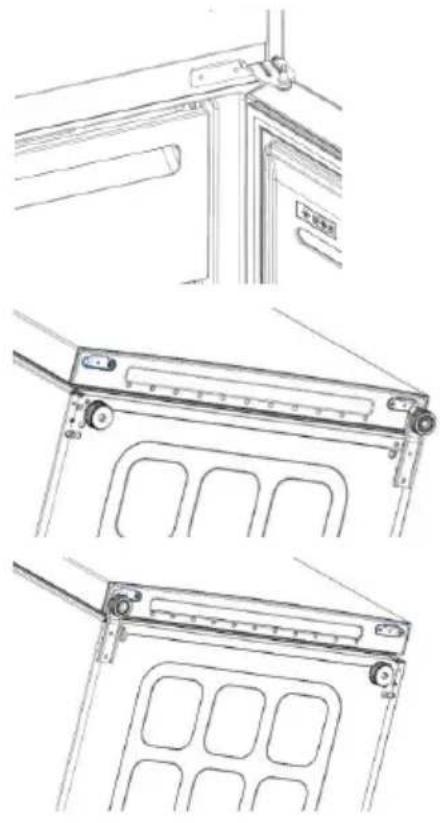
DOOR REVERSIBILITY
Tools needed: screwdriver
- Remove the top hinge cover
- Unscrew the top hinge
- Remove the top hinge cover (left)
- Remove middle hinge
natural_image
Line drawings of kitchen appliances and fixtures (no text or symbols)- Remove lower hinge
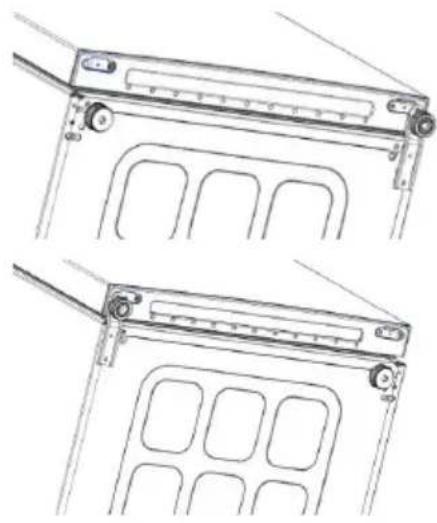
- Mount hinge foot
- Mount middle hinge
- Mount the upper hinge plate
- Mount the upper hinge cover
natural_image
Technical line drawing of two mechanical components with mounting brackets and internal compartments (no text or symbols)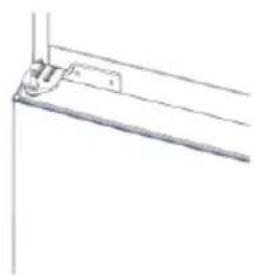
natural_image
Pure technical line drawing of a mechanical bracket or support structure without any text, numbers, or symbols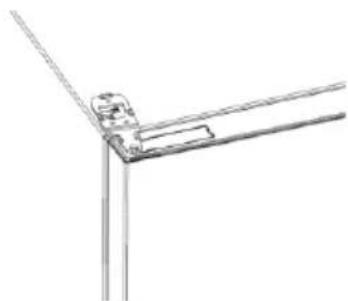
natural_image
Pure technical line drawing of a mechanical joint or bracket (no text or symbols)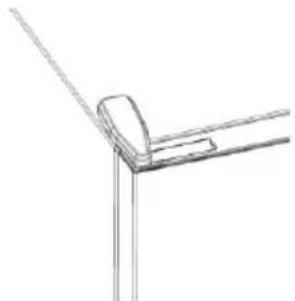
natural_image
Pure technical line drawing of a corner joint or bracket (no text or symbols)Резюме
ОПИСАНИЕ НА ПРОДУКТА.... 10
Изисквания за пространство....10
УПОТРЕБА.... 11
Употреба....11
Персонализирана температура....11

Стъпка 2
Стъпка 3
natural_image
Line drawings of four different mechanical or architectural components with no visible text or symbolsnatural_image
Technical line drawings of three different mechanical or architectural components (no text or symbols)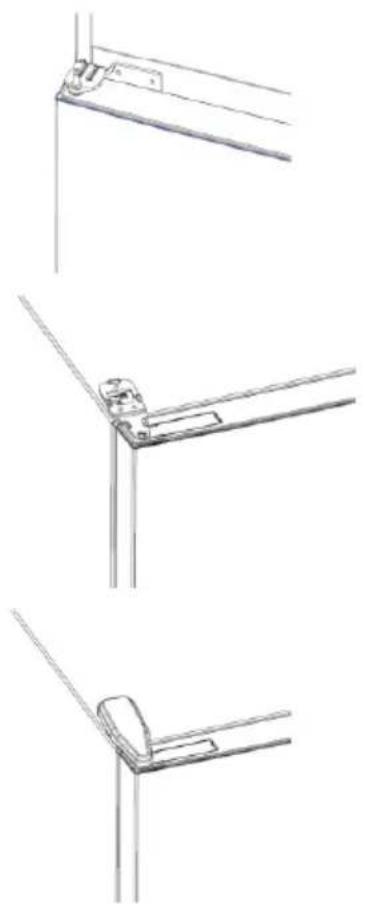
natural_image
Technical line drawings of three different metal bracket mounting configurations (no text or symbols)Shrnutí
POPIS VÝROBKU 19
POUŽÍVÁNÍ

POSTUP PÁROVÁNÍ S APLIKACÍ
Krok 1

Krok 2
Krok 3
natural_image
Line drawings of kitchen appliances and fixtures (no text or symbols)natural_image
Technical line drawing of two mechanical components with mounting brackets and internal compartments (no text or symbols)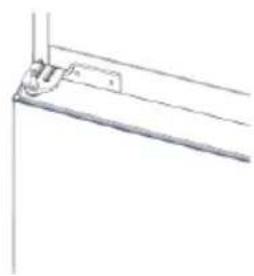
natural_image
Pure technical line drawing of a mechanical bracket or mounting detail (no text or symbols)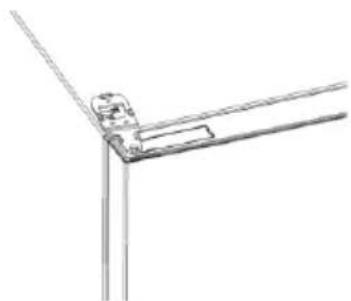
natural_image
Pure technical line drawing of a mechanical joint or bracket (no text or symbols)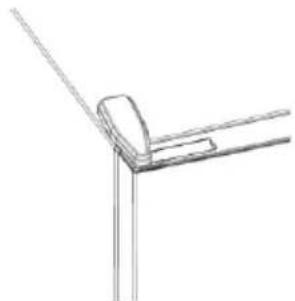
natural_image
Pure technical line drawing of a corner joint or bracket (no text or symbols)Oversigt
PRODUKTBESKRIVELSE....27
Arealkrav 27
BRUG 28
Brug 28
Tilpasset temperatur 28
Finjustering....29
FREMGANGSMÅDE VED PARRING I APP
Trin 1
• Download hOn-appen i butikkerne


Trin 2
Trin 3
natural_image
Line drawings of kitchen appliances and fixtures (no text or symbols)natural_image
Technical line drawing of a mechanical device with multiple slots and mounting brackets (no text or symbols)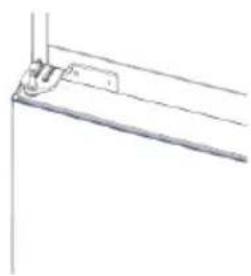
natural_image
Pure technical line drawing of a mechanical bracket or support structure without any text, numbers, or symbols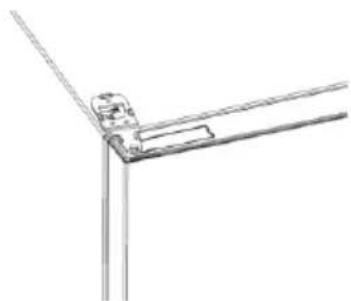
natural_image
Pure technical line drawing of a mechanical joint or bracket (no text or symbols)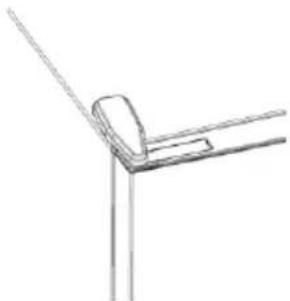
natural_image
Simple line drawing of a corner bracket with diagonal lines (no text or symbols)Zusammenfassung

Schritt 2
Schritt 3
natural_image
Line drawings of kitchen appliances and fixtures in various orientations (no text or symbols)natural_image
Technical line drawing of a mechanical device with two views (top and side), showing internal compartments and mounting brackets (no text or symbols)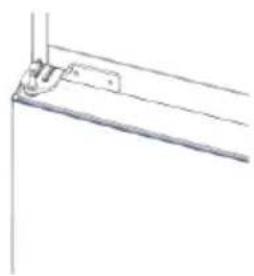
natural_image
Pure technical line drawing of a mechanical bracket or mounting detail (no text or symbols)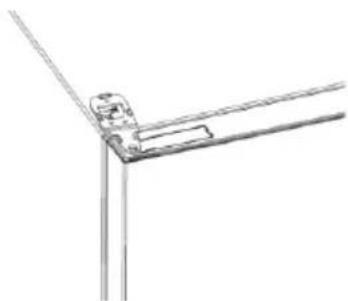
natural_image
Pure technical line drawing of a mechanical joint or bracket (no text or symbols)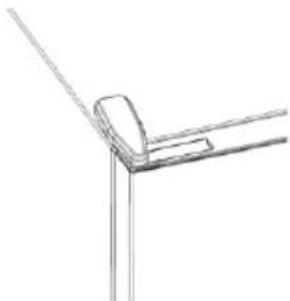
natural_image
Pure technical line drawing of a corner joint or bracket (no text or symbols)Περίληψη
ΧΡΗΣΗ


Βήμα 2
Βήμα 3
natural_image
Line drawings of four different corner brackets with no text or symbolsnatural_image
Technical line drawings of three different mechanical or architectural components (no text or symbols)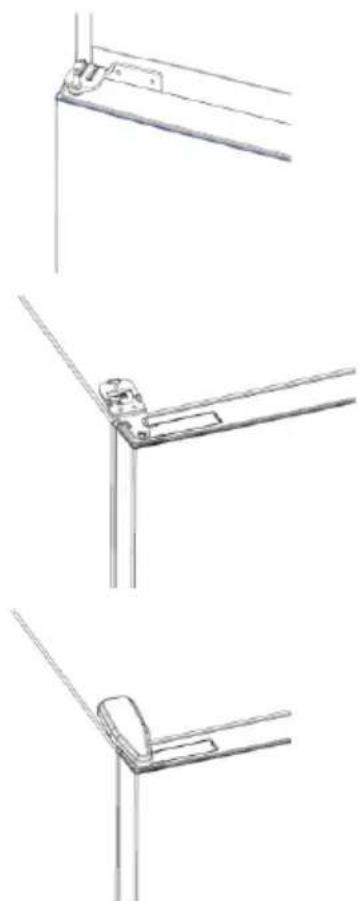
natural_image
Technical line drawings of three different metal bracket mounting features (no text or symbols)Resumen
USO


Paso 2
Paso 3
natural_image
Line drawings of kitchen appliances and fixtures (no text or symbols)natural_image
Technical line drawing of two mechanical components with mounting brackets and internal compartments (no text or symbols)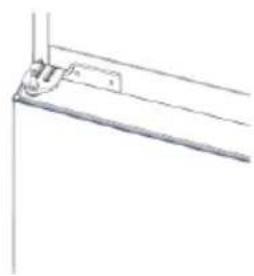
natural_image
Pure technical line drawing of a mechanical bracket or mounting detail (no text or symbols)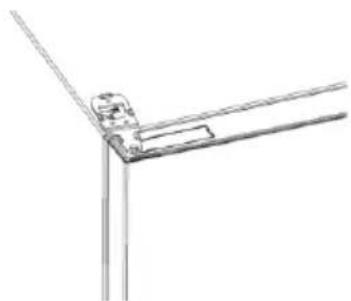
natural_image
Pure technical line drawing of a mechanical joint or bracket (no text or symbols)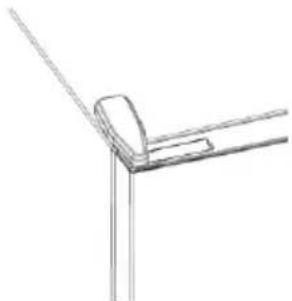
natural_image
Pure technical line drawing of a corner joint or bracket (no text or symbols)Yhteenveto
TUOTEKUVAUS 60
Tilantarve....60
KÄYTTÖ....61
Käyttö....61

Vaihe 2
Vaihe 3
natural_image
Pure technical line drawing of a mechanical joint or bracket (no text or symbols)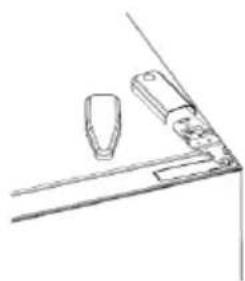
natural_image
Simple line drawing of a kitchen counter with a lid and handle (no text or symbols)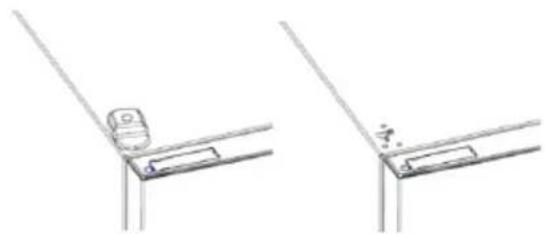
natural_image
Technical line drawing showing two mechanical bracket assembly steps (no text or symbols)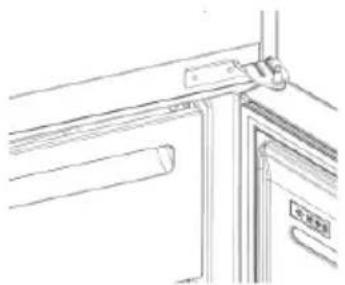
natural_image
Line drawing of a door handle and door frame with no text or symbolsnatural_image
Technical line drawing of a mechanical device with mounting brackets and internal compartments (no text or symbols)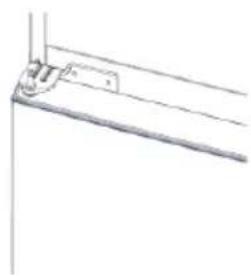
natural_image
Pure technical line drawing of a mechanical bracket or support structure without any text, numbers, or symbols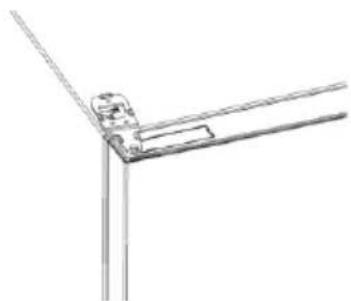
natural_image
Pure technical line drawing of a mechanical joint or bracket (no text or symbols)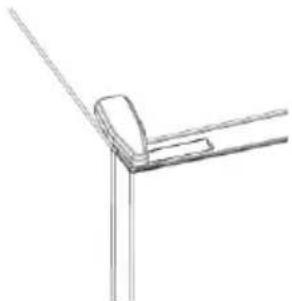
natural_image
Pure technical line drawing of a corner joint or bracket (no text or symbols)Sommaire
DESCRIPTION DU PRODUIT....68
Espace requis 68
UTILISATION....69
Utilisation....69

Étape 2
Étape 3
natural_image
Line drawings of kitchen appliances and fixtures (no text or symbols)natural_image
Technical line drawing of two mechanical components with mounting brackets and internal compartments (no text or symbols)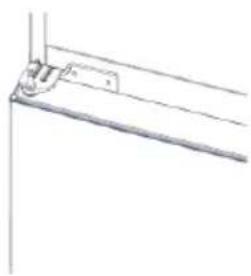
natural_image
Pure technical line drawing of a mechanical bracket or support structure without any text, numbers, or symbols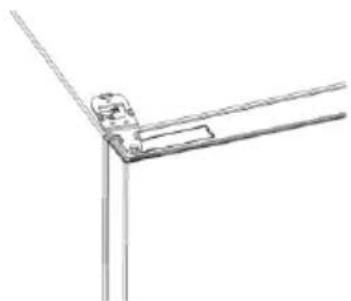
natural_image
Pure technical line drawing of a mechanical joint or bracket (no text or symbols)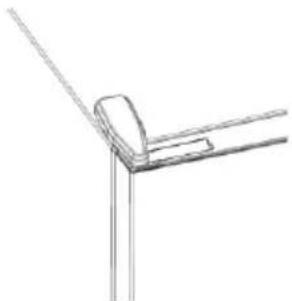
natural_image
Pure technical line drawing of a corner joint or bracket (no text or symbols)Sažetak
OPIS PROIZVODA....76
Prostorni zahtjevi 76
UPORABA....77
Uporaba 77
Prilagođena temperatura 77
Fino namještanje 78
Funkcija super hlađenja 78
Funkcija super zamrzavanje....78
Način rada Eco....79
Funkcija praznici 79
Odmrzavanje....79

2. korak
3. korak
- Pridržavajte se uputa za uparivanje u aplikaciji hOn
Uporaba mreže Wi-Fi
Da biste aktivirali mrežu Wi-Fi, dugo pritisnite tipku SET 2 sekunde i uključuje se ikona mreže Wi-Fi te odašilje zvučni signal.
Ako se mreža Wi-Fi još nije konfigurirala kada se hladnjak uključuje, automatski prelazi u način konfiguriranja i ostaje u tom statusu 30 minuta. Za uporabu načina konfiguriranja:
- Pritisnite tipku SET 2 s, ali ne kraće od 8 s, hladnjak prelazi u način konfiguriranja mreže Wi-Fi i odašilje se zvučni signal. Ikona mreže Wi-Fi počinje treperiti.
- Pridržavajte se uputa u aplikaciji za konfiguriranje mreže Wi-Fi (pogledajte gore).
- Nakon što se konfigurira mreža Wi-Fi i uspostavi veza, uključuje se ikona mreže Wi-Fi i fiksno ostaje uključena.
- Nakon 30 minuta bez izvođenja bilo kakve radnje, mrežom Wi-Fi automatski se izlazi iz načina konfiguriranja.
- Ako se mreža Wi-Fi već konfigurirala, automatski se ponovno povezuje u skladu s informacijama o konfiguriranju.
Radio-modul - Tehnički podaci
| Učestalost (OFR) | 2400 MHz-2843.5 MHz |
| Frekvencije kanala | 2412...2472 MHz(veličina koraka 5 MHz) |
| Maksimalna snaga(EIRP) | 100 mW |
natural_image
Line drawings of kitchen appliances and fixtures (no text or symbols)- Uklonite donju šarku
- Postavite postolje šarke
- Postavite srednju šarku
- Postavite ploču gornje šarke
- Postavite poklopac gornje šarke
natural_image
Technical line drawing of two mechanical components with mounting brackets and internal compartments (no text or symbols)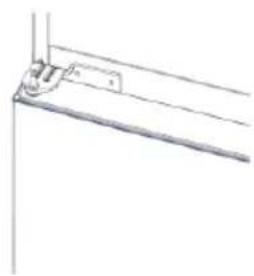
natural_image
Pure technical line drawing of a mechanical bracket or support structure without any text, numbers, or symbols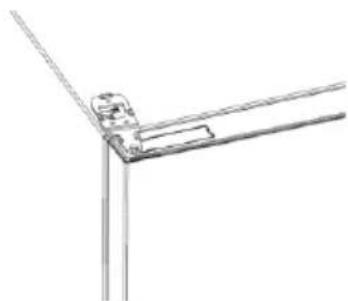
natural_image
Pure technical line drawing of a mechanical joint or bracket (no text or symbols)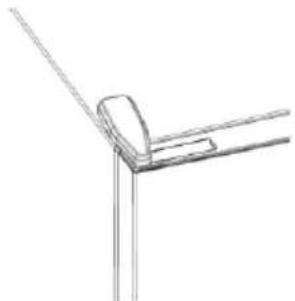
natural_image
Pure technical line drawing of a corner joint or bracket (no text or symbols)Összegzés
TERMÉKLEÍRÁS....84
Helyigény....84
HASZNÁLAT 85
Használat 85

2. lépés
3. lépés
natural_image
Line drawings of a door handle assembly with bracket, door, and door lock components (no text or symbols)natural_image
Technical line drawing of two mechanical components with mounting brackets and internal compartments (no text or symbols)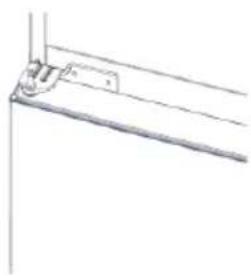
natural_image
Pure technical line drawing of a mechanical bracket or support structure without any text, numbers, or symbols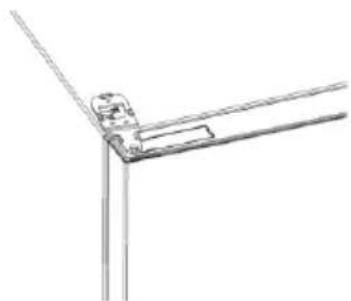
natural_image
Pure technical line drawing of a mechanical joint or bracket (no text or symbols)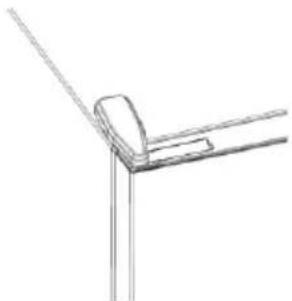
natural_image
Pure technical line drawing of a corner joint or bracket (no text or symbols)Indice
UTILIZZO


Fase 2
Fase 3
natural_image
Line drawings of a door frame assembly with no text or symbolsnatural_image
Technical line drawing of a mechanical device with no visible text or symbols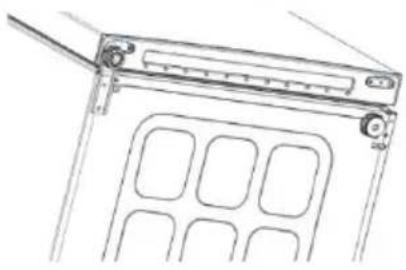
natural_image
Line drawing of a mechanical device with internal compartments and mounting bracket (no text or symbols)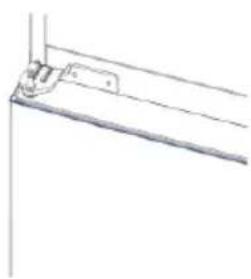
natural_image
Pure technical line drawing of a mechanical bracket or hinge (no text or symbols)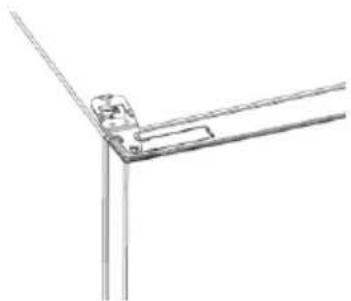
natural_image
Pure technical line drawing of a corner joint or bracket (no text or symbols)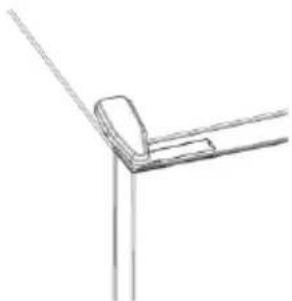
natural_image
Pure technical line drawing of a corner joint or bracket (no text or symbols)Samenvatting
PRODUCTBESCHRIJVING....100
GEBRUIK


Stap 2
Stap 3
natural_image
Line drawings of kitchen appliances and fixtures in various orientations (no text or symbols)natural_image
Technical line drawing of two mechanical components with mounting brackets and internal compartments (no text or symbols)
natural_image
Pure technical line drawing of a mechanical bracket or support structure without any text, numbers, or symbols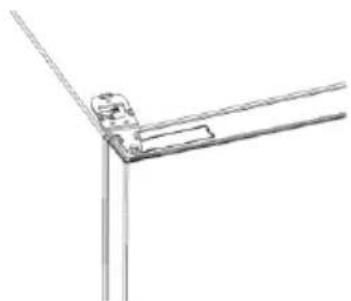
natural_image
Pure technical line drawing of a mechanical joint or bracket (no text or symbols)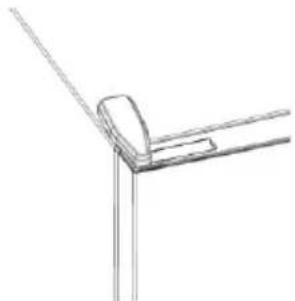
natural_image
Pure technical line drawing of a corner joint or bracket (no text or symbols)Sammendrag
PRODUKTBESKRIVELSE....108
Plassbehov....108
BRUK 109
Bruk 109
Tilpasset temperatur 109
Finjustering....110
BRUK


Trinn 2
- Opprett kontoen din på hOn-appen, eller logg på hvis du allerede har en konto
Trinn 3
natural_image
Pure technical line drawing of a mechanical joint or bracket (no text or symbols)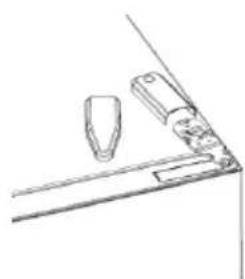
natural_image
Simple line drawing of a mechanical or architectural component with no text or symbols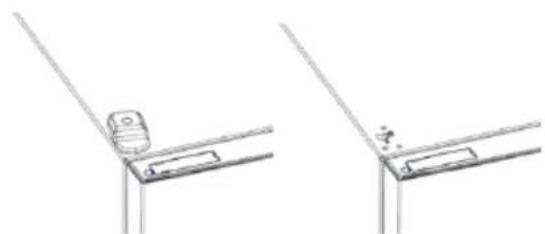
natural_image
Technical line drawing showing two views of a bracket or support structure with no visible text or symbols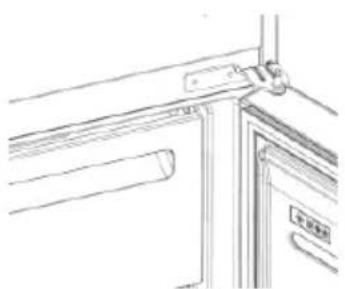
natural_image
Line drawing of a door handle and door panel assembly (no text or symbols)natural_image
Technical line drawing of a mechanical device with multiple slots and mounting brackets (no text or symbols)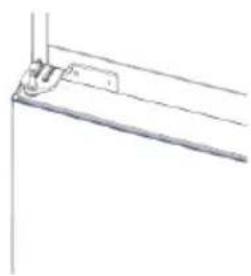
natural_image
Pure technical line drawing of a mechanical bracket or support structure without any text, numbers, or symbols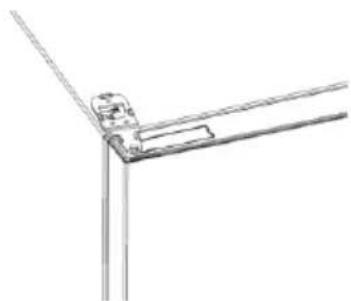
natural_image
Pure technical line drawing of a mechanical joint or bracket (no text or symbols)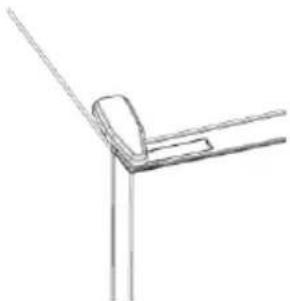
natural_image
Simple line drawing of a corner bracket with diagonal lines (no text or symbols)Podsumowanie
OPIS PRODUKTU 116

Krok 2
Krok 3
natural_image
Line drawings of a door frame assembly with no text or symbolsnatural_image
Technical line drawing of two mechanical components with mounting brackets and internal compartments (no text or symbols)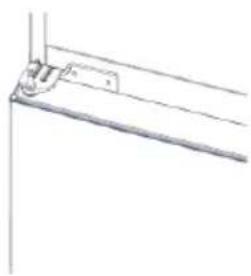
natural_image
Pure technical line drawing of a mechanical bracket or support structure without any text, numbers, or symbols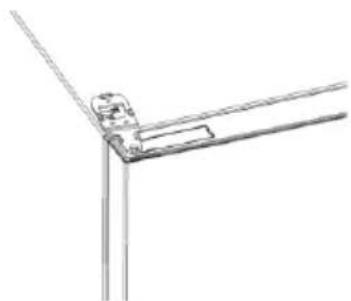
natural_image
Pure technical line drawing of a mechanical joint or bracket (no text or symbols)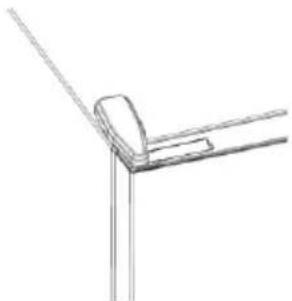
natural_image
Pure technical line drawing of a corner joint or bracket (no text or symbols)Resumo
Largura: min. 920 mm
Profundidade: min. 1137 mm
UTILIZAÇÃO


Passo 2
Passo 3
natural_image
Line drawings of a door frame assembly with bracket, handle, and lock components (no text or symbols)natural_image
Technical line drawing of a mechanical device with two views (top and side), showing internal compartments and mounting brackets (no text or symbols)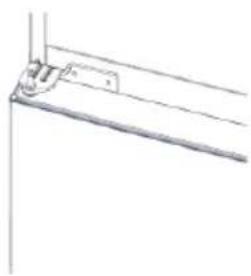
natural_image
Pure technical line drawing of a mechanical bracket or mounting bracket without any text, numbers, or symbols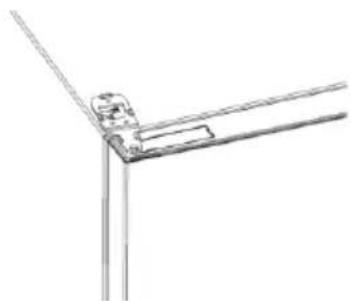
natural_image
Pure technical line drawing of a mechanical joint or bracket (no text or symbols)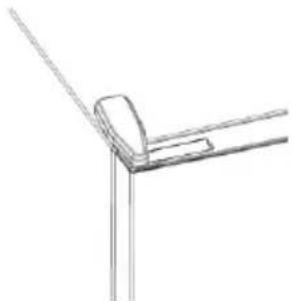
natural_image
Pure technical line drawing of a corner joint or bracket (no text or symbols)Cuprins
DESCRIEREA PRODUSULUI 132
UTILIZAREA


Pasul 2
Pasul 3
natural_image
Line drawings of five different door or cabinet components, showing structural details without any text or symbols.natural_image
Technical line drawing of a mechanical device with two views (top and side), showing internal compartments and mounting brackets (no text or symbols)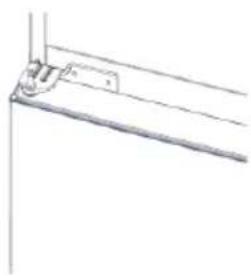
natural_image
Pure technical line drawing of a mechanical bracket or support structure without any text, numbers, or symbols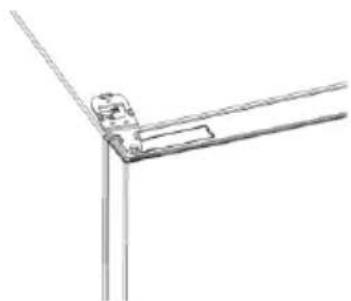
natural_image
Pure technical line drawing of a mechanical joint or bracket (no text or symbols)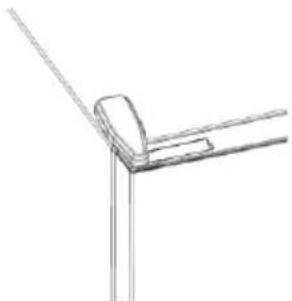
natural_image
Pure technical line drawing of a corner joint or bracket (no text or symbols)Оглавление

War 2
War 3
natural_image
Line drawings of kitchen appliances and fixtures (no text or symbols)natural_image
Technical line drawing of a mechanical device with two views (top and side), showing internal compartments and mounting brackets (no text or symbols)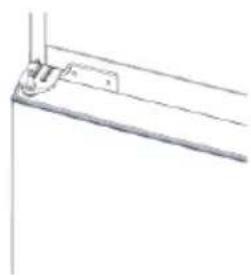
natural_image
Pure technical line drawing of a mechanical bracket or support structure without any text, numbers, or symbols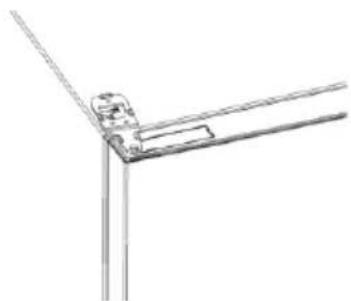
natural_image
Pure technical line drawing of a mechanical joint or bracket (no text or symbols)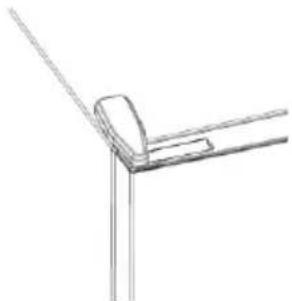
natural_image
Pure technical line drawing of a corner joint or bracket (no text or symbols)Zhrnutie
POPIS PRODUKTU....149
POUŽITIE


Krok 2
Krok 3
natural_image
Pure technical line drawing of a mechanical joint or bracket (no text or symbols)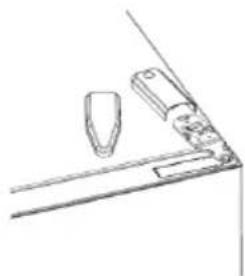
natural_image
Simple line drawing of a mechanical or architectural component with no text or symbols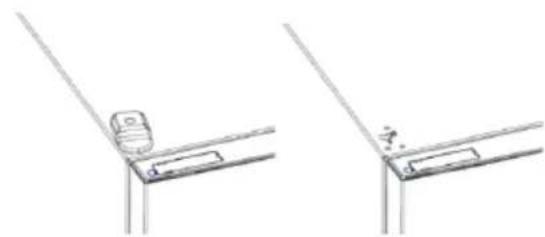
natural_image
Technical line drawing showing two views of a bracket or support structure with no visible text or symbols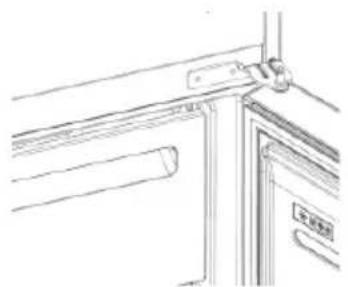
natural_image
Line drawing of a door frame with handle and door, no text or symbols presentnatural_image
Technical line drawing of two mechanical components with mounting brackets and internal compartments (no text or symbols)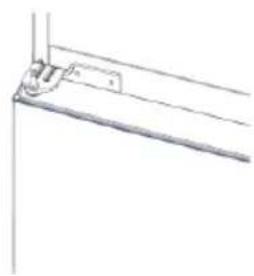
natural_image
Pure technical line drawing of a mechanical bracket or mounting detail (no text or symbols)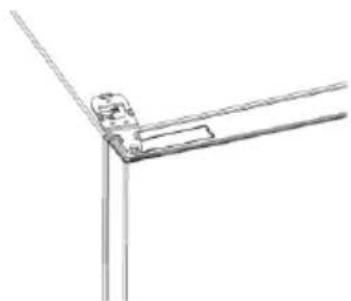
natural_image
Pure technical line drawing of a mechanical joint or bracket (no text or symbols)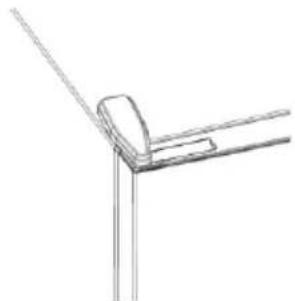
natural_image
Pure technical line drawing of a corner joint or bracket (no text or symbols)Povzetek
OPIS IZDELKA 157
Prostorske zahteve....157
UPORABA....158
Uporaba 158
Temperatura po meri....158
Fina Nastavitev 159
Funkcija Super Cool 159
Funkcija Super Freeze ....159
Način ECO 160
Funkcija počitnice....160
Odmrzovanje....160
Predstavitveni način....160
Kode napak 160
POVEZAVA Z APLIKACIJO (samo vsebina)....161
POSTOPEK SEZNANITVE V APLIKACIJI 161
-
korak....161
-
korak....161
-
korak....161
Uporaba Wi-Fi....162
REVERZIBILNA VRATA....163
OPIS IZDELKA

UPORABA


2. korak
3. korak
natural_image
Line drawings of a door frame assembly with no text or symbolsnatural_image
Technical line drawing of two mechanical components with mounting brackets and internal compartments (no text or symbols)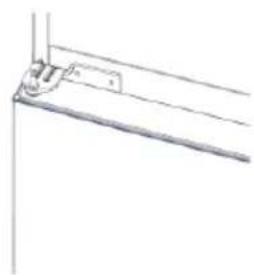
natural_image
Pure technical line drawing of a mechanical bracket or support structure without any text, numbers, or symbols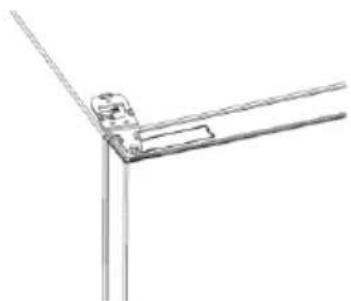
natural_image
Pure technical line drawing of a mechanical joint or bracket (no text or symbols)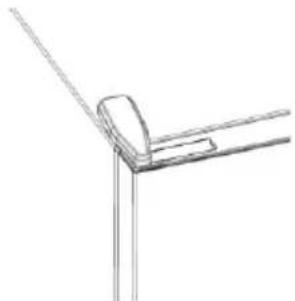
natural_image
Line drawing of a corner bracket with diagonal line and rectangular cutout (no text or symbols)Sažetak
OPIS PROIZVODA....165
Zahtevi prostora....165
UPOTREBA....166
Upotreba 166
Prilagodena temperatura 166
UPOTREBA

① Taster ON/OFF se koristi za uključivanje/isključivanje aparata.
② Taster SET, koristi se za odabir temperature frižidera ili za posebne funkcije.
③ Ikonica Wi-Fi, pokazuje da li je aparat povezan sa aplikacijom.
④ Ikonica Super Cool pokazuje da li je funkcija aktivirana.
⑤ Nivoi temperature pokazuju koja je temperatura izabrana.
Upotreba
- Uključite aparat. Aparat će se automatski uključiti.
• Temperatura će se automatski postaviti na 4 °C u frižideru i -18 °C u zamrzivaču. - Da biste promenili temperaturu, sa otvorenim vratima frižidera pritisnite taster SET. Kada se podešavanje poveća, uključiće se odgovarajuće LED svetlo. Akustični signal se stvara svaki put kada se pritisne taster SET i kada se temperatura promeni.
- U slučaju nestanka struje, frižider će se vratiti na poslednji skup nivoa hlađenja.
- Da biste vratili standardno podešavanje, dok je ekran osvetljen, držite pritisnutim dugme TEMP i zatim pritisnite dugme ON/OFF 5 puta u 5 sekundi.
- U normalnom radnom stanju (u proleće i jesen), preporučuje se postavljanje temperature na 4 °C. Leti ili kada je ambijentalna temperatura visoka, preporučuje se postavljanje temperature na 6 – 8 °C, da bi se garantovale temperature frižidera i zamrzivača i smanjilo neprekidno vreme rada frižidera; a zimi ili kada je ambijentalna temperatura niska, preporučuje se postavljanje temperature na 2 – 4 °C kako bi se izbeglo često uključivanje/zaustavljanje frižidera.
Prilagodena temperatura
Iz aplikacije je moguće prilagoditi temperaturu odeljka frižidera. Temperatura se može podesiti sa osetljivošću od 1 °C, a u frižideru je moguće odabrati temperaturu od 2 °C do 8 °C. Pri svakoj promeni temperature emituje se zvučni signal. Kada aplikacija odabere temperaturu, na kontrolnoj tabli nema indikacije, sva LED svetla za temperaturu su isključena, dok je uključena samo ikonica Wi-Fi.

2. korak
3. korak
• Pratite uputstva za uparivanje u hOn aplikaciji
natural_image
Pure technical line drawing of a mechanical bracket or angle (no text or symbols)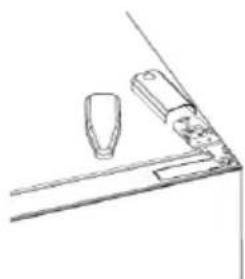
natural_image
Simple line drawing of a mechanical component or bracket with no text or symbols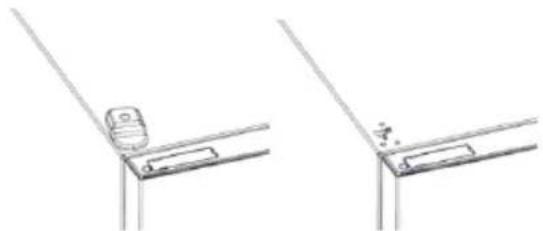
natural_image
Technical line drawing showing two views of a mechanical bracket or bracket with no visible text or symbols- Uklonite srednju š arku
- Uklonite donju š arku
- Postavite stopicu š arke
- Postavite srednju š arku
- Postavite pločicu gornje š arke
- Postavite poklopac gornje š arke
natural_image
Technical line drawings of three different mechanical or architectural components (no text or symbols)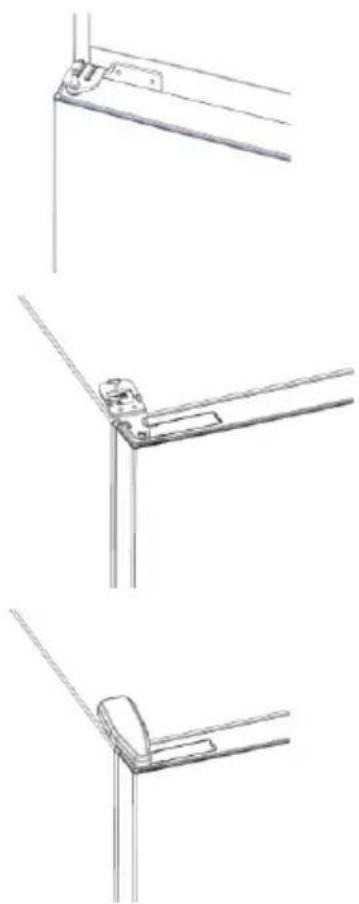
natural_image
Technical line drawings of three different metal bracket mounting configurations (no text or symbols)Sammanfattning
PRODUKTBESKRIVNING 173
I APP-HOPKOPPLINGSLÄGE....177
Steg 1....177
Steg 2....177
Steg 3....177
ANVÄNDNING


Steg 2
Steg 3
natural_image
Pure technical line drawing of a mechanical joint or bracket (no text or symbols)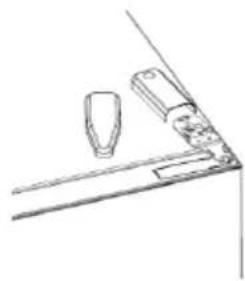
natural_image
Simple line drawing of a mechanical bracket or bracket with two components, no text or symbols present.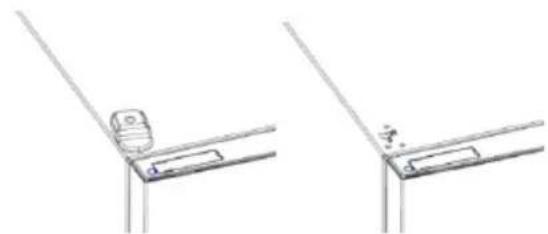
natural_image
Technical line drawing showing two views of a bracket or support structure with no visible text or symbols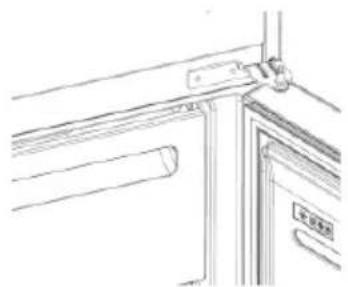
natural_image
Line drawing of a door frame with handle and door, no text or symbols presentnatural_image
Technical line drawing of a mechanical device with multiple slots and mounting brackets (no text or symbols)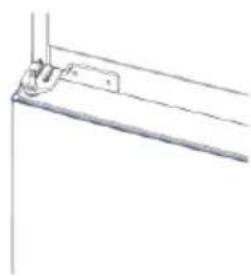
natural_image
Pure technical line drawing of a mechanical bracket or support structure without any text, numbers, or symbols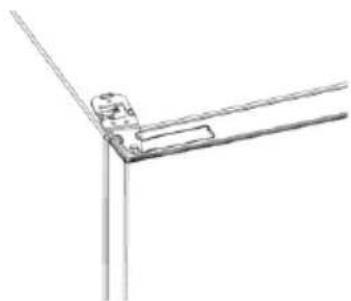
natural_image
Pure technical line drawing of a mechanical joint or bracket (no text or symbols)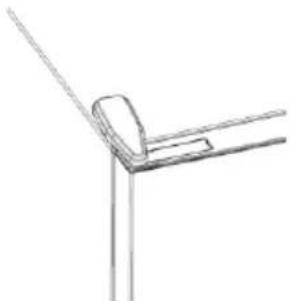
natural_image
Simple line drawing of a corner bracket with diagonal lines (no text or symbols)Резюме
ОПИС ПРОДУКТУ 181

Крок 2
Крок 3
natural_image
Line drawings of kitchen appliances and fixtures (no text or symbols)natural_image
Technical line drawing of a mechanical device with two views (top and side), showing internal compartments and mounting brackets (no text or symbols)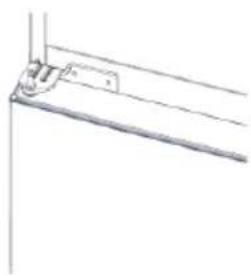
natural_image
Pure technical line drawing of a mechanical bracket or support structure without any text, numbers, or symbols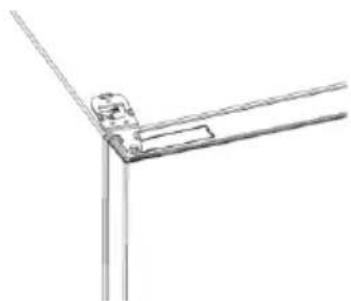
natural_image
Pure technical line drawing of a mechanical joint or bracket (no text or symbols)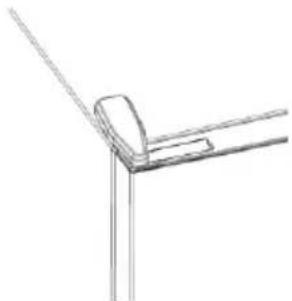
natural_image
Pure technical line drawing of a corner joint or bracket (no text or symbols)Özet
ÜRÜN AÇIKLAMASI....189

Adim 2
Adım 3
natural_image
Line drawings of a door frame assembly with no text or symbolsnatural_image
Technical line drawing of a mechanical device with two views (top and side), showing internal compartments and mounting brackets (no text or symbols)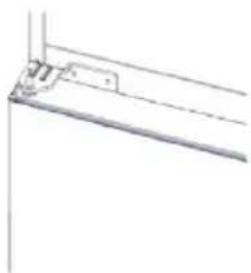
natural_image
Pure technical line drawing of a mechanical bracket or mounting detail (no text or symbols)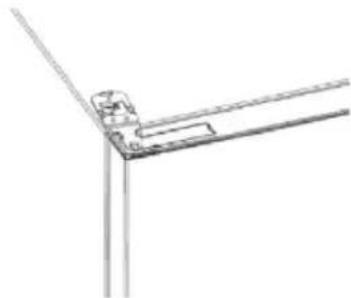
natural_image
Pure technical line drawing of a corner joint or bracket (no text or symbols)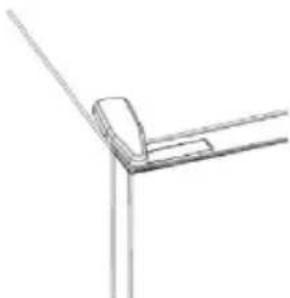
natural_image
Simple line drawing of a corner joint or bracket structure (no text or symbols)- PRODUCT DESCRIPTION....2
- USE 3
- PRODUCT DESCRIPTION
- Space requirements
- Use
- Customized temperature
- Fine Tuning
- Super Cool function
- Super Freeze function
- Eco mode
- Holiday function
- Defrosting
- Slider
- Demo mode
- Error codes
- APP CONNECTION (Content only)
- IN APP PAIRING PROCEDURE
- Step 1
- Step 2
- Step 3
- WiFi Use
- DOOR REVERSIBILITY
- Резюме
- ОПИСАНИЕ НА ПРОДУКТА.... 10
- УПОТРЕБА.... 11
- Стъпка 2
- Стъпка 3
- Shrnutí
- POUŽÍVÁNÍ
- POSTUP PÁROVÁNÍ S APLIKACÍ
- Krok 1
- Krok 2
- Krok 3
- Oversigt
- PRODUKTBESKRIVELSE....27
- BRUG 28
- FREMGANGSMÅDE VED PARRING I APP
- Trin 1
- Trin 2
- Trin 3
- Zusammenfassung
- Schritt 2
- Schritt 3
- Περίληψη
- ΧΡΗΣΗ
- Βήμα 2
- Βήμα 3
- Resumen
- Paso 2
- Paso 3
- Yhteenveto
- TUOTEKUVAUS 60
- KÄYTTÖ....61
- Vaihe 2
- Vaihe 3
- Sommaire
- DESCRIPTION DU PRODUIT....68
- UTILISATION....69
- Étape 2
- Étape 3
- Sažetak
- OPIS PROIZVODA....76
- UPORABA....77
- korak
- korak
- Uporaba mreže Wi-Fi
- Összegzés
- TERMÉKLEÍRÁS....84
- HASZNÁLAT 85
- lépés
- lépés
- Indice
- Fase 2
- Fase 3
- Samenvatting
- PRODUCTBESCHRIJVING....100
- Stap 2
- Stap 3
- Sammendrag
- PRODUKTBESKRIVELSE....108
- BRUK 109
- Trinn 2
- Trinn 3
- Podsumowanie
- OPIS PRODUKTU 116
- Resumo
- UTILIZAÇÃO
- Passo 2
- Passo 3
- Cuprins
- DESCRIEREA PRODUSULUI 132
- Pasul 2
- Pasul 3
- Оглавление
- War 2
- War 3
- Zhrnutie
- Povzetek
- OPIS IZDELKA 157
- UPORABA....158
- POSTOPEK SEZNANITVE V APLIKACIJI 161
- OPIS IZDELKA
- OPIS PROIZVODA....165
- UPOTREBA....166
- Upotreba
- Prilagodena temperatura
- Sammanfattning
- PRODUKTBESKRIVNING 173
- Steg 2
- Steg 3
- Крок 2
- Крок 3
- Özet
- ÜRÜN AÇIKLAMASI....189
- Adim 2
- Adım 3
Brand : HOOVER
Model : HOCE4T620CX
Category : Refrigerator